

I 10 migliori software per database di vendita recensiti per il 2026

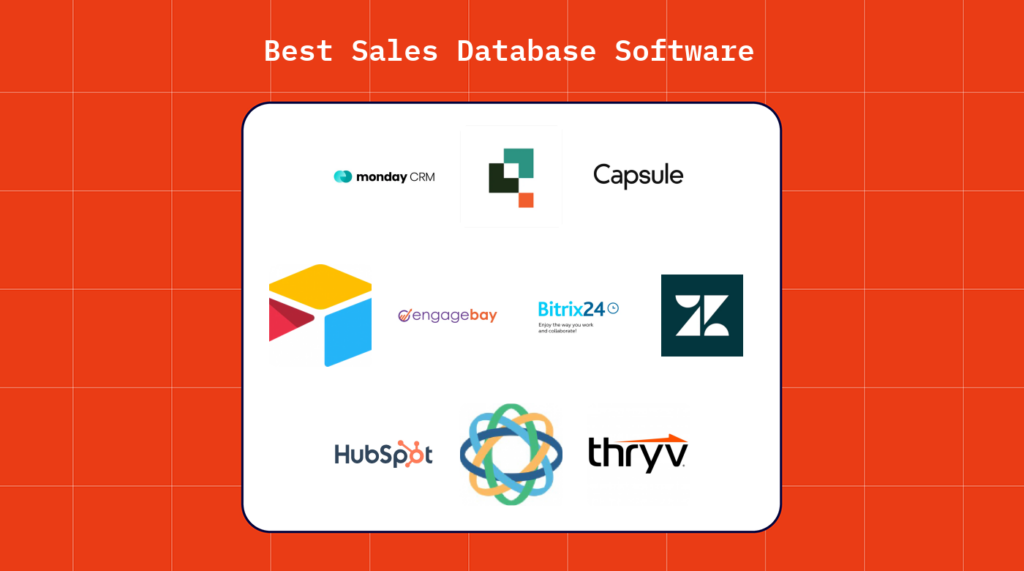
10 Elenco dei migliori software per database di vendita


Nelle operazioni di fatturato, è probabile che tu debba gestire diverse attività contemporaneamente, cercando al contempo di favorire la crescita delle vendite. Il software giusto per database di vendita può essere un valido alleato, aiutandoti a gestire i dati dei clienti e a ottimizzare il processo di vendita.
Ho dedicato del tempo a testare e recensire questi strumenti per offrirti una panoramica imparziale delle migliori opzioni. Troverai informazioni adatte alle tue esigenze specifiche, sia che tu gestisca un piccolo team o una grande azienda.
In questo articolo a elenco, condividerò le mie scelte migliori e spiegherò perché si distinguono. Avrai una chiara comprensione di ciò che offre ciascun software, così da poter prendere una decisione informata.
Perché fidarsi dei nostri consigli sui software
Le nostre recensioni riflettono il nostro giudizio indipendente, non un discorso di vendita. Scopri come manteniamo la trasparenza.
Per questa guida, abbiamo valutato gli strumenti attraverso test pratici e ricerche indipendenti, assegnando un punteggio agli strumenti in base ai nostri criteri di selezione.
Le nostre recensioni riflettono il nostro giudizio editoriale umano, non un discorso di vendita.
Riepilogo dei migliori software per database di vendita
| Tool | Best For | Trial Info | Price | ||
|---|---|---|---|---|---|
| 1 | Ideale per flussi di lavoro personalizzabili | Prova gratuita disponibile | A partire da $12/utente/mese (con fatturazione annuale) | Website | |
| 2 | Il miglior software per database delle vendite senza codice e altamente personalizzabile | Prova gratuita di 30 giorni + demo gratuita | A partire da $35/utente/mese (fatturazione annuale) | Website | |
| 3 | Ideale per la visualizzazione delle pipeline di vendita | Prova gratuita di 14 giorni + piano gratuito disponibile | Da $18/utente/mese (fatturazione annuale) | Website | |
| 4 | Ideale per mantenere allineati i team di vendita e gestione account | Piano gratuito disponibile | Da $12/postazione/mese | Website | |
| 5 | Ideale per arricchire i profili dei clienti | Piano gratuito disponibile | Da $12.74/utente/mese | Website | |
| 6 | Ideale per collegare reparti separati con un unico set di strumenti | Piano gratuito + prova gratuita di 14 giorni disponibile | A partire da $18/mese | Website | |
| 7 | Ideale per uno spazio di lavoro collaborativo e unificato | Piano gratuito disponibile | A partire da $51/mese | Website | |
| 8 | Ideale per reportistica e analisi di vendita avanzate | Prova gratuita di 14 giorni disponibile | Da $19/utente/mese | Website | |
| 9 | Ideale per una configurazione e implementazione rapide | Prova gratuita di 14 giorni disponibile | Da $59/utente/mese | Website | |
| 10 | Ideale per piccole aziende orientate ai servizi | Demo gratuita disponibile | Da $255/mese | Website |

Recensioni dei migliori software per database di vendita
Di seguito troverai un breve riepilogo di ogni strumento presente nel mio elenco, un’anteprima della relativa interfaccia, alcune funzionalità di rilievo, i dettagli sui prezzi e i pro e contro che ti aiuteranno a prendere una decisione definitiva.

Ideale per flussi di lavoro personalizzabili

Monday Sales CRM è una piattaforma di gestione delle relazioni con i clienti che fornisce alle aziende strumenti per gestire i processi di vendita, i dati dei clienti e le interazioni in un'unica posizione centralizzata.
Perché ho scelto Monday Sales CRM: Monday Sales CRM offre alle aziende una piattaforma personalizzabile per gestire e organizzare i dati dei contatti, un aspetto essenziale per migliorare i processi di vendita e le esperienze dei clienti. Il software automatizza l'inserimento dei dati, riducendo il lavoro manuale e il rischio di errori. Consente inoltre di creare report e monitorare i progressi del processo di vendita, fornendo informazioni preziose sulle attività di vendita.
Funzionalità principali e integrazioni di Monday Sales CRM
Le funzionalità principali includono l'acquisizione dei contatti interessati, le previsioni di vendita, la sincronizzazione e il monitoraggio delle email, la composizione delle email assistita dall'IA, le email di massa, il monitoraggio delle prestazioni, la gestione delle attività e i cruscotti personalizzabili.
Le integrazioni includono Trello, Slack, Google Drive e Outlook.
Pros and Cons
Pros:
- Include funzionalità per la gestione del lavoro
- Fornisce centinaia di modelli e ricette di automazione
- Offre automazioni personalizzabili senza codice
Cons:
- Non è specializzato quanto altri strumenti CRM
- Sono stati segnalati occasionali malfunzionamenti nelle bacheche di grandi dimensioni
New Product Updates from monday CRM

monday CRM Adds Meta Conversions API Integration
monday CRM now lets you connect Meta Conversions API and sync lead status back to Meta, improving targeting and conversions via a new Meta integration automation recipe. For more information, visit monday CRM's official site.

Il miglior software per database delle vendite senza codice e altamente personalizzabile
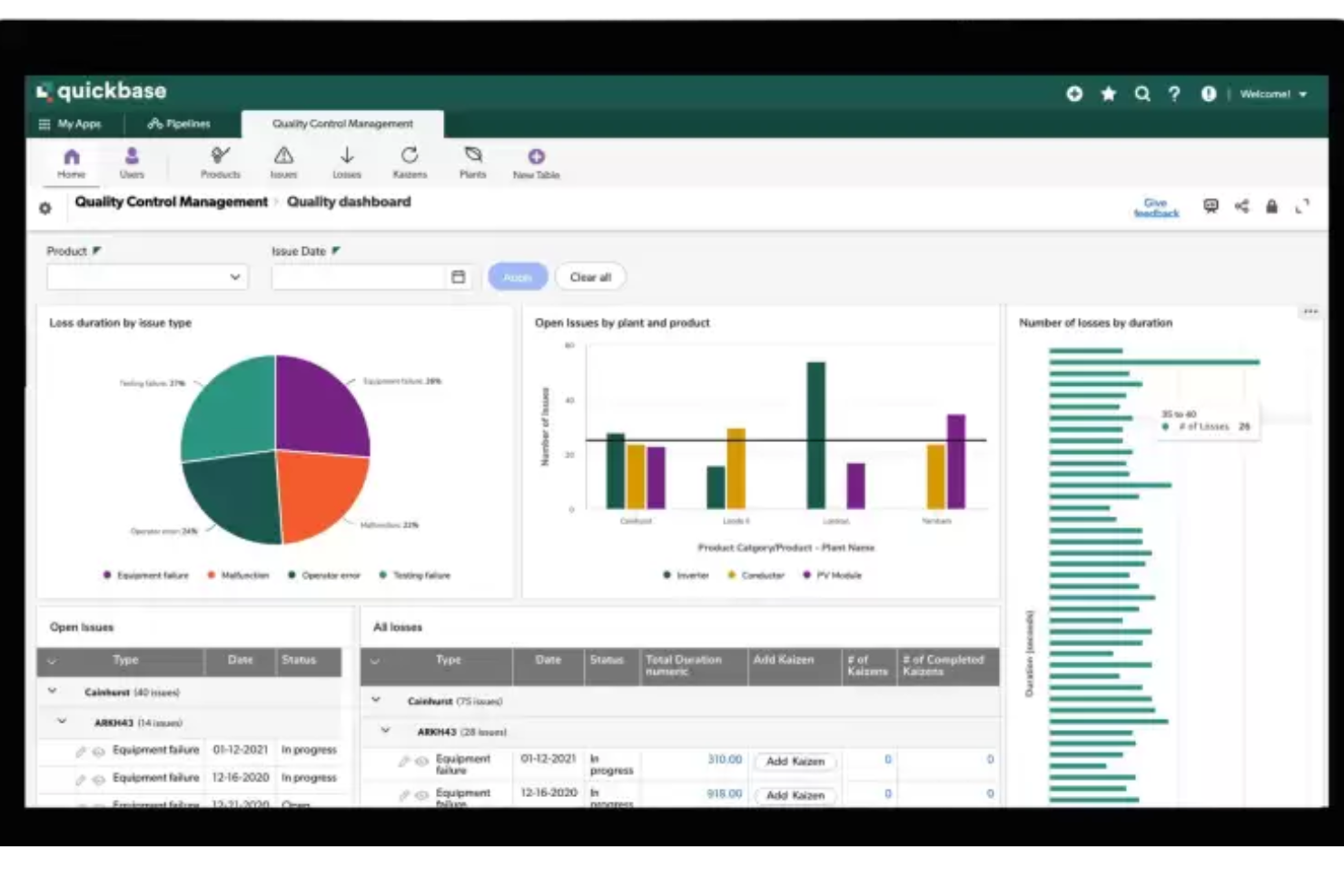
QuickBase è una piattaforma cloud per la creazione di applicazioni che consente alle aziende di sviluppare soluzioni personalizzate per le proprie esigenze specifiche. Specializzata nella gestione dei database e nell'automazione dei flussi di lavoro, QuickBase permette ai team di realizzare applicazioni senza codice che semplificano i processi, migliorano la raccolta e l'analisi dei dati e rafforzano la collaborazione interna. La sua versatilità e facilità d'uso la rendono una soluzione interessante per aziende di qualsiasi dimensione desiderose di ottimizzare le proprie operazioni.
Perché ho scelto QuickBase: Come software per database delle vendite, QuickBase si distingue nell'offrire soluzioni flessibili e personalizzabili in grado di adattarsi alle esigenze dinamiche dei team di vendita. Facilita la creazione di applicazioni personalizzate per il tracciamento delle vendite, modificabili per ogni processo commerciale, indipendentemente dalla complessità. Con funzionalità quali reportistica in tempo reale, flussi di lavoro automatizzati e controlli di accesso dettagliati, QuickBase aiuta i team commerciali a gestire efficacemente le relazioni con i clienti, monitorare i pipeline di vendita e analizzare le prestazioni per prendere decisioni informate. La capacità di integrarsi con numerose fonti di dati e applicazioni ne aumenta ulteriormente l'utilità, offrendo una visione completa delle attività di vendita.
Funzionalità e integrazioni principali di QuickBase
Funzionalità includono sviluppo di applicazioni senza codice, reportistica e analisi in tempo reale, flussi di lavoro automatizzati, moduli personalizzati, impostazioni granulari dei permessi, capacità di integrazione dei dati, connettività tra applicazioni, accesso da dispositivi mobili, architettura cloud e strumenti per la collaborazione del team.
Le integrazioni includono Salesforce, Gmail, Slack, Dropbox, Box, Microsoft Office 365, QuickBooks, Zapier, Mailchimp, Tableau.
Pros and Cons
Pros:
- Piattaforma no-code altamente personalizzabile
- Potenti funzionalità di automazione e workflow
- Ampie opzioni di integrazione
Cons:
- Curva di apprendimento ripida per i nuovi utenti
- Personalizzazione limitata del design dell'interfaccia utente
Capsule
Ideale per la visualizzazione delle pipeline di vendita
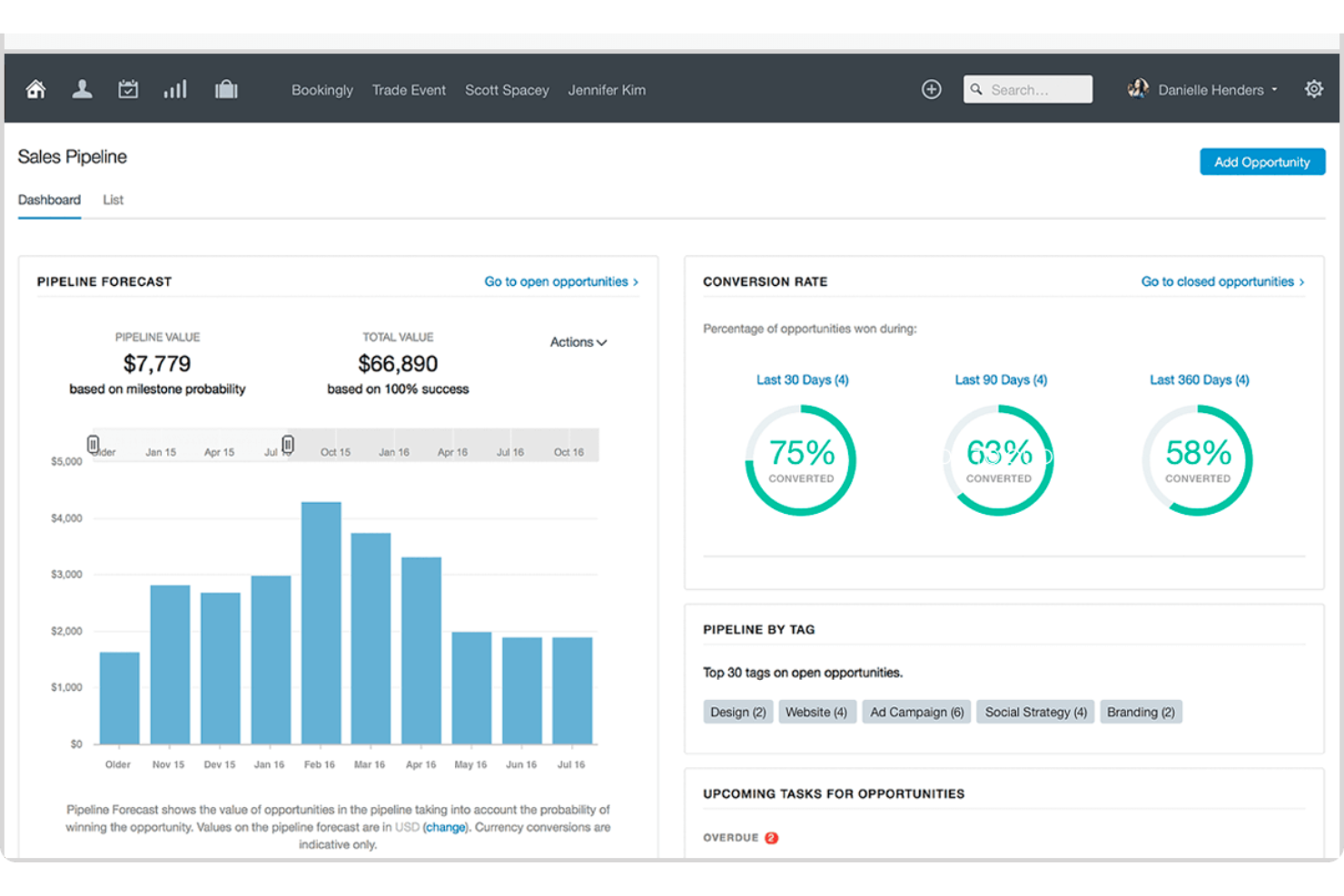
Capsule CRM offre un approccio semplificato alla gestione delle relazioni con i clienti e dei processi di vendita, proponendo alle aziende di ogni dimensione una piattaforma scalabile e intuitiva. Focalizzato sulla facilità d’uso, Capsule CRM aiuta i team a monitorare contatti, lead e opportunità di vendita in un’unica posizione centralizzata. Le sue funzionalità personalizzabili consentono flussi di lavoro su misura, rendendolo uno strumento versatile per diversi settori.
Perché ho scelto Capsule CRM: Come software per database di vendita, Capsule CRM si distingue offrendo una soluzione completa ma flessibile per la gestione delle pipeline di vendita e dei dati dei clienti. Permette alle aziende di tracciare efficacemente le attività di vendita, gestire i lead attraverso fasi di vendita personalizzabili e ottenere preziosi insight sulle performance grazie a report e analisi dettagliate. Il suo punto di forza sta nella capacità di semplificare processi di vendita complessi e la gestione dei dati, rendendolo accessibile a team di qualsiasi livello di esperienza.
Caratteristiche e integrazioni principali di Capsule CRM
Le funzionalità includono 'Tracks' e 'Tags' che offrono un approccio sfaccettato alla gestione di contatti e attività. I 'Tracks' sono sequenze predefinite di attività che guidano gli utenti attraverso un processo, garantendo coerenza ed efficienza in operazioni come l’onboarding di nuovi clienti o il follow-up dei lead. I 'Tags' permettono una categorizzazione dinamica di contatti, opportunità e casi, offrendo un sistema flessibile e facile da usare per la segmentazione, adattabile alle esigenze in evoluzione di un’azienda.
Le integrazioni includono Google Workspace (Gmail, Docs, Calendar), Microsoft Office 365, Mailchimp, Xero, QuickBooks, Slack, FreshBooks e molte altre tramite Zapier.
Pros and Cons
Pros:
- Intuitivo e facile da usare
- Gestione integrata delle attività in calendario
- Invia e ricevi email direttamente in Capsule CRM
- Impossibile trascinare e rilasciare tag o campi dati
Cons:
- Si auspicherebbero più integrazioni con il marketing digitale
New Product Updates from Capsule

Capsule Adds AI Meeting Prep for External Calls
Capsule introduced AI Meeting Prep with relationship summaries, color-coded signals, and CRM context for upcoming external calls. This helps users review key contact details and prepare for meetings without searching through records manually. For more information, visit Capsule’s official site.
 .
.
Airtable
Ideale per mantenere allineati i team di vendita e gestione account
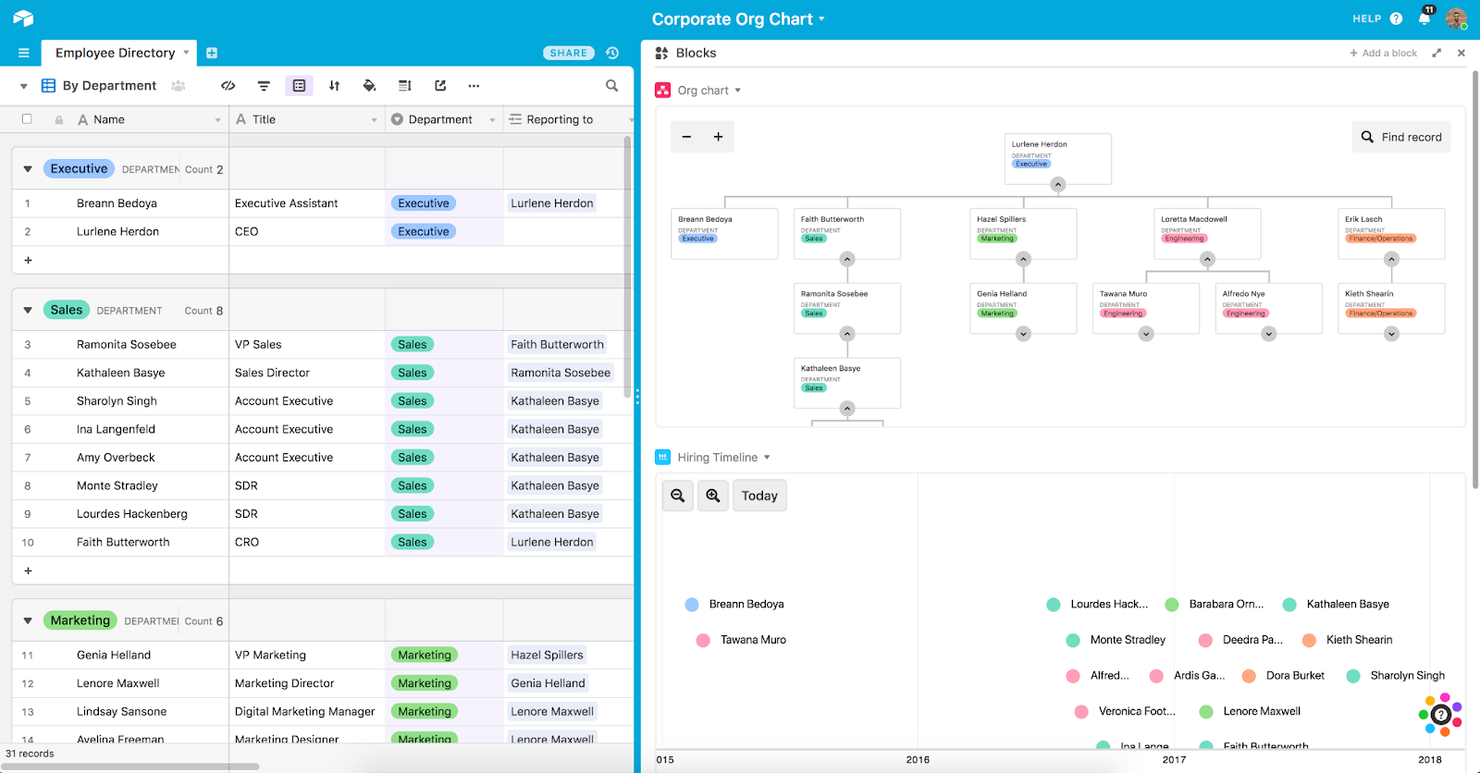
Come piattaforma CRM e soluzione software organizzativa, Airtable è progettato per offrire ai team di tutte le dimensioni una piattaforma centralizzata per gestire clienti, progetti e idee. Il team di Airtable si è concentrato sul rendere il software di gestione il più possibile adatto ai dispositivi mobili e flessibile, con app native per desktop e smartphone.
Perché ho scelto Airtable: Una funzionalità che mi ha colpito in questo sistema CRM per le vendite è la possibilità di creare automazioni personalizzabili per semplificare i processi ripetitivi. Che si tratti di condividere aggiornamenti su Slack per la formazione completata o di attivare follow-up per l'email marketing, Airtable elimina le attività manuali e ripetitive.
Caratteristiche distintive e integrazioni di Airtable
Le caratteristiche distintive includono componenti drag-and-drop per la creazione di interfacce e un database relazionale che consente di creare una fonte unica e sicura per tutti i dati.
Le integrazioni comprendono Asana, Basecamp, Box, Dropbox, Miro, Outlook Calendar, Pocket, Salesforce Sales Cloud, Slack e Zendesk Sell.
Pros and Cons
Pros:
- Documenti ben organizzati e facili da trovare
- Facile da usare con navigazione intuitiva
- Dashboard personalizzabile per attività, note e commenti
Cons:
- Il caricamento da Google Drive è macchinoso
- Non è molto intuitivo configurare i diagrammi di Gantt
Ideale per arricchire i profili dei clienti

Poiché EngageBay si concentra sull'essere il tuo software di marketing tutto-in-uno, combina la generazione di lead, il software per database clienti, strumenti di marketing e funzionalità CRM nella stessa piattaforma. EngageBay è progettato per aiutare la tua azienda in ogni fase, dall'acquisizione e nutrimento dei lead all'interazione con i clienti e alla chiusura delle vendite.
Perché ho scelto EngageBay: Questo strumento è entrato nella mia lista grazie alla visualizzazione a 360 gradi dei tuoi contatti. Puoi costruire un profilo completo per ogni singolo lead e cliente con molteplici punti di contatto, tra cui interessi personali, profili social, punteggi dei lead, note e cronologia delle comunicazioni.
Caratteristiche principali e integrazioni di EngageBay
Funzionalità principali includono modelli di email per semplificare il primo contatto e le campagne di marketing, nonché un generatore di moduli web online che ti permette di ottenere più lead.
Integrazioni includono Amazon SES, DocuSign, GupShup, LinkedIn, MailGun, SendGrid, Shopify, Stripe, Xero e Zapier.
Pros and Cons
Pros:
- Assistenza clienti reattiva e disponibile
- Dispone di molti strumenti gratuiti per startup e imprenditori individuali
- Alto livello di personalizzazione per qualsiasi flusso di lavoro
Cons:
- Le integrazioni con il calendario sono un po' macchinose
- I piani a basso costo diventano costosi con le funzionalità aggiuntive
Ideale per collegare reparti separati con un unico set di strumenti
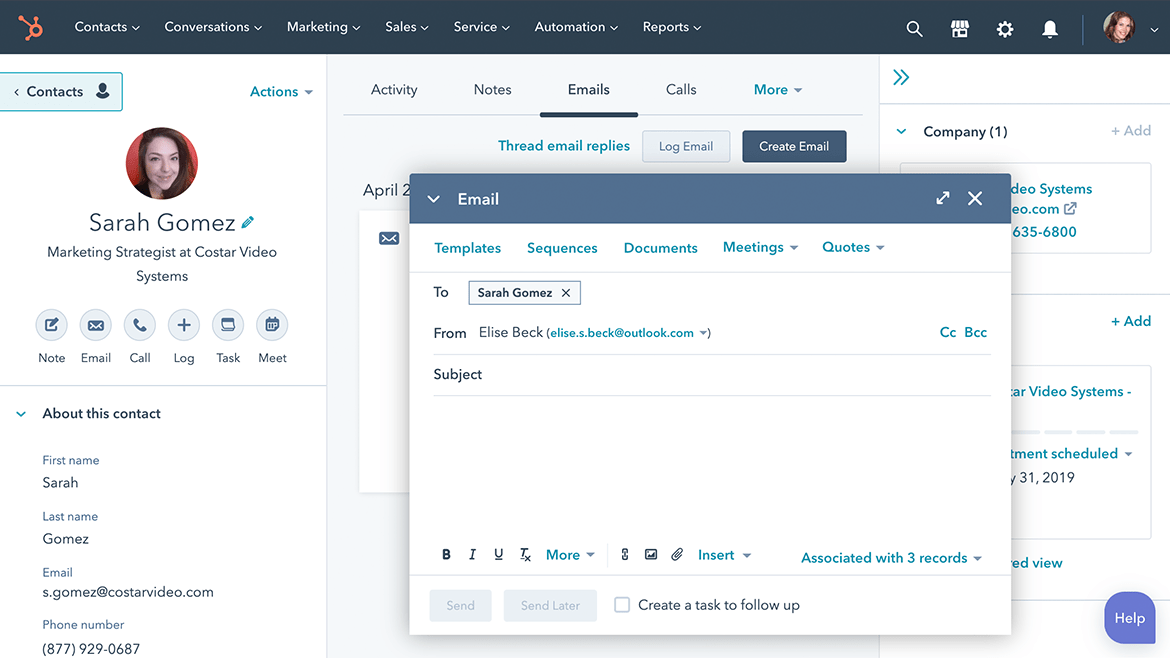
Concentrandosi sull'organizzazione del processo di vendita e sulla gestione dei lead, HubSpot Sales Hub integra la gestione dei dati dei clienti con attività di contatto automatico attraverso playbook di vendita e trascrizioni delle chiamate. Questa piattaforma collega i team interni con strumenti per vendite, marketing, assistenza clienti e gestione dei contenuti.
Perché ho scelto HubSpot Sales Hub: Questa piattaforma si distingue per la sua ampia offerta gratuita. La versione gratuita offre a ciascun utente della tua organizzazione 200 notifiche, 15 minuti di chiamate, 5 modelli email e 5 documenti.
Funzionalità principali e integrazioni di HubSpot Sales Hub
Funzionalità principali includono il monitoraggio delle vendite e la gestione dei contenuti, oltre a insight conversazionali guidati dall’IA per insegnare al tuo team tecniche migliori.
Integrazioni includono Aircall, Convoso, Fomo, Foxit eSign, Gmail, Hopin, Kixie PowerCall, Microsoft Outlook, Scoro e Sisense.
Pros and Cons
Pros:
- Aumenta la trasparenza del funnel di vendita
- Navigazione intuitiva
- Facile da apprendere
Cons:
- Ritardo nella sincronizzazione delle informazioni
- Flussi di lavoro limitati per creazioni personalizzate complesse
Bitrix24
Ideale per uno spazio di lavoro collaborativo e unificato

Bitrix24 è un software per vendite, collaborazione, risorse umane e CRM che offre gestione dei lead, comunicazione con i clienti, gestione del team, marketing omnicanale e spazi di lavoro condivisi tutto in un'unica soluzione. Il software è completamente mobile, il che lo rende un'ottima scelta per le vendite da remoto e sul campo.
Perché ho scelto Bitrix24: Questa piattaforma ha attirato la mia attenzione perché offre una gestione completa di database e contatti. Una volta che un lead o un cliente è presente nel sistema, puoi facilmente aggiornarlo, segmentarlo e raggiungerlo in base a fasi e trigger personalizzati. Invia un'email o chiama un cliente dal CRM con un solo tocco per far avanzare le trattative nella pipeline di vendita.
Caratteristiche principali e integrazioni di Bitrix24
Caratteristiche principali includono la creazione di modelli precaricati con i dati dei clienti e link per la firma elettronica legalmente vincolante che possono essere inviati tramite SMS o email.
Integrazioni includono Asana, Asterisk, DocuSign, Jira, Microsoft 365, OneDrive, PayPal, Stripe, WhatsApp, WordPress e Zoom.
Pros and Cons
Pros:
- Progettato per sostituire diversi strumenti nella tua suite tecnologica
- Funzionalità in tempo reale per la collaborazione
- App mobile avanzata per una migliore accessibilità
Cons:
- Richiede una certa formazione per l'apprendimento
- Interfaccia utente un po' datata

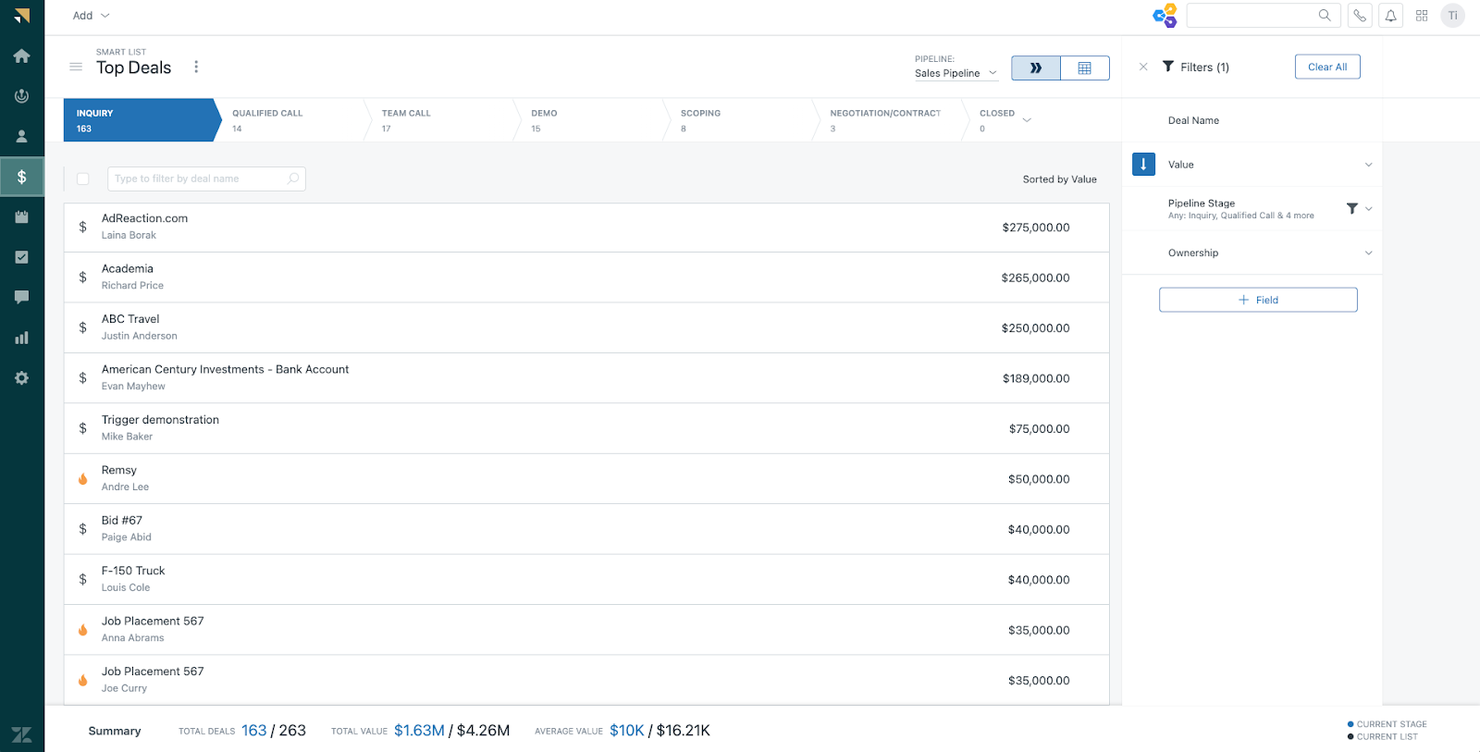
Come soluzione CRM completa e strumento di gestione database clienti, Zendesk Sell si concentra specificamente sulla riduzione degli attriti tra i team e sull'offerta di una visione più completa delle interazioni con potenziali clienti e clienti, tramite l’analisi dei dati di clienti e lead, l’eliminazione di attività ripetitive e l’utilizzo di canali di comunicazione integrati per raggiungere i clienti ovunque si trovino.
Perché ho scelto Zendesk: Ho inserito questo strumento nella mia lista perché facilita la migrazione verso un nuovo software di gestione dati clienti o l'integrazione in un’infrastruttura tecnologica già esistente. Non devi preoccuparti che l'IT riconfiguri completamente il sistema, perché Zendesk funziona subito, senza grandi interruzioni del flusso di lavoro.
Caratteristiche principali e integrazioni di Zendesk
Caratteristiche principali includono gestione delle pipeline di vendita con un sistema CRM mobile per smartphone e strumenti avanzati di previsione vendite, analisi e reportistica.
Integrazioni includono Dropbox Business, Gmail, Google Calendar, Google Drive, HubSpot CRM, Mailchimp, Rippling, Slack, Trello e Zapier.
Pros and Cons
Pros:
- Interfaccia estremamente user-friendly
- Navigazione intuitiva nell'app
- Implementazione semplice per la maggior parte delle aziende
Cons:
- Le funzionalità avanzate sono disponibili solo nei piani premium
- Occasionali downtime per aggiornamenti

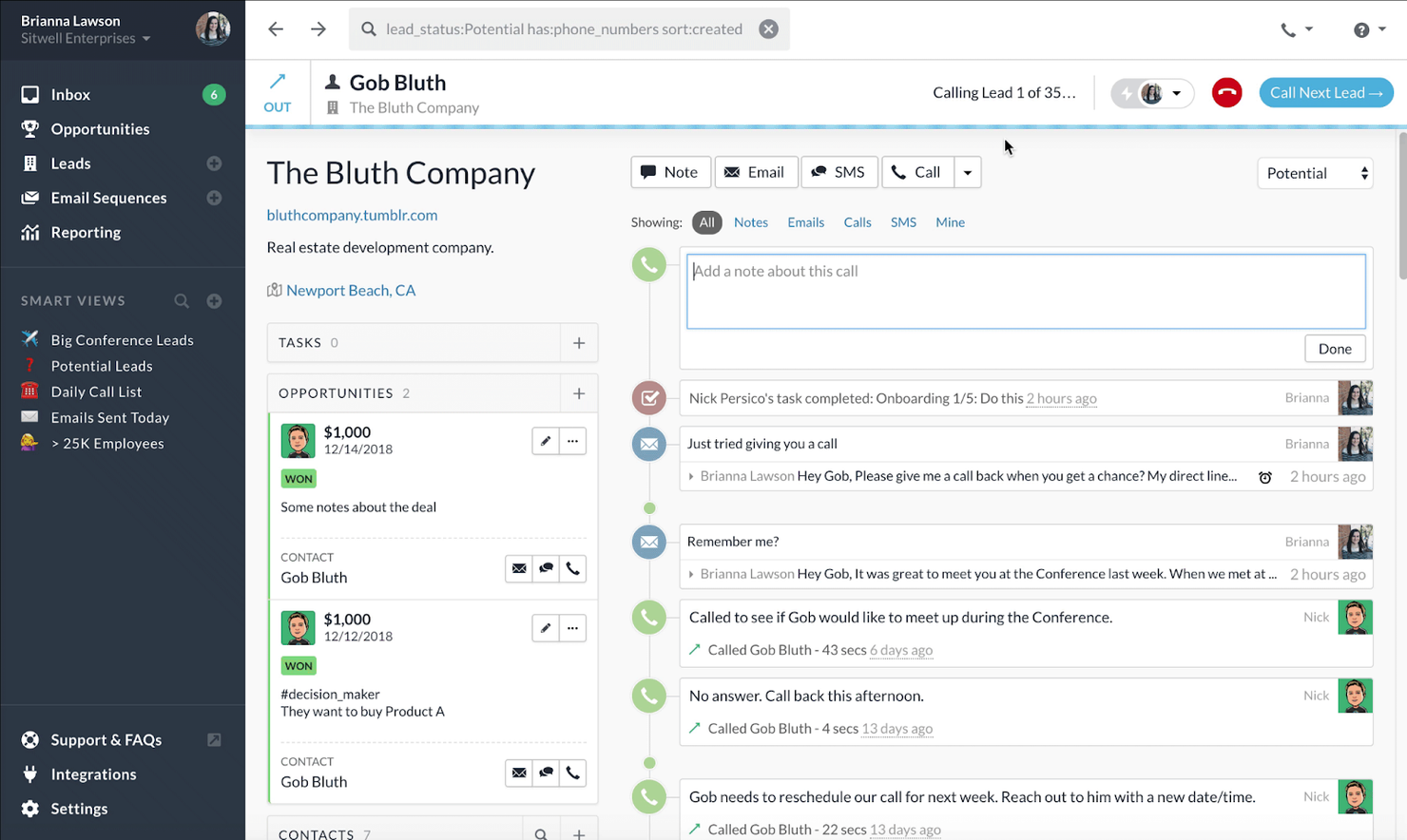
Questa piattaforma è progettata per essere una delle migliori opzioni CRM per piccole imprese e startup perché offre una suite completa di strumenti che combina attività di outreach e gestione del database. Puoi utilizzare email, chiamate e SMS direttamente dai profili dei clienti.
Perché ho scelto Close: Ho scelto questa piattaforma per la rapidità con cui puoi configurarti importando lead e contatti in pochi minuti, utilizzando uno strumento di importazione CSV o migrando da altri CRM con uno strumento gratuito di migrazione con un solo clic.
Funzionalità principali e integrazioni di Close
Funzionalità principali includono SMS integrati, chiamate e Zoom, oltre alle sequenze per automatizzare l’attività di outreach.
Le integrazioni comprendono Asana, DocuSign, Gmail, Google Drive, Google Sheets, Mailchimp, Microsoft 365, Shopify, Slack e Zoom Meetings.
Pros and Cons
Pros:
- Implementazione o migrazione rapide
- Assistenza clienti reattiva
Cons:
- Molto facile da usare
- Un po' più costoso di altre opzioni
- Funzionalità limitate nell'app mobile
Thryv
Ideale per piccole aziende orientate ai servizi
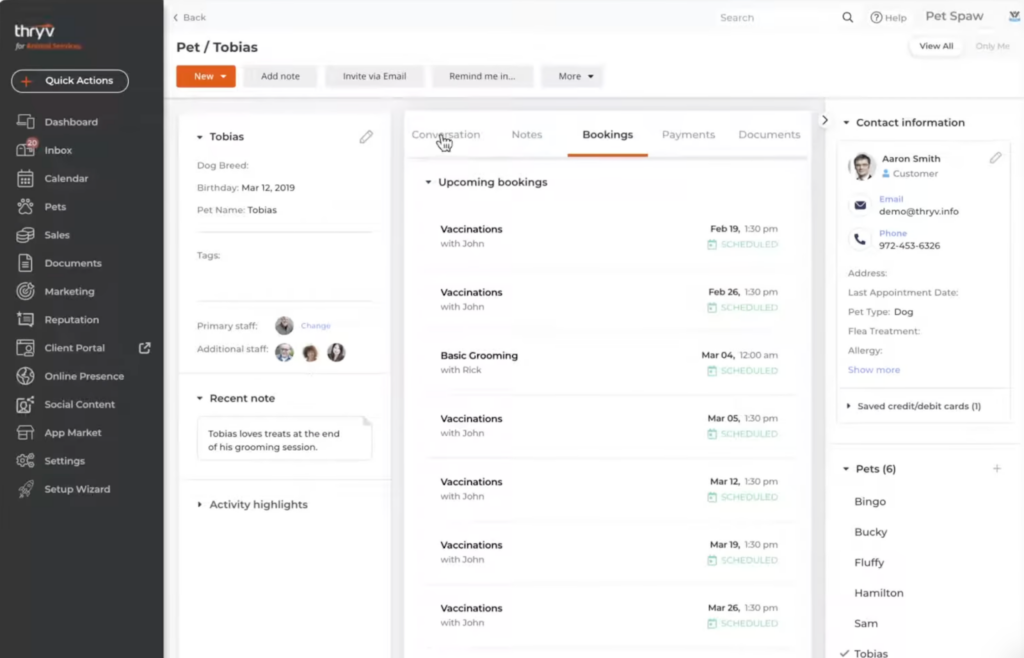
Thryv è una piattaforma di gestione aziendale completa e ricca di funzionalità, ideale per le esigenze delle piccole imprese orientate ai servizi. Combina un CRM e un database clienti con la gestione di documenti, fatture e preventivi, oltre a strumenti per i social media e altri strumenti di marketing.
Perché ho scelto Thryv: Ho deciso di aggiungere questo software alla mia lista per l’ampiezza del suo raggio d’azione. Non solo è possibile mantenere aggiornato il database dei clienti e delle vendite, ma si possono anche gestire fatture, appuntamenti ed eventi. Include inoltre strumenti per l’elaborazione dei pagamenti, tra cui il pagamento con carta di credito e la vendita online.
Caratteristiche distintive e integrazioni di Thryv
Caratteristiche distintive sono i suoi strumenti di gestione della reputazione, che aiutano a tenere sotto controllo come i clienti stanno valutando la tua azienda su molteplici siti di recensioni.
Integrazioni incluse: Clover, Facebook Messenger, Gmail, Indeed, Instagram Messenger, Jotform, Mailchimp, MYOB, QuickBooks, Twilio, Typeform e Zoom.
Pros and Cons
Pros:
- Soluzione tutto-in-uno per piccole imprese
- Gestione di contratti e documenti inclusa
- Ampio database di video tutorial su YouTube
Cons:
- Mancano funzionalità di gestione delle attività
- Automazione email piuttosto basilare
Altri software per database di vendita
So che il mio elenco è già piuttosto completo, ma non sarebbe completo senza qualche altra opzione che ha attirato la mia attenzione. Dai un’occhiata a queste alternative per scoprire se una di esse è il miglior software per database clienti per te.
- Apptivo
Miglior strumento CRM di vendita per la personalizzazione
- Creatio CRM
Ideale per visualizzazioni dei clienti delle vendite a 360 gradi
- Copper
Ideale per visualizzare la cronologia completa delle relazioni con ogni cliente
- Freshsales
Ideale per le piccole imprese che necessitano di un'interfaccia semplificata


Come valuto il software di database di vendita
Divido la mia valutazione in due livelli: le capacità di base che ogni database di vendita deve avere e i fattori di differenziazione—come segnali di intento, freschezza dei dati e profondità della sincronizzazione CRM—che sono i più importanti.
Funzionalità di base (Requisiti minimi per questa lista)
Quando seleziono gli strumenti per la mia lista, valuto ciascuno su una scala da 0 (non offre la funzionalità) a 5 (eccelle in quest'area) per ogni funzionalità di base elencata di seguito. Poi, calcolo il punteggio totale dello strumento in percentuale. Ogni strumento deve raggiungere un punteggio totale minimo del 65% per essere considerato per l'inclusione.
- Database di contatti B2B: Valuto l'ampiezza e la profondità dei record di contatto di ogni piattaforma, osservando se posso ottenere numeri diretti e email verificate di acquirenti di livello medio e C-suite.
- Dati firmografici dell'azienda: Ogni strumento dovrebbe fornire dettagli a livello aziendale come fascia di fatturato, numero di dipendenti e settore per poter segmentare gli account secondo i criteri ICP durante la creazione delle liste.
- Ricerca e filtraggio avanzati: Cerco filtri dettagliati che consentano di sovrapporre attributi come seniority, dipartimento, stack tecnologico e area geografica per creare liste di prospect altamente mirate.
- Accuratezza e verifica dei dati: Dati obsoleti sprecano cicli di contatto, quindi verifico come ogni fornitore gestisce la frequenza di verifica, le garanzie sul tasso di rimbalzo e la validazione email in tempo reale.
- Integrazioni con CRM e strumenti di vendita: Lo strumento deve sincronizzarsi bidirezionalmente con CRM come Salesforce o HubSpot e inserire i contatti nelle piattaforme di coinvolgimento vendite senza esportazione CSV manuale.
- Esportazione e arricchimento massivi: Valuto se la piattaforma supporta l’arricchimento in blocco dei record CRM esistenti e l’esportazione di grandi liste direttamente nei sistemi collegati tramite sincronizzazione nativa o API.
Dopo aver ottenuto una lista di strumenti che soddisfano questi criteri, considero cosa rende unico ciascun software.
Fattori di differenziazione (Cosa distingue i fornitori)
Ecco come confronto diversi fornitori:
Funzionalità distintive
I dati di intento d’acquisto rappresentano un grande fattore differenziante—cerco piattaforme che segnalino gli account attivamente alla ricerca di argomenti collegati alla tua soluzione, così i commerciali possono prioritizzare il momento dell’approccio. I filtri tecnologici offrono un ulteriore livello di targeting, consentendo di creare liste di aziende che utilizzano il prodotto di un concorrente o uno strumento complementare nel proprio stack. Valuto anche le funzionalità di organigramma e mappatura delle relazioni, che aiutano i commerciali a identificare l'intero comitato d'acquisto invece di indovinare chi altro deve approvare.
Oltre le funzionalità
La conformità è fondamentale: verifico se un fornitore possiede la certificazione SOC 2 Type II e processi chiari per GDPR e CCPA, dato che il tuo team gestisce dati di contatto personali su larga scala. Anche la struttura dei prezzi è un fattore che considero attentamente. I modelli basati su crediti possono diventare costosi rapidamente quando i team SDR costruiscono grandi liste, quindi valuto come i limiti di esportazione e arricchimento scalano nei diversi livelli. Considero inoltre la copertura dei dati a livello regionale, soprattutto per i team che fanno prospecting al di fuori del loro mercato principale, dove la profondità dei contatti può variare ampiamente tra le piattaforme.
Come scegliere un software per database di vendita
È facile perdersi in lunghi elenchi di funzionalità e strutture tariffarie complesse. Per aiutarti a rimanere concentrato mentre affronti il tuo processo di scelta del software, ecco un elenco di fattori da tenere a mente:
| Fattore | Cosa valutare |
|---|---|
| Scalabilità | Il software crescerà insieme alla tua azienda? Valuta se è in grado di gestire un numero maggiore di utenti, insiemi di dati più grandi o funzionalità aggiuntive man mano che il team cresce. |
| Integrazioni | Si collega agli strumenti che già utilizzi? Verifica la compatibilità con il tuo CRM, i sistemi di posta elettronica e gli altri software fondamentali per evitare silos di dati. |
| Personalizzazione | Puoi adattarlo alle tue esigenze? Cerca opzioni per personalizzare campi, flussi di lavoro e report, in modo che siano in linea con i tuoi processi. |
| Facilità d'uso | È facile da usare per il tuo team? Considera la curva di apprendimento e quanto sia intuitiva l'interfaccia. Un sistema complesso potrebbe portare a una scarsa adozione. |
| Implementazione e avviamento | Quanto tempo servirà per iniziare? Valuta il tempo e le risorse necessari per la configurazione, la formazione e l'adozione. Cerca fornitori che offrano un solido supporto durante l'avviamento. |
| Costo | Rientra nel tuo budget? Confronta i modelli tariffari, i costi nascosti e il valore offerto. Considera se il costo aumenta in proporzione alla tua crescita. |
| Misure di sicurezza | Quanto sono sicuri i tuoi dati? Valuta le misure di protezione dei dati del software, la conformità alle normative e la presenza passata di violazioni o problemi di sicurezza. |
| Disponibilità dell'assistenza | Quali opzioni di assistenza sono disponibili? Verifica se il fornitore offre supporto 24 ore su 24, 7 giorni su 7, più canali di comunicazione e tempi di risposta rapidi, per assicurarti di ricevere aiuto quando necessario. |
Che cos'è il software per database di vendita?
Il software per database di vendita è uno strumento che aiuta le aziende a organizzare, monitorare e gestire i dati di vendita. I professionisti delle vendite, i responsabili degli account e i team del servizio clienti utilizzano generalmente questi strumenti per migliorare i processi di vendita e le interazioni con i clienti. Funzionalità come la gestione dei contatti, il monitoraggio delle vendite e la reportistica aiutano a gestire i dati in modo efficiente e a prendere decisioni informate. Nel complesso, questi strumenti migliorano la produttività e favoriscono relazioni migliori con i clienti.
Funzionalità
Quando selezioni un software per database di vendita, presta attenzione alle seguenti funzionalità principali:
- Gestione dei contatti: Organizza e archivia le informazioni sui clienti, rendendole facili da consultare e aggiornare.
- Monitoraggio delle vendite: Monitora le attività e i progressi delle vendite per aiutare i team a raggiungere i propri obiettivi.
- Reportistica: Fornisce informazioni dettagliate attraverso report completi, favorendo un processo decisionale basato sui dati.
- Funzionalità di integrazione: Si collega agli strumenti esistenti, come i CRM e i sistemi di posta elettronica, per garantire un flusso di dati senza interruzioni.
- Flussi di lavoro personalizzabili: Consente di adattare i processi alle esigenze specifiche dell'azienda e di migliorare l'efficienza.
- Informazioni basate sull'intelligenza artificiale: Offre analisi predittive per identificare le tendenze e ottimizzare le strategie di vendita.
- Accesso da dispositivi mobili: Consente ai team di vendita di gestire i dati ovunque si trovino, migliorando flessibilità e produttività.
- Misure di sicurezza: Protegge i dati sensibili mediante la crittografia e la conformità alle normative sui dati.
- Interfaccia intuitiva: Garantisce facilità d'uso, incoraggiando l'adozione da parte dei membri del team.
- Supporto per l'introduzione: Fornisce risorse come video di formazione e tour del prodotto per facilitare una transizione senza intoppi.
Vantaggi
L'implementazione di un software per database di vendita offre diversi vantaggi al tuo team e alla tua azienda. Ecco alcuni dei benefici che puoi aspettarti:
- Organizzazione migliorata: Centralizza i dati dei clienti, rendendo facile gestire e recuperare le informazioni quando necessario.
- Processo decisionale migliorato: Offre report e analisi dettagliati che aiutano a prendere decisioni aziendali informate.
- Maggiore efficienza: Automatizza le attività ripetitive, liberando tempo per consentire al team di concentrarsi sulle attività più importanti.
- Relazioni migliori con i clienti: Fornisce informazioni sulle interazioni con i clienti, consentendo comunicazioni personalizzate e rapporti più solidi.
- Scalabilità: Si adatta alle esigenze della tua azienda in crescita, garantendo che il software rimanga utile con l'espansione del team.
- Flessibilità: L'accesso da dispositivi mobili consente al team di lavorare da qualsiasi luogo, mantenendo la produttività anche fuori dall'ufficio.
- Sicurezza dei dati: Protegge le informazioni sensibili con solide misure di sicurezza, garantendo la conformità alle normative sui dati.
Costi & prezzi
La selezione di un software per database di vendita richiede la comprensione dei vari modelli e piani tariffari disponibili. I costi variano in base alle funzionalità, alle dimensioni del team, ai componenti aggiuntivi e ad altri fattori. La tabella seguente riassume i piani più comuni, i relativi prezzi medi e le funzionalità tipicamente incluse nelle soluzioni software per database di vendita:
Tabella di confronto dei piani per il software per database di vendita
| Tipo di piano | Prezzo medio | Funzionalità comuni |
|---|---|---|
| Piano gratuito | $0 | Gestione dei contatti di base, monitoraggio limitato delle vendite e reportistica minima. |
| Piano personale | $5-$25/utente/mese | Gestione avanzata dei contatti, integrazioni di base e funzionalità standard di reportistica. |
| Piano aziendale | $30-$60/utente/mese | Monitoraggio avanzato delle vendite, integrazioni estese e flussi di lavoro personalizzabili. |
| Piano per grandi aziende | $70-$150/utente/mese | Reportistica completa, informazioni basate sull'intelligenza artificiale e assistenza clienti dedicata. |
Domande frequenti sui software per database di vendita
Stai ancora cercando di capire cosa può fare per te un software per database di vendita? Consulta queste domande frequenti per approfondire i vantaggi e gli utilizzi di questi strumenti.
Il software per database di vendita può integrarsi con il mio CRM esistente?
Sì, la maggior parte dei software per database di vendita può integrarsi con i CRM più diffusi. Controlla le capacità di integrazione del software per assicurarti che si colleghi senza problemi ai tuoi sistemi esistenti. Questo aiuta a mantenere un flusso di dati unificato ed evita di duplicare le attività. Se l’integrazione non è immediata, valuta l’utilizzo di strumenti o API di terze parti per colmare le lacune.
La migrazione dei dati verso un nuovo software per database di vendita è difficile?
La migrazione dei dati può essere impegnativa, ma è gestibile con il giusto supporto. Cerca un software che offra assistenza per la migrazione, ad esempio guide o team di supporto dedicati. Prepara i dati eliminando gli elementi superflui e organizzandoli prima del trasferimento. Testa il nuovo sistema con un piccolo insieme di dati per assicurarti che tutto venga trasferito correttamente.
Quanto sono sicuri i miei dati in un software per database di vendita?
La sicurezza dei dati varia in base al fornitore, ma in genere è una priorità assoluta. Cerca un software che offra crittografia, aggiornamenti di sicurezza regolari e conformità alle normative sulla protezione dei dati come il GDPR. Chiedi ai fornitori informazioni sui loro protocolli di sicurezza e su eventuali violazioni precedenti. Proteggi l’accesso con password complesse e l’autenticazione a due fattori.
Qual è il prossimo passo:
Se stai cercando informazioni sui software per database di vendita, contatta gratuitamente un consulente SoftwareSelect per ricevere consigli personalizzati.
Compili un modulo e fai una breve conversazione durante la quale il consulente approfondirà le tue esigenze specifiche. Dopodiché riceverai una selezione ristretta di software da esaminare. Ti accompagnerà persino durante l'intero processo di acquisto, comprese le negoziazioni sul prezzo.