

Le 10 migliori piattaforme di business intelligence nel 2026

10 Selezione delle migliori piattaforme di business intelligence


Se cerchi una soluzione che renda più facile e semplice ottenere nuovi insight dai tuoi dati e comunicarli in modo efficace al tuo team, ai tuoi clienti e ai tuoi stakeholder, la BI (Business Intelligence) è la soluzione.
Esistono diversi tipi di piattaforme di BI che possono aiutarti, comprese quelle self-service e basate sul cloud, ma tutte raccolgono dati su ogni aspetto della tua attività nel tentativo di fornirti risposte su come migliorare i flussi di lavoro, la produttività e i ricavi in tutta l'organizzazione.
Esplora le opzioni che ho scelto oggi per scoprire come questo segmento in rapida crescita del SaaS può consentire al tuo team di individuare insight utili che ti permettano di sfruttare le tendenze, cogliere nuove opportunità e ridurre al minimo i rischi.
Perché fidarsi dei nostri consigli sui software
Le nostre recensioni riflettono il nostro giudizio indipendente, non un discorso di vendita. Scopri come manteniamo la trasparenza.
Per questa guida, abbiamo valutato gli strumenti attraverso test pratici e ricerche indipendenti, assegnando un punteggio agli strumenti in base ai nostri criteri di selezione.
Le nostre recensioni riflettono il nostro giudizio editoriale umano, non un discorso di vendita.
| Tool | Best For | Trial Info | Price | ||
|---|---|---|---|---|---|
| 1 | Ideale per l'ampia integrazione dati | Prova gratuita di 15 giorni + piano gratuito + demo gratuita disponibile | A partire da $24/mese (fatturato annualmente) | Website | |
| 2 | Ideale per accelerare il processo decisionale con il supporto dell'IA | Prova gratuita + piano gratuito disponibili | Da $15/utente/mese (fatturazione annuale) | Website | |
| 3 | Ideale per la trasformazione automatizzata dei dati | Demo gratuita disponibile | Prezzo su richiesta | Website | |
| 4 | Ideale per l'utilizzo della generazione automatica di SQL | Prova gratuita di 14 giorni + demo gratuita disponibile | Da $13/utente/mese | Website | |
| 5 | Ideale per analisti aziendali e data scientist | Prova gratuita di 30 giorni | Da $125/utente/mese (fatturato annualmente) | Website | |
| 6 | Ideale per soluzioni di modellazione dei dati basate sul web | È disponibile una prova gratuita di 30 giorni | A partire da $11.25/utente/mese | Website | |
| 7 | Ideale per la gestione delle performance aziendali end-to-end | Prova gratuita di 30 giorni + demo gratuita disponibile | Prezzo su richiesta | Website | |
| 8 | Ideale per il self service di livello enterprise e per aumentare l'autonomia degli utenti | Demo gratuita disponibile | Prezzo su richiesta | Website | |
| 9 | Ideale per accedere a Qlik Sense e sfruttare l'esplorazione dati con IA | Prova gratuita disponibile | Da $30/utente/mese (fatturato annualmente) | Website | |
| 10 | Ideale per approfondimenti automatici che prioritizzano il contesto | Prova gratuita di 14 giorni | Prezzo su richiesta | Website |
Recensioni delle migliori piattaforme di business intelligence
Sei pronto per iniziare a esplorare i migliori strumenti di business intelligence presenti nella mia lista? Continua a leggere per scoprire riepiloghi delle piattaforme, funzionalità di spicco, informazioni sui prezzi e sulle prove gratuite, oltre ad alcuni pro e contro per ogni soluzione. Ho incluso anche alcune informazioni sulle integrazioni per aiutarti a capire se uno strumento è adatto al tuo stack tecnologico.

Ideale per l'ampia integrazione dati
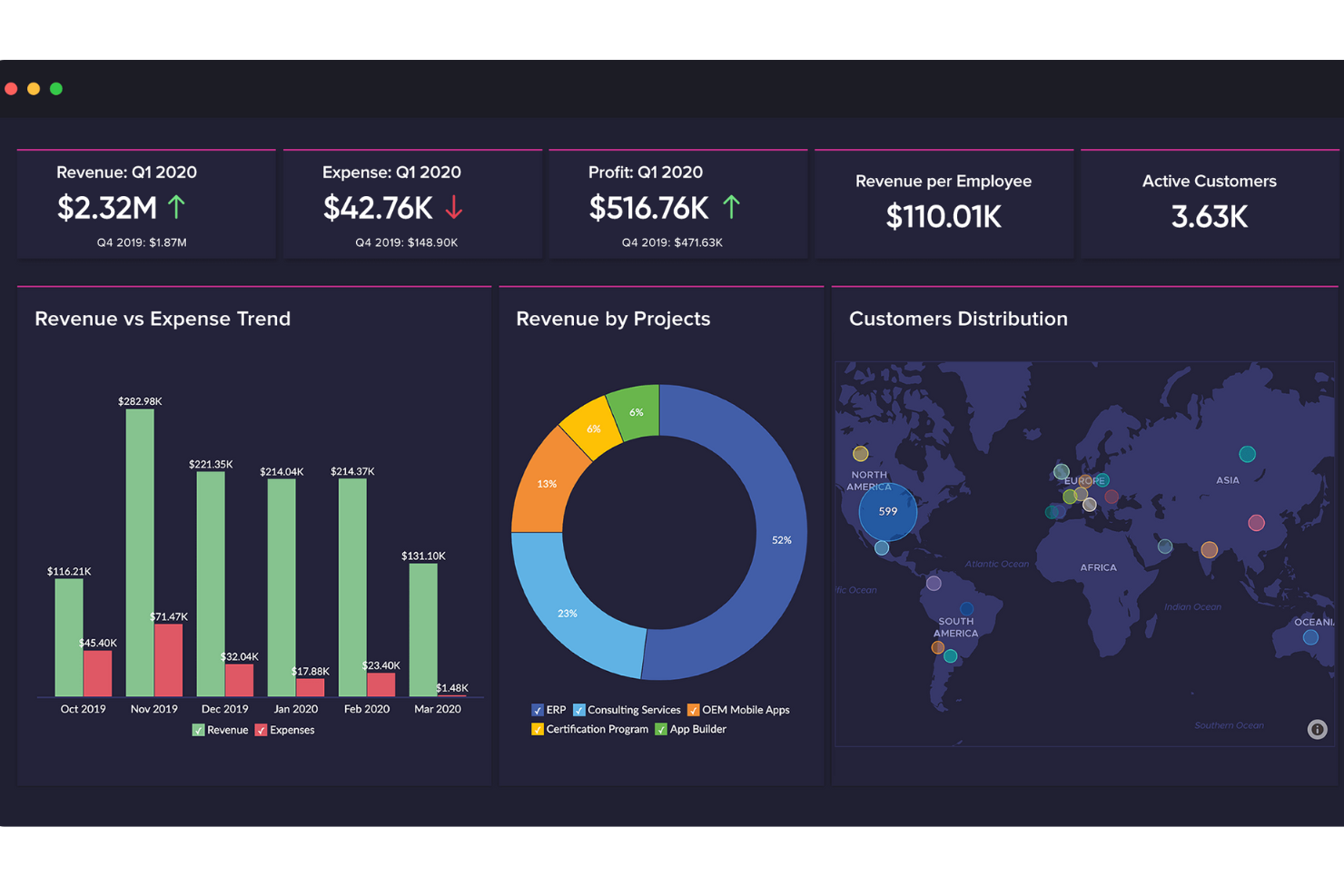
Zoho Analytics è una piattaforma di BI self-service e analisi dati che copre l'intera pipeline dei dati: dalla connessione a oltre 500 fonti di dati e preparazione dei dati fino alla creazione di dashboard interattivi, analisi predittive e integrazione dell'analisi nei tuoi applicativi.
Per chi è ideale Zoho Analytics?
Zoho Analytics è indicato per i team di dati e operazioni di aziende di medie dimensioni che hanno bisogno di consolidare dati da una vasta gamma di strumenti in un unico livello analitico.
Perché ho scelto Zoho Analytics
Zoho Analytics è una delle mie scelte migliori grazie all'enorme ampiezza della sua connettività dati. Puoi importare dati in tempo reale da database, cloud storage, file e decine di applicazioni aziendali che spaziano dal CRM, marketing, finanza, HR ed ecommerce — tutto da un'unica piattaforma. Il generatore di connettori personalizzati senza codice ti permette di collegare app non già previste da un'integrazione nativa. Zoho Flow automatizza le importazioni da oltre 1.000 app aggiuntive per mantenere i report sempre aggiornati senza necessità di aggiornamenti manuali.
Funzionalità chiave di Zoho Analytics
- Chiedi a Zia: Un assistente AI conversazionale che ti consente di interrogare i tuoi dati in linguaggio naturale e restituisce grafici, riepiloghi e insight senza dover scrivere SQL.
- Costruttore di modelli AutoML: Uno strumento integrato per addestrare, valutare e distribuire modelli di machine learning personalizzati direttamente sui tuoi dataset con un'interfaccia senza codice.
- Analisi what-if: Uno strumento di simulazione di scenari che ti permette di modificare le variabili per simulare diversi risultati e visualizzarne l'impatto sulle metriche.
- Analitica incorporata: Un livello di analisi con marchio bianco che puoi integrare direttamente nel tuo prodotto o nelle app interne con tutte le funzionalità di dashboard e reporting.
Pros and Cons
Pros:
- Dashboard live e personalizzabili
- Ottima rappresentazione visiva dei dati
- Si integra con molte fonti dati, inclusi sistemi on-premise
Cons:
- Potenziale curva di apprendimento nella personalizzazione delle dashboard
- L'app mobile talvolta ha notifiche in ritardo
New Product Updates from Zoho Analytics

Zoho Analytics Adds Exogenous Variables to Multivariate Forecasting
Zoho Analytics introduces exogenous variables for multivariate forecasting using the VARX model. This helps forecasts account for external drivers such as marketing spend, discounts, and seasonality. For more information, visit Zoho Analytics’ official site.
 .
.
Tableau
Ideale per accelerare il processo decisionale con il supporto dell'IA
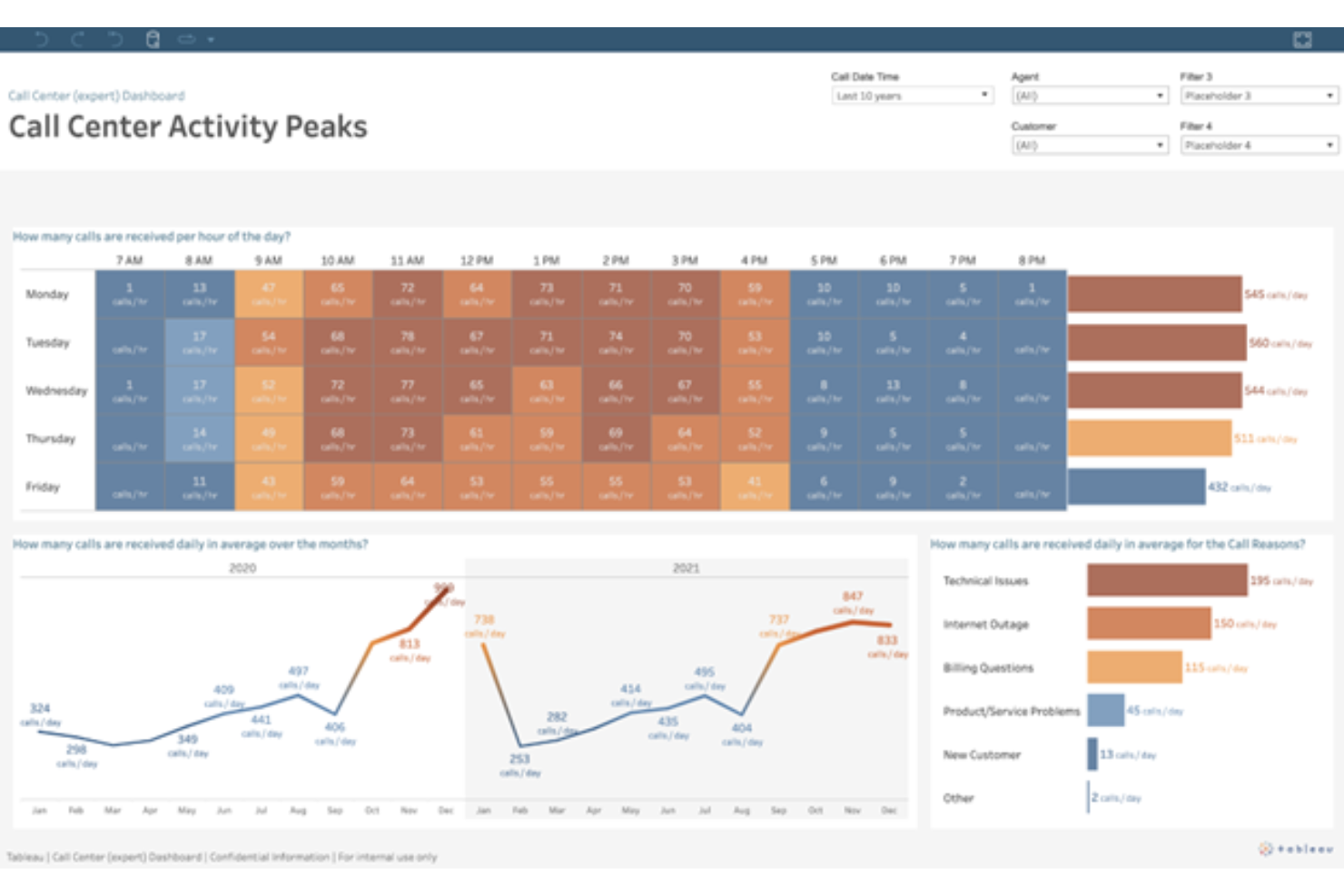
Tableau è una piattaforma di analisi visiva e business intelligence che consente di collegarsi a fonti dati, creare dashboard interattive, applicare analisi supportate dall'intelligenza artificiale e condividere insight all'interno dell'organizzazione.
Per chi è più adatto Tableau?
Tableau è particolarmente indicato per analisti dei dati e team di business intelligence in organizzazioni di medie e grandi dimensioni che necessitano di esplorare e visualizzare dati complessi e voluminosi.
Perché ho scelto Tableau
Ho incluso Tableau tra le mie scelte principali perché le sue capacità di intelligenza artificiale sono realmente integrate nel flusso di analisi e non superficiali. Tableau Pulse offre riepiloghi di metriche personalizzate e generati dall'IA direttamente su Slack o Microsoft Teams, mettendo in evidenza il 'perché' dietro le variazioni dei KPI senza che qualcuno debba generare un report. Apprezzo anche Tableau Agent, che permette di digitare un comando in linguaggio naturale e ottenere in pochi secondi un campo calcolato, una tabella pivot o una visualizzazione pronta.
Caratteristiche principali di Tableau
- Builder di dashboard drag-and-drop: Crea dashboard interattive composte da più grafici trascinando dimensioni e misure su un canvas, senza scrivere codice.
- Tableau Prep Builder: Pulisci, riformatta e combina dati da più fonti tramite un flusso visivo e passo dopo passo prima che arrivino alle dashboard.
- Connessioni dati live ed estratte: Interroga i dati direttamente dalla fonte o estraili per analisi più rapide o offline.
- Sicurezza a livello di riga: Gestisci quali utenti vedono determinate righe di dati direttamente in Tableau, senza dover modificare il database di origine.
Pros and Cons
Pros:
- Supporta quasi tutti i connettori
- Permette l'uso di SQL personalizzato
- Gestisce grandi set di dati
Cons:
- Il server può risultare un po' lento
- L'interfaccia utente generale potrebbe essere migliorata

Adverity
Ideale per la trasformazione automatizzata dei dati

Adverity è una piattaforma di integrazione e analisi dei dati di marketing che combina l'acquisizione dei dati da oltre 600 fonti con la trasformazione ETL/ELT, il monitoraggio della qualità dei dati e le interrogazioni basate su IA per offrire ai team di revenue e di analisi uno strato dati unificato e pronto per l'analisi.
Per chi è Adverity?
Adverity è particolarmente indicato per team di marketing e dati di medie e grandi imprese che gestiscono grandi volumi di dati frammentati tra media a pagamento, CRM e piattaforme di e-commerce.
Perché ho scelto Adverity
Ho incluso Adverity tra le mie migliori scelte perché il suo copilota di trasformazione alimentato da IA si distingue. Invece di scrivere manualmente la logica di trasformazione, basta descrivere ciò di cui hai bisogno in linguaggio naturale e Adverity la sviluppa per te. Apprezzo anche lo Smart Data Dictionary, che mappa automaticamente metriche e dimensioni tra tutte le tue fonti e mantiene una tracciabilità completa dei dati. L'anteprima in tempo reale delle trasformazioni ti consente di testare le modifiche sul tuo dataset prima di confermarle, riducendo il debug successivo.
Caratteristiche principali di Adverity
- Suite per la qualità dei dati: Visualizza tutte le metriche di qualità in un'unica dashboard all'interno del tuo data warehouse, con monitor automatici per problemi di duplicazione, volume, validità e consistenza.
- Pianificazione intelligente: Adverity regola automaticamente gli orari di prelievo dei dati in base alle condizioni API in tempo reale e alle tendenze storiche, così i tuoi dati vengono aggiornati senza intervento manuale.
- Integrazione con dbt: Pianifica e monitora l'esecuzione dei modelli dbt direttamente da Adverity, con notifiche di stato dei job per il tracking e la risoluzione dei problemi.
- Invio dati a più destinazioni: Invia i dati a più destinazioni contemporaneamente, mantenendo tutto sincronizzato in tutto il tuo ecosistema tecnologico.
Pros and Cons
Pros:
- I connettori preconfigurati semplificano l'integrazione delle origini dati di marketing e analisi
- Il team di supporto reattivo aiuta a risolvere problemi di integrazione e configurazione delle pipeline
- Trasferimenti di dati affidabili tra piattaforme per grandi dataset di marketing e pubblicità
Cons:
- Processo di onboarding complesso per la configurazione di connettori e pipeline di dati
- La gestione di pipeline su larga scala può diventare dispendiosa in termini di tempo durante la configurazione
New Product Updates from Adverity
Adverity Enhances Connectors and Adds TikTok GMV Max
Adverity updates connectors for Amazon Ads, SmartNews Ads, Indeed, and monday.com, and introduces the TikTok GMV Max connector. These updates improve data accuracy, control, and performance across integrations. For more information, visit Adverity’s official site.
 .
.
Strategy
Ideale per l'utilizzo della generazione automatica di SQL

MicroStrategy (precedentemente MicroStrategy) è una piattaforma aziendale di BI e analisi costruita attorno a un livello semantico universale che unifica i dati tra cloud, ambienti locali e ibridi, offrendo funzionalità che spaziano da dashboard governate, analisi potenziate dall'IA, intelligenza integrata e generazione automatica di SQL.
Per chi è più adatto MicroStrategy?
MicroStrategy è particolarmente indicato per grandi imprese e organizzazioni con grandi volumi di dati che necessitano di analisi governate e scalabili su ambienti dati complessi e da più fonti.
Perché ho scelto MicroStrategy
MicroStrategy (precedentemente MicroStrategy) è nella mia lista dei preferiti perché Auto SQL è uno strumento integrato di IA all'interno dell'editor di schemi, progettato specificamente per la generazione e la modifica di SQL. Il mio team può descrivere una necessità di dati in linguaggio naturale e Auto SQL produce la definizione della tabella Freeform SQL, eliminando un collo di bottiglia quando si lavora con schemi complessi su più tabelle. Inoltre, fornisce raccomandazioni di ottimizzazione per database specifici come Snowflake, aiutando ad adattare le convenzioni SQL alla piattaforma di destinazione. La generazione contestuale direttamente nell'editor di schemi, invece che in uno strumento separato, lo rende utile per flussi di lavoro BI aziendali.
Caratteristiche principali di MicroStrategy
- Livello semantico universale: Mosaic si connette a oltre 200 fonti di dati tra cloud, on-premise e ambienti ibridi senza spostare i dati, applicando definizioni di metriche uniformi su ogni report.
- Auto Answers: Una funzione di domande e risposte in linguaggio naturale che consente agli utenti di porre domande sui dati in testo libero e ricevere risposte immediate e governate direttamente nelle dashboard.
- HyperIntelligence: Inietta analisi contestuali, basate su schede, in app web e strumenti SaaS dove gli utenti già lavorano, senza richiedere di abbandonare tali strumenti.
- Analisi integrate: Consente di incorporare dashboard e report governati in prodotti esterni, portali o applicazioni interne, mantenendo le regole di sicurezza esistenti.
Pros and Cons
Pros:
- Strumenti facili da imparare
- Navigazione utente intuitiva
- Implementazione e installazione rapide
Cons:
- Il costo è superiore rispetto ad altri strumenti
- La piattaforma non è altrettanto reattiva su schermi piccoli

Ideale per analisti aziendali e data scientist
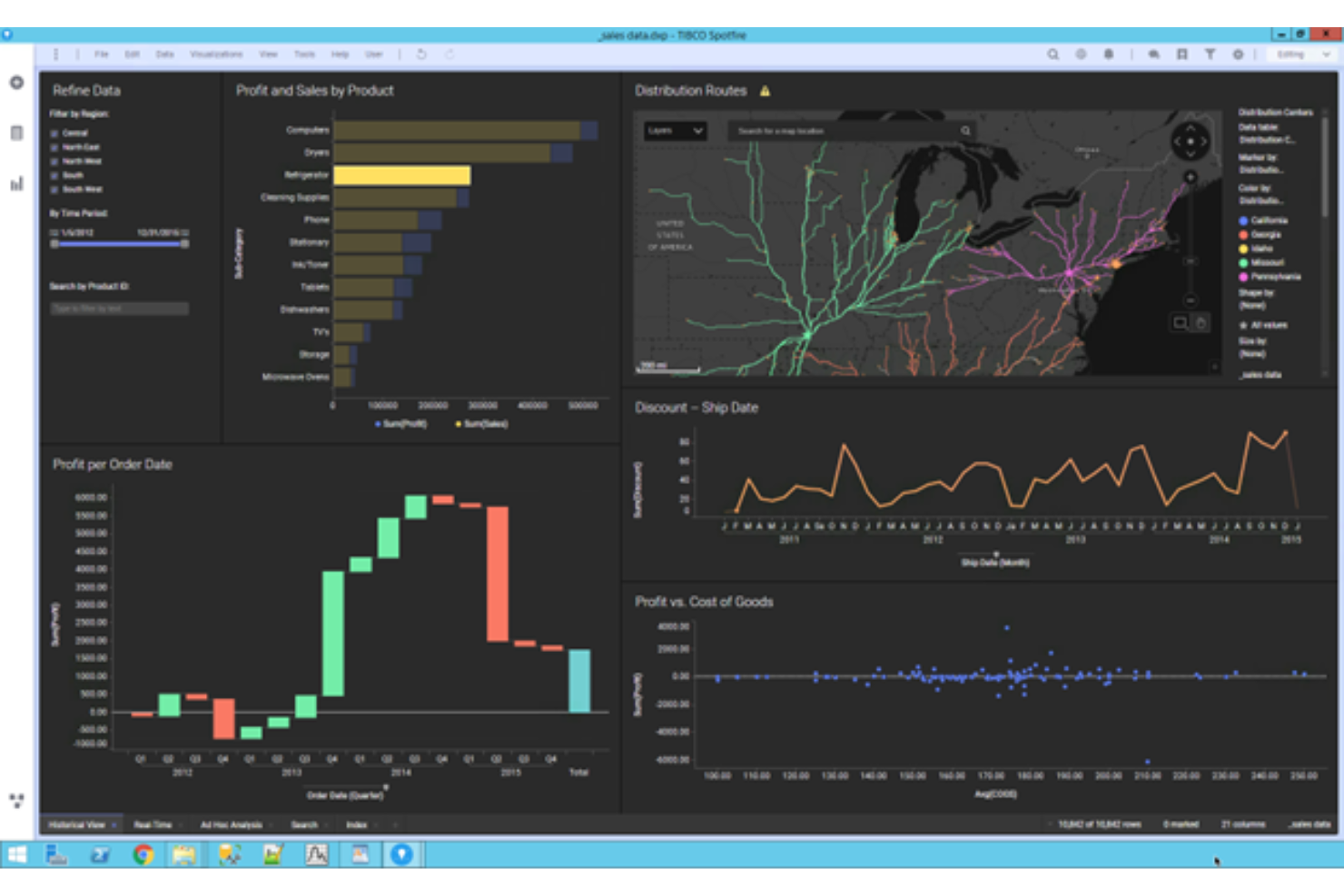
TIBCO Spotfire è una piattaforma di analisi industriale e business intelligence che combina esplorazione visiva dei dati, analisi predittiva, machine learning e intelligenza artificiale spiegabile per supportare decisioni guidate da esperti in ambienti complessi e ad alta intensità di dati.
Per chi è ideale TIBCO Spotfire?
TIBCO Spotfire è particolarmente indicato per team aziendali in settori ad alto volume di dati come manifatturiero, energia, scienze della vita e servizi finanziari.
Perché ho scelto TIBCO Spotfire
Ho incluso TIBCO Spotfire tra le mie principali scelte perché offre ad analisti aziendali e data scientist un unico ambiente in cui esplorazione visiva, machine learning e intelligenza artificiale spiegabile lavorano fianco a fianco. Apprezzo in modo particolare come gestisce dati industriali frammentati—collegando segnali di serie temporali, contesto spaziale ed eventi storici in una vista analitica condivisa senza costringere gli analisti a unire strumenti separati. Le funzionalità di analisi assistita dall’IA fanno emergere pattern e valutano outcome potenziali mantenendo sempre l’esperienza di dominio nel processo, aspetto cruciale per dati di processo produttivo ad alto rischio.
Funzionalità principali di TIBCO Spotfire
- Analisi geospaziale: Crea visualizzazioni multilivello basate su mappe che sovrappongono i dati geolocalizzati a dati di processo, produzione o operativi per analizzare pattern geografici.
- Query in linguaggio naturale: Interroga i tuoi dati con domande in linguaggio naturale per trovare fonti dati e ottenere insight senza dover scrivere codice o costruire query manualmente.
- Servizi di automazione: Pianifica l’invio di report, attiva la cattura di snapshot su eventi definiti e imposta azioni condizionali per mantenere aggiornati i team senza intervento manuale.
- Preparazione e trasformazione dati: Pulisci, prepara e trasforma dati provenienti da fonti strutturate e non strutturate direttamente all’interno della piattaforma prima dell’analisi.
Pros and Cons
Pros:
- Facile da usare e imparare
- Distribuzione su cloud e web
- Visualizzazioni dati davvero straordinarie
Cons:
- Nessuna versione per Mac OS
- Nessun modello di prezzo universale

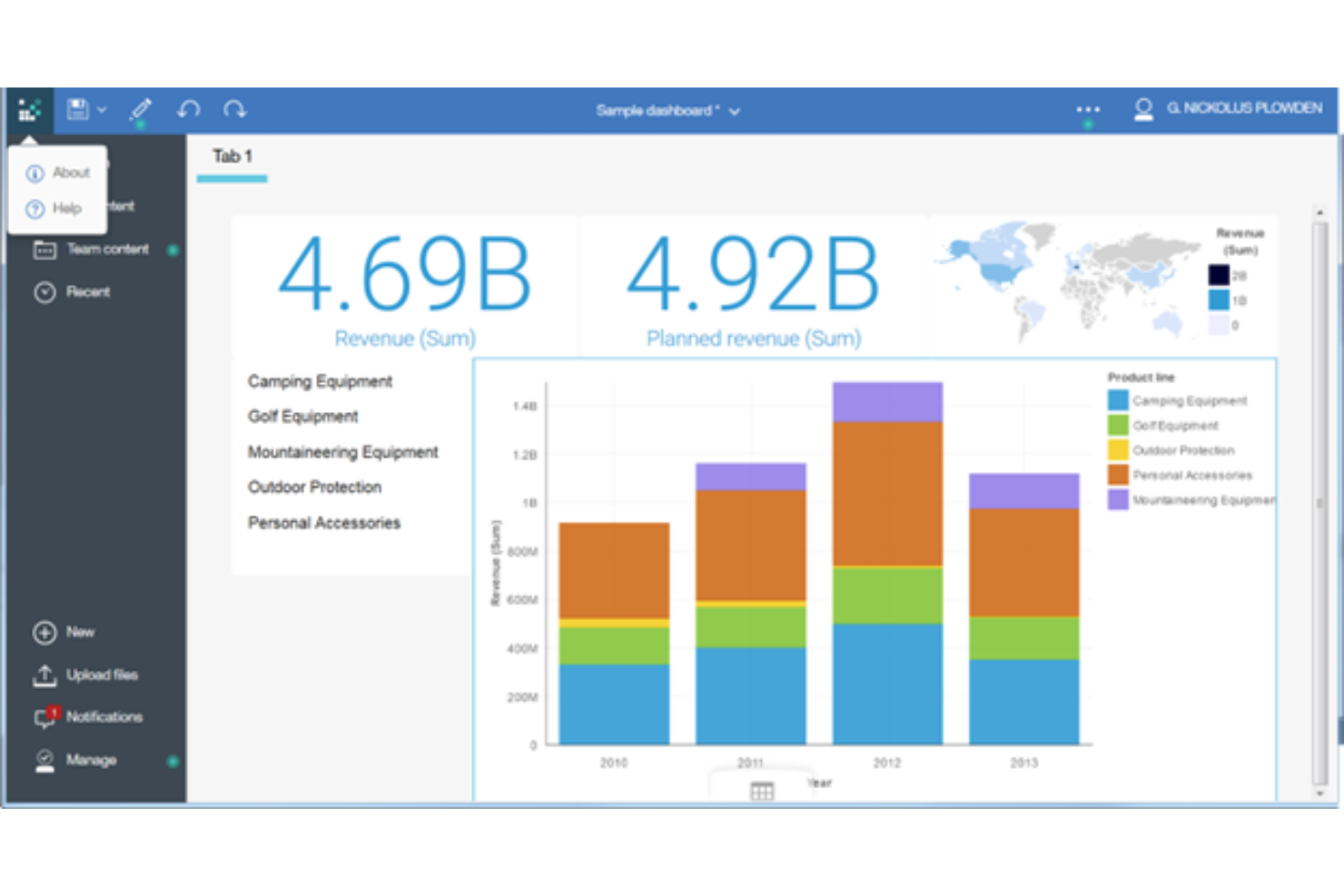
IBM Cognos Analytics è una piattaforma BI aziendale che combina la modellazione autonoma dei dati, la creazione di rapporti assistita dall'IA, pannelli di controllo interattivi e strumenti di visualizzazione dei dati all'interno di un ambiente di analisi centralizzato e governato.
Per chi è più adatto IBM Cognos Analytics?
IBM Cognos Analytics è una soluzione adatta ai team aziendali che si occupano di dati e analisi e che necessitano di una governance centralizzata insieme a rapporti autonomi in ambienti di dati ampi e complessi.
Perché ho scelto IBM Cognos Analytics
IBM Cognos Analytics è entrato nella mia selezione ristretta grazie all'efficacia delle sue capacità di modellazione dei dati basata sul web negli ambienti aziendali reali. Apprezzo in particolare l'interfaccia di modellazione autonoma, che consente agli analisti di creare e certificare modelli di dati direttamente nel browser senza dover trasferire il lavoro al reparto IT. Associandola all'Assistente IA, che consente di interrogare questi modelli in linguaggio naturale e generare istantaneamente pannelli di controllo, il tuo team può passare dai dati grezzi a una visualizzazione condivisibile in un'unica sessione.
Funzionalità principali di IBM Cognos Analytics
- Creazione di report con precisione al pixel: Crea report formattati e pronti per la stampa con strumenti di impaginazione con trascinamento progettati per una presentazione precisa dei dati.
- Previsioni predittive: Utilizza modelli statistici integrati per generare previsioni di serie temporali e analisi delle tendenze direttamente nei tuoi pannelli di controllo.
- Controllo degli accessi basato sui ruoli: Assegna autorizzazioni di accesso ai dati a livello di cartella, report o origine dati per applicare la governance tra i team.
- Distribuzione programmata dei report: Automatizza la distribuzione dei report programmando esportazioni ricorrenti tramite e-mail, file system o posizioni condivise.
Pros and Cons
Pros:
- Accessibilità da dispositivi mobili con accessi basati sul web
- Visualizzazioni generate dall'IA
- Non è necessario conoscere SQL
Cons:
- L'integrazione delle origini dati è un po' macchinosa
- Tempi di attesa durante l'elaborazione di grandi quantità di dati

Ideale per la gestione delle performance aziendali end-to-end
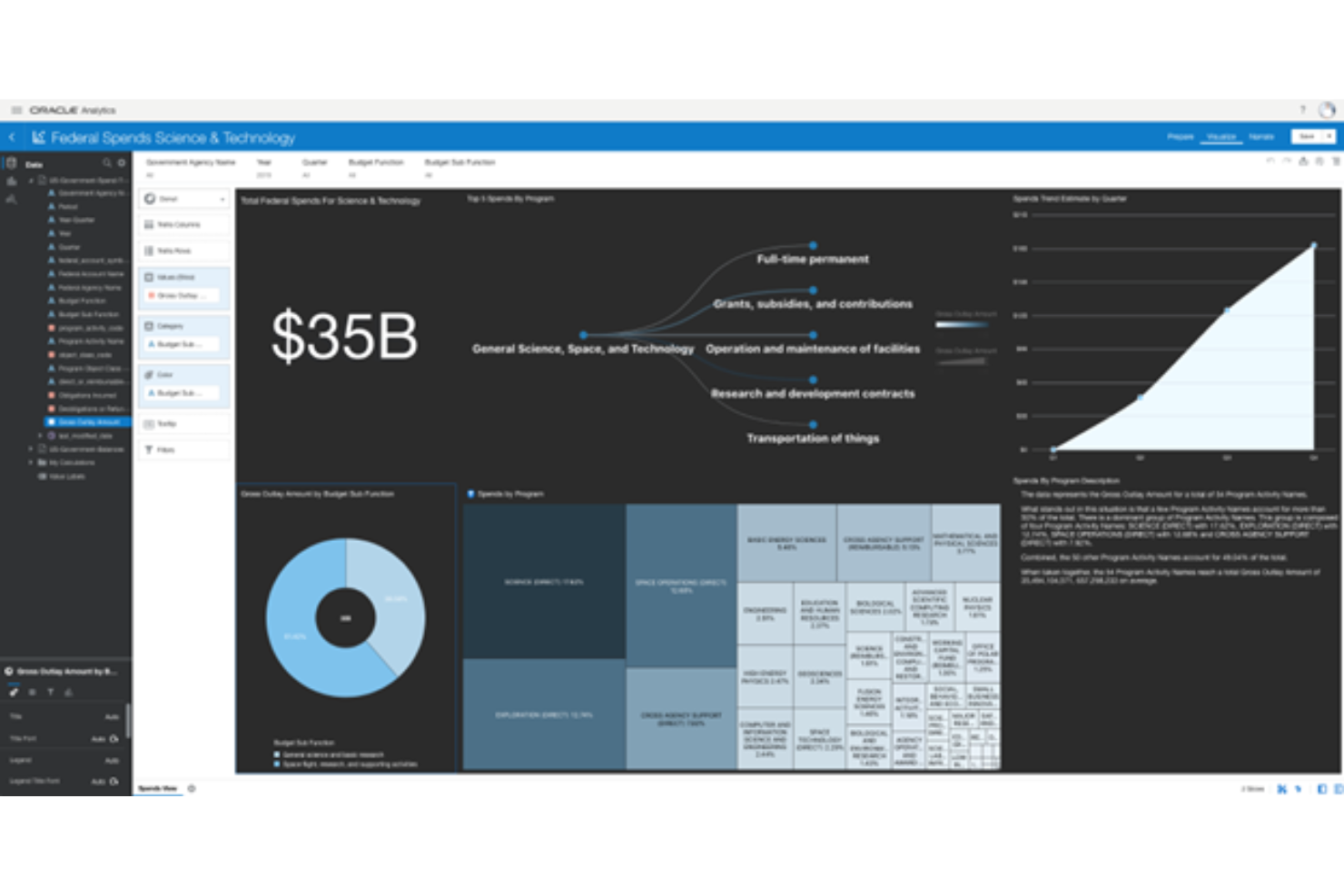
Oracle Business Intelligence è una suite BI aziendale che combina query, reportistica, analisi ad hoc, dashboard, analisi mobile, OLAP, data mining e applicazioni di gestione delle performance finanziarie all'interno di un'unica architettura unificata.
Per chi è ideale Oracle Business Intelligence?
Oracle Business Intelligence è particolarmente adatto alle grandi imprese che utilizzano infrastrutture Oracle e che necessitano di una piattaforma unificata per reportistica, analisi e pianificazione finanziaria.
Perché ho scelto Oracle Business Intelligence
Oracle Business Intelligence si guadagna un posto tra i migliori della mia lista perché è una delle poche piattaforme che copre realmente l'intero ciclo di gestione delle performance in un'unica architettura. Apprezzo in particolare Oracle BI Delivers, che monitora l'attività aziendale in tempo reale e avvia flussi di lavoro analitici multi-step tra utenti e applicazioni. Combinato con Oracle Real-Time Decisions, che unisce logica basata su regole e analisi predittiva per fornire raccomandazioni all'interno dei processi aziendali in tempo reale, la piattaforma va ben oltre la reportistica standard.
Funzionalità principali di Oracle Business Intelligence
- Oracle BI Answers: Uno strumento self-service di interrogazione ad hoc che permette agli utenti di creare ed eseguire le proprie analisi su uno strato semantico condiviso senza dover scrivere SQL.
- Oracle BI Publisher: Uno strumento di reportistica aziendale formattata per la generazione di documenti ad alto volume e precisione come fatture, archiviazioni normative e report operativi.
- Dashboard interattive: Dashboard basate sui ruoli che mostrano KPI, grafici e report rilevanti in base alla funzione o al livello di accesso di ciascun utente.
- Strato semantico Oracle BI Server: Un repository centralizzato di metadati che traduce fonti di dati complesse in termini comprensibili a livello di business, mantenendo la coerenza delle metriche in tutti i report.
Pros and Cons
Pros:
- Mette a disposizione tutorial per imparare a utilizzare gli strumenti
- Interfaccia utente e navigazione intuitive
- Necessita di formazione minima per iniziare
Cons:
- Personalizzazione limitata nei report
- Capacità mobile limitate

Ideale per il self service di livello enterprise e per aumentare l'autonomia degli utenti
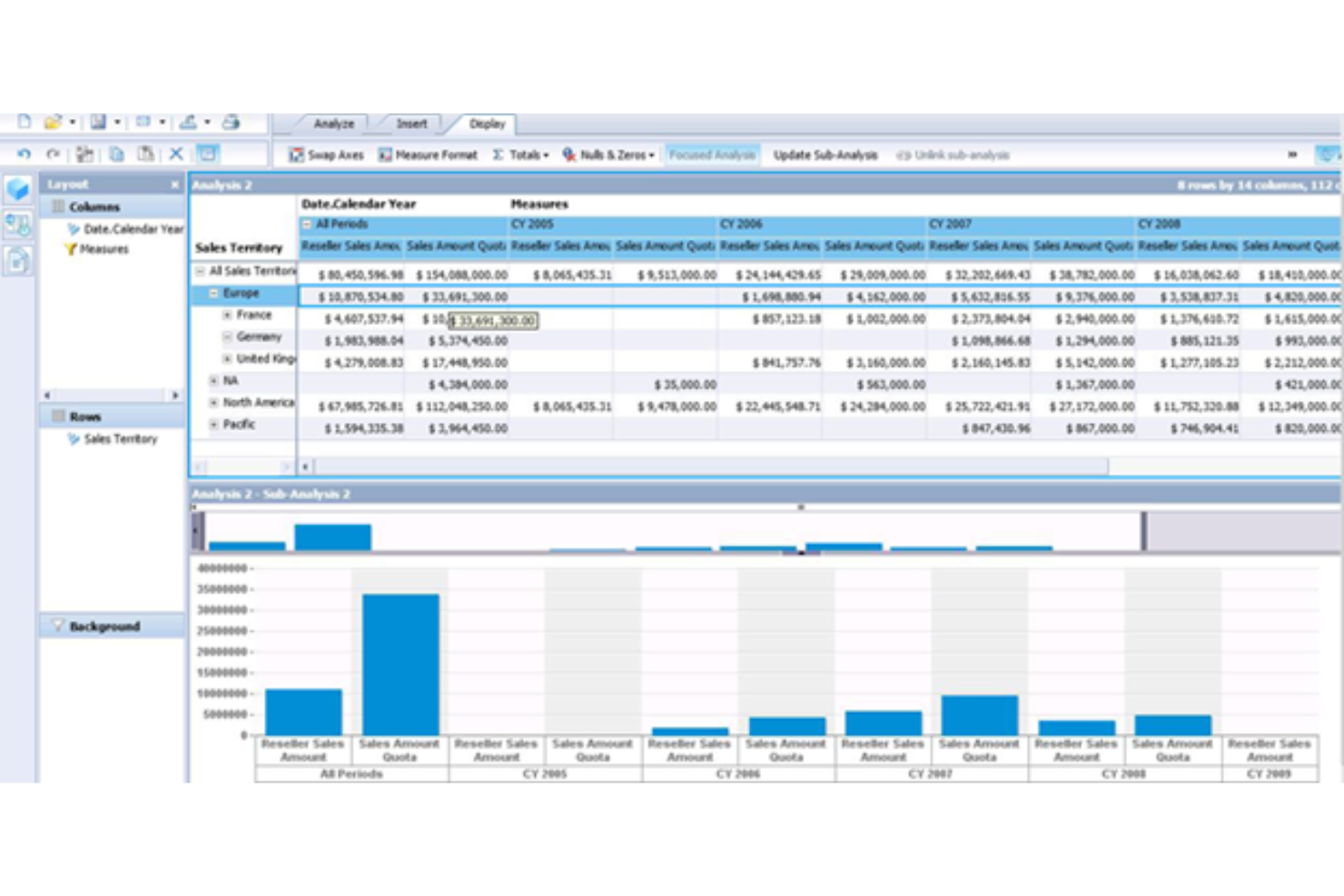
SAP BusinessObjects è una suite di business intelligence on-premises che copre il reporting dei dati, la visualizzazione, l'analisi ad hoc e la condivisione di insight a livello aziendale su un'unica piattaforma scalabile.
Per chi è SAP BusinessObjects?
SAP BusinessObjects è particolarmente indicato per le grandi imprese che hanno bisogno di estendere l’accesso alla BI a migliaia di utenti senza sacrificare la governance o la coerenza dei dati.
Perché scegliere SAP BusinessObjects
SAP BusinessObjects si distingue per essere progettato a fondo attorno al self-service a livello enterprise. Web Intelligence consente agli utenti aziendali di creare, modificare e condividere i propri report senza dover passare tutte le richieste tramite l’IT; in un'organizzazione di grandi dimensioni questo cambia drasticamente la velocità con cui i team possono agire sui dati. Apprezzo anche SAP Lumira per la visualizzazione self-service dei dati, poiché permette agli analisti di esplorare i dati e costruire dashboard in modo autonomo. Insieme, questi strumenti danno reale autonomia agli utenti non tecnici senza sottrarre il controllo di governance a chi ne ha bisogno.
Caratteristiche principali di SAP BusinessObjects
- Crystal Reports: Crea report operativi e transazionali formattati al pixel, progettati per una stampa e un output PDF precisi.
- Strato semantico Universe: Mappa strutture di database complesse in una terminologia aziendale comprensibile, così gli analisti possono interrogare i dati senza bisogno di conoscere SQL.
- Pianificazione e pubblicazione: Automatizza la consegna dei report a singoli o gruppi secondo una pianificazione stabilita e in diversi formati di output.
- Accesso BI mobile: Visualizza dashboard e report su dispositivi mobili grazie a un'interfaccia ottimizzata per schermi più piccoli.
Pros and Cons
Pros:
- Non serve personale tecnico per l’analisi dei dati
- Formazione solida e corsi online approfonditi
- Funzionalità basate su Excel semplici da usare
Cons:
- Capacità limitate di trasformazione dei dati
- L’interfaccia utente è un po’ macchinosa

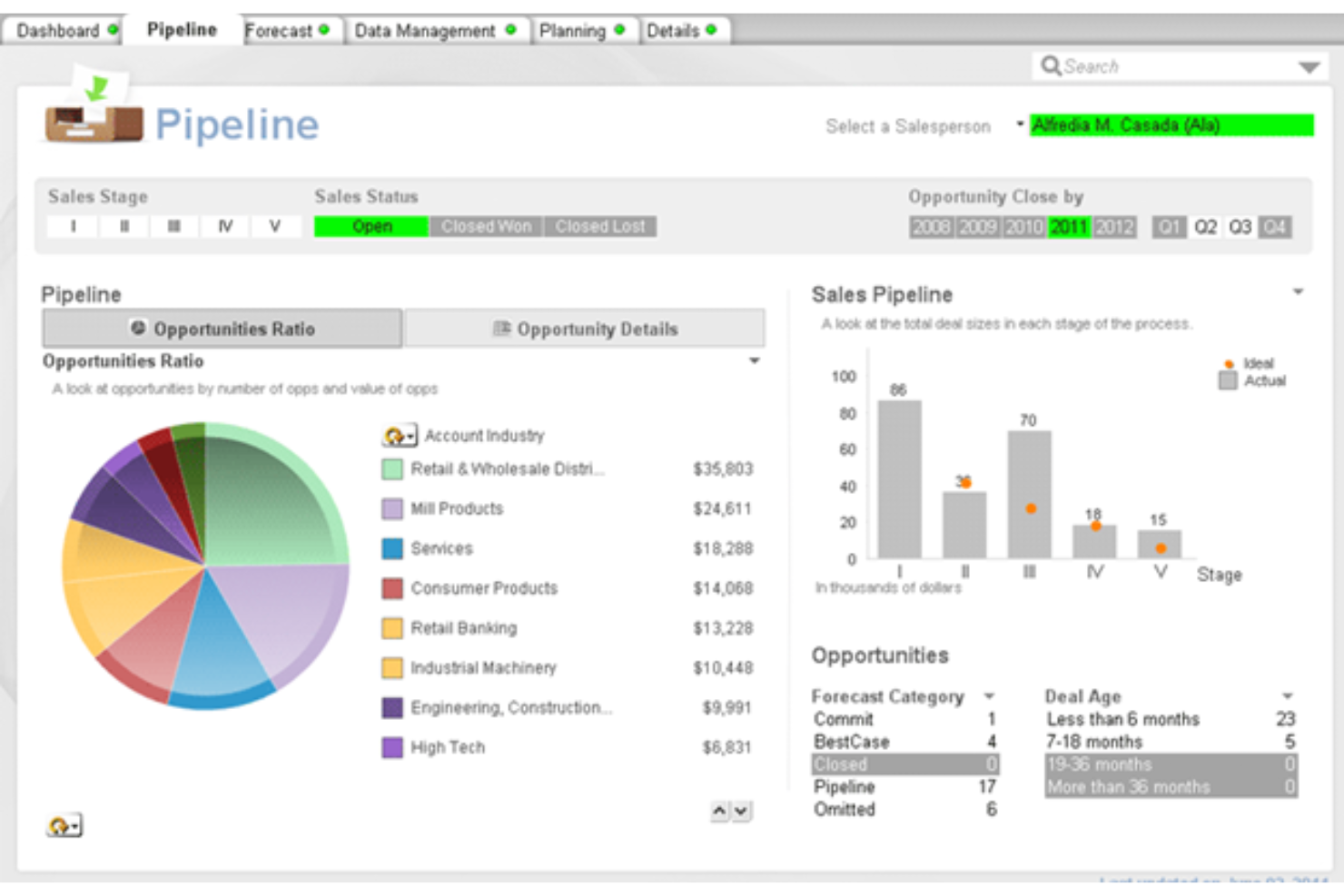
QlikView è una piattaforma di business intelligence e analytics guidati basata su un motore associativo di dati che permette ai team di esplorare i dati tramite dashboard interattive, visualizzazione esplorativa e reportistica sia on-premises che in cloud.
Per chi è QlikView?
QlikView è adatto ai team aziendali già inseriti nell'ecosistema Qlik che necessitano di analytics guidati on-premises con una prospettiva verso gli strumenti cloud moderni di Qlik.
Perché ho scelto QlikView
Ho incluso QlikView tra le mie migliori scelte perché offre ai team una solida base di analytics on-premises e apre la strada alle funzionalità potenziate dall'IA di Qlik Sense. Apprezzo in particolare il modo in cui Insight Advisor di Qlik Sense genera automaticamente analisi utilizzando il processamento del linguaggio naturale, così gli analisti possono porre domande in linguaggio naturale e ricevere risposte pronte da visualizzare nei grafici. Qlik AutoML aggiunge analisi predittive e analisi dei fattori chiave direttamente all'interno delle dashboard utilizzate quotidianamente dal team.
Caratteristiche principali di QlikView
- Motore associativo di dati: Esplora le relazioni tra tutti i tuoi dati simultaneamente, senza percorsi di query o join predefiniti.
- App di analytics guidata: Crea app scriptate e controllate dagli sviluppatori che guidano gli utenti finali attraverso analisi strutturate e specifiche.
- Accesso per sezioni: Applica la sicurezza dei dati a livello di riga affinché utenti diversi possano visualizzare solo i dati autorizzati.
- Elaborazione dati in-memory: Carica i dataset direttamente in memoria per risposte rapide e in tempo reale alle interazioni delle dashboard e alle query ad hoc.
Pros and Cons
Pros:
- Ideale per organizzazioni di medie dimensioni
- Soluzioni disponibili sia per utenti tecnici che non tecnici
- Community online di supporto
Cons:
- I piani di fascia alta sono costosi
- La curva di apprendimento iniziale è ripida

Ideale per approfondimenti automatici che prioritizzano il contesto
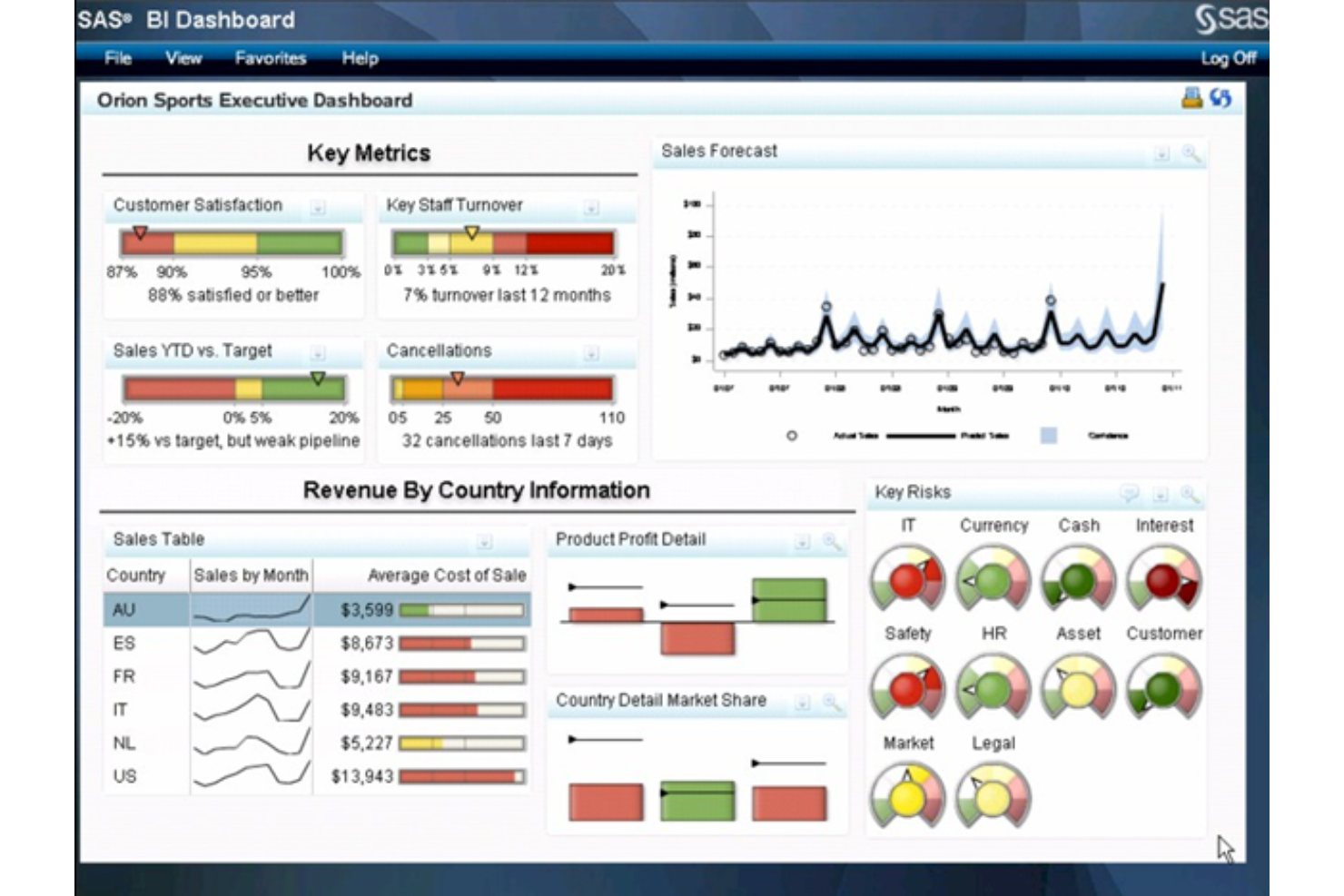
SAS Business Intelligence è una piattaforma di analisi potenziata dall'intelligenza artificiale basata su SAS Viya che combina visualizzazione dei dati self-service, reportistica interattiva, analisi aumentata, previsione automatizzata e intelligenza geografica.
Per chi è ideale SAS Business Intelligence?
SAS Business Intelligence è particolarmente adatto a team aziendali di dati e analytics in settori regolamentati come finanza, sanità e pubblica amministrazione.
Perché ho scelto SAS Business Intelligence
Ho incluso SAS Business Intelligence tra le mie prime scelte per il modo in cui gestisce gli approfondimenti automatici. La maggior parte degli strumenti BI presenta numeri o grafici e lascia a te l'interpretazione. SAS utilizza la generazione del linguaggio naturale per scrivere spiegazioni dei risultati direttamente nei report e nelle dashboard, cosicché anche chi non ha competenze tecniche ottenga il contesto accanto ai dati. Mi piace anche che analisi avanzate come previsioni automatizzate, simulazione di obiettivi e alberi decisionali siano disponibili tramite drag-and-drop, con contesto generato dall'AI integrato nel risultato.
Caratteristiche principali di SAS Business Intelligence
- SAS Viya Copilot: Un assistente AI conversazionale che ti permette di creare dashboard, esplorare dataset e generare storie sui dati utilizzando comandi in linguaggio naturale.
- Analisi geografica: Combina dati aziendali tradizionali con dati geografici per creare visualizzazioni basate su mappe direttamente nei report.
- Analytics integrati: Consente di incorporare singoli report, grafici o dashboard completi in applicazioni web interne personalizzate.
- Preparazione dati self-service: Include strumenti drag-and-drop per unire, filtrare e trasformare i dati prima dell'analisi, senza bisogno di scrivere codice.
Pros and Cons
Pros:
- Ideale per il data mining
- Strumenti facili da usare
- Opzioni no-code e low-code
Cons:
- L'interfaccia utente può risultare noiosa
- Creare report può essere difficile
Altre piattaforme di business intelligence
Non potevo completare questo elenco di piattaforme di analisi senza menzionare qualche altra opzione. Dai un’occhiata a queste soluzioni aggiuntive per scoprire se una di esse soddisfa le tue esigenze meglio di quelle presenti nell’elenco principale.
- Microsoft Power BI
Ideale per creare visualizzazioni di dati avanzate
- Pentaho
Ideale per la scalabilità nella gestione dati a livello aziendale
- Coefficient
Ideale per BI in tempo reale all'interno dei fogli di calcolo
- Yellowfin BI
Ideale per analisi automatizzata e storytelling
- Compass
Ideale per offrire una migliore esperienza agli sviluppatori
- Signara
Ideale per reportistica automatizzata senza un analista


Recensioni correlate delle piattaforme di business intelligence
Se non hai ancora trovato qui ciò che stai cercando, dai un'occhiata a questi strumenti strettamente correlati alle piattaforme di business intelligence che abbiamo testato e valutato.
- Software per le vendite
- Software per la gestione dei lead
- Software di business intelligence
- Software per la gestione dei contratti
- Sistema di gestione dei ricavi
- Software CPQ
Hoe ik platforms voor bedrijfsinformatie beoordeel
Ik splits mijn beoordeling op in twee lagen: een basisniveau waaraan elk BI-platform moet voldoen—CRM- en magazijngegevens verbinden met omzetdashboards—en de onderscheidende factoren die de beste tools onderscheiden.
Kernfunctionaliteit (basisvereisten voor deze lijst)
Bij het selecteren van tools voor mijn lijst beoordeel ik elke tool op een schaal van 0 (biedt de functionaliteit niet) tot 5 (blink uit op dit gebied) voor elke hieronder vermelde kernfunctionaliteit. Vervolgens zet ik de totaalscore van de tool om in een percentage. Elke tool moet een minimale totaalscore van 75% behalen om in aanmerking te komen voor opname.
- Gegevensbronconnectoren: Ik controleer op native integraties met de CRM-, marketingautomatiserings-, facturatie- en magazijntools waarop RevOps-teams daadwerkelijk vertrouwen—zoals Salesforce, HubSpot, Snowflake en BigQuery.
- Interactieve dashboards: Elk platform moet je in staat stellen visuele dashboards te bouwen met filters, kruisfiltering en doorklikmogelijkheden, zodat een VP voor omzet met enkele klikken van een prognoseoverzicht naar details op dealniveau kan gaan.
- Ad-hocgegevensverkenning: Ik zoek naar selfservicehulpmiddelen voor query's—met slepen-en-neerzetten, SQL of beide—waarmee een operationeel analist snel een vraag over de verkooppipeline kan beantwoorden zonder een ticket bij het datateam in te dienen.
- Laag voor gegevensmodellering: Een herbruikbare semantische laag of metrieklaag is hier belangrijk, vooral wanneer meerdere teams over dezelfde definitie van een "gekwalificeerde pipeline" moeten rapporteren zonder tegenstrijdige cijfers.
- Geautomatiseerde rapportage & waarschuwingen: Ik beoordeel of het platform terugkerende rapporten kan inplannen en waarschuwingen op basis van drempelwaarden kan activeren—zoals een salesleider informeren wanneer de pipeline van een regio onder de doelstelling daalt.
- Governance & toegangsbeheer: Ik let op machtigingen op basis van rollen en beveiliging op rijniveau, omdat RevOps-dashboards vaak gegevens over compensatie, quota en deals bevatten waarvoor beperkte zichtbaarheid vereist is.
Nadat ik een lijst heb samengesteld van tools die aan deze criteria voldoen, kijk ik naar wat elk platform onderscheidt.
Onderscheidende factoren (wat leveranciers van elkaar onderscheidt)
Zo vergelijk ik verschillende leveranciers:
Opvallende functies
Inzichten op basis van AI zijn een belangrijke onderscheidende factor. Ik zoek naar platforms waarop een RevOps-manager kan vragen "van welk segment is het winstpercentage dit kwartaal gedaald" en direct een visueel antwoord krijgt. Prognoses en voorspellende modellering zijn ook belangrijk, vooral wanneer de leiding tijdens QBR's behoefte heeft aan prognoses van de verkooppipeline op basis van verschillende scenario's. Ingebouwde analyses maken het geheel compleet; bij sommige platforms kun je dashboards rechtstreeks in Salesforce of HubSpot weergeven, zodat vertegenwoordigers gegevens zien op de plek waar ze al werken.
Meer dan functies
Prijs- en licentiemodellen verschillen sterk tussen BI-platforms. Ik beoordeel of een leverancier goedkope kijkerslicenties aanbiedt, zodat je volledige GTM-organisatie toegang heeft tot dashboards zonder de kosten per gebruiker op te drijven. De snelheid van implementatie is een andere factor die ik meeweeg—platforms met vooraf gebouwde dashboardsjablonen voor Salesforce of HubSpot helpen RevOps-teams veel sneller aan hun eerste bestuursklaar rapport. Ik controleer ook de diepgang van het ecosysteem, met name de mogelijkheden voor omgekeerde ETL waarmee inzichten terug naar je CRM worden gestuurd, zodat vertegenwoordigers op gegevens kunnen handelen zonder hun workflow te verlaten.
Come scegliere le piattaforme di business intelligence
Con così tante piattaforme di business intelligence disponibili, può essere difficile decidere quale strumento sia più adatto alle tue esigenze.
Mentre stili la lista, provi e selezioni una piattaforma di business intelligence, considera quanto segue:
- Quale problema stai cercando di risolvere - Inizia identificando la lacuna nelle funzionalità della piattaforma di business intelligence che stai cercando di colmare, per chiarire le caratteristiche e le funzionalità che lo strumento deve fornire.
- Chi dovrà utilizzarla - Per valutare costi e requisiti, considera chi utilizzerà il software e di quante licenze avrai bisogno. Dovrai valutare se l’accesso sarà necessario solo ai responsabili delle operazioni di fatturato o all’intera organizzazione. Una volta chiarito questo aspetto, vale la pena considerare se stai dando priorità alla facilità d’uso per tutti o alla velocità per gli utenti esperti della tua piattaforma di business intelligence.
- Con quali altri strumenti dovrà funzionare - Chiarisci quali strumenti stai sostituendo, quali rimarranno e con quali dovrai integrarti, come i software di contabilità, CRM o risorse umane. Dovrai decidere se gli strumenti dovranno integrarsi tra loro o se puoi sostituire più strumenti con un’unica piattaforma di business intelligence consolidata.
- Quali risultati sono importanti - Considera il risultato che il software deve fornire per essere considerato un successo. Rifletti sulle capacità che vuoi ottenere o su ciò che vuoi migliorare e su come misurerai il successo. Ad esempio, un risultato potrebbe essere la capacità di ottenere una maggiore visibilità sulle prestazioni. Potresti confrontare le funzionalità delle piattaforme di business intelligence fino allo sfinimento, ma se non stai pensando ai risultati che vuoi raggiungere, potresti sprecare molto tempo prezioso.
- Come funzionerebbe all’interno della tua organizzazione - Considera la scelta del software insieme ai tuoi flussi di lavoro e alla metodologia di erogazione. Valuta cosa funziona bene e quali aree stanno causando problemi che devono essere risolti. Ricorda che ogni azienda è diversa: non dare per scontato che, solo perché uno strumento è popolare, funzionerà nella tua organizzazione.
Tendenze nelle piattaforme di business intelligence per 2026
La rapida evoluzione delle piattaforme di business intelligence riflette una tendenza più ampia verso il potenziamento delle capacità analitiche e la semplificazione delle operazioni di fatturato nelle aziende di ogni dimensione. Esploriamo gli sviluppi più significativi:
Tendenze ed evoluzioni principali
- Integrazione con le tecnologie emergenti: le piattaforme integrano sempre più l’intelligenza artificiale e l’apprendimento automatico per automatizzare l’analisi dei dati e fornire informazioni più approfondite.
- Elaborazione dei dati in tempo reale: si sta verificando uno spostamento verso il supporto dell’analisi in tempo reale, per aiutare le aziende a reagire più rapidamente ai cambiamenti del mercato.
Funzionalità nuove e insolite
- Analisi predittiva: l’uso di modelli predittivi avanzati per prevedere tendenze e comportamenti sta diventando sempre più comune e fornisce alle aziende uno strumento proattivo per anticipare le sfide future.
- Analisi aumentata: gli strumenti incorporano la realtà aumentata per visualizzare i dati in modi nuovi, rendendo le informazioni complesse più accessibili e comprensibili.
Funzionalità più importanti e richieste
- Strumenti di visualizzazione dei dati: rimangono di fondamentale importanza, con miglioramenti che consentono di creare dashboard più personalizzabili e interattive.
- Funzionalità collaborative: mentre il lavoro da remoto continua a essere predominante, le piattaforme BI stanno potenziando le funzionalità che supportano la collaborazione tra team e aree geografiche.
Funzionalità in declino
- Report statici: la domanda di report statici e tradizionali sta diminuendo a favore di sistemi di reporting dinamici e interattivi, che offrono agli utenti informazioni più approfondite.
Queste tendenze dimostrano una trasformazione significativa nel settore della business intelligence, determinata dalla necessità di adattarsi a un ambiente aziendale frenetico e basato sui dati. Per i responsabili delle operazioni di fatturato, selezionare una piattaforma BI in linea con queste tendenze è fondamentale per mantenere un vantaggio competitivo.
Cosa sono le piattaforme di business intelligence?
Le piattaforme di business intelligence sono soluzioni tecnologiche che facilitano l’analisi completa dei dati per le aziende. Queste piattaforme integrano, elaborano e analizzano dati provenienti da varie fonti, presentandoli in un formato accessibile e utilizzabile attraverso report, dashboard e visualizzazioni. Fungono da sistemi centralizzati per ottenere informazioni basate sui dati e rispondono alle diverse esigenze informative all’interno di un’organizzazione, dalle metriche operative al processo decisionale strategico.
I vantaggi delle piattaforme di business intelligence includono la possibilità di prendere decisioni informate attraverso approfondimenti basati sui dati. Aiutano a comprendere le tendenze del mercato, il comportamento dei clienti e i processi aziendali interni, portando a una migliore pianificazione strategica e a una maggiore efficienza operativa. Queste piattaforme offrono un vantaggio competitivo fornendo un'analisi più approfondita delle prestazioni aziendali e delle dinamiche di mercato. Inoltre, supportano la scalabilità, adattandosi alle esigenze di dati crescenti e in evoluzione di un'azienda, e facilitano la gestione dei rischi identificando potenziali problemi e opportunità.
Caratteristiche delle piattaforme di business intelligence
La scelta di una piattaforma di business intelligence per gestire le operazioni relative ai ricavi richiede la comprensione delle funzionalità chiave che favoriscono l'efficienza e l'acquisizione di informazioni. Ecco le funzionalità più importanti da ricercare:
- Analisi in tempo reale: fornisce informazioni immediate sulle prestazioni aziendali.
- Essenziale per prendere decisioni tempestive che possono incidere significativamente sulla crescita dei ricavi.
- Visualizzazione dei dati: trasforma insiemi di dati complessi in rappresentazioni grafiche comprensibili.
- Cruciale per comunicare rapidamente ed efficacemente le informazioni rilevanti all'interno dell'organizzazione.
- Analisi predittiva: utilizza i dati storici per prevedere le tendenze future.
- Aiuta ad anticipare i cambiamenti del mercato e ad adeguare di conseguenza le strategie.
- Integrazione dei dati: combina i dati provenienti da diverse fonti in una piattaforma coerente.
- Fondamentale per ottenere una visione completa delle operazioni aziendali e delle interazioni con i clienti.
- Dashboard personalizzabili: consentono agli utenti di adattare le interfacce alle proprie esigenze specifiche.
- Migliorano il coinvolgimento e la produttività degli utenti concentrandosi sulle metriche chiave.
- Strumenti di collaborazione: facilitano la condivisione di informazioni e report tra i team.
- Supportano una strategia coerente e l'allineamento tra i diversi reparti.
- Scalabilità: si adatta alla quantità crescente di dati e alle esigenze aziendali in evoluzione.
- Garantisce che la piattaforma continui a essere utile con l'espansione dell'azienda.
- Gestione degli accessi degli utenti: controlla chi può visualizzare e modificare i dati.
- Importante per mantenere la sicurezza e l'integrità dei dati.
- Accessibilità da dispositivi mobili: consente di accedere a dati e informazioni ovunque ci si trovi.
- Aumenta la flessibilità e la reattività dei team.
Nel complesso, queste funzionalità garantiscono che una piattaforma di business intelligence possa supportare e migliorare efficacemente le operazioni relative ai ricavi, fornendo informazioni approfondite, favorendo la comunicazione e assicurando processi decisionali basati sui dati.
Vantaggi delle piattaforme di business intelligence
Le piattaforme di business intelligence forniscono strumenti essenziali alle organizzazioni che desiderano migliorare la gestione delle operazioni relative ai ricavi. Ecco cinque vantaggi chiave:
- Miglioramento del processo decisionale: fornisce informazioni utili per prendere decisioni consapevoli.
- Agevola la pianificazione strategica fornendo informazioni accurate e aggiornate.
- Maggiore efficienza operativa: automatizza i processi di analisi dei dati.
- Riduce il lavoro manuale e consente ai team di concentrarsi sulle attività strategiche.
- Migliore qualità e accuratezza dei dati: centralizza la gestione dei dati.
- Aiuta a mantenere dati coerenti e privi di errori in tutta l'organizzazione.
- Report personalizzabili: offre report adattati alle specifiche esigenze aziendali.
- Consente agli utenti di visualizzare i dati nei formati più adatti ai propri obiettivi operativi.
- Scalabilità: si adatta alle crescenti esigenze di dati e all'espansione dell'azienda.
- Supporta la crescita aziendale senza la necessità di frequenti modifiche al software.
Costi e prezzi delle piattaforme di business intelligence
La scelta della piattaforma di business intelligence più adatta richiede la comprensione dei diversi piani tariffari, pensati per soddisfare esigenze e budget organizzativi differenti. Ecco una panoramica delle opzioni di piano generalmente disponibili:
| Tipo di piano | Prezzo medio | Funzionalità comuni |
|---|---|---|
| Base | $10 - $30 per utente/mese | Analisi di base, visualizzazione dei dati, dashboard limitate |
| Professionale | $50 - $100 per utente/mese | Analisi avanzate, più integrazioni, report personalizzati |
| Aziendale | Prezzo personalizzato | Accesso completo alle funzionalità, sicurezza avanzata, assistenza dedicata |
| Gratuito | $0 | Accesso alle funzionalità di base, capacità dati limitata |
Quando scegli un piano, considera non solo il costo, ma anche quanto le funzionalità siano in linea con le dimensioni e le esigenze della tua azienda. L'ideale è un piano che cresca in modo adeguato insieme alla tua attività e che fornisca capacità analitiche essenziali senza superare il budget.
Domande frequenti sulla piattaforma di business intelligence
C’è molto altro da imparare sugli strumenti di business intelligence: quali altre domande hai? Ecco alcune risposte alle domande più comuni per aiutarti a iniziare.
Chi utilizza le piattaforme di business intelligence?
\u003ca href=\u0022https://croclub.com/tools/best-business-intelligence-software/\u0022\u003eGli strumenti di business intelligence\u003c/a\u003e sono utili per quasi tutti i settori, ma la loro adozione è più rapida in alcuni comparti, tra cui sanità, finanza e intrattenimento. Alcuni reparti della tua organizzazione che potrebbero trarre il maggior beneficio da queste piattaforme includono:\r\n\u003cul\u003e\r\n \t\u003cli\u003e\u003cstrong\u003eVendite:\u003c/strong\u003e Questo team può ottenere nuove informazioni sulle tendenze del mercato, utili a garantire strategie di vendita migliori.\u003c/li\u003e\r\n \t\u003cli\u003e\u003cstrong\u003eAnalisti:\u003c/strong\u003e Possono utilizzare questo strumento per comprendere meglio le tendenze del mercato e il comportamento dei clienti.\u003c/li\u003e\r\n \t\u003cli\u003e\u003cstrong\u003eMarketing:\u003c/strong\u003e Possono utilizzare la BI per analizzare l’efficacia delle campagne e ottimizzarle meglio.\u003c/li\u003e\r\n \t\u003cli\u003e\u003cstrong\u003eTeam IT:\u003c/strong\u003e I tuoi team tecnici possono sfruttare la BI per elaborare grandi insiemi di dati e generare report.\u003c/li\u003e\r\n\u003c/ul\u003e
Quali sono 5 sistemi di business intelligence?
Esistono molti tipi di business intelligence e il software BI in genere ne combina alcuni o tutti in un’unica piattaforma. Tra gli strumenti più comuni troverai:\r\n\u003cul\u003e\r\n \t\u003cli\u003e\u003cstrong\u003eFogli di calcolo:\u003c/strong\u003e Ampiamente utilizzati da chi preferisce le analisi manuali, includono Google Sheets e Microsoft Excel.\u003c/li\u003e\r\n \t\u003cli\u003e\u003cstrong\u003eVisualizzazioni dei dati:\u003c/strong\u003e Dai grafici ai diagrammi, le visualizzazioni sono sistemi BI che rendono i dati più facili da leggere.\u003c/li\u003e\r\n \t\u003cli\u003e\u003cstrong\u003eStrumenti di estrazione dei dati:\u003c/strong\u003e Trovare e organizzare grandi quantità di dati non è semplice, quindi queste piattaforme sfruttano l’apprendimento automatico e l’intelligenza artificiale per farlo.\u003c/li\u003e\r\n \t\u003cli\u003e\u003cstrong\u003eSoftware di reportistica:\u003c/strong\u003e Questo sistema elabora report, filtra, organizza e visualizza i dati in modo da consentire di individuare più rapidamente le informazioni utili.\u003c/li\u003e\r\n \t\u003cli\u003e\u003cstrong\u003e\u003ca href=\u0022https://croclub.com/tools/best-olap-tools/\u0022\u003eElaborazione analitica online\u003c/a\u003e:\u003c/strong\u003e Conosciuti anche come OLAP, questi strumenti permettono di analizzare set di dati da diverse prospettive in base a specifici punti di vista aziendali.\u003c/li\u003e\r\n\u003c/ul\u003e
Le piattaforme di business intelligence possono prevedere le tendenze del mercato?
Sì, molte piattaforme di business intelligence sono dotate di funzionalità di analisi predittiva che analizzano i dati storici e le condizioni attuali del mercato per prevedere le tendenze future. Questi strumenti utilizzano algoritmi e apprendimento automatico per fornire informazioni utili alle aziende per anticipare i movimenti del mercato e adeguare di conseguenza le proprie strategie.
Quali opzioni di assistenza clienti vengono offerte dalle piattaforme di business intelligence?
Le piattaforme di business intelligence offrono generalmente diverse opzioni di assistenza clienti, tra cui portali di assistenza online, chat dal vivo, supporto via email e telefonico. Alcuni fornitori mettono inoltre a disposizione responsabili dedicati e assistenza 24 ore su 24, 7 giorni su 7 per i problemi critici, garantendo alle aziende la possibilità di ricevere aiuto ogni volta che ne hanno bisogno.
Come gestiscono grandi insiemi di dati le piattaforme di business intelligence?
Le piattaforme di business intelligence sono progettate per gestire in modo efficiente grandi insiemi di dati. Utilizzano tecnologie come l’archiviazione dei dati, l’elaborazione in memoria e la compressione dei dati per migliorare il recupero dei dati e le prestazioni. Le piattaforme avanzate offrono inoltre strumenti di governance dei dati per contribuire a garantire la qualità e la coerenza dei dati tra grandi set di dati.
Altri software RevOps
Potresti aver bisogno di molti altri strumenti per completare il tuo insieme di tecnologie. Dai un'occhiata alle mie panoramiche di tutte queste altre soluzioni per trovare la combinazione più adatta alle esigenze della tua azienda:
- Strumenti BI cloud
- Software di analisi delle vendite
- Piattaforme di analisi dei ricavi
- Software di analisi commerciale
- Software di analisi predittiva
- Software per lo sviluppo commerciale
- Software per la previsione delle vendite
Conclusione
Potresti sentirti sopraffatto da tutte le informazioni che ti ho appena fornito, ma dovrebbe essere semplice restringere la scelta alle tue preferenze principali tra quelle presenti nel mio elenco. Iscriviti alle prove gratuite e alle demo per vedere come funzionano realmente questi strumenti e restringere ulteriormente la tua scelta. Sono certo che riuscirai a trovare lo strumento giusto per le tue esigenze.
E se vuoi rimanere aggiornato sulle ultime tendenze nel mondo delle operazioni sui ricavi, iscriviti alla newsletter per ricevere ogni settimana approfondimenti dagli esperti!