

10 Best Sales Intelligence Software In 2026

10 Best Sales Intelligence Software Shortlist


In the world of revenue operations, you're often juggling data, leads, and strategies. It can feel overwhelming, and that's where sales intelligence software steps in. These tools help you make sense of data, predict trends, and understand your customers better.
I've tested and reviewed various options to help you find the right fit for your team. My goal is to give you an unbiased look at the top choices, so you can make an informed decision.
In this article, I'll share my top picks, focusing on what makes each stand out. Whether you're looking to improve forecasting or gain deeper customer insights, there's a solution for you. Let's dive into the best options available.
Why Trust Our Software Recommendations
Our reviews reflect our independent judgment—not a sales pitch. Learn how we stay transparent.
For this guide, we evaluated tools using hands-on testing and independent research, scoring tools using our selection criteria.
Our reviews reflect our human editorial judgment, not a sales pitch.
Best Sales Intelligence Software Summary
| Tool | Best For | Trial Info | Price | ||
|---|---|---|---|---|---|
| 1 | Best with robust data verification and coverage | Free plan + 14-day free trial + free demo available | From $49/user/month (billed annually) | Website | |
| 2 | Best sales intelligence software for real-time guidance | Free demo available | Pricing upon request | Website | |
| 3 | Best sales intelligence software for B2B prospecting | 7-day free trial + free demo available | From $74/month (billed annually) | Website | |
| 4 | Best sales intelligence software for cold calling | Free demo available | Pricing upon request | Website | |
| 5 | Best sales intelligence software for cold emailing | Free plan available | From $49/month | Website | |
| 6 | Best sales intelligence software for email warm-up | Free plan available | From $39/month | Website | |
| 7 | Best sales intelligence software for sales forecasting | 30-day free trial | From $249/month (billed annually) | Website | |
| 8 | Best sales intelligence software for analytics | Free plan available | From $49/user/month (billed annually) | Website | |
| 9 | Best for accessing pre-built email lists | Free plan available | From $99 | Website | |
| 10 | Best sales intelligence software for SaaS sales team | Free plan available | From $15/month | Website |

Best Sales Intelligence Software Reviews
Here you’ll find an in-depth review of each sales intelligence software that highlights what it does best. Plus, you’ll find product screenshots, notable features, software integrations, pricing information, and the pros and cons of the software.

Best with robust data verification and coverage
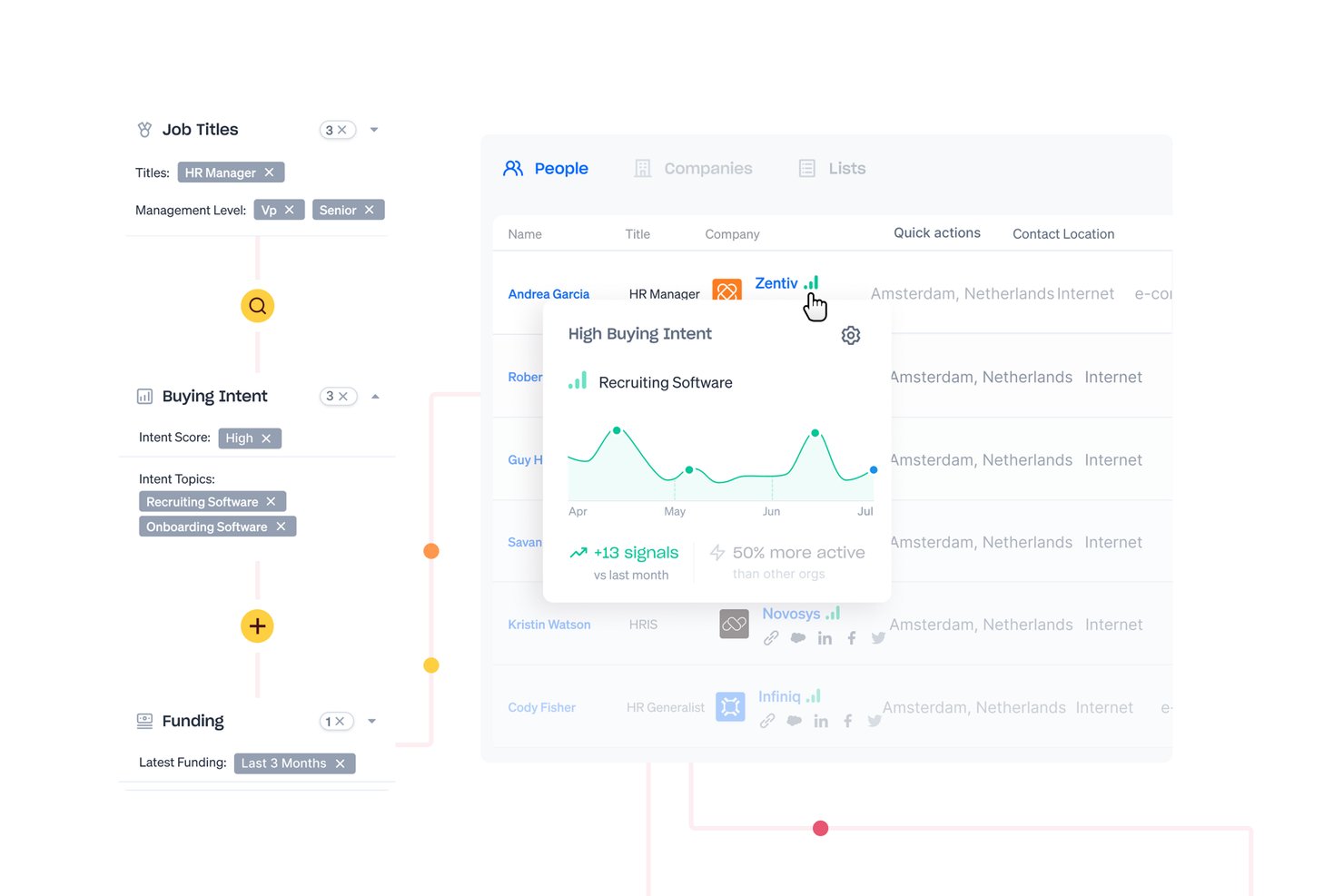
Apollo.io is a B2B sales intelligence platform that combines a 210M+ contact database with prospecting, data enrichment, multichannel outreach sequencing, and AI-powered lead scoring.
Who Is Apollo.io Best For?
Apollo.io suits small to mid-market sales and RevOps teams that want to consolidate prospecting, enrichment, and outbound engagement into a single platform.
Why I Picked Apollo.io
Apollo.io earns its spot because its seven-step email verification process continuously refreshes contact records based on live data signals, not static snapshots. I like that the database covers 210M+ contacts and 35M+ companies with deep firmographic detail across industry, seniority, tech stack, and more. In practice, my team can build targeted outbound lists and trust that the contact data we export is current and deliverable.
Apollo.io Key Features
- Advanced prospect search: Apply 65+ filters for dynamic lead segmentation by industry, seniority, technology, and more.
- Automated sales sequences: Send multichannel outreach with native email, call, and LinkedIn steps managed in a single workflow.
- Bidirectional CRM sync: Integrate natively with Salesforce and HubSpot to keep contact and activity data aligned.
- API and Chrome Extension: Access data and enrichment via open API or source leads directly from LinkedIn and company websites.
Apollo.io Integrations
Apollo.io offers native integrations with Salesforce, HubSpot, Outreach, Salesloft, Marketo, Slack, Gmail, Outlook, Aircall, and Gong. It also connects with Zapier and provides an API for custom integrations.
Pros and Cons
Pros:
- Generous free plan for solo prospectors
- Intent signals flag accounts actively researching solutions
- Chrome Extension sources leads from LinkedIn directly
Cons:
- Weaker contact coverage outside North America
- Phone number accuracy lags behind email data

Best sales intelligence software for real-time guidance
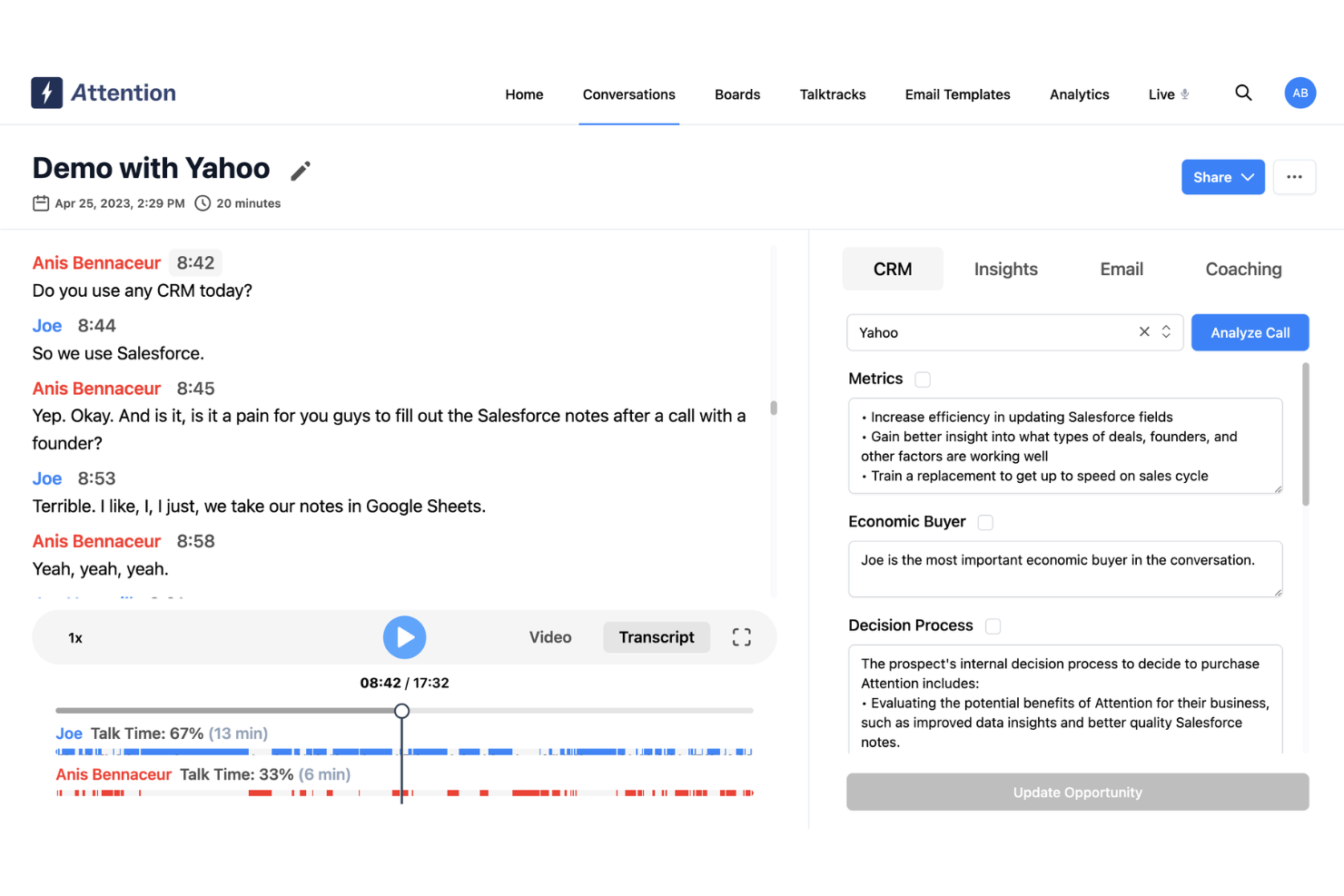
Attention is an AI-native conversation intelligence platform that records, transcribes, and analyzes sales calls to surface buying signals, automate CRM updates, and deliver real-time coaching guidance during live calls.
Who Is Attention Best For?
Attention is a strong fit for enterprise sales teams that want AI-driven coaching and automated CRM updates derived from recorded sales conversations.
Why I Picked Attention
I've included Attention in my top picks because its live battlecard and real-time talk-track guidance set it apart from tools that only surface insights after a call ends. When a prospect raises a known objection mid-conversation, Attention surfaces the right response in the moment, not hours later in a recap. I also like how its Deal Risk Monitor scans active conversations for churn signals and red-flag language, then automatically alerts managers so they can intervene before a deal goes cold.
Attention Key Features
- Coaching scorecards: AI-generated scorecards evaluate every call against sales methodologies like MEDDIC, SPIN Selling, and Challenger Sale, scoring reps on objection handling, discovery depth, and talk-to-listen ratios.
- CRM auto-update agent: Automatically populates CRM fields—deal stage, contacts, next steps, and notes—directly from call transcripts without manual data entry.
- Follow-up email automator: Drafts personalized follow-up emails based on call transcript analysis, with customizable templates and scheduling built into the workflow.
- Workflow automation: Triggers downstream actions based on conversation outcomes, such as sending competitive case studies when a rival is mentioned or generating stakeholder summaries on deal stage changes.
Attention Integrations
Attention offers 200+ integrations, including native Salesforce, HubSpot, and Pipedrive connections, plus Zoom, Google Meet, Microsoft Teams, Apollo, Clay, and Captain Data. These integrations connect conversation intelligence with CRM, prospecting, enrichment, and sales engagement workflows.
Pros and Cons
Pros:
- Surfaces deal risk signals as conversations unfold
- Automates CRM updates from call transcripts
- Real-time coaching during live sales conversations
Cons:
- Lacks prospect search and list building features
- No external company or contact database

UpLead
Best sales intelligence software for B2B prospecting
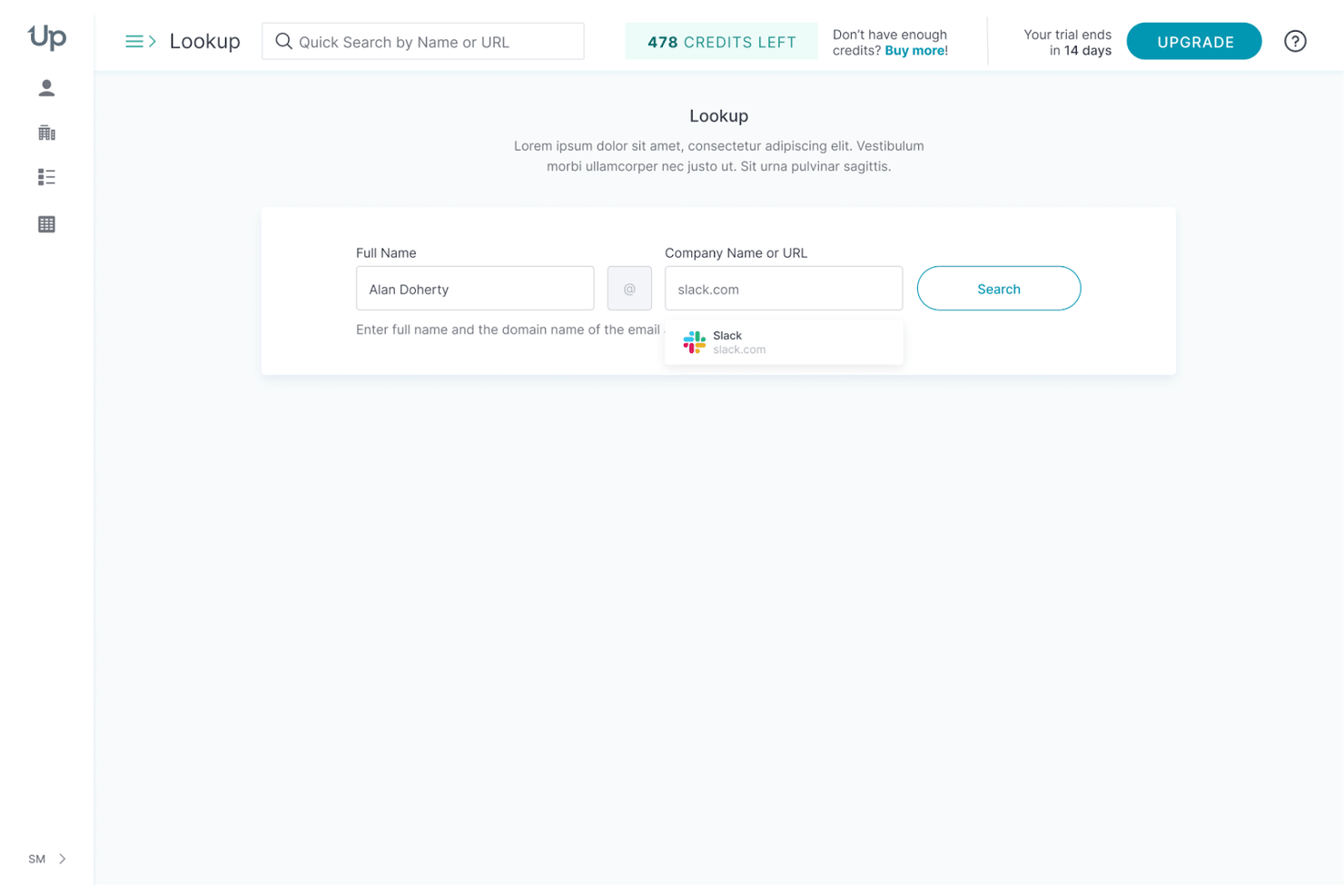
UpLead is a B2B sales intelligence platform that combines a 200M+ contact database, real-time email verification, technographic filtering, and CRM-connected data enrichment for outbound prospecting.
Who Is UpLead Best For?
UpLead is a strong fit for sales operations and outbound sales teams at SMBs and mid-market companies that need accurate, verified B2B contact data without an enterprise-tier price tag.
Why I Picked UpLead
UpLead earns its spot on my shortlist because its 95%+ email accuracy guarantee—backed by real-time verification at the point of export and a credit refund policy for bad data—makes it one of the most reliable B2B prospecting databases I've tested. I particularly like the Prospector's 50+ filters, especially technographic filtering across 16,000+ tracked technologies, which lets you build lists of companies running a specific CRM or marketing tool before you ever reach out.
UpLead Key Features
- Bombora-powered buyer intent data: Surfaces accounts actively researching topics related to your product by analyzing content consumption signals across Bombora's B2B publisher network.
- Chrome Extension for on-page prospecting: Pulls verified emails, phone numbers, and technographic data directly from LinkedIn profiles and company websites without switching tabs.
- Bulk data enrichment: Upload CSV lists of partial records and append 50+ verified fields across contact, company, or email enrichment modes—paying only for verified matches.
- Suppression list uploads: Exclude existing customers, current contacts, or opted-out individuals from Prospector results before building or exporting any list.
UpLead Integrations
UpLead offers 15 native CRM and sales engagement integrations, including Salesforce, HubSpot, Zoho CRM, Pipedrive, Microsoft Dynamics 365, Outreach, SalesLoft, Reply.io, Close, and Insightly. It also supports Zapier and offers a full REST API on Professional.
Pros and Cons
Pros:
- Technographics filter covers 16,000 technologies
- Bulk enrichment spans 50-plus verified fields
- Email accuracy guarantee with credit refunds
Cons:
- No TAM sizing or lead scoring features
- Intent data only on highest-tier plan

Cognism
Best sales intelligence software for cold calling

Cognism is a B2B sales intelligence platform offering phone-verified contact data, firmographic and technographic profiles, AI-powered prospect search, intent signals, and CRM enrichment.
Who Is Cognism Best For?
Cognism is a strong fit for outbound sales teams in Europe that rely heavily on cold calling and need phone-verified mobile numbers to hit connect rate targets.
Why I Picked Cognism
Cognism earns its spot as one of the best on my shortlist because of Diamond Data®, its library of 10M+ phone-verified mobile numbers confirmed by a real research team. I've seen firsthand how that translates: an independently validated 45% correct-person pick-up rate versus 18% for standard mobile data is a meaningful edge for any cold-calling motion. On top of that, the Diamonds-on-Demand® service lets you submit high-priority contacts for on-request human verification when a number isn't already in the set.
Cognism Key Features
- Bombora-powered intent data: Tracks up to 12 intent topics from a library of 11,000+ signals, with geographic segmentation and topic threshold controls to filter by region and signal strength.
- CRM Enrichment module: Automatically enriches and maintains Salesforce and HubSpot records with field-level permissions, overwrite or fill-blank rules, and a CRM Health Dashboard.
- Data-as-a-Service delivery: Delivers B2B contact and company data via real-time API or scheduled batch exports to Snowflake, Databricks, Amazon S3, and Google Cloud Storage.
- Sales Companion browser extension: Surfaces contact data, buying signals, and AI-generated account research summaries directly on LinkedIn profiles and company websites.
Cognism Integrations
Cognism offers native integrations with Salesforce, HubSpot, Pipedrive, Microsoft Dynamics, Bullhorn, Outreach, and Salesloft. Its DaaS add-on supports Snowflake, Databricks, Amazon S3, Google Cloud Storage, and SFTP, with API access and Zapier also available.
Pros and Cons
Pros:
- Deep compliance across global DNC registries
- Human-verified Diamonds-on-Demand service
- Best-in-class phone-verified mobile data
Cons:
- Intent signals only on higher-tier plans
- Weaker coverage outside Europe and EMEA

Hunter
Best sales intelligence software for cold emailing
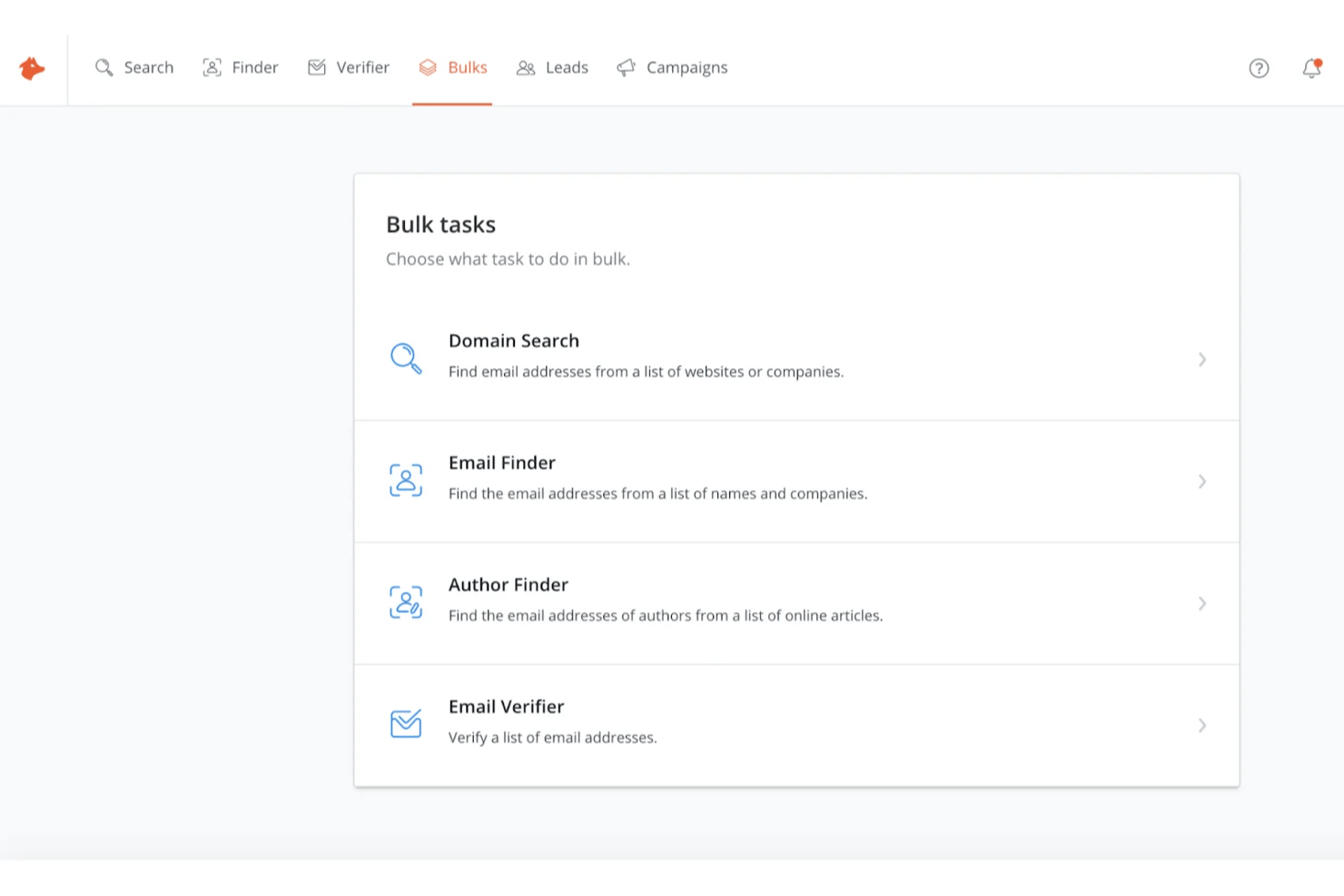
Hunter is a sales intelligence platform centered on email finding, verification, and cold outreach sequencing, with a B2B prospecting database that lets you filter companies by industry, size, location, and technology stack.
Who Is Hunter Best For?
Hunter is a strong fit for sales reps and SDRs who need to find, verify, and email prospects without juggling multiple tools.
Why I Picked Hunter
Hunter earns its spot as one of the best on my shortlist because its find-to-verify-to-sequence workflow is fully native, meaning I can locate a prospect's email via Domain Search, confirm it passes Hunter's 8-step verification, and send a cold email sequence without switching tools. I particularly like the Chrome extension for real-time email lookup while browsing LinkedIn, and TechLookup for filtering companies by the exact technologies they use before building a list.
Hunter Key Features
- Signals: Tracks funding events, job openings, and technology changes at target companies to surface timely outreach triggers.
- Lead enrichment: Automatically appends job titles, LinkedIn profiles, and company data to saved leads on paid plans, with monthly re-verification.
- Bulk email finder: Processes CSV uploads of up to 100,000 rows to find and verify contact emails across large prospect lists at once.
- REST API v2: Provides programmatic access to domain search, email finding, and verification endpoints on all plans, including the free tier.
Hunter Integrations
Hunter offers four native CRM integrations: HubSpot, Salesforce, Pipedrive, and Zoho CRM, plus a Google Sheets add-on and Gmail, Google Workspace, Outlook, and Microsoft 365 connections. Its REST API v2 supports custom integrations, and Zapier is also available.
Pros and Cons
Pros:
- Unlimited team members on all plans
- Transparent sourcing for every found email
- Fast email verification with high accuracy
Cons:
- Limited intent data beyond event signals
- No phone numbers or direct dials

Snovio
Best sales intelligence software for email warm-up
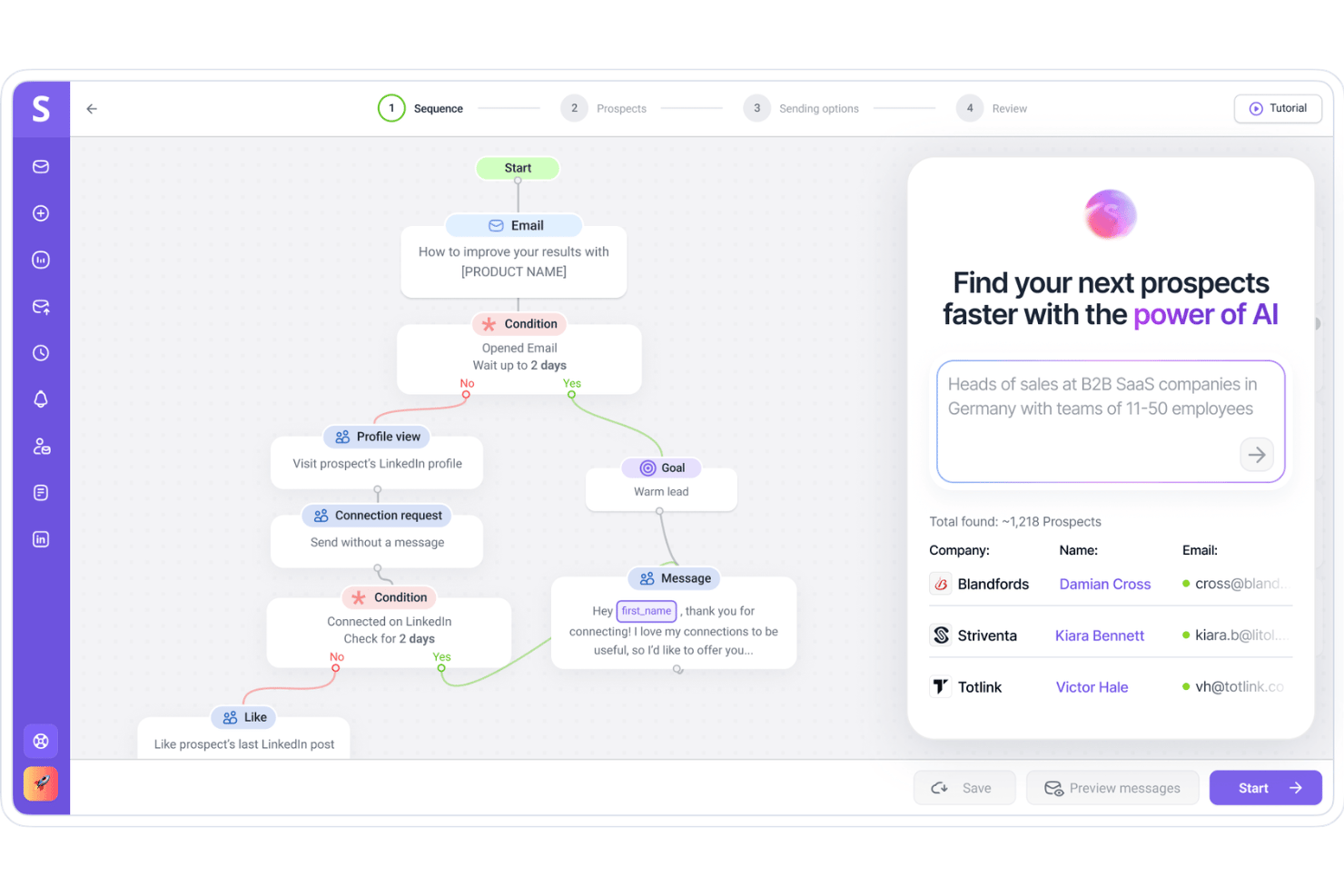
Snov.io is a B2B outbound sales platform that combines a 500M+ contact database, email finding and verification, multichannel outreach automation, and email deliverability tools—including a dedicated email warm-up feature—within a single credit-based system.
Who Is Snovio Best For?
Snovio is a strong fit for SDR teams and outbound-focused agencies that need email warm-up, list building, and multichannel outreach in one place.
Why I Picked Snovio
I've included Snovio in my top picks because its email warm-up feature is genuinely one of the most developed I've seen built into a sales platform. It runs through a network of ~35,000 business-domain accounts, which keeps your sender reputation clean before you ever launch a sequence. I also like that it supports progressive ramp-up strategies alongside steady-volume options, so you can tune warm-up behavior to match your actual sending cadence.
Snovio Key Features
- AI-powered natural language search: Describe your ideal customer profile in plain text and Snov.io automatically applies the matching database filters to return a targeted prospect list.
- 7-tier email verification: Each email address runs through syntax checks, domain validation, MX record lookup, SMTP checks, and catch-all detection before being marked as valid.
- Bulk domain search: Upload up to 20,000 domains in a single search to pull verified contact records at scale, with up to 100,000 prospects retrieved per day.
- Multichannel sequence builder: Build and manage combined email and LinkedIn outreach cadences from a single drag-and-drop campaign interface.
Snov.io Integrations
Snov.io offers native two-way integrations with HubSpot and Pipedrive, plus integrations with Salesforce, Zoho CRM, and Close CRM. It also provides REST APIs and supports Make and Zapier.
Pros and Cons
Pros:
- AI-powered natural language lead search
- All-in-one email outreach and CRM
- Best-in-class built-in email warm-up
Cons:
- Technographic tracking discontinued January 2026
- No intent data or buying signals

Best sales intelligence software for sales forecasting
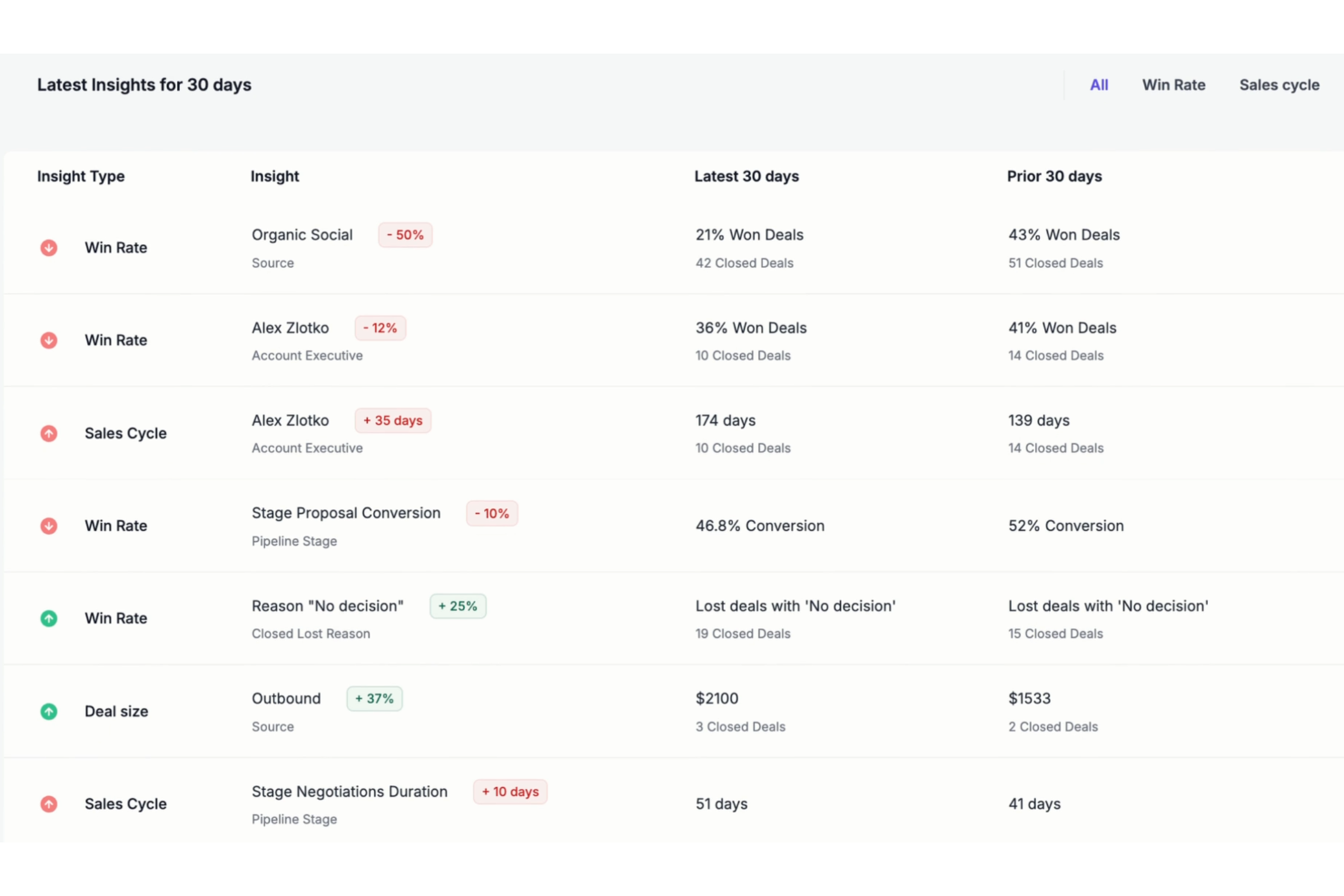
Forecastio is an AI-powered sales forecasting and pipeline intelligence platform built for HubSpot users that combines multi-method revenue forecasting, deal risk detection, pipeline health analysis, and automated forecast audit trails.
Who Is Forecastio Best For?
Forecastio is a strong fit for HubSpot-based sales teams that want ML-driven forecasting and pipeline visibility without the complexity or cost of enterprise platforms.
Why I Picked Forecastio
I picked Forecastio as one of the best because its ML-driven forecasting goes well beyond what most pipeline tools offer, using historical deal data, rep behavior, and seasonality to generate predictions with up to 95% accuracy. I especially like the automated forecast audit trail, which logs every close date shift, deal amount change, and category override so my team can explain forecast swings without digging through spreadsheets. The AI Revenue Agents also surface rep-level patterns proactively, like flagging a rep who consistently moves deals to Commit a week before close despite a low historical win rate.
Forecastio Key Features
- Deal signals: Configurable alerts flag at-risk deals based on activity gaps, time in stage, and close date changes within your HubSpot pipeline.
- What-if scenario modeling: Lets sales leaders simulate different pipeline outcomes to stress-test revenue targets before forecast reviews.
- Pipeline stage performance tracking: Identifies where deals stall or conversion rates drop across specific stages in your pipeline.
- Rep-level forecast submissions: Reps submit structured forecasts by category (Commit, Best Case, Pipeline), which the platform compares against AI-generated win probabilities.
Forecastio Integrations
Integrations include HubSpot, syncing deals, contacts, tasks, line items, and other CRM data for analysis.
Pros and Cons
Pros:
- Proactively flags pipeline risks and slippage
- Tracks every forecast change automatically
- Delivers highly accurate HubSpot sales forecasting
Cons:
- No external buying signals or intent data
- Lacks company and contact data enrichment

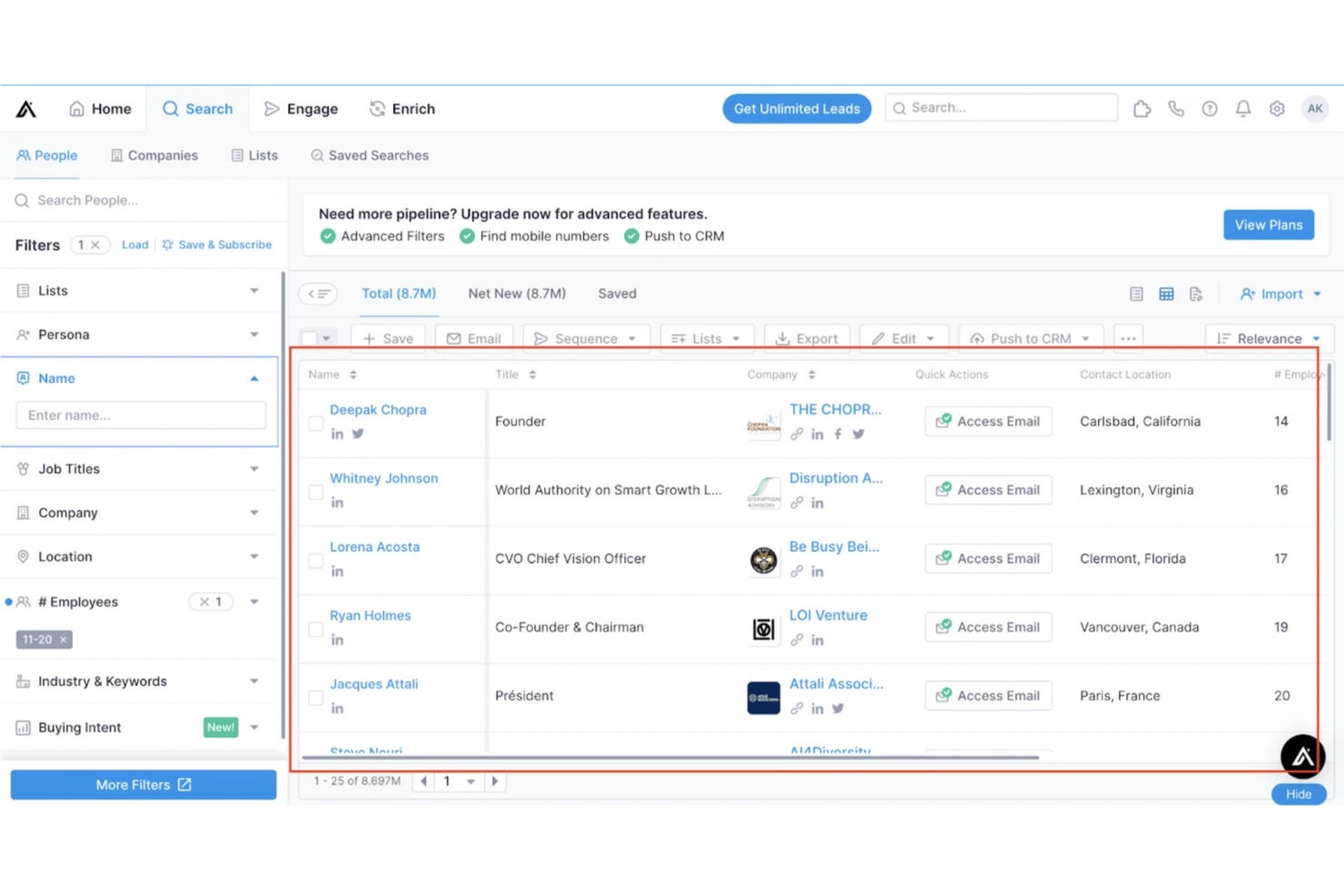
Apollo is a B2B sales intelligence platform that combines a 275M+ contact database, advanced prospect search, buying intent data, CRM enrichment, workflow automation, and built-in sales engagement tools.
Who Is Apollo Best For?
Apollo is a strong fit for revenue operations and sales teams that want analytics-driven prospecting, lead scoring, and workflow automation in a single platform.
Why I Picked Apollo
Apollo earns its spot on my shortlist because its analytics depth is genuinely hard to match in this category. I'm particularly impressed by the Scoring Engine, which lets you build custom lead and account scoring models using both demographic fit and behavioral signals like intent topic activity. Pair that with the Data Health Center's automated CRM enrichment and real-time trigger-based updates, and your pipeline data stays accurate enough to actually trust.
Apollo Key Features
- Buying intent filtering: Browse and filter prospects by 1,600+ intent topics sourced from Bombora and LeadSift to surface accounts actively researching relevant solutions.
- Website visitor de-anonymization: A tracking pixel identifies anonymous companies visiting your site and routes them into automated workflows or dedicated lead lists.
- Workflow Engine: A no-code, drag-and-drop builder with conditional branching and 21+ pre-built templates that triggers actions based on signals like job changes, CRM field updates, or intent activity.
- Native conversation intelligence: Built-in call recording, AI-generated transcripts, and coaching scorecards give managers visibility into rep performance without a separate tool.
Apollo Integrations
Apollo offers 50+ integrations, including Salesforce, HubSpot, Zoho CRM, Pipedrive, Outreach, SalesLoft, Marketo, Slack, Chili Piper, and Zapier. Organization and Custom plans include API access for custom integrations.
Pros and Cons
Pros:
- Built-in conversation intelligence with AI transcription
- Website visitor de-anonymization reveals new inbound leads
- Deep analytics and scoring engine capabilities
Cons:
- Billing and credit refund issues reported frequently
- Data accuracy drops for mobile numbers

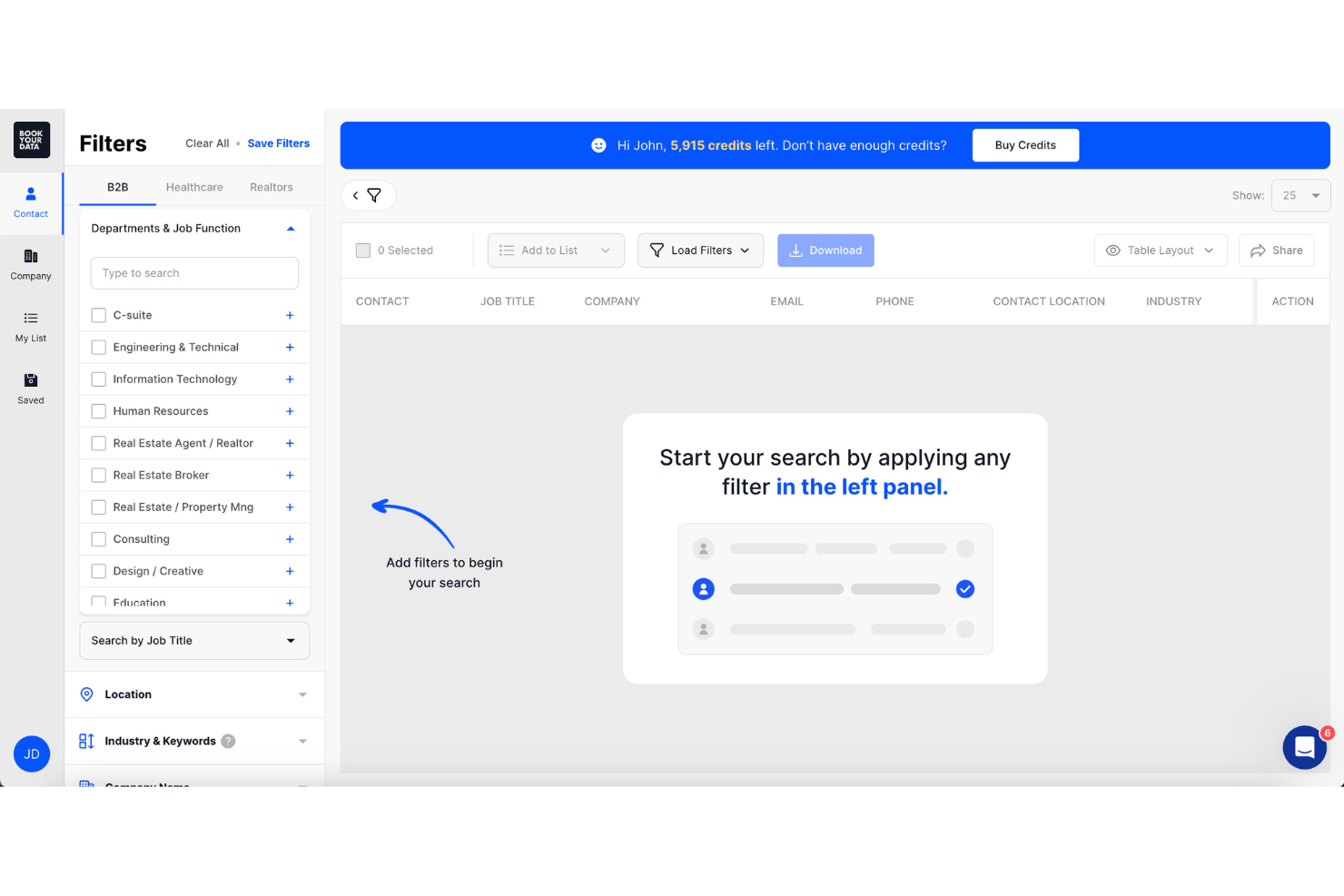
BookYourData is a B2B sales intelligence platform built around a pay-as-you-go contact database that offers prospect list building, email finding, real-time email verification, and CRM enrichment across 250M+ verified global contacts.
Who Is BookYourData Best For?
Sales teams that need verified, ready-to-use contact lists without committing to an annual contract will get the most out of BookYourData.
Why I Picked BookYourData
BookYourData earns its spot on my shortlist because of its pre-built, ready-to-download contact lists backed by real-time, 8-step email verification at the point of export. I love that every record comes with a 97% deliverability guarantee, so my team isn't burning time scrubbing bad emails before a campaign. The BeSpoke service is also a standout for niche audiences: if a target segment doesn't surface through the 100+ Prospector filters, the team hand-builds the list to spec and guarantees it.
BookYourData Key Features
- Technographic filtering: Search and segment prospects by tech stack using include/exclude filters across 60,000+ tracked technologies.
- Suppression list uploads: Upload existing contact lists to exclude duplicates before building or exporting new prospect lists.
- BeSpoke custom list building: Submit a niche audience spec to BookYourData's team for a hand-built, guaranteed list when standard filters fall short.
- Pay-as-you-go credit model: Purchase credits in any volume with no subscription, no seat fees, and no expiration date on unused credits.
BookYourData Integrations
BookYourData offers native integrations with HubSpot and Salesforce for auto-enrichment. It also supports integrations with Zoho CRM, Mailchimp, and Outreach, plus an enterprise-tier API and Zapier.
Pros and Cons
Pros:
- Real-time 8-step email verification included
- Pay-as-you-go model with unlimited exports
- Pre-built email lists with 97% deliverability
Cons:
- No automated ongoing CRM enrichment
- No intent or behavioral signal data

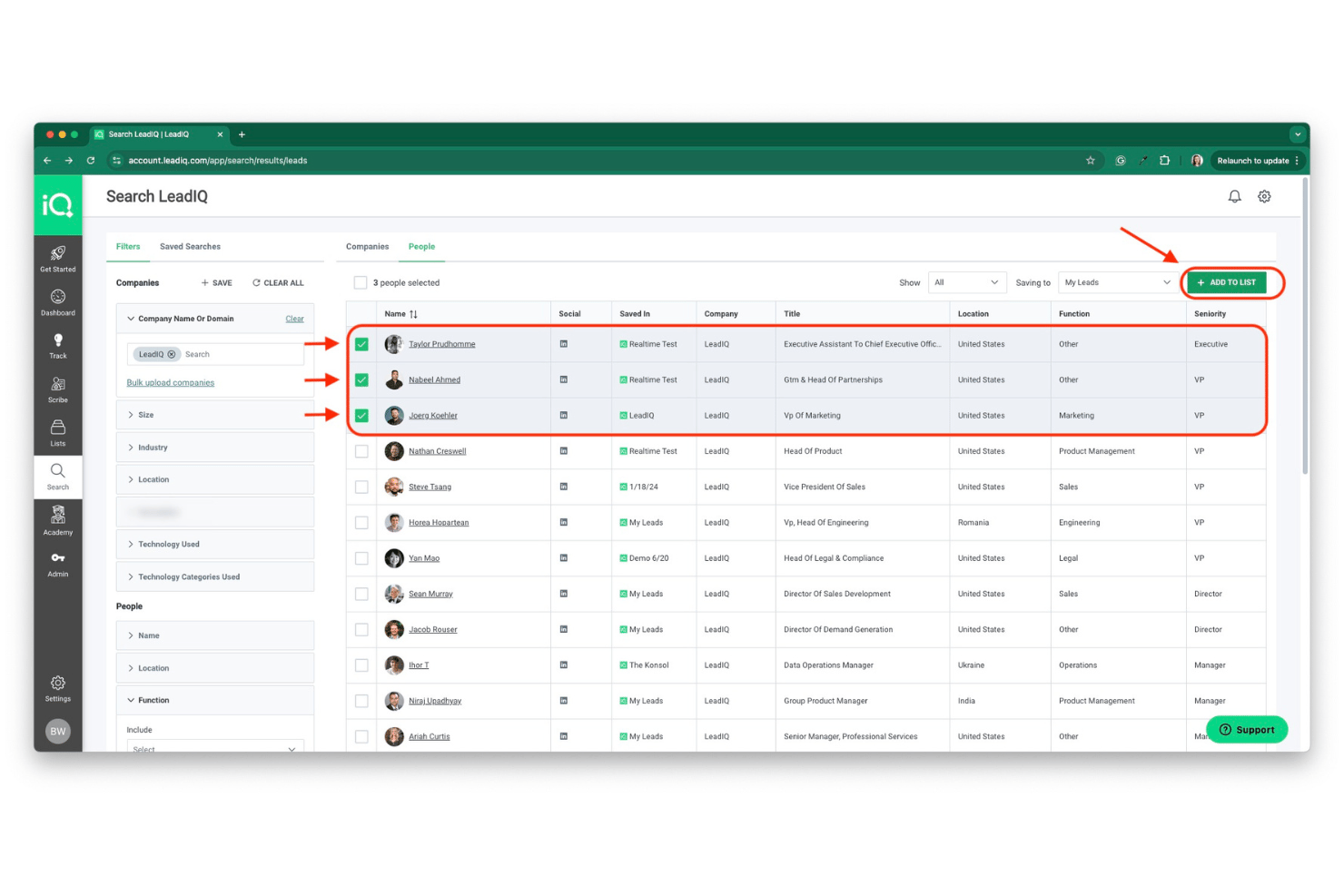
LeadIQ is a sales intelligence platform built around contact and company data prospecting, CRM enrichment, and AI-powered outreach, with signal tracking and a Chrome extension designed specifically for LinkedIn-based workflows.
Who Is LeadIQ Best For?
LeadIQ is a strong fit for SaaS sales teams that run high-volume outbound prospecting through LinkedIn and need fast, reliable contact capture directly into their CRM.
Why I Picked LeadIQ
LeadIQ earns its spot on my shortlist because of how well it fits the rhythm of a SaaS outbound team running LinkedIn-heavy prospecting at volume. I love that the Chrome extension lets reps bulk-capture up to 25 verified contacts directly from a LinkedIn Sales Navigator search and push them to Salesforce or a sequencer in one click. Scribe, the built-in AI email writer, pulls from live prospect data to generate personalized outreach without reps ever leaving their workflow.
LeadIQ Key Features
- Champion tracking: Monitors saved contacts for job changes and automatically flags when a key contact moves to a new company, updating CRM records in the process.
- Signals dashboard: Aggregates company-level trigger events—including funding announcements, hiring activity, 10-K filings, and podcast mentions—into a single daily digest.
- Salesforce native managed package: Deploys directly into Salesforce with real-time enrichment, duplicate detection, and custom field mapping without requiring middleware.
- Scribe Anywhere: Embeds the AI email writer inside LinkedIn Sales Navigator, Outreach, Salesloft, HubSpot, Gong, and Salesforce so reps can generate personalized outreach from within any existing tool.
LeadIQ Integrations
LeadIQ documents 14 integrations, including native connections with Salesforce, HubSpot, Outreach, Salesloft, Groove, and Gong, plus LinkedIn Sales Navigator, Clay, Chili Piper, and Claude. It also offers API access for custom integrations, along with Workato, Nooks, Orum, and Zapier.
Pros and Cons
Pros:
- Real-time CRM enrichment and duplicate detection
- AI outreach writes emails in LinkedIn
- Fastest LinkedIn contact capture workflow
Cons:
- Phone number accuracy trails key competitors
- Credits expire monthly with no rollover
Other Sales Intelligence Software
Here are more sales intelligence tools that are worth checking out:
- Winmo
For finding advertising and media contacts
- SalesQL
For LinkedIn prospecting on a budget
- Autobound
For writing emails from live buyer signals
- Creatio CRM
Sales intelligence software for lead management
- Lusha
Sales prospecting tool for B2B businesses
- RocketReach
For access to a large email and phone database
- Crossbeam
For sharing data with your partners
- Enlyft
Sales intelligence software for AI-driven insights
- Kaspr
For improving LinkedIn lead generation efforts
- Leadinfo
For tracking B2B website visitors
- PartnerTap
For increasing partner sales growth
- Visual Visitor
For company websites visitor tracking
- ZoomInfo SalesOS
For analyzing customer conversations
- Outbound
For outbound sales efforts


How I Evaluate Sales Intelligence Software
I split my evaluation into two layers: the baseline a tool must hit—verified contacts, intent data, CRM sync—and the differentiators that separate genuinely useful platforms from the rest.
Core Functionality (Table Stakes For This List)
When I'm selecting tools for my list, I rank each one on a scale from 0 (does not offer the functionality) to 5 (excels in this area) for each core functionality listed below. Then, I calculate the tool's total score into a percentage. Each tool needs to achieve a minimum total score of 75% to be considered for inclusion.
- Contact & Company Data: I evaluate database size, global coverage, and depth of firmographics—things like verified direct dials, org charts, and revenue ranges that reps actually need to multi-thread into accounts.
- Intent & Buying Signals: I look for platforms that surface topic-level intent, funding events, and hiring trends so your team can prioritize accounts showing real in-market behavior over static lead lists.
- Advanced Prospect Search: Strong filtering matters—I check whether you can layer criteria like tech stack, headcount growth, and seniority to build precise segments instead of sifting through broad, noisy results.
- CRM & Sales Tool Integrations: I evaluate how well each platform syncs with tools like Salesforce, HubSpot, Outreach, and Salesloft, focusing on bi-directional data flow and whether field mapping is flexible enough for RevOps workflows.
- Data Enrichment & Cleansing: I look at whether the tool can auto-enrich and de-duplicate records at scale—catching things like outdated job titles or merged companies before they erode your pipeline reporting.
- List Building & Export: I check how easily you can create targeted prospect lists and push them directly into your CRM or engagement platform, rather than relying on manual CSV exports with strict caps.
Once I have a list of tools that meet this criteria, I consider what sets each platform apart.
Differentiating Factors (What Sets Vendors Apart)
Here's how I compare and contrast different vendors:
Standout Features
AI-powered account research is a big differentiator—I look for tools that can summarize a prospect's tech stack, recent news, and competitive landscape into actionable briefs reps can use before outreach. Website visitor de-anonymization is another feature worth evaluating, since matching anonymous traffic to known accounts gives your team a real-time signal to act on. I also check for no-code data orchestration workflows that let RevOps teams route enriched records, trigger alerts, and automate handoffs across systems without waiting on engineering.
Beyond Features
Data accuracy matters more than database size—I evaluate how often a vendor re-verifies records and whether they're transparent about their methodology, since stale contacts tank deliverability and waste rep time. Compliance is another factor I weigh carefully, especially GDPR and CCPA adherence, because your legal team will want clear documentation on how contact data is sourced. Pricing structure also plays a role; I look at whether credit-based or seat-based models scale well as RevOps teams expand usage beyond the initial sales org into marketing and CS.
How to Choose Sales Intelligence Software
It’s easy to get bogged down in long feature lists and complex pricing structures. To help you stay focused as you work through your unique software selection process, here’s a checklist of factors to keep in mind:
| Factor | What to Consider |
|---|---|
| Scalability | Will the software grow with your business? Consider if it can handle an increase in data volume, users, and complexity without a hitch. |
| Integrations | Does it integrate with your existing tools? Ensure it connects smoothly with your CRM and other business systems to maintain workflow continuity. |
| Customizability | Can you tailor the software to fit your needs? Look for options that allow you to adjust settings and features to match your team's processes. |
| Ease of use | Is the interface user-friendly? A complex system can slow down your team. Test the user interface to see if it's intuitive and easy to navigate. |
| Implementation and onboarding | How long will it take to get up and running? Check if the vendor offers support like training videos or product tours to ease the transition. |
| Cost | Does the pricing fit your budget? Compare different pricing plans and consider long-term costs, including any hidden fees or additional charges for extra features. |
| Security safeguards | How does the software protect your data? Verify that it complies with industry standards and offers robust security features to safeguard sensitive information. |
| Support availability | When and how can you get help? Consider if the vendor provides 24/7 support and multiple contact options like chat, phone, or email for assistance when needed. |
What Is Sales Intelligence Software?
Sales intelligence software is a tool that helps businesses gather and analyze data to improve their sales processes. Sales professionals, including sales reps and managers, generally use these tools to gain insights into customer behavior and market trends. Data analysis, lead generation, and customer insights features help with making informed decisions and optimizing sales strategies. These tools provide value by enhancing the effectiveness and efficiency of sales efforts.
Features
When selecting sales intelligence software, keep an eye out for the following key features:
- Lead generation: Helps identify and capture potential customers from various sources to boost your sales pipeline.
- Data analysis: Provides insights into sales trends and customer behavior to inform strategic decisions.
- Customer insights: Offers detailed information on customer preferences and interactions to tailor sales approaches.
- Integration capabilities: Ensures seamless connectivity with existing CRM and other business tools for a cohesive workflow.
- Customizable dashboards: Allows users to personalize views and reports to focus on relevant metrics and data.
- Predictive analytics: Uses historical data to forecast future sales trends and guide decision-making.
- Real-time data updates: Keeps information current, enabling timely responses to market changes and opportunities.
- AI-driven insights: Leverages artificial intelligence to uncover hidden patterns and enhance sales strategies.
- User-friendly interface: Ensures ease of navigation and quick adoption by team members of all skill levels.
Benefits
Implementing sales intelligence software provides several benefits for your team and your business. Here are a few you can look forward to:
- Improved decision-making: Data analysis and predictive analytics provide insights that help you make informed choices.
- Enhanced lead quality: Lead generation tools identify high-potential prospects, increasing the chances of successful sales.
- Tailored sales strategies: Customer insights allow for personalized approaches that resonate with individual buyers.
- Increased efficiency: Integration capabilities ensure your team works smoothly with existing systems, saving time and effort.
- Better sales forecasting: Predictive analytics help anticipate market trends, aiding in planning and resource allocation.
- Real-time responsiveness: Real-time data updates keep your team informed and ready to seize new opportunities quickly.
Costs & Pricing
Selecting sales intelligence software requires an understanding of the various pricing models and plans available. Costs vary based on features, team size, add-ons, and more. The table below summarizes common plans, their average prices, and typical features included in sales intelligence software solutions:
Plan Comparison Table for Sales Intelligence Software
| Plan Type | Average Price | Common Features |
|---|---|---|
| Free Plan | $0 | Basic lead generation, limited data analysis, and CRM integration. |
| Personal Plan | $10-$30/user/month | Enhanced customer insights, customizable dashboards, and email support. |
| Business Plan | $50-$100/user/month | Advanced analytics, real-time data updates, and multi-user collaboration. |
| Enterprise Plan | $150+/user/month | AI-driven insights, dedicated account manager, and full API access. |
Sales Intelligence Software Frequently Asked Questions
Here are answers to some of the most frequently asked questions about sales intelligence software:
Can sales intelligence software integrate with other tools?
How secure is sales intelligence software?
Do I need technical expertise to use sales intelligence software?
What’s Next:
If you're in the process of researching sales intelligence software, connect with a SoftwareSelect advisor for free recommendations.
You fill out a form and have a quick chat where they get into the specifics of your needs. Then you'll get a shortlist of software to review. They'll even support you through the entire buying process, including price negotiations.