

10 Best Sales Pipeline Management Software In 2026

10 Best Sales Pipeline Management Software Shortlist


With so many different sales pipeline management software available, figuring out which is right for you is tough. You know you want to oversee and optimize your sales process but need to figure out which tool is best. I've got you! In this post I'll help make your choice easy, sharing my personal experiences using dozens of different sales pipeline management tools with various teams and accounts, with my picks of the best sales pipeline management software.
Why Trust Our Software Reviews
We’ve been testing and reviewing RevOps software since 2022. As RevOps leaders ourselves, we know how critical and difficult it is to make the right decision when selecting software.
We invest in deep research to help our audience make better software purchasing decisions. We’ve tested more than 2,000 tools for different RevOps use cases and written over 1,000 comprehensive software reviews. Learn how we stay transparent & our software review methodology.
| Tool | Best For | Trial Info | Price | ||
|---|---|---|---|---|---|
| 1 | Best with the largest B2B contact database | Free plan available | From $49/user/month (billed annually) | Website | |
| 2 | Best for automated email sequences | 30-day free trial + free demo available | From $29/user/month (billed annually) | Website | |
| 3 | Best for flexible, no-code customization | 14-day free trial + free demo available | From $12/seat/month (billed annually) | Website | |
| 4 | Best web-based sales pipeline management software | 14-day free trial + free plan available | From $18/user/month (billed annually) | Website | |
| 5 | Best for AI-driven performance analytics | Free demo available | Pricing upon request | Website | |
| 6 | Best for managing team pipelines | Free plan available | From $7/user/month (billed annually) | Website | |
| 7 | Best for distribution focused CRM | Free 60-day trial available | Pricing upon request | Website | |
| 8 | Best CRM solution with sales tool add-on | 15-day free trial | From $23/user/month (billed annually) | Website | |
| 9 | Best for building relationships with customers | Not available | Website | ||
| 10 | Best for visual sales pipeline management | 14-day free trial | From $14/user/month (billed annually) | Website |


Best Sales Pipeline Management Software Reviews
In my overviews of each sales pipeline management software, you’ll see what the tool does best, what caught my eye about it, and what you can expect from the pricing model. I’ve also included a snapshot of each tool’s inner workings, as well as a few pros and cons that may sway your opinion about whether a specific platform is right for you.

Best with the largest B2B contact database
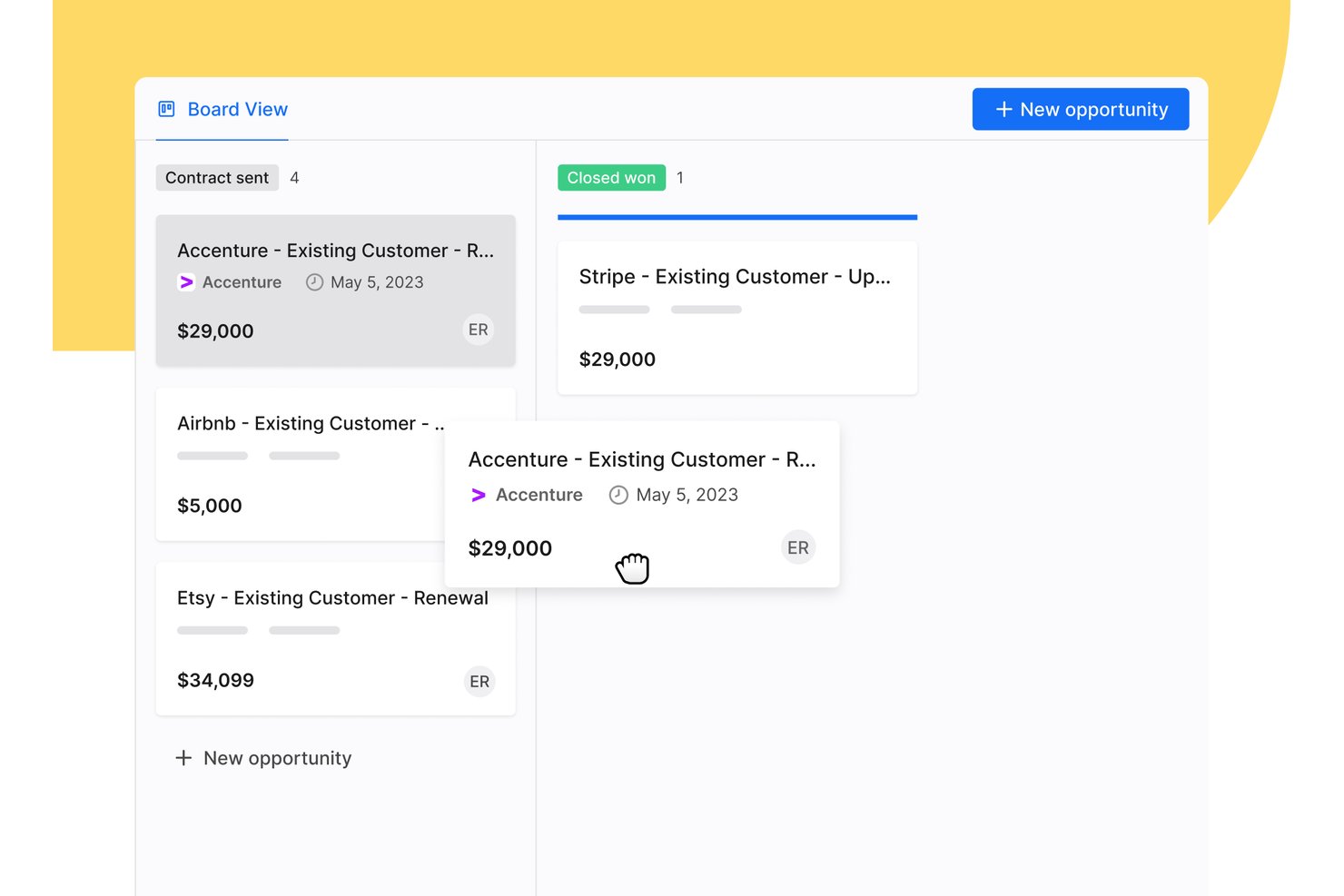
Apollo.io is a sales intelligence and engagement platform that combines a B2B contact database, deal management, multi-channel outreach sequencing, and pipeline tracking in a single workspace.
Who Is Apollo.io Best For?
Apollo.io suits small to mid-sized outbound sales teams that want to manage prospecting, outreach, and basic pipeline tracking without juggling multiple tools.
Why I Picked Apollo.io
Apollo.io earns its spot on my shortlist because no other pipeline tool gives you prospecting and deal management built on a database of 210 million+ verified B2B contacts. I love how buying intent signals flag companies actively researching your category, and I can auto-convert those high-intent leads directly into pipeline opportunities without switching tools. Deal stall alerts then prompt my team to act before a deal goes cold, keeping the pipeline moving without manual babysitting.
Apollo.io Key Features
- Customizable sales pipelines: Build and manage multi-stage pipelines with adjustable deal stages for different workflows.
- Integrated email sequencing: Set up multi-channel outreach campaigns with automated touchpoints directly connected to pipeline stages.
- Native CRM integrations: Sync deal, contact, and activity data with Salesforce and HubSpot in real time.
- Pipeline analytics dashboard: Monitor deal movement, stage aging, and win rates with pre-built visual reports.
Apollo.io Integrations
Apollo.io offers native integrations with Salesforce, HubSpot, Outreach, Airtable, Amplitude, Asana, and Gmail, and provides an API for custom integrations.
Pros and Cons
Pros:
- Deal alerts flag stalled opportunities proactively
- Intent data surfaces high-priority deals automatically
- Built-in prospecting feeds pipeline with verified leads
Cons:
- Forecasting lacks depth compared to dedicated CRMs
- Pipeline features are secondary to prospecting tools

Best for automated email sequences
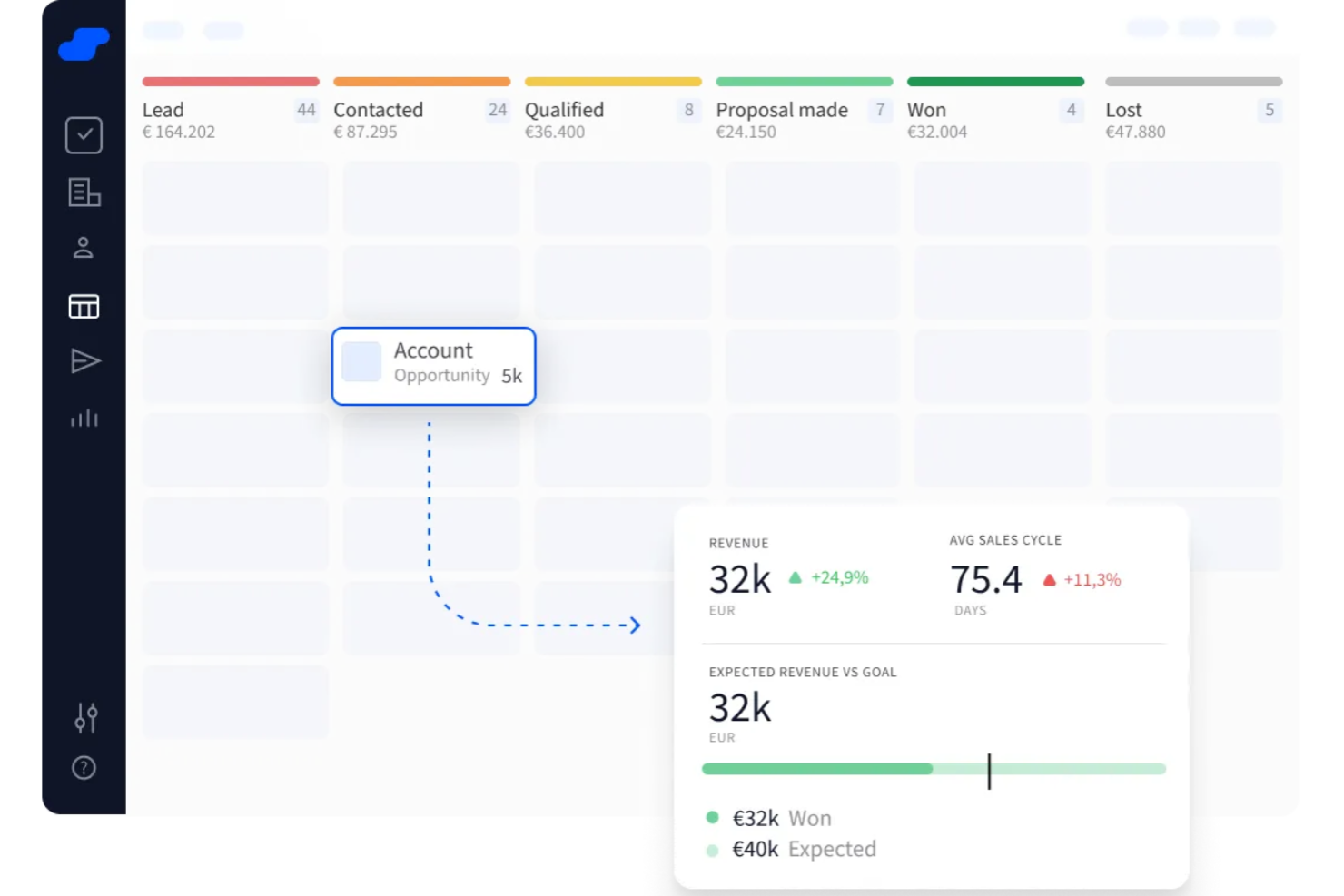
Salesflare is a B2B sales CRM for small and medium-sized businesses that combines visual pipeline management, automated lead tracking, email sequences, relationship intelligence, and lead generation tools.
Who Is Salesflare Best For?
Salesflare is a natural fit for small B2B sales teams that want a low-maintenance CRM without heavy manual data entry.
Why I Picked Salesflare
Salesflare is one of my top picks because I love how its automated email sequences are built directly into the pipeline, not bolted on as a separate tool. I can set sequences to trigger automatically when a lead matches specific criteria, and they keep sending follow-ups until the contact replies, opens an email, or clicks a link. The built-in email and website visit tracking lets me see exactly who's engaging and when, so my team can prioritize the right leads at the right moment.
Salesflare Key Features
- Visual drag-and-drop pipeline: Move deals across customizable pipeline stages with a simple drag-and-drop interface to reflect real-time deal status.
- Automated contact enrichment: Salesflare pulls contact and company data from emails, email signatures, and social profiles automatically, without manual entry.
- Lead finder: Search for verified business email addresses directly within the platform to build prospect lists.
- Revenue reporting dashboards: Track pipeline value, win rates, and deal velocity across custom date ranges and team members.
Pros and Cons
Pros:
- Contact timelines show full communication history
- Follow-up reminders reduce lead drop-off
- Automatically fills contact data from emails
Cons:
- Limited options for bulk editing records
- Lacks highly tailored workflows for complex teams

Best for flexible, no-code customization

monday CRM is a visual sales pipeline management platform with customizable deal boards, lead tracking, contact management, automated workflows, and built-in forecasting tools.
Who Is monday CRM Best For?
monday CRM is a great fit for small to mid-sized sales teams that need a flexible, easy-to-configure CRM without relying on developers or IT support.
Why I Picked monday CRM
monday CRM earns its spot on my shortlist because no other tool gives sales teams this level of pipeline flexibility without writing a single line of code. I can add custom columns to track deal-specific data—like contract value, product line, or close probability—and build out multiple pipelines for different sales motions, all from a drag-and-drop interface. The no-code automation builder lets me set up stage-based triggers, like automatically assigning a follow-up task when a deal moves to "Negotiation," without any technical help.
monday CRM Key Features
- Forecast view: Visualize expected revenue against sales goals using built-in Chart and Goal widgets across your active deals.
- Lead scoring: Automatically rank incoming leads based on custom criteria to help reps prioritize which deals to pursue first.
- Email sequences: Send personalized, multi-step email campaigns directly from the CRM with open and click tracking built in.
- Activity log: Track every call, meeting, and email interaction on a contact or deal record in a centralized timeline.
Pros and Cons
Pros:
- 24/7 customer support.
- Easy to develop and implement automations.
- Unlimited boards to organize clients, projects, and processes.
Cons:
- All plans have a three-user minimum.
- No customizable reports.
New Product Updates from monday CRM

monday CRM Adds Meta Conversions API Integration
monday CRM now lets you connect Meta Conversions API and sync lead status back to Meta, improving targeting and conversions via a new Meta integration automation recipe. For more information, visit monday CRM's official site.
Capsule
Best web-based sales pipeline management software
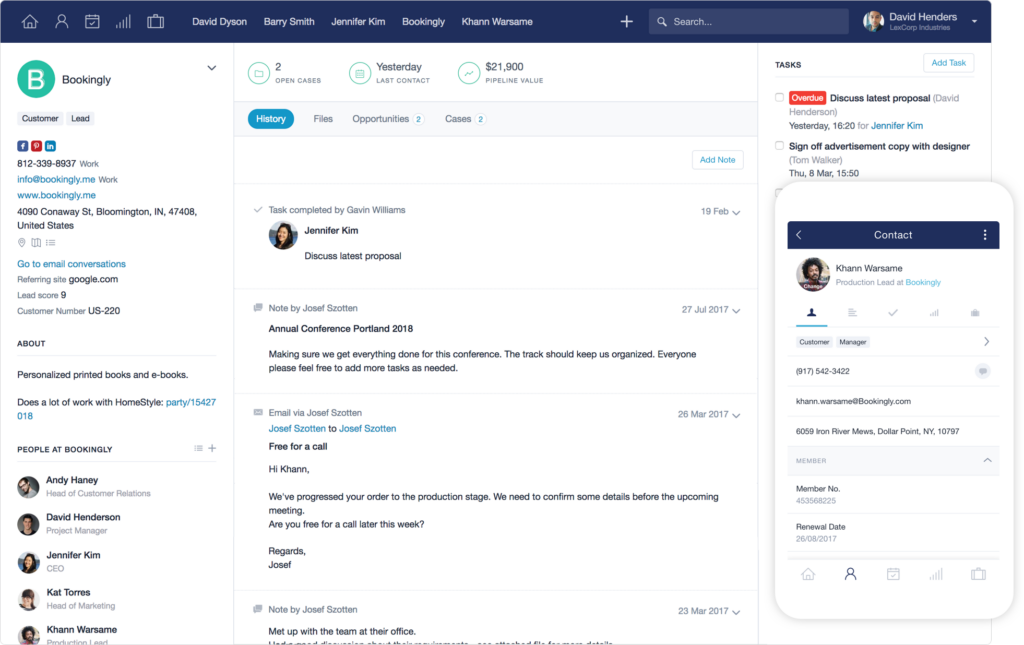
Capsule is a web-based CRM platform that combines visual sales pipeline management, contact tracking, task organization, and project delivery in a single tool.
Who Is Capsule Best For?
Capsule is a good fit for small to mid-sized businesses that need a straightforward CRM with visual pipeline tracking without the complexity of enterprise platforms.
Why I Picked Capsule
I've included Capsule in my top picks because it's one of the cleanest web-based pipeline tools I've used, and it works just as well in a browser tab as it does on mobile. I like that you can switch between Kanban, list, and dashboard views depending on whether you need flow, detail, or a high-level snapshot. The custom pipeline stages let you map your exact sales process, and the built-in Sales Reports surface forecasting data without requiring a separate analytics tool.
Capsule Key Features
- Sales automation: Trigger automatic actions, like task creation or notifications, when a deal moves to a specific pipeline stage.
- Multiple pipelines: Set up separate pipelines for different products, services, or sales teams within a single account.
- Custom lost reasons: Log and categorize why deals are lost to identify patterns across your pipeline over time.
- Opportunity-level activity tracking: Attach emails, notes, tasks, and files directly to individual deals for full context in one place.
Pros and Cons
Pros:
- Fast and friendly customer support
- Intuitive navigation to find your way around
- User-friendly interface and dashboards
Cons:
- Limited marketing essentials and capabilities
- Can’t edit calendar tasks made in Capsule outside of it
New Product Updates from Capsule

Capsule Adds AI Meeting Prep for External Calls
Capsule introduced AI Meeting Prep with relationship summaries, color-coded signals, and CRM context for upcoming external calls. This helps users review key contact details and prepare for meetings without searching through records manually. For more information, visit Capsule’s official site.
 .
.
Best for AI-driven performance analytics
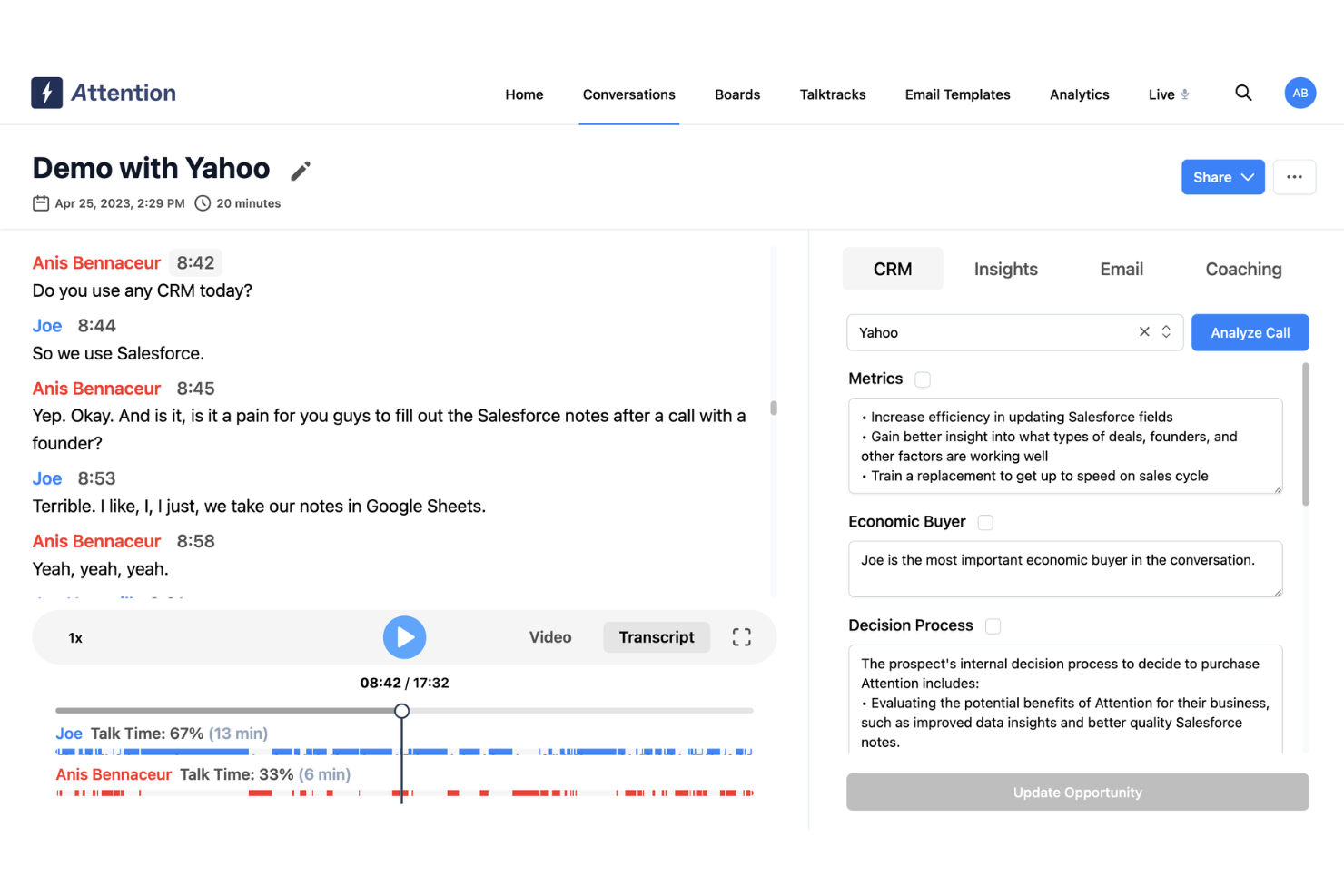
Attention is a conversation intelligence and AI sales platform that captures sales calls, automates CRM updates, scores rep performance, and surfaces pipeline and forecasting insights.
Who Is Attention Best For?
Attention is a good fit for B2B sales teams that want AI-driven visibility into rep performance and deal health across their pipeline.
Why I Picked Attention
I've included Attention in my top picks because its AI-driven performance analytics go deeper than rep activity counts. Attention's AI coaching scorecards automatically grade reps against frameworks like MEDDIC or BANT after every call, then surface org-wide trends so you can see exactly where performance is breaking down. On the pipeline side, deal scores update continuously based on call content, buyer engagement, and conversation patterns—not just what a rep logged in the CRM.
Attention Key Features
- CRM auto-fill: Automatically captures call data and pushes structured updates to your CRM fields after every conversation, without rep input.
- Pipeline Guard: An AI agent that monitors your pipeline for stalled deals and flags risk based on conversation signals and deal inactivity.
- AI forecasting: Generates forecast projections grounded in call content and deal activity, not just rep-submitted CRM data.
- Follow-up email automation: Drafts personalized follow-up emails after calls, based on what was discussed, for reps to review and send.
Pros and Cons
Pros:
- Actionable insights with AI
- Personalized follow-up emails
- Real-time sales coaching on calls
Cons:
- Lacks visual pipeline management features
- Reliance on AI may not suit all users
Best for managing team pipelines

Bigin by Zoho CRM is a small business-focused pipeline CRM that covers deal tracking across customizable visual pipelines, multichannel communication, workflow automation, and built-in AI features through Zia.
Who Is Bigin by Zoho CRM Best For?
Bigin is a natural fit for small businesses and startups that need a structured CRM without the complexity of an enterprise-grade platform.
Why I Picked Bigin by Zoho CRM
Bigin by Zoho CRM stands out for how it handles team pipelines—each team gets its own pipeline with dedicated stages, fields, and workflows. The connected pipelines feature lets a closed deal in the sales pipeline automatically trigger a record in the onboarding or customer success pipeline. My team doesn't need to manually hand off work between departments; the pipeline does it for us.
Bigin by Zoho CRM Key Features
- Built-in telephony: Make and log calls directly from deal records without switching to a separate phone app.
- Workflow automation: Set trigger-based actions, like sending follow-up emails or updating deal fields, when a deal moves to a new stage.
- Target meters: Track team and individual revenue targets against actuals using visual progress meters on dashboards.
- Zia AI insights: Get AI-generated deal summaries and churn risk scores directly within pipeline records.
Pros and Cons
Pros:
- Simple to set up for immediate use
- Allows easy tracking of multiple pipelines
- Offers custom forms for data collection
Cons:
- Limited flexibility in custom report creation
- Lacks mapping features for routing contacts
New Product Updates from Bigin by Zoho CRM

Bigin iOS Adds Interactive WhatsApp Templates and Quick Replies
Bigin’s iOS app now supports interactive WhatsApp templates and Quick Replies, making it easier to preview and send instant messages to customers. For more information, visit Bigin by Zoho CRM's official site.
 .
.
Best for distribution focused CRM
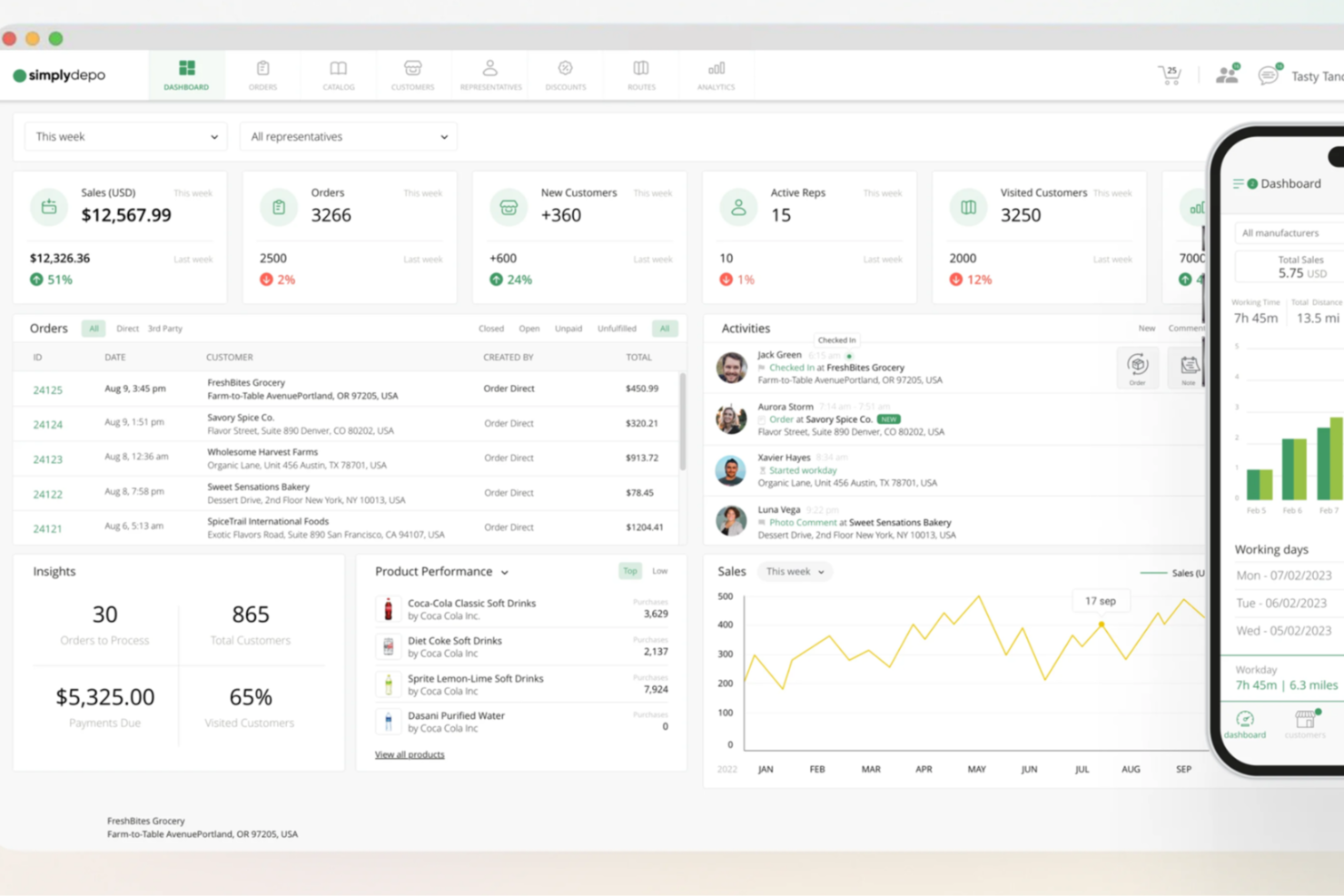
SimplyDepo is a field sales and distribution management platform for CPG brands and distributors that covers account CRM, route planning, B2B order capture, and in-store retail execution.
Who Is SimplyDepo Best For?
SimplyDepo is a strong fit for CPG brands, DSD distributors, and wholesale teams that manage field reps, retail accounts, and B2B order workflows.
Why I Picked SimplyDepo
I've included SimplyDepo in my top picks because it's one of the few CRM tools built specifically around how distribution sales teams actually work in the field. I like that account management is tied directly to route planning, so reps track visit history, account notes, and order activity all in one place rather than switching between systems. The in-store execution features let field reps log shelf audits and capture orders on mobile during a visit, which keeps account data current without manual entry after the fact.
SimplyDepo Key Features
- B2B order portal: Lets customers place orders online while field reps capture orders directly in the app, with products, pricing, and availability synced automatically.
- Territory and rep performance tracking: Monitors route completion, sales activity by rep, and coverage gaps across territories from a manager dashboard.
- Custom tasks and digital forms: Lets you build store-specific task lists and digital forms to enforce brand standards and collect structured compliance data.
- Real-time field activity reporting: Surfaces visit logs, photo proof, and execution details from the field as they happen, without waiting for manual rep updates.
Pros and Cons
Pros:
- Route planning and territory mapping
- Integrated CRM for account tracking
- Built-in B2B order management system
Cons:
- No transparent API documentation
- Limited advanced reporting customization

Best CRM solution with sales tool add-on
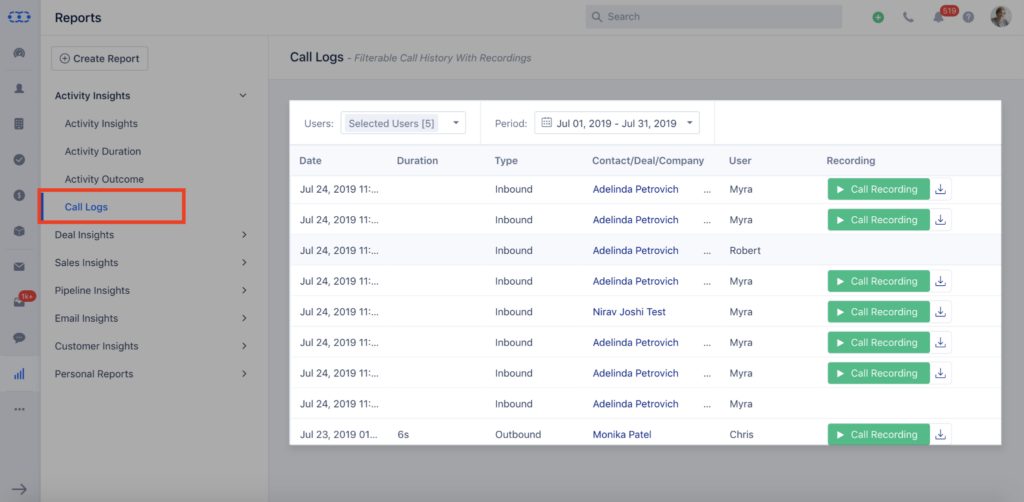
Salesmate is a CRM platform with built-in sales pipeline management, marketing automation, customer support, and AI-powered tools that give revenue teams a unified view of contacts, deals, and conversations.
Who Is Salesmate Best For?
Salesmate is a good fit for small to mid-sized sales teams that need a CRM with pipeline management, communication, and automation built into one platform.
Why I Picked Salesmate
I've included Salesmate in my top picks because it's one of the few CRM platforms where the core pipeline management experience doesn't feel like a bolt-on. I like how deal management, lead scoring, and built-in communication tools connect to the same contact and activity data. When a deal moves stages, follow-up sequences trigger automatically, so reps don't have to track next steps manually. Sandy AI also adds value by surfacing prospect insights and next-best-action recommendations directly inside the pipeline view.
Salesmate Key Features
- Multiple pipeline management: Create separate pipelines for different products, regions, or sales processes, each with custom stages and deal fields.
- Revenue forecasting: Generate forecasts based on deal stage probabilities to project expected revenue across your pipeline.
- Email tracking: Track email opens and clicks tied directly to deal records so reps know when to follow up.
- Power dialer: Make and log calls from inside deal records without switching between tools.
Pros and Cons
Pros:
- Very responsive customer support team
- Great price for the value
- Feature-rich CRM in a simple box
Cons:
- Limited scheduling to control incoming calls
- Cost of calls can be a bit high

Coevera
Best for building relationships with customers

Pipeliner is a visual sales CRM with drag-and-drop pipeline management, multiple pipeline views, account relationship mapping, AI-powered forecasting, and no-code workflow automation built specifically for sales teams.
Who Is Pipeliner Best For?
Pipeliner suits B2B sales teams that manage complex, multi-stakeholder deals and need deep account visibility alongside pipeline tracking.
Why I Picked Pipeliner
Pipeliner earns its spot as one of the best on my shortlist because of how it visualizes account relationships in ways most pipeline tools don't. I love the buying center feature, which lets me map every stakeholder in a deal, assign their role and influence level, and track how engaged each contact is. Combined with the account org chart view, my team can see the full relationship landscape before a call, not just the primary contact and deal stage.
Pipeliner Key Features
- Multiple pipeline views: Switch between Kanban, list, chart, bubble, and map views to see your deals in the format that fits your workflow.
- Automatizer: Build no-code automation rules that trigger actions like task creation or stage changes based on deal activity.
- Voyager AI: Get AI-generated deal risk scores and revenue forecasts based on pipeline activity and historical data.
- Reports and dashboards: Access pre-built and custom reports covering win/loss analysis, activity tracking, and pipeline performance.
Pros and Cons
Pros:
- Offers more tools than HubSpot
- Backend maintenance is non-technical
- Engaging, user-friendly interface
Cons:
- Can be complicated to use third-party integration
- Offers fewer tools than Salesforce

Best for visual sales pipeline management

Pipedrive is a sales CRM built around visual pipeline management, with deal tracking, drag-and-drop pipeline stages, workflow automation, email tracking, and reporting all organized into a single sales platform.
Who Is Pipedrive CRM Best For?
Pipedrive is a strong fit for small to mid-sized sales teams that need a straightforward CRM centered on deal and pipeline visibility.
Why I Picked Pipedrive CRM
Pipedrive earns its spot on my shortlist because its pipeline view is genuinely the center of gravity for the entire product. I love how you can build multiple custom pipelines with distinct stages, then drag deals across columns as they progress. The color-coded deal health indicators are something I rely on constantly—they flag stalled deals at a glance without digging into individual records. The visual forecasting view also lets me see expected revenue by stage in real time, which directly informs how I prioritize outreach each week.
Pipedrive CRM Key Features
- AI sales assistant: Surfaces deal-specific recommendations and alerts based on activity patterns and pipeline data.
- Workflow automation: Triggers automated follow-up tasks, emails, and stage changes based on deal actions or field updates.
- Email tracking: Logs opens and clicks directly against deals, with two-way sync to Gmail and Outlook.
- Custom reporting: Builds reports on deal conversion rates, sales cycle length, and rep performance across pipeline stages.
Pros and Cons
Pros:
- Real-time reporting and analytics
- Many integrations available
- Customizable sales pipelines
Cons:
- Entry-level plans have a limited feature set
- Learning curve for beginners
Other Sales Pipeline Management Software
There are so many sales pipeline management tools out there, I couldn’t resist adding a few more to the list. Here are the runners-up that could be an ideal choice for your organization.
- Streak
For managing all your stakeholders through Gmail
- ActiveCampaign
For lead management and sale tracking
- Agile CRM
For comprehensive sales, marketing, and service tools
- Insightly
For fast-growing companies who need scalability
- Clari
For tracking the effects of your recent efforts
- People.ai
Enterprise-ready, data-driven solution with an AI copilot
- Dooly
For empowering your team with useful selling tools
- Creatio CRM
For no-code pipeline automation
- Copper
Sales CRM specifically built for Google users
- Salesforce CRM
Sales pipeline management tool with a small business focus
- Zendesk Sell
Platform for blending sales, service, and marketing processes
- Zoho CRM
For building and nurturing customer relationships in the long term
- Freshsales
For AI-driven lead generation and prioritization with Freddy AI
- Pipedrive
CRM to customize your sales pipeline for more visual data
- monday.com
All-in-one platform for design, marketing, sales, operations, and HR


Related Sales Pipeline Management Software Reviews
If you still haven't found what you're looking for here, check out these tools closely related to sales pipeline management software that we've tested and evaluated.
- CRM Software
- Sales Software
- Lead Management Software
- Business Intelligence Software
- Contract Management Software
- Revenue Management System
How I Evaluate Sales Pipeline Management Software
I split my evaluation into two layers: the baseline a tool must have—like pipeline stage tracking and weighted forecasting—and the differentiators that separate good from great.
Core Functionality (Table Stakes For This List)
When I'm selecting tools for my list, I rank each one on a scale from 0 (does not offer the functionality) to 5 (excels in this area) for each core functionality listed below. Then, I calculate the tool's total score into a percentage. Each tool needs to achieve a minimum total score of 75% to be considered for inclusion.
- Visual Pipeline Management: I look at how each tool displays deals across stages—whether it offers Kanban boards, funnel views, or list layouts—and how easily you can drag deals between stages.
- Deal & Opportunity Tracking: Each tool should let you log deal value, close date, contacts, and stage history so reps and managers can trace exactly how an opportunity progressed.
- Sales Forecasting Tools: I evaluate whether forecasting goes beyond a raw pipeline total—looking for weighted projections, forecast categories, and team-level rollups your VP can act on.
- Pipeline Analytics & Reporting: Dashboards covering win rates, stage conversion, and pipeline velocity matter here, along with the ability to filter by rep, team, or time period.
- Workflow Automation: I check for rule-based triggers that handle repetitive pipeline tasks, like auto-assigning deals by territory, creating follow-up tasks on stage changes, or sending alerts on stalled deals.
- CRM & Data Integration: The tool should sync bidirectionally with your existing CRM and sales tools—or function as a CRM itself—so pipeline data stays consistent across your tech stack.
Once I have a list of tools that meet this criteria, I consider what sets each platform apart.
Differentiating Factors (What Sets Vendors Apart)
Here's how I compare and contrast different vendors:
Standout Features
AI-powered deal scoring is a major differentiator—I evaluate whether a tool can flag at-risk opportunities based on engagement patterns and rep activity rather than stage duration alone. Guided selling playbooks also matter for teams running methodologies like MEDDIC or BANT, where stage-specific exit criteria keep reps aligned. Pipeline signal automation is another feature I look for: tools that surface stalled deals or missing next steps before a manager has to dig for them save hours of pipeline review each week.
Beyond Features
Integration ecosystem is one of the first things I check—your pipeline tool needs to sync cleanly with whatever CRM, outreach platform, and marketing automation you're already running. Scalability also matters, especially for teams managing separate pipelines across business units or sales motions. I look closely at pricing transparency too, since forecasting modules and AI features are often gated behind higher tiers, which can shift total cost of ownership considerably for a growing RevOps team.
How To Choose Sales Pipeline Management Software
With so many different sales pipeline management software solutions available, it can be challenging to make decisions on what tool is going to be the best fit for your needs.
As you're shortlisting, trialing, and selecting sales pipeline management software, consider the following:
- What problem are you trying to solve - Start by identifying the sales pipeline management software feature gap you're trying to fill to clarify the features and functionality the tool needs to provide.
- Who will need to use it - To evaluate cost and requirements, consider who'll be using the software and how many licenses you'll need. You'll need to evaluate if it'll just be the revenue operation leaders or the whole organization that will require access. When that's clear, it's worth considering if you're prioritizing ease of use for all or speed for your sales pipeline management software power users.
- What other tools it needs to work with - Clarify what tools you're replacing, what tools are staying, and the tools you'll need to integrate with, such as accounting, CRM, or HR software. You'll need to decide if the tools will need to integrate together or if you can replace multiple tools with one consolidated sales pipeline management software.
- What outcomes are important - Consider the result that the software needs to deliver to be considered a success. Consider what capability you want to gain or what you want to improve, and how you will be measuring success. For example, an outcome could be the ability to get greater visibility into performance. You could compare sales pipeline management software features until you’re blue in the face but if you aren’t thinking about the outcomes you want to drive, you could be wasting a lot of valuable time.
- How it would work within your organization - Consider the software selection alongside your workflows and delivery methodology. Evaluate what's working well and the areas that are causing issues that need to be addressed. Remember every business is different — don’t assume that because a tool is popular that it'll work in your organization.
Trends In Sales Pipeline Management Software For 2026
Sales pipeline management software is rapidly evolving, reflecting broader trends in digital transformation and data-driven decision-making. The developments in this field are not just about managing sales processes; they're about leveraging technology to gain competitive advantages, enhance strategic insights, and drive revenue growth more effectively. Here's an overview of the key trends shaping sales pipeline management software:
- Integration with Emerging Technologies:
- Enhanced AI capabilities for predictive analytics, offering foresight into sales trends and helping prioritize efforts based on data-driven insights.
- Integration with IoT devices and platforms, providing real-time data from a broader array of sources for more nuanced sales pipeline management.
- Novel and Unusual Functionality:
- The adoption of blockchain for secure and transparent data sharing within the sales pipeline, ensuring integrity and trust in shared information.
- Utilization of augmented reality (AR) for interactive presentations and product demonstrations directly within the sales pipeline interface.
- Most Important and In-Demand Features:
- Seamless CRM integration, ensuring that the sales pipeline management software works in tandem with CRM systems to provide a cohesive view of customer interactions.
- Advanced analytics and reporting features that deliver deeper insights into sales performance and opportunities for optimization.
- Declining Features:
- Basic task automation and notification features are becoming standard expectations, with less emphasis as standalone selling points.
- Traditional, non-integrated communication tools within the software are being overshadowed by more advanced, integrated collaboration features.
These trends highlight a shift towards more intelligent, integrated, and user-centric sales pipeline management solutions. For revenue operation leaders, staying on top of these trends is crucial to selecting software that not only addresses current needs but also positions the organization for future success. By choosing solutions that align with these evolving trends, businesses can enhance their strategic agility, operational efficiency, and competitive edge.
What Is Sales Pipeline Management Software?
Sales pipeline management software is a tool used by businesses to track and manage the progress of sales opportunities. It organizes leads and deals in various stages of the sales process, providing a clear view of the sales funnel. Features typically include lead tracking, pipeline visualization, activity tracking, sales forecasting, and performance analytics. This software centralizes all sales-related information, making it accessible for sales teams to manage their sales activities effectively.
The benefits of sales pipeline management software are numerous. It enhances visibility into the sales process, allowing sales teams to identify where prospects are in the sales cycle and prioritize their efforts accordingly. This leads to improved sales efficiency, as teams can focus on the most promising leads. The software provides valuable insights for data-driven decision-making, helping to forecast sales and plan strategies more accurately. Additionally, it streamlines the sales process by automating routine tasks, freeing sales representatives to concentrate on building relationships and closing deals, thereby increasing overall sales productivity.
Features Of Sales Pipeline Management Software
Sales pipeline management software offers critical insights and automation to help teams efficiently manage their sales pipelines from lead generation to deal closure. Here are the key features to look for in sales pipeline management software to enhance your revenue operations:
- Comprehensive Pipeline Visualization: Provides a clear overview of your sales pipeline, allowing for quick assessment and management of various sales stages. This visibility is crucial for understanding the flow of deals and identifying bottlenecks.
- Customizable Stages: Allows you to tailor the sales stages to fit your unique sales process. Customization ensures that the software aligns with your team's workflow, enhancing its relevance and effectiveness.
- Deal Tracking: Enables monitoring of individual deals, capturing essential details such as deal size, expected close date, and status. Effective deal tracking is vital for prioritizing efforts and forecasting revenue.
- Activity Tracking: Records interactions and activities related to each deal, providing a comprehensive history and context for sales decisions. This feature helps in maintaining consistency and continuity in customer engagement.
- Task Management: Facilitates the creation and assignment of tasks, ensuring timely follow-ups and actions. Efficient task management aids in keeping the sales process moving forward without delays.
- Sales Forecasting: Utilizes historical data and current pipeline information to predict future sales outcomes. Accurate forecasting is essential for strategic planning and resource allocation.
- Performance Analytics: Offers detailed insights into sales activities and outcomes, enabling teams to measure performance against goals. Analytics are key to identifying success factors and areas for improvement.
- CRM Integration: Seamlessly connects with customer relationship management systems for a unified approach to managing customer interactions. Integration ensures data consistency and provides a holistic view of customer engagements.
- Collaboration Tools: Supports team communication and collaboration within the context of the sales pipeline. These tools help in aligning efforts and sharing insights, fostering a collaborative sales culture.
- Mobile Accessibility: Ensures access to pipeline information and functionality on the go, enabling sales professionals to stay connected and responsive. Mobile access is crucial in today's fast-paced business environment.
Selecting sales pipeline management software with these features will equip your organization with the tools necessary to effectively manage and optimize your sales process, driving improved performance and revenue growth. By focusing on these essential functionalities, you can enhance visibility, control, and strategic decision-making within your revenue operations.
Benefits Of Sales Pipeline Management Software
By offering detailed insights and streamlined management capabilities, sales pipeline management software enhances both strategic decision-making and everyday sales activities. Here are five primary benefits that sales pipeline management software provides to users and organizations:
- Enhanced Visibility: Delivers a clear, comprehensive view of the entire sales pipeline. Enhanced visibility allows sales teams and managers to monitor progress, identify bottlenecks, and quickly address issues that could impede deal closures.
- Improved Productivity: Automates various sales processes, reducing manual work and enabling sales representatives to focus more on engaging with prospects and closing deals. Improved productivity directly translates to increased sales and revenue.
- Data-Driven Decision-Making: Provides robust analytics and reporting tools, offering deep insights into sales performance and trends. Data-driven decision-making supports more accurate forecasting, resource allocation, and strategy optimization.
- Increased Sales Velocity: Helps move deals through the pipeline more efficiently by identifying the most promising leads and focusing efforts where they are most likely to yield results. Increased sales velocity means faster conversions and a shorter sales cycle.
- Better Collaboration: Facilitates communication and collaboration within sales teams, ensuring that everyone is aligned and working toward common goals. Better collaboration enhances team performance and contributes to a more cohesive sales strategy.
Costs & Pricing For Sales Pipeline Management Software
Various sales pipeline management software packages are designed to cater to different business sizes, needs, and budget constraints, providing a range of functionalities to enhance your sales processes. Understanding the diverse plan options and their associated costs will help you make an informed decision that aligns with your company's objectives and resource availability. Here's an outline of typical plan options you might encounter:
Plan Comparison Table For Sales Pipeline Management Software
| Plan Type | Average Price | Common Features Included |
|---|---|---|
| Basic | $10 - $25 per user/month | Lead and deal tracking, basic reporting, email integration |
| Professional | $25 - $75 per user/month | Advanced analytics, CRM integration, custom pipelines |
| Enterprise | $75 - $150+ per user/month | Full feature access, premium support, advanced integrations |
| Free | $0 | Limited features, basic pipeline management, user caps |
When selecting a sales pipeline management software plan, consider not just the current size of your business but also your growth trajectory and how the software's features will scale with your needs. Ensuring that the plan you choose provides the functionalities essential for your sales team's success, balanced against the cost, will help maximize the return on your investment.
Sales Pipeline Management Software Frequently Asked Questions
Need more information before making your decision? Dive deeper into sales pipeline management software with answers to the most commonly asked questions.
What are the types of sales pipeline management software?
Sales pipeline management software varies significantly in complexity and functionality, catering to diverse business needs and sales processes. Here are the primary types of sales pipeline management software that organizations typically consider:
- CRM-Integrated Pipeline Management: This type of software is a feature within a broader customer relationship management (CRM) system. It allows businesses to manage their sales pipeline within the same platform they use for tracking customer interactions, managing contacts, and automating sales processes.
- Stand-Alone Pipeline Management: These tools focus specifically on managing the sales pipeline without the additional features of a full CRM system. They typically provide detailed visualizations of the sales stages, deal tracking, and performance analytics.
- All-in-One Sales Platforms: These comprehensive tools combine sales pipeline management with other sales-related functionalities, such as email marketing, lead generation, and sales forecasting, providing a holistic approach to sales management.
- Industry-Specific Pipeline Management: Some software is tailored to the unique requirements of specific industries, incorporating best practices and workflows that align with the particular sales processes of those sectors.
- AI-Enhanced Pipeline Management: Utilizing artificial intelligence, these systems offer predictive analytics, sales forecasting, and advanced data analysis to optimize the sales pipeline and improve decision-making.
- Mobile Pipeline Management: Designed for on-the-go access, these applications ensure sales professionals can manage their pipeline, update deals, and access critical information from anywhere, enhancing responsiveness and flexibility.
By understanding the different types of sales pipeline management software available, organizations can better assess which solution aligns with their sales processes, team structure, and overall business objectives, ensuring they choose a tool that best supports their revenue operations.
Who uses sales pipeline management software?
Any organization with a sales team can benefit from this type of software. Some platforms are targeted toward specific industries, including agencies, consultancies, real estate, technology, insurance, construction, and finance. You may also find software that focuses on helping a specific role or team.
How do you manage a sales pipeline?
There are several best practices for managing the sales pipeline, including:
- Collect and analyze the data you get from your sales pipeline for more insight
- Review future predictions based on metrics and analysis for better planning
- Evaluate your team and their strategies for peak effectiveness
- Use apps to increase your pipeline productivity and efficiency
- Streamline and optimize your pipeline based on data to ensure a higher conversion rate
A sales pipeline management tool can streamline the process into a few simple steps:
- Find sales prospects
- Qualify your leads
- Identify the decision-makers
- Make first contact
- Follow up on the pitch
- Measure and analyze results
- Update your pipeline
Can sales pipeline management software predict sales conversions?
Sales pipeline management software often includes predictive analytics features that analyze historical data and current pipeline trends to forecast sales conversions. These predictions help sales teams understand potential future outcomes and adjust their strategies accordingly.
How does sales pipeline management software integrate with email platforms?
Many sales pipeline management tools integrate with email platforms to enable seamless communication tracking, email automation, and direct email sending and receiving within the software. This integration helps maintain updated communication logs and enhances sales process efficiency.
How does sales pipeline management software support lead prioritization?
Sales pipeline management software supports lead prioritization by using scoring models and criteria such as engagement level, buying signals, and demographic information. This functionality allows sales teams to focus their efforts on the most promising leads.
Additional Revenue Operations Software
If you’re looking for other revops software to enhance your sales cycle, explore these CRM solutions, email marketing tools, and social media management platforms from The CRO Club.
- Business Intelligence Software For RevOps
- Sales Acceleration Software
- Free CRM Software
- Email Verification Software
- Marketing Automation Software
- LinkedIn Sales Automation Tools
What’s Next:
If you're in the process of researching sales pipeline management software, connect with a SoftwareSelect advisor for free recommendations.
You fill out a form and have a quick chat where they get into the specifics of your needs. Then you'll get a shortlist of software to review. They'll even support you through the entire buying process, including price negotiations.