

10 Best LinkedIn Automation Tools For 2026

10 Best LinkedIn Automation Tools Shortlist


Exploring the world of LinkedIn automation software can feel overwhelming. You want tools that truly help your team save time, reach the right audience, and build meaningful connections—but with so many options, it’s hard to know where to start.
I’ve tested and reviewed these platforms myself to help you find the ones that actually deliver results. My goal is to share unbiased insights so you can choose the best fit for your goals.
In this article, you’ll find my top recommendations for LinkedIn automation software. I’ll break down what makes each tool stand out and how it can help you boost networking and streamline lead generation efforts.
Why Trust Our Software Reviews
We’ve been testing and reviewing RevOps software since 2022. As RevOps leaders ourselves, we know how critical and difficult it is to make the right decision when selecting software.
We invest in deep research to help our audience make better software purchasing decisions. We’ve tested more than 2,000 tools for different RevOps use cases and written over 1,000 comprehensive software reviews. Learn how we stay transparent & our software review methodology.
Other LinkedIn Automation Tools
Here are some additional LinkedIn automation tools options that didn’t make it onto my shortlist, but are still worth checking out:
| Tool | Best For | Trial Info | Price | ||
|---|---|---|---|---|---|
| 1 | Best for granular filters | Free trial available | From $397/month | Website | |
| 2 | Best for automated sales funnels | 7-day free trial | From $39/user/month (billed annually) | Website | |
| 3 | Best for LinkedIn post performance | 14-day free trial + free demo available | From $30/month (billed annually) | Website | |
| 4 | Best for automating connections | 7-day free trial available | From $9.99/month | Website | |
| 5 | Best LinkedIn email scraping tool | Provides 25 free contact details each month. | From $30/user/month | Website | |
| 6 | Best for automating outreach campaigns | Free demo available | From $22.95/month when billed quarterly | Website | |
| 7 | Best official LinkedIn automation tool | Free trial available | From $119.99/user/month | Website | |
| 8 | Best for personality predictions | Not available | Pricing upon request | Website | |
| 9 | Best built-in LinkedIn CRM | 14-day free trial for new subscribers | From $59/month | Website | |
| 10 | Best for engaging with prospects | Free demo available | From $389/month | Website |
-

Pipedrive CRM
Visit WebsiteThis is an aggregated rating for this tool including ratings from Crozdesk users and ratings from other sites.4.5 -
Creatio CRM
Visit WebsiteThis is an aggregated rating for this tool including ratings from Crozdesk users and ratings from other sites.4.7 -
monday CRM
Visit WebsiteThis is an aggregated rating for this tool including ratings from Crozdesk users and ratings from other sites.4.6





Best LinkedIn Automation Tools Reviews
You can use the simple overviews of each tool below to understand how each tool stands out from other LinkedIn automation tools.


LeadFuze uses granular data search filters to easily help businesses identify the best possible prospects.
Why I picked LeadFuze: The software uses extremely granular search filters to help you pinpoint the best possible leads and adjust your conversations accordingly. LeadFuze goes a step further than most search-based tools by allowing you to search based on criteria such as technology, Google Adwords spend, and recent activity. The platform can create lists for you with its innovative AI-powered FuzeBot feature that will gather the most relevant contacts from any list.
LeadFuze helps medium and large organizations that need a solution to enhance prospect engagement practices by generating leads that are most likely to have interest in your products or services. The platform also acts as an excellent method for engaging with leads in the middle of your funnel, along with prospects at the top of your sales funnel. LeadFuze can also help get you the contact information only from people in the roles you want to target for your campaign, and you can put a cap on the number of leads belonging to that specific role.
LeadFuze Standout Features and Integrations
Features include prospecting tools, lead segmentation, lead scoring, campaign management, activity tracking, lead distribution, and contact discovery.
Integrations include Appypie, Bidsketch, Close.io, Freshsales, GoHighLevel, Google Sheets, HubSpot CRM, JazzHR, Lemlist, Mailshake, Pipedrive, Reply, Salesflare, Salesforce, Zapier, and other software options.
Pros and Cons
Pros:
- It’s easy to use.
- It connects users with top-tier leads.
- It has an intuitive interface.
Cons:
- The vendor requires a one-year contract.
- The knowledge base needs more content.


Dripify helps businesses create drip campaigns to build sales funnels based on various LinkedIn actions.
Why I picked Dripify: The platform allows you to create sales funnels by automating some actions as a part of your sequence with conditions. When using Dripify, these actions include viewing LinkedIn profiles, sending messages and connection requests, and skill endorsements. Also, because LinkedIn has strict messaging and automation limitations, Dripify uses specific safety algorithms to ensure top-level account security.
Dripify is suitable for any sized business searching for an advanced lead generation solution. You can use the software to automatically respond to incoming messages you receive from leads by using various customized response patterns. Dripify also allows you to easily track and assess your outreach campaigns’ performance and conversion metrics.
Dripify Standout Features and Integrations
Features include drip campaigns, LinkedIn sales funnels, data scraping, profile security, team management, performance analysis, reporting and analytics, data dashboards, conversation management, and lead data exporting.
Integrations include Asana, Google Sheets, HubSpot CRM, Salesforce, and Zoho CRM. You can also connect through Zapier to unlock more integrations.
Pros and Cons
Pros:
- The platform is customizable.
- It delivers results fast.
- It’s easy to use.
Cons:
- Users can only manage one campaign at a time.
- It’s expensive for larger teams.


SocialPilot helps provide LinkedIn post performance insights to help businesses understand their followers, reach, and engagement.
Why I picked SocialPilot: Through high-level data analytics, SocialPilot will provide an overview of what’s working and then get a deep understanding of why it’s working. SocialPilot will help you identify who and where your most engaged audiences are and what resonates with them most. It will provide key performance metrics, such as engagement rates, engagement growth, and click-through rates.
SocialPilot is a better fit for small businesses that need a LinkedIn automation tool that will help them manage multiple LinkedIn profiles. The LinkedIn post scheduler tool in SocialPilot allows you to schedule posts to different accounts and pages with several scheduling options. You can also upload and schedule as many as 500 LinkedIn posts.
SocialPilot Standout Features and Integrations
Features include post scheduling, performance analysis and monitoring, performance reports, real-time monitoring, social inboxes, team management, custom feed automation, social media calendars, bulk scheduling, and client management.
Integrations include Bitly, Box, Canva, Feedly, ProjectManager, Rebrandly, Slack, and Sniply. You can also connect through Zapier to unlock more integrations.
Pros and Cons
Pros:
- Simple navigation.
- Excellent bulk post uploader.
- User-friendly.
Cons:
- Some reports only show data from the last seven days.
- Users can’t engage with followers through the tool.


Octopus CRM is a robust tool that allows businesses to connect and reach out to target audiences.
Why I picked Octopus CRM: Specifically built for LinkedIn, Octopus CRM can help you send personalized messages to target profiles that are in your second or third-degree networks and create new connections. It’s a Chrome extension that integrates with your LinkedIn account and automates personalized connection request processes. You can use the platform’s reporting tools to receive detailed analytics for various activities to ensure everything is performing as necessary.
Octopus CRM works well for businesses of any size that need a tool that will manage their LinkedIn lead generation funnels. The platform ensures you take the appropriate actions to convert leads into potential customers and increase revenue. Octopus CRM can also help you get around the LinkedIn connection limits by sending connection messages via email.
Octopus Standout Features and Integrations
Features include automated connection requests, bulk messaging, automatic endorsements, automated profile visiting, follow-up messages, performance metrics, data importing and exporting, and automatic notifications.
Integrations include Asana, Boutir, Google Sheets, HubSpot CRM, LinkedIn Sales Navigator, and Zoho CRM. You can also connect through Zapier to unlock more integrations.
Pros and Cons
Pros:
- It’s affordable.
- Users can quickly reach many prospects.
- It’s easy to use.
Cons:
- The free trial is short.
- No messaging templates.


Wiza leverages the latest technology to scrape data in real-time to ensure you get accurate contact information from LinkedIn.
Why I picked Wiza: The tool is a Chrome extension that connects to your LinkedIn Sales Navigator account. It provides access to accurate contact information and collects over 30 data points, which you can export to multiple CRMs. Wize can help you automate lead scrapping by extracting email lists and verifying them using AI.
Wiza is suitable for growing businesses and large enterprises that need a method of verifying large numbers of email addresses from LinkedIn. Wiza allows you to create custom export files, so you’ll only receive emails that meet your requirements. You can choose to include or exclude generic, disposable, or private emails. Wiza will also only charge for verified contact information.
Wiza Standout Features and Integrations
Features include team analytics, email scrapping, and email verification.
Integrations include Copper, Gmail, HubSpot, LinkedIn Sales Navigator, Outlook, Outreach, Pipedrive, Salesforce, and Salesloft.
Pros and Cons
Pros:
- It’s easy to use.
- It collects emails fast.
- Simple tutorials are available.
Cons:
- Some integrations don’t work well.
- It can be buggy.


Lead Connect is a lead generation platform that helps businesses automate outreach campaigns.
Why I picked Lead Connect: The platform can help you define your target audience and schedule personalized connection request messages. Lead Connect can also send follow-up messages to connections who don’t respond to initial connection messages. When working with a team, you can use the blacklist functionality to remove the chances of team members reaching out to the same lead.
Lead Connect is suitable for businesses that are currently using HubSpot as their CRM system. You can use the tool to sync prospect information to HubSpot automatically with a simple click. This helps you implement further lead nurturing campaigns through the HubSpot tool.
Lead Connect Standout Features and Integrations
Features include outreach campaign creation, campaign management, sales prospecting automation, follow-up automation, reply detection, message personalization, teamwork security, response and acceptance tracking, and lead scoring.
Integrations include Anymail Finder, Assessment Generator, FindThatLead, HubSpot CRM, and Hunter.io.
Pros and Cons
Pros:
- It allows daily auto sequences.
- Importing and exporting data is simple.
- It’s easy to manage.
Cons:
- It only reaches a limited number of people.
- It can be slow.


LinkedIn Sales Navigator is LinkedIn’s official lead generation tool that can help businesses with sales activities.
Why I picked LinkedIn Sales Navigator: The platform is an official LinkedIn tool that will mine leads from your business or personal profile. LinkedIn Sales Navigator can connect you with affluent decision-makers who can use what you’re offering and increase your chances of conversion. LinkedIn Sales Navigator does this by enhancing LinkedIn’s searchability power via personalized algorithms that will help you gain visibility from your target audience.
LinkedIn Sales Navigator works well with sales professionals in any industry searching for a solution to reach and engage with potential leads. The platform will provide custom prospect recommendations that are a right fit you’re your business. You can use LinkedIn Sales Navigator to target the right prospects, get an overview of key insights, and engage with leads through personalized outreach.
LinkedIn Sales Navigator Standout Features and Integrations
Features include advanced lead and company search, lead recommendations, custom list creation, content sharing, engagement tracking, warm introductions, notifications and alerts, usage reporting, and dedicated relationship managers.
Integrations include Clari, Drift, HubSpot CRM, Leadzoom, Lucidchart, Microsoft Dynamics 365, Outreach, Rambox, Salesforce, SAP CRM, Sugar Sell, Tableau, Zapier, Zoho CRM, and other software options.
Pros and Cons
Pros:
- It easily determines the right point of contact.
- Helpful communication tools.
- Excellent overview of lead targets.
Cons:
- There’s a steep learning curve.
- CRM connections need improvement.


Crystal provides businesses with personality insights for LinkedIn prospects to help increase effective conversations.
Why I picked Crystal: The software generates highly accurate recommendations on how you can effectively approach and structure prospect interactions on LinkedIn or Sales Navigator. The platform collects various data on specific profiles and scans them for accurate personality traits and provides a highly detailed behavior pattern analysis that can show you the likely outcomes of interactions, your leads’ specific interests, preferences, and feelings. Crystal can provide communication tips that are tailored to your specific situation, and it’s comprehensive at sourcing details to help you better understand your leads.
Crystal is an excellent option for medium-sized businesses and large enterprises that want in-depth personality insights into their prospects. You can use this information to help your team predict the success of converting a lead to a customer. With Crystal, you can use specific details to develop better communication strategies and sales training plans to help your teams understand how to handle future leads with similar personality traits.
Crystal Standout Features and Integrations
Features include personality identification, DISC personality insights, a writing assistant, writing suggestions, communication style identification, outreach personalization, contact data enrichment, and advanced segmentation.
Integrations include Google Chrome, HubSpot, LinkedIn, LinkedIn Sales Navigator, Microsoft Excel, Outreach, Salesforce, and Slack. You can also connect through Crystal’s API to unlock more integrations.
Pros and Cons
Pros:
- Users can understand audiences better.
- It provides beneficial, actionable suggestions.
- It can improve communications and collaborations
Cons:
- It doesn’t notify when there’s not enough information.
- It’s complex to use.

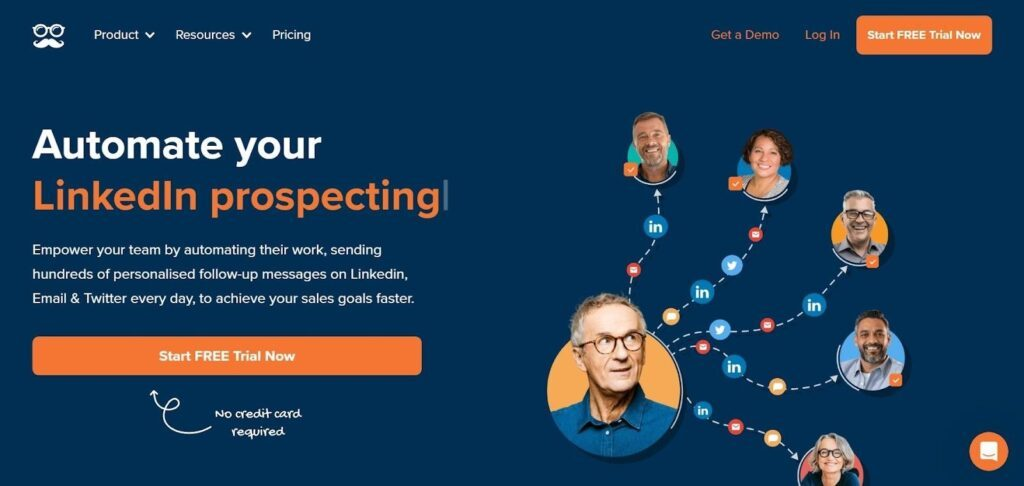
MeetAlfred provides businesses with a built-in LinkedIn CRM that helps manage outreach campaigns and teams.
Why I picked MeetAlfred: The platform is one of the most popular LinkedIn automation tools that also provides a built-in CRM. MeetAlfred can empower you to view, manage, and analyze your entire LinkedIn outreach campaign directly from its CRM. If you have good interactions with prospects, you can add a tag or not to that lead in the CRM to help you remember important details of the interaction.
MeetAlfred is suitable for any sized business that needs to automate pipelines, marketing campaigns, conversations, and follow-ups. The platform offers a done-for-you package that will help you outsource 100% of your LinkedIn campaigns so you can focus on growth. To ensure your campaigns remain effective, MeetAlfred provides a campaign management feature that allows you to curate and implement LinkedIn message sequences with personalization tags and action limits that will automatically detect if you’re about to surpass your campaign limits based on your LinkedIn membership.
MeetAlfred Standout Features and Integrations
Features include message templates, customer relationship management, multi-channel automation, smart LinkedIn inbox, post scheduling, dedicated success managers, volume discounts, content retargeting, events automation, and groups automation.
Integrations include Facebook, Gmail, Instagram, Microsoft Outlook, Twitter, and WhatsApp. You can also connect through Zapier to unlock more integrations.
Pros and Cons
Pros:
- Users can get complete campaign insights.
- It searches by keyword or LinkedIn URL.
- It’s easy to use.
Cons:
- There’s more functionality in the higher tiers.
- Customer support needs work.


CoPilot AI is a LinkedIn automation software that allows businesses to effectively engage with prospects.
Why I picked CoPilot AI: The platform helps you have quality conversations and build relationships through effective engagement strategies. CoPilot AI uses high-level artificial intelligence technology to help you identify and engage with target audiences, which allows you to generate more qualified leads. When using CoPilot AI, you can simplify outreach campaigns and develop long-lasting relationships with potential clients.
CoPilot AI is suitable for medium-sized businesses and large enterprises, specifically in the B2B, financial, consulting, and recruitment or executive placement fields. These organizations can use CoPilot AI to identify LinkedIn leads and create effective campaigns. You can also use the tool’s features to nurture leads by helping you track follow-up messages. CoPilot AI also provides tailored messaging templates that enable you to send personalized messages to your ideal prospects.
CoPilot AI Standout Features and Integrations
Features include prospecting campaigns, industry-specific messaging, metrics reporting, AI-powered inboxes, campaign nurturing, a self-service help center, account strategists, and prospect search tools.
Integrations include connecting to third-party apps through Zapier to unlock more system connections.
Pros and Cons
Pros:
- The user interface is simple.
- Great automated messaging functionality.
- Excellent one-on-one support.
Cons:
- There are some connectivity issues.
- It’s expensive for some businesses.
Other LinkedIn Automation Software
Here are some additional LinkedIn automation software options that didn’t make it onto my shortlist, but are still worth checking out:
- Salesflare
For LinkedIn lead management
- Reply
For inbound and outbound messaging.
- Salesloft
For prioritizing workflows.
- UpLead
For high-quality contact and company data.
- AeroLeads
For connecting with the most influential people.
- Phantombuster
For business growth hacks.
- Demand
For personalizing outreach campaigns.
- Dux-Soup
For prospect management.
- Evaboot
For data-driven campaigns.
- Expandi
Smart LinkedIn inbox tool.
- Salesloop
For built-in safety features.


LinkedIn Automation Software Selection Criterion
When selecting the best LinkedIn automation software to include in this list, I considered common buyer needs and pain points like lead generation efficiency and user-friendly integration. I also used the following framework to keep my evaluation structured and fair:
Core Functionality (25% of total score)
To be considered for inclusion in this list, each solution had to fulfill these common use cases:
- Generate leads automatically
- Schedule posts and updates
- Send personalized connection requests
- Track engagement metrics
- Manage multiple LinkedIn accounts
Additional Standout Features (25% of total score)
To help further narrow down the competition, I also looked for unique features, such as:
- AI-driven insights and recommendations
- Advanced analytics and reporting
- Integration with CRM systems
- Customizable automation workflows
- Multi-language support
Usability (10% of total score)
To get a sense of the usability of each system, I considered the following:
- Intuitive user interface
- Ease of navigation
- Minimal learning curve
- Responsive design for mobile use
- Customizable dashboard
Onboarding (10% of total score)
To evaluate the onboarding experience for each platform, I considered the following:
- Availability of training videos
- Interactive product tours
- Access to templates and resources
- Live webinars and workshops
- Chatbot assistance for new users
Customer Support (10% of total score)
To assess each software provider’s customer support services, I considered the following:
- 24/7 support availability
- Multiple support channels
- Fast response times
- Knowledgeable support staff
- Comprehensive help documentation
Value For Money (10% of total score)
To evaluate the value for money of each platform, I considered the following:
- Competitive pricing plans
- Free trial availability
- Flexible subscription options
- Features included in basic plans
- Cost vs. benefits analysis
Customer Reviews (10% of total score)
To get a sense of overall customer satisfaction, I considered the following when reading customer reviews:
- Overall satisfaction ratings
- Commonly mentioned benefits
- Reported issues or drawbacks
- Frequency of updates and improvements
- Customer loyalty and retention rates
How to Choose LinkedIn Automation Software
It’s easy to get bogged down in long feature lists and complex pricing structures. To help you stay focused as you work through your unique software selection process, here’s a checklist of factors to keep in mind:
| Factor | What to Consider |
|---|---|
| Scalability | Will the tool grow with your business? Check if it can handle more users or increased activity without extra costs or performance issues. |
| Integrations | Does it work with your existing tools like CRM or email systems? Make sure it connects easily to save time and avoid manual data entry. |
| Customizability | Can you tailor it to fit your workflows? Look for options to adjust settings and workflows to match your team's needs. |
| Ease of use | Is the interface simple and intuitive? Avoid tools that require extensive training. Your team should start using it with minimal help. |
| Implementation and onboarding | How long will it take to set up? Consider the time and resources needed for a smooth transition. Look for tools with guided setups. |
| Cost | Is it within your budget? Compare pricing plans and check for hidden fees. Look for free trials to test before buying. |
| Security safeguards | Does it protect your data? Ensure it has strong security measures like encryption and complies with data protection standards. |
| Support availability | Will you get help when needed? Check if the vendor offers 24/7 support and multiple contact options like chat, email, and phone. |
What Is LinkedIn Automation Software?
LinkedIn automation software is a tool that automates tasks on LinkedIn, like sending connection requests or posting updates. Professionals like marketers, recruiters, and salespeople use these tools to save time and improve their networking efforts. Features like automated messaging, scheduled posting, and analytics support efficient lead generation and engagement tracking. Overall, these tools help users maximize their LinkedIn presence with less manual effort.
Features
When selecting LinkedIn automation software, keep an eye out for the following key features:
- Automated messaging: Sends personalized messages to connections, saving time and improving outreach efficiency.
- Scheduled posting: Allows users to plan and automate posts, ensuring consistent engagement without manual effort.
- Lead generation: Identifies and contacts potential leads automatically, helping users build their network and business opportunities.
- Analytics and reporting: Provides insights into performance metrics, enabling users to track engagement and optimize strategies.
- Integration capabilities: Connects with CRM and email systems, facilitating seamless data flow and reducing manual data entry.
- Customizable workflows: Lets users tailor automation processes to fit their unique business needs and enhance productivity.
- Security measures: Protects user data with encryption and compliance with data protection standards, ensuring privacy.
- Multi-language support: Accommodates users from different regions, allowing for effective communication in various languages.
- User-friendly interface: Offers an intuitive design that minimizes the learning curve, making it accessible for all users.
- Interactive onboarding: Provides guided setups and resources like videos and tours to help users get started quickly and efficiently.
Benefits
Implementing LinkedIn automation software provides several benefits for your team and your business. Here are a few you can look forward to:
- Time savings: Automates repetitive tasks like messaging and posting, freeing up your time for strategic activities.
- Increased outreach: Expands your network by automatically sending connection requests and messages to targeted leads.
- Consistent engagement: Schedules posts to keep your audience engaged without needing constant manual input.
- Improved insights: Delivers analytics on performance metrics, helping you make data-driven decisions.
- Enhanced productivity: Customizable workflows allow your team to tailor processes to their specific needs, boosting efficiency.
- Data integration: Seamlessly syncs with other tools like CRM systems, reducing manual data entry and errors.
- Global reach: Multi-language support ensures effective communication with international connections.
Costs & Pricing
Selecting LinkedIn automation software requires an understanding of the various pricing models and plans available. Costs vary based on features, team size, add-ons, and more. The table below summarizes common plans, their average prices, and typical features included in LinkedIn automation software solutions:
Plan Comparison Table for LinkedIn Automation Software
| Plan Type | Average Price | Common Features |
|---|---|---|
| Free Plan | $0 | Basic messaging, limited connection requests, and basic analytics. |
| Personal Plan | $10-$30/user/month | Automated messaging, scheduled posting, and standard analytics. |
| Business Plan | $50-$100/user/month | Advanced lead generation, CRM integration, and enhanced reporting. |
| Enterprise Plan | $150+/user/month | Customizable workflows, multi-language support, and dedicated account support. |
LinkedIn Automation Tools FAQs
Here are some answers to common questions about LinkedIn automation software:
Do LinkedIn automation tools require browser extensions or desktop apps?
Some tools run entirely in the cloud, while others require browser extensions or local desktop apps to function. The setup method impacts how the tool connects with your LinkedIn account and runs tasks. Cloud-based options often run in the background, while browser-based ones may need your machine to stay on.
How do these tools handle LinkedIn’s usage limits and restrictions?
Most tools are built with throttling options or activity caps to stay within LinkedIn’s daily interaction limits. Settings can often be adjusted to mimic human behavior and avoid triggering automated activity flags. However, how well this is handled varies between platforms.
Can multiple LinkedIn accounts be managed from a single dashboard?
Some platforms support managing multiple LinkedIn accounts under one admin view, especially for agencies or teams. This usually requires account switching, user role management, or permission settings. Not all tools offer this functionality, so it’s worth checking the platform’s account structure.
Do these tools log or store activity history?
Most platforms keep a record of actions taken—such as messages sent, connection requests, and replies received. Some offer a full activity timeline, while others only display recent actions or campaign-level summaries. How long activity is stored and how it’s displayed varies by provider.
How customizable are campaign workflows in these tools?
Workflow customization varies—from simple message sequences to complex, logic-based branching. Some platforms let you adjust timing, delays, and response triggers. Others offer only linear flows with limited edits.
What’s Next:
If you're in the process of researching LinkedIn automation software, connect with a SoftwareSelect advisor for free recommendations.
You fill out a form and have a quick chat where they get into the specifics of your needs. Then you'll get a shortlist of software to review. They'll even support you through the entire buying process, including price negotiations.