

10 Best Sales Commission Software Reviewed For 2026

10 Best Sales Commission Software Shortlist


With so many different sales commission software available, figuring out which is right for you is tough. You know you want a more efficient and error-free approach to handling sales incentives but need to figure out which tool is best.
I've got you! In this post I'll help make your choice easy, sharing my personal experiences using dozens of different sales commission tools with various teams and accounts, with my picks of the best sales commission software.
Why Trust Our Software Recommendations
Our reviews reflect our independent judgment—not a sales pitch. Learn how we stay transparent.
For this guide, we evaluated tools using hands-on testing and independent research, scoring tools using our selection criteria.
Our reviews reflect our human editorial judgment, not a sales pitch.
Best Sales Commission Software Summary
This comparison chart summarizes pricing details for my top sales commission software selections to help you find the best one for your budget and business needs.
| Tool | Best For | Trial Info | Price | ||
|---|---|---|---|---|---|
| 1 | Best for no-code commission plans | Free demo available | Pricing upon request | Website | |
| 2 | Best for built‑in approval workflows | Free demo available | Pricing upon request | Website | |
| 3 | Best for aligning comp to GTM strategy | Free demo available | Pricing upon request | Website | |
| 4 | Best with AI agents for automated comp plan design | Free plan available | From $31.50/user/month | Website | |
| 5 | Best AI-adaptive, user-friendly comp management | Free demo available | Pricing upon request | Website | |
| 6 | Best for mobile-first salespeople | Free demo available | Custom pricing upon request | Website | |
| 7 | Best enterprise-grade compensation management software that’s easy to use | Free demo available | Pricing upon request | Website | |
| 8 | Best for automating complex sales commission calculations | Free demo available | From $20/payee/month (15 user minimum) | Website | |
| 9 | Best for automated and transparent payout tracking | Free demo available | From $25/user/month | Website | |
| 10 | Best for Salesforce-native sales-focused teams | Not available | From $39/user/month | Website |
Best Sales Commission Software Reviews
Below are my detailed summaries of the best sales commission software that made it onto my shortlist. My reviews offer a detailed look at the key features, pros & cons, integrations, and ideal use cases of each tool to help you find the best one for you.

Best for no-code commission plans
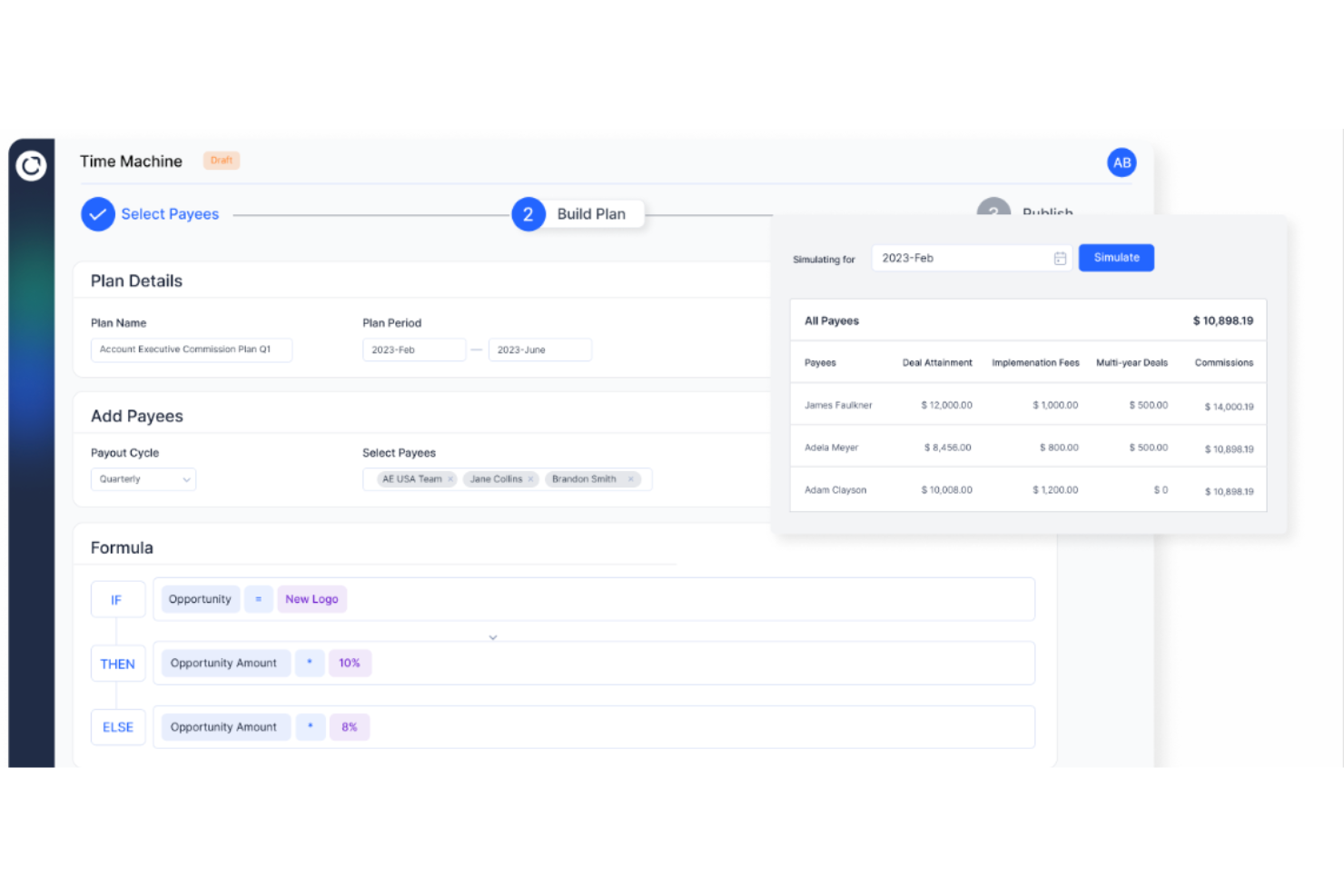
Everstage is a sales commission platform designed for revenue operations teams and sales leaders who want to automate complex commission processes, improve transparency, and give reps real-time visibility into their earnings.
Who Is Everstage Best For?
Everstage is a strong fit for mid-market and enterprise sales teams that need a flexible, scalable way to manage and automate commission plans without relying on engineering resources.
Why I Picked Everstage
I picked Everstage because its no-code plan designer removes the IT bottleneck that slows many RevOps teams. I can build, test, and deploy complex commission structures—tiered rates, accelerators, splits—without writing any code. The Time Machine feature lets me model how a new plan would have paid out against historical performance data before rolling it live, so my team can see the financial impact of a plan change.
Everstage Key Features
- Payout approvals and overrides: Manage commission approvals through a structured workflow with the ability to add manual overrides and comments before finalizing payouts.
- Crystal forecasting: Gives reps a real-time view of projected earnings based on current pipeline, reducing back-and-forth with RevOps over expected payouts.
- ASC 606 reporting: Automatically generates compliance-ready revenue recognition reports, tracking performance obligations, capitalization, and amortization.
- Query resolution tracking: Lets reps flag commission disputes directly in the platform, with a tracked resolution workflow so nothing gets lost in email threads.
Everstage Integrations
Integrations include Salesforce, HubSpot, Microsoft Dynamics CRM, Zoho CRM, Netsuite, Stripe, QuickBooks, Shopify, Bamboo HR, and Slack.
Pros and Cons
Pros:
- Enables collaboration among sales teams
- Provides actionable insights and alerts
- Easy access to performance tracks
Cons:
- Some login issues and slow access
- Trackers and statements may contain outdated information

Qobra
Best for built‑in approval workflows
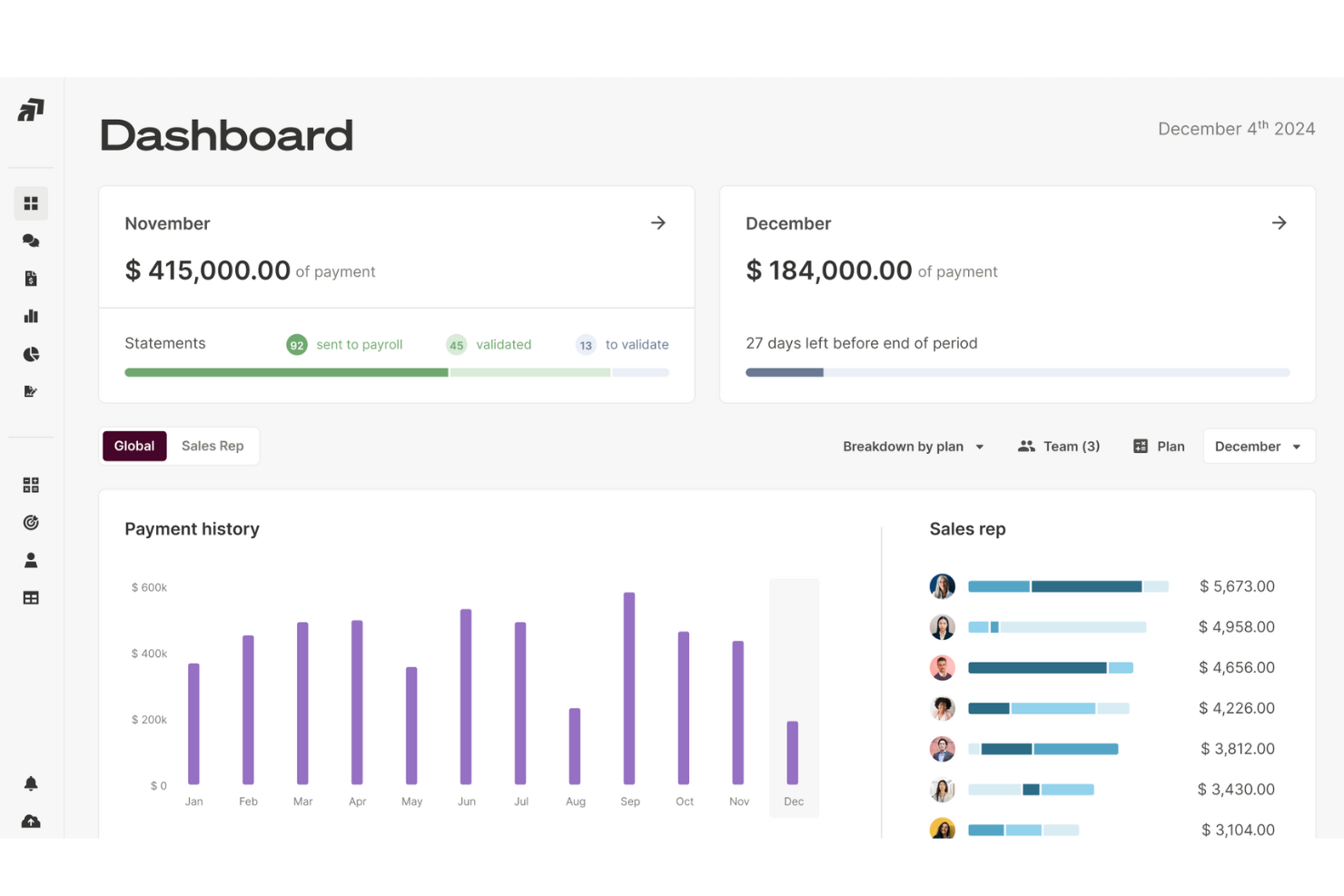
Qobra is a sales commission platform designed for revenue operations teams and sales leaders who need to automate complex compensation plans, reduce manual errors, and gain real-time visibility into commission data.
Who Is Qobra Best For?
Qobra is a strong fit for mid-market and enterprise sales organizations where finance and RevOps teams need structured, auditable commission processes across large or distributed sales teams.
Why I Picked Qobra
Qobra earns its spot on my shortlist because of how well it handles the approval side of commission management. I particularly like the lock and validation workflow, which lets managers, HR, and finance each sign off on commission amounts before anything gets paid out. My team can catch discrepancies at the right stage rather than chasing corrections after payroll closes. The built-in discussion feature lets stakeholders flag and resolve exceptions directly in context, so there's no back-and-forth over email when a deal needs special handling.
Qobra Key Features
- No-code plan builder: Design and manage compensation plans using a drag-and-drop interface without technical skills or developer support.
- Plan simulation and sandboxing: Test new compensation plans or changes in an isolated environment before rolling them out to your team.
- Real-time commission statements: Give each sales rep a clear, up-to-date commission recap that refreshes automatically as deals close in your CRM.
- Audit trail: Log all actions taken on the platform to maintain a secure, reviewable history of every change made to commission data.
- QobrAI Agents: Use The Architect, The Analyst, and The Sales Coach to instantly build plans, detect calculation anomalies, and push proactive insights to your sales team.
Qobra Integrations
Integrations include Salesforce, HubSpot, Microsoft Dynamics 365, Google BigQuery, Snowflake, Workday, Slack, and an open API for custom integrations.
Pros and Cons
Pros:
- Instant visibility into commission breakdowns
- Automates manual commission calculation
- Supports complex pay models like accelerators and hybrid bonuses
Cons:
- Occasional issues with integration into existing systems
- Data synchronization or system updates can sometimes lag

Xactly
Best for aligning comp to GTM strategy

Xactly is a sales commission platform built for revenue operations teams and sales leaders who need to automate complex compensation processes, improve payout accuracy, and gain real-time insights into sales performance.
Who Is Xactly Best For?
Xactly is a strong fit for mid-market and enterprise sales organizations that manage large, complex sales teams with multi-tiered compensation structures.
Why I Picked Xactly
Xactly earns its spot on my shortlist because it's one of the few commission platforms built to connect compensation design directly to GTM strategy. I like how Xactly's quota-setting and territory management tools let my team align rep incentives with pipeline targets from the start of each planning cycle. The compensation modeling features let me run "what-if" scenarios before rolling out new plans, so I can see how a plan change affects rep behavior and revenue outcomes before it goes live. Xactly's AI-driven insights also flag when comp plans are driving the wrong behaviors, a capability most commission tools don't offer.
Xactly Key Features
- Compensation configurator: Build and manage complex comp plans using reusable rules, quotas, and rate tables, with AI trained on 20 years of proprietary data.
- Customized incentive statements: Give reps a clear, detailed breakdown of how their commissions are calculated to reduce disputes and payout inquiries.
- Commission expense accounting: Automate amortization schedules and true-up changes while maintaining compliance with ASC 606 and IFRS 15 standards.
- Benchmarking dashboards: Compare your comp plans and attainment against industry peers using Xactly's proprietary pay and performance dataset.
Xactly Integrations
Integrations include Salesforce, Microsoft, Oracle, Workday, ServiceNow, and Amazon Web Services; an API is provided for custom integrations.
Pros and Cons
Pros:
- Automates complex commission rules easily
- Improves rep trust with transparent earnings
- Reduces manual errors in calculations
Cons:
- Requires clean data for accurate payouts
- Custom rules may need expert configuration
New Product Updates from Xactly
Xactly and ServiceNow Connect CRM Workflows to Revenue Performance
Xactly has partnered with ServiceNow to connect Xactly’s Intelligent Revenue Platform with ServiceNow CRM, embedding revenue performance intelligence into CRM workflows and surfacing commission and quota impacts in CPQ and Sales CRM. For more information, visit Xactly's official site.
 .
.
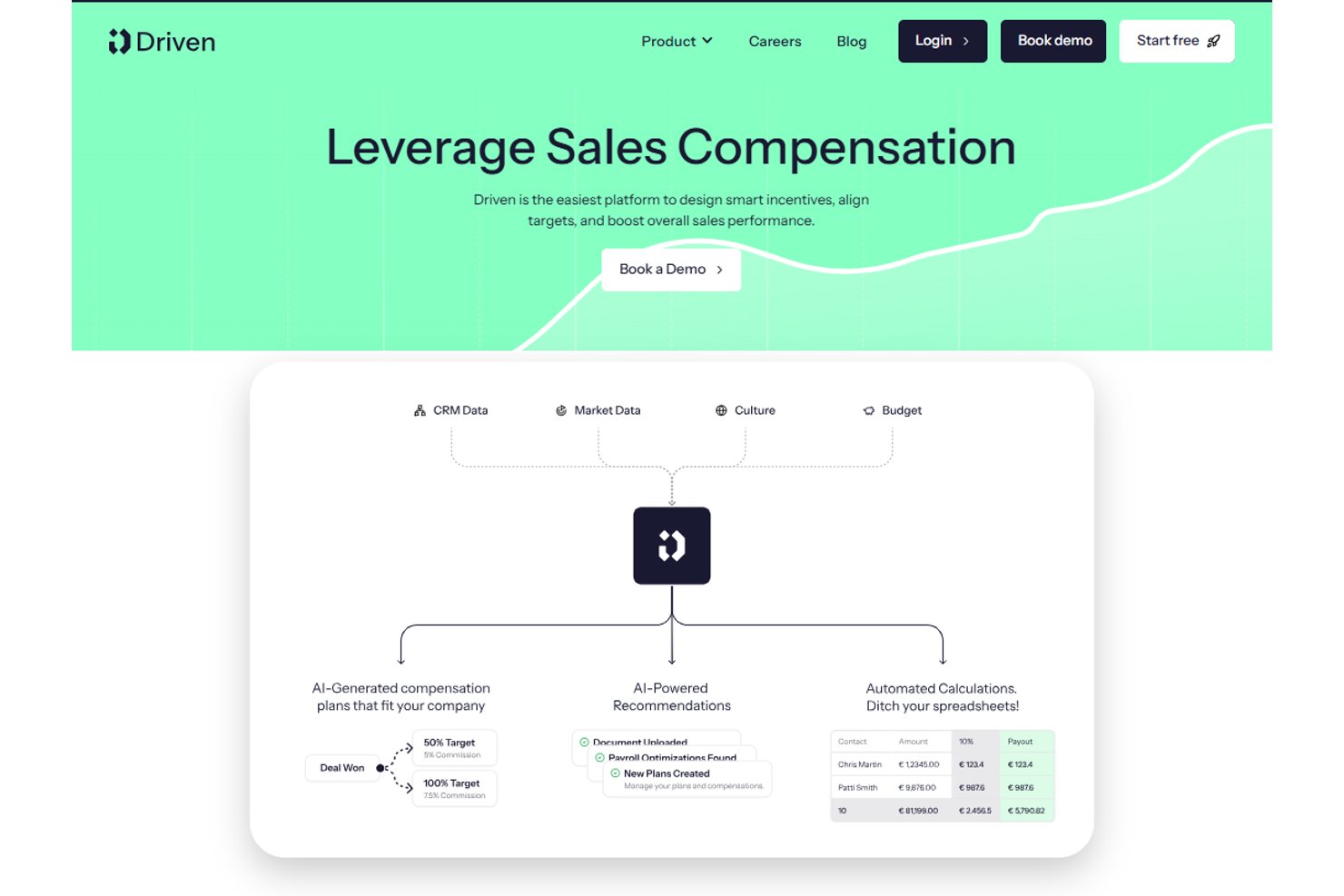
Driven is an AI-native sales commission platform that uses autonomous agents to automate comp plan design, calculate commissions in real time, handle dispute reviews, and deliver personalized rep earnings dashboards.
Who Is Driven Best For?
Driven is a strong fit for RevOps and finance teams at scaling B2B companies running on HubSpot or Salesforce who are ready to move off spreadsheets.
Why I Picked Driven
Driven earns its spot on my shortlist because its agentic approach to comp plan design is unlike anything else in this category. Instead of manually configuring plans in a rule-based interface, the AI agent designs or updates your compensation strategy through a chat-based builder. I also like the Autopilot Dispute Reviews feature, where the agent automatically triages disputes by scanning deal comments, cutting the manual back-and-forth that bogs down finance teams at quarter close.
Driven Key Features
- Performance insights dashboard: Quickly analyze plan effectiveness, earning patterns, and attainment gaps using built-in analytics.
- Native HubSpot and Salesforce integration: Sync deal and rep data directly from popular CRMs for accurate, always-current commission calculations.
- Personalized rep dashboards: Give each sales rep a secure portal to view commissions, quota progress, and payout statements in real time.
- Multi-currency and fiscal year support: Configure complex sales orgs with global currencies and custom fiscal calendars for accurate compensation tracking.
Driven Integrations
Driven offers native integrations with Salesforce, HubSpot, and Slack, and provides an API for custom integrations.
Pros and Cons
Pros:
- Built-in rep dashboard and dispute resolution
- Real-time calculation engine with scenario modeling
- AI-powered agent automates plan design
Cons:
- Fewer user reviews than established competitors
- ASC 606 reporting is not fully automated

Visdum
Best AI-adaptive, user-friendly comp management
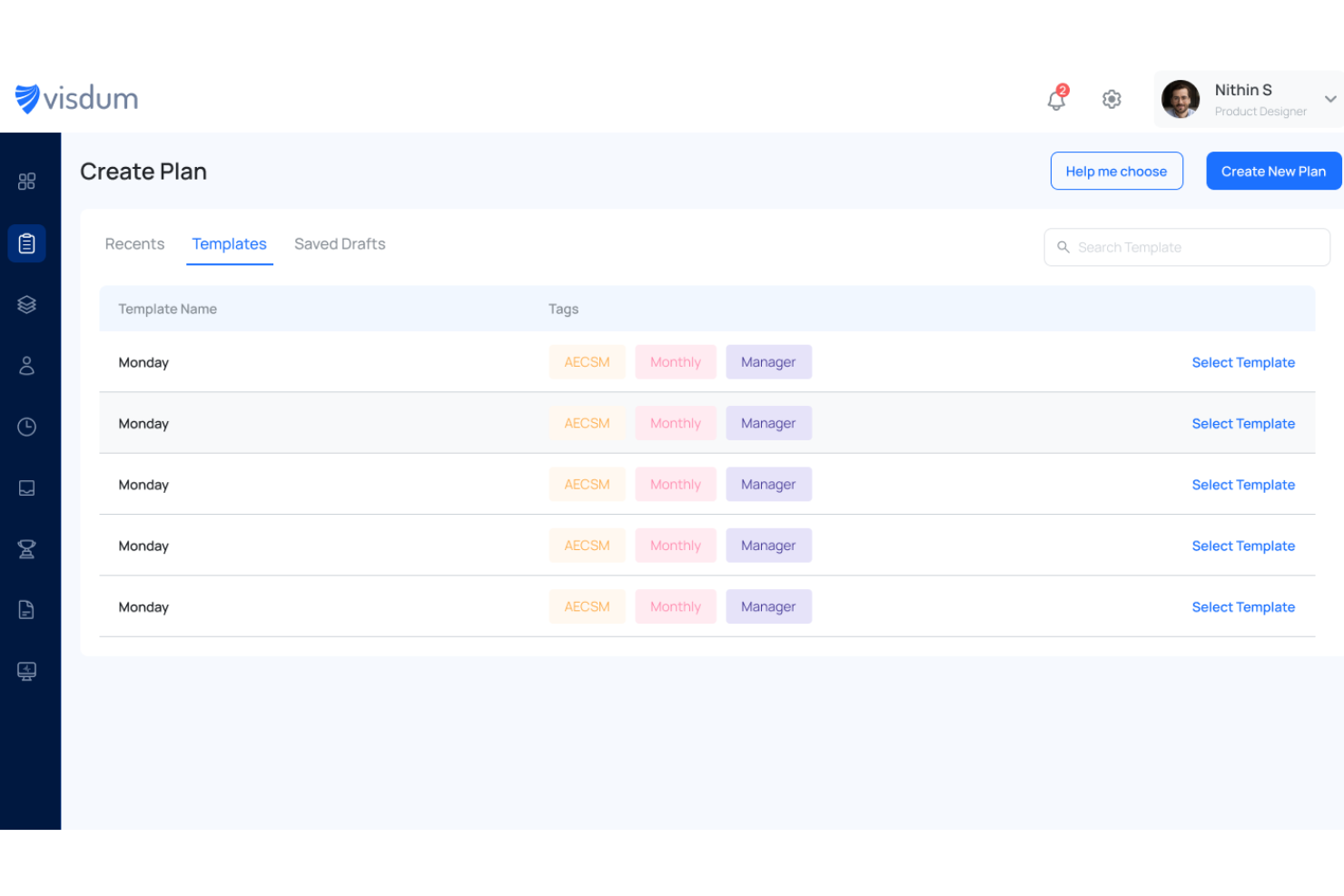
Visdum is a sales commission management platform designed for revenue operations teams and sales leaders who need to automate complex compensation plans, reduce manual errors, and gain real-time visibility into commission data.
Who Is Visdum Best For?
Visdum is a strong fit for mid-market SaaS companies where sales operations and finance teams need to manage and automate multi-tiered commission structures without relying on spreadsheets.
Why I Picked Visdum
Visdum earns its spot on my shortlist because its AI-Adaptive engine handles the parts of commission management that typically break down at scale. The AI Copilot simulates real-time payout scenarios while you build or adjust comp plans, letting my team catch logic errors before payroll runs and disputes arise. The no-code plan designer also means I'm not waiting on engineering to update a quota threshold or add a new commission tier. Additionally, the AI-guided validation layer monitors each compute cycle and flags errors automatically, reducing the back-and-forth between finance and RevOps during close.
Visdum Key Features
- Rep-facing commission estimator: Sales reps can run "what-if" scenarios directly in their payee dashboard to see projected earnings based on open pipeline deals.
- SPIFFs and contests management: Sales leaders can set up and run short-term incentive programs and competitions on top of existing comp plans without rebuilding the plan structure.
- Clawback and mid-cycle adjustment tools: Finance and RevOps teams can apply clawbacks, top-ups, or mid-cycle corrections in a few steps, with a full audit trail attached.
- ASC 606 and IFRS 15 compliance automation: Visdum automatically structures commission amortization to align with revenue recognition standards, reducing manual compliance work.
Visdum Integrations
Integrations include Salesforce, HubSpot, Oracle NetSuite, Microsoft Dynamics, Sage Intacct, QuickBooks, Workday, HiBob, ADP, and DocuSign.
Pros and Cons
Pros:
- Real-time performance dashboards
- Clear visibility into earnings
- Intuitive, user-friendly interface
Cons:
- Mobile user support limited to higher-tiered plans
- Initial setup can be complex

Best for mobile-first salespeople

SmartWinnr is a sales commission and incentive management platform designed for sales teams and organizations that want to automate commission tracking, motivate reps, and drive performance with real-time analytics and gamification.
Who Is SmartWinnr Best For?
SmartWinnr is a strong fit for mid-to-large sales organizations in industries like insurance, pharma, and financial services that manage distributed or field-based sales teams.
Why I Picked SmartWinnr
I picked SmartWinnr as one of the best because of how well it serves reps who spend most of their day away from a desk. The field coaching module is built mobile-first—managers can complete coaching forms, leave notes, and assign follow-up practice directly from their phone, even offline, with everything syncing once they're back online. I also like that live leaderboards update in real time on mobile, so reps in the field can check their contest standings and commission-linked KPI progress without logging into a desktop. For distributed sales teams where reps are rarely at a computer, that kind of on-the-go visibility into performance and incentives is genuinely useful.
SmartWinnr Key Features
- Incentive plan configuration: Build and manage multiple commission and incentive plan structures across different roles, regions, or product lines.
- AI-powered sales quizzes: Deliver bite-sized knowledge checks to reps to reinforce product knowledge and compliance training alongside performance tracking.
- Target vs. achievement tracking: Monitor individual and team progress against quota in real time with visual dashboards tied to commission outcomes.
- Contest management: Set up time-bound sales contests with custom rules, eligibility criteria, and reward structures to drive short-term performance.
SmartWinnr Integrations
Integrations include Salesforce, Microsoft Teams, Slack, SAP SuccessFactors, Oracle, Workday, Cornerstone OnDemand, Moodle, Zoom, and an API for custom integrations.
Pros and Cons
Pros:
- Responsive and fast support
- Multi-language availability
- Mobile-focused approach
Cons:
- No free trial
- Not a commission payout system

Best enterprise-grade compensation management software that’s easy to use

Performio is a sales commission software built for revenue operations and finance teams who need to automate complex compensation processes, improve accuracy, and provide clear visibility into commission data for large or fast-growing organizations.
Who Is Performio Best For?
Performio is a strong fit for mid-market and enterprise sales organizations that manage high volumes of commission calculations across large or distributed sales teams.
Why I Picked Performio
Performio earns its spot on my shortlist because it genuinely delivers enterprise-grade commission management without the usual implementation headaches. What I like most is the structured plan builder—you can configure targets, crediting logic, clawbacks, draws, and true-ups without writing a single formula or calling in professional services. I also find the AI Admin Assistant particularly useful for enterprise teams: it flags calculation anomalies and speeds up dispute resolution in real time, which cuts down the back-and-forth that typically bogs down comp admins at scale. The flexible data model is another standout for large organizations, since Performio adapts to your existing data format rather than forcing you to reformat everything before importing.
Performio Key Features
- Sales rep portal: A configurable portal where reps can view their commission results, deal-level details, leaderboard rankings, and what-if calculators on desktop and mobile.
- ASC606 compliance and audit logs: Built-in support for ASC606 accounting guidelines, with full audit history and override capabilities for exceptions and edge cases.
- Commission forecasting and simulation: Tools to model and predict commission expenses, manage accruals, and run scenario planning for sales capacity and territory design.
- Analytics Studio: An AI-powered BI reporting layer that generates custom dashboards, leaderboards, and data visualizations directly from your compensation data.
Performio Integrations
Integrations include Salesforce, NetSuite, HubSpot, Microsoft Dynamics CRM, QuickBooks Online, Xero, Workday, Bamboo HR, Amazon Redshift, and Google BigQuery.
Pros and Cons
Pros:
- White-glove services
- Fast to implement
- Easy and intuitive to use
Cons:
- Limited flexibility in user reports
- Enterprise focused

Best for automating complex sales commission calculations

Core Commissions is built for businesses that need to manage intricate sales commission structures, helping finance and sales operations teams automate calculations, track payouts, and reduce manual errors.
Who Is Core Commissions Best For?
Core Commissions is a strong fit for mid-sized to enterprise businesses running multi-tiered or high-volume commission programs that have outgrown spreadsheet-based tracking.
Why I Picked Core Commissions
Core Commissions is on my shortlist because it handles commission structures that would break most spreadsheets. I chose it for its rules-based calculation engine, which lets my team define multi-tiered plans, split credits, and override logic without custom code. Automated audit trails log every calculation, so when a rep disputes a payout I can pull the exact formula and data that produced it. That level of transparency is difficult to achieve with manual processes.
Core Commissions Key Features
- Dispute management: A built-in workflow for reps to submit commission disputes, which managers can review, respond to, or escalate directly within the platform.
- Core Portal: A white-labeled web portal where individual reps can log in to view their own pay statements and performance data.
- Drag-and-drop report designer: A customizable reporting module that lets you build commission reports and dashboards using a visual drag-and-drop interface.
- Flexible commission cycle scheduling: Supports unlimited commission cycles running concurrently, across any time period—monthly, quarterly, or custom.
Core Commissions Integrations
Integrations include Salesforce, Microsoft Dynamics, Oracle NetSuite, HubSpot, Freshsales, and QuickBooks.
Pros and Cons
Pros:
- Unparalleled level of support
- ETL module for data transformation
- Automated commission calculating process
Cons:
- No dedicated mobile application
- Occasional disruptive technical issues
- Limited cloud-based version

Best for automated and transparent payout tracking
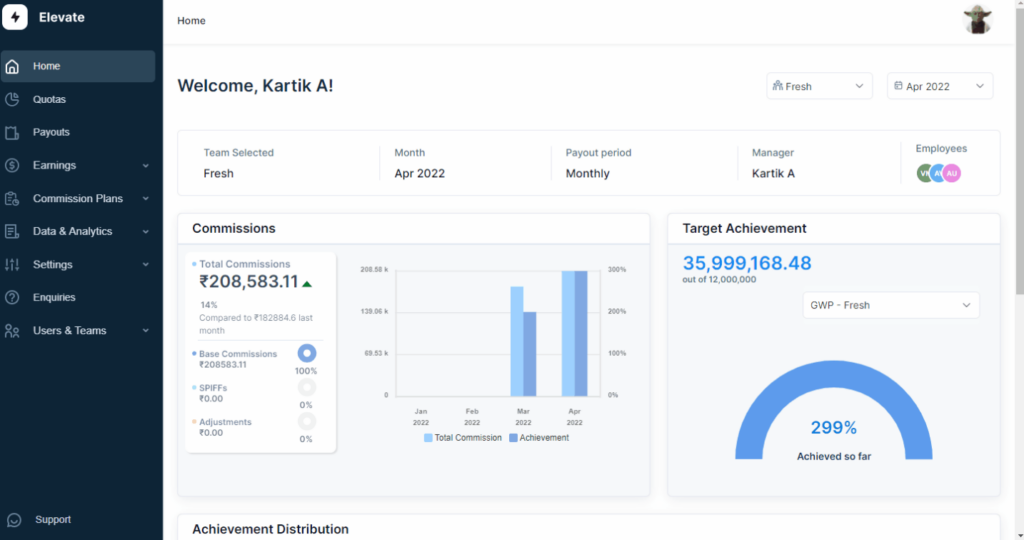
ElevateHQ is a sales commission platform designed for revenue teams who need to automate complex commission calculations, improve payout accuracy, and give sales reps real-time visibility into their earnings.
Who Is ElevateHQ Best For?
ElevateHQ is a good fit for growing B2B sales teams that need to move beyond spreadsheets and manage multi-tiered or quota-based commission plans at scale.
Why I Picked ElevateHQ
ElevateHQ earns its spot as one of the best on my shortlist because of how well it handles payout transparency and reconciliation. I particularly like the payout reconciliation feature—if your team pays commissions on invoice collections, ElevateHQ automatically matches inward payments to deals and reps, which reduces the manual back-and-forth at month-end. Additionally, the overrides and audit trails feature lets me make exceptions to commission rules while logging every change, so there's a clear, traceable record of what was paid and why. Reps can also see exactly how their commissions are calculated through transparent payout workflows, which cuts down on disputes significantly.
ElevateHQ Key Features
- Commission plan designer: Build custom commission structures using a no-code plan designer that supports complex rules, multiple conditions, and custom CRM fields.
- Plan simulations: Test new commission plans before rolling them out to see how they'll affect payouts and team performance.
- Behavioral nudges: Surface incentive-based insights that show reps where they can take action to earn more within their current commission plan.
- Query resolution: Manage commission disputes through a built-in ticketing system that logs conversations, supporting documents, and overrides in one place.
ElevateHQ Integrations
Integrations include Salesforce, HubSpot, Microsoft Teams, Pipedrive, Slack, Chargebee, QuickBooks, Salesloft, Xero, and NetSuite.
Pros and Cons
Pros:
- Simple and easy to use
- Notifications for commission or plan changes
- Efficient and accurate commission tracking
Cons:
- Software can lag with large file loads
- No gamification features

Leaptree
Best for Salesforce-native sales-focused teams
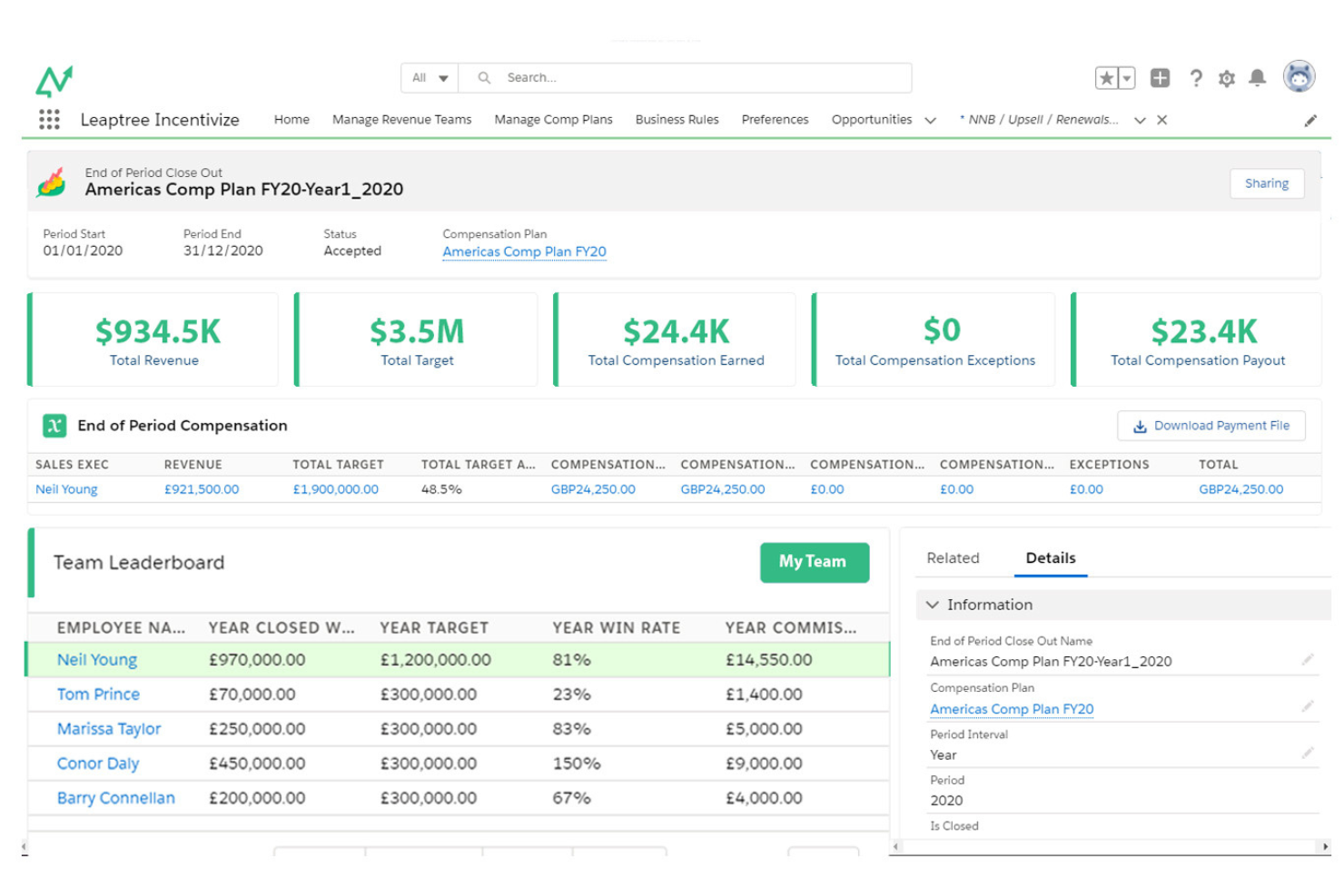
Leaptree is a commission management platform designed for sales teams who need automated commission calculations, real-time performance tracking, and native integration with Salesforce to simplify complex incentive processes.
Who Is Leaptree Best For?
Leaptree is a strong fit for sales operations and RevOps teams at mid-market companies that run their revenue processes entirely within Salesforce.
Why I Picked Leaptree
I picked Leaptree as one of the best because it's built 100% inside Salesforce—not just connected to it. That distinction matters in practice. My team doesn't have to manage API connections, sync errors, or data living in two places at once. Commission calculations pull directly from Salesforce opportunity and deal data, so there's no manual export or reconciliation step between your CRM and your comp tool. I also like the no-code incentive plan builder, which lets sales ops configure complex, multi-tiered commission structures without developer support. And the personalized rep dashboards give individual sellers a live view of what they've earned and what they need to close to hit the next tier—which is the kind of transparency that changes rep behavior.
Leaptree Key Features
- Compensation plan modeling: Run side-by-side "what if" scenario comparisons to forecast the impact of new commission structures before rolling them out.
- Clawback and exception management: Track and resolve commission disputes related to clawbacks and exceptions, with a reported 50% reduction in related disputes.
- External rep commission reporting: Automatically generate commission reports for external sales reps at $10/rep/month, without requiring Salesforce licenses or logins.
- Real-time performance dashboards: Give sales managers a live view of team-wide compensation data, with drill-down capability across individual reps and deals.
Leaptree Integrations
Integrations include Salesforce. Native integrations are not currently listed beyond Salesforce.
Pros and Cons
Pros:
- Strong integration with Salesforce
- User-friendly interface
- Customizable scorecards
Cons:
- Requires Salesforce Lightning subcription
- Limited analytics capabilities
Other Sales Commission Software
Here are some additional sales commission software options that didn’t make it onto my shortlist, but are still worth checking out:
- Varicent
Sales commission software for resolving mid-market commission problems
- Spiff
For scaling to any complexity and volume
- Palette
For small teams who need automatic, rules
- Commissionly
Sales commission software for quick and easy setup
- Creatio CRM
For no-code commission process automation
- QuotaPath
For AI-driven compensation planning
- EasyComp
For effortless plan design and simulation
- QCommission
Commission software for GDPR, ASC 606, ISO, and SOC 1 and SOC 2 compliance
- Sales Cookie
Commission platform with incentive planning, designing, and tracking tools
- CaptivateIQ
Sales commission tool for flexible, variable workflows and inevitable adjustments
- SparkPlug
Sales incentive software for frontline employees in retail and restaurant industries
- Iconixx Sales
For automating commission, bonus, and merit programs to lower administrative costs


How I Evaluate Sales Commission Software
I split my evaluation into baseline criteria—like automated commission calculation and CRM integration—and differentiators like what-if modeling and implementation support.
Core Functionality (Table Stakes For This List)
When I'm selecting tools for my list, I rank each one on a scale from 0 (does not offer the functionality) to 5 (excels in this area) for each core functionality listed below. Then, I calculate the tool's total score into a percentage. Each tool needs to achieve a minimum total score of 65% to be considered for inclusion.
- Commission Calculation Engine: I check whether the tool handles tiered rates, accelerators, splits, and overrides—things like multi-rep deal splits on channel partner deals.
- Incentive Plan Design: Each platform should let admins build SPIF structures, quarterly bonuses, and ramped plans without needing vendor support or custom code.
- Rep-Facing Earnings Dashboards: Reps need real-time visibility into attainment and projected payouts, not static PDFs emailed after month-end close.
- Dispute & Approval Workflows: I look for structured submission, tracking, and multi-level sign-off flows that replace back-and-forth Slack threads during payout cycles.
- CRM & ERP Integration: The tool should sync deal data from platforms like Salesforce or HubSpot and push approved payouts to payroll or ERP systems.
- ASC 606 Compliance & Reporting: I evaluate whether the platform automates commission amortization schedules and maintains audit trails for revenue recognition standards.
Once I have a list of tools that meet this criteria, I consider what sets each platform apart.
Differentiating Factors (What Sets Vendors Apart)
Here's how I compare and contrast different vendors:
Standout Features
What-if scenario modeling is a big one for me. Before rolling out a new comp plan, your team should be able to simulate how changes to rates or quotas affect payouts across the org. I also look for territory and quota management tools baked into the platform, since crediting rules directly shape commission accuracy. AI-powered insights add another layer—surfacing trends like rep attrition risk or plan cost overruns before they become problems.
Beyond Features
Implementation timelines matter a lot in this space. Migrating from spreadsheets or a legacy system mid-quarter can derail payouts, so I evaluate whether vendors offer dedicated comp consultants and pre-built plan templates to accelerate go-live. Security and compliance posture is equally important—I check for SOC 2 Type II certification and role-based access controls that limit who can view or edit payout data. Scalability also factors in, especially for teams expecting to grow headcount or expand into multi-entity structures.
How to Choose Sales Commission Software
It’s easy to get bogged down in long feature lists and complex pricing structures. To help you stay focused as you work through your unique software selection process, here’s a checklist of factors to keep in mind:
| Factor | What to Consider |
|---|---|
| Scalability | Can the software grow with your business? Consider future needs and whether the tool can handle increased users and transactions without a hitch. |
| Integrations | Does it work with your current systems? Check compatibility with your CRM, ERP, and other essential tools to avoid data silos. |
| Customizability | Can you tailor it to your workflows? Look for options to adjust settings, reports, and dashboards to suit your team's processes. |
| Ease of use | How user-friendly is it? Evaluate if your team can quickly adopt it without extensive training or frustration. |
| Implementation and onboarding | How long will it take to set up? Consider the time and resources needed to get up and running, including any required training sessions. |
| Cost | Is it within your budget? Compare pricing plans and watch for hidden fees. Ensure the value matches the price. |
| Security safeguards | How secure is your data? Look for encryption, access controls, and compliance with data protection standards. |
| Support availability | What support options are there? Check if the vendor offers timely assistance through chat, email, or phone when you need help. |
Trends In Sales Commission Software For 2026
The evolution of sales commission software reflects broader trends in business technology, emphasizing automation, transparency, and strategic insights. Let's delve into the specific trends that are currently shaping sales commission software:
Automation and Integration
- Enhanced Automation: There's a clear trend toward more sophisticated automation features, reducing the manual effort needed for calculating and distributing commissions. Automation extends to data imports, rule application, and even dispute resolutions, streamlining the commission process.
- Deeper CRM and ERP Integrations: Sales commission tools are offering deeper, more seamless integrations with CRM and ERP systems, enabling real-time data flow and ensuring that sales performance and commission calculations are always aligned with the latest business data.
Analytics and Transparency
- Advanced Analytics: Rapid advancements in analytics within sales commission software allow for more detailed performance tracking and trend analysis. These insights can drive strategic decisions in sales and finance, optimizing commission plans for better results.
- Greater Transparency: Tools are increasingly providing features that enhance transparency for all stakeholders. This includes detailed dashboards and reports accessible by sales reps, managers, and finance teams, fostering trust and understanding across the organization.
Evolution of Demand
- Declining Demand for Standalone Solutions: As businesses seek to consolidate their tech stacks, the demand for standalone sales commission tools is diminishing. Instead, there's a preference for comprehensive platforms that offer end-to-end sales performance management.
- Decreased Emphasis on Basic Calculation Features: While core functionalities remain crucial, there's a notable shift away from basic calculation features toward more complex, value-adding functionalities like scenario planning and predictive analytics.
By understanding these trends, revenue operation leaders can select sales commission software that not only meets their current operational needs but also positions them well for future challenges and opportunities. The right software should offer a blend of depth in functionality, ease of use, and strategic insights, enabling organizations to optimize their sales incentives and drive revenue growth effectively.
What Is Sales Commission Software?
Sales commission software is a digital tool that automates the calculation and management of sales commissions. It is used by businesses to handle complex commission structures, track sales representative performance, and ensure accurate commission payouts. The software integrates with sales and payroll systems to streamline the commission process, from calculation to distribution.
Features
When selecting sales commission software, keep an eye out for the following key features:
- Automated calculations: Automatically compute commissions based on sales data to reduce errors and save time.
- CRM integration: Sync with existing CRM systems to ensure accurate data flow and real-time updates.
- Customizable reports: Generate tailored reports to analyze commission trends and performance metrics.
- Multiple commission plans: Support various commission structures to accommodate different sales roles and strategies.
- Real-time data updates: Provide instant access to the latest sales and commission information for informed decision-making.
- Mobile access: Enable users to view and manage commission data on the go, enhancing flexibility and accessibility.
- Security safeguards: Protect sensitive financial data with encryption and access controls to maintain compliance.
- User-friendly interface: Ensure ease of use for quick adoption by sales teams and administrators.
- Training resources: Offer tutorials, webinars, and guides to help users get the most out of the software.
- Customer support: Provide timely assistance through multiple channels to resolve issues and answer questions.
Benefits
Implementing sales commission software provides several benefits for your team and your business. Here are a few you can look forward to:
- Increased accuracy: Automated calculations reduce errors in commission payouts, ensuring fairness and trust.
- Time savings: By automating data entry and calculations, your team can focus on more strategic tasks.
- Enhanced motivation: Clear and accurate commission tracking motivates sales teams by linking pay directly to performance.
- Improved transparency: Customizable reports and real-time updates provide a clear view of sales and commissions.
- Flexibility: Multiple commission plans and mobile access allow you to adapt to different sales roles and work environments.
- Better decision-making: Real-time data updates help managers make informed decisions based on current sales performance.
- Security and compliance: Strong security safeguards protect sensitive data, ensuring compliance with industry standards.
Costs & Pricing
Selecting sales commission software requires an understanding of the various pricing models and plans available. Costs vary based on features, team size, add-ons, and more. The table below summarizes common plans, their average prices, and typical features included in sales commission software solutions:
Plan Comparison Table for Sales Commission Software
| Plan Type | Average Price | Common Features |
|---|---|---|
| Free Plan | $0 | Basic commission tracking, limited users, and basic reporting. |
| Personal Plan | $5-$25/user/month | Advanced calculations, CRM integration, and customizable reports. |
| Business Plan | $30-$60/user/month | Multiple commission plans, mobile access, and enhanced security features. |
| Enterprise Plan | $70-$100/user/month | Real-time data updates, dedicated support, and full customizability options. |
Sales Commission Software FAQs
Here are some answers to common questions about sales commission software:
How do I know if my business needs sales commission software?
If your team spends too much time on manual commission calculations or you face frequent errors, it’s time to consider sales commission software. It’s especially useful if your sales team is growing or if you use complex commission structures. Evaluate your current processes, and if they seem cumbersome or error-prone, software could be a smart investment.
Is sales commission software secure?
Yes, reputable sales commission software includes security measures like encryption and access controls. Always check the software’s security features and compliance with data protection regulations. This is crucial for protecting sensitive financial information. Ask vendors about their security certifications and how they handle data breaches.
How does sales commission software improve payout transparency?
Make sure reps can see earnings, goals, and upcoming payouts. Transparency reduces disputes and builds trust.
What’s Next:
If you're in the process of researching sales commission software, connect with a SoftwareSelect advisor for free recommendations.
You fill out a form and have a quick chat where they get into the specifics of your needs. Then you'll get a shortlist of software to review. They'll even support you through the entire buying process, including price negotiations.