

10 Best CRM Software For Outlook Integration In 2026

10 Best CRM Software That Integrates With Outlook Shortlist


A CRM system that can integrate well with Outlook can be a great investment for many businesses. Whether a startup or a growing enterprise, these tools help you manage customer interactions directly from your inbox, enhancing productivity and ensuring no lead falls through the cracks.
However, choosing the right CRM software can be challenging with so many options available, and finding one that integrates smoothly with Outlook is another added challenge. In this post, I leverage my extensive experience in deploying CRM solutions across various industries to bring you a curated list of the best CRM software that integrates with Outlook.
Why Trust Our Software Recommendations
Our reviews reflect our independent judgment—not a sales pitch. Learn how we stay transparent.
For this guide, we evaluated tools using hands-on testing and independent research, scoring tools using our selection criteria.
Our reviews reflect our human editorial judgment, not a sales pitch.
Best CRM Software That Integrates With Outlook Summary
| Tool | Best For | Trial Info | Price | ||
|---|---|---|---|---|---|
| 1 | Best for automated data entry and follow-ups | 30-day free trial + free demo available | From $29/user/month (billed annually) | Website | |
| 2 | Best for comprehensive marketing automation | 14-day free trial + free demo available | From $15/month (billed annually) | Website | |
| 3 | Best for CRM with ERP integration | Free demo available | Pricing upon request | Website | |
| 4 | Best for AI-powered sales CRM | 21-day free trial + free demo available | From $9/user/month (billed annually) | Website | |
| 5 | Best for scalable CRM with integrated marketing | 14-day free trial | From $29/user/month (billed annually) | Website | |
| 6 | Best for enterprise-level CRM and ERP integration | 30-day free trial | From $65/user/month (billed annually) | Website | |
| 7 | Best for all-in-one CRM | Free plan available | From $20/user/month | Website | |
| 8 | Best for visual sales pipelines | 14-day free trial + free demo available | From $14/seat/month (billed annually) | Website | |
| 9 | Best for customizable CRM workflows | 30-day free trial | From $25/user/month | Website | |
| 10 | Best for Outlook integration with project management | Free plan available | From $18/user/month (billed annually) | Website |
Best CRM Software That Integrates With Outlook Reviews
This section provides an in-depth analysis and overview of each CRM software that integrates with Outlook. We will walk through the pros and cons of each tool, their features, and their best use cases.

Best for automated data entry and follow-ups
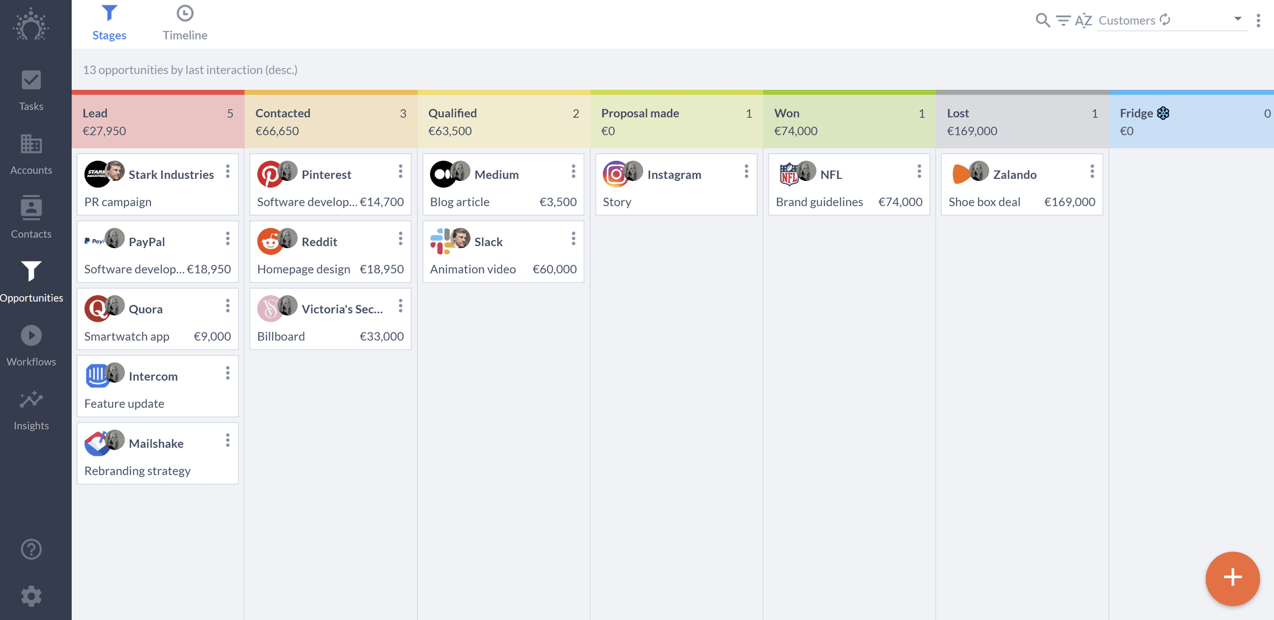
Salesflare is a CRM software solution designed to automate data entry and follow-ups for small and medium-sized B2B businesses. It is best for automated data entry and follow-ups because it minimizes manual input, ensuring that sales teams can focus on selling and lead generation rather than administrative tasks.
Why I picked Salesflare: I chose Salesflare for its notable ability to automate data entry and follow-ups, which sets it apart from other CRM software that integrates with Outlook. Its automation features significantly reduce the time spent on manual data entry, making it an ideal choice for busy sales teams. Additionally, Salesflare's integration with Outlook ensures that all customer interactions are captured and managed efficiently.
Standout Features & Integrations
Features include automated data enrichment, email and meeting synchronization, and a visual sales pipeline. These features help sales teams track customer interactions effortlessly and ensure timely follow-ups.
Integrations include Outlook, Gmail, LinkedIn, Slack, Zapier, Mailchimp, Google Calendar, Microsoft Teams, Trello, and Asana.
Pros and Cons
Pros:
- Visual sales pipeline
- Efficient Outlook integration
- Automated data entry
Cons:
- Limited customization options
- Higher cost for advanced features

Best for comprehensive marketing automation
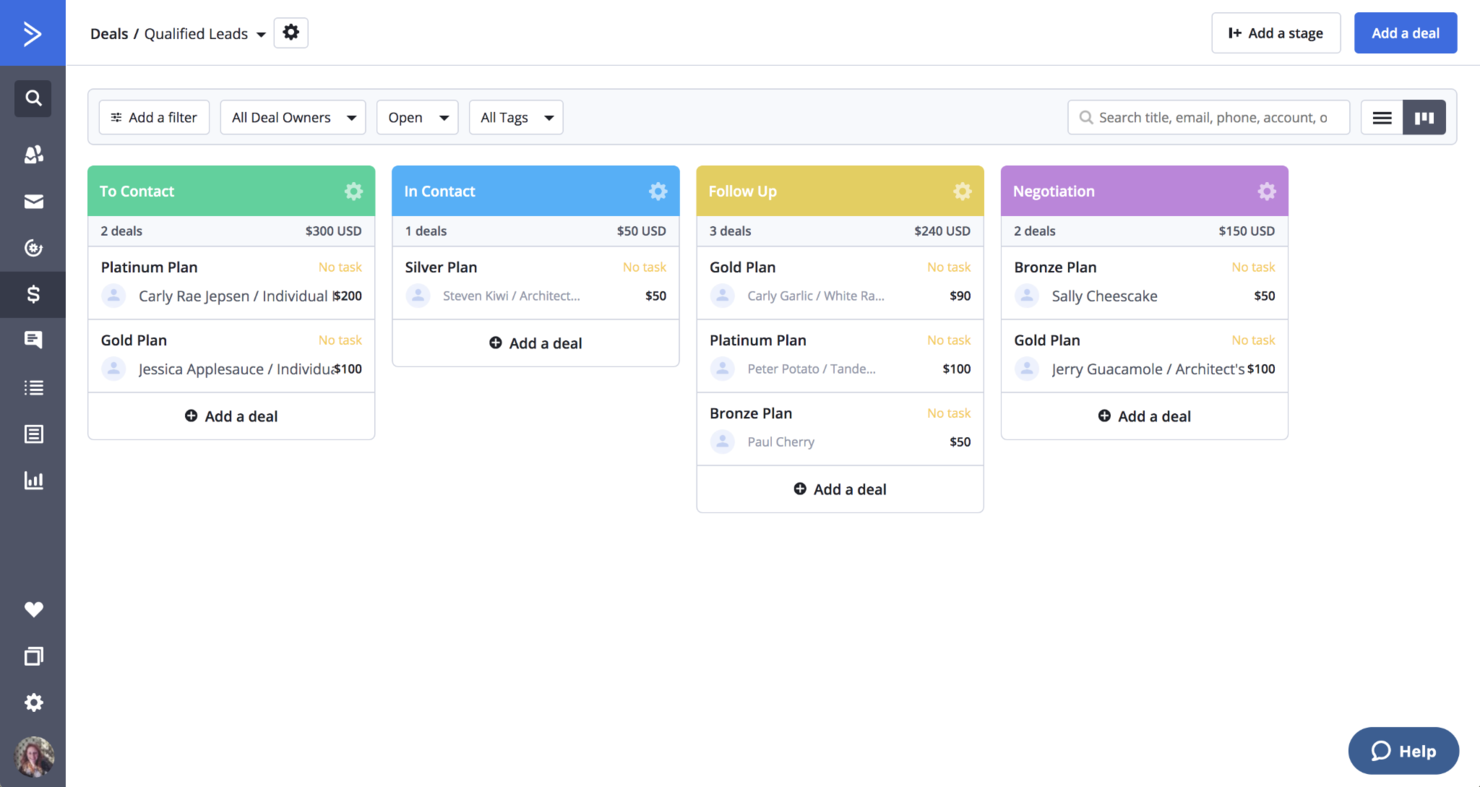
ActiveCampaign is a comprehensive marketing automation platform designed to enhance customer experiences and drive business growth. It is best known for its comprehensive marketing automation capabilities, allowing businesses to automate marketing processes across multiple channels, such as email, SMS, and social media.
Why I picked ActiveCampaign: I chose ActiveCampaign for its robust marketing automation features that stand out among CRM software integrating with Outlook. Its ability to automate complex marketing workflows and provide personalized customer experiences makes it a top choice. The platform's extensive integration options and AI-driven automations further enhance its appeal, making it a notable option for businesses looking to streamline their marketing efforts.
Standout Features & Integrations
Features include email marketing, dynamic content personalization, audience segmentation, and CRM capabilities. ActiveCampaign's AI-powered automations help businesses save time and improve their marketing strategies.
Integrations include Shopify, WordPress, Zapier, Salesforce, Facebook, Google Analytics, Slack, PayPal, Stripe, and WooCommerce.
Pros and Cons
Pros:
- AI-driven tools
- Wide range of integrations
- Extensive automation features
Cons:
- Higher cost for advanced features
- Learning curve
Best for CRM with ERP integration
Oracle NetSuite CRM is a cloud-based customer relationship management platform that connects sales force automation, marketing automation, and customer service with NetSuite's native ERP, financial, and commerce modules.
Who Is Oracle NetSuite Best For?
Oracle NetSuite CRM is a natural fit for mid-market and enterprise companies already running their financials, inventory, or operations on NetSuite.
Why I Picked Oracle NetSuite
I've included Oracle NetSuite on my shortlist because no other CRM on this list closes the loop between a won deal and a fulfilled order the way NetSuite does natively. When a rep closes an opportunity, quote-to-order and fulfillment happen inside the same system, with no manual data handoff to a separate ERP.
I also like the Customer 360 dashboard, which pulls live KPIs like customer lifetime value and profitability directly from back-office data, giving sales context that a standalone CRM simply can't match.
Oracle NetSuite Key Features
- Sales forecasting: Generates real-time weighted forecasts by rep, territory, or product line directly within the pipeline.
- Territory and quota management: Assigns accounts and tracks attainment against defined quotas at the team or individual level.
- Case management: Logs and routes customer support cases, linking them directly to the associated contact and account record.
- Incentive compensation management: Calculates and tracks commission plans based on live sales data from closed opportunities.
Oracle NetSuite Integrations
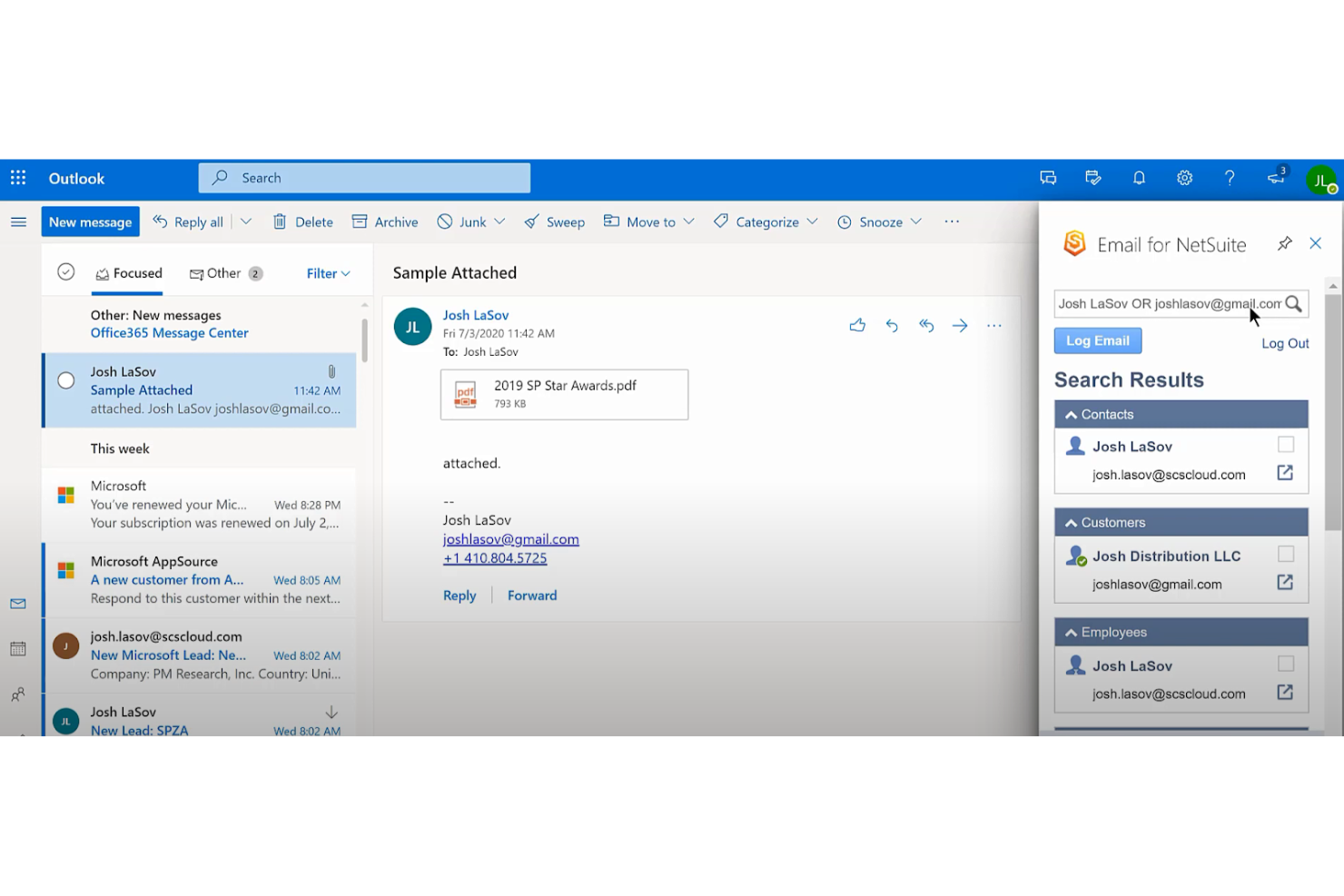
Oracle NetSuite's SuiteApp.com marketplace contains over 700 applications, including marketplace integrations with Salesforce, Shopify, HubSpot, and tools like Celigo CloudExtend for Outlook connectivity. It's available on Zapier, and NetSuite provides SuiteTalk REST and SOAP APIs for custom integrations.
Pros and Cons
Pros:
- SuiteFlow automates custom sales workflows natively
- Multi-subsidiary and multi-currency support built in
- CRM and ERP share one unified database
Cons:
- Setup and onboarding require heavy vendor involvement
- Interface feels dated versus modern CRMs

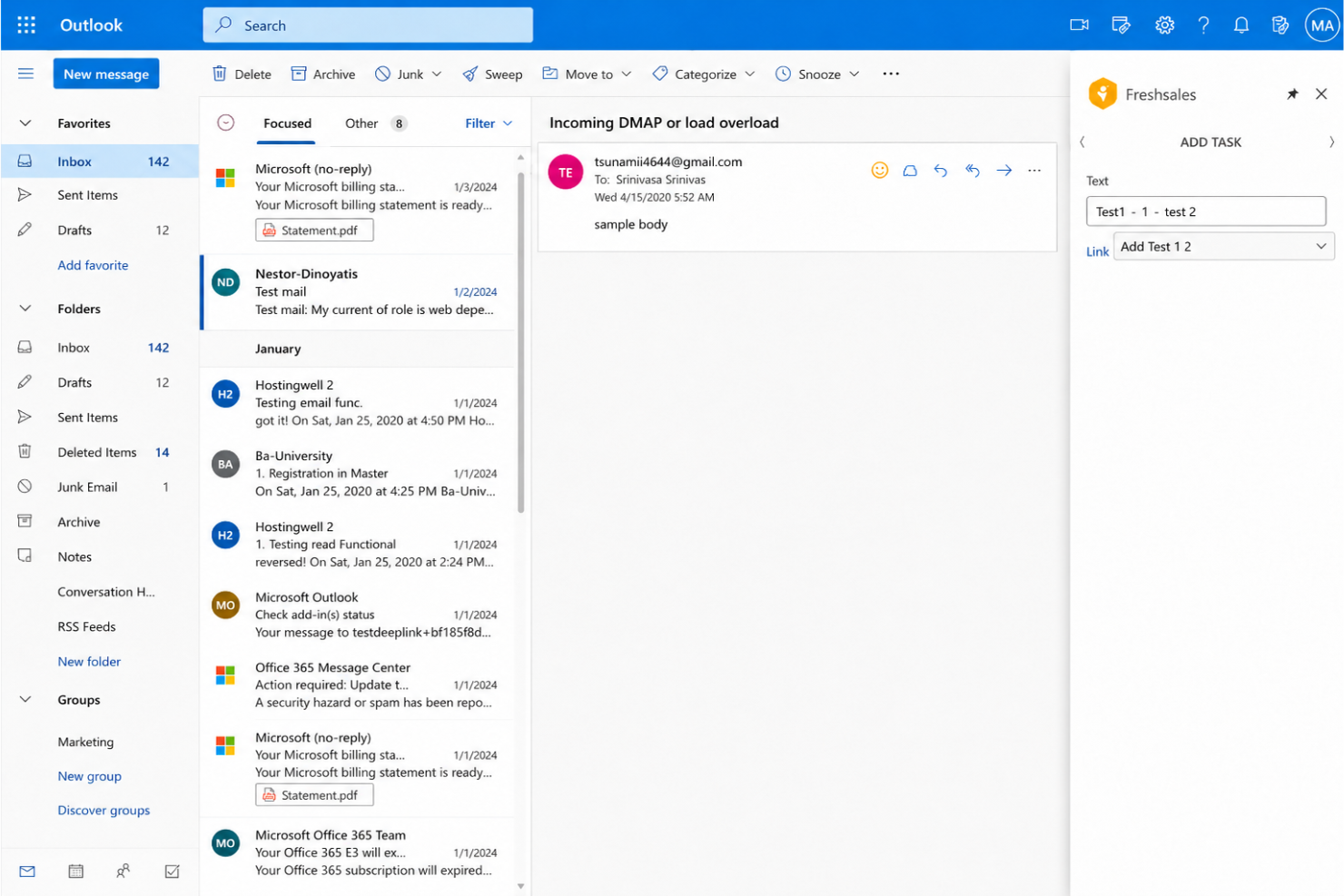
Freshsales is a sales CRM built around AI-driven lead scoring, multichannel communication (email, phone, chat), and workflow automation, with Freddy AI handling deal recommendations, intent scoring, and email writing.
Who Is Freshsales Best For?
Freshsales is a natural fit for growing sales teams that want built-in calling, email, and AI without stitching together multiple tools.
Why I Picked Freshsales
Freshsales earns its spot on my shortlist because Freddy AI goes beyond basic deal scoring. It surfaces intent signals from web activity, flagging which leads are actively researching before my team reaches out. Built-in calling with call recording and voicemail drop keeps every interaction logged automatically. Sales sequences then handle the follow-up cadence across email and phone from a single workflow, with no third-party dialer or sequencing tool needed.
Freshsales Key Features
- Email tracking: Monitors email opens and click activity on individual contacts so you can time follow-ups around real engagement signals.
- Visual sales pipeline: Lets you drag and drop deals across stages and filter views by rep, territory, or deal value.
- Meeting scheduler: Generates shareable booking links that sync with your calendar to eliminate back-and-forth scheduling.
- Contact timeline: Displays a chronological log of every call, email, and note on each contact record in one view.
Freshsales Integrations
Freshsales offers a range of native integrations, including Freshdesk, Freshchat, Freshmarketer, Slack, Mailchimp, HubSpot, QuickBooks, Xero, DocuSign, and Segment. It's available on Zapier, and an API is available for custom integrations.
Pros and Cons
Pros:
- Signup-to-pipeline setup takes under an hour
- Freddy AI scores leads by web activity
- Built-in phone with call recording per contact
Cons:
- Report customization is limited for advanced needs
- Freddy AI Copilot costs extra per user

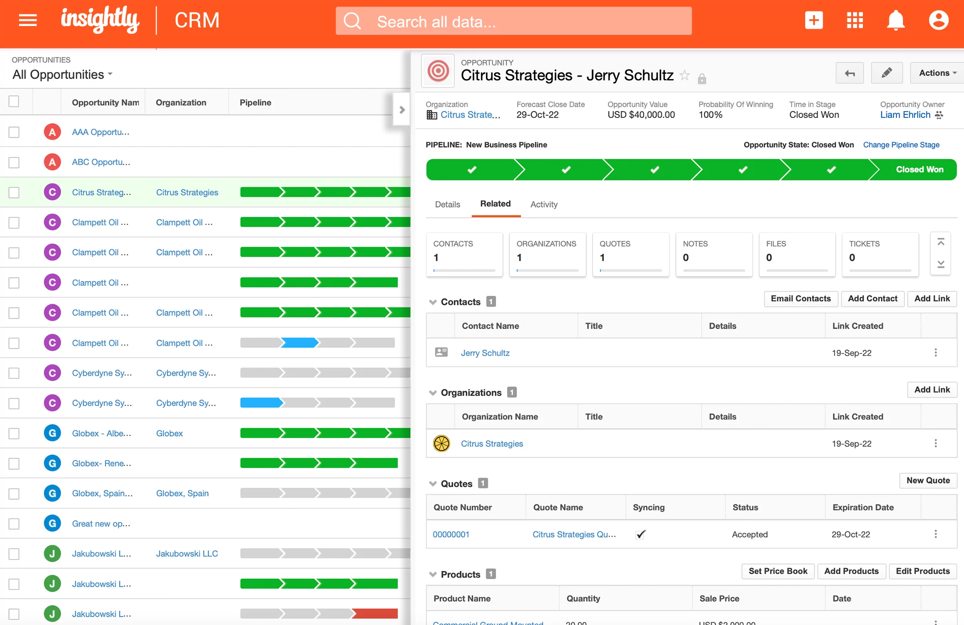
Insightly is a CRM platform designed to enhance customer relationships and organize business operations. It is best for scalable CRM with integrated marketing, offering a suite of products including CRM, marketing, and services that integrate with Outlook.
Why I picked Insightly: I chose Insightly for its scalability and integrated marketing capabilities, which set it apart from other CRM software. Its ability to grow with a business and provide comprehensive marketing tools makes it ideal for companies looking to scale their operations efficiently. The integration with Outlook further enhances its utility by allowing users to manage customer interactions within their existing workflows.
Standout Features & Integrations
Features include guided onboarding, ongoing support, and a variety of resources such as eBooks and webinars to help users maximize their investment. Insightly also offers AppConnect, a no-code integration engine that allows users to connect various applications and automate workflows easily.
Integrations include Microsoft Outlook, Google Workspace, QuickBooks, Xero, Mailchimp, Slack, Dropbox, OneDrive, Google Drive, and Box.
Pros and Cons
Pros:
- Scalable for growing businesses
- Wide array of built-in marketing tools
- Guided onboarding
Cons:
- Higher cost for advanced features
- Limited customization options

Best for enterprise-level CRM and ERP integration
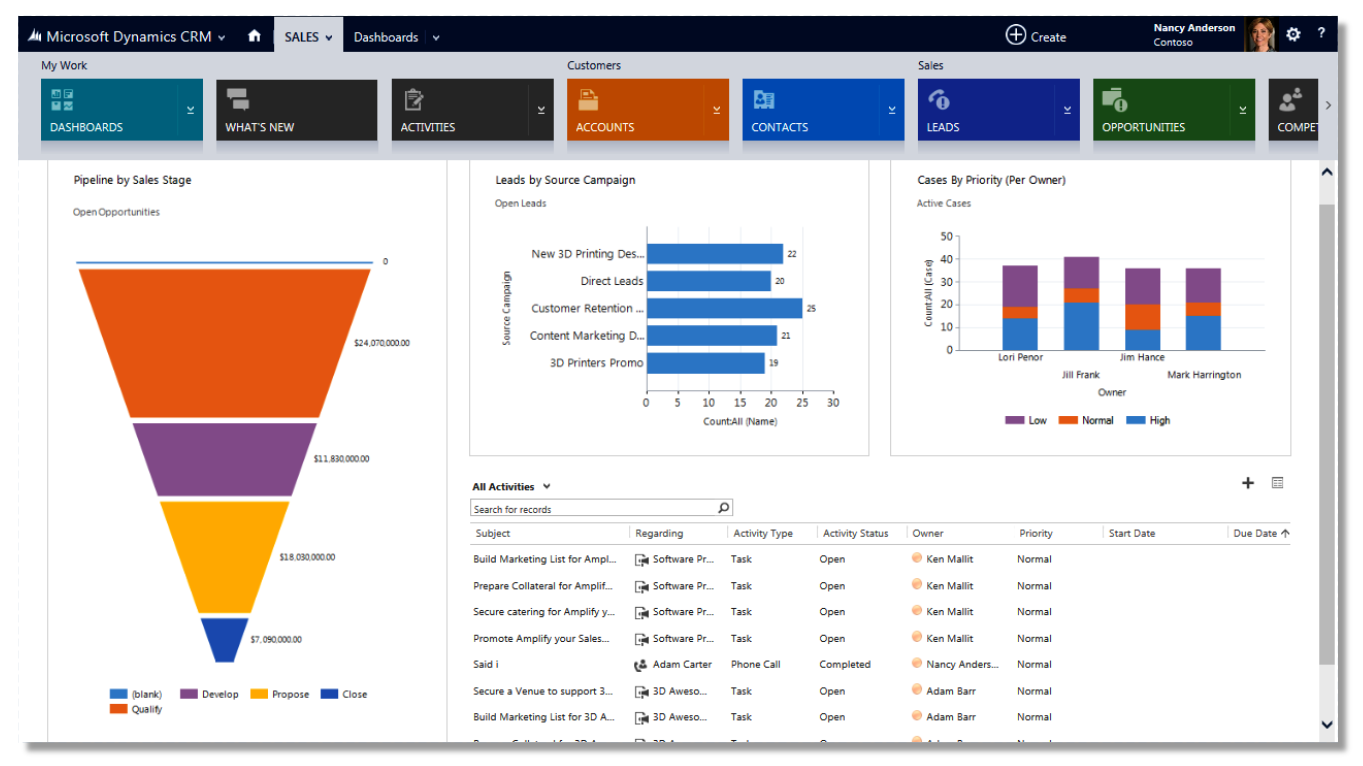
Microsoft Dynamics 365 is a full-featured CRM and ERP solution designed for enterprise-level integration and efficiency. It offers extensive features for managing customer relationships and business operations.
Why I picked Microsoft Dynamics 365: I chose Microsoft Dynamics 365 for its extensive enterprise-level CRM and ERP integration capabilities. It stands out due to its integration with other Microsoft products, making it a powerful tool for large organizations. The software's ability to unify CRM and ERP functionalities under one platform is unparalleled, providing a holistic view of business operations.
Standout Features & Integrations
Features include AI-driven insights, sales force automation, and customizable reporting. These features help businesses streamline their sales processes and gain valuable insights into customer behavior.
Integrations include Microsoft Outlook, Microsoft Teams, LinkedIn Sales Navigator, Power BI, Azure, Microsoft Office 365, SharePoint, OneDrive, QuickBooks, and Adobe Sign.
Pros and Cons
Pros:
- Customizable reporting
- AI-driven insights
- Full CRM and ERP solution
Cons:
- Complex setup
- Higher cost
HubSpot
Best for all-in-one CRM
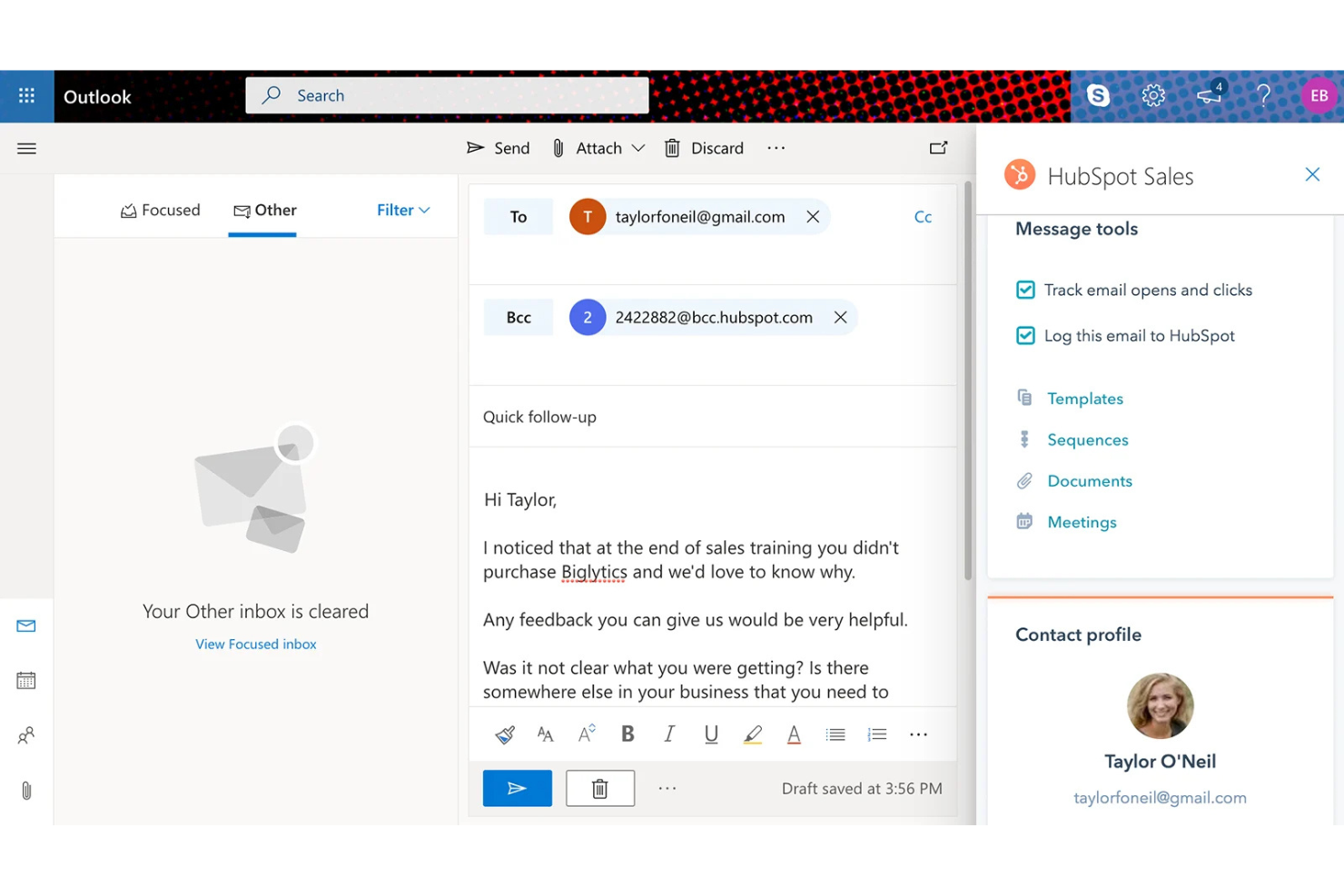
HubSpot is an AI-powered CRM platform that spans contact management, deal tracking, email marketing, sales automation, and customer service tools across a unified marketing, sales, and service system.
Who Is HubSpot Best For?
HubSpot is a strong fit for growing mid-market companies that need their marketing, sales, and customer success teams working from a single connected system.
Why I Picked HubSpot
I've included HubSpot in my top picks because its native AI tools sit inside the same system my marketing, sales, and service teams already use. When I'm reviewing a deal, I can pull an AI-generated contact summary that draws from every marketing, sales, and service interaction in one place. The Outlook add-in surfaces that full history directly in my inbox, where I can log emails and track opens without switching back to HubSpot.
HubSpot Key Features
- Deal pipeline management: Customize deal stages and drag deals across a visual pipeline to reflect your actual sales process.
- Sales sequence automation: Enroll contacts in timed email and task sequences that pause automatically when a reply comes in.
- Meeting scheduler: Share a booking link that syncs with your calendar so prospects can book time without back-and-forth emails.
- Predictive lead scoring: Automatically rank contacts based on behavioral and demographic data to prioritize follow-up.
HubSpot Integrations
HubSpot's App Marketplace hosts more than 2,000 apps, including popular integrations like Gmail, Google Calendar, Outlook, Outlook Calendar, Zapier, and more, along with tools like Salesforce, Slack, Microsoft Teams, and Snowflake. An API is available for custom integrations.
Pros and Cons
Pros:
- Automatic contact data enrichment
- Shared database across all Hubs
- CRM data surfaces inside Outlook inbox
Cons:
- Email-to-deal linking lacks granular control
- Automation locked behind Professional tier
Best for visual sales pipelines
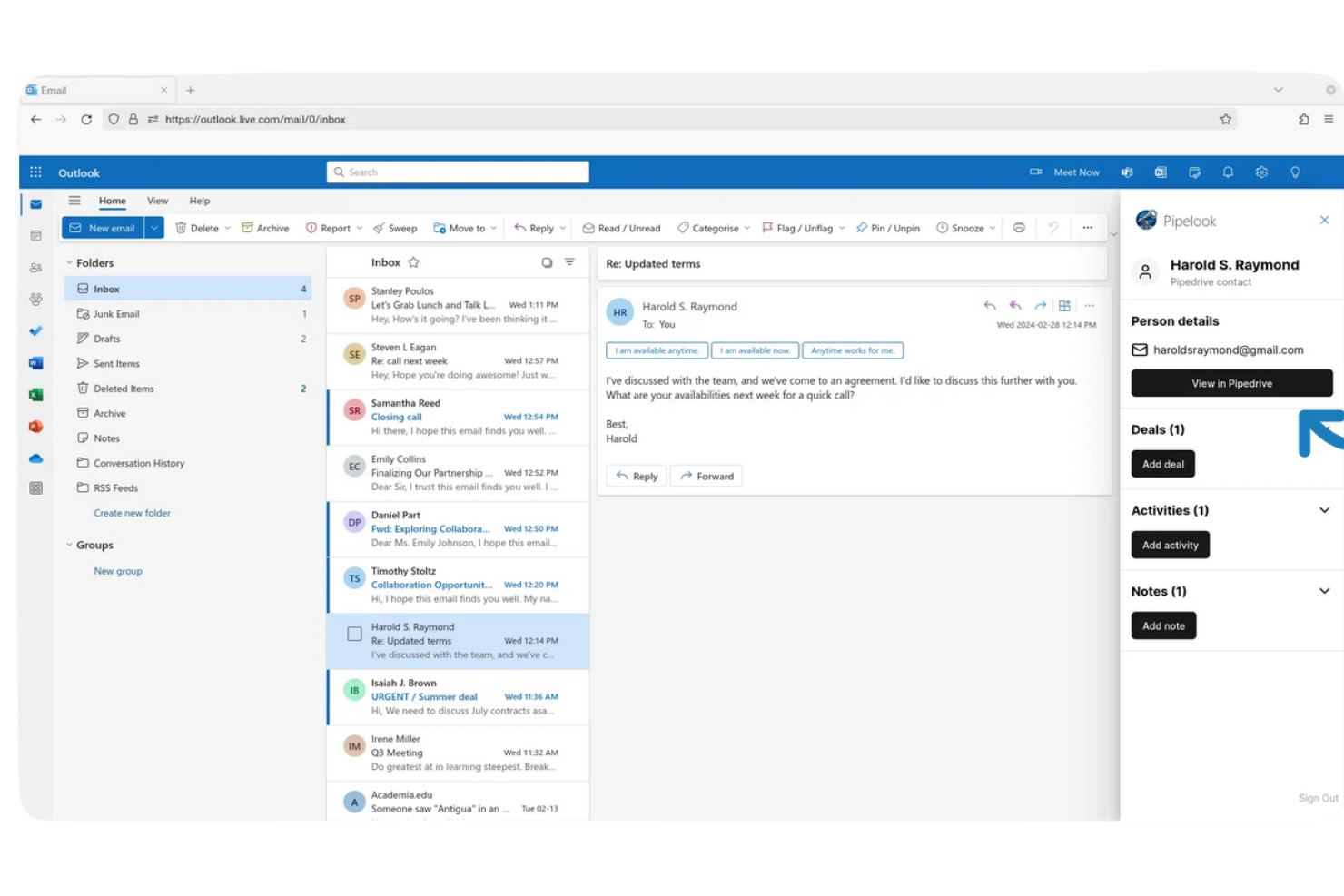
Pipedrive is a sales-focused CRM platform built around visual pipeline management, with deal tracking, activity scheduling, email sync, and sales automation tools designed specifically for sales teams.
Who Is Pipedrive Best For?
I think Pipedrive is a great fit for small to mid-sized sales teams that need a straightforward, pipeline-driven CRM without a steep learning curve.
Why I Picked Pipedrive
Pipedrive is one of my top picks because I love how its visual pipeline keeps deal stages front and center, even when I'm working directly inside Outlook. With the Pipedrive for Outlook add-in, I can view contacts, active deals, and notes without leaving my inbox.
I can also create new contacts and log deal updates on the fly from any email thread, which keeps my pipeline accurate without any manual catch-up work.
Pipedrive Key Features
- Email tracking: Monitor when contacts open emails and click links directly from tracked messages sent through Pipedrive.
- Activity reminders: Schedule calls, meetings, and follow-up tasks tied to specific deals so nothing falls through.
- Sales reporting dashboards: Build custom reports to track deal progress, conversion rates, and individual rep performance.
- Workflow automation: Set up trigger-based automations to move deals, assign tasks, or send emails when specific conditions are met.
Pipedrive Integrations
Pipedrive offers 500+ integrations through its marketplace, including Google Meet, Microsoft Teams, Slack, QuickBooks, DocuSign, Asana, Trello, Zendesk, and PandaDoc. It also connects with Zapier and provides an API for building custom integrations.
Pros and Cons
Pros:
- Activity-based selling keeps reps focused
- Two-way email sync with Outlook
- Drag-and-drop pipeline is highly visual
Cons:
- Reporting needs higher-tier plans to unlock
- Limited marketing automation capabilities
Best for customizable CRM workflows
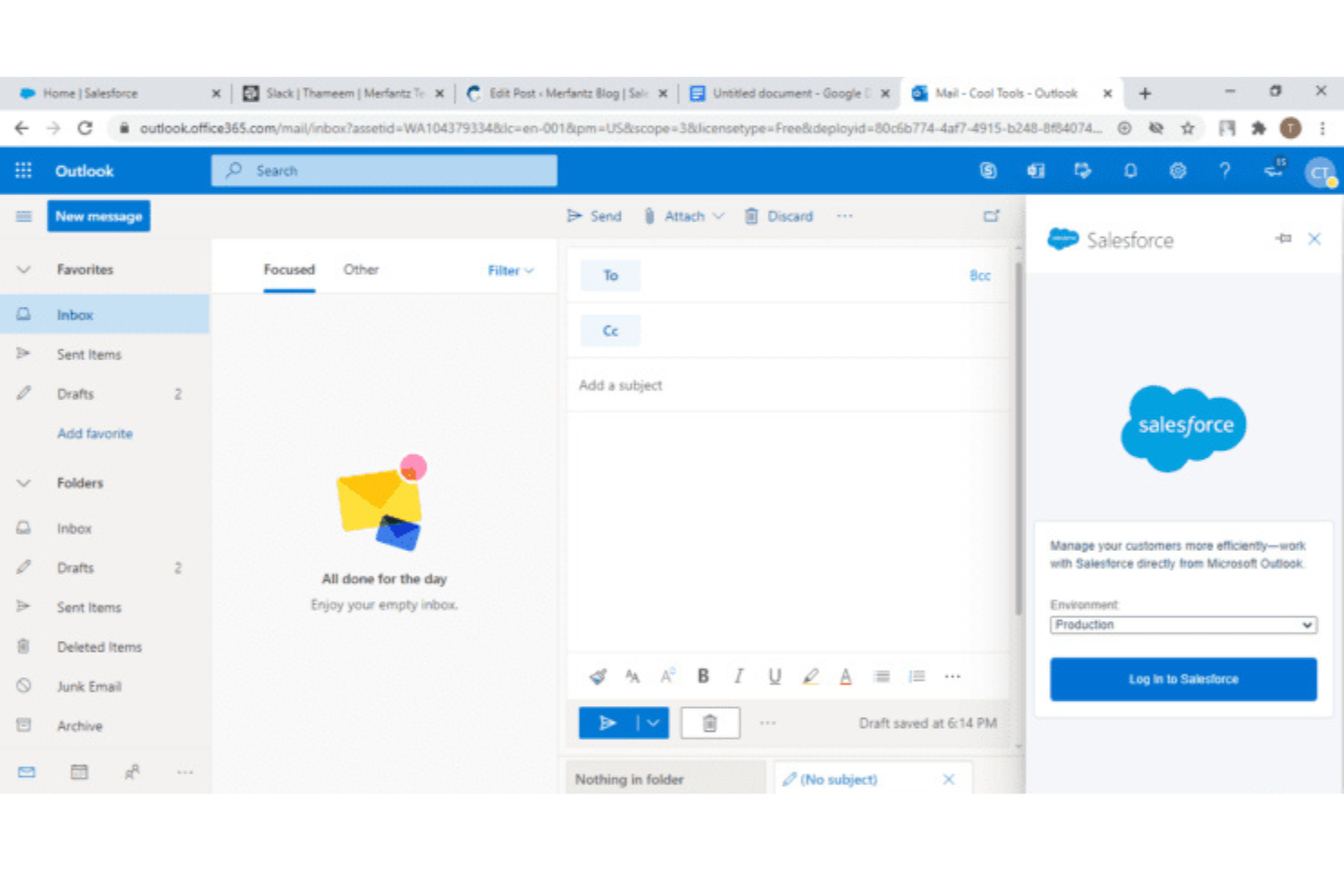
Salesforce is an enterprise CRM platform built around a deeply configurable data model, offering pipeline management, AI-driven insights, workflow automation, and cross-team reporting across sales, marketing, and service.
Who Is Salesforce Best For?
Salesforce is a strong fit for enterprise sales teams that need a highly configurable CRM with advanced reporting and multi-team data visibility.
Why I Picked Salesforce
Salesforce earns its spot on my shortlist because the depth of its automation engine sets it apart from every other CRM I've tested. I use Flow Builder to trigger multi-step processes across sales stages without writing code. Einstein Activity Capture syncs Outlook emails, events, and contacts directly into Salesforce records automatically, so my team's activity data stays current without manual logging.
Salesforce Key Features
- Opportunity management: Track deals through custom stages, log activities, and associate contacts, tasks, and files to each opportunity record.
- Einstein lead scoring: Automatically ranks leads based on historical conversion data to surface the highest-priority follow-ups.
- Revenue forecasting: Build forecasts by rep, team, or product line using real-time pipeline data and quota tracking.
- Custom report builder: Create filtered, grouped reports across any Salesforce object and pin them to role-specific dashboards.
Salesforce Integrations
Native integrations include Jira, LinkedIn, QuickBooks, DocuSign, Mailchimp, Google Workspace, Slack, Dropbox, and ActiveCampaign. It's available on Zapier, and an API is available for custom integrations. Salesforce also offers MuleSoft as a dedicated integration and API management platform for more advanced connectivity needs.
Pros and Cons
Pros:
- AI-scored leads prioritize rep follow-ups
- Two-way Outlook calendar and email sync
- Granular workflow rules for every object
Cons:
- Bulk record deletion lacks safeguards
- Outlook sync setup requires admin expertise

eWay-CRM
Best for Outlook integration with project management
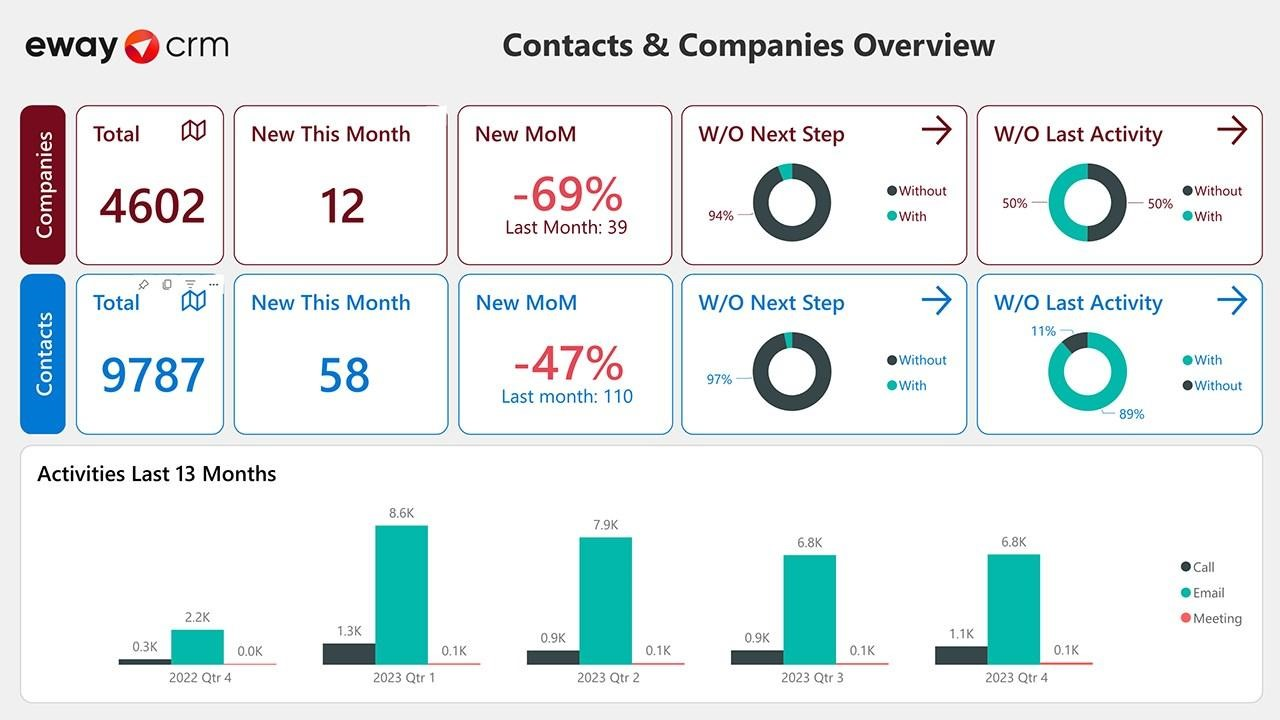
eWay-CRM is a CRM plugin designed to integrate with Microsoft Outlook, enhancing productivity by allowing users to manage customer relationships directly within the familiar Outlook interface. Over 1,500 companies trust eWay-CRM and aim to streamline team communication and organization.
Why I picked eWay-CRM: I chose eWay-CRM for its integration with Microsoft Outlook, which allows users to manage customer relationships without leaving their familiar email environment. This integration minimizes the learning curve and enhances productivity by consolidating CRM and email functionalities. Additionally, eWay-CRM's project management capabilities make it stand out, ensuring that sales processes transition smoothly into delivery.
Standout Features & Integrations
Features include automatic email tracking, task conversion, and calendar synchronization, all designed to improve team collaboration and efficiency. The software also supports project management, sales pipeline management, and offers mobile access. With extensive customization options and integration capabilities with over 3,000 apps via Zapier, eWay-CRM enhances productivity and communication for teams.
Integrations include QuickBooks, Microsoft Dynamics 365, Google Analytics, Zapier, Mailchimp, Dropbox, OneDrive, Google Drive, Slack, and Trello.
Pros and Cons
Pros:
- Highly customizable
- Extensive project management tools
- Consistent Outlook integration
Cons:
- Requires Outlook for full features
- Limited standalone app functionality
Other CRM Software That Integrates With Outlook
Below is a list of additional CRM software that integrates with Outlook that we shortlisted, but did not make it to the top list. Definitely worth checking them out.
- Method:CRM
For QuickBooks and Xero integration
- Zoho CRM
For omnichannel customer management
- monday AI Workspace
For project management integration
- Brevo
For CRM with multichannel marketing
- BIGContacts
For small business CRM simplicity
- Salesforce Financial Services Cloud
For enterprise-level customization
- Odoo
For open-source flexibility
- Freshdesk
For customer support integration
- Apptivo
For affordability and scalability
- Capsule
For simple and intuitive design


Related CRM Software Reviews
If you still haven't found what you're looking for here, check out these tools closely related to CRM software that we've tested and evaluated.
- CRM Software
- Sales Software
- Lead Management Software
- Business Intelligence Software
- Contract Management Software
- Revenue Management System
- CPQ Software
How I Evaluate CRM Software That Integrates With Outlook
I look at every CRM on two levels: the Outlook add-in and sync basics that get a tool on the list, and the differentiators—like deal signals and M365 depth—that determine best fit.
Core Functionality (Table Stakes For This List)
When I'm selecting tools for my list, I rank each one on a scale from 0 (does not offer the functionality) to 5 (excels in this area) for each core functionality listed below. Then, I calculate the tool's total score into a percentage. Each tool needs to achieve a minimum total score of 65% to be considered for inclusion.
- Native Outlook Add-In: I check whether the CRM provides its own sidebar inside Outlook on desktop, web, and mobile so reps can pull up deal context mid-conversation.
- Bi-Directional Email Sync: Every email sent or received should auto-associate to the right contact and deal in the CRM, not just log via BCC.
- Calendar & Contact Sync: I look for real-time, two-way sync of both calendars and contacts so a meeting booked in Outlook immediately appears on the CRM timeline.
- In-Inbox Record Management: Reps should be able to create contacts, update deal stages, and log notes from inside Outlook rather than toggling back to the CRM.
- Email Tracking & Templates: I evaluate whether reps get open/click tracking and shared template libraries tied to CRM records, which helps RevOps measure outreach performance.
- Pipeline & Activity Reporting: Outlook-sourced activity like emails and meetings should feed directly into pipeline dashboards and forecast models your RevOps team relies on.
Once I have a list of tools that meet this criteria, I consider what sets each platform apart.
Differentiating Factors (What Sets Vendors Apart)
Here's how I compare and contrast different vendors:
Standout Features
Relationship intelligence is a big one for me. CRMs that auto-map contact networks and engagement strength from Outlook history give RevOps teams real visibility into whether a deal has the right stakeholders involved. I also look for meeting intelligence that captures notes and action items from Outlook-scheduled calls and logs them to the opportunity. Deal signal alerts round things out by flagging stalled threads or drops in engagement, so ops can surface pipeline risk before it shows up in the forecast.
Beyond Features
Microsoft 365 ecosystem depth matters a lot here. A CRM that connects to Teams, SharePoint, and Power BI alongside Outlook gives your RevOps team a unified data layer instead of scattered context. I also evaluate how well each platform fits into the broader revenue tech stack, checking for native connectors to tools like Outreach or Salesloft and open API access for custom workflows. Deployment is another factor I consider, especially whether IT can roll out the Outlook add-in tenant-wide through Microsoft AppSource without chasing individual installs.
How To Choose CRM Software That Integrates With Outlook
As you work through your own unique software selection process, keep the following points in mind:
- Compatibility: Ensure the CRM software integrates with Outlook to enhance productivity and streamline communication.
- Features: Look for essential features such as contact organization, calendar management, sales pipeline tracking, email marketing, task management, and reporting analytics.
- User Experience: The CRM should provide a user-friendly interface that simplifies customer relationship management.
- Customization: Opt for a CRM that allows for custom fields and advanced data searches to better target and engage customers.
- Support and Resources: Evaluate the availability of customer support and educational resources to help you maximize the CRM's potential.
Trends For CRM Software That Integrates With Outlook
CRM software that integrates with Outlook is evolving rapidly. These trends highlight the latest advancements and innovations in the field.
- AI-Driven Insights: AI integration in CRM software is transforming how businesses operate. By leveraging AI, CRM systems can provide predictive analytics and personalized customer experiences. This will likely impact decision-making and operational efficiency.
- Unified CRM and ERP Systems: The unification of CRM and ERP systems is becoming more prevalent. This integration streamlines business processes by consolidating data and operations into a single platform. It is important because it reduces complexity and improves overall productivity.
- Low-Code/No-Code Platforms: The rise of low-code and no-code platforms is making CRM customization more accessible. These platforms allow users to tailor CRM functionalities without extensive coding knowledge. This trend is significant as it democratizes technology and accelerates innovation.
- Enhanced Mobile Accessibility: Mobile accessibility in CRM software is gaining traction. With more professionals working remotely, having CRM functionalities available on mobile devices is essential. This trend is interesting as it supports the growing need for flexibility and on-the-go access.
- Ethical AI Practices: The focus on ethical AI practices in CRM software is increasing. Companies are prioritizing transparency and fairness in AI algorithms. This trend is important as it builds trust and ensures responsible use of technology.
These trends reflect the growing demand for efficiency, accessibility, and ethical technology. For businesses seeking to integrate CRM with Outlook, staying informed about AI-driven insights, unified systems, and mobile accessibility can significantly impact day-to-day operations. By embracing these innovations, you'll not only clear up processes but also create a more flexible and future-proof CRM environment that aligns with modern work dynamics.
What Is CRM Software And Why Should It Integrate With Outlook?
CRM software that integrates with Outlook is a tool that combines customer relationship management capabilities with the email and calendar functionalities of Microsoft Outlook. Sales teams, customer service representatives, and marketing professionals commonly use this software to streamline communication, manage customer interactions, and enhance productivity by consolidating tasks within a familiar interface.
The primary components of CRM software that integrate with Outlook include contact management, email synchronization, sales automation, and reporting tools. These features allow users to track customer interactions, automate follow-ups, manage sales pipelines, and generate insights from customer data, all within the Outlook environment.
Features Of CRM Software That Integrates With Outlook
Choosing the right CRM software that integrates with Outlook can significantly enhance productivity and streamline customer relationship management. Here are the most important CRM features to look for in such CRM software:
- Faultless CRM Outlook Integration: The CRM should integrate smoothly with Outlook email, allowing you to access CRM functionalities directly. This ensures that you can manage customer interactions without switching between different applications.
- Contact Management: Contact management features are essential. The CRM should automatically create and update contact records from emails and meetings, ensuring that your contact database is always up-to-date.
- Email Tracking: The ability to track email engagement from your Outlook inbox, including opens and link clicks, is crucial. This feature helps you understand how recipients interact with your emails, enabling you to follow up effectively.
- Calendar Integration: Live synchronization of calendar events between Outlook and the CRM is important. This ensures that all your meetings and appointments are accurately reflected in both systems, preventing scheduling conflicts.
- Task Management: Effective task management tools within the CRM help you stay organized. You can set reminders for follow-ups and manage your to-do lists directly from Outlook.
- Sales Pipeline Management: A visual sales pipeline within the CRM allows you to track the progress of deals and opportunities. This feature helps you manage your sales process more efficiently.
- Email Templates: The CRM should offer customizable email templates that you can use for sending messages via Outlook. This saves time and ensures consistency in your communication.
- Automation Tools: Automation capabilities, such as automated workflows and personalized email sequences, are essential. These tools help you automate routine tasks, reducing manual work and increasing efficiency.
- Reporting and Analytics: Comprehensive reporting and analytics tools within the CRM provide insights into your sales performance and customer interactions. This data helps you make informed decisions and improve your strategies.
- Mobile Accessibility: The CRM should be accessible from mobile devices, allowing you to manage customer relationships on the go. This feature is particularly important for sales teams who are often on the move.
Selecting a CRM that integrates well with Outlook and offers these features can greatly enhance your productivity and improve your customer relationship management. By choosing the right CRM, you can streamline your workflows, gain valuable insights, and ultimately drive better business outcomes.
Benefits Of CRM Software That Integrates With Outlook
In today's fast-paced business environment, integrating Customer Relationship Management (CRM) software with Outlook can significantly enhance productivity and streamline operations. This integration allows businesses to manage customer interactions more efficiently, leveraging the familiar interface of Outlook while accessing powerful CRM functionalities. Below are five primary benefits of CRM software that integrates with Outlook for users and organizations.
- Enhanced Email Management: By integrating CRM with Outlook, users can manage customer emails directly within the CRM system, ensuring that all communications are logged and easily accessible.
- Improved Contact Management: This integration allows for synchronization of contacts between Outlook and the CRM, ensuring that all customer information is up-to-date and readily available.
- Streamlined Scheduling and Calendar Management: Users can schedule meetings, set reminders, and manage their calendars within Outlook, with all activities automatically recorded in the CRM, enhancing time management and coordination.
- Increased Productivity: The integration reduces the need to switch between applications, allowing users to perform CRM tasks within Outlook, thus saving time and increasing overall productivity.
- Better Data Insights and Reporting: With CRM data accessible within Outlook, users can generate reports and gain insights into customer interactions and sales performance, aiding in better decision-making.
Integrating CRM software with Outlook offers numerous advantages that can help businesses improve efficiency, enhance customer relationships, and drive growth. By leveraging the familiar Outlook interface, users can easily adopt and utilize CRM functionalities, leading to a more streamlined and productive workflow.
Costs & Pricing Of CRM Software That Integrates With Outlook
This section provides an estimate of average CRM software plans and costs that integrate with Outlook. The pricing varies based on features and service levels.
Plan Comparison Table for CRM Software
| Plan Type | Average Price | Common Features |
| Free Plan | $0 | Basic contact management, email integration, limited storage, basic reporting |
| Personal Plan | $7 - $15 per user/month | Enhanced contact management, email tracking, task management, basic automation |
| Business Plan | $30 - $99 per user/month | Advanced automation, sales pipeline management, custom reporting, integrations |
| Enterprise Plan | $150 - $300 per user/month | Full automation, advanced analytics, multi-channel support, extensive integrations |
CRM Software That Integrates With Outlook FAQs
Still trying to understand how CRM software integrates with Outlook and how to choose the right tool? Here are some answers to frequently asked questions that should help:
How do I sync my Outlook contacts with my CRM software?
To sync your Outlook contacts with your CRM software, you typically need to use the integration settings within your CRM. Most CRM systems that integrate with Outlook offer a step-by-step guide to help you through the process. You may need to install a plugin or connector provided by the CRM vendor. Once installed, you can usually configure the sync settings to determine which contact information to sync and how often the sync should occur.
Can I track emails sent from Outlook in my CRM?
Yes, most CRM software that integrates with Outlook allows you to track emails sent from Outlook directly within the CRM. This is usually done through an add-in or plugin that you install in Outlook. Once installed, you can log emails to specific contacts or deals in your CRM, ensuring that all communication is recorded and easily accessible.
Is it possible to schedule CRM tasks and appointments from Outlook?
Yes, you can schedule CRM tasks and appointments directly from Outlook if your CRM software supports this feature. This is typically done through an Outlook add-in that syncs your calendar and tasks with the CRM. You can create tasks and appointments in Outlook, and they will automatically appear in your CRM, and vice versa.
How do I ensure data consistency between Outlook and my CRM?
To ensure data consistency between Outlook and your CRM, you should regularly sync your data and configure your integration settings to avoid conflicts. Most CRM systems offer options to handle duplicate records and data conflicts. It’s also a good practice to periodically review and clean your data to maintain accuracy.
Can I access CRM data from within Outlook?
Yes, many CRM systems that integrate with Outlook allow you to access CRM data directly from within Outlook. This is usually done through an add-in that provides a sidebar or panel within Outlook where you can view and interact with CRM data, such as contact details, deal information, and activity history.
What are the security implications of integrating Outlook with my CRM?
Integrating Outlook with your CRM can have security implications, such as exposing sensitive data to unauthorized access. To mitigate these risks, ensure that both your CRM and Outlook are configured with strong security settings, such as multi-factor authentication and encryption. Additionally, regularly review access permissions and audit logs to monitor for any suspicious activity.
How do I handle email templates in Outlook with my CRM integration?
Most CRM systems that integrate with Outlook allow you to use email templates stored in the CRM directly within Outlook. This is typically done through an add-in that provides access to your CRM’s email templates. You can select a template, customize it as needed, and send it from Outlook, with the email being logged in the CRM.
Can I automate workflows between Outlook and my CRM?
Yes, you can automate workflows between Outlook and your CRM using the integration features provided by your CRM software. This may include automating tasks such as creating follow-up activities, updating contact records, or triggering email sequences based on specific actions taken in Outlook. Many CRM systems offer built-in automation tools or integrations with third-party automation platforms to facilitate these workflows.
What’s Next?
Need CRM integrations beyond Outlook? Check out our shortlist of CRM software that integrates with Office 365, Mailchimp, Xero, QuickBooks, and even social media.
Want to take your RevOps game to the next level? Subscribe to The CRO Club newsletter for expert advice, software reviews, and other resources to help you deliver predictable growth at scale.