

10 Best CRMs That Integrate With Mailchimp In 2026

Best CRM Software That Integrates with Mailchimp Shortlist


Finding the right CRM is challenging enough, but when you need one that integrates well with Mailchimp, your options may seem even slimmer. Using my experience in revenue operations and CRM software, I tested and reviewed the top CRM software that integrates with Mailchimp to help teams choose the solution that fits their unique business needs.
From there, I compiled my insights into in-depth reviews outlining the key features, pros, cons, and integrations for each option. Regardless of your company size or niche, I’m confident that you’ll be able to find your next CRM in this article.
Why Trust Our Software Recommendations
Our reviews reflect our independent judgment—not a sales pitch. Learn how we stay transparent.
For this guide, we evaluated tools using hands-on testing and independent research, scoring tools using our selection criteria.
Our reviews reflect our human editorial judgment, not a sales pitch.
Best CRM Software That Integrates with Mailchimp Summary
| Tool | Best For | Trial Info | Price | ||
|---|---|---|---|---|---|
| 1 | Best for SMB sales teams on a tight stack | 15-day free trial | From $23/user/month (billed annually) | Website | |
| 2 | Best for contact-based pricing with Mailchimp sync | 15-day free trial | From $19.99/month per 1,000 contacts | Website | |
| 3 | Best for sales pipeline management | Free 14-day trial + free demo available | From $25/user/month (billed annually) | Website | |
| 4 | Best for customizable CRM solutions | Free trial available | From $65/month (billed annually) | Website | |
| 5 | Best for simple and effective contact management | 14-day free trial + free plan available | From $18/user/month (billed annually) | Website | |
| 6 | Best for inbound marketing and sales teams | Free plan available | From $20/user/month | Website | |
| 7 | Best for Google Workspace integration | Free trial available | From $59/user/month (billed annually) | Website | |
| 8 | Best for small to medium-sized businesses | Free plan available; 15-day free trial | From $14/user/month (billed annually) | Website | |
| 9 | Best for revenue attribution across email and pipeline | 30-day free trial | From $25/user/month | Website | |
| 10 | Best for ERP-connected revenue and Mailchimp sync | 30-day free trial (SugarChimp only) | From $59/user/month (billed annually) | Website |
Best CRM Software That Integrates with Mailchimp Reviews
This in-depth analysis provides overviews of each CRM software that integrates with Mailchimp. It walks through the pros and cons of each tool, their features, and their best use cases.

Best for SMB sales teams on a tight stack
My Evaluation Score
- Contact Management
- Excels
- Campaign Activity Sync
- Minimal
- Sales Activity Logging
- Excels
- Bi-Directional Data Sync
- Strong
- Pipeline & Deal Tracking
- Excels
- Native Mailchimp Integration
- Strong
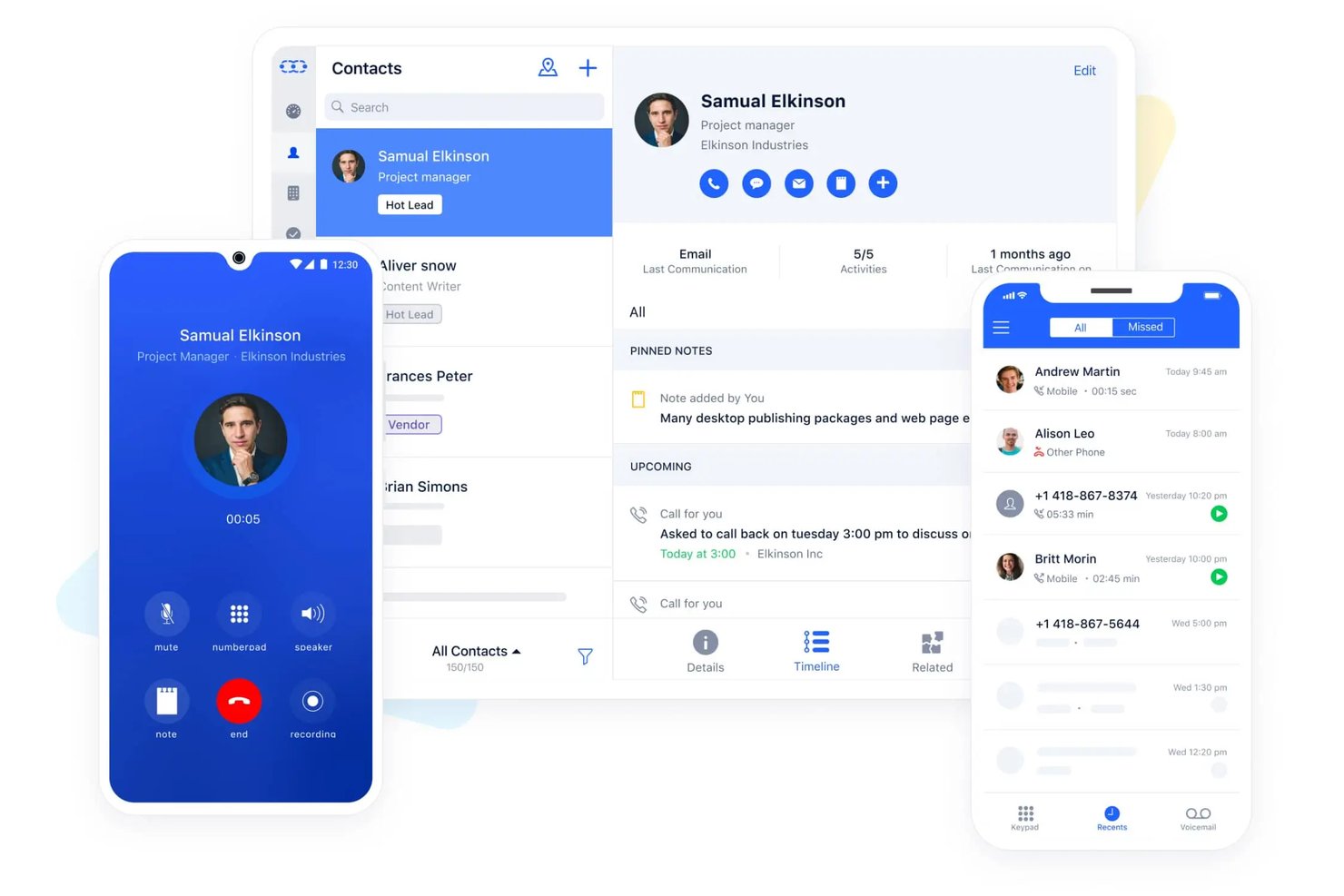
Salesmate is a CRM platform built for SMB sales teams that combines pipeline management, built-in VoIP calling, SMS, lead scoring, and a native Mailchimp integration for contact sync and audience management.
Who Is Salesmate Best For?
Salesmate fits SMB sales teams that want calling, SMS, and Mailchimp contact sync built into one affordable CRM without stitching together a separate tool for each.
Why I Picked Salesmate
I've included Salesmate in my top picks because it's one of the few SMB CRMs that bundles calling, SMS, and a native Mailchimp integration into a single platform without requiring a patchwork of separate tools. I particularly like its lead scoring engine, which lets you auto-route high-scoring contacts into specific Mailchimp audiences based on CRM field updates and tags. Pair that with Smart Flow automation triggering list changes off deal stage updates, and you get a tighter sales-to-marketing loop than most tools at this price point can offer.
Salesmate Key Features
- Two-way email sync: Connects Gmail, Outlook, Exchange, Yahoo, and IMAP accounts to automatically log emails against the correct contact, company, or deal record.
- Smart Flow automation builder: A no-code visual workflow tool that triggers actions across contacts, deals, and subscription preferences based on CRM field changes or deal stage updates.
- Built-in revenue attribution: Links closed revenue to specific campaigns and touchpoints using multi-touch attribution models, including first-touch, last-touch, linear, and time-decay.
- Automation Journeys add-on: A drag-and-drop email campaign builder with A/B testing, audience segmentation, and recipient-level performance analytics, available as an add-on on any plan.
Salesmate Integrations
Salesmate lists 40+ native integrations, including Mailchimp, ActiveCampaign, AWeber, Brevo, and HubSpot Operations Hub. It also supports Sync with Sales for bidirectional Mailchimp connectivity and Zapier.
Pros and Cons
Pros:
- Power Dialer and AI tools for sales teams
- Lead scoring and pipeline automation included
- Bundles built-in calling, SMS, and Mailchimp sync
Cons:
- Automation executions limited by monthly credits
- Mailchimp engagement data sync unproven

Best for contact-based pricing with Mailchimp sync
My Evaluation Score
- Contact Management
- Strong
- Campaign Activity Sync
- Strong
- Sales Activity Logging
- Strong
- Bi-Directional Data Sync
- Strong
- Pipeline & Deal Tracking
- Strong
- Native Mailchimp Integration
- Strong
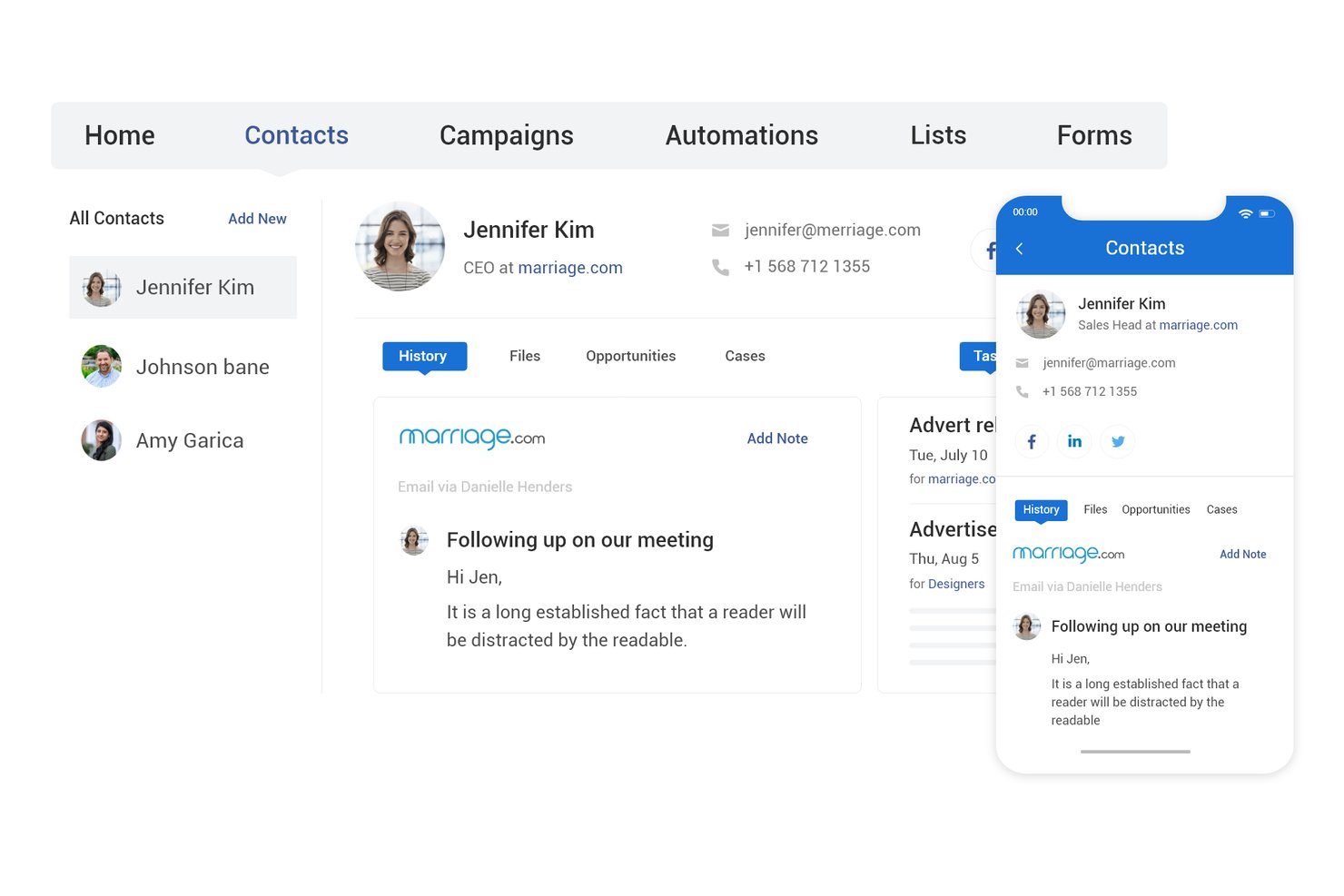
BIGContacts is a contact-based CRM with built-in email marketing, visual pipeline tracking, workflow automation, and a native Mailchimp integration that syncs contacts, tags, and campaign engagement data bidirectionally.
Who Is BIGContacts Best For?
BIGContacts is a strong fit for SMB teams that need an easy-to-use CRM with built-in email marketing and a direct Mailchimp sync, without paying per seat.
Why I Picked BIGContacts
BIGContacts earns its spot on my list because its contact-based pricing model means you can add your entire sales and marketing team without watching costs balloon. I especially like how Mailchimp campaign data, including opens, clicks, and bounces, flows directly into each contact's activity timeline, so I can trigger drip sequences based on real engagement. The AI pipeline tracker flags stalled deals and surfaces missed opportunities, which ties CRM activity back to marketing performance in a way that's actually actionable.
BIGContacts Key Features
- Contact-based pricing: All paid plans charge per contact stored, not per user, so your entire team can access the CRM without incremental seat costs.
- AI Campaign Designer: Generates email campaigns from your stated goals and audience inputs directly inside the platform.
- Workflow automation engine: Triggers tasks, reminders, and email sequences based on pipeline stage, contact tags, or activity events.
- 100+ built-in reports: Pre-built sales and campaign reports with on-demand AI summaries, plus a custom report builder for tailored views.
BIGContacts Integrations
BIGContacts offers documented native integrations with Mailchimp, Microsoft Outlook, Google Workspace, QuickBooks, HubSpot, and Shopify. It also supports API-based custom integrations and Zapier.
Pros and Cons
Pros:
- AI-powered tools for pipeline and reporting
- Two-way Mailchimp sync with campaign activity triggers
- Unlimited users with no per-seat fees
Cons:
- Mailchimp connector not officially Mailchimp-certified
- No automated contact deduplication feature
Best for sales pipeline management

My Evaluation Score
- Contact Management
- Excels
- Campaign Activity Sync
- Adequate
- Sales Activity Logging
- Strong
- Bi-Directional Data Sync
- Limited
- Pipeline & Deal Tracking
- Excels
- Native Mailchimp Integration
- Strong
Pipeline CRM is a sales CRM platform designed to help sales teams manage their sales pipelines effectively. It excels in sales pipeline management by offering customizable list views, deal profiles, and email campaign tracking.
Why I picked Pipeline CRM: Pipeline CRM’s sales pipeline management capabilities help it to stand out from other CRM tools. Its intuitive interface and customizable features make it ideal for sales teams looking to streamline their processes. Additionally, the software provides detailed insights and easy-to-use tools that help sales teams track and close deals efficiently.
Standout features & integrations:
Features include customizable deal stages, sales forecasting, and email campaign tracking. The platform also provides unlimited file storage and user permissions to manage team access.
Integrations include popular tools such as Gmail, QuickBooks, Mailchimp, Zapier, Google Calendar, Outlook, Slack, Xero, HubSpot, and Asana.
Pros and Cons
Pros:
- Unlimited file storage
- Detailed sales forecasting
- Customizable deal stages
Cons:
- Limited mobile app features
- Manual updates for unsubscribed contacts

Best for customizable CRM solutions
My Evaluation Score
- Contact Management
- Excels
- Campaign Activity Sync
- Strong
- Sales Activity Logging
- Strong
- Bi-Directional Data Sync
- Adequate
- Pipeline & Deal Tracking
- Strong
- Native Mailchimp Integration
- Strong
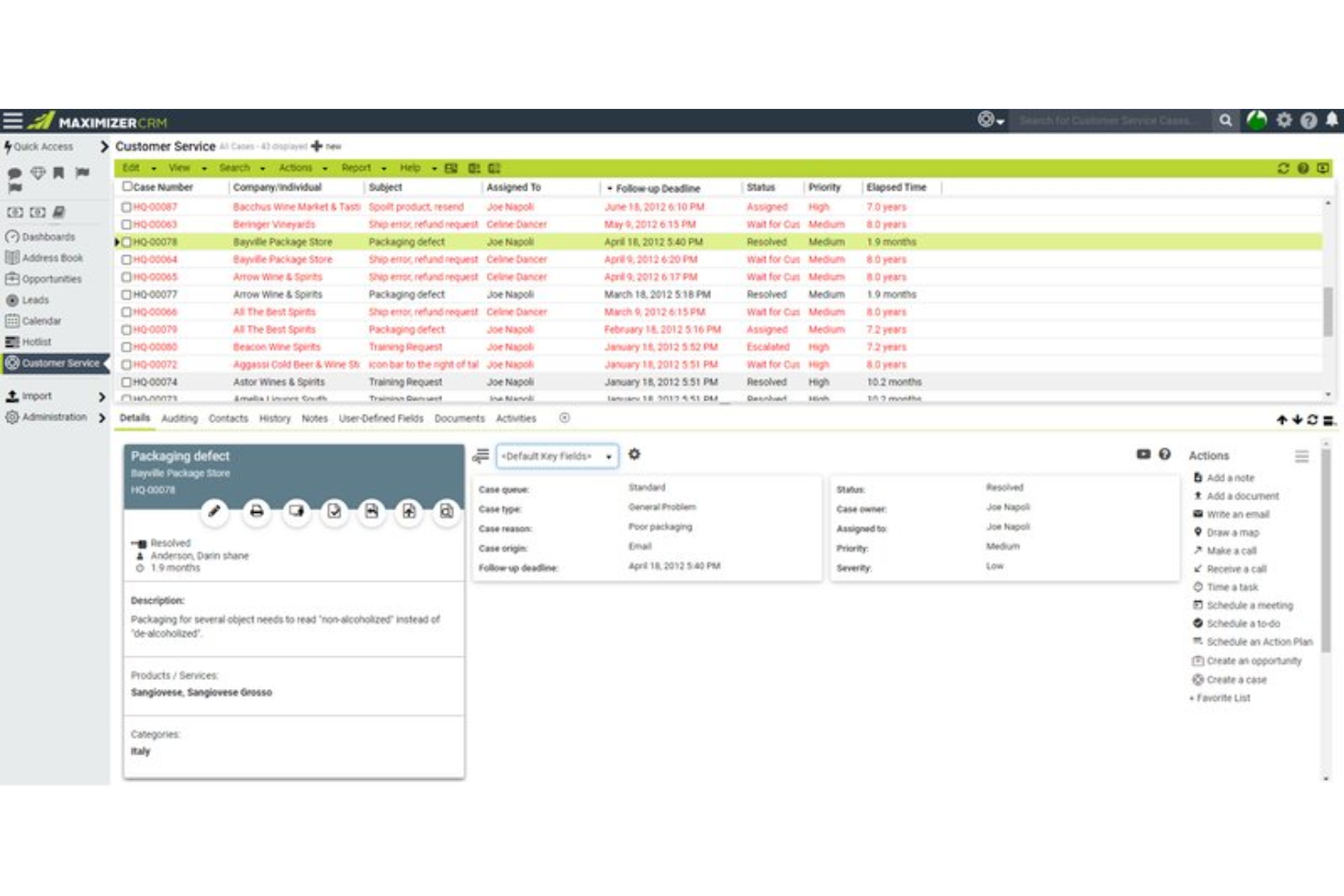
Maximizer is a CRM software designed to help businesses monitor and coach their sales teams, using leading indicators to drive sales performance. It’s best for customizable CRM solutions due to its ability to tailor the CRM to specific business needs, ensuring a personalized and effective customer relationship management experience.
Why I picked Maximizer: Maximizer stands out with its high level of customization, allowing businesses to configure the CRM to their unique requirements without needing development skills. This flexibility makes it different from other CRMs that often require extensive customization efforts. Additionally, the software offers a range of industry-specific editions and features that can be tailored to fit various business processes and goals.
Standout features & integrations:
Features include customizable profile views, detailed activity timeline, task and notification management, lead handling and separation, dynamic sales pipeline, an AI-powered sales playbook, reporting and analytics, and mobile app for CRM access.
Integrations include Mailchimp, Zapier, Microsoft Outlook, QuickBooks, Microsoft 365, Google Workspace, Slack, Dropbox, PandaDoc, and LinkedIn.
Pros and Cons
Pros:
- Comprehensive reporting and analytics
- Industry-specific editions
- Highly customizable
Cons:
- Potential user interface lag
- Mobile application limitations
My Evaluation Score
- Contact Management
- Excels
- Campaign Activity Sync
- Strong
- Sales Activity Logging
- Adequate
- Bi-Directional Data Sync
- Adequate
- Pipeline & Deal Tracking
- Strong
- Native Mailchimp Integration
- Strong
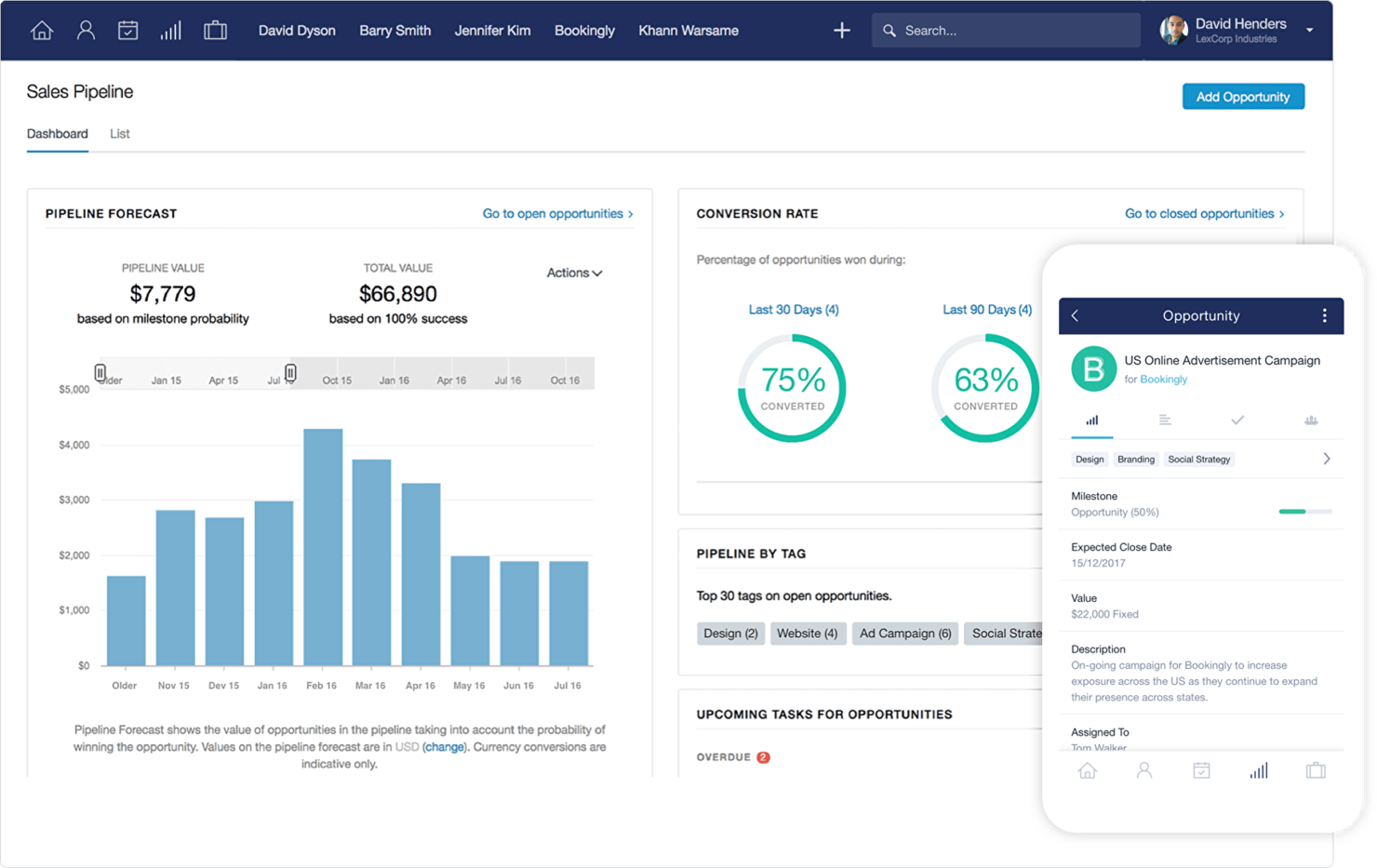
Capsule is a versatile software designed to streamline contact management and enhance business efficiency. It’s best for simple and effective contact management due to its user-friendly interface and comprehensive features that allow businesses to manage contacts, sales pipelines, and tasks efficiently.
Why I picked Capsule: Capsule provides a certain simplicity and effectiveness in managing contacts, which makes it stand out from other CRM tools. Its intuitive design and essential features make it ideal for businesses looking to organize their contacts and streamline their sales processes. Overall, the software offers a straightforward approach to CRM without overwhelming users with unnecessary complexity.
Standout features & integrations:
Features include contact management, email marketing, task and calendar management, sales pipeline tracking, sales analytics, project management, workflow automation, and AI content assistance.
Integrations include Mailchimp, QuickBooks, Gmail, Outlook, Xero, Zapier, FreshBooks, WhatsApp, FreeAgent, and Microsoft 365.
Pros and Cons
Pros:
- Extensive integrations
- Comprehensive contact management
- User-friendly interface
Cons:
- Limited customization options
- Infrequent software updates
HubSpot
Best for inbound marketing and sales teams
My Evaluation Score
- Contact Management
- Excels
- Campaign Activity Sync
- Strong
- Sales Activity Logging
- Excels
- Bi-Directional Data Sync
- Adequate
- Pipeline & Deal Tracking
- Excels
- Native Mailchimp Integration
- Strong
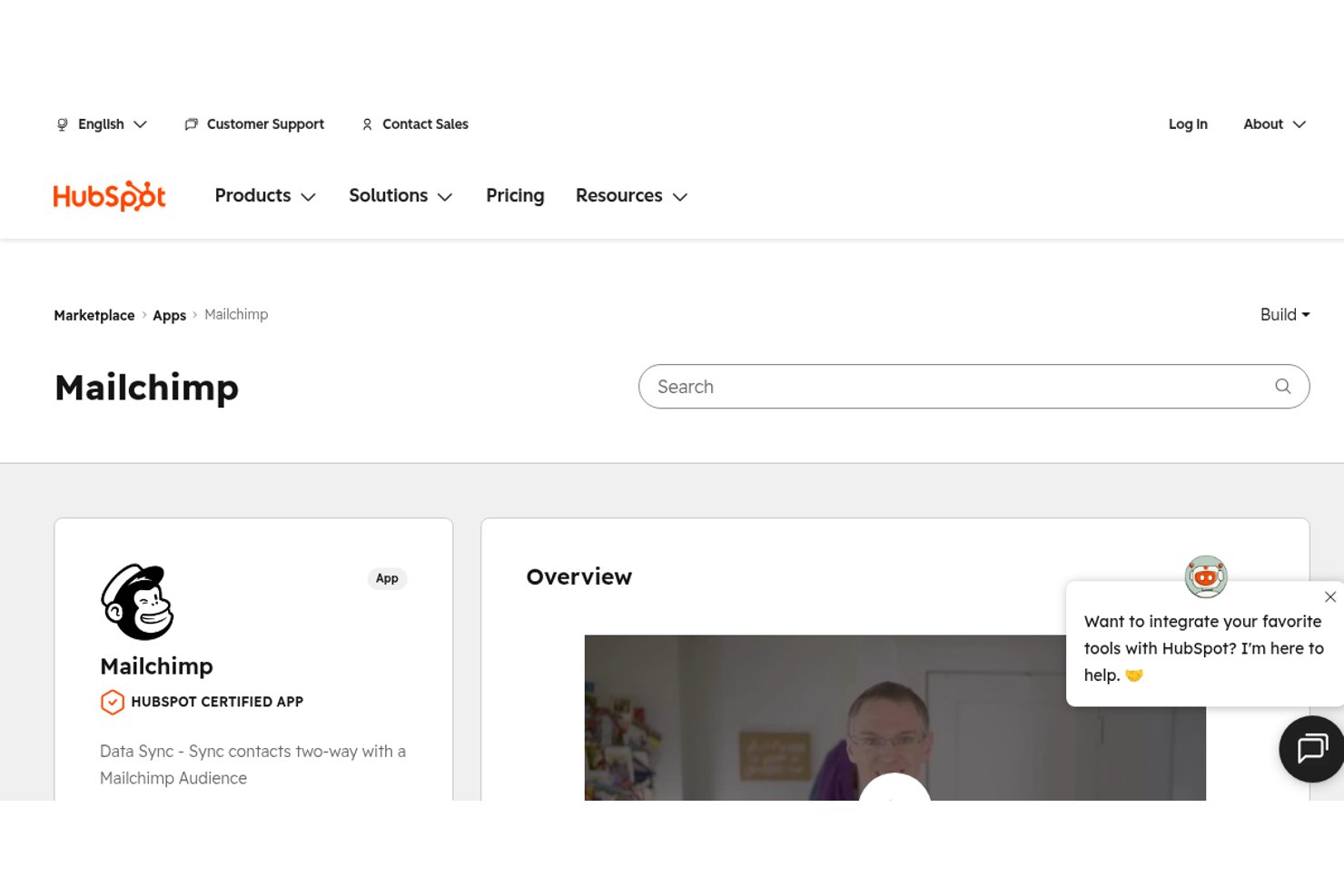
HubSpot is a CRM platform that connects contact management, sales pipeline tracking, deal automation, and marketing tools—with two native Mailchimp connectors for contact sync and campaign activity logging.
Who Is HubSpot Best For?
HubSpot works best for inbound-focused sales and marketing teams that want contact management, pipeline tracking, and Mailchimp engagement data in one place.
Why I Picked HubSpot
HubSpot earns its spot on my shortlist because it's the only CRM here that ships two vendor-maintained Mailchimp connectors out of the box: one for contact sync and one that pulls campaign activity directly onto the contact timeline. I love that a sales rep can open a contact record and immediately see which Mailchimp emails that person opened or clicked, without leaving HubSpot. Pair that with lifecycle stage tracking and customizable pipelines, and inbound marketing and sales teams get a genuinely unified view of how contacts move from subscriber to closed deal.
HubSpot Key Features
- Lifecycle stage tracking: Automatically moves contacts through predefined stages—from Subscriber to Evangelist—based on CRM activity and engagement signals.
- Customizable deal pipelines: Build and manage up to 15 pipelines on Starter (unlimited on Professional and Enterprise) with drag-and-drop deal cards and stage-based automation.
- Rule-based contact scoring: Assign positive and negative scores to contacts based on properties and behaviors to help sales teams prioritize outreach.
- Workflow automation: Trigger automated actions—such as task creation, deal updates, or contact property changes—based on CRM events or data conditions.
HubSpot Integrations
HubSpot offers 2,000+ marketplace integrations, including Mailchimp Data Sync, Mailchimp Campaign Sync, Salesforce, Google Ads, Shopify, Gmail, and Outlook. It also supports custom integrations through its API and connects with Zapier.
Pros and Cons
Pros:
- Handles both inbound marketing and sales workflows
- Offers two native Mailchimp sync connectors
- Shows Mailchimp campaign engagement on contact timelines
Cons:
- No native revenue attribution for Mailchimp emails
- Mailchimp custom field sync requires paid upgrade
Copper
Best for Google Workspace integration
My Evaluation Score
- Contact Management
- Excels
- Campaign Activity Sync
- Adequate
- Sales Activity Logging
- Excels
- Bi-Directional Data Sync
- Adequate
- Pipeline & Deal Tracking
- Strong
- Native Mailchimp Integration
- Excels
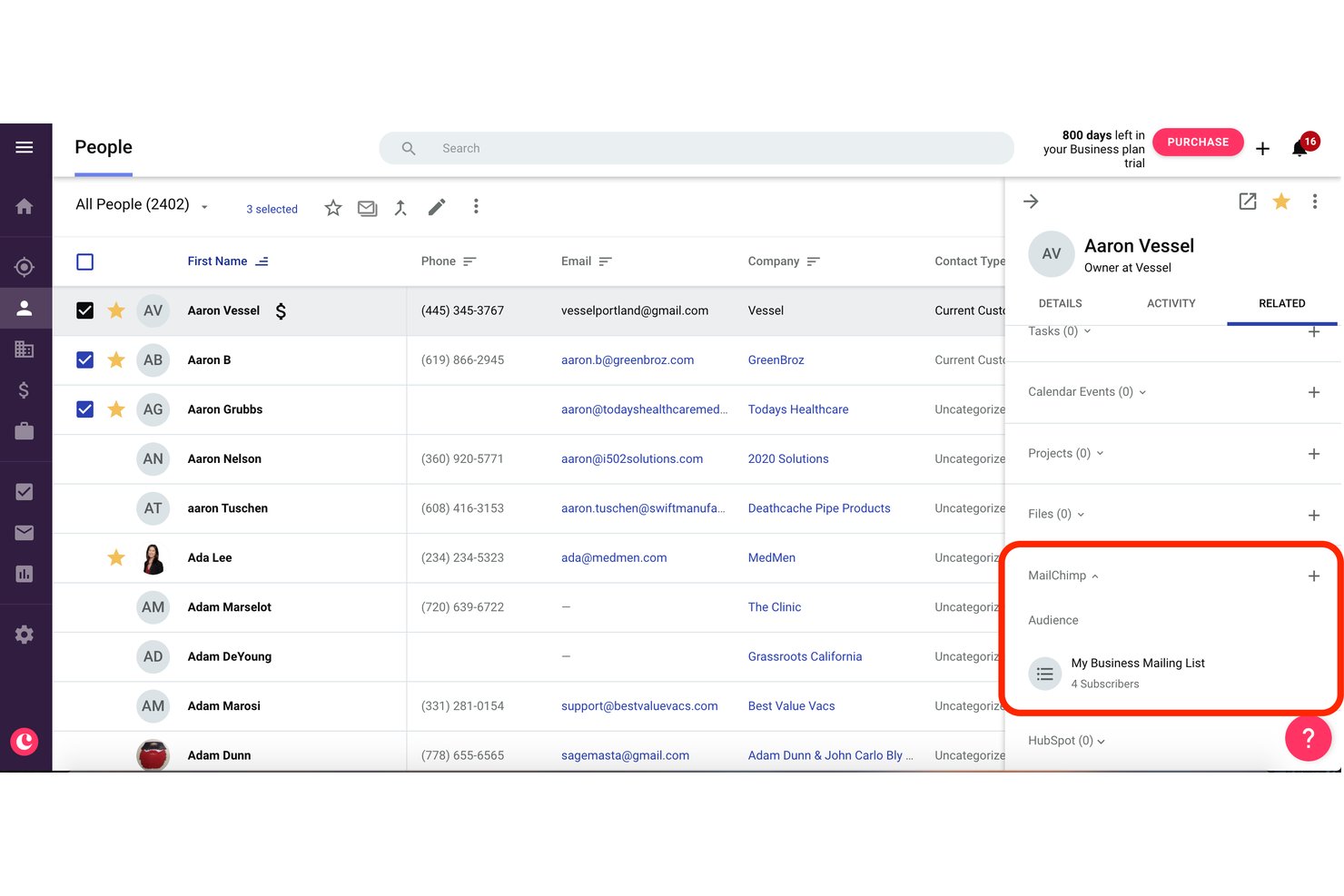
Copper is a CRM built specifically for Google Workspace users, offering contact management, pipeline tracking, and a native two-way Mailchimp integration that syncs contacts, tags, and campaign engagement data directly into CRM records.
Who Is Copper Best For?
Copper is a strong fit for SMB sales teams running entirely on Google Workspace who want Mailchimp engagement data visible directly inside their CRM without a complex setup.
Why I Picked Copper
Copper earns its spot on my shortlist because it's the only CRM built natively around Google Workspace, and that distinction matters when your team lives in Gmail. I like how Mailchimp campaign activity, including opens, clicks, and bounces, surfaces directly on each contact record in Copper so sales reps can act on email engagement without switching tools. The two-way contact sync with configurable field and tag mapping also means your Mailchimp audience stays current with what's in your CRM automatically.
Copper Key Features
- Gmail auto-capture: Automatically logs emails sent and received in Gmail to the corresponding contact or deal record without manual entry.
- Custom field mapping: Lets you configure which CRM fields sync to Mailchimp, including default and custom fields, so your data stays consistent across both tools.
- Multiple customizable pipelines: Supports drag-and-drop visual pipelines with configurable stages and deal fields across different sales processes.
- Workflow automation: Triggers task creation, stage advancement, or follow-up actions automatically based on deal or contact activity on Professional and above.
Copper Integrations
Copper offers native integrations with Mailchimp, Gmail, Google Calendar, Google Contacts, Google Drive, Google Sheets, Looker Studio, Slack, QuickBooks, and DocuSign. It also provides a developer API for custom integrations and supports Zapier.
Pros and Cons
Pros:
- Gmail email activity auto-logged to records
- Two-way contact and field sync supported
- Mailchimp engagement visible on CRM contact records
Cons:
- Mailchimp data not linked to pipeline reporting
- Only one Mailchimp audience syncs at once
Zoho CRM
Best for small to medium-sized businesses
My Evaluation Score
- Contact Management
- Excels
- Campaign Activity Sync
- Strong
- Sales Activity Logging
- Excels
- Bi-Directional Data Sync
- Strong
- Pipeline & Deal Tracking
- Excels
- Native Mailchimp Integration
- Strong
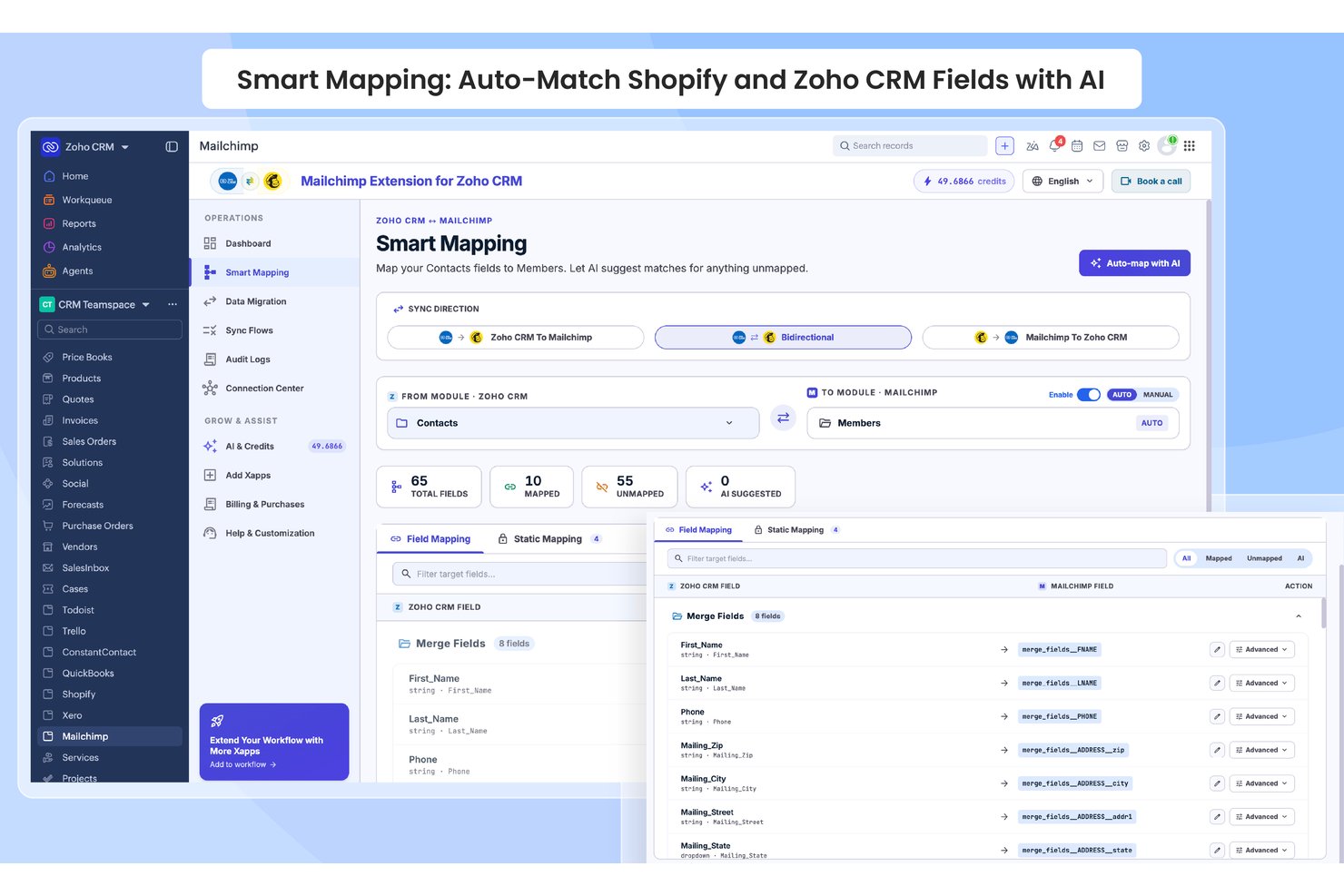
Zoho CRM is a sales-focused CRM platform with customizable pipelines, AI-powered lead scoring via Zia, contact and deal management, and a native vendor-built Mailchimp integration that syncs contacts bidirectionally and surfaces campaign engagement data directly on CRM records.
Who Is Zoho CRM Best For?
Zoho CRM is a strong fit for SMB sales teams that want Mailchimp campaign data surfaced directly on contact records without stitching together third-party middleware.
Why I Picked Zoho CRM
I picked Zoho CRM as one of the best because its native, vendor-built Mailchimp extension creates three dedicated modules directly inside the CRM: MailChimp, MailChimp Audiences, and MailChimp Segments/Tags. That structure means Mailchimp campaign data lives where your sales team already works. I also like how SalesSignals fires real-time alerts when a contact opens an email or updates their subscriber status, so reps can follow up while engagement is still fresh.
Zoho CRM Key Features
- Zia AI lead scoring: Zia analyzes CRM activity data to rank leads by conversion likelihood, helping reps prioritize outreach.
- Multi-pipeline management: Create separate pipelines for different products, regions, or teams, each with custom deal stages and weighted forecasting.
- Blueprint process automation: Map and enforce structured sales processes with stage-by-stage rules, required fields, and approval gates.
- SalesSignals alerts: Get real-time in-CRM notifications triggered by contact activity across connected channels, including Mailchimp subscriber updates.
Zoho CRM Integrations
Zoho CRM offers 45+ native Zoho integrations, including Zoho Campaigns, Zoho Analytics, Zoho Desk, Slack, Zoom, Shopify, and QuickBooks. It also supports 1,000+ Marketplace integrations plus REST APIs, webhooks, and other developer APIs for custom connections.
Pros and Cons
Pros:
- Dedicated Mailchimp modules for targeted workflows
- Real-time alerts for Mailchimp subscriber actions
- Mailchimp data surfaced directly on CRM records
Cons:
- No built-in revenue attribution for Mailchimp campaigns
- Mailchimp integration gated to Enterprise edition
New Product Updates from Zoho CRM

Zoho CRM Adds Reusable Canvas Templates for Forms
Zoho CRM now supports Canvas templates in the Forms view, so you can design a form layout once and reuse it across records for a consistent, faster experience. For more information, visit Zoho CRM's official site.
 .
.
My Evaluation Score
- Contact Management
- Excels
- Campaign Activity Sync
- Excels
- Sales Activity Logging
- Excels
- Bi-Directional Data Sync
- Strong
- Pipeline & Deal Tracking
- Excels
- Native Mailchimp Integration
- Strong
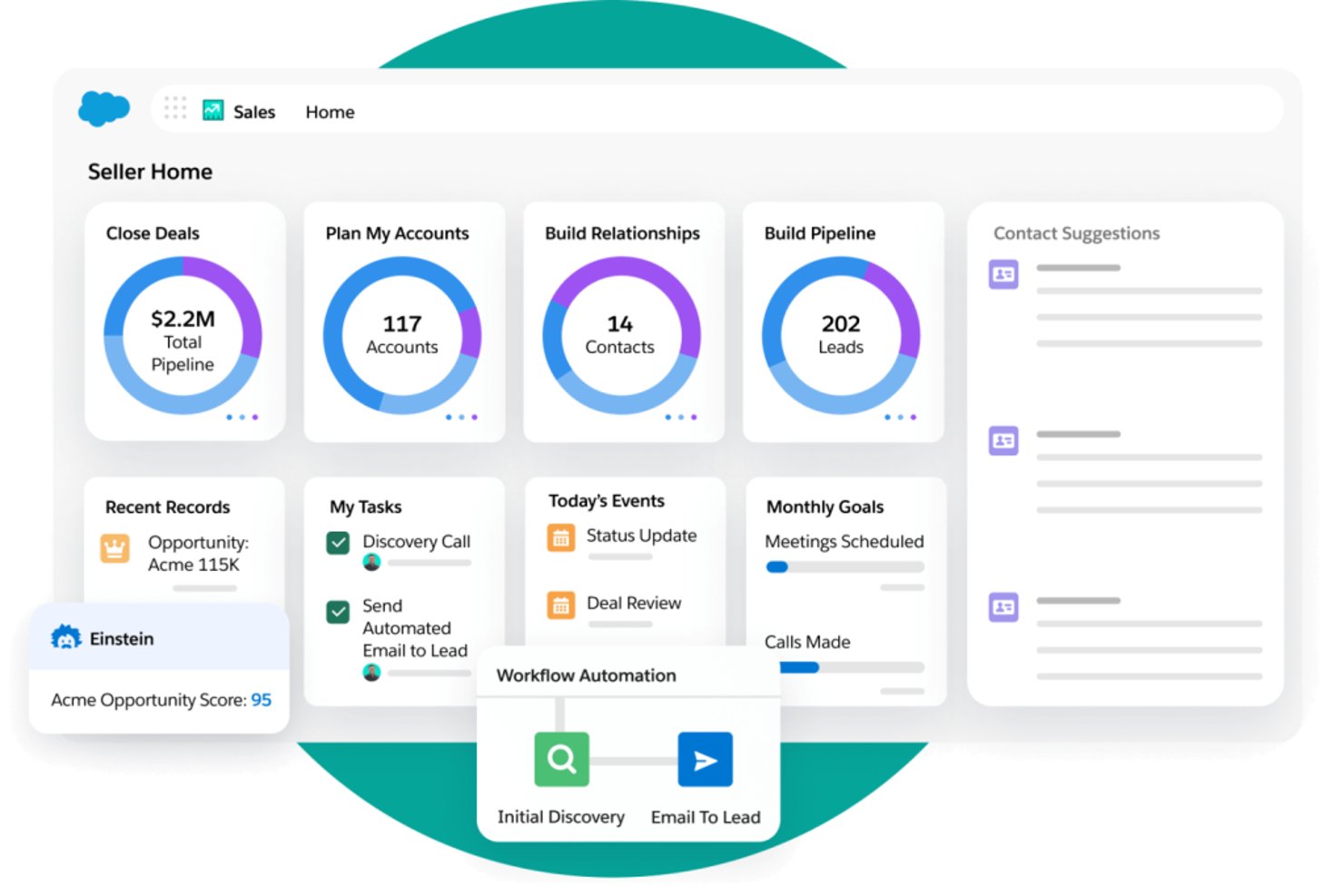
Salesforce Sales Cloud is an enterprise CRM platform that combines pipeline management, contact and account tracking, AI-driven forecasting, and bi-directional Mailchimp integration to connect email engagement data directly to sales activity and revenue reporting.
Who Is Salesforce Sales Cloud Best For?
Salesforce Sales Cloud is the right fit for revenue operations teams at mid-market and enterprise companies that need to tie Mailchimp email engagement directly to pipeline activity and closed revenue.
Why I Picked Salesforce Sales Cloud
Salesforce Sales Cloud earns its spot on my shortlist because no other CRM closes the loop between Mailchimp engagement and closed revenue the way it does. Once the Beaufort 12 connector syncs opens, clicks, and unsubscribes back into Contact and Lead records, I can build native reports that trace a prospect's email engagement directly to an Opportunity and a closed-won amount. Einstein Lead Scoring can ingest those engagement signals to prioritize follow-up, and Revenue Intelligence surfaces the pipeline impact of specific campaigns.
Salesforce Sales Cloud Key Features
- Einstein Activity Capture: Automatically syncs emails and calendar events from Gmail or Outlook to the relevant Salesforce records, so reps spend less time on manual data entry.
- Bi-directional Mailchimp sync: The Beaufort 12 connector maps opens, clicks, bounces, and unsubscribes to Contact and Lead records in both directions.
- Salesforce Flow automation: Triggers updates based on pipeline stage changes, contact field edits, or engagement data to push contacts into the right Mailchimp audiences.
- Custom object field mapping: Maps any Salesforce field—including custom fields—to Mailchimp merge fields for precise audience segmentation.
Salesforce Sales Cloud Integrations
Salesforce Sales Cloud integrates with Mailchimp through Beaufort 12, plus Gmail, Outlook, Slack, Tableau, Snowflake, BigQuery, and Google Analytics. It also supports marketplace integrations through AppExchange and custom integrations through REST and SOAP APIs.
Pros and Cons
Pros:
- Supports rich audience segmentation with CRM data
- Bi-directional sync of contacts and activity
- Enables revenue attribution from Mailchimp campaigns
Cons:
- Sync is periodic, not real time
- Integration requires higher-priced Salesforce editions

My Evaluation Score
- Contact Management
- Excels
- Campaign Activity Sync
- Strong
- Sales Activity Logging
- Strong
- Bi-Directional Data Sync
- Excels
- Pipeline & Deal Tracking
- Excels
- Native Mailchimp Integration
- Adequate
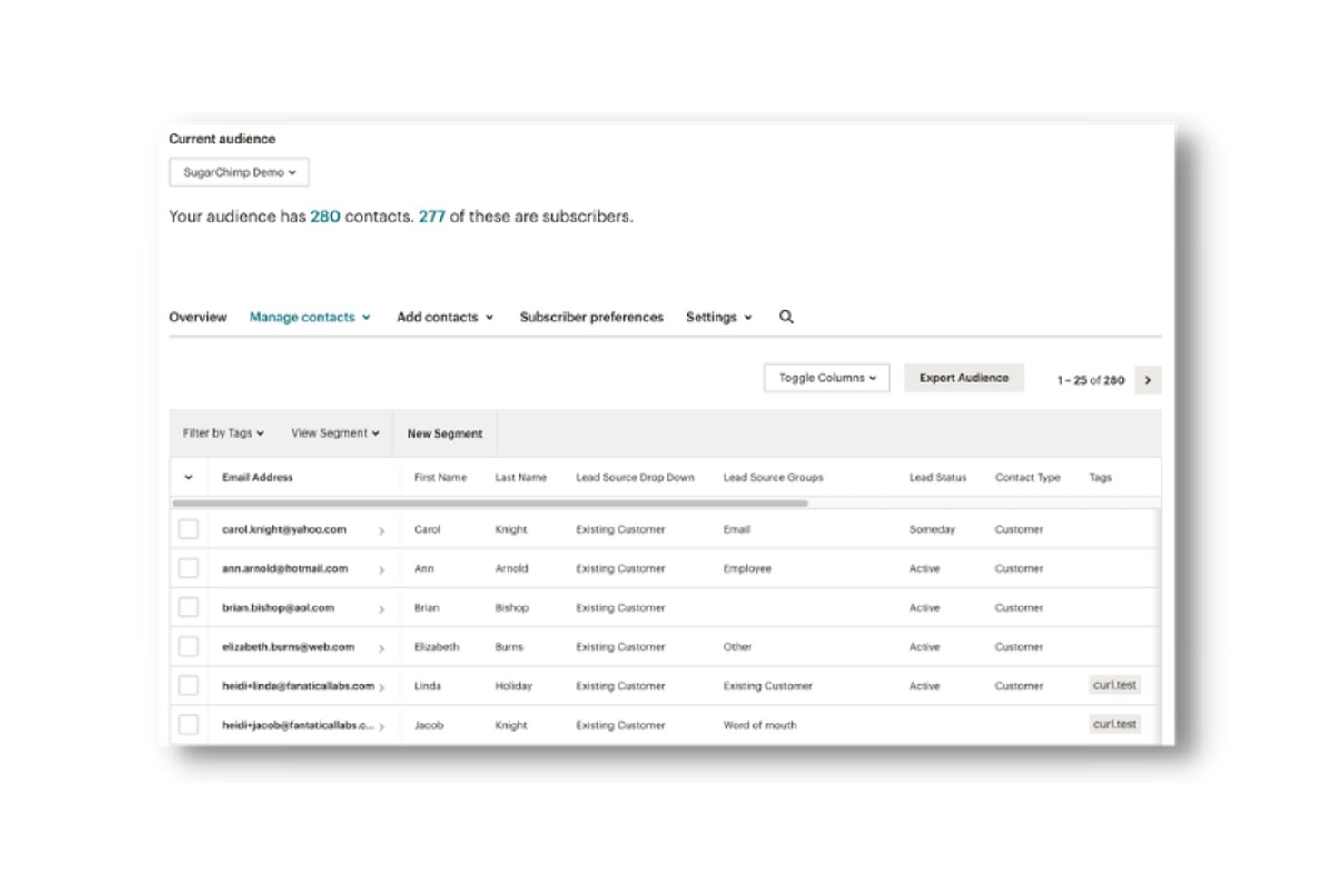
SugarAI is a mid-market and enterprise CRM platform that combines pipeline management, AI-powered revenue intelligence, ERP connectivity, and Mailchimp sync via the SugarChimp integration.
Who Is SugarAI Best For?
SugarAI fits mid-market and enterprise B2B teams in manufacturing, distribution, or wholesale that need ERP-connected revenue intelligence alongside Mailchimp marketing workflows.
Why I Picked SugarAI
SugarAI earns its spot on my shortlist because of how its Sugar sales-i module connects directly with 180+ ERP systems to surface churn signals, cross-sell alerts, and reorder gaps alongside Mailchimp campaign data. I like that SugarChimp syncs contact engagement (opens, clicks, subscriber status) back into CRM records in real time, so sales reps see Mailchimp activity without leaving the platform. That combination of ERP-sourced buying intelligence and Mailchimp engagement context in one place is genuinely hard to replicate with most CRMs.
SugarAI Key Features
- SugarBPM workflow engine: A no-code automation tool that routes tasks, triggers alerts, and enforces stage-based actions across your sales process.
- Sugar Predict lead scoring: An AI-powered scoring model that ranks leads by conversion likelihood directly within your CRM records.
- Unlimited custom reporting: A report wizard that lets you build and save any number of custom reports and real-time pipeline dashboards.
- Custom module and field builder: A no-code configuration layer that lets you add custom modules, layouts, and fields to match your specific sales process.
SugarAI Integrations
SugarChimp by Fanatical Labs is a paid marketplace integration for bidirectional Mailchimp sync, campaign activity, and field mapping. Sugar sales-i connects to 180+ ERP systems, including SAP, Oracle, Epicor, and Sage, while SugarCRM also supports Gmail and Microsoft Outlook sync.
Pros and Cons
Pros:
- Unlimited custom sales and lifecycle reporting
- ERP-linked deal data visible alongside campaign stats
- Bi-directional Mailchimp sync with real-time updates
Cons:
- Minimum user requirement excludes smaller teams
- Mailchimp integration relies on third-party add-on
Other CRM Software That Integrates with Mailchimp
Below is a list of additional CRM software that integrates with Mailchimp that I shortlisted. While they didn’t make the top 10, they’re still valuable and worth further research.
- Bigin
For SMB Mailchimp sync on a budget
- Freshsales
For AI-guided sales with Mailchimp list sync
- Insightly
For post-sale project handoff with Mailchimp sync
- monday AI Workspace
For project management integration
- Creatio CRM
For no-code workflow automation
- Attio
For relationship-driven CRM
- Pipedrive
For visual Kanban-style pipelines
- Teamgate
For data-driven sales insights
- Zendesk
For customer support and ticketing
- Less Annoying CRM
For small business simplicity


Related CRM Software Reviews
If you still haven't found what you're looking for here, check out these tools closely related to all-in-one CRMs that we've tested and evaluated.
- CRM Software
- Sales Software
- Lead Management Software
- Business Intelligence Software
- Contract Management Software
- Revenue Management System
How I Evaluate CRM Software Mailchimp Integration
I split my evaluation into baseline criteria every tool must meet—like true bi-directional sync and native integration—and differentiators like revenue attribution and audience routing logic.
Core Functionality (Table Stakes For This List)
When I'm selecting tools for my list, I rank each one on a scale from 0 (does not offer the functionality) to 5 (excels in this area) for each core functionality listed below. I then calculate the tool's total score into a percentage, using 65% as a benchmark to help assess its overall fit for the list.
- Contact Management: I need a centralized contact and account database with custom fields, lifecycle stages, and detailed activity history that goes beyond a simple name/email list.
- Pipeline & Deal Tracking: I look for visual sales pipelines with customizable stages, deal values, and opportunity management to effectively track revenue-generating activities.
- Sales Activity Logging: I require the platform to capture emails, calls, meetings, and tasks linked to contacts and deals to support sales workflows and reporting, preferably with automated logging.
- Native Mailchimp Integration: I prefer a pre-built integration maintained by the CRM vendor or Mailchimp itself, rather than relying on Zapier or generic middleware.
- Bi-Directional Data Sync: It’s essential that the sync moves contacts, list memberships, tags, and subscriber statuses in both directions, with configurable field mapping.
- Campaign Activity Sync: I want Mailchimp campaign engagement data—opens, clicks, bounces, unsubscribes—to be pulled into the CRM contact records and used for segmentation, automation, and revenue attribution.
Once I have a list of tools that meet the criteria, I consider what sets each platform apart.
Differentiating Factors (What Sets Vendors Apart)
Here's how I compare and contrast different vendors:
Standout Features
Revenue attribution reporting is the feature I weight most heavily—I want to see Mailchimp campaign engagement tied directly to closed-won deals, not just contact activity. Suppression and consent management matters just as much: I look for platforms where unsubscribes and bounce flags propagate automatically between systems, so compliance isn't a manual process. I also evaluate multi-audience routing logic, particularly for teams running separate nurture tracks across product lines or regions.
Beyond Features
Integration depth matters, but so does what surrounds it. I check whether the Mailchimp connector is included in the base plan or locked behind a higher tier—because that changes the real cost significantly. I also look at how each platform handles deduplication and conflict resolution when a contact exists across multiple Mailchimp audiences and CRM records simultaneously. For teams managing large GTM systems, audit logs and sync history visibility are just as important as the sync itself.
How to Choose CRM Software That Integrates with Mailchimp
As you work through your own unique software selection process, keep the following points in mind:
- Integration Capabilities: When selecting a CRM, ensure it has strong integration capabilities with Mailchimp. This is important for data transfer and synchronization between the two platforms, allowing you to centralize your customer relationship management and email marketing practices.
- Features and Functionalities: Evaluate the features and functionalities of the CRM software to ensure it meets your business needs. Look for features such as contact management, lead scoring, workflow automation, and reporting and analytics, which are essential for managing customer interactions and enhancing your marketing campaigns.
- Ease of Use: Choose a CRM that is user-friendly and easy to implement. A complex CRM can lead to low user adoption and inefficiencies, while simplicity ensures that your team can quickly learn and use the CRM effectively, reducing the time spent on training and increasing overall productivity.
- Pricing and Scalability: Consider the cost of the CRM software and its scalability to ensure it fits within your budget and can grow with your business. Additionally, a software’s ability to scale is important as it avoids a complete system overhaul in the future.
Trends for CRM Software That Integrates with Mailchimp
Here are some trends I’ve noticed for CRM software that integrates with Mailchimp, plus what they might mean for the future. I sourced countless product updates, press releases, and release logs to tease out the most important insights.
- AI-Powered Customer Insights: AI is being used to analyze customer data from Mailchimp, providing deeper insights. This helps businesses tailor their marketing strategies more effectively and enhance decision-making.
- Automated Workflow Triggers: Automated triggers are becoming more sophisticated, and can now initiate complex workflows based on customer behavior tracked in Mailchimp. This trend is vital for improving efficiency.
- Enhanced Data Privacy Features: New privacy features are being integrated to comply with global regulations. These features ensure customer data from Mailchimp is handled securely, which is important for maintaining trust and compliance.
- Multi-Channel Campaign Management: CRM systems are now managing campaigns across multiple channels, not just email. This integration with Mailchimp allows for a more cohesive marketing strategy, broadening the reach of marketing efforts.
- Real-Time Analytics Dashboards: Real-time analytics are becoming standard in CRM software. These dashboards pull data from Mailchimp to provide up-to-the-minute insights, which is important for making timely decisions.
Staying updated with these trends is essential for businesses aiming to maintain a competitive edge in today's digital landscape. By leveraging these integrations, businesses can streamline their marketing efforts, improve customer engagement, and drive more targeted campaigns, ultimately leading to better customer retention and increased revenue.
What is CRM Software That Integrates with Mailchimp?
Customer relationship management (CRM) software is often used by businesses to manage and analyze customer interactions and data throughout the customer lifecycle. When integrated with Mailchimp, businesses can successfully synchronize customer data, automate email marketing campaigns, and enhance customer segmentation.
Features of CRM Software That Integrates with Mailchimp
When selecting CRM software that integrates with Mailchimp, it's important to understand the features that will best support your marketing and customer relationship management efforts. Here are the most important features to look for in CRM software that integrates with Mailchimp:
- Marketing Automation: Automating marketing activities can save time and reduce errors. This feature allows you to schedule and manage campaigns, ensuring that your marketing efforts are consistent and timely.
- Audience Segmentation: Segmenting your audience based on various criteria helps in creating targeted marketing campaigns. This ensures that your messages are relevant to different customer groups, improving engagement and conversion rates.
- Contact Management: Efficient contact management is essential for maintaining up-to-date customer information. This feature helps in organizing and accessing customer data, making it easier to personalize interactions and improve customer relationships.
- Reporting & Analytics: Strong reporting and analytics capabilities allow you to track the performance of your marketing campaigns. This feature helps in understanding customer behavior and making data-driven decisions to optimize future campaigns.
- Integration Capabilities: The ability to integrate with other software tools is crucial for a faultless workflow. This feature ensures that you can connect your CRM with various third-party applications, enhancing overall business efficiency.
- Customization: Every business has unique needs, and customization options allow you to tailor the CRM to fit your specific requirements. This feature includes customizable fields, forms, and workflows to better manage your customer data.
- Mobile Access: Having mobile access to your CRM ensures that you can manage customer relationships on the go. This feature is particularly useful for sales teams who need to access customer information while traveling.
- Customer Service Automation: Automating customer service tasks, such as setting up chatbots or ticketing systems, helps in maintaining high levels of customer satisfaction. This feature ensures that customer queries are addressed promptly and efficiently.
- Data Security: Ensuring the security of customer data is paramount. This feature includes encryption, access controls, and compliance with data protection regulations to safeguard sensitive information.
- Ease of Use: A user-friendly interface is essential for high user adoption rates. This feature ensures that the CRM is easy to navigate and use, reducing the learning curve and increasing productivity.
Choosing the right CRM software that integrates with Mailchimp can significantly enhance your marketing and customer relationship management efforts. By focusing on features such as marketing automation, audience segmentation, contact management, and strong reporting and analytics, you can ensure that your CRM supports your business goals effectively.
Benefits of CRM Software That Integrates with Mailchimp
In today's competitive business environment, leveraging the right tools can make a significant difference in how effectively organizations manage their customer relationships and marketing efforts. Here are some of the primary benefits you may experience while using CRM software that integrates with Mailchimp:
- Enhanced Customer Segmentation: By integrating CRM with Mailchimp, businesses can create more precise customer segments based on detailed CRM data, leading to more targeted and effective marketing campaigns.
- Automated Marketing Workflows: The integration allows for marketing automation tools, reducing manual tasks and ensuring timely and consistent communication with customers, which can improve engagement and conversion rates.
- Centralized Data Management: Combining CRM and Mailchimp centralizes customer data, providing a single source of truth that enhances data accuracy and helps in making informed business decisions.
- Improved Customer Insights: The integration provides deeper insights into customer behavior and preferences by combining CRM data with Mailchimp's analytics, enabling businesses to tailor their strategies to meet customer needs better.
- Streamlined Sales and Marketing Alignment: Integrating these tools ensures that sales and marketing teams are aligned, with shared access to customer data and campaign performance metrics, fostering better collaboration and more cohesive strategies.
Integrating CRM software with Mailchimp offers a multitude of benefits that can significantly enhance how businesses manage their customer relationships and marketing efforts. By leveraging these tools together, organizations can achieve greater efficiency, improved customer engagement, and ultimately, better business outcomes.
Costs & Pricing of CRM Software That Integrates with Mailchimp
Below is a table outlining the pricing plans and common features of CRM software that integrates with Mailchimp to help you make an informed decision.
Plan Comparison Table for CRM Software That Integrates with Mailchimp
| Plan Type | Average Price | Common Features |
| Free Plan | $0 | Basic contact management, email tracking, limited integrations, and task management |
| Basic Plan | $5 - $20/user/month | Pipeline management, email templates, reporting & analytics, and lead management |
| Standard Plan | $14 - $29/user/month | Workflow automation, AI assistant, custom dashboards, and sales forecasting |
| Professional Plan | $39 - $55/user/month | Advanced automation, multiple pipelines, sales sequences, and custom reports |
| Enterprise Plan | $69 - $175/user/month | Unlimited pipelines, AI insights, advanced analytics, and project management |
When selecting a CRM that integrates with Mailchimp, consider your business size, budget, and specific needs. It's also important to always evaluate the scalability and ease of use of the CRM to ensure it aligns with your long-term business goals.
CRM Software That Integrates with Mailchimp FAQs
Here are some commonly asked questions I’ve received about CRM software that integrates with Mailchimp.
How easy is it to set up the integration between a CRM and Mailchimp?
The ease of setting up the integration between a CRM and Mailchimp varies depending on the CRM software you choose. Most modern CRMs offer straightforward integration processes, often involving just a few steps to connect the two platforms. For example, HubSpot and Mailchimp integration can be set up directly through the HubSpot interface by following a simple step-by-step guide. Similarly, Zoho CRM provides a built-in integration module for Mailchimp, making the process quick and hassle-free.
Can I automate email campaigns through CRM and Mailchimp integration?
Yes, one of the significant advantages of integrating a CRM with Mailchimp is the ability to automate email campaigns. This integration allows you to set up automated workflows based on customer data and behavior tracked in your CRM. For instance, you can trigger welcome emails, follow-up sequences, or re-engagement campaigns automatically when certain conditions are met. This automation helps in maintaining consistent communication with your audience without manual intervention.
What kind of data can be synchronized between a CRM and Mailchimp?
The type of data that can be synchronized between a CRM and Mailchimp typically includes contact information (such as names, email addresses, and phone numbers), demographic details, purchase history, and engagement metrics (like email opens and clicks). This synchronization ensures that both platforms have the most current and accurate data, enabling more effective marketing and sales strategies. Some integrations also allow for the synchronization of custom fields and tags, providing even more granular control over your data.
How does CRM and Mailchimp integration improve customer relationship management?
Integrating a CRM with Mailchimp enhances customer relationship management by providing a more holistic view of customer interactions and behaviors. This integration allows for better segmentation and targeting, leading to more personalized and relevant communications. It also helps in tracking the effectiveness of email campaigns and understanding customer preferences, which can inform future marketing strategies. Overall, it leads to improved customer satisfaction and loyalty by ensuring that communications are timely, relevant, and personalized.
What’s Next?
Need CRM integrations beyond Mailchimp? Check out our shortlist of CRM software that integrates with Office 365, Outlook, Xero, QuickBooks, and even social media.
Want to take your RevOps game to the next level? Subscribe to The CRO Club newsletter.