

Oracle NetSuite Review: Pros, Cons, Features and Pricing Explained
Having tested Oracle NetSuite for revenue management, I’ve found its real power is in unifying finance and automation—delivering clarity when complexity threatens growth.

We review tools independently, and commissions help fund our testing. See our transparency policy, our methodology, or suggest a tool.
Oracle NetSuite is a revenue management system built into a full cloud ERP, covering revenue recognition, billing, financial close, and compliance reporting in one platform. It's worth considering if your team needs to manage complex revenue schedules and multi-element arrangements alongside core financials. If you're weighing it against something like Zuora, NetSuite is the stronger choice when revenue management is part of a broader operational and financial picture—not just a standalone subscription billing problem.
Oracle NetSuite Evaluation Summary
4.2/5
- Pricing upon request
- Free demo available
Why Trust Our Software Recommendations
6,700+
Reviews
20
Industry experts
16+
Evaluation factors
14
Years
Our reviews reflect our independent judgment—not a sales pitch. Learn how we stay transparent.
For this guide, we evaluated tools using hands-on testing and independent research, scoring tools using our selection criteria.
Our reviews reflect our human editorial judgment, not a sales pitch.
Oracle NetSuite Overview
In my experience, Oracle NetSuite stands out for its deep automation, customizable revenue recognition, and reliable integrations, especially for businesses juggling global entities or shifting pricing models. Pricing is on the higher side and onboarding takes time—so I’d recommend choosing it if you need unified workflows and a complete view of financial performance versus the fastest setup or the lowest entry cost. I think finance-driven teams and growing companies seeking enterprise resource planning and revenue management in one platform will get the most value, especially if they already work with multiple business units or have complex compliance requirements.
Pros
- Automates multi-element revenue recognition for diverse contract types
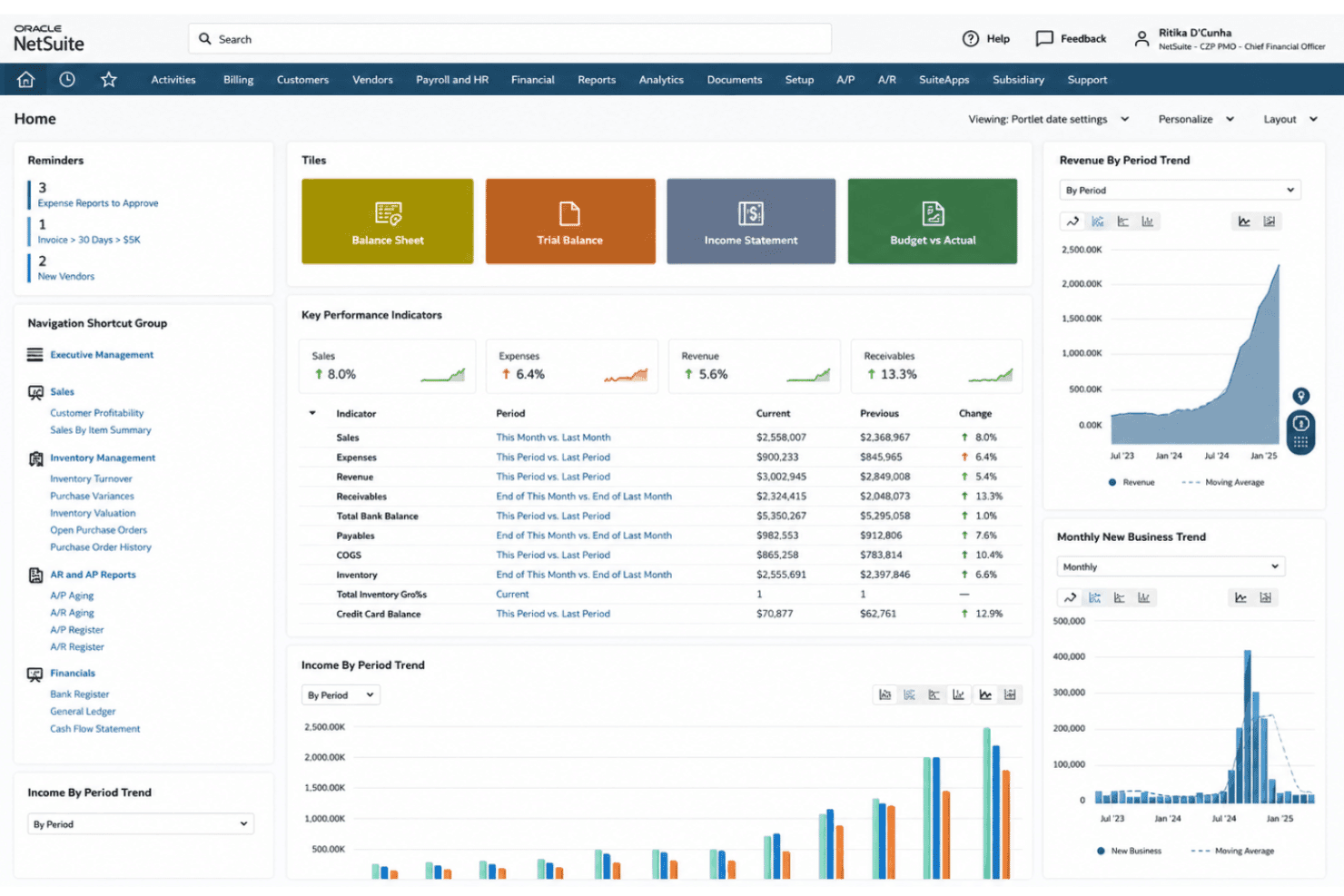
- Provides real-time dashboards for compliance and revenue visibility
- Supports advanced audit trails and complex regulatory standards
Cons
- Pricing is higher than most similar solutions
- Customization and reporting often require expert configuration
- Initial setup is lengthy for most growing businesses
Is Oracle NetSuite Right For Your Needs?
Who Would be a Good Fit for Oracle NetSuite?
Oracle NetSuite is a great option for companies with complex requirements, multi-entity structures, or global operations that need unified workflows, automated compliance, and custom rule engines. The solution really shines for finance, accounting, project management, and RevOps teams in industries where regulatory demands, advanced analytics, or consolidated reporting are essential. Businesses planning for rapid growth and teams needing Oracle NetSuite ERP as a full-suite revenue management platform are going to get the most value.
- Multi-Subsidiary EnterprisesNetSuite’s global entity management makes it easy to consolidate revenue and comply with local rules worldwide.
- SaaS ProvidersAutomated subscription billing, usage-based revenue tracking, and audit-ready compliance suit software and recurring revenue models.
- Manufacturing FirmsAdvanced inventory, order management, and contract revenue scheduling work together for true end-to-end finance operations.
- Large Retail ChainsRetailers can handle complex billing, point-of-sale integration, and unified reporting across multiple storefronts and fulfillment types.
- Finance DepartmentsAccounting and finance teams, including CFOs, benefit from real-time dashboards, KPIs, compliance workflows, and advanced audit tracking.
- Publicly Traded CompaniesBuilt-in controls for ASC 606 and IFRS 15 help meet strict reporting deadlines and regulatory scrutiny.
Who Would be a Bad Fit for Oracle NetSuite?
Oracle NetSuite can be overkill for smaller businesses, teams with simple needs, or industries that don’t require detailed revenue controls or compliance management. The time and expertise needed for setup often outweigh the benefits for lean teams or those without a technical background. If you don’t need consolidated financials, advanced rule engines, or audit-level workflows, simpler or less expensive tools might fit better.
- Small StartupsStartups with a single revenue stream and basic invoicing don’t need NetSuite’s extensive automation and complexity.
- FreelancersSolo operators face long onboarding times and pay for features far beyond their needs.
- Nonprofit OrganizationsUnless they require global consolidation or complex grants, most nonprofits don’t need advanced revenue scheduling or compliance tools.
- Local Service FirmsPlumbers, small agencies, or local shops gain little from functions designed for high volume, multi-entity, or regulated industries.
- Teams with Limited ITTeams lacking tech resources or ERP experience are going to struggle with setup and configuration demands.
- Simple Project TeamsDepartments needing only basic billing or project financials might find NetSuite’s multi-layered controls and dashboards excessive.
How We Test & Score Tools
We’ve spent years building, refining, and improving our software testing and scoring system. The rubric is designed to capture the nuances of software selection and what makes a tool effective, focusing on critical aspects of the decision-making process.
Below, you can see exactly how our testing and scoring works across seven criteria. It allows us to provide an unbiased evaluation of the software based on core functionality, standout features, ease of use, onboarding, customer support, integrations, customer reviews, and value for money.
Core Functionality (25% of final scoring)
The starting point of our evaluation is always the core functionality of the tool. Does it have the basic features and functions that a user would expect to see? Are any of those core features locked to higher-tiered pricing plans? At its core, we expect a tool to stand up against the baseline capabilities of its competitors.
Standout Features (25% of final scoring)
Next, we evaluate uncommon standout features that go above and beyond the core functionality typically found in tools of its kind. A high score reflects specialized or unique features that make the product faster, more efficient, or offer additional value to the user.
We also evaluate how easy it is to integrate with other tools typically found in the tech stack to expand the functionality and utility of the software. Tools offering plentiful native integrations, 3rd party connections, and API access to build custom integrations score best.
Ease of Use (10% of final scoring)
We consider how quick and easy it is to execute the tasks defined in the core functionality using the tool. High scoring software is well designed, intuitive to use, offers mobile apps, provides templates, and makes relatively complex tasks seem simple.
Onboarding (10% of final scoring)
We know how important rapid team adoption is for a new platform, so we evaluate how easy it is to learn and use a tool with minimal training. We evaluate how quickly a team member can get set up and start using the tool with no experience. High scoring solutions indicate little or no support is required.
Customer Support (10% of final scoring)
We review how quick and easy it is to get unstuck and find help by phone, live chat, or knowledge base. Tools and companies that provide real-time support score best, while chatbots score worst.
Customer Reviews (10% of final scoring)
Beyond our own testing and evaluation, we consider the net promoter score from current and past customers. We review their likelihood, given the option, to choose the tool again for the core functionality. A high scoring software reflects a high net promoter score from current or past customers.
Value for Money (10% of final scoring)
Lastly, in consideration of all the other criteria, we review the average price of entry level plans against the core features and consider the value of the other evaluation criteria. Software that delivers more, for less, will score higher.
Core Features
Automated Revenue Recognition
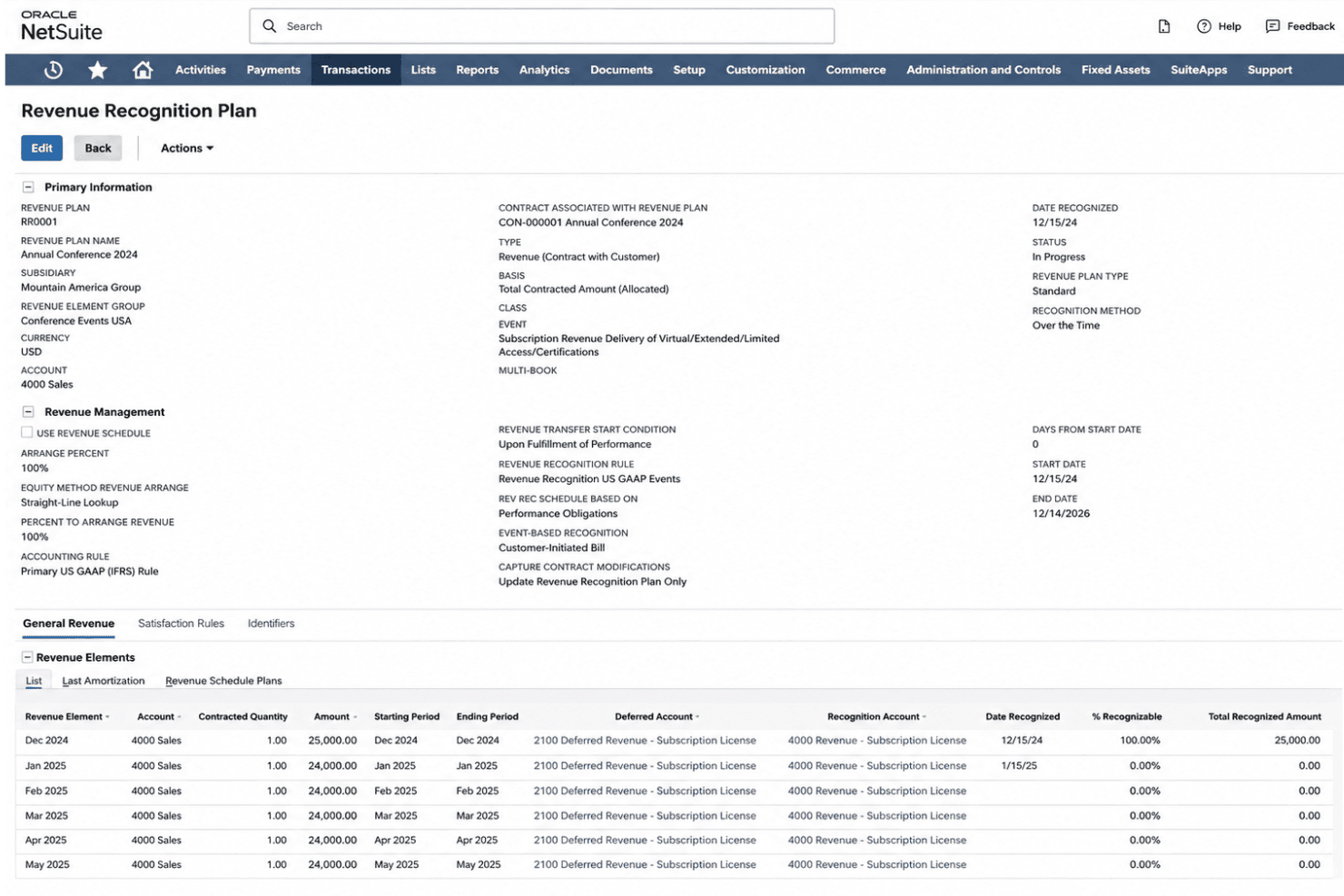
NetSuite recognizes revenue automatically based on contract terms and events. You can manage subscription billing, usage charges, and multi-element arrangements without spreadsheets.
Real-Time Revenue Reporting
This feature delivers real-time reporting dashboards with drill-down analytics. Finance teams can track actuals, liabilities, and forecasts side by side.
Compliance Management
NetSuite includes built-in controls for ASC 606 and IFRS 15 compliance. Regulatory changes, tax management, and audit requests are managed through fully tracked processes.
Contract Management
Manage contract creation, amendments, renewals, and terminations all in one place. This keeps your billing, accounts payable, and revenue schedules accurate even with frequent contract changes.
Revenue Forecasting
Generate projectable revenue models and budgeting frameworks based on open deals, current contracts, and deferred revenue. You get clear pipeline-to-cashflow visibility for leadership reviews.
Automated Billing
The system supports flexible billing cycles, usage ratings, and milestone-based invoicing. This minimizes manual intervention and errors during complex billing periods, keeping accounts receivable current.
Ease of Use
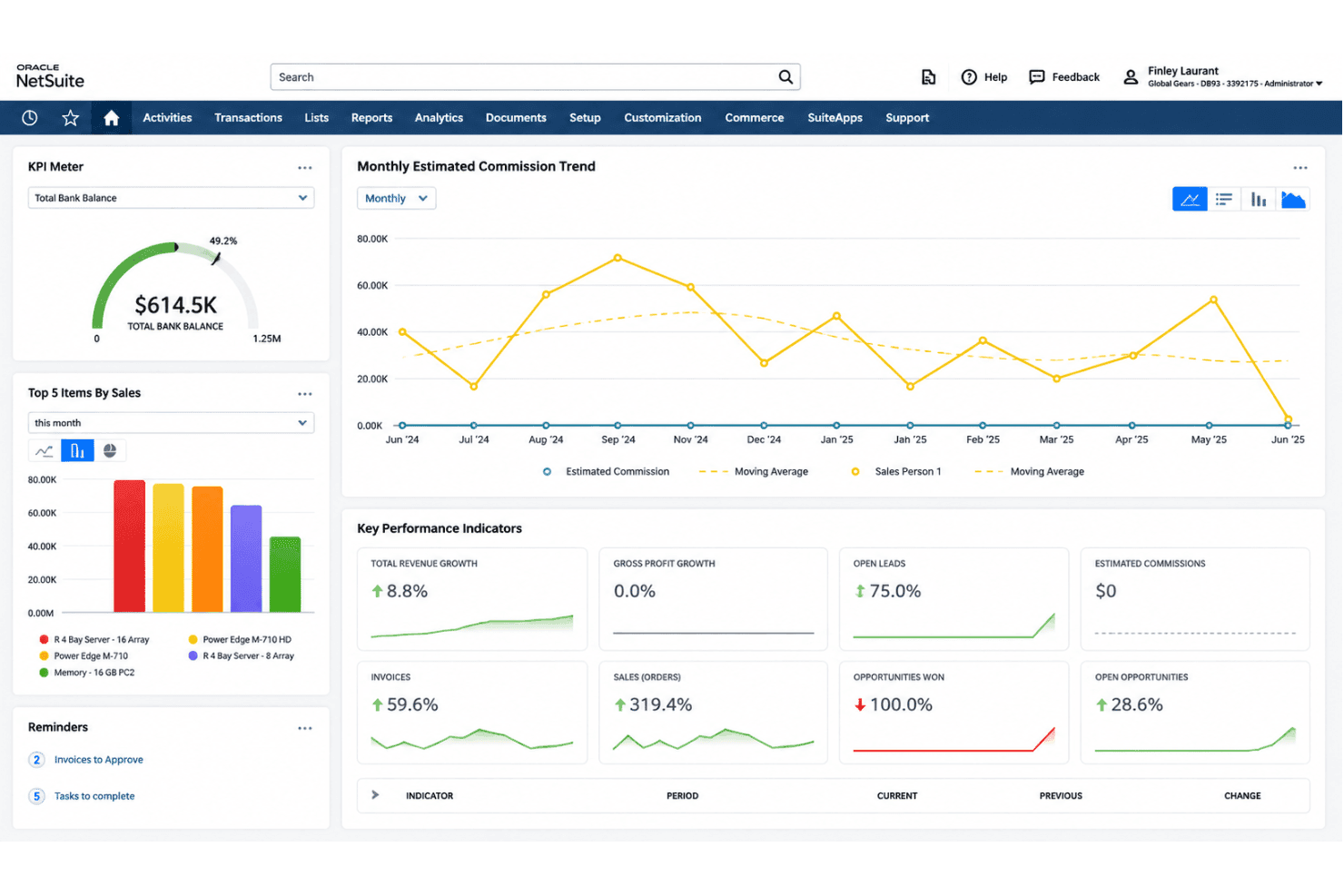
Oracle NetSuite is packed with options, but users often say the interface feels dense and takes real effort to master. Once set up, I think the customizable dashboards, powerful rule engines, and audit trails justify the initial learning curve, especially for teams handling complex or global revenue processes. Still, expect onboarding to take time, especially for teams at the start of their digital transformation journey who aren’t yet familiar with advanced finance software.
Integrations
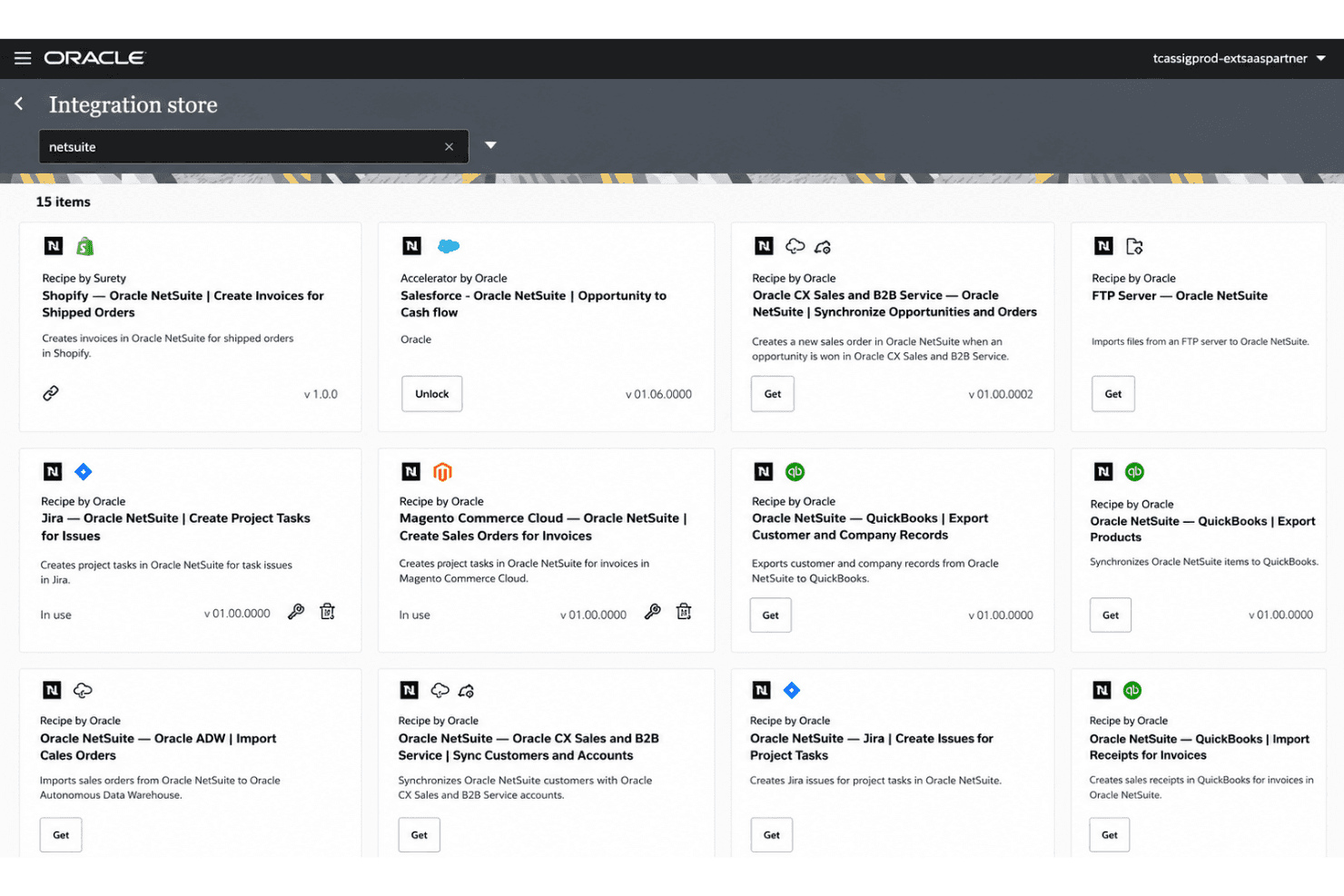
Oracle NetSuite integrates with Salesforce, Shopify, and Microsoft Office 365, among others.
NetSuite also offers a robust API and connects with third-party integration platforms—including Celigo and the NetSuite Connector—for extended connectivity. The SuiteApps marketplace further expands what’s possible, giving you access to a broad ecosystem of pre-built integrations across HR, finance, logistics, and more.
Notable commerce connections include Amazon, enabling unified order and inventory data across platforms. Teams migrating from QuickBooks or Xero will find dedicated migration tools and significantly deeper feature depth in the transition.
Oracle NetSuite Specs
- API: Yes
- Approval Workflows: Yes
- Audit Trail: Yes
- Budgeting: Yes
- Calendar Management: Yes
- Compliance Tracking: Yes
- Custom Reports: Yes
- Customer Management: Yes
- Dashboard: Yes
- Data Export: Yes
- Data Import: Yes
- Data Visualization: Yes
- Document Management: Yes
- Expense Tracking: Yes
- External Integrations: Yes
- Forecasting: Yes
- Inventory Tracking: Yes
- Multi-Currency: Yes
- Multi-User: Yes
- Notifications: Yes
- Prioritization: Yes
- Process Reporting: Yes
- Project Management: Yes
- Resource Management: Yes
- Risk Assessment: Yes
- Roadmapping: Yes
- Scheduling: Yes
- Supplier Management: Yes
- Third-Party Plugins/Add-Ons: Yes
- Workflow Management: Yes