SuiteCRM Bewertung: Vorteile, Nachteile, Funktionen und Preise


SuiteCRM is an open source crm software built for teams that need full control over their sales pipeline, contact data, and customer workflows without paying per-seat licensing fees. I'd mainly consider it if your team has the technical capacity to self-host and configure a CRM, but wants to avoid the recurring subscription costs that come with tools like Salesforce—while still getting a feature set that goes well beyond lightweight free-tier options.
SuiteCRM Evaluation Summary
- Pricing upon request
- 30-day free trial + free demo available
Warum Sie unseren Software-Empfehlungen vertrauen können
Unsere Bewertungen spiegeln unser unabhängiges Urteilsvermögen wider – keine Verkaufsstrategie. Erfahren Sie, wie wir transparent bleiben.
Für diesen Leitfaden haben wir Tools mithilfe von praktischen Tests und unabhängiger Recherche bewertet und dabei unsere Bewertungskriterien angewendet.
Unsere Bewertungen spiegeln unser menschliches redaktionelles Urteilsvermögen wider, keine Verkaufsstrategie.
SuiteCRM Overview
In my opinion, SuiteCRM is a solid choice for businesses that need a customizable and cost-effective CRM solution. Its standout features allow for great flexibility, but its ease of use might be a hurdle for some, especially those without technical expertise. Compared to other open source CRMs, SuiteCRM offers a good balance of features and affordability, making it a good fit for small to medium-sized businesses and non-profits.
However, its interface is less user friendly than some competitors, and onboarding can be complex without proper guidance. If you prioritize customization and don't mind a learning curve, SuiteCRM could be the right choice for your team.
pros
-
You can customize SuiteCRM to fit your team's unique needs.
-
It offers a wide range of features without extra costs.
-
It has strong community support for troubleshooting and advice.
cons
-
The user interface feels outdated compared to others.
-
Your team might face a steep learning curve initially.
-
It requires regular maintenance and updates to function smoothly.
-

Prisync
Visit WebsiteThis rating combines scores from multiple user review sites to reflect overall customer sentiment about the product.4.7 -
Expedite Commerce
Visit Website -
QuickBooks Online
Visit WebsiteThis rating combines scores from multiple user review sites to reflect overall customer sentiment about the product.4




Wie wir Tools testen & bewerten
Wir haben Jahre damit verbracht, unser System zur Softwarebewertung und -prüfung aufzubauen, zu verfeinern und kontinuierlich zu verbessern. Der Bewertungsmaßstab ist darauf ausgelegt, die Feinheiten der Software-Auswahl und die Effektivität eines Tools abzubilden, wobei der Fokus auf entscheidende Aspekte des Auswahlprozesses gelegt wird. Nachfolgend können Sie genau sehen, wie unser Test- und Bewertungssystem anhand von sieben Kriterien funktioniert. Dadurch sind wir in der Lage, eine objektive Einschätzung der Software auf Basis von Kernfunktionalität, besonderen Merkmalen, Benutzerfreundlichkeit, Onboarding, Kundensupport, Integrationen, Kundenbewertungen und Preis-Leistungs-Verhältnis zu geben.
Kernfunktionalität (25% der Gesamtnote)
Unser Bewertungsprozess beginnt immer mit der Kernfunktionalität eines Tools. Verfügt es über die grundlegenden Funktionen und Merkmale, die ein Nutzer erwarten würde? Sind einige dieser Kernfunktionen nur in teureren Tarifen verfügbar? Grundsätzlich erwarten wir, dass ein Tool mit den Grundfunktionen seiner Wettbewerber mithalten kann.
Besondere Merkmale (25% der Gesamtnote)
Im nächsten Schritt bewerten wir außergewöhnliche Zusatzfunktionen, die über den üblichen Funktionsumfang hinausgehen. Eine hohe Bewertung spiegelt spezialisierte oder einzigartige Eigenschaften wider, welche das Produkt schneller, effizienter oder für den Nutzer wertvoller machen. Wir bewerten außerdem, wie einfach sich andere typische Tools zur Erweiterung der Funktionalität und des Nutzens integrieren lassen. Lösungen mit zahlreichen nativen Integrationen, Drittanbieter-Anbindungen und API-Zugängen für eigene Anpassungen schneiden am besten ab.
Benutzerfreundlichkeit (10% der Gesamtnote)
Wir berücksichtigen, wie schnell und einfach sich Aufgaben mit der Kernfunktionalität durch das Tool erledigen lassen. Hoch bewertete Software ist gut gestaltet, intuitiv bedienbar, bietet mobile Apps, Vorlagen und gestaltet sogar komplexe Aufgaben einfach.
Onboarding (10% der Gesamtnote)
Uns ist wichtig, wie schnell Teams eine neue Plattform übernehmen, daher bewerten wir, wie leicht ein Tool ohne umfangreiche Schulungen erlernbar und nutzbar ist. Wir betrachten, wie schnell Teammitglieder ohne Vorerfahrung loslegen können. Hoch bewertete Lösungen zeichnen sich dadurch aus, dass nur wenig oder keine Unterstützung notwendig ist.
Kundensupport (10% der Gesamtnote)
Wir prüfen, wie schnell und einfach es ist, Unterstützung per Telefon, Live-Chat oder Wissensdatenbank zu erhalten. Anbieter, die Echtzeit-Support bieten, erzielen die besten Noten, während Chatbots am schlechtesten abschneiden.
Kundenbewertungen (10% der Gesamtnote)
Zusätzlich zu unseren eigenen Tests berücksichtigen wir den Net Promoter Score von aktuellen und früheren Kunden. Wir prüfen, ob Nutzer das Tool für die Kernfunktionalitäten erneut wählen würden. Eine hohe Softwarebewertung spiegelt einen hohen Weiterempfehlungswert aktueller oder früherer Kunden wider.
Preis-Leistungs-Verhältnis (10% der Gesamtnote)
Abschließend bewerten wir unter Berücksichtigung aller Kriterien den durchschnittlichen Preis für Einstiegs-Tarife im Verhältnis zu den Kernfunktionen und dem Wert der übrigen Kriterien. Software, die mehr Leistung für weniger Geld bietet, erzielt eine höhere Bewertung.
Core Features
Contact Management
Manage your contacts easily with SuiteCRM's centralized database. Track interactions and build stronger relationships with clients.
Lead & Opportunity Management
Capture leads, qualify them, and move deals through a clear pipeline. Helps sales teams stay organized from first touch to closed deal.
Quotes & Sales Tracking
Create and manage quotes and sales-related records inside the CRM. Useful for keeping deal details tied to the customer record.
Campaign Management
Plan and run email marketing campaigns directly in SuiteCRM using reusable templates, then track responses and results. This helps you measure what’s working and what’s not.
Case Management
Log customer issues as cases, assign them to the right people, and track progress to resolution. Keeps support work from getting messy.
Reporting Dashboards
Generate reports to monitor pipeline activities, forecasting, and support performance. This makes it easier to spot trends and improve decisions.
Knowledge Base
Build a self-serve help library so customers and agents can find answers faster. Helps reduce repetitive support questions.
Ease of Use
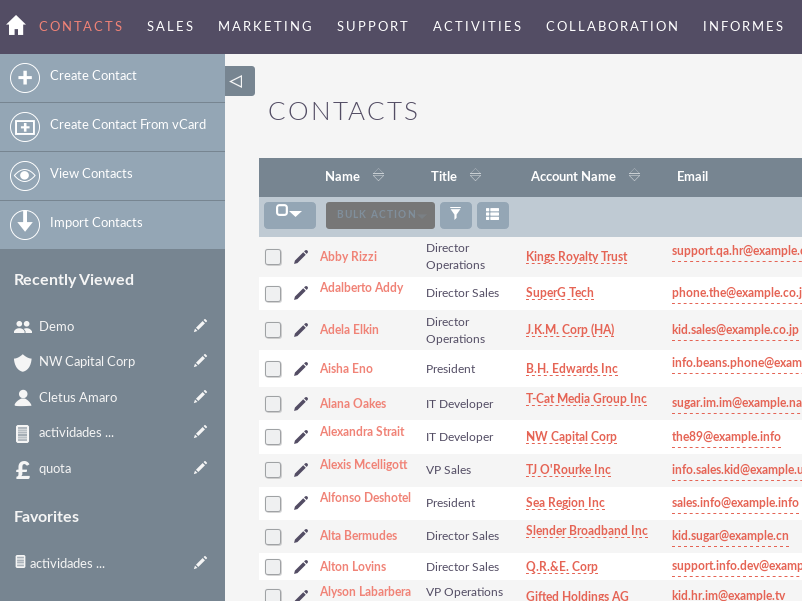
SuiteCRM's user interface can feel clunky and outdated, which makes navigation less intuitive for some users. You might find the learning curve steep, especially if your team lacks technical expertise. However, once you get the hang of it, the customization options offer flexibility that can be worth the initial effort. Compared to other open source CRMs, SuiteCRM requires more time to master but rewards you with tailored solutions for your business needs.
Integrations
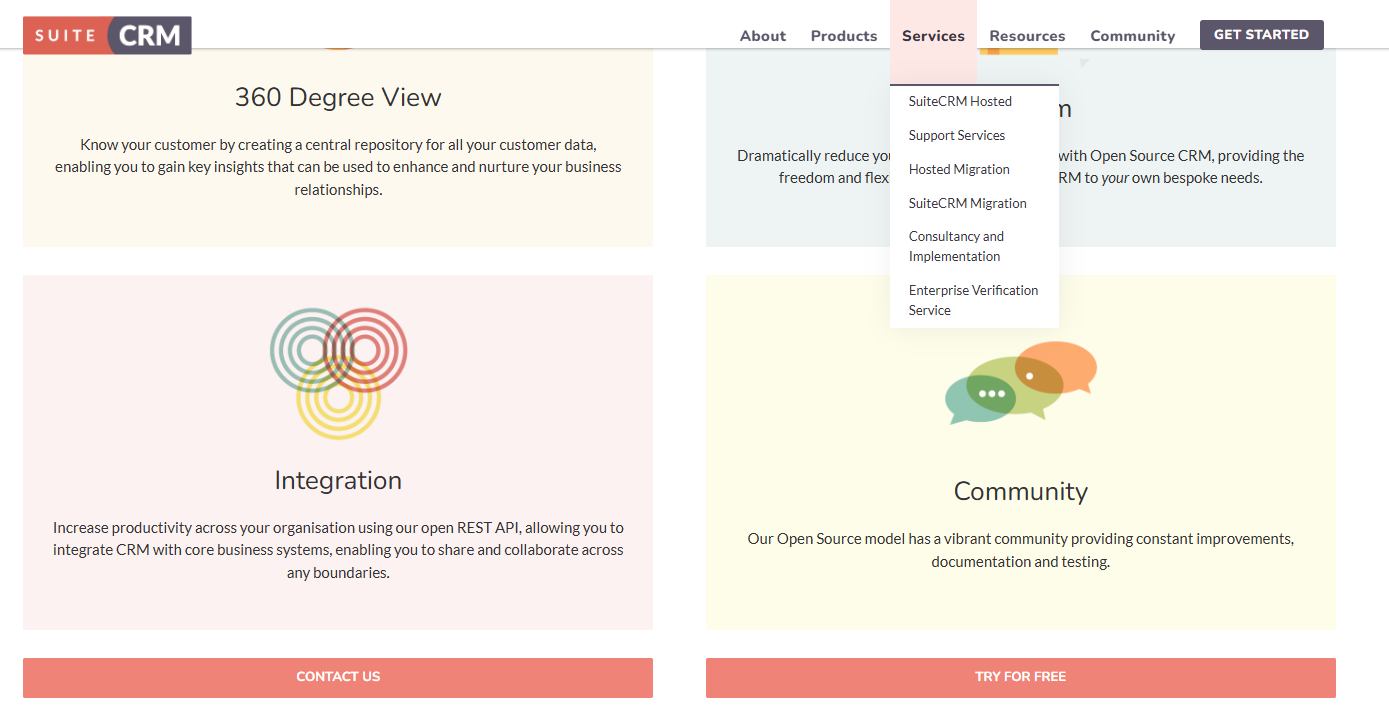
SuiteCRM integrates with QuickBooks, WhatsApp, Slack, Google Drive, Twilio, Mailchimp, Zoom, E-Signature Solutions, Customer Portal, and AI-Powered Tools. You can also extend functionality through community-built add-ons and plugins.
SuiteCRM also offers an API for custom integrations, and connects with third-party integration tools to expand its functionality.
SuiteCRM Specs
- 2-Factor Authentication
- API
- Calendar Management
- Call Tracking
- Campaign Management
- Click-to-Dial
- Contact Management
- Contact Sharing
- Custom Data Forms
- Customer Management
- Dashboard
- Data Export
- Data Import
- Data Visualization
- Email Integration
- External Integrations
- File Sharing
- File Transfer
- Google Apps Integration
- Lead Management
- Lead Scoring
- Marketing Automation
- Mobile App
- Multi-User
- Notifications
- Pipeline Management
- Sales Automation
- Scheduling
- Social-Media Integration
- Task Scheduling/Tracking
- Third-Party Plugins/Add-Ons