

Le 10 migliori soluzioni software per i report sulle vendite recensite per il 2026

10 Migliori Software di Reporting sulle Vendite Shortlist


Con così tanti software di reporting sulle vendite disponibili, capire quale sia quello giusto per te è difficile. Vuoi comprendere l’andamento delle vendite, monitorare i progressi rispetto agli obiettivi e prendere decisioni informate in modo più efficiente, ma non sai quale sia lo strumento migliore. Ci penso io! In questo articolo ti aiuterò a scegliere facilmente, condividendo le mie esperienze personali con decine di strumenti di reporting sulle vendite utilizzati in diversi team e progetti, con le mie scelte dei migliori software di reporting sulle vendite.
Perché fidarsi dei nostri consigli sui software
Le nostre recensioni riflettono il nostro giudizio indipendente, non un discorso di vendita. Scopri come manteniamo la trasparenza.
Per questa guida, abbiamo valutato gli strumenti attraverso test pratici e ricerche indipendenti, assegnando un punteggio agli strumenti in base ai nostri criteri di selezione.
Le nostre recensioni riflettono il nostro giudizio editoriale umano, non un discorso di vendita.
| Tool | Best For | Trial Info | Price | ||
|---|---|---|---|---|---|
| 1 | Best for customizable sales tracking | 14-day free trial + free demo available | From $12/seat/month (billed annually) | Website | |
| 2 | Best for customizable sales forecasting | Free demo available | Pricing upon request | Website | |
| 3 | Best for pipeline management | Free plan available | From $7/user/month (billed annually) | Website | |
| 4 | Best all-in-one, sales-focused platform | 14-day free trial | From $19/user/month (billed annually) | Website | |
| 5 | Best for smarter, data-driven business decision-making | Free trial + free demo available | Pricing upon request | Website | |
| 6 | Best for creating custom dashboards with data from multiple sources | Free plan + 14-day free trial + free demo available | From $71/month (billed annually) | Website | |
| 7 | Best no-coding platform that empowers your entire team | Free demo available | Pricing upon request | Website | |
| 8 | Best for AI-based sales forecasting | 30-day free trial | From $249/month (billed annually) | Website | |
| 9 | Best for reducing costs while increasing productivity | 30-day free trial | From $25/user/month | Website | |
| 10 | Best for all-in-one automation of sales, marketing, and customer service | Free plan available | From $8.99/user/month | Website |

Recensioni dei Migliori Software di Reporting sulle Vendite
Ti chiedi in cosa si distinguono questi software di reporting sulle vendite? Dai un’occhiata alle panoramiche qui sotto per vedere cosa fanno meglio e se si adattano al tuo modello di business.

Best for customizable sales tracking
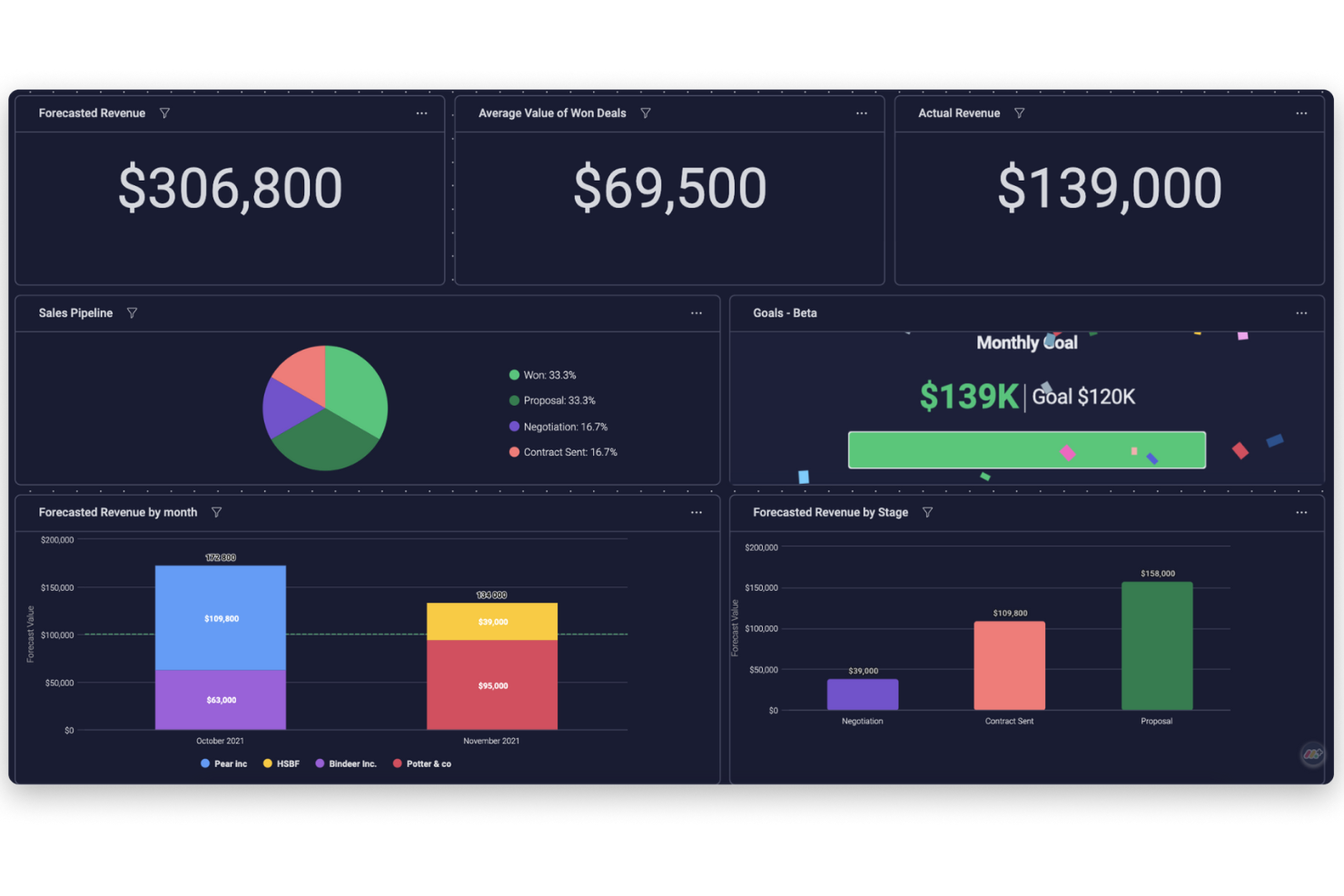
Monday sales CRM is a fully customizable tool designed to manage sales pipelines and client communications effectively. It stands out with its ability to tailor deal stages, integrate with email, and provide extensive automation options, alongside customizable dashboards that offer a clear overview of sales activities. This adaptability and user-friendly interface make it a strong candidate for businesses seeking a tailored approach to enhance their sales tracking capabilities.
Unlike many traditional CRMs, Monday Sales CRM integrated elements of project management directly into the platform. This meant that in addition to managing customer relationships and sales processes, teams could also handle project tracking, task assignments, and deadline management within the same system. This integration was particularly beneficial for teams that needed to closely align sales activities with project milestones or deliverables.
Monday sales CRM offers extensive customization capabilities and comprehensive data visualization, which are essential for tailoring the software to specific sales processes. What distinguishes it is the low-code/no-code platform that empowers users to automate processes and gain deep insights through live reports and analytics.
monday sales CRM Standout Features & Integrations
Features include lead and contact management, customizable pipelines, sales automation, performance tracking, integration with various tools, advanced reporting and analytics, email tracking and synchronization, task and project management, mobile app support, and customizable templates and forms.
Integrations include Slack, Google Drive, Gmail, Google Calendar, Jira, GitHub, Trello, Dropbox, Typeform and many more, accessible through a paid plan with Zapier.
Pros and Cons
Pros:
- Advanced reporting and analytics
- Robust integration capabilities
- High customizability & automation-friendly
Cons:
- Slight learning curve
- Limited native email marketing features
New Product Updates from monday CRM

monday CRM Adds Meta Conversions API Integration
monday CRM now lets you connect Meta Conversions API and sync lead status back to Meta, improving targeting and conversions via a new Meta integration automation recipe. For more information, visit monday CRM's official site.
Phocas
Best for customizable sales forecasting
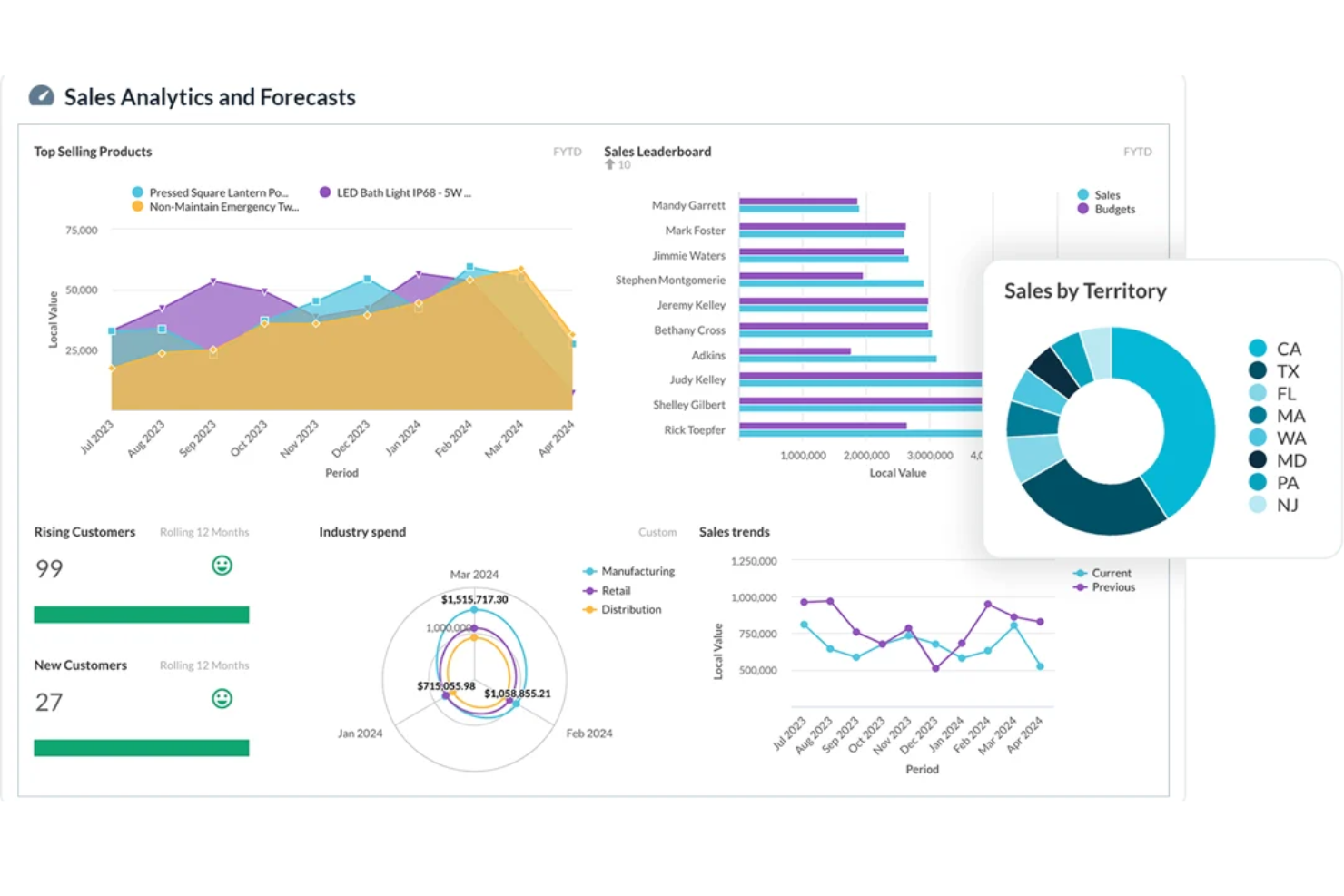
Phocas is a sales reporting software that provides businesses with real-time data and insights to analyze and track their sales performance. It offers customizable reporting and dashboard features, allowing users to access and visualize their sales data, identify trends and opportunities, and monitor progress toward targets.
The platform offers a variety of reports and analytics tools to help businesses make data-driven decisions, including access to financial statements, budgets, rebates, sales performance reports, customer activity reports, product sales reports, sales trend analysis, territory performance reports, margin analysis, and CRM data.
Another standout feature of Phocas is its advanced forecasting and predictive analytics tools. These features enable sales teams to create accurate and customizable sales forecasts, helping businesses anticipate market changes and adjust strategies proactively.
Phocas Standout Features and Integrations
Features include automated reporting, pre-built templates, scenario analysis, custom reporting, KPI visualization, customizable dashboards, permission-based access, and detailed drill-down capabilities.
Integrations include Acumatica, Accolent, Datafile, Enapps, Epicor, IFS, Jonas Metals Software, Kerridge, Khaos Control, MAM Software, Merlin, Microsoft, MYOB, Netsuite, Oracle, QAD, Retail Express, Sage, SAP, Sympac, SYSPRO, Xero, and more.
Pros and Cons
Pros:
- Real-time analytics
- Strong data modeling features
- Customizable reporting dashboards for tailored visibility
Cons:
- Can be challenging to learn how to customize the software
- Amount of data can be overwhelming for users
Best for pipeline management
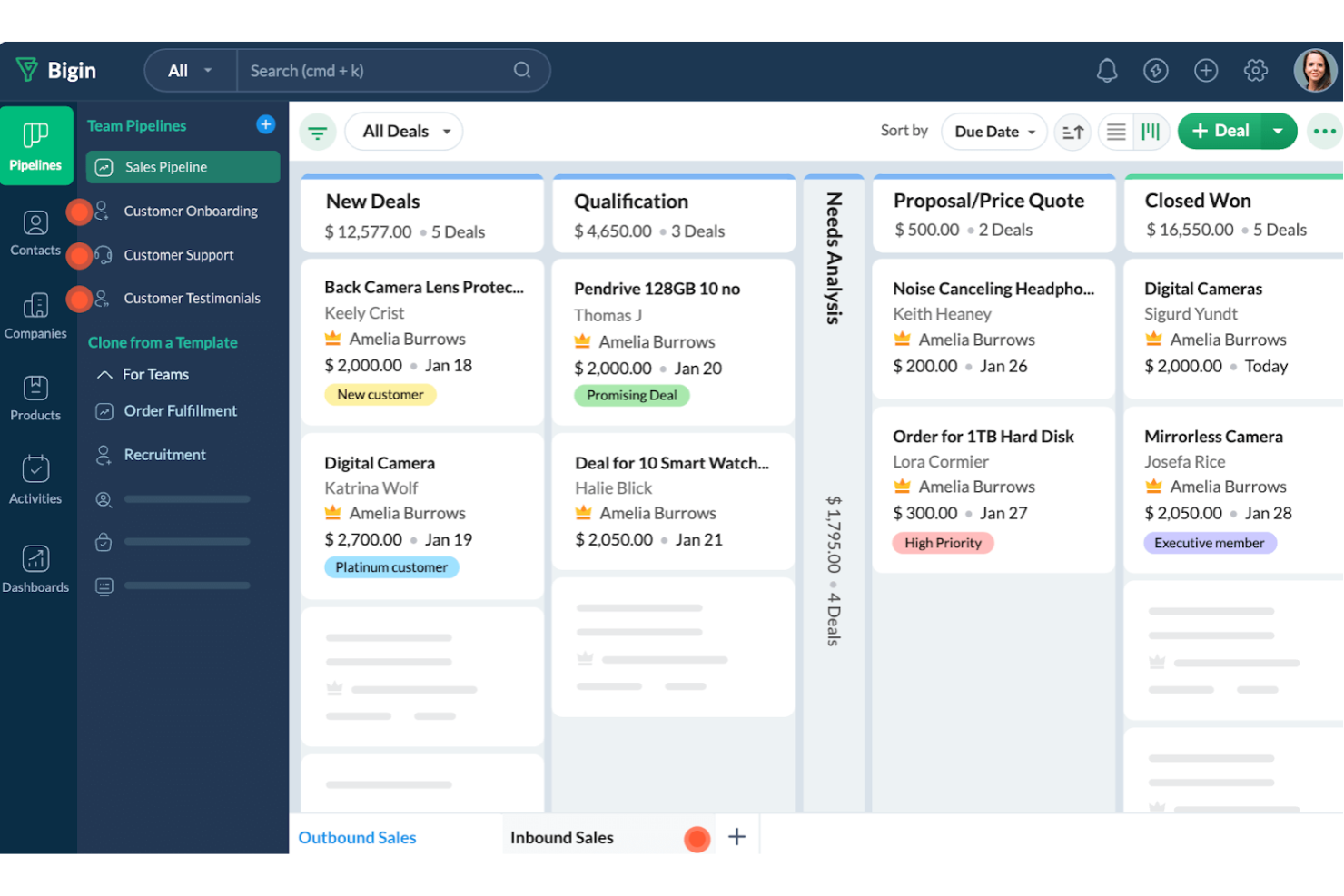
Bigin by Zoho CRM is designed for small businesses looking to improve their sales processes. It offers features that enhance sales reporting and streamline workflows, making it a solid choice if you're aiming to boost your sales efficiency.
I picked Bigin by Zoho CRM due to its pipeline management feature, which lets you track deals and sales activities at every stage, giving you a clear view of your sales process. The automation feature is also a standout, as it helps your team focus on closing deals by taking care of repetitive tasks, ensuring nothing falls through the cracks.
Another reason Bigin is a great pick is its analytics capabilities. The platform provides detailed insights into sales performance, allowing you to make informed decisions. With dashboards offering a visual representation of sales data, you can easily monitor key metrics like closed deals and revenue, which is crucial for any sales reporting tool.
Bigin by Zoho CRM Standout Features & Integrations
Features include customer management, which helps you maintain detailed records of customer interactions and preferences. Multichannel communication lets you engage with clients through various platforms, ensuring you never miss an opportunity. Lastly, team collaboration tools enable your team to work together seamlessly, enhancing productivity and communication across departments.
Integrations include Zoho Mail, Zoho Desk, Zapier, Google Workspace, Microsoft 365, Mailchimp, Calendar, Slack, Zoom, and Docusign.
Pros and Cons
Pros:
- Simple to set up for immediate use
- Allows easy tracking of multiple pipelines
- Offers custom forms for data collection
Cons:
- Limited flexibility in custom report creation
- Lacks mapping features for routing contacts
New Product Updates from Bigin by Zoho CRM

Bigin iOS Adds Interactive WhatsApp Templates and Quick Replies
Bigin’s iOS app now supports interactive WhatsApp templates and Quick Replies, making it easier to preview and send instant messages to customers. For more information, visit Bigin by Zoho CRM's official site.
 .
.
Best all-in-one, sales-focused platform
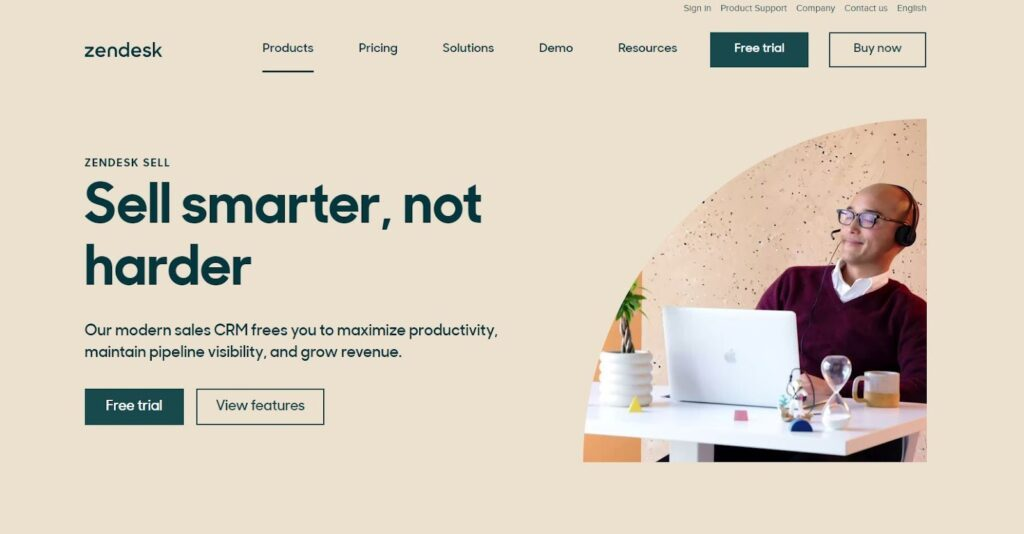
One of the Zendesk suites of products, Zendesk Sell is a sales-oriented platform that drives rep adoption, provides actionable sales leads, and ensures automation of data capture. With features like data visualization, opportunity management, and internal goal setting and tracking, managers and salespeople can maximize and accelerate revenue growth.
Zendesk Sell has mobile apps that are designed to help salespeople get more actionable work done without wasting time on manual data entry and note-taking. Intelligent features like smart auto-dialer and email sentiment analysis ensure everyone is paying more attention to detail to deliver a highly personalized sales experience.
Everyone from agents to sales leaders can benefit from prescriptive insights, individualized coaching, and personalized plans to improve sales performance. Scale your sales and grow your business more efficiently with steady revenue growth supported by the entire Zendesk suite.
Zendesk Sell Standout Features and Integrations
Features include goal management, data synchronization, collaboration tools, call recording, content delivery, email tracking, internal chat integration, lead nurturing and segmentation, prospecting tools, and template management.
Integrations include Slack, Trello, DropBox for Business, MailChimp, Rippling, HubSpot CRM and Marketing Hub, Zapier, LiveChat, Meta for Business, and Social Media.
Pros and Cons
Pros:
- Comprehensive reporting tools
- Best mobile app
- Simple program with easy integrations
Cons:
- Steep learning curve
- Sync with Google applications can be clunky
Looker
Best for smarter, data-driven business decision-making
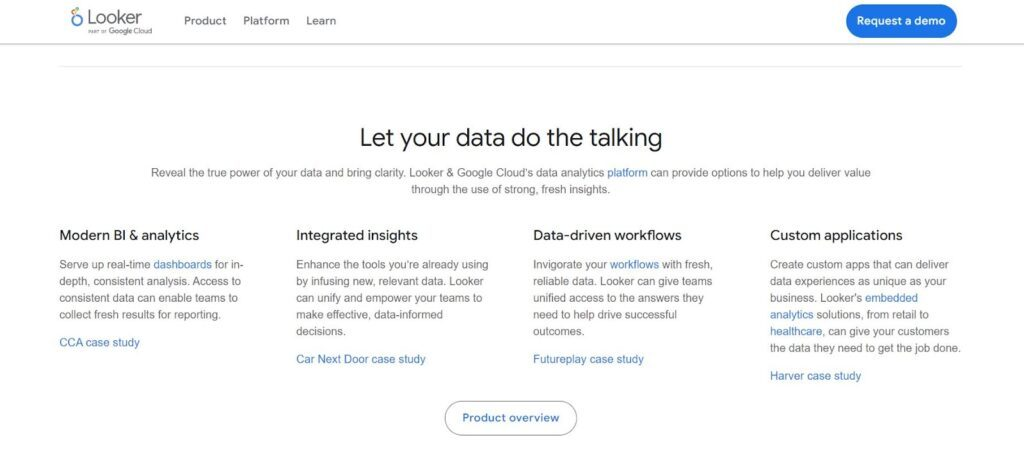
With its intuitive approach to data exploration, Looker is an effective, web-based platform that enhances your sales process through analytics, reporting, and modern BI. Now powered by Google, you’ll be able to use Looker to check real-time data analysis, embedded visualizations, and cross-platform insights all in one place.
One of the best features of Looker is data discovery, which allows you to create mini applications with even more power and efficiency through a flexible language called LookML. You’ll be able to simplify the development of custom tools to enhance SQL capabilities and optimize performance for faster query execution.
Looker is great for large, medium, and small businesses that need access to the right data quickly. It’s designed to fit the way you work and integrate seamlessly with third-party systems and custom data applications.
Looker Standout Features and Integrations
Features include custom data builds, ad hoc analysis, behavioral analytics, data cleansing, goal setting and tracking, marketing reports, mixed methods research, radial mapping, real-time analytics, site search tracking, visual analytics, and widgets.
Integrations include Microsoft Excel, Slack, DropBox Business, Mailchimp, Salesforce, Asana, Rippling, HubSpot, Stripe, and QuickBooks.
Pros and Cons
Pros:
- Flexible customization options
- Intuitive interface
- Best support chat
Cons:
- Limited filters for data metrics
- Big data sets can cause a lag
Databox
Best for creating custom dashboards with data from multiple sources
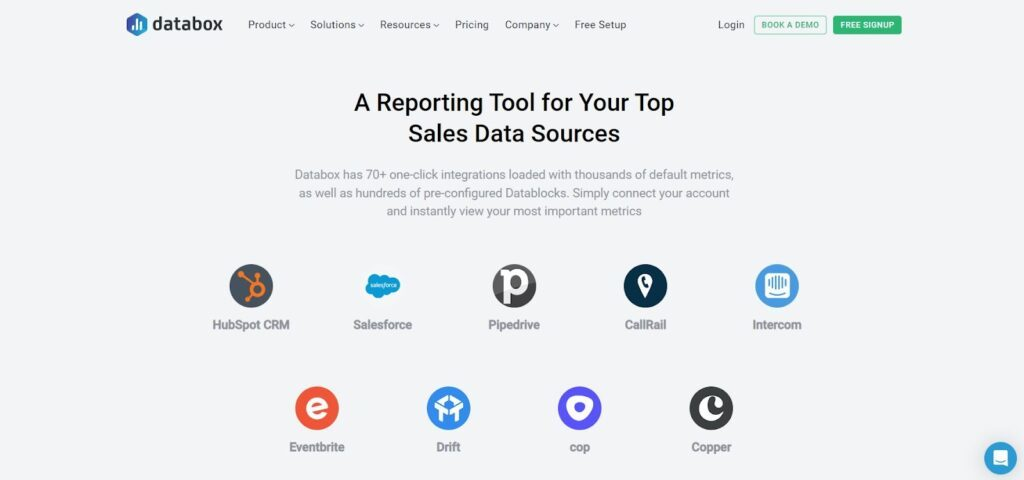
As a cloud-based analytics tool with many integrations, DataBox allows you to pull information from all your other tools to view on one dashboard. This system has one-click integrations from a whole range of other cloud-based services and APIs for simple data import and custom integrations.
Customize your view with the drag-and-drop editor to see sales performance, activity, and forecasting. You can even change your data visualizations for live previews of conversion rates, custom reports, and more in real-time. Use the advanced settings for every metric to modify currencies, chart formats, and time intervals without needing to code!
The DataBox system was designed for CEOs, analysts, and marketers who want a simplified way to build dashboards that deliver daily scorecards to sales managers, sales reps, and other agents within the company. Share data, quotas, trends, and passcodes with teammates through secure channels instantly.
DataBox Standout Features and Integrations
Features include API, access panel control, behavior tracking, budgeting/forecasting, cohort analysis, customer experience management, data extraction and mapping, in-app events tracking, KPI monitoring, revenue tracking, and real-time reporting.
Integrations include HubSpot, Salesforce, Pipedrive, CallRail, Intercom, Eventbrite, Drift, Copper, Cop, and Paypal.
Pros and Cons
Pros:
- Responsive design across all devices
- Dashboard snapshots simplify complex data
- Easy to implement without being tech-savvy
Cons:
- A little buggy with new features
- Lack of integration with Zendesk
Grow
Best no-coding platform that empowers your entire team
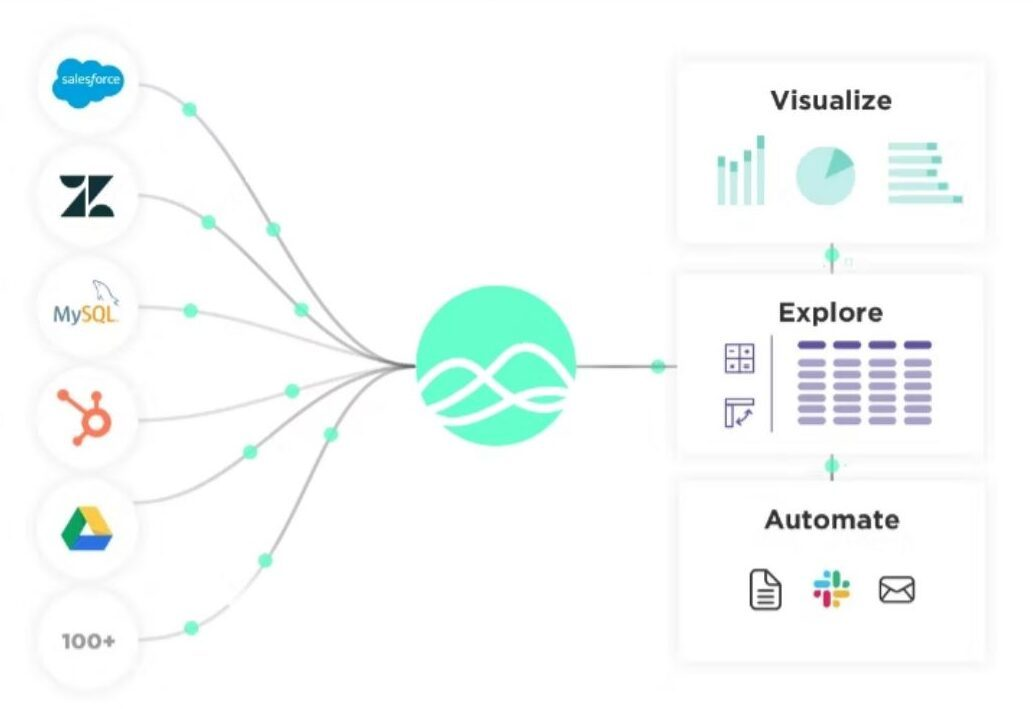
If you’re looking for a simplified high-tech solution to sales tracking, Grow offers you what you need with a no-code, full-stack BI. Their platform is all about helping every person in your company make better data-driven decisions through a blend of data warehousing, visualization, and ETL — all available on one intuitive platform.
One of the best features that illustrate how Grow can enhance your sales reporting software is their data import and storage management. You can bring together all the business-critical data that’s most current and relevant without third-party warehousing. You assign appropriate access and permissions so the right people can connect to the raw data to gain new insights.
Learning how to use data is critical to taking advantage of emerging opportunities. With Grow, small and medium-sized businesses can integrate all their sources into one hub and spot trends more quickly. Grow can even calculate and manipulate the data you feed it to show you things you might not spot on your own.
Grow Standout Features and Integrations
Features include databases, CRM, ad platforms, social media, accounting and financials, marketing analytics, data imports, non-SQL transformations, permissions controls, custom views, and dynamic dashboards.
Integrations include Google Analytics, G Suite, PostgreSQL, Social Media, Stripe, HubSpot, Quickbooks Online, Salesforce, MySQL, and Paypal.
Pros and Cons
Pros:
- Automated calculations and formulas to enhance data insights
- Great customer service
- Low barrier for entry
Cons:
- Doesn’t offer as much customization
Best for AI-based sales forecasting

Forecastio is a sales performance management tool designed for HubSpot users, providing AI-based insights and analytics to enhance sales performance. It offers features such as sales planning automation, advanced sales forecasting, and real-time performance tracking.
The platform stands out as a sales reporting software with advanced sales forecasting capabilities. By leveraging AI, Forecastio can predict future sales outcomes by analyzing historical data and identifying trends to help businesses make data-driven decisions, optimize their sales strategies, and allocate resources more effectively.
It also provides real-time monitoring of sales metrics, helping teams to quickly identify and address bottlenecks in their sales pipeline. The platform's goal-setting features further enable teams to set realistic and attainable targets, improving overall performance and win rates.
Forecastio Standout Features and Integrations
Features include sales planning automation, what-if scenarios, planning templates, AI-based sales performance insights, sales capacity management, sales pipeline monitoring, and sales quota assessment.
Integrations include HubSpot, allowing users to combine HubSpot's CRM capabilities with Forecastio's advanced sales forecasting and performance management features.
Pros and Cons
Pros:
- Real-time sales insights
- Automated sales planning features
- Good forescasting capabilities
Cons:
- Limited integration options
- Dashboard could be more customizable
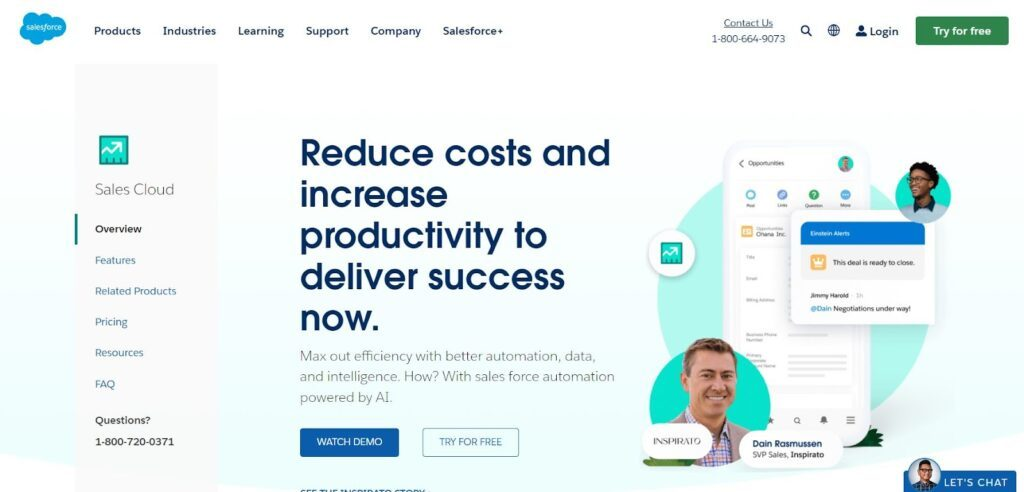
While Salesforce offers a lot of tools for every aspect of your business, they have a sales-focused platform that highlights Customer Relationship Management. Powered by AI, you can maximize your efficiency when it comes to the automation of data input, customer intelligence, and predictive strategy.
One of the coolest features of the Sales Cloud is Opportunity Management — a feature that highlights the most important data in your system to provide critical information in tandem with your customer activity timeline. With all this info, you’ll be able to see all the activities associated with a deal and get notifications when it’s time for the next step.
The Sales Cloud platform is ideal for businesses at a variety of stages, including those who are just starting or those looking to aggressively expand. I recommend this sales reporting software for medium and small businesses that want to minimize expenses while focusing on improving customer relations and reaching sales goals.
Sales Cloud Standout Features and Integrations
Features include sales automation, opportunity management, forecast management, process automation, responsive design for mobile CRM, account and contact management, lead management, sales metrics reports, dashboards, and custom layouts.
Integrations include Google Tools, Slack, Trello, WordPress, MailChimp, SurveyMonkey, Asana, Jira, EverNote Teams, Rippling, Zapier, and Toggl Track.
Pros and Cons
Pros:
- Stable, reliable, scalable platform
- Unmatched price for value
- Comprehensive onboarding and tracking
Cons:
- Complex site mapping and navigation
- Can be slow and clunky
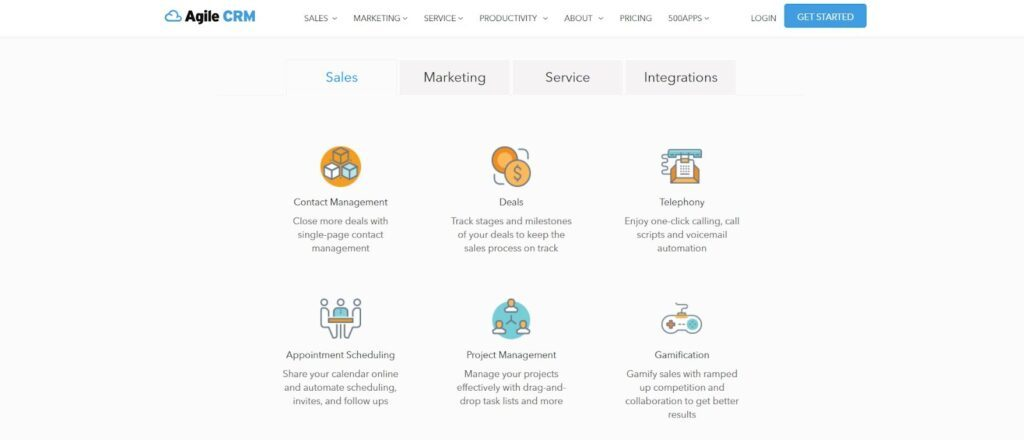
With all the tools you need in one place, you don’t have to integrate multiple platforms into one reporting software to aggregate all your data anymore. Agile CRM has everything you need, including sales, marketing, and service solutions. You can automate everything on a unified platform to minimize data leaks and inconsistent messaging.
I also chose this platform because it’s one of the most affordable options out there with a comprehensive free plan for smaller businesses that allows you to integrate additional features and users for a small fee as you grow. Everything your business needs is integrated, but you can still add other third-party applications if you feel the need to expand data management, customer tracking, and analytics.
Agile is ideal for everyone from freelancers to large enterprises, as it’s easily scalable from just one user to hundreds. With tons of support options, training, and guides, you can onboard new members quickly and easily.
Agile CRM Standout Features and Integrations
Features include contact management, sales process tracking, telephony, appointment scheduling, project management, gamification, marketing automation, landing page builder, social suite, email marketing, helpdesk, smart views, ticketing, and feedback.
Integrations include Twitter, Facebook, Google Apps, Twilio, RingCentral, LinkedIn, Zendesk, Stripe, Magento, and WooCommerce.
Pros and Cons
Pros:
- Integrates sales management and marketing
- Automated campaigns are easy to create
- Lots of freedom for customization
Cons:
- Could use a UI facelift
- Can’t separate support and sales users
Altri Software di Reporting sulle Vendite
Ecco alcune opzioni aggiuntive che non sono rientrate nella lista dei migliori software di reporting sulle vendite:
- Coefficient
For real-time data integration
- Creatio CRM
For end-to-end funnel reporting
- Pipedrive
For streamlined sales pipeline management
- SPOTIO
For team management and collaboration with more accurate sales data
- Copper
This project management tool is for creative, out-of-the-box teams who are hunting for more opportunities and advantages
- Intercom
For comprehensive client data for a personal touch
- Salesflare
Sell more with less work through an automated CRM that tracks customer data automatically
- InsightSquared
For understanding pipeline trends
- EngageBay
An all-in-one marketing and sales solution that helps small and medium-sized businesses better engage leads and make sales
- Zoho CRM
While this platform is an omni-channel communication platform, it has over 300 integrations that help you better visualize your sales data


Recensioni di altri Software di Reporting sulle Vendite Correlati
Se non hai ancora trovato ciò che cerchi qui, dai un’occhiata a questi strumenti strettamente legati ai software di reporting sulle vendite che abbiamo testato e valutato.
- Software CRM
- Software di Vendita
- Software di Gestione Lead
- Software di Business Intelligence
- Software di Gestione Contrattuale
- Sistema di Gestione dei Ricavi
How I Evaluate Sales Reporting Software
I split my evaluation into baseline criteria every tool must hit—like CRM sync and pipeline dashboards—and differentiators that tell you whether it's the right fit for your revenue team.
Core Functionality (Table Stakes For This List)
When I'm selecting tools for my list, I rank each one on a scale from 0 (does not offer the functionality) to 5 (excels in this area) for each core functionality listed below. Then, I calculate the tool's total score into a percentage. Each tool needs to achieve a minimum total score of 65% to be considered for inclusion.
- Pre-Built Sales Dashboards: I check whether the tool ships with ready-made dashboards for pipeline, win rate, and revenue metrics so teams aren't building from scratch on day one.
- CRM Data Integration: Native CRM connectors matter here—I look for real-time sync with platforms like Salesforce, HubSpot, or Dynamics 365 without relying on third-party middleware.
- Custom Report Builder: Each tool should let you build reports with flexible filters, dimensions, and metrics without writing SQL or waiting on a data team to pull numbers.
- Sales Forecasting & Pipeline Analytics: I evaluate how well the tool projects revenue from pipeline data—weighted forecasts, deal risk flags, and stage-based conversion analysis all factor in.
- Automated Report Scheduling & Sharing: The ability to schedule weekly pipeline snapshots or quota updates via email, Slack, or Teams saves RevOps from becoming a manual reporting service.
- Rep & Team Performance Tracking: I look for individual and team-level views of quota attainment, activity metrics, and leaderboard comparisons that managers actually use in coaching sessions.
Once I have a list of tools that meet this criteria, I consider what sets each platform apart.
Differentiating Factors (What Sets Vendors Apart)
Here's how I compare and contrast different vendors:
Standout Features
AI-powered insights are a big differentiator—I look for tools that flag anomalies like a sudden drop in deal velocity or a spike in slipped close dates without manual digging. Revenue attribution modeling is another area I evaluate closely, especially for RevOps teams that need to connect closed-won revenue back to specific campaigns or channels. Goal and quota management built into the reporting layer also matters. When reps and managers can track pacing against targets in the same place they review pipeline, it cuts down on spreadsheet sprawl.
Beyond Features
Tech stack compatibility is one of the first things I evaluate. A sales reporting tool that connects to your data warehouse, marketing automation platform, and sales engagement tools creates a single source of truth—without it, RevOps teams end up stitching together exports. Implementation speed also matters. I check whether a tool offers pre-built data models that get you to a working dashboard in days, not months. Data governance rounds out my evaluation: role-based access and row-level security are essential when territory managers should only see their own numbers.
Come Scegliere il Software di Reporting sulle Vendite
Con così tante soluzioni di software di reporting sulle vendite disponibili, può essere difficile decidere quale strumento sia il più adatto alle tue esigenze.
Quando crei una shortlist, provi e selezioni i software di reporting sulle vendite, considera quanto segue:
- Quale problema stai cercando di risolvere - Inizia identificando la lacuna delle funzionalità del software di reportistica delle vendite che desideri colmare, così da chiarire le caratteristiche e le funzionalità che lo strumento deve offrire.
- Chi dovrà utilizzarlo - Per valutare costi e requisiti, considera chi utilizzerà il software e di quante licenze avrai bisogno. Devi valutare se l'accesso sarà limitato ai responsabili delle operazioni di ricavo o se sarà necessario per l'intera organizzazione. Quando questo aspetto è chiaro, valuta se stai dando priorità alla facilità d'uso per tutti o alla velocità per gli utenti avanzati del software di reportistica delle vendite.
- Con quali altri strumenti deve integrarsi - Chiarisci quali strumenti stai sostituendo, quali resteranno e con quali dovrai integrarti, ad esempio contabilità, CRM o software di database delle vendite. Devi decidere se sarà necessario integrare diversi strumenti tra loro o se puoi sostituirne molti con un unico software di reportistica delle vendite centralizzato.
- Quali risultati sono importanti - Considera il risultato che il software deve fornire per essere considerato di successo. Rifletti su quali capacità vuoi ottenere o cosa desideri migliorare, e su come misurerai il successo. Ad esempio, un risultato potrebbe essere la possibilità di ottenere una maggiore visibilità sulle performance. Potresti confrontare le funzionalità dei software di reportistica delle vendite all'infinito, ma se non pensi ai risultati che vuoi raggiungere, rischi di perdere molto tempo prezioso.
- Come si integrerà nella tua organizzazione - Valuta la selezione del software in relazione ai tuoi flussi di lavoro e al metodo di consegna. Analizza cosa funziona bene e quali aspetti stanno causando problemi che devono essere risolti. Ricorda che ogni azienda è diversa — non dare per scontato che solo perché uno strumento è popolare sarà adatto anche alla tua organizzazione.
Tendenze nel software di reportistica delle vendite per 2026
L'evoluzione del software di reportistica delle vendite riflette un più ampio passaggio verso strategie di gestione dei ricavi sempre più orientate ai dati, agili e personalizzate. Poiché le organizzazioni pongono sempre maggiore importanza su flessibilità, precisione e insight azionabili nelle operazioni di vendita, le ultime novità nei software di reportistica puntano a soddisfare queste esigenze con funzionalità innovative e potenziate.
Dall'integrazione di analisi avanzate all'adozione di intelligenza artificiale (AI) e apprendimento automatico (ML), il software di reportistica delle vendite è all'avanguardia nella trasformazione dell'approccio delle aziende ai dati e all'analisi delle performance commerciali. Di seguito sono riportate le principali tendenze che stanno plasmando il futuro di questi strumenti, ognuna delle quali risponde alle esigenze in continua evoluzione dei responsabili delle operazioni di ricavo.
Analisi avanzate e integrazione AI
- Previsioni potenziate dall'AI: Gli strumenti di reportistica delle vendite stanno sempre più integrando l'AI per fornire previsioni di vendita più accurate e dinamiche, consentendo alle aziende di anticipare cambiamenti di mercato e adeguare le strategie in modo proattivo.
- Evidenza: Nuove release che includono algoritmi di AI in grado di analizzare dati storici delle vendite e trend di mercato per prevedere le performance future con maggiore precisione.
- Insight automatizzati: L'automazione della generazione di insight, grazie all'AI che evidenzia opportunità, rischi e anomalie nei dati di vendita, riduce l'analisi manuale e velocizza il processo decisionale.
- Evidenza: Aggiornamenti software che introducono funzionalità in grado di rilevare automaticamente cambiamenti significativi nelle metriche di vendita e di avvisare gli utenti su potenziali criticità o opportunità.
Integrazione e collaborazione
- Integrazione CRM senza soluzione di continuità: Un'integrazione sempre più stretta con i sistemi CRM garantisce che gli strumenti di reportistica delle vendite offrano una visione completa delle interazioni con i clienti e delle attività commerciali.
- Evidenza: Nuove integrazioni e API che permettono la sincronizzazione dei dati in tempo reale tra i software di reportistica delle vendite e le piattaforme CRM.
- Funzionalità collaborative: Le capacità collaborative potenziate permettono ai team di condividere insight, report e dashboard in modo più efficiente, favorendo un approccio più collaborativo alla gestione delle vendite.
- Evidenza: Introduzione di funzionalità che supportano la collaborazione in tempo reale, librerie di report condivise e possibilità di commentare direttamente all'interno del software.
Funzionalità emergenti
- Abilitazione Predittiva delle Vendite: Oltre alla reportistica tradizionale, le nuove funzionalità includono l'abilitazione predittiva delle vendite, suggerendo le prossime azioni migliori per i rappresentanti di vendita sulla base dell'analisi dei dati.
- Evidenza: Funzionalità che sfruttano il ML per raccomandare azioni specifiche di follow-up con i potenziali clienti, suggerimenti di messaggi personalizzati e tempistiche ottimali per i contatti.
- Elaborazione dei dati in tempo reale: La capacità di elaborare e riportare i dati di vendita in tempo reale, offrendo informazioni aggiornate minuto per minuto sulle prestazioni di vendita e sulle metriche operative.
- Evidenza: Aggiornamenti che migliorano la capacità del software di trasmettere e analizzare dati in tempo reale, consentendo una visibilità immediata sulle tendenze di vendita e sugli indicatori di performance.
Man mano che il software di reportistica delle vendite continua ad evolvere, l'enfasi su analisi basate sull'intelligenza artificiale, personalizzazione, integrazione fluida e funzionalità collaborative riflette una tendenza più ampia volta a fornire alle organizzazioni gli strumenti necessari per navigare efficacemente nei complessi scenari di vendita. Per i responsabili delle operazioni di ricavo, scegliere un software che sia in linea con queste tendenze è fondamentale per ottenere approfondimenti più approfonditi, aumentare l'efficienza nelle vendite e raggiungere una crescita sostenuta dei ricavi.
Cos'è un software di reportistica delle vendite?
Il software di reportistica delle vendite è uno strumento utilizzato dalle aziende per raccogliere, analizzare e presentare i dati di vendita. Automatizza il processo di raccolta delle informazioni sulle vendite da diverse fonti, organizzandole in report e dashboard. Il software include tipicamente funzionalità per la visualizzazione dei dati, il monitoraggio delle prestazioni, l'analisi delle tendenze e la reportistica personalizzabile, tutto mirato a semplificare l'analisi dei dati di vendita.
I vantaggi del software di reportistica delle vendite includono una migliore comprensione delle prestazioni e delle tendenze di vendita, agevolando il processo decisionale strategico. Fa risparmiare tempo automatizzando la raccolta dei dati e la generazione di report, permettendo ai team di vendita di concentrarsi maggiormente sulla vendita invece che su compiti amministrativi. Il software offre approfondimenti basati sui dati per strategie di vendita più efficaci, il monitoraggio efficiente delle prestazioni del team e una previsione accurata. Nel complesso, aiuta le aziende a ottimizzare i processi di vendita e a prendere decisioni informate per favorire la crescita delle vendite.
Caratteristiche del software di reportistica delle vendite
Scegliere il giusto software di reportistica delle vendite è fondamentale per gestire efficacemente le operazioni di ricavo. Il software ideale dovrebbe non solo offrire una panoramica completa delle attività di vendita, ma anche fornire approfondimenti in grado di guidare decisioni strategiche. Ecco le caratteristiche più importanti da cercare in un software di reportistica delle vendite per garantire che risponda alle esigenze delle vostre operazioni di ricavo:
- Dashboard Personalizzabili: Permette agli utenti di personalizzare la visualizzazione dei dati di vendita. Le dashboard personalizzabili consentono di concentrarsi sulle metriche più rilevanti per la propria azienda, garantendo accesso rapido alle informazioni essenziali.
- Reportistica in tempo reale: Offre dati aggiornati minuto per minuto sulle prestazioni di vendita. La reportistica in tempo reale è fondamentale per prendere decisioni tempestive in risposta a condizioni di mercato e dinamiche di vendita in rapido cambiamento.
- Previsione delle vendite: Utilizza dati storici per prevedere le tendenze future delle vendite. Previsioni accurate sono cruciali per la pianificazione e l'allocazione delle risorse, aiutando ad anticipare le richieste di mercato e ad adeguare di conseguenza le strategie.
- Metriche di performance e monitoraggio KPI: Tiene traccia degli indicatori chiave di vendita nel tempo. Monitorare le metriche di performance e i KPI è essenziale per valutare l'efficacia delle strategie di vendita e identificare aree di miglioramento.
- Gestione della pipeline: Fornisce visibilità sulla pipeline di vendita. Comprendere lo stato dei vari accordi nella pipeline aiuta a dare priorità agli sforzi e a prevedere i ricavi in modo più accurato.
- Strumenti di visualizzazione dei dati: Trasformano i dati in grafici e tabelle di facile comprensione. Un'efficace visualizzazione dei dati aiuta a comprendere set di dati complessi, facilitando l'identificazione di tendenze e anomalie.
- Capacità di integrazione: Si collega senza problemi a CRM e ad altri sistemi aziendali. L'integrazione garantisce che il software di reportistica delle vendite lavori in armonia con gli strumenti esistenti, offrendo una visione unificata delle interazioni con i clienti e dei dati di vendita.
- Funzionalità collaborative: Permette la condivisione e la discussione dei report all'interno dei team. Le funzionalità collaborative sono importanti per allineare gli sforzi del team e facilitare discussioni guidate dai dati.
- Accessibilità mobile: Consente l'accesso ai report di vendita da dispositivi mobili. L'accessibilità mobile assicura che i team di vendita possano rimanere informati e prendere decisioni ovunque si trovino.
- Generazione di report personalizzati: Gli utenti possono creare report su misura per esigenze specifiche. La possibilità di generare report personalizzati permette analisi approfondite di aspetti particolari dei dati di vendita, soddisfacendo requisiti analitici unici.
Scegliere un software di reportistica delle vendite dotato di queste caratteristiche può migliorare in modo significativo la gestione delle operazioni di ricavo. Offrendo approfondimenti azionabili, semplificando l'analisi dei dati e facilitando la pianificazione strategica, il giusto strumento di reportistica delle vendite diventa una risorsa inestimabile per guidare l'efficienza commerciale e la crescita dei ricavi.
Vantaggi del Software di Reporting delle Vendite
Il software di reporting delle vendite si distingue come una risorsa fondamentale per utenti e organizzazioni che mirano a semplificare i processi di vendita e ottimizzare le operazioni di ricavo. Questo software offre una vasta gamma di vantaggi, dal miglioramento del processo decisionale all’aumento dell’efficienza nelle vendite. Di seguito sono illustrati cinque benefici principali che evidenziano il valore che il software di reporting delle vendite apporta agli utenti e alle organizzazioni.
- Miglioramento del Processo Decisionale: Fornisce informazioni approfondite su dati di vendita e tendenze. Offrendo un'analisi dettagliata delle attività di vendita, questo software consente alle aziende di prendere decisioni strategiche informate, favorendo strategie di vendita più efficaci e prestazioni finanziarie migliori.
- Aumento della Produttività delle Vendite: Automatizza la raccolta dei dati e la generazione dei report. I team di vendita possono dedicare meno tempo alle attività amministrative e concentrarsi maggiormente su azioni che contribuiscono direttamente alle vendite, come l’interazione con i potenziali clienti e la chiusura degli accordi.
- Maggiore Visibilità sulle Vendite: Offre accesso in tempo reale a metriche di vendita e indicatori di performance. Questa visibilità permette ai manager di individuare rapidamente problemi e opportunità, adattare le strategie tempestivamente e garantire il raggiungimento degli obiettivi di vendita.
- Previsioni di Vendita Basate sui Dati: Utilizza i dati storici delle vendite per prevedere le prestazioni future. Previsioni accurate aiutano le aziende a pianificare la crescita, gestire le scorte in modo più efficiente e allocare le risorse dove sono maggiormente necessarie, favorendo così l’ottimizzazione dei ricavi.
- Collaborazione Ottimizzata: Facilita la condivisione di report e approfondimenti tra i membri del team. Rendendo i dati di vendita facilmente accessibili a tutti gli stakeholder rilevanti, il software di reporting delle vendite incentiva la collaborazione, allinea gli sforzi del team e promuove una cultura organizzativa basata sui dati.
Costi e Prezzi del Software di Reporting delle Vendite
La scelta del giusto software di reporting delle vendite è fondamentale per le aziende che desiderano migliorare le strategie di vendita e le operazioni di ricavo complessive. Con una vasta gamma di opzioni disponibili, ciascuna diversa per funzionalità, scalabilità e costo, comprendere le diverse opzioni di piano è la chiave per prendere una decisione informata. Il software di reporting delle vendite viene generalmente offerto in diversi livelli per soddisfare le esigenze di aziende di tutte le dimensioni, dalle startup alle grandi imprese. Di seguito è riportata una panoramica semplificata delle opzioni di piano più comuni e dei relativi prezzi per il software di reporting delle vendite.
Tabella di Confronto dei Piani per il Software di Reporting delle Vendite
| Tipo di Piano | Prezzo Medio | Funzionalità Incluse Comuni |
|---|---|---|
| Base | $10 - $25 per utente/mese | - Report di vendita standard - Funzionalità base delle dashboard - Opzioni per esportazione dati - Assistenza via email |
| Professionale | $50 - $100 per utente/mese | - Analisi avanzata - Possibilità di report personalizzati - Integrazione CRM - Assistenza telefonica ed email |
| Enterprise | $150+ per utente/mese | - Suite completa di strumenti di analisi - Previsioni predittive - Accesso API per integrazioni personalizzate - Account manager e assistenza dedicata |
| Opzione gratuita | $0 | - Funzionalità di report limitate - Dashboard base - Supporto dalla community |
Quando si sceglie un piano di software per il reporting delle vendite, è importante considerare sia le esigenze immediate sia la crescita futura. Opta per un piano che non solo si adatti al tuo budget attuale, ma che offra anche la flessibilità necessaria per espandersi man mano che la tua azienda cresce e le esigenze di reporting delle vendite diventano più sofisticate.
Domande frequenti sul software di reportistica delle vendite
Se il tuo team sta valutando di lavorare con un software di reportistica delle vendite, probabilmente avrai alcune domande prima di prendere una decisione. Diamo un’occhiata ad alcune delle domande più frequenti (FAQ) sul software di reportistica delle vendite:
Quali sono i tipi di software di reportistica delle vendite?
Quali sono alcuni tipi di report sulle vendite?
Perché dovrei utilizzare un software di reportistica delle vendite?
Il software di reportistica delle vendite supporta l'analisi dei dati in tempo reale?
Il software di reportistica delle vendite può integrarsi con diverse fonti di dati?
Il software di reportistica delle vendite offre analisi predittive delle vendite?
Recensioni alternative di software di sales intelligence & analytics
Ecco alcune altre opzioni software che potresti voler prendere in considerazione.
- Migliori Software per le Vendite
- Software di Visualizzazione dei Dati
- Software di Analisi Predittiva
- Software di Previsione delle Vendite
- Software di Business Intelligence
- Software di Sales Intelligence
- Sistemi di Gestione delle Entrate
- Software per KPI
- Software di Monitoraggio delle Vendite
Cosa Fare Dopo:
Se sei nella fase di ricerca di un software per la reportistica di vendita, collegati con un consulente di SoftwareSelect per ricevere raccomandazioni gratuite.
Devi solo compilare un modulo e fare una breve chiacchierata dove entreranno nei dettagli delle tue esigenze. Riceverai quindi una shortlist di software da valutare. Ti supporteranno anche durante l'intero processo d'acquisto, incluse le negoziazioni sui prezzi.