

10 Best Data Visualization Software in 2026

10 Best Data Visualization Software Shortlist


Navigating the complexities of revenue operations isn't easy. You deal with mountains of data that need to be understood quickly and accurately. That's where data visualization software comes in. It turns raw numbers into clear visuals, making it easier for you and your team to make informed decisions.
I've tested and reviewed countless software solutions to help you find the best fit. In this article, I'll share my unbiased, well-researched top picks. You'll get insights into features, pros, and cons, helping you choose the right tool for your needs.
Stay with me as we explore options that can make your data work for you, not against you.
Why Trust Our Software Reviews
We’ve been testing and reviewing RevOps software since 2022. As RevOps leaders ourselves, we know how critical and difficult it is to make the right decision when selecting software.
We invest in deep research to help our audience make better software purchasing decisions. We’ve tested more than 2,000 tools for different RevOps use cases and written over 1,000 comprehensive software reviews. Learn how we stay transparent & our software review methodology.
Best Data Visualization Software Summary
This comparison chart summarizes pricing details for my top data visualization software selections to help you find the best one for your budget and business needs.
| Tool | Best For | Trial Info | Price | ||
|---|---|---|---|---|---|
| 1 | Best scalable data visualization tool. | 14-day free trial available | Pricing upon request | Website | |
| 2 | Best for secure data collaboration | 14-day free trial + free plan available | Pricing upon request | Website | |
| 3 | Best for Zoho customers. | 15-day free trial + free plan + free demo available | From $24/month (billed annually) | Website | |
| 4 | Best for converting data into interactive reports | Free plan available | From $29/month | Website | |
| 5 | Best for conversational dashboards | Free plan available | From $16/month (billed annually) | Website | |
| 6 | Best for AI-driven marketing insights | 14-day free trial + free demo available | From $44/month (billed annually) | Website | |
| 7 | Best for cross-database work | 21-day free trial | From $199/user/year (billed annually) | Website | |
| 8 | Best for data connections. | 14-day free trial available | From $120/month (billed annually) | Website | |
| 9 | Best for creating infographics. | Free plan available | From $25/month | Website | |
| 10 | Best intuitive data analysis. | 14-day free trial | From $15/user/month (billed annually) | Website |
Best Data Visualization Software Reviews
Below are my detailed summaries of the best data visualization software that made it onto my shortlist. My reviews offer a detailed look at the key features, pros & cons, integrations, and ideal use cases of each tool to help you find the best one for you.
Best scalable data visualization tool.

Splunk Enterprise enables users to visualize and act on outcomes faster with artificial intelligence and machine learning.
Why I picked Splunk Enterprise: You can use the platform’s built-in machine learning and AI analytics or create custom models to manage and visualize data. It simplifies collecting, visualizing, analyzing, and acting on your data. Your predictive models can also help you uncover revenue anomalies and display the information for everyone to understand.
Splunk Enterprise fits larger organizations looking to create compelling and actionable data stories. Its tools will help you and your teams make sense of your complex data and empower everyone to identify revenue issues and opportunities. Splunk Enterprise users can build and personalize data visualization dashboards to show the most relevant details for different scenarios and audiences.
Splunk Enterprise Standout Features and Integrations
Features include mobile alerts, augmented reality, TV displays, mobile device fleet management, customized dashboards, data monitoring, real-time reporting, and a machine learning toolkit.
Integrations include Device42, Netreo, Clockspring, strongDM, ControlMap, Silent Push, ShadowKat, Codium, ScanFactory, GitGuardian, Tableau, Okta, and OneLogin.
Pros and Cons
Pros:
- Stores large amounts of data.
- Custom dashboards.
- Easy data retrieval.
Cons:
- Challenging to implement.
- Steep learning curve.

Best for secure data collaboration
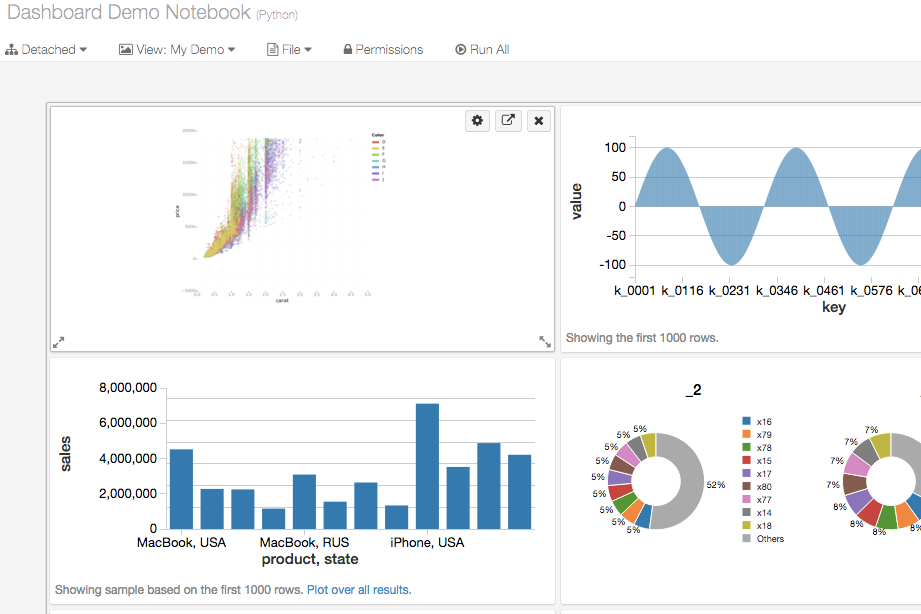
Databricks is a cloud-based data intelligence platform that combines data engineering, machine learning, and SQL analytics—including AI/BI dashboards and conversational data exploration—in one environment.
Who Is Databricks Best For?
Databricks is a strong fit for data engineers, data scientists, and analytics engineers at mid-to-large enterprises managing large-scale, complex data environments.
Why I Picked Databricks
Databricks is one of my top picks because I love how it handles secure data collaboration at a level most visualization tools simply can't match. Unity Catalog sits at the center of this: you can define fine-grained access controls at the row and column level, auto-classify sensitive data like PII, and enforce policies so every dashboard or query only surfaces what a user is permitted to see. On top of that, Databricks Clean Rooms let teams run joint analysis on sensitive data across organizational boundaries without either party ever exposing raw records to the other.
Databricks Key Features
- AI/BI dashboards: Build interactive, shareable dashboards with dynamic filters, drill-through navigation, and AI-assisted chart creation directly in the platform.
- Genie conversational analytics: Query data using plain-language questions to instantly generate charts and tables without writing SQL.
- Notebook visualizations: Create inline charts across multiple chart types, including scatter plots, heatmaps, and choropleth maps, within live data notebooks.
- AI-powered forecasting: Apply predictive forecasting to existing dashboard charts to visualize projected trends alongside historical data.
Databricks Integrations
Databricks offers validated integrations with a wide range of third-party tools through Partner Connect, covering data ingestion, BI, machine learning, and data governance. BI and visualization partners include Power BI, Tableau, Qlik Sense, Sigma Computing, ThoughtSpot, Hex, and Preset, along with data ingestion tools like Fivetran and Informatica, and transformation tools like dbt Cloud and Prophecy. Databricks is available on Zapier, and it provides a REST API for custom integrations.
Pros and Cons
Pros:
- Supports choropleth maps, Sankey, and cohort charts
- AI-assisted chart creation from natural language
- Queries and visualizes data in one platform
Cons:
- Built-in chart options trail dedicated BI tools
- Code-first approach limits non-technical users

Best for Zoho customers.
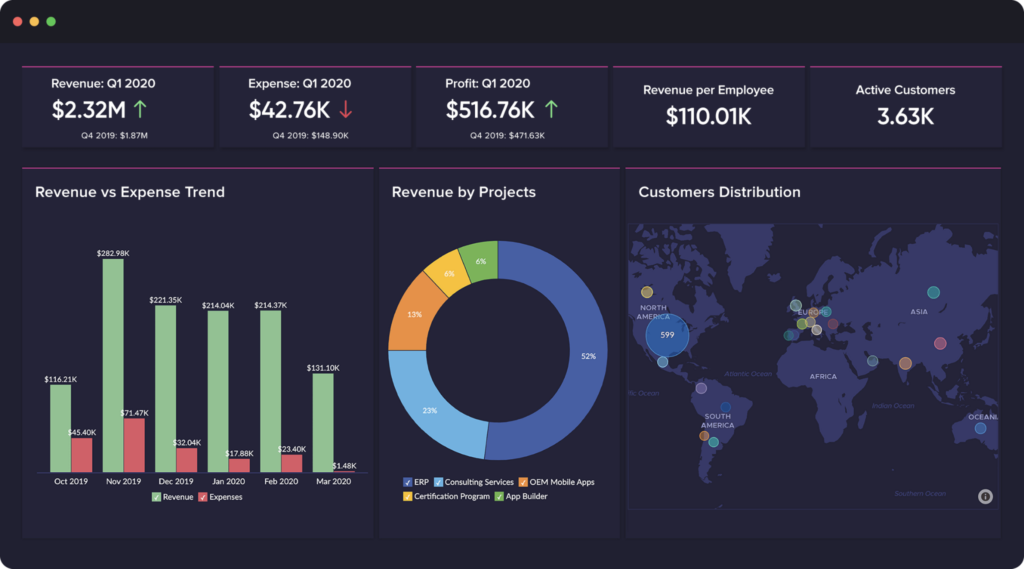
Zoho Analytics can integrate with other Zoho applications to help users collaborate and share data visualizations.
Why I picked Zoho Analytics: Organizations already using Zoho’s other applications will love the ability to unify various business analytics throughout their departments. Like other Zoho applications, Zoho Analytics has ready-made connectors for popular business systems, cloud drives, and databases. If you are familiar with Zoho, you might remember the AI assistant Zia, which the vendor created using AI, machine learning, and natural language processing. Zia helps users answer questions regarding data visualizations.
Zoho Analytics works for any sized business looking to create excellent data visualization from multiple sources and combine them together. The platform allows you to share and publish reports with team members and engage in conversations. Also, Zoho Analytics’ smart data alerts will notify you when it discovers any outliers and anomalies.
Zoho Analytics Standout Features and Integrations
Features include data analytics, performance metrics, predictive analytics, ad-hoc reports, data visualizations, profitability analysis, public and private dashboards, and high-volume data processing.
Integrations include Pipedrive, Stripe, Mortar, Zendesk, Salesforce, Mailchimp, Google Analytics, Slack, HubSpot CRM, Zoho CRM, Dropbox, Microsoft OneDrive, and Quickbooks.
Pros and Cons
Pros:
- Creates in-depth data analysis reports.
- Useful help guides and tutorials.
- Easy to learn.
Cons:
- Mobile app is unintuitive.
- Customer support needs improvement.
New Product Updates from Zoho Analytics

Zoho Analytics Adds Exogenous Variables to Multivariate Forecasting
Zoho Analytics introduces exogenous variables for multivariate forecasting using the VARX model. This helps forecasts account for external drivers such as marketing spend, discounts, and seasonality. For more information, visit Zoho Analytics’ official site.
 .
.
Signara
Best for converting data into interactive reports

Signara is an agentic analytics platform for marketing teams that automates KPI calculations, driver analysis, and dashboard and report generation from connected data sources.
Who Is Signara Best For?
Signara is a good fit for marketing analysts and RevOps teams who need automated reporting across multiple data sources without building reports manually.
Why I Picked Signara
I've included Signara in my top picks because it takes raw marketing data and turns it into a shareable, interactive dashboard in a single automated pass. I particularly like the driver analysis layer, which goes beyond charting KPI values to surface what actually moved a number and by how much. Combined with the AI narrative that generates an auditable, grounded explanation alongside each output, my team gets a complete picture without manually writing commentary or cross-referencing multiple reports.
Signara Key Features
- Deterministic KPI engine: Every metric is computed using auditable, code-based formulas so every number in a report traces back to a verifiable source.
- Plain-English data querying: Type a question like "best channel by spend" and Signara returns a KPI-backed answer pulled directly from the data engine.
- PPTX export: Reports and dashboards can be exported as presentation-ready PowerPoint files in one click, without additional formatting work.
- Multi-source data connectivity: Connect live data from warehouses like Snowflake, BigQuery, and Databricks, or upload Excel, CSV, and Google Sheets files directly.
Signara Integrations
Signara connects to Snowflake, Databricks, BigQuery, PostgreSQL, MySQL, HubSpot, and Google Sheets, and also accepts Excel, CSV, TSV, and JSON file uploads.
Pros and Cons
Pros:
- Full audit trail for every calculation
- Reports created from plain-English queries
- AI-generated recommendations with every report
Cons:
- No API available for custom workflows
- Setup requires high data cleanliness

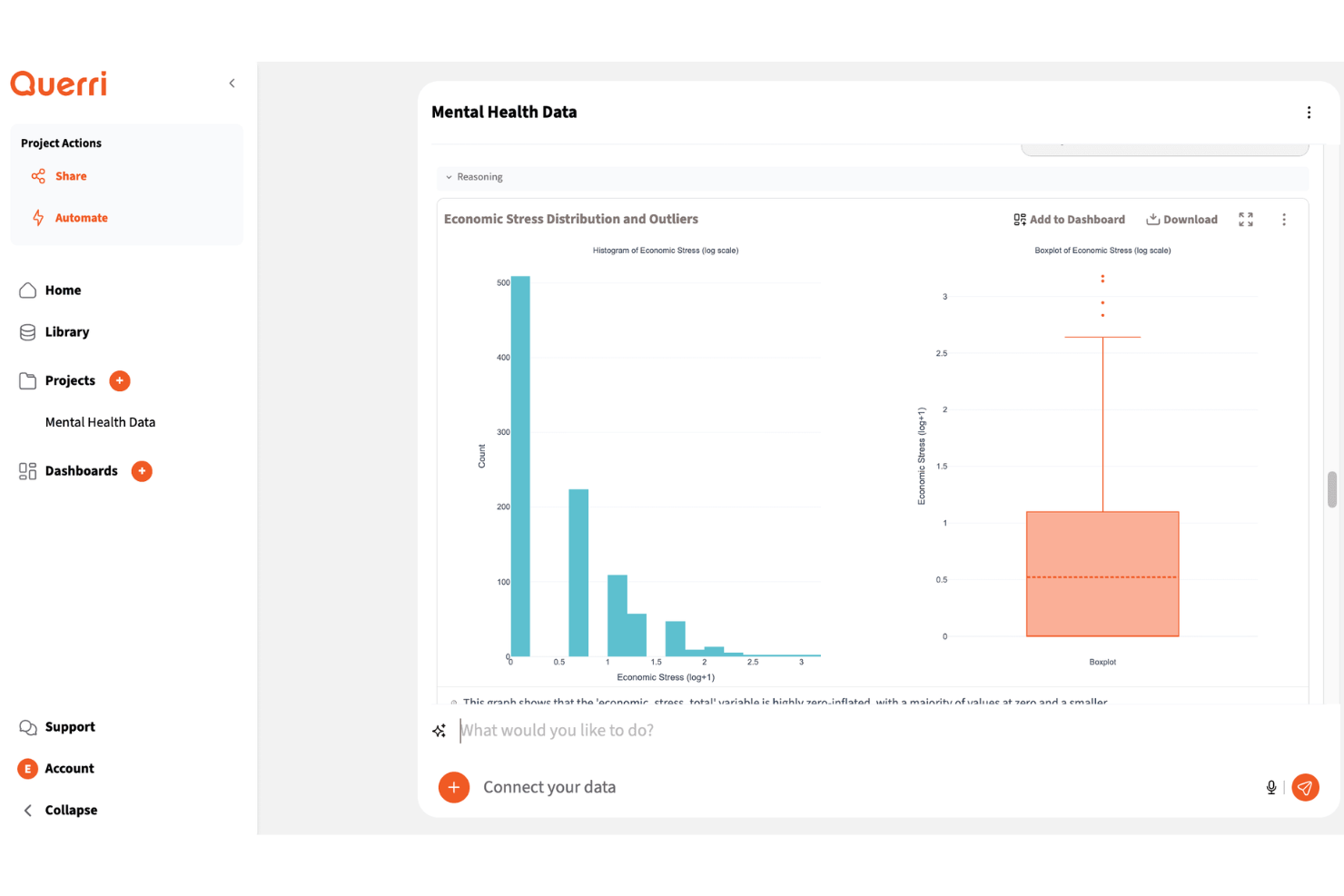
Querri is a data visualization platform that helps marketing teams turn scattered campaign, CRM, and revenue data into dashboards and reports. Its AI-powered analysis and plain-language querying make it useful for marketers who need faster insights without relying heavily on SQL or manual reporting.
Who Is Querri Best For?
Querri is a strong choice for marketing and RevOps teams that need to turn scattered campaign, CRM, and revenue data into interactive dashboards and visual reports.
Why I Picked Querri
I picked Querri because it helps your team turn scattered marketing, CRM, and revenue data into conversational dashboards. You can ask plain-language questions about your data and get visual answers through charts, tables, and dashboards instead of building every report manually. I like that it supports data connectors, file uploads, and automated reports, which helps teams work with data from multiple sources. Its dashboard and export options also make it useful for sharing campaign performance, pipeline trends, and revenue insights with stakeholders.
Querri Key Features
Some other features in Querri support data visualization, reporting, and insight sharing:
- Custom visual reports: Build charts, tables, and reports that help teams compare trends, performance, and key metrics.
- Dashboard sharing: Share dashboards through links, embeds, or exported files for easier stakeholder reporting.
- Role-based permissions: Control who can view or manage dashboards to protect sensitive business data.
- Forecasting tools: Analyze historical trends and pipeline data to support revenue and performance planning.
Querri Integrations
Integrations include HubSpot, Salesforce, QuickBooks, Google Sheets, PostgreSQL, MySQL, SQL Server, BigQuery, Redshift, and Google Drive.
Pros and Cons
Pros:
- Exports reports to PowerPoint, PDF, and Google Sheets
- Joins CRM, billing, and marketing data sources
- Builds dashboards from plain-language data questions
Cons:
- Some marketing and billing tools require file uploads
- Salesforce connector is still in early access

DashThis
Best for AI-driven marketing insights
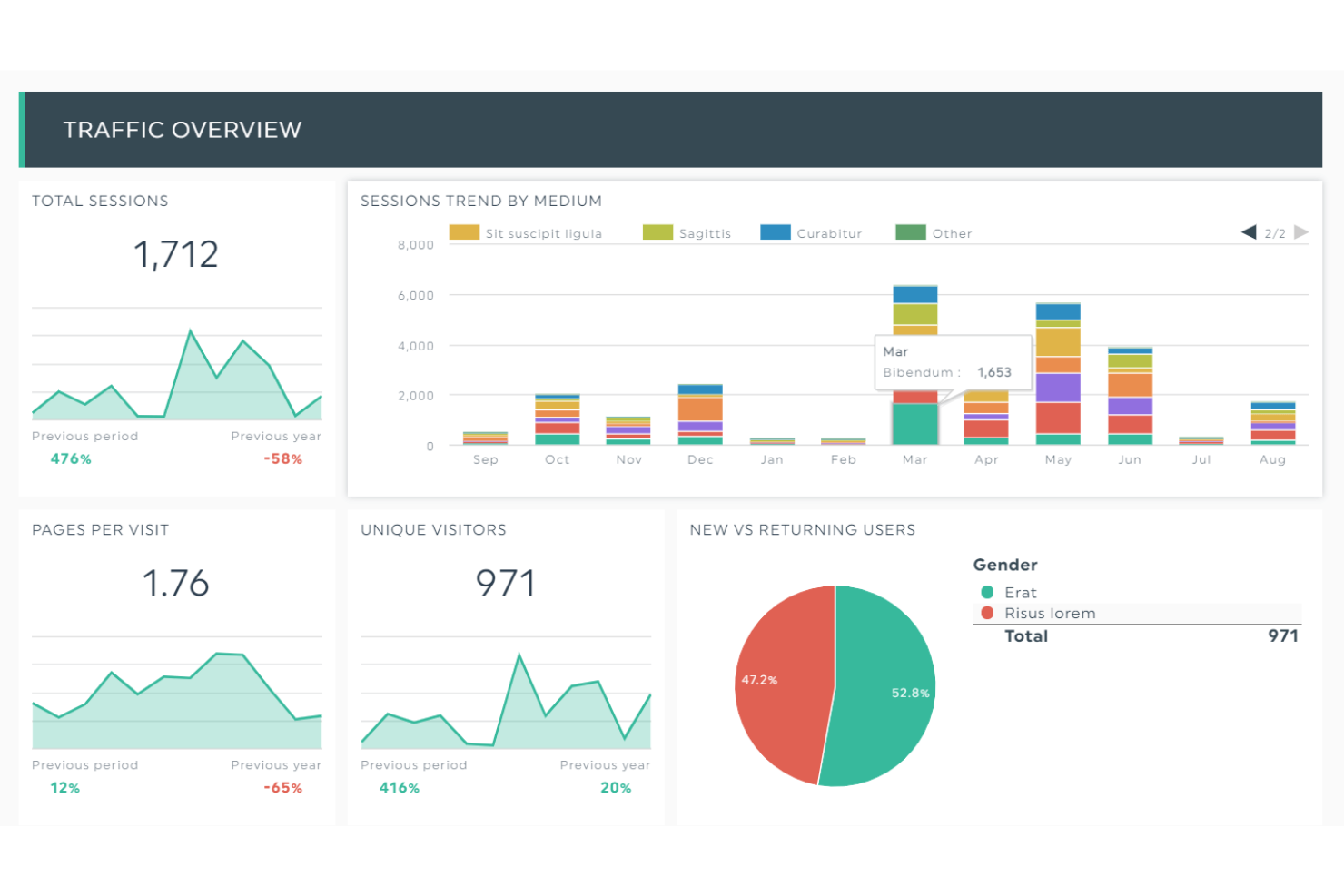
DashThis is an automated marketing reporting tool that helps agencies, businesses, and nonprofits turn complex marketing data into clear, visual dashboards. With customizable templates and white-label options, it makes it easier to present performance results in a way that clients and teams can understand.
Why I picked DashThis: I included DashThis because of its AI Insights feature, currently in beta, which can provide actionable takeaways from raw marketing data. This makes it easier to identify what strategies are working and where adjustments may be needed. I also liked that DashThis doesn’t restrict the number of users or data sources, which is particularly useful if you’re managing multiple accounts or campaigns. The platform’s branded report options also make it a strong choice for agencies that need professional, client-ready dashboards.
DashThis Standout Features and Integrations
Features include customizable dashboards, automated reporting with preset templates, shareable reports via email or PDF, and white-label branding options.
Integrations include Google Ads, Google Analytics 4, Facebook Insights, Instagram Insights, LinkedIn Ads, Mailchimp, YouTube, Bing Ads, Pinterest Ads, SEMrush, TikTok Ads, and HubSpot.
Pros and Cons
Pros:
- Wide range of integrations available
- Simplifies marketing analytics and reporting
- Affordable for small businesses and agencies
Cons:
- Limited customization for report design
- Aesthetic options may not meet all needs
New Product Updates from DashThis
DashThis Launches Snapchat Ads Integration
DashThis introduces a Snapchat Ads integration with spend, engagement, and video performance metrics. This helps marketers report on Snapchat campaigns alongside other paid channels. For more information, visit DashThis’s official site.
 .
.
Best for cross-database work

DbVisualizer gives you a unified way to explore, query, and manage virtually any database you use — whether you’re an analyst diving into reports, a developer juggling multiple data sources, or a DBA keeping everything running smoothly. With support for dozens of relational and NoSQL systems and a consistent interface across Windows, macOS, and Linux, it lets you treat all your data sources the same way.
Why I Picked DbVisualizer
I picked DbVisualizer because it offers universal database connectivity combined with flexible data browsing — meaning you can connect to nearly any database using JDBC and immediately start exploring schemas, tables, and data without needing a different tool per database type. Its ability to handle multiple simultaneous connections and treat disparate DBMSs through one UI is particularly valuable when your team uses a mix of relational and NoSQL databases. I like that you don’t have to fight with drivers or learn lots of vendor-specific tools. For teams that want a single, consistent database client regardless of backend, DbVisualizer fits neatly.
DbVisualizer Key Features
In addition to its core cross-database connectivity and management capabilities, DbVisualizer offers the following helpful features:
- Table Management: The Pro edition allows creating and altering tables, defining constraints, and exporting data in multiple formats, providing flexibility in data handling.
- Version Control for SQL Scripts: with built-in support for versioning scripts (branching, history, changes), you and your team can track modifications over time — handy when multiple people edit queries or database objects.
- Monitoring and Comparison: The Pro version enables users to monitor SQL results and compare editor buffers, facilitating performance tracking and data integrity checks.
- Security and Customization: The software includes strong password protection and customizable key bindings in the Pro version, ensuring data security and user preference adaptability.
DbVisualizer Integrations
DbVisualizer natively integrates with various databases such as Oracle, SQL Server, MySQL, PostgreSQL, SQLite, and more, allowing seamless connectivity and data management across different platforms.
Pros and Cons
Pros:
- Includes visualization options (charts, graphs) for query results.
- Allows inline editing of data like a spreadsheet for quick changes.
- Works with a very wide range of databases via JDBC support.
Cons:
- No built-in workflow for data standardization, de-duplication, or master-record consolidation.
- Larger datasets can occasionally affect performance.
New Product Updates from DbVisualizer

DbVisualizer Adds AI Enhancements, Map Visualization, and SQL Tab Groups
DbVisualizer expands AI capabilities, introduces geospatial map visualization, and adds SQL Commander tab groups. The release also improves audit logging, database connection management, and database support to streamline development workflows. For more information, visit DbVisualizer's official site.
 .
.
Best for data connections.

Klipfolio can access and combine data from hundreds of connections without writing unnecessary code.
Why I picked Klipfolio: It can retrieve and combine your data from multiple sources and create data models by using its pre-built instant metrics. These sources include spreadsheets, files, databases, and web service application connections. Klipfolio allows you to import, edit, and analyze data to get exact, comprehensive insights. You can display your data using one of the platform’s pre-built visualizations from its Klip Gallery.
Klipfolio is a good fit for any business looking to visualize complex data formulas to resolve revenue challenges. The PowerMetrics tool doesn’t require coding expertise or technical help from a development team. You and your teams can share visualizations and reports through view-only links, scheduled emails, Slack messages, or PDFs.
Klipfolio Standout Features and Integrations
Features include performance metrics, visual analytics, data analysis, ad-hoc reports, public and private dashboards, data discovery, dashboard creation, and filtered views.
Integrations include Jira, Freshdesk, BambooHR, SendGrid, Twilio, Pipedrive, Recurly, New Relic, FreshBooks, Stripe, Basecamp, Zendesk, Salesforce, and Google Analytics.
Pros and Cons
Pros:
- Dashboards fit any device.
- Extensive knowledge base.
- Excellent customer support.
Cons:
- Formula editing is complex.
- Steep learning curve.

Infogram
Best for creating infographics.

Infogram is a drag-and-drop data visualization tool that allows anyone to create compelling infographics, reports, dashboards, and other vital business graphics.
Why I picked Infogram: This web-based tool is one of the most popular platforms for visualizing data. Infogram’s primary use is to help users create exciting and interactive infographics, dashboards, and reports by using data-driven information. The platform provides users with numerous graphic options to make infographics, including over 550 maps, 35 charts, 20 templates, and other pictures and icons.
Infogram is an excellent fit for anyone, from beginners new to creating data visualizations to large enterprises. The dashboard template library provides businesses with many visualization layouts that are perfect for tracking your data and identifying trends. It also offers many collaboration capabilities - you can invite team members to projects, set permissions, share project details, and collaborate in real time.
Infogram Standout Features and Integrations
Features include interactive maps and charts, reports, dashboards, online content publishing, infographics, social media posts, slides, and analytics.
Integrations include Desktop.com, Google Analytics, Dropbox, Microsoft OneDrive, Google Drive, Shift, Azquo, and Turtl.
Pros and Cons
Pros:
- No coding skills are required.
- Drag and drop editor.
- Handles multiple data sources.
Cons:
- Some customization limitations.
- Not many integrations are available.

Tableau
Best intuitive data analysis.
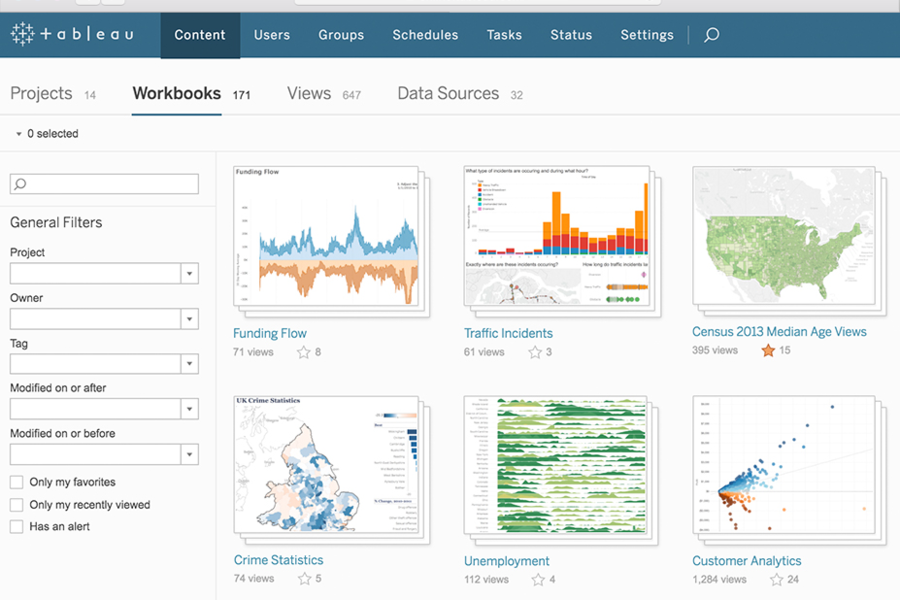
Tableau provides built-in visual best practices that enable limitless visual data exploration that doesn’t interrupt analysis flow.
Why I picked Tableau: Thanks to the platform’s flexibility and power, users can develop statistical modeling to build visualizations, explore data, and share insights. You can do all this in just a few clicks and by asking questions using Tableau’s natural language processing and artificial intelligence. It will save you and your team’s time by immediately producing the visual output everyone needs while also providing high-security levels with a guarantee to resolve security issues as soon as they happen.
Tableau works for any sized company that needs a method to create nearly any type of data visualization. This includes simple charts to creative and interactive graphics. The vendor also provides extensive resources and knowledgebase that other Tableau users contribute to.
Tableau Standout Features and Integrations
Features include data management, virtual data connections, data governance, data lineage and quality, self-service data preparation, coordinated views, collaboration tools, and real-time data exploration.
Integrations include Salesforce, Google Analytics, Smartsheet, SurveyMonkey, Zoho Survey, Amplitude, Odoo, Normalyze, Aprimo, Data Sandbox, Pendo, Khoros, and Payscale.
Pros and Cons
Pros:
- Handles vast amounts of data.
- User-friendly design.
- Excellent visualization capabilities.
Cons:
- Downloading data takes time.
- Steep learning curve.
Other Data Visualization Software
Here are some additional data visualization software options that didn’t make it onto my shortlist, but are still worth checking out:
- Qlik
For beginners.
- Adverity
For seamless data integration
- Looker
For creating accessible data platforms.
- Domo
Customizable data dashboards.
- Sisense
Self-service data visualizations.
- SAP Crystal Server
For sharing personalized dashboards.
- Strategy
For drag-and-drop visualizations.
- Athenic
For AI-powered, conversational data insights
- Adobe Customer Journey Analytics
For real-time, cross-channel journey mapping
- Datawrapper
Open source data visualization tool.


How I Evaluate Data Visualization Software
I split my evaluation into two layers: baseline criteria a tool must meet to qualify—like interactive dashboards—and differentiating factors that set the best options apart.
Core Functionality (Table Stakes For This List)
When I'm selecting tools for my list, I rank each one on a scale from 0 (does not offer the functionality) to 5 (excels in this area) for each core functionality listed below. Then, I calculate the tool's total score into a percentage. Each tool needs to achieve a minimum total score of 65% to be considered for inclusion.
- Interactive Dashboards: I check whether dashboards support cross-filtering, drill-downs, and dynamic parameters so users can slice pipeline data without building separate views.
- Multi-Source Data Connectors: I evaluate native connectors to CRMs like Salesforce and HubSpot, marketing platforms, billing systems, and warehouses like Snowflake and BigQuery.
- Chart Type Variety: Beyond bar and line charts, I look for funnels, cohorts, heatmaps, and scatter plots suited to visualizing conversion rates and deal velocity.
- Data Modeling & Transformation: I consider whether you can join datasets, create calculated fields, and define reusable metrics like ARR or weighted pipeline within the tool itself.
- Sharing & Collaboration: Teams need role-based permissions, scheduled report delivery, and embedding options so executives and reps see the right dashboards at the right time.
- Data Refresh Frequency: I evaluate how often dashboards pull fresh data, looking for live connections or near-real-time refresh cycles that keep forecast views current.
Once I have a list of tools that meet the criteria, I consider what sets each platform apart.
Differentiating Factors (What Sets Vendors Apart)
Here's how I compare and contrast different vendors:
Standout Features
I look for AI-powered insights that surface anomalies in pipeline data—like a sudden drop in stage-to-stage conversion—without requiring manual investigation. Pre-built RevOps templates also matter because they let teams launch funnel and forecast dashboards in hours instead of weeks. Embedded analytics is another differentiator I evaluate; tools that push live dashboards into Salesforce records or Slack channels keep reps and managers in their daily workflow.
Beyond Features
Integration depth with the GTM stack matters—I check whether a tool connects natively to CRMs, marketing automation platforms, and data warehouses without requiring middleware. Pricing structure is equally important; some vendors charge per viewer while others use capacity-based models, so I evaluate whether stakeholders like executives and reps can access dashboards without inflating costs. I also look at row-level security and SSO support, since RevOps dashboards often contain sensitive pipeline and compensation data that needs territory-based access controls.
How to Choose Data Visualization Software
It’s easy to get bogged down in long feature lists and complex pricing structures. To help you stay focused as you work through your unique software selection process, here’s a checklist of factors to keep in mind:
| Factor | What to Consider |
|---|---|
| Scalability | Will the software grow with your business? Check if it handles large data volumes and supports more users as your needs increase. |
| Integrations | Does it connect with your existing tools? Ensure it integrates with your CRM, databases, and other essential platforms to avoid manual data entry. |
| Customizability | Can you tailor it to fit your workflow? Look for options to customize dashboards, reports, and user permissions to match your team's requirements. |
| Ease of use | Is it user-friendly? Opt for software with an intuitive interface to minimize training time and improve adoption across your team. |
| Implementation and onboarding | How smooth is the setup process? Evaluate the time and resources needed for implementation, including any support or training provided by the vendor. |
| Cost | Is it within your budget? Compare pricing plans, watch for hidden fees, and consider long-term costs vs. benefits. |
| Security safeguards | How does it protect your data? Look for features like encryption, user access controls, and compliance with data protection regulations. |
| Support availability | Will you get help when needed? Check for 24/7 support options, response times, and the availability of detailed documentation or user communities. |
Trends
Data visualization software is becoming more sophisticated, offering advanced functionalities that cater to a wider range of business needs, particularly in managing revenue operations. Here is an analysis of the current trends based on recent product updates, press releases, and release logs:
Integration and Interoperability:
- Seamless Data Integration: Enhanced capabilities for integrating diverse data sources, providing a unified view that is crucial for comprehensive revenue analysis.
- Cross-Platform Compatibility: Increasing emphasis on ensuring that data visualization tools work seamlessly across different platforms and devices, enabling users to access insights anywhere, at any time.
Advanced Analytical Features:
- Predictive Analytics: Integration of predictive analytics into data visualization tools, allowing businesses to forecast trends and make proactive decisions.
- Automated Insight Generation: Use of AI to automatically identify and highlight key data points and trends, reducing the time needed for manual analysis.
Innovative Visualization Types:
- Immersive Visualizations: Introduction of VR and AR technologies to create immersive data visualization experiences, offering new perspectives on data analysis.
- Real-Time Data Streaming: Capabilities for visualizing streaming data in real time, enabling immediate response to emerging trends and issues.
Collaboration and Sharing:
- Enhanced Collaboration Features: Tools that facilitate collaboration among team members, including shared dashboards and interactive reports, which are crucial for aligning revenue operation strategies.
- Secure Sharing Mechanisms: Improved security features for sharing data visualizations, ensuring that sensitive revenue data is protected while enabling informed decision-making across teams.
These trends reflect the growing recognition of the strategic value of data visualization in driving business success, particularly in the context of revenue operations. When selecting a data visualization tool, organizations should consider these trends to ensure they choose a solution that will remain relevant and valuable in the face of rapid technological change.
What Is Data Visualization Software?
Data visualization software is a tool that turns raw data into visual formats like charts, graphs, and dashboards. Professionals like analysts, marketers, and executives use these tools to better understand data and make informed decisions. Features like real-time data updates, integrations, and customizability help with analyzing complex datasets and sharing insights. Overall, these tools make data easier to interpret and act upon.
Features
When selecting data visualization software, keep an eye out for the following key features:
- Real-time data updates: Allows users to see the most current data, helping make timely decisions.
- Interactive dashboards: Enables users to explore data through clickable charts and graphs for deeper insights.
- Integrations: Connects seamlessly with other tools like CRMs and databases to centralize data.
- Customizability: Lets users tailor visualizations to fit specific needs and branding.
- User-friendly interface: Simplifies navigation and reduces the learning curve for new users.
- Data import/export options: Facilitates easy transfer of data into and out of the software for reporting.
- Security safeguards: Protects sensitive data through encryption and access controls.
- Mobile access: Offers data access on-the-go, ensuring users can check insights from anywhere.
- Advanced analytics: Provides tools for forecasting and in-depth data analysis to support strategic planning.
Benefits
Implementing data visualization software provides several benefits for your team and your business. Here are a few you can look forward to:
- Improved decision-making: Visual insights help teams quickly understand data trends and make informed choices.
- Enhanced collaboration: Interactive dashboards allow team members to share insights easily and work together more effectively.
- Time savings: Automated data updates and integrations reduce manual data entry and reporting effort.
- Better data comprehension: Visual formats like charts and graphs simplify complex data, making it easier to interpret.
- Increased accessibility: Mobile access ensures users can view and analyze data from anywhere, at any time.
- Scalability support: As your business grows, the software can handle larger datasets and more users without a hitch.
- Data security: Strong security features protect sensitive information, maintaining data integrity and compliance.
Costs & Pricing
Selecting data visualization software requires an understanding of the various pricing models and plans available. Costs vary based on features, team size, add-ons, and more. The table below summarizes common plans, their average prices, and typical features included in data visualization software solutions:
Plan Comparison Table for Data Visualization Software
| Plan Type | Average Price | Common Features |
|---|---|---|
| Free Plan | $0 | Basic charts, limited data sources, and community support. |
| Personal Plan | $10-$30/user/month | Customizable dashboards, multiple data source integration, and email support. |
| Business Plan | $50-$100/user/month | Advanced analytics, priority support, collaboration tools, and mobile access. |
| Enterprise Plan | $100+/user/month | Full customizability, real-time data updates, dedicated account manager, and enhanced security features. |
Data Visualization Software FAQs
Here are some answers to common questions about data visualization software:
What are the types of data visualization software?
Why is data visualization important?
What Other Data Analytics Tools Should I Use?
What’s Next:
If you're in the process of researching data visualization software, connect with a SoftwareSelect advisor for free recommendations.
You fill out a form and have a quick chat where they get into the specifics of your needs. Then you'll get a shortlist of software to review. They'll even support you through the entire buying process, including price negotiations.