

10 Best Sales Quoting Software Reviewed In 2026

Best Sales Quoting Software Shortlist


Choosing the right sales quoting software is important for improving accuracy and saving time. In this review, we’ll explore the top sales quoting software to help you find the best one to fit your business needs.
Why Trust Our Software Recommendations
Our reviews reflect our independent judgment—not a sales pitch. Learn how we stay transparent.
For this guide, we evaluated tools using hands-on testing and independent research, scoring tools using our selection criteria.
Our reviews reflect our human editorial judgment, not a sales pitch.
Best Sales Quoting Software Summary
| Tool | Best For | Trial Info | Price | ||
|---|---|---|---|---|---|
| 1 | Best for end-to-end quote workflows | Free demo available | Pricing upon request | Website | |
| 2 | Best for integrated quoting and payments | Not available | From $620/month | Website | |
| 3 | Best for speedy proposal creation | 14-day free trial + free demo available | From $19/user/month (billed annually) | Website | |
| 4 | Best for interactive proposals | 14-day free trial available | From $35/user/month (billed annually) | Website | |
| 5 | Best quote tracking features | Free trial available | From $45.83/user/month (billed annually) | Website | |
| 6 | Best for open-source business applications | Free plan + free trial available | Pricing upon request | Website | |
| 7 | Best for MSPs quoting automation | 30-day free trial | Pricing upon request | Website | |
| 8 | Best for freelancers and agencies | 14-day free trial + free demo available | From $29/month | Website | |
| 9 | Best for customizable quote templates | 14-day free trial + free demo available | From $39/user/month | Website | |
| 10 | Best for highly configurable product quotes | Free demo available | From $55/user/month (minimum 5 users, billed annually) | Website |
Best Sales Quoting Software Reviews
Below are my detailed summaries of the best sales quoting software that made it onto my shortlist. My reviews offer a detailed look at the key features, pros & cons, integrations, and ideal use cases of each tool to help you find the best one for you.

Best for end-to-end quote workflows

DealHub AI is an AI-powered CPQ and quote-to-revenue platform that covers the full quote lifecycle, from guided product configuration and multi-dimensional pricing through automated approvals, digital proposals, contract management, and billing.
Who Is DealHub AI Best For?
DealHub AI is well suited to mid-market and enterprise B2B sales teams that manage complex, high-volume quoting across multiple products, pricing models, or sales motions.
Why I Picked DealHub AI
DealHub AI earns its spot on my shortlist because it's one of the few CPQ platforms that doesn't stop at sending a quote. I picked it for its end-to-end coverage: reps configure and price a deal, then hand it off directly into a DealRoom where the buyer reviews, comments, signs, and countersigns without leaving the platform. That connection between CPQ, proposal delivery, and contract execution keeps the entire workflow in one place, which matters when deals involve multiple stakeholders and revision cycles.
DealHub AI Key Features
- Guided selling playbooks: Rule-based playbooks walk reps through product configuration so every quote follows the correct logic based on deal type, customer segment, or sales motion.
- Parallel approval workflows: Route quotes to multiple approvers simultaneously, with one-click approvals triggered by pricing thresholds or discount levels.
- Renewal and co-term quoting: Generate renewal, expansion, and co-term quotes that automatically account for existing contract dates and quantities.
- AI pricing optimization: Surfaces pricing recommendations based on deal context to support more consistent discounting across the team.
Pros and Cons
Pros:
- Built-in eSign, CLM, and billing reduce tool switching
- Digital DealRoom helps you collaborate with buyers in real time
- Guided selling playbooks make it easy for reps to quote correctly
Cons:
- Advanced reporting often needs to be done outside the platform
- Admin interface can feel complex at first
New Product Updates from DealHub AI

DealHub AI Expands Bundle Attribute Automation
DealHub AI introduces Assignment Rules for child proposal attributes and numeric aggregation for bundles. These updates give admins more control over bundle attribute automation and configuration. For more information, visit DealHub’s official site.
 .
.
Stripe
Best for integrated quoting and payments

Stripe is a payments infrastructure platform that includes native quoting, invoicing, and subscription billing tools built directly into its payment processing ecosystem.
Who Is Stripe Best For?
Stripe is a strong fit for tech-forward businesses and SaaS companies that want quoting and payment collection in a single, developer-friendly platform.
Why I Picked Stripe
I've included Stripe in my top picks because it's the only tool on this list where quoting and payment collection live inside the same platform. When a customer accepts a quote, Stripe automatically converts it into an invoice or a subscription. There's no handoff to a separate payment processor. I also like that quotes support both recurring and one-off line items in a single document, which is useful for SaaS teams selling mixed-pricing deals.
Stripe Key Features
- Quote expiration dates: Set a specific expiration date on each quote to create urgency and control how long pricing is valid.
- Branded quote PDFs: Generate and share a branded PDF version of each quote directly from the Stripe Dashboard.
- Coupon and discount application: Apply one-time or recurring coupons to individual line items or an entire quote before sending.
- Tax calculation on quotes: Automatically calculate tax on quoted amounts using Stripe Tax before the customer ever accepts.
Pros and Cons
Pros:
- Customizable quote templates
- Real-time currency conversion
- Global payment integration
Cons:
- Limited quote reporting
- Complexity for small businesses
Best for speedy proposal creation

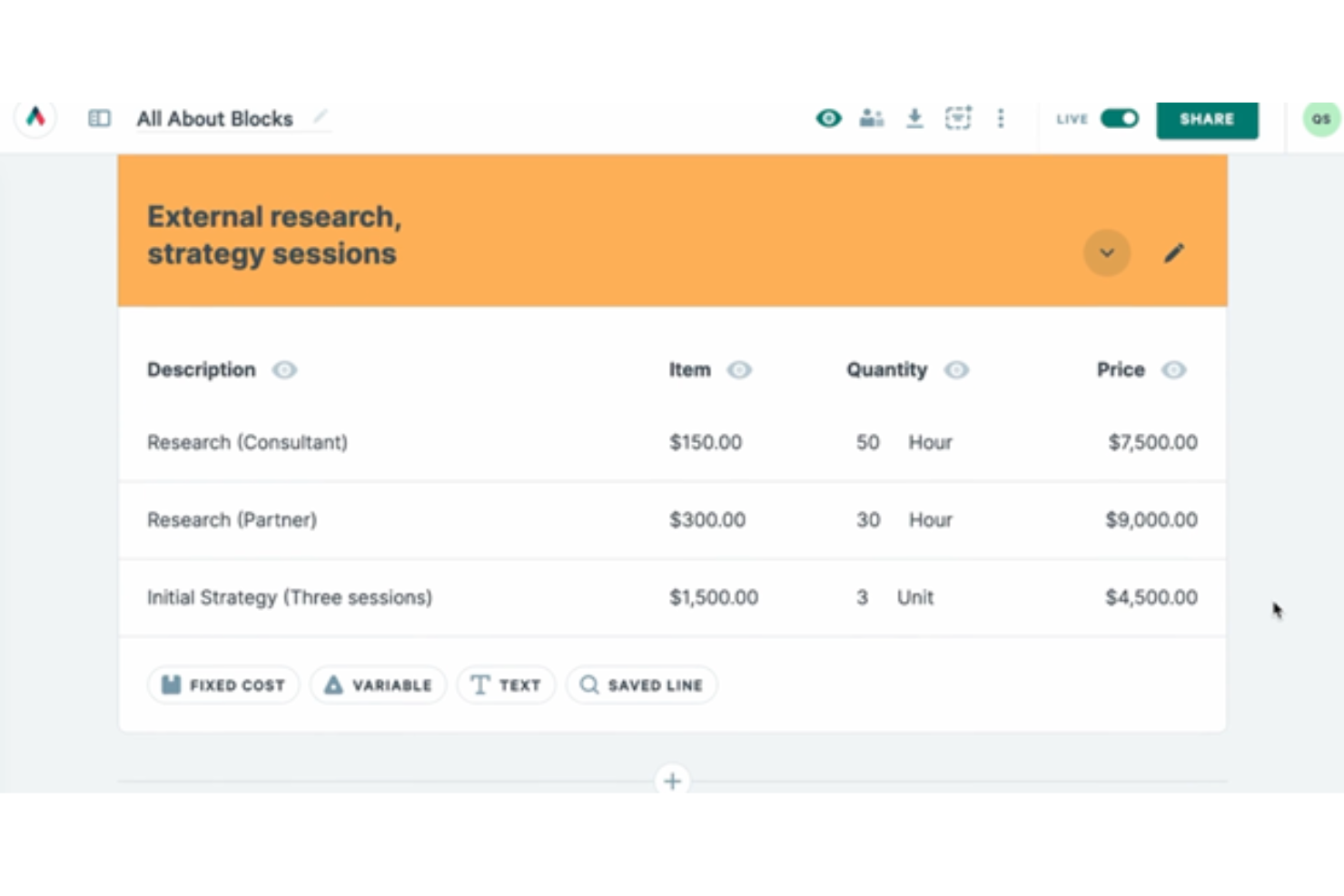
Proposify is a sales proposal and quoting platform that lets teams build, send, track, and e-sign branded proposals and quotes using drag-and-drop templates, a centralized content library, and CRM-connected pricing.
Who Is Proposify Best For?
Proposify is a good fit for sales teams at small to mid-sized businesses that send a high volume of proposals and need consistent, on-brand documents without relying on design resources.
Why I Picked Proposify
Proposify earns its spot as one of the best on my shortlist because the template library and pre-built content blocks cut the time it takes to get a polished quote out the door. I like that the fee library lets my team pull in pre-approved pricing in seconds rather than hunting through spreadsheets. The AI writing assistance helps fill in proposal sections when we're working against a tight deadline.
Proposify Key Features
- E-signatures: Collect legally binding signatures within the proposal without requiring a separate tool.
- Document analytics: Track when recipients open a quote, which sections they view, and how long they spend on each page.
- Approval workflows: Route quotes through a defined approval chain before sending, so errors get caught before the prospect sees the document.
- Discount controls: Apply discounts at the line-item or quote level, based on volume or negotiated terms.
Pros and Cons
Pros:
- AI-powered content suggestions
- Customizable proposal templates
- Proposal activity tracking alerts
Cons:
- No AI pricing optimization
- Limited multi-currency support

Qwilr
Best for interactive proposals
Qwilr is a web-based sales quoting and proposal platform that lets you build interactive, branded quotes with dynamic pricing tables, built-in e-signatures, and payment collection.
Who Is Qwilr Best For?
Qwilr is a strong fit for B2B sales teams that want to replace static PDF quotes with a more visual, client-facing experience.
Why I Picked Qwilr
Qwilr is on my shortlist because it transforms static quotes into live, web-based pages that buyers can interact with. Instead of sending a PDF, I build quotes where prospects toggle between pricing tiers, add or remove line items, and sign within the same page. I use buyer engagement analytics to track when a prospect opens a quote and how long they spend on each section.
Qwilr Key Features
- CRM-generated quotes: Auto-populate contact details and pricing data directly from HubSpot, Salesforce, Pipedrive, or Zoho CRM into a new quote.
- QwilrPay: Collect one-off or recurring payments from buyers at the point of acceptance, without leaving the quote page.
- Reusable content blocks: Build a library of pre-approved pricing packages, service descriptions, and legal terms to pull into new quotes.
- Quote expiry dates: Set a deadline on any quote so buyers see a live countdown, adding urgency to open deals.
Pros and Cons
Pros:
- Mobile-responsive quote designs
- Native video embedding
- Interactive pricing tables
Cons:
- Limited pricing flexibility
- Limited customization

Best quote tracking features

QuoteWerks is a CPQ and sales quoting platform that lets sales teams configure products, build branded proposals, manage approval workflows, collect e-signatures, and track quote activity from creation to close.
Who Is QuoteWerks Best For?
QuoteWerks is a strong fit for SMB and mid-market sales teams in IT, technology, and professional services who manage high volumes of quotes.
Why I Picked QuoteWerks
QuoteWerks earns its spot as one of the best on my shortlist because of how much visibility it gives you into what happens after a quote leaves your hands. Through QuoteValet, I can see exactly when a buyer opens a quote, how many times they revisit it, and when they interact with specific sections. That real-time engagement data tells me when to follow up, rather than just guessing. I also like the automated expiration reminders, which notify prospects before a quote lapses and alert me the moment an expired quote gets reopened.
QuoteWerks Key Features
- Peer review workflow: Route quotes to internal approvers before sending them to a prospect, with comments and sign-off tracked in the quote record.
- Real-time distributor pricing: Pull live pricing from distributors like Ingram Micro and Tech Data directly into a quote without leaving the platform.
- E-signature collection: Buyers can review and sign quotes digitally through the QuoteValet portal without any third-party tool.
- Purchase order generation: Convert an accepted quote into a purchase order automatically, with line-item data carried over without re-entry.
Pros and Cons
Pros:
- Embedded e-signatures
- Historical pricing analysis
- Flexible product bundle configuration
Cons:
- Limited quote personalization
- No budgeting tools
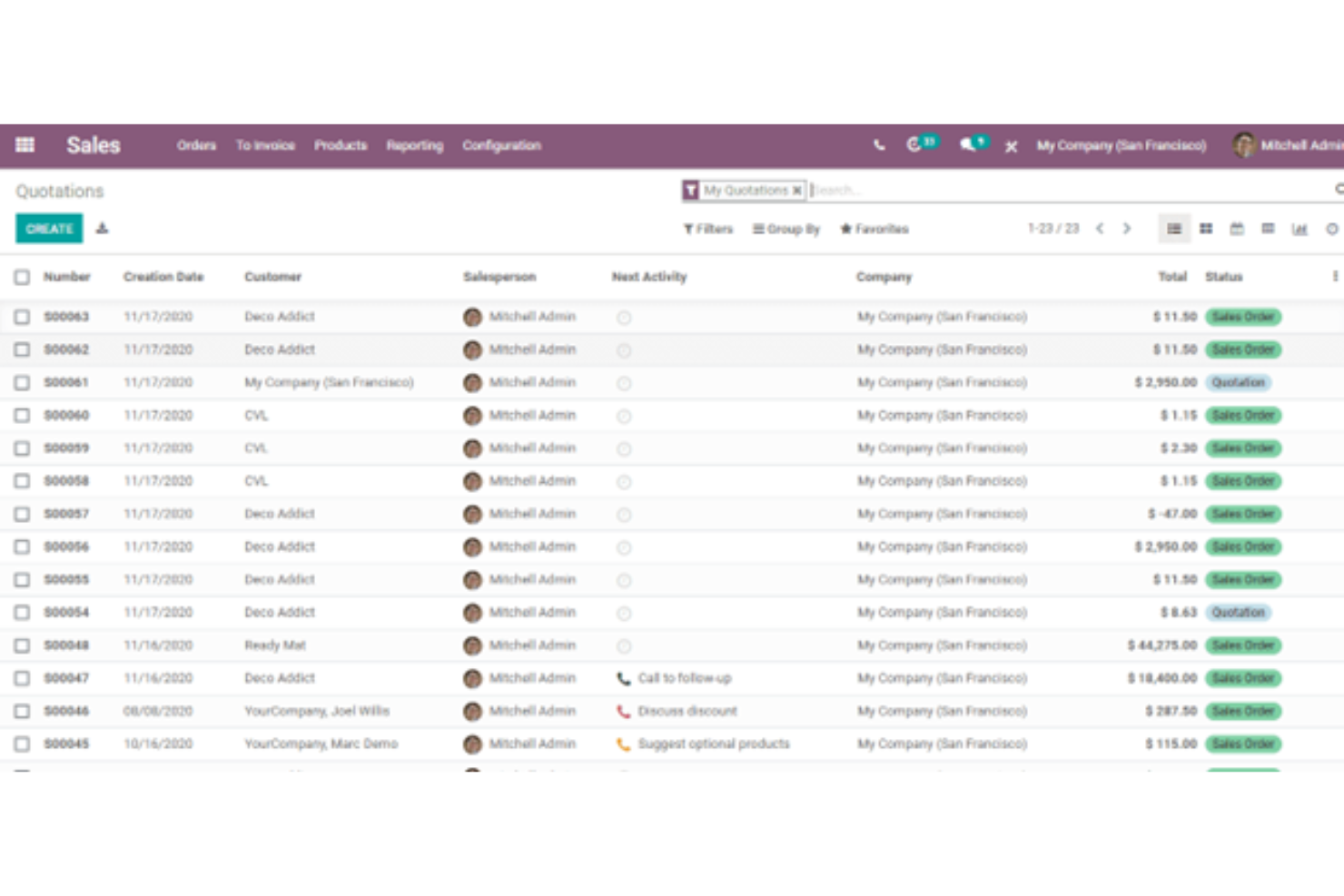
Odoo is an open-source ERP platform with a dedicated Sales module that covers quotation building, product configuration, pricelist management, e-signatures, and quote-to-order conversion.
Who Is Odoo Best For?
Odoo is a strong fit for small to mid-sized businesses that want a single, customizable platform to manage sales quoting alongside other core operations.
Why I Picked Odoo
I've included Odoo in my top picks because its open-source architecture means I can customize the quoting module at a code level rather than working around a locked-down UI. I can modify quote templates, pricing logic, and approval workflows to match specific business rules that most closed platforms won't support. The community edition also lets my team self-host and extend the quoting engine without being constrained by per-user licensing.
Odoo Key Features
- Pricelist management: Set rule-based pricing per customer segment, order volume, or date range directly within the quoting flow.
- Online customer portal: Send quotes to customers via a branded portal where they can review, accept, and sign without leaving their browser.
- Optional products: Add upsell or cross-sell items to a quote that customers can toggle on or off before confirming.
- Pro forma invoicing: Generate a pro forma invoice directly from an open quotation before converting it to a confirmed sales order.
Pros and Cons
Pros:
- Dynamic pricing by segment
- Reminders for quote acceptance
- Customizable quote templates
Cons:
- Implementation complexity
- Dependency on other Odoo modules

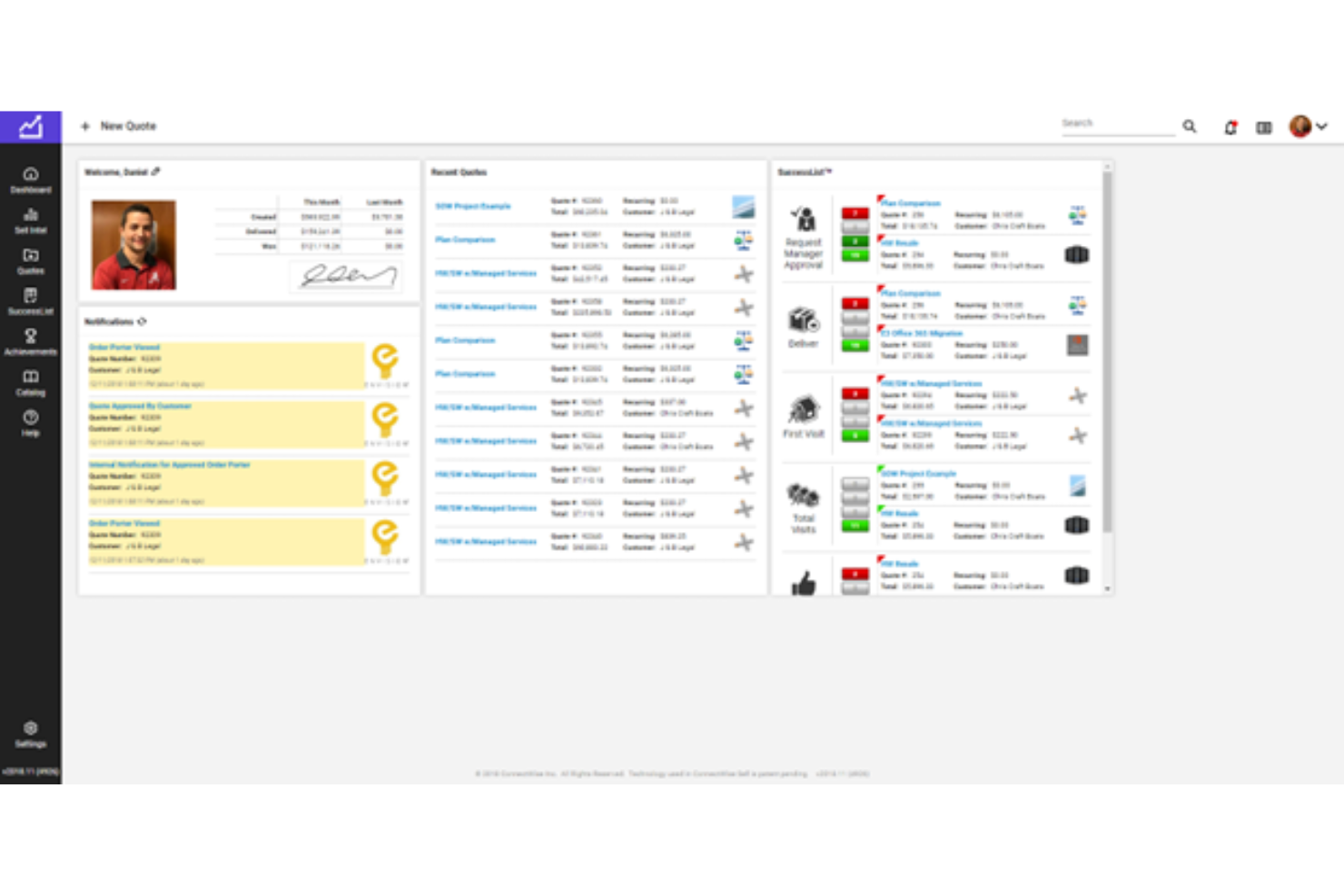
ConnectWise CPQ is a configure, price, quote platform built specifically for managed service providers, with quote template automation, real-time distributor pricing, e-signature delivery, and procurement integration via ConnectWise PSA.
Who Is ConnectWise CPQ Best For?
ConnectWise CPQ is a natural fit for MSPs and IT solution providers that need to manage complex, hardware-heavy quotes with live distributor pricing.
Why I Picked ConnectWise CPQ
ConnectWise CPQ earns its spot on my shortlist because of how deeply it automates the MSP quoting workflow, from product selection through to procurement. I particularly like that it pulls live pricing directly from distributors like Ingram Micro and TD Synnex, so quotes reflect actual costs without any manual lookup. The automated renewal tracking also stands out to me—it flags expiring warranties, agreements, and equipment so my team can generate follow-up quotes before a client even asks.
ConnectWise CPQ Key Features
- Quote templates: Build reusable, customizable templates for common MSP service packages to speed up quote creation.
- E-signature delivery: Send quotes directly to clients for electronic signature without leaving the platform.
- Product catalog management: Maintain a centralized catalog of hardware, software, and services with configured pricing rules and discount tiers.
- PSA handoff: Push accepted quotes directly into ConnectWise PSA to trigger project setup and procurement without manual data re-entry.
Pros and Cons
Pros:
- Dynamic pricing adjustments
- Instant quote synchronization
- Real-time margin analysis
Cons:
- High ConnectWise dependency
- Limited template customization

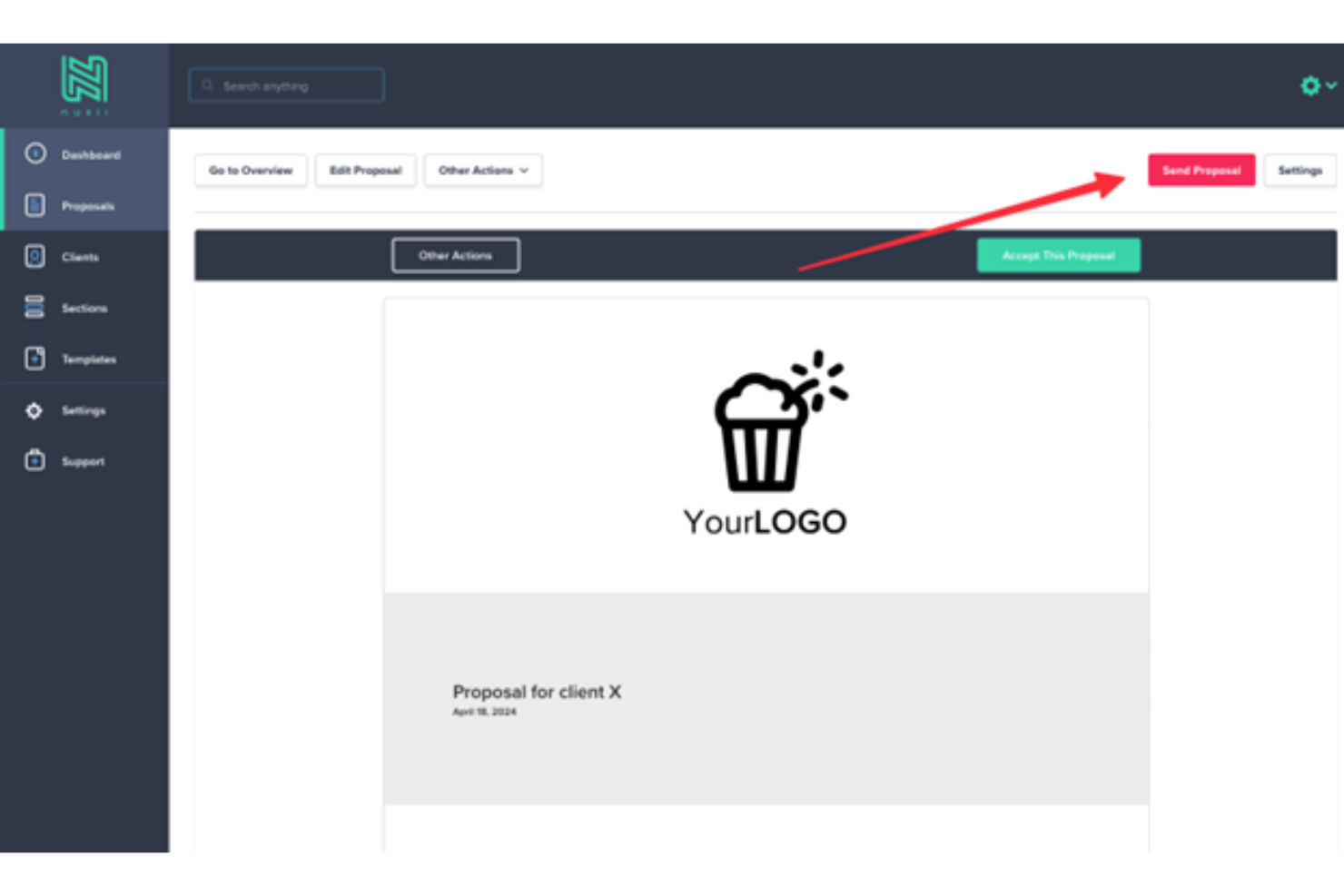
Nusii is a proposal software tool for creative agencies and freelancers, offering branded proposal templates, reusable content blocks, interactive pricing, e-signatures, and proposal tracking.
Who Is Nusii Best For?
Nusii is a strong fit for independent freelancers and small creative agencies who send client proposals regularly and need a simple, branded quoting workflow.
Why I Picked Nusii
I've included Nusii in my top picks because it's purpose-built for how freelancers and small agencies work. I love the reusable content library, which lets you save pricing blocks and copy, so you can assemble a new proposal in minutes instead of starting from scratch. The optional upsell line items are a particularly smart touch—you can include add-on services directly in a proposal, which is a natural fit for agencies pitching project retainers. The proposal notification feature alerts you when a client opens a proposal, giving solo operators visibility without needing a full CRM.
Nusii Key Features
- Electronic signatures: Clients can review and sign proposals directly within the Nusii platform, without needing a separate e-signature tool.
- Custom branding: Add your logo, brand colors, and a custom domain so every proposal looks like it came from your own website.
- Automated follow-up reminders: Schedule automatic email reminders to clients who haven't responded, so no proposal goes forgotten.
- Stripe payment integration: Collect deposits or full payments at the moment a client accepts a proposal, directly through the platform.
Pros and Cons
Pros:
- Version history tracking
- Real-time proposal analytics
- Adaptive template customization
Cons:
- Template customization limits
- Limited client insights


QuoteCloud is a sales quoting and proposal platform that lets you build, send, track, and close quotes using a drag-and-drop editor, interactive pricing tables, eSignatures, and a built-in product catalog.
Who Is QuoteCloud Best For?
QuoteCloud is a good fit for small to mid-sized sales teams that need a dedicated quoting tool without the complexity of a full CPQ platform.
Why I Picked QuoteCloud
QuoteCloud earns its spot as one of the best on my shortlist because its template and document customization go well beyond what most quoting tools offer. I love that the block-based editor supports over 14 content block types, so I can build quotes that include embedded video, Gantt charts, form builders, and interactive pricing tables all in one document. I also rely on the shared content library to store pre-approved blocks and reuse them across quotes without rebuilding from scratch each time.
QuoteCloud Key Features
- eSignatures: Collect legally binding signatures directly within a quote, without sending clients to a separate signing tool.
- Approval workflows: Set up multi-step review processes so quotes go through the right sign-offs before reaching a prospect.
- Real-time quote tracking: Get instant alerts when a client opens a quote and see exactly which sections they've viewed.
- Product catalog: Store your products, services, and pricing in a central catalog to pull line items into quotes.
Pros and Cons
Pros:
- Automated discount management
- Interactive quote analytics
- AI-powered quote optimization
Cons:
- Limited third-party integrations
- Limited quote expiration customization


GleanQuote is a CPQ platform built for companies that sell complex, configurable products, combining product configuration, pricing rules, proposal building, and e-signature into a single quoting workflow.
Who Is GleanQuote Best For?
GleanQuote is a good fit for B2B sales teams at small to mid-sized companies that sell configurable products, bundles, or tiered service packages.
Why I Picked GleanQuote
GleanQuote earns its spot on my shortlist because of how deeply it handles product configuration—something most quoting tools treat as an afterthought. I like that you can build products with dependency rules and conditional logic, so reps can't quote incompatible options or miss required add-ons. The Guided Product Selection feature walks reps through a structured process to configure complex bundles accurately, without needing to memorize every product rule. That's a real difference when your catalog has dozens of variants or tiered service packages.
GleanQuote Key Features
- Drag-and-drop proposal builder: Create branded proposals using customizable templates with conditional content blocks and rich media.
- Built-in e-signature: Send quotes for signature directly from GleanQuote, with automatic reminders and deal-tracking notifications.
- Approval rules and discount controls: Set role-based approval workflows that trigger automatically when a rep applies a discount beyond a set threshold.
- GleanSpaces: Share quotes with buyers through a dedicated digital deal room that tracks engagement and buyer activity.
Pros and Cons
Pros:
- Multi-language quote generation
- AI-Powered quote adjustments
- Customizable proposal templates
Cons:
- Minimal lost quotes analytics
- Limited discounting features
Other Sales Quoting Software
Here are some additional sales quoting software options that didn’t make it onto my shortlist, but are still worth checking out:
- Expedite Commerce
For B2B sales automation
- Jobber
For home service businesses
- iQuoteXpress
For reducing proposal time
- Salesforce
For AI-powered CRM
- PandaDoc
For document automation
- Quotient
For visually appealing quotes
- Trackfront
For project-based businesses


How I Evaluate Sales Quoting Software
I split my evaluation into two layers: must-have quoting and CPQ capabilities, and the differentiators—like approval workflows and CRM sync depth—that set tools apart for RevOps teams.
Core Functionality (Table Stakes For This List)
When I'm selecting tools for my list, I rank each one on a scale from 0 (does not offer the functionality) to 5 (excels in this area) for each core functionality listed below. Then, I calculate the tool's total score into a percentage. Each tool needs to achieve a minimum total score of 65% to be considered for inclusion.
- Quote Creation & Templates: I evaluate how much control you get over templates, branding, dynamic content blocks, and line-item formatting for repeatable, professional quotes.
- Product & Pricing Catalog: A centralized catalog with multi-currency support, tiered pricing, and structured discount rules matters—especially for teams quoting across regions.
- CPQ & Configuration Logic: I look for bundling rules, product dependencies, and guided selling that prevent reps from quoting incompatible SKUs or outdated pricing.
- Approval Workflow Design: Deal desk teams need conditional routing based on discount thresholds or deal size, so I check for multi-step, role-based approval chains.
- CRM & Billing Integrations: Whether it's Salesforce, HubSpot, or Dynamics, I evaluate the depth of CRM sync and whether quote data flows downstream into ERP or billing.
- E-Signature & Quote Acceptance: I check for embedded or integrated e-signature options—tools like DocuSign or native capture—so buyers can sign without leaving the quote.
Once I have a list of tools that meet this criteria, I consider what sets each platform apart.
Differentiating Factors (What Sets Vendors Apart)
Here's how I compare and contrast different vendors:
Standout Features
Quote analytics give RevOps leaders visibility into discount trends, quote velocity, and win rates—data that feeds directly into forecast models. I also evaluate guided selling flows, which help newer reps land on the right product configurations without deal desk hand-holding. For teams running subscription or usage-based models, native billing support for MRR tracking, ramp deals, and proration can eliminate manual handoffs between quoting and finance.
Beyond Features
Implementation timelines vary widely in this space. Some platforms require months of catalog setup and rule configuration, while others offer pre-built accelerators that get teams quoting in weeks. I also evaluate total cost of ownership closely—some vendors bundle CPQ, approvals, and e-signature into one tier, while others charge separately for each module. Buyer fit matters too. A five-person sales team and a 500-rep enterprise org have very different scalability needs, so I consider whether each tool matches the complexity of the teams it's built for.
How To Choose Sales Quoting Software
It’s easy to get bogged down in long feature lists and complex pricing structures. To help you stay focused as you work through your unique software selection process, here’s a checklist of factors to keep in mind:
| Factor | What to Consider |
| Scalability | Will the software grow with your business? |
| Integrations | Does it integrate with the other tools your team uses? |
| Customizability | Can you tailor the software to fit your specific needs? |
| Ease of Use | Is the software user-friendly for your team? |
| Budget | Does the software fit within your budget constraints? |
| Security Safeguards | Does the software have advanced security measures to protect your data? |
| Support | Is there reliable customer support available when you need it? |
| Mobile Access | Can your team access the software from mobile devices? |
What Is Sales Quoting Software?
Sales quoting software is a tool that helps businesses create quick and accurate sales quotes for their clients. Sales professionals, account managers, and sales teams generally use these tools to streamline the quoting process and ensure consistency.
A quoting tool provides value by reducing the time needed to generate quotes, minimizing errors, and improving client interactions. Features like automated calculations, template customization, and integration with other sales tools help create precise and professional sales quotes efficiently.
Features Of Sales Quoting Software
When selecting sales quoting software, keep an eye out for the following key features:
| Feature | What to Consider |
| Automation | Look for automated quote generation to save your team time and reduce manual errors. |
| Integration | Ensure it integrates with your CRM, ERP, and other tools your team relies on. |
| Customization | Check if you can tailor quotes to fit your specific product configurations or client needs. |
| Approval Workflows | Make sure it offers customizable approval workflows for faster, streamlined processes. |
| Collaboration Tools | Choose software that allows team collaboration on quotes and pricing decisions. |
| Mobile Access | See if you can create, edit, or approve quotes on mobile devices when you’re on the go. |
| Analytics & Reports | Look for detailed analytics and reporting tools to track quote performance and trends. |
| Pricing Management | Ensure it supports complex pricing models, discounts, and promotions for flexibility. |
Costs And Pricing Of Sales Quoting Software
Selecting sales quoting software requires an understanding of the various pricing models and plans available. Costs vary based on features, team size, add-ons, and more. The table below summarizes common plans, their average prices, and typical features included in sales quoting software solutions:
Plan Comparison Table for Sales Quoting Software
| Plan Type | Average Price | Common Features |
| Free Plan | $0/user/month | Basic quoting capabilities, limited templates, and basic reporting. |
| Personal Plan | $5-$25/user/month | Customizable templates, email integration, and basic analytics. |
| Business Plan | $26-$50/user/month | Advanced customization, CRM integration, multi-user support, and detailed analytics. |
| Enterprise Plan | $51-$100+/user/month | Full customization, API access, dedicated support, and advanced reporting. |
What’s Next?
Want to take your RevOps game to the next level? Subscribe to The CRO Club newsletter for expert advice, software reviews, and other resources to help you deliver predictable growth at scale.