
Recensione di Airtable: spiegazione di vantaggi, svantaggi, funzionalità e prezzi


Airtable is a sales database software built for revenue operations teams who want more control, customization, and real-time visibility than traditional CRMs allow. If your team is frustrated by rigid workflows, scattered data, or disconnected tools, you might be looking for a database tool that doesn’t box you in. Airtable lets your team—whether startups or established orgs—design tailored pipelines, centralize deal activity, and adapt processes fast without deep technical skills.
In this in-depth review, I’ll walk you through Airtable’s key features for project management and sales ops, what it does well, the types of teams it fits best, and what you can expect to pay.
Airtable Evaluation Summary
- From $20/user/month
- Free plan + free demo + 14-day trial available
Perché fidarsi dei nostri consigli sui software
Le nostre recensioni riflettono il nostro giudizio indipendente, non un discorso di vendita. Scopri come manteniamo la trasparenza.
Per questa guida, abbiamo valutato gli strumenti attraverso test pratici e ricerche indipendenti, assegnando un punteggio agli strumenti in base ai nostri criteri di selezione.
Le nostre recensioni riflettono il nostro giudizio editoriale umano, non un discorso di vendita.
Airtable Overview
I think Airtable stands out for flexibility, AI features, and user-friendly interface, letting you create sales pipelines that fit your exact process. When comparing pricing, you’ll find it’s affordable for small teams but can add up with advanced automation or integrations. In judging performance, custom views, fast onboarding, and a strong template library make a difference, but native reporting and deep support options lag behind the competition. I’d select Airtable for sales orgs that value process adaptability and want to link data from marketing or customer success without coding—especially those building unique workflows or experimenting with go-to-market models.
pros
-
Customizable pipelines and automation features fit unique sales processes and objects
-
Automations handle repetitive lead tracking and follow-up
-
Fast collaboration makes Airtable ideal for small businesses where sales, marketing, and CS teams work closely together
cons
-
Native reporting options are limited for pipeline analytics
-
No built-in advanced forecasting or quota management tools
-
Scaling to large teams can increase costs quickly beyond the free plan or team plan tier
-

Prisync
Visit WebsiteThis rating combines scores from multiple user review sites to reflect overall customer sentiment about the product.4.7 -
Expedite Commerce
Visit Website -
QuickBooks Online
Visit WebsiteThis rating combines scores from multiple user review sites to reflect overall customer sentiment about the product.4




Come Testiamo e Valutiamo gli Strumenti
Abbiamo trascorso anni a costruire, perfezionare e migliorare il nostro sistema di valutazione e test dei software. Il nostro metodo è pensato per cogliere le sfumature della selezione software e ciò che rende uno strumento efficace, concentrandosi sugli aspetti critici del processo decisionale. Qui sotto puoi vedere esattamente come funzionano i nostri test e la valutazione sui sette criteri. Ci permette di fornire una valutazione imparziale del software in base alla funzionalità principale, alle caratteristiche distintive, facilità d’uso, onboarding, assistenza clienti, integrazioni, recensioni degli utenti e rapporto qualità-prezzo.
Funzionalità Principali (25% del punteggio finale)
Il punto di partenza per la nostra valutazione è sempre la funzionalità di base dello strumento. Possiede le caratteristiche e le funzioni che un utente si aspetterebbe di trovare? Alcune di queste funzioni di base sono limitate ai piani tariffari più costosi? Per noi uno strumento deve almeno essere alla pari con le capacità minime offerte dai concorrenti.
Caratteristiche Distintive (25% del punteggio finale)
Successivamente, valutiamo le funzionalità insolite o esclusive che vanno oltre le funzioni core normalmente presenti in strumenti simili. Un punteggio elevato riflette una presenza di caratteristiche particolari o uniche che rendono il prodotto più veloce, efficace o danno un valore aggiunto all’utente. Valutiamo anche la facilità di integrazione con altri strumenti tipici del tech stack per espanderne funzionalità e utilità. Gli strumenti che offrono numerose integrazioni native, connessioni di terze parti e accesso API per costruire integrazioni personalizzate ottengono i punteggi migliori.
Facilità d’Uso (10% del punteggio finale)
Consideriamo quanto sia rapido e intuitivo svolgere le attività fondamentali tramite lo strumento. I software con i punteggi più alti hanno un design ben pensato, sono intuitivi, offrono app mobili, forniscono modelli predefiniti e semplificano anche le attività più complesse.
Onboarding (10% del punteggio finale)
Sappiamo quanto sia importante che un nuovo strumento venga rapidamente adottato dal team, quindi valutiamo la facilità di apprendimento con un minimo di formazione. Valutiamo quanto velocemente un membro del team può iniziare a usare lo strumento senza esperienza. Le soluzioni con i punteggi più alti richiedono poco o nessun supporto iniziale.
Assistenza Clienti (10% del punteggio finale)
Analizziamo quanto sia facile e veloce risolvere problemi e ricevere assistenza tramite telefono, chat dal vivo o knowledge base. Gli strumenti e le aziende che offrono supporto in tempo reale ottengono i punteggi migliori, mentre i chatbot ottengono i peggiori.
Recensioni dei Clienti (10% del punteggio finale)
Oltre ai nostri test, consideriamo il net promoter score da clienti attuali e passati. Valutiamo la probabilità che gli utenti sceglierebbero nuovamente lo strumento per le funzionalità principali. Un punteggio elevato riflette un alto net promoter score da parte dei clienti.
Rapporto Qualità-Prezzo (10% del punteggio finale)
Infine, considerando tutti gli altri criteri, esaminiamo il prezzo medio dei piani base rispetto alle funzionalità principali e agli altri fattori valutativi. I software che offrono di più a un costo inferiore ottengono un punteggio più alto.
Core Features
Customizable Sales Pipelines
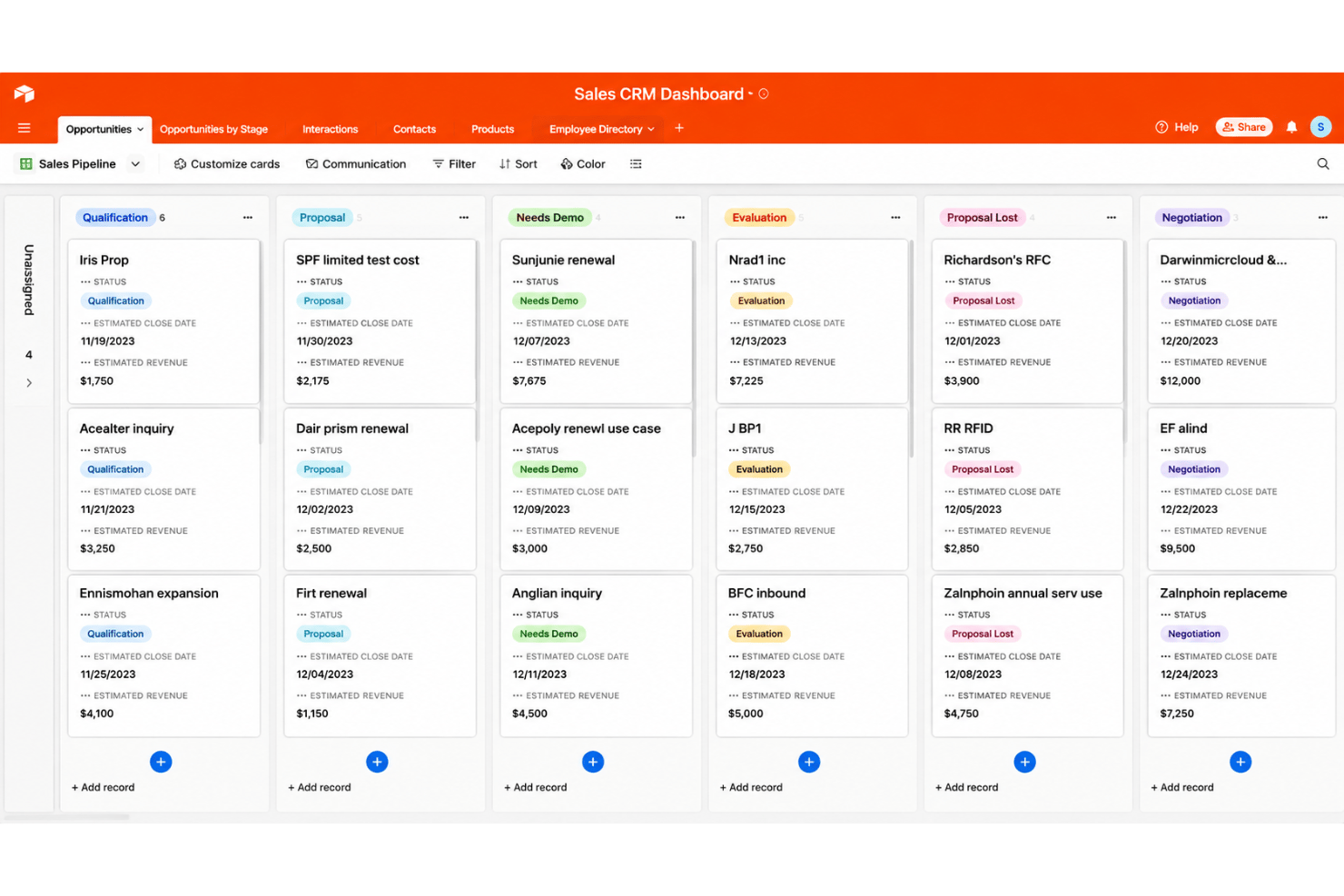
Design custom stages, fields, Gantt charts, gallery view, and Kanban board layouts for every sales cycle. Visualize deal flow in grid, kanban, or calendar layouts.
Automations for Lead Management
Trigger follow-ups, notifications, or record updates based on sales activity. Automate repetitive tasks with no-code rules.
Record Linking Across Departments
Connect sales records to marketing campaigns, customer success data, or service tickets. Keep customer context and data management unified without duplicating records.
Real-Time Collaboration and Comments
Assign, comment, and tag team members directly on records. Coordinate outreach and deal updates across collaborators without switching tools.
Custom Form Builders
Create branded forms for lead capture or qualification that route details straight into your database. Instantly notify stakeholders or trigger tasks from submitted form data.
Reporting Dashboards
Build dashboards with charts, summary blocks, and key sales metrics using live data. Track pipeline health, win rates, and rep activity at a glance.
AI-Powered Workflows
Use Airtable AI to summarize information, categorize data, and automate repetitive tasks directly within your workflows. Turn existing data into actionable insights while reducing manual work.
Ease of Use
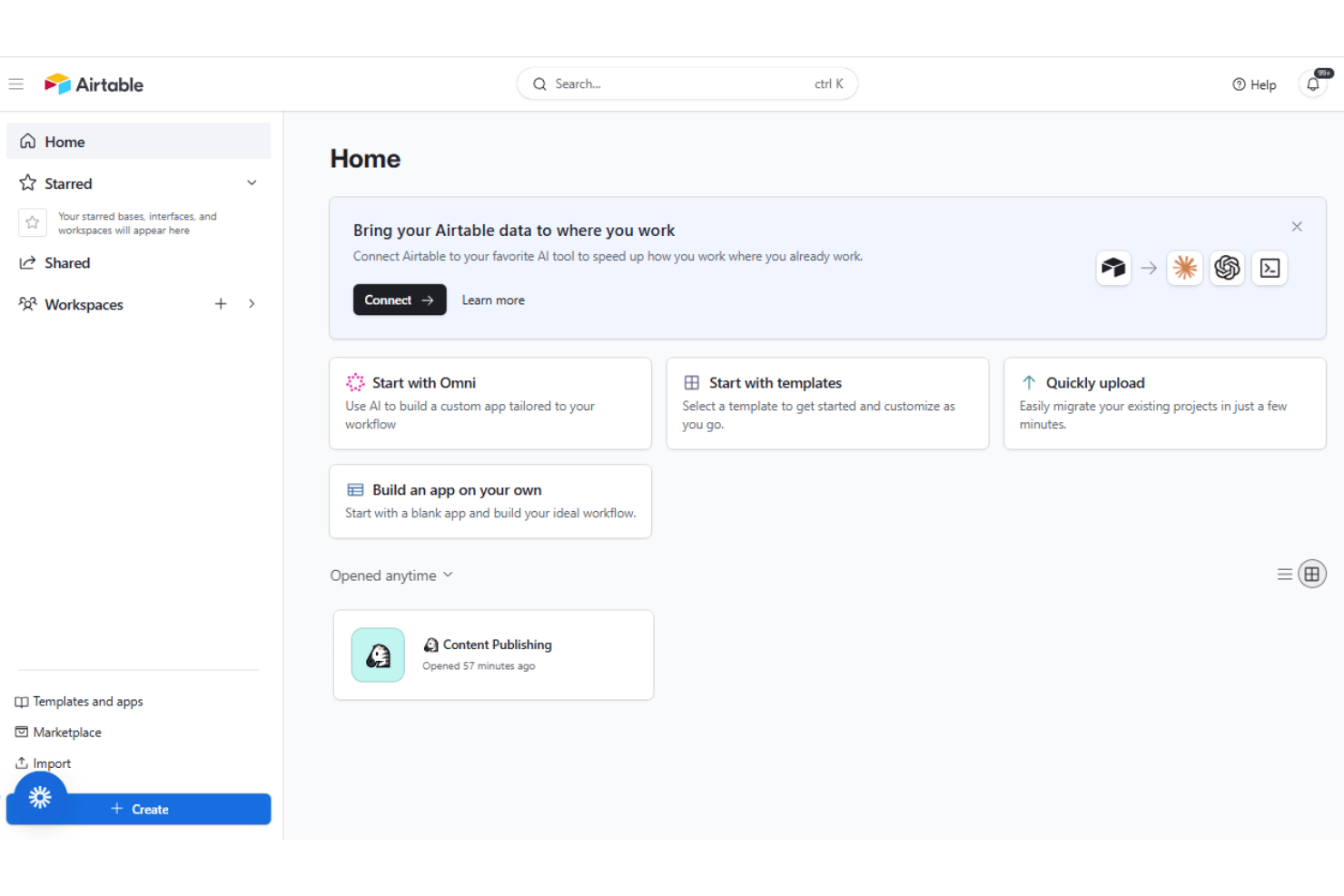
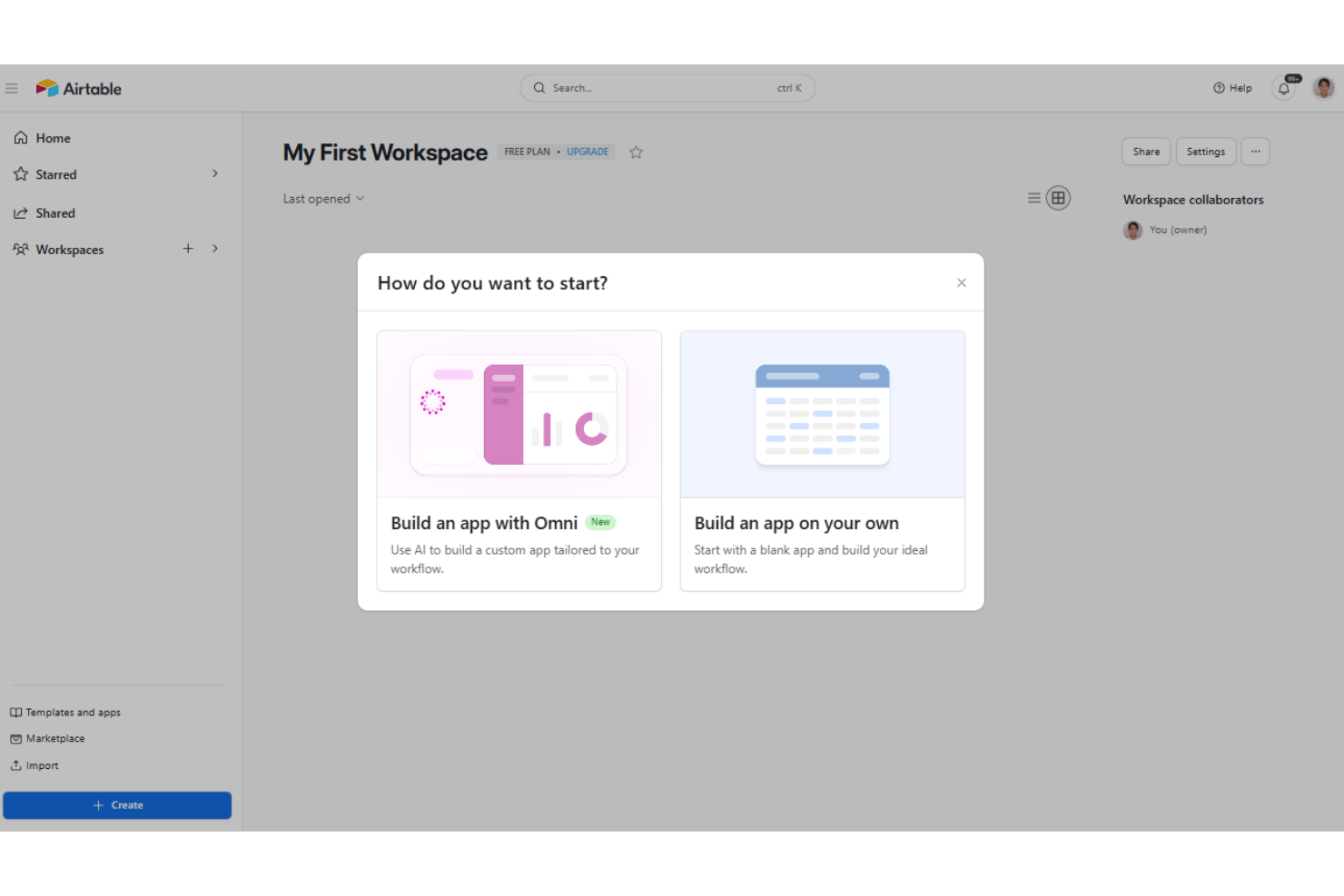
Airtable’s usability impresses me—especially for sales teams upgrading from Microsoft Excel, Google Sheets, or basic spreadsheets—despite a sometimes steep learning curve for more advanced configuration. You can drag-and-drop to build custom views, automate outreach, and link records without code, making it approachable for non-admins. Users mention the platform’s learning curve feels fast, driven by templates and clear documentation. I’d judge Airtable easier to master for teams who want to tweak sales processes and collaborate in one workspace, but advanced reporting can feel less intuitive for pipeline-heavy teams.
Integrations
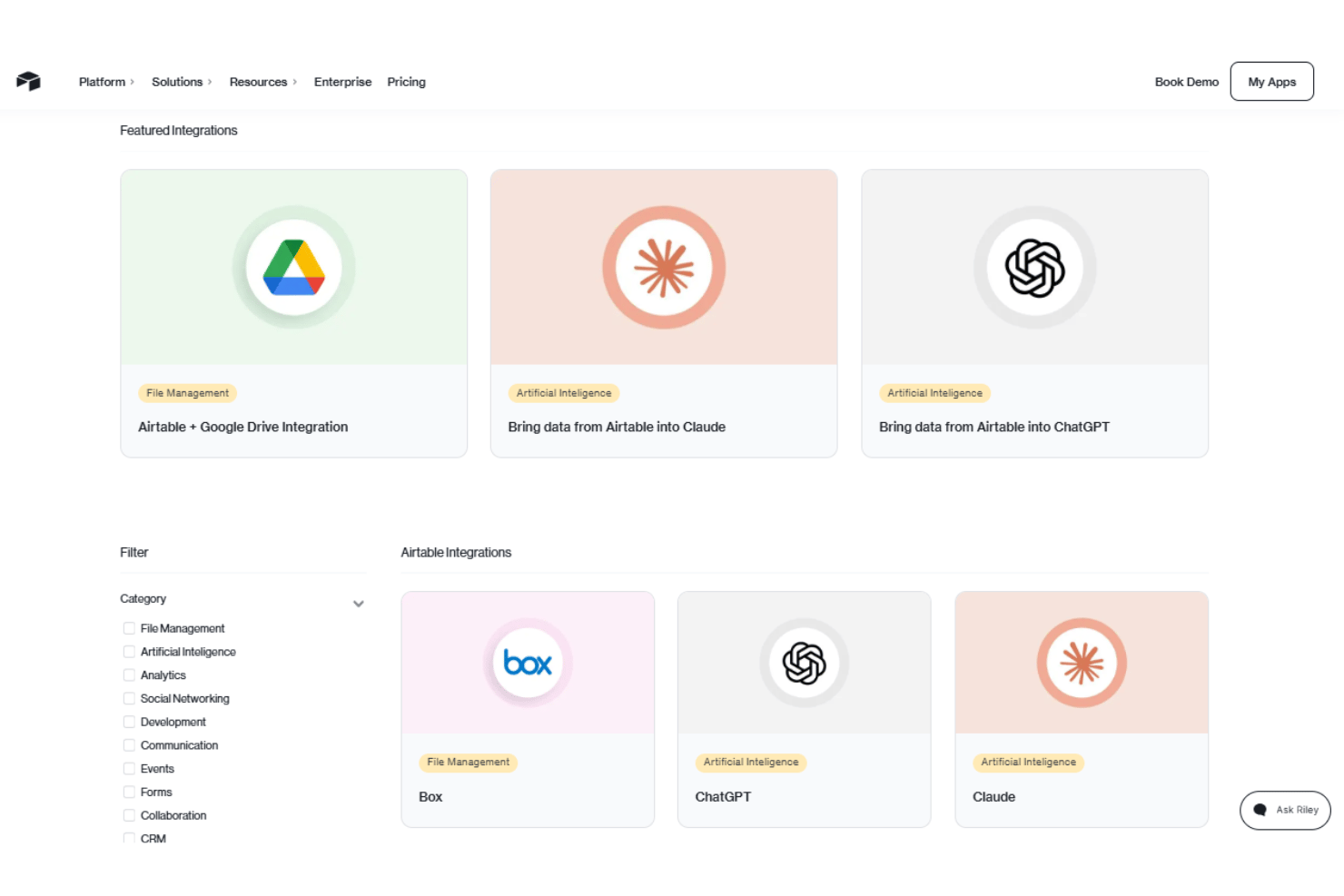
Airtable integrates with Box, ChatGPT, Claude, Dropbox, Databricks, GitHub, Google Workspace, Snowflake, Stripe, Slack, Salesforce, and Tableau, among others.
Airtable also offers a robust API and connects with third-party integration tools like Zapier.
Airtable Specs
- 2-Factor Authentication
- API
- Batch Permissions & Access
- Budgeting
- Calendar Management
- Contact Management
- Contact Sharing
- Customer Management
- Dashboard
- Data Export
- Data Import
- Data Visualization
- Email Integration
- Expense Tracking
- External Integrations
- Gantt Charts
- Google Apps Integration
- Multi-User
- Notifications
- Project Management
- Resource Management
- Scheduling
- Task Scheduling/Tracking
- Third-Party Plugins/Add-Ons
- Travel Management