

Le 20 migliori piattaforme di automazione delle operazioni sui ricavi nel 2026

Selezione delle migliori piattaforme di automazione RevOps


Le piattaforme di automazione RevOps sono strumenti specializzati che collegano, automatizzano e ottimizzano i processi di vendita, marketing e successo dei clienti in un unico luogo. Se stai cercando le migliori piattaforme di automazione RevOps, probabilmente vuoi allineare i tuoi team addetti ai ricavi, migliorare la qualità dei dati e ottenere una visibilità più chiara sulla tua pipeline.
Con la soluzione giusta, puoi ridurre le attività manuali e assicurarti che i tuoi sistemi funzionino davvero insieme, senza passare ore a cercare soluzioni alternative o a risolvere problemi tecnici. In questa guida troverai le migliori piattaforme da prendere in considerazione per questo 2026, ciascuna con punti di forza e funzionalità in grado di rispondere alle difficoltà legate alla creazione di un motore dei ricavi unificato.
Perché fidarsi dei nostri consigli sui software
Le nostre recensioni riflettono il nostro giudizio indipendente, non un discorso di vendita. Scopri come manteniamo la trasparenza.
Per questa guida, abbiamo valutato gli strumenti attraverso test pratici e ricerche indipendenti, assegnando un punteggio agli strumenti in base ai nostri criteri di selezione.
Le nostre recensioni riflettono il nostro giudizio editoriale umano, non un discorso di vendita.
Riepilogo delle migliori piattaforme di automazione RevOps
Questa tabella comparativa riassume i dettagli dei prezzi delle mie migliori piattaforme di automazione RevOps selezionate, per aiutarti a trovare quella più adatta al tuo budget e alle esigenze della tua azienda.
| Tool | Best For | Trial Info | Price | ||
|---|---|---|---|---|---|
| 1 | Ideale per la sincronizzazione dei dati GTM tra oltre 300 connettori | Prova gratuita di 30 giorni | Prezzi su richiesta | Website | |
| 2 | Ideale per integrare stack tecnologici complessi | Piano gratuito disponibile | Da $19.99/mese (fatturazione annuale) | Website | |
| 3 | Ideale per l'analisi delle interazioni del team | Demo gratuita disponibile | Prezzi su richiesta | Website | |
| 4 | Ideale per creare automazioni personalizzate senza codice | Demo gratuita disponibile | Prezzo su richiesta | Website | |
| 5 | Ideale per unificare marketing e vendite | Piano gratuito + demo gratuita disponibile | Da $7/utente/mese (fatturazione annuale) | Website | |
| 6 | Ideale per arricchire le operazioni | Prova gratuita disponibile | Prezzo su richiesta | Website | |
| 7 | Ideale per il prospecting basato su intenti | Piano gratuito disponibile | Da $49/utente/mese (fatturato annualmente) | Website | |
| 8 | Ideale per previsioni di revenue guidate da IA | Demo gratuita disponibile | Prezzo su richiesta | Website | |
| 9 | Ideale per un go-to-market personalizzabile | Piano gratuito + prova gratuita disponibile | Da $167/mese (fatturato annualmente) | Website | |
| 10 | Ideale per la registrazione automatica delle attività legate alle entrate | Demo gratuita disponibile | Prezzo su richiesta | Website |

Recensioni delle migliori piattaforme di automazione RevOps
Di seguito trovi i miei riepiloghi dettagliati delle migliori piattaforme di automazione RevOps entrate nella mia selezione. Le mie recensioni offrono una panoramica dettagliata delle funzionalità, delle integrazioni e dei casi d’uso migliori di ciascuna piattaforma, per aiutarti a trovare quella più adatta a te.

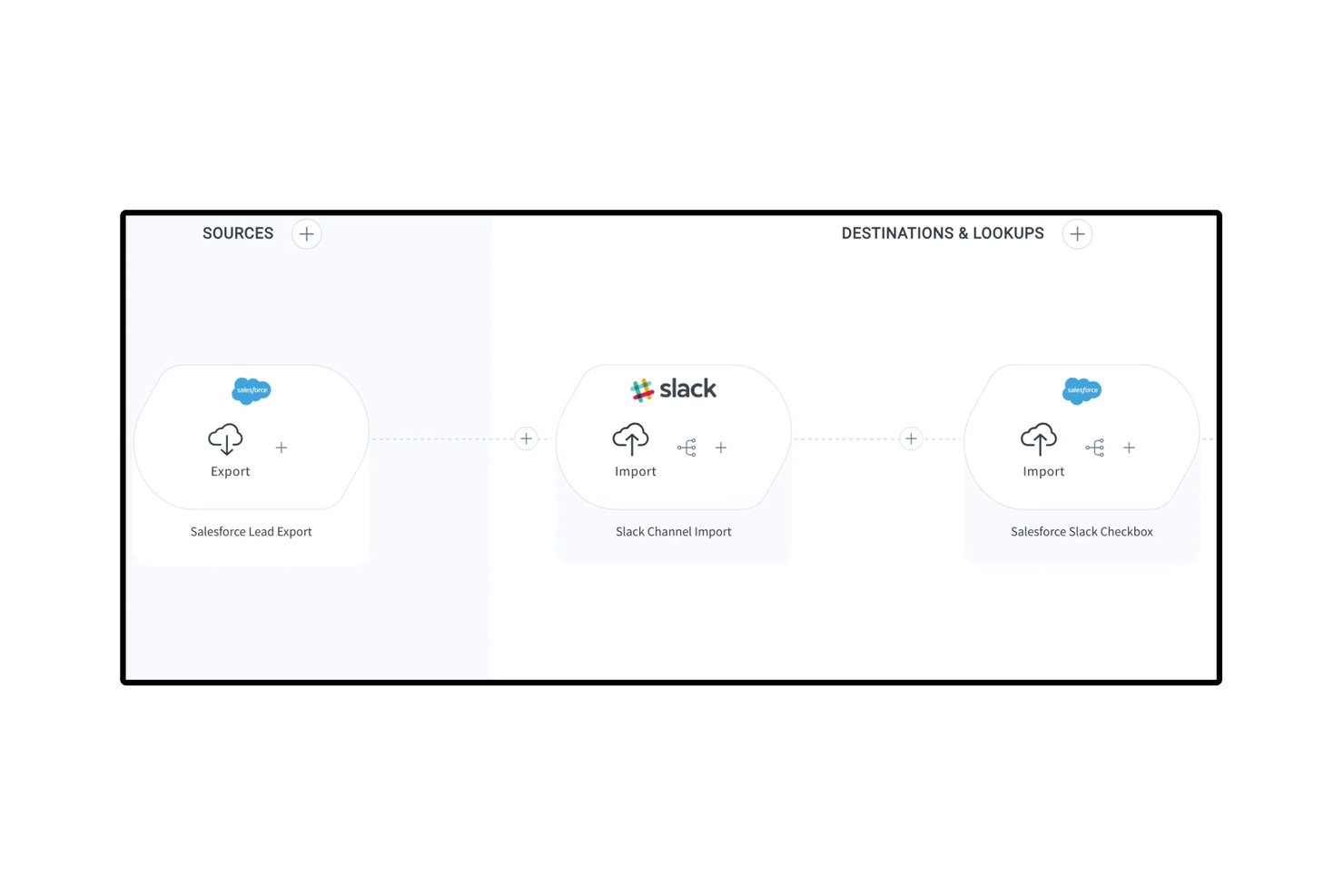
Celigo è una piattaforma iPaaS e di automazione che connette il tuo stack GTM attraverso oltre 1.000 connettori preconfigurati, consentendo la sincronizzazione bidirezionale dei dati, l'automazione del ciclo di vita dei lead e i flussi di lavoro dal preventivo all'incasso tra sistemi CRM, di automazione del marketing, ERP e di fatturazione.
Per chi è più adatto Celigo?
Celigo è particolarmente adatto ai team RevOps e ai team responsabili dei sistemi che gestiscono uno stack GTM ampio e composto da numerosi strumenti, e che necessitano di una sincronizzazione bidirezionale affidabile dei dati tra sistemi CRM, ERP e di fatturazione.
Perché ho scelto Celigo
Celigo è entrato nella mia lista ristretta perché è la soluzione migliore che ho trovato per sincronizzare i dati tra uno stack GTM articolato senza dover sviluppare codice personalizzato per ogni connessione. Con oltre 1.000 connettori preconfigurati e bidirezionali, posso collegare Salesforce, HubSpot, NetSuite e Stripe in un unico flusso, mantenendo coerenti lead, account e dati sui ricavi in ogni sistema. Mi affido anche a Celigo Ora, il suo assistente IA integrato, per creare e risolvere i problemi dei flussi in linguaggio naturale, riducendo significativamente i tempi di configurazione. Il livello di gestione degli errori basato sull'IA risolve automaticamente circa il 96% delle eccezioni di integrazione, evitando che le pipeline di dati si interrompano senza essere rilevate tra i vari sistemi.
Funzionalità principali di Celigo
- Automazione dal preventivo all'incasso: collega i sistemi CRM, ERP e di fatturazione per automatizzare end-to-end l'intero processo di preventivazione, ordine e fatturazione.
- Generatore visivo di flussi a basso codice: un'interfaccia con funzionalità di trascinamento per creare flussi di lavoro di integrazione condizionali e con più passaggi senza scrivere codice personalizzato.
- Ambiente sandbox con promozione tra ambienti: consente di testare e convalidare le modifiche alle integrazioni in una sandbox prima di promuoverle in produzione, con tracciamento completo delle modifiche.
- Sincronizzazione con il magazzino dati: i connettori nativi per Snowflake, BigQuery e Redshift trasferiscono i dati GTM nel tuo ambiente di analisi per la reportistica successiva.
Integrazioni di Celigo
Celigo offre oltre 300 connettori preconfigurati, tra cui Salesforce, HubSpot, NetSuite, Stripe, Marketo, Snowflake, BigQuery, Zendesk, Gainsight e Slack. Supporta inoltre la connettività personalizzata tramite HTTP, FTP, JDBC, GraphQL, WebSockets e API.
Pros and Cons
Pros:
- L'IA risolve automaticamente la maggior parte degli errori di integrazione
- Il generatore visivo supporta flussi di automazione a basso codice
- Collega oltre 1.000 strumenti GTM e amministrativi
Cons:
- Nessun cruscotto nativo per i ricavi né per le previsioni
- Nessuna corrispondenza approssimativa integrata tra lead e account
New Product Updates from Celigo
Celigo Adds API Group Assignment During API Setup
Celigo adds API group assignment during create, clone, and move actions. This reduces extra setup steps by letting teams organize APIs before the relative URI is defined. For more information, visit Celigo’s official site.
 .
.
Zapier
Ideale per integrare stack tecnologici complessi
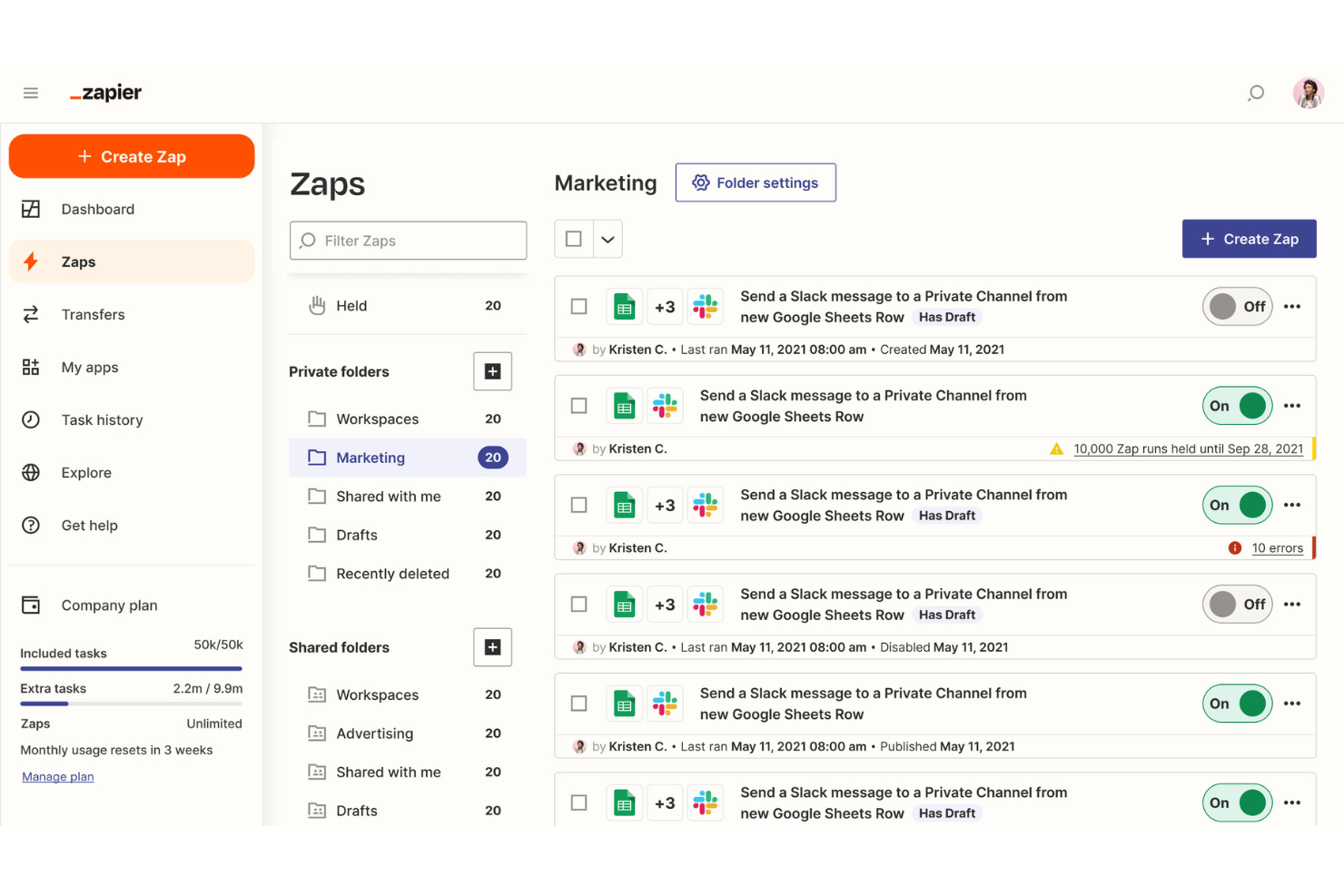
Zapier è una piattaforma di automazione senza codice che connette applicazioni, attiva azioni tra sistemi e trasferisce dati tra strumenti tramite automazioni basate su flussi di lavoro chiamate Zaps.
Per chi è ideale Zapier?
Zapier è particolarmente adatto per i team di RevOps che gestiscono stack tecnologici frammentati e che necessitano di automatizzare i flussi di dati tra strumenti senza dover dipendere dalle risorse di ingegneria.
Perché ho scelto Zapier
Ho inserito Zapier nella mia shortlist perché nessun altro strumento gestisce automazioni tra sistemi diversi con questa ampiezza senza richiedere uno sviluppatore. Mi piace in particolare la funzione Paths, che mi permette di costruire logiche condizionali in modo che un singolo trigger possa instradare i dati in modo diverso a seconda dei valori dei campi nel mio CRM. Zapier Canvas permette anche al mio team di mappare l'intera architettura delle automazioni visivamente prima di costruirle, un vero vantaggio quando si documentano workflow di revenue complessi.
Funzionalità principali di Zapier
- Zapier Tables: Un database integrato che memorizza, filtra e attiva automazioni in base alle modifiche dei record.
- Formatter: Uno strumento nativo per la trasformazione dei dati che pulisce, riformatta e manipola i valori dei campi prima di trasferirli alle app collegate.
- Storico degli Zap: Un registro che traccia ogni tentativo di automazione, il suo stato e i dati elaborati ad ogni passaggio.
- AI Zap builder: Un assistente che genera la struttura di uno Zap partendo da una descrizione in linguaggio naturale dell'automazione desiderata.
Integrazioni di Zapier
Zapier offre più di 9.000 integrazioni con app, inclusi Salesforce, HubSpot, Marketo, ActiveCampaign, Salesloft, Slack, Google Sheets, Mailchimp, Airtable e Calendly. Sono disponibili Webhook e un'API per integrazioni personalizzate.
Pros and Cons
Pros:
- Il catalogo app più ampio con oltre 8.000 connessioni
- I Webhook gestiscono API personalizzate senza codice
- Le notifiche di errore individuano esattamente il passaggio che ha causato il problema
Cons:
- Gli Zap con più passaggi consumano task per ogni step
- La logica ramificata multipla richiede piani superiori

Gong
Ideale per l'analisi delle interazioni del team
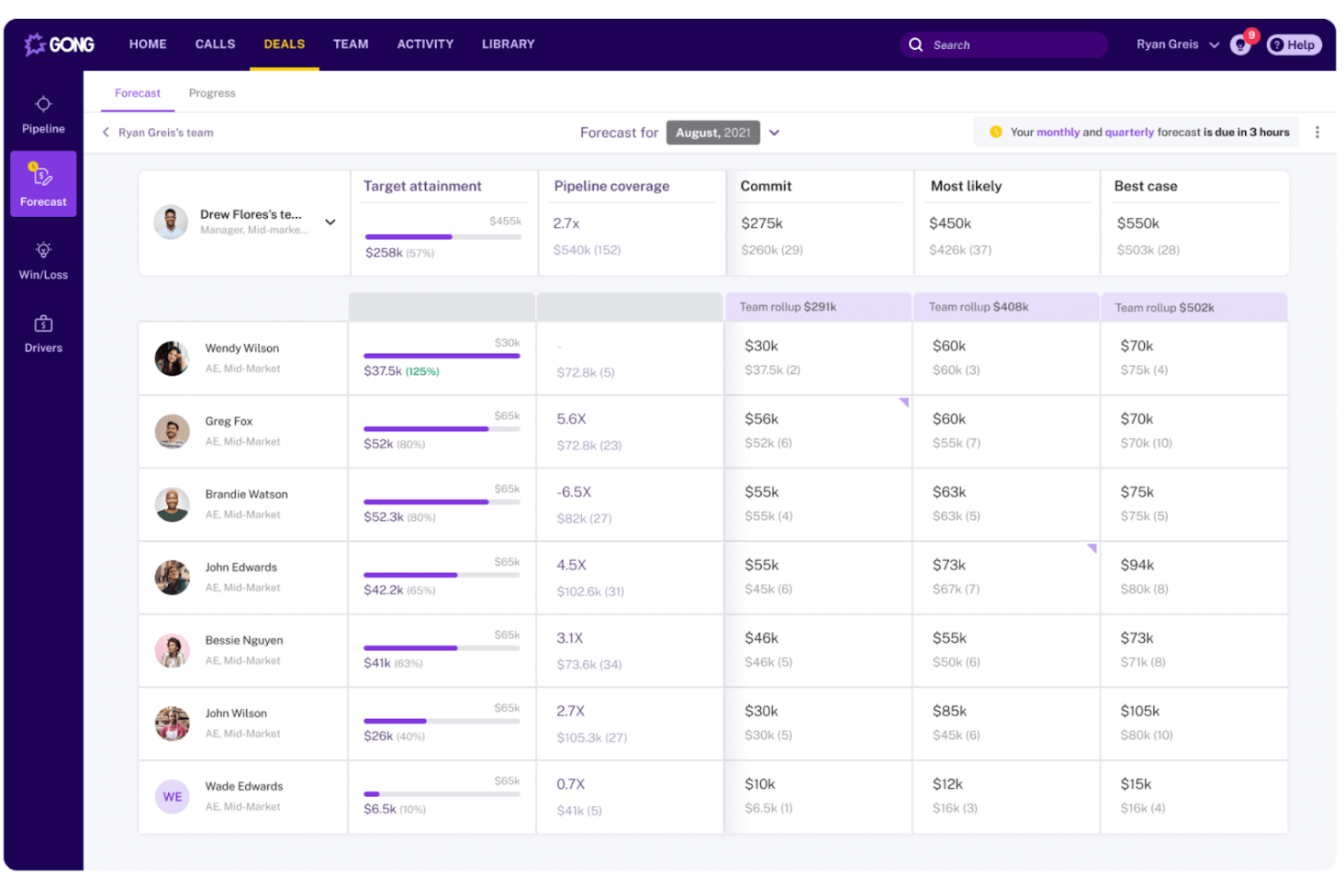
Gong è una piattaforma di revenue intelligence che cattura e analizza le interazioni con i clienti su chiamate, email e riunioni per fornire approfondimenti sulle trattative, segnali di pipeline e dati per il coaching dei team di operazioni di vendita.
Per chi è ideale Gong?
Gong è particolarmente adatto alle organizzazioni di vendita B2B in cui i team RevOps hanno bisogno di visibilità su ciò che avviene effettivamente nelle conversazioni dei rappresentanti per gestire la pipeline e fornire previsioni accurate.
Perché ho scelto Gong
Gong si è guadagnato il suo posto nella mia lista perché nessun altro strumento in questo ambito analizza le interazioni del team con la stessa profondità. Mi affido al Revenue Graph di Gong per collegare dati del CRM, registrazioni di chiamate e segnali e-mail in un'unica visione sulla salute della pipeline. Trovo particolarmente utile il modo in cui la sua IA segnala rischi di esecuzione nelle trattative in corso prima che vengano perse, senza che io debba revisionare manualmente le chiamate. Trasforma i dati delle interazioni in insight azionabili per il motore di ricavo dell'azienda.
Caratteristiche principali di Gong
- Timeline delle interazioni: Visualizza ogni punto di contatto con il cliente su chiamate, email e riunioni in un unico registro delle attività per account.
- Previsioni aggregate: Raccogli submission strutturate di previsione da parte di rappresentanti e manager con sovrapposizioni generate dall'IA per il confronto.
- Monitoraggio degli argomenti: Tieni traccia di parole chiave, nomi dei concorrenti o temi di obiezioni su tutte le conversazioni registrate su larga scala.
- Scorecard personalizzabile: Definisci criteri di valutazione per i rappresentanti e valuta le chiamate secondo questi criteri per standardizzare il coaching nel team.
Integrazioni di Gong
Le integrazioni includono Salesforce, HubSpot, Microsoft Dynamics 365, Zoom, Microsoft Teams, Google Meet, Slack, Outreach, Salesloft, Aircall, Dialpad e RingCentral. Gong offre anche API per CRM, chiamate, trascrizioni, utenti e dati di interazione.
Pros and Cons
Pros:
- L'IA segnala automaticamente le trattative a rischio
- I dati delle conversazioni arricchiscono i report della pipeline
- Il monitoraggio degli argomenti traccia le citazioni dei concorrenti su larga scala
Cons:
- Valore limitato senza un elevato volume di chiamate
- Gli strumenti di previsione richiedono una significativa configurazione iniziale

Workato
Ideale per creare automazioni personalizzate senza codice

Progettato per l'automazione di livello aziendale, Workato è una piattaforma di integrazione no-code che collega i sistemi di vendite, marketing e customer success tramite flussi di lavoro guidati da eventi, logica condizionale e uno strato di automazione condiviso su tutto lo stack di revenue.
Per chi è più indicato Workato?
Workato è particolarmente adatto ai manager delle operazioni RevOps e agli architetti di sistemi che gestiscono lo strato di automazione in stack di go-to-market complessi e multi-tool.
Perché ho scelto Workato
Workato si guadagna il suo posto nella mia lista perché gestisce logiche di automazione davvero complesse senza richiedere uno sviluppatore. Faccio affidamento sul suo editor di formule per trasformare e mappare i dati tra sistemi durante il flusso di lavoro, ad esempio per riformattare i valori delle fonti lead da Marketo prima di scriverli nei campi di Salesforce. Mi piace inoltre che il costruttore di ricette assistito dall'IA di Workato possa generare logiche di automazione da una descrizione in linguaggio naturale, riducendo così i tempi necessari per passare da un'idea di processo a un flusso operativo attivo.
Funzionalità principali di Workato
- Template di ricette predefinite: Una libreria comunitaria di template di automazione ti consente di implementare workflow RevOps comuni senza doverli creare da zero.
- Trigger di eventi in tempo reale: Workato avvia automazioni appena viene soddisfatta una condizione definita, come il cambio di fase di una trattativa in Salesforce.
- WorkBot: Un chatbot nativo per Slack e Microsoft Teams che consente ai membri del team di attivare automazioni direttamente dalla loro app di messaggistica.
- Gestione del ciclo di vita delle ricette: Ambienti integrati di sviluppo, test e produzione ti permettono di validare le automazioni prima di renderle operative.
Integrazioni Workato
Workato offre oltre 1.200 connettori predefiniti, inclusi Salesforce, HubSpot, Marketo, NetSuite, Snowflake, Slack, Microsoft Teams, Workday, Jira e Zuora. Supporta inoltre connessioni API personalizzate tramite connettori universali e fornisce un'API per integrazioni personalizzate.
Pros and Cons
Pros:
- Costruttore di ricette no-code per flussi di lavoro complessi
- Ampia libreria di connettori predefiniti
- Controlli di governance e audit di livello enterprise
Cons:
- Curva di apprendimento amministrativa impegnativa
- La tariffazione basata sui task può aumentare rapidamente
HubSpot
Ideale per unificare marketing e vendite
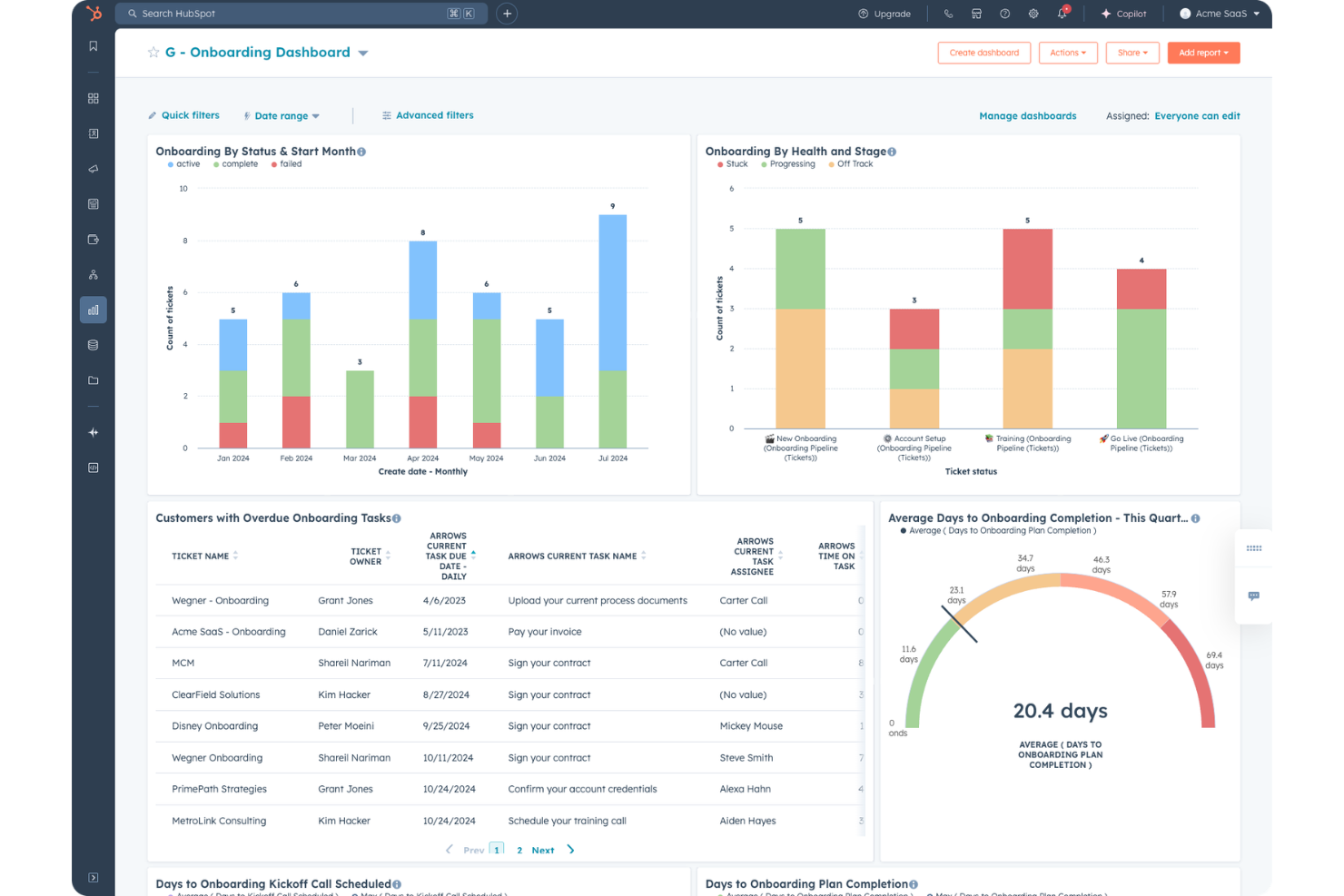
HubSpot è una piattaforma CRM che riunisce strumenti per il marketing, le vendite e il servizio clienti, con automazione integrata, gestione delle pipeline e reportistica lungo tutto il percorso del cliente.
Per chi è ideale HubSpot?
HubSpot è particolarmente adatto a piccole e medie imprese che desiderano una piattaforma unica per gestire team di marketing, vendite e customer success, senza dover unire diversi strumenti.
Perché ho scelto HubSpot
HubSpot si guadagna un posto nella mia lista ristretta perché è una delle poche piattaforme in cui marketing e vendite operano realmente dallo stesso insieme di dati, non da copie sincronizzate. Apprezzo che i lead qualificati dal marketing fluiscano direttamente nelle sequenze di vendita senza passaggi manuali e che il reporting di attribuzione delle entrate colleghi le performance delle campagne agli affari conclusi in un'unica panoramica. La timeline condivisa dei contatti di HubSpot permette inoltre ai commerciali di vedere ogni interazione di marketing prima del primo contatto, riducendo così i soliti rimpalli tra i team.
Funzionalità principali di HubSpot
- Automazione dei workflow: Crea workflow multi-step attivati da cambiamenti nelle proprietà CRM, invii di moduli o aggiornamenti di fase dell'affare.
- Gestione delle pipeline di vendita: Crea e personalizza più pipeline per tracciare le opportunità su diversi processi di vendita o linee di prodotto.
- Lead scoring predittivo: Sistema di punteggio con intelligenza artificiale che classifica i contatti in base alla probabilità di conversione, utilizzando segnali comportamentali e demografici.
- Costruttore di report personalizzati: Raccogli dati da contatti, affari, aziende e attività in un unico report configurabile.
Integrazioni di HubSpot
L'App Marketplace di HubSpot conta oltre 2.000 app, comprese integrazioni di marketplace con Salesforce, Slack, Google Workspace, Microsoft 365, Zoom, Shopify, Snowflake, Gong, DocuSign e Aircall. Si collega anche con Zapier ed è disponibile un'API per integrazioni personalizzate.
Pros and Cons
Pros:
- Database CRM condiviso tra tutti i team di revenue
- Report di attribuzione delle entrate integrato
- I workflow di automazione si attivano su più hub
Cons:
- Reportistica avanzata riservata ai livelli superiori
- Limiti sugli oggetti personalizzati nei piani base

ZoomInfo
Ideale per arricchire le operazioni
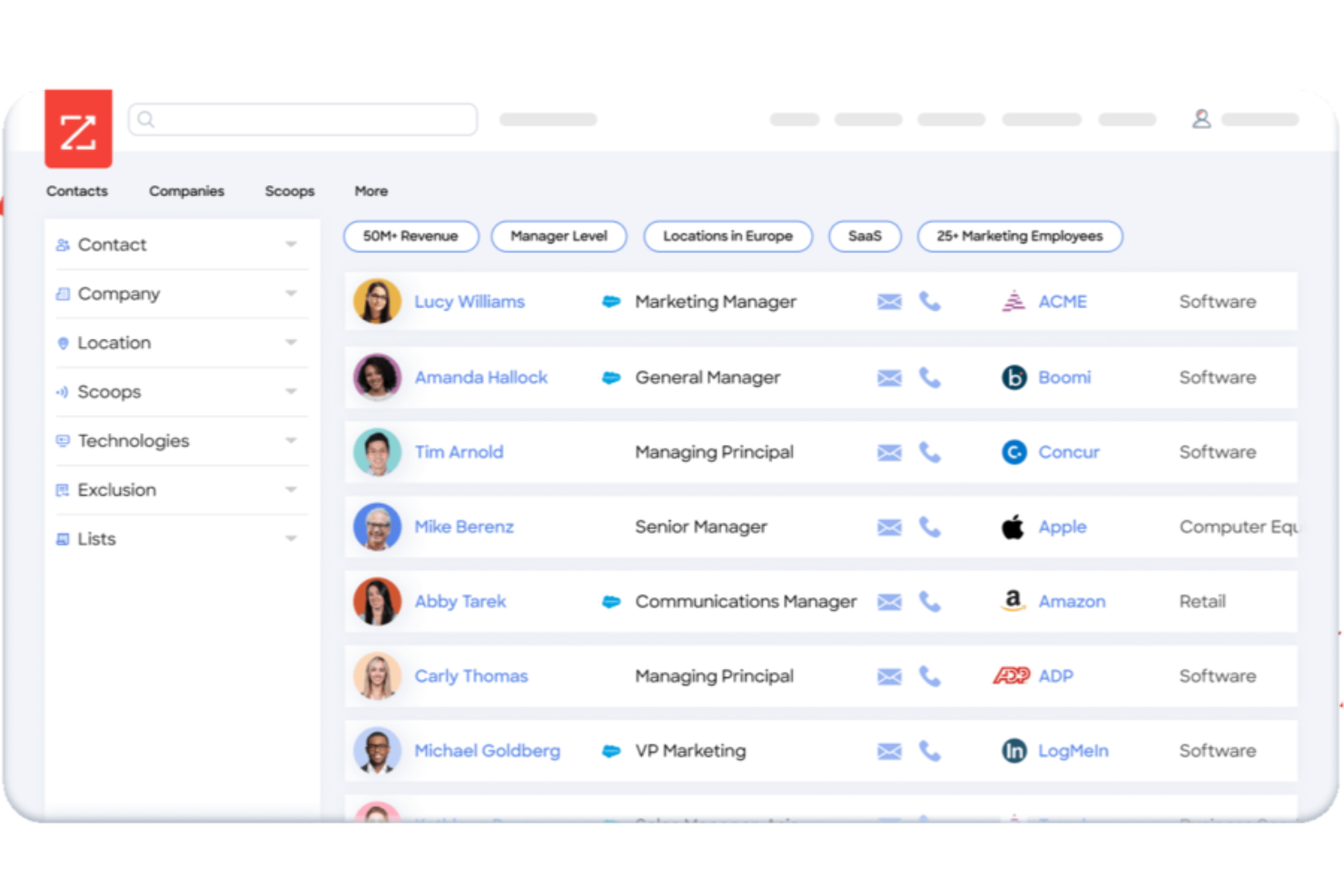
Progettato specificamente per i team RevOps, ZoomInfo Operations copre l'arricchimento dei dati CRM, la deduplicazione, l'instradamento dei lead e la valutazione degli account su tutto lo stack go-to-market.
Per chi è ideale ZoomInfo?
ZoomInfo Operations è particolarmente adatto ai team di operazioni di vendita e marketing B2B che dipendono da grandi database di contatti e necessitano di dati coerenti e affidabili su più sistemi go-to-market.
Perché ho scelto ZoomInfo
ZoomInfo Operations si guadagna un posto nella mia shortlist per come gestisce l'arricchimento su larga scala. Il mio team utilizza i trigger di arricchimento automatico per aggiornare i record nel momento in cui cambia un dato, invece di attendere le esecuzioni batch pianificate. Mi piace anche il motore di associazione tra lead e account, che utilizza segnali firmografici e comportamentali per mappare automaticamente i contatti agli account corretti.
Funzionalità principali di ZoomInfo
- Instradamento intelligente dei lead: Instrada i lead in entrata al giusto rappresentante di vendita o coda usando regole su territori, proprietà degli account e criteri firmografici.
- Valutazione degli account: Valuta gli account usando segnali di compatibilità e intenzione per aiutare a dare priorità alle attività sull'intera pipeline.
- Report sullo stato dei dati CRM: Fornisce dashboard che mostrano la completezza dei record, i tassi di decadimento e la copertura dell'arricchimento all'interno del database.
- Motore di regole per la deduplicazione: Rileva e unisce i record duplicati utilizzando una logica di fuzzy matching su nome, dominio e campi di contatto.
Integrazioni di ZoomInfo
Le integrazioni includono Salesforce, HubSpot, Microsoft Dynamics 365, Marketo, Oracle Eloqua, Pardot, Outreach, Salesloft, Pipedrive, Bullhorn, Zoho CRM, DocuSign e G2. ZoomInfo supporta anche connessioni con data warehouse come Snowflake, Databricks, AWS e Google Cloud. È disponibile un'API per integrazioni personalizzate.
Pros and Cons
Pros:
- Workflow senza codice con potente deduplicazione
- Gli organigrammi svelano le gerarchie dei decisori
- Copertura migliore di numeri mobili diretti
Cons:
- Record obsoleti nei segmenti mid-market e PMI
- Termini rigidi per rinnovo e cancellazione automatica


Progettato per i team go-to-market, Apollo.io riunisce in un'unica piattaforma connessa un database di contatti B2B, dati di intento, strumenti di sales engagement e analisi della pipeline.
Per chi è ideale Apollo.io?
Apollo.io è adatto a responsabili RevOps e sales ops che hanno bisogno di standardizzare i dati di prospecting e i processi di outreach in un team di vendita in crescita.
Perché ho scelto Apollo.io
Apollo.io si guadagna un posto nella mia shortlist per la precisione con cui collega i segnali di intento alle azioni di prospecting. Utilizzo i filtri di intento d'acquisto di Apollo insieme agli avvisi di cambio di lavoro per pianificare l'outreach intorno a eventi reali di trigger, e non a cadenze arbitrarie. Il mio team può quindi costruire sequenze automatizzate che si attivano solo quando un account supera una certa soglia di segnale, mantenendo il nostro pipeline focalizzato sugli account con maggior probabilità di conversione immediata.
Funzionalità principali di Apollo.io
- A/B test per le sequenze: Testa oggetti e varianti di messaggi all'interno delle sequenze attive per identificare quale versione genera più ricavi e risposte.
- Regole di assegnazione territoriale: Assegna automaticamente nuovi account ai commerciali in base ad attributi firmografici come settore, dimensione dell'azienda o regione.
- Power dialer: Effettua chiamate outbound consecutive dalla coda dei prospect all'interno di Apollo, con registrazione automatica sul CRM dopo ogni chiamata.
- Modello di scoring ICP: Valuta contatti e account rispetto a un profilo cliente ideale personalizzato utilizzando filtri firmografici e tecnologici.
Integrazioni Apollo.io
Le integrazioni includono Salesforce, HubSpot, Pipedrive, Zoho CRM, Gmail, Microsoft Outlook, Marketo, Chili Piper, Clay e Census. Apollo si collega anche a oltre 50 strumenti tramite il suo marketplace di integrazioni, ed è disponibile un'API per integrazioni personalizzate.
Pros and Cons
Pros:
- Oltre 65 filtri per costruire liste prospect mirate
- Gli avvisi di cambio ruolo mettono in evidenza i movimenti dei champion
- Le sequenze supportano A/B test e logica condizionale
Cons:
- Il sistema a crediti porta a frequenti upgrade di piano
- L'accuratezza dei dati di intento è variabile

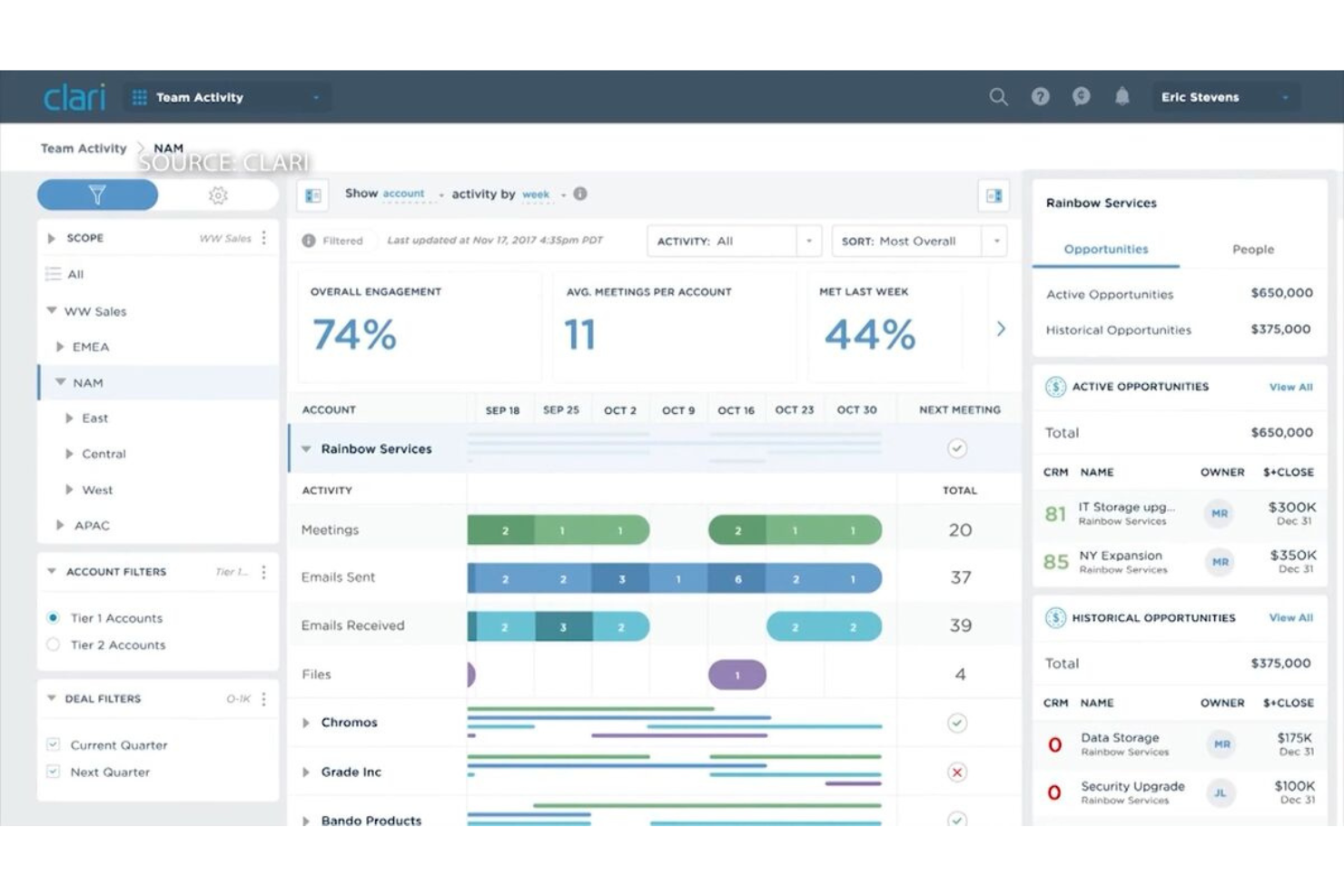
Clari è una piattaforma per le operazioni di revenue progettata per semplificare la previsione delle entrate basata su IA, l'ispezione del pipeline, la registrazione delle attività CRM e le analisi delle entrate attraverso i team di vendita, marketing, customer success e finanza.
Per chi è Clari?
Clari è particolarmente adatto a aziende B2B di medie e grandi dimensioni con cicli di vendita complessi che necessitano di una maggiore precisione nelle previsioni tra diversi team di revenue.
Perché ho scelto Clari
Ho scelto Clari tra i migliori perché le sue previsioni guidate dall'intelligenza artificiale vengono aggregate automaticamente tra team, linee di prodotto, aree geografiche e segmenti, senza che nessuno debba toccare un foglio di calcolo. Mi piace come la funzione di cattura automatica delle attività di Clari abbini email, chiamate e riunioni agli account e alle opportunità giuste nel CRM, mantenendo aggiornati i dati del pipeline senza dipendere dall'inserimento dei venditori. Questo significa che il mio team riceve previsioni che riflettono la realtà, non solo ciò che i venditori si ricordano di registrare.
Funzionalità chiave di Clari
- Gestione della cadenza di revenue: Conduci chiamate strutturate sulle previsioni e revisioni dei pipeline utilizzando dati CRM dal vivo importati direttamente nel flusso di lavoro delle riunioni di Clari.
- Ispezione delle trattative: Evidenzia i potenziali abbandoni e le trattative a rischio in base ai segnali di coinvolgimento, alla progressione della fase e alle lacune di attività attraverso l'intero pipeline.
- Intelligenza conversazionale: Registra, trascrivi e analizza le chiamate di vendita per monitorare i modelli di conversazione, le menzioni dei competitor e le opportunità di coaching.
- Analisi a cascata del pipeline: Visualizza come il pipeline viene creato, convertito o perso in qualsiasi periodo temporale o segmento di team.
Integrazioni Clari
Le integrazioni includono Salesforce, HubSpot, Slack, Microsoft Teams, Zoom, Google Workspace, Outreach, Salesloft, Gong e Snowflake. È disponibile un'API per integrazioni personalizzate e l'ingestione di dati.
Pros and Cons
Pros:
- La vista temporale del pipeline consente di monitorare l’andamento storico
- La precisione delle previsioni migliora del 20–30% dopo l’adozione
- La cattura automatica delle attività riduce l’inserimento manuale dei dati e gli aggiornamenti del CRM
Cons:
- Il prezzo elevato limita l’adozione tra le piccole imprese
- Gli aggiornamenti della piattaforma possono reimpostare le viste personalizzate


Clay è una piattaforma di arricchimento dati GTM e automazione dei flussi di lavoro che si avvale di oltre 100 fornitori di dati per creare tabelle di prospecting personalizzate, modelli di lead scoring e sequenze di outbound senza scrivere codice.
Per chi è ideale Clay?
Clay è perfetto per ingegneri GTM e team RevOps in aziende B2B ad alta crescita che necessitano di creare flussi di lavoro outbound personalizzati e ricchi di dati senza dipendere dall’ingegneria.
Perché ho scelto Clay
Clay si guadagna un posto nella mia shortlist perché nessun altro strumento in questo ambito mi permette di costruire uno strato dati GTM completamente personalizzato come fa lui. Utilizzo l’arricchimento a cascata di Clay su oltre 150 fornitori di dati per compilare campi contatto e account che un singolo fornitore non riuscirebbe a coprire. Posso anche integrare la ricerca web tramite AI per individuare segnali che i miei migliori commerciali troverebbero manualmente, quindi instradare i record arricchiti direttamente nel mio CRM o attivare azioni in strumenti a valle, tutto in un unico flusso di lavoro.
Funzionalità Principali di Clay
- Costruttore di tabelle senza codice: Crea flussi di arricchimento dati e outbound in un’interfaccia simile a un foglio di calcolo senza scrivere codice.
- Claygent: Un agente AI che naviga autonomamente sul web per ricercare prospect e raccogliere segnali personalizzati su larga scala.
- Generazione di testi personalizzati per l’outreach: Utilizza i campi dati arricchiti per generare automaticamente messaggi personalizzati per ogni prospect direttamente su Clay.
- Costruttore di liste di prospect: Ricerca e crea liste di lead mirate dai dati web e attraverso filtri sulla piattaforma senza strumenti aggiuntivi.
Integrazioni di Clay
Le integrazioni includono Salesforce, HubSpot, Pipedrive, Outreach, Salesloft, Airtable, Google Sheets e Snowflake. Sono disponibili API e webhook per integrazioni personalizzate.
Pros and Cons
Pros:
- Arricchimento a cascata da oltre 150 fornitori
- Utenti illimitati in ogni piano a pagamento
- L’agente AI automatizza la ricerca manuale dei prospect
Cons:
- Il sistema a crediti rende i costi imprevedibili
- Un uso rapido dei dati esaurisce rapidamente i crediti

People.ai
Ideale per la registrazione automatica delle attività legate alle entrate

People.ai è una piattaforma di intelligence sulle entrate basata sull'IA che cattura automaticamente i dati sulle attività di vendita, li collega ai record del CRM e fornisce insight sulle trattative, segnali di previsione e modelli di performance dei rappresentanti nei tuoi team di go-to-market.
Per chi è ideale People.ai?
People.ai è particolarmente adatto alle organizzazioni di vendita aziendali che gestiscono grandi team sul territorio e necessitano di dati affidabili sulle attività senza dipendere dall'inserimento manuale nel CRM.
Perché ho scelto People.ai
Ho scelto People.ai tra i migliori perché cattura automaticamente ogni email, chiamata e riunione e collega quell'attività direttamente all'account, opportunità e contatto corretti in Salesforce, senza che i rappresentanti debbano registrare nulla manualmente. Trovo particolarmente utile il punteggio di coinvolgimento dell'account, che mostra esattamente quante attività si stanno verificando all'interno di ciascuna trattativa e segnala i rapporti che si stanno raffreddando prima che vengano esclusi dalle previsioni.
Funzionalità principali di People.ai
- Monitoraggio dello stato del pipeline: Segnala le trattative a rischio di slittamento sulla base dei reali pattern di coinvolgimento rilevati da email, chiamate e riunioni, prima che saltino una previsione.
- Report a grafico a cascata: Visualizza esattamente cosa è cambiato nelle tue previsioni, inclusi trattative slittate, nuovo pipeline, vittorie e perdite, per i QBR e report a livello di consiglio di amministrazione.
- Benchmarking della performance dei rappresentanti: Identifica quali pattern di attività e comportamenti di coinvolgimento utilizzano i migliori rappresentanti così da poter formare il resto del team su uno standard reale.
- Rilevamento del multi-threading: Evidenzia trattative gestite da un solo referente e la mancanza di copertura degli stakeholder, così puoi intervenire prima che la lacuna si trasformi in una trattativa persa.
Integrazioni People.ai
Le integrazioni includono Salesforce, Microsoft Dynamics 365, Oracle, Gmail, Google Calendar, Outlook, Zoom, Slack, Webex, Snowflake, Tableau, Power BI, Outreach, Salesloft e Clari. È disponibile una API per integrazioni personalizzate.
Pros and Cons
Pros:
- Rende visibile lo stato delle trattative senza aggiornamenti manuali del CRM
- Rileva menzioni di concorrenti nelle conversazioni di vendita
- Le mappature delle relazioni mostrano visivamente le connessioni tra stakeholder
Cons:
- Dipendenza elevata dalla pulizia dei dati
- Personalizzazione limitata della dashboard per i singoli rappresentanti
Altre piattaforme di automazione RevOps
Ecco alcune ulteriori opzioni di piattaforme di automazione RevOps che non sono entrate nella mia selezione, ma che vale comunque la pena prendere in considerazione:
- LeanData
Ideale per l'instradamento automatico dei lead
- Gainsight
Ideale per il monitoraggio della salute dell'account
- 6sense
Ideale per l'integrazione di dati di intento guidata dall'IA
- Cognism
Ideale per la ricerca di dati di contatto conformi al GDPR
- Default
Ideale per la conformità automatizzata alle quote
- Salesforce
Ideale per la gestione del ciclo di vita delle vendite
- Fullcast
Ideale per l'automazione della pianificazione del territorio
- DealHub
Ideale per la configurazione di vendite guidate
- Forecastio
Ideale per la previsione predittiva delle trattative
- Warmly
Ideale per l'identificazione in tempo reale degli acquirenti


Criteri di selezione delle piattaforme di automazione RevOps
Quando ho selezionato le migliori piattaforme di automazione RevOps da includere in questo elenco, ho considerato le esigenze e i punti critici comuni degli acquirenti, come il collegamento di sistemi di vendita e marketing separati e la riduzione delle attività manuali e ripetitive sui dati. Ho inoltre utilizzato il seguente modello per mantenere la mia valutazione strutturata ed equa:
Come valuto le piattaforme di automazione RevOps
Divido la mia valutazione in due livelli: le capacità di base come l'instradamento dei lead e la sincronizzazione dei dati CRM, e i fattori differenzianti che rendono una piattaforma la scelta giusta per uno specifico team RevOps.
Funzionalità principali (requisiti fondamentali per questa lista)
Quando seleziono gli strumenti per la mia lista, attribuisco a ciascuno un punteggio su una scala da 0 (non offre la funzionalità) a 5 (eccelle in quest'area) per ogni funzionalità principale elencata di seguito. Poi calcolo il punteggio totale dello strumento in percentuale. Ogni strumento deve raggiungere un punteggio totale minimo del 75% per essere considerato per l'inclusione.
- Automazione Lead-to-Account: Verifico se una piattaforma può associare i lead in entrata ad account esistenti e instradarli per territorio, segmento o gerarchia—non solo round-robin tra il gruppo di rappresentanti.
- Orchestrazione dei dati di revenue: Lo strumento deve sincronizzare i dati bidirezionalmente tra CRM, MAP, sistemi di fatturazione e data warehouse, così i team RevOps non devono conciliare i numeri della pipeline su fogli di calcolo.
- Automazione dei flussi di lavoro GTM: Cerco un costruttore no-code o low-code che gestisca veri flussi di lavoro multi-step—come far partire il passaggio al CS quando un accordo si chiude e aggiornare contemporaneamente il sistema di fatturazione.
- Gestione territori & quote: Le piattaforme che supportano una suddivisione dinamica dei territori e la distribuzione delle quote legate ai cicli di pianificazione GTM ottengono punteggi più alti rispetto a quelle limitate al caricamento statico di liste.
- Qualità e arricchimento dei dati: Valuto come la piattaforma gestisce la deduplicazione, la normalizzazione e l’arricchimento—soprattutto se riesce a mantenere puliti i record CRM in modo continuo e non solo con elaborazioni a batch una tantum.
- Analisi della pipeline & delle previsioni: Oltre alle dashboard base, cerco strumenti per l'ispezione degli accordi, consolidamento delle previsioni e la capacità di segnalare trattative a rischio in base ai segnali di attività nella pipeline.
Una volta che ho una lista di strumenti che soddisfano questi criteri, considero ciò che distingue ogni piattaforma.
Fattori differenzianti (cosa distingue i fornitori)
Ecco come confronto e metto a confronto i diversi fornitori:
Funzionalità distintive
Le intuizioni basate sull’AI sono un grande fattore di differenziazione—cerco piattaforme che segnalano trattative a rischio o raccomandano le prossime azioni migliori in base ai pattern di attività, non solo report statici. Il modello di attribuzione del revenue conta anche quando i team devono tracciare la spesa marketing fino al ricavo chiuso su più touchpoint. Ambienti sandbox e controllo delle versioni sono elementi aggiuntivi. Essere in grado di testare una nuova regola di instradamento o modifica di workflow senza interrompere i processi GTM live è qualcosa che verifico sempre.
Oltre le funzionalità
L’integrazione con il tuo stack tecnologico è una delle prime cose che valuto. Il livello di integrazione di una piattaforma con il CRM principale—che si tratti di Salesforce, HubSpot o Dynamics—determina quanto valore potrai effettivamente ottenere. Anche il modello di pricing è importante, poiché il prezzo per utente scala molto diversamente rispetto a modelli basati sul numero di workflow o sull’utilizzo man mano che il team GTM cresce. Verifico inoltre la certificazione SOC 2 Tipo II e i controlli di accesso basati sui ruoli, soprattutto quando i team RevOps gestiscono dati sensibili di pipeline e fatturazione tra più reparti.
Come scegliere le piattaforme di automazione RevOps
È facile perdersi in lunghi elenchi di funzionalità e strutture di prezzo complesse. Per aiutarti a rimanere concentrato mentre affronti il tuo specifico processo di selezione del software, ecco una lista di fattori da tenere a mente:
| Fattore | Cosa considerare |
| Scalabilità | La piattaforma è in grado di supportare la crescita prevista del numero di utenti e del volume dei dati nei prossimi due o tre anni senza aumenti significativi dei prezzi o limitazioni del sistema? |
| Integrazioni | Si collegherà nativamente al tuo insieme di tecnologie esistente, inclusi strumenti CRM, di analisi, marketing e finanza, o dovrai ricorrere a soluzioni alternative o sincronizzazioni manuali? |
| Possibilità di personalizzazione | La piattaforma consente di adattare i flussi di lavoro ai processi specifici del tuo team o ti vincola a modelli o attivatori rigidi? |
| Facilità d'uso | L'interfaccia utente è comprensibile per gli utenti non tecnici? I tuoi team avranno bisogno di una formazione approfondita per creare o gestire le automazioni? |
| Implementazione e inserimento | Quale tipo di assistenza è disponibile per iniziare a utilizzare la piattaforma: supporto dedicato per l'inserimento, strumenti di migrazione, materiali di formazione o raccolte di modelli? |
| Costo | Sono disponibili fasce di prezzo chiare che corrispondono alle tue esigenze attuali e future, man mano che cresci? Fai attenzione ai costi nascosti relativi a integrazioni, utenti o volume delle attività automatizzate. |
| Misure di sicurezza | La piattaforma offre autorizzazioni basate sui ruoli, registri di controllo, SSO e crittografia dei dati? Come gestisce le informazioni sensibili sui ricavi e sui clienti? |
| Disponibilità dell'assistenza | Con quale rapidità e attraverso quali canali puoi ricevere assistenza durante l'implementazione o in caso di interruzioni del servizio: chat, e-mail, telefono o un responsabile dell'account dedicato? |
Cosa sono le piattaforme di automazione RevOps?
Le piattaforme di automazione RevOps sono soluzioni software che forniscono un'orchestrazione dall'inizio alla fine dei processi di gestione delle entrate tra i sistemi di vendita, marketing e successo del cliente. Queste piattaforme aiutano la tua squadra a sincronizzare i dati, attivare flussi di lavoro e garantire la coerenza dei processi. Riducendo il lavoro manuale e abbattendo i silos, le piattaforme di automazione RevOps offrono una visibilità più chiara sulla pipeline, una migliore qualità dei dati e un motore delle entrate più prevedibile.
Funzionalità
Quando selezioni le piattaforme di automazione RevOps, presta attenzione alle seguenti funzionalità chiave:
- Automazione dei flussi di lavoro: automatizza processi in più fasi tra vendite, marketing e successo del cliente senza intervento manuale, garantendo un'esecuzione coerente e riducendo gli errori umani.
- Integrazione dei dati: collega e sincronizza le informazioni lungo tutto il ciclo di vita del cliente provenienti da CRM, piattaforme di automazione del marketing, sistemi finanziari e strumenti di assistenza.
- Trigger condizionali: configura azioni basate sulla logica che attivano flussi di lavoro o avvisi in base alle modifiche dei dati, all'avanzamento della pipeline o alle interazioni tra sistemi.
- Autorizzazioni basate sui ruoli: controlla chi può accedere, modificare o distribuire diverse automazioni, assicurandoti che solo gli utenti autorizzati apportino modifiche ai processi critici di gestione delle entrate.
- Registri di audit: monitora tutte le automazioni, le modifiche ai flussi di lavoro e le azioni degli utenti, fornendo trasparenza e supportando la conformità o la risoluzione dei problemi.
- Mappatura dei campi personalizzati: definisci e sincronizza campi unici tra i sistemi, così la tua squadra non è limitata alle strutture di dati di base disponibili immediatamente.
- Accesso API: amplia le funzionalità della piattaforma o crea integrazioni personalizzate, consentendo agli sviluppatori di adattare il sistema ai requisiti specifici della tua squadra.
- Elaborazione in batch: sposta o aggiorna grandi volumi di record contemporaneamente, una funzione utile per le migrazioni dei dati, la pulizia dei dati o importanti modifiche ai processi.
- Gestione degli errori e avvisi: identifica automaticamente le automazioni o le sincronizzazioni non riuscite e informa gli utenti, così i problemi possono essere risolti rapidamente prima di avere un impatto sulle operazioni di gestione delle entrate.
Funzionalità comuni dell'IA
Oltre alle funzionalità standard delle piattaforme di automazione RevOps elencate sopra, molte di queste soluzioni stanno integrando l'IA con funzionalità come:
- Previsioni predittive: utilizza l'apprendimento automatico per analizzare i dati storici sulle vendite e le tendenze attuali della pipeline, aiutando le squadre a prevedere i risultati delle entrate e a identificare le trattative a rischio prima che sfumino.
- Rilevamento dell'intento: monitora i segnali provenienti dai dati di coinvolgimento digitale per identificare gli account o i lead con maggiori probabilità di conversione, dare priorità alle attività di contatto e individuare gruppi di acquirenti nascosti.
- Arricchimento automatizzato dei dati: aggiorna e completa continuamente i record dei contatti o delle aziende acquisendo e convalidando informazioni provenienti da database pubblici e proprietari.
- Consigli intelligenti sui flussi di lavoro: suggerisce modifiche ai processi o nuove automazioni sulla base dei modelli di utilizzo, delle metriche delle prestazioni e dei colli di bottiglia osservati nel motore delle entrate.
- Rilevamento delle anomalie: analizza l'attività della pipeline e i dati dei processi per segnalare irregolarità, come improvvisi cali nei tassi di conversione o aumenti imprevisti nelle transizioni tra le fasi delle trattative, consentendo alle squadre di reagire rapidamente.
Vantaggi
L'implementazione di piattaforme di automazione RevOps offre diversi vantaggi alla tua squadra e alla tua azienda. Ecco alcuni dei vantaggi che puoi aspettarti:
- Squadre delle entrate allineate: sincronizza le squadre di vendite, marketing e successo del cliente automatizzando i flussi di lavoro e lo scambio di dati.
- Maggiore visibilità sulla pipeline: centralizza i processi e i dati in tempo reale, così i responsabili delle operazioni e la dirigenza sanno sempre qual è lo stato delle trattative e degli account.
- Esecuzione coerente dei processi: riduce al minimo le attività manuali e gli errori grazie a flussi di lavoro automatizzati e basati su regole e alla convalida dei campi.
- Migliore qualità dei dati: pulisce, mappa e arricchisce i record tra le piattaforme per ottenere report e previsioni accurati e affidabili.
- Risoluzione più rapida dei problemi: fornisce registri di audit, notifiche di errore e avvisi automatici, consentendo alle squadre di individuare e correggere rapidamente le interruzioni dei processi.
- Maggiore agilità: consente di aggiornare le automazioni, creare nuovi flussi di lavoro e adattare i processi senza attendere le risorse di sviluppo o IT.
- Operazioni di gestione delle entrate prevedibili: supporta le previsioni e l'identificazione dei rischi grazie all'automazione standardizzata e, quando disponibile, all'analisi basata sull'IA.
Costi e prezzi
La selezione delle piattaforme di automazione RevOps richiede la comprensione dei vari modelli di prezzo e dei piani disponibili. I costi variano in base alle funzionalità, alle dimensioni del team, ai componenti aggiuntivi e ad altro ancora. La tabella seguente riassume i piani più comuni, i relativi prezzi medi e le funzionalità generalmente incluse nelle piattaforme di automazione RevOps:
Tabella comparativa dei piani per le piattaforme di automazione RevOps
| Tipo di piano | Prezzo medio | Funzionalità comuni |
| Piano gratuito | $0 | Automazione limitata dei flussi di lavoro, integrazioni di base, numero limitato di utenti e assistenza della community. |
| Piano personale | $20-$50/utente/mese | Automazioni individuali, integrazioni standard, spazio di archiviazione moderato, reportistica di base e assistenza via e-mail. |
| Piano aziendale | $50-$120/utente/mese | Flussi di lavoro con più passaggi, accesso API, integrazioni avanzate, dashboard personalizzabili, autorizzazioni basate sui ruoli e assistenza tramite chat dal vivo. |
| Piano aziendale avanzato | $120-$250/utente/mese | Automazioni illimitate, onboarding dedicato, sicurezza avanzata, registri di controllo, assistenza prioritaria e garanzie SLA. |
Domande frequenti sulle piattaforme di automazione RevOps
Ecco alcune risposte alle domande comuni sulle piattaforme di automazione RevOps:
Le piattaforme di automazione RevOps richiedono competenze tecniche per la configurazione?
No, la maggior parte delle piattaforme di automazione RevOps è progettata affinché gli utenti aziendali possano creare flussi di lavoro e gestire le integrazioni tramite interfacce senza codice o a basso codice. Potrebbe essere necessaria l’assistenza dell’IT per configurazioni API complesse o personalizzazioni avanzate, ma la gestione quotidiana dei processi è generalmente accessibile agli utenti non tecnici.
Le piattaforme di automazione RevOps possono integrarsi sia con gli strumenti CRM sia con quelli di automazione del marketing?
Sì, quasi tutte le piattaforme di automazione RevOps offrono integrazioni predefinite per i CRM e gli strumenti di automazione del marketing più diffusi. Verifica la disponibilità di connettori nativi compatibili con i sistemi attualmente in uso, così da evitare ritardi o costi aggiuntivi associati allo sviluppo personalizzato.
In che modo le piattaforme di automazione RevOps migliorano l'accuratezza dei dati?
Le piattaforme di automazione RevOps sincronizzano, ripuliscono e standardizzano i dati nell’intero stack tecnologico dei ricavi, riducendo i record duplicati, gli errori di inserimento manuale e le informazioni obsolete. Gli aggiornamenti automatici e le regole di convalida contribuiscono a mantenere i dati affidabili per la reportistica e il processo decisionale.
Le piattaforme di automazione RevOps sono adatte ai team piccoli?
Sì, molte piattaforme offrono piani flessibili che si adattano ai team piccoli e alle startup. Inizia con l’automazione dei flussi di lavoro e le integrazioni essenziali, quindi aggiungi funzionalità man mano che il team e la complessità crescono. Assicurati che il prezzo iniziale e i termini contrattuali non ti vincolino a più di quanto ti occorra.
Cosa dovrei considerare nella valutazione della sicurezza di una piattaforma di automazione RevOps?
Cerca autorizzazioni basate sui ruoli, registri di controllo, opzioni SSO, crittografia dei dati e certificazioni di conformità pertinenti al tuo settore. Chiedi ai fornitori informazioni sul processo di notifica delle violazioni, sulle politiche di conservazione dei dati e sulle opzioni per la gestione dei dati aziendali e dei clienti sensibili.