

Le migliori alternative a RingCentral offrono un monitoraggio affidabile delle chiamate di vendita, integrazioni e funzionalità di comunicazione flessibili che aiutano il tuo team a rimanere connesso e organizzato. Se stai cercando alternative a RingCentral, probabilmente cerchi strumenti in grado di gestire volumi elevati di chiamate, fornire analisi utili e integrarsi nei flussi di lavoro di vendita esistenti senza causare interruzioni.
Scegliere la piattaforma giusta può fare una grande differenza nel modo in cui il tuo team monitora le conversazioni, misura le prestazioni e sostiene la crescita dei ricavi.
In questa guida troverai un elenco curato delle principali alternative a RingCentral, ognuna con punti di forza unici per aiutarti a trovare la soluzione più adatta alle tue attività di vendita nel 2026.
Che cos'è RingCentral?
RingCentral è una piattaforma di comunicazione basata sul cloud che combina chiamate vocali, video, messaggistica e monitoraggio delle chiamate di vendita in un unico sistema. È progettata per aiutare le aziende a gestire le chiamate in entrata e in uscita, monitorare le prestazioni del team di vendita e integrarsi con strumenti CRM e di produttività.
I team utilizzano RingCentral per centralizzare le comunicazioni, migliorare la visibilità sulle chiamate e semplificare i processi di vendita, rendendolo una scelta popolare per le organizzazioni che necessitano di un monitoraggio affidabile delle chiamate e di analisi dettagliate.
Tabella di confronto dei concorrenti di RingCentral
Questa tabella di confronto mette in evidenza i dettagli sui prezzi dei principali concorrenti di RingCentral che ho selezionato.
| Tool | Best For | Trial Info | Price | ||
|---|---|---|---|---|---|
| 1 | Ideale per comunicazioni unificate tra team | Demo gratuita disponibile | Da $15/utente/mese (fatturazione annuale) | Website | |
| 2 | Il migliore per chiamate vocali crittografate end-to-end | Prova gratuita di 14 giorni | Da $25/utente/mese (fatturazione annuale) | Website | |
| 3 | Ideale per effettuare chiamate commerciali in uscita su larga scala | Demo gratuita disponibile | Prezzi su richiesta | Website | |
| 4 | Il migliore per infrastruttura cloud AWS | Prova gratuita di 6 mesi | Da $0.038/minuto | Website | |
| 5 | Ideale per solopreneurs e piccole imprese | Prova gratuita di 7 giorni disponibile | Da $14/mese (fatturato annualmente) | Website | |
| 6 | Ideale per la gestione delle campagne di chiamate in uscita | Demo gratuita disponibile | Da $135/mese (fatturazione annuale) | Website | |
| 7 | Il migliore con analisi delle chiamate potenziate dall'IA | Demo gratuita | Da $119/utente/mese | Website | |
| 8 | Ideale per integrazioni con CRM e helpdesk | Prova gratuita di 14 giorni + demo gratuita | Da $29/utente/mese (fatturazione annuale) | Website | |
| 9 | Ideale per una configurazione e un onboarding rapidi | Prova gratuita di 7 giorni + demo gratuita disponibile | Da $20/utente/mese (fatturazione annuale) | Website | |
| 10 | Ideale per team ibridi e da remoto | Demo gratuita disponibile | Prezzi su richiesta | Website |


Perché fidarsi dei nostri consigli sui software
6,700+
Reviews
20
Industry experts
16+
Evaluation factors
14
Years
Le nostre recensioni riflettono il nostro giudizio indipendente, non un discorso di vendita. Scopri come manteniamo la trasparenza.
Per questa guida, abbiamo valutato gli strumenti attraverso test pratici e ricerche indipendenti, assegnando un punteggio agli strumenti in base ai nostri criteri di selezione.
Le nostre recensioni riflettono il nostro giudizio editoriale umano, non un discorso di vendita.
Recensioni delle alternative a RingCentral
Di seguito trovi i miei riepiloghi dettagliati delle migliori alternative a RingCentral incluse nel mio elenco. Le mie recensioni offrono un’analisi dettagliata delle funzionalità, delle integrazioni e dei casi d’uso migliori di ogni software, per aiutarti a trovare quello più adatto a te.
 Ideale per comunicazioni unificate tra team
- Demo gratuita disponibile
- Da $15/utente/mese (fatturazione annuale)
Visit WebsiteCustomer Rating:4.5/5
Nextiva unifica chiamate, messaggistica e video con analisi di vendita. Nextiva è una piattaforma di comunicazione basata sul cloud progettata per team di vendita e aziende che necessitano di un monitoraggio affidabile delle chiamate e di analisi dettagliate. Se desideri unificare telefono, messaggi e video in un unico luogo tenendo sotto controllo l'attività commerciale, Nextiva merita attenzione.
Per chi è più indicato Nextiva?
Team di vendita e assistenza in aziende di medie e grandi dimensioni che necessitano di comunicazioni unificate su più canali.
Perché Nextiva è una valida alternativa a RingCentral
Ho scelto Nextiva perché riunisce voce, video e messaggistica in un'unica interfaccia, facilitando il tracciamento di ogni contatto di vendita senza dover passare da uno strumento all'altro. Apprezzo in particolare il pannello di controllo delle analisi delle chiamate, dove posso monitorare in tempo reale volume, durata e risultati delle chiamate di tutto il team.
Le funzionalità di intelligenza conversazionale di Nextiva consentono anche di riascoltare le registrazioni delle chiamate e segnalare i momenti chiave, un supporto utile per coaching e valutazione delle prestazioni. Per i team che hanno bisogno di massima trasparenza sulle comunicazioni in un'unica soluzione, è un'opzione solida.
Funzionalità principali di Nextiva
- Risponditore automatico: Instrada automaticamente le chiamate in arrivo al membro giusto del team, senza bisogno di trasferimenti manuali.
- Code di chiamata: Mette in attesa i chiamanti quando gli agenti sono occupati, così nessuna chiamata di vendita resta senza risposta.
- Segreteria telefonica via email: Invia i messaggi vocali direttamente nella tua casella di posta elettronica per consentire una revisione e una risposta più rapide.
- Presenza in tempo reale: Mostra quali membri del team sono disponibili a ricevere chiamate o messaggi in ogni momento.
Integrazioni Nextiva
Le integrazioni includono Salesforce, HubSpot, Microsoft Teams, Google Workspace, Zendesk, Oracle NetSuite, Zoho, Microsoft Outlook, ServiceNow e Bullhorn.
Pros and Cons
Pros:
- Pannello di controllo delle analisi delle chiamate dettagliato e visivo
- Configurazione flessibile del risponditore automatico per l'instradamento
- Opzioni di onboarding professionale incluse nel pacchetto
Cons:
- Minuti gratuiti internazionali limitati per numeri verdi
- Limiti restrittivi all'invio mensile di SMS
Learn more about Nextiva: Il migliore per chiamate vocali crittografate end-to-end
- Prova gratuita di 14 giorni
- Da $25/utente/mese (fatturazione annuale)
Visit WebsiteCustomer Rating:4.4/5
CloudTalk ti consente di visualizzare lo stato dell'agente in tempo reale. CloudTalk è un sistema telefonico basato su cloud pensato per i team di vendita e supporto che necessitano di funzionalità avanzate di call center e di una connettività globale flessibile. Se cerchi un'alternativa a RingCentral con forti capacità di automazione, analisi dettagliate e integrazioni semplici, CloudTalk merita sicuramente attenzione.
Per chi è CloudTalk?
I team di vendita outbound nelle aziende SaaS e B2B che desiderano automatizzare e scalare le proprie attività di chiamata.
Perché CloudTalk è una valida alternativa a RingCentral
Ho scelto CloudTalk perché offre al mio team chiamate vocali crittografate end-to-end per ogni conversazione. Mi piace che possiamo proteggere i dati sensibili dei clienti e soddisfare rigorosi requisiti di conformità. La registrazione sicura delle chiamate e l'archiviazione criptata della piattaforma garantiscono un ulteriore livello di privacy. Per i team che gestiscono informazioni riservate, le funzionalità di sicurezza di CloudTalk rappresentano un chiaro vantaggio rispetto ad altre soluzioni.
Funzionalità principali di CloudTalk
- Registrazione delle chiamate: Registra automaticamente le chiamate in entrata e in uscita per il controllo qualità e la formazione.
- Risposta vocale interattiva (IVR): Permette di creare menu di instradamento personalizzati per chi chiama.
- Trascrizione delle segreterie: Converte i messaggi vocali in testo per una rapida consultazione e follow-up.
- Estensione browser click-to-call: Permette di effettuare chiamate con un solo clic direttamente dal tuo CRM o browser.
Integrazioni CloudTalk
CloudTalk offre integrazioni native con Salesforce, HubSpot, Zendesk, Pipedrive, Zoho CRM, Intercom, Freshdesk e Gong. Si connette anche con Zapier e mette a disposizione un'API per integrazioni personalizzate.
Pros and Cons
Pros:
- Monitoraggio delle chiamate in tempo reale
- Attivazione istantanea di numeri globali
- Offre dialer alimentati da AI
Cons:
- Meno opzioni integrate di messaggistica per il team
- Le funzionalità avanzate richiedono piani di livello superiore
Learn more about CloudTalk: Ideale per effettuare chiamate commerciali in uscita su larga scala
- Demo gratuita disponibile
- Prezzi su richiesta
Visit WebsiteCustomer Rating:4.8/5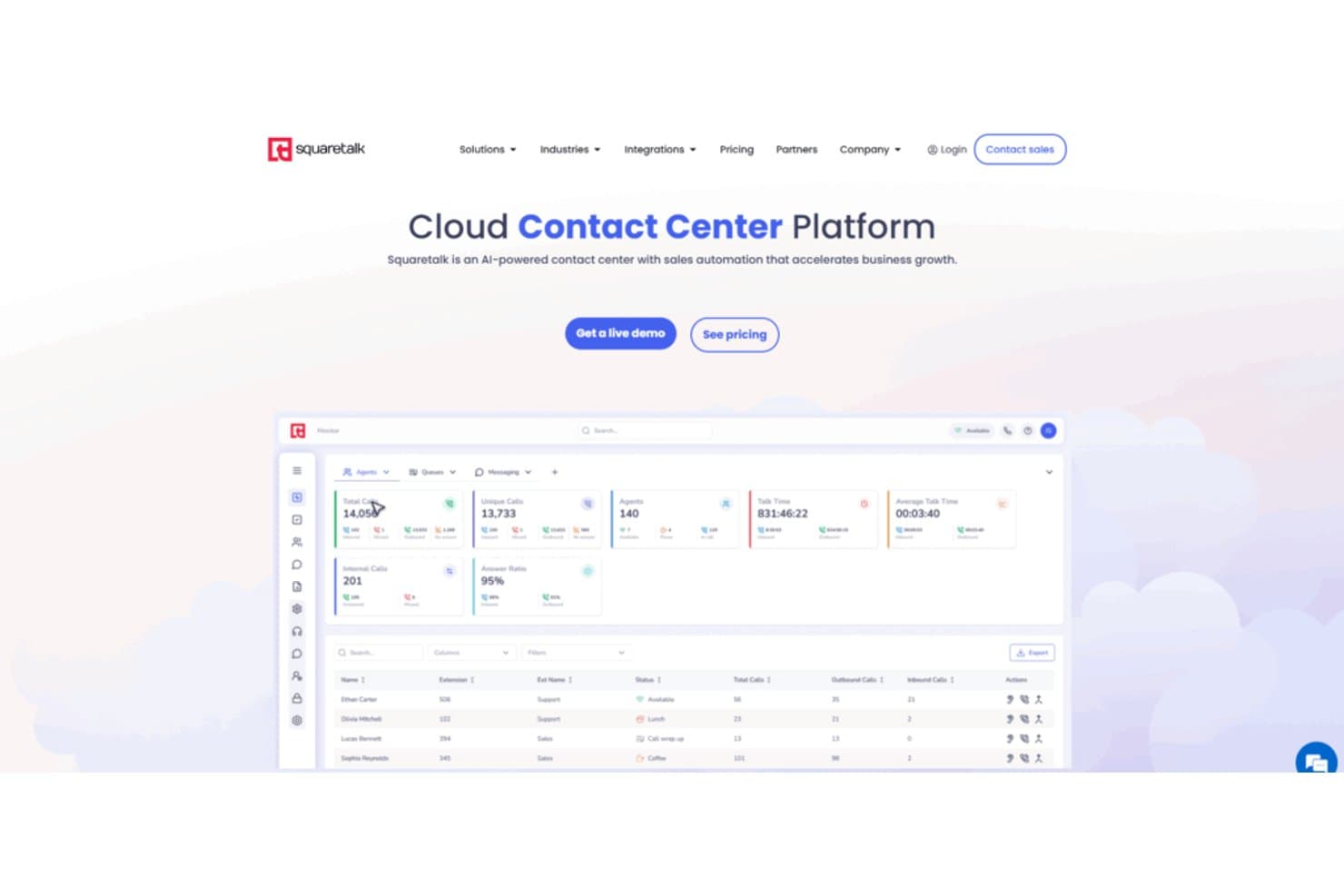
Il pannello di controllo del centro di contatto di Squaretalk monitora chiamate, agenti e tassi di risposta in tempo reale. Squaretalk è un sistema telefonico aziendale per i team che si occupano dei ricavi e cercano un'alternativa a RingCentral per organizzare le comunicazioni commerciali, gestire i flussi di chiamate e migliorare la visibilità sulle conversazioni con i clienti.
Per chi è più adatto Squaretalk?
Squaretalk è adatto ai team che si occupano dei ricavi e che hanno bisogno di flussi di lavoro strutturati e visibilità per le chiamate commerciali in uscita ad alto volume.
Perché Squaretalk è una buona alternativa a RingCentral
Ho scelto Squaretalk perché è progettato per effettuare chiamate commerciali in uscita su larga scala. I suoi flussi di lavoro strutturati per le chiamate aiutano il mio team a organizzare attività di contatto ad alto volume, mentre la visibilità sulle conversazioni rende più semplice esaminare le interazioni con i clienti. Lo utilizziamo per coordinare le chiamate commerciali e monitorare le comunicazioni nei flussi di lavoro legati ai ricavi.
Funzionalità principali di Squaretalk
- Risposta vocale interattiva: Crea instradamenti delle chiamate basati su menu per i chiamanti in ingresso.
- Registrazione delle chiamate: Registra le conversazioni per revisioni, formazione e controlli di qualità.
- Trascrizione dei messaggi vocali: Converte i messaggi vocali in testo ricercabile.
- Messaggistica SMS: Invia e ricevi messaggi di testo dai clienti direttamente in Squaretalk.
Integrazioni di Squaretalk
Squaretalk documenta sette integrazioni native: Zoho CRM, Zoho Desk, Zoho SalesIQ, Zoho Recruit, Salesforce, Freshworks CRM e Pipedrive. Fornisce inoltre API per integrazioni e flussi di lavoro personalizzati.
Pros and Cons
Pros:
- La composizione predittiva riduce i tempi di inattività degli agenti
- I controlli delle campagne organizzano i flussi di lavoro delle chiamate commerciali in uscita ad alto volume
- La registrazione delle chiamate supporta la formazione e le revisioni della qualità
Cons:
- I filtri dei rapporti richiedono una maggiore personalizzazione
- Le connessioni nelle ore di punta possono occasionalmente ritardare le chiamate
Learn more about Squaretalk: Il migliore per infrastruttura cloud AWS
- Prova gratuita di 6 mesi
- Da $0.038/minuto
Visit WebsiteCustomer Rating:4.5/5
Amazon Connect gestisce le chiamate con instradamento scalabile e integrazione AWS. Amazon Connect è una piattaforma cloud per contact center, pensata per i team che vogliono gestire chiamate di vendita, interazioni con i clienti e tracciamento delle chiamate all'interno dell'ecosistema AWS. È una soluzione ideale per le aziende che necessitano di telefonia scalabile, di instradamento avanzato delle chiamate e di un'integrazione profonda con altri servizi AWS.
Per chi è ideale Amazon Connect?
Team IT aziendali e contact center che già utilizzano l'infrastruttura cloud AWS.
Perché Amazon è una valida alternativa a RingCentral
Ho scelto Amazon Connect perché è costruito nativamente su AWS, quindi l'infrastruttura del contact center si adatta in modo automatico senza dover gestire fornitori telefonici separati. Mi piace la funzione data lake per le analisi, che permette di trasferire i dati delle chiamate direttamente negli strumenti AWS come Amazon Redshift o QuickBooks BI senza pipeline ETL complesse.
In pratica, questo significa che il mio team può creare dashboard personalizzati sulle performance delle chiamate usando i precisi indicatori rilevanti per il nostro modello di ricavi. Il compositore predittivo con rilevamento delle segreterie è un'altra funzionalità su cui faccio affidamento: filtra automaticamente i messaggi vocali e collega gli agenti solo con i potenziali clienti in linea, mantenendo vivi i flussi delle campagne in uscita.
Funzionalità principali di Amazon Connect
- Designer di flussi drag-and-drop: Permette di creare flussi IVR, esperienze chatbot e automazione delle attività degli agenti con un'interfaccia visiva senza codice.
- Instradamento basato sulle competenze: Smista i contatti in entrata verso l'agente giusto in base alla disponibilità, alle competenze, al sentiment del cliente e alla cronologia delle interazioni.
- Registrazione dello schermo: Registra gli schermi degli agenti insieme all'audio delle chiamate, così i responsabili possono verificare ciò che è stato detto e fatto durante il contatto.
- Analisi conversazionali in tempo reale: Monitora sentiment, parole chiave e trigger di conformità nelle interazioni vocali e chat con notifiche ai supervisori.
Integrazioni di Amazon Connect
Le integrazioni includono Salesforce Service Cloud, Zendesk, ServiceNow, Microsoft Dynamics 365, Oracle, SAP, Slack, WhatsApp Business e Apple Messages for Business.
Pros and Cons
Pros:
- Integrazione profonda con i servizi cloud AWS
- Prezzi a consumo senza contratti
- Sentiment e analisi conversazioni in tempo reale
Cons:
- Struttura dei prezzi complessa
- Richiede competenze AWS per configurazioni avanzate
Learn more about Amazon Connect: Ideale per solopreneurs e piccole imprese
- Prova gratuita di 7 giorni disponibile
- Da $14/mese (fatturato annualmente)
Visit WebsiteCustomer Rating:4.2/5
Grasshopper offre un semplice sistema telefonico aziendale sui dispositivi esistenti. Grasshopper offre alle piccole imprese e agli operatori singoli un sistema telefonico aziendale dedicato che funziona sui loro dispositivi esistenti. Se desideri tenere separati le chiamate personali da quelle di lavoro senza hardware aggiuntivo, Grasshopper è una soluzione semplice.
Per chi è meglio Grasshopper?
Imprenditori individuali e titolari di piccole imprese che necessitano di una linea telefonica aziendale dedicata.
Perché Grasshopper è una valida alternativa a RingCentral
Ho scelto Grasshopper perché è progettato appositamente per operatori singoli e piccoli team che non vogliono gestire un sistema telefonico complesso. La funzione di risposta istantanea invia automaticamente un messaggio di testo quando si perde una chiamata, così nessun contatto si perde mentre sei occupato.
Apprezzo anche la funzione di chiamata multipla, che fa suonare più dispositivi contemporaneamente in modo che la prima persona disponibile possa rispondere. Per una piccola azienda che opera con poche persone, questo tipo di copertura senza costi aggiuntivi per utente è difficile da eguagliare.
Funzionalità principali di Grasshopper
- Trascrizione dei messaggi vocali: Converte i messaggi della segreteria in testo così puoi leggerli senza dover ascoltare ogni registrazione.
- Filtro e blocco chiamate: Ti permette di identificare chi chiama prima di rispondere e bloccare i numeri indesiderati.
- Gestione degli orari lavorativi: Imposta orari definiti in modo che le chiamate vengano gestite diversamente fuori dall'orario di lavoro.
- Segreteria virtuale: Gestisce le chiamate in arrivo per tuo conto, instradandole senza dover assumere una persona dedicata.
Integrazioni Grasshopper
Attualmente non sono elencate integrazioni native.
Pros and Cons
Pros:
- Prezzo fisso indipendentemente dal numero di utenti
- Architettura leggera per l'inoltro di chiamate con priorità mobile
- Vista delle conversazioni raggruppate per tutte le interazioni
Cons:
- Nessun supporto per telefoni da scrivania fisici
- Mancanza di sistemi automatici di accodamento delle chiamate
Learn more about Grasshopper: Ideale per la gestione delle campagne di chiamate in uscita
- Demo gratuita disponibile
- Da $135/mese (fatturazione annuale)
Visit WebsiteCustomer Rating:4.7/5
Call Logic automatizza la composizione di chiamate ad alto volume e traccia i risultati. Call Logic è un compositore automatico basato su cloud progettato per team di vendita e call center che hanno bisogno di gestire campagne di chiamate in uscita ad alto volume. Lo troverai particolarmente utile se il tuo team desidera automatizzare la composizione, tracciare gli esiti delle chiamate e migliorare la produttività degli operatori.
Per chi è più indicato Call Logic?
Team di vendita in uscita e call center che gestiscono campagne di chiamate ad alto volume.
Perché Call Logic è una valida alternativa a RingCentral
Ho scelto Call Logic proprio per il modo in cui gestisce l'intera gestione delle campagne in uscita. Quando il mio team lancia una campagna, il power dialer scorre automaticamente le liste di contatti senza bisogno di composizione manuale, e una funzionalità di messaggio vocale con un clic consente agli operatori di non perdere tempo a lasciare continuamente lo stesso messaggio.
Mi affido anche agli script di chiamata integrati e alle disposizioni personalizzate per mantenere ogni operatore in linea con il messaggio e per categorizzare correttamente ogni esito. In pratica, questo significa che posso gestire un'intera campagna in uscita—dall'importazione della lista fino all'email di follow-up—senza mai abbandonare la piattaforma.
Funzionalità principali di Call Logic
- Conformità TCPA e pulizia DNC: Analizza automaticamente le liste contatti in tempo reale rispetto ai registri Non Disturbare prima di ogni chiamata.
- Composizione in anteprima: Mostra i dettagli del contatto agli operatori prima che la chiamata venga connessa, così possono personalizzare la conversazione.
- Chiamata ai lead caldi: Collega istantaneamente gli operatori ai nuovi lead in entrata non appena viene inviato un modulo.
- Report e analisi chiamate: Traccia volume di chiamate, tassi di connessione e attività degli agenti nelle campagne tramite report riepilogativi e di utilizzo.
Integrazioni di Call Logic
Le integrazioni includono Allstate Lead Manager, Salesforce, Crelate, Bullhorn, PCR, Blitz, Redtail, HireQuest Inc, KBIC, MRI Network e Snelling Staffing.
Pros and Cons
Pros:
- L’auto-dialer aumenta l’efficienza delle chiamate in uscita
- Script di chiamata integrati per uniformità tra gli operatori
- Pulizia in tempo reale delle liste DNC per la conformità
Cons:
- Mancano funzionalità per la gestione delle chiamate in entrata
- Nessuna app mobile per l’accesso da dispositivi mobili
Learn more about Call Logic: Il migliore con analisi delle chiamate potenziate dall'IA
- Demo gratuita
- Da $119/utente/mese
Visit WebsiteCustomer Rating:4.1/5
Five9 ottimizza le chiamate con automazione, analisi e integrazioni. Five9 è una piattaforma di contact center basata su cloud progettata per i team di vendita e supporto che necessitano di una gestione avanzata delle chiamate e di automazione. È particolarmente adatta alle aziende che vogliono ottimizzare le chiamate in uscita, monitorare le prestazioni degli agenti e integrare la voce con i canali digitali.
A chi è più adatto Five9?
Team di vendita e supporto aziendali che necessitano di analisi avanzate delle chiamate e automazione.
Perché Five9 è una valida alternativa a RingCentral
Ho scelto Five9 perché le sue analisi potenziate dall'IA vanno ben oltre la semplice registrazione delle chiamate. Mi piace come la trascrizione in tempo reale e l'analisi del sentiment evidenzino momenti di coaching durante le chiamate dal vivo—non solo dopo.
Il mio team utilizza inoltre l'agente virtuale intelligente (IVA) per gestire automaticamente le richieste in entrata di routine, liberando gli operatori per conversazioni di maggior valore. Per i team che devono agire rapidamente sui dati delle chiamate, questa combinazione è difficile da eguagliare.
Caratteristiche principali di Five9
- Dialer predittivo: compone automaticamente più numeri e collega gli agenti solo quando risponde una persona reale.
- Gestione della qualità (QM): verifica le interazioni vocali e digitali per valutare le prestazioni degli agenti su tutti i canali.
- Gestione della forza lavoro (WFM): prevede il volume delle chiamate e pianifica gli agenti per soddisfare la domanda in tempo reale.
- Instradamento omnicanale: collega i clienti agli agenti su voce, chat, email, SMS e messaggistica social da un'unica piattaforma.
Integrazioni con Five9
Le integrazioni includono Salesforce, ServiceNow, Microsoft, Oracle, Zendesk, Microsoft Teams, Zoom Phone, RingCentral, Nextiva ed Epic.
Pros and Cons
Pros:
- Analisi delle chiamate guidate dall'IA per insight azionabili
- Assistenza in tempo reale agli agenti durante le chiamate dal vivo
- Strumenti avanzati per chiamate in uscita e gestione campagne
Cons:
- Configurazione complessa per i team di vendita più piccoli
- Opzioni self-service limitate per gli utenti finali
Learn more about Five9: Ideale per integrazioni con CRM e helpdesk
- Prova gratuita di 14 giorni + demo gratuita
- Da $29/utente/mese (fatturazione annuale)
Visit WebsiteCustomer Rating:4.1/5
JustCall collega chiamate, SMS e automazioni con strumenti CRM. JustCall è un sistema telefonico basato sul cloud pensato per i team di vendita e assistenza che desiderano collegare chiamate, SMS e automazioni con il CRM o il helpdesk già in uso. Lo considero una scelta valida per le aziende che devono tracciare le conversazioni e gestire le attività direttamente dagli strumenti già utilizzati.
Per chi è ideale JustCall?
Team di vendita e assistenza in piccole e medie imprese che si affidano a piattaforme CRM o helpdesk.
Perché JustCall è una valida alternativa a RingCentral
Ho scelto JustCall perché è costruito attorno all'idea che il sistema telefonico debba essere integrato nel CRM e non solo affiancato. Note sulle chiamate, registrazioni e risultati vengono sincronizzati automaticamente in strumenti come HubSpot, Salesforce e Pipedrive subito dopo la fine di una chiamata.
Apprezzo inoltre il Sales Dialer, che permette agli operatori di avviare campagne in uscita direttamente da una lista contatti del CRM senza digitare manualmente numeri. In pratica, significa che il mio team passa più tempo a parlare con i potenziali clienti e meno tempo a cambiare scheda per registrare attività.
Funzionalità principali di JustCall
- Risultato e note chiamata: consente agli operatori di indicare l'esito della chiamata con codici preimpostati e aggiungere note per consultazioni future.
- Messaggio in segreteria automatico: inserisce automaticamente un messaggio pre-registrato nella segreteria telefonica così che gli operatori possano procedere subito con la chiamata successiva senza aspettare il segnale acustico.
- Monitoraggio delle chiamate in tempo reale: permette ai responsabili di ascoltare le chiamate attive in tempo reale, suggerire all’operatore o partecipare direttamente alla chiamata.
- Flussi di lavoro SMS: attiva automaticamente l’invio di SMS in base a condizioni specifiche, ad esempio per follow-up o promemoria appuntamenti.
Integrazioni JustCall
Le integrazioni includono Salesforce, HubSpot, Pipedrive, Zendesk, Freshdesk, Intercom, Slack, ActiveCampaign, monday.com e Zoho CRM.
Pros and Cons
Pros:
- Integrazione nativa con messaggistica WhatsApp Business
- Posta in arrivo unificata per tutti i canali clienti
- Power dialer preconfigurati per campagne outbound ad alta velocità
Cons:
- Sincronizzazione delle attività sul CRM non sempre affidabile
- Assenza di strumenti di collaborazione interna
Learn more about JustCall: Ideale per una configurazione e un onboarding rapidi
- Prova gratuita di 7 giorni + demo gratuita disponibile
- Da $20/utente/mese (fatturazione annuale)
Visit WebsiteCustomer Rating:4/5
MightyCall offre un tracciamento delle chiamate, un instradamento e una messaggistica aziendale semplici. MightyCall è un sistema telefonico basato su cloud creato per piccole imprese e team che desiderano gestire le chiamate di vendita senza configurazioni complesse. È una scelta eccellente per chi ha bisogno di tracciamento delle chiamate, instradamento e messaggistica aziendale in un'unica piattaforma semplice da usare.
Per chi è migliore MightyCall?
Piccole imprese e startup che necessitano di un sistema telefonico semplice e unificato per i team di vendita e supporto.
Perché MightyCall è una valida alternativa a RingCentral
Ho scelto MightyCall perché permette davvero di far partire velocemente un team, che è il suo vero punto di forza. Il designer dei flussi di chiamata senza codice mi consente di configurare menu IVR, regole di instradamento e orari lavorativi senza toccare una riga di codice—ciò che su altre piattaforme richiede giorni, qui lo faccio in un'ora.
Mi affido anche alla sessione di onboarding gratuita con assistenza dedicata, il che significa che una persona reale guida il mio team durante la configurazione, invece di lasciarci a interpretare la documentazione. In pratica, questo significa che i nuovi agenti gestiscono chiamate in diretta già nello stesso giorno in cui ci iscriviamo.
Funzionalità principali di MightyCall
- Call whisper: Permette ai supervisori di supportare e guidare gli agenti durante la chiamata parlando direttamente con loro senza che il cliente senta.
- Voicemail drop: Lascia automaticamente un messaggio preregistrato quando una chiamata in uscita raggiunge la segreteria telefonica di un cliente.
- Riepiloghi delle chiamate AI: Genera istantaneamente riepiloghi redatti dall'intelligenza artificiale delle chiamate concluse, così i manager possono rivedere i punti chiave senza dover riascoltare le registrazioni.
- Report sulle disposizioni delle chiamate: Registra gli esiti specifici di ogni chiamata con i clienti, offrendo visibilità sulle performance delle campagne e sull'efficacia degli agenti.
Integrazioni di MightyCall
Le integrazioni includono HubSpot, Salesforce, Zoho e Balto, ed è disponibile un'API per integrazioni personalizzate.
Pros and Cons
Pros:
- Onboarding rapido con sessioni di configurazione guidate
- Pacchetti multi-numero inclusi per utente
- Architettura server dedicata per la qualità delle chiamate
Cons:
- Numero minimo obbligatorio di tre utenti per attivare il servizio
- Nessuna funzionalità di videoconferenza integrata
Learn more about MightyCall: Ideale per team ibridi e da remoto
- Demo gratuita disponibile
- Prezzi su richiesta

GoTo Connect unifica chiamate, riunioni e messaggistica per i team. GoTo Connect riunisce chiamate, videoconferenze e messaggistica basate su cloud in un'unica piattaforma progettata per team distribuiti e ibridi. Se hai bisogno di gestire chiamate di vendita, riunioni e comunicazioni di team ovunque ti trovi, questo strumento ti offre uno spazio di lavoro unificato.
Per Chi È Ideale GoTo Connect?
Team di vendita e supporto che operano in più sedi o in ambienti di lavoro da remoto.
Perché GoTo Connect è una Buona Alternativa a RingCentral
Ho scelto GoTo Connect perché è costruito attorno alla realtà dei moderni team di vendita che non sono tutti nello stesso posto. L'editor del piano di chiamata drag-and-drop mi permette di configurare l'instradamento delle chiamate per differenti fusi orari, sedi e operatori remoti senza bisogno di supporto IT.
Mi affido anche alle videoconferenze con un solo clic integrate direttamente nella piattaforma: il mio team può passare da una chiamata a una riunione video senza cambiare app. In pratica, questo significa che i rappresentanti distribuiti restano connessi e coordinati ovunque lavorino.
Caratteristiche Principali di GoTo Connect
- Programmazione dell'instradamento delle chiamate: Configura l'instradamento delle chiamate in base all'orario lavorativo, fuori orario e festività, con messaggi personalizzati per ogni fascia.
- Analisi del sentiment: Monitora la soddisfazione dei clienti su chiamate e messaggi in modo che i responsabili possano segnalare conversazioni a rischio.
- Hot desking: Permette ai dipendenti remoti e ibridi di accedere a qualsiasi telefono condiviso e ritrovare le proprie impostazioni personali ed estensioni.
- Rubrica per composizione tramite nome: Consente ai chiamanti di cercare e collegarsi ai membri del team per nome tramite una rubrica automatizzata.
Integrazioni di GoTo Connect
Le integrazioni includono Salesforce, HubSpot, Zendesk, Microsoft Dynamics, SugarCRM, Freshdesk, Freshsales, Kommo, Pipedrive, Google ed è disponibile una API per integrazioni personalizzate.
Pros and Cons
Pros:
- Editor del piano di chiamata drag-and-drop intuitivo
- SMS e fax integrati
- Code di chiamata illimitate per team numerosi
Cons:
- Nessuna trascrizione automatica delle chiamate
- Opzioni limitate per numeri di telefono internazionali
Learn more about GoTo Connect:
Altre alternative a RingCentral
Ecco alcune alternative aggiuntive a RingCentral che non sono state incluse nel mio elenco, ma che vale comunque la pena prendere in considerazione:
- 11VonageIdeale per integrazioni API personalizzabili
- 12Zoom PhoneIdeale per integrazione tra video e voce
- 13Microsoft Teams PhoneIdeale per l’integrazione con Microsoft 365
- 14Brevo PhoneIdeale per la comunicazione multicanale
Come Valuto le Alternative a RingCentral
Analizzo ogni alternativa su due livelli: il requisito minimo UCaaS che deve soddisfare per essere considerata, e i fattori differenzianti—come la profondità dell’integrazione CRM e l’analisi delle chiamate—che determinano l’idoneità per un team RevOps.
Funzionalità Core (Requisiti Indispensabili per Questa Lista)
Quando seleziono gli strumenti per la mia lista, valuto ciascuno su una scala da 0 (non offre la funzionalità) a 5 (eccelle in quest'area) per ogni funzionalità core elencata di seguito. Quindi, calcolo il punteggio totale dello strumento in percentuale. Ogni strumento deve raggiungere un punteggio totale minimo del 65% per essere preso in considerazione.
- Cloud Voice & Chiamate: Controllo se una piattaforma offre VoIP completo in entrata/uscita con assegnazione di numeri aziendali abbastanza ampia per team vendita e CS distribuiti.
- Comunicazione Unificata: Voce, video, SMS e messaggistica di squadra devono essere disponibili in un’unica app, in modo che i collaboratori non debbano passare da Zoom, a un dialer, e a uno strumento di chat separato.
- Integrazioni CRM & RevOps: Valuto quanto profondamente ogni strumento si sincronizza con piattaforme come Salesforce e HubSpot, specificamente se registri chiamate, registrazioni e risultati vengono collegati automaticamente a contatti e opportunità.
- Instradamento delle Chiamate & IVR: La piattaforma deve offrire flussi di chiamata configurabili, gruppi di squillo e menu IVR che consentono di instradare le chiamate in entrata verso il referente o la coda giusta in base a territorio, fase della trattativa o titolarità dell’account.
- Registrazione & Analisi delle Chiamate: Cerco registrazione automatica, trascrizione e dashboard che evidenziano metriche come tempo di conversazione e risultati delle chiamate, i dati su cui i team RevOps si basano per previsioni e formazione.
- Funzionalità Contact Center: Per i team che gestiscono supporto in entrata o prospecting in uscita su larga scala, valuto gestione delle code, monitoraggio da parte di supervisori e controlli di disponibilità degli operatori.
Una volta che ho una lista di strumenti che soddisfano questi criteri, considero cosa distingue ogni piattaforma.
Fattori Differenzianti (Cosa Distingue i Fornitori)
Ecco come confronto e metto a confronto i diversi fornitori:
Funzionalità Distintive
L’intelligenza conversazionale tramite AI è un grande fattore di differenziazione. Cerco piattaforme che generino automaticamente riepiloghi delle chiamate e segnalino rischi sugli affari, così i leader RevOps possono formare i collaboratori senza ascoltare ogni registrazione. Anche i dialer integrati power o parallel sono importanti per i team concentrati sulle chiamate in uscita, perché aggiungerne uno di terze parti aumenta i costi e interrompe la sincronizzazione con il CRM. Valuto anche i trigger di automazione dei flussi di lavoro che attivano aggiornamenti del CRM o notifiche Slack in base ai risultati delle chiamate, eliminando la registrazione manuale che rallenta la gestione del pipeline.
Oltre le Funzionalità
Il costo totale di proprietà merita un’attenzione particolare. Confronto i livelli di prezzo per utente, ma verifico anche cosa è incluso rispetto agli extra, poiché le funzionalità AI e i moduli CCaaS possono rapidamente aumentare i costi. Anche la profondità dell’integrazione nel tech stack RevOps è importante. Un’integrazione Salesforce che registra solo le chiamate è diversa da una che scrive su oggetti personalizzati e attiva regole di workflow. Valuto inoltre il time-to-value, in particolare quanto rapidamente gli amministratori possono portare numeri, configurare flussi di chiamata e andare live senza un massiccio coinvolgimento dell’IT.
Perché cercare un'alternativa a RingCentral?
Sebbene RingCentral sia una buona scelta come software per il monitoraggio delle chiamate di vendita, esistono diversi motivi per cui alcuni utenti cercano soluzioni alternative. Potresti cercare un'alternativa a RingCentral perché…
- Hai bisogno di una gestione più avanzata delle campagne in uscita
- Il tuo team necessita di strumenti integrati per gli script delle chiamate
- Vuoi una verifica in tempo reale delle liste DNC per garantire la conformità
- Hai bisogno di integrazioni con CRM specializzati o strumenti per la gestione dei lead
- La tua azienda opera in regioni con una copertura limitata di RingCentral
- Vuoi un monitoraggio più dettagliato dell'esito delle chiamate
Scegliere il fornitore VoIP giusto garantisce che questi strumenti, dalle chiamate di base all'integrazione con i social media, funzionino insieme per offrire una presenza professionale. Se ti riconosci in una di queste situazioni, sei nel posto giusto. Il mio elenco contiene diverse opzioni di software per il monitoraggio delle chiamate di vendita più adatte ai team che affrontano queste difficoltà con RingCentral e cercano soluzioni alternative.
Funzionalità principali di RingCentral
Quando valuti una moderna soluzione di comunicazione, è importante comprendere in che modo questi strumenti semplifichino sia le operazioni interne sia l'esperienza del cliente. Una piattaforma UCaaS offre un'ampia gamma di funzionalità progettate per mantenere i team connessi attraverso un'unica interfaccia intuitiva. Ecco alcune delle funzionalità principali di RingCentral, per aiutarti a mettere a confronto le proposte delle soluzioni alternative:
- Registrazione delle chiamate: registra automaticamente le chiamate in entrata e in uscita, così puoi rivedere le conversazioni per finalità di garanzia della qualità, formazione o conformità. Questa è una delle numerose funzionalità avanzate che aiutano a mantenere gli standard del servizio.
- Risponditore automatico: indirizza le chiamate in arrivo al reparto o all'agente corretto utilizzando menu e messaggi personalizzabili, riducendo i trasferimenti manuali e garantendo una gestione efficiente dei numeri verdi.
- Analisi delle chiamate: fornisce report dettagliati sul volume delle chiamate, sulla durata, sui tempi di attesa e sulle prestazioni degli agenti, aiutandoti a monitorare la produttività del team e a individuare le tendenze all'interno del tuo sistema VoIP.
- Segreteria telefonica via e-mail: invia i messaggi della segreteria direttamente alla tua casella di posta elettronica come file audio o trascrizioni, rendendo più semplice gestire le chiamate perse.
- Inoltro delle chiamate: reindirizza le chiamate verso telefoni cellulari o altri numeri, garantendo che il tuo team resti raggiungibile anche quando non si trova alla propria scrivania.
- Messaggistica del team: offre una chat integrata per la comunicazione e la collaborazione in tempo reale tra i membri del team all'interno della piattaforma RingCentral.
- Videoconferenze: consente di effettuare videochiamate in HD con condivisione e registrazione dello schermo, supportando la collaborazione a distanza e le presentazioni ai clienti.
- App per dispositivi mobili: consente agli utenti di effettuare e ricevere chiamate, partecipare a riunioni e accedere ai messaggi ovunque si trovino, utilizzando smartphone, tablet o l'app desktop.
- Integrazioni CRM: si collega a piattaforme CRM diffuse come Salesforce e HubSpot per sincronizzare i dati delle chiamate e semplificare i flussi di lavoro, funzionalità essenziali per i team di vendita e assistenza.
- IVR (risposta vocale interattiva): consente ai chiamanti di interagire con un sistema automatizzato utilizzando comandi vocali o la tastiera, migliorando l'instradamento delle chiamate e le opzioni self-service.