
20 Best RingCentral Alternatives in 2026

RingCentral Alternatives Shortlist
Here’s my shortlist of the best RingCentral alternatives:


The best RingCentral alternatives offer reliable sales call tracking, integrations, and flexible communication features that help your team stay connected and organized. If you’re searching for RingCentral alternatives, you’re likely looking for tools that can handle high call volumes, provide actionable analytics, and fit into your existing sales workflows without causing disruption.
Choosing the right platform can make a big difference in how your team tracks conversations, measures performance, and supports revenue growth.
In this guide, you’ll find a curated list of top RingCentral alternatives, each with unique strengths to help you find the best fit for your sales operations in 2026.
What Is RingCentral?
RingCentral is a cloud-based communication platform that combines voice, video, messaging, and sales call tracking in one system. It’s designed to help businesses manage inbound and outbound calls, monitor sales team performance, and integrate with CRM and productivity tools.
Teams use RingCentral to centralize communication, improve call visibility, and simplify sales processes, making it a popular choice for organizations that need reliable call tracking and analytics.
Best RingCentral Competitors Summary
This comparison chart summarizes pricing details for my top RingCentral competitor selections to help you find the best one for your budget and business needs.
| Tool | Best For | Trial Info | Price | ||
|---|---|---|---|---|---|
| 1 | Best for unified communications across teams | Free demo available | From $15/user/month | Website | |
| 2 | Best for outbound call campaign management | Free demo available | From $135/month (billed annually) | Website | |
| 3 | Best with AI-powered call analytics | Free demo available | From $119/user/month | Website | |
| 4 | Best for solopreneurs and small businesses | 7-day free trial available | From $14/month (billed annually) | Website | |
| 5 | Best for CRM and helpdesk integrations | 14-day free trial + free demo available | From $29/user/month (billed annually) | Website | |
| 6 | Best for quick setup and onboarding | Free trial + free demo available | From $20/user/month (billed annually) | Website | |
| 7 | Best with AWS cloud infrastructure | Free plan available | Pay-as-you-go model | Website | |
| 8 | Best for hybrid and remote teams | Free demo available | Pricing upon request | Website | |
| 9 | Best for customizable API integrations | Free demo available | Pricing upon request | Website | |
| 10 | Best for multichannel communication | Free demo available | From $9/month | Website |



Why Trust Our Software Reviews
We’ve been testing and reviewing RevOps software since 2022. As RevOps leaders ourselves, we know how critical and difficult it is to make the right decision when selecting software.
We invest in deep research to help our audience make better software purchasing decisions. We’ve tested more than 2,000 tools for different RevOps use cases and written over 1,000 comprehensive software reviews. Learn how we stay transparent & our software review methodology.
-

Pipedrive CRM
Visit WebsiteThis is an aggregated rating for this tool including ratings from Crozdesk users and ratings from other sites.4.3 -
Creatio CRM
Visit WebsiteThis is an aggregated rating for this tool including ratings from Crozdesk users and ratings from other sites.4.7 -
monday CRM
Visit WebsiteThis is an aggregated rating for this tool including ratings from Crozdesk users and ratings from other sites.4.6





RingCentral Alternatives Reviews
Below are my detailed summaries of the best RingCentral alternatives that made it onto my shortlist. My reviews offer a detailed look at the features, integrations, and best use cases of each software to help you find the best one for you.
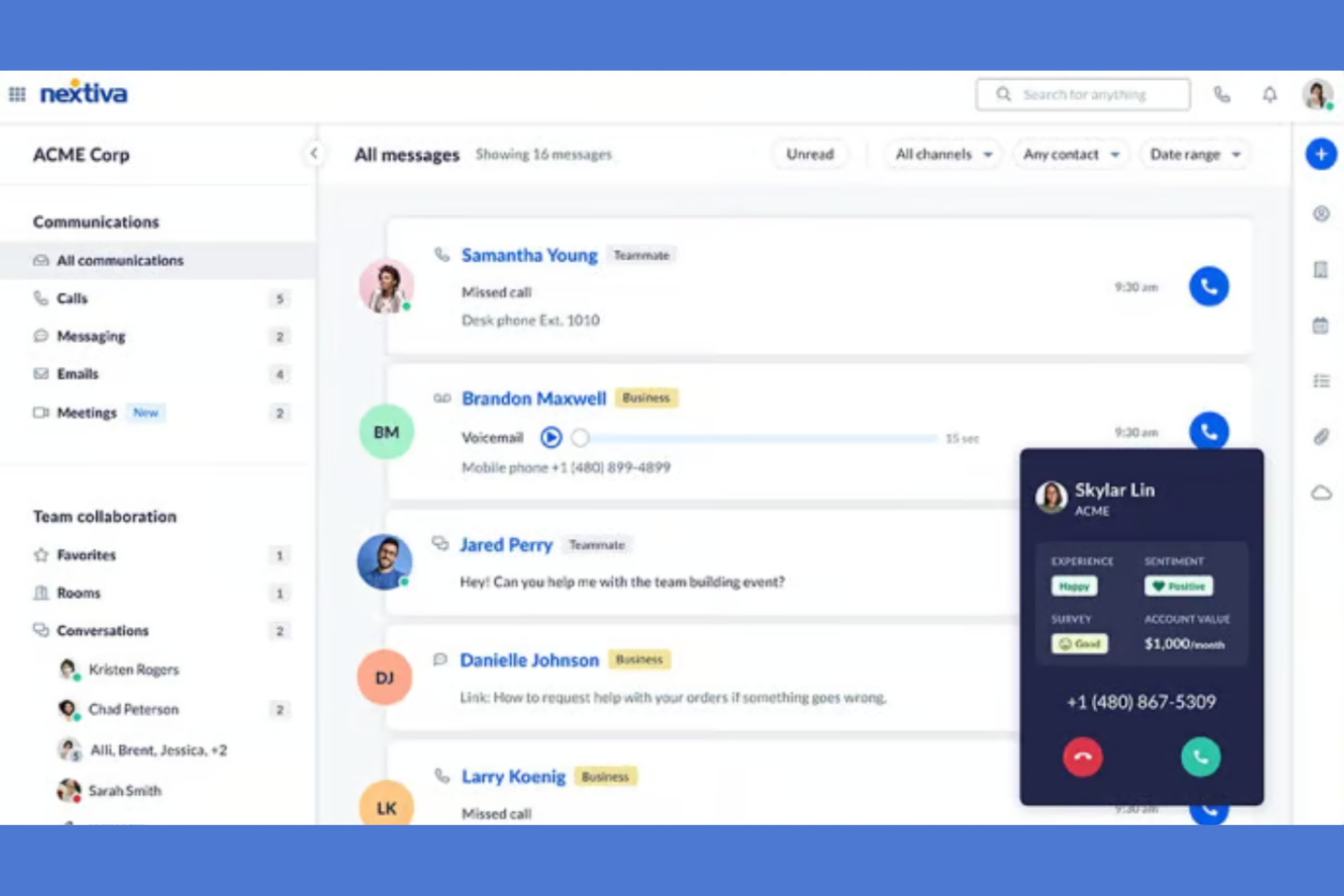
Nextiva is a cloud-based communication platform built for sales teams and businesses that need reliable call tracking and analytics. If you want to unify your phone, messaging, and video in one place while keeping a close eye on sales activity, Nextiva is worth a look.
Who Is Nextiva Best For?
Sales and support teams at mid-sized to large businesses that need unified communications across multiple channels.
Why Nextiva Is a Good RingCentral Alternative
I picked Nextiva because it brings voice, video, and messaging into a single interface, which makes it easier to track every sales touchpoint without jumping between tools. I especially appreciate the call analytics dashboard, where I can monitor call volume, duration, and outcomes in real time across the entire team.
Nextiva's conversation intelligence features also let me review call recordings and flag key moments, which helps with coaching and performance reviews. For teams that need full communication visibility in one place, it's a strong fit.
Nextiva Key Features
- Auto attendant: Routes incoming calls to the right team member automatically, without manual transfers.
- Call queues: Holds callers in line when agents are busy, so no sales call goes unanswered.
- Voicemail-to-email: Delivers voicemail messages directly to your inbox so you can review and respond faster.
- Real-time presence: Shows which team members are available to take calls or messages at any given moment.
Nextiva Integrations
Integrations include Salesforce, HubSpot, Microsoft Teams, Google Workspace, Zendesk, Oracle NetSuite, Zoho, Microsoft Outlook, ServiceNow, and Bullhorn.
Pros and Cons
Pros:
- Bundled professional service onboarding options
- Auto attendant setup is flexible for routing
- Call analytics dashboard is detailed and visual
Cons:
- Restrictive monthly SMS transmission caps
- Limited international toll-free minute allowances

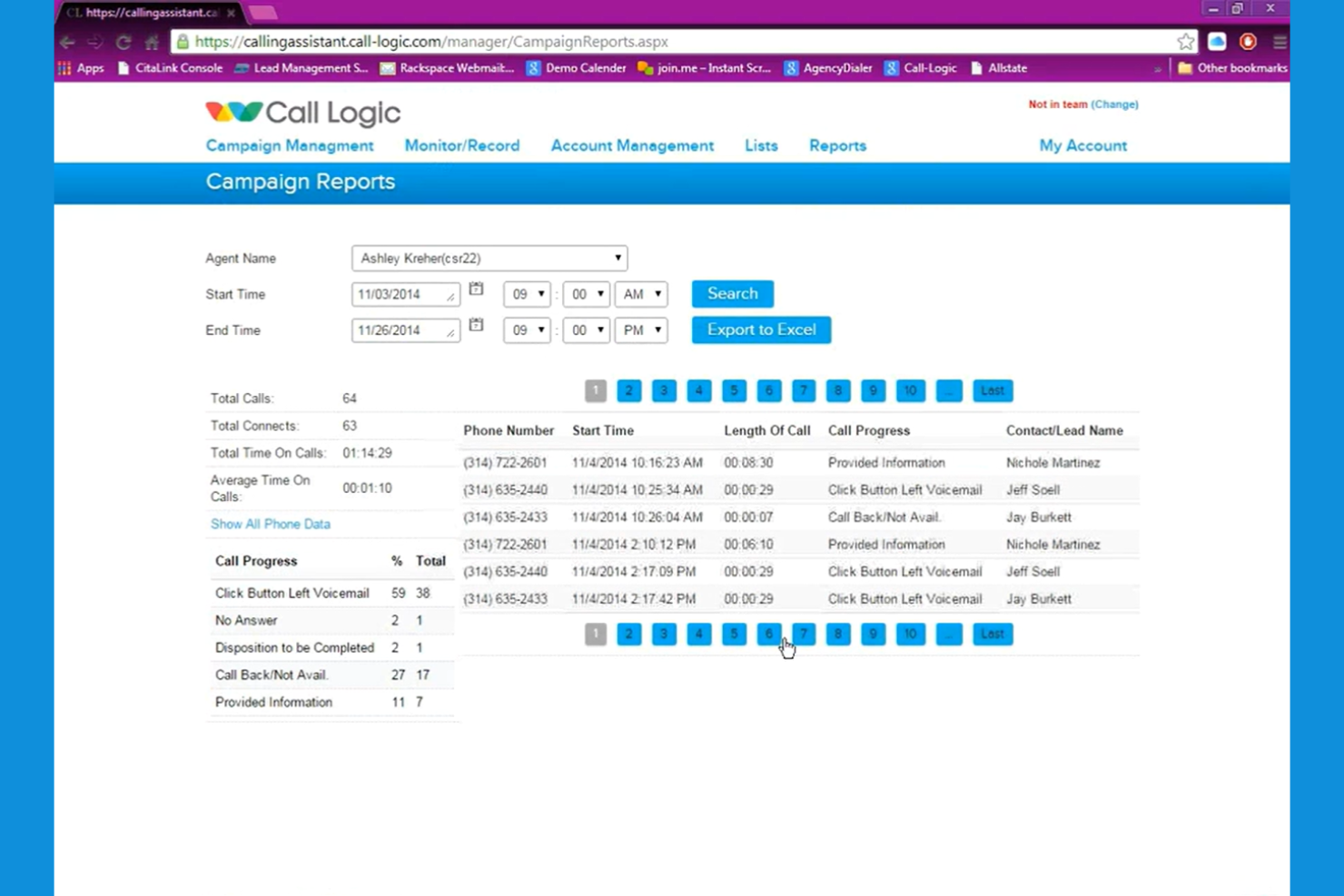
Call Logic is a cloud-based auto-dialer built for sales teams and call centers that need to manage high-volume outbound calling campaigns. I think you'll find it especially useful if your team wants to automate dialing, track call outcomes, and improve agent productivity.
Who Is Call Logic Best For?
Outbound sales teams and call centers running high-volume calling campaigns.
Why Call Logic Is a Good RingCentral Alternative
I picked Call Logic specifically because of how it handles outbound campaign management end-to-end. When my team runs a campaign, the power dialer automatically moves through contact lists without manual dialing, and a one-click voicemail drop means reps aren't burning time leaving the same message over and over.
I also rely on the built-in call scripts and custom dispositions to keep every rep on-message and every outcome properly categorized. In practice, that means I can run a full outbound campaign—from list import to follow-up email—without ever leaving the platform.
Call Logic Key Features
- TCPA compliance and DNC scrubbing: Automatically scrubs contact lists against Do Not Call registries in real time before each call.
- Preview dialing: Display contact details to reps before a call connects so they can personalize the conversation.
- Hot lead dial: Instantly connects reps to new inbound leads the moment a form is submitted.
- Call reporting and analytics: Track call volume, connect rates, and agent activity across campaigns with summary and usage reports.
Call Logic Integrations
Integrations include Allstate Lead Manager, Salesforce, Crelate, Bullhorn, PCR, Blitz, Redtail, HireQuest Inc, KBIC, MRI Network, and Snelling Staffing.
Pros and Cons
Pros:
- Real-time DNC list scrubbing for compliance
- Built-in call scripting for agent consistency
- Auto-dialer increases outbound call efficiency
Cons:
- No mobile app for on-the-go access
- Lacks inbound call management features
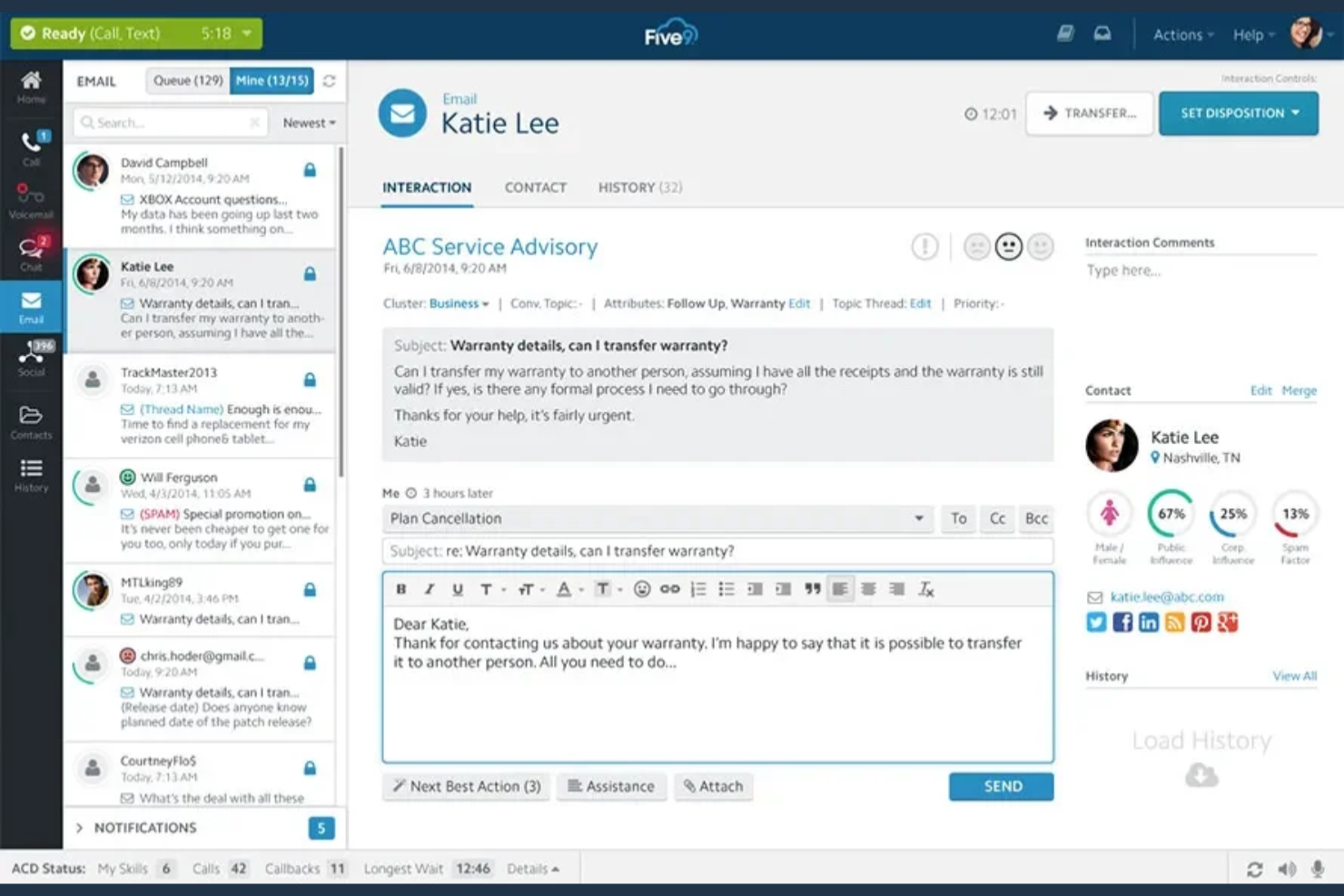
Five9 is a cloud-based contact center platform designed for sales and support teams who need advanced call management and automation. It’s a strong fit for businesses that want to optimize outbound calling, monitor agent performance, and integrate voice with digital channels.
Who Is Five9 Best For?
Enterprise sales and support teams that need advanced call analytics and automation.
Why Five9 Is a Good RingCentral Alternative
I picked Five9 because its AI-powered analytics go well beyond basic call logging. I like how the real-time transcription and sentiment analysis surface coaching moments during live calls—not just after the fact.
My team also uses the intelligent virtual agent (IVA) to handle routine inbound queries automatically, freeing reps for higher-value conversations. For teams that need to act on call data quickly, that combination is hard to match.
Five9 Key Features
- Predictive dialer: Automatically dials multiple numbers and connects agents only when a live person answers.
- Quality management (QM): Reviews voice and digital interactions to evaluate agent performance across channels.
- Workforce management (WFM): Forecasts call volume and schedules agents to match demand in real time.
- Omnichannel routing: Connects customers to agents across voice, chat, email, SMS, and social messaging from a single platform.
Five9 Integrations
Integrations include Salesforce, ServiceNow, Microsoft, Oracle, Zendesk, Microsoft Teams, Zoom Phone, RingCentral, Nextiva, and Epic.
Pros and Cons
Pros:
- Advanced outbound dialing and campaign tools
- Real-time agent assist during live calls
- AI-driven call analytics for actionable insights
Cons:
- Limited self-service options for end users
- Complex setup for smaller sales teams

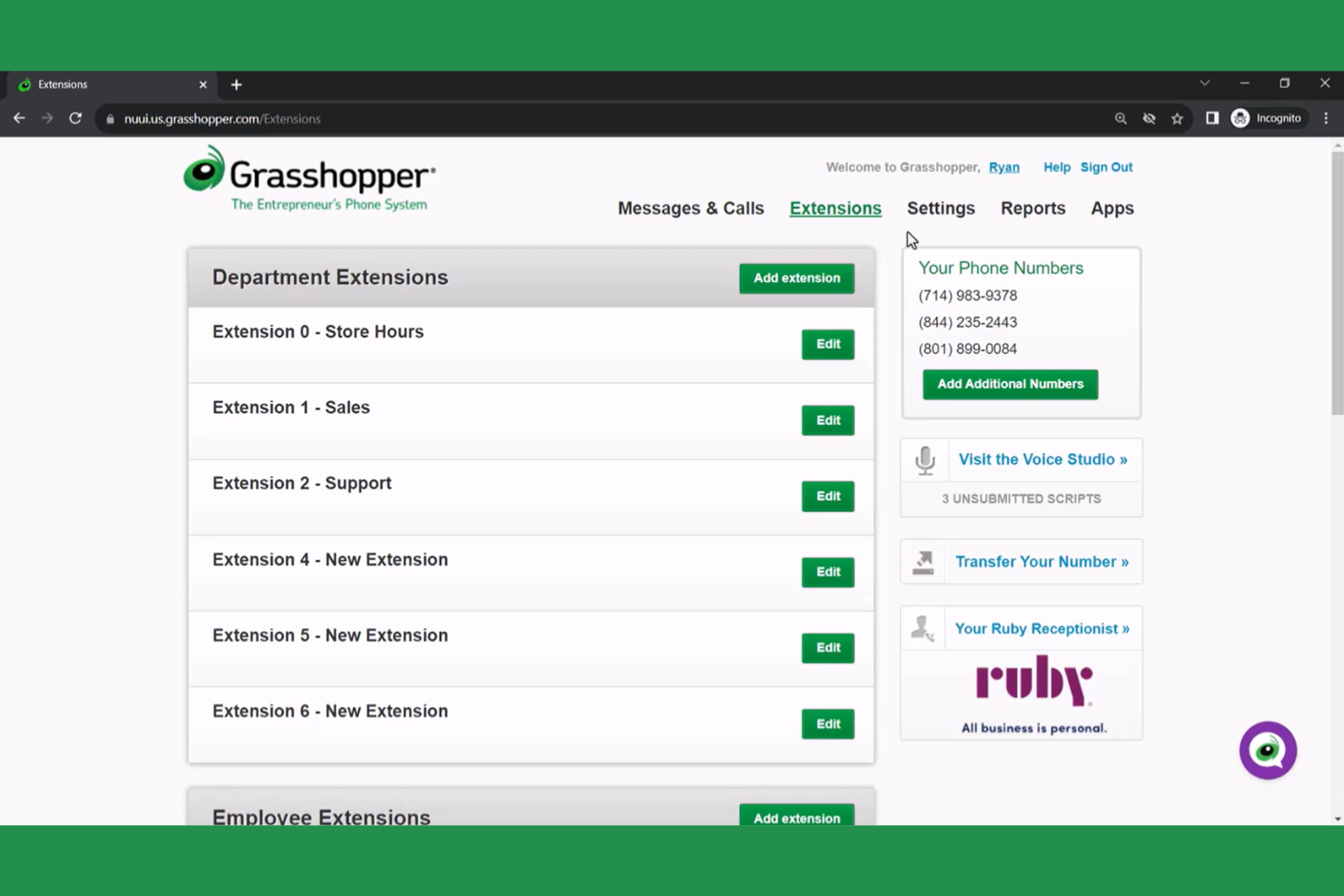
Grasshopper gives small businesses and solo operators a dedicated business phone system that works on their existing devices. If you want to keep personal and business calls separate without extra hardware, Grasshopper is a straightforward solution.
Who Is Grasshopper Best For?
Solo entrepreneurs and small business owners who need a dedicated business phone line.
Why Grasshopper Is a Good RingCentral Alternative
I picked Grasshopper because it's purpose-built for solo operators and small teams who don't want to manage a complex phone system. The instant response feature automatically sends a text reply when you miss a call, so no lead goes cold while you're busy.
I also like the call blasting feature, which rings multiple devices at once so the first available person picks up. For a small business that runs on a handful of people, that kind of coverage without per-user fees is hard to beat.
Grasshopper Key Features
- Voicemail transcription: Converts voicemail messages to text so you can read them without listening to each one.
- Call screening and blocking: Lets you identify callers before answering and block unwanted numbers.
- Business hours control: Sets defined hours so calls are handled differently outside of your working schedule.
- Virtual receptionist: Handles incoming calls on your behalf, routing them without a full-time hire.
Grasshopper Integrations
Native integrations are not currently listed.
Pros and Cons
Pros:
- Threaded conversation view for all interactions
- Lightweight mobile-first call forwarding architecture
- Flat-rate pricing regardless of user count
Cons:
- Lack of automated call queueing systems
- No support for physical desk phones


JustCall is a cloud-based phone system built for sales and support teams who want to connect calls, texts, and automations with their existing CRM or helpdesk. I think it’s a strong choice for businesses that need to track conversations and manage outreach directly from the tools they already use.
Who Is JustCall Best For?
Sales and support teams at small to mid-sized businesses that rely on CRM or helpdesk platforms.
Why JustCall Is a Good RingCentral Alternative
I picked JustCall because it's built around the idea that your phone system should live inside your CRM, not alongside it. Call notes, recordings, and dispositions sync automatically into tools like HubSpot, Salesforce, and Pipedrive the moment a call ends.
I also like the Sales Dialer, which lets reps launch outbound campaigns directly from a CRM contact list without any manual dialing. In practice, that means my team spends more time talking to prospects and less time toggling between tabs to log activity.
JustCall Key Features
- Call disposition and notes: Lets agents mark call outcomes using preset codes and attach notes to every call for future reference.
- Voicemail drop: Drops a pre-recorded voicemail automatically so reps can move to the next call without waiting for the beep.
- Live call monitoring: Lets managers listen to active calls in real time, whisper to the agent, or join the call directly.
- SMS workflows: Triggers automated text messages based on specific conditions, such as follow-ups or appointment reminders.
JustCall Integrations
Integrations include Salesforce, HubSpot, Pipedrive, Zendesk, Freshdesk, Intercom, Slack, ActiveCampaign, monday.com, and Zoho CRM.
Pros and Cons
Pros:
- Pre-built high-velocity outbound power dialers
- Unified inbox for all customer channels
- Native WhatsApp business messaging integration
Cons:
- Lack of internal team collaboration tools
- Inconsistent CRM activity sync reliability


MightyCall is a cloud-based phone system built for small businesses and teams that want to manage sales calls without complex setup. It’s a strong choice for those who need call tracking, call routing, and business texting in a single, easy-to-use platform.
Who Is MightyCall Best For?
Small businesses and startups that need a simple, unified phone system for sales and support teams.
Why MightyCall Is a Good RingCentral Alternative
I picked MightyCall because getting a team up and running fast is genuinely where it shines. The no-code call flow designer lets me configure IVR menus, routing rules, and business hours without touching a single line of code—what takes days in other platforms takes me an hour here.
I also rely on the free white-glove onboarding session, which means a real person walks my team through setup rather than leaving us to figure it out from documentation. In practice, that means new agents are handling live calls the same day we sign up.
MightyCall Key Features
- Call whisper: Lets supervisors coach agents mid-call by speaking directly to them without the customer hearing.
- Voicemail drop: Automatically leaves a pre-recorded message when an outbound call reaches a customer's voicemail.
- AI call summaries: Generates instant, AI-written summaries of completed calls so managers can review key points without replaying recordings.
- Call dispositions report: Logs specific outcomes for each customer call, giving visibility into campaign performance and agent effectiveness.
MightyCall Integrations
Integrations include HubSpot, Salesforce, Zoho, and Balto, and an API is available for custom integrations.
Pros and Cons
Pros:
- Dedicated server architecture for call quality
- Included multi-number bundles per user
- Fast onboarding with guided setup sessions
Cons:
- No built-in video conferencing functionality
- Mandatory three-user minimum seat count


Amazon Connect is a cloud-based contact center platform designed for teams that want to manage sales calls, customer interactions, and call tracking within the AWS ecosystem. It’s a strong fit for businesses that need scalable telephony, advanced call routing, and deep integration with other AWS services.
Who Is Amazon Connect Best For?
Enterprise IT teams and contact centers already using AWS cloud infrastructure.
Why Amazon Is a Good RingCentral Alternative
I picked Amazon Connect because it's built natively on AWS, which means your contact center infrastructure scales automatically without managing separate telephony vendors. I like the analytics data lake feature, which lets you pipe call data directly into AWS tools like Amazon Redshift or QuickBooks BI without complex ETL pipelines.
In practice, that means my team can build custom call performance dashboards using the exact metrics that matter to our revenue model. The predictive dialer with answering machine detection is another feature I rely on—it filters out voicemails automatically and connects agents only to live prospects, keeping outbound call campaigns moving.
Amazon Connect Key Features
- Drag-and-drop workflow designer: Lets you build IVR flows, chatbot experiences, and agent task automation using a visual, no-code interface.
- Skills-based routing: Directs incoming contacts to the right agent based on availability, skillset, customer sentiment, and interaction history.
- Screen recording: Records agent screens alongside call audio so managers can review both what agents said and what they did during a contact.
- Real-time conversational analytics: Tracks sentiment, keywords, and compliance triggers across live voice and chat interactions with supervisor alerting.
Amazon Connect Integrations
Integrations include Salesforce Service Cloud, Zendesk, ServiceNow, Microsoft Dynamics 365, Oracle, SAP, Slack, WhatsApp Business, and Apple Messages for Business.
Pros and Cons
Pros:
- Real-time sentiment and conversation analytics
- Pay-as-you-go pricing with no contracts
- Deep integration with AWS cloud services
Cons:
- Requires AWS expertise for advanced setup
- Complex pricing structure


GoTo Connect brings together cloud-based calling, video meetings, and messaging in one platform designed for distributed and hybrid teams. If you need to manage sales calls, meetings, and team communications from anywhere, this tool gives you a unified workspace.
Who Is GoTo Connect Best For?
Sales and support teams working across multiple locations or remote environments.
Why Go To Connect Is a Good RingCentral Alternative
I picked GoTo Connect because it's built around the reality that modern sales teams aren't all in one place. The drag-and-drop dial plan editor lets me configure call routing for different time zones, office locations, and remote agents without needing IT support.
I also rely on the one-click video conferencing built directly into the platform—my team can jump from a call into a video meeting without switching apps. In practice, that means distributed reps stay connected and coordinated no matter where they're working from.
GoTo Connect Key Features
- Call routing schedules: Set up time-based call routing for business hours, after-hours, and holidays, with custom greetings for each schedule.
- Sentiment analysis: Tracks customer sentiment across phone calls and texts so managers can flag at-risk conversations.
- Hot desking: Lets remote and hybrid employees log into any shared desk phone and access their personal settings and extensions.
- Dial-by-name directory: Lets callers search for and connect with specific team members by name through an automated directory.
GoTo Connect Integrations
Integrations include Salesforce, HubSpot, Zendesk, Microsoft Dynamics, SugarCRM, Freshdesk, Freshsales, Kommo, Pipedrive, Google, and an API is available for custom integrations.
Pros and Cons
Pros:
- Unlimited call queues for large teams
- Built-in SMS and fax support
- Drag-and-drop dial plan editor is intuitive
Cons:
- Limited international phone number options
- No built-in call transcription


Vonage is a cloud communications platform for businesses that want to tailor their sales call tracking and customer engagement workflows. I think it’s a strong fit for teams who need flexible voice, messaging, and programmable APIs to connect calls with other business systems.
Who Is Vonage Best For?
Sales and support teams at mid-sized or enterprise companies that need customizable voice and messaging workflows.
Why Vonage Is a Good RingCentral Alternative
I picked Vonage because its programmable Voice API lets my team build custom call flows that go well beyond what RingCentral's out-of-the-box setup allows. I like that we can embed WebRTC calling directly into our own apps using the API, so reps aren't switching between tools mid-conversation.
Vonage's AI Studio is also worth calling out—it's a low-code conversation design tool that lets us build and deploy voice bots without needing a full dev team. In practice, that means we can automate routine inbound call handling and route complex calls to the right rep based on real-time context.
Vonage Key Features
- Call flip: Transfers a live call between your desk phone and mobile device without dropping the conversation.
- Business SMS: Sends and receives text messages directly from your Vonage Business Communications number via desktop or mobile.
- Call monitoring: Lets managers listen in on live calls, whisper to the agent, or barge in for a three-way conversation.
- Auto-attendant: Routes inbound calls automatically based on custom rules for hours, departments, or holidays.
Vonage Integrations
Integrations include Salesforce, Microsoft Teams, Slack, Zendesk, HubSpot, ServiceNow, Microsoft Dynamics 365, and Bullhorn.
Pros and Cons
Pros:
- International calling bundles for 85 countries
- Unlimited texting across all service tiers
- Flexible modular feature add-on system
Cons:
- Fragmented video conferencing plan availability
- Base plans exclude call recording features


Brevo Phone brings calling, SMS, and chat together in one platform for teams that want to manage all customer conversations in a single workspace. I think sales and support teams who need to track and respond to leads across multiple channels will find it especially useful.
Who Is Brevo Phone Best For?
Sales and support teams at small to midsize businesses needing unified multichannel communication.
Why Brevo Phone Is a Good RingCentral Alternative
I picked Brevo Phone because it keeps calls, SMS, WhatsApp, and live chat in the same platform where my team already manages contacts and pipelines. When a lead calls in, I can see their full contact history, past conversations, and campaign interactions right alongside the call—no tab-switching required. I also use the AI-generated call summaries and transcripts to prep for follow-ups without manually logging notes. In practice, that means my team handles the entire sales conversation, across every channel, without ever leaving Brevo.
Brevo Phone Key Features
- Call menu routing: Set up a customizable call menu to direct incoming callers to the right team member automatically.
- Voicemail with transcripts: Receive voicemails with auto-generated transcripts so your team can review missed calls in text form.
- Office hours settings: Configure active hours and out-of-office messages to manage call availability across time zones.
- Number assignment: Assign dedicated local or international numbers to individual users as your team scales.
Brevo Phone Integrations
Integrations include Shopify, WordPress, Stripe, Zapier, WooCommerce, Salesforce, PrestaShop, Google Analytics, and an API for custom integrations.
Pros and Cons
Pros:
- Customizable call routing menus
- Local and international number assignment
- Built-in CRM for contact management
Cons:
- No SMS or call recording in all plans
- Fewer integrations than RingCentral
Other RingCentral Alternatives
Here are some additional RingCentral alternatives that didn’t make it onto my shortlist, but are still worth checking out:
- Microsoft Teams Phone
For Microsoft 365 integration
- Zoom Phone
For video and voice integration
- Phonexa
With built-in call attribution tools
- Dialpad
With real-time transcription
- Aircall
For Salesforce integration
- 8x8
For global phone number coverage
- CloudTalk
For advanced call routing options
- Ooma
For toll-free business numbers
- Quo
For AI-driven conversation insights
- Allo
For collaborative call notes


RingCentral Alternatives Selection Criteria
When selecting the best RingCentral alternatives to include in this list, I considered common buyer needs and pain points related to sales call tracking software products, like tracking outbound call performance and ensuring compliance with call regulations. I also used the following framework to keep my evaluation structured and fair:
Core Functionality (25% of total score)
To be considered for inclusion in this list, each solution had to fulfill these common use cases:
- Track outbound and inbound calls
- Log call outcomes and notes
- Record and store call audio
- Generate call activity reports
- Assign calls to specific agents
Additional Standout Features (25% of total score)
To help further narrow down the competition, I also looked for unique features, such as:
- Automated voicemail drop
- Real-time DNC list scrubbing
- Hot lead dial or instant lead connect
- Built-in call scripting tools
- AI-powered conversation analytics
Usability (10% of total score)
To get a sense of the usability of each system, I considered the following:
- Simple and intuitive user interface
- Minimal clicks to complete core tasks
- Clear navigation and menu structure
- Customizable dashboards or layouts
- Responsive design for different devices
Onboarding (10% of total score)
To evaluate the onboarding experience for each platform, I considered the following:
- Step-by-step product tours or walkthroughs
- Access to training videos and documentation
- Availability of onboarding webinars or live sessions
- Pre-built templates for quick setup
- In-app chatbots or help widgets
Customer Support (10% of total score)
To assess each software provider’s customer support services, I considered the following:
- Live chat or phone support availability
- Fast response times to inquiries
- Access to a searchable knowledge base
- Dedicated account managers or onboarding specialists
- Community forums or user groups
Value For Money (10% of total score)
To evaluate the value for money of each platform, I considered the following:
- Transparent and predictable pricing structure
- Features included at each pricing tier
- Free trial or demo availability
- No hidden fees or surprise charges
- Discounts for annual or volume commitments
Customer Reviews (10% of total score)
To get a sense of overall customer satisfaction, I considered the following when reading customer reviews:
- Positive feedback on reliability and uptime
- Praise for customer support quality
- Reports of ease of use and adoption
- Comments on feature usefulness and gaps
- Overall satisfaction and likelihood to recommend
Why Look For A RingCentral Alternative?
While RingCentral is a good choice of sales call tracking software, there are a number of reasons why some users seek out alternative solutions. You might be looking for a RingCentral alternative because…
- You need more advanced outbound campaign management
- Your team requires built-in call scripting tools
- You want real-time DNC list scrubbing for compliance
- You need integrations with niche CRMs or lead managers
- Your business operates in regions with limited RingCentral coverage
- You want more granular call outcome tracking
Choosing the right VoIP provider ensures that these tools, ranging from basic calling to social media integration, work together to provide a professional presence. If any of these sound like you, you’ve come to the right place. My list contains several sales call tracking software options that are better suited for teams facing these challenges with RingCentral and looking for alternative solutions.
RingCentral Key Features
As you evaluate a modern communications solution, it is important to understand how these tools simplify both internal operations and the customer experience. A UCaaS platform offers an extensive feature set designed to keep teams connected through a single, user-friendly interface. Here are some of the key features of RingCentral, to help you contrast and compare what alternative solutions offer:
- Call recording: Automatically records inbound and outbound calls so you can review conversations for quality assurance, training, or compliance purposes. This is one of many advanced features that help maintain service standards.
- Auto-attendant: Routes incoming calls to the right department or agent using customizable menus and prompts, reducing manual call transfers and ensuring toll-free numbers are managed efficiently.
- Call analytics: Provides detailed reports on call volume, duration, wait times, and agent performance to help you monitor team productivity and identify trends within your VoIP system.
- Voicemail-to-email: Sends voicemail messages directly to your email inbox as audio files or transcriptions, making it easy to stay on top of missed calls.
- Call forwarding: Redirects calls to mobile phones or other numbers, ensuring your team stays reachable even when away from their desks.
- Team messaging: Offers built-in chat for real-time communication and collaboration between team members within the RingCentral platform.
- Video conferencing: Enables HD video calls with screen sharing and recording, supporting remote collaboration and client presentations.
- Mobile app: Lets users make and receive calls, join meetings, and access messages from anywhere using their smartphones, tablets, or the desktop app.
- CRM integrations: Connects with popular CRM platforms like Salesforce and HubSpot to sync call data and simplify workflows, which are essential features for sales and support teams.
- IVR (interactive voice response): Allows callers to interact with an automated system using voice or keypad inputs, improving call routing and self-service options.