
12 Best Low Code CRMs Reviewed in 2026

Best Low Code CRM Shortlist
Here’s my shortlist of the best low code CRM:


Managing revenue operations can be challenging, especially when handling multiple tasks and data sources. Low code CRM solutions help simplify these processes, allowing your team to focus on driving growth and improving efficiency.
In my experience, selecting the right CRM is a key factor in achieving success. I've tested and reviewed several options to give you an unbiased look at the best low code CRMs available.
This article will guide you through my top picks, highlighting how these tools can make your workflow smoother and more effective. You'll find clear insights into each CRM's strengths and suitability for your needs. Let's dive in and find the perfect fit for your team.
Why Trust Our Software Reviews
Best Low Code CRM Summary
This comparison chart summarizes pricing details for my top low code CRM software to help you find the best one for your budget and business needs.
| Tool | Best For | Trial Info | Price | ||
|---|---|---|---|---|---|
| 1 | Best for automated research | Free plan available | From $49/month (billed annually) | Website | |
| 2 | Best for CRM databases | Free plan + free demo available | From $20/user/month (billed annually) | Website | |
| 3 | Best for enterprise-grade CRM solutions | Free demo available | From $60/user/month (billed annually) + $500 base fee/month | Website | |
| 4 | Best for AI-powered customization | Free demo + free 14-day trial available | From $25/user/month (billed annually) | Website | |
| 5 | Best for workflow automation | Free 14-day trial + free demo available | From $59/user/month (billed annually) | Website | |
| 6 | Best for data visualization features | Free 14-day trial | From $300/month | Website | |
| 7 | Best for rapid CRM building | Free plan + free demo + free 2-day trial available | From $800 (billed annually) | Website | |
| 8 | Best for scalable CRM development | Free plan available | From $25/user/month (billed annually) | Website | |
| 9 | Best for SMEs | Free 30-day trial + free demo available | From $13/user/month | Website | |
| 10 | Best for CRM automation tools | Free plan + free 15-day trial available | From $14/user/month (billed annually) | Website |
-

Prisync
Visit WebsiteThis is an aggregated rating for this tool including ratings from Crozdesk users and ratings from other sites.4.7 -
Expedite Commerce
Visit Website -
QuickBooks Online
Visit WebsiteThis is an aggregated rating for this tool including ratings from Crozdesk users and ratings from other sites.4





Best Low Code CRM Review
Below are my detailed summaries of the best low code CRM that made it onto my shortlist. My reviews offer a detailed look at the key features, pros and cons, integrations, and ideal use cases of each tool to help you find the best one for you.
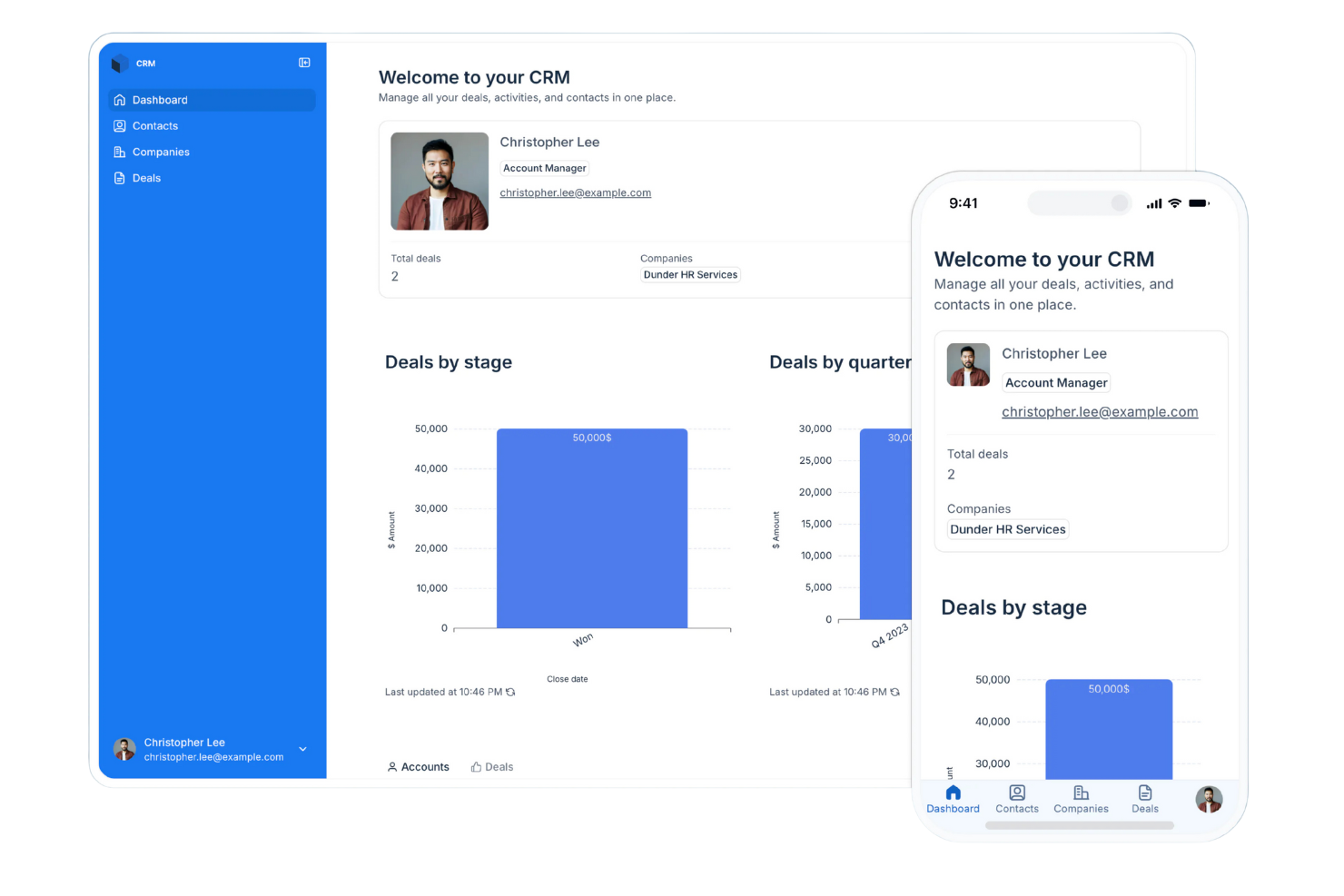
Softr is a platform that lets you build apps, portals, and internal tools without writing code. Its features focus on helping you organize information, handle access, and shape how your data works for daily tasks.
Why I picked Softr: Softr lets you turn your data into working CRM software without needing technical skills or lengthy software development cycles. It gives you ready-made blocks such as lists, forms, and tables so your team can enter and update information in a way that fits how you work. You can set user roles and permissions to keep everything organized as people log in. Custom views help your team follow deals and contacts without digging through clutter.
Standout Features and Integrations:
Features include tools for building gated user access so only the right people see specific data. You can also organize pages using drag-and-drop blocks that keep your CRM clean and easy to navigate. The built-in AI automatically searches for information to enhance your records, saving your sales reps hours of research time.
Integrations include Airtable, Google Sheets, Zapier, Make, Stripe, Google Analytics, HubSpot, Google Calendar, and more.
Pros and Cons
Pros:
- Custom rules fit your workflow
- Adjusts well as your team grows
- Flexible layouts for fast building
Cons:
- Onboarding larger teams requires planning
- Conditional logic can take practice

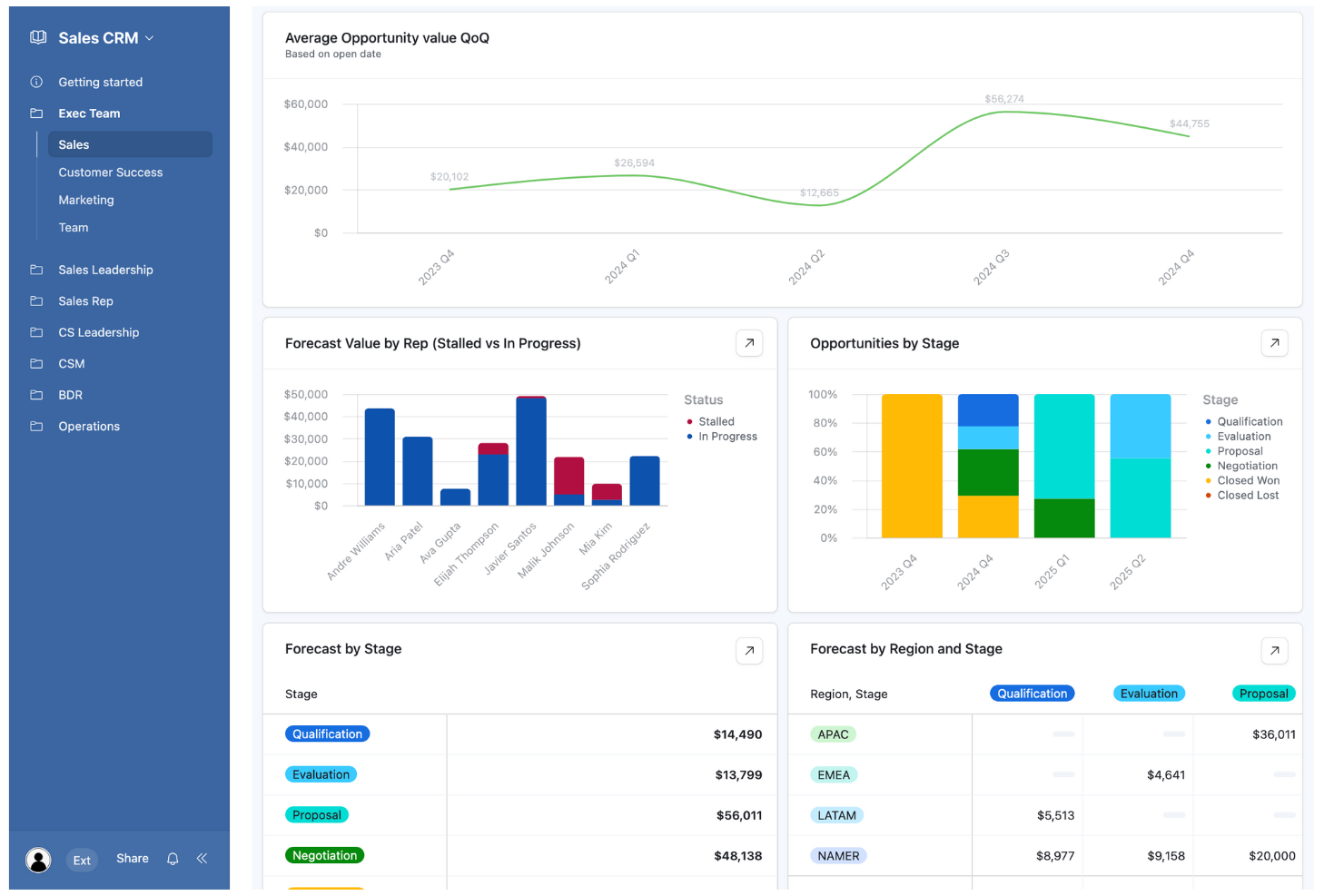
Airtable is a no-code app-building platform designed for teams to create custom applications efficiently. It serves a wide range of users, from marketing teams to finance departments, performing key business functions like data management and process automation.
Why I picked Airtable: Its flexibility in building CRM databases with low-code tools sets it apart. The platform also supports integrations with popular tools, enhancing its utility in various workflows.
Standout Features and Integrations:
Features include automations that help streamline repetitive tasks, relational databases for complex data management, and custom interfaces for tailored user experiences.
Integrations include Slack, Google Drive, Salesforce, Dropbox, Gmail, Zendesk, and more.
Pros and Cons
Pros:
- Supports diverse industries
- Custom interfaces for users
- Flexible database customization
Cons:
- Rigid record caps
- Permissions complexity
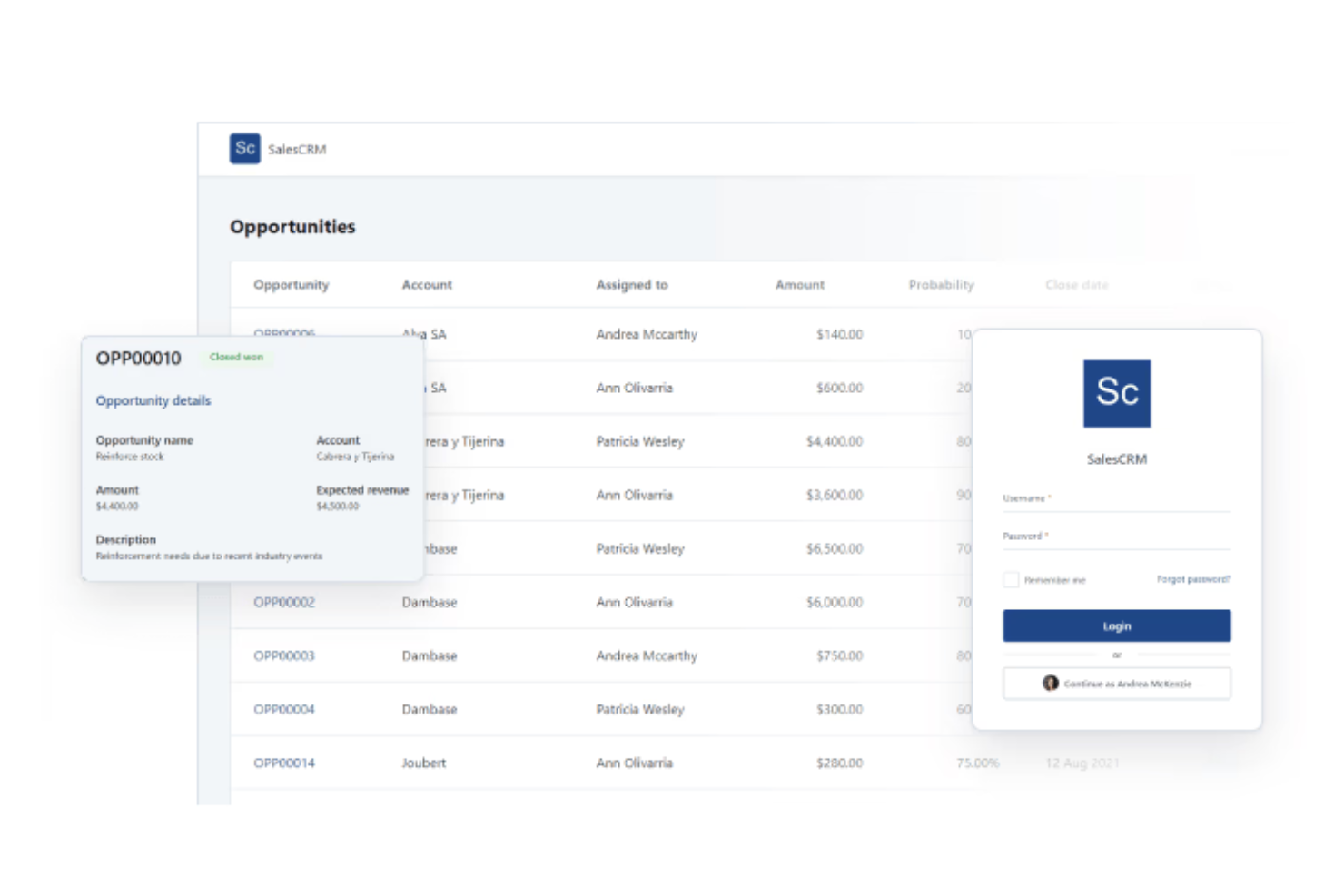
OutSystems is a low-code development platform tailored for enterprises that need custom CRM solutions. It primarily serves large organizations looking to streamline app development processes and enhance their customer relationship management capabilities.
Why I picked OutSystems: It offers enterprise-grade business tools. Users can leverage its advanced features for seamless integration. Its location plugin provides GPS capabilities, adding location-based services to applications.
Standout Features and Integrations:
Features include advanced Excel integration for data handling, cryptographic tools for secure data protection, and a management console for feature releases.
Integrations include Salesforce, Oracle, Zendesk, Jira, PayPal, Dropbox, and more.
Pros and Cons
Pros:
- Supports complex workflows
- Strong security features
- Extensive customization options
Cons:
- Dated UI customization
- Requires a solid understanding of software architecture and database logic
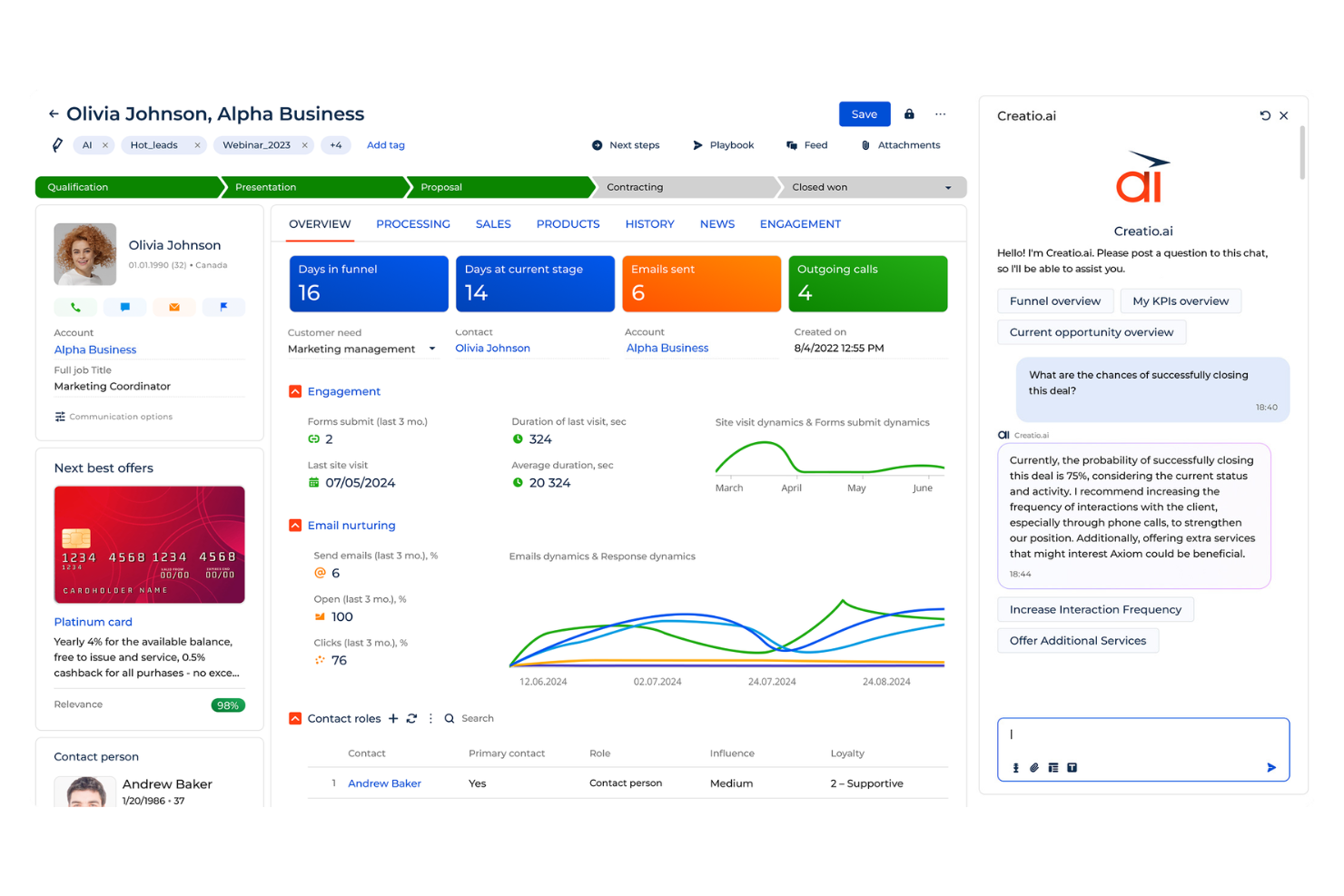
Creatio is a no-code platform that brings together process automation and CRM tools in one place. It’s built for teams that want to design their own automated workflows and handle daily operations without relying on heavy development work.
Why I picked Creatio: Creatio lets your team design your CRM system without writing code, so you can set it up to match the way you work. Its AI guides you through building workflows and automation rules for quicker setup. You can adjust visual interfaces, create approval logic, and update dashboards as your needs change. The process designer connects these pieces so work moves the way you expect, even as your team grows or your workflow shifts.
Standout Features and Integrations:
Features include a built-in process designer you can tweak without code. You can adjust page layouts so your team sees only what they need to work through tasks faster. The platform also brings together sales, service, and marketing work so your team stays on one system instead of switching between tools.
Integrations include Microsoft 365, Google Workspace, Zapier, Mailchimp, Twilio, DocuSign, Jira, Slack, HubSpot, Salesforce, and more.
Pros and Cons
Pros:
- Scales as your needs grow
- Control over workflow changes
- Allows for deep customization
Cons:
- Version update instability
- Limited marketplace ecosystem
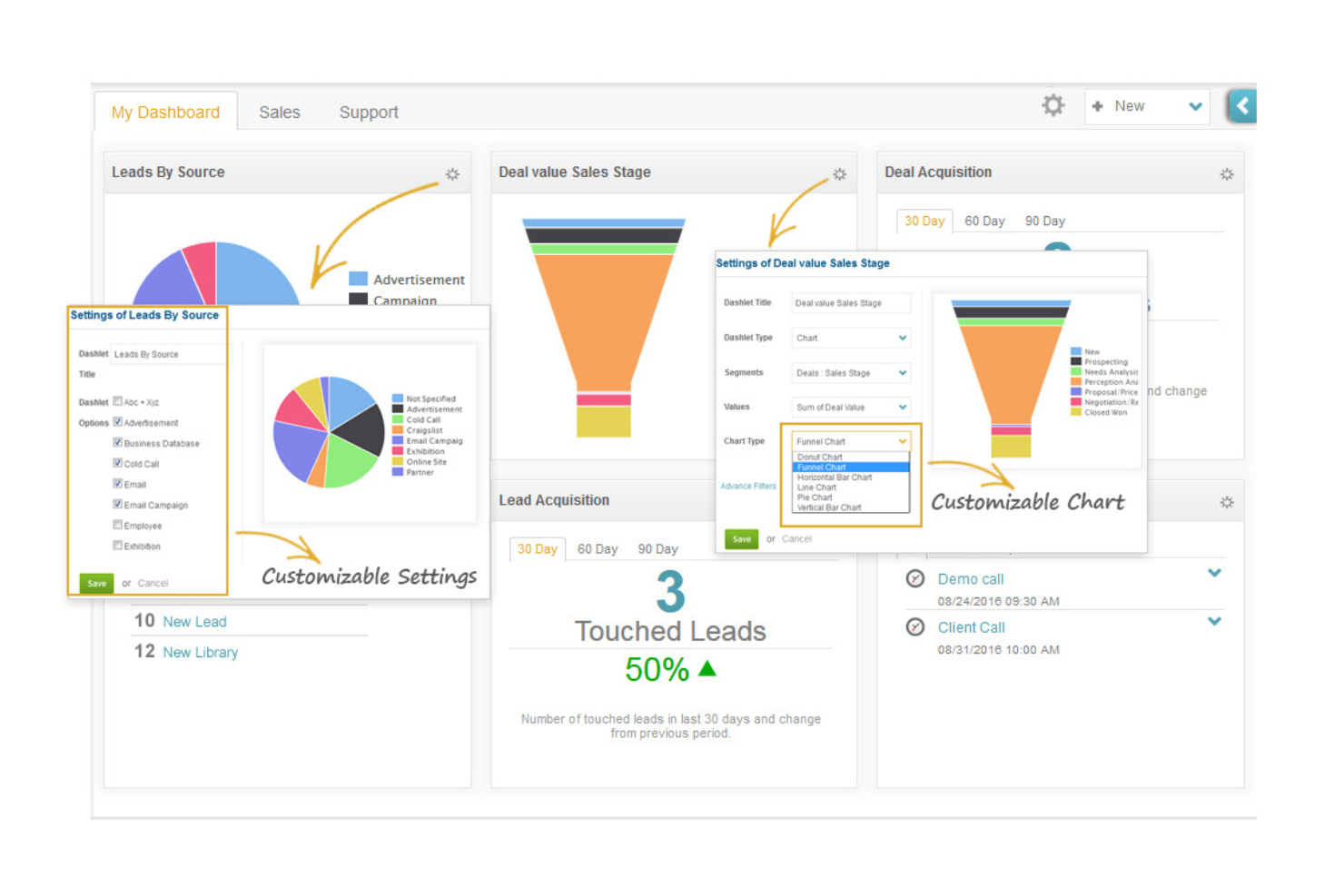
ConvergeHub is a customer lifecycle management CRM platform designed for small to medium-sized businesses, offering tools for sales, marketing, and customer service management. It helps teams automate workflows, manage leads, and enhance customer relationships.
Why I picked ConvergeHub: The tool excels in automating workflows across sales processes and marketing functions, making it accessible for teams lacking coding expertise. The platform provides analytics tools to optimize marketing strategies, and its cloud-based model offers flexibility and scalability for growing businesses.
Standout Features and Integrations:
Features include lead segmentation and scoring for targeting high-quality leads, automated email marketing to engage customers effectively, and analytics tools to refine marketing strategies.
Integrations include PayPal, Stripe, Office 365, Zoom, Mailchimp, QuickBooks, Zapier, OneDrive, Dropbox, PandaDoc, and more.
Pros and Cons
Pros:
- Analytics tools
- Flexible cloud-based model
- Easy workflow automation setup
Cons:
- Excessive data entry clicks
- Variable support response times
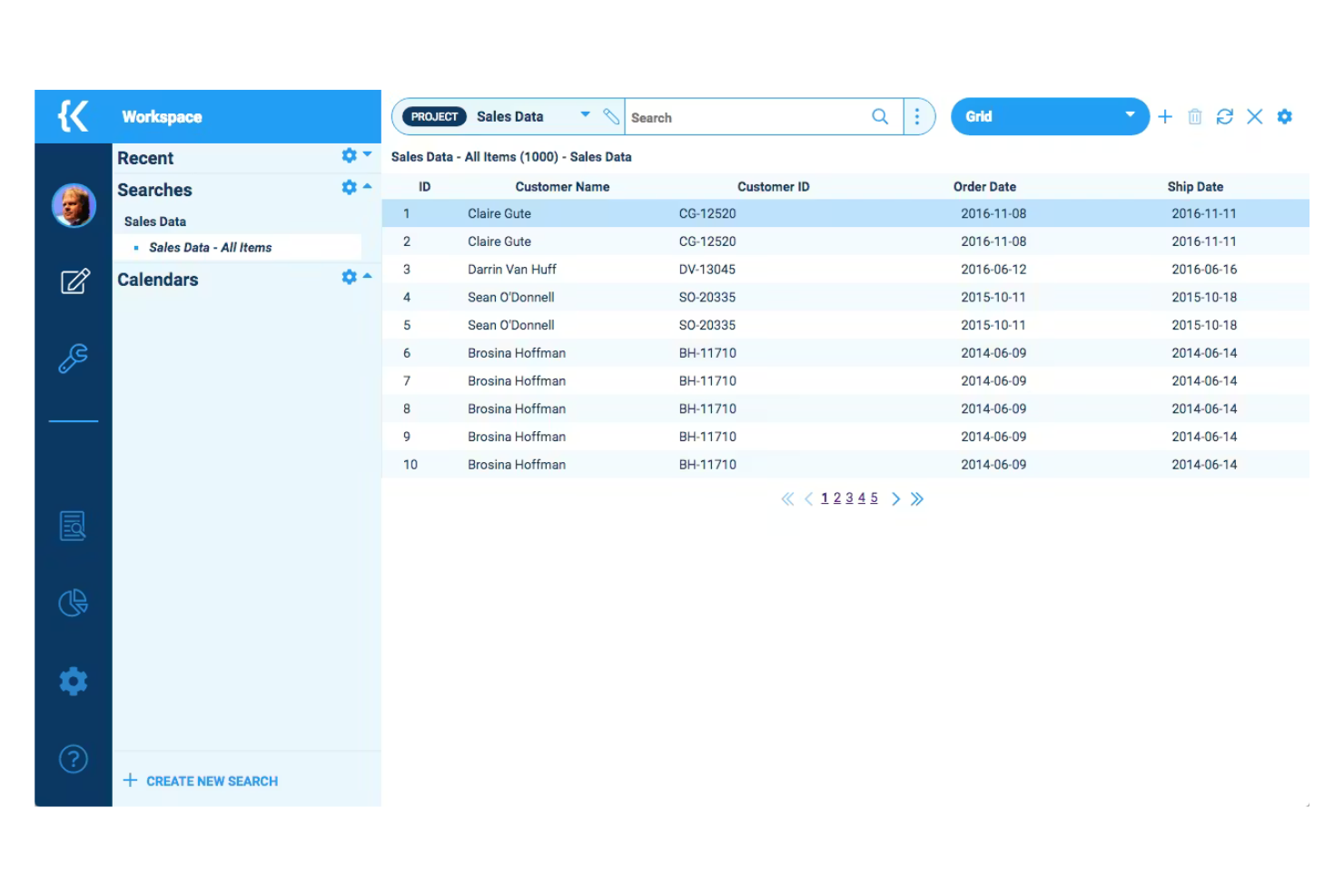
Kohezion is a low-code platform designed for businesses seeking customizable CRM applications. It caters to small and medium-sized enterprises, enabling them to create tailored solutions for data management and workflow automation.
Why I picked Kohezion: It offers a high degree of customization, allowing you to tailor CRM applications to your specific needs without extensive coding skills. The platform has a built-in visualization module so you can share data in real-time. Its flexibility in design and application makes it a versatile tool for various business processes.
Standout Features and Integrations:
Features include custom form creation for tailored data entry, drag-and-drop functionality for easy workflow management, and customizable reports for detailed business insights.
Integrations include Dropbox, Google Drive, Box, and more.
Pros and Cons
Pros:
- Intuitive drag-and-drop functionality
- Flexible design options
- Supports various business processes
Cons:
- Interactive reporting is less intuitive than in specialized tools
- Manual integration requirements

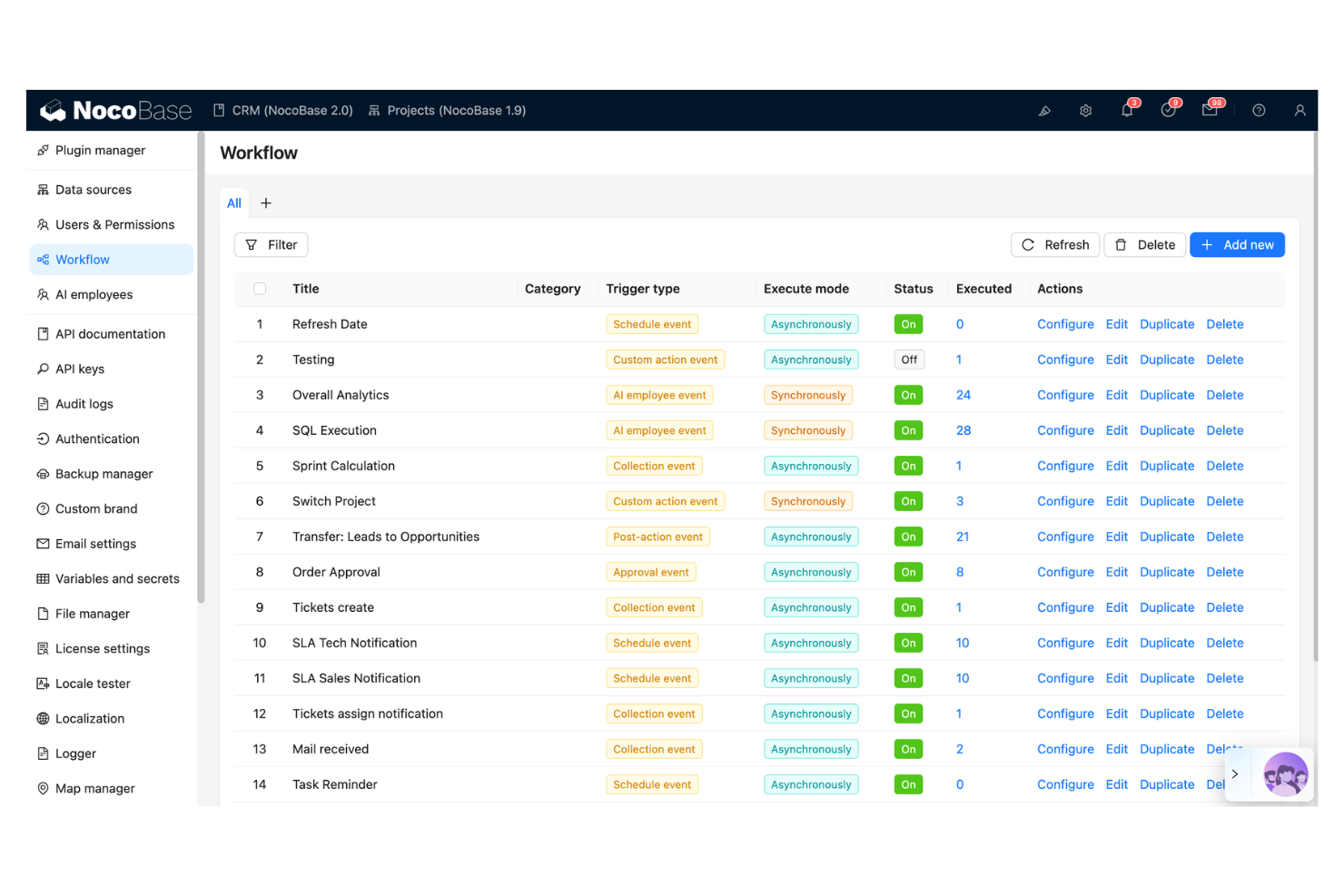
NocoBase is an open-source no-code and low-code development platform designed for teams that need rapid application development. It caters to businesses requiring quick adaptation to changing needs, supporting key functions such as data management and workflow automation.
Why I picked NocoBase: It offers rapid CRM building capabilities with its no-code approach, ideal for teams facing tight deadlines. The platform features customizable data models and a user-friendly interface for efficient application creation. NocoBase also emphasizes security and data control, addressing common concerns with other no-code platforms.
Standout Features and Integrations:
Features include customizable data models for tailored solutions, workflow automation for operational efficiency, and a plugin-based architecture for easy extensibility.
Integrations are not publicly listed.
Pros and Cons
Pros:
- Plugin-based architecture
- Data security controls
- Rapid application development
Cons:
- Documentation gaps
- Limited visual design freedom
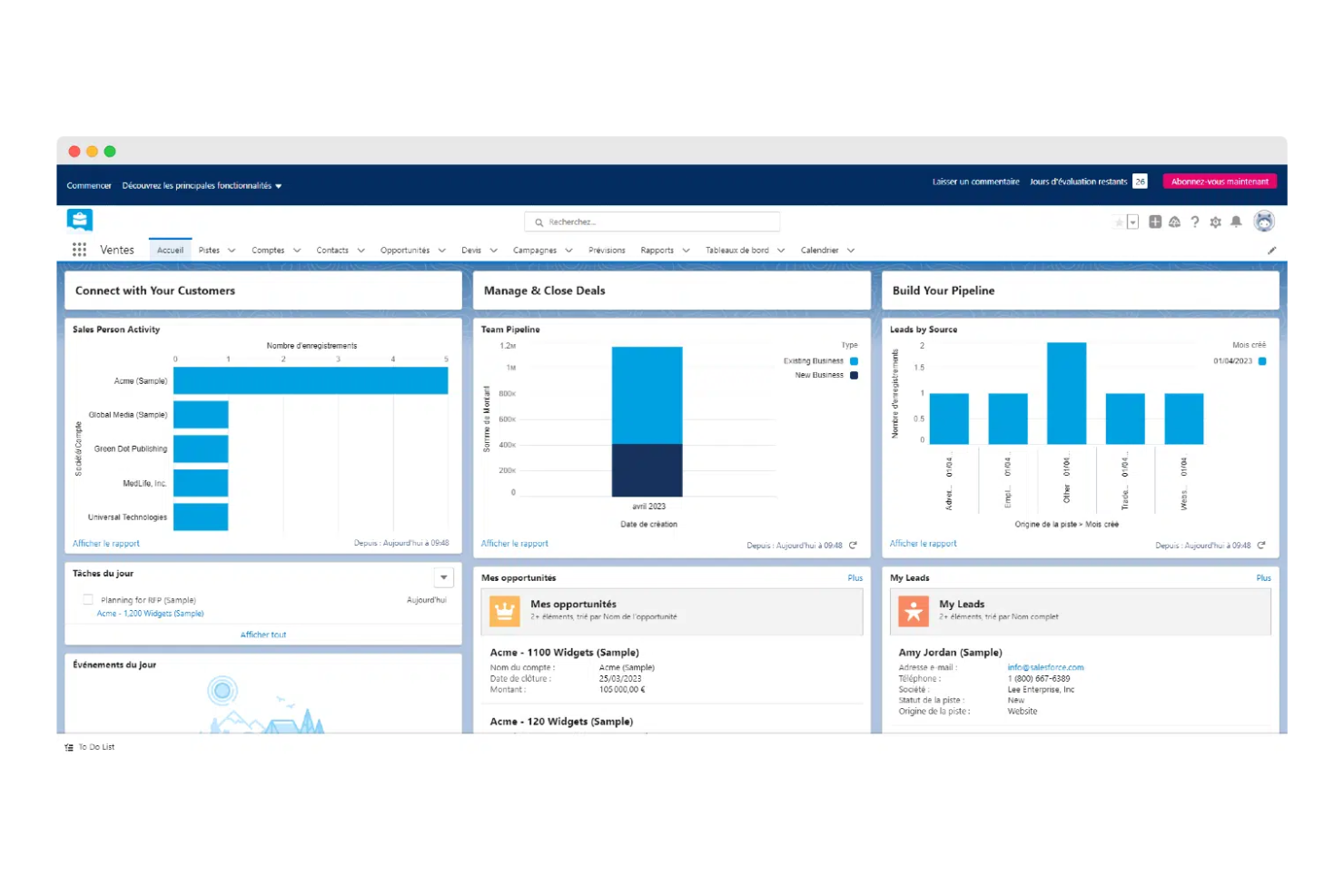
Salesforce is a cloud-based CRM platform geared towards businesses of all sizes, offering tools for sales, marketing, and customer service management. It provides scalable solutions that enable companies to manage customer relationships effectively and adapt to changing business needs.
Why I picked Salesforce: It offers scalable low-code development capabilities, allowing businesses to customize their CRM without extensive coding. Salesforce's interface simplifies app creation, making it accessible for teams with varying technical skills. Its analytics tools provide insights into customer behavior and business performance.
Standout Features and Integrations:
Features include a drag-and-drop interface for easy setup, a comprehensive AppExchange marketplace for additional functionalities, and analytics tools for real-time customer insights.
Integrations include Slack, Mailchimp, QuickBooks, Google Workspace, Dropbox, DocuSign, LinkedIn, and more.
Pros and Cons
Pros:
- Wide range of apps available
- Strong analytics capabilities
- Scalable for large enterprises
Cons:
- Requires ongoing customization
- Basic support can be unresponsive
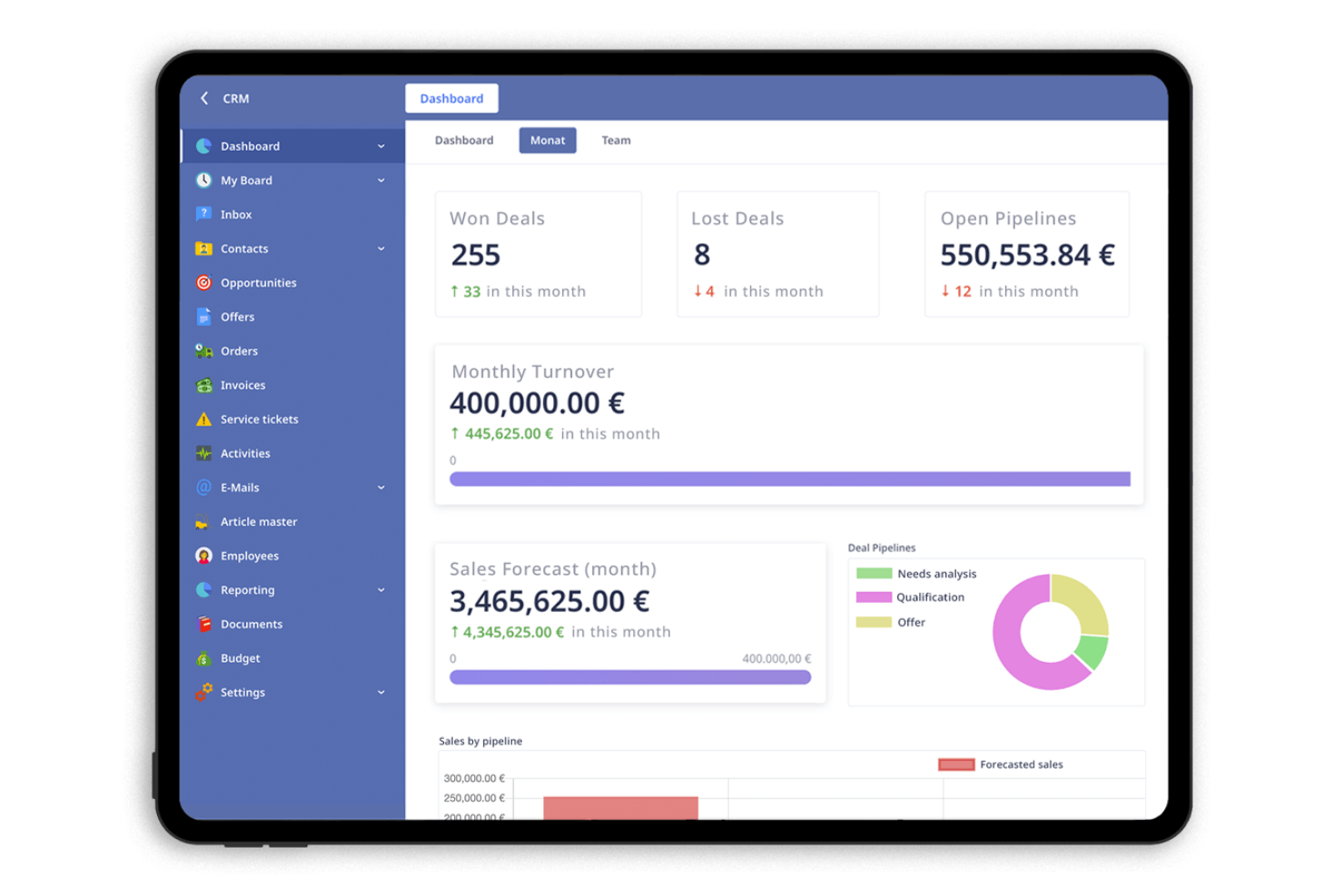
Ninox is a low-code platform designed for small and medium-sized enterprises (SMEs) to create custom CRM applications. It allows businesses to manage customer relationships, automate workflows, and analyze data efficiently.
Why I picked Ninox: It offers flexible tools that make it easy for SMEs to customize their CRM applications. You can create databases to fit your business needs without extensive coding skills. Ninox supports automation of repetitive tasks, freeing up time for more strategic activities.
Standout Features and Integrations:
Features include creating custom databases for tailored business solutions, softphone integration, and an intuitive interface for easy navigation.
Integrations include Zapier, Integrately, Make, and more.
Pros and Cons
Pros:
- Flexible design options
- Easy to create custom forms
- Highly customizable applications
Cons:
- May need technical support for complex setups
- CRM solution is not included in the starter plan
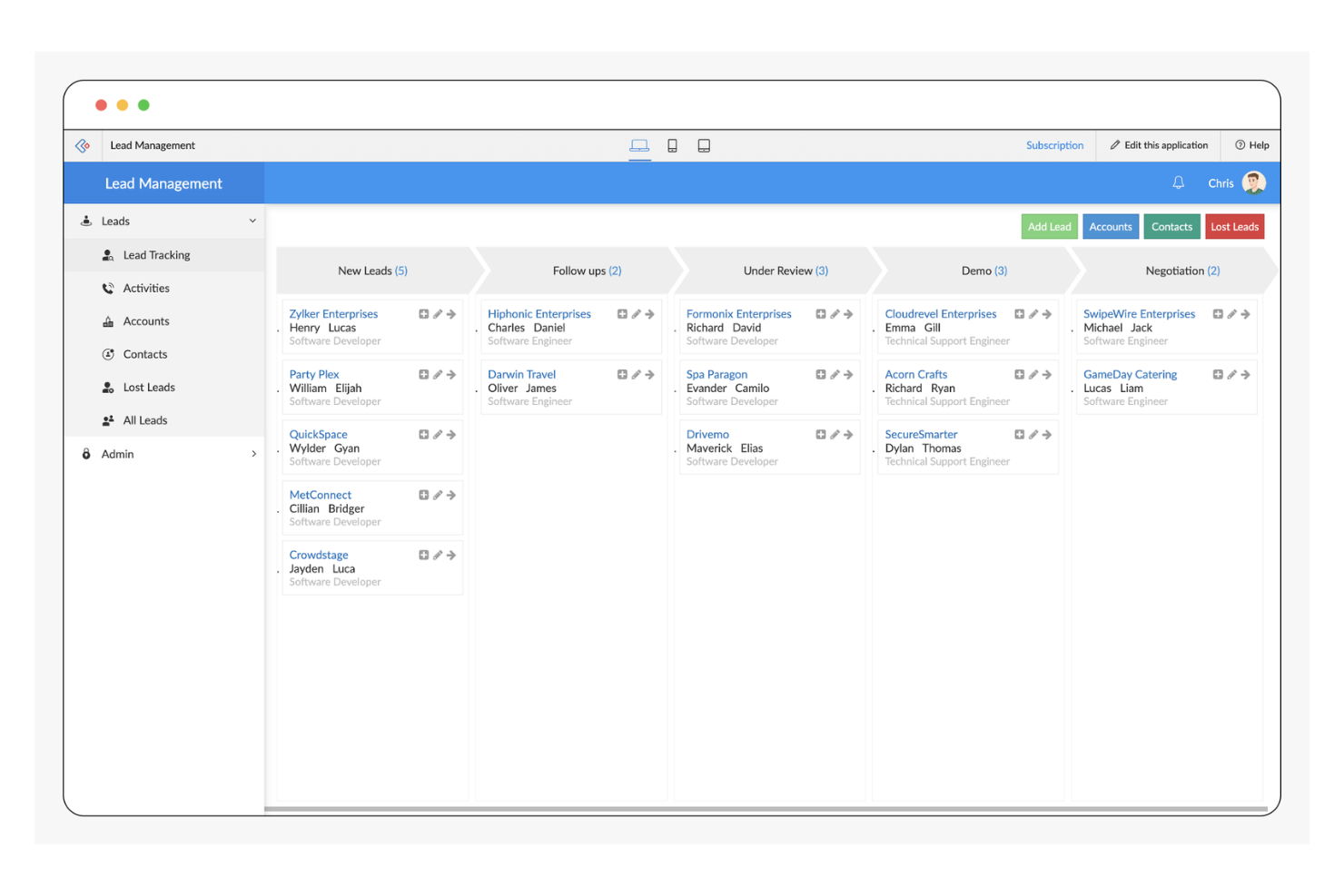
Zoho CRM is a versatile platform designed for businesses of all sizes, focusing on sales, marketing, and customer support automation. It offers a suite of tools to enhance customer relationship management and streamline business processes.
Why I picked Zoho CRM: Zoho CRM excels in providing low-code automation tools that simplify complex workflows. Its AI agent, Zia, offers insights and predictions, which you would not find in traditional CRM software.
Standout Features and Integrations:
Features include workflow automation for reducing manual tasks, a blueprint feature that enhances customer experiences, and an AI assistant for insights and predictions.
Integrations include Mailchimp, Slack, QuickBooks, Zapier, LinkedIn, Dropbox, DocuSign, HubSpot, and more.
Pros and Cons
Pros:
- Wide range of integrations available
- Strong analytics capabilities
- Extensive customization options
Cons:
- May not be cost-effective for small businesses
- Requires ongoing customization


Low Code CRM Selection Criteria
When selecting the best low code CRM to include in this list, I considered common buyer needs and pain points like ease of customization and integration capabilities. I also used the following framework to keep my evaluation structured and fair:
Core Functionality (25% of total score)
To be considered for inclusion in this list, each solution had to fulfill these common use cases:
- Manage customer data
- Automate workflows
- Track sales activities
- Generate reports
- Integrate with other systems
Additional Standout Features (25% of total score)
To help further narrow down the competition, I also looked for unique features, such as:
- Customizable dashboards
- AI-driven insights
- Drag-and-drop interface
- Advanced security controls
- Multi-language support
Usability (10% of total score)
To get a sense of the usability of each system, I considered the following:
- Intuitive navigation
- Clear interface design
- Minimal learning curve
- Responsive design
- Consistent user experience
Onboarding (10% of total score)
To evaluate the onboarding experience for each platform, I considered the following:
- Availability of training videos
- Interactive product tours
- Access to templates
- Supportive chatbots
- Regular webinars
Customer Support (10% of total score)
To assess each software provider’s customer support services, I considered the following:
- 24/7 availability
- Multichannel support options
- Response time
- Knowledgeable staff
- Availability of self-help resources
Value For Money (10% of total score)
To evaluate the value for money of each platform, I considered the following:
- Competitive pricing
- Flexible subscription plans
- Feature set vs. cost
- Discounts for long-term contracts
- Transparent pricing structure
Customer Reviews (10% of total score)
To get a sense of overall customer satisfaction, I considered the following when reading customer reviews:
- Feedback on reliability
- Comments on ease of use
- Praise for unique features
- Criticism of limitations
- Overall satisfaction ratings
How To Choose Low Code CRM
It’s easy to get bogged down in long feature lists and complex pricing structures. To help you stay focused as you work through your unique software selection process, here’s a checklist of factors to keep in mind:
| Factor | What to Consider |
|---|---|
| Scalability | Can the CRM grow with your business? Consider future needs and whether the tool can handle increasing data and user volumes without performance issues. |
| Integrations | Does it connect with your existing tools? Check for compatibility with your current systems to avoid workflow disruptions and ensure data consistency. |
| Customizability | How much can you tailor the CRM to your processes? Look for flexible options to modify fields, workflows, and reports to fit your specific needs. |
| Ease of use | Is the CRM intuitive for your team? Ensure that the interface is user-friendly to minimize training time and maximize productivity from the start. |
| Implementation and Onboarding | How quickly can you get started? Evaluate the resources and support provided for setup, including training materials and dedicated onboarding assistance. |
| Cost | Does it fit your budget? Compare pricing plans, and consider the total cost of ownership, including potential hidden fees or required add-ons. |
| Security Safeguards | Are your data and privacy protected? Verify compliance with industry standards and check for features like encryption, access controls, and regular updates. |
| Support Availability | What support options are available? Consider the availability of customer service, including response times and channels such as chat, email, or phone. |
What Is Low Code CRM?
Low code CRM is a type of software that allows users to create and manage customer relationship management applications with minimal coding. These tools are commonly used by sales, marketing, and customer service professionals to enhance productivity and improve customer interactions.
Drag-and-drop interfaces, customizable templates, and automation capabilities help with simplifying processes, tailoring workflows, and reducing manual tasks. Overall, these tools provide a flexible and efficient way to manage customer relationships and drive business growth.
Features
When selecting low code CRM, keep an eye out for the following key features:
- Customizable templates: Let users tailor workflows and processes to fit specific business needs, enhancing flexibility and efficiency.
- Drag-and-drop interface: Simplifies app creation by enabling users to build applications without extensive coding knowledge, reducing development time.
- Workflow automation: Automates repetitive tasks, freeing up time for more strategic activities and improving overall productivity.
- Integration capabilities: Ensures connectivity with existing tools and systems, maintaining data consistency and enhancing workflow.
- Data visualization: Provides clear insights into customer data through charts and graphs, aiding in better decision-making.
- Security safeguards: Protects sensitive information with features like encryption and access controls, ensuring data privacy and compliance.
- AI-driven insights: Offers predictive analytics and recommendations, helping users make informed decisions and optimize strategies.
- Role-based access control: Manages user permissions effectively, ensuring that only authorized personnel can access specific data and functions.
- Custom database creation: Allows for the design of databases tailored to business requirements, supporting unique operational needs.
- Scalability: Supports business growth by handling increasing data volumes and user numbers without compromising performance.
Benefits
Implementing low code CRM provides several benefits for your team and your business. Here are a few you can look forward to:
- Faster development: Drag-and-drop interfaces and customizable templates speed up the app-building process, allowing your team to deploy solutions quickly.
- Increased productivity: Workflow automation reduces manual tasks, giving your team more time to focus on strategic initiatives and customer interactions.
- Enhanced flexibility: Customizable databases and integration capabilities let you tailor the CRM to your specific business needs, adapting as those needs change.
- Improved decision-making: AI-driven insights and data visualization help you understand customer behavior and optimize your strategies effectively.
- Cost efficiency: A low code approach reduces the need for extensive coding and developer resources, lowering development costs.
- Scalability: The ability to handle growing data and user volumes ensures that the CRM can grow with your business without performance issues.
- Better security: Built-in security safeguards protect sensitive data, ensuring compliance with industry standards and maintaining customer trust.
Costs and Pricing
Selecting low code CRM requires an understanding of the various pricing models and plans available. Costs vary based on features, team size, add-ons, and more. The table below summarizes common plans, their average prices, and typical features included in low code CRM solutions:
Plan Comparison Table for Low Code CRM
| Plan Type | Average Price | Common Features |
|---|---|---|
| Free Plan | $0 | Basic contact management, limited customization, and community support. |
| Personal Plan | $10-$50/user/month | Customizable templates, workflow automation, and email integration. |
| Business Plan | $50-$120/user/month | Advanced reporting, integration with third-party apps, and enhanced security features. |
| Enterprise Plan | $100-$300+/user/month | AI-driven analytics, dedicated account support, and enterprise-grade security and compliance tools. |
Low Code CRM FAQs
Here are some answers to common questions about low code CRM:
What is the difference between low code and no code CRM?
Low code CRM requires some coding for customization, offering more flexibility and control. No code CRM, on the other hand, allows users to build applications without any coding, relying solely on drag-and-drop tools. Choose low code if you need more customization or have technical resources. Opt for no code if ease of use and quick setup are your priorities.
Can low code CRM integrate with my existing systems?
Yes, most low code CRM solutions offer integration capabilities with popular tools such as email clients, marketing platforms, and accounting software. It’s important to check the specific integrations a CRM supports before purchasing. Look for CRMs that offer API access for custom integrations if your systems aren’t listed.
How secure is low code CRM?
Low code CRM platforms typically include security measures like data encryption, access controls, and regular security updates. However, it’s essential to verify that the CRM complies with industry standards and regulations relevant to your business. Ask vendors about their security certifications and practices to ensure data safety.
Is low code CRM suitable for small businesses?
Yes, low code CRM can be an excellent choice for small businesses, offering scalability and customization without the need for extensive technical resources. It allows small teams to automate workflows and manage customer relationships efficiently. Look for plans that fit your budget and offer features tailored to small business needs.
What’s Next:
If you're in the process of researching low code CRM, connect with a SoftwareSelect advisor for free recommendations.
You fill out a form and have a quick chat where they get into the specifics of your needs. Then you'll get a shortlist of software to review. They'll even support you through the entire buying process, including price negotiations.