
19 Best Automated Lead Generation Picked For 2026

Best Automated Lead Generation Shortlist
Here’s my shortlist of the best automated lead generation:


Are you tired of chasing down leads and feeling like you're always a step behind? Automated lead generation can help your team stay ahead by efficiently capturing and nurturing prospects. As a revenue operations expert, I know the challenges you face in managing leads and maximizing conversion rates.
In my experience, using the right tools can make a significant difference in your workflow. In this article, I'll share my top picks for automated lead generation software. You can expect unbiased, well-researched reviews that focus on what truly matters for your team. Let's find the best solution to boost your lead generation efforts.
Why Trust Our Software Reviews
Best Automated Lead Generation Summary
This comparison chart summarizes pricing details for my top automated lead generation selections to help you find the best one for your budget and business needs.
| Tool | Best For | Trial Info | Price | ||
|---|---|---|---|---|---|
| 1 | Best for engaging forms | Free plan available | From $25/user/month (billed annually) | Website | |
| 2 | Best for extensive contact data | Free trial available | From $397/month | Website | |
| 3 | Best for instant callbacks | 7-day free trial available | From $25/month | Website | |
| 4 | Best for conversational marketing | Free demo available | Price upon request | Website | |
| 5 | Best for CRM integrations | 14-day free trial + free plan available | From $22/month (billed annually) | Website | |
| 6 | Best for integrated webinars | 14-day free trial + free demo available | From $15.58/month (billed annually) | Website | |
| 7 | Best for landing page guidance | 14-day free trial | From $37/month (billed annually) | Website | |
| 8 | Best for B2B lead generation | Free trial available | From $39/month | Website | |
| 9 | Best for personalized popups | 7-day free trial available | From $62/month | Website | |
| 10 | Best for easy landing pages | Free demo available | Pricing upon request | Website |
-

Prisync
Visit WebsiteThis is an aggregated rating for this tool including ratings from Crozdesk users and ratings from other sites.4.7 -
Expedite Commerce
Visit Website -
QuickBooks Online
Visit WebsiteThis is an aggregated rating for this tool including ratings from Crozdesk users and ratings from other sites.4





Best Automated Lead Generation Reviews
Below are my detailed summaries of the best automated lead generation that made it onto my shortlist. My reviews offer a detailed look at the key features, pros & cons, integrations, and ideal use cases of each tool to help you find the best one for you.

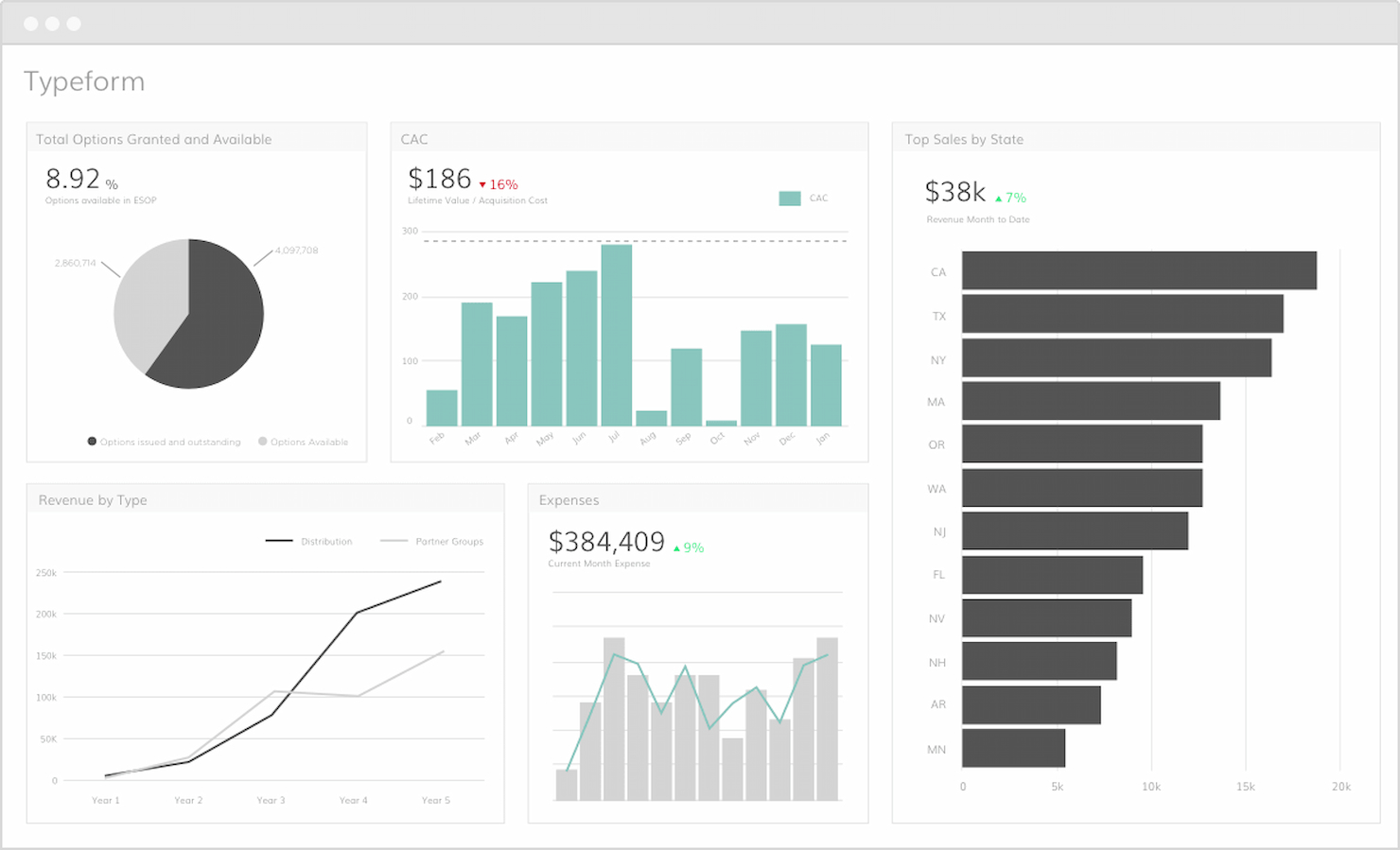
Typeform captures leads by engaging users with a conversational and interactive form-filling experience. This automated lead generation approach increases completion rates and provides businesses with high-quality leads.
Why I picked Typeform: Typeform helps to make lead generation more engaging through its interactive form design. Unlike traditional forms, Typeform’s conversational approach keeps users engaged, increasing completion rates and lead quality. This makes it the best tool for creating engaging, interactive forms that capture user attention.
Standout features & integrations:
Features include its intuitive drag-and-drop form builder, customizable design options, and conversational interface that enhances user engagement.
Integrations include HubSpot, Mailchimp, Google Sheets, Slack, Zapier, Salesforce, Trello, Asana, ActiveCampaign, and Intercom.
Pros and Cons
Pros:
- Wide range of integrations
- Easy-to-use drag-and-drop builder
- Highly engaging and interactive forms
Cons:
- May require customization for complex needs
- Higher starting price


LeadFuze can collect, match, and validate information in real time across a large database, ensuring that users have the most accurate and complete contact information possible.
Why I picked LeadFuze: LeadFuze's unparalleled data intelligence capabilities and ability to provide hyper-targeted lead searches and complete list-building automation sets it apart from other lead generation tools. It not only offers a vast pool of professional data but also ensures that the information is double-verified for accuracy, which is crucial for any revenue team or recruiter looking to connect with their target market effectively.
Standout features & integrations:
Features include lead generation, contact data enrichment, automated email campaigns, sales prospecting, account-based marketing, CRM integration, list building, AI-driven lead scoring, personalized outreach, market segmentation, data export options, reporting and analytics, team collaboration tools, customizable templates, and real-time lead updates
Integrations include Salesforce, HubSpot, Zapier, Pipedrive, Mailchimp, Slack, Close, Zoho CRM, Outreach, and Freshsales.
Pros and Cons
Pros:
- Extensive search filters for targeted lead generation
- Real-time data verification for accuracy
- AI-driven list-building automation
Cons:
- Limited customization for email templates
- Steep learning curve for advanced features

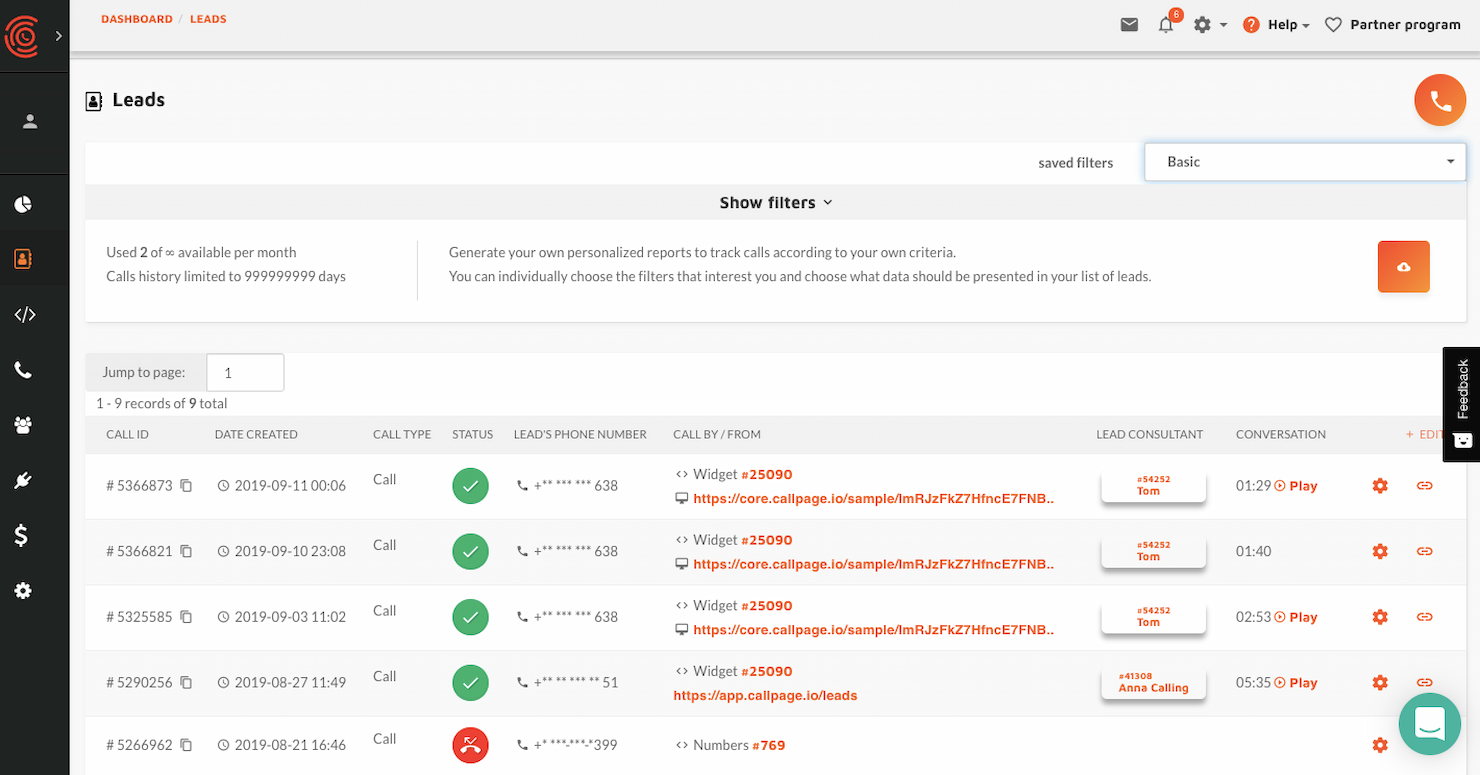
CallPage automates lead generation by offering instant callbacks to website visitors, connecting them with sales representatives in seconds, and increasing conversion rates.
Why I picked CallPage: CallPage's unique ability to engage website visitors by offering immediate callbacks, which is a standout feature in the realm of lead generation tools. It ensures that potential customers are connected to a representative within seconds, significantly reducing the chance of losing a lead due to delayed response times.
Standout features & integrations:
Features include automatic callbacks, scheduled calls, and the ability to leave messages. It also offers meeting scheduling and automation, essential virtual numbers features, and essential widget customization and call settings.
Integrations include Google Analytics, Zapier, HubSpot, Salesforce, Slack, Pipedrive, GetResponse, Zendesk, Livespace, API, and Webhooks.
Pros and Cons
Pros:
- Integrates with a wide range of tools and services
- Customizable widget and call settings to match business needs
- Instant callback feature connects visitors to representatives quickly
Cons:
- Additional costs for extra user licenses, call operators, and successful calls
- Limited customization of call widgets

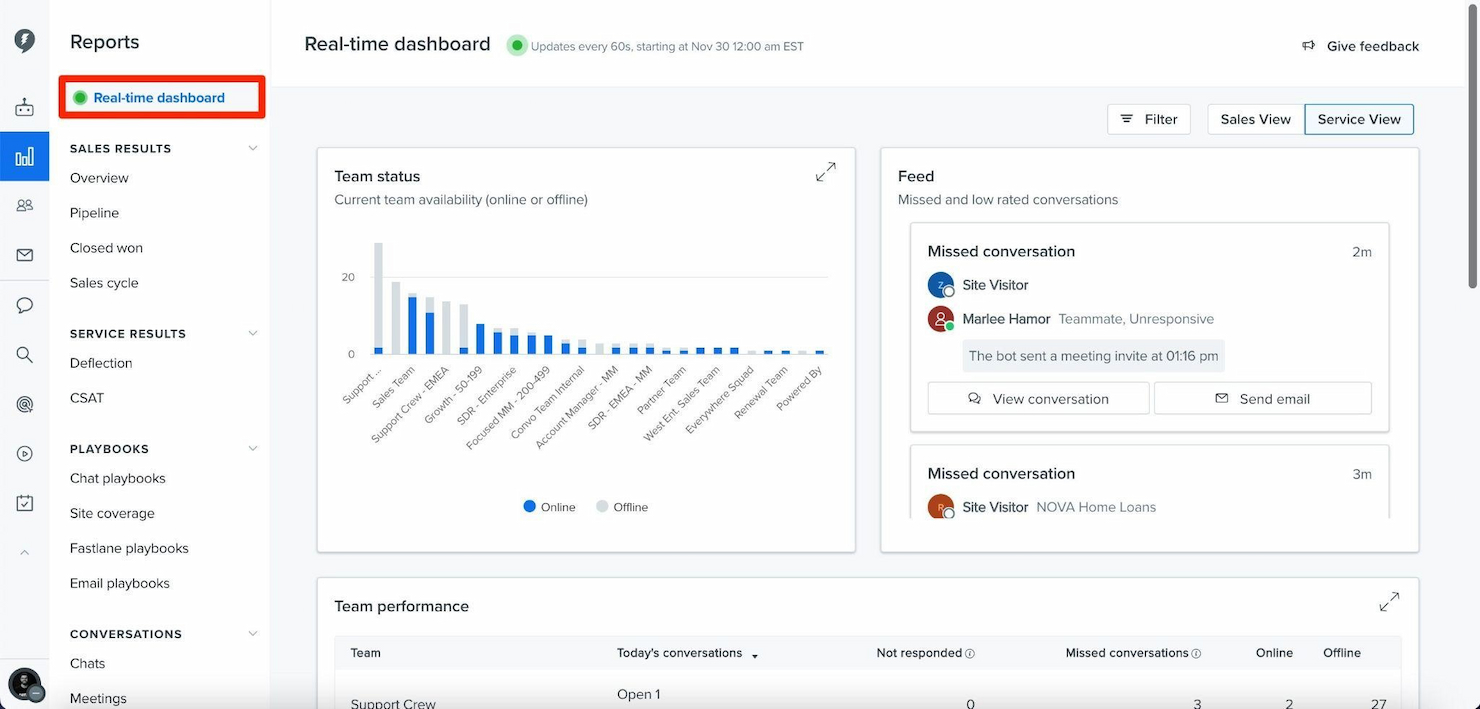
Drift is an automated lead generation tool that uses AI-driven chatbots to engage website visitors in real time. It helps businesses capture and qualify leads more effectively by facilitating instant communication.
Why I picked Drift: Drift offer a unique approach to automated lead generation through conversational marketing. Unlike traditional lead generation tools, Drift stands out by using AI-powered chatbots to engage visitors in real-time, creating a more interactive and personalized experience.
Standout features & integrations:
Features include AI-driven chatbots for real-time visitor engagement, customizable chat playbooks to guide conversations, and strong analytics to track performance and optimize strategies.
Integrations include Salesforce, HubSpot, Marketo, Slack, Google Analytics, Zapier, Segment, Outreach, Pardot, and LinkedIn.
Pros and Cons
Pros:
- Comprehensive analytics
- AI-driven chatbots
- Real-time visitor engagement
Cons:
- Requires setup and configuration
- Higher starting price

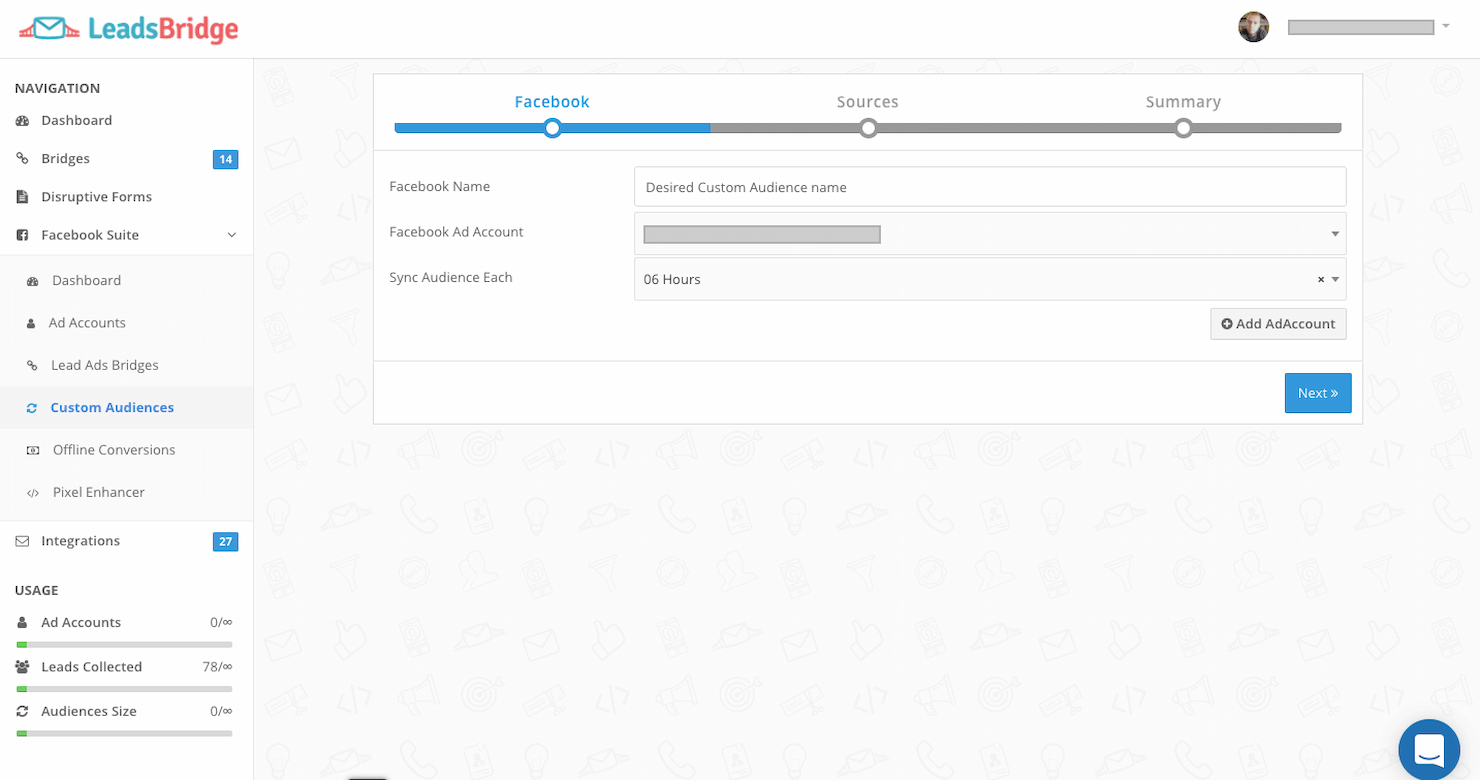
LeadsBridge provides easy data transfer and synchronization, improving lead management and efficiency across several systems.
Why I picked LeadsBridge: LeadsBridge successfully integrates marketing tools with CRM systems, which is essential for effective lead management. Its advanced suite of integrations distinguishes it from other lead generation tools. The software also facilitates the swift transfer of lead information into CRM systems, making it vital for businesses to maintain engagement and follow-up with potential customers efficiently.
Standout features & integrations:
Features include real-time lead syncing, ensuring immediate transfer of leads to CRMs, and compatibility with numerous advertising platforms.
Integrations include Salesforce, HubSpot, Mailchimp, Google Ads, Facebook Ads, Zoho CRM, Shopify, ActiveCampaign, LinkedIn Ads, and Klaviyo.
Pros and Cons
Pros:
- Flexible pricing plans with a free option are available
- Immediate lead syncing
- Wide range of CRM and email software integrations
Cons:
- Complex setup process
- Occasional data syncing issues
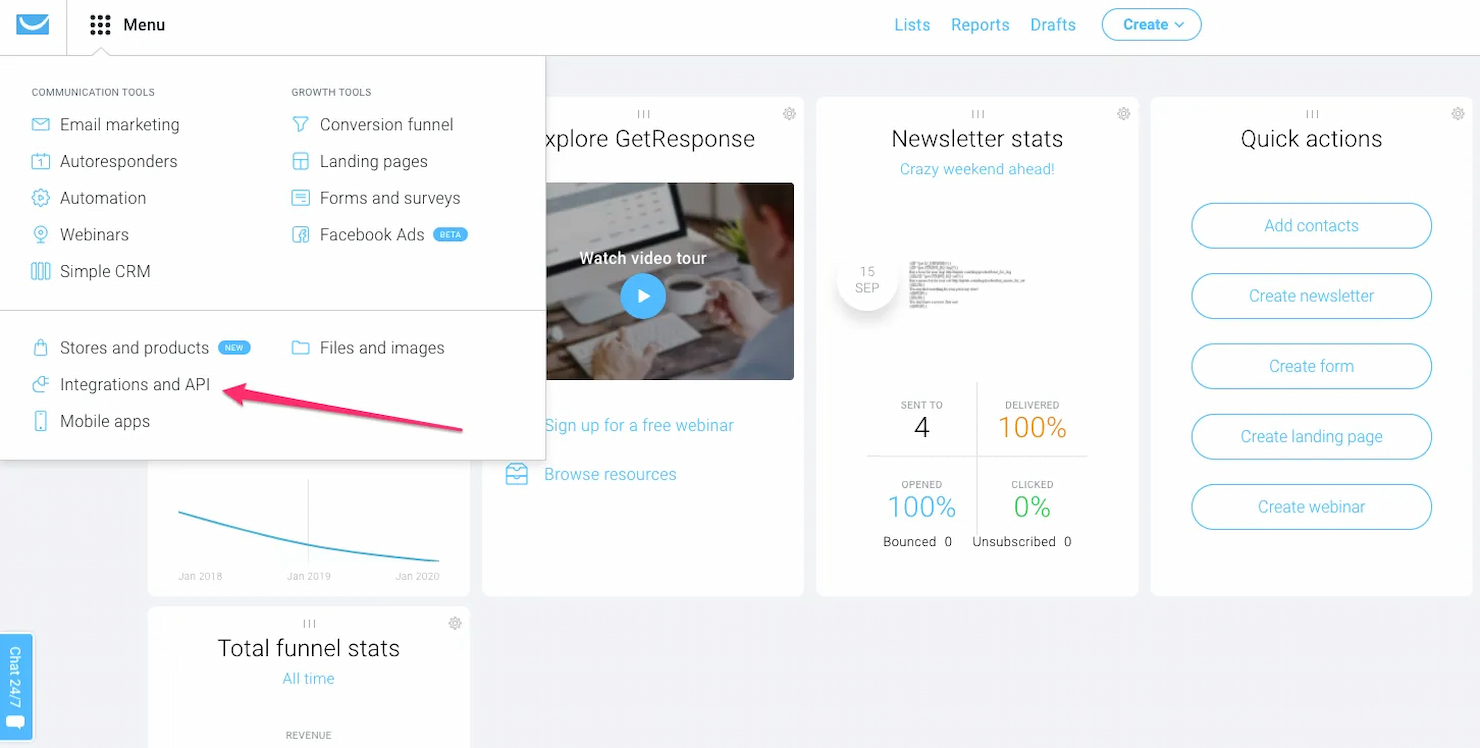
GetResponse is a comprehensive marketing solution. It stands out for its integrated webinars, enabling businesses to connect with their audience effectively.
Why I picked GetResponse: GetResponse provides an exceptional ability to combine various marketing tools in one platform, particularly its webinar functionality. This capability distinguishes it from other lead generation software. It also allows users to host and manage webinars directly within the platform, which is a powerful feature for engaging with prospects and customers.
Standout features & integrations:
Features include email marketing, autoresponders, landing pages, marketing automation, webinar hosting, CRM, list segmentation, A/B testing, analytics and reporting, e-commerce tools, social media integration, conversion funnels, drag-and-drop editor, mobile-responsive design, and customer support.
Integrations include Shopify, BigCommerce, Magento, WordPress, WooCommerce, PrestaShop, Stripe, PayPal, Salesforce, Zapier, and Facebook Ads.
Pros and Cons
Pros:
- User-friendly landing page builder
- Comprehensive email marketing and automation tools
- Direct integration with webinar hosting
Cons:
- Potentially complex for beginners due to the breadth of features
- Higher starting price point compared to some alternatives


LeadPages is an advanced lead generation platform with a focus on landing page creation and conversion. It has optimized templates and conversion tools.
Why I picked LeadPages: LeadPages has a proven track record in delivering high conversion rates, which is essential for effective lead generation. Its user-friendly interface and industry-leading tools make it a standout choice for many businesses. It provides optimized templates based on extensive conversion data, making it easy for users to create effective landing pages even without marketing expertise.
Standout features & integrations:
Features include a drag-and-drop landing page builder, real-time analytics, AI-generated content, and strong lead management systems.
Integrations include Klaviyo, Google Workspace, Webhooks, Mailchimp, ActiveCampaign, Formatter, Zoom, Flodesk, and HubSpot.
Pros and Cons
Pros:
- User-friendly interface
- Access to marketing experts
- High-performing landing page templates
Cons:
- Limited customization for advanced users
- May require additional tools for a full marketing suite

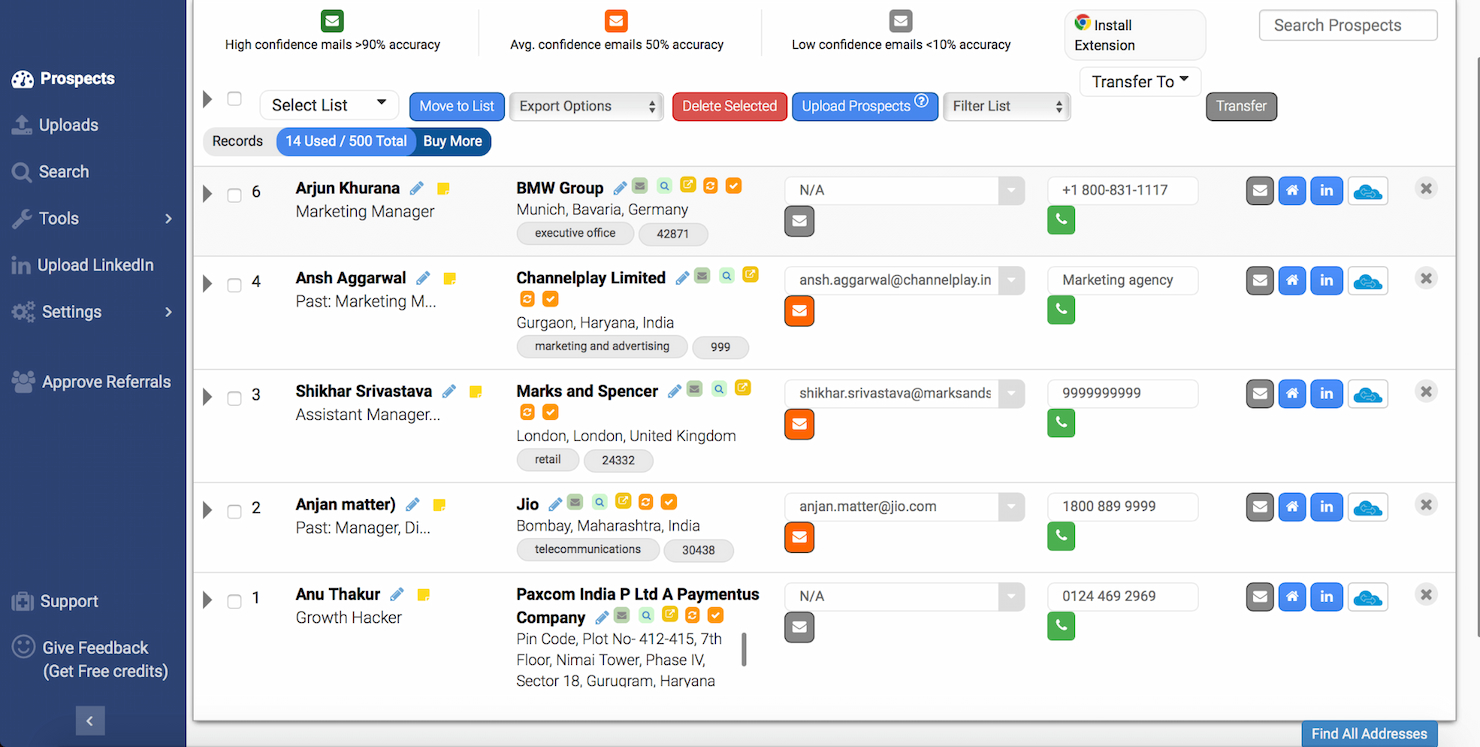
AeroLeads is a game-changer in automated lead generation, swiftly gathering contact information from multiple sources to accelerate prospecting efforts for businesses.
Why I picked AeroLeads: AeroLeads excels in identifying and verifying B2B leads, which is crucial for businesses looking to connect with other companies. Its strong database and real-time verification capabilities are essential for acquiring high-quality leads, making it an ideal automated lead generation software.
Standout features & integrations:
Features include advanced prospect search with filters, one-click email extraction from various websites, and real-time email verification. It also provides a Chrome extension and an email finder for LinkedIn.
Integrations include SalesForce, HubSpot, Pipedrive, Zoho CRM, Freshsales, Insightly, Mailchimp, Slack, Google Sheets, and Zapier.
Pros and Cons
Pros:
- Direct CRM integrations
- Real-time email verification feature
- Comprehensive B2B prospect database
Cons:
- Credits-based system may require monitoring
- Higher starting price point

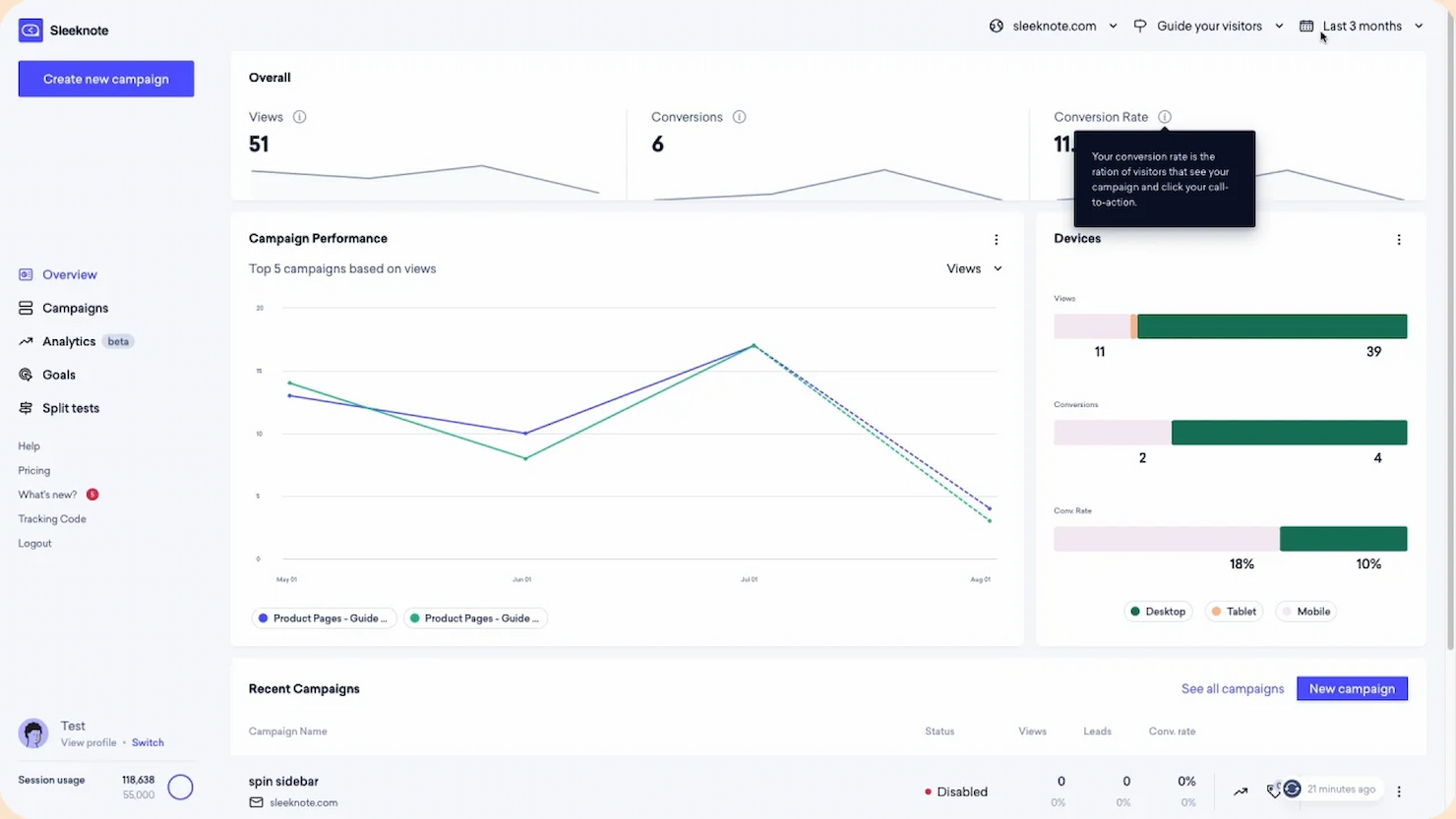
Sleeknote is a tool that turns traffic into revenue with personalized popups, forms, and sidebars. It allows users to create targeted messages based on visitor behavior and preferences.
Why I picked Sleeknote: Sleeknote offers users the ability to deliver personalized experiences to website visitors. Its advanced targeting and triggering features enable precise delivery of popups based on user behavior, location, and other criteria, enhancing the overall user experience and conversion rates. Additionally, Sleeknote integrates seamlessly with various platforms and tools, further optimizing its effectiveness in personalizing interactions.
Standout features & integrations:
Features include a drag-and-drop editor, advanced targeting options, and real-time analytics. It also offers A/B split testing and gamification to enhance engagement.
Integrations include Voyado, Agilic, Klaviyo, HubSpot, Mailchimp, Drip, Unisender, GetResponse, Wix, and WordPress.
Pros and Cons
Pros:
- User-friendly interface with drag-and-drop editor
- Over 1,200 native integrations
- Advanced targeting and personalization options
Cons:
- Learning curve for advanced features
- Visitor-based pricing may not suit all businesses

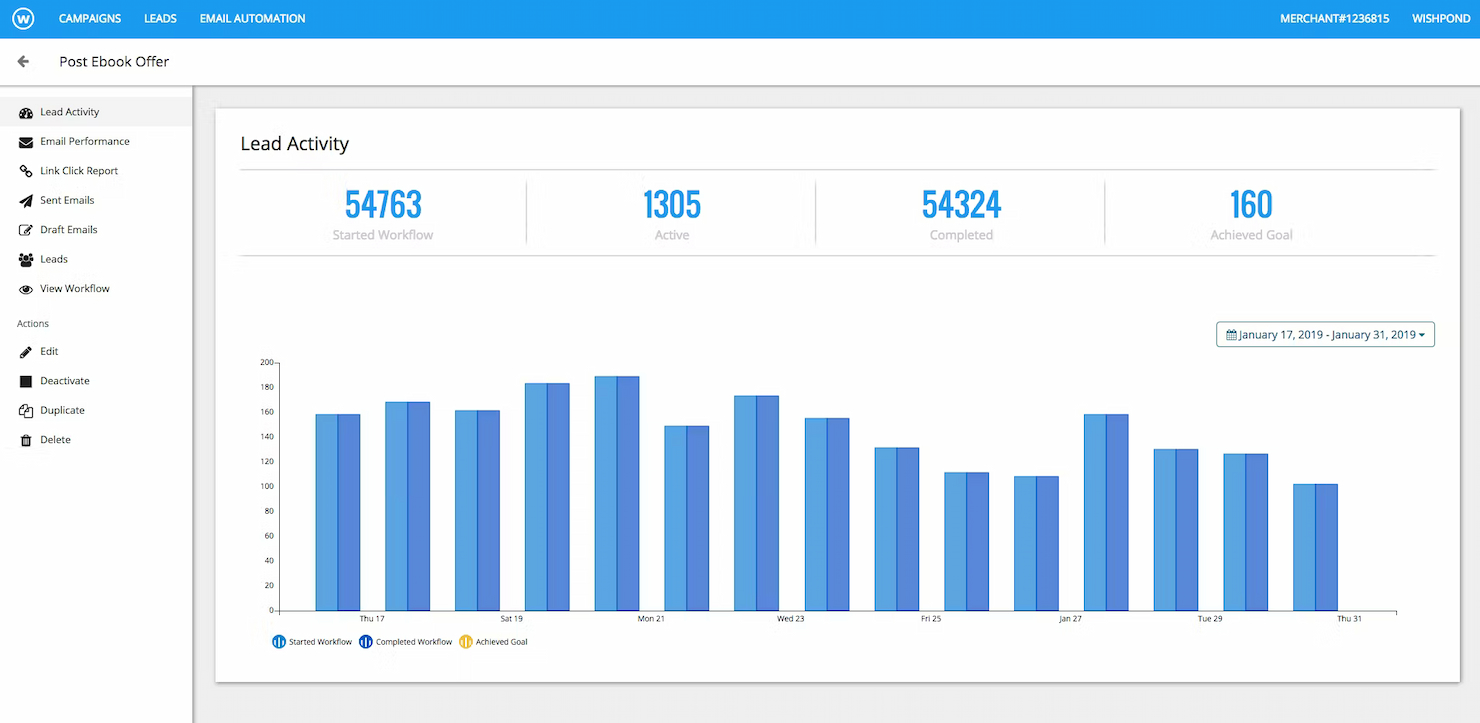
Wishpond is an advanced marketing platform designed to help businesses generate leads and drive sales. It enables users to build mobile-friendly pages without any coding required quickly.
Why I picked Wishpond: Wishpond offers a user-friendly interface and strong set of features that cater to businesses of all sizes. Its specialization in landing page creation makes it a valuable asset for any marketing strategy. Additionally, it offers a drag-and-drop editor that simplifies the process of designing and publishing landing pages, which is vital for capturing leads effectively.
Standout features & integrations:
Features include a drag-and-drop landing page editor, marketing automation, email marketing, social promotions, and a leads database.
Integrations include Shopify, WordPress, Mailchimp, Salesforce, Zapier, HubSpot, Stripe, Constant Contact, Google Analytics, and Facebook Ads.
Pros and Cons
Pros:
- Suitable for various industries and business sizes
- A comprehensive set of marketing tools including automation and email marketing
- User-friendly drag-and-drop landing page editor
Cons:
- Restrictive template customization
- Limited advanced analytics
Other Automated Lead Generation Software
Here are some additional automated lead generation options that didn’t make it onto my shortlist, but are still worth checking out:
- OptiMonk
For conversion optimization
- Agile CRM
For small team CRM
- Coresignal
For detailed lead enrichment
- EngageBay
Good for all-in-one marketing
- Unbounce
Good for quick landing page creation
- Mailchimp
Good for email marketing campaigns
- BDOW!
Good for website traffic growth
- OptinMonster
Good for converting visitors
- ActiveCampaign
Good for customer experience automation


Automated Lead Generation Selection Criteria
When selecting the best automated lead generation to include in this list, I considered common buyer needs and pain points like integration with existing CRM systems and ease of use. I also used the following framework to keep my evaluation structured and fair:
Core Functionality (25% of total score)
To be considered for inclusion in this list, each solution had to fulfill these common use cases:
- Capture leads from multiple channels
- Score and prioritize leads
- Automate email follow-ups
- Integrate with CRM systems
- Track lead engagement
Additional Standout Features (25% of total score)
To help further narrow down the competition, I also looked for unique features, such as:
- AI-driven lead scoring
- Real-time lead alerts
- Customizable lead funnels
- Multi-language support
- GDPR compliance tools
Usability (10% of total score)
To get a sense of the usability of each system, I considered the following:
- Intuitive interface
- Easy navigation
- Minimal learning curve
- Customizable dashboards
- Mobile accessibility
Onboarding (10% of total score)
To evaluate the onboarding experience for each platform, I considered the following:
- Availability of training videos
- Interactive product tours
- Access to templates
- Webinars for new users
- Responsive chatbots
Customer Support (10% of total score)
To assess each software provider’s customer support services, I considered the following:
- 24/7 support availability
- Multiple support channels
- Knowledgeable support staff
- Response time to queries
- Availability of a help center
Value For Money (10% of total score)
To evaluate the value for money of each platform, I considered the following:
- Competitive pricing
- Features offered for the price
- Availability of a free trial
- Flexible pricing plans
- Discounts for annual subscriptions
Customer Reviews (10% of total score)
To get a sense of overall customer satisfaction, I considered the following when reading customer reviews:
- Overall satisfaction ratings
- Feedback on ease of use
- Comments on customer support
- Mention of specific features
- Reports on return on investment
How to Choose Automated Lead Generation
It’s easy to get bogged down in long feature lists and complex pricing structures. To help you stay focused as you work through your unique software selection process, here’s a checklist of factors to keep in mind:
| Factor | What to Consider |
|---|---|
| Scalability | Can the tool grow with your business? Consider user limits and the ability to handle increased lead volume. |
| Integrations | Does it connect with your existing CRM and other essential tools? Check for seamless data flow. |
| Customizability | Can you tailor the tool to fit your specific workflows and processes? Look for adaptable features. |
| Ease of use | Is the interface intuitive for your team? Test the demo or trial to ensure minimal training is needed. |
| Implementation and onboarding | How quickly can you set it up and start seeing results? Evaluate the time and resources required for onboarding. |
| Cost | Does the pricing fit your budget? Compare costs across similar tools and consider long-term value. |
| Security safeguards | Does it meet your data protection needs? Check for encryption and compliance with regulations. |
| Support availability | What support options are available? Ensure you have access to timely help when needed. |
What Is Automated Lead Generation Software?
Automated lead generation software is a tool that automatically finds and qualifies potential customers for your business. Sales teams and marketers use it to save time on manual outreach and connect with leads who are more likely to convert. This software helps you fill your sales pipeline while letting you focus on building real relationships.
Features
When selecting automated lead generation, keep an eye out for the following key features:
- Lead capture: Automates the process of collecting leads from multiple channels, saving time and ensuring no potential customer is missed.
- Lead scoring: Helps prioritize leads by assigning scores based on their likelihood to convert, allowing sales teams to focus on high-value prospects.
- CRM integration: Ensures seamless data flow between the lead generation tool and your existing customer relationship management system.
- Automated follow-ups: Sends timely, personalized emails to nurture leads without manual effort, keeping prospects engaged.
- Analytics and reporting: Provides insights into lead behavior and campaign performance to help refine strategies and improve results.
- Customizable workflows: Allows you to tailor lead generation processes to fit your specific business needs and sales strategies.
- Multi-language support: Enables businesses to engage with leads in different languages, expanding reach and improving communication.
- AI-driven insights: Offers predictive analytics and recommendations to enhance decision-making and optimize lead generation efforts.
- Security safeguards: Protects sensitive lead information with encryption and compliance with data protection regulations.
- Mobile accessibility: Ensures that you can access and manage leads on the go, enhancing flexibility and responsiveness.
Benefits
Implementing automated lead generation provides several benefits for your team and your business. Here are a few you can look forward to:
- Time savings: Automates repetitive tasks like lead capture and follow-ups, freeing up time for your team to focus on closing deals.
- Improved lead quality: Uses lead scoring to prioritize high-value prospects, increasing the chances of conversion.
- Better data management: Integrates with CRM systems to maintain organized and up-to-date lead information.
- Enhanced engagement: Keeps prospects engaged with timely, personalized communication through automated follow-ups.
- Informed decision-making: Offers analytics and reporting to provide insights into lead behavior and campaign effectiveness.
- Global reach: Multi-language support allows you to connect with leads in different regions, expanding your market presence.
- Increased flexibility: Mobile accessibility ensures you can manage leads anytime, anywhere, enhancing responsiveness.
Costs & Pricing
Selecting automated lead generation requires an understanding of the various pricing models and plans available. Costs vary based on features, team size, add-ons, and more. The table below summarizes common plans, their average prices, and typical features included in automated lead generation solutions:
Plan Comparison Table for Automated Lead Generation
| Plan Type | Average Price | Common Features |
|---|---|---|
| Free Plan | $0 | Basic lead capture, limited integrations, and basic reporting. |
| Personal Plan | $10-$30/user/month | Lead scoring, email automation, CRM integration, and basic analytics. |
| Business Plan | $50-$100/user/month | Advanced analytics, customizable workflows, multi-language support, and mobile access. |
| Enterprise Plan | $150-$300/user/month | AI-driven insights, enhanced security, dedicated support, and full customization. |
Automated Lead Generation Software FAQs
Here are some answers to common questions about automated lead generation software:
What is the primary purpose of automated lead generation software?
The primary purpose is to automate the process of capturing and managing potential leads for your business. It helps save time by automating repetitive tasks like data entry and follow-ups. This allows your team to focus on nurturing high-quality leads and closing deals. For example, it can automatically send personalized emails to new leads and update your CRM with their details.
Is technical expertise required to implement automated lead generation software?
No, most software solutions are designed for easy implementation without technical expertise. They often come with user-friendly interfaces and guided onboarding processes. However, having some technical support can help with custom integrations or troubleshooting. Ensure the software provider offers comprehensive support and resources to assist you during the setup phase.
How do you ensure lead quality when using automated lead generation software?
You’ll want to set up your system so it filters out leads that don’t match your ideal customer profile (ICP) or show low intent. Then your team can prioritise leads based on engagement, behaviour and fit, rather than volume alone. Many solutions offer lead-scoring capabilities to help you flag high-value prospects.
When is it appropriate to scale up your use of automated lead generation software?
Once you have consistent lead flow, reliable conversion data and a process that handles lead assignment and follow-up, then scaling makes sense. Also check that the tool and your infrastructure can handle higher volume without breakdowns in data or response time.
What Next?
If you're in the process of researching automated lead generation, connect with a SoftwareSelect advisor for free recommendations.
You fill out a form and have a quick chat where they get into the specifics of your needs. Then you'll get a shortlist of software to review. They'll even support you through the entire buying process, including price negotiations.