
AeroLeads Review: Pros, Cons, Features, and Pricing Explained


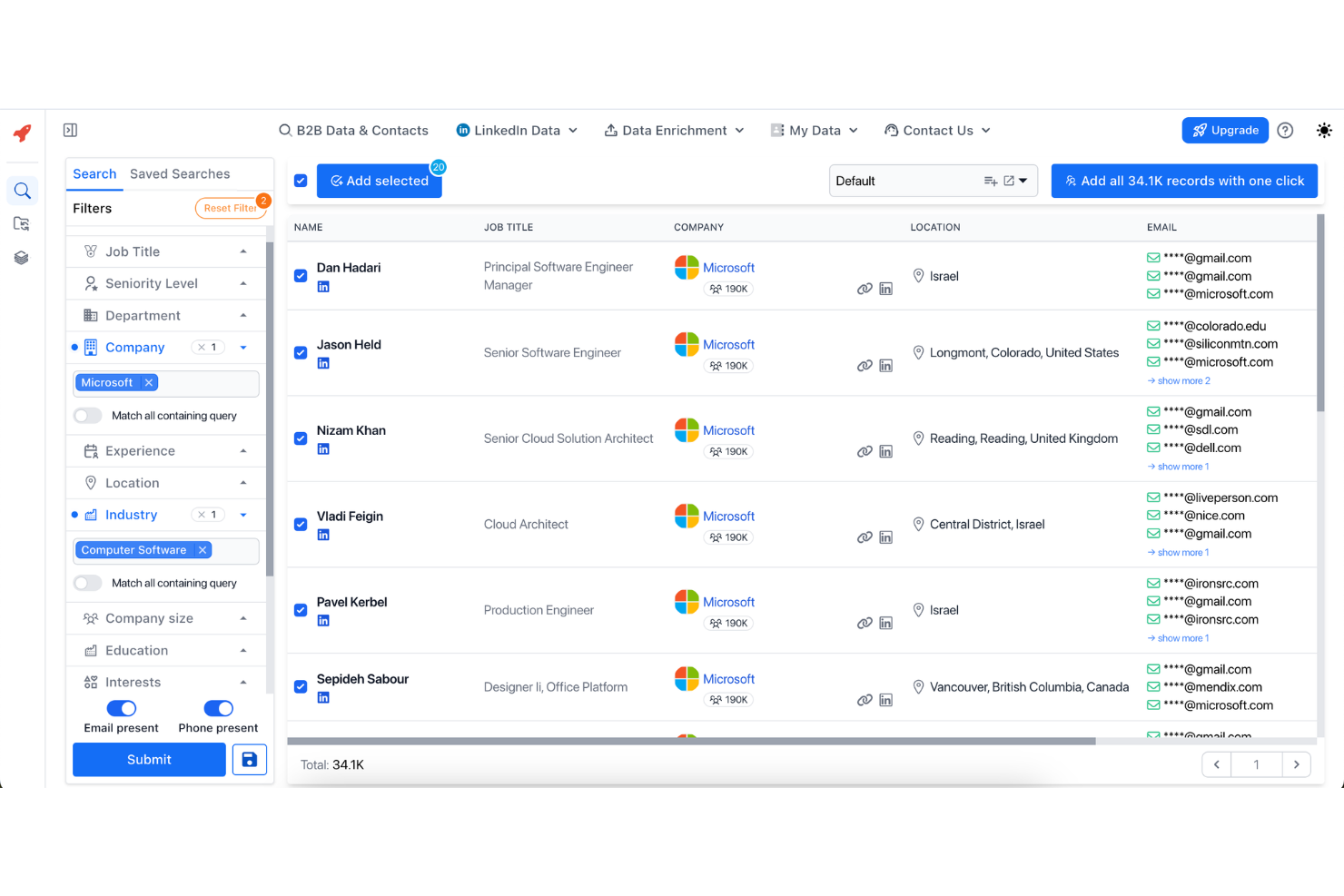
AeroLeads is a lead management software built for B2B sales and marketing teams that need to find, verify, and export prospect contact data at scale. I'd consider it most seriously if you're sourcing leads from LinkedIn and want more flexibility than a static database tool like ZoomInfo offers. AeroLeads pulls contact details from live web sources, so you're building lists in real time rather than querying a fixed database that may already be out of date.
AeroLeads Evaluation Summary
- From $49/month
- 14-day free trial
Why Trust Our Software Reviews
We’ve been testing and reviewing RevOps software since 2022. As RevOps leaders ourselves, we know how critical and difficult it is to make the right decision when selecting software.
We invest in deep research to help our audience make better software purchasing decisions. We’ve tested more than 2,000 tools for different RevOps use cases and written over 1,000 comprehensive software reviews. Learn how we stay transparent & our software review methodology.
AeroLeads Overview
If you’re judging AeroLeads against other lead management tools, I think its Chrome extension and LinkedIn integration make prospecting fast and simple, especially for teams new to outbound. The interface is clean and onboarding is quick, so you can start building lists in minutes. Pricing is competitive for small businesses, but you’ll notice fewer advanced automation and CRM integrations than pricier options. Support is responsive, but you may outgrow the platform if you need deep workflow customization.
I’d suggest Aeroleads for sales teams or agencies who want a straightforward, no-fuss way to find and export leads.
pros
-
Responsive 24/7 customer support team.
-
Fast LinkedIn integration with Chrome extension.
-
Accurate B2B email and phone data for prospecting.
cons
-
No free plan beyond initial trial credits.
-
Limited workflow automation compared to advanced tools.
-
Credits are used even for inaccurate or outdated leads.
-

Prisync
Visit WebsiteThis rating combines scores from multiple user review sites to reflect overall customer sentiment about the product.4.7 -
Expedite Commerce
Visit Website -
QuickBooks Online
Visit WebsiteThis rating combines scores from multiple user review sites to reflect overall customer sentiment about the product.4





How We Test & Score Tools
We’ve spent years building, refining, and improving our software testing and scoring system. The rubric is designed to capture the nuances of software selection and what makes a tool effective, focusing on critical aspects of the decision-making process.
Below, you can see exactly how our testing and scoring works across seven criteria. It allows us to provide an unbiased evaluation of the software based on core functionality, standout features, ease of use, onboarding, customer support, integrations, customer reviews, and value for money.
Core Functionality (25% of final scoring)
The starting point of our evaluation is always the core functionality of the tool. Does it have the basic features and functions that a user would expect to see? Are any of those core features locked to higher-tiered pricing plans? At its core, we expect a tool to stand up against the baseline capabilities of its competitors.
Standout Features (25% of final scoring)
Next, we evaluate uncommon standout features that go above and beyond the core functionality typically found in tools of its kind. A high score reflects specialized or unique features that make the product faster, more efficient, or offer additional value to the user.
We also evaluate how easy it is to integrate with other tools typically found in the tech stack to expand the functionality and utility of the software. Tools offering plentiful native integrations, 3rd party connections, and API access to build custom integrations score best.
Ease of Use (10% of final scoring)
We consider how quick and easy it is to execute the tasks defined in the core functionality using the tool. High scoring software is well designed, intuitive to use, offers mobile apps, provides templates, and makes relatively complex tasks seem simple.
Onboarding (10% of final scoring)
We know how important rapid team adoption is for a new platform, so we evaluate how easy it is to learn and use a tool with minimal training. We evaluate how quickly a team member can get set up and start using the tool with no experience. High scoring solutions indicate little or no support is required.
Customer Support (10% of final scoring)
We review how quick and easy it is to get unstuck and find help by phone, live chat, or knowledge base. Tools and companies that provide real-time support score best, while chatbots score worst.
Customer Reviews (10% of final scoring)
Beyond our own testing and evaluation, we consider the net promoter score from current and past customers. We review their likelihood, given the option, to choose the tool again for the core functionality. A high scoring software reflects a high net promoter score from current or past customers.
Value for Money (10% of final scoring)
Lastly, in consideration of all the other criteria, we review the average price of entry level plans against the core features and consider the value of the other evaluation criteria. Software that delivers more, for less, will score higher.
Core Features
Verified B2B Contact Database
AeroLeads provides access to over 750 million verified business contacts, including emails and phone numbers. This helps sales and marketing teams quickly build targeted prospect lists for outreach.
LinkedIn Chrome Extension
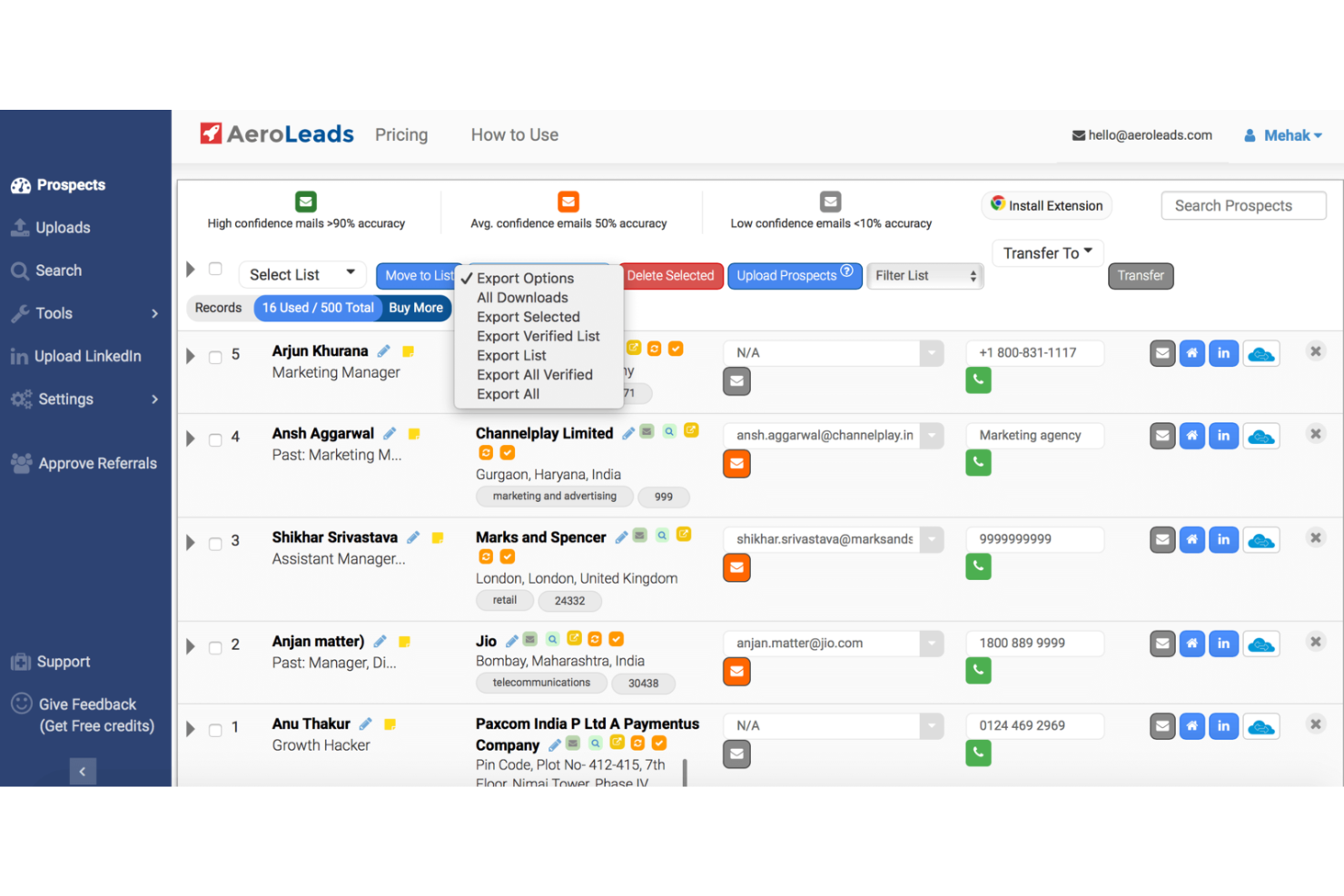
AeroLeads offers a Chrome extension that captures contact details directly from LinkedIn profiles and company pages. The captured leads are automatically saved and can be exported to CRM systems or CSV files.
Real-Time Email Validation
AeroLeads verifies email addresses in real time to ensure they are valid and deliverable. This helps reduce bounce rates and improve the effectiveness of outreach campaigns.
Bulk Data Enrichment
Users can upload CSV files to enrich existing contacts with missing emails, phone numbers, and company details. This allows teams to improve incomplete lead lists quickly and efficiently.
Up to 60 Data Points
AeroLeads provides detailed lead information such as job title, company data, and seniority level. These data points help teams better target and personalize their outreach.
Automated Data Cleansing
AeroLeads automatically cleans and updates contact lists to remove duplicates and incorrect data. This ensures lead data stays accurate and improves overall campaign performance.
Ease of Use
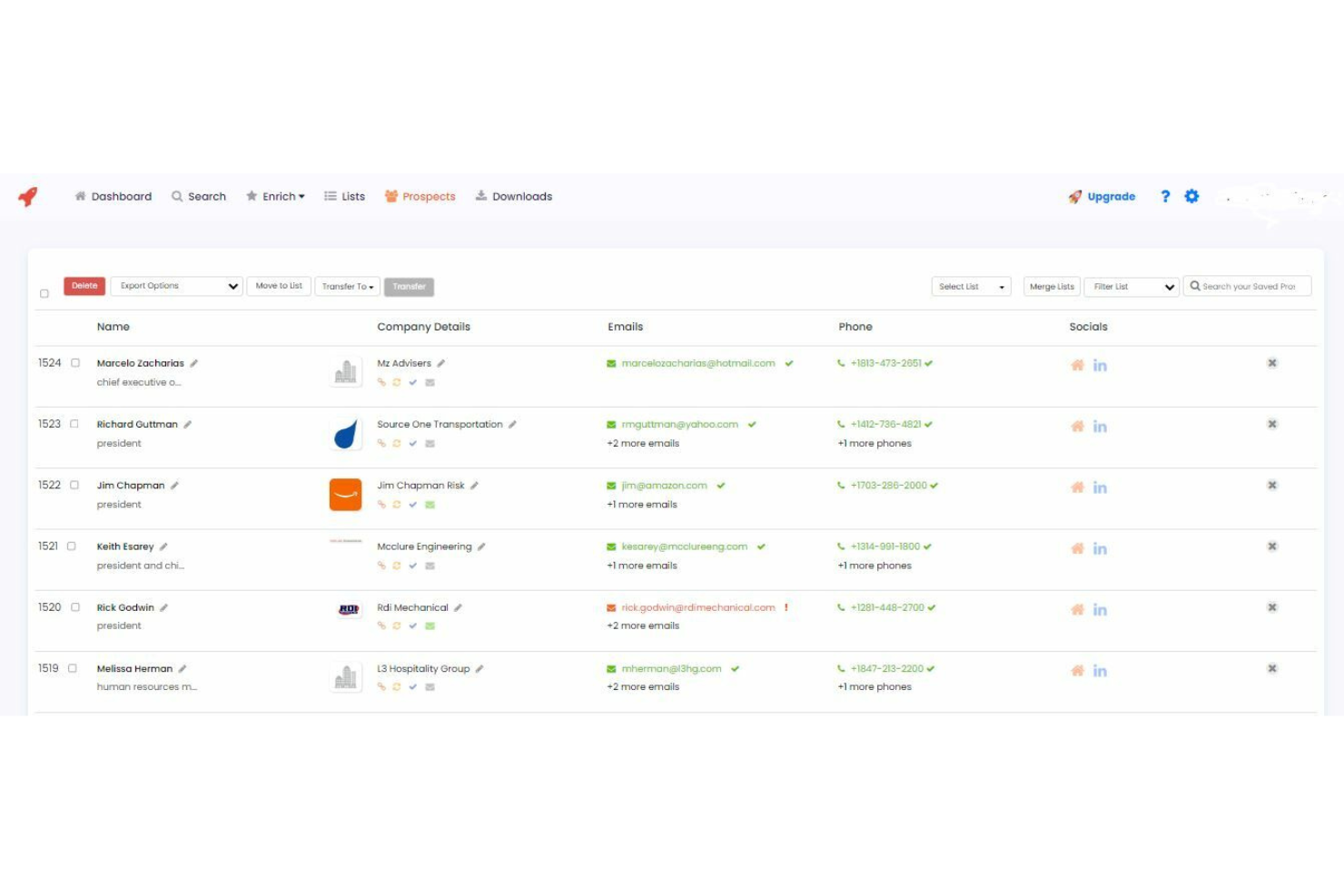
AeroLeads is straightforward to set up and navigate, with a clean interface and intuitive Chrome extension that lets you capture leads in just a few clicks. Users often mention how quickly they can start building lists without training or technical setup.
The platform’s simple workflow and real-time data validation make it easy for new users to get value fast, though advanced users may find the feature set basic for complex prospecting needs.
Integrations
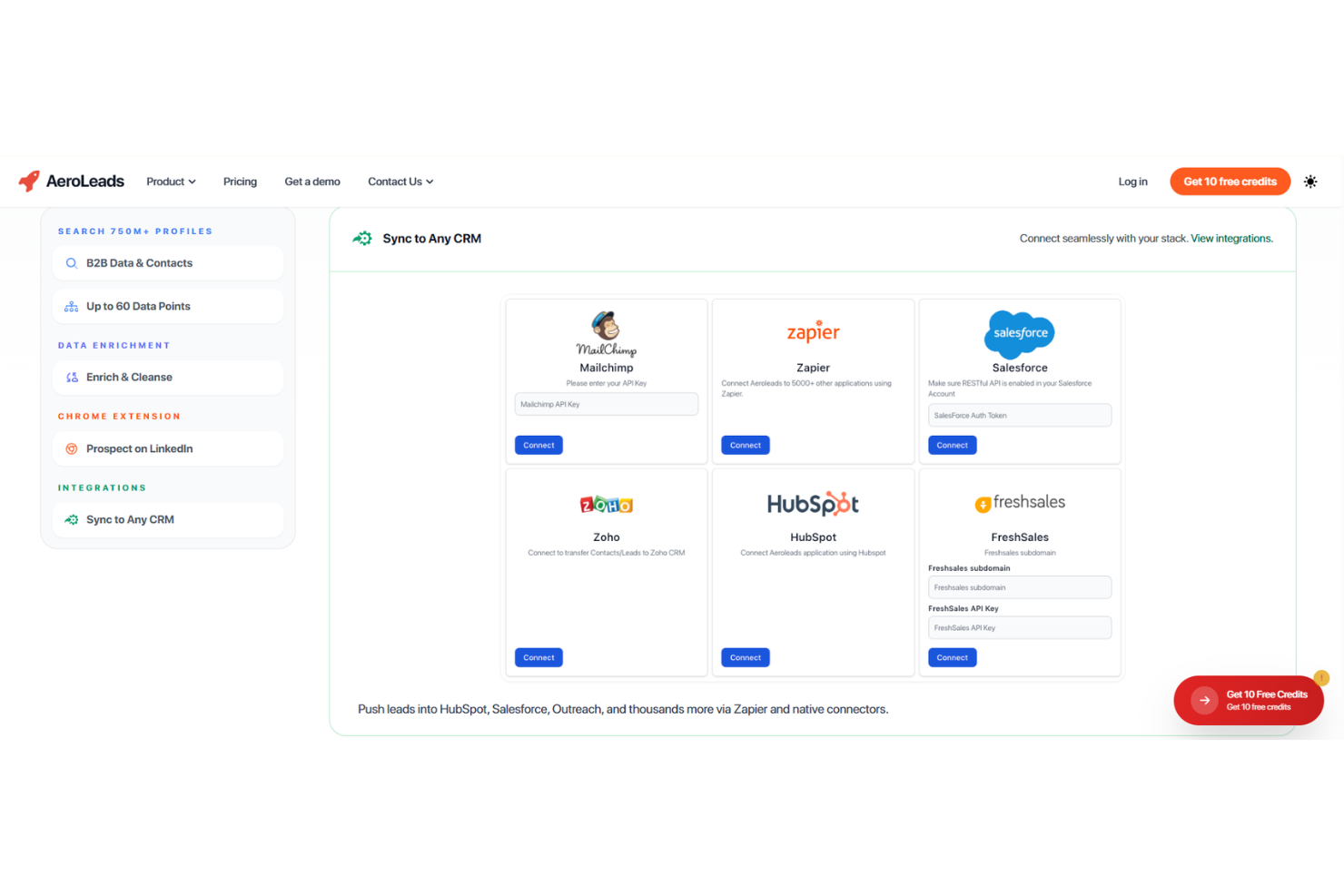
AeroLeads integrates with HubSpot, Salesforce, Zoho CRM, Pipedrive, Mailchimp, Insightly, FreshSales, Zapier, Mailshake, and G Suite, among others.
AeroLeads also offers an API and connects with third-party integration tools like Zapier for expanded workflow automation.
AeroLeads Specs
- A/B Testing
- API
- Audience Targeting
- Calendar Management
- Call Disposition
- Call Recording
- Call Tracking
- Click-to-Dial
- Contact Management
- Contact Sharing
- Customer Management
- Dashboard
- Data Export
- Data Import
- Data Visualization
- Email Integration
- External Integrations
- Forecasting
- Google Apps Integration
- Inventory Tracking
- Lead Management
- Lead Scoring
- Marketing Automation
- Multi-User
- Notifications
- Referral Tracking
- Sales Motivator
- Scheduling
- Social-Media Integration
- Softphone
- Third-Party Plugins/Add-Ons
- Travel Management