
14 Best AI Sales Coaches in 2026

10 AI Sales Coach Shortlist
Here's my pick of the 10 best software from the 14 tools reviewed.


An AI sales coach is a software tool that uses artificial intelligence to analyze sales conversations, provide personalized feedback, and guide sales professionals to improve their skills. If you’re searching for the best sales coaching tools, you’re likely looking to augment traditional coaching, help your team improve win rates, and get actionable insights to boost conversion rátes from every call.
With so many options, it’s tough to know which coaching platform fits your specific sales methodology, tech stack, and training programs. This guide breaks down the top AI sales coach options, so you can compare features, understand what sets each apart, and make a confident decision for your revenue team.
Why Trust Our Software Reviews
We’ve been testing and reviewing RevOps software since 2022. As RevOps leaders ourselves, we know how critical and difficult it is to make the right decision when selecting software.
We invest in deep research to help our audience make better software purchasing decisions. We’ve tested more than 2,000 tools for different RevOps use cases and written over 1,000 comprehensive software reviews. Learn how we stay transparent & our software review methodology.
AI Sales Coach Summary
This comparison chart summarizes pricing details for my top ai sales coach software to help you find the best one for your budget and business needs.
| Tool | Best For | Trial Info | Price | ||
|---|---|---|---|---|---|
| 1 | Best for contextual cues and objection handling in calls | Free demo available | Pricing upon request | Website | |
| 2 | Best for real-time call guidance during live conversations | 14-day free trial available | From $80/user/month (billed annually) | Website | |
| 3 | Best for conversation analytics across sales teams | Free demo available | Pricing upon request | Website | |
| 4 | Best for interactive role-play simulations with AI avatars | Free demo available | Pricing upon request | Website | |
| 5 | Best for skill gap analysis and targeted coaching | Free plan available | Pricing available upon request | Website | |
| 6 | Best for scenario-based practice with AI-driven simulations | Free demo available | Pricing upon request | Website | |
| 7 | Best for automated personalized sales training modules | Free demo available | Pricing upon request | Website | |
| 8 | Best for instant feedback on sales call performance | Free demo available | Pricing upon request | Website | |
| 9 | Best for AI-driven deal strategy recommendations | Not available | From $59.99/month | Website | |
| 10 | Best for AI-powered meeting insights and summaries | 14-day free trial | From $19/user/month | Website |
-

Pipedrive CRM
Visit WebsiteThis is an aggregated rating for this tool including ratings from Crozdesk users and ratings from other sites.4.3 -
Creatio CRM
Visit WebsiteThis is an aggregated rating for this tool including ratings from Crozdesk users and ratings from other sites.4.7 -
monday CRM
Visit WebsiteThis is an aggregated rating for this tool including ratings from Crozdesk users and ratings from other sites.4.6





AI Sales Coach Reviews
Below are my detailed summaries of the best AI sales coach software that made it onto my shortlist. My reviews offer a detailed look at the features, best use cases, and integrations of each platform to help you find the best one for your team.

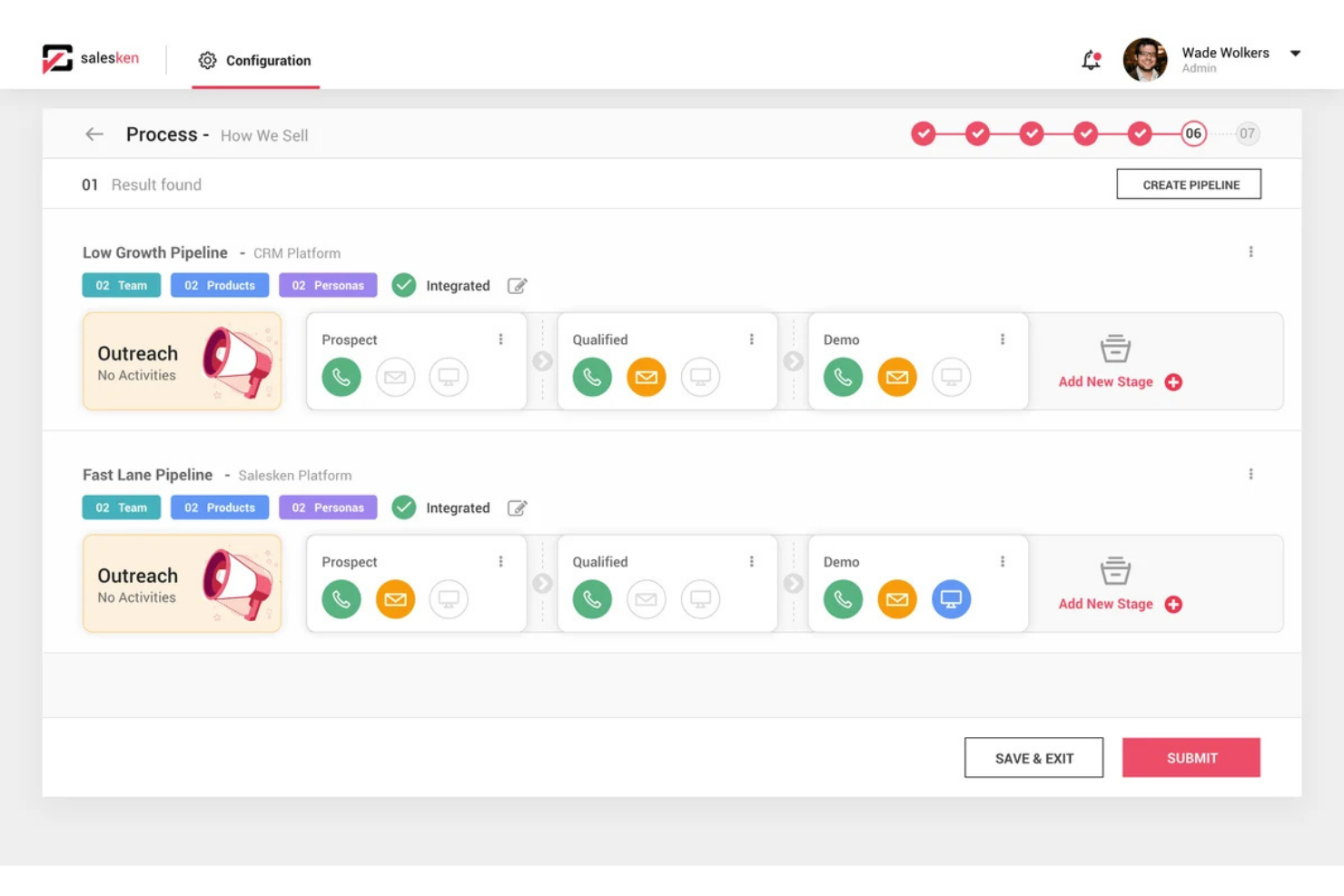
Salesken is an AI-powered sales conversation platform designed for teams that want real-time guidance during customer calls. It’s especially useful for sales managers and reps in fast-paced B2B environments who need help navigating complex objections and staying on message. If you’re looking for a tool that actively supports reps while they’re on calls, Salesken offers targeted solutions.
Who Is Salesken Best For?
Salesken is a good fit for B2B sales teams and managers who want real-time AI guidance during live customer calls.
Why I Picked Salesken
What stands out about Salesken is its ability to deliver contextual cues and objection handling directly within live sales calls. The platform listens to conversations in real time and prompts reps with relevant talking points or responses when objections arise, which is especially valuable for coaching less experienced team members. I like that Salesken’s AI doesn’t just analyze calls after the fact—it actively supports reps in the moment, helping them stay aligned with messaging and sales playbooks. This makes it a strong choice for teams that want to improve call outcomes and consistency through real-time, in-call coaching.
Salesken Key Features
Some other features I found while reviewing Salesken include:
- Quality assurance AI: Evaluate 100% of sales conversations with AI-driven scoring and compliance monitoring.
- Salesken Notetaker: Automatically transcribe and summarize sales calls, capturing key discussion points and action items.
- Field sales analytics: Capture and analyze field sales conversations to generate performance insights.
- Auto CRM enrichment: Push call summaries and key customer data points directly into your CRM without manual entry.
Salesken Integrations
Integrations include Salesforce, HubSpot, Pipedrive, Zoom, and Microsoft Teams.
Pros and Cons
Pros:
- Solid CRM integrations
- Built-in call analytics
- Tracks rep pitch adherence
Cons:
- Takes time to tune alerts
- Call audio can be glitchy
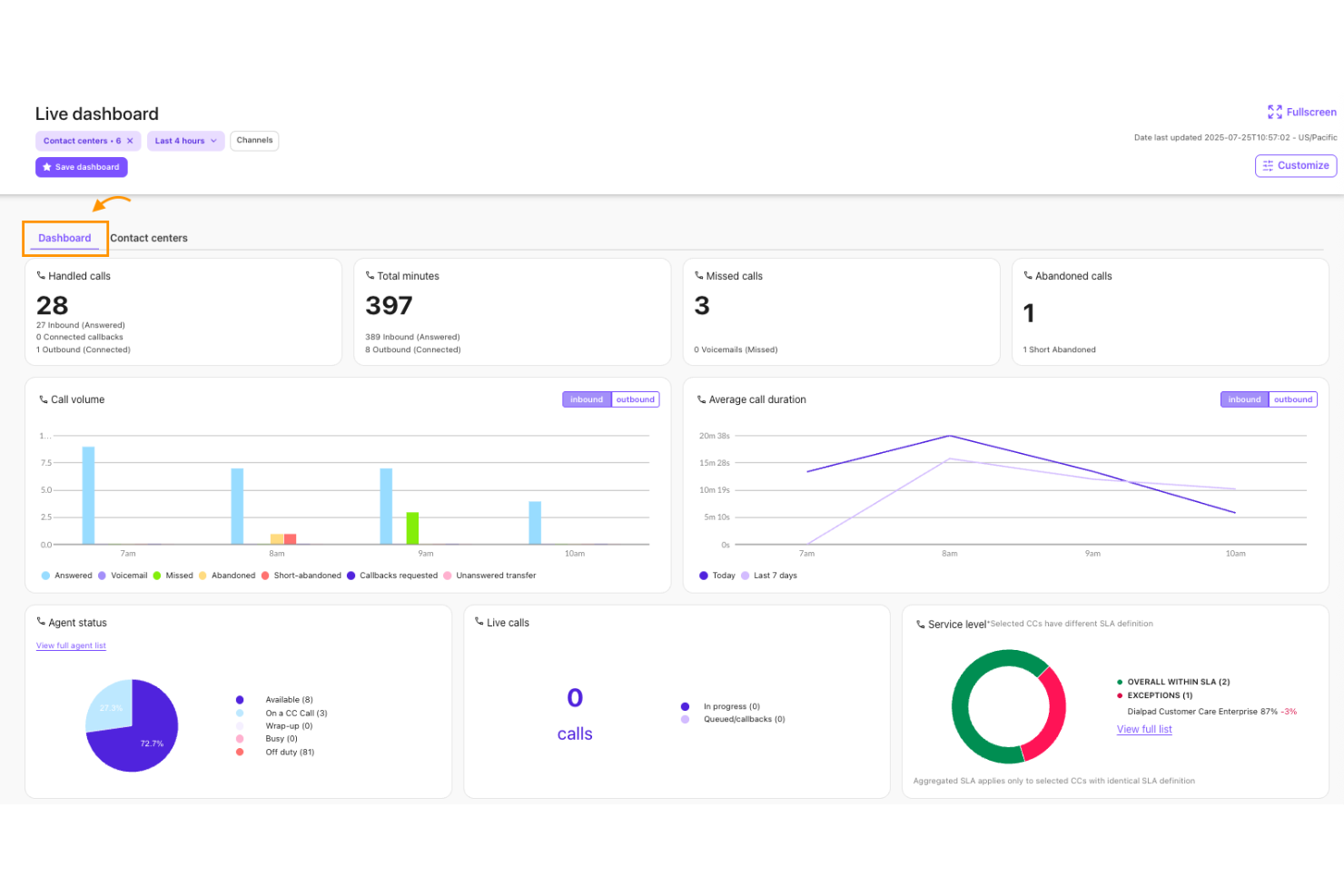
Dialpad’s AI Sales Coach is designed for sales teams that want to improve call performance with actionable insights. It uses AI to analyze conversations and surface coaching opportunities as reps talk to prospects. Sales leaders and enablement professionals can use it to identify skill gaps and standardize coaching across distributed teams.
Who Is Dialpad Best For?
Dialpad is a strong fit for sales teams in fast-paced environments that need real-time coaching and conversation analysis during live calls.
Why I Picked Dialpad
I picked Dialpad because its AI Sales Coach stands out for delivering real-time call guidance as conversations unfold. The platform uses AI to monitor live sales calls and provide instant prompts or suggestions, helping reps handle objections and stay on message without missing a beat. I appreciate how Dialpad’s real-time transcription and keyword tracking features allow managers to set up custom triggers for coaching moments. This makes it especially useful for teams that want to reinforce best practices and improve outcomes while calls are still in progress.
Dialpad Key Features
Some other features in Dialpad’s AI Sales Coach that stand out for sales teams include:
- Call recording and playback: Review past sales calls to identify coaching opportunities and track rep progress over time.
- AI-powered call summaries: Automatically generate concise summaries of each conversation for easy follow-up and documentation.
- Coaching playlists: Curate and share collections of top-performing calls or key learning moments for ongoing team development.
- Customizable scorecards: Build and apply scoring templates to evaluate rep performance and standardize feedback across the team.
Dialpad Integrations
Integrations include Salesforce, Zendesk, HubSpot, Microsoft 365, and Google Workspace.
Pros and Cons
Pros:
- Tracks rep talk time ratio
- Built-in VoIP phone system
- Instant objection handling
Cons:
- Relies on strong internet
- Expensive premium features

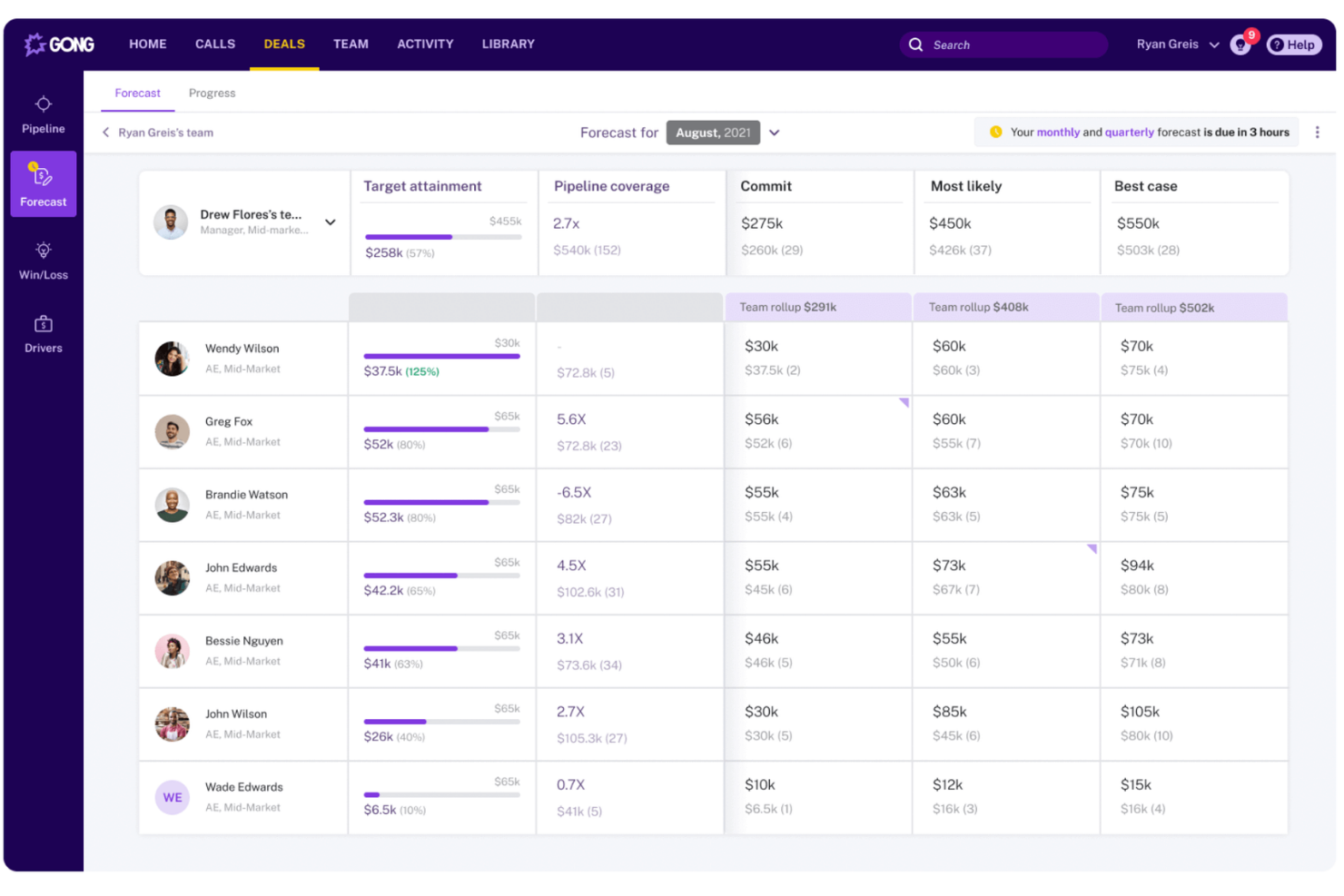
Gong uses AI to analyze sales conversations and surface actionable insights for revenue teams. It’s a strong choice for sales leaders and enablement professionals who want to understand what’s happening in calls, demos, and meetings at scale. Teams use Gong to identify coaching opportunities, spot deal risks, and drive consistent sales performance.
Who Is Gong Best For?
Gong is a good fit for sales and revenue leaders at mid-sized to large B2B organizations that want deep visibility into team conversations and deal progress.
Why I Picked Gong
What sets Gong apart for me is its ability to capture and analyze every sales conversation across calls, video meetings, and emails, giving leaders a complete view of team interactions. I picked Gong because its conversation analytics surface patterns in talk time, topics, and deal risks that are hard to spot manually. The platform’s AI-driven insights help managers pinpoint exactly where reps need coaching and track improvements over time. This makes Gong especially valuable for teams that want to drive consistent sales performance and scale coaching across large, distributed teams.
Gong Key Features
Some other features that caught my attention while reviewing Gong include:
- Peer sales coaching: Reps can review and learn from each other's calls by sharing recordings and feedback within the platform.
- Self-coaching tools: Individual reps can access their own call recordings and transcripts to identify areas for improvement.
- Call sharing functionality: Users can easily share specific calls or call segments with managers or peers for targeted feedback.
- Personalized coaching tips: Gong analyzes conversations and provides tailored suggestions to help each rep improve their sales approach.
Gong Key Integrations
Integrations include Salesforce, HubSpot, Zoom, Slack, and Microsoft Teams.
Pros and Cons
Pros:
- Excellent coaching metrics
- Integrates with all CRMs
- Tracks competitor mentions
Cons:
- Support is slow for SMBs
- Takes months to train AI

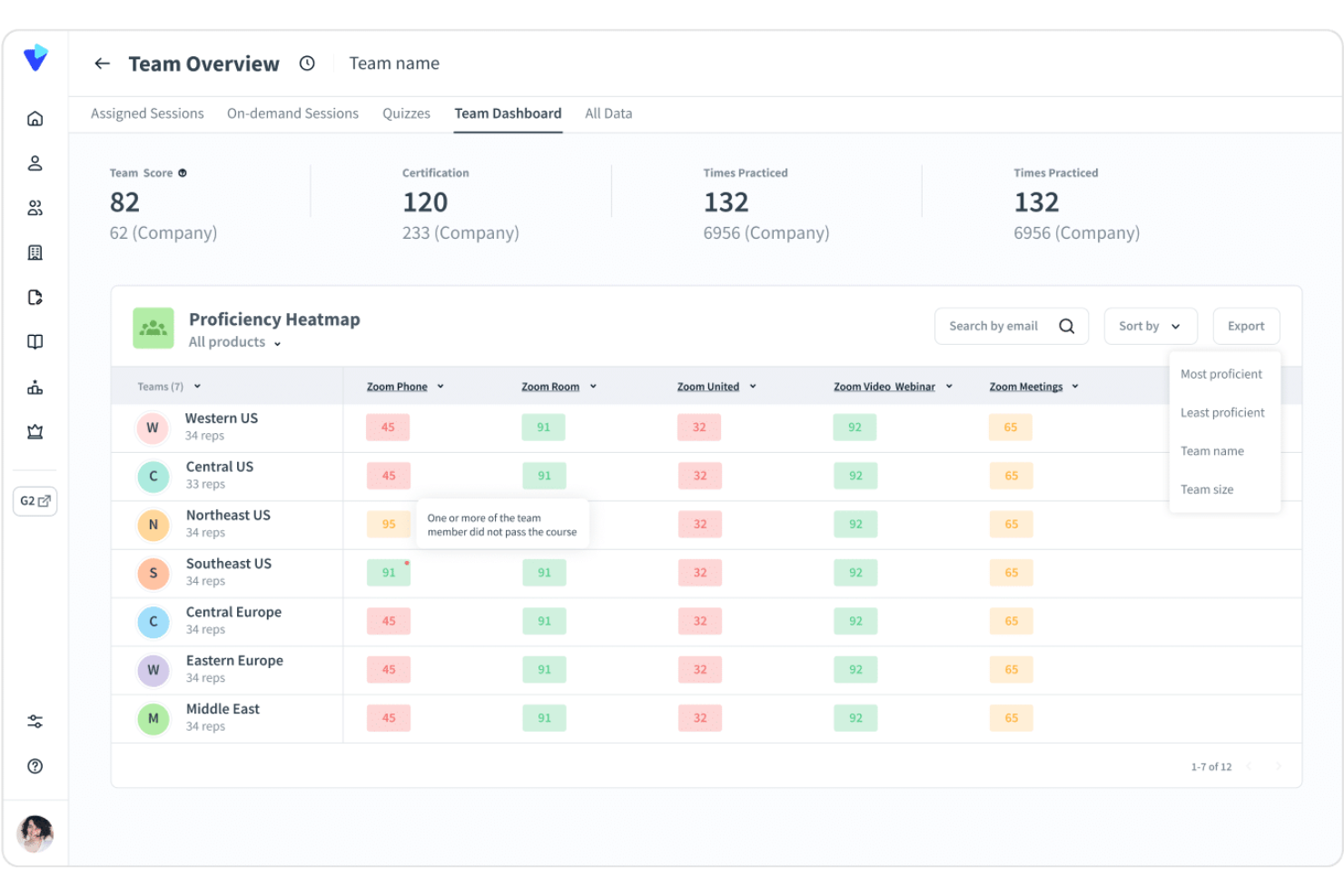
Second Nature offers AI-powered sales coaching designed for teams that want to practice real-world conversations in a risk-free environment. Sales leaders and enablement professionals use it to help reps build confidence and consistency before talking to customers. If you need a solution that brings interactive, lifelike practice to your sales training, Second Nature is worth considering.
Who Is Second Nature Best For?
Second Nature is a strong fit for sales enablement leaders and trainers at mid-sized to large organizations that want to scale interactive, AI-driven role-play coaching across their teams.
Why I Picked Second Nature
What stands out about Second Nature is its use of AI avatars for interactive role-play simulations, which brings sales coaching much closer to real-life scenarios. The platform lets reps practice conversations with virtual customers who respond dynamically, helping them refine messaging and objection handling in a safe environment. I appreciate that managers can review transcripts and scoring to pinpoint where reps need more support. This approach makes it easier to scale consistent, high-quality coaching across large or distributed sales teams.
Second Nature Key Features
Some other features that stood out to me while exploring Second Nature include:
- Automated feedback reports: The platform generates detailed feedback after each simulation, highlighting strengths and areas for improvement.
- Scenario customization tools: You can tailor role-play scenarios to match your specific sales processes, products, or buyer personas.
- Progress tracking dashboard: Managers and reps can monitor skill development and completion rates through a centralized dashboard.
- Integration with learning management systems (LMS): Second Nature connects with popular LMS platforms to streamline training assignments and reporting.
Second Nature Integrations
Integrations include Salesforce, Gong, Chorus, Seismic, and Highspot.
Pros and Cons
Pros:
- Scales global onboarding
- Gamified sales training
- Instant objective feedback
Cons:
- Voice AI mishears accents
- High enterprise pricing

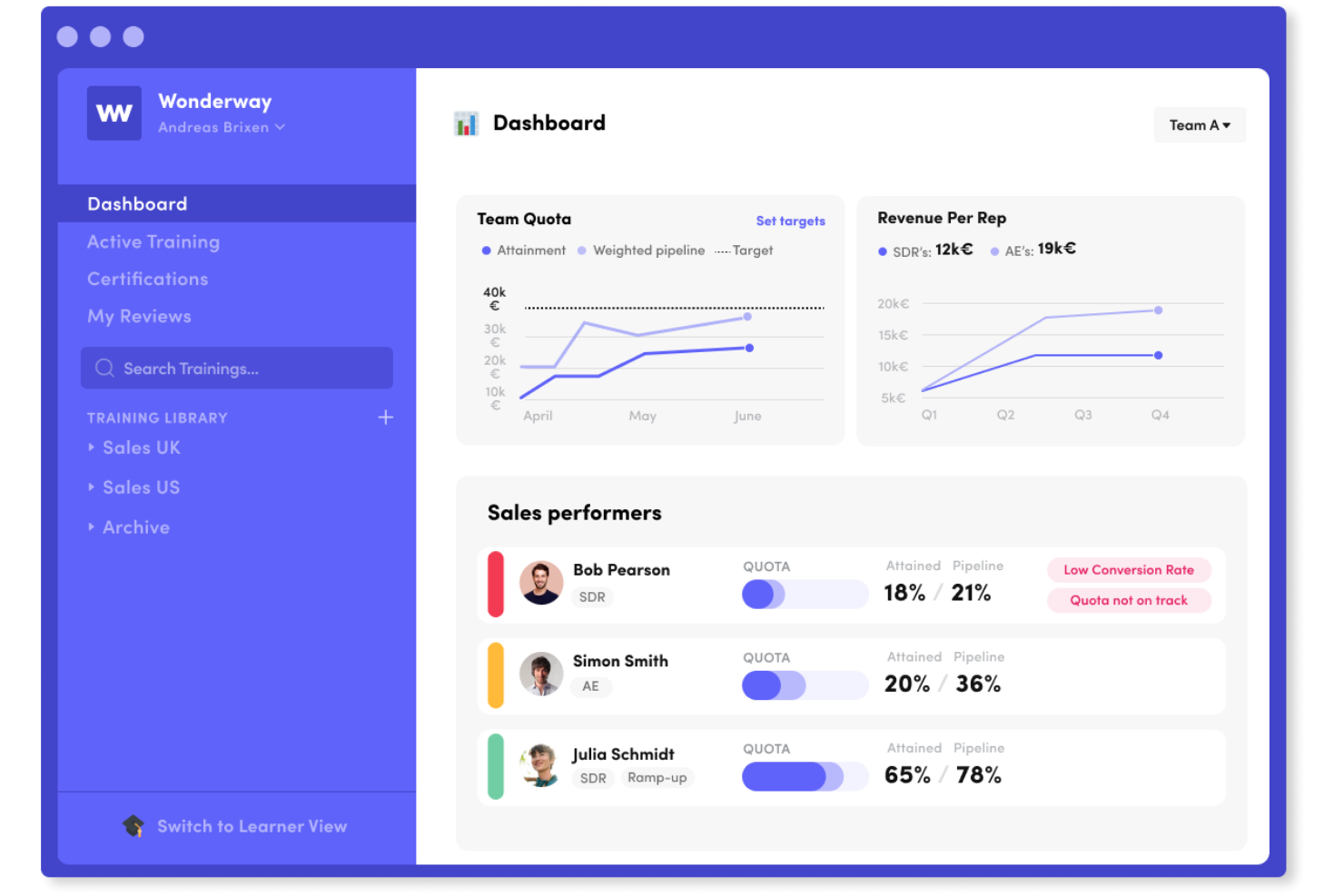
Wonderway offers AI-powered coaching designed for sales leaders and enablement teams who want to improve rep performance with data-driven insights. The platform appeals to organizations looking to identify and address specific skill gaps within their sales teams. Its focus on personalized coaching and measurable outcomes helps teams build targeted development plans that drive real results.
Who Is Wonderway Best For?
Wonderway is a strong fit for sales enablement leaders and managers at mid-sized to large B2B organizations that want to identify and close skill gaps across their sales teams.
Why I Picked Wonderway
What stands out about Wonderway is its ability to pinpoint skill gaps and deliver targeted coaching based on real sales performance data. I picked this tool because it uses AI to analyze call recordings and sales activities, then maps those insights directly to personalized coaching plans for each rep. The platform’s automated skill assessments and tailored learning paths help managers focus their coaching where it will have the most impact. This approach makes Wonderway especially valuable for teams that want to move beyond generic training and address the specific development needs of their salespeople.
Wonderway Key Features
Some other features that make Wonderway useful for sales coaching teams include:
- Automated call scoring: The platform automatically evaluates sales calls against predefined criteria to highlight strengths and areas for improvement.
- Content library management: Store, organize, and share sales playbooks, scripts, and training materials within a centralized hub.
- Role-based access controls: Set permissions and access levels for different team members to ensure data security and relevant visibility.
- Performance benchmarking: Compare individual and team performance against industry standards or internal benchmarks to track progress over time.
Wonderway Integrations
Integrations include Salesforce, HubSpot, Salesloft, Outreach, and Slack.
Pros and Cons
Pros:
- Automated learning paths
- Great for sales managers
- Ties training to revenue
Cons:
- Can feel like micromanaging
- Takes time to see results

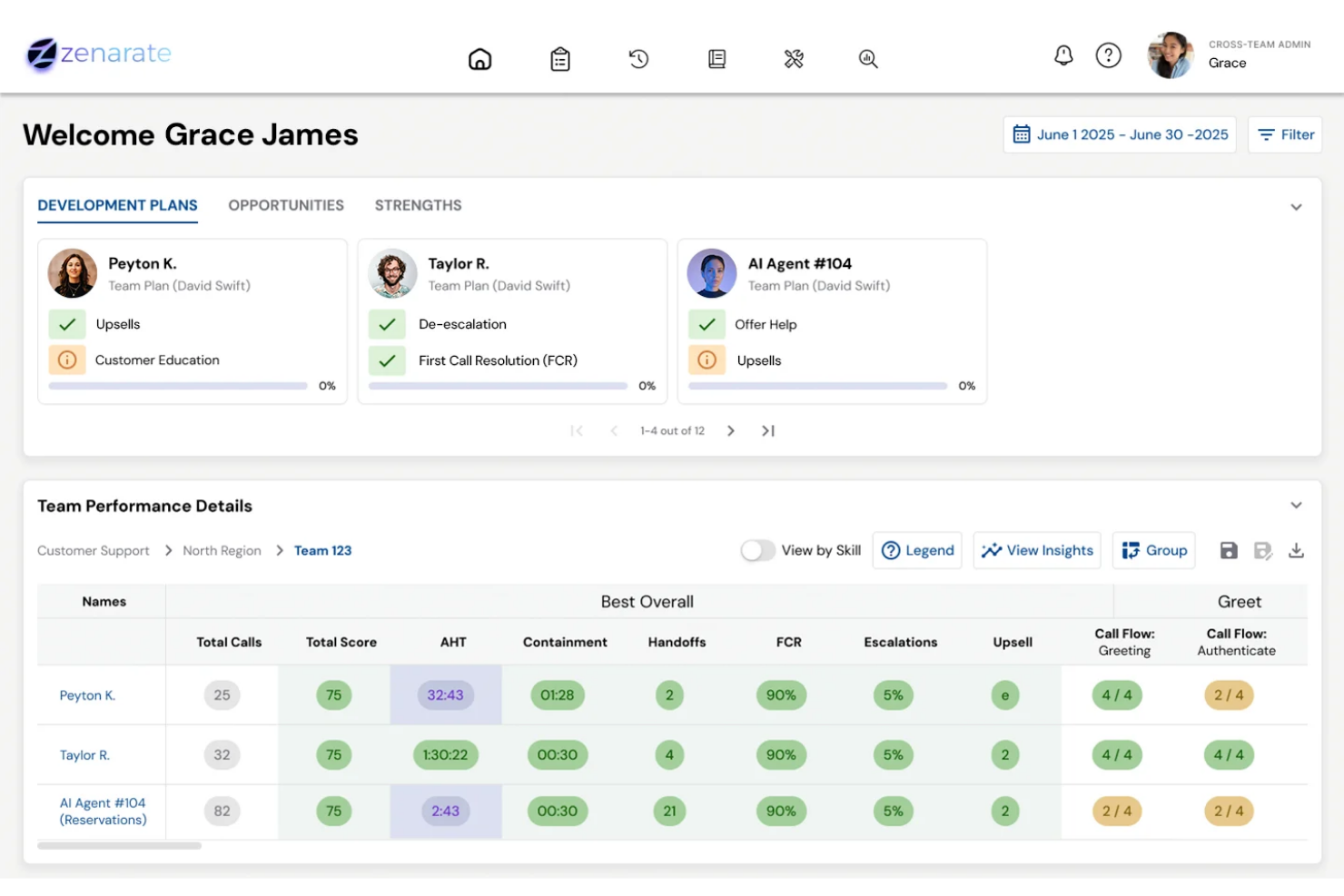
Zenarate uses AI-driven simulations to help sales teams practice real-world scenarios in a risk-free environment. It’s a strong fit for organizations that want to build confidence and consistency in their sales reps through hands-on, interactive training. The platform appeals to sales enablement leaders looking for scalable ways to coach teams on complex conversations and objection handling.
Who Is Zenarate Best For?
Zenarate is a good fit for sales enablement leaders and trainers at mid-sized to large organizations that need scalable, AI-powered scenario practice for their sales teams.
Why I Picked Zenarate
What drew me to Zenarate is its focus on scenario-based practice using AI-driven simulations, which is especially valuable for sales teams that need to master complex conversations. The platform lets you create realistic, role-play scenarios where reps interact with AI avatars that respond dynamically, mirroring real customer behaviors and objections. I appreciate how Zenarate provides instant feedback and detailed performance analytics after each simulation, so managers can pinpoint exactly where reps need more coaching. This approach makes it much easier to build confidence and consistency across large sales teams without relying on live role-play sessions.
Zenarate Key Features
In addition to its scenario-based practice capabilities, I also found these features worth noting:
- Speech analytics engine: The platform analyzes spoken responses for tone, clarity, and adherence to scripts during simulations.
- Role-specific learning paths: You can assign tailored training modules based on job roles or experience levels.
- Real-time coaching prompts: Zenarate provides instant, in-simulation guidance to help users adjust their approach on the fly.
- Performance benchmarking tools: Compare individual and team results against industry standards or internal benchmarks.
Zenarate Integrations
Integrations include Salesforce, Zendesk, Genesys, Avaya, and Cisco.
Pros and Cons
Pros:
- Good for call center reps
- Safe simulation environment
- Great for compliance prep
Cons:
- Audio responses can lag
- Not for field sales reps
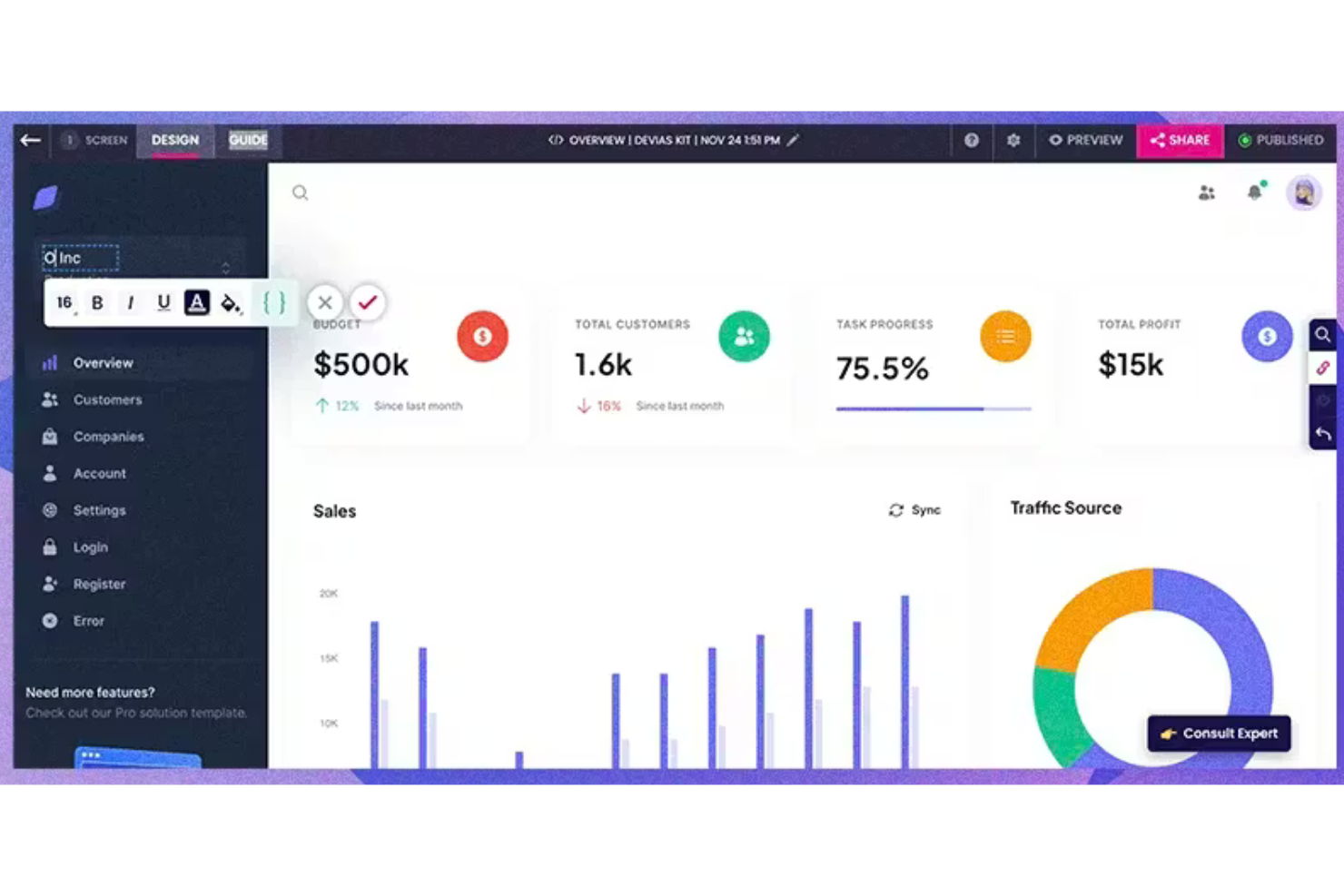
Hyperbound uses AI to deliver tailored sales training modules for modern revenue teams. It’s designed for sales enablement leaders and managers who want to automate skill development and onboarding. If you need to personalize training at scale and keep reps engaged with up-to-date content, Hyperbound addresses those challenges directly.
Who Is Hyperbound Best For?
Hyperbound is a strong fit for sales enablement leaders and managers at growth-focused companies that want to automate and personalize sales training at scale.
Why I Picked Hyperbound
What drew me to Hyperbound is its focus on automating personalized sales training modules using AI. The platform analyzes each rep’s performance and learning needs, then delivers targeted training content that adapts over time. I like that Hyperbound can generate scenario-based exercises and quizzes tailored to individual skill gaps, making training more relevant and actionable. This approach helps sales leaders ensure every team member gets the right coaching without manual effort or generic content.
Hyperbound Key Features
In addition to its adaptive training modules, Hyperbound offers several other features that support sales coaching and enablement:
- Content authoring tools: Create and customize training materials directly within the platform to match your team’s processes and messaging.
- Progress tracking dashboards: Monitor individual and team learning progress with visual dashboards and detailed completion metrics.
- Role-based learning paths: Assign specific training tracks based on job function, seniority, or territory to ensure relevant skill development.
- Knowledge checks and assessments: Build quizzes and interactive assessments to reinforce learning and measure retention after each module.
Hyperbound Integrations
Integrations include Salesforce, HubSpot, Gong, Outreach, Salesloft, Orum, Google Meet, Zoom, Microsoft Teams, and Webex.
Pros and Cons
Pros:
- Good for cold call prep
- Automated scoring metrics
- Scales training instantly
Cons:
- Best for SDRs, not AEs
- Setup takes heavy effort

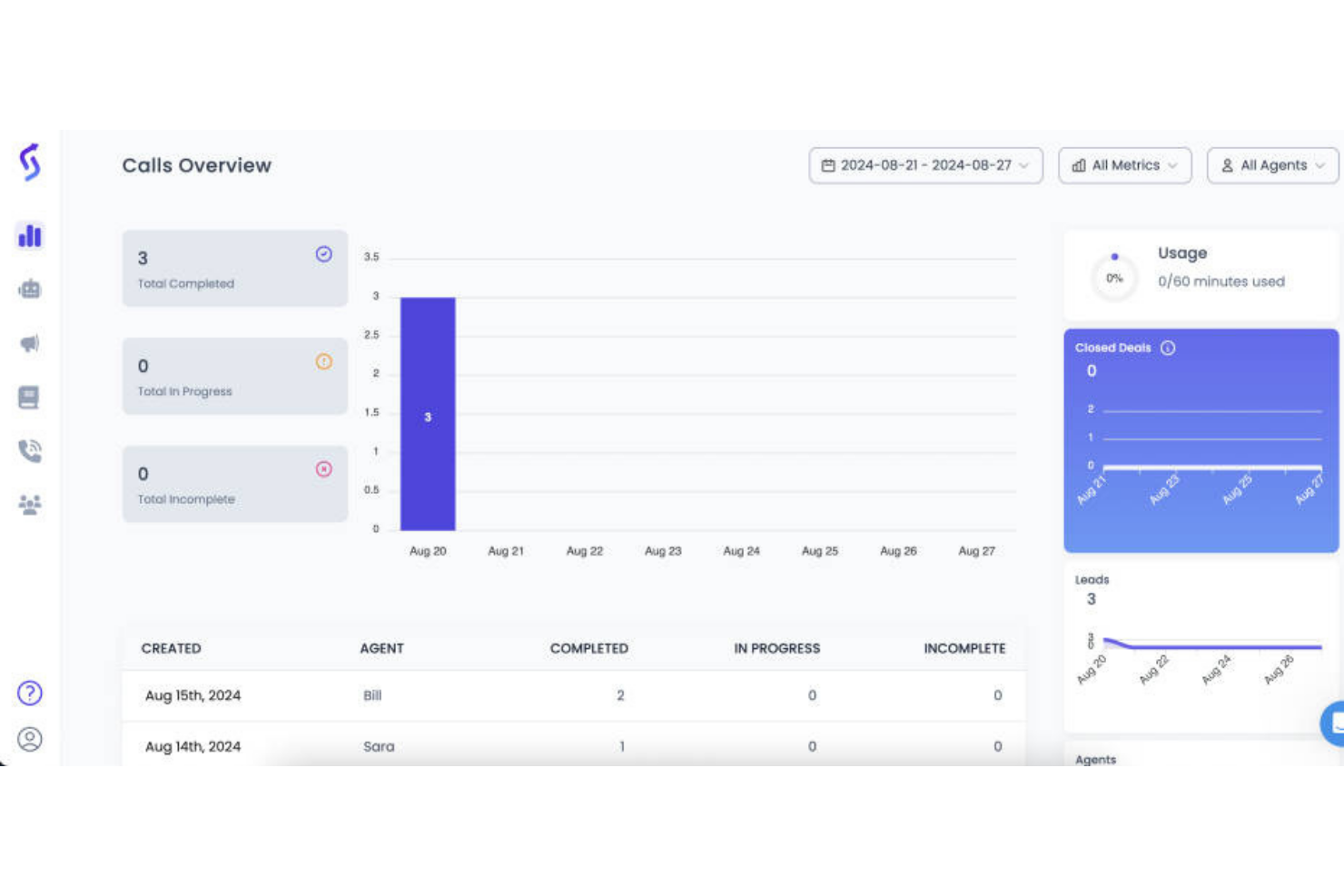
Sales Closer AI uses artificial intelligence to analyze sales calls and coach reps on their performance. It’s designed for sales managers and enablement teams who want to improve call quality and consistency across their organization. The platform appeals to teams looking for actionable insights and coaching that’s grounded in real sales conversations.
Who Is Sales Closer AI Best For?
Sales Closer AI is a strong fit for sales managers and enablement leaders at mid-sized to large organizations that want to deliver targeted, AI-driven coaching based on real sales call data.
Why I Picked Sales Closer AI
What drew me to Sales Closer AI is its focus on delivering instant, actionable feedback right after sales calls. The platform uses AI to analyze call recordings and provide specific coaching points, so reps know exactly what to improve on their next call. I like that it highlights key moments in conversations, such as objection handling and closing techniques, making the feedback highly relevant for sales teams. This approach helps managers scale coaching without waiting for manual reviews or delayed insights.
Sales Closer AI Key Features
In addition to instant feedback on sales calls, Sales Closer AI offers several other features that support ongoing sales coaching and performance improvement:
- Call transcript search: Users can search and filter through call transcripts to quickly find specific conversations or topics.
- Customizable scorecards: Managers can set up tailored evaluation criteria to align with their team’s sales process and goals.
- Coaching assignment workflows: Assign coaching tasks or follow-ups directly within the platform to streamline rep development.
- Performance trend analytics: Track individual and team progress over time with visual dashboards and reporting tools.
Sales Closer AI Integrations
Integrations include Zoom, Google Meet, Microsoft Teams, Salesforce, and HubSpot.
Pros and Cons
Pros:
- Quick setup for small orgs
- Focuses on closing skills
- Easy to review call tape
Cons:
- UI is not very polished
- Subjective AI scoring
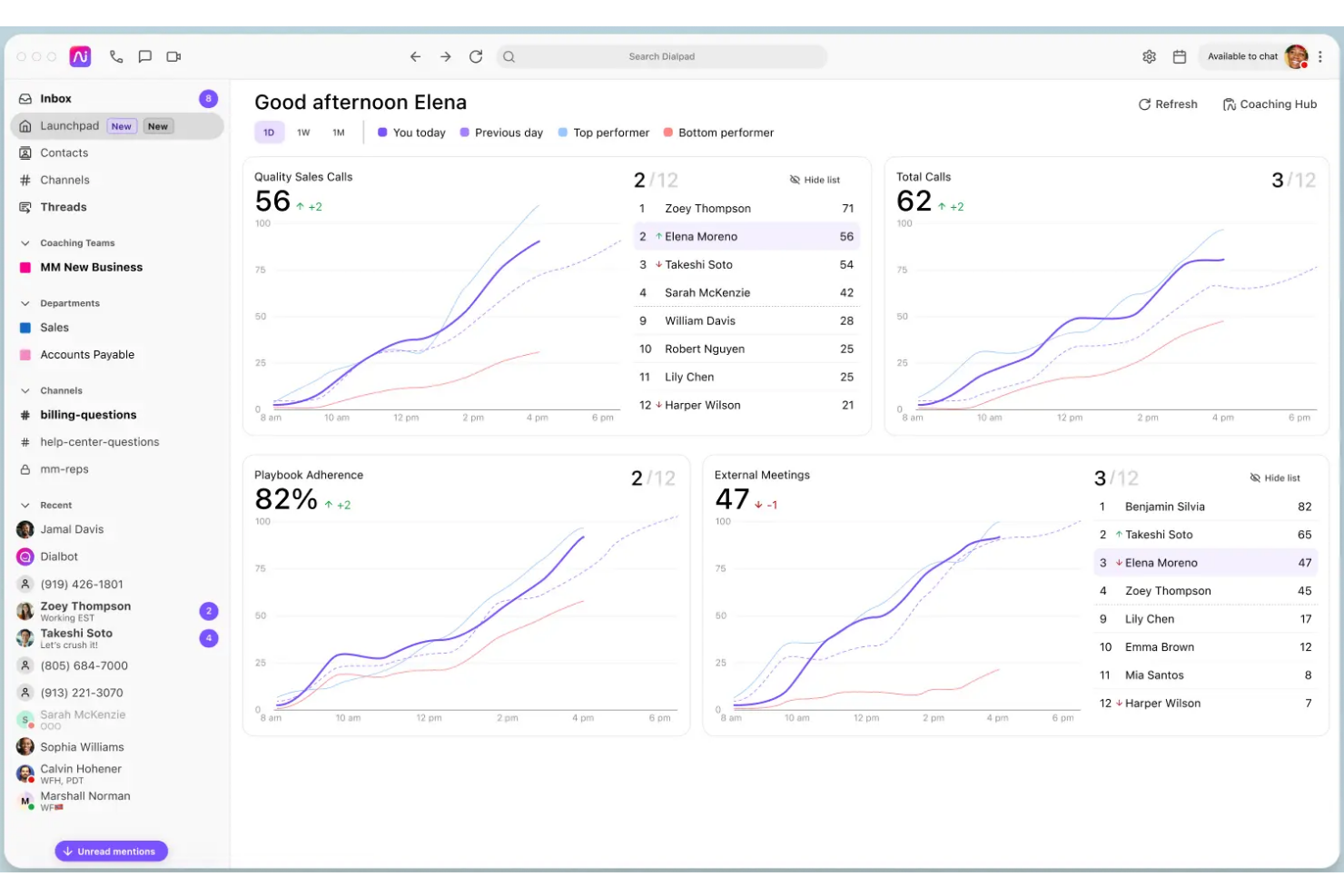
Trellus.AI brings AI-powered insights to sales teams looking to improve deal outcomes and strategy. It’s designed for revenue leaders and account executives who want actionable recommendations based on real-time pipeline data. If you need a tool that goes beyond call analysis to help shape deal tactics, Trellus.AI is worth considering.
Who Is Trellus.AI Best For?
Trellus.AI is a good fit for sales and revenue leaders at B2B organizations who want AI-driven recommendations to improve deal strategy and pipeline management.
Why I Picked Trellus.AI
What drew me to Trellus.AI is its focus on delivering AI-driven deal strategy recommendations, which goes beyond just analyzing sales conversations. The platform reviews your pipeline data and provides tailored, actionable suggestions for each deal, helping teams prioritize next steps and identify risks. I appreciate how Trellus.AI surfaces strategic insights that sales managers and reps can use to adjust tactics in real time. This makes it especially valuable for organizations that want to move from reactive to proactive deal management with the help of AI.
Trellus.AI Key Features
Some other features that make Trellus.AI stand out for sales teams include:
- Deal health scoring: The platform assigns a health score to each deal based on multiple data points, helping teams quickly spot at-risk opportunities.
- Automated pipeline reviews: Trellus.AI regularly scans your pipeline and highlights deals that need attention, reducing manual review time.
- Rep performance analytics: Track individual and team performance metrics to identify coaching opportunities and skill gaps.
- Collaboration tools: Built-in commenting and sharing features let sales managers and reps discuss deals and strategies directly within the platform.
Trellus.AI Integrations
Integrations include Salesforce, HubSpot, Outreach, Salesloft, and Apollo.
Pros and Cons
Pros:
- Helps build fast rapport
- Works well for cold calling
- In-call script suggestions
Cons:
- Chrome extension is heavy
- Small tool ecosystem
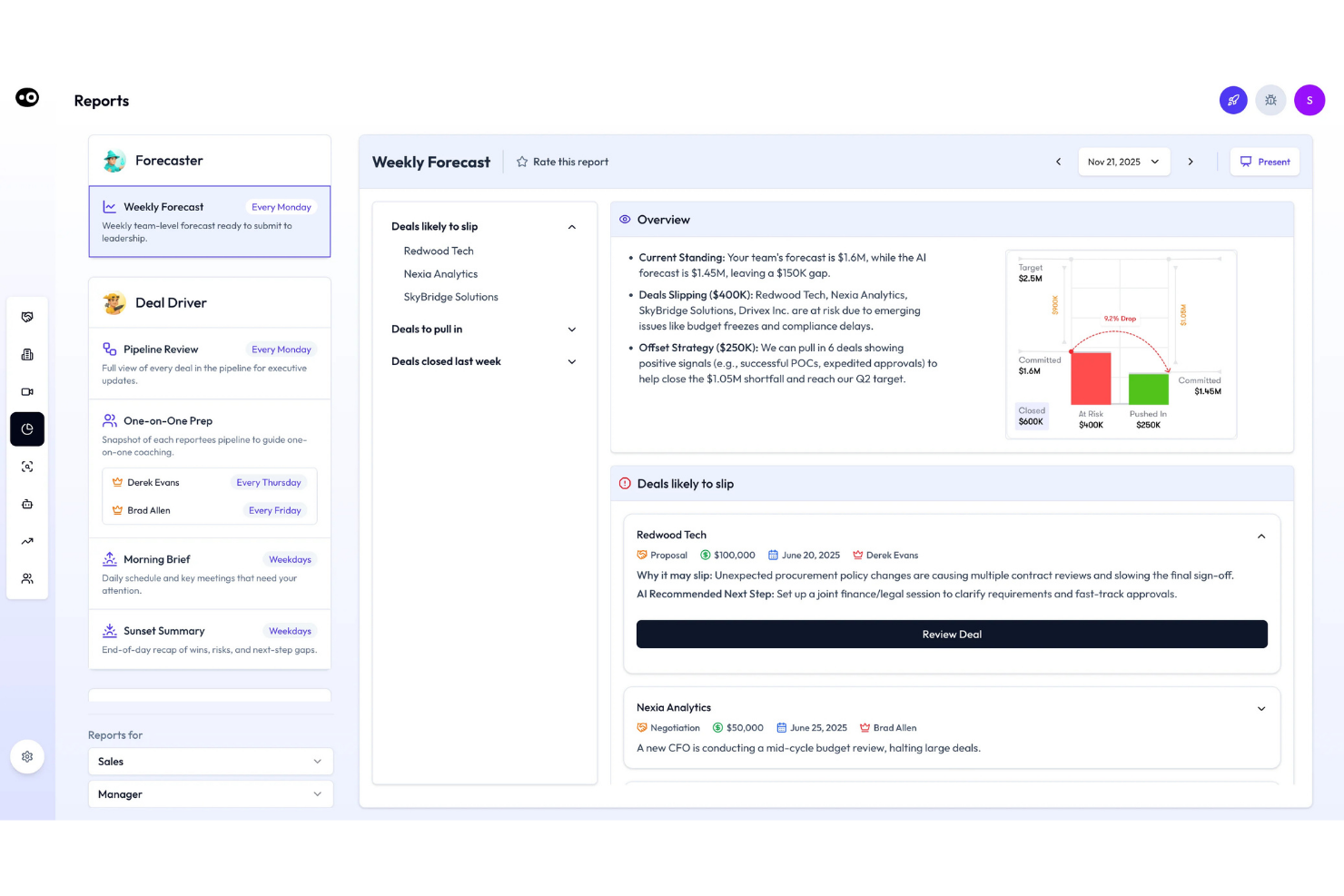
Oliv AI is designed for sales teams and managers who want to capture and analyze insights from every customer meeting. The platform uses AI to automatically record, transcribe, and summarize sales conversations, making it easier to track action items and follow-ups. If you need a tool that helps your team turn meetings into actionable data, Oliv AI is worth considering.
Who Is Oliv AI Best For?
Oliv AI is a good fit for sales teams and managers at mid-sized to large B2B companies who want automated meeting insights and follow-up tracking.
Why I Picked Oliv AI
What drew me to Oliv AI is how it uses AI to deliver actionable meeting insights and summaries right after every sales call. The platform automatically records and transcribes meetings, then generates concise summaries and highlights key action items, so nothing gets lost between conversations. I appreciate that Oliv AI can surface follow-ups and next steps without manual note-taking, which helps sales coaches and managers keep teams accountable. This focus on turning meetings into structured, searchable insights makes Oliv AI especially valuable for anyone looking to coach sales teams based on real customer interactions.
Oliv AI Key Features
Some other features I found while exploring Oliv AI include:
- Automated follow-up email drafts: The platform generates suggested follow-up emails based on meeting discussions.
- CRM data syncing: Oliv AI updates relevant CRM fields with insights and action items captured during meetings.
- Deal health monitoring: The tool tracks deal progress and flags risks or stalled opportunities using AI analysis.
- Customizable meeting templates: Teams can create and use structured templates to guide sales conversations and ensure consistency.
Oliv AI Integrations
Integrations include Salesforce, HubSpot, Zoho, Freshworks, Copper, Close, Pipedrive, Microsoft Dynamics, Gong, and Clari.
Pros and Cons
Pros:
- Saves hours of admin work
- Spots next step actions
- Perfect call summaries
Cons:
- Weak objection tracking
- Sometimes misses nuances
Other AI Sales Coach
Here are some additional ai sales coach options that didn’t make it onto my shortlist, but are still worth checking out:


AI Sales Coach Selection Criteria
When selecting the best ai sales coach to include in this list, I considered common buyer needs and pain points like surfacing actionable coaching insights from sales calls and reducing manual note-taking for sales managers. I also used the following framework to keep my evaluation structured and fair:
Core Functionality (25% of total score)
To be considered for inclusion in this list, each solution had to fulfill these common use cases:
- Record and transcribe sales calls
- Generate meeting summaries
- Identify action items and next steps
- Track sales rep performance
- Integrate with major CRM platforms
Additional Standout Features (25% of total score)
To help further narrow down the competition, I also looked for unique features, such as:
- Real-time conversation analytics
- Automated call scoring and feedback
- Sentiment analysis on transcripts
- Deal timeline visualization
- AI-driven coaching recommendations
Usability (10% of total score)
To get a sense of the usability of each system, I considered the following:
- Simple and intuitive user interface
- Easy navigation between meetings and insights
- Minimal manual data entry required
- Clear visualizations of key metrics
- Fast access to meeting recordings and notes
Onboarding (10% of total score)
To evaluate the onboarding experience for each platform, I considered the following:
- Availability of training videos and documentation
- Interactive product tours for new users
- Pre-built templates for common workflows
- Access to onboarding webinars or live sessions
- In-app chatbots for onboarding support
Customer Support (10% of total score)
To assess each software provider’s customer support services, I considered the following:
- Responsive live chat or email support
- Access to a searchable help center
- Availability of dedicated account managers
- Community forums for peer support
- Clear escalation paths for urgent issues
Value For Money (10% of total score) To evaluate the value for money of each platform, I considered the following:
- Transparent and flexible pricing plans
- Features included at each pricing tier
- Free trial or demo availability
- No hidden fees or surprise charges
- Discounts for annual or volume commitments
Customer Reviews (10% of total score)
To get a sense of overall customer satisfaction, I considered the following when reading customer reviews:
- Positive feedback on meeting insights and summaries
- Reports of improved sales coaching outcomes
- Comments on integration reliability
- User satisfaction with support responsiveness
- Feedback on ease of adoption and onboarding
How to Choose AI Sales Coach
It’s easy to get bogged down in long feature lists and complex pricing structures. To help you stay focused as you work through your unique software selection process, here’s a checklist of factors to keep in mind:
| Factor | What to Consider |
| Scalability | Will the tool support your team as you grow? Check user limits, pricing tiers, and data storage caps. |
| Integrations | Does it connect natively to your CRM, dialer, and other core systems? Confirm compatibility before shortlisting. |
| Customizability | Can you tailor workflows, coaching prompts, or reporting to your sales process? Beware of rigid templates. |
| Ease of use | Will reps and managers adopt it quickly? Look for clear navigation, minimal manual steps, and intuitive dashboards. |
| Implementation and onboarding | How long will the setup take, and what resources are required? Ask about migration support, training, and time to value. |
| Cost | Are pricing and contract terms clear? Factor in all users, add-ons, and potential overage fees. Compare total cost of ownership. |
| Security safeguards | Does the tool meet your company’s data privacy and security standards? Ask about encryption, access controls, and compliance certifications. |
| Support availability | What support channels are offered, and during what hours? Consider if you need 24/7 help or a dedicated account manager. |
What Is an AI Sales Coach?
An AI sales coach is a software tool that uses artificial intelligence to analyze sales conversations, generate meeting summaries, and surface actionable coaching insights for sales teams. These platforms automatically capture call data, identify key moments, and recommend next steps, helping managers and reps improve performance. AI sales coaches are designed to support ongoing skill development, accountability, and data-driven decision-making across the sales process.
Features of AI Sales Coach
When selecting AI sales coach, keep an eye out for the following key features:
- Call recording and transcription: Captures and transcribes sales calls automatically, making it easy to review conversations and reference details later.
- AI-generated meeting summaries: Produces concise, structured summaries of each meeting, highlighting key discussion points and decisions.
- Action item tracking: Identifies and organizes follow-ups, tasks, and next steps discussed during calls, helping teams stay accountable.
- CRM integration: Syncs call data, notes, and insights directly with your CRM, ensuring all information is centralized and accessible.
- Performance analytics: Tracks sales rep activity, conversation quality, and coaching outcomes with dashboards and reports.
- Deal timeline visualization: Maps out all interactions, notes, and milestones for each deal, giving managers a clear view of deal progression.
- Automated coaching prompts: Surfaces personalized coaching suggestions based on call analysis, helping managers deliver targeted feedback.
- Searchable conversation archive: Allows users to search past calls and meetings by keyword, topic, or participant for quick reference.
- Security and compliance controls: Protects sensitive customer data with encryption, access controls, and compliance with industry standards.
- Customizable reporting: Lets teams tailor reports and dashboards to match their unique sales processes and KPIs.
Benefits of AI Sales Coach
Implementing an AI sales coach provides several benefits for your team and your business. Here are a few you can look forward to:
- Consistent coaching quality: AI-driven insights ensure every sales rep receives actionable, data-backed feedback after each call.
- Faster onboarding for new reps: Automated meeting summaries and searchable call archives help new team members ramp up quickly.
- Improved accountability: Action item tracking and CRM integration make it easier to follow up on commitments and measure progress.
- Greater pipeline visibility: Deal timeline visualization and performance analytics give managers a clear view of deal health and team activity.
- Reduced manual work: Automated note-taking, summaries, and reporting free up time for sales reps and managers to focus on selling.
- Data-driven decision-making: Centralized analytics and customizable reports support more informed coaching and strategy adjustments.
- Enhanced data security: Built-in security and compliance controls protect sensitive customers and deal information throughout the sales process.
Costs and Pricing of AI Sales Coach
Selecting an AI sales coach requires an understanding of the various pricing models and plans available. Costs vary based on features, team size, add-ons, and more. The table below summarizes common plans, their average prices, and typical features included in ai sales coach solutions:
Plan Comparison Table for AI Sales Coach
| Plan Type | Average Price | Common Features |
| Free Plan | $0 | Basic call recording, limited meeting summaries, restricted storage, and email support. |
| Personal Plan | $15-$49/user/month | Unlimited transcriptions, AI-generated summaries, action item tracking, CRM integration, and analytics dashboard. |
| Business Plan | $50-$99/user/month | Team performance analytics, deal timeline visualization, advanced integrations, customizable reporting, and priority support. |
| Enterprise Plan | $100-$250/user/month | Custom onboarding, dedicated account manager, enhanced security controls, compliance features, and API access. |
AI Sales Coach FAQs
Here are some answers to common questions about AI sales coach:
How does an AI sales coach analyze sales calls?
An AI sales coach uses speech recognition and natural language processing to transcribe calls, identify key topics, and flag important moments. It then applies algorithms to surface insights, action items, and coaching opportunities based on the conversation content.
Can AI sales coach tools integrate with my existing CRM?
Yes, most AI sales coach tools offer integrations with popular CRMs like Salesforce and HubSpot. This allows call data, notes, and insights to sync automatically, keeping your sales records up to date and reducing manual data entry.
What data security measures do AI sales coach platforms provide?
AI sales coach platforms typically use encryption, access controls, and compliance certifications to protect sensitive data. Always confirm that a tool meets your company’s security standards and regulatory requirements before implementation.
Do AI sales coach solutions work for remote or hybrid sales teams?
Yes, AI sales coach solutions are designed to support remote, hybrid, and in-office teams. They capture and analyze calls from any location, making it easy for managers to coach and monitor reps regardless of where they work.
How long does it take to implement an AI sales coach tool?
Implementation time varies, but most platforms offer onboarding resources like training videos, product tours, and support to help teams get started quickly. For small teams, setup can take a few days; larger organizations may need a few weeks for full rollout.