
20 Best AI Proposal Software Reviewed in 2026

Best AI Proposal Software Shortlist
Here’s my shortlist of the best AI proposal software:


The daily grind of proposal writing—drafting, updating details, and chasing approvals—can consume your day. When you’re juggling revenue operations, even small tasks can pile up fast. That’s why AI-powered proposal tools that automate the creation, tracking, and management of proposals can reclaim significant time. They take care of the repetitive parts so you can focus on strategy, follow-ups, and closing deals.
I’ve spent time testing different proposal tools to see which ones actually deliver. In my experience, the right features, such as smooth CRM integration for accurate data, smart content suggestions, and clean collaboration, can dramatically improve the way you build proposals.
In this list, you’ll find the AI proposal software that stood out for performance, clarity, and ease of use. I’ll walk you through what each tool does well and where it may fall short, so you can choose the one that fits your workflow.
Why Trust Our Software Reviews
Best AI Proposal Software Summary
This comparison chart summarizes pricing details for my top AI proposal software selections to help you find the best one for your budget and business needs.
| Tool | Best For | Trial Info | Price | ||
|---|---|---|---|---|---|
| 1 | Best for compliance tracking | 7-day free trial available | From $8/month | Website | |
| 2 | Best for proposal analytics | 14-day free trial | From $29/user/month (billed annually) | Website | |
| 3 | Best for RFP automation | Free demo available | Pricing upon request | Website | |
| 4 | Best for ease of use | 14-day free trial | From $19/user/month | Website | |
| 5 | Best for team collaboration | 14-day free trial | From $19/user/month | Website | |
| 6 | Best for design templates | Free plan available | From $10/month (billed annually) | Website | |
| 7 | Best for interactive proposals | Free demo available | From $17.40/month (billed annually) | Website | |
| 8 | Best for freelancers | Free plan available | From $7.60/month (billed annually) | Website | |
| 9 | Best for content generation | Free demo available | Pricing upon request | Website | |
| 10 | Best for bid management | Free demo available | From $899/month (billed annually) | Website |
-

Prisync
Visit WebsiteThis is an aggregated rating for this tool including ratings from Crozdesk users and ratings from other sites.4.7 -
Expedite Commerce
Visit Website -
QuickBooks Online
Visit WebsiteThis is an aggregated rating for this tool including ratings from Crozdesk users and ratings from other sites.4





Best AI Proposal Software Review
Below are my detailed summaries of the best AI proposal software that made it onto my shortlist. My reviews offer a detailed look at the key features, pros & cons, integrations, and ideal use cases of each tool to help you find the best one for you.
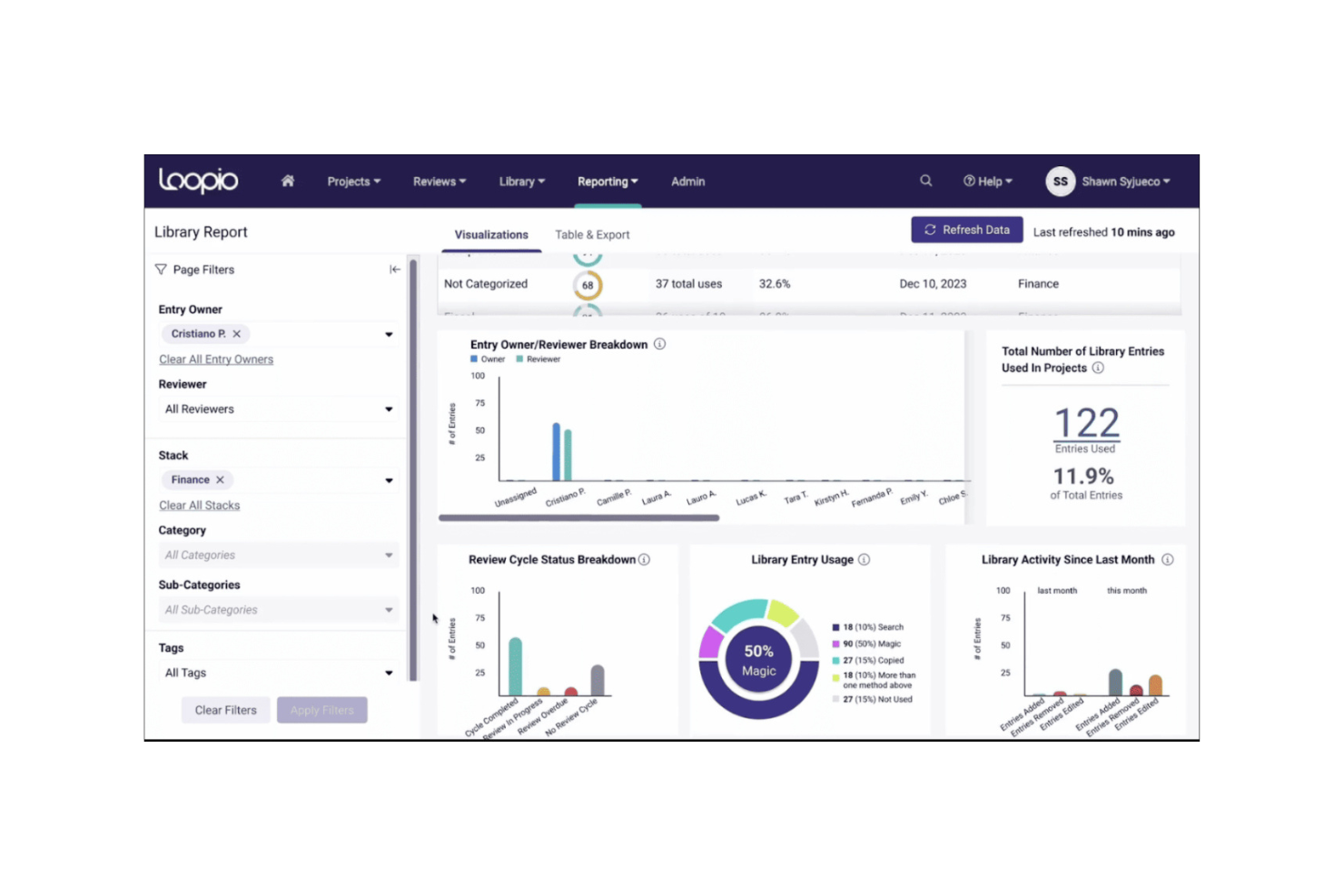
Loopio is a proposal management software designed for teams that need to handle complex RFPs and security questionnaires. It primarily serves sales and proposal teams by tightening up their response processes and ensuring compliance with industry standards.
Why I picked Loopio: The tool excels in compliance tracking, making it ideal for industries with strict regulatory requirements. Its AI features include automated checks to ensure your responses align with common security and privacy requirements (like SOC 2 or ISO 27001), minimizing manual review. Loopio's collaborative workspace allows your team to work together efficiently, reducing the time spent on each proposal. These capabilities make it a valuable tool for teams aiming to improve their RFP response rate and quality.
Standout Features & Integrations:
Features include a searchable content library that acts as a single source of truth for pre-approved answers, a "Magic" AI response automation that can auto-fill up to 60% of a first draft by pulling from a company's library of past responses, and Content Recommendations that scan answers and flag hard-to-read elements like long sentences, long paragraphs, and over-reliance on passive voice to improve clarity and impact.
Integrations include Salesforce, Microsoft Dynamics, Slack, Google Workspace, Microsoft Office 365, Box, Dropbox, SharePoint, SAP, and HubSpot.
Pros and Cons
Pros:
- Supports team collaboration
- Efficient content management
- Strong compliance tracking capabilities
Cons:
- May require ongoing training
- Can be complex to set up
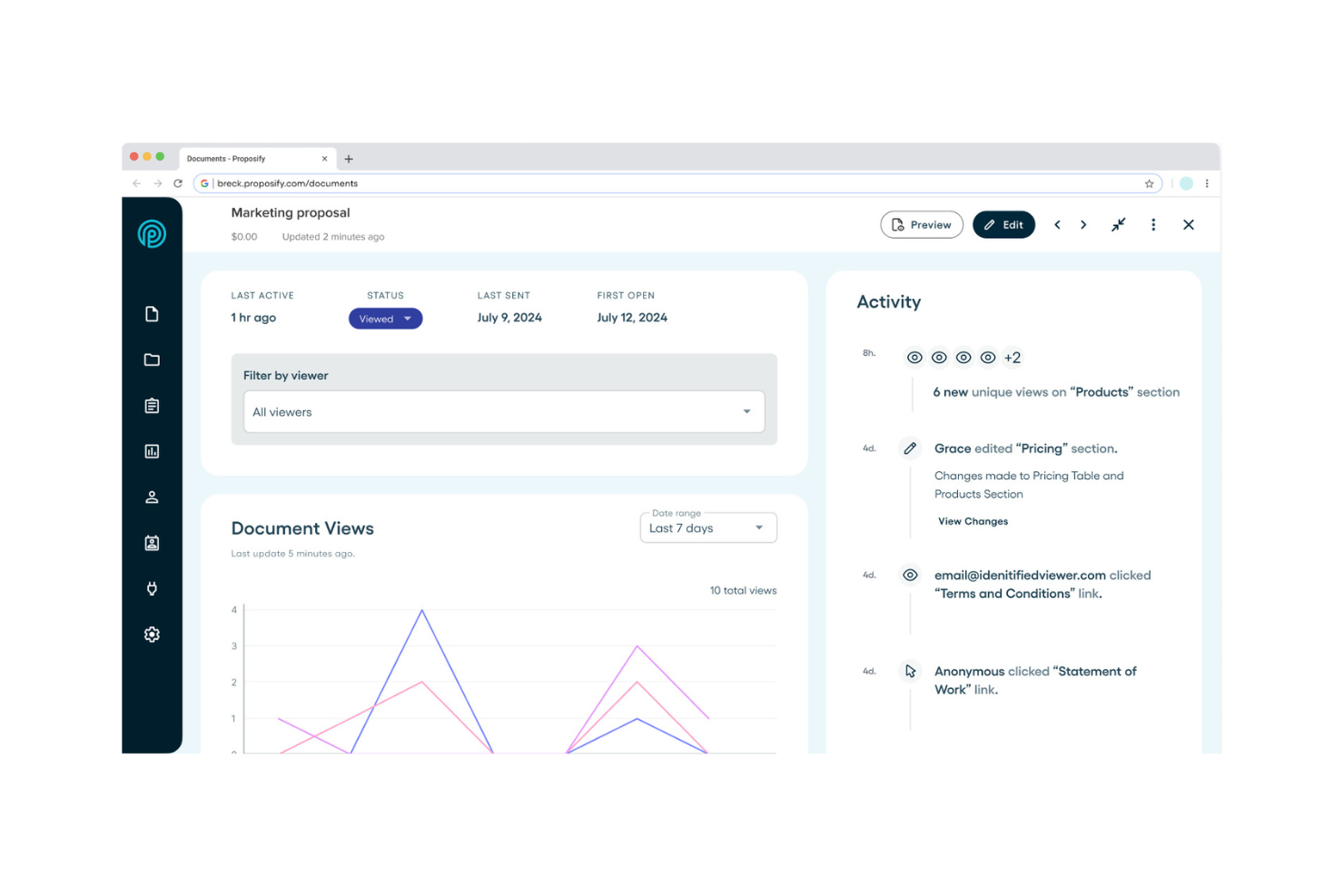
Proposify is a proposal management software designed for sales and marketing teams to create, track, and manage proposals efficiently. The platform integrates with project management tools to keep your proposal workflow aligned with broader team initiatives. It leverages AI capabilities to analyze proposal engagement data, helping users see exactly which pages a client spent the most time on, allowing you to reference those sections specifically in your follow-up communication.
Why I picked Proposify: The tool excels in providing detailed, AI-powered proposal analytics, setting it apart from other solutions. Its AI features include real-time tracking of proposal interactions, which deepens your understanding of client engagement, helping you refine your approach and improve closure rates.
Proposify’s deep CRM integration means proposal analytics are automatically linked to specific deals, giving you a clear view of how proposal engagement influences your sales pipeline. For instance, data shows that teams using AI-powered analytics can see a 50% higher win rate by understanding what content resonates with prospects.
Standout Features & Integrations:
Features include a drag-and-drop editor for easy proposal creation, a centralized, searchable database of pre-approved, branded content (e.g., proposal clauses, case studies, product descriptions), and eSignature capabilities to accelerate deal closures.
Integrations include Asana, ActiveCampaign, Airtable, Basecamp, Dropbox, Google Drive, Gmail, Hubspot, Mailchimp, Microsoft Teams, and Monday.com.
Pros and Cons
Pros:
- Easy CRM integration
- Customizable proposal templates
- Real-time engagement insights
Cons:
- Learning curve for new users
- Limited offline access

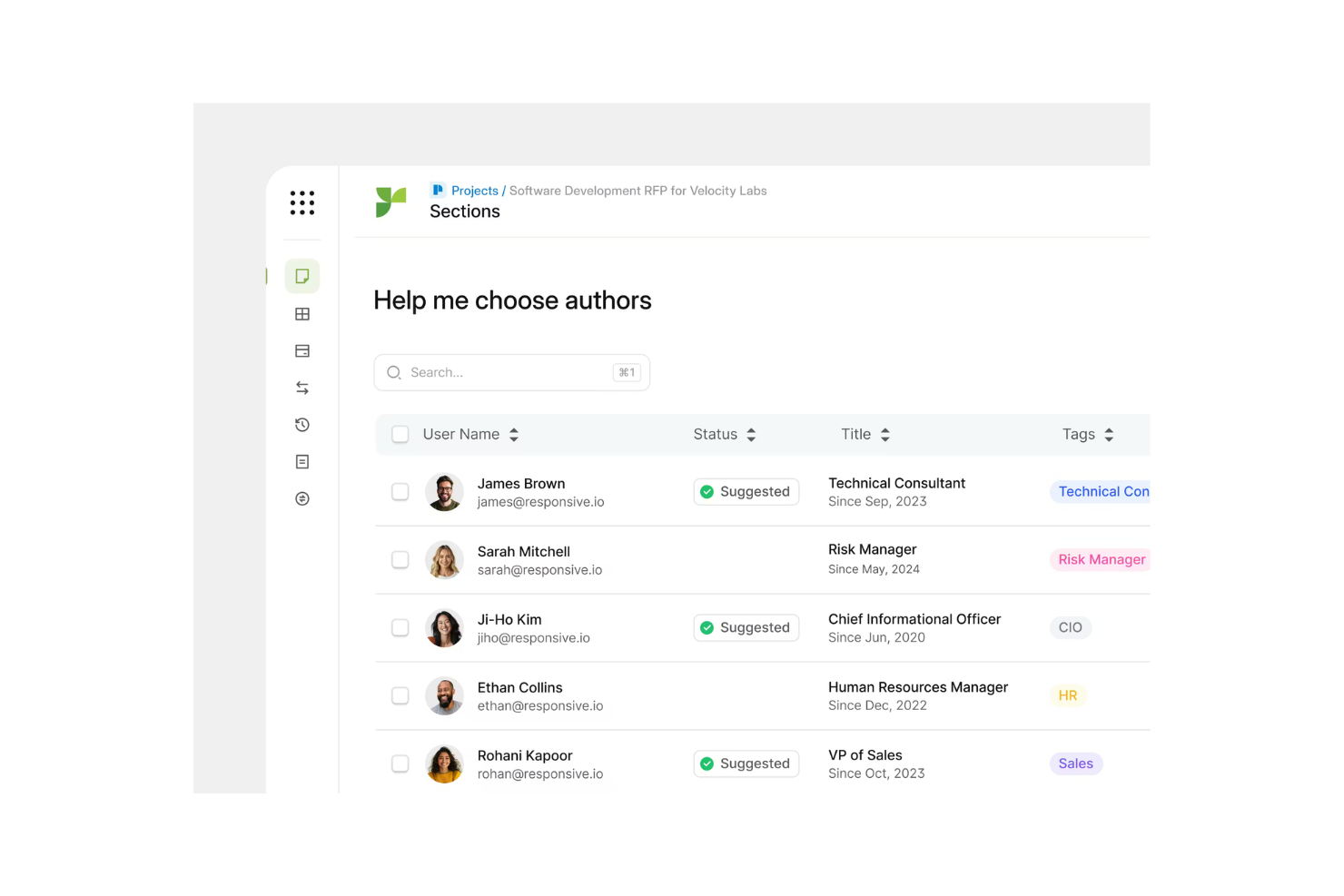
Responsive is an AI-driven proposal software tailored for organizations needing to standardize and refine their Request for Proposal (RFP) processes. It serves procurement and sales teams by automating content creation and enhancing response accuracy.
Why I picked Responsive: The tool excels in automating RFP responses, which is critical for teams handling high volumes of proposals. Its AI features include automated content suggestions. The system learns from your team's past approvals and edits to RFP answers, increasingly suggesting your most vetted and approved content for similar future questions. These capabilities make it a top choice for businesses needing efficient RFP management. You'll find that its focus on automation significantly reduces the time spent on manual tasks.
Standout Features & Integrations:
Features include a centralized content library and an intuitive interface. The system learns from your team's past approvals and edits to RFP answers, increasingly suggesting your most vetted content for similar future questions.
Integrations include Salesforce, Microsoft Dynamics, Slack, Google Workspace, Microsoft Office 365, Dropbox, OneDrive, SharePoint, and Box.
Pros and Cons
Pros:
- Centralized content management
- Adaptive learning improves responses
- Automates repetitive RFP tasks
Cons:
- Limited customization for niche industries
- May require initial setup time

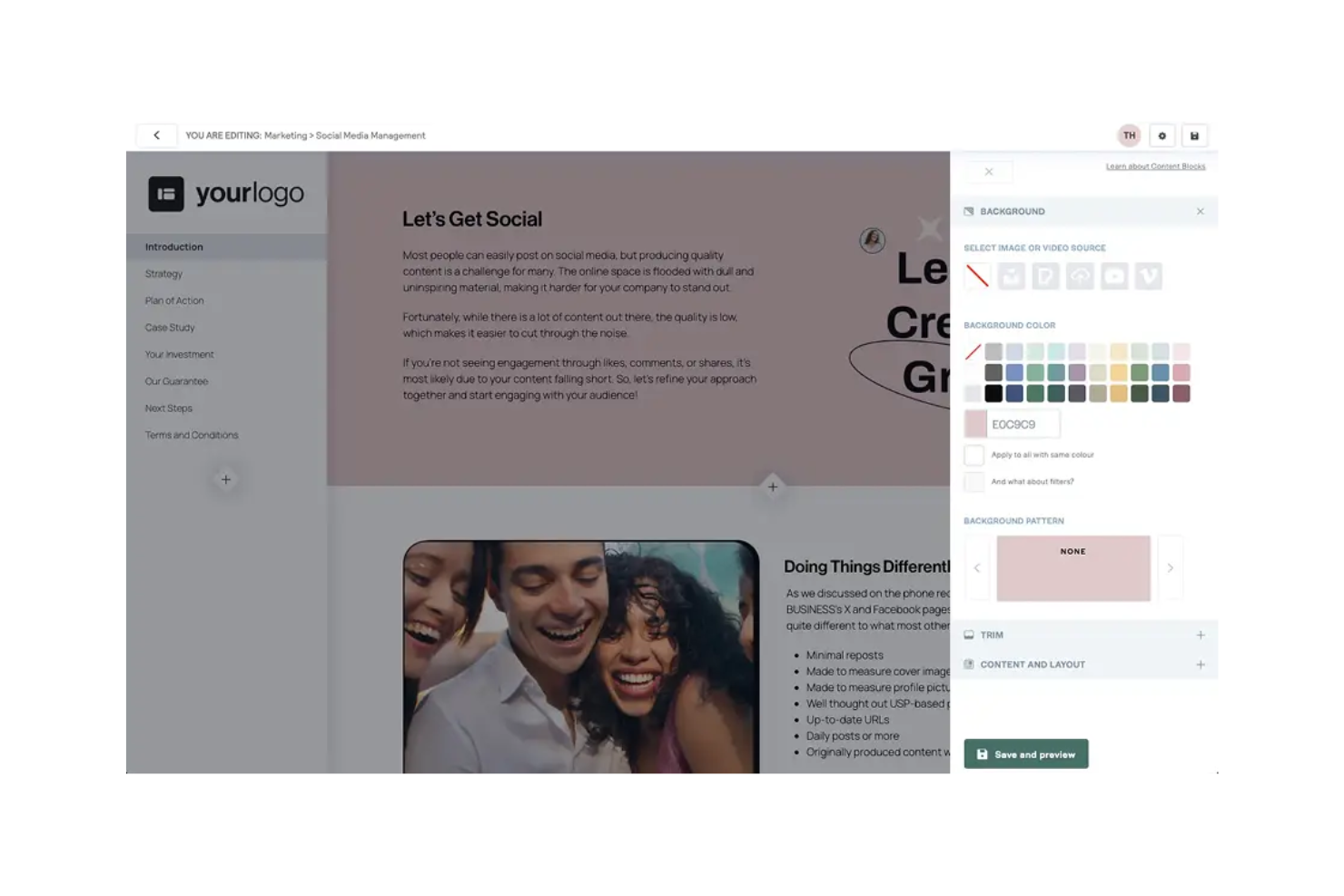
Better Proposals is an online proposal software designed for businesses of all sizes, focusing on simplifying the proposal creation process. It offers AI-driven tools to help users create visually appealing and professional proposals quickly.
Why I picked Better Proposals: The tool is known for its user-friendly interface, making it accessible for those who want to create proposals without a steep learning curve. Its AI features include pre-designed, industry-specific templates (e.g., for consulting, web design) and suggests pre-written clauses or sections based on the template you select, which help you craft proposals efficiently.
The platform's design tools enhance the visual appeal of your documents, and its ability to pull live data from your CRM ensures client names and company details are always accurate. These features are ideal for teams looking for a straightforward solution to proposal creation.
Standout Features & Integrations:
Features include a drag-and-drop editor that simplifies design, real-time notifications that keep you updated on proposal interactions, and analytics that provide insights into client engagement.
Integrations include Salesforce, HubSpot, Stripe, PayPal, Zapier, Xero, QuickBooks, Pipedrive, Slack, and Trello.
Pros and Cons
Pros:
- Real-time proposal tracking
- Visually appealing templates
- Easy to learn and use
Cons:
- Fewer features for large enterprises
- Limited advanced customization
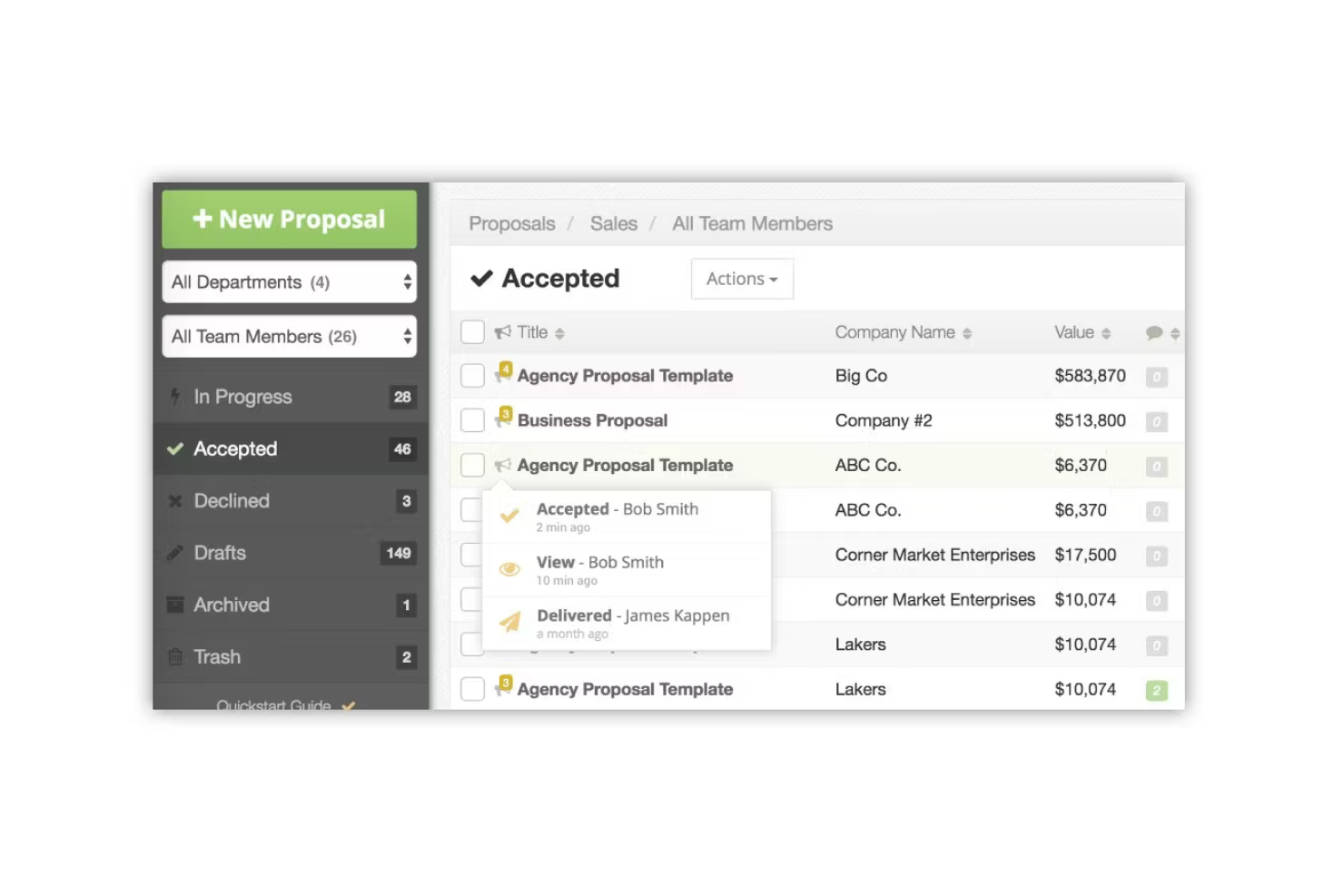
Proposable is a proposal management software designed for sales teams to create, track, and manage proposals. It supports collaboration among team members, enhancing the proposal creation process with AI features.
Why I picked Proposable: The tool is ideal for teams that need to work together on proposals. Its AI features include real-time collaboration tools and analytics that provide insights into proposal performance. Proposable's interactive proposal templates help you engage clients more effectively. These features make it a strong option for teams aiming to improve their proposal processes and outcomes.
Standout Features & Integrations:
Features include customizable proposal templates that fit various business needs, real-time notifications that keep you updated on client interactions, and analytics that help you track proposal success.
Integrations include Salesforce, HubSpot, QuickBooks, Xero, Stripe, PayPal, Zapier, Slack, Dropbox, and Google Drive.
Pros and Cons
Pros:
- Real-time client interaction tracking
- Interactive proposal templates
- Supports team collaboration
Cons:
- Limited control and customizability compared to some competitors
- May not be cost-efficient for small usage

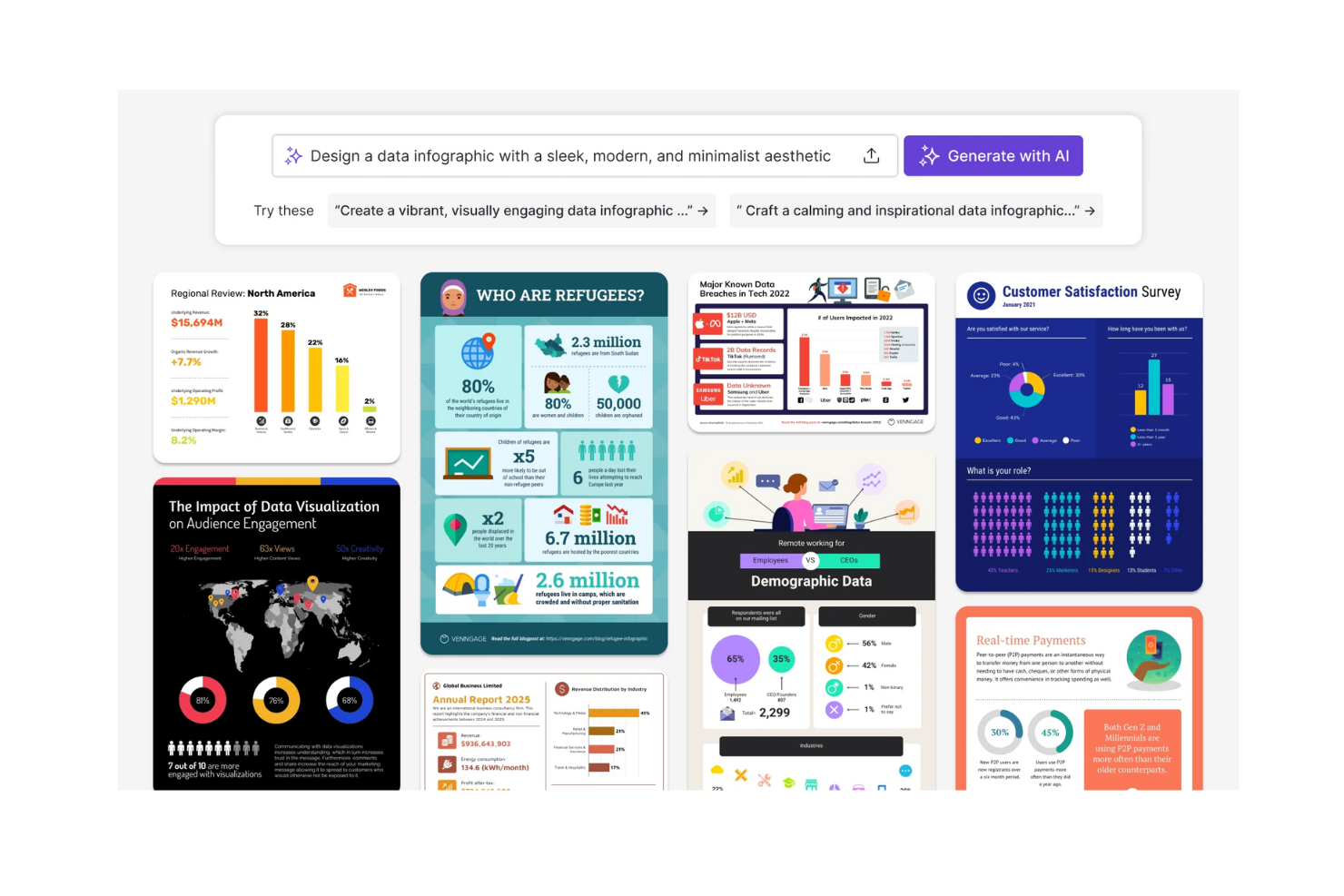
Venngage is a design platform that helps businesses create professional infographics, reports, and presentations. It is widely used by marketing teams and educators who need visually appealing content with minimal design skills.
Why I picked Venngage: The platform offers a vast library of design templates that cater to different industries and purposes. Its AI tools can analyze your brand's logo and automatically recommend complementary color schemes and font pairings to maintain visual consistency, enhancing the impact of your projects. Venngage's user-friendly interface makes it easy to customize templates, ensuring your content stands out. These features make it ideal for teams that need to produce high-quality visuals quickly.
Standout Features & Integrations:
Features include a drag-and-drop editor for easy customization, access to a vast library of icons and images, and collaborative tools that allow team members to work on projects together.
Integrations include HubSpot, Google Drive, Dropbox, Slack, Microsoft Teams, Canva, Salesforce, Mailchimp, Asana, and Trello.
Pros and Cons
Pros:
- Collaborative design tools
- Easy customization options
- Extensive template library
Cons:
- Can be slow with large files
- Limited advanced design features

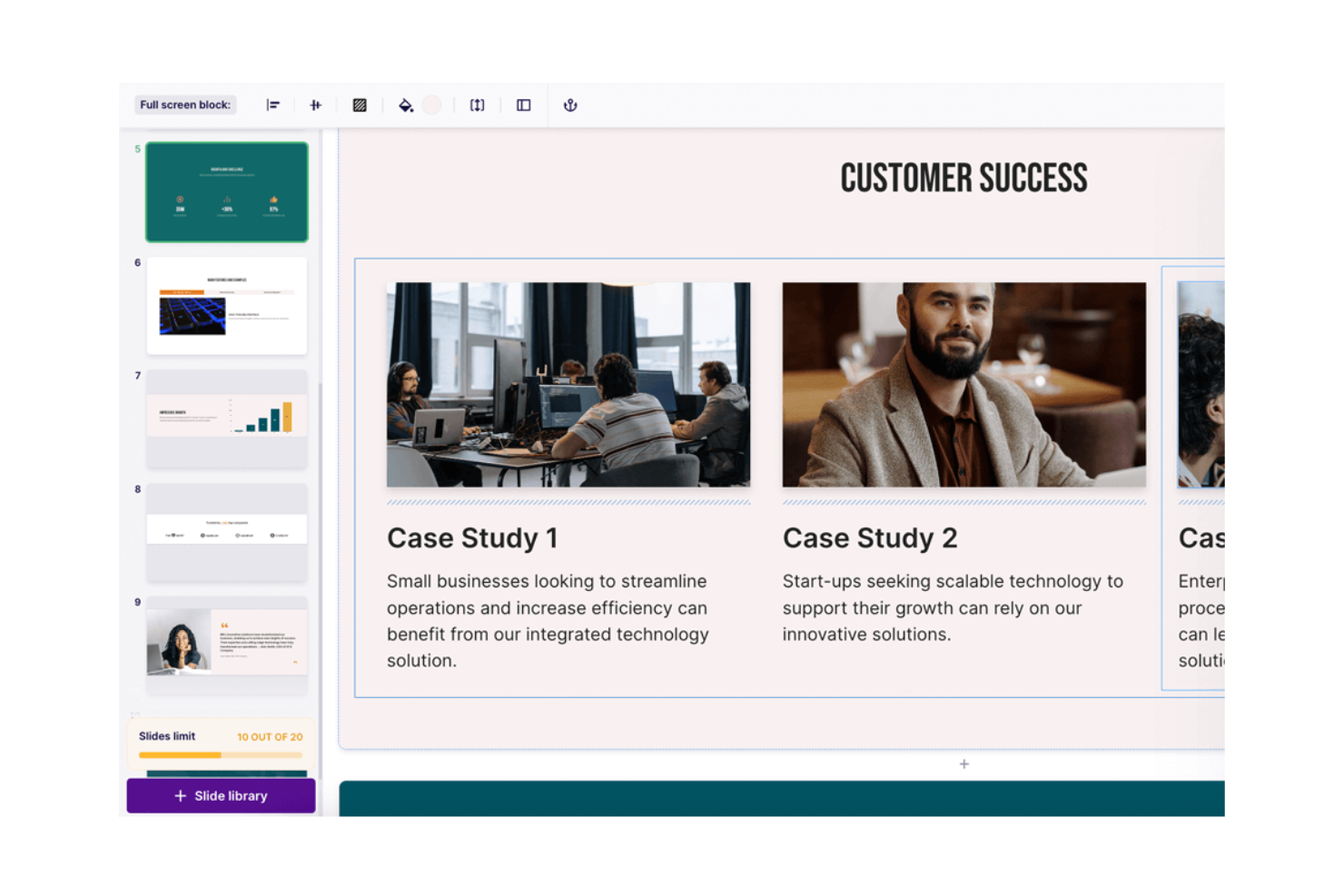
Storydoc is a proposal software that focuses on creating interactive and engaging documents for sales and marketing teams. It offers AI-powered tools to enhance storytelling and make proposals more dynamic and appealing.
Why I picked Storydoc: The tool's emphasis on interactivity sets it apart by transforming static proposals into engaging narratives. Its AI features allow you to embed live, interactive elements like clickable calculators, embedded scheduling, or video explainers that let clients customize pricing or book a meeting directly from the proposal, helping you tailor proposals to your audience's preferences.
The platform also supports multimedia integration, allowing you to embed videos and animations. These capabilities make Storydoc ideal for teams looking to captivate their audience with visually engaging proposals.
Standout Features & Integrations:
Features include a storytelling editor that guides you through creating compelling narratives, templates that are adaptive to different industries, and analytics that track audience engagement with your proposals.
Integrations include HubSpot, Salesforce, Slack, Microsoft Teams, Calendly, and Pipedrive
Pros and Cons
Pros:
- Real-time engagement tracking
- Multimedia integration options
- Engaging storytelling capabilities
Cons:
- Advanced features like custom fonts or CNAME cost extra
- May take time to master full functionality
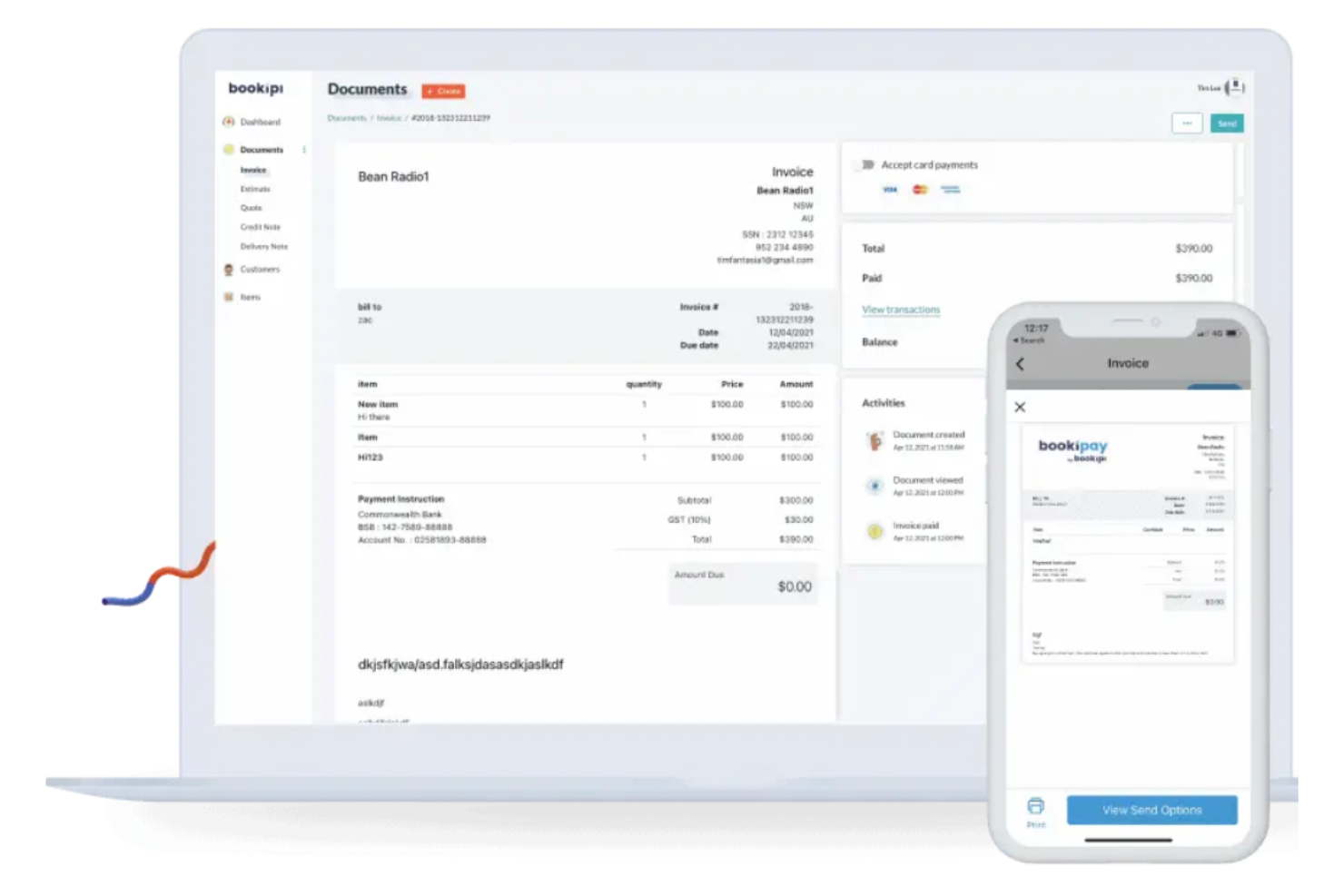
Bookipi is an invoicing and proposal software tailored for freelancers and small business owners who need straightforward financial and proposal management. It offers AI capabilities that optimize the creation of invoices and proposals.
Why I picked Bookipi: The tool is designed specifically for freelancers, making it easy to manage proposals and invoices without complex features. It uses a conversational chat interface where you describe your project (e.g., “website redesign for $3,000”), and it auto-fills a proposal draft with that information. Bookipi's mobile app ensures you can handle your business on the go. These features make it a practical choice for freelancers needing efficient financial management.
Standout Features & Integrations:
Features include a mobile app that lets you create and send invoices from anywhere, a dashboard that provides an overview of your finances, and customizable templates that suit various business needs.
Integrations include Stripe, PayPal, Square, QuickBooks, Xero, Google Drive, Dropbox, Slack, Trello, and Asana.
Pros and Cons
Pros:
- Quick proposal generation
- Mobile app for on-the-go management
- Ideal for freelancers and small businesses
Cons:
- Basic customization options
- Limited advanced functionality for complex sales cycles

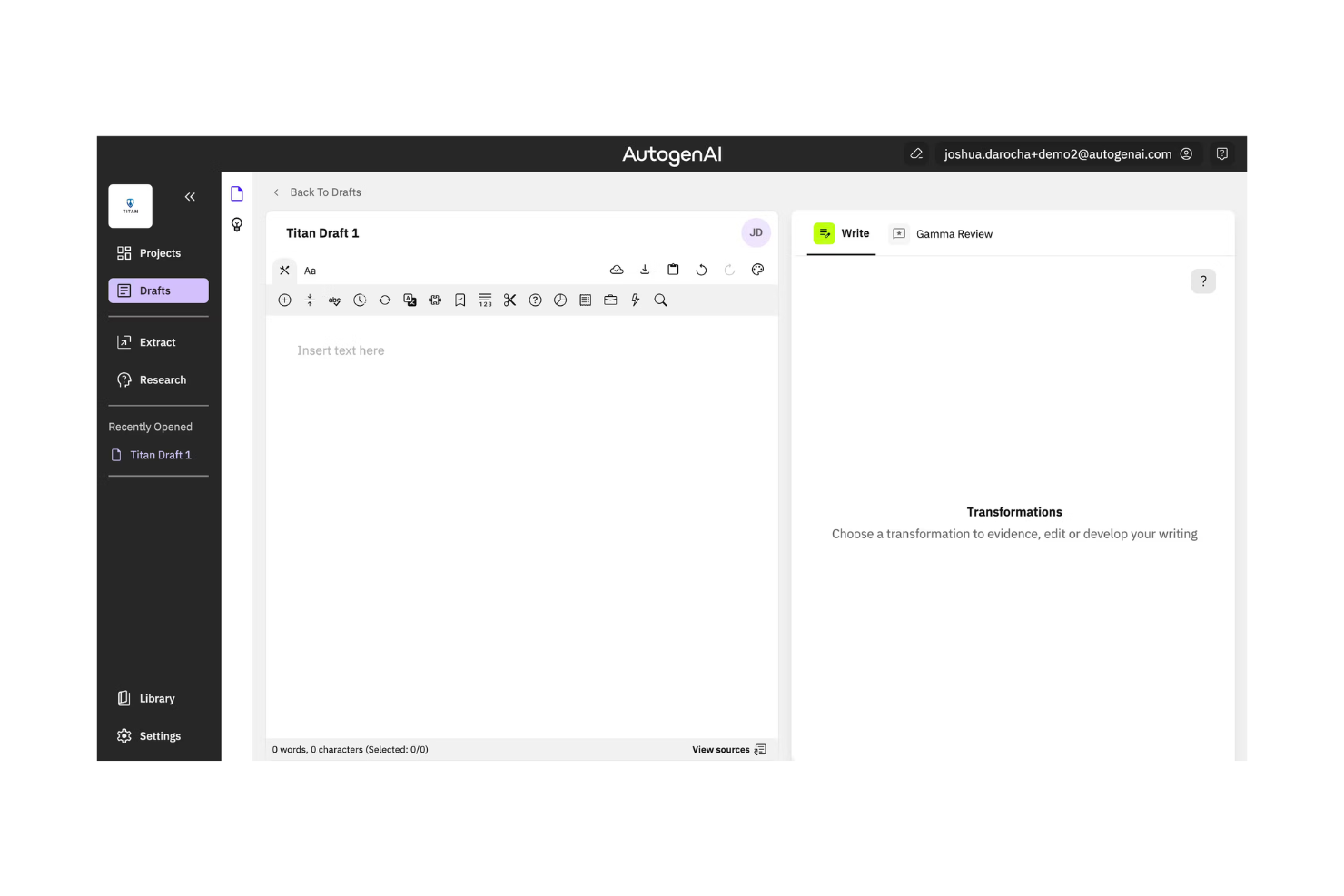
AutogenAI is a content generation platform designed for businesses that need to create large volumes of text quickly and efficiently. It primarily serves marketing and sales teams by automating the creation of engaging and relevant content using AI.
Why I picked AutogenAI: The tool excels in accelerating the proposal writing process by generating high-quality, on-brand text, making it a valuable asset for teams that need to produce drafts efficiently. Its AI capabilities analyze your past winning proposals to mimic your company's brand voice and successfully-used phrasing when generating new content for similar bids. AutogenAI's ability to adapt content based on user feedback enhances its value. These features make it ideal for teams focused on content creation at scale.
Standout Features & Integrations:
Features include customizable templates that fit various industries, a user-friendly interface that simplifies content creation, and analytics that track which clients opened your proposal, how much time they spent on each page, and when they viewed your pricing, so you know the best time to follow up.
Integrations include Salesforce, HubSpot, Slack, Google Workspace, Microsoft Office 365, Dropbox, Box, Asana, Trello, and Microsoft Teams.
Pros and Cons
Pros:
- Adaptive learning capabilities
- Customizable templates
- Fast content generation
Cons:
- May require initial setup time
- Limited creative control
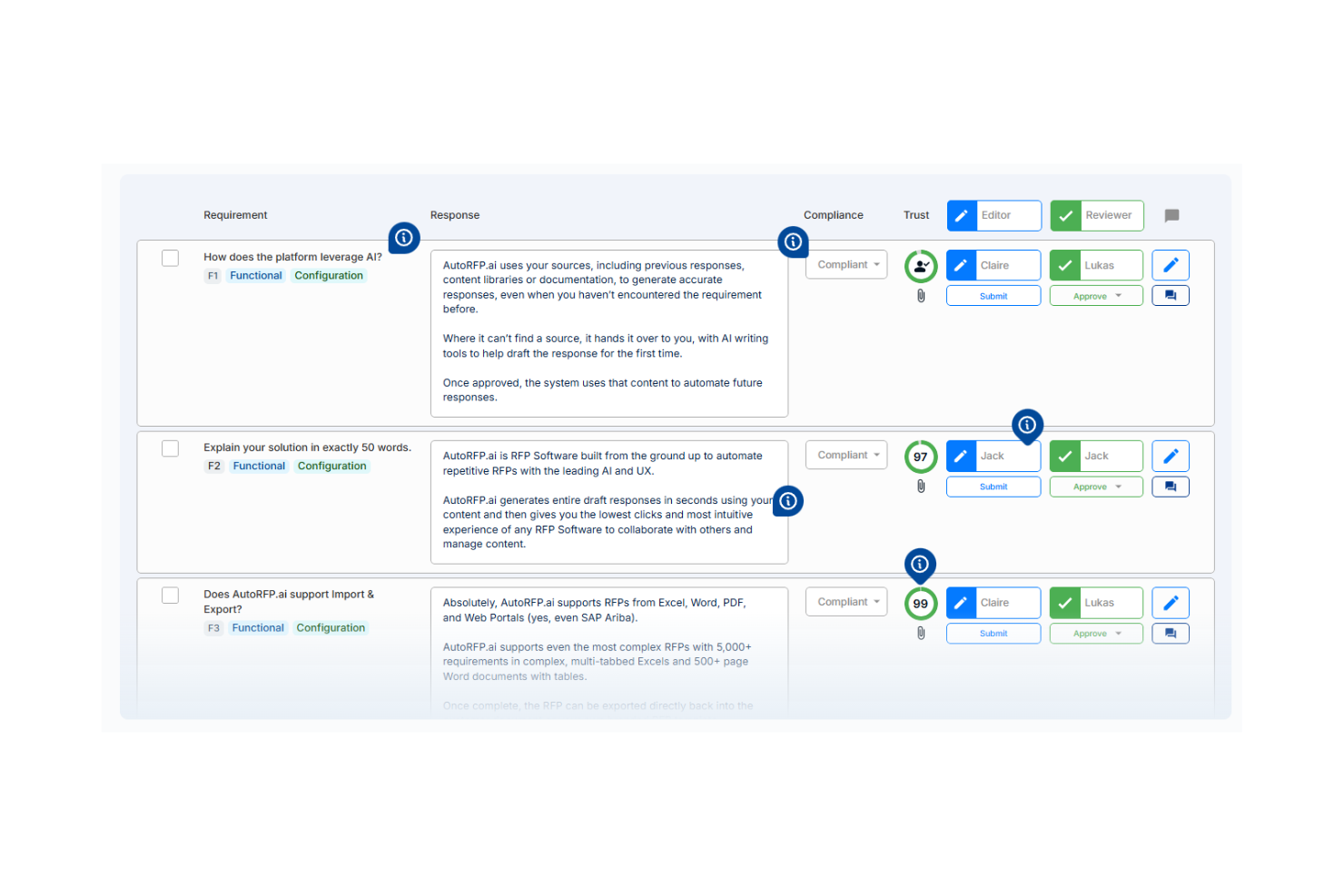
AutoRFP.ai is an AI-powered platform designed for bid management and proposal automation, primarily used by procurement and sales teams. It simplifies the proposal process by automating content creation and improving response accuracy with AI-driven insights.
Why I picked AutoRFP.ai: The tool is tailored for efficient bid management, offering features that automate repetitive tasks and enhance proposal quality. Its AI capabilities include automated content suggestions and real-time editing, which help you craft precise and relevant proposals. The software also provides analytics to track proposal performance, ensuring your bids are on target. This focus on automation and analytics makes it a strong choice for teams managing multiple bids.
Standout Features & Integrations:
Features include a user-friendly dashboard that offers a clear overview of all active bids, a content library for storing and reusing proposal materials, and highlights potential inconsistencies in your answers, identifying missing information based on the RFP requirements and offering suggestions based on where your past winning proposals were strongest.
Integrations include Salesforce, Microsoft Dynamics, HubSpot, Slack, Google Workspace, Microsoft Office 365, Box, Dropbox, SharePoint, and SAP.
Pros and Cons
Pros:
- Strong analytics capabilities
- Real-time proposal editing
- Efficient bid management tools
Cons:
- May require training for best use
- Initial setup can be complex
Other AI Proposal Software
Here are some additional AI proposal software options that didn’t make it onto my shortlist, but are still worth checking out:
- Vultron.AI
For AI-driven insights
- Joist AI
For small contractors
- GetAccept
For sales engagement
- Prospero
For freelance proposals
- Jasper AI
For diverse content creation
- Copy AI
For creative content generation
- DeepRFP
For RFP response accuracy
- Unanet ProposalAI
For government contractors
- Proposally.ai
For automated document generation
- QorusDocs
For document collaboration


AI Proposal Software Selection Criteria
When selecting the best AI proposal software to include in this list, I considered common buyer needs and pain points like improving proposal turnaround time and enhancing proposal personalization. I also used the following framework to keep my evaluation structured and fair:
Core Functionality (25% of total score)
To be considered for inclusion in this list, each solution had to fulfill these common use cases:
- Create professional proposals
- Automate proposal workflows
- Track proposal status
- Collaborate with team members
- Integrate with CRM systems
Additional Standout Features (25% of total score)
To help further narrow down the competition, I also looked for unique features, such as:
- AI-driven content suggestions
- Real-time analytics and insights
- Interactive proposal elements
- Customizable design templates
- Advanced compliance tracking
Usability (10% of total score)
To get a sense of the usability of each system, I considered the following:
- Intuitive user interface
- Easy navigation
- Customization options
- Learning curve
- Mobile accessibility
Onboarding (10% of total score)
To evaluate the onboarding experience for each platform, I considered the following:
- Availability of training videos
- Access to templates
- Interactive product tours
- Supportive chatbots
- Webinars and workshops
Customer Support (10% of total score)
To assess each software provider’s customer support services, I considered the following:
- 24/7 availability
- Response time
- Help center resources
- Personalized support options
- Community forums
Value For Money (10% of total score)
To evaluate the value for money of each platform, I considered the following:
- Competitive pricing
- Feature set for the price
- Scalability of pricing plans
- Discounts for long-term contracts
- Free trial availability
Customer Reviews (10% of total score)
To get a sense of overall customer satisfaction, I considered the following when reading customer reviews:
- Overall satisfaction ratings
- Consistency of positive feedback
- Commonly mentioned issues
- Recommendations by users
- Feedback on feature updates
How to Choose AI Proposal Software
It’s easy to get bogged down in long feature lists and complex pricing structures. To help you stay focused as you work through your unique software selection process, here’s a checklist of factors to keep in mind:
| Factor | What to Consider |
|---|---|
| Scalability | Will the software grow with your team? Check if it supports increasing volumes of proposals and users without a hitch. |
| Integrations | Does it connect with your existing tools? Make sure it integrates with your CRM, email, and other essential systems to prevent workflow disruptions. |
| Customizability | Can you tailor its functionality to match your specific proposal and approval processes? Look for options to customize templates, user roles, and approval processes to match your business needs. |
| Ease of Use | Is the interface intuitive? Evaluate if your team can quickly learn and navigate it without extensive training or technical support. |
| Implementation and Onboarding | How smooth is the setup process? Assess the time needed for installation, initial configuration, and training materials provided by the vendor. |
| Cost | Does it fit your budget? Compare the pricing plans, including hidden fees or extra costs for additional features or users. |
| Security Safeguards | Are your proposals secure? Confirm the software uses encryption and complies with data protection standards to safeguard sensitive information. |
| Compliance Requirements | Does it meet industry standards? Ensure it adheres to legal and regulatory requirements specific to your industry, such as HIPAA or GDPR. |
What Is AI Proposal Software?
AI proposal software is a tool that automates and enhances the proposal creation process using artificial intelligence. It's typically used by sales teams, marketers, and business development professionals to improve efficiency and accuracy in their proposals.
Features like automated content generation, real-time analytics, and smart template customization help with creating tailored proposals quickly and effectively. These tools add value by saving time, reducing errors, and improving the chances of winning bids.
Features
When selecting AI proposal software, keep an eye out for the following key features:
- AI-powered content generation: Uses AI to create proposal text quickly, saving time and ensuring consistency.
- Real-time analytics: Provides insights into proposal engagement, helping you refine and improve future proposals.
- Smart template customization: Allows easy modification of templates to fit specific client needs, enhancing personalization.
- AI-driven insights: Offers data-backed recommendations to optimize proposal strategies and increase win rates.
- Interactive proposal elements: Engages recipients with multimedia, making proposals more compelling and memorable.
- Compliance tracking: Ensures proposals meet industry standards and regulations, minimizing risk.
- Collaborative tools: Facilitates teamwork by allowing multiple users to work on proposals simultaneously.
- Content library: Stores reusable proposal components, speeding up the creation process and maintaining consistency.
- eSignature integration: Enhances and accelerates the approval process by enabling digital signing directly within the proposal.
- Security safeguards: Protects sensitive data with encryption and compliance with data protection standards.
Benefits
Implementing AI proposal software provides several benefits for your team and your business. Here are a few you can look forward to:
- Faster proposal writing: AI-powered content generation and automated formatting cut down the time spent on drafting and designing proposals from hours to minutes.
- Improved accuracy: AI-driven insights reduce errors and enhance the precision of your proposals.
- Enhanced personalization: Smart template customization allows you to tailor proposals to specific client needs.
- Better engagement: Interactive proposal elements make your proposals more engaging and memorable.
- Increased win rates: Real-time analytics provide feedback that helps you refine strategies and improve success.
- Regulatory compliance: Compliance tracking ensures your proposals meet industry standards and regulations.
- Collaboration: Collaborative tools enable your team to work together efficiently on proposals.
Costs and Pricing
Selecting AI proposal software requires an understanding of the various pricing models and plans available. Costs vary based on features, team size, add-ons, and more. The table below summarizes common plans, their average prices, and typical features included in AI proposal software solutions:
Plan Comparison Table for AI Proposal Software
| Plan Type | Average Price | Common Features |
| Free Plan | $0 | Basic proposal creation, limited template access, and basic analytics. |
| Personal Plan | $10-$30/user/month | Unlimited proposals, customizable templates, basic integrations, and basic support. |
| Business Plan | $30-$60/user/month | Advanced analytics, team collaboration tools, CRM integrations, and priority support. |
| Enterprise Plan | $60-$120/user/month | Advanced security features, dedicated account manager, API access, and custom training. |
AI Proposal Software FAQs
Here are some answers to common questions about AI proposal software:
How does AI improve proposal accuracy?
AI improves proposal accuracy by using algorithms to analyze data and suggest relevant content. It can identify patterns and errors in previous proposals, helping you avoid mistakes and enhance the quality of your submissions. By learning from past successes and failures, AI tools can guide you in crafting more precise and effective proposals. This leads to higher win rates and more satisfied clients.
Can AI proposal software integrate with my existing tools?
Yes, most AI proposal software can integrate with common tools like CRMs, email platforms, and document management systems. Check the compatibility of the software with your current tech stack to ensure a smooth workflow. Integration allows for logical, smooth data sharing and can enhance your team’s productivity by reducing manual data entry and improving communication.
What should I consider when evaluating AI proposal software security?
When evaluating security, consider whether the software uses encryption to protect data and complies with industry standards like GDPR or HIPAA. Look for features like two-factor authentication and regular security updates. Ensuring strong security measures protects sensitive client information and maintains your business’s reputation. Always ask vendors about their security protocols and any certifications they hold.
Is AI proposal software suitable for small businesses?
Yes, AI proposal software can be suitable for small businesses, offering features that save time and improve proposal quality. Many solutions offer scalable pricing plans that fit smaller budgets. These tools can help small teams automate repetitive tasks, allowing them to focus on strategic activities. By enhancing efficiency and accuracy, AI proposal software supports growth and competitiveness in the market.
How do I measure the ROI of AI proposal software?
Measure ROI by evaluating time saved, proposal win rates, and client satisfaction improvements. Track how much faster your team can create proposals and the increase in successful bids. Consider client feedback and any reduction in errors or revisions. Calculating these metrics helps you understand the software’s impact on your business and justify the investment to stakeholders.
What’s Next:
If you're in the process of researching AI proposal software, connect with a SoftwareSelect advisor for free recommendations.
You fill out a form and have a quick chat where they get into the specifics of your needs. Then you'll get a shortlist of software to review. They'll even support you through the entire buying process, including price negotiations.