

Las 10 mejores alternativas a Pipedrive en 2026

Mejores alternativas a Pipedrive


Pipedrive es una popular herramienta de CRM diseñada para ayudar a los equipos de ventas a gestionar clientes potenciales, realizar un seguimiento de las comunicaciones y automatizar los procesos de ventas, ya que ofrece una interfaz intuitiva y funciones sólidas que mejoran la eficiencia de las ventas. Sin embargo, algunos usuarios pueden buscar alternativas debido a las limitadas funcionalidades de marketing de Pipedrive, la falta de integraciones avanzadas y los problemas de escalabilidad. Estas son mis sugerencias de las mejores alternativas a Pipedrive.
¿Qué es Pipedrive?
Pipedrive es un software de gestión de relaciones con los clientes (CRM) diseñado para ayudar a los equipos de ventas a gestionar y realizar un seguimiento de su embudo de ventas. Ofrece un embudo de ventas visual para garantizar una visibilidad clara de los procesos de ventas, lo que permite a los equipos centrarse en las oportunidades y actividades adecuadas.
Los equipos de ventas, desde pequeñas empresas hasta grandes compañías, suelen utilizar Pipedrive para optimizar sus operaciones de ventas y mejorar la eficiencia. El software es fundamental para gestionar contactos, automatizar tareas repetitivas y obtener información sobre el rendimiento de las ventas, lo que en última instancia ayuda a alcanzar los objetivos de ventas.
Por Qué Confiar en Nuestras Reseñas de Software
Hemos estado probando y revisando software RevOps desde 2022. Como líderes en RevOps, sabemos lo crítico y difícil que es tomar la decisión correcta al seleccionar software. Invertimos en una investigación profunda para ayudar a nuestra audiencia a tomar mejores decisiones de compra de software. Hemos probado más de 2.000 herramientas para diferentes casos de uso de RevOps y escrito más de 1.000 reseñas de software exhaustivas. Conozca cómo mantenemos la transparencia y nuestra metodología de evaluación de software.
Resumen del mejor software alternativo a Pipedrive
Esta tabla comparativa resume los detalles de precios de mis principales alternativas a Pipedrive para ayudarte a encontrar el mejor software para tu presupuesto y las necesidades de tu empresa.
| Tool | Best For | Trial Info | Price | ||
|---|---|---|---|---|---|
| 1 | Ideal para el seguimiento automatizado de ventas | Prueba gratis de 30 días + demo gratuita disponible | Desde $29/usuario/mes (facturado anualmente) | Website | |
| 2 | Ideal para un diseño CRM adaptable | Prueba gratuita de 14 días | Desde $29/usuario/mes (facturado anualmente) | Website | |
| 3 | Ideal para CRM enfocado en distribución | Prueba gratuita de 60 días disponible | Precios bajo solicitud | Website | |
| 4 | Mejor para soluciones CRM a nivel empresarial | Prueba gratuita de 30 días disponible | Desde $65/usuario/mes (facturación anual) | Website | |
| 5 | Mejor para integración con redes sociales | Prueba gratuita de 14 días | Desde $25/usuario/mes (facturado anualmente) | Website | |
| 6 | Mejor para CRM impulsado por IA | Prueba gratuita de 30 días | Desde $25/usuario/mes (facturación anual) | Website | |
| 7 | Ideal para CRM escalable con automatización de marketing | Prueba gratuita de 14 días + demo gratis disponible | Desde $29/usuario/mes (facturado anualmente) | Website | |
| 8 | Mejor para CRM gratis con usuarios ilimitados | Prueba de 15 días + plan gratuito + demo gratis disponible | Desde $49/organización/mes (facturado anualmente) | Website | |
| 9 | Ideal para servicio al cliente potenciado por IA | Prueba gratuita de 21 días + demo gratuita disponible | Desde $9/usuario/mes (facturación anual) | Website | |
| 10 | Ideal para pequeñas empresas que necesitan una configuración sencilla | Prueba gratuita de 14 días | Desde $18/usuario/mes | Website |
Análisis de las mejores alternativas a Pipedrive
En este análisis, ofreceré una visión detallada de varias alternativas a Pipedrive. Te explicaré las ventajas y desventajas de cada herramienta, sus funciones y sus casos de uso más adecuados.

Ideal para el seguimiento automatizado de ventas
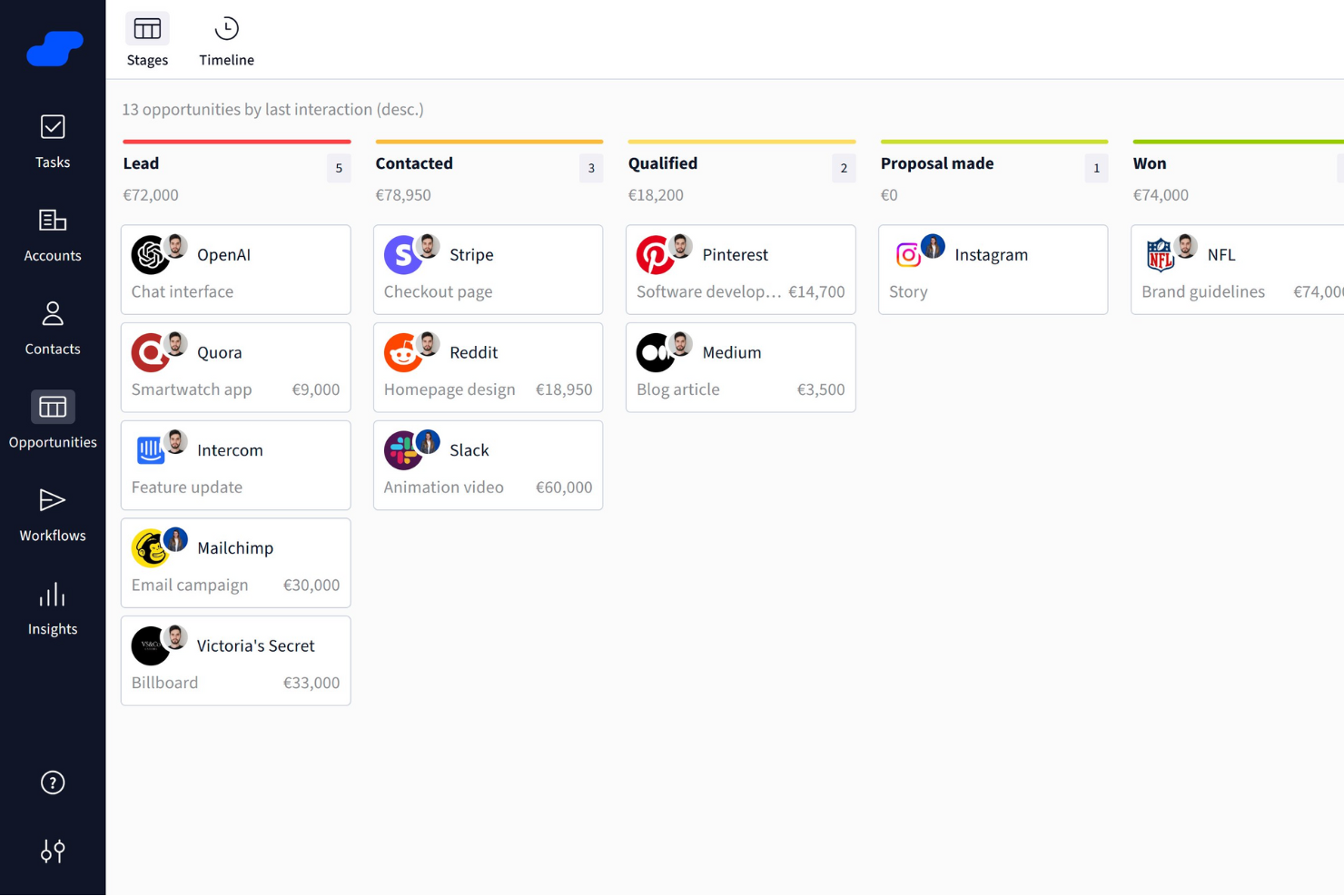
Salesflare es una herramienta de Gestión de Relaciones con Clientes (CRM) diseñada para pequeñas y medianas empresas B2B. Se centra en ayudar a los equipos a gestionar clientes potenciales de manera más eficiente mediante potentes funciones de automatización y un enriquecimiento inteligente de datos.
Por qué es una buena alternativa a Pipedrive: Elegí Salesflare para esta lista debido a sus capacidades de seguimiento de ventas automatizado y enriquecimiento de datos. Captura automáticamente los datos de contacto, realiza el seguimiento de las interacciones y configura recordatorios para seguimientos, ayudándote a no perder de vista a ningún cliente potencial sin esfuerzo manual. A diferencia del enfoque más manual de Pipedrive, Salesflare reduce las tareas repetitivas y ofrece una interfaz fácil de usar, lo que lo convierte en una opción sólida para equipos que valoran la rapidez y la eficiencia.
Características e integraciones destacadas
Las características incluyen embudos de ventas visuales, secuencias de correo electrónico automatizadas, información de inteligencia relacional, buscador de clientes potenciales, tableros personalizables y sugerencias impulsadas por IA para los siguientes pasos. Estas herramientas te ayudan a priorizar clientes potenciales, personalizar el alcance y gestionar tu embudo con mayor eficacia.
Las integraciones incluyen Google Calendar, Google Docs, Google Drive, Google Sheets, Google Workspace, MailChimp, QuickBooks Online, Shopify, Slack, Stripe, Intercom y Calendly.
Pros and Cons
Pros:
- El seguimiento automatizado de ventas ahorra tiempo y reduce el trabajo manual
- La inteligencia relacional brinda información sobre las interacciones con los clientes
- Los embudos visuales facilitan la gestión de oportunidades
Cons:
- La configuración de la automatización de flujos de trabajo puede ser un reto para principiantes
- Personalización limitada de tableros e informes
Attio
Ideal para un diseño CRM adaptable
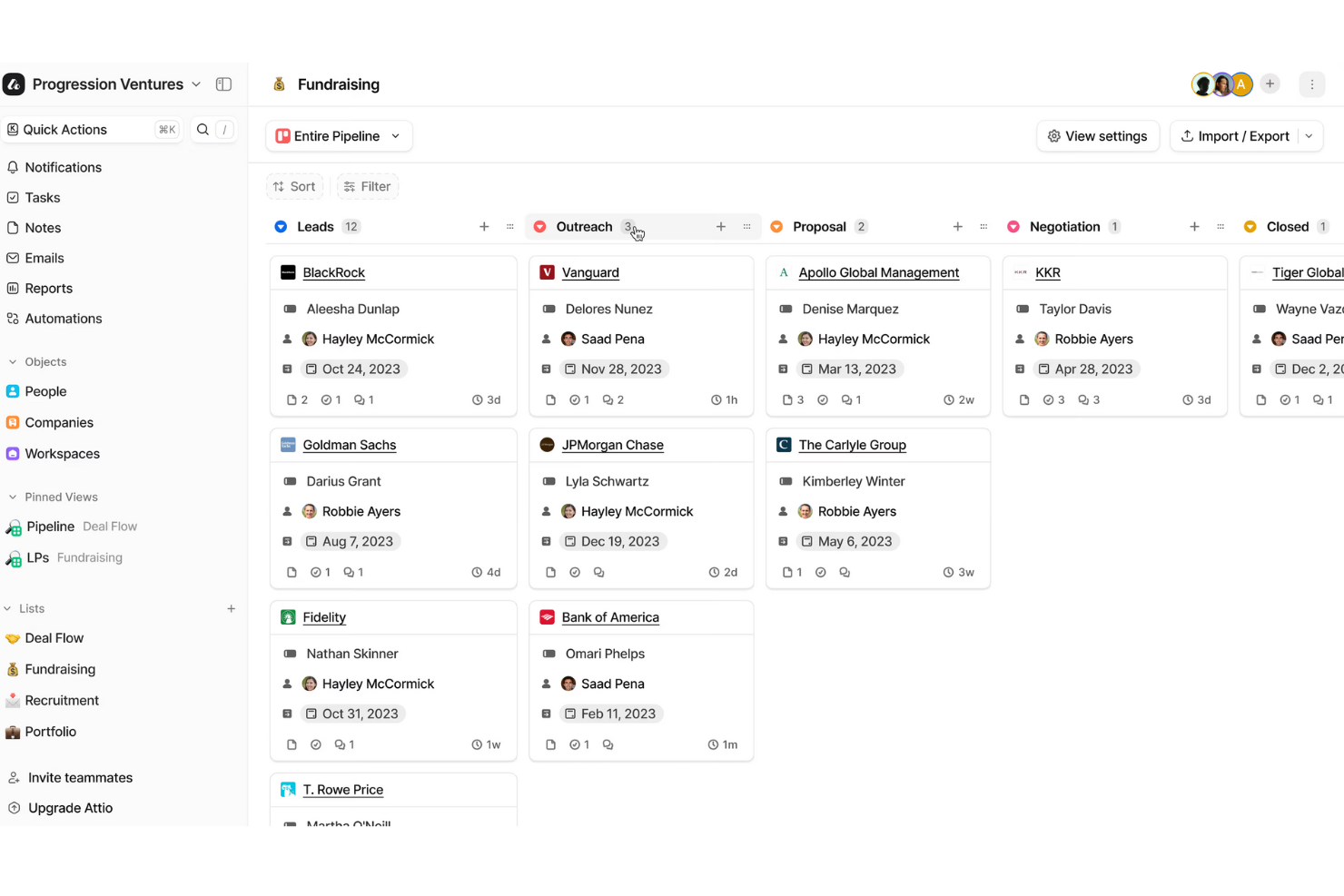
Attio es una plataforma CRM flexible y nativa de IA creada para equipos que necesitan mayor control sobre sus datos y procesos. Permite modelar registros como personas, empresas y negocios de acuerdo a la estructura única de tu negocio.
Por qué elegí Attio: Elegí Attio como una excelente alternativa a Pipedrive porque ofrece un modelo de datos completamente adaptable. Puedes definir y personalizar objetos, ya sean inversores, alianzas, proyectos o negocios, para que tu CRM refleje tu empresa en lugar de obligarte a adaptarte a una estructura predefinida. Esta flexibilidad es especialmente valiosa para equipos que buscan un sistema que crezca con ellos a medida que sus procesos evolucionan.
Características y integraciones destacadas:
Las características incluyen un motor de automatización que ayuda a tu equipo a gestionar flujos de trabajo complejos sin esfuerzo manual. Puedes establecer reglas para asignación de clientes potenciales, traspaso de negocios y retomar prospectos, y el sistema las ejecutará en segundo plano. También cuenta con herramientas de IA integradas que pueden identificar partes interesadas, evaluar el tamaño de los negocios y descubrir nuevos prospectos, facilitando la acción rápida sobre las mejores oportunidades.
Las integraciones incluyen Vercel, DigitalOcean, GitHub, Stripe, Figma, Intercom, Segment, Notion, Slack, Loom, Retool y Customer.io.
Pros and Cons
Pros:
- Modelo de datos personalizable para empresas únicas
- Las herramientas de IA ayudan en la prospección y la valoración de negocios
- Escala con equipos en crecimiento
Cons:
- No cuenta con función de llamadas incorporada
- El acceso sin conexión es muy limitado
New Product Updates from Attio
Attio Expands Developer Platform APIs and MCP Capabilities
Attio expands its developer platform with new API endpoints, MCP tools, and App SDK 1.0.0. These updates give developers more ways to automate data, app, and workflow management. For more information, visit Attio’s official site.
 .
.
Ideal para CRM enfocado en distribución

Para las empresas que buscan una alternativa a Pipedrive, SimplyDepo se presenta como una opción atractiva diseñada para marcas, distribuidores y comercializadores. Es especialmente interesante para startups y empresas en crecimiento que desean optimizar sus procesos de distribución y ejecución en el punto de venta. Al ofrecer un conjunto de características como CRM B2B, aplicación móvil para representantes de ventas y herramientas de gestión de pedidos, SimplyDepo responde a la necesidad de mejorar la eficiencia en ventas y la gestión de relaciones con los clientes.
Por qué elegí SimplyDepo
Elegí SimplyDepo porque destaca por su enfoque especializado en distribución y ejecución en retail, lo que la convierte en una sólida alternativa a Pipedrive. El CRM B2B está diseñado para mejorar la gestión de relaciones con los clientes distribuidores, mientras que la app móvil brinda a los representantes de ventas herramientas para gestionar pedidos sobre la marcha. Además, su función de contabilidad de rutas simplifica la planificación logística, asegurando que tu equipo pueda centrarse en cerrar ventas en lugar de administrar rutas.
Características clave de SimplyDepo
Además de sus funciones principales, también encontré que SimplyDepo ofrece:
- Ejecución en el Punto de Venta: Permite que tu equipo de campo realice actividades de merchandising y promociones de forma eficiente.
- Planificación de Rutas: Ayuda a optimizar las rutas de entrega, ahorrando tiempo y recursos a tu equipo.
- Gestión de Pedidos B2B: Proporciona una plataforma para gestionar pedidos de clientes empresariales con facilidad.
- Gestión de la Distribución: Optimiza el proceso de distribución para asegurar entregas y cumplimientos a tiempo.
Integraciones de SimplyDepo
Las integraciones incluyen Stripe, Twilio SendGrid, ShipStation y QuickBooks.
Pros and Cons
Pros:
- Sistema integrado de gestión de pedidos B2B
- CRM integrado para seguimiento de cuentas
- Planificación de rutas y mapeo de territorios
Cons:
- Personalización limitada en reportes avanzados
- No proporciona documentación de API transparente
Mejor para soluciones CRM a nivel empresarial
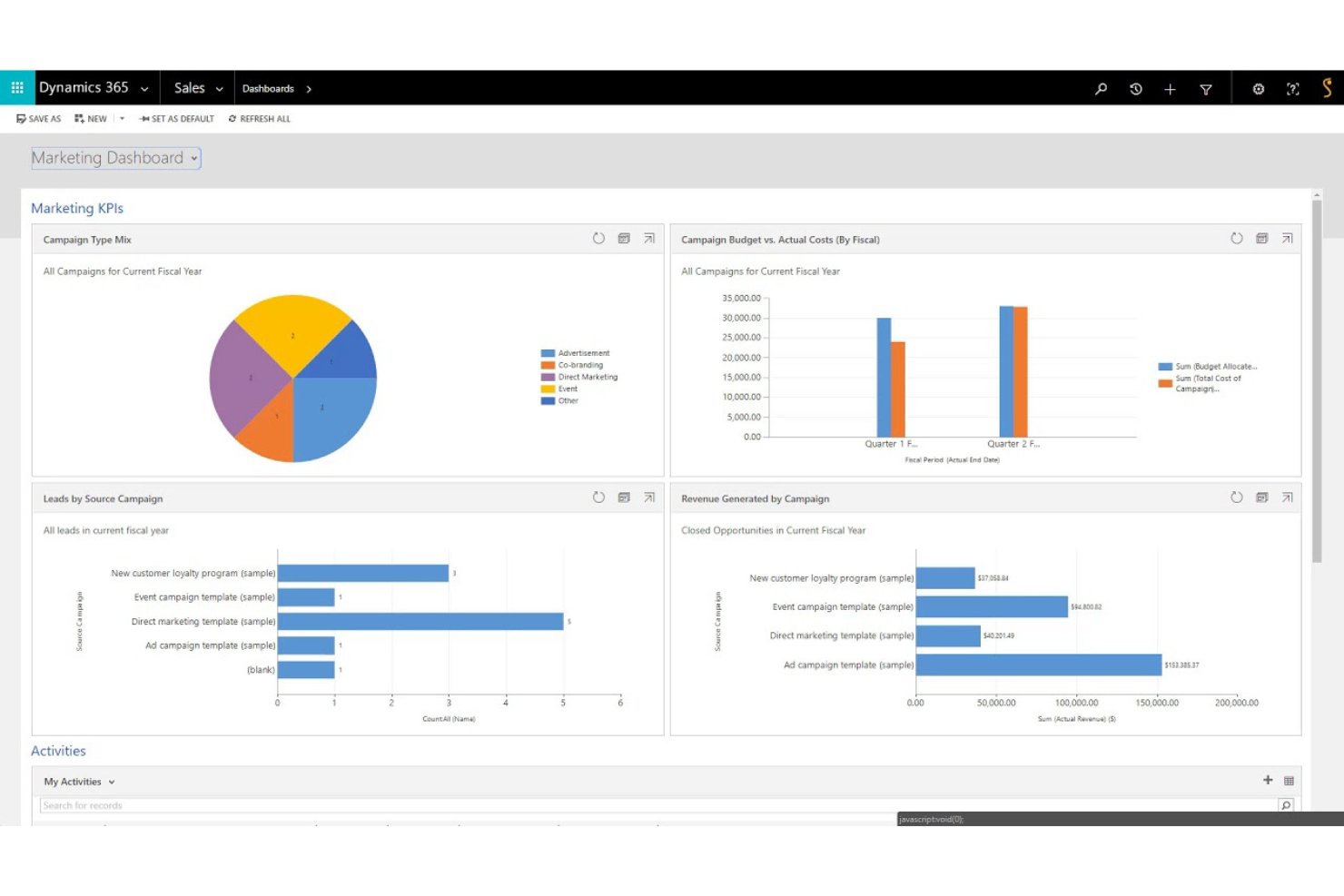
Microsoft Dynamics 365 es una herramienta CRM que ofrece soluciones de gestión empresarial personalizadas para grandes empresas. Es la mejor opción para soluciones CRM a nivel empresarial porque proporciona funciones extensas diseñadas para manejar procesos empresariales complejos y operaciones a gran escala.
Por qué es una buena alternativa a Pipedrive: Elegí Microsoft Dynamics 365 para esta lista porque está dirigido a grandes empresas que necesitan soluciones CRM sólidas y escalables. Sus amplias capacidades de integración y funciones avanzadas lo convierten en una sólida alternativa a Pipedrive, especialmente para negocios que requieren un soporte integral a nivel empresarial para sus equipos.
Características destacadas e integraciones:
Las funcionalidades incluyen automatización avanzada de ventas, gestión de servicio al cliente, CRM de ventas y segmentación, automatización de marketing y análisis detallados en tiempo real. Estas funciones respaldan operaciones empresariales a gran escala y proporcionan un conocimiento profundo de las relaciones con los clientes y el rendimiento del negocio.
Las integraciones incluyen Outlook, LinkedIn, SharePoint, Power BI, Azure, Office 365, OneDrive, QuickBooks, Mailchimp y Salesforce.
Pros and Cons
Pros:
- Extensas funcionalidades a nivel empresarial
- Fuerte integración con productos de Microsoft
- Escalable para grandes organizaciones
Cons:
- Mayor costo comparado con soluciones CRM más pequeñas
- Puede ser complejo para empresas pequeñas y medianas
Nimble
Mejor para integración con redes sociales
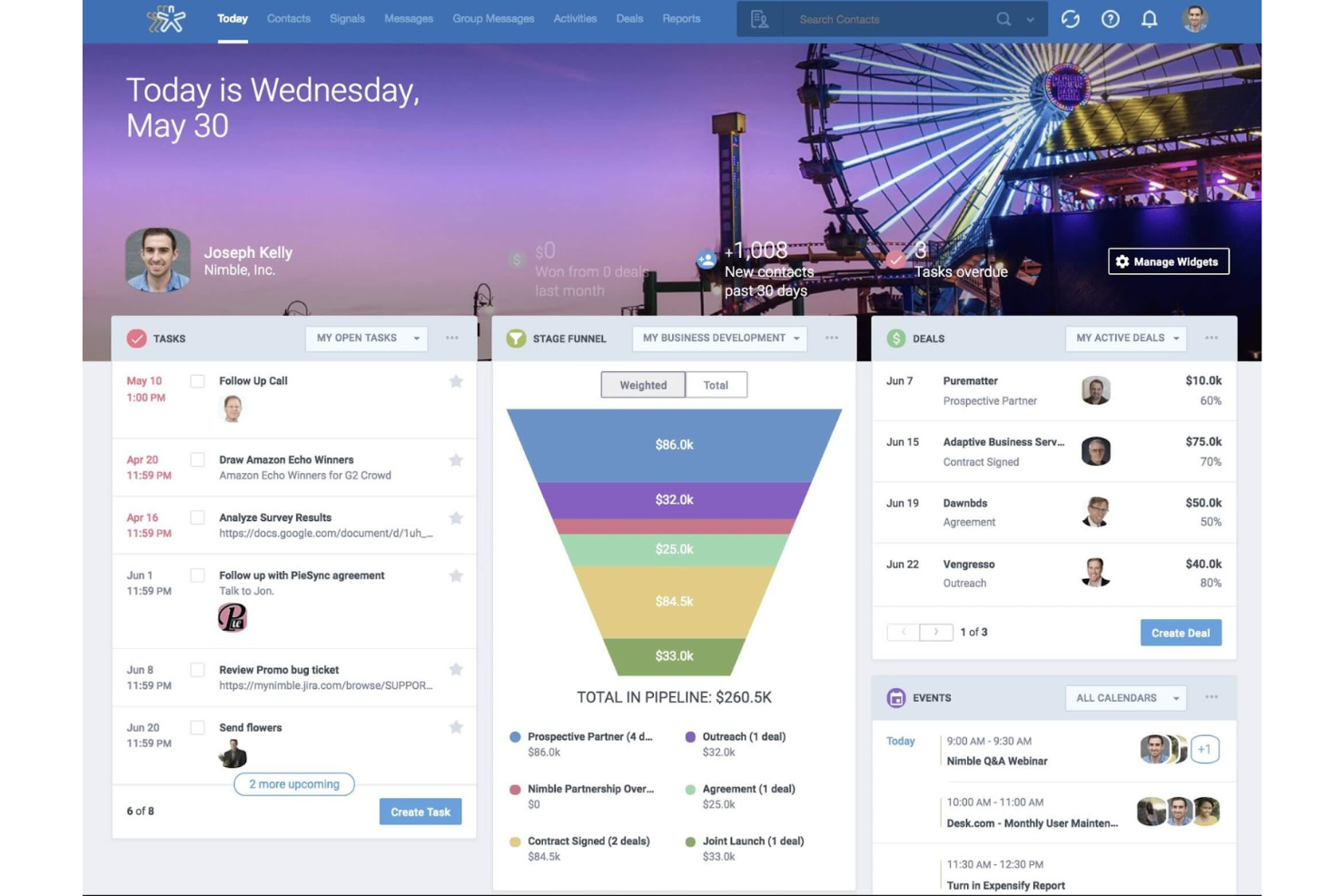
Nimble es una herramienta CRM diseñada para ayudar a las empresas a gestionar las relaciones con los clientes y hacer seguimiento de las interacciones en redes sociales. Es la mejor opción para la integración de redes sociales porque consolida los perfiles sociales y la participación en el CRM, permitiendo una visión integral de los clientes.
Por qué es una buena alternativa a Pipedrive: Incluí Nimble en esta lista porque destaca en la integración de redes sociales con funciones CRM. Su capacidad para rastrear y gestionar interacciones en redes sociales la convierte en una fuerte alternativa a Pipedrive, especialmente para empresas que priorizan el compromiso social.
Características destacadas y integraciones:
Las características incluyen integración de perfiles de redes sociales, gestión de contactos, seguimiento de correos electrónicos y gestión del embudo de ventas. Estas funcionalidades ofrecen una visión holística de las interacciones con el cliente y agilizan la participación a través de múltiples canales.
Las integraciones incluyen Gmail, Outlook, Mailchimp, HubSpot, QuickBooks, Zapier, Microsoft Teams, Slack, LinkedIn y Facebook.
Pros and Cons
Pros:
- Gestión integral de contactos
- Interfaz fácil de usar
- Sólida integración con redes sociales
Cons:
- Personalización avanzada limitada
- Puede ser complejo para pequeñas empresas

Mejor para CRM impulsado por IA
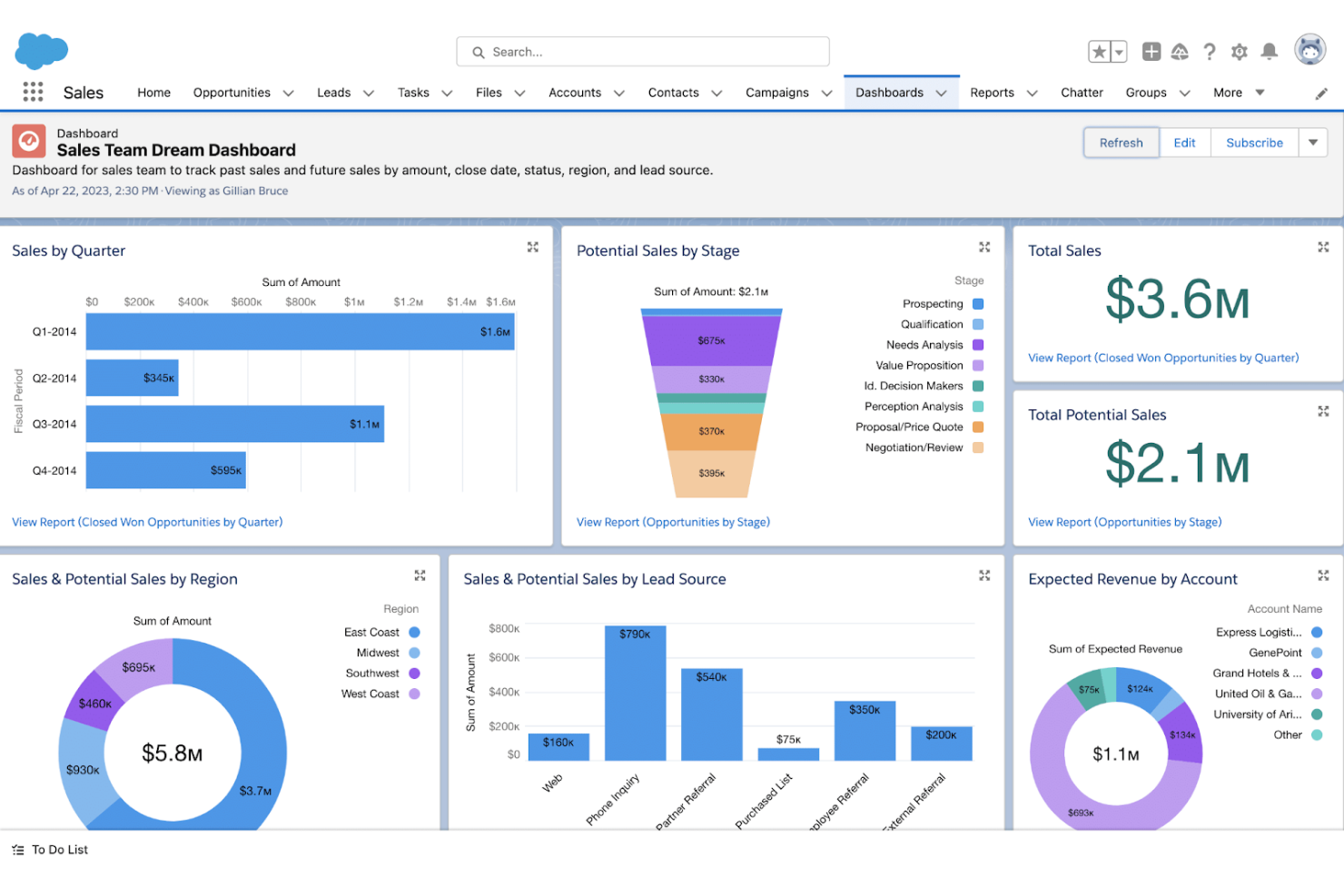
Salesforce es una herramienta de gestión de relaciones con clientes (CRM) que ofrece una amplia gama de funciones impulsadas por inteligencia artificial para las empresas. Es ideal para una gestión integral de clientes basada en IA porque proporciona capacidades avanzadas para mejorar la percepción sobre los clientes y automatizar tareas.
Por qué es una buena alternativa a Pipedrive: Elegí Salesforce para esta lista porque ofrece un conjunto integral de herramientas impulsadas por IA que pueden cubrir necesidades CRM complejas. Sus funciones avanzadas lo convierten en una sólida alternativa a Pipedrive, especialmente para empresas que buscan capacidades de inteligencia artificial.
Características destacadas e integraciones:
Las características incluyen analítica impulsada por IA, automatización de ventas, gestión de atención al cliente, automatización de marketing y desarrollo de aplicaciones personalizadas. Estas funciones apoyan una visión detallada de los clientes y procesos de ventas eficientes.
Las integraciones incluyen Google Workspace, Microsoft Dynamics 365, Slack, Mailchimp, QuickBooks, HubSpot, LinkedIn, Dropbox, Zendesk y Shopify.
Pros and Cons
Pros:
- Funciones impulsadas por IA
- Personalizable para adaptarse a distintas necesidades empresariales
- Opciones de integración extensas
Cons:
- Las funciones pueden ser abrumadoras para equipos pequeños
- Curva de aprendizaje para nuevos usuarios

Ideal para CRM escalable con automatización de marketing
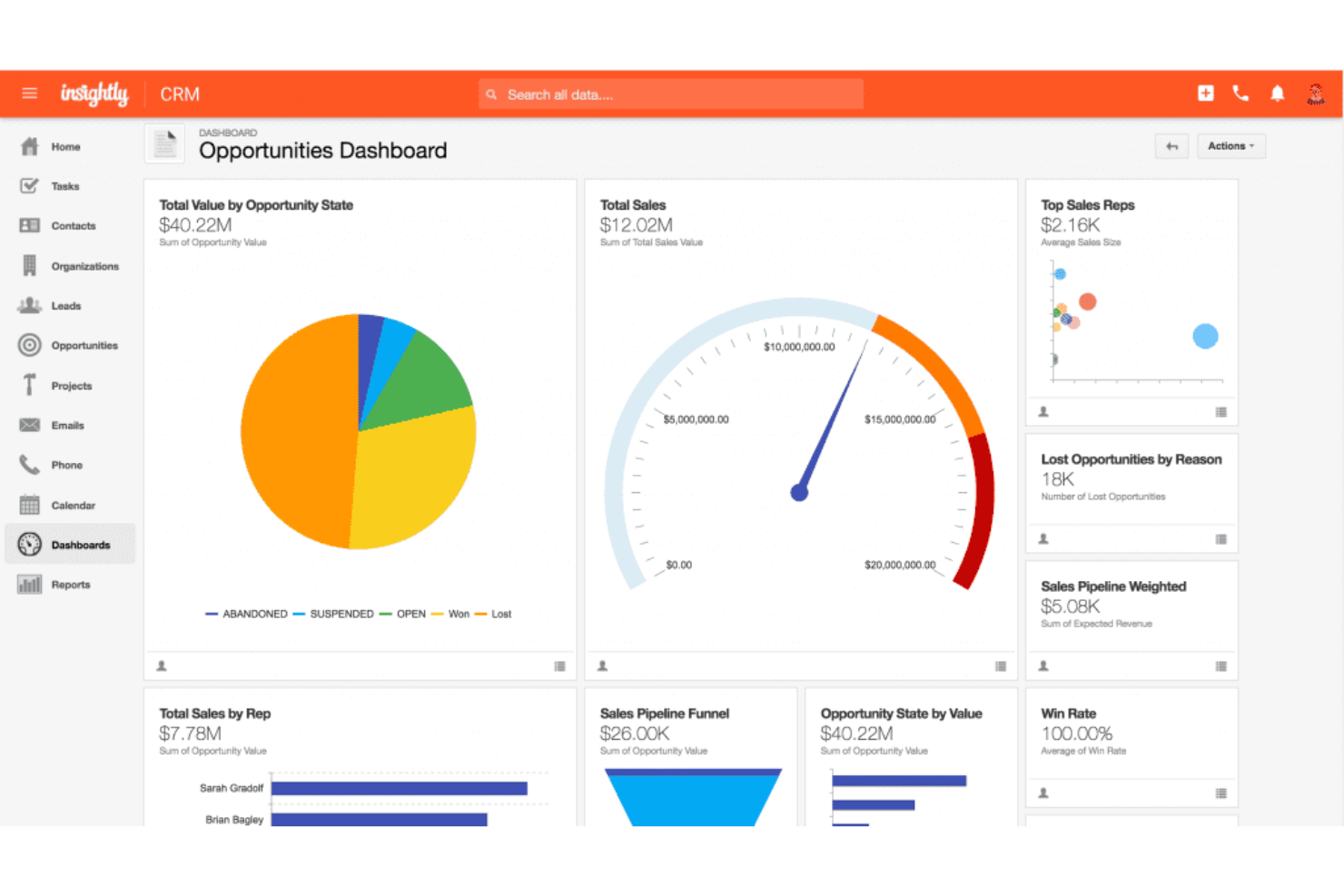
Insightly es una herramienta CRM diseñada para gestionar las relaciones con los clientes y automatizar los esfuerzos de marketing para empresas en crecimiento. Es ideal para CRM escalable con automatización de marketing porque ofrece características completas de CRM combinadas con potentes herramientas de automatización de marketing para apoyar el crecimiento empresarial.
Por qué es una buena alternativa a Pipedrive: Elegí Insightly para esta lista porque proporciona un equilibrio entre funciones de CRM y automatización de marketing que pueden escalar junto con una empresa. Su capacidad para crecer junto con la compañía e integrar esfuerzos de marketing la convierte en una alternativa sólida a Pipedrive, especialmente para empresas que buscan expandirse.
Funcionalidades destacadas e integraciones:
Las funcionalidades incluyen gestión avanzada de contactos, automatización de flujos de trabajo, marketing por correo electrónico y gestión de proyectos. Estas características ayudan a las empresas a gestionar las interacciones con los clientes y automatizar campañas de marketing para mejorar el crecimiento y la eficiencia.
Las integraciones incluyen Gmail, Outlook, Mailchimp, QuickBooks, Slack, Zapier, Microsoft Office 365, Google Workspace, Dropbox y Xero.
Pros and Cons
Pros:
- Funciones CRM escalables
- Automatización de marketing integrada
- Potentes herramientas para gestión de proyectos
Cons:
- Puede ser complejo para pequeñas empresas
- Opciones de personalización limitadas
Bitrix24
Mejor para CRM gratis con usuarios ilimitados
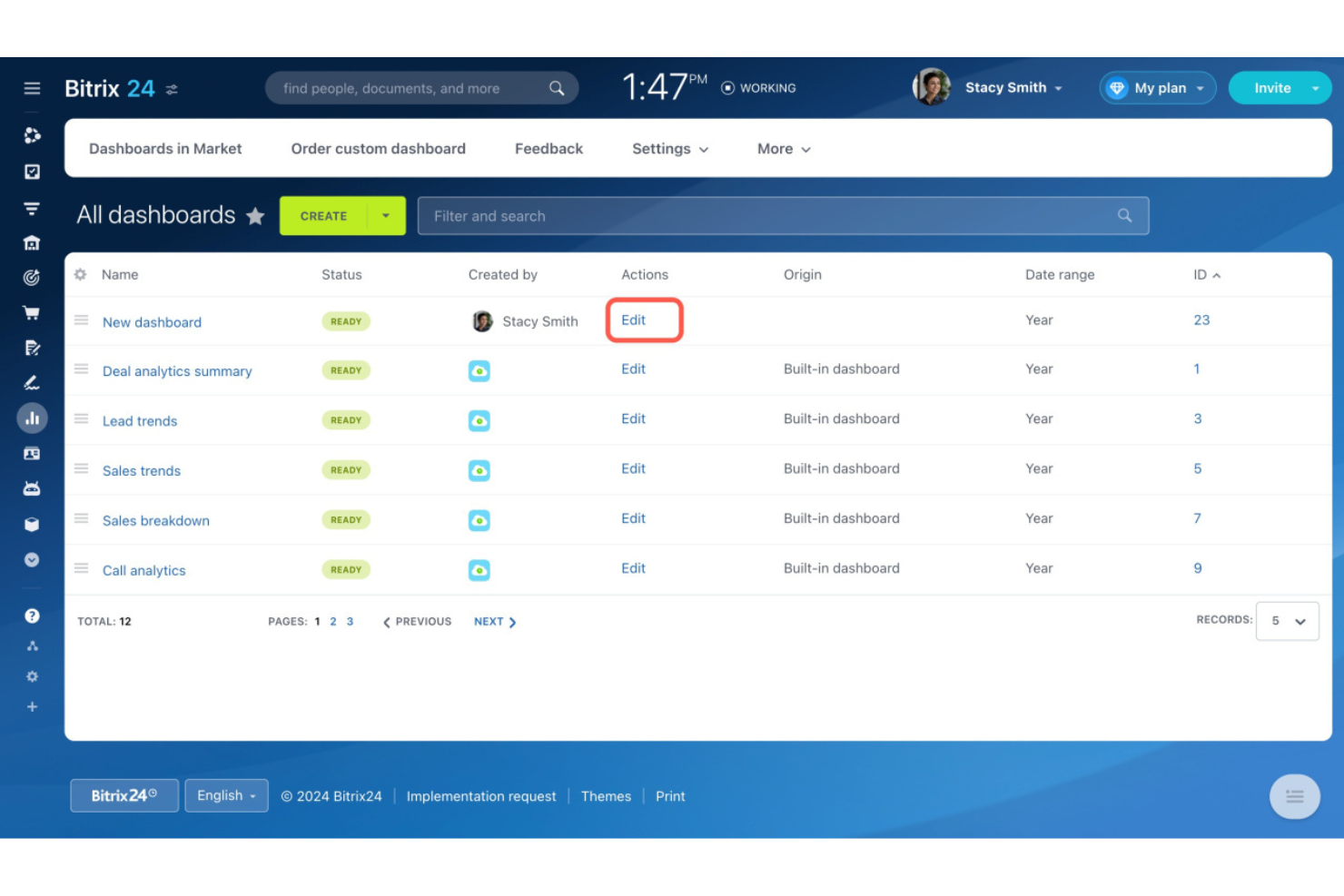
Bitrix24 es una herramienta CRM que ofrece una amplia gama de funciones de gestión empresarial de forma gratuita, incluyendo soporte para usuarios ilimitados. Es la mejor opción para un CRM gratuito con usuarios ilimitados porque proporciona funcionalidades CRM completas sin límites de usuarios, lo que la hace ideal para equipos en crecimiento.
Por qué es una buena alternativa a Pipedrive: Elegí Bitrix24 para esta lista porque ofrece un plan gratuito que admite usuarios ilimitados, algo poco común entre las herramientas CRM. Su extenso conjunto de funciones y la escalabilidad sin costes para los usuarios lo convierten en una fuerte alternativa a Pipedrive, especialmente para empresas que buscan minimizar gastos.
Funciones e integraciones destacadas:
Funciones incluyen gestión de tareas y proyectos, automatización de ventas, gestión de contactos, permisos personalizables y herramientas de comunicación. Estas características permiten a las empresas gestionar sus procesos de ventas y colaborar eficazmente dentro de una única plataforma.
Las integraciones incluyen Gmail, Outlook, Mailchimp, Slack, Dropbox, Google Drive, OneDrive, QuickBooks, Zapier y PayPal.
Pros and Cons
Pros:
- El plan gratuito admite usuarios ilimitados
- Constructor de sitios web gratis integrado
- Útil para la colaboración y gestión de proyectos
Cons:
- La interfaz de usuario puede ser compleja
- Algunas funciones avanzadas y complementos requieren planes de pago
Ideal para servicio al cliente potenciado por IA
Freshworks es una plataforma de atención al cliente que utiliza IA para mejorar el soporte al cliente y automatizar las interacciones. Es ideal para el servicio al cliente potenciado por IA porque aprovecha herramientas avanzadas de inteligencia artificial para ofrecer soluciones de soporte eficientes y efectivas.
Por qué es una buena alternativa a Pipedrive: Elegí Freshworks para esta lista porque destaca en la integración de IA en la atención al cliente, por lo que es una fuerte opción para empresas que priorizan un soporte de alta calidad. Sus capacidades de IA y su enfoque en el servicio al cliente la convierten en una alternativa atractiva a Pipedrive para empresas que necesitan soluciones de soporte especializadas.
Características y integraciones destacadas:
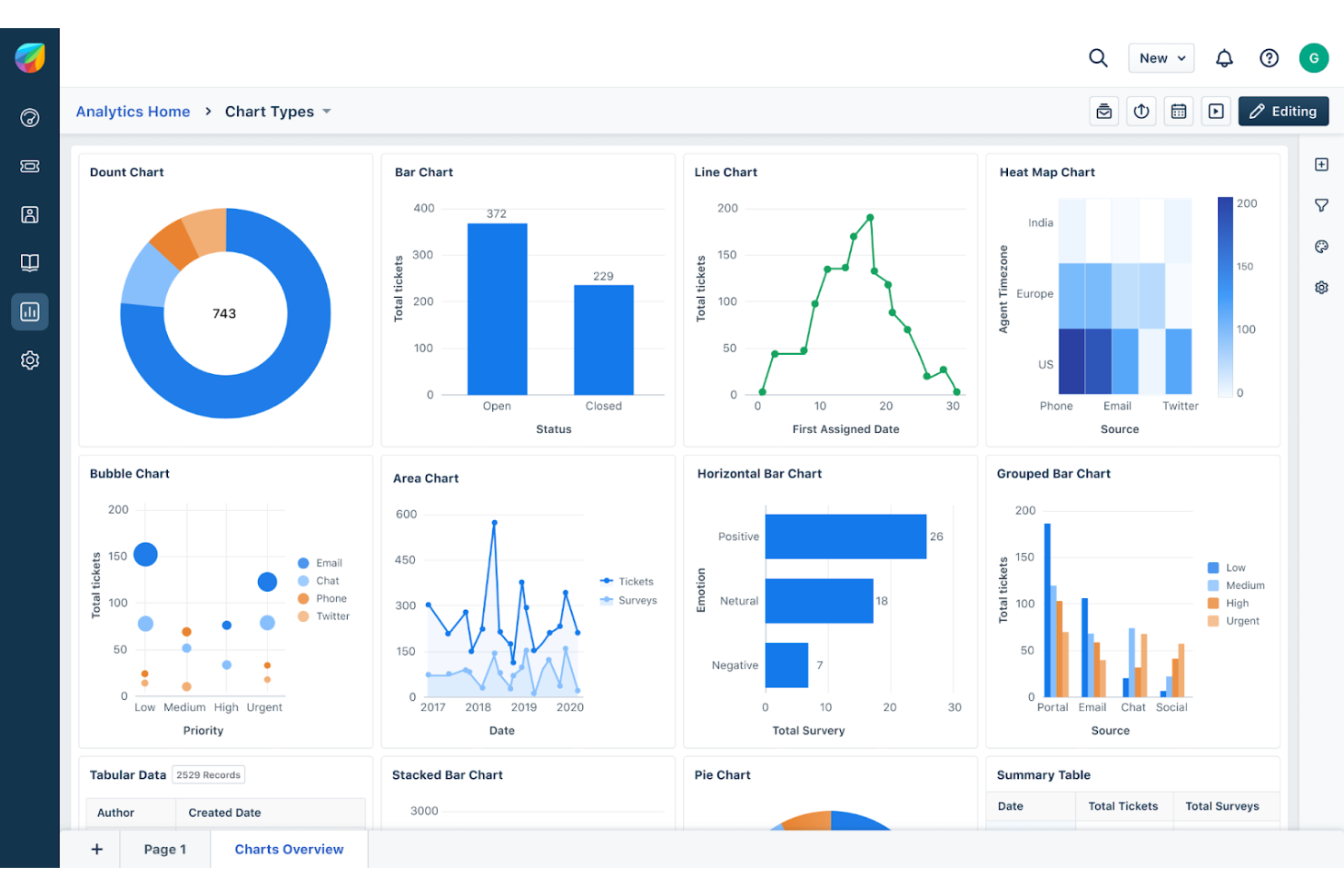
Las características incluyen chatbots impulsados por IA, ticketing automatizado, gestión de atención al cliente, generación de clientes potenciales y análisis detallados. Estas funciones ayudan a las empresas a brindar un soporte rápido y preciso al cliente mientras obtienen información sobre el rendimiento del servicio.
Las integraciones incluyen Gmail, Outlook, Slack, Microsoft Teams, Zapier, Salesforce, Mailchimp, Shopify, QuickBooks y Zendesk.
Pros and Cons
Pros:
- Herramientas avanzadas de atención al cliente con IA
- Análisis y reportes avanzados
- Amplias opciones de integración
Cons:
- Curva de aprendizaje más pronunciada para las herramientas avanzadas
- Personalización limitada para pequeñas empresas
Capsule CRM es una herramienta de gestión de relaciones con los clientes diseñada para que las pequeñas empresas gestionen contactos, oportunidades de venta y tareas. Es ideal para pequeñas empresas porque ofrece una interfaz intuitiva y un proceso de configuración sencillo.
Por qué es una buena alternativa a Pipedrive: Elegí Capsule CRM para esta lista porque proporciona una solución de CRM sencilla pero eficaz, adaptada a las pequeñas empresas. Su facilidad de uso y rápida configuración la convierten en una sólida alternativa a Pipedrive, especialmente para quienes buscan un enfoque más sencillo.
Funciones e integraciones destacadas:
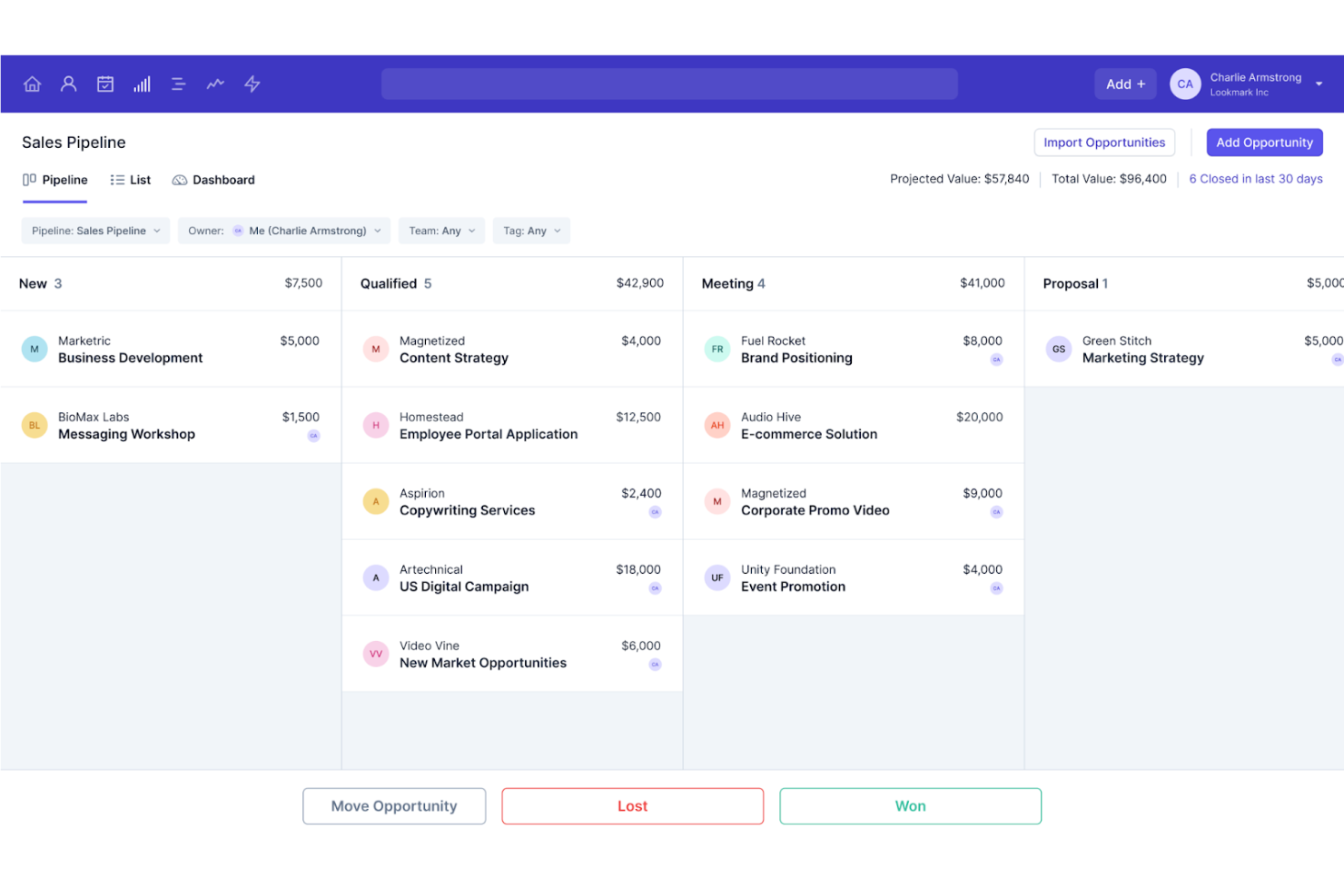
Las funciones incluyen gestión de contactos, seguimiento del proceso de ventas, gestión de tareas y procesos de ventas personalizables. Estas funciones ayudan a las pequeñas empresas a mantenerse organizadas y centradas en sus actividades de ventas sin complejidad innecesaria.
Las integraciones incluyen G Suite, Microsoft Dynamics 365, Xero, Mailchimp, QuickBooks, Zapier, Slack, FreshBooks, Zendesk y Mailgun.
Pros and Cons
Pros:
- Configuración sencilla e interfaz fácil de usar
- Procesos de ventas personalizables
- Buena integración con herramientas empresariales populares
Cons:
- Funciones avanzadas limitadas para empresas más grandes
- Menos opciones de automatización en comparación con algunos competidores
Otras alternativas a Pipedrive
A continuación se muestra una lista de alternativas adicionales a Pipedrive que preseleccionamos. Aunque no llegaron a estar entre las 10 mejores, siguen siendo valiosas y merecen una investigación más detallada.
- Creatio CRM
Mejor para la personalización de flujos de trabajo sin código
- Copper
Mejor para integración con Google Workspace
- Freshsales
Mejor para la automatización de ventas impulsada por IA


Análisis relacionados de software de CRM
Si aún no has encontrado aquí lo que buscas, consulta estas herramientas estrechamente relacionadas con el software de CRM que hemos probado y evaluado.
- Software de CRM
- Software de ventas
- Software de gestión de clientes potenciales
- Software de inteligencia empresarial
- Software de gestión de contratos
- Sistema de gestión de ingresos
- Software de CPQ
Wie ich Pipedrive-Alternativen bewerte
Ich teile meine Bewertung in zwei Ebenen auf: die Grundfunktionen, die jeder CRM-Ersatz abdecken muss—Pipeline-Management, Automatisierung und Berichterstattung—und die Unterscheidungsmerkmale, die Tools für RevOps-Teams hervorheben.
Kernfunktionen (Grundvoraussetzungen für diese Liste)
Wenn ich Tools für meine Liste auswähle, bewerte ich jedes Tool auf einer Skala von 0 (bietet die Funktion nicht an) bis 5 (schneidet in diesem Bereich hervorragend ab) für jede unten aufgeführte Grundfunktion. Anschließend rechne ich die Gesamtpunktzahl des Tools in einen Prozentsatz um. Jedes Tool muss eine Mindestgesamtpunktzahl von 65 % erreichen, um in Betracht gezogen zu werden.
- Verkaufs-Pipeline-Management: Ich achte auf anpassbare Phasen, Drag-and-Drop-Kanban-Ansichten und Multi-Pipeline-Unterstützung, damit RevOps-Teams unterschiedliche Vertriebsmodelle an einem Ort abbilden können.
- Kontakt- & Account-Management: Jedes Tool sollte Kontakte, Unternehmen und Deals mit einer vollständigen Aktivitätszeitleiste verknüpfen—so sehen Vertriebler jede Interaktion, bevor sie zum Gespräch greifen.
- Automatisierung von Vertriebs-Workflows: Ich bewerte, ob die Plattform Lead-Zuweisung, Nachverfolgungssequenzen und auf Phasen basierende Aufgabenerstellung automatisieren kann, und zwar ohne Entwicklerressourcen zu benötigen.
- Umsatzberichte & -prognosen: Dashboards und Prognosetools sollen die Pipeline nach Vertriebsmitarbeiter, Team und Zeitraum aufschlüsseln—so erhalten RevOps-Führungskräfte die Daten für verlässliche Umsatzschätzungen.
- Native Integrationen & API: Die Integrationsbibliothek sollte zentrale Kategorien des GTM-Stacks wie Marketingautomatisierung, Anreicherung und BI abdecken und zudem eine dokumentierte REST-API bieten.
- Individuelle Felder & Datenmodellierung: Ich prüfe, ob die Plattform individuelle Felder, Objekte und Berechtigungsstrukturen flexibel genug unterstützt, um Ihren tatsächlichen Umsatzprozess abzubilden.
Nachdem ich eine Liste von Tools habe, die diese Kriterien erfüllen, schaue ich, wodurch sich jede Plattform auszeichnet.
Unterscheidungsmerkmale (Was Anbieter besonders macht)
So vergleiche und bewerte ich verschiedene Anbieter:
Herausragende Funktionen
KI-gestützte Deal-Insights sind ein klarer Unterschied—Tools, die gefährdete Deals markieren oder nächste Schritte vorschlagen, helfen RevOps-Teams, einzugreifen, bevor die Pipeline wegrutscht. Ich achte auch auf integriertes Sales Engagement wie native Sequenzen und Power-Dialer, sodass kein externes Outbound-Tool benötigt wird. Auch No-Code-Datenmodellierung spielt hier eine Rolle: Wenn RevOps benutzerdefinierte Objekte und Workflows ohne Tickets für die Engineering-Abteilung bauen kann, wird das Team mit weiterentwickelten Prozessen deutlich schneller.
Mehr als nur Funktionen
Die Kompatibilität mit der GTM-Tool-Landschaft bewerte ich sehr genau—Ihr CRM muss sauber mit Marketingautomatisierung, Datenanreicherung und BI-Tools integriert werden, auf die Ihr Team bereits setzt. Transparente Preisgestaltung ist ebenfalls entscheidend. Ich prüfe, ob Kernfunktionen wie Forecasting oder API-Zugriff erst in höheren Tarifen enthalten sind, da dies die tatsächlichen Kosten deutlich über den ausgewiesenen Preis pro Nutzer hebt. Auch die Geschwindigkeit der Migration von Pipedrive ist zu beachten, insbesondere ob der Anbieter Datenimport-Tools und RevOps-fertige Vorlagen bereitstellt, um die Time-to-Value zu verkürzen.
Por qué buscar una alternativa a Pipedrive
Es posible que estés buscando una alternativa a Pipedrive si:
- Coste: el precio de Pipedrive es demasiado alto para tu presupuesto.
- Funciones: Pipedrive carece de funciones específicas que necesitas para tu empresa.
- Escalabilidad: Pipedrive no se adapta bien al crecimiento de las necesidades de tu empresa.
- Personalización: Pipedrive no ofrece suficientes opciones de personalización para tu flujo de trabajo.
- Integración: Pipedrive no se integra bien con tus herramientas y sistemas actuales.
Las alternativas a Pipedrive ofrecen funciones únicas, mejores opciones de precios y una escalabilidad mejorada que Pipedrive quizá no proporcione. Estas alternativas pueden ajustarse más a necesidades específicas, lo que permite una mejor integración, personalización y funcionalidad general. Tanto si buscas el mejor CRM, una experiencia de usuario de primer nivel o un embudo de ventas personalizado, estas son las mejores opciones disponibles en este momento.
Funciones principales de Pipedrive
Estas son algunas funciones principales de Pipedrive que tu software alternativo debería poder replicar o mejorar para adaptarse adecuadamente a tus necesidades.
- Gestión del embudo de ventas: Visualiza y gestiona los procesos de ventas mediante una interfaz de arrastrar y soltar.
- Gestión de actividades: Programa y realiza un seguimiento de actividades, tareas y seguimientos.
- Gestión de contactos: Organiza y gestiona la información de contacto y el historial de comunicaciones en un solo lugar.
- Integración de correo electrónico: Sincroniza los correos electrónicos y realiza un seguimiento de las comunicaciones dentro del CRM.
- Paneles personalizables: Crea paneles para supervisar las métricas principales y el rendimiento de ventas.
- Gestión de acuerdos: Realiza un seguimiento y gestiona los acuerdos a través de las distintas etapas del proceso de ventas.
- Informes y análisis: Genera informes detallados y obtén información sobre el rendimiento de ventas.
- Aplicación móvil: Accede a las funciones del CRM estés donde estés mediante una aplicación móvil.
- Integraciones: Conéctate con diversas herramientas, como Google Workspace, Microsoft 365 y Slack.
- Automatización: Automatiza las tareas repetitivas para ahorrar tiempo y mejorar la eficiencia.
Qué sigue:
Si estás investigando software de gestión de relaciones con los clientes (CRM), conecta gratis con un asesor de SoftwareSelect para recibir recomendaciones.
Rellenas un formulario y mantienes una breve conversación en la que se profundiza en los detalles de tus necesidades. Después recibirás una lista breve de programas que podrás revisar. Incluso te ayudarán durante todo el proceso de compra, incluidas las negociaciones de precios.