

Die 10 besten Low-Code-CRM-Systeme im Test 2026

Beste Low-Code-CRM-Shortlist


Die Verwaltung von Vertriebs- und Umsatzprozessen kann herausfordernd sein, insbesondere wenn Sie mehrere Aufgaben und Datenquellen jonglieren müssen. Low-Code-CRM-Lösungen vereinfachen diese Prozesse und ermöglichen es Ihrem Team, sich auf Wachstum und Effizienzsteigerung zu konzentrieren.
Meiner Erfahrung nach ist die Wahl des richtigen CRM ein entscheidender Faktor für den Erfolg. Ich habe mehrere Optionen getestet und bewertet, um Ihnen eine unabhängige Übersicht über die besten Low-Code-CRMs zu geben.
Dieser Artikel führt Sie durch meine Top-Auswahl und zeigt, wie diese Tools Ihren Workflow reibungsloser und effektiver machen können. Sie erhalten klare Einblicke in die Stärken und die Eignung jedes CRMs für Ihre Anforderungen. Lassen Sie uns gemeinsam die perfekte Lösung für Ihr Team finden.
Warum Sie unseren Software-Bewertungen vertrauen können
Seit 2022 testen und bewerten wir RevOps-Software. Als RevOps-Verantwortliche wissen wir selbst, wie kritisch und schwierig es ist, die richtige Software-Auswahl zu treffen. Wir investieren in gründliche Recherche, um unserer Community fundierte Kaufentscheidungen zu ermöglichen. Wir haben mehr als 2.000 Tools für verschiedene RevOps-Anwendungsfälle getestet und über 1.000 umfassende Software-Bewertungen verfasst. Erfahren Sie, wie wir Transparenz gewährleisten & unsere Software-Bewertungskriterien.
Beste Low-Code-CRM-Zusammenfassung
Diese Vergleichstabelle fasst Preisinformationen zu meinen Top-Low-Code-CRM-Softwares zusammen, damit Sie die beste Wahl für Ihr Budget und Ihre geschäftlichen Anforderungen treffen können.
| Tool | Best For | Trial Info | Price | ||
|---|---|---|---|---|---|
| 1 | Best for automated research | Free plan + free demo available | From $19/month (billed annually) | Website | |
| 2 | Best for CRM databases | Free plan + free demo + 14-day trial available | From $20/user/month | Website | |
| 3 | Best for enterprise-grade CRM solutions | Free plan available | Pricing upon request | Website | |
| 4 | Best for AI-powered customization | 14-day free trial | From $40/user/month (billed annually) | Website | |
| 5 | Best for workflow automation | Free 14-day trial + free demo available | From $59/user/month (billed annually) | Website | |
| 6 | Best for scalable CRM development | 30-day free trial | From $25/user/month | Website | |
| 7 | Best for data visualization features | Free 14-day trial | From $300/month | Website | |
| 8 | Best for rapid CRM building | Free plan + free demo available | From $800/license (billed annually) | Website | |
| 9 | Best for SMEs | Free 30-day trial + free demo available | From $13/user/month | Website | |
| 10 | Best for CRM automation tools | Free plan available; 15-day free trial | From $14/user/month (billed annually) | Website |
Beste Low-Code-CRM im Test
Nachfolgend finden Sie meine detaillierten Zusammenfassungen der besten Low-Code-CRM-Lösungen, die es auf meine Shortlist geschafft haben. In meinen Bewertungen erhalten Sie einen genauen Überblick über die wichtigsten Funktionen, Vor- und Nachteile, Integrationen sowie ideale Anwendungsfälle jedes Tools, sodass Sie die beste Wahl für sich treffen können.
Softr
Best for automated research
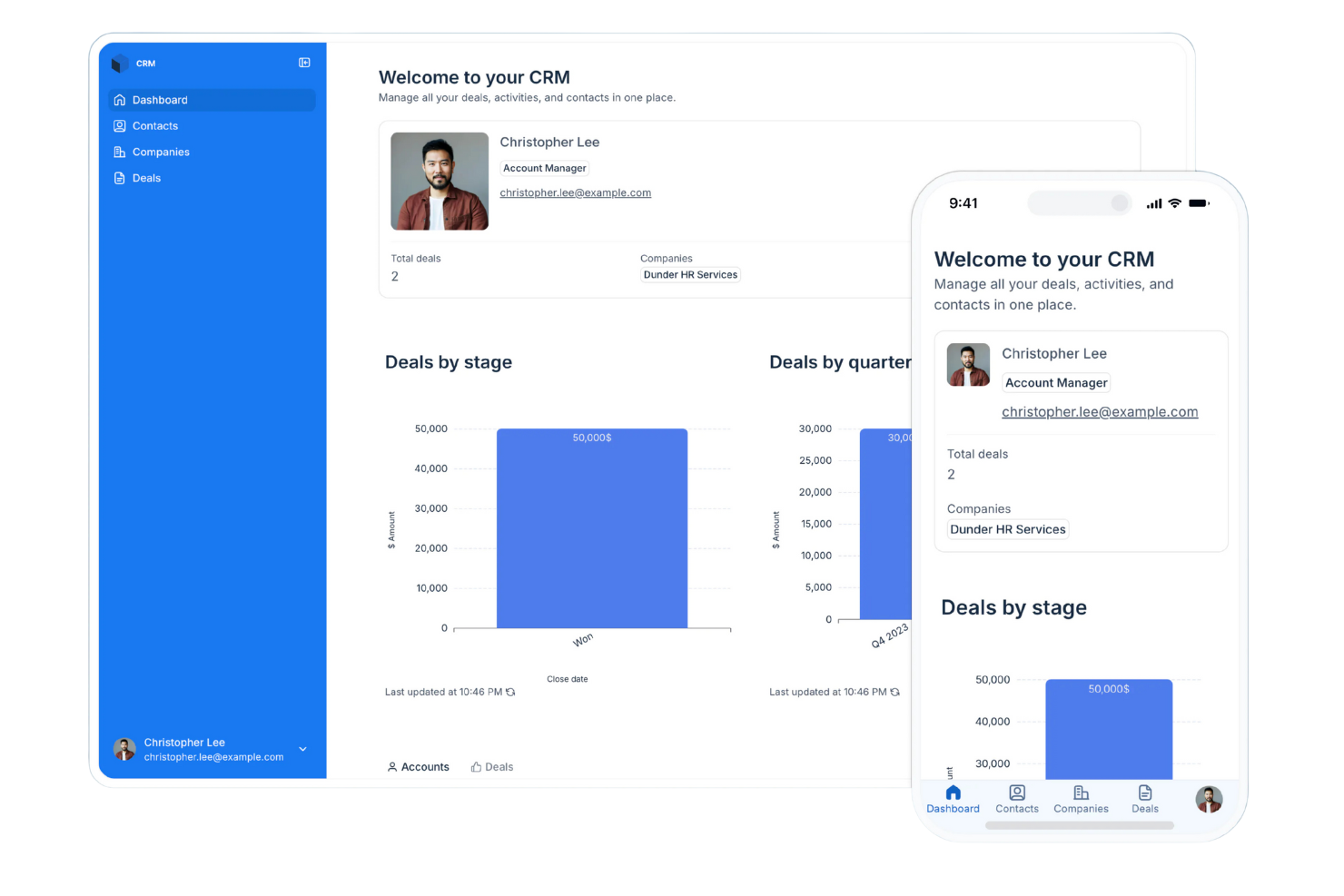
Softr is a platform that lets you build apps, portals, and internal tools without writing code. Its features focus on helping you organize information, handle access, and shape how your data works for daily tasks.
Why I picked Softr: Softr lets you turn your data into working CRM software without needing technical skills or lengthy software development cycles. It gives you ready-made blocks such as lists, forms, and tables so your team can enter and update information in a way that fits how you work. You can set user roles and permissions to keep everything organized as people log in. Custom views help your team follow deals and contacts without digging through clutter.
Standout Features and Integrations:
Features include tools for building gated user access so only the right people see specific data. You can also organize pages using drag-and-drop blocks that keep your CRM clean and easy to navigate. The built-in AI automatically searches for information to enhance your records, saving your sales reps hours of research time.
Integrations include Airtable, Google Sheets, Zapier, Make, Stripe, Google Analytics, HubSpot, Google Calendar, and more.
Pros and Cons
Pros:
- Custom rules fit your workflow
- Adjusts well as your team grows
- Flexible layouts for fast building
Cons:
- Onboarding larger teams requires planning
- Conditional logic can take practice

Airtable
Best for CRM databases
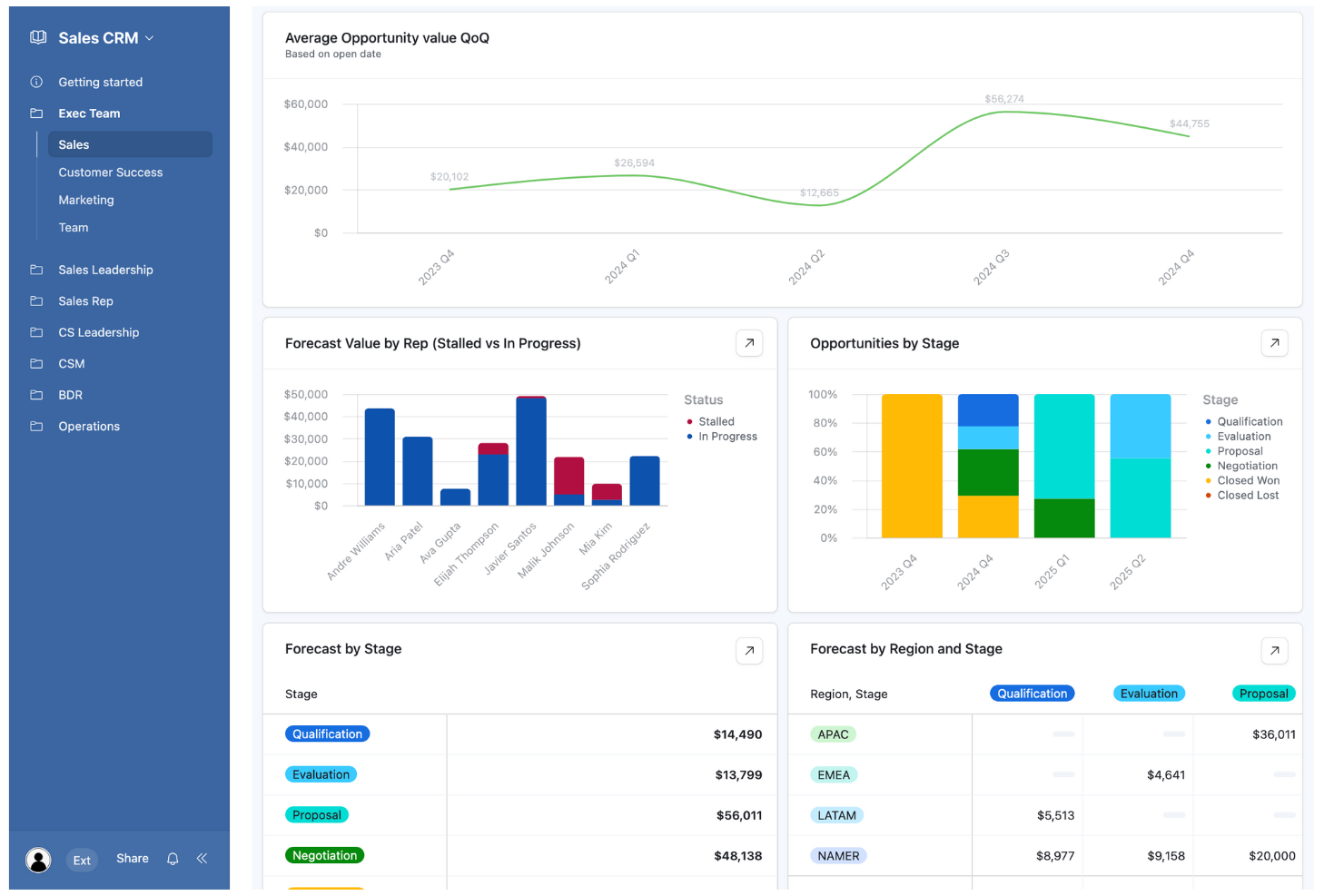
Airtable is a no-code app-building platform designed for teams to create custom applications efficiently. It serves a wide range of users, from marketing teams to finance departments, performing key business functions like data management and process automation.
Why I picked Airtable: Its flexibility in building CRM databases with low-code tools sets it apart. The platform also supports integrations with popular tools, enhancing its utility in various workflows.
Standout Features and Integrations:
Features include automations that help streamline repetitive tasks, relational databases for complex data management, and custom interfaces for tailored user experiences.
Integrations include Slack, Google Drive, Salesforce, Dropbox, Gmail, Zendesk, and more.
Pros and Cons
Pros:
- Supports diverse industries
- Custom interfaces for users
- Flexible database customization
Cons:
- Rigid record caps
- Permissions complexity
Best for enterprise-grade CRM solutions
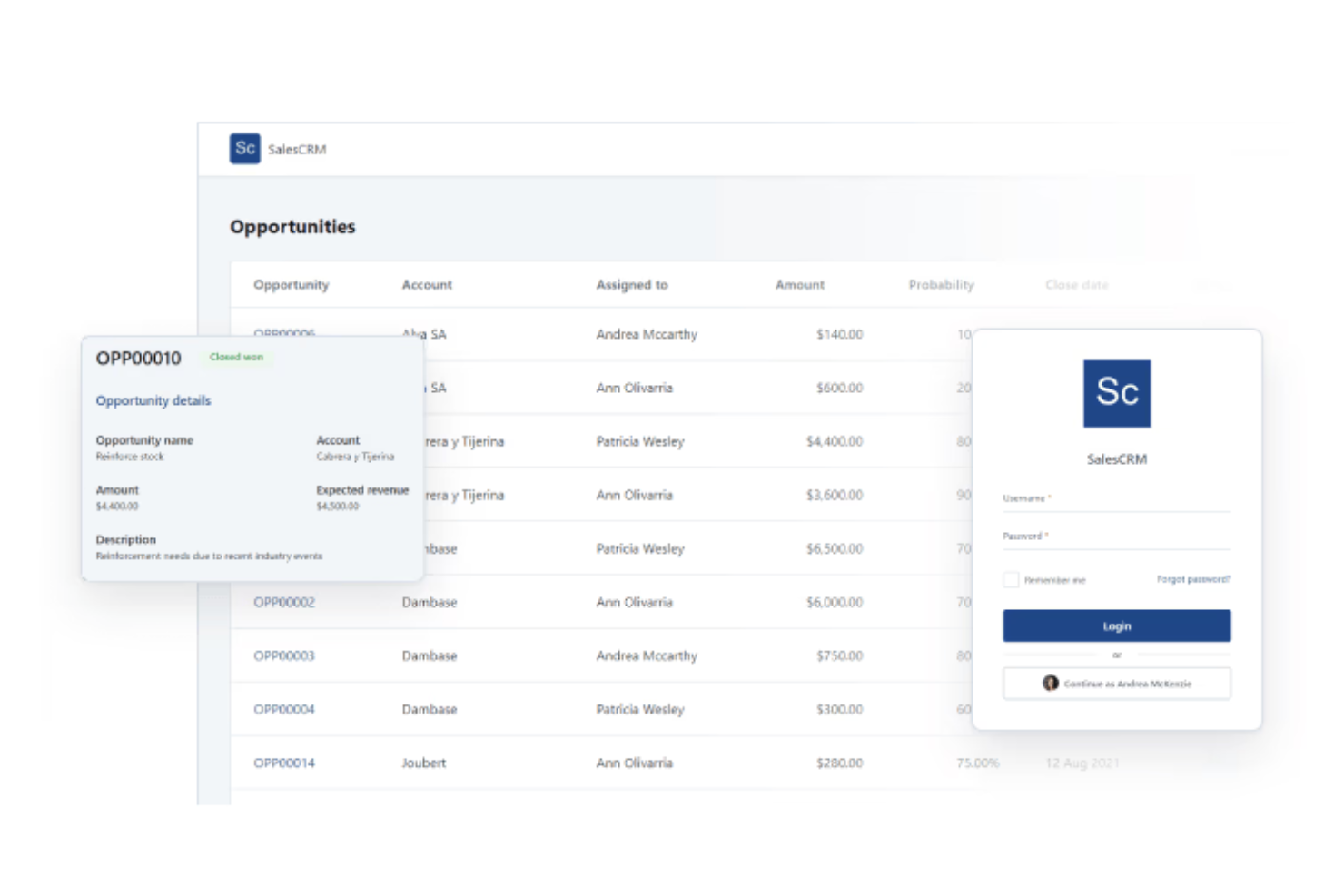
OutSystems is a low-code development platform tailored for enterprises that need custom CRM solutions. It primarily serves large organizations looking to streamline app development processes and enhance their customer relationship management capabilities.
Why I picked OutSystems: It offers enterprise-grade business tools. Users can leverage its advanced features for seamless integration. Its location plugin provides GPS capabilities, adding location-based services to applications.
Standout Features and Integrations:
Features include advanced Excel integration for data handling, cryptographic tools for secure data protection, and a management console for feature releases.
Integrations include Salesforce, Oracle, Zendesk, Jira, PayPal, Dropbox, and more.
Pros and Cons
Pros:
- Supports complex workflows
- Strong security features
- Extensive customization options
Cons:
- Dated UI customization
- Requires a solid understanding of software architecture and database logic
Creatio
Best for AI-powered customization
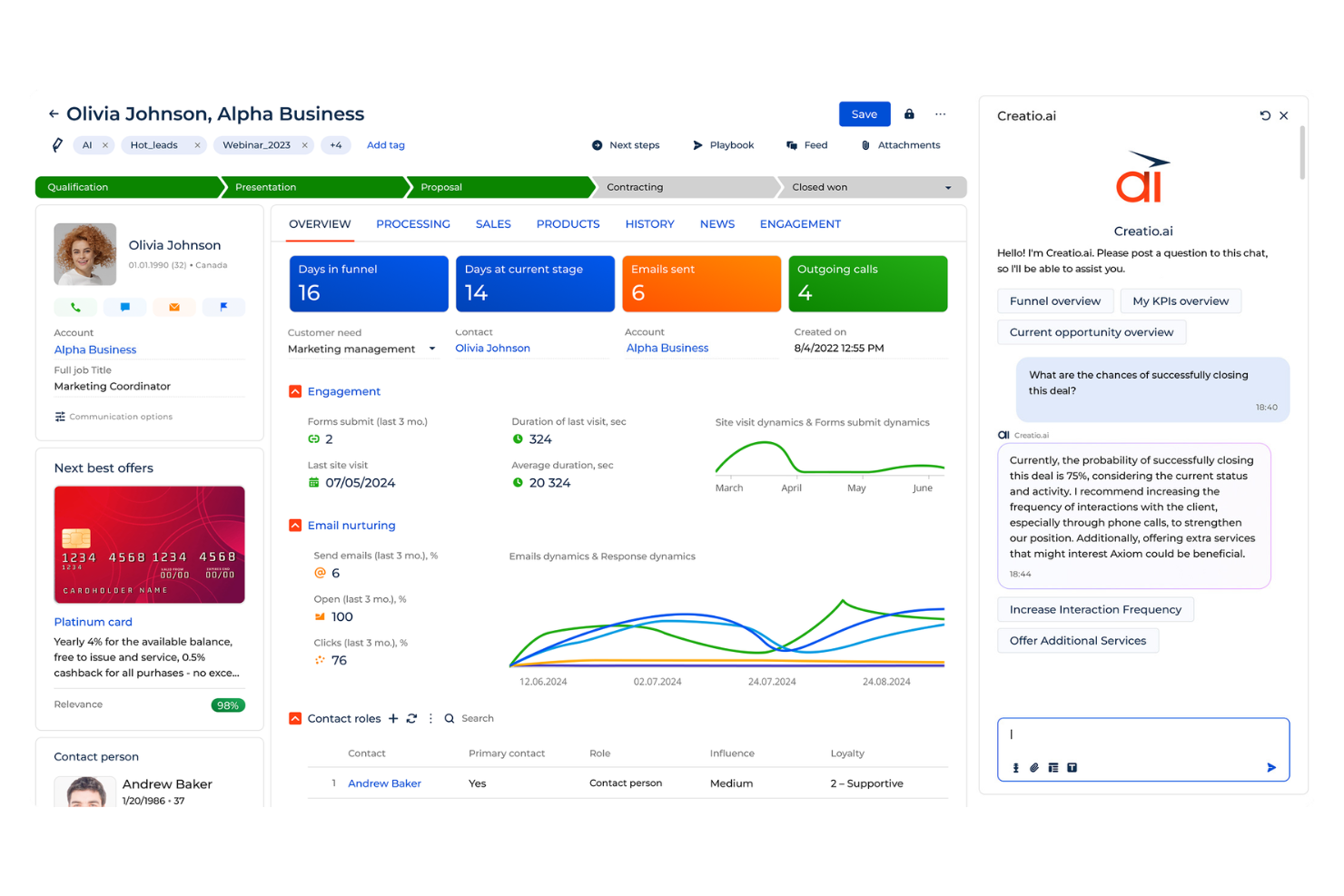
Creatio is a no-code platform that brings together process automation and CRM tools in one place. It’s built for teams that want to design their own automated workflows and handle daily operations without relying on heavy development work.
Why I picked Creatio: Creatio lets your team design your CRM system without writing code, so you can set it up to match the way you work. Its AI guides you through building workflows and automation rules for quicker setup. You can adjust visual interfaces, create approval logic, and update dashboards as your needs change. The process designer connects these pieces so work moves the way you expect, even as your team grows or your workflow shifts.
Standout Features and Integrations:
Features include a built-in process designer you can tweak without code. You can adjust page layouts so your team sees only what they need to work through tasks faster. The platform also brings together sales, service, and marketing work so your team stays on one system instead of switching between tools.
Integrations include Microsoft 365, Google Workspace, Zapier, Mailchimp, Twilio, DocuSign, Jira, Slack, HubSpot, Salesforce, and more.
Pros and Cons
Pros:
- Scales as your needs grow
- Control over workflow changes
- Allows for deep customization
Cons:
- Version update instability
- Limited marketplace ecosystem
Best for workflow automation
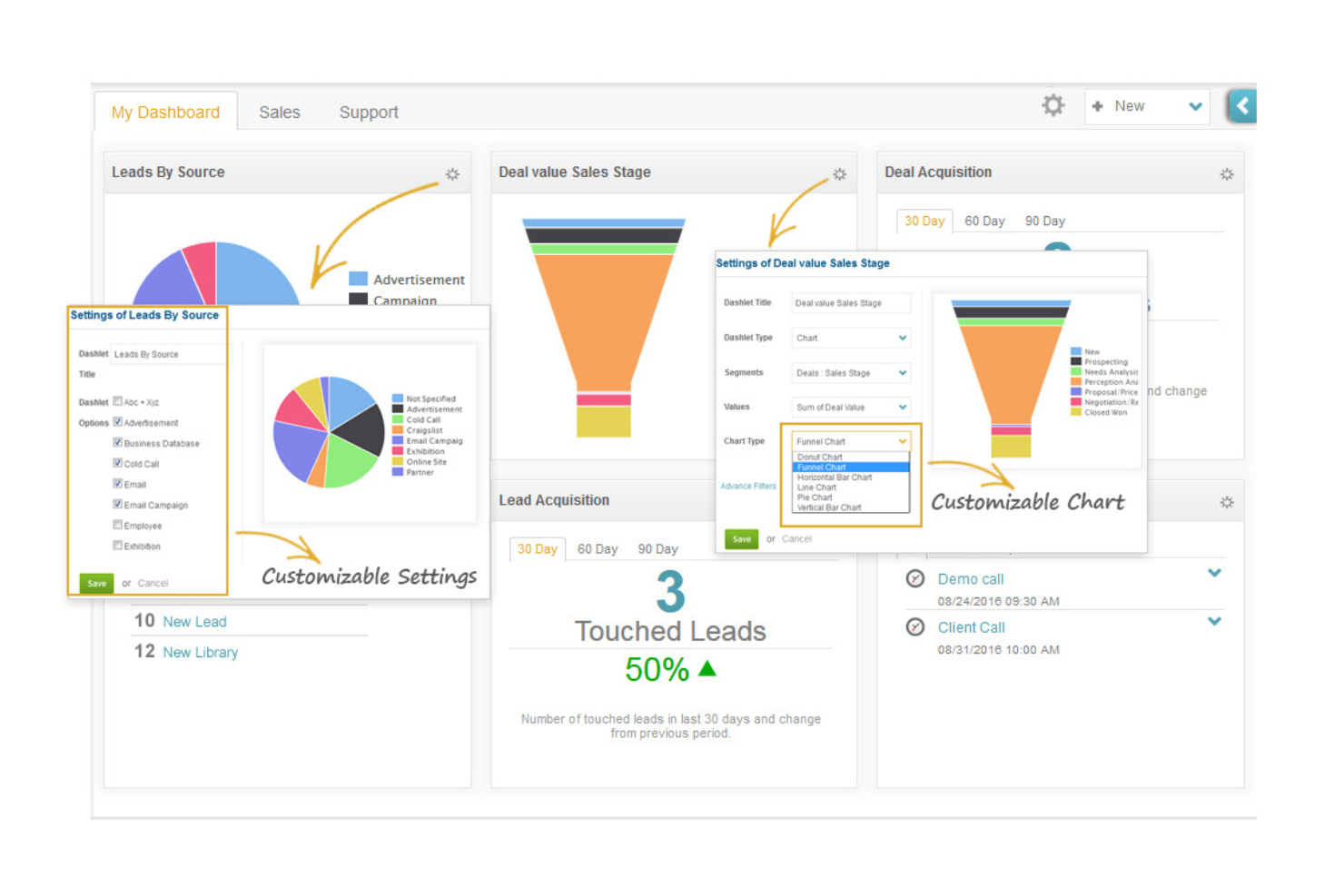
ConvergeHub is a customer lifecycle management CRM platform designed for small to medium-sized businesses, offering tools for sales, marketing, and customer service management. It helps teams automate workflows, manage leads, and enhance customer relationships.
Why I picked ConvergeHub: The tool excels in automating workflows across sales processes and marketing functions, making it accessible for teams lacking coding expertise. The platform provides analytics tools to optimize marketing strategies, and its cloud-based model offers flexibility and scalability for growing businesses.
Standout Features and Integrations:
Features include lead segmentation and scoring for targeting high-quality leads, automated email marketing to engage customers effectively, and analytics tools to refine marketing strategies.
Integrations include PayPal, Stripe, Office 365, Zoom, Mailchimp, QuickBooks, Zapier, OneDrive, Dropbox, PandaDoc, and more.
Pros and Cons
Pros:
- Analytics tools
- Flexible cloud-based model
- Easy workflow automation setup
Cons:
- Excessive data entry clicks
- Variable support response times
Best for scalable CRM development
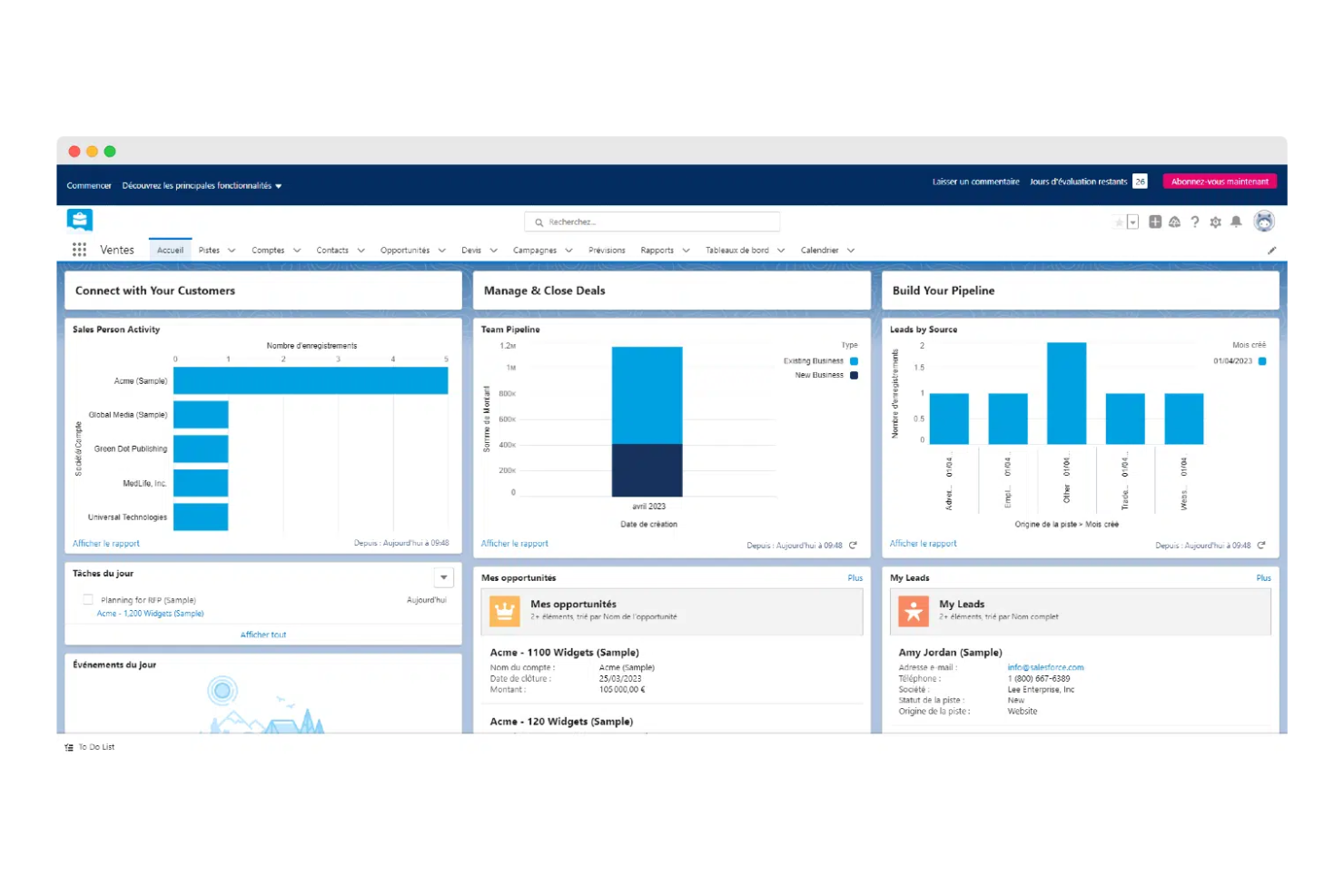
Salesforce is a cloud-based CRM platform geared towards businesses of all sizes, offering tools for sales, marketing, and customer service management. It provides scalable solutions that enable companies to manage customer relationships effectively and adapt to changing business needs.
Why I picked Salesforce: It offers scalable low-code development capabilities, allowing businesses to customize their CRM without extensive coding. Salesforce's interface simplifies app creation, making it accessible for teams with varying technical skills. Its analytics tools provide insights into customer behavior and business performance.
Standout Features and Integrations:
Features include a drag-and-drop interface for easy setup, a comprehensive AppExchange marketplace for additional functionalities, and analytics tools for real-time customer insights.
Integrations include Slack, Mailchimp, QuickBooks, Google Workspace, Dropbox, DocuSign, LinkedIn, and more.
Pros and Cons
Pros:
- Wide range of apps available
- Strong analytics capabilities
- Scalable for large enterprises
Cons:
- Requires ongoing customization
- Basic support can be unresponsive
Kohezion
Best for data visualization features
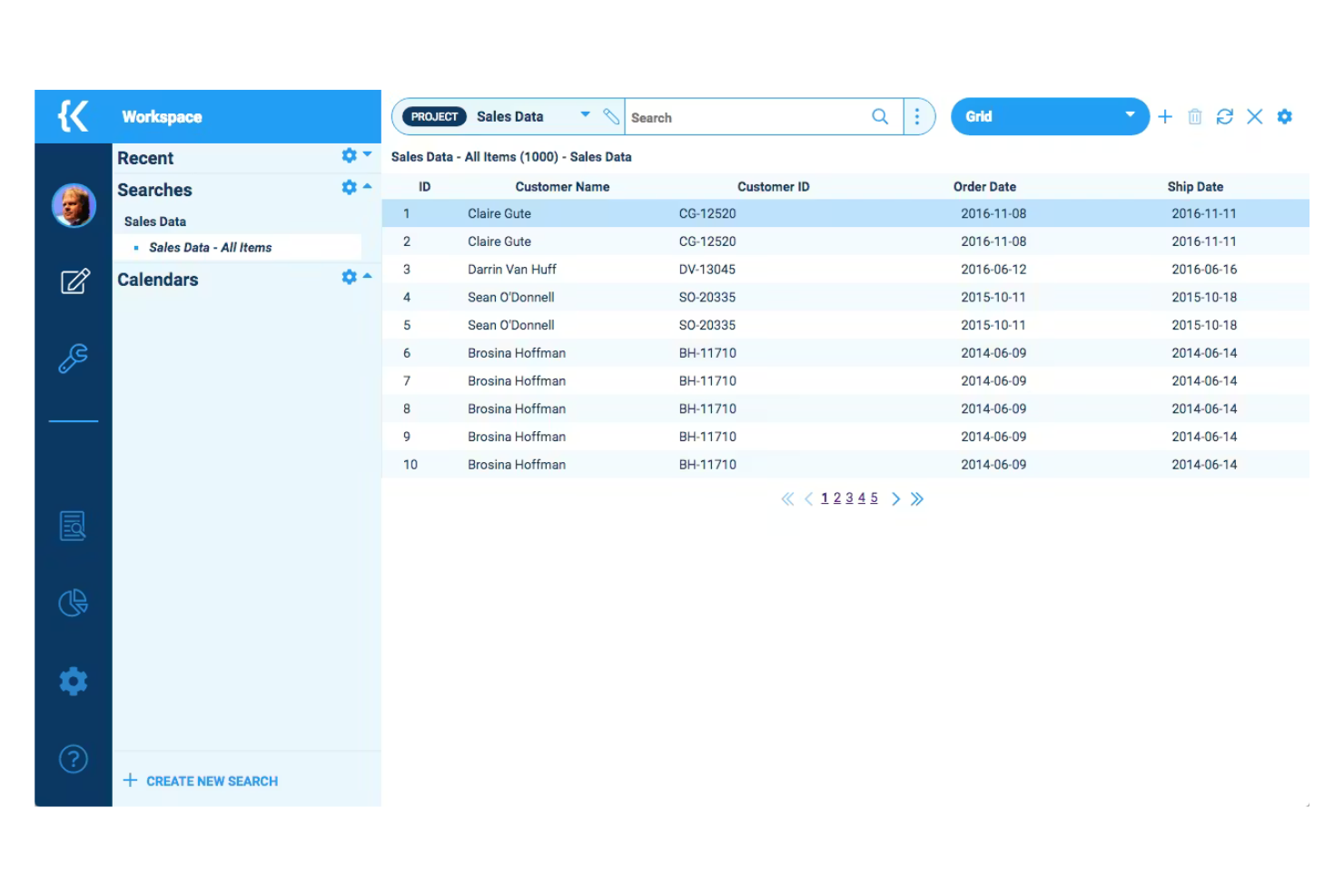
Kohezion is a low-code platform designed for businesses seeking customizable CRM applications. It caters to small and medium-sized enterprises, enabling them to create tailored solutions for data management and workflow automation.
Why I picked Kohezion: It offers a high degree of customization, allowing you to tailor CRM applications to your specific needs without extensive coding skills. The platform has a built-in visualization module so you can share data in real-time. Its flexibility in design and application makes it a versatile tool for various business processes.
Standout Features and Integrations:
Features include custom form creation for tailored data entry, drag-and-drop functionality for easy workflow management, and customizable reports for detailed business insights.
Integrations include Dropbox, Google Drive, Box, and more.
Pros and Cons
Pros:
- Intuitive drag-and-drop functionality
- Flexible design options
- Supports various business processes
Cons:
- Interactive reporting is less intuitive than in specialized tools
- Manual integration requirements

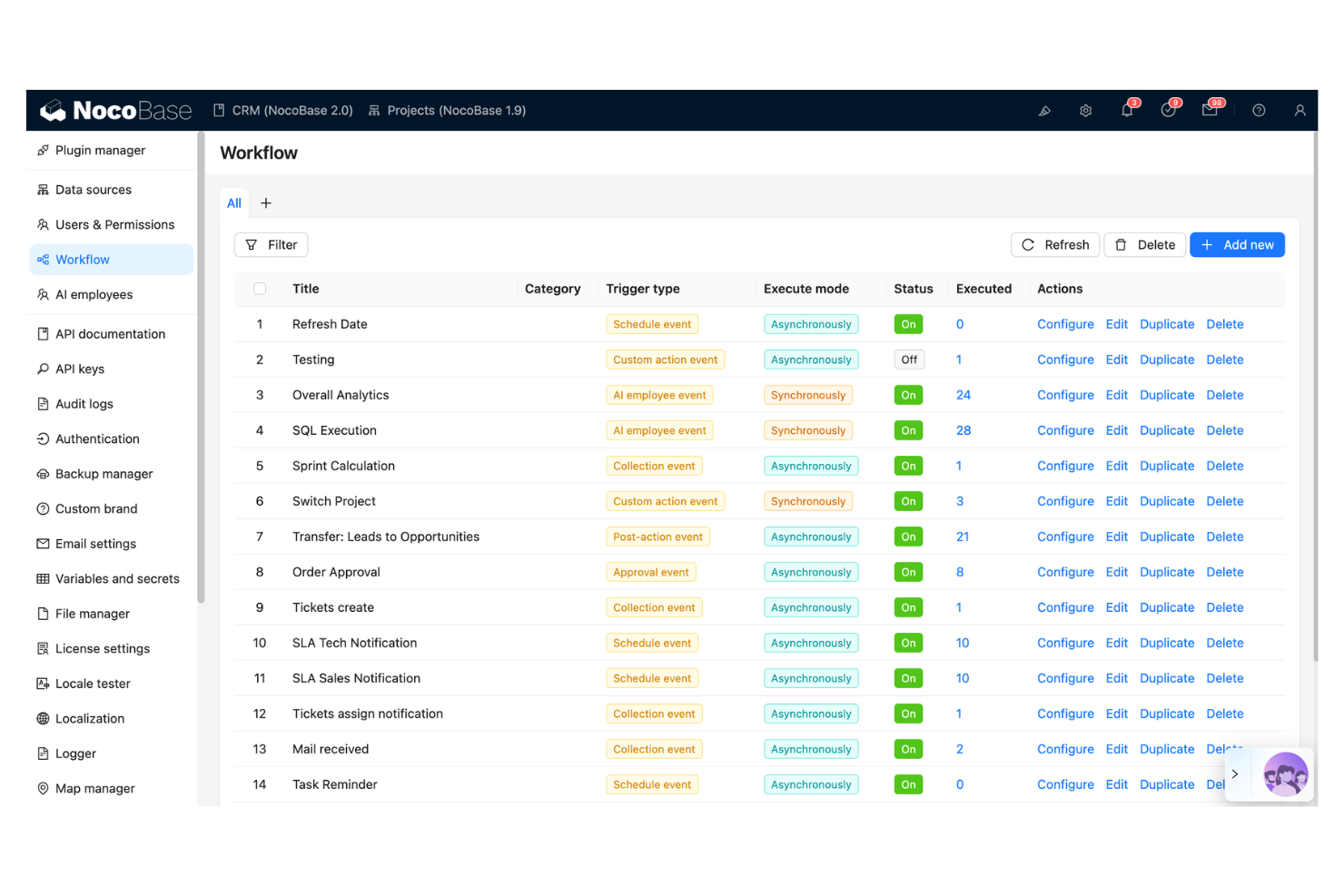
NocoBase is an open-source no-code and low-code development platform designed for teams that need rapid application development. It caters to businesses requiring quick adaptation to changing needs, supporting key functions such as data management and workflow automation.
Why I picked NocoBase: It offers rapid CRM building capabilities with its no-code approach, ideal for teams facing tight deadlines. The platform features customizable data models and a user-friendly interface for efficient application creation. NocoBase also emphasizes security and data control, addressing common concerns with other no-code platforms.
Standout Features and Integrations:
Features include customizable data models for tailored solutions, workflow automation for operational efficiency, and a plugin-based architecture for easy extensibility.
Integrations are not publicly listed.
Pros and Cons
Pros:
- Plugin-based architecture
- Data security controls
- Rapid application development
Cons:
- Documentation gaps
- Limited visual design freedom
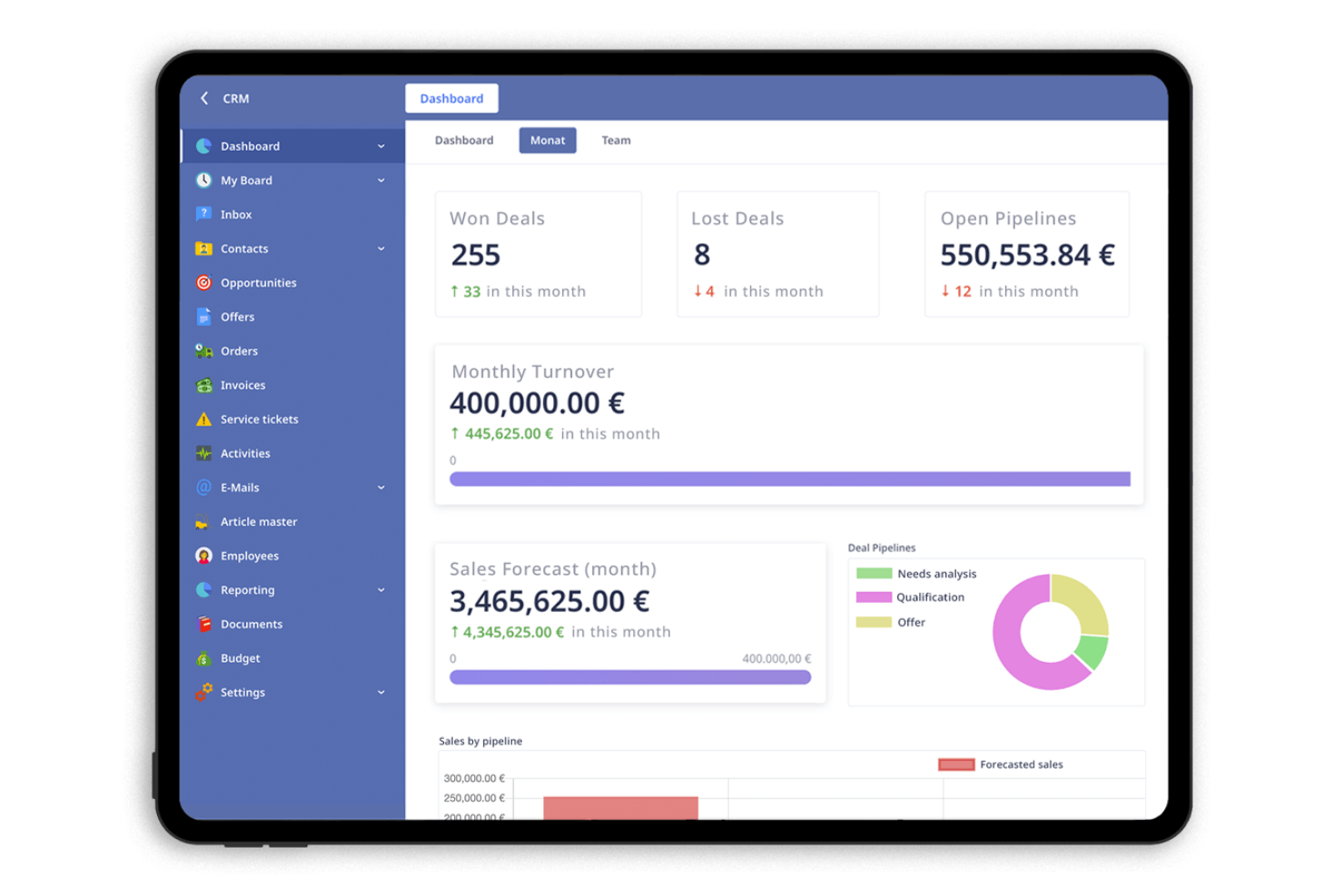
Ninox is a low-code platform designed for small and medium-sized enterprises (SMEs) to create custom CRM applications. It allows businesses to manage customer relationships, automate workflows, and analyze data efficiently.
Why I picked Ninox: It offers flexible tools that make it easy for SMEs to customize their CRM applications. You can create databases to fit your business needs without extensive coding skills. Ninox supports automation of repetitive tasks, freeing up time for more strategic activities.
Standout Features and Integrations:
Features include creating custom databases for tailored business solutions, softphone integration, and an intuitive interface for easy navigation.
Integrations include Zapier, Integrately, Make, and more.
Pros and Cons
Pros:
- Flexible design options
- Easy to create custom forms
- Highly customizable applications
Cons:
- May need technical support for complex setups
- CRM solution is not included in the starter plan
Zoho CRM
Best for CRM automation tools
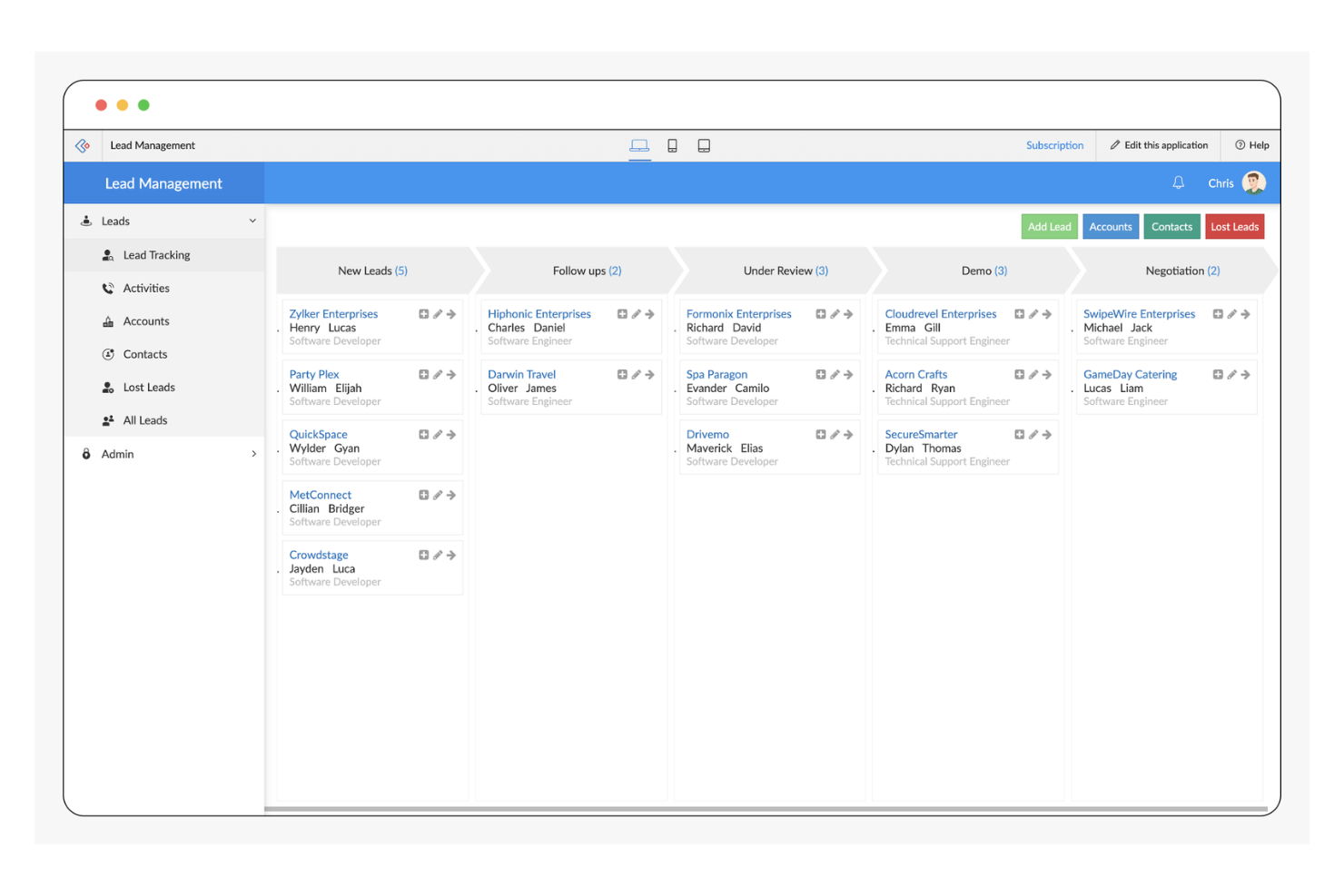
Zoho CRM is a versatile platform designed for businesses of all sizes, focusing on sales, marketing, and customer support automation. It offers a suite of tools to enhance customer relationship management and streamline business processes.
Why I picked Zoho CRM: Zoho CRM excels in providing low-code automation tools that simplify complex workflows. Its AI agent, Zia, offers insights and predictions, which you would not find in traditional CRM software.
Standout Features and Integrations:
Features include workflow automation for reducing manual tasks, a blueprint feature that enhances customer experiences, and an AI assistant for insights and predictions.
Integrations include Mailchimp, Slack, QuickBooks, Zapier, LinkedIn, Dropbox, DocuSign, HubSpot, and more.
Pros and Cons
Pros:
- Wide range of integrations available
- Strong analytics capabilities
- Extensive customization options
Cons:
- May not be cost-effective for small businesses
- Requires ongoing customization
New Product Updates from Zoho CRM

Zoho CRM Adds Reusable Canvas Templates for Forms
Zoho CRM now supports Canvas templates in the Forms view, so you can design a form layout once and reuse it across records for a consistent, faster experience. For more information, visit Zoho CRM's official site.
 .
.


How I Evaluate Low Code CRM
I split my evaluation into two layers: the baseline—pipeline tracking, visual workflow builders, custom objects—every platform must clear, and the differentiators that separate options for RevOps teams.
Core Functionality (Table Stakes For This List)
When I'm selecting tools for my list, I rank each one on a scale from 0 (does not offer the functionality) to 5 (excels in this area) for each core functionality listed below. Then, I calculate the tool's total score into a percentage. Each tool needs to achieve a minimum total score of 65% to be considered for inclusion.
- Visual Workflow Builder: I evaluate whether you can map out multi-step processes like lead routing rules or renewal reminders using drag-and-drop logic rather than scripting.
- Custom Object & Field Creation: RevOps teams often need objects beyond standard contacts and deals, so I check how easily you can spin up structures like partner records or custom subscription models through the UI.
- Pipeline & Deal Management: Every tool should let you track contacts, accounts, and opportunities across configurable stages, including multi-pipeline setups for different product lines or regions.
- No-Code Integrations & APIs: I look at how each platform connects to the broader GTM stack, from marketing automation to billing systems, through native connectors, webhooks, and accessible APIs.
- Configurable Dashboards & Reporting: The ability to build your own revenue dashboards matters here. I check whether you can create cross-object reports and custom metrics without writing queries.
- Role-Based Permissions & Governance: For cross-functional RevOps teams sharing one CRM, I evaluate how granularly you can control access at the field and record level across sales, marketing, and CS users.
Once I have a list of tools that meet this criteria, I consider what sets each platform apart.
Differentiating Factors (What Sets Vendors Apart)
Here's how I compare and contrast different vendors:
Standout Features
Sandbox and version control capabilities matter a lot here. When your RevOps team is iterating on pipeline stages or approval flows, I look for platforms that let you test changes in isolation before pushing them live. AI-powered automation is another area I evaluate closely. Tools that offer configurable lead scoring or predictive forecasting give revenue teams an edge without requiring data science resources. I also check for reusable component libraries with pre-built templates that speed up common setups like renewal tracking or territory assignment.
Beyond Features
Total cost of ownership is something I look at closely. Per-user pricing can balloon fast when sales, marketing, and CS all share one CRM, so I compare licensing models and check for hidden costs around API limits or premium connectors. Time-to-value also matters. I evaluate whether a platform offers guided setup wizards, RevOps-specific templates, or certification programs that help your team go live without expensive consulting engagements. Integration depth rounds this out. A low code CRM needs to fit into your existing GTM stack, from marketing automation to data warehouses.
So wählen Sie ein Low-Code-CRM aus
Es ist leicht, sich in langen Feature-Listen und komplexen Preisstrukturen zu verlieren. Damit Sie bei Ihrer individuellen Softwareauswahl den Überblick behalten, finden Sie hier eine Checkliste wichtiger Faktoren:
| Faktor | Was ist zu beachten? |
|---|---|
| Skalierbarkeit | Kann das CRM mit Ihrem Unternehmen mitwachsen? Berücksichtigen Sie zukünftige Anforderungen und prüfen Sie, ob das Tool steigende Daten- und Nutzerzahlen ohne Leistungseinbußen bewältigen kann. |
| Integrationen | Lässt es sich mit Ihren bestehenden Tools verbinden? Überprüfen Sie die Kompatibilität mit Ihren aktuellen Systemen, um Unterbrechungen im Workflow zu vermeiden und Datenkonsistenz sicherzustellen. |
| Anpassungsfähigkeit | Wie gut können Sie das CRM an Ihre Prozesse anpassen? Achten Sie auf flexible Möglichkeiten, Felder, Workflows und Berichte auf Ihre individuellen Anforderungen abzustimmen. |
| Benutzerfreundlichkeit | Ist das CRM für Ihr Team intuitiv? Stellen Sie sicher, dass die Benutzeroberfläche leicht verständlich ist, um den Schulungsaufwand zu minimieren und die Produktivität von Anfang an zu maximieren. |
| Implementierung und Onboarding | Wie schnell können Sie starten? Prüfen Sie die bereitgestellten Ressourcen und den Support für die Einrichtung, einschließlich Schulungsmaterialien und dedizierter Unterstützung beim Onboarding. |
| Kosten | Passt es zu Ihrem Budget? Vergleichen Sie Preispläne und berücksichtigen Sie die Gesamtkosten einschließlich möglicher versteckter Gebühren oder erforderlicher Zusatzfunktionen. |
| Sicherheitsmaßnahmen | Sind Ihre Daten und Ihre Privatsphäre geschützt? Überprüfen Sie die Einhaltung von Branchenstandards und achten Sie auf Features wie Verschlüsselung, Zugriffskontrollen und regelmäßige Updates. |
| Verfügbarkeit des Supports | Welche Supportoptionen gibt es? Berücksichtigen Sie die Erreichbarkeit des Kundendienstes, einschließlich Reaktionszeiten und Kanäle wie Chat, E-Mail oder Telefon. |
Was ist Low Code CRM?
Low Code CRM ist eine Software, die es Anwendern ermöglicht, Kundenmanagement-Anwendungen (Customer Relationship Management) mit minimalem Programmieraufwand zu erstellen und zu verwalten. Solche Tools werden häufig von Vertriebs-, Marketing- und Kundenservice-Teams genutzt, um die Produktivität zu steigern und die Interaktionen mit Kunden zu verbessern.
Drag-and-Drop-Oberflächen, anpassbare Vorlagen und Automatisierungsfunktionen helfen, Prozesse zu vereinfachen, Arbeitsabläufe individuell zu gestalten und manuelle Aufgaben zu reduzieren. Insgesamt bieten diese Tools eine flexible und effiziente Möglichkeit, Kundenbeziehungen zu managen und das Unternehmenswachstum voranzutreiben.
Funktionen
Achten Sie bei der Auswahl eines Low Code CRM besonders auf folgende Schlüsselfunktionen:
- Anpassbare Vorlagen: Ermöglichen es, Arbeitsabläufe und Prozesse individuell auf spezifische Geschäftsanforderungen zuzuschneiden und dadurch Flexibilität und Effizienz zu erhöhen.
- Drag-and-Drop-Oberfläche: Vereinfacht die App-Erstellung, indem Benutzer Anwendungen ohne umfassende Programmierkenntnisse erstellen können und so die Entwicklungszeit verkürzt wird.
- Workflow-Automatisierung: Automatisiert wiederkehrende Aufgaben, schafft Freiräume für strategische Tätigkeiten und verbessert die Gesamteffizienz.
- Integrationsfähigkeit: Gewährleistet die Verbindung mit bestehenden Tools und Systemen, sorgt für Datenkonsistenz und optimiert Arbeitsabläufe.
- Datenvisualisierung: Bietet klare Einblicke in Kundendaten mittels Diagrammen und Grafiken und unterstützt so bessere Entscheidungen.
- Sicherheitsvorkehrungen: Schützt sensible Informationen durch Funktionen wie Verschlüsselung und Zugriffskontrollen, gewährleistet Datenschutz und Konformität.
- KI-basierte Erkenntnisse: Liefert prädiktive Analysen und Empfehlungen, wodurch fundierte Entscheidungen und eine Optimierung der Strategien ermöglicht werden.
- Rollenbasierte Zugriffskontrolle: Steuert Benutzerrechte effektiv und stellt sicher, dass sensitive Daten und Funktionen nur von autorisiertem Personal zugänglich sind.
- Eigene Datenbankerstellung: Ermöglicht die Gestaltung von Datenbanken, die individuell auf Geschäftsanforderungen zugeschnitten sind und spezifische Unternehmensprozesse unterstützen.
- Skalierbarkeit: Unterstützt Unternehmenswachstum durch die Verarbeitung steigender Datenmengen und Nutzerzahlen, ohne die Leistungsfähigkeit zu beeinträchtigen.
Vorteile
Die Implementierung eines Low Code CRM bringt beträchtliche Vorteile für Ihr Team und Ihr Unternehmen. Nachfolgend einige, auf die Sie sich freuen können:
- Schnellere Entwicklung: Drag-and-Drop-Oberflächen und anpassbare Vorlagen beschleunigen die App-Entwicklung, sodass Ihr Team Lösungen zügig bereitstellen kann.
- Mehr Produktivität: Die Automatisierung von Arbeitsabläufen verringert manuelle Aufgaben, wodurch Ihrem Team mehr Zeit für strategische Arbeiten und Kundenkontakte bleibt.
- Erhöhte Flexibilität: Individuell anpassbare Datenbanken und Integrationsmöglichkeiten ermöglichen es, das CRM exakt auf Ihre Geschäftsanforderungen zuzuschneiden und bei Bedarf flexibel anzupassen.
- Bessere Entscheidungsfindung: KI-basierte Auswertungen und Datenvisualisierung helfen, Kundenverhalten zu verstehen und Strategien gezielt zu optimieren.
- Kosteneffizienz: Durch den Low Code Ansatz entfällt ein Großteil des Programmieraufwands sowie hohe Entwicklerressourcen, was die Entwicklungskosten reduziert.
- Skalierbarkeit: Die Fähigkeit, steigende Daten- und Nutzerzahlen zu bewältigen, stellt sicher, dass das CRM mit Ihrem Unternehmen ohne Leistungsprobleme wächst.
- Bessere Sicherheit: Integrierte Sicherheitsfunktionen schützen sensible Daten, gewährleisten die Einhaltung von Branchenstandards und stärken das Vertrauen Ihrer Kunden.
Kosten und Preise
Bei der Auswahl eines Low Code CRM ist es wichtig, die verschiedenen verfügbaren Preismodelle und Tarife zu verstehen. Die Kosten variieren je nach Funktionsumfang, Teamgröße, Zusatzoptionen und mehr. Die folgende Tabelle gibt einen Überblick über gängige Tarife, deren Durchschnittspreise und typische Funktionen, die in Low Code CRM-Lösungen enthalten sind:
Tarifvergleichstabelle für Low Code CRM
| Tarifart | Durchschnittspreis | Typische Funktionen |
|---|---|---|
| Gratis-Tarif | $0 | Basis-Kontaktverwaltung, begrenzte Anpassungen und Community-Support. |
| Persönlicher Tarif | $10-$50/user/month | Anpassbare Vorlagen, Workflow-Automatisierung und E-Mail Integration. |
| Geschäftstarif | $50-$120/user/month | Erweiterte Berichte, Integration mit Drittanbieter-Apps und erweiterte Sicherheitsfunktionen. |
| Enterprise-Tarif | $100-$300+/user/month | KI-gesteuerte Analysen, dedizierter Account-Support und Sicherheits- sowie Compliance-Tools auf Unternehmensebene. |
Low Code CRM FAQs
Hier finden Sie Antworten auf häufig gestellte Fragen zu Low Code CRM:
Was ist der Unterschied zwischen Low Code und No Code CRM?
Low Code CRM erfordert etwas Programmierung für die Anpassung und bietet dadurch mehr Flexibilität und Kontrolle. No Code CRM hingegen ermöglicht es Anwendern, Anwendungen ganz ohne Programmierkenntnisse ausschließlich mit Drag-and-Drop-Tools zu erstellen. Wählen Sie Low Code, wenn Sie mehr Anpassungsmöglichkeiten benötigen oder über technische Ressourcen verfügen. Entscheiden Sie sich für No Code, wenn Benutzerfreundlichkeit und eine schnelle Einrichtung im Vordergrund stehen.
Kann Low Code CRM mit meinen bestehenden Systemen integriert werden?
Ja, die meisten Low Code CRM-Lösungen bieten Integrationsmöglichkeiten mit verbreiteten Tools wie E-Mail-Clients, Marketingplattformen und Buchhaltungssoftware. Wichtig ist, vor dem Kauf die unterstützten Integrationen des CRMs zu prüfen. Suchen Sie nach CRMs, die API-Zugänge für individuelle Anbindungen anbieten, falls Ihre Systeme nicht dabei sind.
Wie sicher ist Low Code CRM?
Low Code CRM-Plattformen enthalten in der Regel Sicherheitsmaßnahmen wie Datenverschlüsselung, Zugriffskontrollen und regelmäßige Sicherheitsupdates. Es ist jedoch wichtig zu prüfen, ob das CRM die für Ihr Unternehmen relevanten Branchenstandards und -vorschriften einhält. Fragen Sie Anbieter nach ihren Sicherheitszertifikaten und -praktiken, um die Datensicherheit zu gewährleisten.
Ist Low Code CRM für kleine Unternehmen geeignet?
Ja, Low Code CRM kann eine ausgezeichnete Wahl für kleine Unternehmen sein. Es bietet Skalierbarkeit und Anpassungsfähigkeit ohne großen technischen Aufwand. Kleine Teams können so Arbeitsabläufe automatisieren und Kundenbeziehungen effizient verwalten. Suchen Sie nach Tarifen, die zu Ihrem Budget passen und Funktionen speziell für kleinere Unternehmen bieten.
Wie geht es weiter:
Wenn Sie gerade Low Code CRM recherchieren, verbinden Sie sich mit einem SoftwareSelect-Berater und erhalten Sie kostenlose Empfehlungen.
Sie füllen ein Formular aus und führen ein kurzes Gespräch, in dem Ihre individuellen Anforderungen besprochen werden. Anschließend erhalten Sie eine Auswahl an Softwarevorschlägen zur Überprüfung. Die Berater unterstützen Sie sogar während des gesamten Kaufprozesses, einschließlich Preisverhandlungen.