

10 Best Zendesk Alternatives Reviewed in 2026

Best Zendesk Alternatives Shortlist


Zendesk is a popular CRM software known for its user-friendly interface and extensive customer support features. However, some users might seek alternatives due to its higher cost and limited customization options.
Using my experience with revenue operations software, I tested and compared several of the top Zendesk alternatives available. From there, I compiled my results into detailed reviews to help you find the best software for your unique needs.
What Is Zendesk?
Zendesk is a CRM software used to manage customer support and relationships. It's used by customer service teams, IT professionals, and sales departments to improve customer interactions and satisfaction.
Features like ticketing systems, analytics, and integrations help organize customer inquiries, analyze performance, and connect with other tools. Overall, Zendesk provides value by enhancing your team's ability to deliver efficient and responsive customer service.
Why Trust Our Software Reviews
We’ve been testing and reviewing CRM and customer relationships since 2022. As revenue operations experts ourselves, we know how critical and difficult it is to make the right decision when selecting software. We invest in deep research to help our audience make better software purchasing decisions.
We’ve tested more than 2,000 tools for different Revenue Operations use cases and written over 1,000 software reviews. Learn how we stay transparent & our software review methodology.
Best Zendesk Alternatives Summary
This comparison chart summarizes pricing details for my top Zendesk alternative selections to help you find the best one for your budget and business needs.
| Tool | Best For | Trial Info | Price | ||
|---|---|---|---|---|---|
| 1 | Best for automated sales tracking | 30-day free trial + free demo available | From $29/user/month (billed annually) | Website | |
| 2 | Best for personalized support experiences | Free plan + free trial available | From $25/user/month (billed annually) | Website | |
| 3 | Best for scalable ticketing and AI automation | 14-day free trial + free demo available | From $19/user/month (billed annually) | Website | |
| 4 | Best for AI-powered live chat | Free trial + free plan available | From $24.17/month (billed annually) | Website | |
| 5 | Best for multi-channel customer messaging | Free trial available | From $12/user/month (billed annually) | Website | |
| 6 | Best for customizable IT support solutions | Free demo available | Pricing upon request | Website | |
| 7 | Best for business messaging for startups | 14-day free trial + free demo + free plan available | From $45/workspace/month | Website | |
| 8 | Best for multi-company support management | 30-day free trial | From $12/user/month | Website | |
| 9 | Best for ecommerce customer experience | 7-day free trial + free demo available | From $10/month | Website | |
| 10 | Best for AI-first customer service | 14-day free trial + free demo available | From $29/user/month (billed annually) | Website |

-

Zendesk
Visit WebsiteThis is an aggregated rating for this tool including ratings from Crozdesk users and ratings from other sites.4.3 -
Pipedrive CRM
Visit WebsiteThis is an aggregated rating for this tool including ratings from Crozdesk users and ratings from other sites.4.5 -
Creatio CRM
Visit WebsiteThis is an aggregated rating for this tool including ratings from Crozdesk users and ratings from other sites.4.7




Best Zendesk Alternatives
In this analysis, I will provide an in-depth overview of each Zendesk alternative. I’ll walk through the pros and cons of each tool, features, and best use cases.


Salesflare is a Customer Relationship Management (CRM) platform designed for small and medium-sized B2B businesses. It helps sales teams manage interactions, enrich lead data automatically, and organize pipelines in a way that makes relationship management easier and more effective.
Why it’s a good Zendesk alternative: I chose Salesflare for this list because it focuses on sales tracking and relationship intelligence rather than ticketing. With automated email sequences, lead data enrichment, and visual sales pipelines, Salesflare can help you keep track of customer interactions and follow up at the right time. Its automation-first approach means your team can spend less time on manual data entry and more time nurturing leads and closing deals.
Standout features & integrations:
Features include relationship insights, which analyze connections to guide outreach, data enrichment that auto-fills lead details, and AI-driven recommendations for next best actions. Visual pipelines make it easier to see where deals stand and prioritize tasks across the team.
Integrations include QuickBooks Online, Slack, Typeform, Facebook Lead Ads, Google Contacts, MailChimp, Google Sheets, Intercom, Better Proposals, Emailable, Leadinfo, and StoryChief.
Pros and Cons
Pros:
- Strong integration options
- Visual pipeline management
- Automated relationship tracking
Cons:
- No built-in ticketing system
- Limited advanced customization


HubSpot Service Hub is a customer service and success platform that streamlines communication, automates support workflows, and provides data-driven insights for businesses of all sizes. It centralizes omnichannel customer interactions—across email, chat, and messaging apps—helping teams deliver faster, more consistent service experiences.
Why it's a good Zendesk alternative: I chose Help Scout for the list because it offers a simpler, more affordable support platform tailored to small and medium-sized businesses. Its shared inbox and Beacon features provide seamless collaboration and integrated live chat without the complexity or cost of Zendesk. Help Scout’s intuitive interface, automation tools, and strong integrations make it a practical choice for teams that need efficient, personalized customer support without enterprise overhead.
Standout features & integrations:
Features include AI-powered ticket management, intelligent routing, real-time service analytics, and a self-service knowledge base that reduces support volume. Additional highlights include customer feedback tools, SLA management, chatbots, and automation workflows that enhance responsiveness and consistency.
Integrations include Gmail, Google Calendar, Outlook, WordPress, Zapier, Zoom, Microsoft Teams, Slack, Google Chat, and Salesforce.
Pros and Cons
Pros:
- Long-term users have reported unresolved bugs and rising prices, affecting satisfaction.
- Some users feel that essential features, like real-time chat, are restricted to higher-priced plans.
- Help Scout’s Beacon feature integrates a help center and live chat, enhancing customer interaction.
Cons:
- The platform is user-friendly, making it accessible for teams without extensive training.
- The shared inbox feature allows collaborative management of customer emails, improving team efficiency.
New Product Updates from Help Scout

Help Scout Adds Next Response Time Goals and SLA View Filters
Help Scout SLAs now support Next Response Time goals, helping teams measure and improve responsiveness between the first reply and final resolution, with NRT included in SLA reporting. For more information, visit Help Scout's official site.
 .
.

Freshdesk is a customer service and support software that provides ticketing, self-service options, AI-powered automation, collaboration tools, and analytics. It aims to empower support teams to deliver timely and consistent support at any scale. The platform also offers a Customer Service Suite with AI-powered conversations, ticket management, and no-code bots.
Why it's a good Zendesk alternative: I chose Freshdesk for the list because it offers tools that can scale with businesses of all sizes. Its AI-powered automation and ticketing system makes it a good contender for those looking to move away from Zendesk. The platform's integration of various customer service functions into one unified solution sets it apart.
Standout features & integrations:
Features include an advanced ticketing system, AI-powered automation, and self-service options. The platform also offers collaboration tools to help agents engage with cross-functional teams and analytics to optimize support operations.
Integrations include Slack, Jira, Google Calendar, Google Analytics, and Mailchimp.
Pros and Cons
Pros:
- Scalable for businesses of all sizes
- AI-powered automation
- Ticketing system
Cons:
- Limited customization options in lower-tier plans
- Learning curve for new users
New Product Updates from Freshdesk

Freshdesk Adds Voice AI Agents in Freshcaller
Freshdesk introduces Voice AI Agents available through Freshcaller Marketplace apps to handle routine calls and reduce queues. This feature enables automated call handling with real-time, conversational support. For more information, visit Freshdesk's official site.
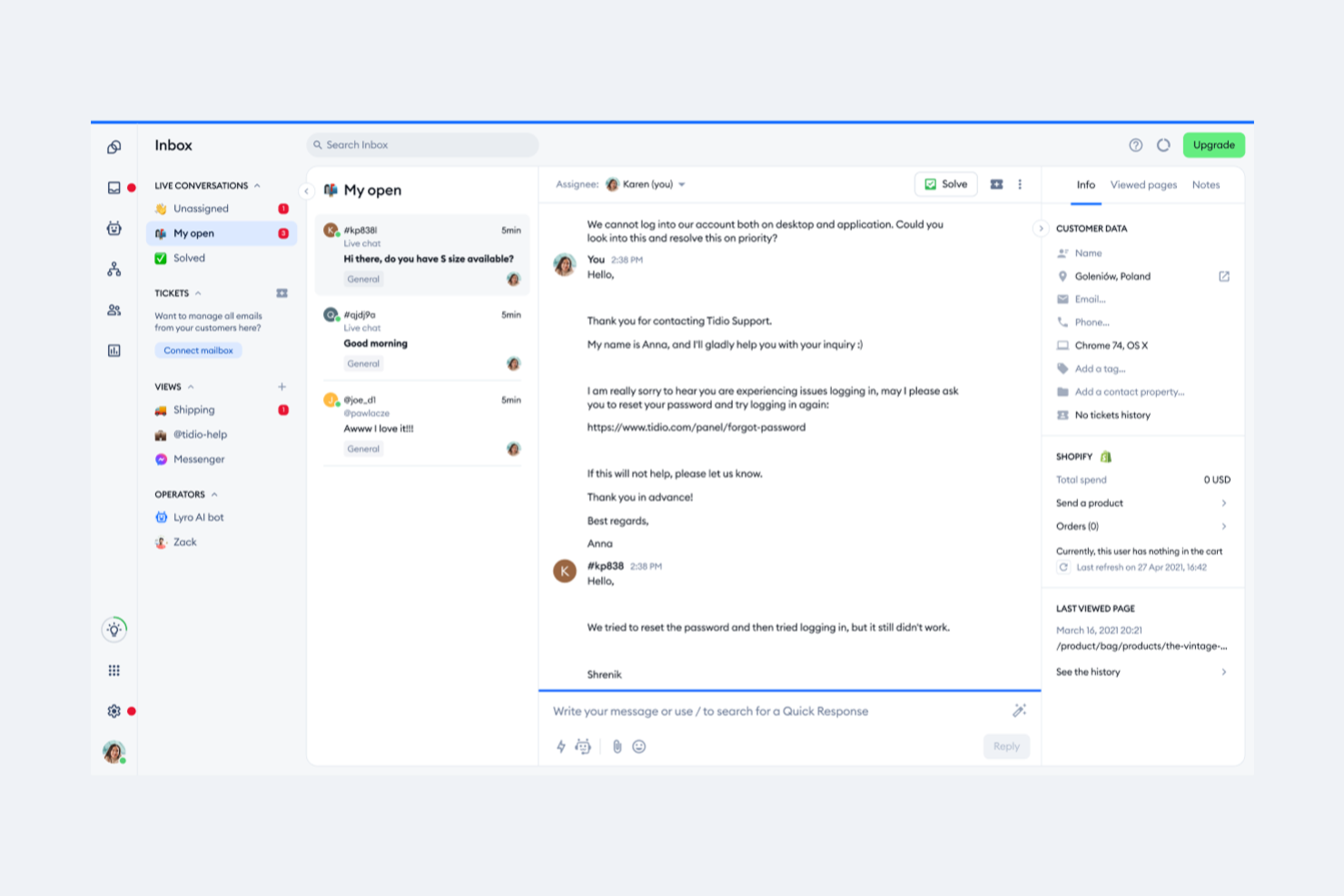
Tidio is a customer communication platform that combines live chat, chatbots, and help desk tools in one place. It’s designed to help small to medium-sized e-commerce businesses engage with customers in real time and manage support inquiries more efficiently.
Why it’s a good Zendesk alternative: I picked Tidio for this list because it gives you a powerful live chat experience that keeps customers engaged on your website, while its Lyro AI agent handles repetitive queries in the background. This balance between automation and personal interaction can reduce response times and free your team to focus on complex issues. Tidio also centralizes your support channels into a help desk, making it easier to track and resolve customer requests without missing a message.
Standout features & integrations:
Features include AI chatbots, customizable flows, analytics and reporting, and multilingual support. These tools allow you to automate frequent interactions while maintaining a personalized experience across multiple channels.
Integrations include Shopify, WordPress, Squarespace, WIX, Adobe Commerce, Shopware, BigCommerce, PrestaShop, Ecwid by Lightspeed, Weebly, WooCommerce, and OpenCart.
Pros and Cons
Pros:
- Multilingual chat support
- Centralized help desk system
- AI chatbot handles FAQs
Cons:
- AI and flows not combined
- No analytics for flows
New Product Updates from Tidio

Tidio Expands Lyro AI Across Email and Chat
Tidio expands Lyro AI to email ticketing and enhances its chatbot with Claude 3.0 integration. These updates improve automation across support channels and enhance AI-driven interactions. For more information, visit Tidio’s official site.
 .
.

HelpCrunch brings your support, marketing, and sales conversations into a single interface so your team can respond faster and more consistently. It replaces the need for separate chat, email, and engagement tools, giving growing businesses a clearer way to manage customer communication. If you want a Zendesk alternative that feels modern and easy to navigate, HelpCrunch fits that role well.
Why I Picked HelpCrunch
I picked HelpCrunch because it gives you a unified workspace for chat, email marketing, and customer support. You can engage customers in real time through live chat or let automated messages handle common questions. Its shared inbox and knowledge base tools help your team stay organized without juggling multiple platforms. The platform’s mobile apps and SDKs also make it easy to support customers on the go. Overall, it offers a flexible alternative for teams wanting to consolidate their communication stack.
HelpCrunch Key Features
- Live chat: Communicate with customers in real time across your site or app.
- Chatbot: Automate common responses to reduce agent workload.
- Shared inbox: Keep all customer conversations in one place.
- Email marketing: Send targeted campaigns and follow-ups.
- Popups: Capture leads and drive engagement with on-site prompts.
HelpCrunch Integrations
Integrations include Zapier, Slack, WordPress, Facebook, Instagram, WhatsApp, Google Analytics, Shopify, Telegram, Viber, HubSpot, Salesforce, Pipedrive, and Aircall.
Pros and Cons
Pros:
- Free migration from other platforms
- User-friendly interface
- Multichannel communication tools
Cons:
- Some features still in development (e.g., AI capabilities)
- Limited advanced automation features


HappyFox is a versatile help desk ticket management software that offers a ticketing system for customer service, IT, and internal help desk needs. It offers tailored support experiences across various industries.
Why it's a good Zendesk alternative: I chose HappyFox for the list because it has customizable IT support solutions, making it a good alternative to Zendesk. Its ability to integrate with multiple platforms and provide tools for customer support teams and IT support makes it a versatile option.
Standout features & integrations:
Features include live chat, AI transformation, process automation, and business intelligence. It supports various industries and departments, aiming to improve customer service and support.
Integrations include Salesforce, Aircall, Microsoft Teams, Slack, Facebook, Jira, Okta, Azure, Google Analytics, and Dropbox.
Pros and Cons
Pros:
- Complex setup for beginners
- Versatile ticketing system
- Highly customizable
Cons:
- Setup can be complex for new users
- Limited customization options

Crisp is an all-in-one business messaging platform designed to help startups and SMBs manage customer interactions efficiently. It stands out due to its suite of tools that centralize conversations, automate tasks, and provide real-time assistance.
Why it's a good Zendesk alternative: I chose Crisp for the list because it offers features in line with business messaging tailored for startups and SMBs, making it a good contender against Zendesk. Its ability to centralize various communication channels and automate repetitive tasks makes it a practical choice for businesses looking to simplify their customer support operations.
Standout features & integrations:
Features include a shared inbox that centralizes conversations from live chat, emails, Instagram DM, WhatsApp, and phone calls. It also includes a chatbot builder, co-browsing software, and a knowledge base for customer self-service.
Integrations include Cloudflare, Facebook Messenger, Joomla, Mailchimp, Prestashop, Segment, Telegram, Webflow, and WhatsApp.
Pros and Cons
Pros:
- Real-time co-browsing
- Visual chatbot builder
- Centralized communication channels
Cons:
- May require customization for specific needs
- Limited advanced reporting features

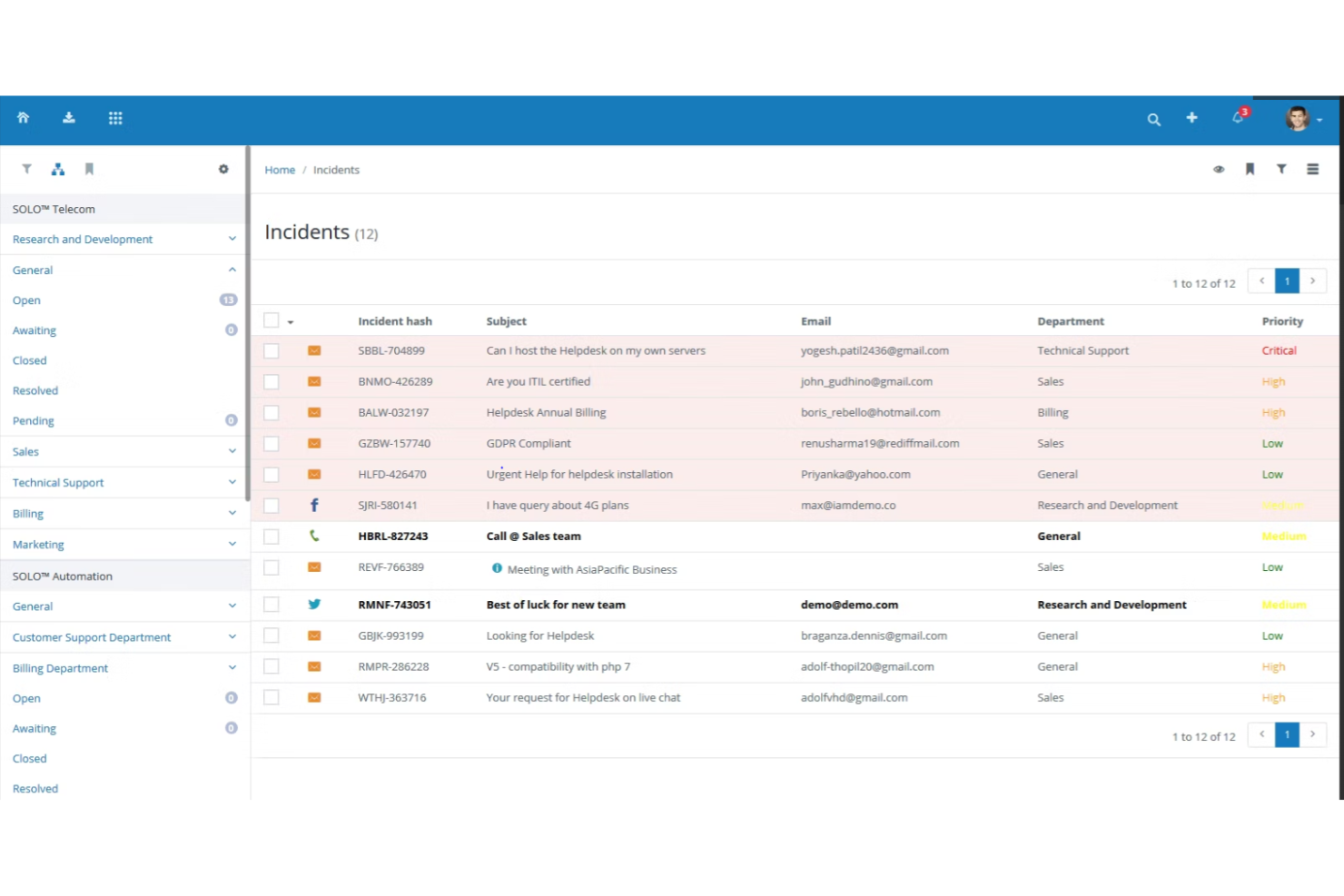
Vision Helpdesk is a customer service software tool that offers a satellite help desk, service desk, and live chat software. Its multi-company support management is not commonly found in other help desk software.
Why it's a good Zendesk alternative: I chose Vision Helpdesk for the list because it stands out with its multi-company support management feature. This feature allows businesses to manage customer support or IT service desk functionality for multiple companies, brands, or products in one place. This makes it a good alternative to Zendesk for businesses that need to manage support for multiple entities under one platform.
Standout features & integrations:
Features include multi-channel ticket management, ITIL/ITSM-compliant service desk, and a real-time multi-company live chat messaging platform. These features help improve customer engagement and support team productivity.
Integrations include Active Directory, Google Hosted Emails, Live Chat Inc, GoToMeeting, Twilio, and Facebook.
Pros and Cons
Pros:
- Real-time multi-company live chat
- ITIL/ITSM compliant
- Supports multiple companies, brands, or products
Cons:
- Limited customization options compared to some competitors
- May require a learning curve for new users
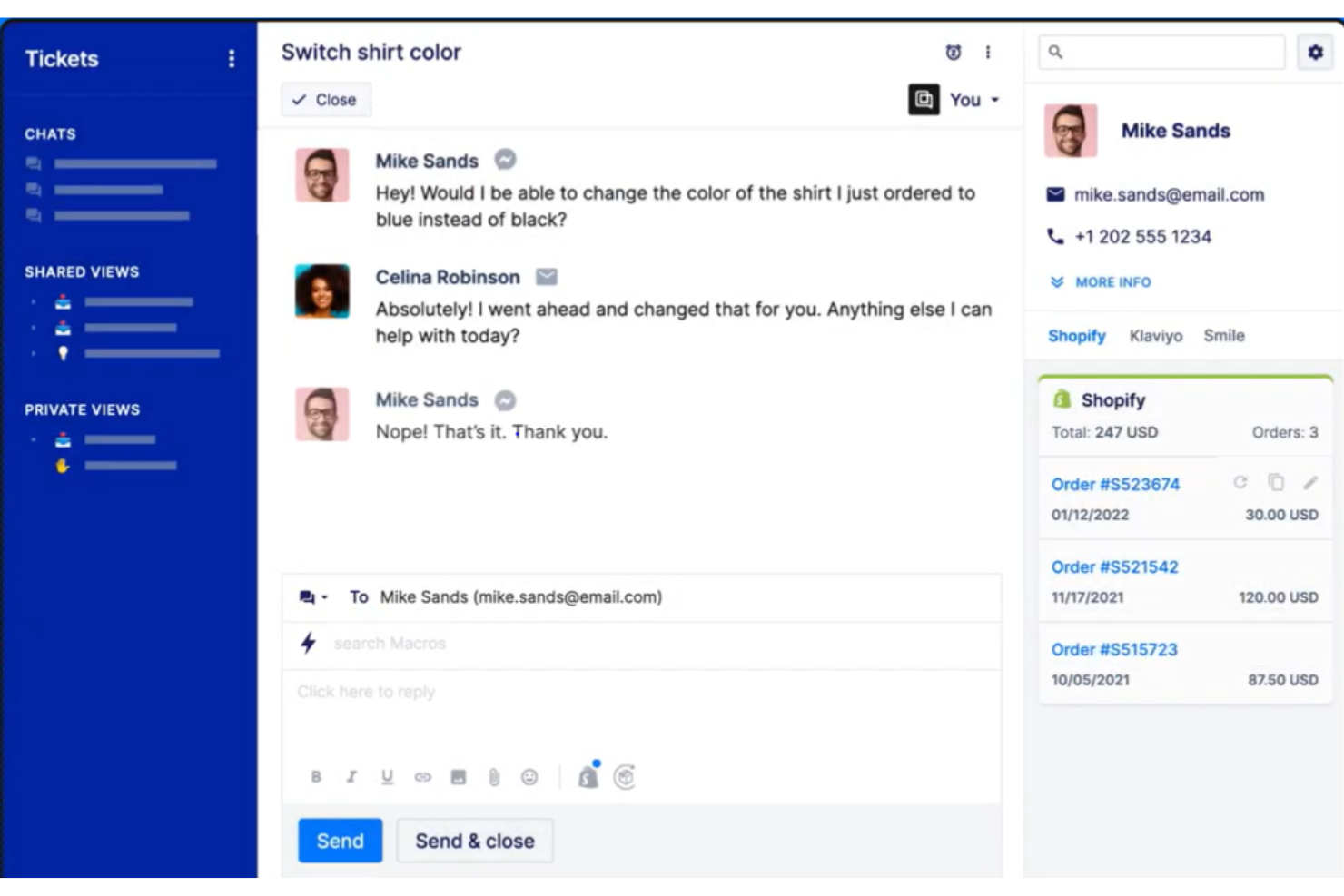
Gorgias is an AI customer experience platform for ecommerce that centralizes customer interactions and automates support tasks. It provides personalized, efficient customer service tailored for ecommerce businesses.
Why it's a good Zendesk alternative: I chose Gorgias for its specialized focus on ecommerce, which makes it a good alternative to Zendesk. I believe it is best for ecommerce customer experience and its ability to integrate with ecommerce platforms like Shopify and BigCommerce, combined with its AI-driven automation, sets it apart.
Standout features & integrations:
Features include an all-in-one support inbox, AI-driven automation for repetitive tasks, and tools to boost website conversion rates. It also provides real-time performance monitoring and customer satisfaction surveys.
Integrations include Shopify, Shopify Plus, BigCommerce, Magento, Recharge, ShipStation, ShipBob, and RingCentral.
Pros and Cons
Pros:
- Deep integration with ecommerce platforms
- Strong AI automation capabilities
- Specialized for ecommerce
Cons:
- Limited reporting capabilities
- Limited to ecommerce businesses

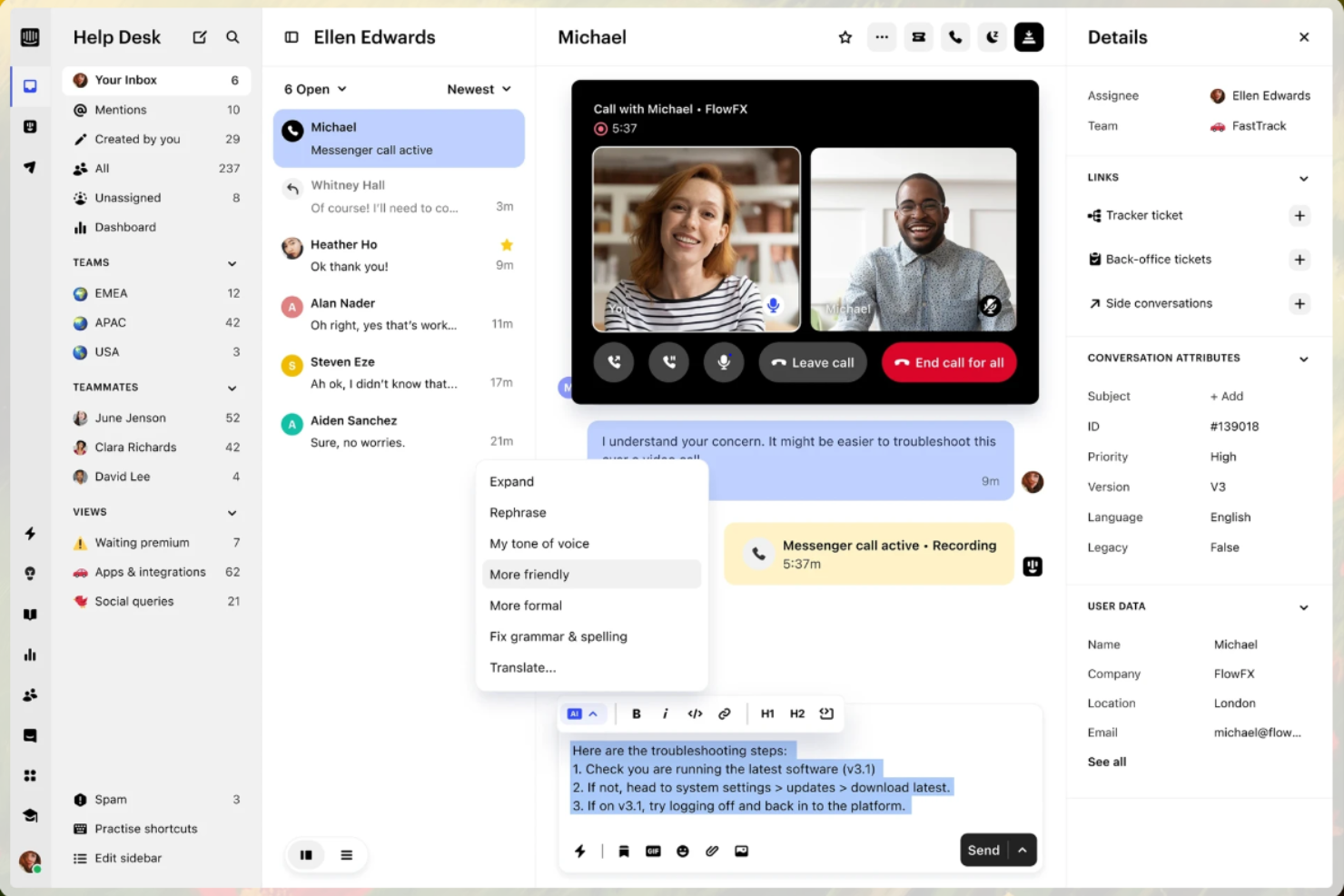
Intercom is a customer service platform that leverages AI to provide instant support and enhance agent productivity. It integrates AI at every level, offering support tools like the Fin AI Agent and AI-enhanced inbox to simplify support operations.
Why it's a good Zendesk alternative: I chose Intercom for this list because of its AI integration, which sets it apart from other customer service platforms. I believe it’s best for AI-first customer service and its ability to provide instant, accurate answers makes it a good alternative to Zendesk.
Standout features & integrations:
Features include the Fin AI Agent for instant customer support and an AI-enhanced inbox for agents. It also has advanced features like reporting metrics for support leaders.
Integrations include Shopify, HubSpot, and Salesforce.
Pros and Cons
Pros:
- Reporting and insights
- Omnichannel support
- AI integration
Cons:
- Limited customization options
- Steep learning curve for some users
Other Zendesk Alternatives
Below is a list of additional Zendesk alternatives that I shortlisted, but did not make it to the top list. Definitely still worth checking them out!
- SolarWinds Service Desk
For unified IT service management
- Zoho Desk
For context-aware customer service
- HubSpot Service Hub
For customer feedback tools
- Hiver
For seamless team collaboration
- Creatio CRM
For custom service workflows
- Freshservice
For enterprise-grade IT helpdesk ticketing
- LiveAgent
For hybrid ticket streams
- TeamSupport
For B2B customer support
- Agentforce Service (formerly Service Cloud)
For real-time service analytics
- Front
For omnichannel inbox management
- Kayako
For AI-driven ticket management
- Groove
For knowledge management
- Jira Service Management
For IT service management and collaboration
- DealHub AI
For automating sales processes
- WhatZCRM
For WhatsApp Business API integration


Related CRM Software Reviews
If you still haven't found what you're looking for here, check out these tools closely related to CRM software that we've tested and evaluated.
- Sales Software
- Lead Management Software
- Business Intelligence Software
- Contract Management Software
- Revenue Management System
- CPQ Software
Zendesk Alternatives Selection Criteria
When selecting the best Zendesk alternatives in this list, I considered common buyer needs and pain points related to CRM software products, like customization options and integration capabilities. I also used the following framework to keep my evaluation structured and fair:
Core Functionality (25% of total score)
To be considered for inclusion in this list, each solution had to fulfill these common use cases:
- Manage customer communications
- Track sales leads and customer data
- Automate workflows
- Provide analytics and reporting
- Offer multi-channel support
Additional Standout Features (25% of total score)
To help further narrow down the competition, I also looked for advanced features, such as:
- AI-driven insights
- Customizable dashboards
- Advanced automation
- Omnichannel communication
- Real-time collaboration
- Additional add-ons
Usability (10% of total score)
To get a sense of the usability of each system, I considered the following:
- Intuitive interface
- Easy navigation
- Accessibility across devices (cloud-based, mobile, etc.)
- Customization options
- Efficient workflow and project management
Onboarding (10% of total score)
To evaluate the onboarding experience for each platform, I considered the following:
- Availability of training videos
- Interactive product tours
- Access to templates
- Live webinars
- Supportive chatbots
Customer Support (10% of total score)
To assess each software provider’s customer support services, I considered the following:
- 24/7 availability
- Multichannel support
- Knowledge base ecosystem
- Responsive communication
- Personalized assistance
Value For Money (10% of total score)
To evaluate the value for money of each platform, I considered the following:
- Pricing transparency
- Cost-effectiveness
- Flexible payment plans
- Feature-to-price ratio
- Free trial availability
- Discounts for annual plans
Customer Reviews (10% of total score)
To get a sense of overall customer satisfaction, I considered the following when reading customer reviews:
- User satisfaction ratings
- Commonly mentioned pros and cons
- Feedback on customer support
- Ease of integration
- Overall reliability and performance
Why Look for a Zendesk Alternative?
While Zendesk is a valuable CRM software, there are a number of reasons why some users seek out alternative solutions. You might be looking for a Zendesk alternative because:
- It doesn't fit your budget
- You need more customization options
- It's too complex for small teams
- You require better integration with other tools
- You need support in more languages
- Its reporting features are limited
If any of these sound like you, you’ve come to the right place. My list contains several CRM software options suited for teams facing these challenges with Zendesk and looking for alternative solutions.
Features of Zendesk Alternatives
When selecting Zendesk alternatives, keep an eye out for the following key features:
- Ticket management: This feature organizes and tracks customer inquiries from start to finish. You can assign tickets, set priorities, and monitor progress, so nothing falls through the cracks and every issue gets resolved efficiently.
- Multi-channel support: Respond to customers on their channel of choice—whether it’s email, chat, phone, social media, or messaging apps. This centralizes all your conversations, making it easier to deliver a seamless, consistent support experience.
- Self-service portal: Give your customers the power to find answers themselves with a robust knowledge base, FAQs, or community forums. This reduces support volume and boosts customer satisfaction by providing instant help, even outside business hours.
- Automation tools: Automate repetitive tasks like ticket assignments, acknowledgment emails, or follow-ups. This frees up your team’s time, minimizes human error, and speeds up response times for customers.
- Reporting and analytics: Dive into comprehensive dashboards and reports that track metrics like response time, resolution rates, and customer satisfaction scores. You get tangible insights to improve team performance and service quality.
- Customizable workflows: Adapt the support process to fit your business, not the other way around. Set up custom ticket fields, approval chains, and escalation rules that align perfectly with the way your team works.
- Integration capabilities: Connect your help desk with other tools you already use, such as CRM, eCommerce, or productivity platforms. This creates a unified system that streamlines processes and helps you see the bigger picture.
- SLAs and escalation management: Define service-level agreements for different ticket types and ensure critical issues are automatically escalated when they aren’t resolved within a set timeframe. This keeps your support promises on track.
Common Zendesk Alternatives AI Features
Beyond the standard Zendesk alternatives features listed above, many of these solutions are incorporating AI with features like:
- AI-powered chatbots: These bots use natural language processing to answer common questions, guide users through troubleshooting, and even collect key information before a human takes over. They improve response times and lighten your team’s workload—no more endless “What’s the WiFi password?” tickets.
- Automated ticket routing: AI analyzes ticket content and sends each issue to the right person or department based on keywords, urgency, or prior patterns. You avoid the clumsy back-and-forth and get things into the right hands quickly.
- Sentiment analysis: AI automatically reads the mood in customer messages—frustrated, happy, or somewhere in between. This helps you prioritize tricky interactions or flag situations that need an extra-personal touch.
- Predictive analytics: These tools use historical data to forecast trends, spot potential bottlenecks, or even predict which tickets could escalate. This lets you act proactively, not just reactively, to support demands.
- Automated knowledge base suggestions: AI reviews incoming tickets and surfaces relevant articles for agents—or even for customers before they submit a ticket. This saves time on both sides and encourages self-service.
What’s Next?
Want to take your RevOps game to the next level? Subscribe to The CRO Club newsletter.