

10 Best Usage-Based Pricing Software Reviewed in 2026

10 Best Usage-Based Pricing Software Shortlist


Navigating revenue operations can be tough, especially when you're dealing with fluctuating usage and billing needs. You want accuracy and transparency without spending hours managing it all manually. That's where usage-based pricing software steps in to help.
I've spent time testing and reviewing these tools, focusing on what truly matters to your team. In this article, I'll share unbiased insights into the best solutions available, highlighting features that can make your job easier.
You'll find a detailed look at each option, with pros, cons, and what makes them stand out. My goal is to guide you to the right choice for your business needs, helping you achieve better billing accuracy and efficiency.
Why Trust Our Software Recommendations
Our reviews reflect our independent judgment—not a sales pitch. Learn how we stay transparent.
For this guide, we evaluated tools using hands-on testing and independent research, scoring tools using our selection criteria.
Our reviews reflect our human editorial judgment, not a sales pitch.
Best Usage-Based Pricing Software Summary
This comparison chart summarizes pricing details for my top usage-based pricing software selections to help you find the best one for your budget and business needs.
| Tool | Best For | Trial Info | Price | ||
|---|---|---|---|---|---|
| 1 | Best for revenue recognition compliance | Free demo available | Pricing upon request | Website | |
| 2 | Best for fast, no-code setup | Not available | From $620/month | Website | |
| 3 | Best for billing transparency | Free demo + 7-day free trial available | From $50/month (billed annually) | Website | |
| 4 | Best for integrating usage billing and reporting | Free demo available | From $599/month | Website | |
| 5 | Best for scalable usage-based pricing management | Free demo available | Pricing upon request | Website | |
| 6 | Best for enterprises | Free demo available | Pricing upon request | Website | |
| 7 | Best for API-first usage pricing | Free demo available | Pricing upon request | Website | |
| 8 | Best for hybrid SaaS pricing | 30-day free trial + free plan available | From $699/month | Website | |
| 9 | Best for iterating pricing models | Free demo available | Pricing upon request | Website | |
| 10 | Best for automating complex consumption-based pricing | Free demo available | Pricing upon request | Website |

Best Usage-Based Pricing Software Review
Below are my detailed summaries of the best usage-based pricing software that made it onto my shortlist. My reviews offer a detailed look at the key features, pros and cons, integrations, and ideal use cases of each tool to help you find the best one for you.

Younium
Best for revenue recognition compliance
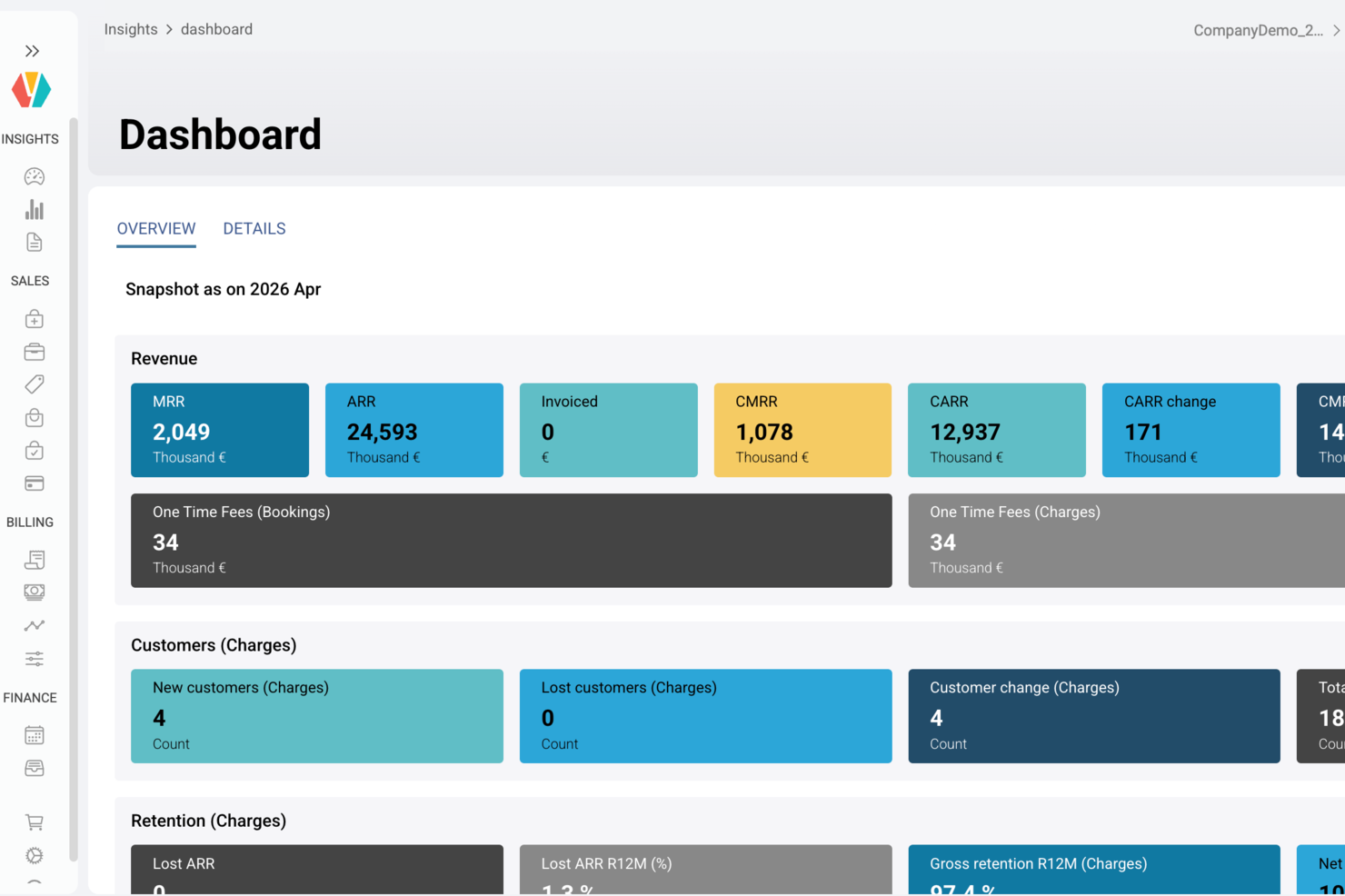
Younium is a usage based pricing software platform that lets you manage complex subscriptions, automate usage and billing processes, and sync data across finance, sales, and customer systems.
Who Is Younium Best For?
Younium is a good fit for B2B SaaS companies that need to manage recurring revenue, usage-based billing, and financial reporting in one place.
Why I Picked Younium
Revenue recognition compliance is where I think Younium really separates itself for usage-based pricing. It handles ASC 606 and IFRS 15 recognition natively, which means my team isn't building manual schedules in spreadsheets every time a customer upgrades mid-period or adds a usage tier. I like that Younium automatically adjusts recognized revenue when subscription changes occur, keeping deferred and recognized amounts accurate without requiring finance to chase billing records. That level of automation matters most when you're dealing with variable usage charges that shift the recognition schedule month to month.
Younium Key Features
- Renewal and change tracking: Younium automatically tracks every subscription change—upgrades, add-ons, downgrades, and renewals—and updates invoicing, revenue recognition, and metrics accordingly.
- Custom billing schedules: Configure billing frequency, alignment rules, proration, and delayed start dates to match each customer's contract terms without manual workarounds.
- Self-service customer portal: Deploy a branded in-app portal where customers can manage, upgrade, pause, or cancel subscriptions directly, without contacting support.
- CPQ agent: An AI-powered quoting assistant lets sales reps build accurate quotes using plain-language prompts, with closed deals flowing automatically into subscription orders and billing.
Younium Integrations
Younium provides native integrations with Salesforce, HubSpot, NetSuite, Microsoft Dynamics 365 Business Central, and Fortnox. An API is available for custom integrations.
Pros and Cons
Pros:
- Connects billing directly to leading ERPs and CRMs
- Automates revenue recognition on usage fluctuations
- Detailed audit trails for billing changes
Cons:
- User interface not optimized for high-frequency adjustments
- Few out-of-the-box payment gateway integrations

Stripe
Best for fast, no-code setup
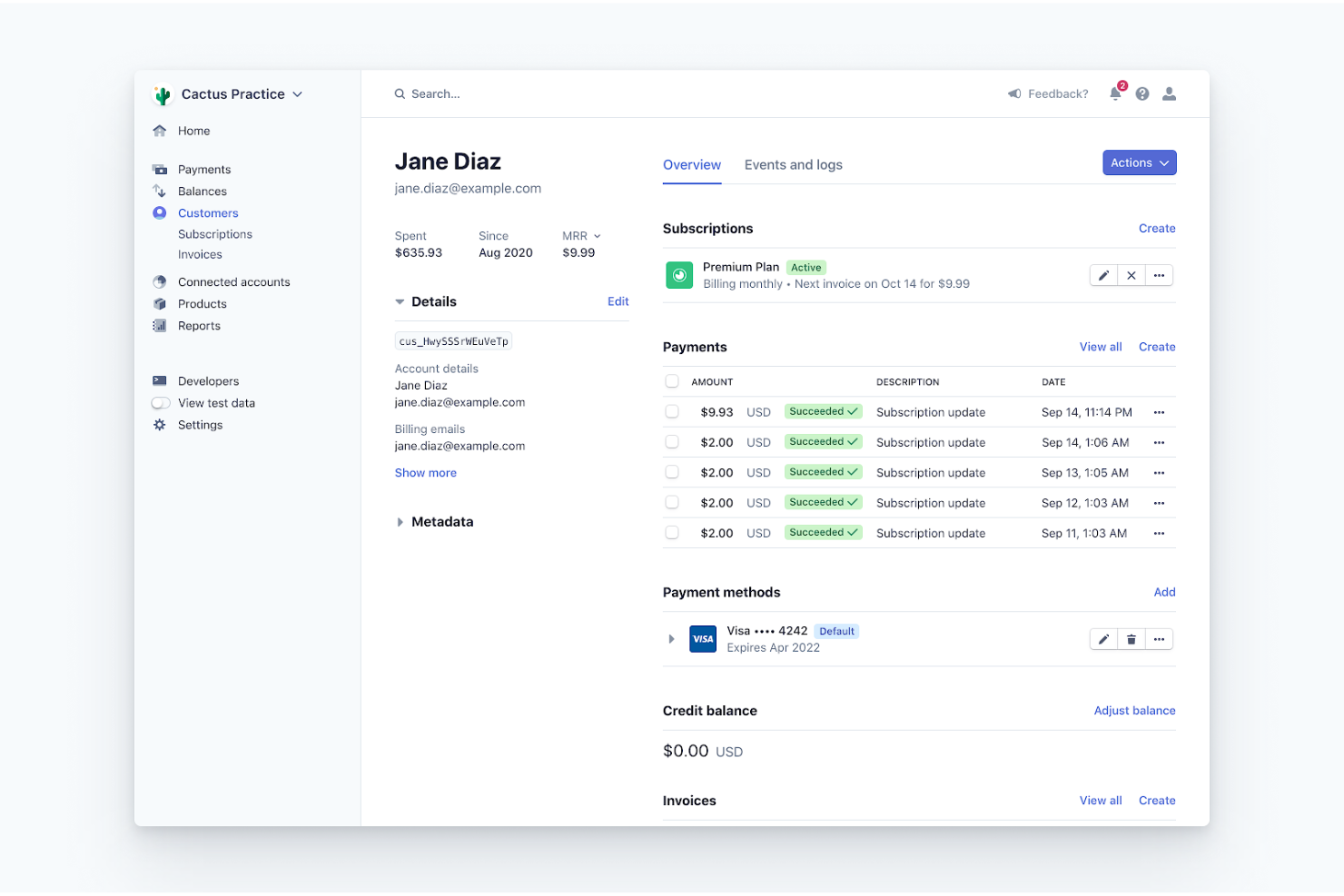
Stripe is a payment processing platform focused on providing fast and flexible billing. It serves businesses that need efficient management of usage-based billing and subscription models.
Why I picked Stripe: This tool offers swift and adaptable APIs, perfect for companies and startups that need quick billing solutions. Its usage-based billing features allow you to customize and automate your billing processes. The platform supports a wide range of payment methods, enhancing your team's ability to cater to global customers. Stripe's API flexibility enables seamless integration with existing systems, providing a smooth billing experience.
Standout Features and Integrations:
Features include a customizable invoicing system that lets you tailor invoices to your brand. You can set up recurring billing and automatic notifications for overdue payments. The platform also provides detailed financial reporting, giving you insight into your cash flow and revenue streams.
Integrations include Shopify, Twilio, Amazon Web Service Marketplace, WooCommerce, Salesforce, QuickBooks, Xero, NetSuite, Zapier, and more.
Pros and Cons
Pros:
- Supports global transactions
- Customizable invoicing options
- Wide range of payment methods
Cons:
- Limited pricing transparency
- Requires technical expertise

Best for billing transparency
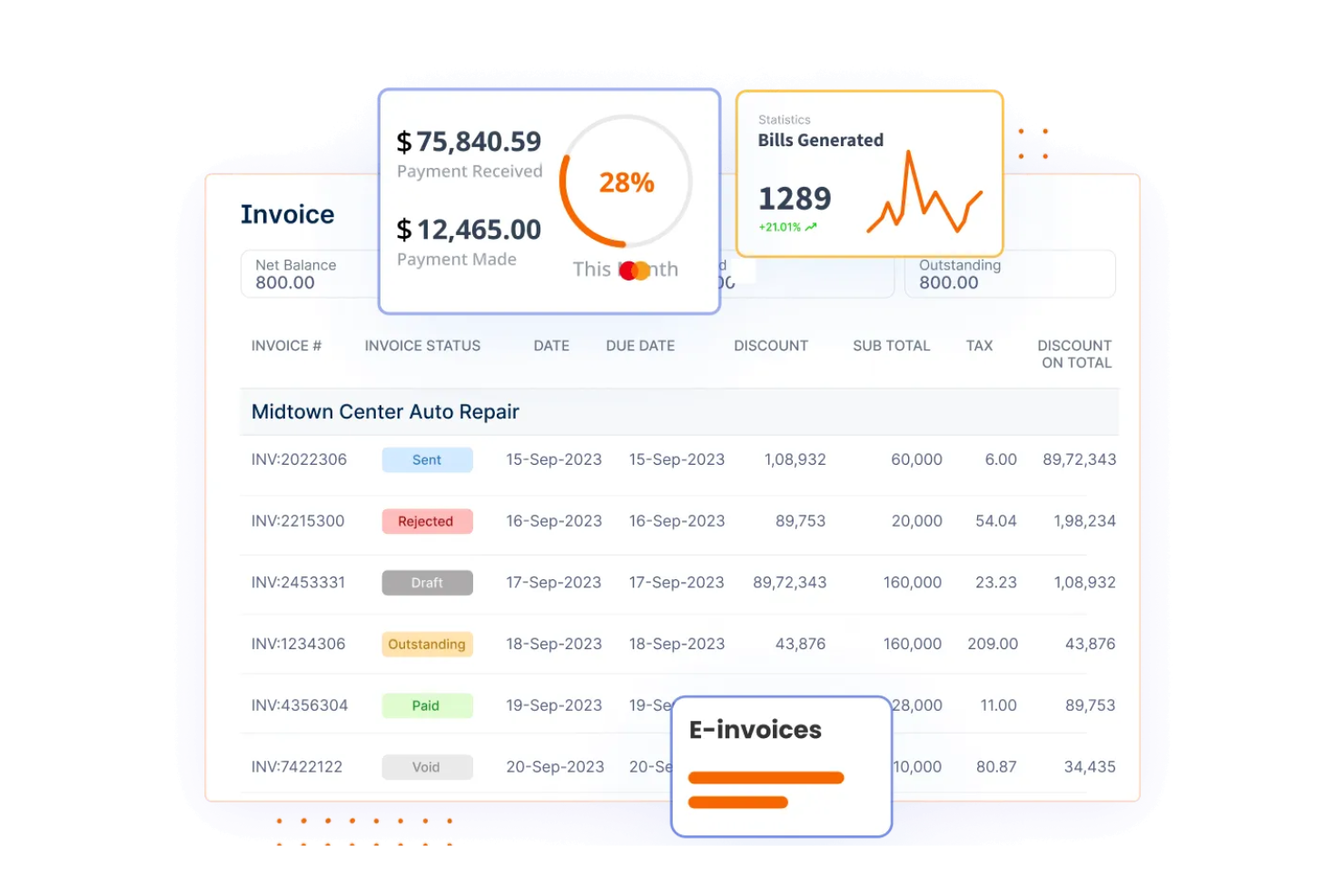
Invoicera is a billing platform designed for businesses needing transparent billing solutions. It serves companies that require clear and accurate multi-currency and multi-lingual billing processes to enhance financial operations.
Why I picked Invoicera: This tool offers transparency in billing, which is crucial for businesses that rely on accurate usage data. It provides detailed billing reports that help your team understand consumption patterns clearly. With customizable invoicing options, you can tailor bills to meet specific client requirements. Invoicera's automated billing workflows reduce manual tasks, enhancing efficiency and accuracy.
Standout Features and Integrations:
Features include automated invoice generation. You can set up recurring billing for regular clients, improving cash flow management. The platform also offers multi-currency support, making it suitable for businesses with international clients. Invoicera has a client portal so your customers can easily access bills.
Integrations include PayPal, Stripe, Braintree, Sage Pay, Alipay, and more.
Pros and Cons
Pros:
- Detailed billing reports
- Automated invoice generation
- Supports multi-currency transactions
Cons:
- Initial learning curve
- Limited advanced features
Maxio
Best for integrating usage billing and reporting

Maxio is a usage-based billing and reporting solution tailored for B2B SaaS companies. It helps businesses automate billing processes and gain detailed financial insights.
Why I picked Maxio: This tool integrates usage billing with comprehensive reporting, making it ideal for software as a service companies. It features automated billing processes, reducing manual workload for your team. Detailed reporting capabilities provide insights into financial performance and cash flow. Maxio also supports integration with multiple platforms, enhancing its utility for diverse business needs.
Standout Features and Integrations:
Features include custom dashboards for personalized financial insights and usage metrics. You can also simplify transactions with payment integrations. The platform also supports multi-entity operations, making it suitable for larger organizations.
Integrations include HubSpot, Salesforce, NetSuite, QuickBooks, Xero, Stripe, Zapier, and more.
Pros and Cons
Pros:
- Custom dashboards available
- Detailed financial reporting
- Automated billing processes
Cons:
- Complex setup for new users
- Pricing not transparent online
Zuora
Best for scalable usage-based pricing management

Zuora is a billing platform designed for businesses looking to manage scalable usage-based pricing effectively. It caters to companies that need flexible billing solutions to handle growing customer bases and complex pricing models.
Why I picked Zuora: This tool excels in managing scalable usage-based pricing, making it ideal for businesses with expanding needs. It offers flexible pricing configurations that adapt to various business models. The platform provides real-time analytics to help you track usage patterns and optimize pricing strategies. Zuora's automated billing processes enhance efficiency, reducing manual tasks and errors.
Standout Features and Integrations:
Features include billing rules that allow you to customize pricing models. You can access detailed financial reporting to gain insights into your revenue streams. The platform also supports multi-currency transactions, which is beneficial for businesses with international clients.
Integrations include NetSuite, Stripe, PayPal, Oracle, and more.
Pros and Cons
Pros:
- Supports multi-currency transactions
- Real-time usage analytics
- Flexible pricing configurations
Cons:
- Limited pricing transparency
- Complex initial setup

Best for enterprises
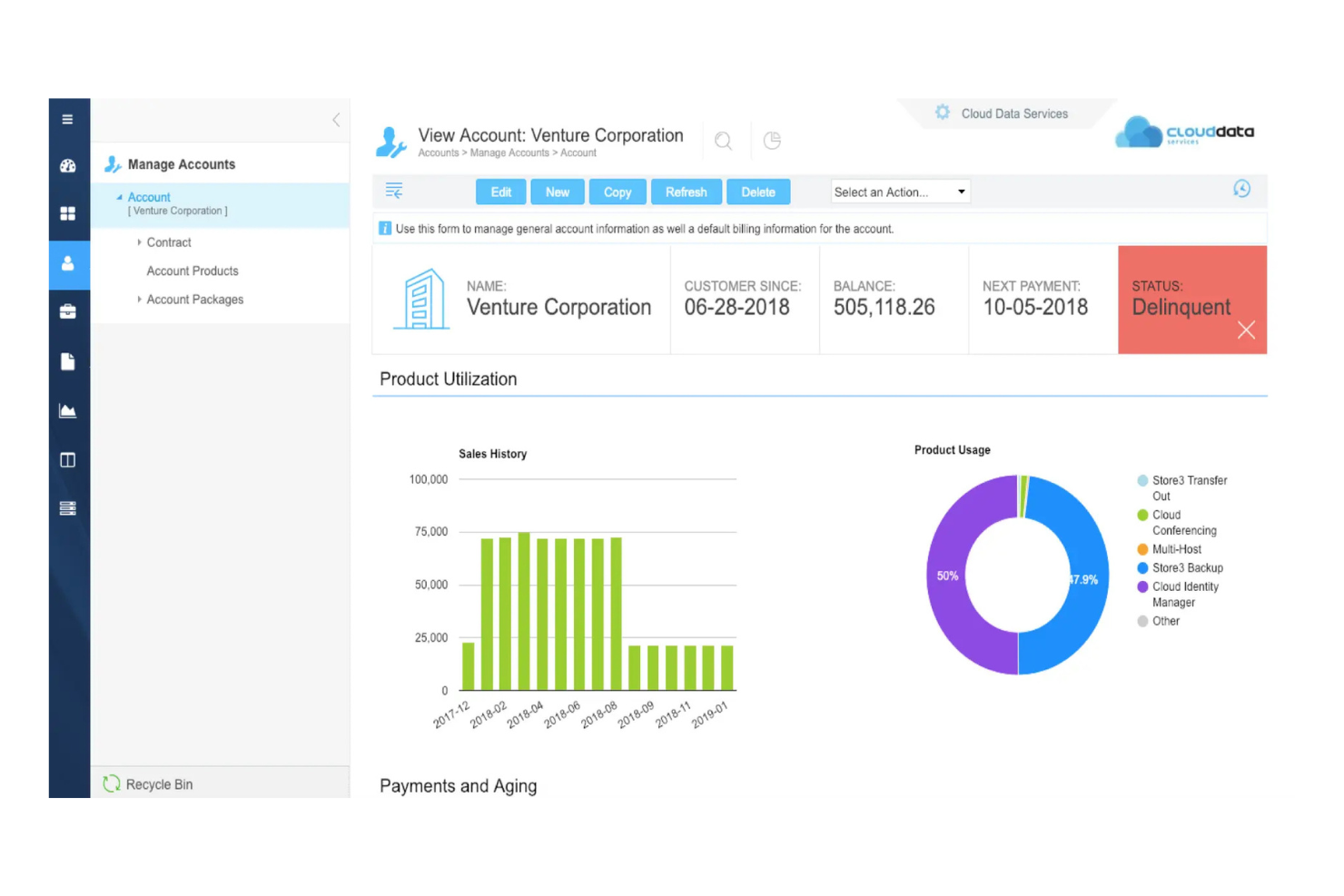
BillingPlatform is a billing solution tailored for enterprises, focusing on accurate usage and metered billing. It helps businesses automate billing processes and manage complex consumption-based pricing models effectively.
Why I picked BillingPlatform: This tool is designed for companies that need precise usage tracking and billing. It offers flexible billing configurations that include flat-rate, consumption-based, traditional subscription, and tiered pricing. Real-time usage monitoring ensures accurate billing, reducing revenue leakage and customer churn. BillingPlatform's automated workflows help streamline billing operations, saving your team time and effort.
Standout Features and Integrations:
Features include customizable billing rules that adapt to various business models. You can benefit from real-time reporting, which provides insights into financial performance. The platform also supports multi-currency billing, making it suitable for global operations.
Integrations include Salesforce, NetSuite, SAP, Peoplesoft, Stripe, PayPal, and more.
Pros and Cons
Pros:
- Flexible billing configurations
- Real-time usage monitoring
- Supports complex pricing models
Cons:
- Complex for smaller businesses
- Requires technical expertise


Lago is a billing solution designed for companies leveraging AI and APIs. It helps manage complex billing processes by providing accurate usage-based billing.
Why I picked Lago: This tool excels in handling usage-based, pay-as-you-go, subscription-based, and hybrid pricing. Lago supports AI-driven analytics to enhance billing insights and revenue growth. The platform's flexibility caters to unique needs, making it a suitable choice for dynamic environments.
Standout Features and Integrations:
Features include dynamic billing models that adapt to various usage patterns, overages, and subscription pricing models. You can utilize AI-driven analytics to gain deeper insights into billing data and trends. The platform also supports real-time data processing, which ensures timely and accurate billing for your customers.
Integrations include Snowflake, Stripe, Xero, Salesforce, HubSpot, NetSuite, AWS Marketplace, and more.
Pros and Cons
Pros:
- Flexible billing models
- Real-time data processing
- Advanced API integrations
Cons:
- Initial setup complexity
- Requires technical expertise

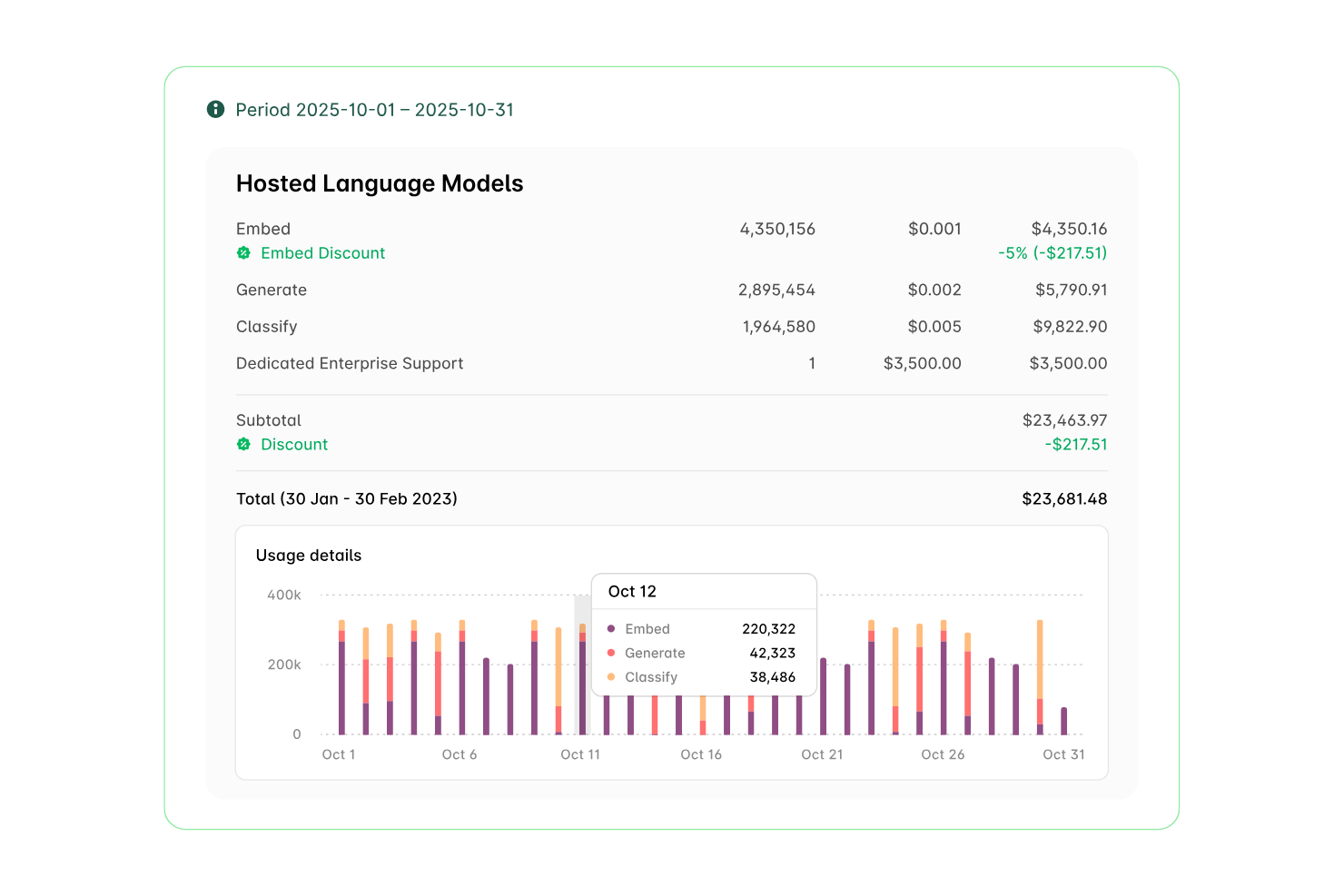
Alguna is a pricing and billing platform designed primarily for SaaS and cloud computing businesses. It caters to companies looking to manage subscriptions, hybrid models, and usage-based billing efficiently.
Why I picked Alguna: This platform allows your team to customize and scale pricing models as needed. Key features include usage metering, which lets you track and bill based on actual usage, and no-code automation for easy integration with existing tools. Alguna also provides a unified sales channel management system.
Standout Features and Integrations:
Features include a flexible pricing and packaging system that lets you experiment with various strategies. It offers real-time insights, reducing reliance on manual processes. The platform also offers accounts receivable processes, streamlining billing and invoice approvals for finance teams.
Integrations include HubSpot, Salesforce, Slack, Teams, Xero, QuickBooks, NetSuite, and more.
Pros and Cons
Pros:
- Real-time usage metering
- Unified sales channel management
- No-code automation available
Cons:
- Limited analytics in lower tiers
- High entry price
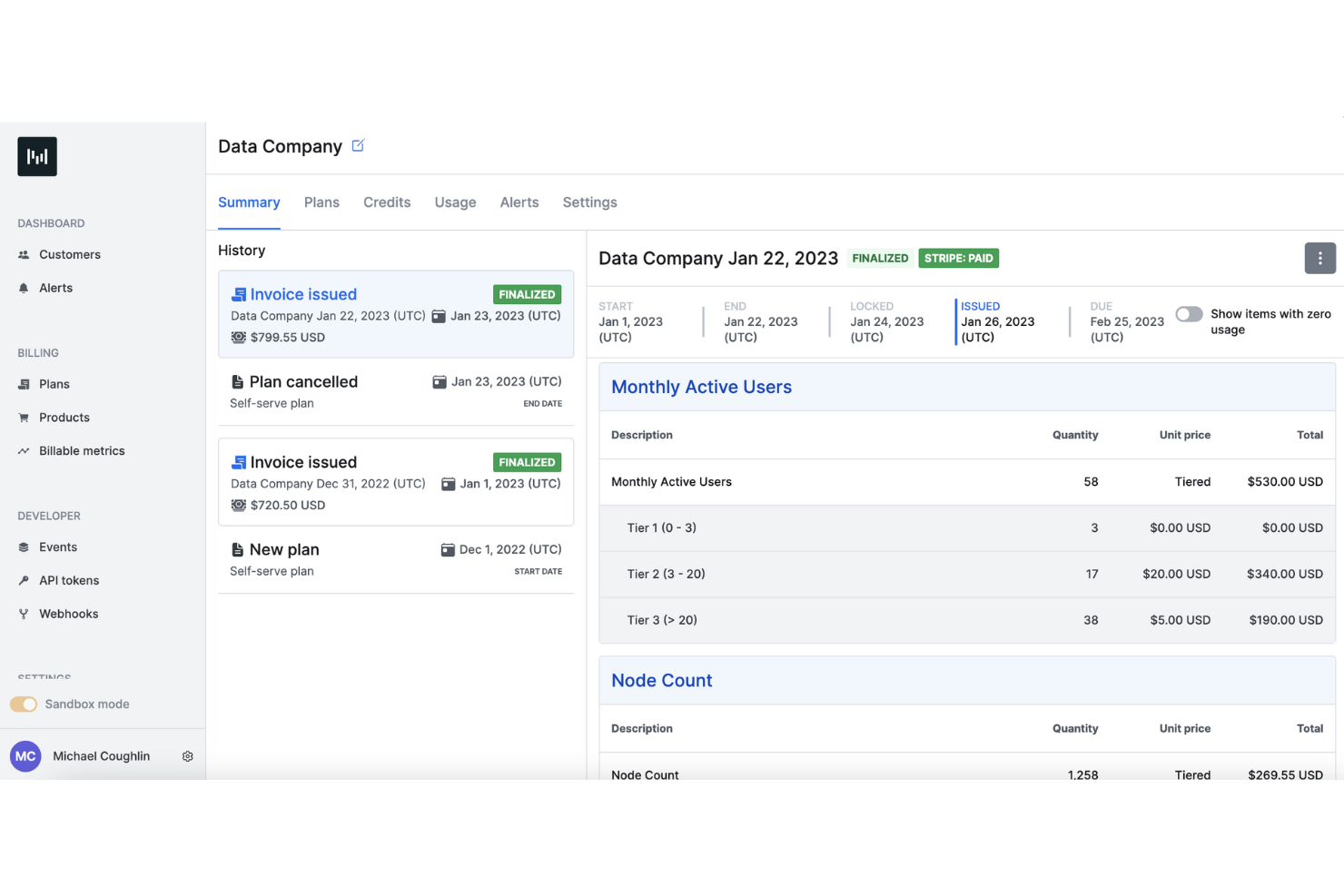
Metronome is a billing platform designed for businesses looking to quickly implement usage-based pricing models. It is ideal for companies that need to efficiently manage billing processes and adapt to dynamic pricing strategies.
Why I picked Metronome: This tool excels in enabling rapid deployment of usage-based pricing (UBP), making it perfect for businesses eager for quick monetization. It offers flexible pricing configurations that cater to various business needs and help attract new customers. Real-time analytics provide insights into usage patterns, helping you upsell customers at the right time. Metronome's intuitive interface simplifies the setup process, reducing the time needed to get started.
Standout Features and Integrations:
Features include real-time usage tracking, allowing you to monitor customer consumption patterns accurately. The platform's flexible pricing engine lets you design and test different pricing models with ease. Integrations allow you to connect to your data storage for up-to-date pricing.
Integrations include Salesforce, NetSuite, QuickBooks, Stripe, Bill, AWS Marketplace, and more.
Pros and Cons
Pros:
- Real-time usage analytics
- Flexible pricing configurations
- Rapid deployment capabilities
Cons:
- Limited pricing transparency
- Initial setup can be complex

m3ter is a usage-based billing software designed primarily for mid-size to large B2B companies. It automates billing processes, manages complex usage data, and provides real-time insights.
Why I picked m3ter: This tool excels in automating complex billing systems, making it suitable for companies with intricate usage data. Its billing automation reduces manual intervention, preventing revenue leakage. You can access real-time usage data, which helps with accurate billing and customer transparency. m3ter also supports flexible pricing approaches, allowing your team to adapt quickly to market changes.
Standout Features and Integrations:
Features include continuous processing of complex usage data, allowing you to track and bill accurately. The flexible pricing models enable quick adaptation to market demands. You’ll find real-time insights that assist in reducing billing cycles and improving customer retention and satisfaction.
Integrations include Salesforce, NetSuite, QuickBooks, Xero, Stripe, and more.
Pros and Cons
Pros:
- Flexible pricing models
- Provides real-time usage data
- Automates billing workflows
Cons:
- Limited customer support hours
- Complex billing setup
Other Usage-Based Pricing Software
Here are some additional usage-based pricing software options that didn’t make it onto my shortlist, but are still worth checking out:
- OpenMeter
For open-source self-service usage billing
- Billing360
For high-volume billing
- Orb
For SaaS businesses


How I Evaluate Usage Based Pricing Software
When usage events, rating logic, and invoicing have to sync in real time, I evaluate two layers: the baseline capabilities every tool must have and the differentiators that separate the best.
Core Functionality (Table Stakes For This List)
When I'm selecting tools for my list, I rank each one on a scale from 0 (does not offer the functionality) to 5 (excels in this area) for each core functionality listed below. Then, I calculate the tool's total score into a percentage. Each tool needs to achieve a minimum total score of 65% to be considered for inclusion.
- Usage Metering & Event Ingestion: I check whether the platform can ingest high-volume usage events via API in real time, like tracking API calls, compute hours, or storage consumption across thousands of accounts.
- Pricing Model Configuration: The tool should let RevOps or pricing leads set up tiered, volume, prepaid credit, and hybrid subscription+usage models through a UI rather than requiring engineering work.
- Automated Metered Billing & Invoicing: I look for automated charge calculation and invoice generation on configurable cycles, including support for proration, multi-currency, and mid-cycle plan changes.
- Rating Engine Logic: A strong rating engine applies discount tiers, commitment drawdowns, and overage rules to raw usage data. I evaluate how well it handles scenarios like volume discounts that reset monthly.
- Revenue Recognition & Reporting: I evaluate whether the tool supports ASC 606/IFRS 15-compliant recognition and surfaces usage-driven metrics like consumption trends, MRR, and ARR breakdowns.
- CRM, ERP & Integration Depth: Bidirectional syncs with CRM and ERP systems matter here. I look at whether usage and billing data flows into platforms like Salesforce, NetSuite, or Snowflake without manual exports.
Once I have a list of tools that meet this criteria, I consider what sets each platform apart.
Differentiating Factors (What Sets Vendors Apart)
Here's how I compare and contrast different vendors:
Standout Features
Pricing simulation tools are a big differentiator. I look for sandboxes that let you model a new tiered structure against real historical usage before changing anything in production. Self-serve customer portals also carry weight because they give buyers real-time visibility into consumption and remaining credits, which cuts down billing disputes. I also evaluate alert and threshold automation, like triggers that notify a CSM when a customer is burning through a prepaid commitment faster than expected.
Beyond Features
Pricing transparency matters a lot here. Some vendors charge a flat platform fee while others take a percentage of billed revenue, and the gap in total cost grows fast as your metered volume scales. I also evaluate scalability by checking whether a platform can handle event spikes without latency issues, especially during end-of-quarter surges. Implementation timelines deserve attention too. Migrating mid-contract customers onto a new billing system is complex, so I look for prebuilt migration tools and dedicated onboarding support.
How To Choose Usage-Based Pricing Software
It’s easy to get bogged down in long feature lists and complex pricing structures. To help you stay focused as you work through your unique software selection process, here’s a checklist of factors to keep in mind:
| Factor | What to Consider |
|---|---|
| Scalability | Will the software handle your growth? Consider future needs and check if the solution can scale with your business. |
| Integrations | Does it connect with your existing tools? Ensure it supports the systems your team already uses. |
| Customizability | Can you tailor the software to fit your workflows? Look for flexibility in pricing models and billing rules. |
| Ease of Use | Is the interface intuitive? Test it yourself to make sure your team won't struggle with basic tasks. |
| Implementation and Onboarding | How smooth is the setup process? Evaluate the time and resources needed for a successful rollout. |
| Cost | Does the price align with your budget? Compare pricing plans and watch for hidden fees or annual commitments. |
| Security Safeguards | Are your data and transactions secure? Check for compliance with industry standards and data protection measures. |
| Support Availability | How accessible is help when you need it? Look for 24/7 support and multiple contact options. |
What Is Usage-Based Pricing Software?
Usage-based pricing software is a tool that allows businesses to charge customers based on their actual usage of a product or service. Typically used by finance professionals and SaaS companies, these tools provide flexible billing and accurate revenue tracking.
Features such as real-time usage tracking, automated billing, and customizable pricing models help with managing complex billing processes and improving financial transparency. Overall, these tools help companies align their revenue models with customer usage, enhancing both customer satisfaction and profitability.
Features
When selecting usage-based pricing software, keep an eye out for the following key features:
- Real-time usage tracking: Monitors customer consumption in real time, ensuring accurate billing and transparency.
- Automated billing: Reduces manual workload by automatically generating invoices based on usage data.
- Customizable pricing models: Allows businesses to tailor pricing strategies to fit unique customer needs and market demands.
- Detailed analytics: Provides insight into usage patterns and revenue streams, helping businesses make informed decisions.
- Multi-currency support: Enables transactions in various currencies, which is essential for companies with international clients.
- Flexible billing rules: Lets users configure billing processes to match specific business requirements.
- Integrations with existing systems: Ensures smooth data flow between the software and other business tools, enhancing overall efficiency.
- Security safeguards: Protects sensitive data and ensures compliance with industry standards.
- Scalability: Supports business growth by accommodating increasing transaction volumes and customer bases.
- 24/7 support availability: Offers assistance whenever needed, ensuring issues are resolved promptly.
Benefits
Implementing usage-based pricing software provides several benefits for your team and your business. Here are a few you can look forward to:
- Increased billing accuracy: Automated billing and real-time usage tracking reduce errors and ensure customers are billed accurately.
- Enhanced financial insights: Detailed analytics provide a clear view of revenue streams and customer usage patterns, aiding in strategic decision-making.
- Improved customer satisfaction: Transparent billing processes and customizable pricing models align charges with actual usage, building trust with customers.
- Scalability: The software grows with your business, handling increased transaction volumes and expanding customer bases effortlessly.
- Time savings: Automated workflows and billing processes free up your team to focus on more strategic tasks, boosting productivity.
- International capabilities: Multi-currency support facilitates global transactions, expanding your market reach.
- Data security: Security safeguards protect sensitive information, ensuring compliance with industry standards and maintaining customer trust.
Costs and Pricing
Selecting usage-based pricing software requires an understanding of the various pricing models and plans available. Costs vary based on features, team size, add-ons, and more. The table below summarizes common plans, their average prices, and typical features included in usage-based pricing software solutions:
Plan Comparison Table for Usage-Based Pricing Software
| Plan Type | Average Price | Common Features |
|---|---|---|
| Free Plan | $0 | Basic usage tracking, limited reporting, and standard support. |
| Personal Plan | $5-$25/user/month | Usage tracking, automated billing, basic analytics, and email support. |
| Business Plan | $30-$60/user/month | Advanced analytics, customizable pricing models, multi-currency support, and phone support. |
| Enterprise Plan | $70-$150/user/month | Comprehensive reporting, API access, dedicated account management, and 24/7 support. |
Usage-Based Pricing Software FAQs
Here are some answers to common questions about usage-based pricing software:
What industries typically use usage-based pricing software?
Usage-based pricing software is commonly used in industries where billing depends on consumption, such as SaaS, telecommunications, utilities, and cloud services. These industries benefit from tracking and billing based on actual usage, which helps align costs with customer utilization. If your business model involves fluctuating usage patterns, this software could be a good fit.
Can usage-based pricing software integrate with my existing systems?
Yes, most usage-based pricing software can integrate with existing systems such as CRM, ERP, and accounting platforms. Check if the software supports APIs or has native integrations with the tools your team already uses. This ensures seamless data flow and reduces the need for manual data entry.
How does usage-based pricing software handle data security?
Usage-based pricing software typically includes security measures to protect sensitive data, like encryption and compliance with standards such as GDPR or CCPA. Verify that the software provides regular security updates and has robust access controls. This is crucial for maintaining customer trust and protecting your business.
Is technical expertise required to implement usage-based pricing software?
Some technical expertise is often required to implement and configure usage-based pricing software. However, many vendors offer support and resources such as tutorials and customer service to assist with setup. Assess your team’s technical skills and seek software with good support options to ensure a smooth implementation.
What’s Next:
If you're in the process of researching usage-based pricing software, connect with a SoftwareSelect advisor for free recommendations.
You fill out a form and have a quick chat where they get into the specifics of your needs. Then you'll get a shortlist of software to review. They'll even support you through the entire buying process, including price negotiations.