
20 Best Customer Management Software In 2026

20 Best Customer Management Software Shortlist
Here's my pick of the 20 best software from the 20 tools reviewed.


With so many different customer management software available, figuring out which is right for you is tough. You know you want to streamline and enhance the interactions between your business and your customers but need to figure out which tool is best. I've got you! In this post I'll help make your choice easy, sharing my personal experiences using dozens of different customer management tools with various teams and departments, with my picks of the best customer management software.
Why Trust Our Customer Management Software Reviews?
We’ve been testing and reviewing customer management software since 2022. As revenue operation leaders ourselves, we know how critical and difficult it is to make the right decision when selecting software.
We invest in deep research to help our audience make better software purchasing decisions. We’ve tested more than 2,000 tools for different RevOps use cases and written over 1,000 comprehensive software reviews. Learn how we stay transparent & our customer management software review methodology.
Table of Contents
- Best Software Shortlist
- Why Trust Us?
- Compare Specs
- Best Customer Management Software Reviews
- Other Customer Management Software
- Related Customer Management Software Reviews
- Selection Criteria
- How To Choose
- Trends In Customer Management Software
- What Is Customer Management Software?
- Features
- Benefits
- Costs and Pricing
- FAQs
| Tool | Best For | Trial Info | Price | ||
|---|---|---|---|---|---|
| 1 | Best for customizable sales automation | Free demo available | Pricing upon request | Website | |
| 2 | Best for real-time reactions when milliseconds matter | Free trial + free plan available | From $25/user/month (billed annually) | Website | |
| 3 | Best for simplifying complex projects and big ideas | 30-day free trial | From $35/user/month (billed annually, min 20 users) | Website | |
| 4 | Best for integrations and ease of use | 14-day free trial + free plan available | From $18/user/month (billed annually) | Website | |
| 5 | Best for global businesses that need to build lasting customer relationships | Free plan + free demo + free trial available | From $14/user/month (billed annually) | Website | |
| 6 | Best for legal-specific client management | 10-day free trial available | From $49/user/month (billed annually) | Website | |
| 7 | Best for higher-quality customer support through interactive customer profiles | Free trial available | From $45/user/month | Website | |
| 8 | Best for empowering customers to help themselves | Free 14-day trial + free demo available | From $19/user/month (billed annually) | Website | |
| 9 | Best for working from anywhere through a powerful mobile app | Free demo + free trial available | From $29/user/month (billed annually) | Website | |
| 10 | Best for customizable pipelines | 30-day free trial + free demo available | From $15/user/month | Website | |
| 11 | Best for comprehensive small business management | Free demo available | From $244/month | Website | |
| 12 | Best for AI-driven insights | Not available | Contact for pricing. | Website | |
| 13 | Best for CRM and marketing integration | Not available | From $149/month | Website | |
| 14 | Best for 360-degree customer views | 14-day free trial available | From $25/user/month | Website | |
| 15 | Best for AI-assisted ticket routing | Free trial + free demo available | From $19/agent/month (billed annually) | Website | |
| 16 | Best for two-way sync between CRM and campaign execution | Free demo available | From $59/user/month (billed annually) | Website | |
| 17 | Best for capturing more leads with a lead generation tool set | 14-day free trial available | From $14/seat/month (billed annually) | Website | |
| 18 | Best for the real estate industry | Not available | Website | ||
| 19 | Best for a blended CRM and work management solution | Not available | Website | ||
| 20 | Best for all-in-one customer relationship management | Free trial available | From $35/user/month (billed annually) | Website |

-

Zendesk
Visit WebsiteThis is an aggregated rating for this tool including ratings from Crozdesk users and ratings from other sites.4.3 -
Pipedrive CRM
Visit WebsiteThis is an aggregated rating for this tool including ratings from Crozdesk users and ratings from other sites.4.3 -
Creatio CRM
Visit WebsiteThis is an aggregated rating for this tool including ratings from Crozdesk users and ratings from other sites.4.7



Best Customer Management Software Reviews
Check out these simple overviews of the top 10 tools on my list to learn more about why this tool stands out from other CRM solutions.

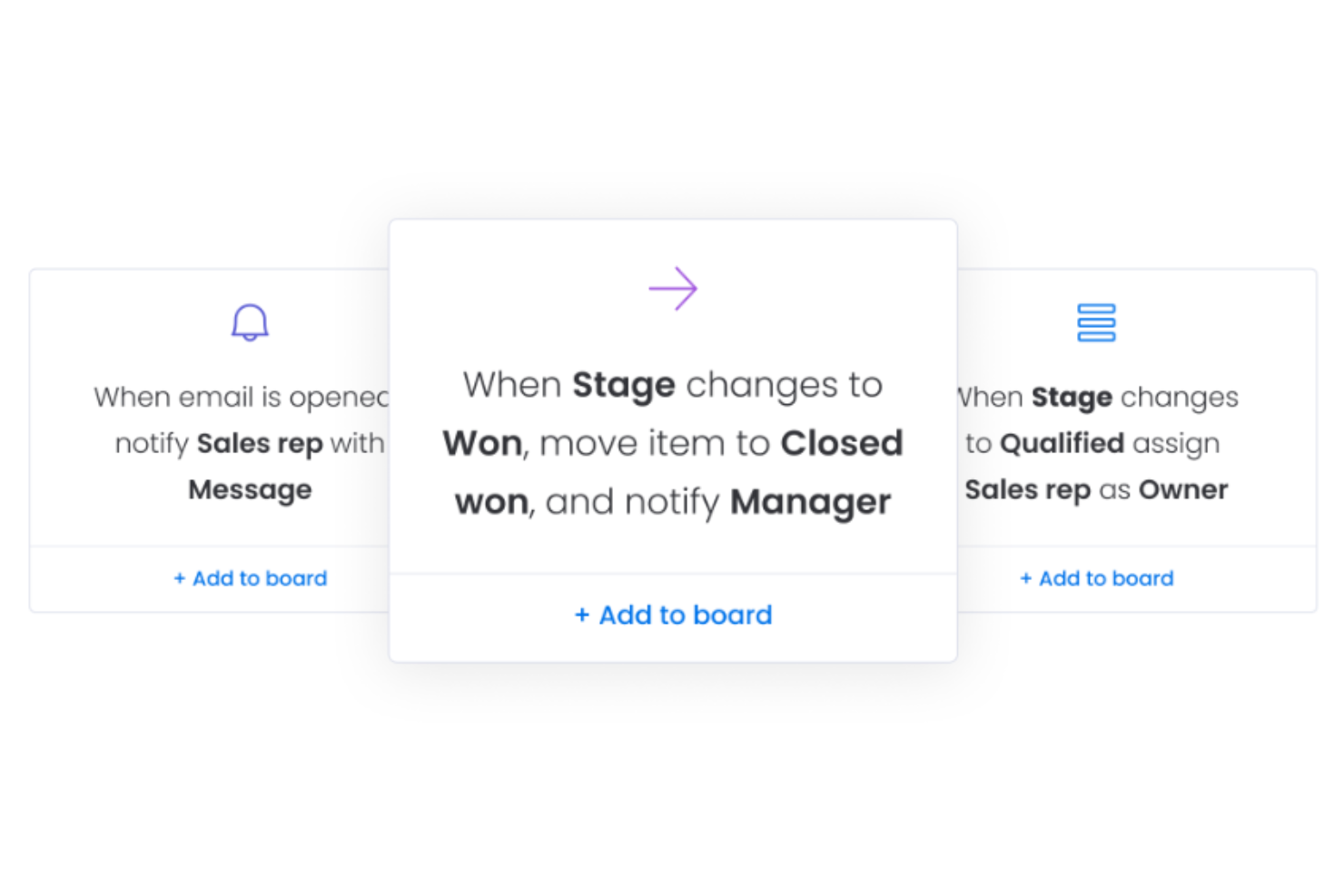
Monday Sales CRM is a digital platform that provides businesses with a set of tools to manage customer relationships and sales processes. The CRM is designed to centralize customer interactions, automate sales tasks, and provide insights into sales pipelines, enabling teams to manage their work and collaborate effectively. It also offers customization options to fit different business needs and scales to accommodate growth.
Monday Sales CRM provides a platform for businesses to track and manage all aspects of their customer relationships. It offers features such as email synchronization, which ensures that all customer communications are logged and accessible within the system. The tool also facilitates the management of customer data, sales activities, and leads, allowing for a comprehensive view of the customer lifecycle.
Moreover, with customizable workflows, dashboards, and no-code automations, businesses can tailor the CRM to their specific needs, ensuring that customer information is organized and actionable insights are readily available. This helps companies maintain up-to-date records, improve customer interactions, and ultimately aim to increase customer satisfaction and retention.
Monday Sales CRM Standout Features and Integrations
Features include AI-assisted email composition, advanced HTML editing, personalized bulk emails, activity management, sales forecasting, lead capturing, and seamless data integration.
Integrations include Outlook, Slack, Google Drive, and Trello.
Pros and Cons
Pros:
- Provides 24/7 customer support
- Custom automation capabilities
- Offers hundreds of templates
Cons:
- Steep learning curve for new users
- Minimum user requirement may not suit small agencies
New Product Updates from monday CRM

monday CRM Introduces Activity Tracker Widget
monday CRM introduces an Activity Tracker widget for real-time visibility into activities. This update helps users monitor performance and prioritize work more effectively. For more information, visit monday CRM's official site.
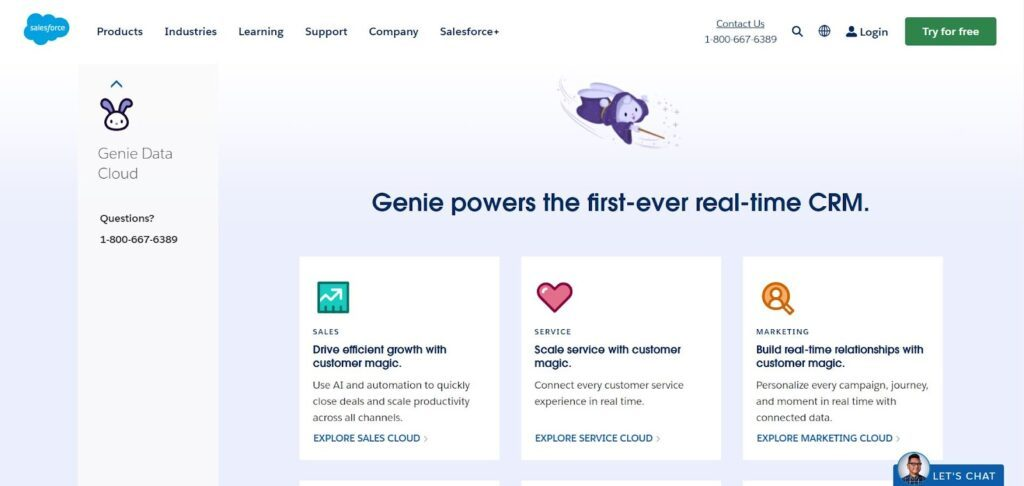
Salesforce has a real-time CRM that helps connect all your teams for the benefit of your customers. From sales and marketing to commerce and IT, this customer data platform offers fast, intelligent automation that streamlines your workflow.
This platform maximizes your success through a tool called Genie. The Genie Data Cloud powers Salesforce CRM tools to connect your customer data from every app and device, automatically harmonizing information into one customer graph. You can use this chart to empower every department with unified customer profiles that ensure they can adapt their activities to customer needs in real-time.
The Salesforce platform has targeted CRM solutions for a number of industries and businesses of all sizes. If you need to provide better customer support in the automotive industry, retail, education, manufacturing, healthcare, or anything else, Salesforce has a specialized integration for you.
Salesforce Standout Features and Integrations
Features include case management, automation, self-service, field service, queue management, digital engagement, digital contact center, a mobile app, AI tools, call list management, appointment management, lead distribution, and routing/transfers.
Integrations include Slack, Trello, TeamViewer, Mailchimp, HubSpot, Freshdesk, Smartsheet, Talkdesk, Scoro, and Quickbase.
Pros and Cons
Pros:
- Targeted solutions for a variety of industries
- Integrates customer support, sales, and operations
- Easy startup time
Cons:
- No out-of-the-box customization
- A little more expensive than other CRMs

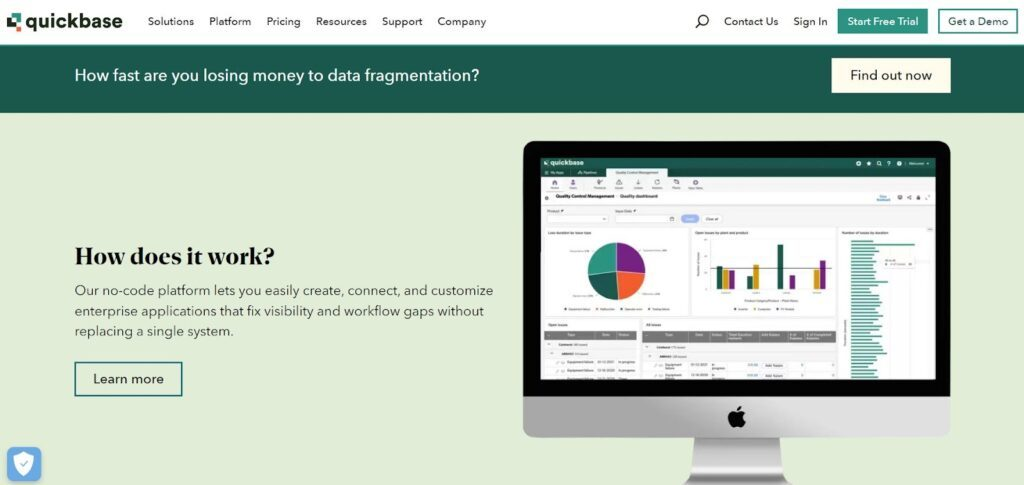
Quickbase wants to help your business control complex projects and operations through faster decision-making, surfacing hidden insights, and helping you respond faster to emerging trends. With a no-code software platform that businesses can customize to fit their needs, Quickbase provides more agility and visibility to all types of operational workflows.
If you need end-to-end visibility, the Quickbase platform has the customizable dashboards you need to see it all. With simple, drag-and-drop organization, your dashboard can show you the whole picture so you gain better insight into the entire operation. Discover how the system can help you anticipate roadblocks, minimize risk, reduce waste, and keep high-stakes initiatives on the right track.
Quickbase is a platform that grows with your organization. It can scale to accommodate new team members and integrate with all the other software you use to ensure your business thrives. They offer solutions for small, medium, and enterprise-level businesses across industries like construction, healthcare, real estate, manufacturing, and education.
Quickbase Standout Features and Integrations
Features include no-code development, routing, automated workflows, sales forecasting, continuous deployment, audit logs, IP filtering and SSO, 3PL management, backup and recovery, pre-built templates, reporting and statistics, and workflow configuration.
Integrations include Asana, CSV Handler, DropBox, G Suite, Jira, Mailchimp, Slack, Microsoft Teams, and Shipstation.
Pros and Cons
Pros:
- Flexible, cost-effective solution
- Outstanding customer support
- Very easy and intuitive to understand
Cons:
- Must configure notifications and reminders manually
- Could use more chart types and widgets
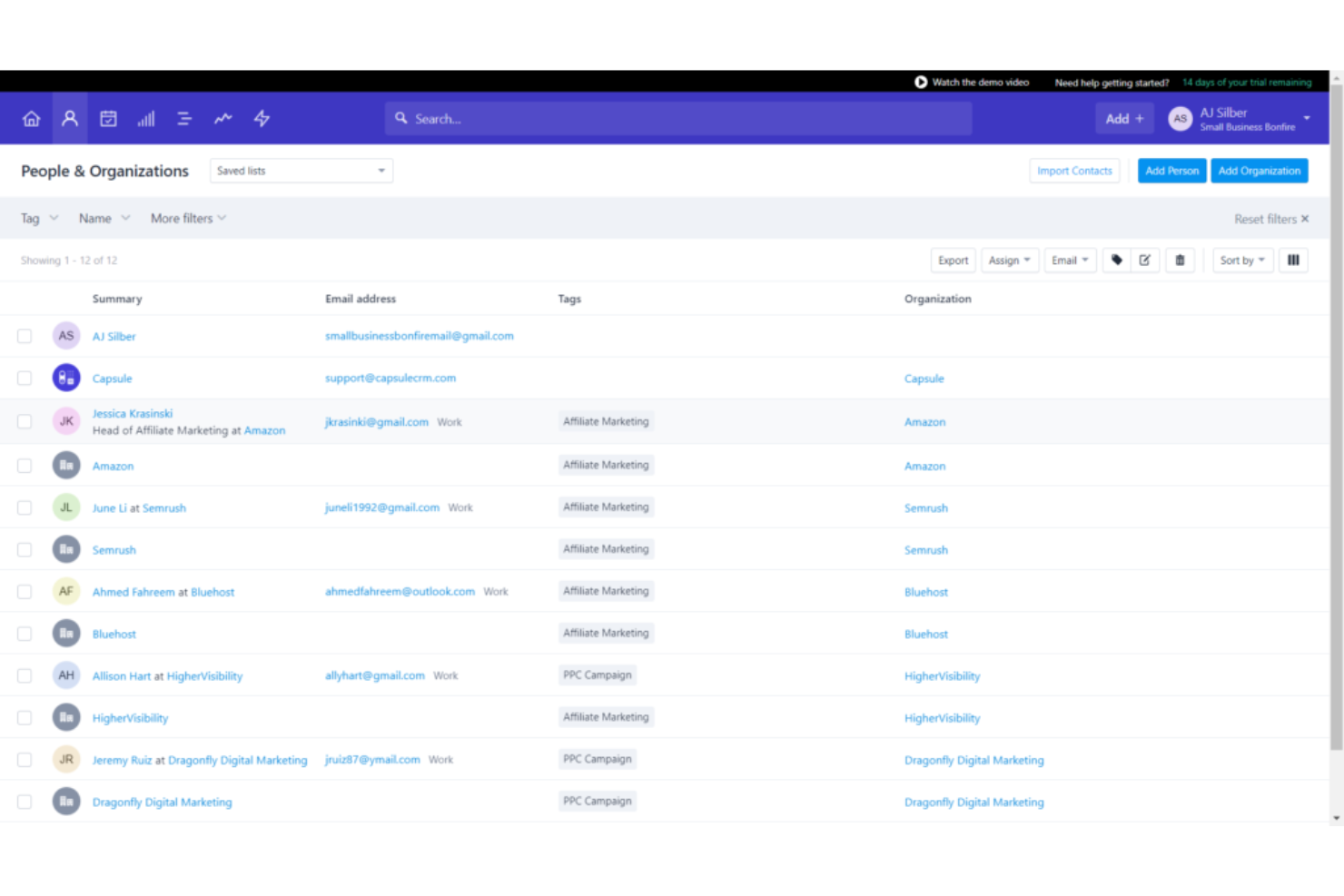
Capsule CRM is a cloud-based CRM software designed to help small to medium-sized businesses streamline their customer management processes. It offers tools for sales pipeline management, contact management, task management, and customer interaction tracking, all within a simple and intuitive interface.
As a customer management software, Capsule CRM excels in providing a comprehensive yet user-friendly platform for managing customer interactions and data. It allows businesses to keep track of customer communications, manage leads and opportunities, and automate workflows, thereby improving efficiency and customer relationships.
What makes Capsule CRM unique is its integrated task management system that seamlessly connects tasks with sales opportunities, contacts, and cases. This integration allows users to manage follow-ups, deadlines, and project milestones directly within the context of their CRM activities. The task management system supports categorization, prioritization, and scheduling, making it easier for teams to collaborate and stay on top of all customer-related activities.
Capsule CRM Standout Features and Integrations
Features include contact management, sales pipeline, task and project management, customization options, integration capabilities, user-friendly interface, mobile access, reporting tools, team collaboration features, security and privacy controls.
Integrations include Google Workspace (Gmail, Docs, Calendar), Microsoft Office 365, Mailchimp, Xero, QuickBooks, Slack, FreshBooks, and more using Zapier.
Pros and Cons
Pros:
- Send and receive emails right in Capsule CRM
- Integrated calendar tasks management
- Intuitive and easy to use
Cons:
- More digital marketing integration welcomed
- Can't drag-and-drop data tags or fields
Zoho CRM
Best for global businesses that need to build lasting customer relationships
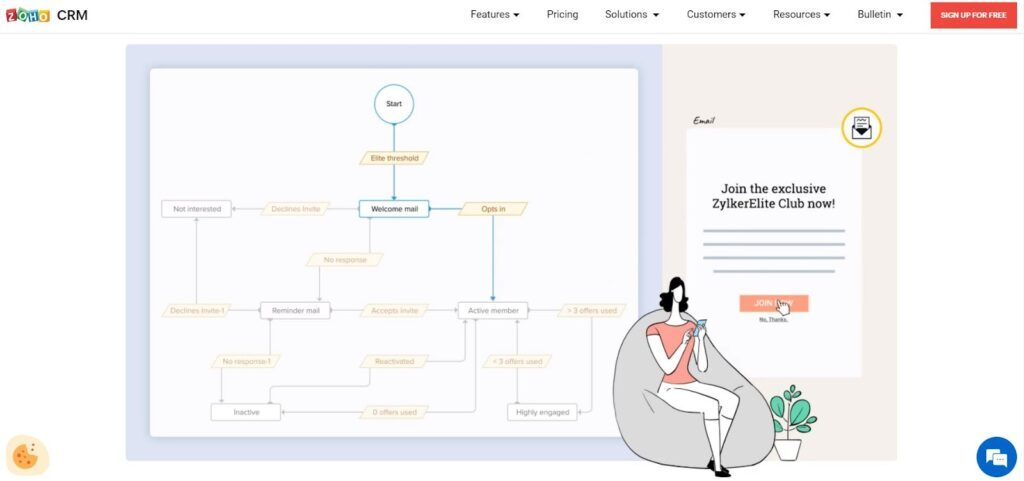
As an omnichannel, cloud-based relationship management platform, Zoho CRM focuses on helping organizations build better connections with their customers through an AI-powered sales assistant, automated customer information input, and real-time metrics and notifications.
One of the coolest features from Zoho is Zia, their AI sales assistant that’s designed for individual reps and sales teams alike. Zia can detect anomalies in the sales process, study and track sales patterns, and recommend the best times to contact leads and prospects. With this type of guided support, each sales rep can maximize their results through personalized recommendations.
As one arm of the Zoho platform, their CRM offers customized packages to suit businesses of all shapes and sizes. Its integration with over 40 Zoho products and countless third-party extensions means more versatility and flexibility for all.
Zoho Standout Features and Integrations
Features include lead management, deal management, workflow automation, journey orchestration, sales process builder, reporting and analytics, partner portals, quotes and finance, lead and deal prediction, and an AI sales assistant.
Integrations include Google WorkSpace, Slack, Mailchimp, Shopify, PandaDoc, Twilio, Knowlarity, RingCentral, BurstSMS, and Xero.
Pros and Cons
Pros:
- User-friendly interface
- Made for customizability
- Easy to use collaborative tools
Cons:
- Limitations on dashboards
- Certain features are only available in North America
New Product Updates from Zoho CRM

Zoho CRM Makes System Dashboards Editable
Zoho CRM's system-defined dashboards are now editable, allowing customization of charts for better insights. For more information, visit Zoho CRM's official site.
 .
.
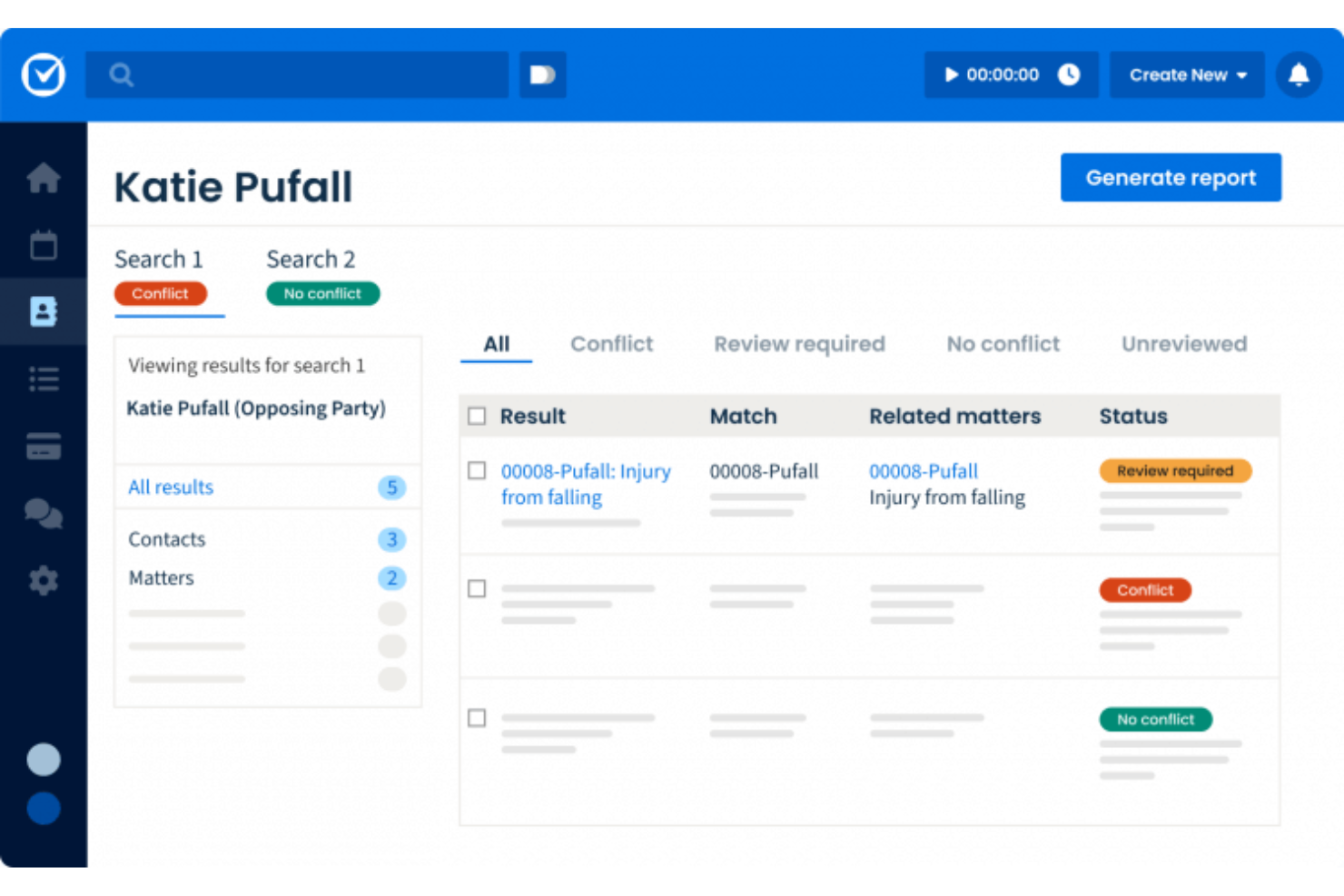
Clio provides law firms with a centralized platform for client intake, communication, and documentation while supporting compliance requirements. It brings all client information and collaboration tools into one secure, cloud-based environment.
Why I Picked Clio
I picked Clio for its legal focus and secure client portal, which helps firms maintain confidentiality while communicating efficiently. Custom intake forms reduce back-and-forth during onboarding, and billing automation helps your team manage time and invoices with fewer administrative steps. For firms handling numerous matters, Clio keeps communication, documents, and scheduling aligned.
Clio Key Features
- Contact management: Store and organize client and matter information.
- Client portal: Share documents and messages securely.
- Online intake forms: Speed up onboarding with customizable templates.
- Billing automation: Generate invoices and track time with ease.
- Conflict checking: Identify potential issues before taking new matters.
Clio Integrations
Integrations include QuickBooks, Xero, Google Drive, Dropbox, Outlook, G Suite, Zapier, Zoom, and Microsoft Teams.
Pros and Cons
Pros:
- Users appreciate its effective organizational features and remote collaboration capabilities, making it suitable for legal practices.
- The software enhances client management with customizable online intake forms, streamlining the onboarding process for law firms.
- Clio offers a secure client portal for confidential communication and document sharing, which is crucial for legal professionals.
Cons:
- Issues with the separation of lead management between Clio Grow and Clio Manage can complicate workflow.
- Users report poor integration with accounting software, particularly QuickBooks, which can hinder financial management.
Sage CRM
Best for higher-quality customer support through interactive customer profiles
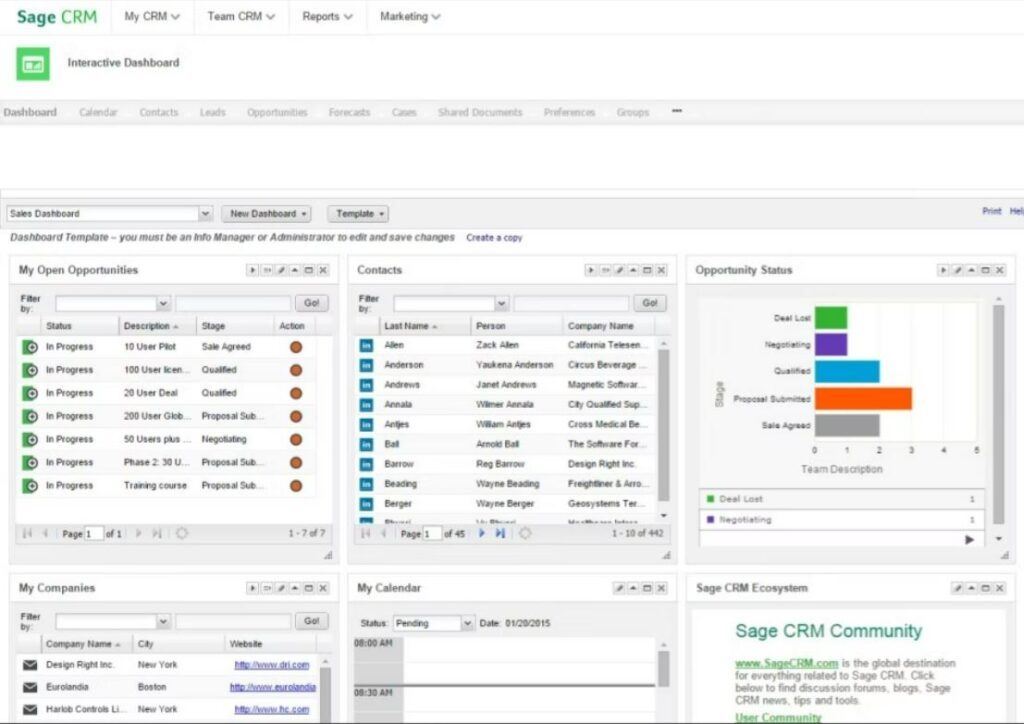
Sage CRM focuses on helping you gather better customer demographics so you can make the most of up-selling and cross-selling opportunities. In addition to financial profiling, purchase histories, order information, and special interests, Sage CRM also offers integrated sales reports, contacts, calendars, and pipelines.
One of the best features to utilize from Sage CRM is the Sage 300 cloud, which can centralize data for easy access, automate finances to reconcile your books, and simplify inventory management. Eliminate guesswork with highly targeted campaigns that evolve in real-time as you get more data.
Currently, Sage CRM is best equipped to handle freelancer and small business needs with streamlined services for customer support, sales, and marketing. They also offer several additional features for simplified HR, accounting, and payroll.
Sage CRM Standout Features and Integrations
Features include reporting and statistics, campaign management, configurable workflows, real-time reporting, collaboration tools, performance metrics, real-time data, and Sage 300 cloud.
Integrations include Mailchimp, Procore, Microsoft Outlook, Infraspeak, Cloud Workflow, FileHold, WorkPal, Praxedo, Esker, and Sugar Market.
Pros and Cons
Pros:
- A little more expensive
- Organizes sales contacts better than Excel
- Simple to manage and update
Cons:
- Can’t export notes data

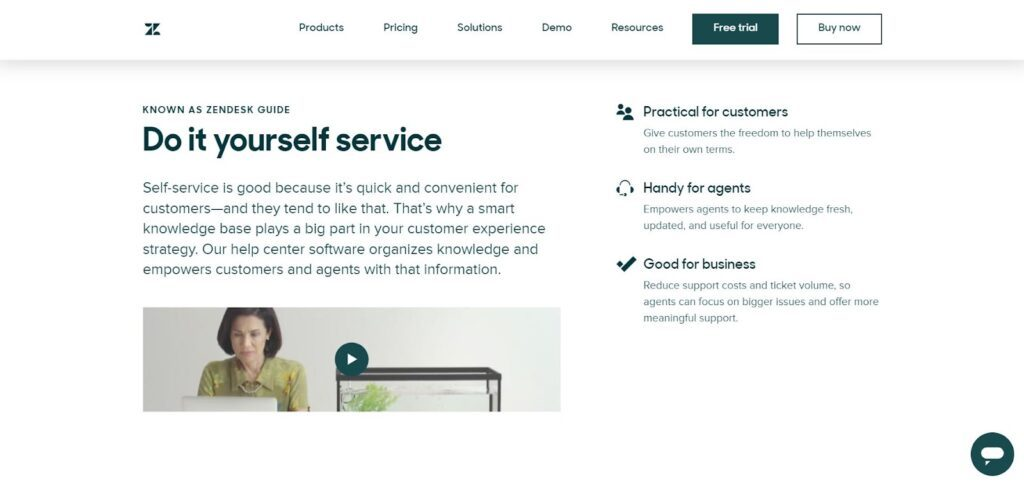
Zendesk is a CRM platform that wants to make things easy for your customer service team but also focuses on helping customers help themselves. With Zendesk, you can meet customers where they are by providing omnichannel support from anywhere and keep track of their data and requests through automated information input and intelligent insights.
One of the cool things Zendesk offers is a customer support platform that encourages your customers to resolve their own issues. With their help center, you can utilize a custom-built AI support bot that provides instant answers to reduce resolution times for agents, minimize repetitive work, and close tickets faster.
Zendesk solutions are segmented by business size and industry. This CRM platform is a versatile, scalable solution that works for everyone. Discover how they can help a variety of industries, including media, government, ecommerce, education, telecommunication, transportation, and financial services.
Zendesk Standout Features and Integrations
Features include messaging, live chat, help center, community forum, AI and bots, agent workspace, built-in routing, reporting and analytics, ticketing system, knowledge base, training, webinars, and voice calling.
Integrations include Jira, Tables, Shopify, Haptik, Slack, Ada for Sell, Faye, Sparkly, Zapier, and Metorik.
Pros and Cons
Pros:
- Customize everything from the ground up
- Integrates with all the big social media platforms
- User-friendly interface
Cons:
- Can be costly for small businesses

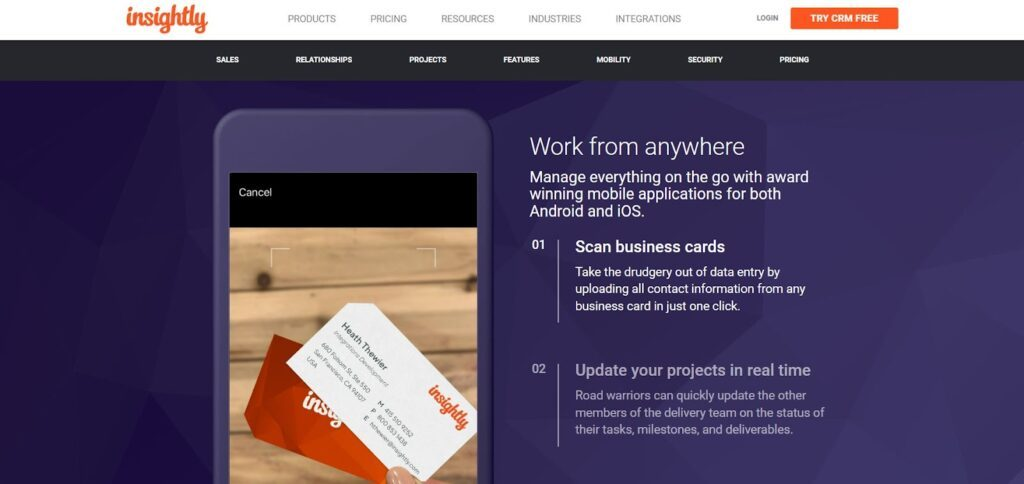
As a modern customer management software, Insightly isn’t held back by the common pain points of legacy options. Designed to be easy to use and simple to customize, this platform is all about building and converting the sales pipeline to improve employee performance and ensure lasting customer relationships.
The powerful mobile app is available for both iPhone and Android, helping you and your team work from anywhere. With tools to automate and streamline updates and data input, you can scan business cards, update projects in real time, and modify client information on the spot to move opportunities along.
Insightly is a powerful option in any vertical with integrated CRM, sales, service, and marketing solutions for businesses of all sizes. Insightly supports organizations that work in manufacturing, consulting, solar, insurance, ecommerce, and finance.
Insightly Standout Features and Integrations
Features include lead routing, sales forecasting, visual analytics, commenting/notes, lead nurturing, multi-currency, workflow automation, configurable workflow, task progress tracking, email list management, calendar sync, file sharing, and reporting and statistics.
Integrations include ADP Workforce Now, Drift, Netsuite, Asana, Gong, Okta, Bamboo HR, Jira, Quickbooks Online, and Magento 2.
Pros and Cons
Pros:
- Versatile plan options and pricing
- Intuitive and easy to use
- Has all the key features you need
Cons:
- Needs more developer-centric features
- Could use better social media integration
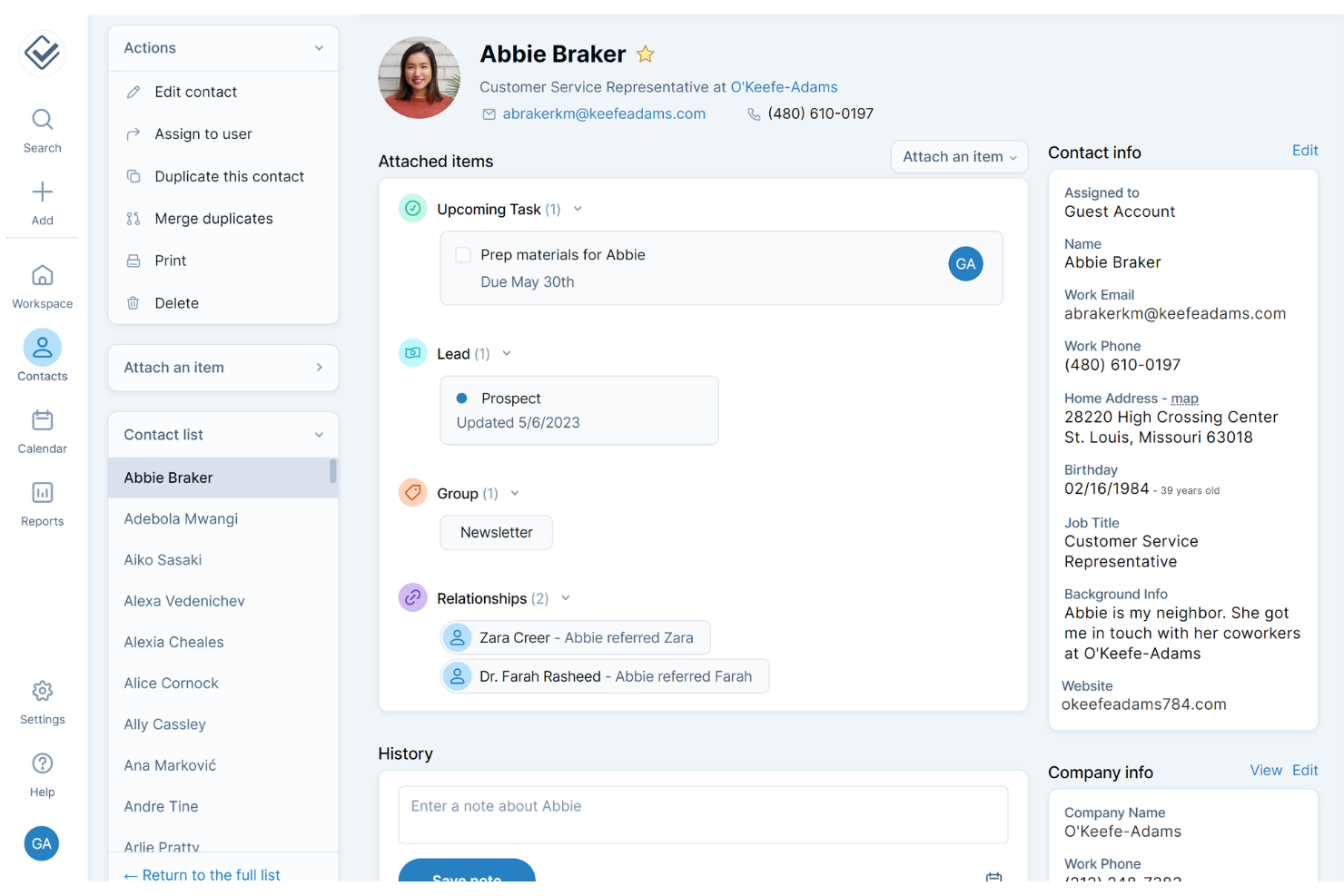
Less Annoying CRM is a customer relationship management tool that simplifies contact and pipeline management for small businesses. It covers contact tracking, task scheduling, and lead management, helping teams stay organized without the complexity of traditional CRMs.
Why I picked Less Annoying CRM: I picked Less Annoying CRM for its simplicity and affordability—it removes the friction of setup and training, making it easy for small teams to manage relationships and workflows. The customizable pipelines and contact management tools give users control without adding unnecessary layers of configuration or cost.
Standout features & integrations:
Features include customizable pipelines, shared calendars, contact and company management, email logging, and a built-in form builder to automate data capture.
Integrations include Google Calendar, Outlook Calendar, Google Contacts, Mailchimp, Zapier, and an open API for custom connections.
Pros and Cons
Pros:
- Excellent customer support via phone and email, assisting with imports and customization.
- Priced affordably at $15 per user per month with no hidden fees or contracts.
- Offers a simple and intuitive interface, making it easy for small business users to set up and manage without extensive training.
Cons:
- Doesn't offer a dedicated mobile app, limiting offline access.
- Lacks advanced features and reporting capabilities needed by larger or data-driven teams.
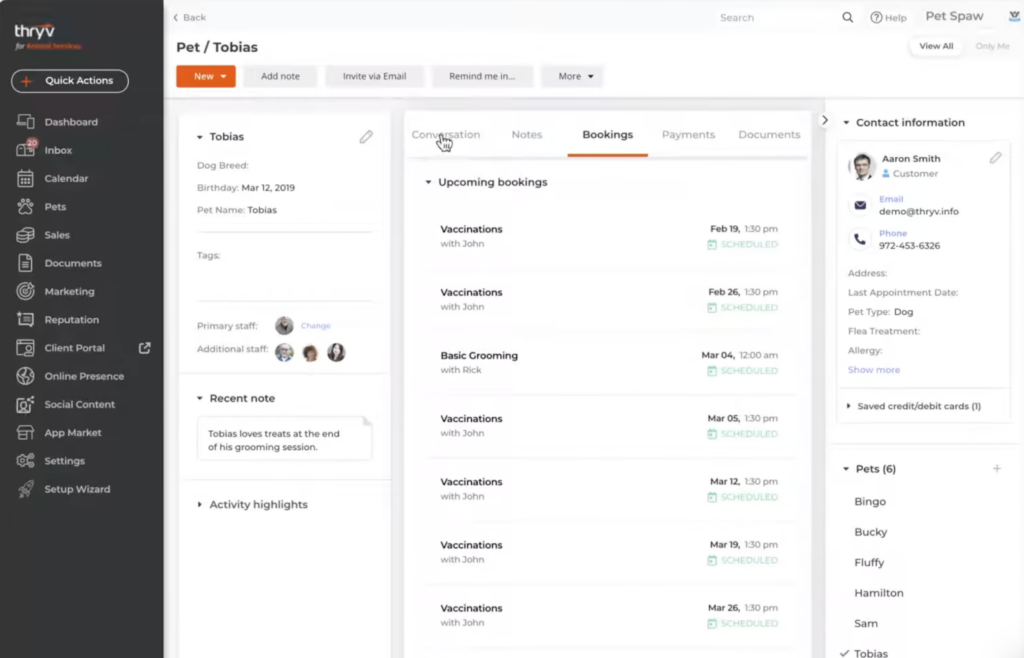
Thryv offers a robust platform with a comprehensive suite of tools for managing customers including a CRM, communication tools, client portals, and reputation management features. It’s designed specifically for the needs of small businesses, and offers a single, centralized solution for various aspects of your business operations and management.
The software’s contact database ensures you can keep up-to-date records of your clients and their key information. A multi-channel inbox brings client communications into a single space for easier relationship management. You can also use the calendar system to book customer appointments, schedule events and classes, and more.
Social media management tools help you to boost your small business’s online presence, Meanwhile, reputation management features help you keep a pulse on client ratings and reviews. Beyond these functionalities, the software also has payments management capabilities. This includes online transactions, credit card processing, invoicing, estimates, and recurring payments.
Thryv Standout Features and Integrations
Features include centralized inbox, calendar with event and appointment management, secure client portals, payment processing, social media management, estimates & invoices, and more.
Integrations include Clover, Facebook Messenger, Gmail, Indeed, Instagram Messenger, Jotform, Mailchimp, MYOB, QuickBooks, Twilio, Typeform, and Zoom.
Price: Available upon request
Free Trial: Free demo available
PROS
Large database of how-to videos on YouTube
All-in-one solution for small businesses
Contract and document management included
CONS
Somewhat basic email automation capabilities
Lacks task management features

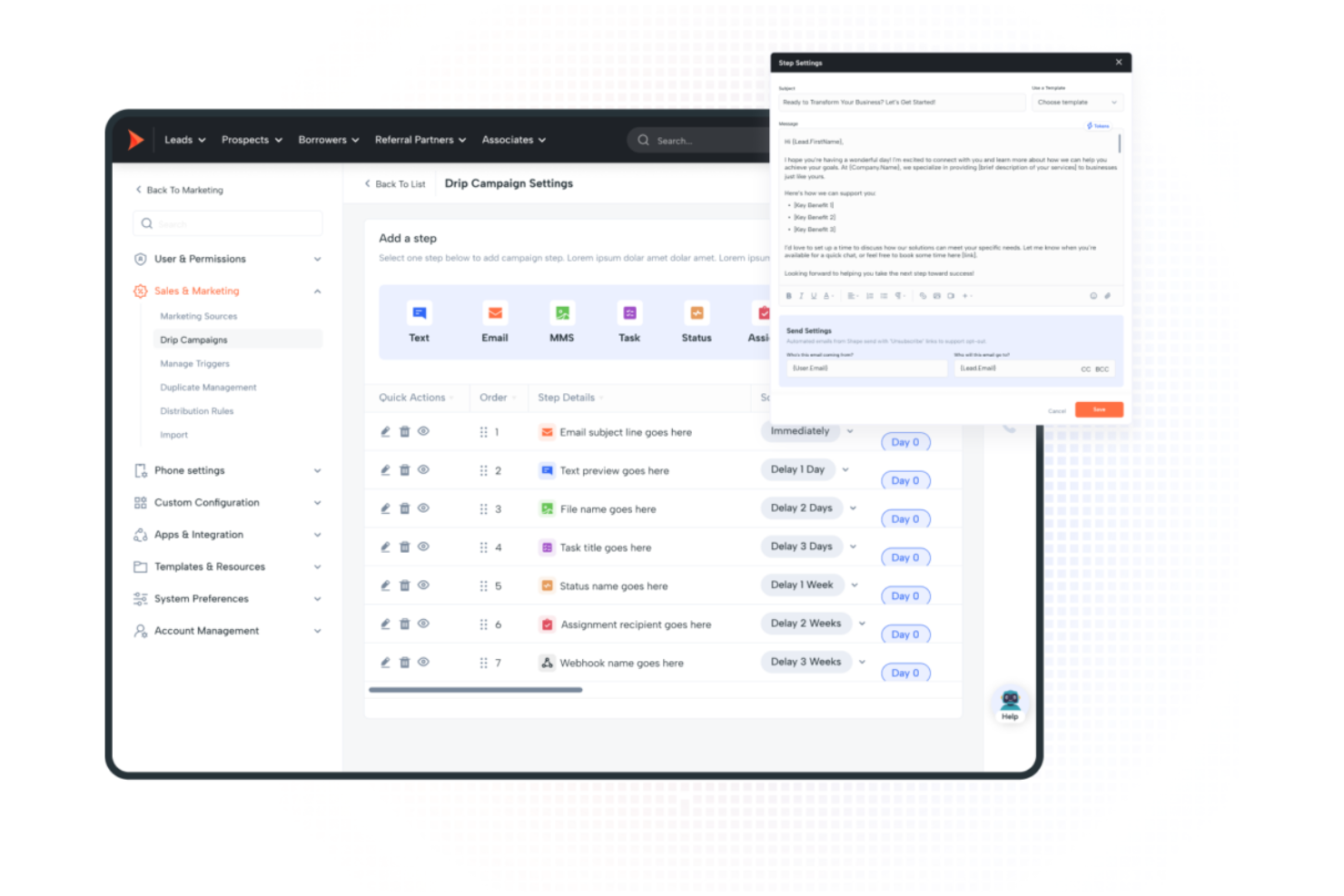
Shape CRM is a customer management platform that streamlines lead engagement and sales communication for teams in industries like mortgage, insurance, and education. It combines AI-powered insights with built-in communication tools to help teams automate marketing, manage pipelines, and close deals more efficiently.
Why I picked Shape CRM: Shape stands out for its AI-driven insights that bring clarity to sales and marketing performance. CROs and RevOps leaders can centralize operations across sales, marketing, and customer success—eliminating lead management inefficiencies and reducing communication bottlenecks. The platform’s integrated calling, texting, and emailing tools make it easy to maintain consistent client engagement while tracking every interaction in one place.
Standout features & integrations:
Features include advanced pipeline management, marketing automation, task management, and shared calendar integration—helping teams stay organized, nurture leads automatically, and schedule seamlessly.
Integrations include Google Calendar, Outlook, Twilio, Mailgun, Zillow, Zapier, and a public API for custom connections.
Pros and Cons
Pros:
- Automates marketing workflows to nurture leads efficiently.
- Includes built-in communication tools for calling, texting, and emailing clients.
- Offers AI-driven insights that help improve sales and marketing decisions.
Cons:
- Primarily optimized for industries like mortgage, insurance, and education.
- All pricing tiers require contacting their sales team.

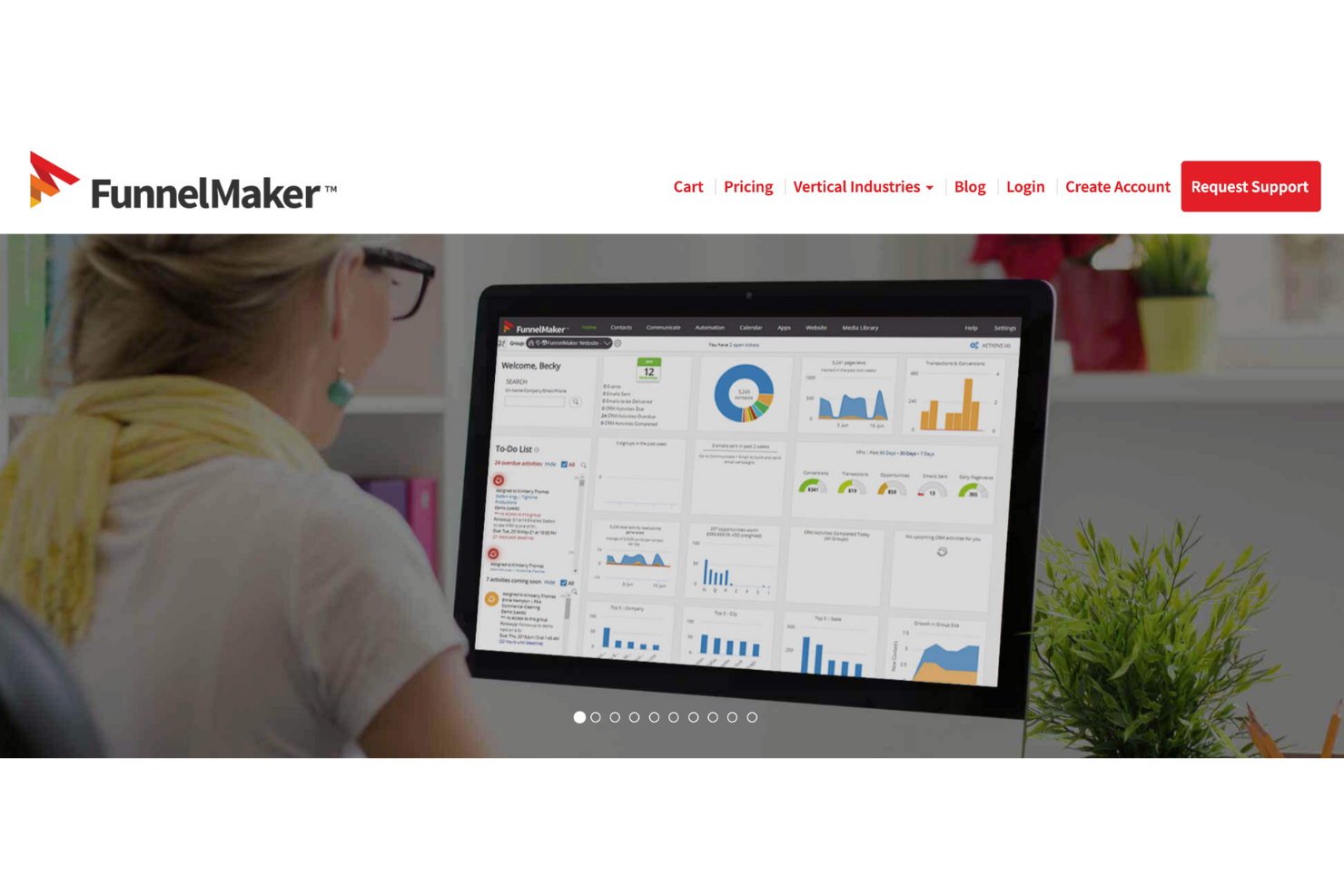
FunnelMaker is a customer management platform that unifies CRM, marketing automation, and operations management for growing teams. It combines sales pipeline visibility, predictive analytics, and campaign automation, helping organizations streamline communication, nurture client relationships, and improve sales performance.
Why I picked FunnelMaker: FunnelMaker stands out for its balance of robust functionality and cost efficiency—delivering CRM, marketing, and operations tools in one cohesive system. It’s particularly well-suited for RevOps leaders who want tighter alignment between sales and marketing motions without managing multiple disconnected platforms.
Standout features & integrations:
Features include automatic sales tracking, pipeline management, lead scoring, document signatures, predictive analytics, email marketing, real-time analytics, web/email tracking, ticketing, project management, e-learning capabilities, invoicing and payment tracking, secure user access controls, and customizable dashboards.
Integrations include QuickBooks, Salesforce, and major email and social media platforms.
Pros and Cons
Pros:
- Users note that the software is cost-effective compared to other CRM solutions like Salesforce.
- Provides predictive analytics and lead scoring to offer insights into customer behavior and improve sales strategies.
- Includes workflow automation and customizable CRM features, allowing businesses to tailor the software to their operational needs.
Cons:
- The monthly costs may be prohibitive for small businesses or startups.
- Some users report occasional slow performance, which can affect productivity.

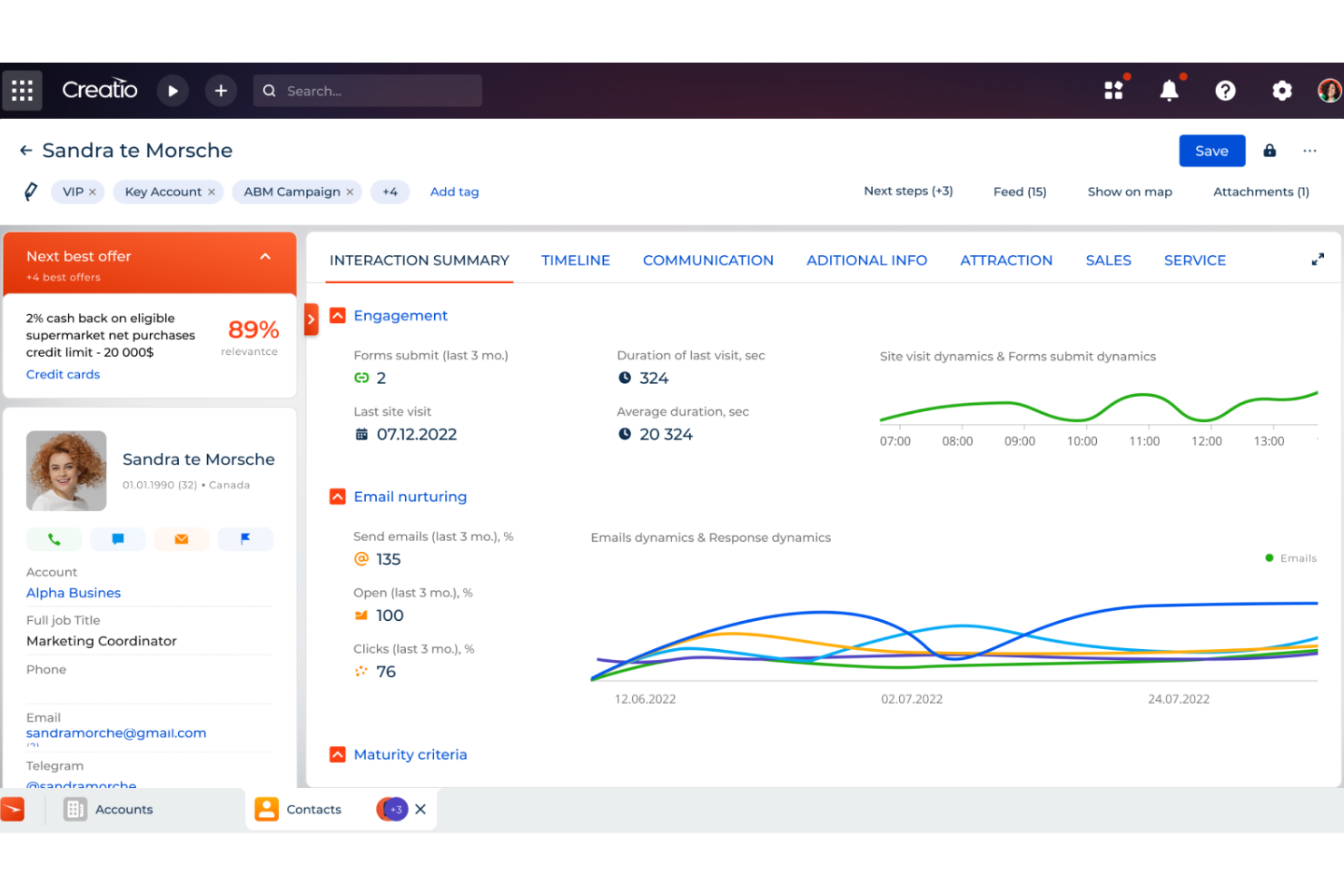
Creatio CRM is a comprehensive customer relationship management tool designed to cater to the needs of small to medium-sized businesses (SMBs) as well as larger enterprises. The platform offers a complete suite of features for managing the entire sales cycle, enhancing analytics, and automating marketing processes.
The platform's unlimited no-code customization is a significant advantage, allowing users to tailor the CRM to their specific needs without requiring extensive technical expertise. This means that users can build custom apps and automate end-to-end workflows with a simple drag-and-drop interface.
One of the most notable features is its 360-degree customer view, which consolidates all customer data into a single, unified interface. This allows businesses to gain a holistic understanding of their customers, enabling personalized engagement, more effective communication. and overall enhanced customer management.
CRM Creatio Standout Features and Integrations
Features include workflow automation, customizable dashboards, real-time analytics, AI-assisted app development, contact and account management, lead and opportunity management, task management, and performance management.
Integrations include Accelo, Act!, ActiveCampaign, Acumatica, Adobe Analytics, Asana, Microsoft Exchange, Excel, Mailchimp, HubSpot Marketing Hub, Google Calendar, and Tableau.
Pros and Cons
Pros:
- Scalable with growing businesses
- Extensive customization options
- Accessible to non-technical users with a no-code platform
Cons:
- Learning curve for new users
- Customization can be time-consuming
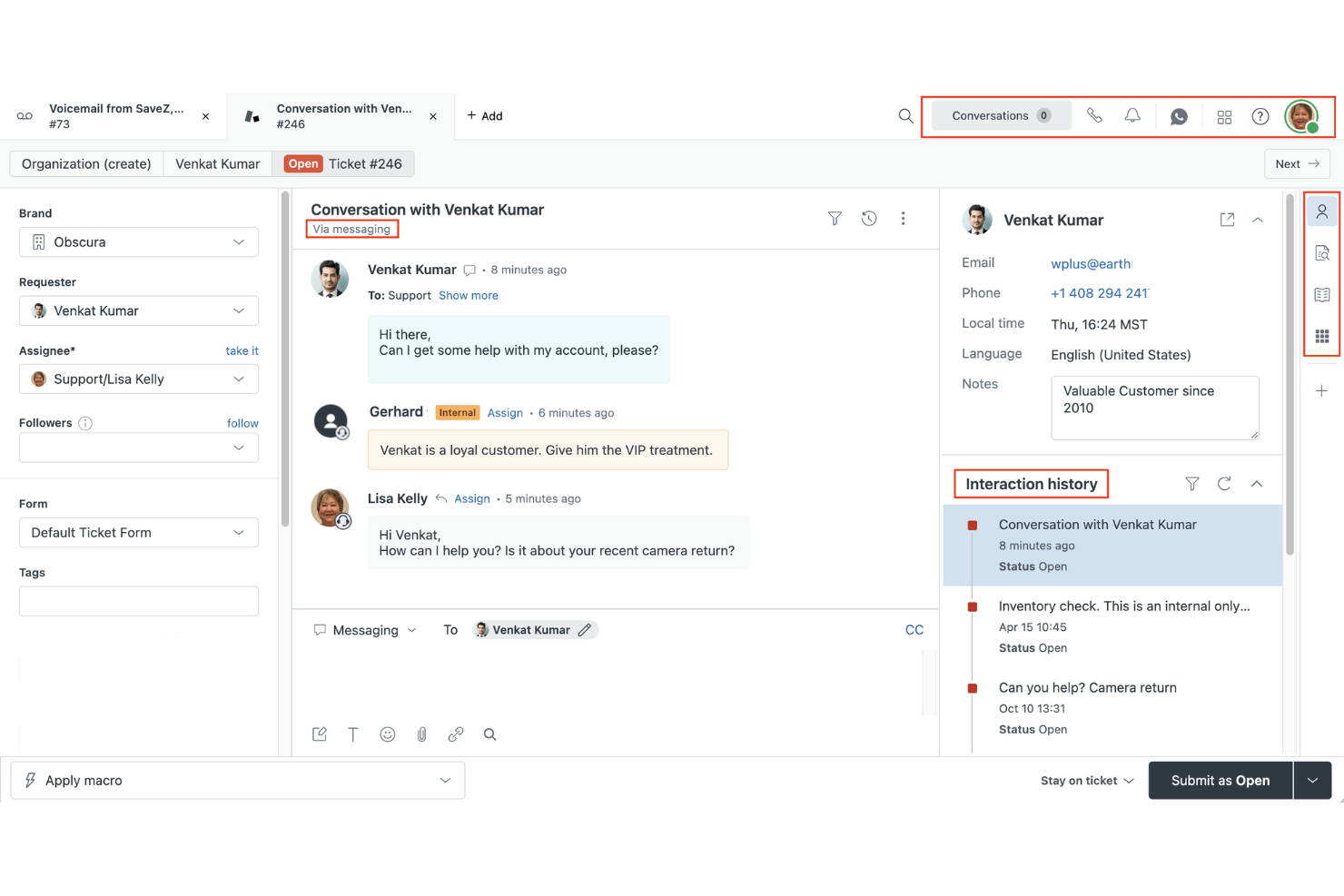
Zendesk is a Customer Relationship Management (CRM) platform focused on helping businesses manage customer interactions across multiple channels. From email and chat to social media and voice, it centralizes communication and organizes support requests in one place for easier management.
I picked Zendesk because of its intelligent ticketing system that uses AI to categorize and route requests to the right team members. This helps reduce response times and ensures that customers get the right help the first time. Its built-in analytics can reveal patterns in inquiries, giving you actionable insights to improve your service delivery.
Zendesk also empowers customers to find answers on their own with a customizable self-service knowledge base. For support teams, automation tools handle repetitive tasks, freeing up time for more complex issues. Together, these tools make it easier to maintain fast, high-quality support even during busy periods.
Zendesk Standout Features and Integrations
Features include AI-powered ticket routing, omnichannel communication, customer satisfaction surveys, service-level agreement (SLA) tracking, workforce management tools, and data privacy safeguards.
Integrations include Zoom, Slack, HubSpot, Marketo, Twilio, BombBomb, Thinkific, Zapier, Geckoboard, eWebinar, Klaus, and TypeGenie.
Pros and Cons
Pros:
- Wide range of third-party integrations
- Strong analytics for performance insights
- Unified ticketing system for multiple channels
Cons:
- Limited customization on basic plans
- Advanced features locked behind higher tiers
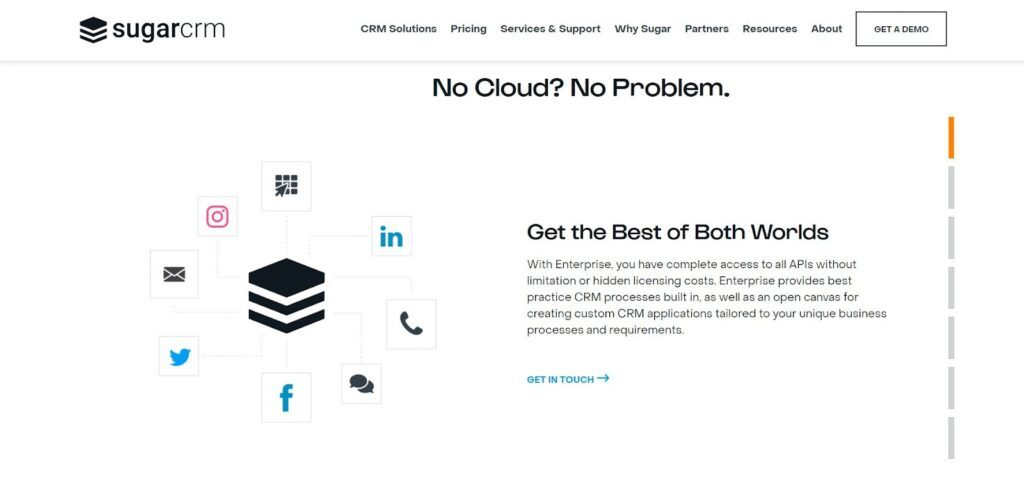
SugarCRM offers a full marketing and sales automation platform that also hosts on-site and fully digital CRM solutions. With their all-in-one marketing platform and next-generation sales automation, SugarCRM helps better sync marketing and sales data throughout the customer buying journey for more streamlined customer support.
As the only marketing automation platform that is built on top of a traditional CRM database, SugarCRM offers an exact match between all systems — from lead and contact to account, opportunity, and campaign levels. With this type of overlap, you have everything you need for quick and easy two-way sync through the CRM, list segmentation, and campaign execution.
SugarCRM is ideal for small and medium-sized businesses across a variety of verticals. They can support SMBs for marketing, selling, and serving, as well as on-premise support for enterprise-level organizations. Each service package is a separate tier to ensure you can customize the support they offer to your needs.
SugarCRM Standout Features and Integrations
Features include channel and contact management, a self-service portal, lead capture and management, website visitor tracking, data import and export, lead engagement, email campaign management, workflow management, segmentation, and performance metrics.
Integrations include Salesforce Sales Cloud, Bullhorn ATS & CRM, Oktopost, Leads Bridge, ProNavigator, RingCentral, Slack, Gondola, Aircall, and Tribilio.
Pros and Cons
Pros:
- Efficient administration with custom dashboards
- Easy to connect and sync integrations
- Great customer support team
Cons:
- Software updates come with occasional glitches
- Custom reporting can be difficult to set up
Pipedrive
Best for capturing more leads with a lead generation tool set

As a sales pipeline management tool for small and medium-sized sales teams, Pipedrive was built by salespeople for salespeople. With intuitive lead organization and sales overviews, you can focus on what really matters — closing more deals. Get your entire team on the same page with automated progress trackers and analytics.
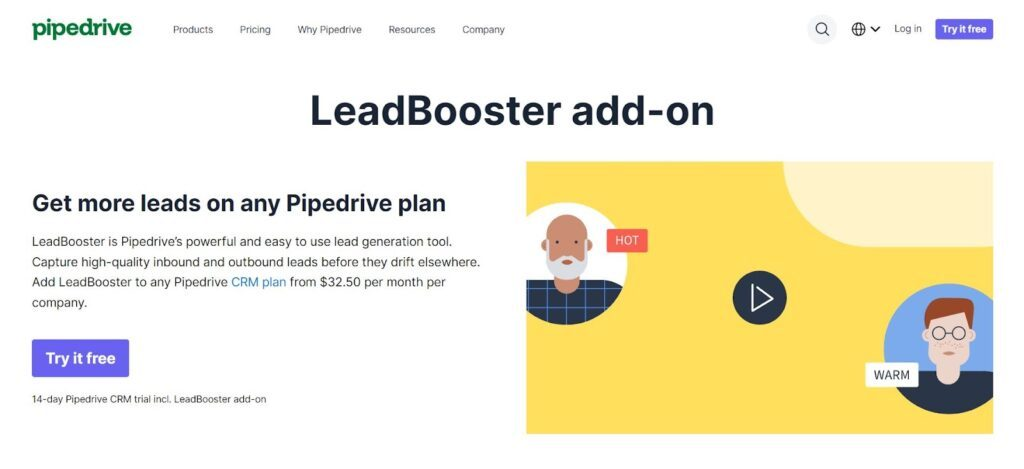
One of the other reasons Pipedrive is on this list is due to their lead generation add-on. This specialized tool includes chatbot, live chat, prospector, and web forms that engage potential customers and funnel them toward a purchase. The lead generator also includes scheduling management, a leads inbox, and spreadsheet imports.
Pipedrive works for startups, SMEs, and enterprise-level organizations due to its scalability and customizable solutions. With a little information about your industry, Pipedrive can ensure you create a customer relationship management tool with the right characteristics for your needs.
Pipedrive Standout Features and Integrations
Features include visual sales pipeline, customizable pipeline, team collaboration, activity reminders, lead segmentation, contact history, web forms, reporting and dashboards, revenue forecasting, web visitor tracking, and lead generation.
Integrations include Zapier, Google Meet, Microsoft Teams, Slack, Zoom Meetings, WhatsApp, Pipechat, PandaDoc, LinkPort, and DocuSign.
Pros and Cons
Pros:
- Clear and easy to navigate
- Automated functions provide reminders
- Good CRM for blending sales and customer management
Cons:
- Software updates sometimes cause glitches
- Has an email list maximum




Related Customer Management Software Reviews
If you still haven't found what you're looking for here, check out these tools closely related to customer management software that we've tested and evaluated.
- CRM Software
- Sales Software
- Lead Management Software
- Business Intelligence Software
- Contract Management Software
- Revenue Management System
Selection Criteria For Customer Management Software
Selecting the right customer management software is crucial for businesses aiming to enhance their customer relationships and optimize revenue operations. Such software typically offers a range of functionalities designed to streamline customer interactions, manage data efficiently, and provide actionable insights. My selection criteria are grounded in extensive personal trials and research, ensuring they align with the fundamental needs and challenges faced by software buyers in this category.
Core Customer Management Software Functionality: 25% of total weighting score
To be considered for inclusion on my list of the best customer management platforms, the solution had to support the ability to fulfill common use cases such as:
- Centralizing customer information
- Tracking all customer interactions
- Managing leads and sales pipelines
- Providing detailed customer insights and analytics
- Automating routine customer engagement tasks
Additional Standout Features: 25% of total weighting score
- Innovativeness in addressing unique business challenges, such as advanced AI-driven insights or unique collaboration features.
- Platforms that offer exceptional data visualization tools or advanced segmentation capabilities.
- Solutions that provide integrative functionalities, enhancing connectivity with other business systems.
- Systems that excel in real-time data processing and offer state-of-the-art customization.
- Examples that show a commitment to leveraging cutting-edge technology to improve user experience and outcomes.
Usability: 10% of total weighting score
- Intuitive design that balances sophistication with user-friendly experience.
- Clear and logical navigation paths, ensuring features are easily accessible and understandable.
- Responsive design that adapts to various devices, ensuring consistent usability.
- Interactive elements, like drag-and-drop interfaces or intuitive dashboards, that enhance user engagement.
Onboarding: 10% of total weighting score
- Availability of comprehensive resources such as training videos, documentation, and templates.
- Interactive guides or product tours that facilitate a smooth acclimation to the platform.
- Support options like live training sessions, webinars, or dedicated customer success managers.
- Tools and features that simplify the initial setup process, ensuring a quick start.
Customer Support: 10% of total weighting score
- Availability of multiple support channels to suit different preferences and needs.
- Responsiveness and effectiveness of the support team in resolving issues.
- Proactive support measures like regular updates, community forums, or in-app assistance.
- Quality of personalized support, ensuring that users receive tailored assistance.
Value For Money: 10% of total weighting score
- Competitive pricing that aligns with the features and capabilities offered.
- Transparent pricing models without hidden costs, ensuring predictability for budgeting.
- Flexible plans that cater to varying business sizes and needs.
- Consideration of long-term ROI, assessing how the software contributes to broader business objectives.
Customer Reviews: 10% of total weighting score
- Positive feedback on user experience, highlighting ease of use and efficiency.
- Testimonials that speak to the software's reliability and performance.
- Reviews that underscore the value delivered, affirming the software's impact on business operations.
- Consistent praise for specific features or support, indicating areas where the platform excels.
When selecting customer management software, it's essential to consider how each option aligns with your unique business needs and operational goals. Opt for a platform that not only offers comprehensive functionality but also excels in usability, support, and overall value, ensuring it can effectively contribute to your business's success.
How To Choose Customer Management Software
With so many different customer management software solutions available, it can be challenging to make decisions on what tool is going to be the best fit for your needs.
As you're shortlisting, trialing, and selecting customer management software, consider the following:
- What problem are you trying to solve - Start by identifying the customer management software feature gap you're trying to fill to clarify the features and functionality the tool needs to provide.
- Who will need to use it - To evaluate cost and requirements, consider who'll be using the software and how many licenses you'll need. You'll need to evaluate if it'll just be the revenue operation leaders or the whole organization that will require access. When that's clear, it's worth considering if you're prioritizing ease of use for all or speed for your customer management software power users.
- What other tools it needs to work with - Clarify what tools you're replacing, what tools are staying, and the tools you'll need to integrate with, such as accounting, CRM, or HR software. You'll need to decide if the tools will need to integrate together or if you can replace multiple tools with one consolidated customer management software.
- What outcomes are important - Consider the result that the software needs to deliver to be considered a success. Consider what capability you want to gain or what you want to improve, and how you will be measuring success. For example, an outcome could be the ability to get greater visibility into performance. You could compare customer management software features until you’re blue in the face but if you aren’t thinking about the outcomes you want to drive, you could be wasting a lot of valuable time.
- How it would work within your organization - Consider the software selection alongside your workflows and delivery methodology. Evaluate what's working well and the areas that are causing issues that need to be addressed. Remember every business is different — don’t assume that because a tool is popular that it'll work in your organization.
Trends In Customer Management Software For 2026
Customer management software continues to evolve rapidly, with new features and technologies being developed to enhance revenue operations and improve overall user experience. By analyzing recent product updates, press releases, and release logs from leading tools in the industry, we can identify key trends that are shaping the landscape of customer management software.
Integration and Automation:
- There is a growing trend towards deeper integration with other business systems, such as CRM, ERP, and e-commerce platforms, to provide a more unified view of the customer.
- Enhanced automation capabilities are being developed to streamline workflows, reduce manual tasks, and improve efficiency, indicating a push towards more intelligent and responsive customer management systems.
Data-Driven Insights and Personalization:
- Advanced analytics and reporting features are evolving rapidly, enabling businesses to gain deeper insights into customer behavior and preferences.
- Personalization has become a critical feature, with tools leveraging AI and machine learning to deliver more targeted and relevant customer experiences, reflecting the need for businesses to adapt quickly to customer demands.
AI and Machine Learning:
- The incorporation of AI and machine learning technologies is becoming more prevalent, offering novel functionalities such as predictive analytics, sentiment analysis, and automated customer interaction.
- These features represent the cutting edge of customer management technology, providing businesses with powerful tools to anticipate customer needs and optimize their engagement strategies.
Declining Features:
- Standalone systems with limited integration capabilities are becoming less popular as businesses look for more holistic and interconnected solutions.
- Features that require extensive manual input or offer limited customization options are also being phased out in favor of more adaptable and user-centric designs.
These trends reflect the ongoing evolution of customer management software, with a clear shift towards more integrated, intelligent, and user-friendly solutions. As revenue operation leaders seek to navigate this dynamic landscape, understanding these trends and how they relate to the specific needs and challenges of their businesses will be crucial for selecting the right software to drive success.
What Is Customer Management Software?
Customer management software is a tool that keeps track of customer info, sales, support tickets, and past conversations all in one spot. People in sales, customer service, and support teams use it to see every customer detail and stay on top of follow-ups. This kind of software helps you keep customers happy, respond faster, and spot trends that can boost your business.
Features Of Customer Management Software
When selecting customer management software, keep an eye out for the following key features:
- Contact management: Effortlessly organize and store detailed contact information, including names, communication history, and notes, so you can always put a face (and a story) to every client. You’ll never have to ask, “Wait, who’s Susan from Tulsa again?”
- Lead tracking: Monitor potential customers as they move through your sales funnel and update their status in real time. It’s like having a digital Post-it note that never falls off your monitor.
- Task and appointment scheduling: Automatically set reminders for follow-ups, meetings, or important deadlines, making sure you stay a step ahead and keep customer relationships strong.
- Sales pipeline management: Visualize your deals at different stages in a customizable pipeline view. This lets you spot bottlenecks and prioritize the opportunities most likely to close.
- Reporting and analytics: Generate dynamic reports to analyze team performance, sales trends, and customer interactions. These insights help you make decisions that actually mean more revenue—not just more spreadsheets.
- Integration capabilities: Seamlessly connect with your favorite tools, like email services, marketing platforms, and accounting software. This helps keep everything in sync and cuts out hours of manual work.
- Document and file management: Store, organize, and quickly access key customer files, quotes, contracts, and proposals all in one spot—no more digging through your downloads folder during a crucial call.
- Customizable workflows: Tailor the software to mirror your real-world processes so you can support your team’s unique way of selling, following up, and closing deals.
- User access controls: Set permissions and roles so only the right team members access sensitive information. You get security and peace of mind without slowing anyone down.
Common Customer Management Software AI Features
Beyond the standard customer management software features listed above, many of these solutions are incorporating AI with features like:
- Churn prediction: Spot customers at risk of leaving by having AI flag changes in engagement or purchase behavior, giving you a chance to win them back before it’s too late.
- Predictive lead scoring: Use AI algorithms to determine which leads are most likely to convert, so you can focus your attention (and charm) where it counts.
- Automated data entry: Automatically capture and update customer information from emails, forms, or calls—eliminating boring, repetitive tasks that no one enjoys.
- Intelligent follow-up reminders: Get smart suggestions on when and how to reach out to customers based on past interactions and response patterns, helping you connect at the perfect moment.
- Sentiment analysis: Analyze customer communications to gauge mood and satisfaction, so you can prioritize sensitive relationships or address issues before they escalate.
Benefits Of Customer Management Software
Customer management software is an essential tool for businesses aiming to optimize their revenue operations and enhance customer relationships. By integrating such software, organizations can streamline processes, gain valuable insights, and improve customer engagement, which are crucial for driving growth and profitability. Here are five primary benefits of customer management software for users and organizations:
- Centralized Customer Information: Provides a unified platform for storing and accessing all customer data. This centralization enables users to have a comprehensive view of customer interactions, preferences, and history, facilitating better decision-making and personalized service.
- Enhanced Customer Engagement: Enables targeted communication and personalized marketing campaigns. By understanding customer needs and behaviors, businesses can engage with their audience more effectively, increasing customer satisfaction and loyalty.
- Improved Efficiency and Productivity: Automates routine tasks and streamlines customer-related processes. This automation reduces manual effort, minimizes errors, and allows staff to focus on more strategic activities, thereby enhancing overall productivity.
- Data-Driven Insights and Decision Making: Offers advanced analytics and reporting tools. These features provide actionable insights into customer behavior, campaign performance, and overall business metrics, supporting informed decision-making and strategy optimization.
- Scalability and Flexibility: Adapts to the growing needs of the business. As organizations expand, customer management software can scale to accommodate increased volumes of data and more complex operations, ensuring that businesses can continue to manage their customer relationships effectively.
Costs & Pricing For Customer Management Software
When venturing into the realm of customer management software, understanding the various plan and pricing options is crucial for selecting the right solution to meet your business needs. These platforms typically offer a range of plans to accommodate businesses of all sizes, from startups to large enterprises, each with a distinct set of features and capabilities. Here is a breakdown of common plan options you might encounter:
Plan Comparison Table For Customer Management Software
| Plan Type | Average Price | Common Features Included |
|---|---|---|
| Basic | $10 - $50 per user/month | Contact management, interaction tracking, basic reporting, email integration |
| Professional | $50 - $150 per user/month | Advanced analytics, marketing automation, increased data storage, enhanced customization |
| Enterprise | $150 - $300+ per user/month | AI capabilities, dedicated support, advanced integration options, full customization |
| Free | $0 | Limited contact management, basic interaction tracking, fundamental reporting |
When choosing a plan, consider the size of your business, the complexity of your customer management needs, and your budget. Opt for a plan that not only fits your current requirements but also offers room for growth as your business expands.
Customer Management Software Frequently Asked Questions
Here are a few popular questions answered for your convenience!
Can customer management software track customer interaction history?
Can you integrate customer management software with social media platforms?
Are there reporting features for analyzing customer trends?
What are the three main types of customer management software?
Why should I use customer management software?
What other customer management software should I use?
Conclusion
This list should have informed you a bit about the types of CRM solutions out there and given you a few insights about what might work best for your needs. Help your team refocus on company goals with the tools they need to succeed.
If you’re reading this blog, you’re already trying to enhance your business practices for better employee performance and higher revenue. So subscribe to our newsletter to enjoy access to even more breakdowns of potential solutions for your organization.