
21 Best CRMs With Inventory Management Reviewed In 2026

Best CRMs with Inventory Management Shortlist
Here's my pick of the 10 best software from the 20 tools reviewed.


CRMs with inventory management features let you handle customer relationships and keep your inventory on track in one streamlined platform. They’re essential for anyone juggling sales, service, and products—all while simplifying your backend processes.
I’ve personally tested and reviewed the top CRMs with inventory management features, so you can quickly find the right solution for your business, whether you’re running a lean startup or leading a large enterprise.
Why Trust Our Software Reviews
Best CRMs with Inventory Management Summary
| Tool | Best For | Trial Info | Price | ||
|---|---|---|---|---|---|
| 1 | Best for quality management integration | Free trial available | From $44.92/user/month (billed annually) | Website | |
| 2 | Best for mobile-first maintenance | Free trial + free demo available | From $20/user/month | Website | |
| 3 | Best for multi-channel selling and order management | Free 14-day trial + free plan + free demo available | From $29 per organization/month (billed annually) | Website | |
| 4 | Best for automation in multi-channel ecommerce operations | Free demo available | Pricing upon request | Website | |
| 5 | Best for centralized and automated inventory management | Free demo + 15-day free trial available | From $12/user/month (billed annually) | Website | |
| 6 | Best for customizable CRM views | Free 14-day trial + free plan available | From $7/user/month (billed annually) | Website | |
| 7 | Best for production management | Free 14-day trial + free plan + free demo available | From $359/month (billed annually) | Website | |
| 8 | Best for connected inventory performance across multiple channels | 14-day free trial + free demo available | From $349/month | Website | |
| 9 | Best for local support in Asia | Free demo available | From $4.25/user/month (billed annually) | Website | |
| 10 | Best for field service and office management integration | Free trial available | From $25/user/month (billed annually) | Website |
-

Zendesk
Visit WebsiteThis is an aggregated rating for this tool including ratings from Crozdesk users and ratings from other sites.4.3 -
Pipedrive CRM
Visit WebsiteThis is an aggregated rating for this tool including ratings from Crozdesk users and ratings from other sites.4.3 -
Creatio CRM
Visit WebsiteThis is an aggregated rating for this tool including ratings from Crozdesk users and ratings from other sites.4.7




Best CRMs with Inventory Management Reviews
This section provides an in-depth analysis and overview of each CRM with inventory management. Below, I will walk through the pros and cons of each tool, their features, and their best use cases.
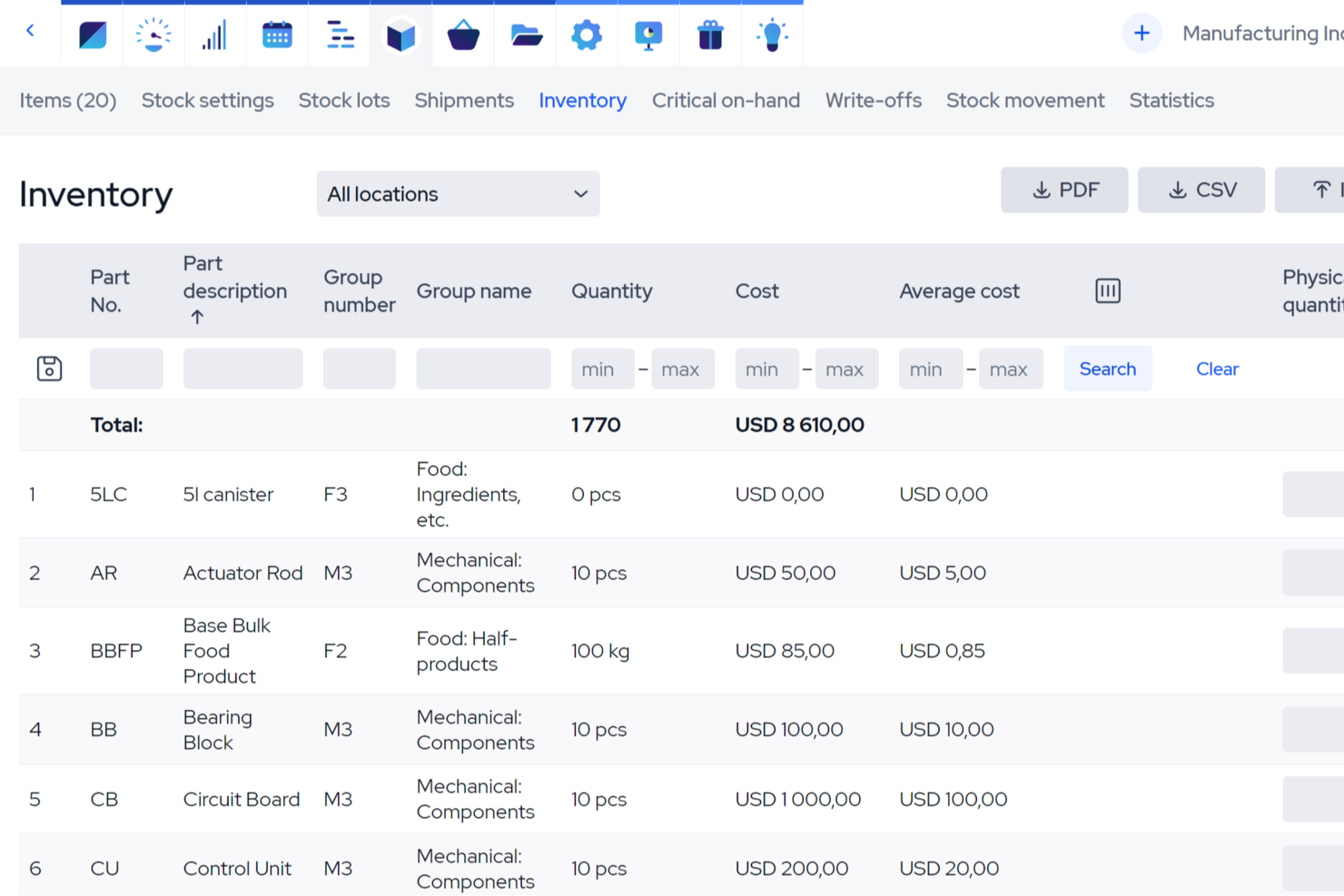
If you are seeking a CRM inventory management solution tailored for small to medium-sized manufacturers and distributors, MRPeasy might be your perfect match. Designed to simplify operations, it offers real-time inventory tracking, smooth order management, and detailed integration capabilities. By addressing common challenges like inventory optimization and production planning, MRPeasy supports businesses in improving efficiency and customer satisfaction.
Why I Picked MRPeasy
I picked MRPeasy for its unique ability to provide real-time inventory management and smooth order processing, important for businesses dealing with complex supply chains. With features like automated order management and end-to-end inventory traceability, you’ll find it easier to maintain optimal stock levels and prevent costly stockouts or overstocking. MRPeasy's integration with leading e-commerce and accounting platforms ensures that your data flows smoothly across systems, improving overall operational efficiency.
MRPeasy Key Features
In addition to its standout inventory management capabilities, MRPeasy offers several other features that can benefit your team:
- Barcode Scanning: Simplifies inventory control by allowing for quick and accurate data entry and retrieval.
- Production Planning: Helps you schedule production activities efficiently to meet delivery deadlines and optimize resource use.
- Quality Management: Ensures that only high-quality products reach your customers by integrating quality checks into the production process.
- Workforce Management: Tracks labor costs and productivity, providing insights to improve workforce allocation and efficiency.
MRPeasy Integrations
Integrations include QuickBooks Online, Xero, Shopify, WooCommerce, Amazon, Salesforce, HubSpot, Zapier, and more, with an API available for custom integrations.
Pros and Cons
Pros:
- Native CRM module for sales and customer data
- Visual production planning and scheduling tools
- Automated procurement forecasting for inventory needs
Cons:
- Batch updates for inventory require manual steps
- Custom reporting options are restricted
New Product Updates from MRPeasy
MRPeasy Adds Estimated Weight Calculation for Items
MRPeasy introduces an estimated weight calculation feature, enhancing efficiency. For more information, visit MRPeasy's official site.
 .
.
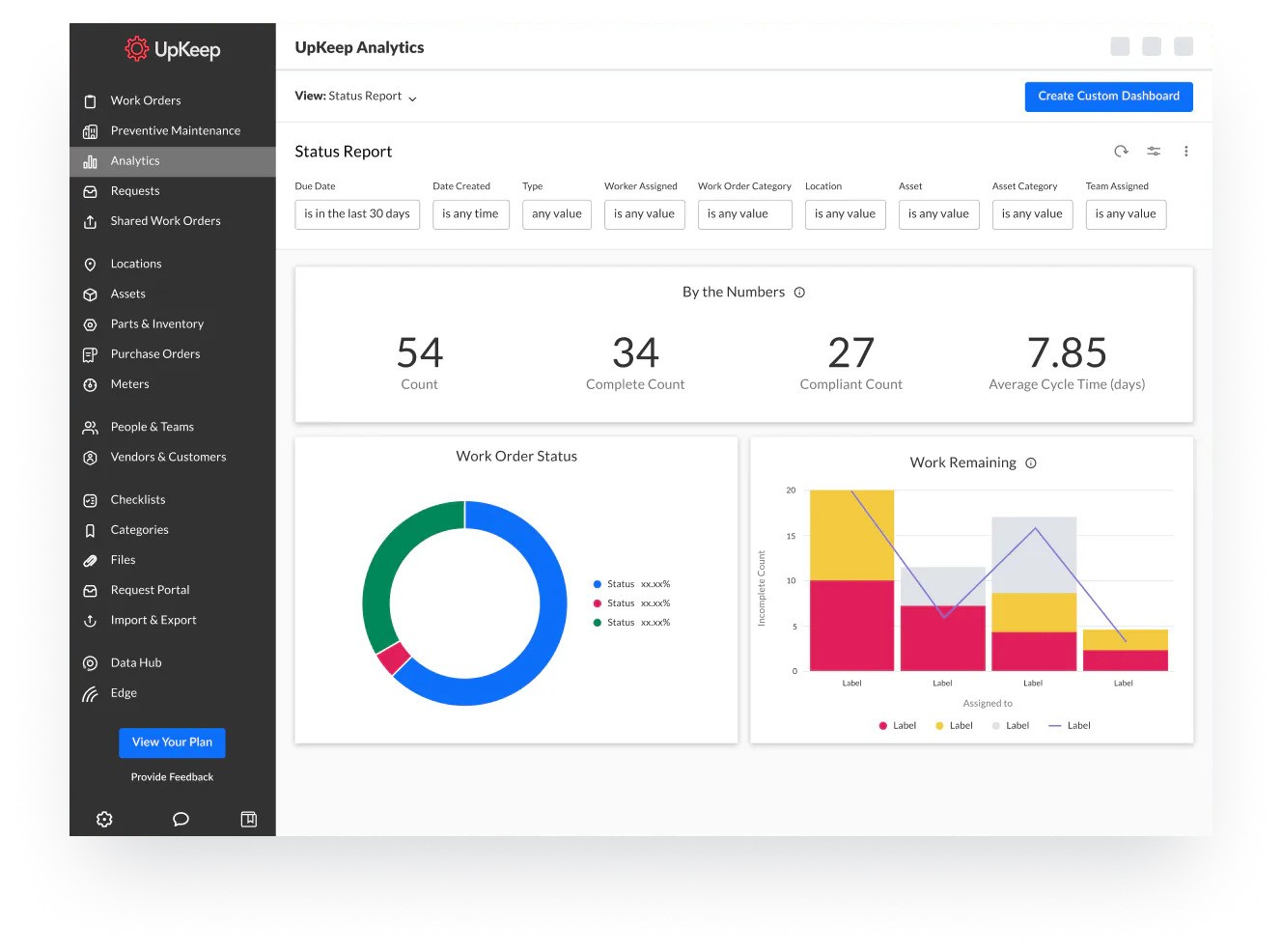
UpKeep offers mobile-first maintenance and inventory management, providing businesses with an efficient way to manage assets and stock.
Why I picked UpKeep: UpKeep has a strong mobile-first approach, making it ideal for teams that require on-the-go access to maintenance and inventory data. Its user-friendly mobile app allows technicians to manage tasks and inventory from anywhere, enhancing efficiency and productivity.
Standout features & integrations:
Features include mobile accessibility, asset management, work order management, preventive maintenance scheduling, inventory management, real-time reporting, customizable workflows, integration with other software, barcode scanning, and maintenance history tracking.
Integrations include QuickBooks, Xero, Zapier, Slack, Google Workspace, Microsoft 365, Dropbox, Salesforce, Oracle, and ServiceNow.
Pros and Cons
Pros:
- User-friendly mobile app
- Strong asset management
- Customizable options available
Cons:
- Basic inventory features
- Limited to maintenance industries
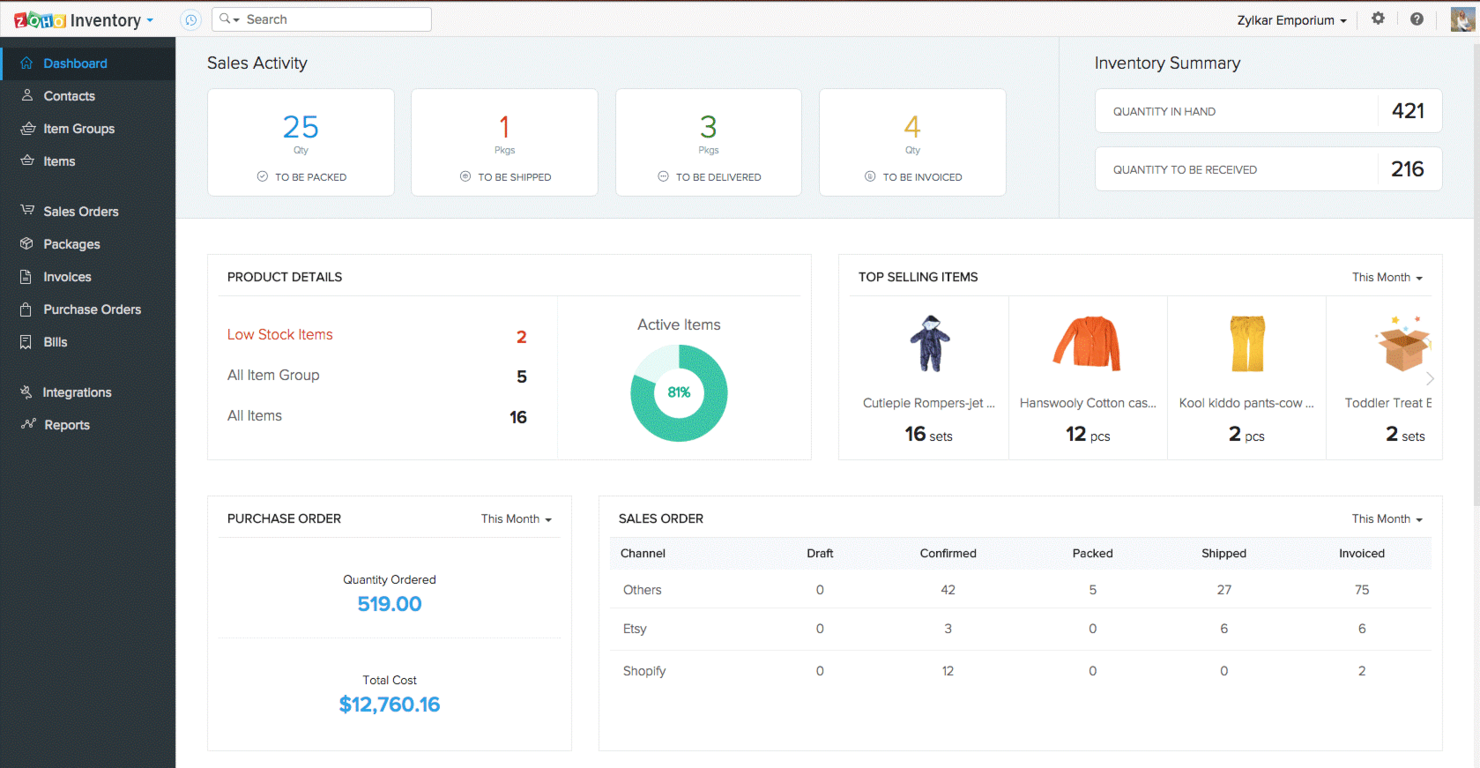
Zoho Inventory streamlines inventory management and multi-channel selling with strong order management and tracking features.
Why I picked Zoho Inventory: Zoho Inventory provides users with multi-channel selling capabilities and efficient order management system. What makes it stand out is its powerful integration with various sales channels and shipping carriers, making it ideal for businesses looking to manage inventory across multiple platforms seamlessly.
Standout features & integrations:
Features include inventory tracking, order management, and real-time shipping rate calculation.
Integrations include Shopify, Amazon, eBay, Etsy, WooCommerce, Stripe, PayPal, QuickBooks, Zoho CRM, and Mailchimp.
Pros and Cons
Pros:
- Comprehensive tracking capabilities
- User-friendly interface
- Smooth CRM integration
Cons:
- Limited advanced customization
- Requires Zoho ecosystem familiarity

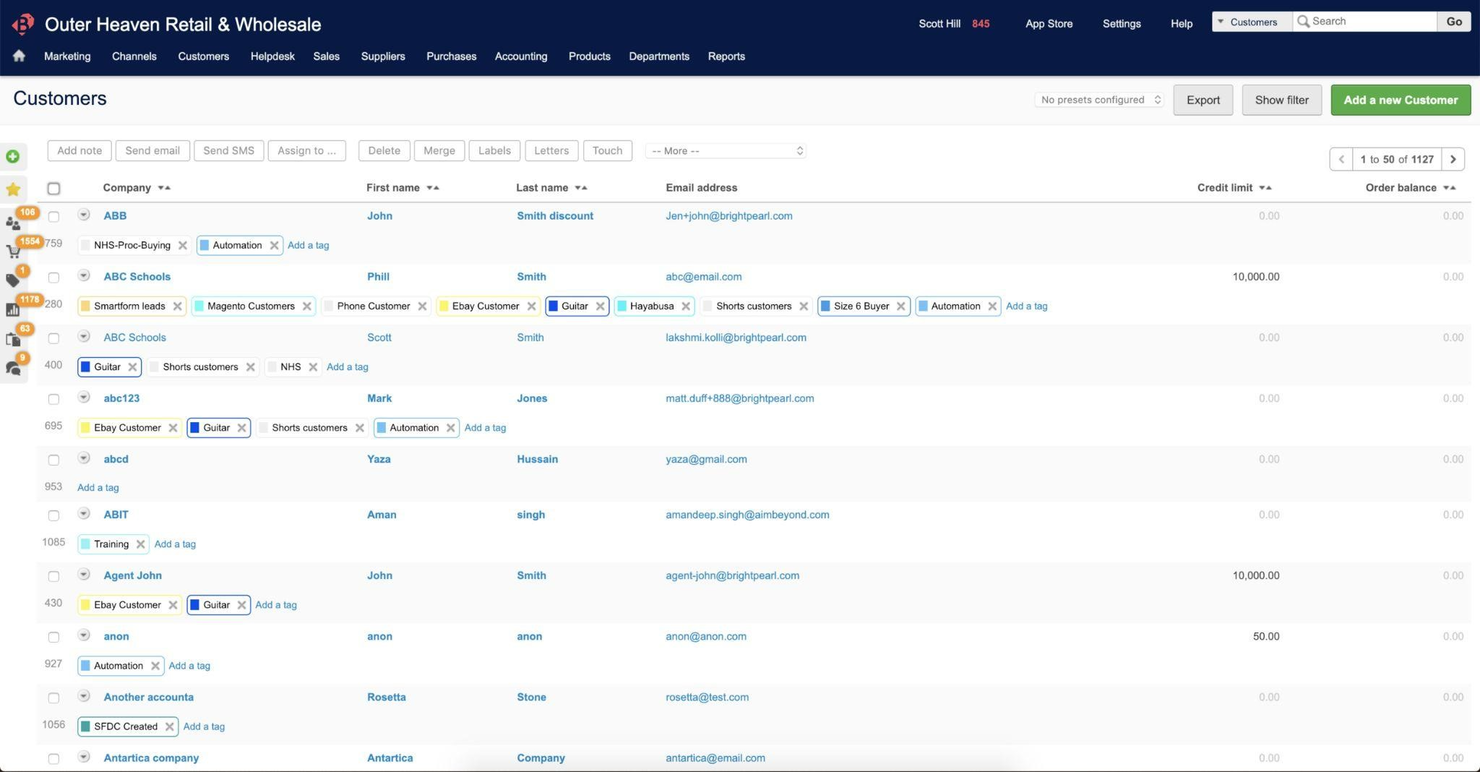
Brightpearl automates multi-channel ecommerce operations, providing efficient management of orders, inventory, and customer data.
Why I picked Brightpearl: Brightpearl’s powerful automation capabilities in multi-channel ecommerce operations makes it a top CRM for retail organizations. The software helps teams streamline order management and inventory tracking across various sales channels, significantly reducing manual workloads and improving accuracy.
Standout features & integrations:
Features include multichannel sales integration, real-time inventory management, order management automation, financial management and accounting, demand forecasting and reporting, warehouse management, POS integration, and data analytics and insights.
Integrations include Shopify, Amazon, eBay, BigCommerce, Magento, WooCommerce, Salesforce, Xero, QuickBooks, and ShipStation.
Pros and Cons
Pros:
- Excellent customer support
- Real-time inventory tracking
- Omnichannel retail solutions
Cons:
- Limited customization
- Requires training

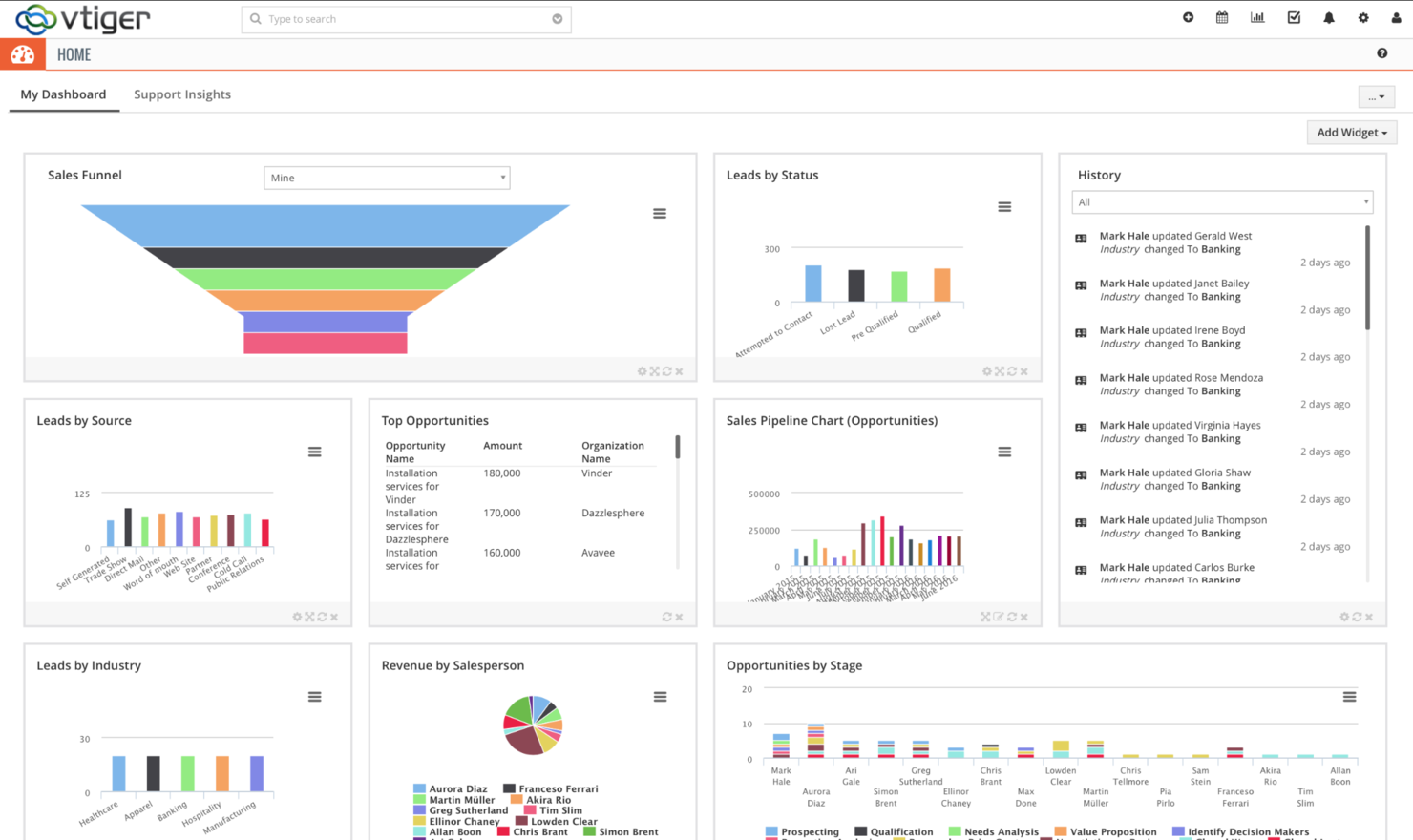
Vtiger offers centralized and automated inventory management to streamline operations and improve efficiency for businesses.
Why I picked Vtiger: Vtiger’s strong centralized inventory management and automation features make it one of the more advanced CRM software options available. It stands out because it not only tracks inventory but also automates important tasks like reordering and managing stock levels, which is essential for businesses aiming to minimize manual intervention and errors.
Standout features & integrations:
Features include automated inventory tracking, reordering, and advanced reporting tools that provide valuable insights into stock levels and order statuses.
Integrations include QuickBooks, Xero, Mailchimp, Slack, Zapier, Microsoft Outlook, Google Workspace, Shopify, PayPal, and Stripe.
Pros and Cons
Pros:
- Efficient inventory control
- Customizable workflows
- Streamlined sales processes
Cons:
- Limited third-party integrations
- Steep learning curve


ClickUp offers customizable CRM views and inventory management, enabling businesses to tailor their workflows and manage inventory efficiently.
Why I picked ClickUp: ClickUp provides exceptional customization capabilities, allowing users to tailor CRM views to their specific needs. It stands out because it combines powerful inventory management with a flexible CRM system, making it ideal for businesses that require tailored workflows and detailed inventory tracking.
Standout features & integrations:
Features include task management, project tracking, customizable workflows, time tracking, goal setting, document collaboration, integrations with third-party apps, Gantt charts, Kanban boards, automation, reporting and analytics, mind maps, workload view, Agile project management features, and mobile and desktop apps.
Integrations include Google Workspace, Slack, Microsoft Teams, Salesforce, Zapier, Trello, HubSpot, Zoom, Dropbox, and GitHub.
Pros and Cons
Pros:
- Affordable pricing
- Project management tools
- Customizable workflows
Cons:
- Occasional interface issues
- Basic inventory features
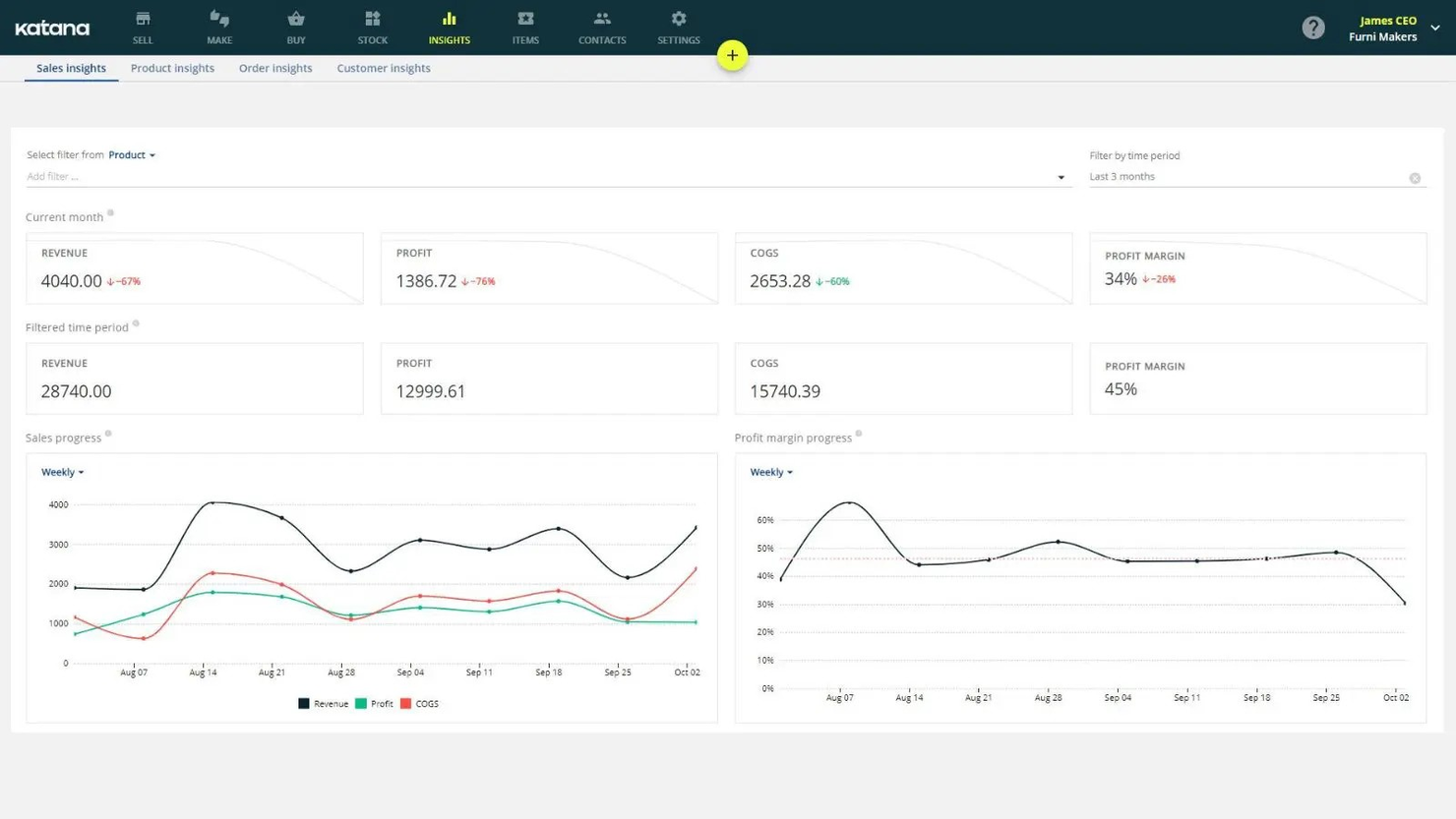
Katana provides real-time inventory insights and streamlines production management for manufacturers and other businesses.
Why I picked Katana: Katana is known for its focus on providing real-time inventory insights and production management capabilities. It stands out for its visual production planning and intuitive dashboard, which help businesses track and manage their inventory and manufacturing processes efficiently.
Standout features & integrations:
Features include real-time inventory tracking, visual production planning, and advanced reporting tools that allow businesses to monitor their manufacturing workflow and inventory levels with precision.
Integrations include Shopify, WooCommerce, Xero, QuickBooks, Zapier, Salesforce, HubSpot, Pipedrive, ShipStation, and Magento.
Pros and Cons
Pros:
- Intuitive user interface
- Tailored for manufacturers
- Real-time production visibility
Cons:
- Some features still developing
- Limited customer support hours
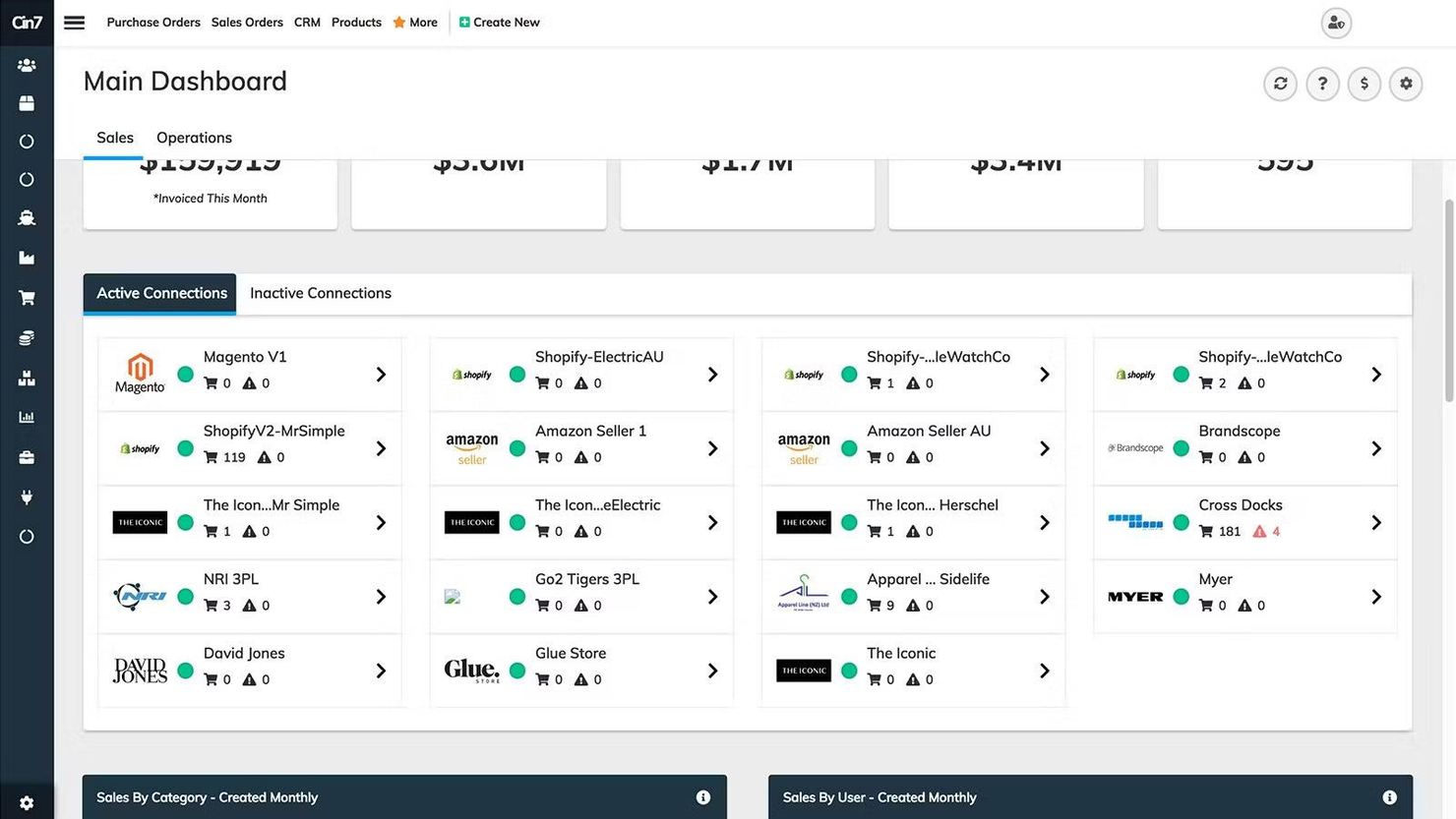
Cin7 offers connected inventory performance across multiple sales channels, ensuring efficient management and synchronization of stock levels.
Why I picked Cin7: Cin7 has an innate ability to connect and synchronize inventory across multiple channels effectively. This seamless connectivity ensures accurate inventory tracking, efficient order management, and consistent product availability across all sales platforms, making it a top choice for businesses seeking to optimize multi-channel operations.
Standout features & integrations:
Features include real-time inventory tracking, multi-channel integration, automated order management, advanced reporting and analytics, built-in EDI, B2B ecommerce portal, warehouse management, purchase order automation, and product bundling.
Integrations include Shopify, Amazon, eBay, WooCommerce, Magento, QuickBooks, Xero, Salesforce, ShipStation, and BigCommerce.
Pros and Cons
Pros:
- Advanced reporting tools
- Seamless sales channel integrations
- End-to-end inventory solutions
Cons:
- Limited mobile app functionality
- High implementation costs
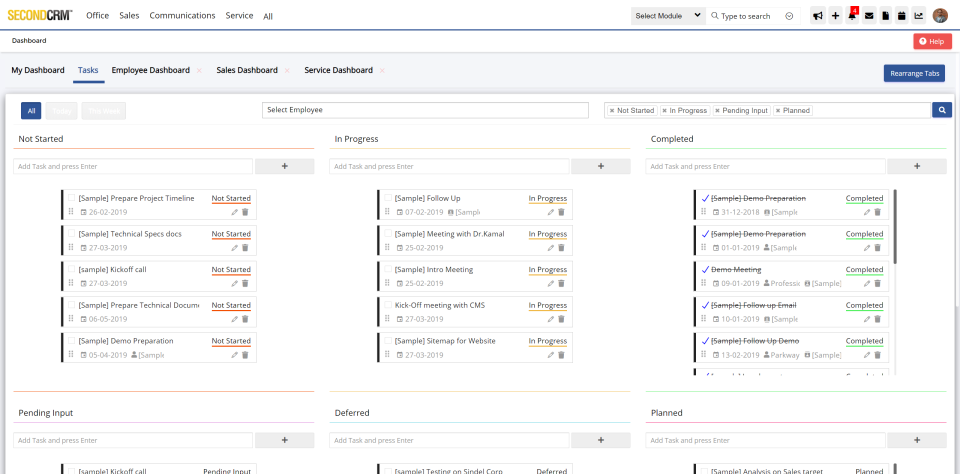
Second CRM offers an advanced CRM solution with strong local support in the Asia region.
Why I picked Second CRM: Second CRM stands out for its CRM functionalities combined with localized support, making it highly suitable for companies operating in Asian markets. The software also provides strong tools for managing customer relationships and sales pipelines, offering a unified platform to handle both customer data and inventory, which enhances overall business efficiency and decision-making.
Standout features & integrations:
Features include sales automation, customer service management, project management, inventory management, quotation and invoice generation, CRM analytics, email integration, lead management, customizable dashboards, mobile access, and workflow automation.
Integrations include QuickBooks, Xero, Google Workspace, Microsoft 365, Mailchimp, Zoho, Slack, PayPal, Stripe, and WooCommerce.
Pros and Cons
Pros:
- Enhances operational efficiency
- Integrates well with others
- Business process automation
Cons:
- Limited customization options
- Complex initial setup
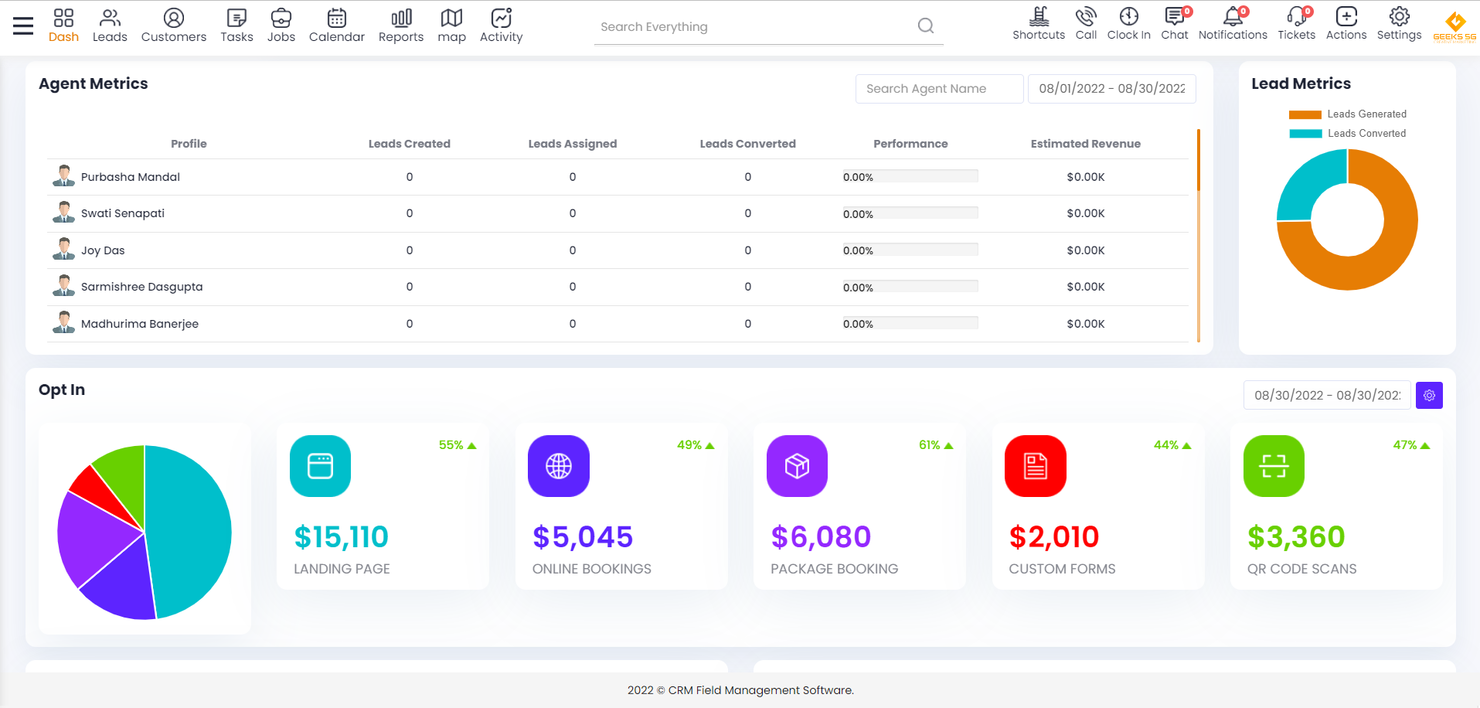
CRM Runner integrates field service and office management, providing an advanced solution for managing both on-site and administrative tasks.
Why I picked CRM Runner: CRM Runner is highlighted for its unique integration of field service and office management capabilities. Its ability to streamline operations by connecting field workers with office staff make it ideal for businesses that require coordination between on-site activities and administrative functions.
Standout features & integrations:
Features include GPS tracking, job scheduling, and inventory management.
Integrations include QuickBooks, Google Workspace, Microsoft 365, Mailchimp, Slack, Stripe, PayPal, Twilio, Zapier, and Docusign.
Pros and Cons
Pros:
- Intuitive interface
- Strong tracking tools
- Combines field service management
Cons:
- Smaller support team
- Limited advanced features
Other CRMs With Inventory Management
Below is a list of additional CRMs with inventory management that I shortlisted. While they didn’t make the top 10, they’re still valuable and worth further research
- Groweon CRM
For real-time inventory tracking
- Creatio CRM
For no-code processes
- Helcim
For integrated payment solutions
- Fishbowl
For manufacturing and warehouse management
- SugarCRM
For extensive customization options
- monday.com
For teams needing customizable workflows
- Lightspeed
For multi-store management
- Freshworks
For a user-friendly interface
- Odoo
For businesses seeking open-source solutions
- NetSuite
For advanced ERP integration
- Gridlex
For cost-effective CRM solutions


Related CRM Reviews
If you still haven't found what you're looking for here, check out these tools closely related to all-in-one CRMs that we've tested and evaluated.
- CRM Software
- Sales Software
- Lead Management Software
- Business Intelligence Software
- Contract Management Software
- Revenue Management System
- CPQ Software
CRMs with Inventory Management Selection Criteria
The criteria for choosing a CRM with inventory management should directly address buyer needs and common pain points, ensuring that the software serves its intended purpose effectively. As an expert who has personally tried and researched these tools, here are the requirements I use when evaluating software:
Core Functionality: 25% of total weighting score
- Tracking customer interactions and sales
- Managing inventory levels and stock
- Generating sales and inventory reports
- Automating order processing
- Integrating with other business systems
Additional Standout Features: 25% of total weighting score
- Identifying unique features not offered by competitors
- Tools leveraging new and innovative features
- Exploring and testing for advanced functionality
Usability: 10% of total weighting score
- Evaluating power and complexity vs ease of use
- Interface design aesthetic
- Intuitive navigation and user-friendly dashboards
- Customizable workflows and drag-and-drop interfaces
Onboarding: 10% of total weighting score
- Quick, simple, and easy onboarding processes
- Availability of training videos and templates
- Interactive product tours and chatbots
- Webinars and comprehensive documentation
Customer Support: 10% of total weighting score
- Availability and responsiveness of support teams
- Multiple support channels (email, phone, live chat)
- Quality of self-service resources (knowledge base, FAQs)
- Customer feedback on support experiences
Value For Money: 10% of total weighting score
- Competitive pricing models
- Cost vs feature set analysis
- Scalability and flexibility of pricing plans
- ROI and long-term value considerations
Customer Reviews: 10% of total weighting score
- Overall satisfaction ratings
- Commonly reported pros and cons
- User feedback on reliability and performance
- Trends in customer feedback over time
How to Choose CRMs with Inventory Management
As you work through your own unique software selection process, keep the following points in mind:
- Integration Capabilities: Ensure your chosen CRM software can seamlessly integrate with your existing systems, such as ERPs, ecommerce platforms, and accounting software. This can help synchronize customer data and inventory levels automatically, reducing manual data entry and errors.
- Scalability: Consider whether the software can grow with your business. As your business expands, your inventory and customer management needs will evolve. A scalable solution can adapt to increased inventory volume and a larger customer base without compromising performance.
- User-Friendly Interface: The ease of use is paramount, especially if your team is not particularly tech-savvy. A user-friendly interface ensures that your team can quickly adopt the new system, reducing training time and increasing productivity.
- Customizability: Look for a software that allows for customization to meet specific business requirements. Every business has unique processes, and a one-size-fits-all solution may not address all your needs.
- Real-Time Data and Reporting: Having access to real-time data and robust reporting tools is essential for making informed decisions. Real-time inventory updates help prevent stockouts and overstock situations, while detailed reports provide insights into sales trends, customer behavior, and inventory turnover.
Trends for CRMs with Inventory Management
Here are some trends I’ve noticed for CRMs with inventory management, plus what they might mean for the future. I sourced countless product updates, press releases, and release logs to tease out the most important insights.
- Cloud-Based Inventory Systems: Cloud-based inventory systems offer real-time data access and updates, enhancing collaboration and decision-making. This trend is important as it allows businesses to manage inventory efficiently from any location.
- Artificial Intelligence and Machine Learning: AI and machine learning help users analyze historical data and market trends to optimize inventory levels and predict demand. Their ability to adapt and learn continuously makes them indispensable for modern inventory management.
- Internet of Things (IoT) Sensors: IoT sensors provide advanced insights into inventory conditions, such as location and environmental factors. This technology is particularly valuable for perishable goods, ensuring product integrity and operational efficiency.
- Blockchain for Transparent Supply Chains: Blockchain technology provides an immutable record of every transaction, ensuring product authenticity and reducing counterfeiting risks. This trend is particularly beneficial for industries like pharmaceuticals and luxury goods.
- Omni-Channel Inventory Management: Omni-channel inventory management harmonizes inventory across various sales channels, reducing stockouts and optimizing turnover. This approach enhances customer experience by ensuring consistent product availability both online and offline.
The integration of CRM with inventory management is being transformed by these innovative trends, making operations more efficient and customer-centric. Staying updated with these innovations ensures that companies remain competitive and responsive to changing market demands.
What Are CRMs with Inventory Management?
A customer relationship management (CRM) system is a software tool designed to help businesses manage and analyze customer interactions and data throughout the customer lifecycle. When CRMs offer inventory management features, they allow businesses to not only track and nurture customer relationships but also manage their stock levels, orders, and sales processes in one unified platform.
Features of CRMs With Inventory Management
When selecting CRMs with inventory management features, keep an eye out for the following key features:
- Unified database: Stores all your customer details and inventory data in one place, making it easy for you to see and manage everything without flipping between different systems.
- Real-time inventory tracking: Monitors stock levels and product locations as changes happen, so you always know exactly what you have and when you need to restock, helping you avoid those “out of stock” surprises.
- Automated alerts and notifications: Sends you timely updates about low stock, order fulfillment, or inventory discrepancies, saving you from manual checks and helping you act quickly when there’s an issue.
- Customizable reporting: Lets you create detailed reports on sales, inventory trends, and customer interactions, giving you insights to guide smarter business decisions and spot growth opportunities.
- Order and sales management: Allows you to create, track, and fulfill sales orders right inside the CRM, keeping all related information organized and easily accessible for you and your team.
- Integration with other tools: Connects to your accounting, shipping, and e-commerce platforms, so your inventory and sales data stay synchronized and you don’t have to waste time manually updating information.
- Multi-location support: Manages stock across multiple warehouses or store locations, enabling you to transfer inventory and keep tabs on what’s available where—all from a single dashboard.
- User access controls: Gives you the power to set role-based permissions, ensuring that each member of your team sees only the information they need, while sensitive data stays protected.
- Barcode and SKU management: Lets you assign and scan unique codes for each product, speeding up inventory counting, item lookup, and order processing.
- Customer relationship tracking: Links every product and order with the corresponding client, so you can personalize service, spot sales patterns, and build better relationships over time.
Common CRMs With Inventory Management Features AI Features
Beyond the standard CRMs with inventory management features listed above, many of these solutions are incorporating AI with features like:
- Predictive inventory analytics: Uses AI to analyze sales history and seasonal trends, forecasting future demand so you can order the right amount of stock and reduce waste.
- Automated lead scoring: AI evaluates customer interactions to help you prioritize leads who are most likely to convert, enabling you to focus your efforts more effectively.
- Natural language search: Lets you use everyday language to quickly find customer records, product details, or order history, making the system intuitive and faster to navigate.
- Smart data enrichment: AI automatically gathers and fills in details on clients or products from various sources, saving you time and ensuring your records are always up to date.
- AI-powered recommendations: Suggests upsell or cross-sell opportunities based on customer behavior and purchase history, helping you boost sales with targeted suggestions.
Benefits of CRMs with Inventory Management
CRMs with inventory management offer numerous advantages for businesses, combining customer relationship tools with inventory tracking and control. But these aren’t the only benefits you may experience with your software. Here are some additional perks associated with CRMs with inventory management.
- Improved Efficiency: Streamlines operations by integrating customer data with inventory levels, reducing manual tasks and increasing productivity.
- Enhanced Customer Satisfaction: Ensures that stock levels are accurately maintained, leading to timely order fulfillment and improved customer experience.
- Accurate Data and Insights: Provides real-time data and analytics, enabling informed decision-making and better strategic planning.
- Cost Savings: Reduces waste and overstocking through automated reordering and inventory optimization, ultimately lowering operational costs.
- Scalability: Supports business growth by adapting to increased inventory and customer management needs without compromising performance.
Using a CRM with inventory management helps businesses streamline their operations, improve customer satisfaction, and make data-driven decisions. This combination of features supports growth and efficiency, making it a valuable tool for any organization.
Costs & Pricing of CRMs with Inventory Management
When selecting a CRM with inventory management, understanding the costs and pricing options is vital. The pricing typically varies based on the features offered, the number of users, and the level of customization required. Below is an overview of common pricing plans and their features to help you make an informed decision.
Plan Comparison Table for CRMs with Inventory Management
| Plan Type | Average Price | Common Features |
| Free | $0 | Simple CRM functionalities, limited inventory management, limited users, and basic reporting |
| Basic | $15/user/month | Simple CRM functionalities, inventory tracking, sales order management, and standard reporting |
| Standard | $45/user/month | All Basic features, automated reordering, integration with ecommerce platforms, and enhanced analytics |
| Premium | $99/user/month | All Standard features, advanced customization, supplier management, and priority support |
| Enterprise | Pricing upon request | All Premium features, unlimited users, dedicated account manager, full customization, and advanced security features |
When choosing a plan, consider your business's size, budget, and specific needs. By selecting the right tier for your company, you can ensure that you’ll meet all your goals while remaining within your budget.
CRMs with Inventory Management FAQs
Here are some frequently asked questions I’ve received about CRMs with inventory management.
Can a CRM with inventory management integrate with my existing systems?
Yes, most CRMs with inventory management offer integrations with popular systems like ERP, ecommerce platforms, and accounting software. Check the integration capabilities of the CRM to ensure compatibility with your existing systems.
Is a CRM with inventory management suitable for small businesses?
Yes, many CRM solutions offer scalable plans suitable for small businesses. Free and basic plans provide essential functionalities that can grow with your business.
Do I need technical expertise to implement a CRM with inventory management?
Some technical knowledge is beneficial, but many CRMs are designed to be user-friendly. Providers often offer support and resources to assist with implementation and setup.
Can I customize a CRM with inventory management to fit my business needs?
Yes, many CRM solutions offer customization options. You can tailor dashboards, fields, and workflows to match your specific business requirements.
What’s Next:
If you're in the process of researching crm with inventory management, connect with a SoftwareSelect advisor for free recommendations.
You fill out a form and have a quick chat where they get into the specifics of your needs. Then you'll get a shortlist of software to review. They'll even support you through the entire buying process, including price negotiations.