

10 Best Commission Tracking Software Reviewed in 2026

10 Best Commission Tracking Software Shortlist


Managing commissions can be a headache. You’re juggling spreadsheets, tracking errors, and fielding endless questions from your sales team. In my experience, commission tracking software is a lifesaver. It helps you cut down on manual work, boost accuracy, and keep your team motivated.
I’ve spent time testing and reviewing these tools to bring you the best options available. You’ll find unbiased insights into top commission tracking solutions, focusing on what really matters to you and your team.
Stick with me as I dive into features, benefits, and drawbacks, so you can make an informed decision that fits your needs.
Why Trust Our Software Recommendations
Our reviews reflect our independent judgment—not a sales pitch. Learn how we stay transparent.
For this guide, we evaluated tools using hands-on testing and independent research, scoring tools using our selection criteria.
Our reviews reflect our human editorial judgment, not a sales pitch.
Best Commission Tracking Software Summary
This comparison chart summarizes pricing details for my top commission tracking software selections to help you find the best one for your budget and business needs.
| Tool | Best For | Trial Info | Price | ||
|---|---|---|---|---|---|
| 1 | Best for user-friendly interfaces | Free demo available | Pricing upon request | Website | |
| 2 | Best for ASC 606-compliant commission accounting | Free demo available | Pricing upon request | Website | |
| 3 | Best for real-time visibility into earnings | Free demo available | Pricing upon request | Website | |
| 4 | Best for Finance-owned plan administration | Free demo available | From $30/user/month | Website | |
| 5 | Best for AI-driven commission automation | Free demo available | Pricing upon request | Website | |
| 6 | Best for integration with QuickBooks | Free demo available | From $17/user/month | Website | |
| 7 | Best for enterprise-level scalability | Free demo available | Pricing upon request | Website | |
| 8 | Best for sales team motivation | Free demo available | From $25/user/month | Website | |
| 9 | Best for flexibility in commission plans | Free demo available | Pricing upon request | Website | |
| 10 | Best for real-time commission tracking | Free demo available | From $75/user/month (billed annually) | Website |
Best Commission Tracking Software Reviews
Below are my detailed summaries of the best commission tracking software that made it onto my shortlist. My reviews offer a detailed look at the key features, pros and cons, integrations, and ideal use cases of each tool to help you find the best one for you.

Qobra
Best for user-friendly interfaces
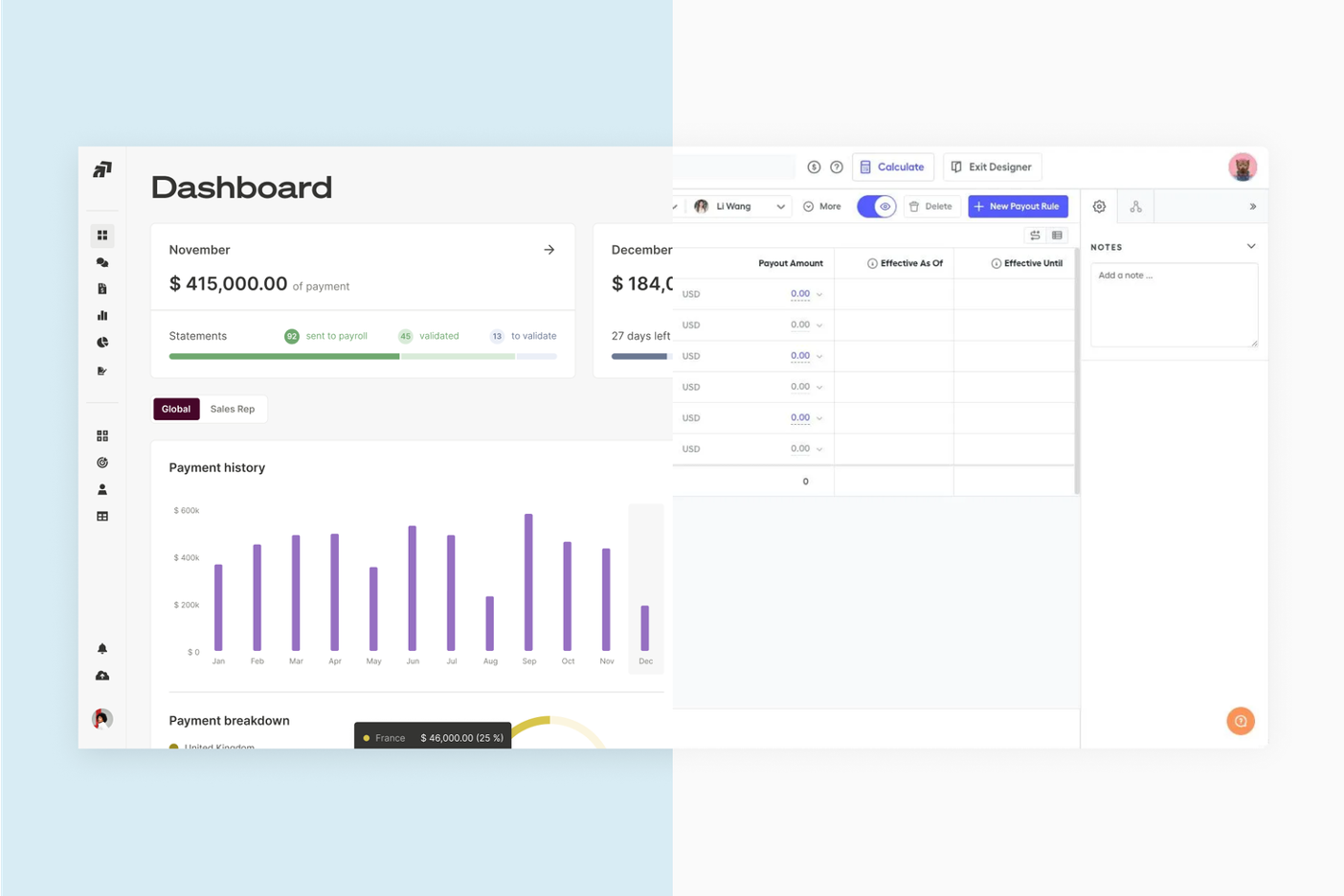
Qobra is a commission management tool designed for sales teams looking for simplicity and efficiency in managing commissions. It helps you automate calculations and provides clear insights into sales performance and compensation.
Why I picked Qobra: Qobra’s user-friendly interface makes it easy for your stakeholders to manage their commissions. Its intuitive design simplifies complex commission calculations and offers clear visualizations of sales data, making it easier to track performance and payouts. In my experience, Qobra’s focus on usability allows your team to adapt to its features without extensive training.
Standout features and integrations:
Features include intuitive dashboards, automated commission calculations, and clear sales data visualizations. These tools help you manage your sales compensation strategies and keep your team informed. Use QobrAI Agents such asThe Architect, The Analyst, and The Sales Coach to instantly build plans, detect calculation anomalies, and push proactive insights to your sales team.
Integrations include Salesforce, HubSpot, Slack, Microsoft Dynamics, Workday, and more.
Pros and Cons
Pros:
- Minimal training needed
- Quick team adaptation
- Intuitive design
Cons:
- CRM and data limitations
- Limited advanced features

Xactly
Best for ASC 606-compliant commission accounting
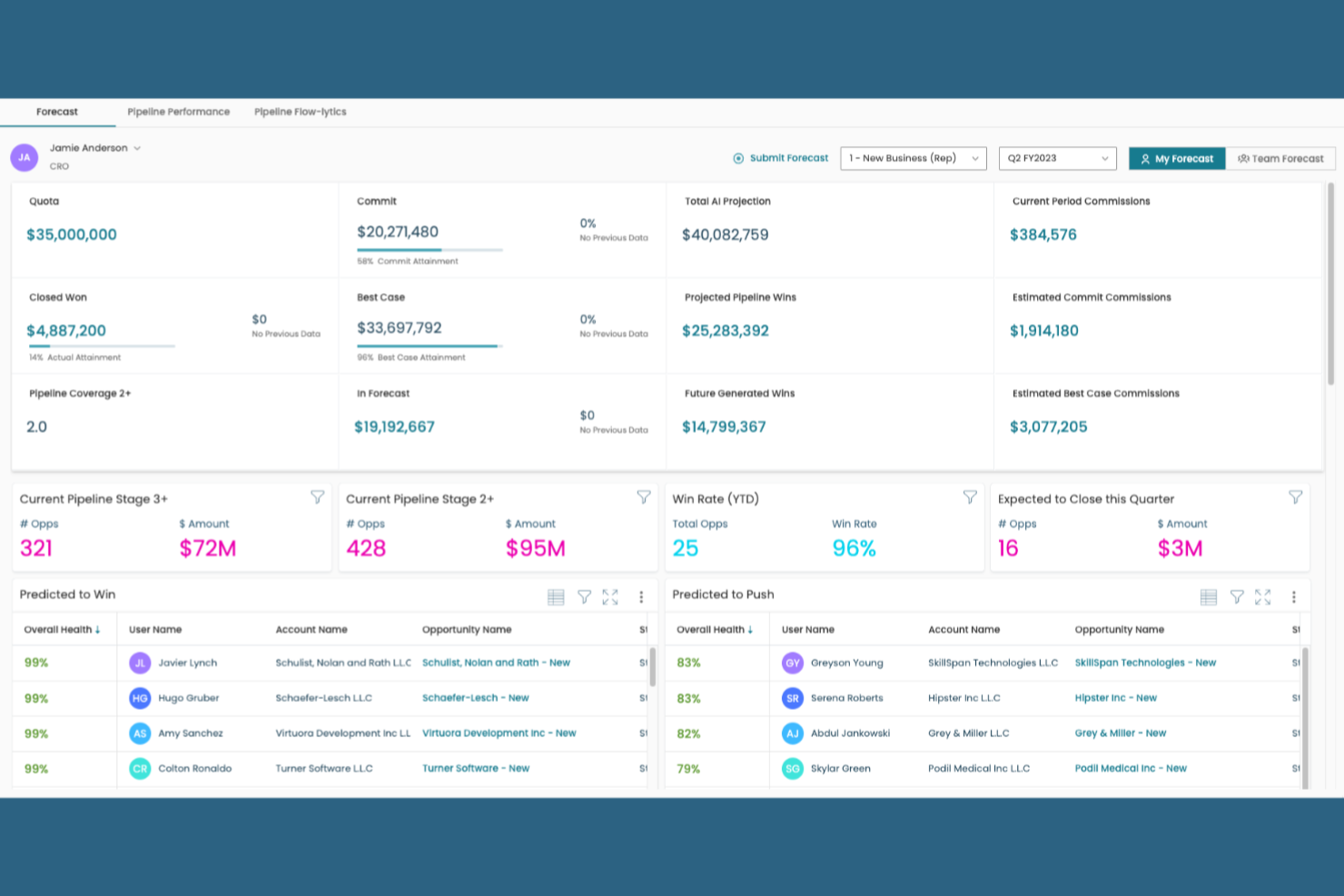
Xactly is a sales commission tracking and incentive compensation management platform that handles commission calculations, plan design, quota management, and ASC 606 commission expense accounting.
Who Is Xactly Best For?
Xactly is a strong fit for finance and RevOps teams at mid-market to enterprise companies that need to automate commission calculations while staying compliant with ASC 606 expense recognition standards.
Why I Picked Xactly
Xactly earns its spot on my shortlist because of how seriously it handles ASC 606 commission expense accounting, which is where most commission tools fall short. I like that it automates the amortization of commission costs over the contract period, so finance teams aren't manually splitting capitalized costs in spreadsheets at quarter-end. Its audit-ready reporting also maps directly to disclosure requirements, which I've found invaluable when supporting external audits.
Xactly Key Features
- Incentive compensation plan designer: Build and configure commission plan structures, including tiered rates, accelerators, and split arrangements, directly within the platform.
- Quota management: Set, adjust, and track quota assignments across your sales team with territory-level visibility.
- Real-time commission dashboards: Give reps and managers live visibility into earned commissions, attainment progress, and payout estimates.
- CRM and ERP integrations: Connect Xactly to your existing sales and finance systems to pull in deal data and push commission outputs automatically.
Xactly Integrations
Xactly offers native integrations with Salesforce, Microsoft Dynamics, NetSuite, Workday, SAP, and Oracle, powered by the Xactly Connect data integration platform. It also provides an API and a SQL-based JDBC driver for custom integrations with other CRM, ERP, and HCM systems.
Pros and Cons
Pros:
- Enables complex commission plan design
- Supports detailed audit-ready expense reporting
- Handles ASC 606 commission amortization
Cons:
- Reporting interface requires configuration expertise
- Implementation process can be time-consuming
New Product Updates from Xactly
Xactly and ServiceNow Connect CRM Workflows to Revenue Performance
Xactly has partnered with ServiceNow to connect Xactly’s Intelligent Revenue Platform with ServiceNow CRM, embedding revenue performance intelligence into CRM workflows and surfacing commission and quota impacts in CPQ and Sales CRM. For more information, visit Xactly's official site.
 .
.
Best for real-time visibility into earnings

Everstage is a commission management platform designed for sales and finance teams who need transparency and real-time tracking of sales commissions. It offers tools that help manage and automate commission calculations, providing clear insights into earnings.
Why I picked Everstage: Everstage provides real-time visibility into your team’s earnings, helping you make informed decisions. Its intuitive dashboards display up-to-date commission data. The platform’s automated commission calculations improve accuracy and efficiency. In my experience, Everstage’s focus on transparency and real-time updates keeps your team motivated and informed.
Standout features and integrations:
Features include intuitive dashboards, automated commission calculations, and real-time data updates. These features help your team stay informed about their earnings and support accuracy in payouts.
Integrations include Salesforce, HubSpot, Slack, Microsoft Dynamics, QuickBooks, Xero, NetSuite, Workday, and more.
Pros and Cons
Pros:
- Automates sales compensation plans
- Accurate and efficient
- Real-time earnings visibility
Cons:
- Advanced customization may require significant setup and training
- Performance can slow with large teams or complex commission structures
EasyComp
Best for Finance-owned plan administration
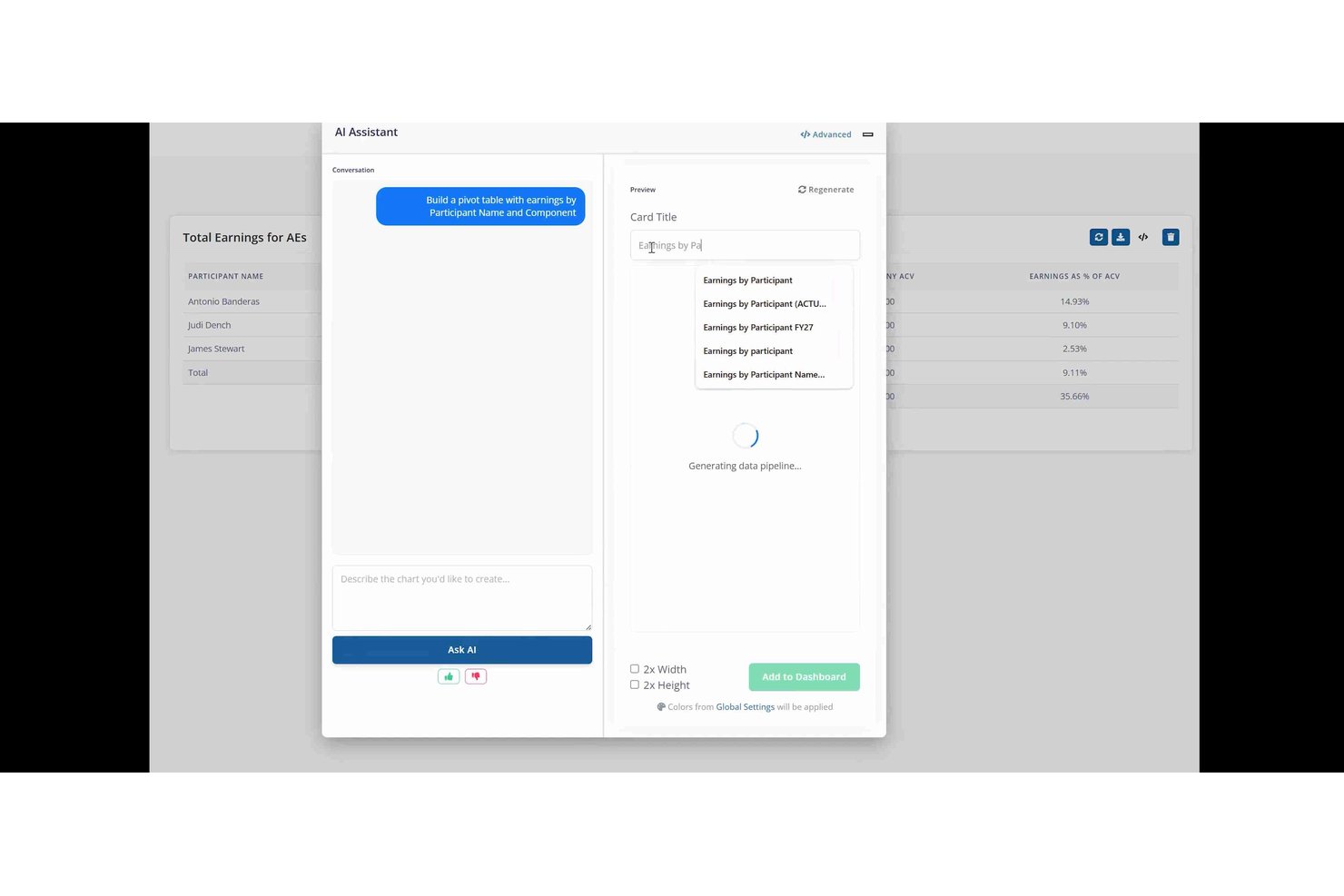
EasyComp is a sales compensation platform built around a real-time commission calculation engine, offering plan administration, rep-facing earnings dashboards, dispute workflows, and ASC 606-ready reporting.
Who Is EasyComp Best For?
EasyComp is a strong fit for finance and RevOps teams at SMB and mid-market companies that need to own plan administration without leaning on IT or outside consultants.
Why I Picked EasyComp
I picked EasyComp as one of the best because it's purpose-built for Finance and RevOps teams to own plan administration outright, with no IT tickets or vendor-side customization required. The no-code plan builder supports complex structures like ramps, clawbacks, and SPIFs as native components, and the AI Copilot lets admins make plan changes or move participants using plain-language queries. Every calculation is traceable line-by-line from source data to payout, which cuts down on rep disputes before they start.
EasyComp Key Features
- Rep earnings dashboard: Personalized real-time dashboards show reps their current earnings, quota attainment, deal-level credit, pending payouts, and projected future commissions.
- Dispute workflow: Built-in dispute management routes rep challenges through structured approval gates, with a full audit trail showing every change and its payout impact.
- ASC 606-ready reporting: Finance teams get accrual reporting, commission expense tracking, and payroll-ready exports built to support ASC 606 compliance and reconciliation-free closes.
- SOC 2 Type II certification: EasyComp is SOC 2 Type II audited, with role-based access controls restricting visibility of sensitive compensation data.
EasyComp Integrations
EasyComp offers seven native integrations, including Salesforce, HubSpot, Microsoft Dynamics, Google Sheets, NetSuite, Stripe, and Chargebee. A REST API supports custom data submissions, queries, exports, and data warehouse integrations.
Pros and Cons
Pros:
- Audit-ready, ASC 606-compliant reporting built in
- Complex plan changes require no IT involvement
- Real-time commission calculations with line-by-line traceability
Cons:
- Direct payroll integrations not currently available
- No native territory design or quota planning

Forma.ai
Best for AI-driven commission automation
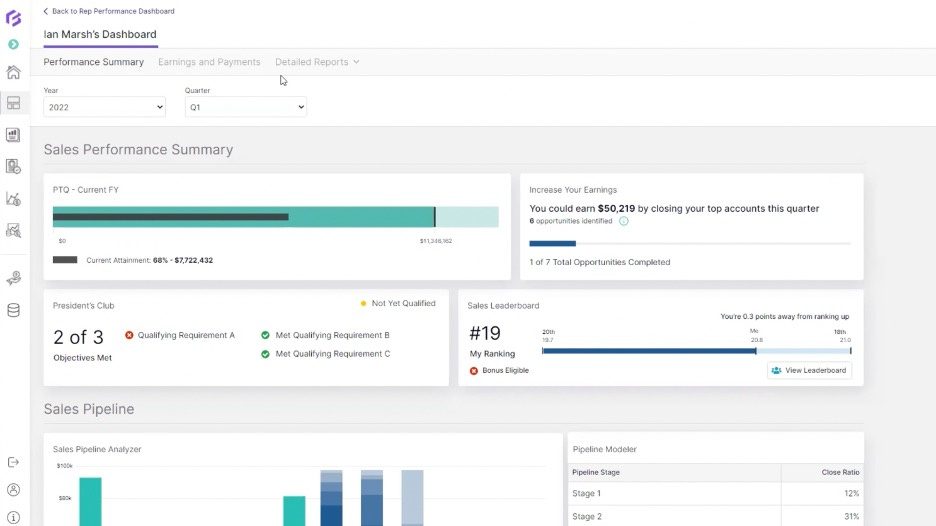
Forma.ai is a commission and incentive compensation management platform designed for large enterprises looking to automate and optimize their sales compensation processes. It leverages AI to improve commission tracking for accuracy and efficiency in managing complex compensation plans.
Why I picked Forma.ai: It uses AI-driven automation to handle complex commission structures, making it a standout choice for large organizations. It can adapt to your business needs using its predictive analytics. The platform provides real-time insights to help you make informed decisions. In my experience, Forma.ai’s AI capabilities simplify the management of intricate compensation models, saving time and reducing errors.
Standout features and integrations:
Features include predictive analytics for compensation planning, real-time insights into sales performance, and automated commission calculations. These tools help you manage your compensation strategies and adapt to changing business conditions.
Integrations are not publicly listed.
Pros and Cons
Pros:
- Predictive analytics capabilities
- Adapts to complex structures
- AI-driven automation
Cons:
- Requires clean, well-structured data to perform accurately
- Limited support for small teams

Best for integration with QuickBooks
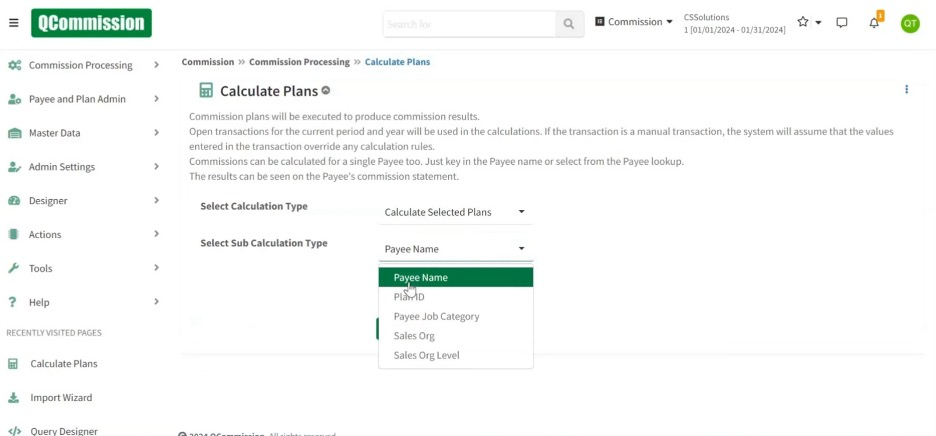
QCommission is a versatile commission calculation software designed for businesses of all sizes, particularly those using accounting software such as QuickBooks. It automates commission calculations and provides detailed reporting to help manage sales compensation.
Why I picked QCommission: QCommission integrates with QuickBooks, making it ideal for businesses already using this accounting software. Its ability to pull data directly from QuickBooks is valuable for accurate commission calculations. In my experience, QCommission’s integration capabilities simplify the commission management process for businesses relying on QuickBooks.
Standout features and integrations:
Features include support for complex commission structures, detailed reporting capabilities, and automated payment processing. These features help you manage sales compensation and reduce manual errors.
Integrations include QuickBooks, Salesforce, Microsoft Dynamics, Oracle Fusion, NetSuite, Xero, Sage, Zoho CRM, and more.
Pros and Cons
Pros:
- Automated payment processing
- Supports complex commission structures
- Integrates well with QuickBooks
Cons:
- UI design may feel dated
- Requires ongoing data maintenance

Best for enterprise-level scalability
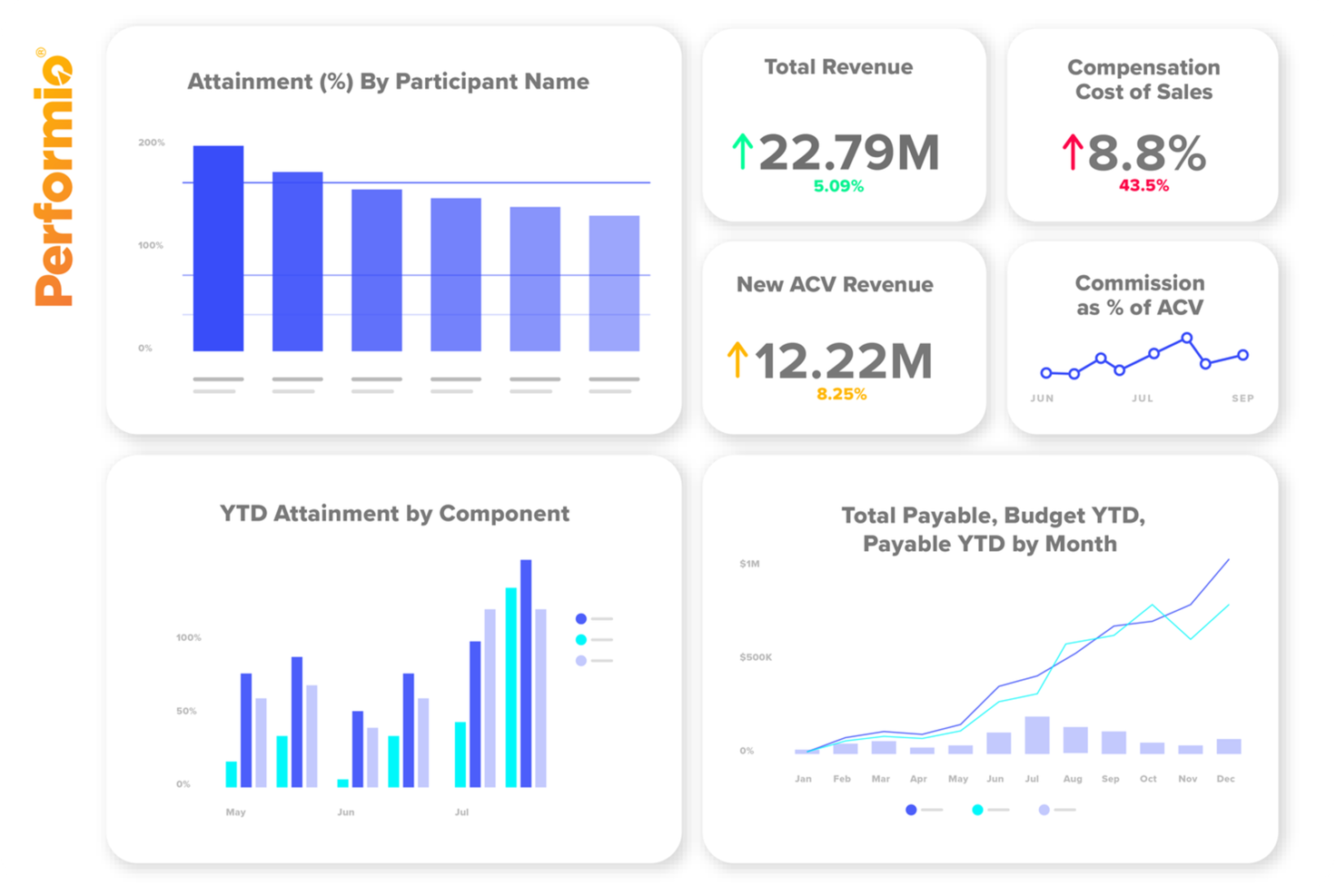
Performio is a commission tracking software designed for large enterprises seeking to manage complex compensation plans. It caters to sales operations and finance teams, offering features that support detailed compensation management and reporting.
Why I picked Performio: Performio excels in handling enterprise-level scalability, making it ideal for large organizations with complex needs. It has flexible commission plan structures and in-depth reporting capabilities. The software supports a variety of compensation models for accurate payouts across your team. In my experience, Performio’s architecture supports the scalability needed for growing enterprises.
Standout features and integrations:
Features include detailed reporting capabilities, flexible commission plan structures, and support for multiple compensation models. These features help you manage sales compensation and adjust strategies to meet your business needs.
Integrations include Salesforce, NetSuite, SAP, Microsoft Dynamics, QuickBooks, HubSpot, Xero, Workday, and more.
Pros and Cons
Pros:
- In-depth reporting capabilities
- Supports enterprise-level scalability
- Handles complex compensation structures
Cons:
- Mobile and UX constraints
- Limited reporting

Best for sales team motivation
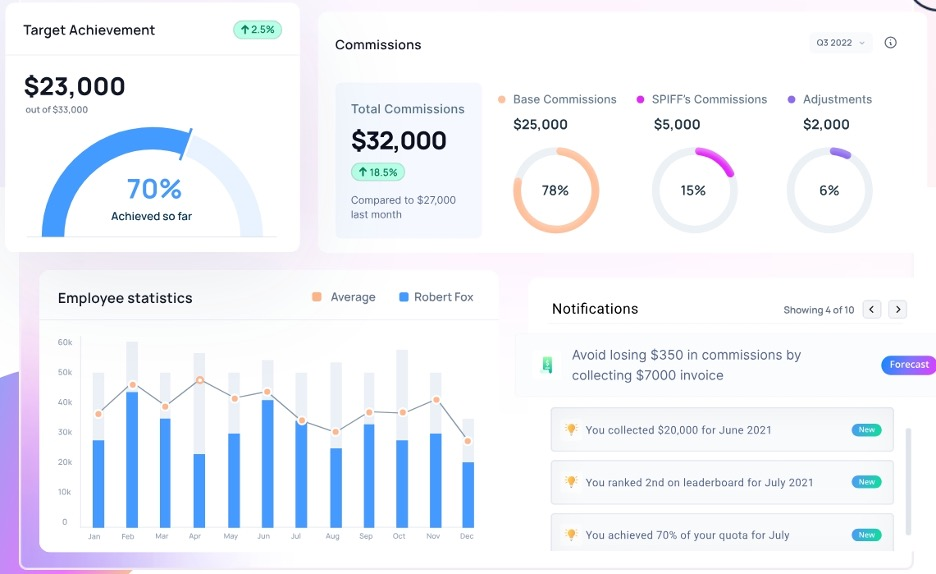
ElevateHQ is a sales commission software designed for modern sales reps across industries such as pharmaceuticals, SaaS, and financial services. It automates commission tracking, offering flexibility and scalability to manage complex commission plans.
Why I picked ElevateHQ: ElevateHQ motivates your sales team with its intuitive sales incentive designer and data-driven insights. You’ll benefit from the platform’s ability to provide transparent commission statements and behavioral nudges that keep your team engaged. Fast implementation lets you start tracking commissions quickly. ElevateHQ’s centralized query system helps maintain clear communication.
Standout features and integrations:
Features include a powerful rule engine for customizing incentive plans, accurate compensation management, and audit trails for overrides. The platform also offers payout reconciliation and team management capabilities.
Integrations include Salesforce, HubSpot, QuickBooks, Xero, Slack, Microsoft Dynamics, NetSuite, and more.
Pros and Cons
Pros:
- Transparent payouts for motivation
- Versatile for various industries
- Fast implementation under four weeks
Cons:
- Feature gaps in niche areas
- Less mature ecosystem

Best for flexibility in commission plans
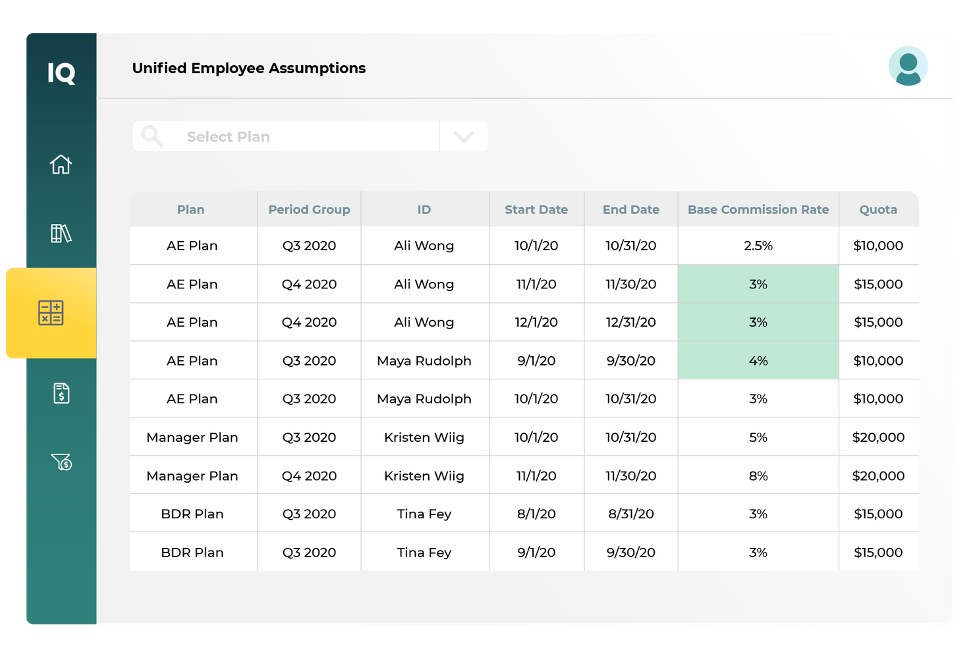
CaptivateIQ is commission management software for finance and sales teams, allowing flexible commission plans and automated, accurate payout calculations.
Why I picked CaptivateIQ: CaptivateIQ provides unparalleled flexibility in designing commission plans, which is important for teams with varying needs. You’ll find the drag-and-drop interface easy to use for creating and adjusting plans on the go. The platform supports custom calculations and real-time updates for your sales representatives to stay informed. In my experience, CaptivateIQ’s flexibility helps you adapt quickly to changing business needs.
Standout features and integrations:
Features include a drag-and-drop plan builder, real-time commission updates, and detailed reporting capabilities. It also offers audit trails for transparency and a user-friendly interface for straightforward plan management.
Integrations include Salesforce, NetSuite, QuickBooks, Xero, Workday, Microsoft Dynamics, Oracle Database, HubSpot, and more.
Pros and Cons
Pros:
- Supports custom calculations
- Intuitive drag-and-drop interface
- Real-time updates
Cons:
- Advanced features require configuration and training
- Performance may lag with very large or complex commission plans


Spiff is a sales commission management software tailored for finance, operations, sales, and HR professionals. It simplifies commission calculations and improves visibility, making it easier for teams to manage and motivate sales performance.
Why I picked Spiff: Spiff offers real-time commission tracking, which sets it apart from other tools. The automated complex commission plans reduce manual effort and errors. Spiff integrates with existing tools to maintain accurate data in real time. Its transparency helps build trust and motivation within your team.
Standout features and integrations:
Features include real-time visibility into commission data, automation of complex commission plans, and an intuitive interface for easy plan adjustments.
Integrations include Salesforce, NetSuite, Slack, Microsoft Dynamics, and more.
Pros and Cons
Pros:
- Motivates sales teams
- Easy plan adjustments
- Real-time commission tracking
Cons:
- Occasional calculation or performance issues
- Support and onboarding can be slow
Other Commission Tracking Software
Here are some additional commission tracking software options that didn’t make it onto my shortlist but are still worth checking out:
- Sircon Compensation
For insurance industry compliance
- Commission Tracker
For small businesses
- QuotaPath
For sales performance insights
- Visdum
For transparent commission reporting
- Sales Cookie
For customizable commission plans
- Zencentiv
For small sales teams


How I Evaluate Commission Tracking Software
I split my evaluation into two layers: the baseline a tool must clear to make the list, and the differentiators that separate a plan modeling tool from a basic payout tracker.
Core Functionality (Table Stakes For This List)
When I'm selecting tools for my list, I rank each one on a scale from 0 (does not offer the functionality) to 5 (excels in this area) for each core functionality listed below. Then, I calculate the tool's total score into a percentage. Each tool needs to achieve a minimum total score of 65% to be considered for inclusion.
- Automated Commission Calculations: I check whether the engine handles tiered rates, multi-rep splits, accelerators, and clawbacks—not just flat percentages on closed deals.
- Compensation Plan Design: Each tool should let comp designers build and modify plans without filing support tickets or writing custom code to push changes live.
- Rep-Facing Earnings Visibility: Reps need real-time dashboards showing deal-level earnings and quota attainment, not month-end PDF statements sent over email.
- CRM & ERP Integrations: I look for native connectors to platforms like Salesforce, HubSpot, and NetSuite that sync deal and payment data bi-directionally.
- Dispute & Approval Workflows: The tool should give reps a way to flag discrepancies and route them through structured approval chains with full audit trails.
- Compliance & Commission Reporting: I evaluate whether the platform supports ASC 606 expense amortization and provides audit-ready reports for finance teams at quarter close.
Once I have a list of tools that meet this criteria, I consider what sets each platform apart.
Differentiating Factors (What Sets Vendors Apart)
Here's how I compare and contrast different vendors:
Standout Features
What-if plan modeling is a big differentiator. I look for sandbox environments where comp designers can test a new accelerator structure against last quarter's closed deals before rolling it live. AI-powered forecasting adds another layer, projecting commission expenses against pipeline so finance can plan accruals with confidence. I also evaluate how each tool handles clawbacks when deals churn or contracts get amended, since manual recovery tracking is where most spreadsheet-based systems break down.
Beyond Features
Implementation speed matters a lot here. Migrating from spreadsheets or a legacy system mid-quarter can stall payroll, so I evaluate how quickly each vendor gets teams from signed contract to first accurate payout. Scalability is another consideration—a tool that works for a 20-rep team can buckle under multi-entity, multi-currency plans as headcount grows. I also check post-launch support quality, especially during end-of-quarter close when a miscalculated payout can erode rep trust overnight.
How to Choose Commission Tracking Software
It’s easy to get bogged down in long feature lists and complex pricing structures. To help you stay focused as you work through your unique software selection process, here’s a checklist of factors to keep in mind:
| Factor | What to Consider |
| Scalability | Can the software grow with your business? Consider the number of users, data volume, and transaction limits it can handle. Check that it supports your future growth plans without requiring a complete overhaul. |
| Integrations | Does it connect with your existing tools? Check for compatibility with your CRM, ERP, and accounting software. Avoid tools that require complex workarounds or additional middleware. |
| Customizability | Can you tailor it to your specific needs? Look for adjustable settings and flexible reporting options. Beware of rigid systems that force you into predefined processes. |
| Ease of use | Is it user-friendly for your team? Consider the learning curve and whether your team can easily adopt it. Avoid overly complex systems that require extensive training. |
| Implementation and onboarding | How long will it take to get up and running? Evaluate the vendor’s onboarding support and the availability of resources like training materials and product tours. Consider the impact on your team's time and productivity. |
| Cost | Does it fit your budget? Compare pricing plans and consider the total cost of ownership, including hidden fees and long-term contracts. Verify the features justify the cost. |
| Security safeguards | How does it protect your data? Look for encryption, regular audits, and compliance with industry standards. Check that it meets your security requirements to avoid data breaches. |
| Support availability | What support can you expect? Check for 24/7 availability, response times, and the quality of support channels like chat, phone, and email. Confirm that you can get help when you need it, especially during critical times. |
What Is Commission Tracking Software?
Commission tracking software is a tool used to calculate and manage sales commissions automatically. Sales managers, finance teams, and operations professionals generally use these tools to support accurate and timely payouts, reducing manual errors and saving time. Automated calculations, real-time reporting, and integration capabilities help with tracking performance, managing compensation plans, and connecting with existing systems. Overall, these tools provide clarity and efficiency in managing commission processes.
Features
When selecting commission tracking software, keep an eye out for the following key features:
- Automated calculations: Automatically calculate commissions based on predefined rules, saving time and reducing manual errors.
- Real-time reporting: Provides up-to-date insights into sales performance and commission payouts, helping teams make informed decisions.
- Integration capabilities: Connect with existing CRM, ERP, and accounting systems to manage data flow and confirm accuracy.
- Customizable dashboards: Allow users to tailor visual displays to track metrics and performance indicators that matter most.
- Flexible commission structures: Support various compensation models, accommodating different sales strategies and team needs.
- Security safeguards: Protect sensitive financial and personal data with encryption and compliance with industry standards.
- User-friendly interface: Allows ease of use and quick adoption by team members, minimizing training requirements.
- Detailed reporting: Offers detailed reports that help analyze trends and optimize sales strategies.
- Mobile access: Lets users manage and view commission data on the go, providing flexibility and continuous access.
- Training and onboarding resources: Provide resources such as tutorials and product tours to facilitate quick and effective onboarding.
Benefits
Implementing commission tracking software provides several benefits for your team and your business. Here are a few you can look forward to:
- Accuracy in calculations: Automated calculations support precise commission payouts, reducing manual errors and disputes.
- Time savings: By automating commission processes, your team spends less time on administrative tasks and more on strategic activities.
- Improved motivation: Real-time reporting keeps your sales team informed about their earnings, boosting motivation and performance.
- Increased transparency: Detailed reporting and customizable dashboards provide clear insights into commission structures and payouts.
- Direct data integration: Integration capabilities support smooth data flow between your existing systems, maintaining consistency and accuracy.
- Scalability: Flexible commission structures support growth and adapt to your changing business needs.
- Data security: Security safeguards protect sensitive information, giving you peace of mind regarding data privacy and compliance.
Costs and Pricing
Selecting commission tracking software requires an understanding of the various pricing models and plans available. Costs vary based on features, team size, add-ons, and more. The table below summarizes common plans, their average prices, and typical features included in commission tracking software solutions:
Plan Comparison Table for Commission Tracking Software
| Plan Type | Average Price | Common Features |
| Free Plan | $0 | Basic commission tracking, limited reporting, and essential integrations. |
| Personal Plan | $17-$50/user/month | Customizable dashboards, automated calculations, and basic support. |
| Business Plan | $100-$300/user/month | Detailed reporting, advanced integrations, and improved security safeguards. |
| Enterprise Plan | $200-$1000/user/month | Scalability for large teams, support options, and full customizability. |
Commission Tracking Software FAQs
Here are some answers to common questions about commission tracking software:
How do you audit or verify commission results with software?
You can audit commission results by running detailed reports and comparing them to your CRM and payroll data. Most tools let you review historical transactions, track adjustments, and flag discrepancies. Setting up routine checks helps payouts align with actual performance and policy.
Can commission tracking software handle frequent changes in commission structures?
Yes, modern commission tracking systems manage frequent structural changes well. You can update calculation rules, shift payout criteria, and accommodate different plan versions. This helps you adapt to evolving sales strategies without manual recalculation.
What makes commission payouts delayed or inaccurate, and how can software help reduce issues?
Manual data entry, inconsistent sales data, or unclear plan rules often cause payout errors. Commission tracking software automates calculations and pulls real-time information directly from your source systems. This minimizes delays and improves accuracy.
Can sales teams access real-time updates on their commissions?
Yes, sales teams usually access real-time commission updates through self-serve dashboards. Reps can track earnings, view pending payouts, and understand how deal updates affect their totals—all without needing to email RevOps or finance for details.
What’s Next:
If you're in the process of researching commission tracking software, connect with a SoftwareSelect advisor for free recommendations.
You fill out a form and have a quick chat where they get into the specifics of your needs. Then you'll get a shortlist of software to review. They'll even support you through the entire buying process, including price negotiations.