


CaptivateIQ Review: Pros, Cons, Features, and Pricing Explained


CaptivateIQ is a sales commission software for revenue operations and finance teams that need to build, calculate, and report on complex commission plans without relying on engineering support or outside implementation help. I'd consider it over something like Xactly if your team needs the flexibility to model and adjust commission logic on your own terms—without long change cycles or heavy vendor dependency every time your plan design evolves.
CaptivateIQ Evaluation Summary
- Pricing upon request
- Free demo available
Why Trust Our Software Reviews
We’ve been testing and reviewing RevOps software since 2022. As RevOps leaders ourselves, we know how critical and difficult it is to make the right decision when selecting software.
We invest in deep research to help our audience make better software purchasing decisions. We’ve tested more than 2,000 tools for different RevOps use cases and written over 1,000 comprehensive software reviews. Learn how we stay transparent & our software review methodology.
CaptivateIQ Overview
If you’re judging sales commission software on flexibility, transparency, and ease of use, I think CaptivateIQ is a top contender. Its no-code plan builder, real-time dashboards, and strong CRM integrations make it easy to adapt to changing comp plans and keep reps in the loop. Pricing is on the higher side, but the onboarding and support are responsive and thorough. I’d suggest CaptivateIQ for mid-sized or scaling sales teams that need to automate complex calculations and want a modern, intuitive interface—especially if you’re comparing options that often feel clunky or rigid.
pros
-
Handles complex commission plans with visual, no-code tools
-
Real-time dashboards give reps instant payout visibility
-
Fast onboarding with responsive customer support
cons
-
Pricing is higher than many alternatives
-
Occasional delays in syncing large data sets
-
Limited customization for payout statement layouts
Is CaptivateIQ Right For Your Needs?
Who Would be a Good Fit for CaptivateIQ?
CaptivateIQ is a strong choice for organizations with complex, fast-changing commission structures and a need for transparency across sales teams. Its visual plan builder, real-time dashboards, and responsive support make it especially valuable for scaling companies, tech-forward industries, and teams that want to move away from manual spreadsheets. If your business needs to automate multi-layered compensation plans and keep reps informed, CaptivateIQ’s flexibility and automation are going to save you time and reduce errors.
-
SaaS Companies
CaptivateIQ handles recurring revenue and multi-tiered commission plans common in SaaS.
-
Mid-Market Sales Teams
The platform’s automation and dashboards suit teams with 20–200 reps.
-
Financial Services
Supports complex, compliance-driven payout rules and audit trails.
-
Channel Sales Departments
Manages layered incentives for partners, resellers, and direct reps.
-
Revenue Operations Leaders
No-code tools let RevOps teams adjust plans without IT help.
-
High-Growth Startups
Quick onboarding and flexible plan design support rapid scaling.
Who Would be a Bad Fit for CaptivateIQ?
CaptivateIQ isn’t ideal for companies with simple commission needs, tight budgets, or industries where compensation rarely changes. Its advanced features and pricing are often more than small teams or traditional businesses require. If your team just needs basic tracking or has minimal payout complexity, you’ll likely find CaptivateIQ’s capabilities excessive for your needs.
-
Small Retail Businesses
Basic commission needs don’t justify CaptivateIQ’s advanced features or cost.
-
Solo Sales Professionals
Single-user setups won’t benefit from automation or dashboards.
-
Nonprofit Organizations
Commission-heavy features aren’t relevant for most nonprofit compensation.
-
Manufacturing Firms
Static, rarely changing plans don’t need CaptivateIQ’s flexibility.
-
HR Departments
Focuses on sales comp, not broader HR or payroll needs.
-
Budget-Conscious Startups
Pricing may be prohibitive for early-stage or bootstrapped teams.
How We Test & Score Tools
We’ve spent years building, refining, and improving our software testing and scoring system. The rubric is designed to capture the nuances of software selection and what makes a tool effective, focusing on critical aspects of the decision-making process.
Below, you can see exactly how our testing and scoring works across seven criteria. It allows us to provide an unbiased evaluation of the software based on core functionality, standout features, ease of use, onboarding, customer support, integrations, customer reviews, and value for money.
Core Functionality (25% of final scoring)
The starting point of our evaluation is always the core functionality of the tool. Does it have the basic features and functions that a user would expect to see? Are any of those core features locked to higher-tiered pricing plans? At its core, we expect a tool to stand up against the baseline capabilities of its competitors.
Standout Features (25% of final scoring)
Next, we evaluate uncommon standout features that go above and beyond the core functionality typically found in tools of its kind. A high score reflects specialized or unique features that make the product faster, more efficient, or offer additional value to the user.
We also evaluate how easy it is to integrate with other tools typically found in the tech stack to expand the functionality and utility of the software. Tools offering plentiful native integrations, 3rd party connections, and API access to build custom integrations score best.
Ease of Use (10% of final scoring)
We consider how quick and easy it is to execute the tasks defined in the core functionality using the tool. High scoring software is well designed, intuitive to use, offers mobile apps, provides templates, and makes relatively complex tasks seem simple.
Onboarding (10% of final scoring)
We know how important rapid team adoption is for a new platform, so we evaluate how easy it is to learn and use a tool with minimal training. We evaluate how quickly a team member can get set up and start using the tool with no experience. High scoring solutions indicate little or no support is required.
Customer Support (10% of final scoring)
We review how quick and easy it is to get unstuck and find help by phone, live chat, or knowledge base. Tools and companies that provide real-time support score best, while chatbots score worst.
Customer Reviews (10% of final scoring)
Beyond our own testing and evaluation, we consider the net promoter score from current and past customers. We review their likelihood, given the option, to choose the tool again for the core functionality. A high scoring software reflects a high net promoter score from current or past customers.
Value for Money (10% of final scoring)
Lastly, in consideration of all the other criteria, we review the average price of entry level plans against the core features and consider the value of the other evaluation criteria. Software that delivers more, for less, will score higher.
Core Features
No-Code Plan Builder
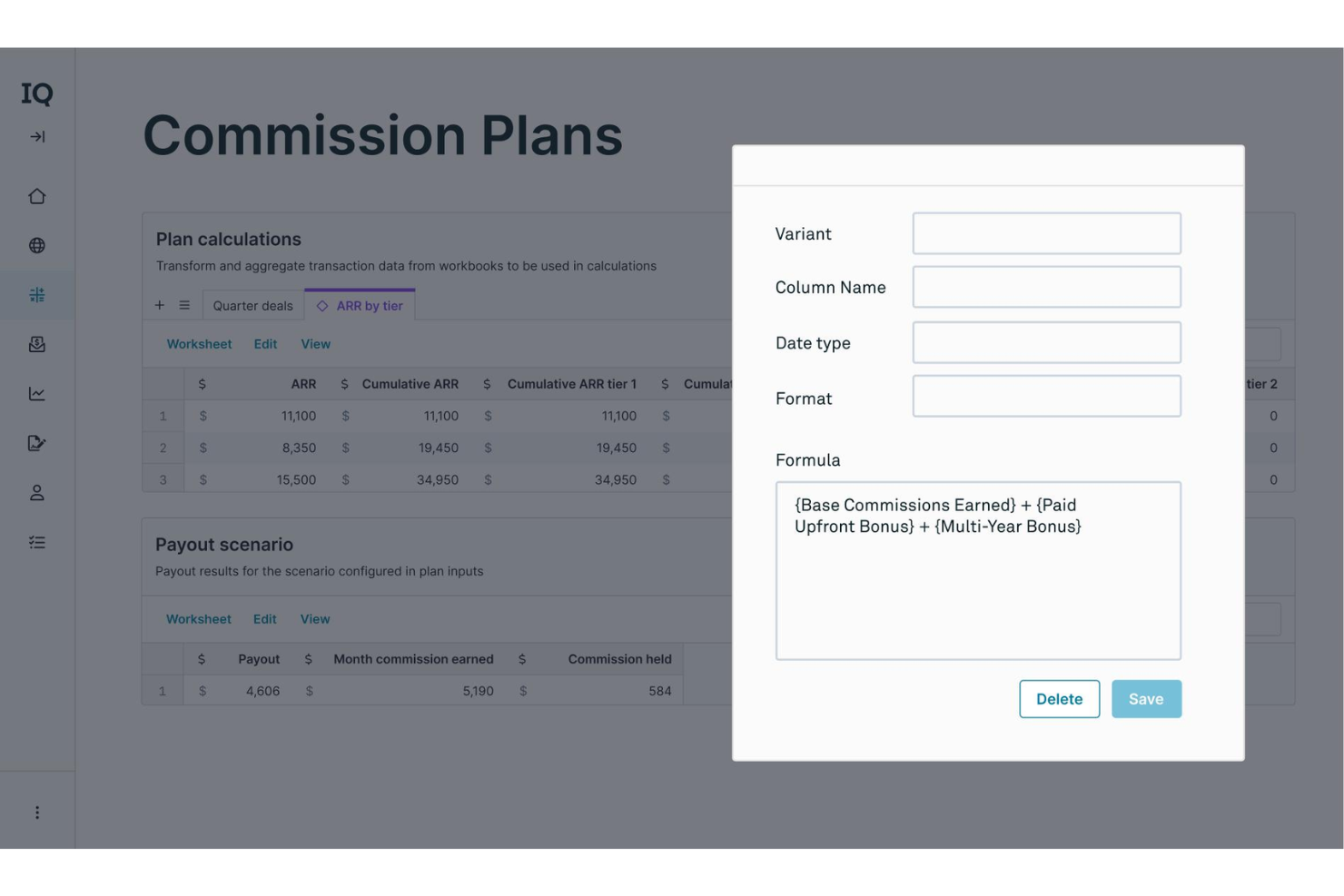
Create and optimize complex commission structures visually, without IT support. Drag-and-drop logic lets you adapt plans as your business evolves.
Real-Time Dashboards
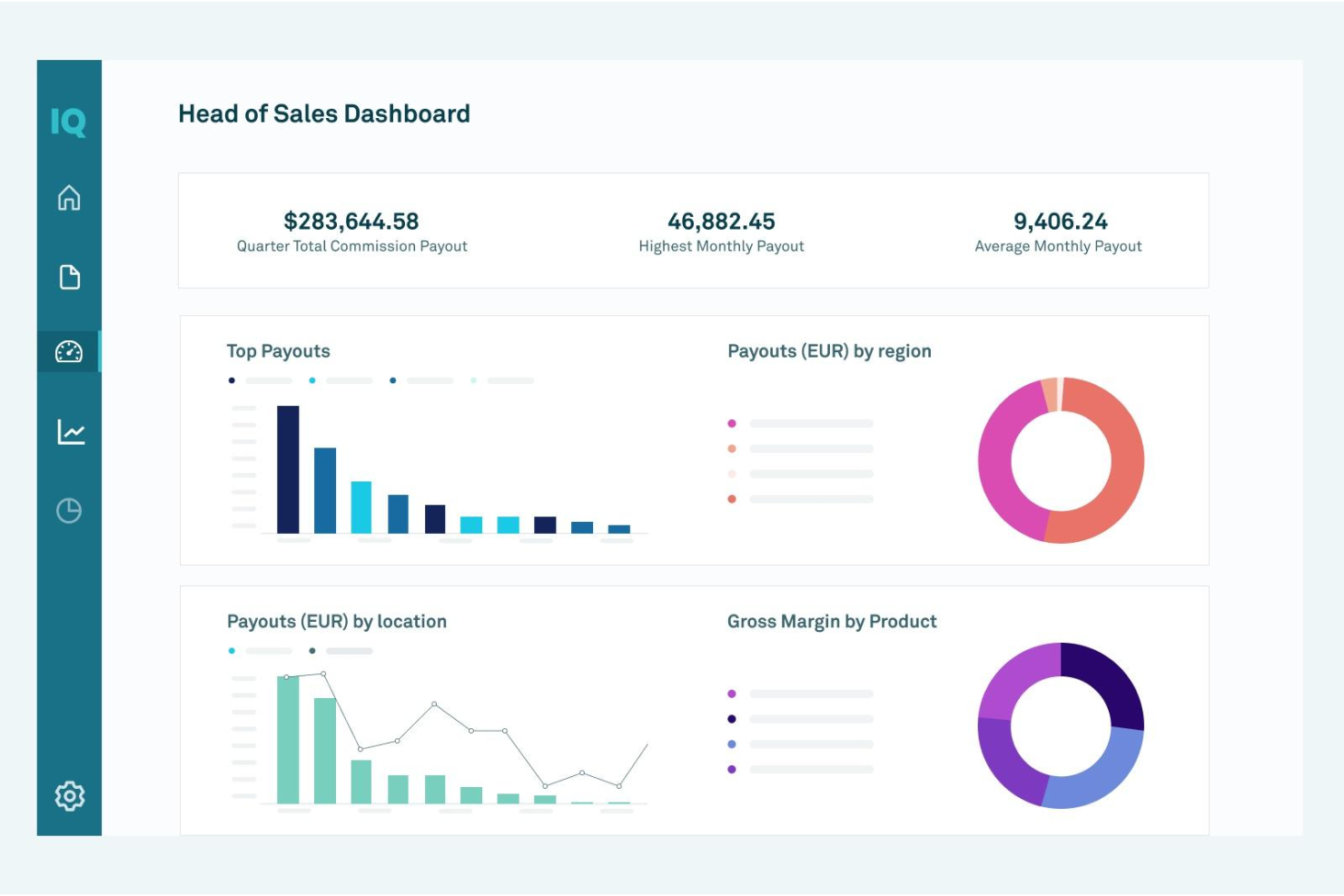
Give reps and managers instant visibility into earnings, attainment, and payout status. Dashboards update automatically as deals close and data syncs.
Automated Payout Calculations
Eliminate manual spreadsheets with automated, rules-based commission calculations. The system handles splits, accelerators, and clawbacks with audit-ready accuracy.
Custom Approval Workflows
Route commission statements for review and sign-off before payouts. Set up multi-level approvals to match your organization’s policies.
Statement Generation
Generate detailed, personalized payout statements for every rep. Statements break down earnings by deal, period, and plan component.
Audit Trail and Compliance
Track every change, calculation, and approval for compliance and real-time visibility. Built-in logs make it easy to resolve disputes or prepare for audits.
Standout Features
Sandbox Testing Environment
Test new commission plans and changes in a safe, isolated environment before rolling them out. This helps you catch errors and preview payouts without impacting live data.
In-App Collaboration Tools
Comment, tag team members, and resolve disputes directly within the platform. This streamlines communication between RevOps, finance, and sales without endless email threads.
Ease of Use
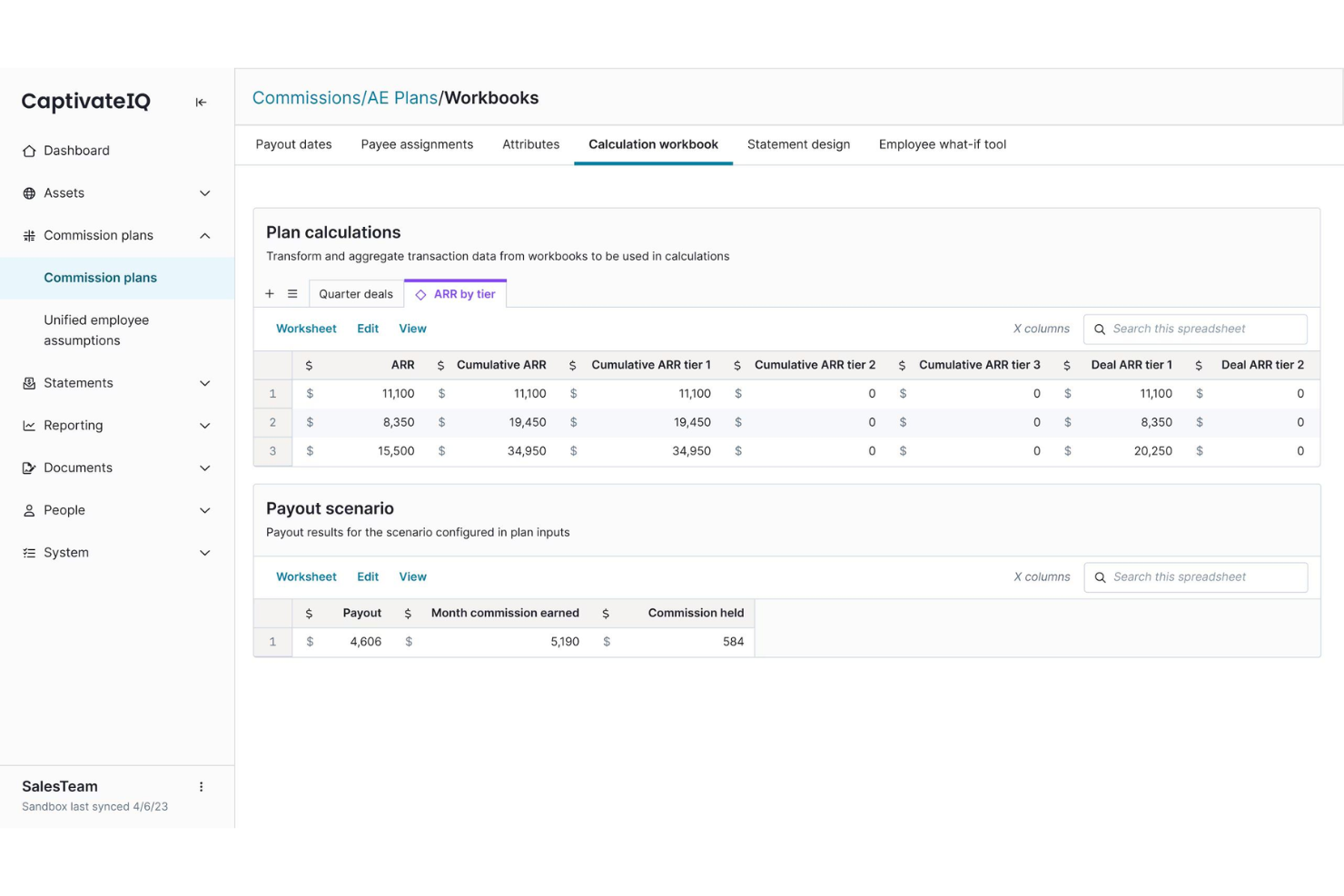
CaptivateIQ is one of the most approachable sales commission platforms I’ve used, thanks to its clean interface and visual plan builder. Users consistently mention how quickly they can set up and adjust comp plans without technical help. The real-time dashboards and clear payout statements make it easy for reps to track earnings, while built-in guides and responsive support help new users get up to speed fast.

Onboarding
CaptivateIQ’s onboarding stands out for its hands-on support and clear, step-by-step guidance. New users often mention dedicated onboarding specialists who walk teams through setup, data imports, and plan configuration. The platform offers detailed help docs, live chat, and training sessions, which help most teams reach full adoption in weeks, not months. This proactive approach reduces confusion and accelerates time to value, especially for teams new to automated commission management.
Customer Support
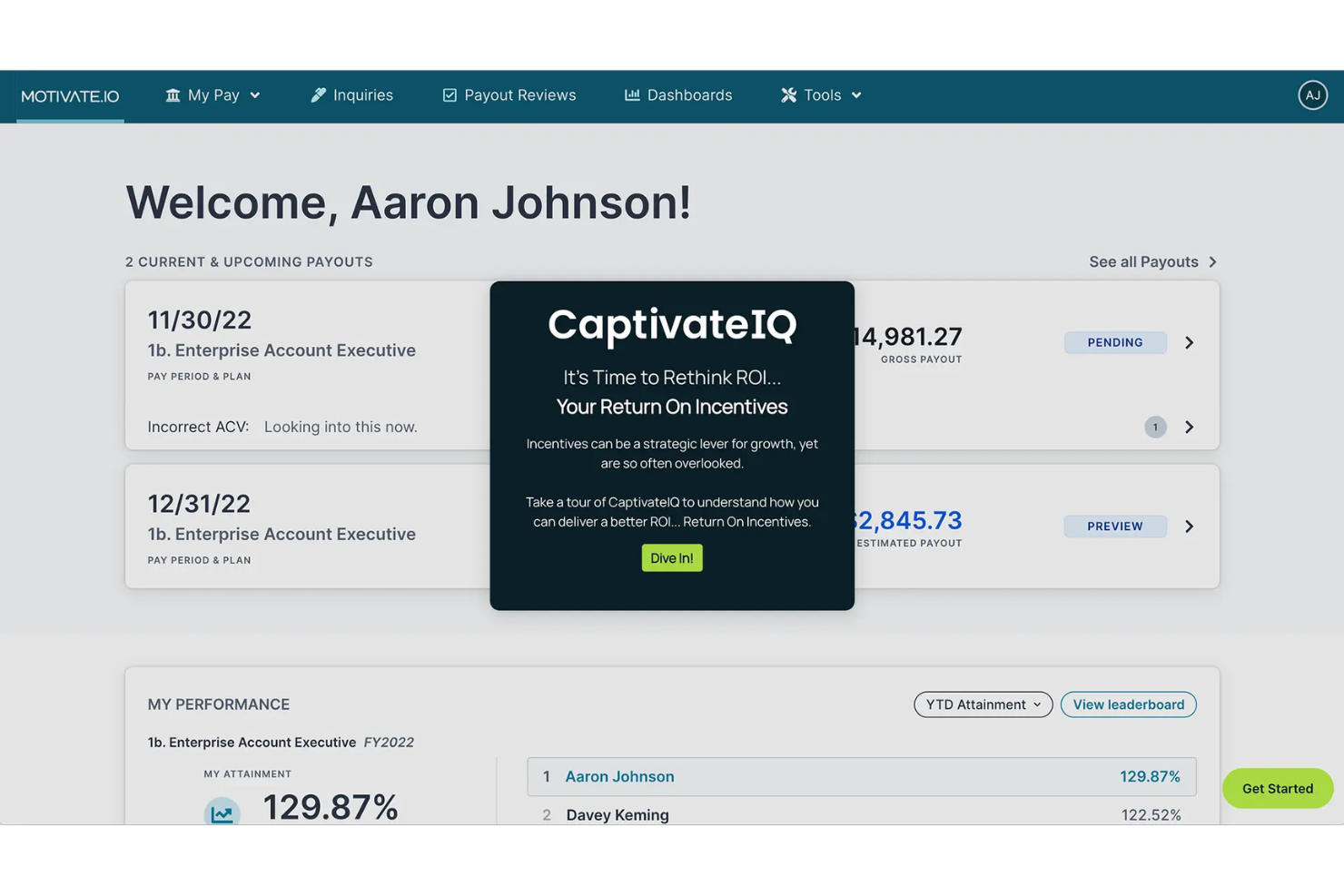
CaptivateIQ’s customer support is frequently praised for its responsiveness and expertise. Users report quick answers via live chat and email, plus access to knowledgeable support reps who understand complex compensation scenarios. The help center is well-organized, and many teams mention that support staff proactively follow up on open issues. This level of service helps users resolve problems fast and keeps commission cycles running smoothly.
Integrations
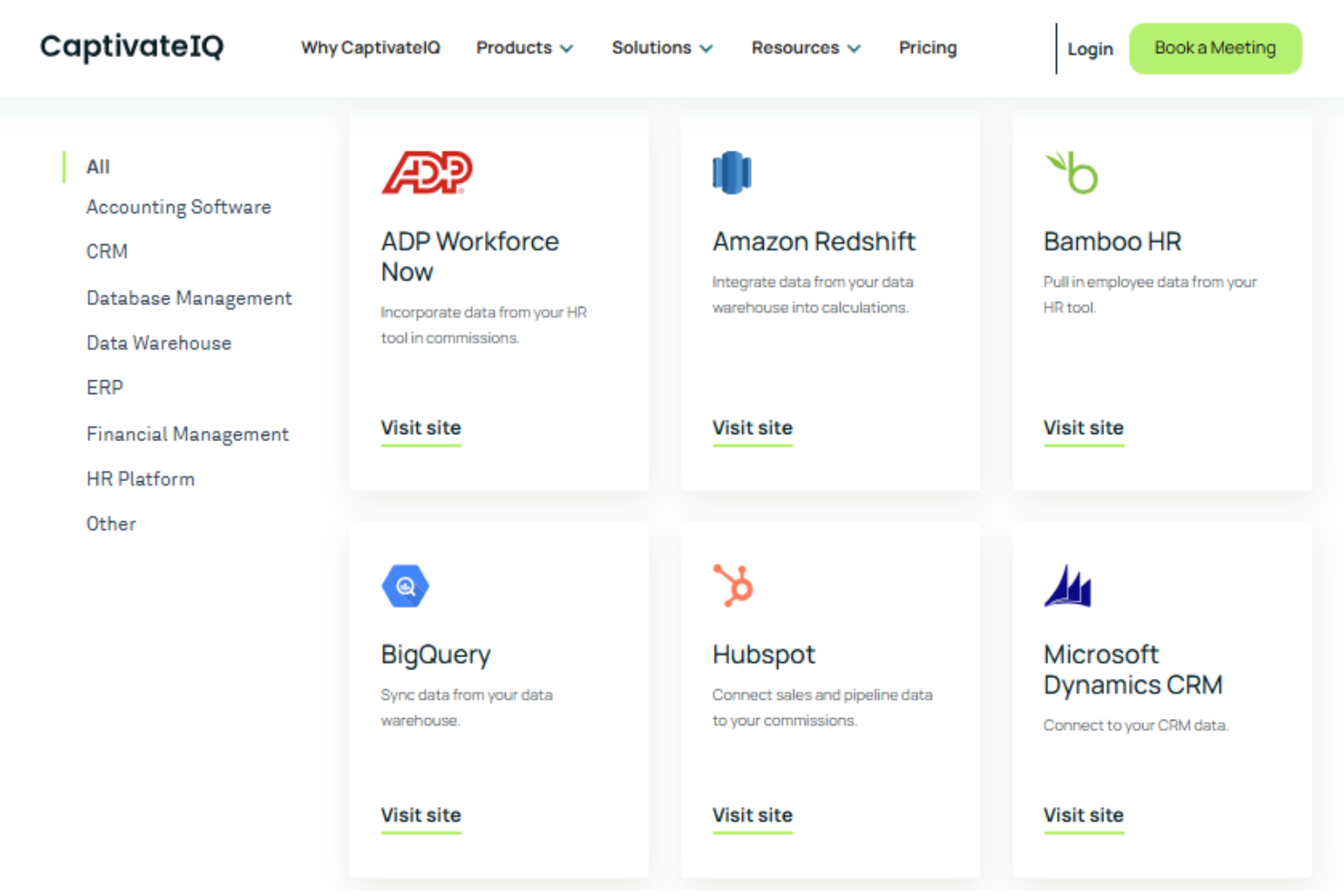
CaptivateIQ integrates with Salesforce, HubSpot, NetSuite, Workday, ADP, BambooHR, and Xero, among others.
CaptivateIQ also offers a robust API and supports connections with third-party integration tools.
Value for Money
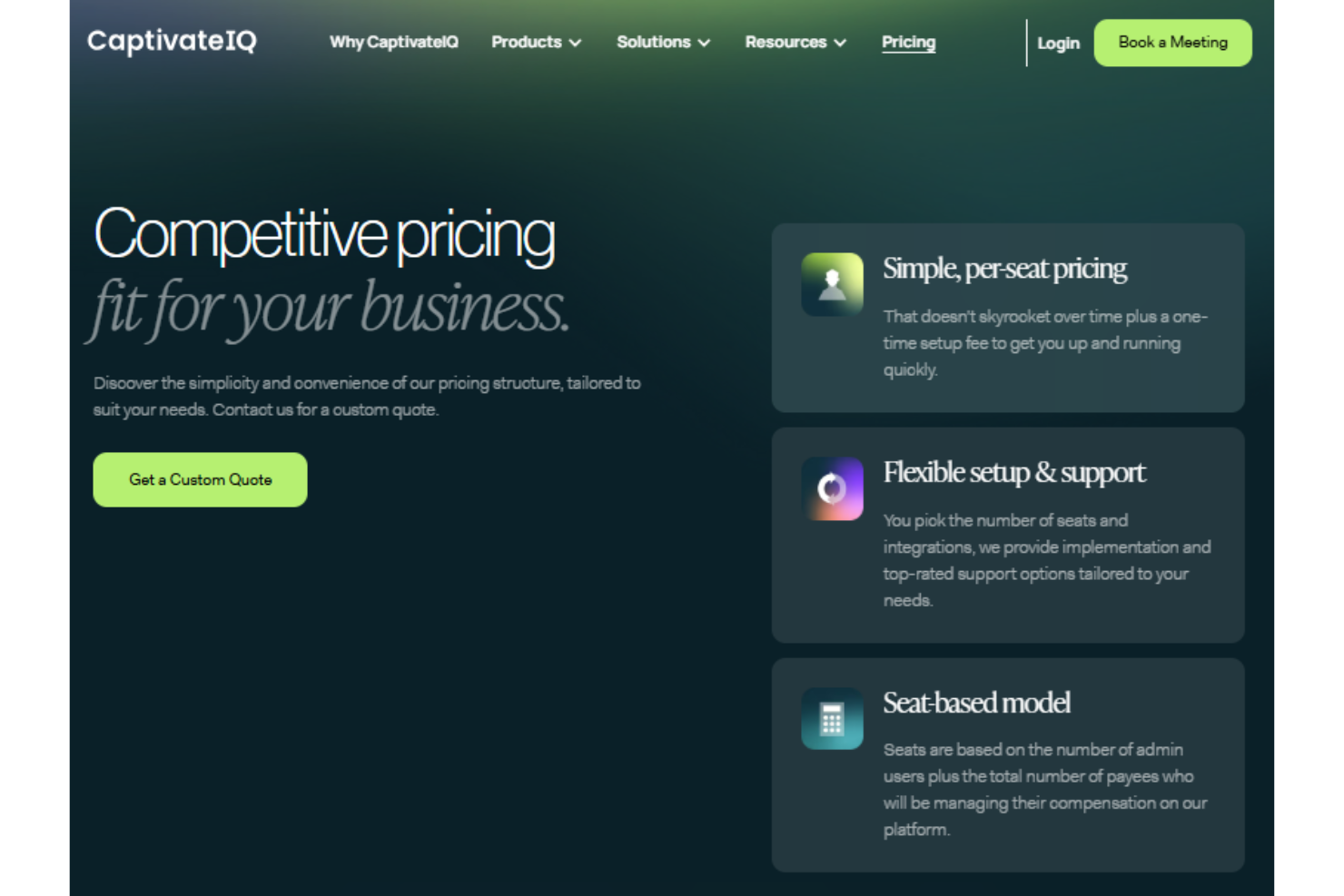
CaptivateIQ is considered a premium solution, with pricing that reflects its advanced automation and functionality for managing complex sales compensation . Many users find the cost worthwhile for growing or enterprise teams, but it may be high for smaller organizations with simpler needs. Pricing is not publicly listed and is customized based on seats, integrations, and implementation requirements.
CaptivateIQ Specs
- API
- Audience Targeting
- Budgeting
- Calendar Management
- Call Disposition
- Call Tracking
- Contact Management
- Contact Sharing
- CRM Integration
- Customer Management
- Dashboard
- Data Export
- Data Import
- Data Visualization
- Email Integration
- Expense Tracking
- External Integrations
- Forecasting
- Google Apps Integration
- Inventory Tracking
- Lead Management
- Lead Scoring
- Marketing Automation
- Multi-Currency
- Multi-User
- Notifications
- Project Management
- Referral Tracking
- Sales Motivator
- Scheduling
- Softphone
- Supplier Management
- Third-Party Plugins/Add-Ons
- Travel Management
CaptivateIQ FAQs
How quickly can my team implement CaptivateIQ?
Can CaptivateIQ handle multi-currency and global commission plans?
How does CaptivateIQ ensure data security and compliance?
What types of commission plans can I build with CaptivateIQ?
How does CaptivateIQ help with dispute resolution?
Can CaptivateIQ integrate with our existing CRM and payroll systems?
What kind of support is available if we run into issues?
How does CaptivateIQ handle changes to commission plans mid-year?
CaptivateIQ Company Overview & History
CaptivateIQ is a privately held company headquartered in San Francisco, California, with a workforce of several hundred employees. The company is focused exclusively on incentive compensation management and sales planning software, serving over 800 organizations worldwide. CaptivateIQ is known for its modern, flexible approach to commission automation and has been recognized for its strong work culture and rapid growth. Notable clients include Expedia, Gong, Deel, Vimeo, and Boston Scientific.
CaptivateIQ Major Milestones
- 2017: CaptivateIQ founded by a team of operations leaders frustrated with legacy commission tools.
- 2019: Official product launch, bringing no-code commission automation to market.
- 2021: Surpassed 500 customers and secured major funding rounds from top venture capital firms.
- 2023: Recognized as a leader in sales performance management by top research and advisory firms.