

10 Best Email Finder Reviewed in 2026

10 Best Email Finder Shortlist


Finding the right email can be frustrating, especially when you’re juggling multiple tasks and tight deadlines. As a CFO, you know how important it is to reach the right contacts quickly. That’s where email finders come in—they help you save time and focus on what really matters.
In my experience, a good email finder can make a big difference in your workflow. I've tested and reviewed several options to bring you the best on the market. In this article, I’ll share my top picks, highlighting the unique strengths and benefits each offers your team.
Why Trust Our Software Recommendations
Our reviews reflect our independent judgment—not a sales pitch. Learn how we stay transparent.
For this guide, we evaluated tools using hands-on testing and independent research, scoring tools using our selection criteria.
Our reviews reflect our human editorial judgment, not a sales pitch.
Best Email Finder Summary
This comparison chart summarizes pricing details for my top email finder selections to help you find the best one for your budget and business needs.
| Tool | Best For | Trial Info | Price | ||
|---|---|---|---|---|---|
| 1 | Best for real-time multi-source contact enrichment | Free plan + 14-day free trial + free demo available | From $49/user/month (billed annually) | Website | |
| 2 | Best for CRM integration | Free 14-day trial + free plan + free demo available | From $49/user/month (billed annually) | Website | |
| 3 | Best for small business outreach | Free plan available | From $27/month (billed annually) | Website | |
| 4 | Best for verifying emails quickly | Free plan available | From $49/month | Website | |
| 5 | Best for email tracking | Free 7-day trial available | From $25/month | Website | |
| 6 | Best for sales engagement | 14-day free trial + free plan available | From $49/user/month (billed annually) | Website | |
| 7 | Best for email drip campaigns | Free plan + free demo available | From $29.25/month | Website | |
| 8 | Best for Chrome extension use | Free plan available | From $39/two users/month (billed annually) | Website | |
| 9 | Best for Gmail integration | Free plan + free trial available | From $4.99/sender/month | Website | |
| 10 | Best for bulk email searches | 14-day free trial | From $37/month | Website |

Best Email Finder Reviews
Below are my detailed summaries of the best email finders that made it onto my shortlist. My reviews offer a detailed look at the key features, pros and cons, integrations, and ideal use cases of each tool to help you find the best one for you.

Best for real-time multi-source contact enrichment
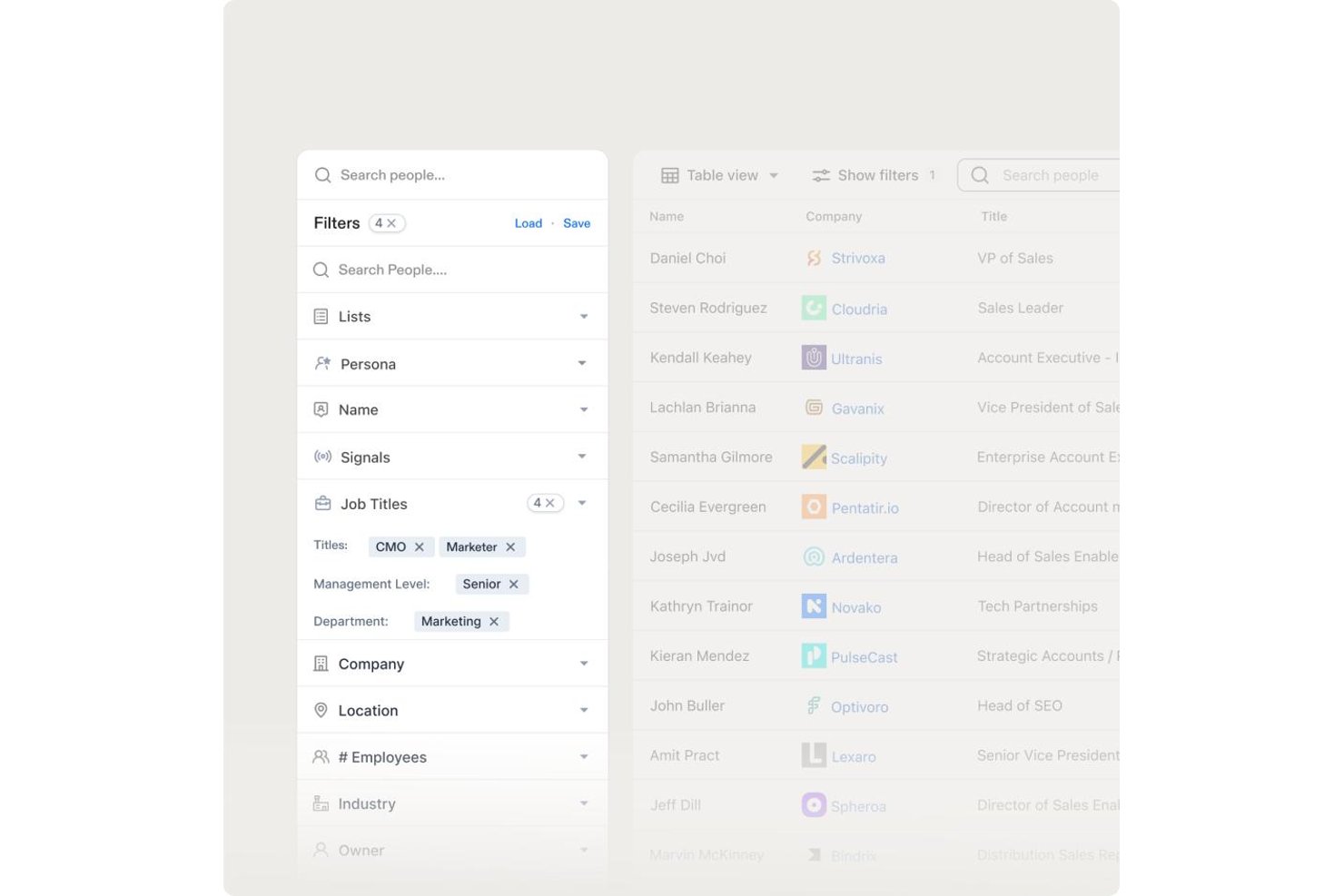
Apollo.io is a B2B sales intelligence platform that combines a 200M+ contact database with email finding, multi-source contact enrichment, real-time verification, bulk prospecting, and built-in sales sequencing.
Who Is Apollo.io Best For?
Apollo.io is a strong fit for SDRs and outbound sales teams at startups and SMBs running high-volume, US-focused prospecting campaigns.
Why I Picked Apollo.io
Apollo.io earns its spot on my shortlist because of how it handles enrichment at the source level. Rather than pulling from a single proprietary database, Apollo aggregates contact data from web crawlers, user contributions, and third-party feeds simultaneously. I particularly like the waterfall enrichment setup, where partners like ContactOut, Datagma, and Dropcontact fill gaps when Apollo's own records fall short, giving me the most complete contact record available, not just the first match.
Apollo.io Key Features
- Granular ICP filters: Search using over 65 filters, including job title, department, location, seniority, and tech stack.
- AI assistant for prospecting: Receive automated recommendations for high-potential leads based on intent and engagement signals.
- Built-in sales engagement: Launch multi-step email sequences directly from your contact lists without leaving the platform.
- Real-time CRM enrichment: Sync updated contact, company, and phone data automatically into Salesforce and HubSpot.
Apollo.io Integrations
Apollo.io offers native integrations with Salesforce, HubSpot, Outreach, SalesLoft, Marketo, SendGrid, Chili Piper, Asana, ClickUp, and Airtable. It also provides API access for custom integrations.
Pros and Cons
Pros:
- Real-time verification flags risky email addresses
- 200M+ contact database covers broad prospect reach
- Waterfall enrichment maximizes email match rates
Cons:
- Credit caps limit high-volume bulk enrichment
- Weaker contact coverage outside North America

Surfe
Best for CRM integration
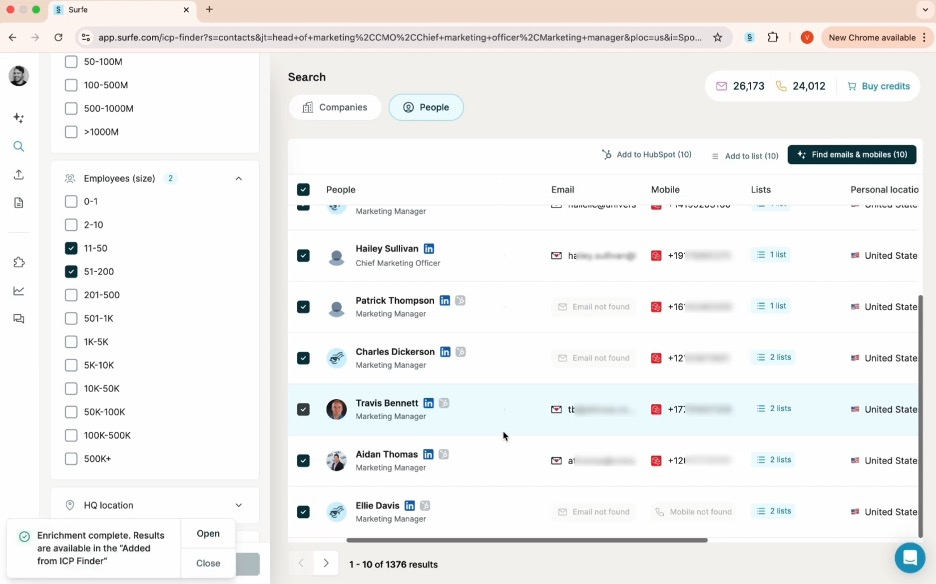
Surfe is an email finder for sales teams and professionals, providing accurate email addresses and phone numbers for CRM-based prospecting.
Why I picked Surfe: It integrates with CRMs like HubSpot, Salesforce, and Pipedrive to manage leads within your existing systems. The Pipeline Builder helps your team organize sales workflows, and the Waterfall Enrichment system draws from 15+ contact databases, delivering a 93% find rate for reliable prospecting.
Standout features and integrations:
Features a Waterfall Enrichment system that improves accuracy by selecting the best data source. The Pipeline Builder lets you create sales pipelines quickly, and bulk data enrichment allows efficient management of large contact lists.
Integrations include HubSpot, Salesforce, Google Sheets, and more.
Pros and Cons
Pros:
- Efficient pipeline building
- Smooth CRM integration
- High accuracy in email finding
Cons:
- Waterfall Enrichment system may be less effective for niche or international contacts
- Requires CRM for optimal use

Prospeo
Best for small business outreach
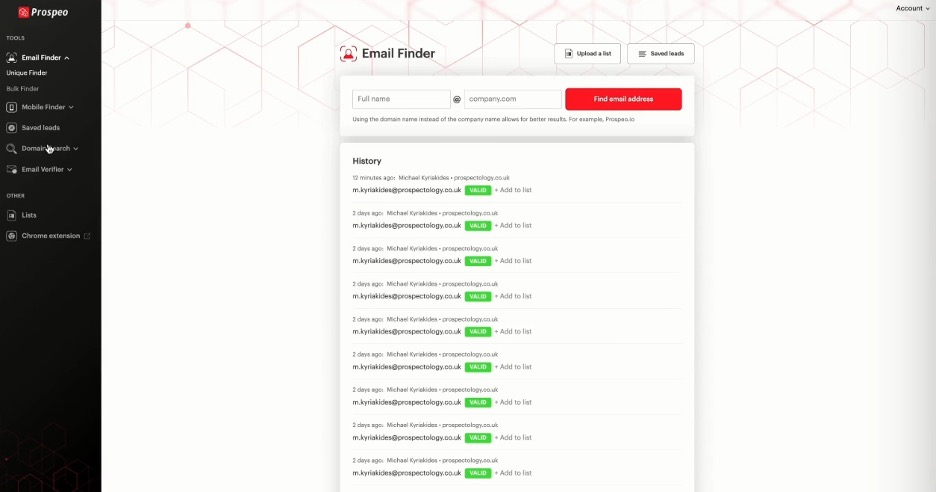
Prospeo helps small businesses and sales teams find and verify professional email addresses, making outreach and prospecting more efficient.
Why I picked Prospeo: The tool offers a bulk email search feature that lets you upload a list of names and companies to find verified email addresses. Its email verification system helps you pay only for valid emails, reducing wasted resources. With a Chrome extension, you can perform email searches directly from your browser, increasing efficiency. The tool's simplicity and affordability make it accessible for small businesses with limited budgets.
Standout features and integrations:
Features include a bulk email search that lets you find emails by uploading a list of names and companies. The email verification system guarantees over 98% deliverability, giving you confidence in your contact lists. You can also use the Chrome extension to search email addresses on any website.
Integrations are not publicly listed.
Pros and Cons
Pros:
- Simple and user-friendly interface
- High email deliverability rate
- Affordable pricing for small businesses
Cons:
- Basic reporting features
- Relies on Chrome for its extension

Hunter
Best for verifying emails quickly
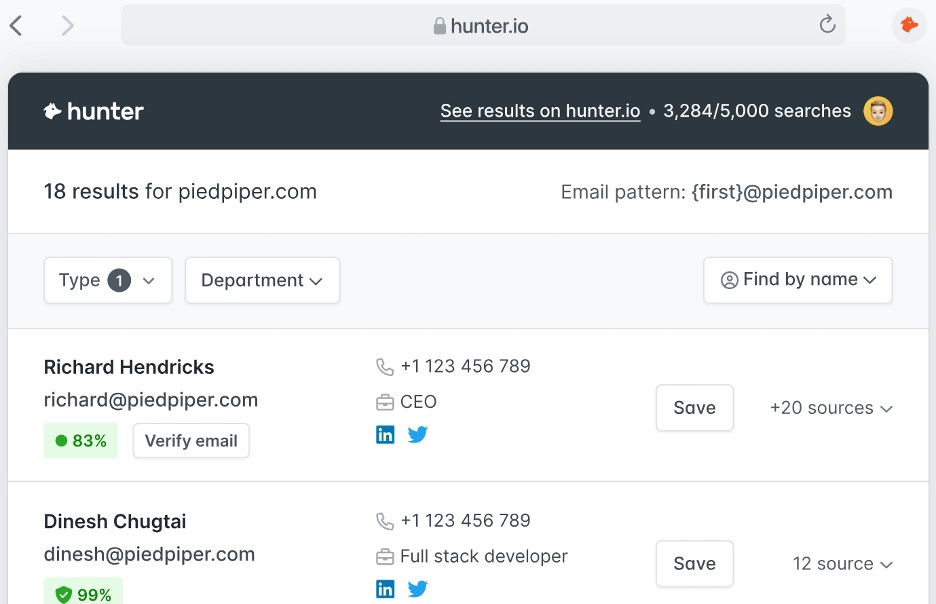
Hunter is an email finding tool designed for professionals looking to locate email addresses using a person's name and company domain. It’s widely used by sales teams and marketers to find email addresses for lead generation.
Why I picked Hunter: Hunter offers a large database of more than 100 million email addresses and provides a confidence score for each result. Its bulk email search and email verification features help reduce bounce rates. With a Google Sheets add-on and API, your team can easily integrate it into existing workflows. The browser extension adds convenience by allowing quick access while searching.
Standout features and integrations:
Features include a bulk email search that helps you gather multiple email addresses at once. Its email verification feature eliminates high bounce rates. The confidence score for each email result provides an idea of reliability.
Integrations include Google Sheets, Salesforce, HubSpot, Pipedrive, Zoho CRM, Zapier, and more.
Pros and Cons
Pros:
- Useful API access
- Accurate verification scores
- Large email database
Cons:
- No built-in email outreach
- Bulk searches and verifications can consume credits quickly

Best for email tracking

Saleshandy is an email productivity tool designed for sales teams and professionals who need to track, schedule, and automate their email outreach. It helps users analyze email performance and optimize their communication strategies.
Why I picked Saleshandy: The tool offers real-time email tracking, letting you know when recipients open your emails. This feature helps you gauge interest and plan follow-ups effectively. With email scheduling, your team can send emails at the best times for engagement. The automated follow-up feature helps you track interactions with each contact, making it a valuable asset for sales teams.
Standout features and integrations:
Features include the ability to create and manage email templates, which saves time on repetitive tasks. The tool provides detailed analytics on email performance, helping you refine your strategies. You can also use mail merge to send personalized emails in bulk.
Integrations include Salesforce, HubSpot, Pipedrive, Zoho CRM, Zapier, and more.
Pros and Cons
Pros:
- Detailed analytics and reports
- Automated follow-up emails
- Real-time email tracking
Cons:
- Bulk email sending may be restricted by plan limits or email provider quotas
- Basic plan limits key features

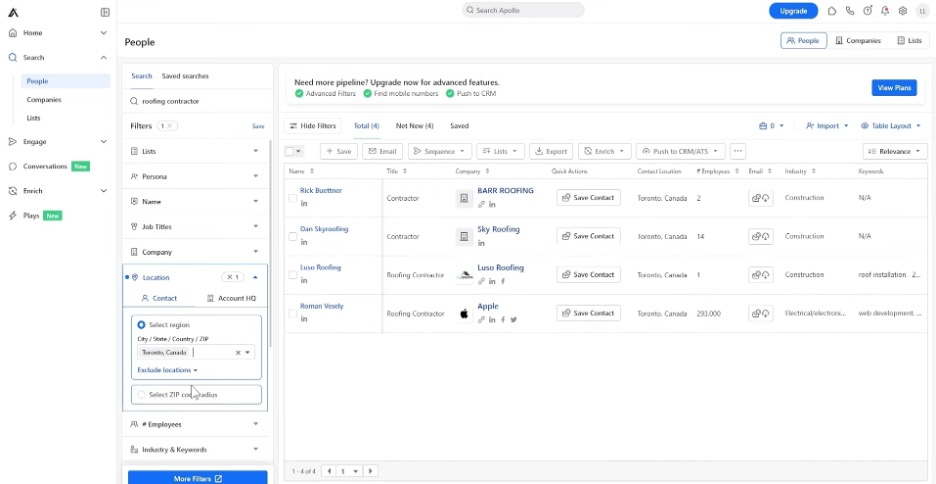
Apollo.io is a sales engagement platform that helps sales teams find and engage with leads to boost outreach and prospecting.
Why I picked Apollo.io: The platform provides a vast database of contacts, making it easier for your team to find potential leads. Its sales engagement features, such as automated sequences and task management, help optimize your process. With its advanced analytics, you can track campaign performance and make data-driven decisions. The platform's CRM integration lets you keep all your sales data in one place for a cohesive workflow.
Standout features and integrations:
Features include a large contact database that provides access to millions of leads. The automated sequence feature allows you to set up follow-up emails, saving time and effort. With its task management system, you can prioritize and organize your sales activities efficiently.
Integrations include Salesforce, HubSpot, Pipedrive, and more.
Pros and Cons
Pros:
- Automated email sequences
- Detailed analytics capabilities
- Extensive contact database
Cons:
- Bulk email and sequence limits vary by plan
- Some contact data may be outdated or inaccurate for niche industries

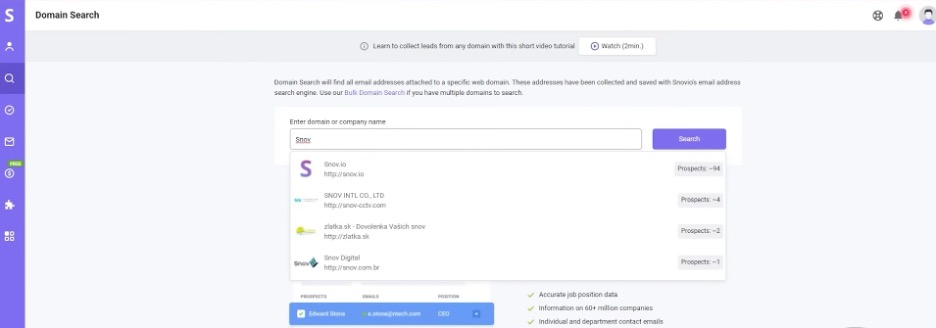
Snov.io is a lead generation tool used by sales and marketing teams to verify email addresses, manage leads, and conduct campaigns. It helps businesses automate their outreach efforts, increasing efficiency in contacting potential clients.
Why I picked Snov.io: The email drip campaign feature allows your team to send automated follow-up emails to keep in contact with leads. You can manage your prospects with the built-in CRM, and the email verification tool reduces errors, increasing deliverability. The visual campaign builder helps optimize the frequency of contact.
Standout features and integrations:
Features include a visual campaign builder that simplifies creating and managing email sequences. The email warm-up feature helps improve your sender reputation by gradually increasing email volume. With the automation tool, you can program connections and messages on LinkedIn.
Integrations include Salesforce, HubSpot, Pipedrive, Zoho CRM, Slack, Google Sheets, Asana, Trello, LinkedIn, Zapier, and more.
Pros and Cons
Pros:
- Effective email warm-up
- Intuitive visual campaign builder
- Advanced LinkedIn automation
Cons:
- The interface can feel overwhelming for beginners
- Limited personalization on the free and low-tier plans

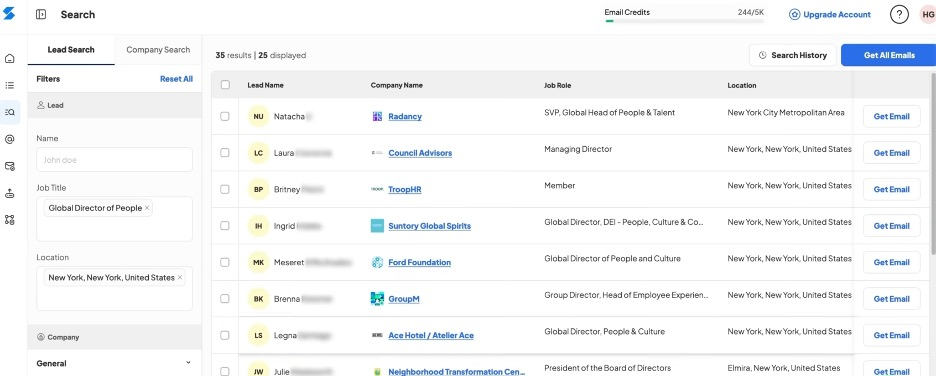
Skrapp.io is an email finder tool for professionals who need to verify business email addresses for lead generation. It's especially popular among marketing teams and sales professionals looking to build targeted email lists.
Why I picked Skrapp.io: The Chrome extension lets you extract emails directly from LinkedIn profiles, making it convenient for those who rely heavily on that platform for networking. You can save contacts directly to your email lists within Skrapp.io for easy access later. The tool also includes an email verification feature to help maintain the quality of your email lists. With its user-friendly interface, your team can quickly start using the tool effectively.
Standout features and integrations:
Features include a bulk email finder that lets you gather numerous emails at once. The verification tool helps confirm the emails you collect are valid and deliverable. You can also organize your leads within the platform using customizable lists.
Integrations include Salesforce, HubSpot, Pipedrive, LinkedIn, and more.
Pros and Cons
Pros:
- Customizable lead lists
- Quick setup with Chrome extension
- Convenient LinkedIn integration
Cons:
- Requires LinkedIn for optimal use
- Can be slow with large lists
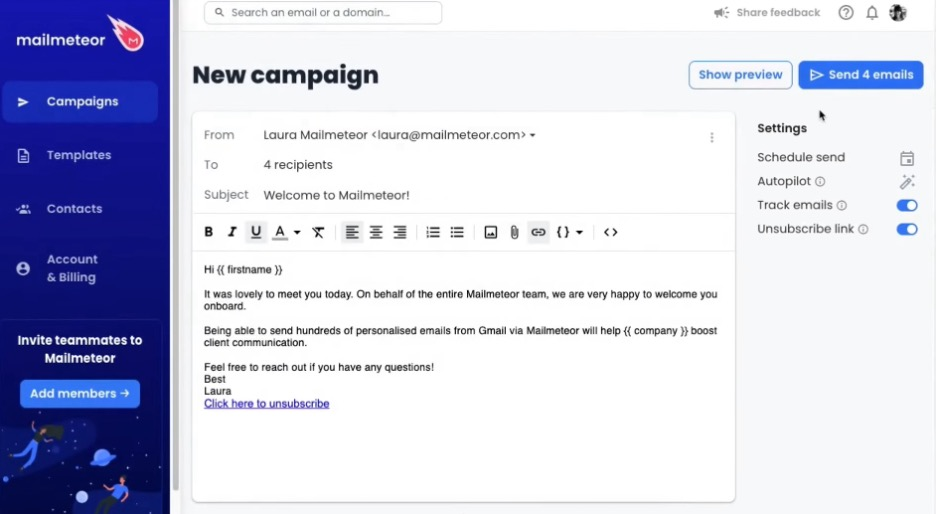
Mailmeteor is an email sending tool that works with Gmail for outreach tasks. It enables users to send personalized bulk emails directly from their Gmail accounts.
Why I picked Mailmeteor: The tool integrates well with Gmail, allowing you to send hundreds of personalized emails at once. Its user-friendly interface helps you manage and track your email campaigns. With personalization fields, you can tailor each email to make it feel more personal to the recipient. The built-in tracking feature provides insights into email opens and clicks, which is valuable feedback.
Standout features and integrations:
Features include email scheduling, which lets you plan your campaigns in advance. The tool supports personalization fields to make your emails more engaging. Additionally, email tracking provides you with insights into how recipients interact with your messages.
Integrations include Gmail, Zoho CRM, Outlook, and more.
Pros and Cons
Pros:
- Efficient bulk sending
- Easy email personalization
- Direct Gmail integration
Cons:
- Limited advanced automation features
- No built-in CRM

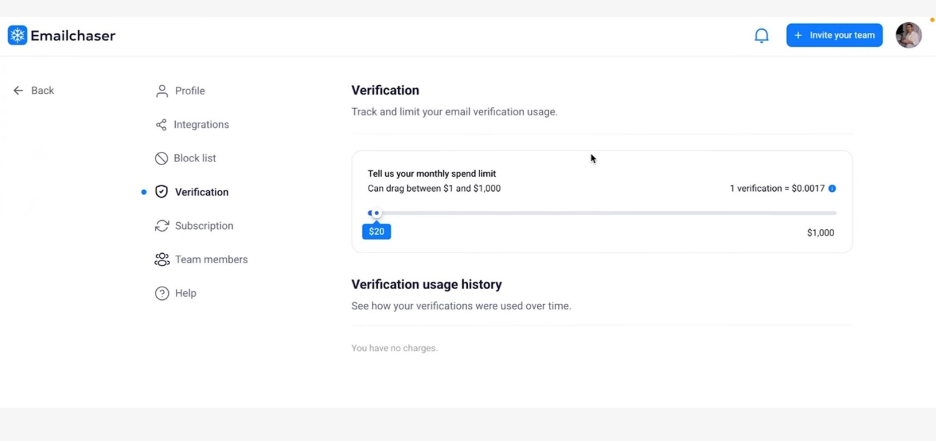
Emailchaser is a tool designed for businesses and professionals who need to find and verify email addresses in bulk. It is useful for marketing teams and sales professionals to support campaigns.
Why I picked Emailchaser: The tool offers a bulk email search feature that allows you to find multiple email addresses at once. Its email verification system verifies that the emails you gather are valid and deliverable. With a user-friendly interface, your team can quickly adapt and start using the tool. The tool’s focus on bulk searching makes it a valuable resource for large-scale outreach efforts.
Standout features and integrations:
Features include bulk email verification for high deliverability, real-time tracking of email searches, and detailed reports to analyze campaign results.
Integrations include Salesforce, HubSpot, Pipedrive, Slack, and more.
Pros and Cons
Pros:
- Simple user interface
- Detailed search reports
- High deliverability rates
Cons:
- Limited customer support options
- Basic reporting capabilities
Other Email Finder Tools
Here are some additional email finder options that didn’t make it onto my shortlist, but are still worth checking out:
- ContactOut
For LinkedIn email extraction
- GetProspect
For B2B lead generation
- Findymail
For finding personal emails
- RocketReach
For finding hard-to-reach emails
- LeadFuze
For automated lead generation
- Cognism
For GDPR compliance
- Kaspr
For LinkedIn contact extraction


How I Evaluate Email Finder
I evaluate email finders on two levels: core table stakes like bulk domain search and SMTP verification, and differentiators like waterfall enrichment and GDPR compliance.
Core Functionality (Table Stakes For This List)
When I'm selecting tools for my list, I rank each one on a scale from 0 (does not offer the functionality) to 5 (excels in this area) for each core functionality listed below. Then, I calculate the tool's total score into a percentage. Each tool needs to achieve a minimum total score of 65% to be considered for inclusion.
- Email Discovery: I check whether a tool can find professional emails from basic inputs like a name and company, and whether it supports LinkedIn URLs or other identifiers.
- Email Verification: Each tool should validate addresses beyond syntax checks, including SMTP and catch-all detection, so your outbound sequences don't tank domain reputation.
- Bulk Search & Enrichment: I look for CSV upload support and batch processing that lets you enrich an entire target account list in one pass rather than searching contacts one by one.
- Domain & Company Search: Searching a company domain should return a filterable contact list by role or seniority, useful when you're mapping out a buying committee at a target account.
- CRM & Sales Tool Integrations: I evaluate native connections to platforms like Salesforce, HubSpot, Outreach, and Salesloft so enriched contacts flow directly into your existing workflows.
- API & Browser Extension Access: A functional API and browser extension matter for day-to-day use, especially when SDRs need to pull contact data while prospecting on LinkedIn or Sales Navigator.
Once I have a list of tools that meet this criteria, I consider what sets each platform apart.
Differentiating Factors (What Sets Vendors Apart)
Here's how I compare and contrast different vendors:
Standout Features
Waterfall enrichment is a big differentiator. Tools that cascade through multiple data providers on a single lookup consistently return higher match rates than those relying on one source. I also look for intent and signal data like job change alerts or technographic triggers, which help SDRs prioritize who to contact first. Automated list building rounds this out by surfacing new ICP-matched prospects on an ongoing basis without manual re-searching.
Beyond Features
Data accuracy matters more than database size. I check whether a vendor publishes bounce rate guarantees and how often they re-verify their records. Compliance is equally important—tools that handle GDPR and CCPA suppression lists protect your team from legal exposure when prospecting across regions. Pricing structure also shapes the decision. Credit-based models vary widely, so I evaluate whether unused credits roll over and how costs scale as your team grows beyond a handful of seats.
How To Choose an Email Finder
It’s easy to get bogged down in long feature lists and complex pricing structures. To help you stay focused as you work through your unique software selection process, here’s a checklist of factors to keep in mind:
| Factor | What to Consider |
| Scalability | Will the tool grow with your team? Consider if it can handle an increasing number of searches and users as your company expands. |
| Integrations | Does it connect with your existing systems? Look for compatibility with your CRM, email platforms, and other tools your team uses daily. |
| Customizability | Can you tailor the tool to your needs? Check if you can adjust settings, workflows, or dashboards to fit your specific processes. |
| Ease of use | Is the tool intuitive for your team? Consider how quickly your team can learn to use it without extensive training or technical support. |
| Implementation and onboarding | How long will it take to get started? Evaluate the time and resources needed for setup, including data migration and user training. |
| Cost | Is the tool within your budget? Compare pricing plans and consider any hidden fees or long-term commitments that may affect your financial planning. |
| Security safeguards | Does it protect your data? Confirm the tool has strong security measures, like encryption and compliance with data protection laws, to safeguard your information. |
| Support availability | How accessible is help when you need it? Look for responsive customer support, available through multiple channels, to assist your team when issues arise. |
What Is an Email Finder?
An email finder is a tool that helps locate and verify email addresses for individuals or businesses. Salespeople, marketers, and recruiters often use these tools to improve their outreach and networking efforts. Bulk email search, email verification, and CRM integration features help with finding accurate contact information, such as company name and job title. Validating this information boosts deliverability and helps manage leads. These tools also save time and make communication more efficient.
Features
When selecting an email finder, keep an eye out for the following key features:
- Bulk email search: Allows you to find multiple email addresses on company websites or social media at once, saving time and effort in large-scale outreach.
- Email verification: Confirms the emails you collect are valid and deliverable, reducing bounce rates and improving communication efficiency.
- CRM integration: Connects with your existing CRM systems to manage and organize your leads effectively.
- LinkedIn email extraction: Retrieves contact information directly from LinkedIn profiles, improving professional networking capabilities.
- Automated email sequences: Enable the setup of follow-up emails for consistent communication with prospects.
- Real-time email tracking: Provides insights into when emails are opened, helping you gauge interest and plan follow-ups.
- Data enrichment: Adds additional information, such as a person’s full name, improving the quality of your leads.
- Customizable templates: Allow you to create and save email templates for quick and consistent communication.
- Security safeguards: Protect your data with encryption and compliance with data protection laws, maintaining privacy and security.
- User-friendly interface: Offers an intuitive and easy-to-navigate design, reducing the learning curve for new users.
Benefits
Implementing an email finder provides several benefits for your team and your business. Here are a few you can look forward to:
- Time-saving: Bulk email search features help you quickly gather multiple contacts, freeing up time for other tasks.
- Improved accuracy: Email verification confirms you’re working with valid email addresses, reducing bounce rates and improving communication.
- Increased organization: CRM integration lets you manage leads efficiently, keeping your contact data organized and accessible.
- Better outreach: Automated email sequences maintain consistent communication with prospects, boosting business development campaigns.
- Increased visibility: Real-time email tracking shows when emails are opened, helping you understand recipient interest.
- Higher quality leads: Data enrichment combined with an email verifier provides additional context, improving your lead profiles and targeting efforts.
- User-friendly experience: Intuitive interfaces make it easy for your team to get started and use the tools effectively.
Costs and Pricing
Selecting an email finder requires an understanding of the various pricing models and plans available. Costs vary based on features, team size, add-ons, and more. The table below summarizes common plans, their average prices, and typical features included in email finder solutions:
Plan Comparison Table for Email Finder
| Plan Type | Average Price | Common Features |
| Free Plan | $0 | Basic email search, limited email verification, and minimal support. |
| Personal Plan | $4-$25/user/month | Unlimited email searches, basic analytics, and email tracking. |
| Business Plan | $20-$60/user/month | Advanced email verification, CRM integration, and automated email sequences. |
| Enterprise Plan | $70-$150/user/month | Customizable features, dedicated account support, and improved security measures. |
Email Finder FAQs
Here are some answers to common questions about email finder:
Can email finders guarantee 100% accuracy?
No, email finders can’t guarantee 100% accuracy. While many tools have high accuracy rates, errors can occur due to outdated information or changes in email addresses. Always verify the emails you collect, especially if they’re essential to your outreach. Some tools offer built-in verification features to avoid invalid email addresses. It’s wise to test a small batch before committing to a large-scale campaign.
Is it legal to use email finders?
Yes, using email finders is legal, but you need to comply with data protection laws. Familiarize yourself with regulations such as GDPR or CAN-SPAM, which govern how you can collect and use email addresses. Always obtain consent if you’re adding individuals to a mailing list. It’s a good practice to provide an opt-out option in your communications to respect recipients’ privacy preferences.
Do email finders require technical knowledge to use?
No, most email finders are designed to be user-friendly and don’t require technical expertise. They often come with intuitive interfaces and clear instructions to help you get started. However, if you plan to integrate the email lookup tool with other software or use advanced features, some technical knowledge might be beneficial. Look for tools that offer customer support or tutorials to guide you through the setup process.
What’s Next:
If you're in the process of researching email finder tools, connect with a SoftwareSelect advisor for free recommendations.
You fill out a form and have a quick chat where they get into the specifics of your needs. Then you'll get a shortlist of software to review. They'll even support you through the entire buying process, including price negotiations.