
Everstage Review: Pros, Cons, Features and Uses Explained


Everstage is a sales compensation software for revenue teams that need to automate commission calculations, give reps real-time visibility into their earnings, and reduce the back-and-forth between operations and finance. I'd consider it if you're looking for something more intuitive and faster to configure than a legacy platform like Xactly, without sacrificing the plan flexibility or reporting depth that growing sales teams actually need.
Everstage Evaluation Summary
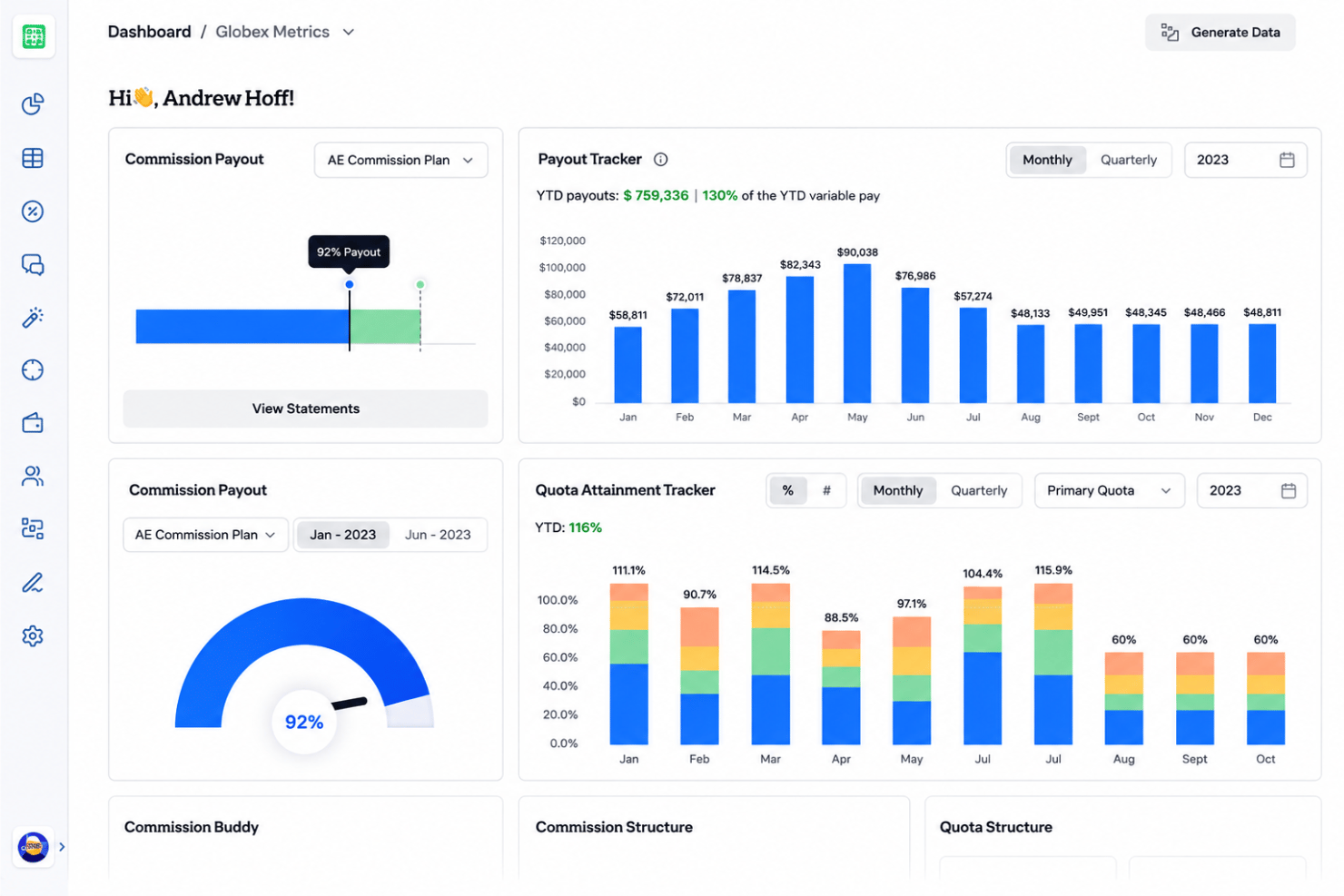
- Pricing upon request
- Free demo available
Why Trust Our Software Recommendations
Our reviews reflect our independent judgment—not a sales pitch. Learn how we stay transparent.
For this guide, we evaluated tools using hands-on testing and independent research, scoring tools using our selection criteria.
Our reviews reflect our human editorial judgment, not a sales pitch.
Everstage Overview
In my experience, Everstage stands out for its modern UI, detailed analytics, and quick onboarding, making it easier to judge comp plans and resolve disputes fast. While its integrations are strong, you may find top-tier support and custom reporting need improvement compared to some peers. I’d choose Everstage over tools like Xactly if you want cleaner workflows and better visibility across diverse sales teams, especially in SaaS or tech environments where commission rules get tricky and change often.
pros
-
Handles complex commission logic for global sales teams.
-
Transparent dashboards let reps view real-time earnings data.
-
Fast setup process for large-scale organizations.
cons
-
Report customization options are limited for admins.
-
Some users report lag in UI during high activity.
-
Lacks robust quota management for multi-territory sales.
-

Pipedrive CRM
Visit WebsiteThis rating combines scores from multiple user review sites to reflect overall customer sentiment about the product.4.5 -
Creatio CRM
Visit WebsiteThis rating combines scores from multiple user review sites to reflect overall customer sentiment about the product.4.7 -
monday CRM
Visit WebsiteThis rating combines scores from multiple user review sites to reflect overall customer sentiment about the product.4.6




How We Test & Score Tools
We’ve spent years building, refining, and improving our software testing and scoring system. The rubric is designed to capture the nuances of software selection and what makes a tool effective, focusing on critical aspects of the decision-making process.
Below, you can see exactly how our testing and scoring works across seven criteria. It allows us to provide an unbiased evaluation of the software based on core functionality, standout features, ease of use, onboarding, customer support, integrations, customer reviews, and value for money.
Core Functionality (25% of final scoring)
The starting point of our evaluation is always the core functionality of the tool. Does it have the basic features and functions that a user would expect to see? Are any of those core features locked to higher-tiered pricing plans? At its core, we expect a tool to stand up against the baseline capabilities of its competitors.
Standout Features (25% of final scoring)
Next, we evaluate uncommon standout features that go above and beyond the core functionality typically found in tools of its kind. A high score reflects specialized or unique features that make the product faster, more efficient, or offer additional value to the user.
We also evaluate how easy it is to integrate with other tools typically found in the tech stack to expand the functionality and utility of the software. Tools offering plentiful native integrations, 3rd party connections, and API access to build custom integrations score best.
Ease of Use (10% of final scoring)
We consider how quick and easy it is to execute the tasks defined in the core functionality using the tool. High scoring software is well designed, intuitive to use, offers mobile apps, provides templates, and makes relatively complex tasks seem simple.
Onboarding (10% of final scoring)
We know how important rapid team adoption is for a new platform, so we evaluate how easy it is to learn and use a tool with minimal training. We evaluate how quickly a team member can get set up and start using the tool with no experience. High scoring solutions indicate little or no support is required.
Customer Support (10% of final scoring)
We review how quick and easy it is to get unstuck and find help by phone, live chat, or knowledge base. Tools and companies that provide real-time support score best, while chatbots score worst.
Customer Reviews (10% of final scoring)
Beyond our own testing and evaluation, we consider the net promoter score from current and past customers. We review their likelihood, given the option, to choose the tool again for the core functionality. A high scoring software reflects a high net promoter score from current or past customers.
Value for Money (10% of final scoring)
Lastly, in consideration of all the other criteria, we review the average price of entry level plans against the core features and consider the value of the other evaluation criteria. Software that delivers more, for less, will score higher.
Core Features
Real-Time Earnings Dashboard
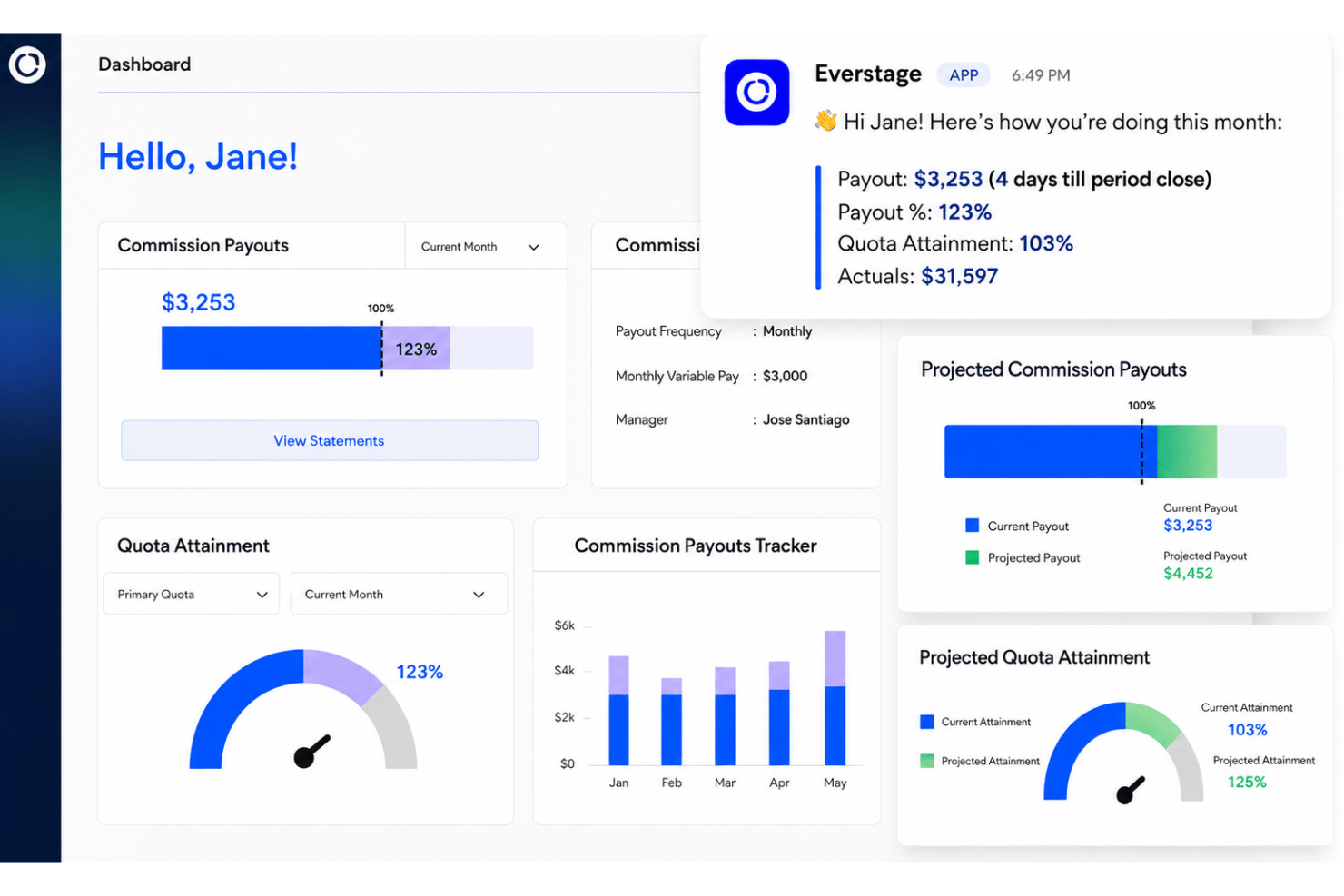
Everstage gives sales reps an up-to-date view of commission calculations and earnings. This transparency helps drive motivation and keeps performance top-of-mind.
Commission Plan Builder
You can design and automate even advanced commission plans using a drag-and-drop interface. Rules, accelerators, splits, version control, and other variables can be configured without code.
Quota and Attainment Tracking
Track individual and team quota progress and commission tracking in real time. Visual dashboards show how close teams are to earning accelerators or hitting targets.
Dispute Management Workflow
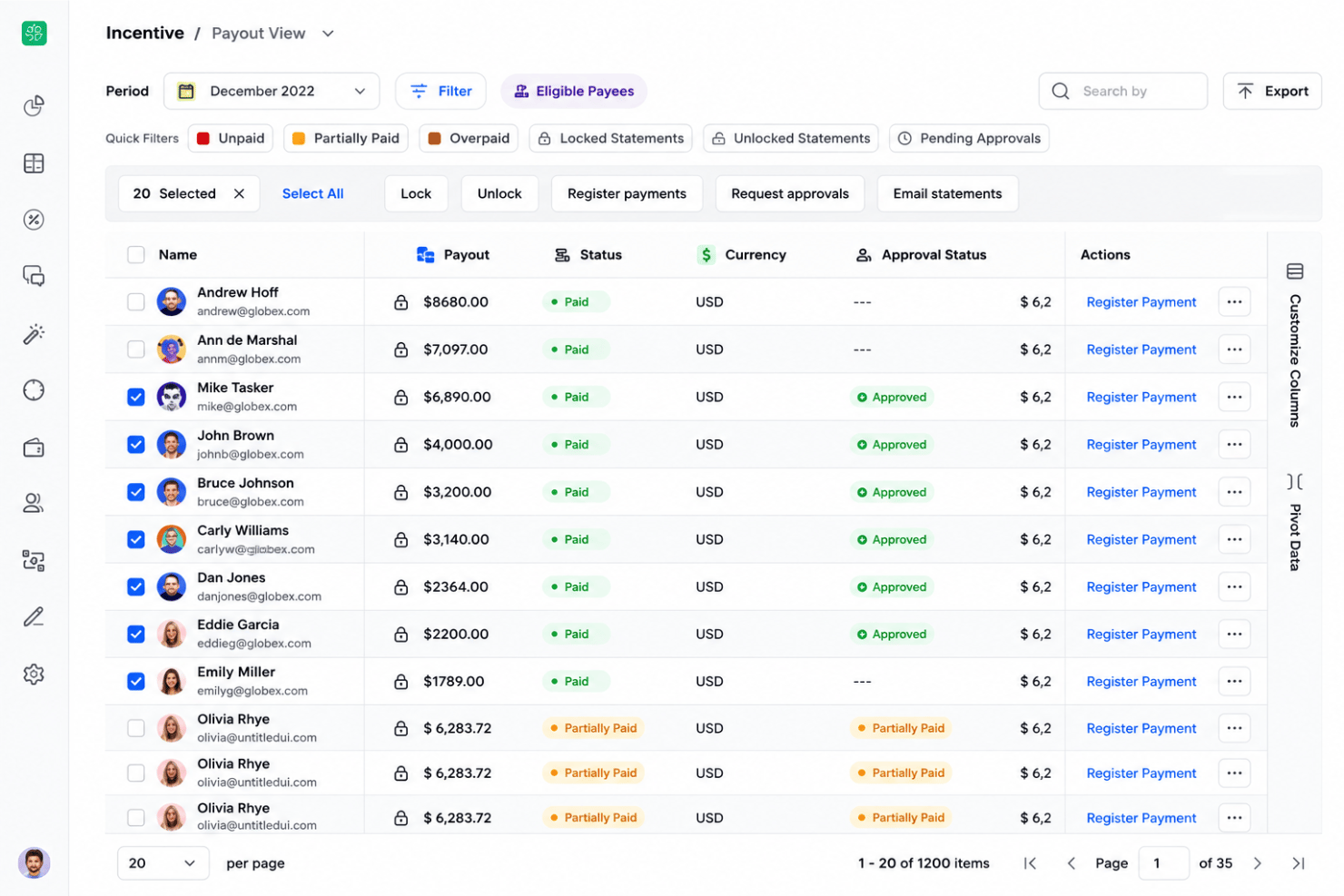
Reps can raise disputes directly within the platform for faster resolution. Leaders get clear visibility into open disputes and their statuses.
SPIFF and Incentive Programs
Launch targeted SPIFFs or contests to boost specific behaviors or outcomes. Everstage tracks and reports on participation and payout eligibility seamlessly.
Commission Forecasting
Everstage lets you project future commissions and earnings based on pipeline data. This gives leadership a forward-looking view for sales planning, covering compensation expenses and sales momentum.
Ease of Use
Everstage impresses with its modern UI and visually clear dashboards, making it less overwhelming than most compensation tools I’ve used. Users report that setting up commission management plans and viewing earnings requires little training. Quick access to progress, dispute workflows, and incentive compensation management tools make Everstage highly usable for both admins and sales reps.
Integrations
Everstage integrates with Salesforce, HubSpot, Microsoft Dynamics CRM, Zoho CRM, Xero, Quickbooks, and Sage Intacct, among others.
Everstage also offers an API and connects with other platforms through database, SFTP, and third-party HR and ERP tools.

Everstage Specs
- 2-Factor Authentication
- API
- Audience Targeting
- Budgeting
- Calendar Management
- Call Recording
- Click-to-Dial
- Contact Management
- Contact Sharing
- Conversion Tracking
- Customer Management
- Dashboard
- Data Export
- Data Import
- Data Visualization
- Email Integration
- Expense Tracking
- External Integrations
- Forecasting
- Google Apps Integration
- Inventory Tracking
- Lead Management
- Lead Scoring
- Marketing Automation
- Multi-User
- Notifications
- Payroll
- Project Management
- Referral Tracking
- Sales Motivator
- Scheduling
- Social-Media Integration
- Supplier Management
- Tax Management
- Third-Party Plugins/Add-Ons
- Travel Management