
23 Best AI Sales Assistant Software Reviewed in 2026

Best AI Sales Assistant Software Shortlist
Here's my pick of the 12 best software from the 23 tools reviewed.


When it comes to revenue operations, you face constant pressure to improve sales efficiency, facilitate sales enablement, and support customer engagement. AI sales assistant software can help. These AI sales tools automate tasks, provide insights, and enhance communication.
I've tested and reviewed various software independently to bring you the best sales performance options available. I understand the challenges you face and the need for reliable solutions.
In this listicle, you'll find unbiased reviews of top AI sales assistants. I'll cover their features, strengths, and how they can benefit your salespeople. Let's explore how these tools can make a real difference in your operations.
Why Trust Our Software Reviews
Best AI Sales Assistant Software Summary
This comparison chart summarizes pricing details for my top AI sales assistant software selections to help you find the best one for your budget and business needs.
| Tool | Best For | Trial Info | Price | ||
|---|---|---|---|---|---|
| 1 | Best for conversational marketing | Free demo available | Price upon request | Website | |
| 2 | Best for sales pipeline management | 14-day free trial available | From $14/seat/month (billed annually) | Website | |
| 3 | Best for email outreach | Free 14-day trial + free demo available | From $30/month (billed annually) | Website | |
| 4 | Best for relationship management | Free plan available | From $134/month (billed annually) | Website | |
| 5 | Best for revenue intelligence | Free trial available | Pricing upon request | Website | |
| 6 | Best for prospecting efficiency | Free demo available | Pricing upon request | Website | |
| 7 | Best for meeting notes automation | Free trial + free demo available | From $29/user/month | Website | |
| 8 | Best for contact insights | Free demo available | Custom pricing upon request | Website | |
| 9 | Best for meeting insights | Free trial available | From $19/month/user | Website | |
| 10 | Best for deal closures | Free demo available | Pricing upon request | Website | |
| 11 | Best for lead generation | Free demo available | From $389/month | Website | |
| 12 | Best for RFP automation | 7-day free trial available | From $8/month | Website |
-

Prisync
Visit WebsiteThis is an aggregated rating for this tool including ratings from Crozdesk users and ratings from other sites.4.7 -
Expedite Commerce
Visit Website -
QuickBooks Online
Visit WebsiteThis is an aggregated rating for this tool including ratings from Crozdesk users and ratings from other sites.4





Best AI Sales Assistant Software Review
Below are my detailed summaries of the best AI sales assistant software that made it onto my shortlist. My reviews offer a detailed look at the key features, pros & cons, integrations, and ideal use cases of each tool to help you find the best one for you.
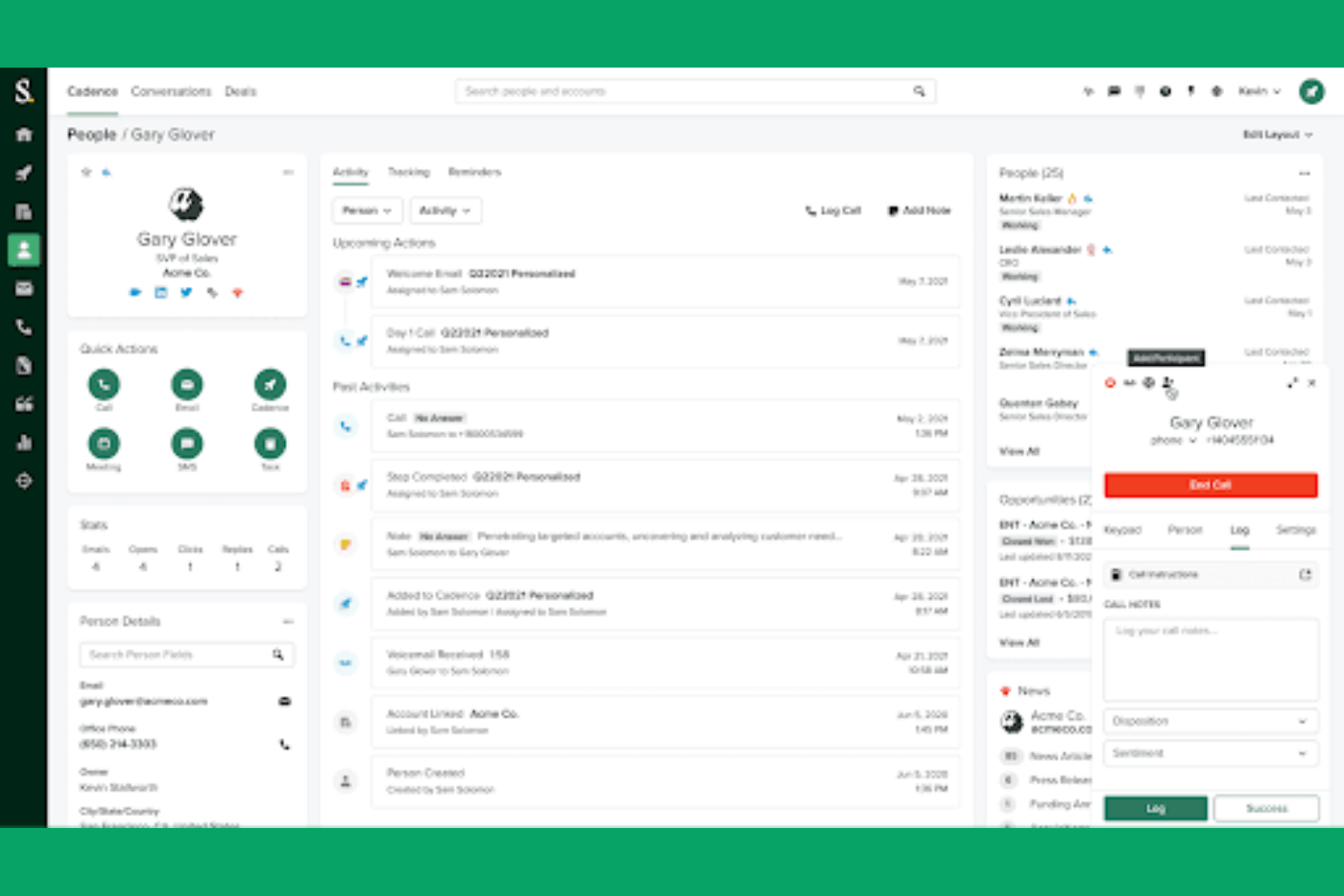
Drift is a conversational marketing platform designed for businesses to engage with website visitors in real-time using chatbots and live chat. It primarily serves sales and marketing teams by facilitating personalized customer interactions and enhancing lead conversion through AI-driven chat features.
Why I picked Drift: Drift excels in conversational marketing by using AI to create personalized chat experiences. Its AI chatbots engage visitors, qualify leads, and route them to your sales team. The platform's ability to automate responses and integrate with CRM systems ensures lead management. Drift's focus on real-time customer interaction aligns perfectly with its USP in conversational marketing.
Standout features & integrations:
Features include real-time chat, lead qualification, and automated meeting scheduling. Drift helps your team capture leads directly from conversations and engage visitors instantly. It also offers analytics to track chat performance and improve engagement strategies.
Integrations include Salesforce, HubSpot, Marketo, Slack, Google Analytics, Zendesk, Intercom, and Microsoft Dynamics 365.
Pros and cons
Pros:
- Automates meeting scheduling
- Mobile app for iOS and Android
- Real-time visitor engagement via AI-powered chatbots
Cons:
- Limited advanced features without upgrades
- Potential for customer frustration if handoffs from bots to human reps are slow

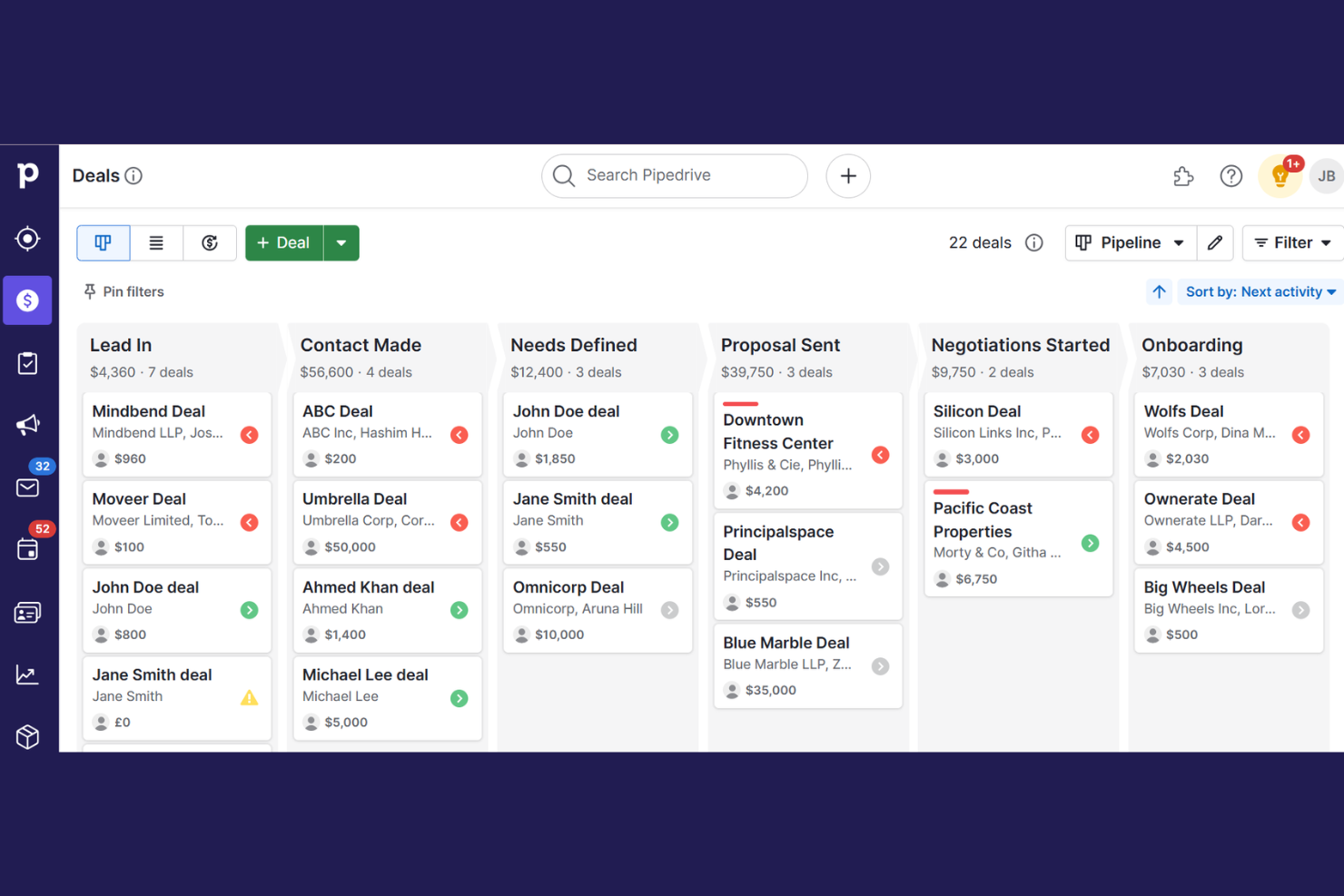
Pipedrive is a customer relationship management (CRM) tool designed for sales teams to manage leads and sales processes. It aids in tracking deals, organizing contacts, and automating repetitive tasks, all while offering AI-powered insights to optimize sales strategies.
Why I picked Pipedrive: Pipedrive excels in managing sales pipelines with its intuitive interface and AI-driven insights. Its AI assistant helps you prioritize leads and provides recommendations to close deals. This tool offers visual sales pipelines that keep your team organized and focused on what matters most. Pipedrive's ability to automate tasks and simplify processes makes it the best for sales pipeline management.
Standout features & integrations:
Features include customizable pipelines, sales reporting, and goal tracking. Pipedrive helps your team manage contacts and track communication history. It also offers mobile access to keep your sales process moving wherever you are.
Integrations include Mailchimp, Slack, Trello, Asana, Google Meet, Outlook, QuickBooks, Xero, and Zapier.
Pros and cons
Pros:
- 500+ integrations to boost workflows
- AI sales assistant AISA
- Built-in AI to improve deal close times
Cons:
- Support limitations on lower plan tiers
- ‘Campaigns’ add-on for email marketing lacks depth

Instantly is an AI-powered email outreach platform designed to help sales teams automate and optimize their email campaigns. It primarily serves businesses looking to increase their email deliverability and open rates through AI-driven insights.
Why I picked Instantly: Instantly excels in email outreach by using AI to optimize send times and personalize content. Its AI features analyze recipient behavior to improve open rates and engagement. The platform's ability to automate follow-ups and track email performance differentiates it from other solutions. These capabilities make Instantly the best choice for teams focused on effective email outreach.
Standout features & integrations:
Features include automated follow-ups, AI-driven send time optimization, and real-time analytics. Instantly helps your team increase email deliverability and engagement. It also provides tools to A/B test email content and strategies.
Integrations include HubSpot, Salesforce, Slack, Outlook, Gmail, Google Sheets, Pipedrive, and Zapier.
Pros and cons
Pros:
- Real-time engagement analytics
- Automated follow-up sequences
- AI-driven email optimization
Cons:
- 100M+ lead database is an add-on
- Experimentation is required to achieve high deliverability and reply rates
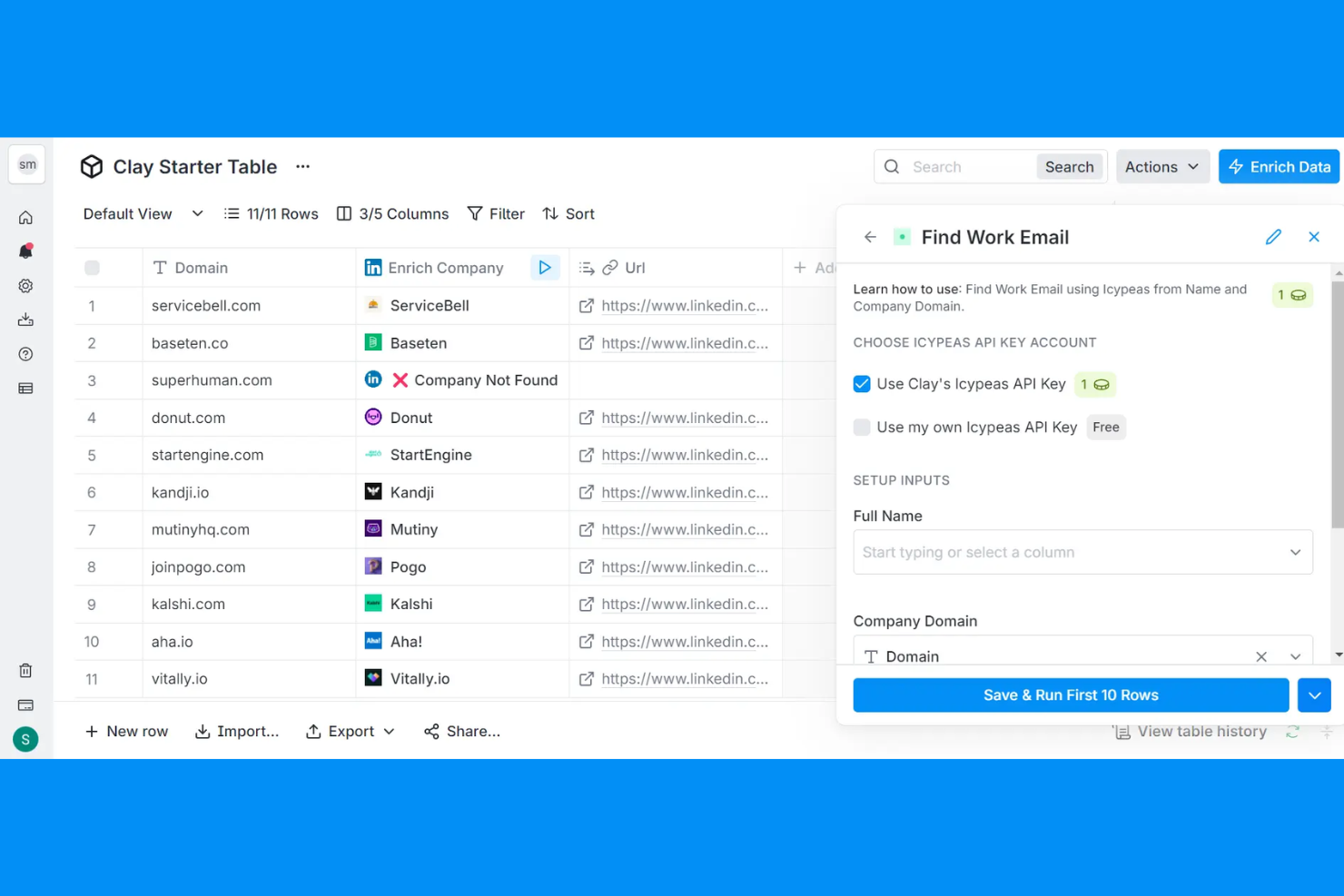
Clay is an AI-driven platform designed to enhance relationship management by leveraging data to improve go-to-market strategies. It primarily serves sales and marketing teams seeking to enrich leads and automate outreach.
Why I picked Clay: Clay's AI capabilities focus on relationship management through data integration and personalized communication. The platform's AI tools, like Claygent and Sequencer, automate research and email outreach, helping your team maintain strong connections with prospects. Signals and Audiences provide real-time insights into job changes and social mentions, keeping your team informed. These features make Clay ideal for managing and nurturing relationships.
Standout features & integrations:
Features include dynamic workflows, AI-powered lead enrichment, and intent signals. Clay helps your team automate repetitive tasks and personalize outreach. It also supports account-based marketing strategies to enhance your go-to-market efforts.
Integrations include Salesforce, HubSpot, LinkedIn, Microsoft Dynamics 365, Google Sheets, Slack, and Outlook.
Pros and cons
Pros:
- Real-time contact enrichment
- Automates lead enrichment
- Unified contact data in a centralized location
Cons:
- Data accuracy varies by source
- No free trial for all features

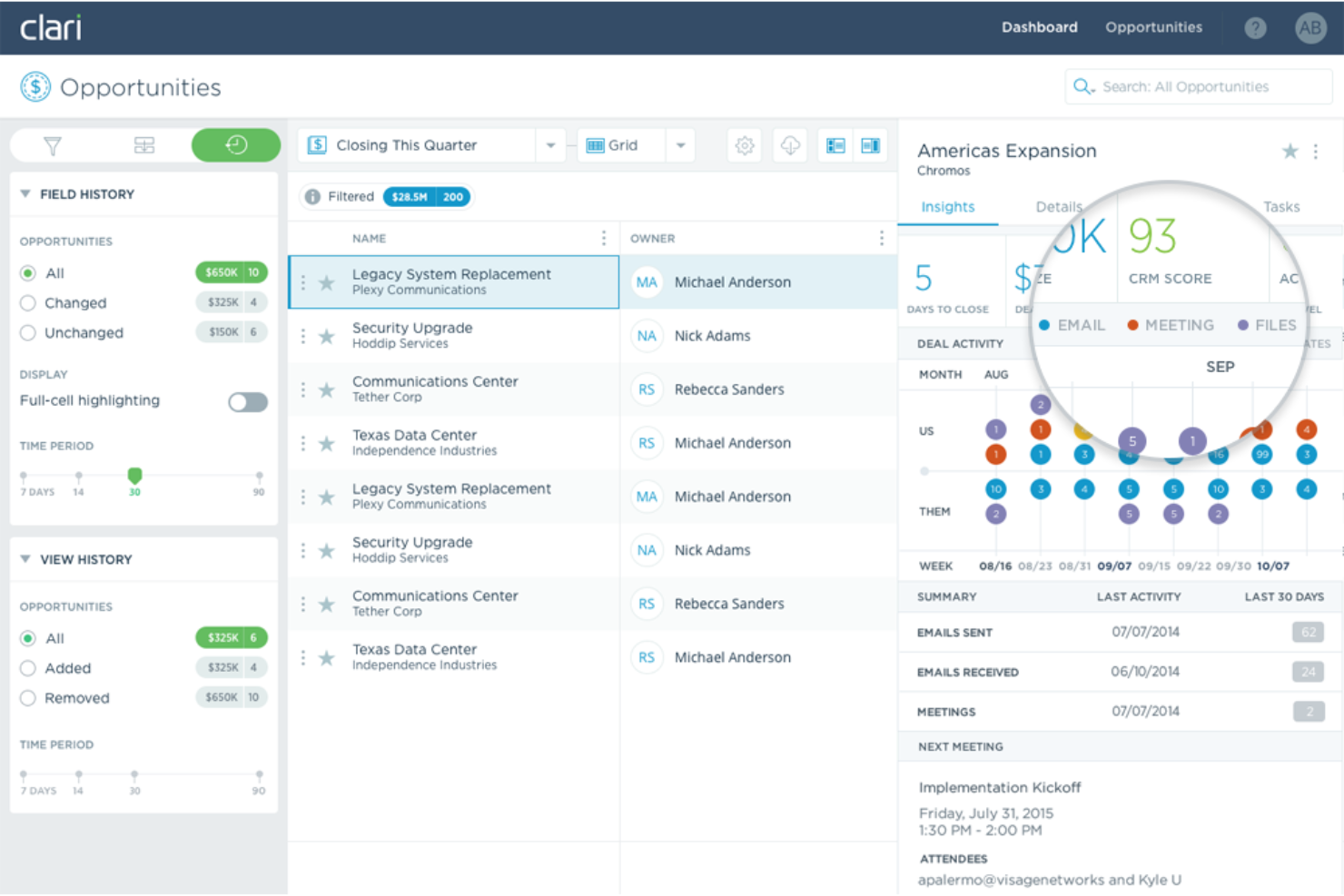
Clari is an AI-driven platform designed for enterprise revenue orchestration, enhancing sales productivity and forecasting accuracy. It serves sales, marketing, and finance teams across various industries like technology and healthcare.
Why I picked Clari: Clari's AI capabilities focus on revenue intelligence, using AI-driven insights to guide sellers and improve forecasting. Revenue AI Agents and real-time data capture differentiate it from other tools, offering precise opportunity management and sales engagement. These features align with Clari's USP of being the best for revenue intelligence. The platform's capacity to manage over $5 trillion in revenue for clients showcases its scalability and effectiveness.
Standout features & integrations:
Features include real-time data capture, opportunity management, and conversation intelligence. Clari's AI guides your team with insights for improved forecasting. It also offers sales engagement tools to enhance productivity.
Integrations include Salesforce, Microsoft Exchange, Outlook, HubSpot, Zoom, Google Workspace, HubSpot, LinkedIn, Microsoft Teams, Slack, Google Sheets, and Marketo.
Pros and cons
Pros:
- Sales engagement tools for prospecting and sales execution
- AI provides accurate sales forecasts to mitigate deal risks
- Real-time data capture and unification of sales activity data
Cons:
- Dependency on CRM hygiene
- Implementation often involves professional services that can incur additional costs

Artisan is an AI-powered sales automation platform designed to automate the entire prospecting and initial outreach workflow. It primarily serves sales teams looking to enhance outbound prospecting efficiency with AI-driven lead generation and automated outreach.
Why I picked Artisan: Its AI capabilities focus on providing actionable insights for optimizing outbound campaigns, making it ideal for sales teams. The platform's AI analyzes B2B lead data to deliver personalized outreach. Its ability to optimize the lead generation workflow differentiates it from other tools. These features align with Artisan's USP of being best for prospecting efficiency.
Standout features & integrations:
Features include lead discovery and enrichment, automated outreach, and meeting booking. Artisan’s AI helps your team refine targeting and messaging strategies. It also offers tools to measure campaign effectiveness over time.
Integrations include Salesforce, HubSpot, Slack, Gmail, Outlook, Calendly, and Zapier.
Pros and cons
Pros:
- Centralized lead generation and outreach activities
- Built-in tools for email warm-up and sender reputation monitoring
- Highly personalized prospect outreach at scale
Cons:
- Limited multichannel support
- Pricing details are not transparent


Avoma is an AI-powered meeting assistant designed to help teams automate note-taking and improve meeting productivity. It primarily serves sales, customer success, and product teams by transcribing meetings and providing actionable insights.
Why I picked Avoma: Avoma's AI capabilities focus on automating meeting notes and extracting key insights, making it invaluable for teams looking to enhance meeting efficiency. Its AI transcribes conversations and highlights important topics, ensuring your team captures everything discussed. The platform also provides sentiment analysis to gauge participant engagement. These features align with Avoma's USP of being best for meeting notes automation.
Standout features & integrations:
Features include real-time transcription, sentiment analysis, and topic tracking. Avoma helps your team capture every detail of meetings without manual effort. It also offers tools to review and share meeting summaries for improved collaboration.
Integrations include Salesforce, HubSpot, Slack, Zoom, Microsoft Teams, Google Meet, Zoho CRM, and Pipedrive.
Pros and cons
Pros:
- Searchable meeting recordings and shareable snippets
- Provides sentiment analysis
- AI-generated time-stamped meeting summaries and notes
Cons:
- Reports of slow processing and sync delays
- Limited customization for specific user cases


UserGems is a sales intelligence platform designed to help sales teams track and engage with key contacts. It primarily serves sales and marketing professionals by enhancing prospecting and customer retention through AI-driven insights.
Why I picked UserGems: UserGems excels at providing contact insights, making it valuable for sales teams. Its AI tracks job changes and updates contact information automatically, ensuring your data is always current. This feature helps your team maintain relationships and identify new opportunities. UserGems' ability to alert you to key contact movements sets it apart in the realm of sales intelligence.
Standout features & integrations:
Features include automated contact updates, job change alerts, and insight-driven prospecting. UserGems helps your team stay connected with key contacts. It also supports account-based marketing strategies.
Integrations include Salesforce, HubSpot, Marketo, Outreach, and Salesloft.
Pros and cons
Pros:
- Often provides an ROI guarantee in contracts
- Warm lead identification to avoid cold email efforts
- Automated contact tracking
Cons:
- Requires strong sales discipline
- Underlying data sources can require manual verification

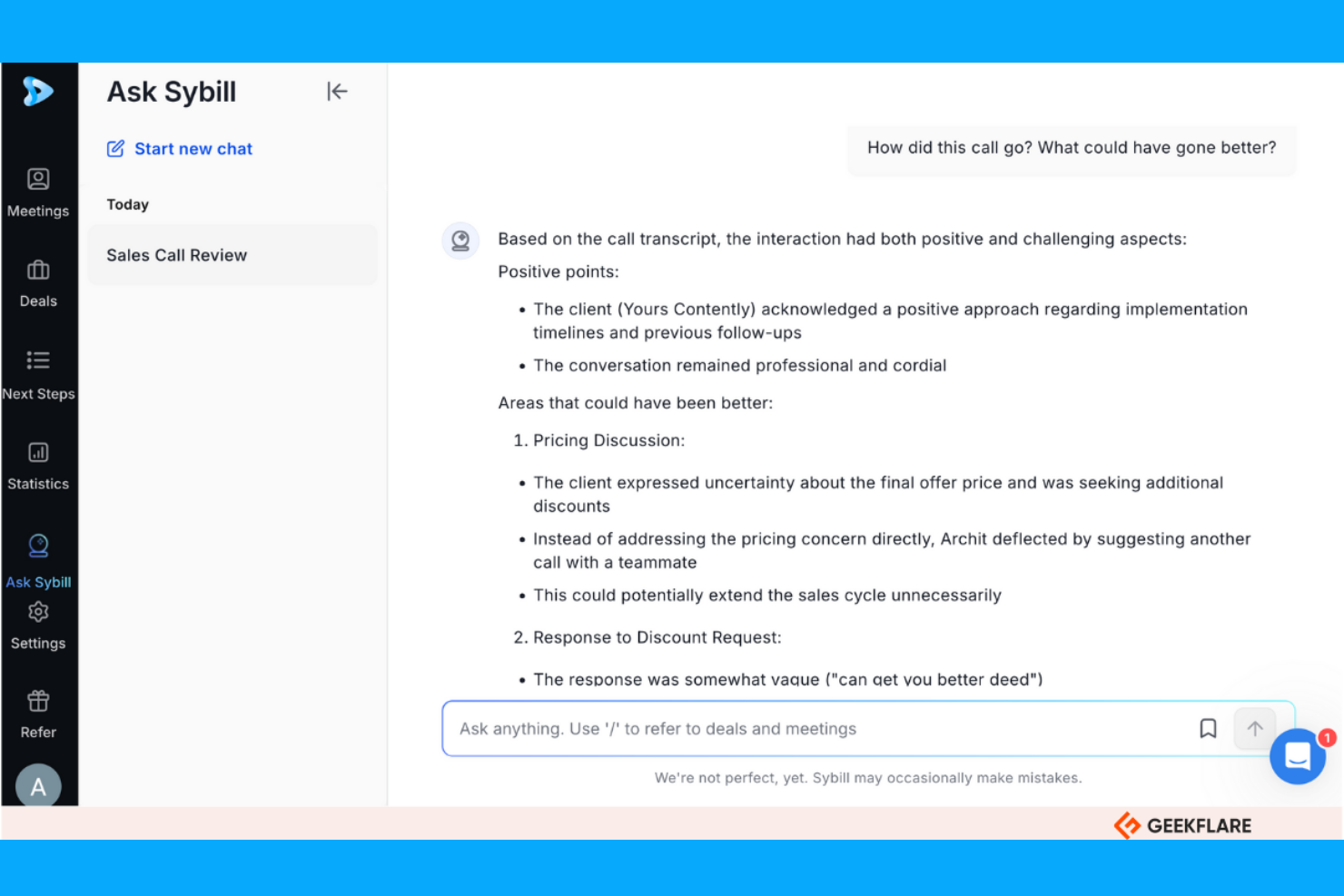
Sybill is an AI-powered platform designed to provide insights from meetings, helping sales teams improve their communication strategies. It primarily serves sales professionals by analyzing conversations to extract actionable insights and enhance client relationships.
Why I picked Sybill: Sybill's AI capabilities focus on delivering detailed meeting insights, making it perfect for teams looking to refine their communication. Its AI analyzes tone, sentiment, and key moments in conversations, offering a deeper understanding of client interactions. This helps your team capture important details and improve follow-up actions. Sybill's ability to provide real-time feedback during meetings sets it apart from other solutions.
Standout features & integrations:
Features include real-time feedback, sentiment analysis, and conversation highlights. Sybill helps your team identify key discussion points and assess client engagement. It also offers tools to record and review meetings for continuous improvement.
Integrations include Salesforce, HubSpot, Slack, Zoom, Microsoft Teams, Google Meet, Webex, Pipedrive, and Outlook.
Pros and cons
Pros:
- Deal history analysis provides deal health and risks insights
- ‘Magic Summaries’ feature provides sales-specific summaries
- In-depth conversation analysis
Cons:
- Requires training for optimal use
- Reliance on video feeds for some metrics
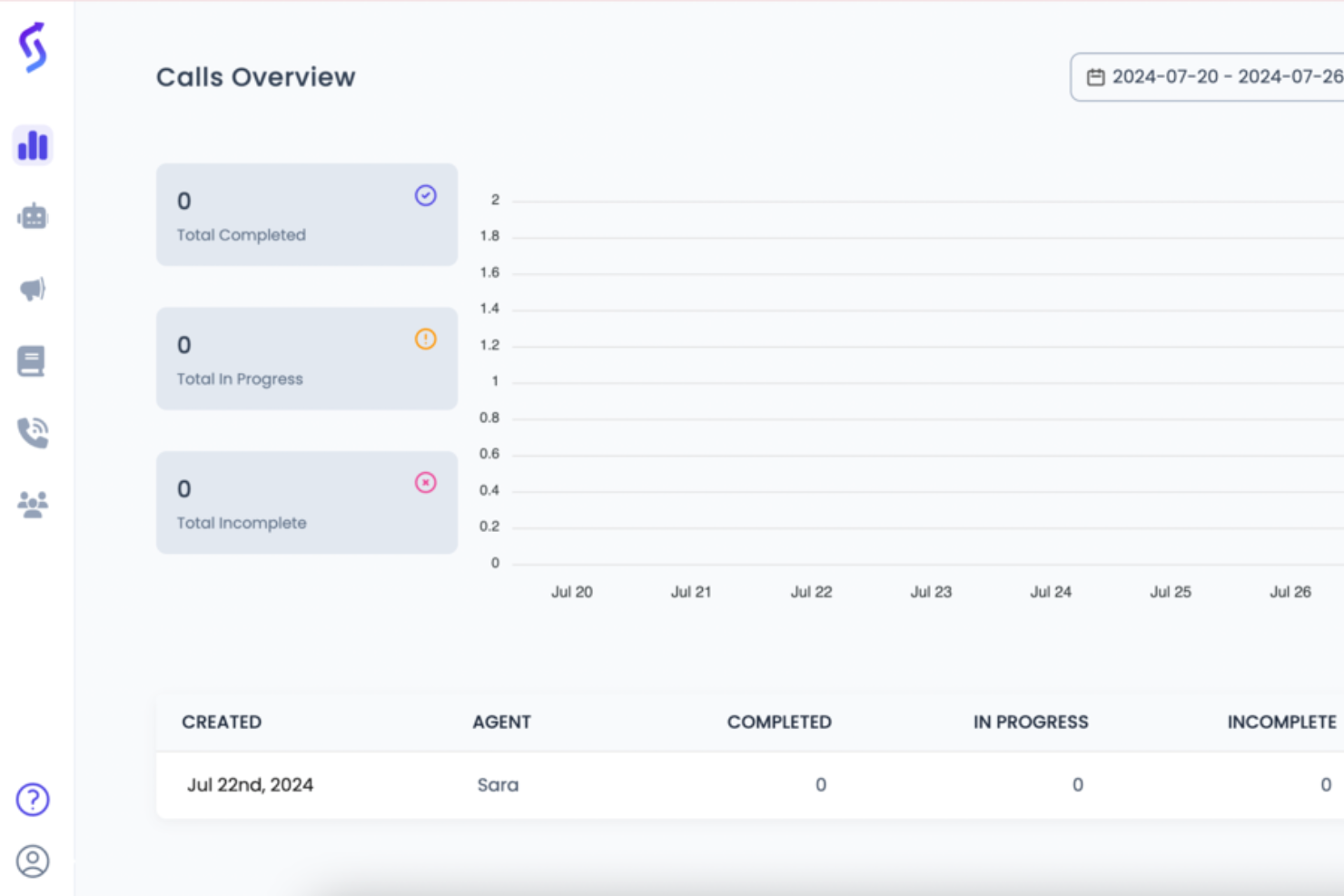
Sales Closer AI is an AI-driven sales tool that automates and enhances sales processes for businesses across various industries, including real estate, e-commerce, education, insurance, and healthcare. It focuses on lead qualification, onboarding assistance, and personalized customer support to improve sales efficiency and maximize ROI.
Why I picked Sales Closer AI: Sales Closer AI excels at closing deals by leveraging AI to automate repetitive sales tasks and provide personalized interactions. Its AI virtual assistant agents handle lead qualification and customer inquiries, allowing your team to focus on high-value activities. The platform's ability to provide 24/7 engagement with leads enhances customer experience and boosts conversion rates. These features align with its USP of being best for deal closures.
Standout features & integrations:
Features include automated lead qualification, personalized onboarding, and AI-driven customer support. Sales Closer AI helps your team manage routine inquiries efficiently and engage with leads continuously. It also offers tools to train AI agents with company-specific knowledge.
Integrations include Salesforce, HubSpot, Pipedrive, Slack, Mailchimp, LinkedIn, Gmail, and Calendly.
Pros and cons
Pros:
- Automates routine sales tasks
- 24/7 customer engagement
- Efficient lead qualification
Cons:
- No free trial for paid tiers
- AI agents can provide generic interactions

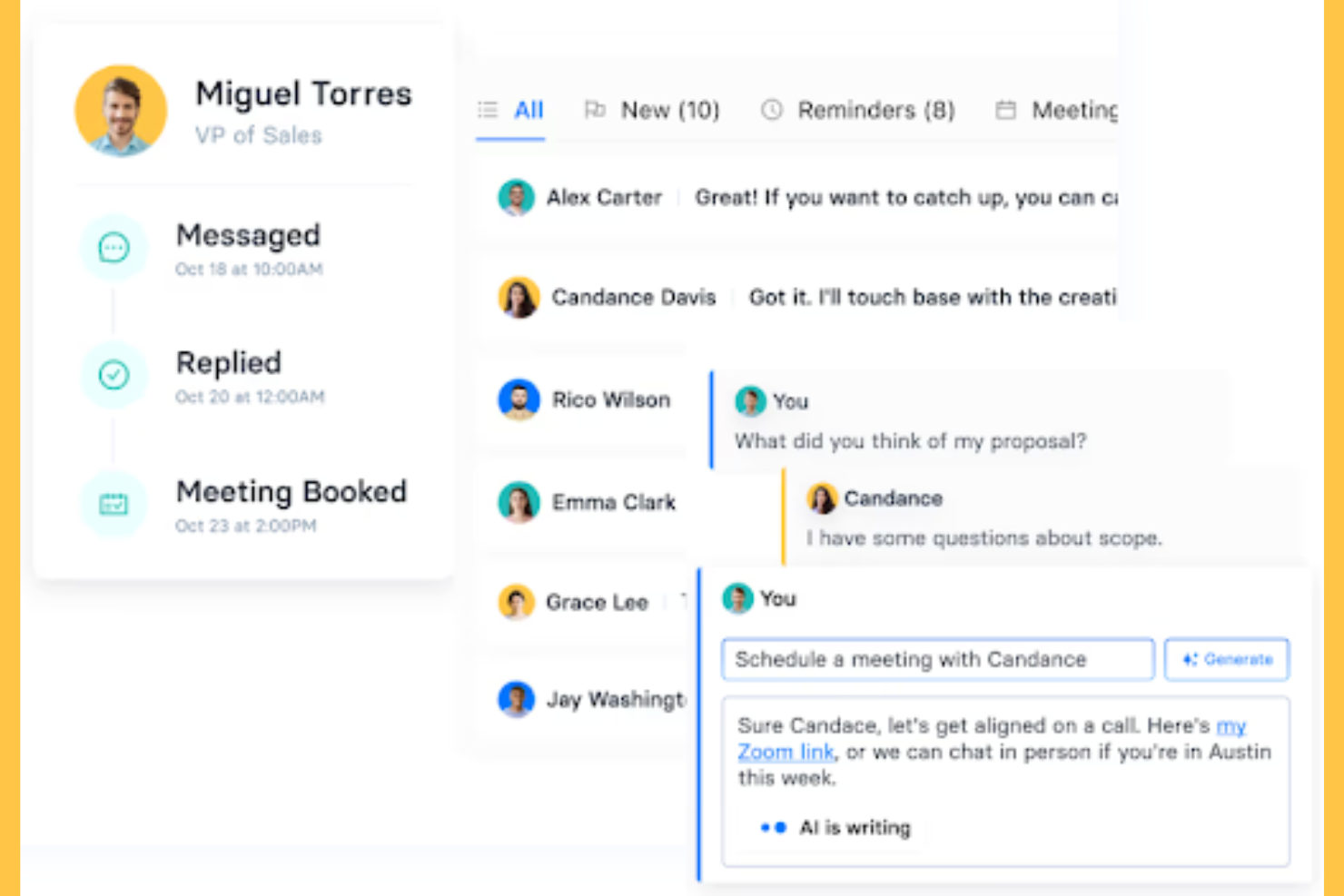
CoPilot AI is a lead generation platform that leverages AI to connect sales teams with potential clients. It mainly serves small to medium-sized businesses looking to enhance their outreach and engagement efforts.
Why I picked CoPilot AI: CoPilot AI excels in lead generation by using AI to automate outreach and personalize engagement. Its AI-driven tools help your team identify and connect with prospects efficiently. The platform's ability to personalize messaging and manage outreach campaigns sets it apart. These features align with CoPilot AI's USP of being best for lead generation.
Standout features & integrations:
Features include automated outreach, personalized messaging, and campaign management tools. CoPilot AI helps your team identify high-quality leads. It also offers analytics to track engagement and performance.
Integrations include Salesforce, HubSpot, LinkedIn, Slack, and Gmail.
Pros and cons
Pros:
- Dedicated account managers
- Personalized engagement tools
- Automated connection requests and follow-up messages across LinkedIn and email
Cons:
- Potential for unqualified leads due to AI inconsistencies
- Risk of spamming with automated outreach

Loopio is a request for proposal (RFP) response platform designed to help businesses automate and manage the RFP process. It primarily serves sales and proposal teams by streamlining content management and collaboration to enhance efficiency and accuracy.
Why I picked Loopio: Loopio excels in automating RFP responses with its AI-driven content library and smart search features. The platform's AI capabilities help your team find relevant content and ensure consistency across proposals. Loopio's collaborative workspace allows multiple team members to work on responses simultaneously. These features make it the best choice for automating RFP processes.
Standout features & integrations:
Features include a centralized content library, smart search functionality, and collaborative workspaces. Loopio helps your team maintain consistency and accuracy in proposal responses. It also offers analytics to track response performance and improve future submissions.
Integrations include Salesforce, Microsoft Dynamics 365, Slack, Microsoft Teams, Google Drive, SharePoint, Box, Dropbox, OneDrive, HubSpot, Okta, and Microsoft Azure.
Pros and cons
Pros:
- Smart search for quick content retrieval
- Efficient collaborative workspaces
- AI-powered RFP first drafts
Cons:
- Requires ongoing content updates
- Prohibitive pricing for small
Other AI Sales Assistant Software
Here are some additional AI sales assistant software options that didn’t make it onto my shortlist, but are still worth checking out:
- Dialpad
For voice intelligence
- Outreach
For sales engagement
- Saleshandy
For email tracking
- Cognism
For B2B lead generation
- Seamless.AI
For contact data accuracy
- Reply.io
For multichannel sequences
- Otter
For meeting transcription
- Apollo.io
For prospecting and outreach
- Gong
For sales call analysis
- Spotio
For field sales teams
- Salesforce
For CRM integration


AI Sales Assistant Software Selection Criteria
When selecting the best AI sales assistant software to include in this list, I considered common buyer needs and time-consuming pain points like improving lead qualification, sales outreach, and enhancing customer engagement. I also used the following framework to keep my evaluation structured and fair:
Core Functionality (25% of total score)
To be considered for inclusion in this list, each solution had to fulfill these common use cases:
- Lead qualification
- Sales forecasting
- Customer engagement
- Meeting scheduling
- Data analysis
Additional Standout Features (25% of total score)
To help further narrow down the competition, I also looked for unique features, such as:
- Real-time sentiment analysis
- Predictive analytics
- Multi-channel communication
- AI-driven recommendations
- Customizable dashboards
Usability (10% of total score)
To get a sense of the usability of each system, I considered the following:
- Intuitive interface design
- Easy navigation
- Minimal learning curve
- Clear instructions and prompts
- Responsive performance
Onboarding (10% of total score)
To evaluate the onboarding experience for each platform, I considered the following:
- Availability of training videos
- Interactive product tours
- Access to templates
- Webinars for guidance
- Chatbots for immediate assistance
Customer Support (10% of total score)
To assess each software provider’s customer support services, I considered the following:
- Availability of live chat support
- 24/7 customer service
- Complete help center
- Responsive email support
- Access to dedicated account managers
Value For Money (10% of total score)
To evaluate the value for money of each platform, I considered the following:
- Competitive pricing
- Features offered at each price tier
- Flexibility in subscription plans
- Discounts for annual billing
- Free trial or demo availability
Customer Reviews (10% of total score)
To get a sense of overall customer satisfaction, I considered the following when reading customer reviews:
- User satisfaction ratings
- Commonly mentioned benefits
- Reported issues or bugs
- Feedback on customer support
- Overall recommendation likelihood
How to Choose AI Sales Assistant Software
It’s easy to get bogged down in long feature lists and complex pricing structures. To help you stay focused as you work through your unique software selection process, here’s a checklist of factors to keep in mind:
| Factor | What to Consider |
|---|---|
| Scalability | Can the software grow with your business? Check if it supports additional users and features as your needs expand. Avoid solutions that may limit future growth. |
| Integrations | Does it connect with your existing tools? Ensure compatibility with your CRM, email, and other key systems to avoid data silos and workflow disruption. |
| Customizability | Can you tailor it to your processes? Look for flexible settings that let you adjust workflows, dashboards, and reports to fit your team's unique needs. |
| Ease of use | Is it user-friendly for your team? Assess the learning curve and whether the interface is intuitive enough for quick adoption without extensive training. |
| Implementation and onboarding | How smooth is the setup process? Consider the time and resources needed to get started, including any available support or training materials to aid your transition. |
| Cost | Does it fit your budget? Compare the price to your budget and expected ROI. Be wary of hidden fees or costs that could arise as you scale or add features. |
| Security safeguards | Are your data protected? Verify if the software complies with industry standards like encryption and access controls to keep sensitive information safe. |
| Support availability | Will you get help when needed? Check for 24/7 support options, response times, and the availability of dedicated account managers to assist with any issues. |
What Is AI Sales Assistant Software?
AI sales assistant software is a tool that uses artificial intelligence to automate and enhance various aspects of the sales workflow. Sales professionals, including sales reps and sales leaders, generally use these automation tools to boost efficiency and improve customer interactions within the sales cycle. Features like lead scoring, predictive analytics, and automated communications help with identifying high-value prospects, forecasting sales, and engaging customers. Overall, these tools provide significant value by saving time and improving the accuracy of sales efforts.
Features
When selecting AI sales assistant software, keep an eye out for the following key features:
- Lead scoring: Uses AI to evaluate and prioritize leads based on their likelihood to convert, helping your team focus on high-value prospects.
- Predictive analytics: Analyze historical sales data to forecast future sales trends, aiding in strategic decision-making and planning.
- Automated communications: Automate routine sales emails and messages, ensuring timely and consistent engagement with leads and customers.
- Sentiment analysis: Assesses the tone and emotion in customer interactions to provide insights into client satisfaction and engagement.
- Real-time transcription: Transcribes meetings and calls instantly, allowing for accurate record-keeping, call summaries, and easy reference.
- Conversation insights: Analyze sales call recordings to identify successful tactics and areas for improvement, enhancing team performance.
- Smart scheduling: Automates meeting scheduling based on availability, reducing back-and-forth communication and saving time.
- Customizable dashboards: Offer tailored views and reports, enabling users to focus on the most relevant metrics and data.
- AI-driven recommendations: Provide actionable suggestions for next steps in the sales process, optimizing strategies and outcomes.
Benefits
Implementing AI sales assistant software provides several benefits for your team and your business. Here are a few you can look forward to:
- Increased efficiency: Automates routine tasks like email follow-ups, email sequences, and meeting scheduling, freeing up time for your team to focus on closing deals.
- Improved accuracy: Uses predictive analytics within AI-powered tools to forecast sales trends, helping you make informed decisions and reduce guesswork.
- Enhanced customer engagement: Provides personalized communication through AI-driven insights, ensuring more meaningful interactions with clients through data enrichment.
- Better lead prioritization: Utilizes lead scoring to identify high-value prospects, enabling your team to concentrate efforts where they matter most.
- Deeper insights: Offer conversation analysis and sentiment tracking, giving you a better understanding of customer needs and areas for improvement.
- Faster onboarding: Simplifies the integration of new team members with automated training resources and intuitive interfaces.
- Cost savings: Reduce the need for manual labor in data entry and analysis, lowering operational costs and increasing profitability.
Costs & Pricing
Selecting AI sales assistant software requires an understanding of the various pricing models and plans available. Costs vary based on features, team size, add-ons, and more. The table below summarizes common plans, their average prices, and typical features included in AI sales assistant software solutions:
Plan Comparison Table for AI Sales Assistant Software
| Plan Type | Average Price | Common Features |
|---|---|---|
| Free Plan | $0 | Basic lead tracking, limited email automation, and simple reporting. |
| Personal Plan | $15-$99 | Advanced personalized email automation, AI insights, real-time coaching, and customizable dashboards. |
| Business Plan | $100-$350+ | Full CRM integration, predictive analytics, and multi-channel communication. |
| Enterprise Plan | $400-$2,500+ | Custom AI models, dedicated support, and advanced security features. |
AI Sales Assistant Software FAQs
Here are some answers to common questions about AI sales assistant software:
Can AI sales assistants help with data privacy compliance?
Yes, AI sales assistants can help with data privacy compliance. Many tools offer features that align with GDPR, CCPA, and other regulations. It’s essential to review the software’s privacy policies and data handling practices to ensure they meet your company’s requirements. Look for features like data encryption, user consent management, and audit logs. These tools can assist your team in maintaining compliance while managing customer data.
How do I measure ROI with AI sales assistant software?
To measure ROI, start by setting clear objectives like increased lead conversion or reduced response time. Track key performance indicators (KPIs) such as sales growth, time saved, and customer satisfaction. Use the software’s analytics to gather data and compare it to your goals. Regularly review these metrics to assess the software’s impact on your sales process. Calculating ROI helps you understand the tool’s value and informs future investment decisions.
How do AI sales assistants help simplify sales reporting for RevOps teams?
AI sales assistants can automate data entry, follow-up emails, and reporting, so you get real-time insights without manual work. They pull sales activities, deal statuses, and outcomes into easy-to-read dashboards. This makes it easier for RevOps teams to monitor pipeline health, compare rep performance, and identify bottlenecks faster.
Can AI sales assistants analyze sales call data for coaching and improvement?
Yes, most AI sales assistants can review sales call transcripts and surface key trends. These tools flag important moments, provide sentiment analysis, and highlight where reps can improve. RevOps teams use this feedback to guide targeted coaching and help teams close more deals.
How quickly can RevOps teams expect to see impact from AI sales assistant tools?
You may notice initial improvements within a few weeks, depending on how quickly your team adopts the tool. Early wins often show up as cleaner data, faster pipeline reviews, and increased follow-up rates. More significant changes in deal velocity or conversion rates may take a few months to fully realize.
What’s Next:
If you're in the process of researching AI sales assistant software, connect with a SoftwareSelect advisor for free recommendations.
You fill out a form and have a quick chat where they get into the specifics of your needs. Then you'll get a shortlist of software to review. They'll even support you through the entire buying process, including price negotiations.