

10 migliori CRM per Mac recensiti nel 2026

Elenco dei migliori CRM per Mac


Scegliere il software CRM giusto è fondamentale per qualsiasi azienda, soprattutto per gli utenti Mac che cercano un'integrazione fluida con il proprio ecosistema. Non tutti i CRM sono progettati per le piattaforme Mac, il che può rendere un po' difficile trovare il software giusto.
Grazie alla mia lunga esperienza nelle operazioni sui ricavi e nel software CRM, ho testato e recensito alcuni dei migliori CRM per Mac per aiutare i team nel processo di acquisto del software. Che siate titolari di una piccola impresa o facciate parte di un'organizzazione più grande, le mie analisi vi aiuteranno a trovare un CRM che migliori la produttività e le relazioni con i clienti sui vostri dispositivi Mac.
Perché fidarsi dei nostri consigli sui software
Le nostre recensioni riflettono il nostro giudizio indipendente, non un discorso di vendita. Scopri come manteniamo la trasparenza.
Per questa guida, abbiamo valutato gli strumenti attraverso test pratici e ricerche indipendenti, assegnando un punteggio agli strumenti in base ai nostri criteri di selezione.
Le nostre recensioni riflettono il nostro giudizio editoriale umano, non un discorso di vendita.
Riepilogo dei migliori CRM per Mac
| Tool | Best For | Trial Info | Price | ||
|---|---|---|---|---|---|
| 1 | Ideale per l'intelligenza relazionale integrata | Prova gratuita di 30 giorni + demo gratuita disponibile | Da $29/utente/mese (fatturato annualmente) | Website | |
| 2 | Ideale per l'automazione della pipeline di vendita | Prova gratuita disponibile | A partire da $12/utente/mese (fatturazione annuale) | Website | |
| 3 | Ideale per flussi di lavoro CRM no-code | Demo gratuita disponibile | Da $40/mese (5 utenti) | Website | |
| 4 | Ideale per soluzioni di marketing tutto-in-uno | Piano gratuito + demo gratuita disponibile | A partire da $11.04/utente/mese (fatturazione biennale) | Website | |
| 5 | Ideale per l’integrazione con i social media | Prova gratuita di 14 giorni | Da $25/utente/mese (fatturazione annuale) | Website | |
| 6 | Ideale per il monitoraggio delle relazioni con i clienti | Prova gratuita di 30 giorni | Da $29/utente/mese | Website | |
| 7 | Ideale per la personalizzazione completa | Prova gratuita di 30 giorni | Da $25/utente/mese (fatturato annualmente) | Website | |
| 8 | Ideale per le funzionalità di gestione dei progetti | Prova gratuita di 14 giorni + demo gratuita disponibile | A partire da $29/utente/mese (con fatturazione annuale) | Website | |
| 9 | Ideale per la gestione dei contatti | Prova gratuita disponibile | A partire da $65/mese (fatturato annualmente) | Website | |
| 10 | Ideale per l'automazione integrata del marketing | Piano gratuito disponibile | A partire da $8.99/utente/mese | Website |


Recensioni dei migliori CRM per Mac
Questa analisi approfondita offre una panoramica di ciascuno dei migliori software CRM per Mac. Illustra i vantaggi e gli svantaggi, le funzionalità e i casi d’uso più indicati per ogni strumento.

Ideale per l'intelligenza relazionale integrata
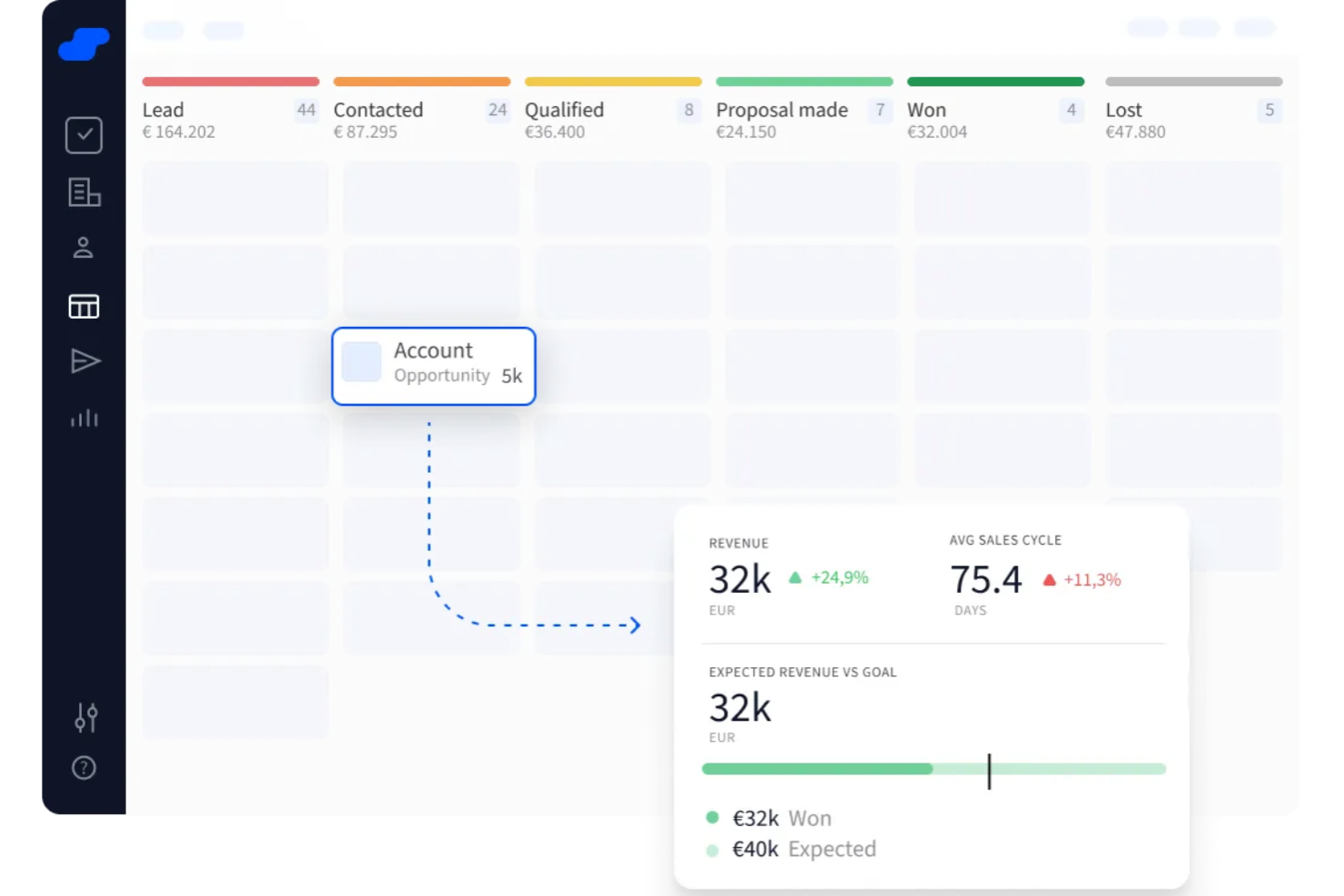
Salesflare è una piattaforma di Customer Relationship Management (CRM) per Mac che aiuta le piccole e medie imprese B2B ad automatizzare l'inserimento dei dati e a organizzare le interazioni con i clienti. Il suo punto di forza consiste nel raccogliere automaticamente tutte le informazioni di cui il tuo team ha bisogno, così puoi concentrarti sulla costruzione delle relazioni invece che sull'aggiornamento dei record.
Perché ho scelto Salesflare: Ho scelto Salesflare per la sua intelligenza relazionale integrata. Invece di affidarsi all'inserimento manuale dei dati, la piattaforma compila automaticamente email, eventi del calendario e chiamate in una cronologia completa dei contatti. Questa funzionalità ti garantisce sempre il contesto necessario quando contatti potenziali clienti o clienti effettivi. Ho apprezzato anche le pipeline di vendita visive, che facilitano il monitoraggio delle trattative, l'individuazione dei colli di bottiglia e la gestione delle opportunità verso la chiusura.
Funzionalità e integrazioni principali
Le funzionalità includono sequenze email automatiche per coltivare i lead, arricchimento dei dati che completa i dettagli di contatto mancanti e un'estensione Chrome per un accesso rapido durante il lavoro online.
Le integrazioni includono Better Proposals, Emailable, Leadinfo, StoryChief, SyncPenguin, Voxloud, CatchApp Bookings, Google Sheets, Intercom, MailChimp, QuickBooks Online e Slack.
Pros and Cons
Pros:
- Arricchimento automatico dei dati
- Monitoraggio visivo delle pipeline
- Sequenze email integrate
Cons:
- Personalizzazione limitata della dashboard
- Funzionalità di reportistica basilari

Ideale per l'automazione della pipeline di vendita
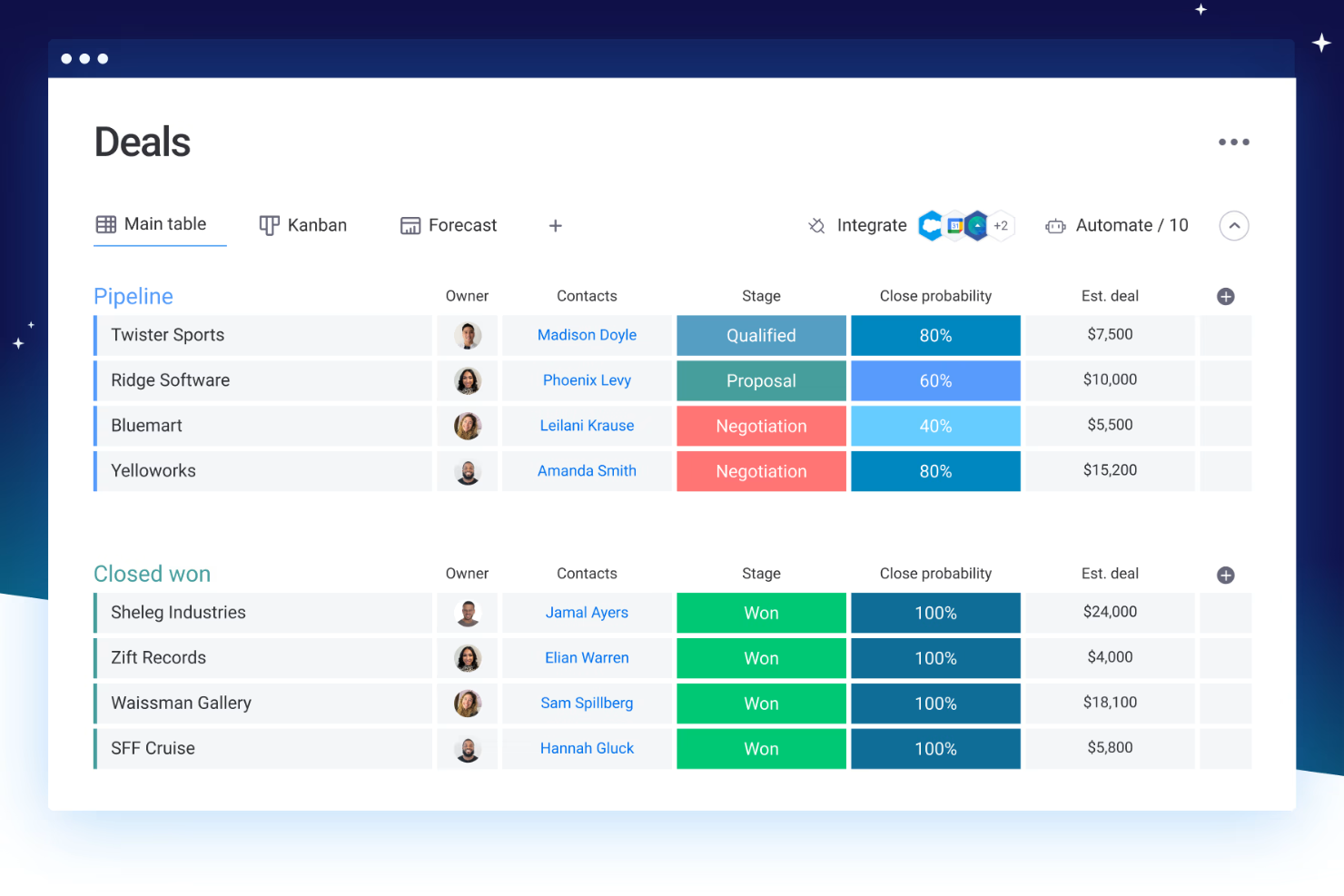
monday CRM è un CRM potenziato dall'IA progettato per gestire pipeline di vendita, automatizzare i flussi di lavoro e allineare le operazioni di vendita. La sua struttura senza codice e l'interfaccia compatibile con Mac lo rendono una scelta eccellente per piccoli team o aziende in crescita che cercano un approccio flessibile e visivo alla gestione delle vendite e dei clienti.
Perché ho scelto monday CRM: Ho scelto monday CRM per le sue funzionalità di automazione e il design intuitivo. È l'ideale per i team che desiderano un approccio visivo e drag-and-drop alle vendite. Le recenti funzionalità IA, come dashboard intelligenti, classificazione dei lead e email generate automaticamente, semplificano i flussi di lavoro e aumentano la produttività.
Funzionalità e integrazioni principali:
Le funzionalità includono automazione IA, gestione dei contatti, monitoraggio dei progetti, dashboard e strumenti per invii massivi di email.
Le integrazioni comprendono Slack, Gmail, Outlook, Microsoft Teams, Mailchimp, GitLab, Excel, NetSuite, Salesforce, HubSpot, ChatGPT (OpenAI), DocuSign, Google Drive e altre ancora.
Pros and Cons
Pros:
- Interfaccia intuitiva drag-and-drop che facilita l'usabilità
- Strumenti di collaborazione avanzati migliorano la comunicazione del team
- Offre una varietà di visualizzazioni per la gestione delle attività
Cons:
- Capacità di reportistica limitate
- Gli strumenti di filtraggio delle attività possono essere limitanti
New Product Updates from monday CRM

monday CRM Adds Meta Conversions API Integration
monday CRM now lets you connect Meta Conversions API and sync lead status back to Meta, improving targeting and conversions via a new Meta integration automation recipe. For more information, visit monday CRM's official site.

Ideale per flussi di lavoro CRM no-code
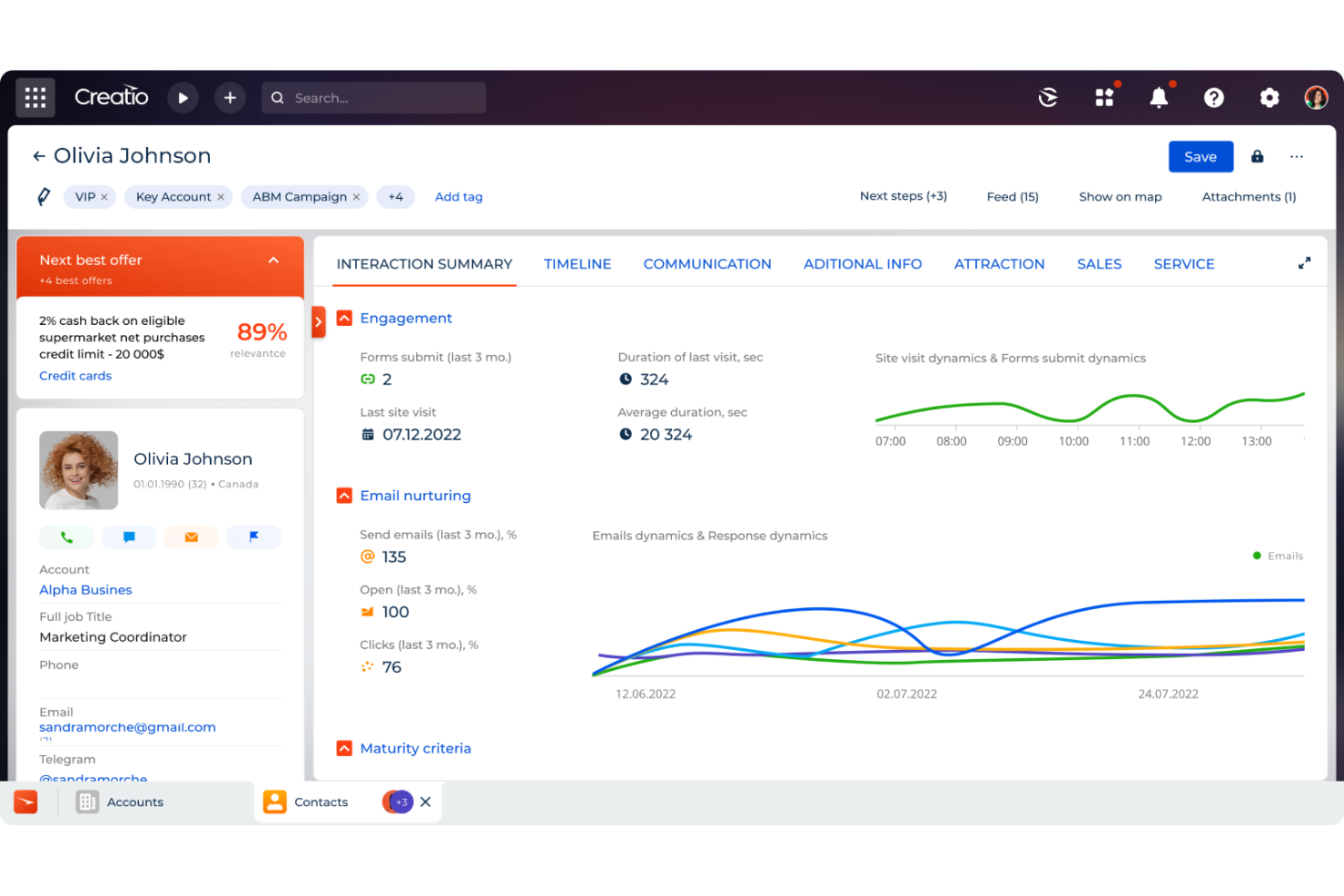
Creatio CRM è una piattaforma no-code progettata per automatizzare i processi di marketing, vendita e assistenza, offrendo una soluzione unificata per la gestione delle relazioni con i clienti. È pensata per soddisfare le esigenze delle aziende che desiderano migliorare le proprie strategie di coinvolgimento dei clienti.
Perché ho scelto Creatio CRM: Creatio CRM si distingue come un'ottima scelta per gli utenti Mac grazie alla sua architettura cloud-based, che garantisce un accesso senza interruzioni su diversi sistemi operativi, incluso macOS. Questa flessibilità permette al tuo team di lavorare ovunque, utilizzando qualsiasi dispositivo, senza problemi di compatibilità. Inoltre, la personalizzazione no-code di Creatio CRM ti consente di adattare i flussi di lavoro e i processi alle esigenze specifiche della tua azienda senza richiedere competenze tecniche avanzate. Un'altra caratteristica interessante è il suo sistema completo di gestione dei dati dei clienti. Creatio CRM offre una visione a 360 gradi dei tuoi clienti, consolidando le informazioni provenienti da vari punti di contatto in un'unica piattaforma.
Funzionalità principali & integrazioni:
Le funzionalità includono previsione delle vendite, monitoraggio delle opportunità, gestione degli ordini, gestione dei contratti, automazione del marketing, gestione delle campagne, segmentazione dei clienti, gestione dei casi, base di conoscenza, gestione dell'assistenza sul campo e automazione dei processi aziendali.
Le integrazioni includono Accelo, Act!, ActiveCampaign, Acumatica, Adobe Analytics, Asana, Microsoft Exchange, Excel, Mailchimp, HubSpot Marketing Hub, Google Calendar e Tableau.
Pros and Cons
Pros:
- Ampie possibilità di personalizzazione
- Piattaforma no-code
- Supporta la crescita aziendale
Cons:
- La personalizzazione può richiedere tempo
- La migrazione dei dati può essere complessa

Ideale per soluzioni di marketing tutto-in-uno
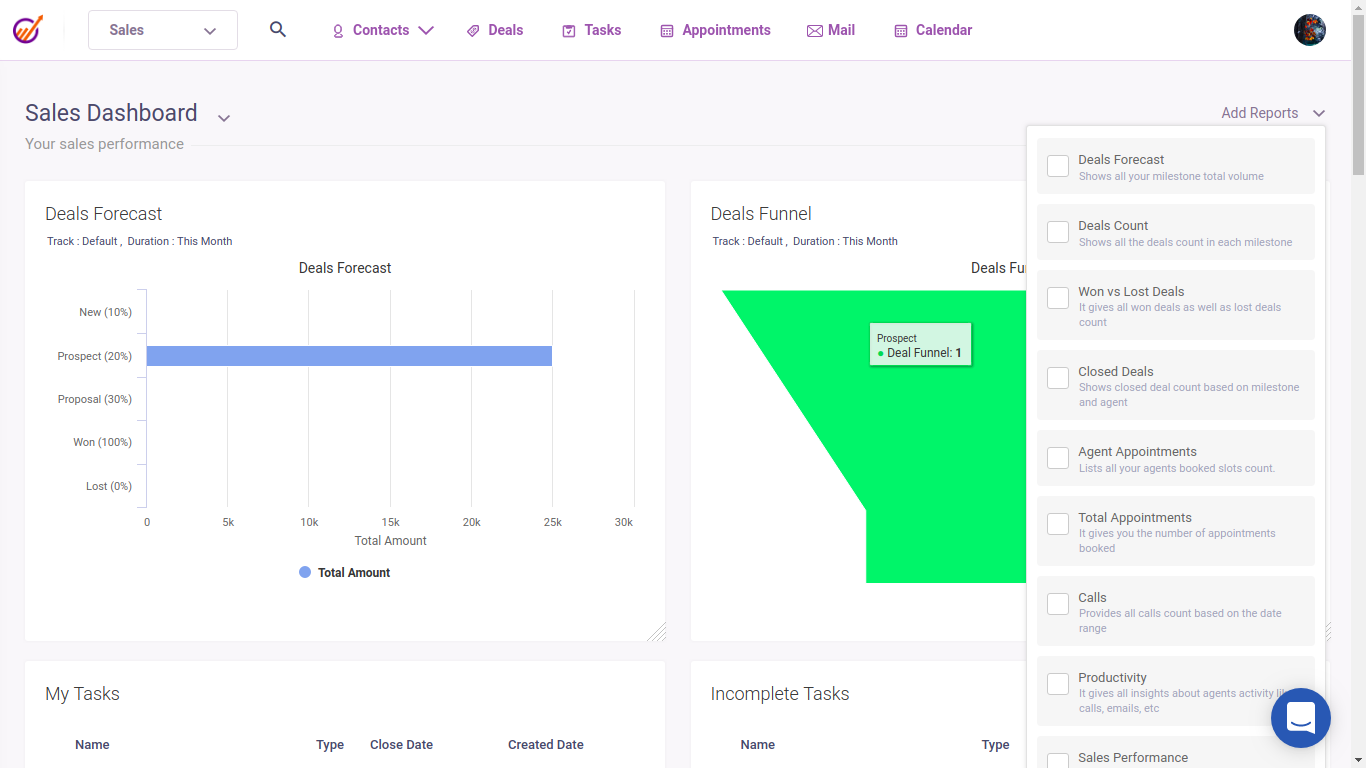
EngageBay è un CRM unificato per Mac che offre funzionalità di automazione del marketing, gestione delle vendite e assistenza clienti.
Perché ho scelto EngageBay: EngageBay gestisce senza soluzione di continuità l'intero ciclo di vita del cliente, dalla generazione del lead fino al supporto post-vendita. Dispone di potenti funzionalità di email marketing e costruttori di landing page che consentono alle aziende di rafforzare le attività di marketing, strumenti di analisi e reportistica per fornire approfondimenti sul comportamento dei clienti e sulle performance delle campagne, e gestione integrata dei social media per gestire i canali social direttamente dal CRM. EngageBay è altamente scalabile e propone prezzi convenienti, rendendolo uno strumento CRM ideale per le organizzazioni che cercano una piattaforma tutto-in-uno.
Funzionalità e integrazioni principali:
Le funzionalità includono potente automazione del marketing, monitoraggio della pipeline di vendita, strumenti integrati di supporto clienti, costruttore di landing page, lead scoring e gestione dei social media.
Le integrazioni includono Mailchimp, Zapier, HubSpot, Salesforce, Microsoft Office 365, Google Workspace, Twilio, Shopify, Stripe e QuickBooks.
Pros and Cons
Pros:
- Costruttore integrato di landing page per la raccolta dei lead
- Potenti strumenti di automazione del marketing
- Analisi e reportistica complete
Cons:
- App per dispositivi mobili meno funzionale
- Capacità di reportistica di base
Nimble
Ideale per l’integrazione con i social media
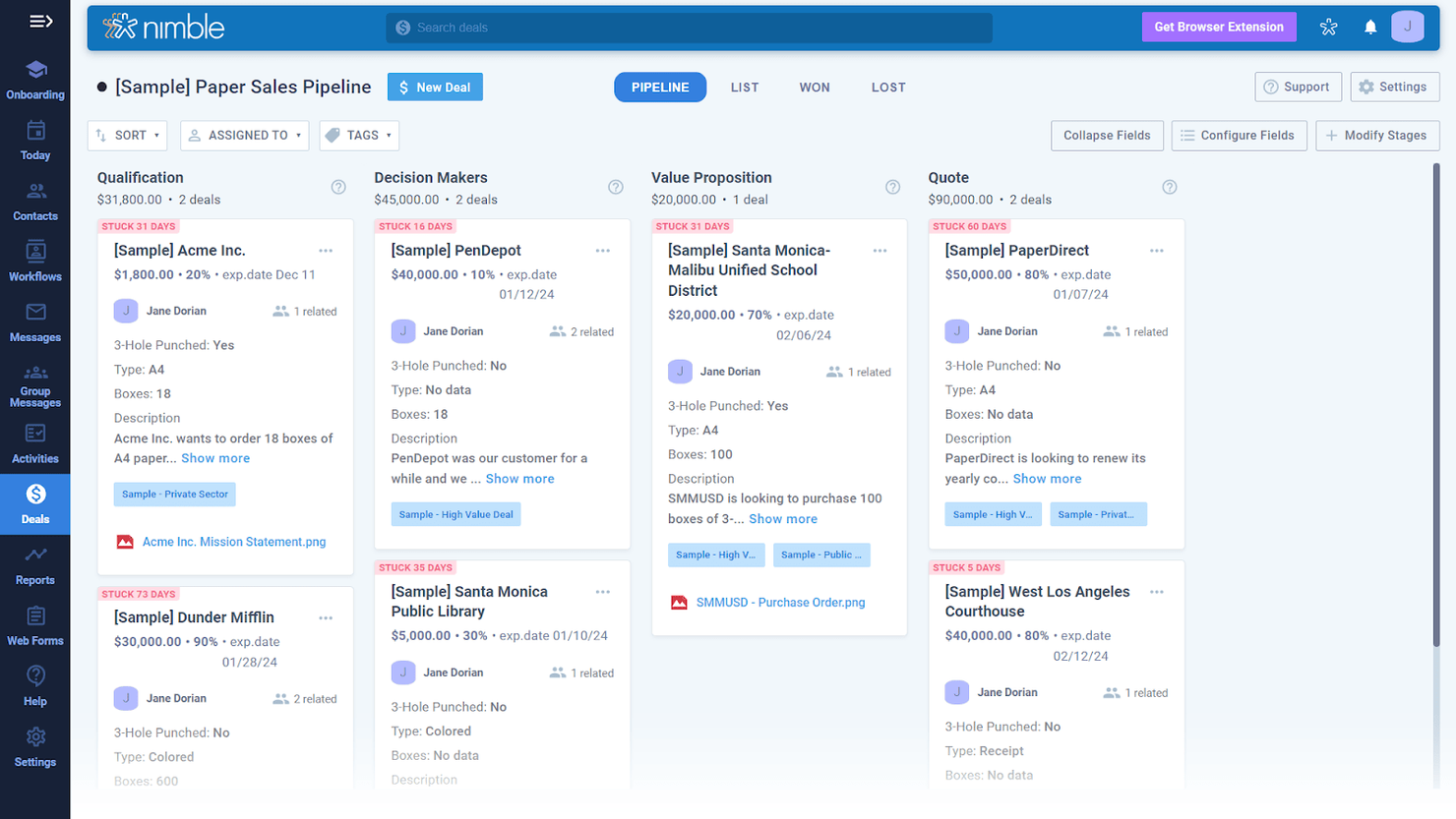
Nimble è un CRM che eccelle nell’integrazione con i social media, combinando la gestione dei contatti con l’arricchimento dei profili social per migliorare le interazioni con i clienti.
Perché ho scelto Nimble: Nimble offre agli utenti una solida integrazione dei profili social, fornendo approfondimenti arricchiti sui contatti e favorendo relazioni forti con i clienti. Dispone di abbinamento automatico dei profili social e di una panoramica delle interazioni con i clienti su varie piattaforme, rendendolo un software ideale per le aziende che si affidano ai social media per il coinvolgimento e la costruzione di relazioni con i clienti. Inoltre, la piattaforma offre il tracciamento delle email e promemoria automatici per garantire un follow-up tempestivo, aiutando le aziende a mantenere il controllo sulle relazioni con i clienti e sul proprio percorso di vendita.
Funzionalità e integrazioni principali:
Funzionalità includono abbinamento e arricchimento dei profili social, gestione automatizzata dei contatti, tracciamento delle email e una panoramica avanzata delle interazioni con i clienti.
Integrazioni includono Microsoft 365, Google Workspace, Mailchimp, HubSpot, QuickBooks, Slack, Zoom, Evernote, Hootsuite e Zapier.
Pros and Cons
Pros:
- Solida integrazione con i social media
- Gestione unificata dei contatti
- Tracciamento avanzato del coinvolgimento
Cons:
- Funzionalità CRM limitate
- Limitazioni nei report personalizzati

Daylite
Ideale per il monitoraggio delle relazioni con i clienti
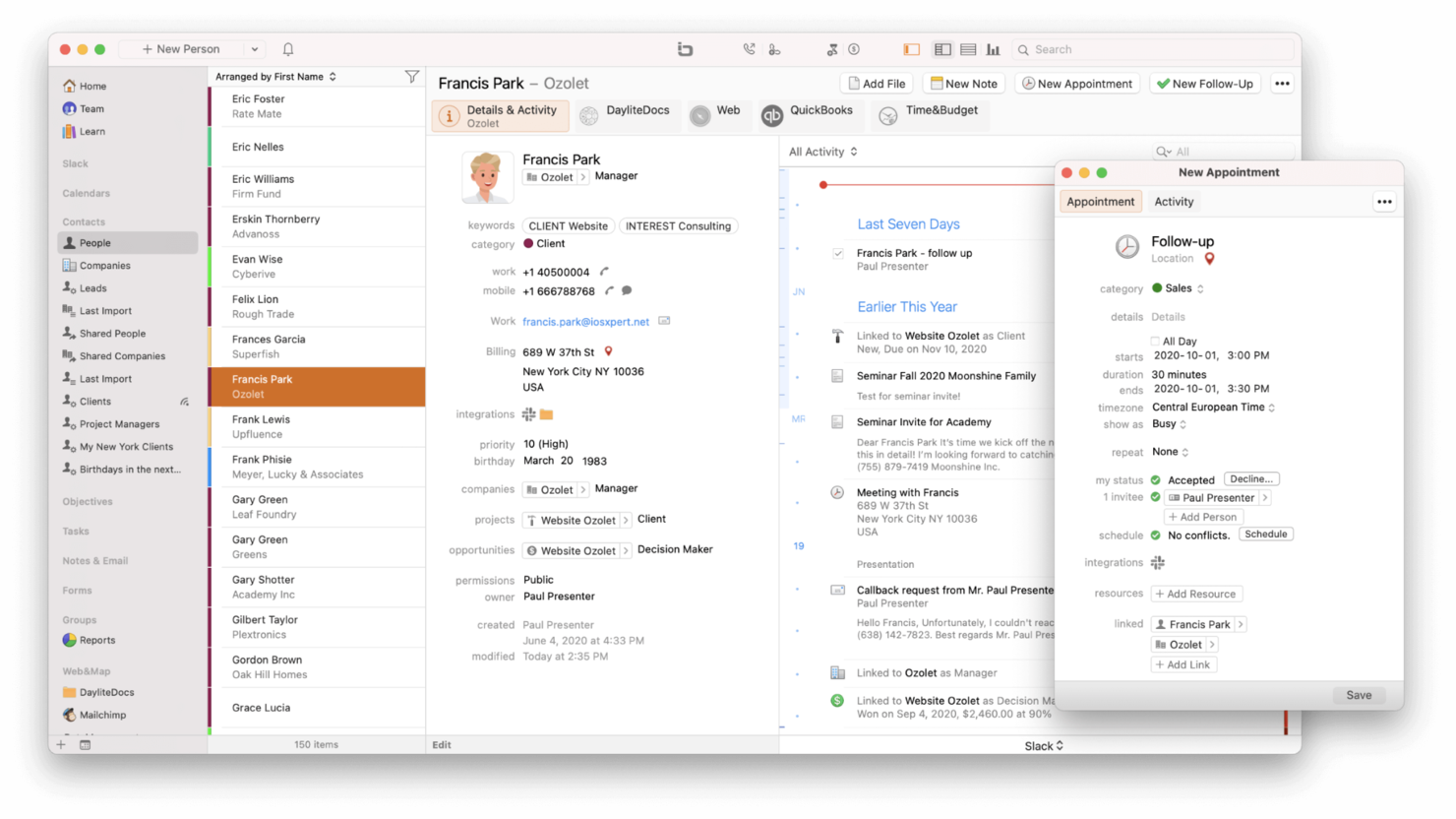
Daylite è un CRM per Mac focalizzato sul monitoraggio delle relazioni con i clienti, la gestione dei progetti e la collaborazione tra i membri del team.
Perché ho scelto Daylite: Le funzioni di monitoraggio delle relazioni con i clienti di Daylite e la perfetta integrazione con l’ecosistema Apple lo rendono il CRM ideale per gli utenti Mac. Dispone di funzionalità offline, che permettono agli utenti di accedere e gestire i dati CRM anche senza connessione a Internet, strumenti per la gestione dei clienti, il monitoraggio dei progetti e la collaborazione di squadra, per ottimizzare le attività delle aziende che usano principalmente prodotti Apple. Daylite vanta inoltre solide funzionalità di sicurezza, garantendo la protezione dei dati dei clienti.
Caratteristiche principali & integrazioni:
Le funzionalità includono una gestione dettagliata delle relazioni con i clienti, monitoraggio dei progetti, accesso offline, integrazione fluida con l’ecosistema Apple e dashboard personalizzabili.
Le integrazioni includono Apple Mail, Calendar, Contacts, Reminders, Siri, Zapier, Slack, Microsoft Outlook, Google Calendar e Mailchimp.
Pros and Cons
Pros:
- Integrazione perfetta con l’ecosistema Apple
- Accesso offline disponibile
- Funzionalità di automazione e gestione dei progetti
Cons:
- Piattaforma esclusiva per Mac
- Integrazioni limitate con terze parti

Ideale per la personalizzazione completa
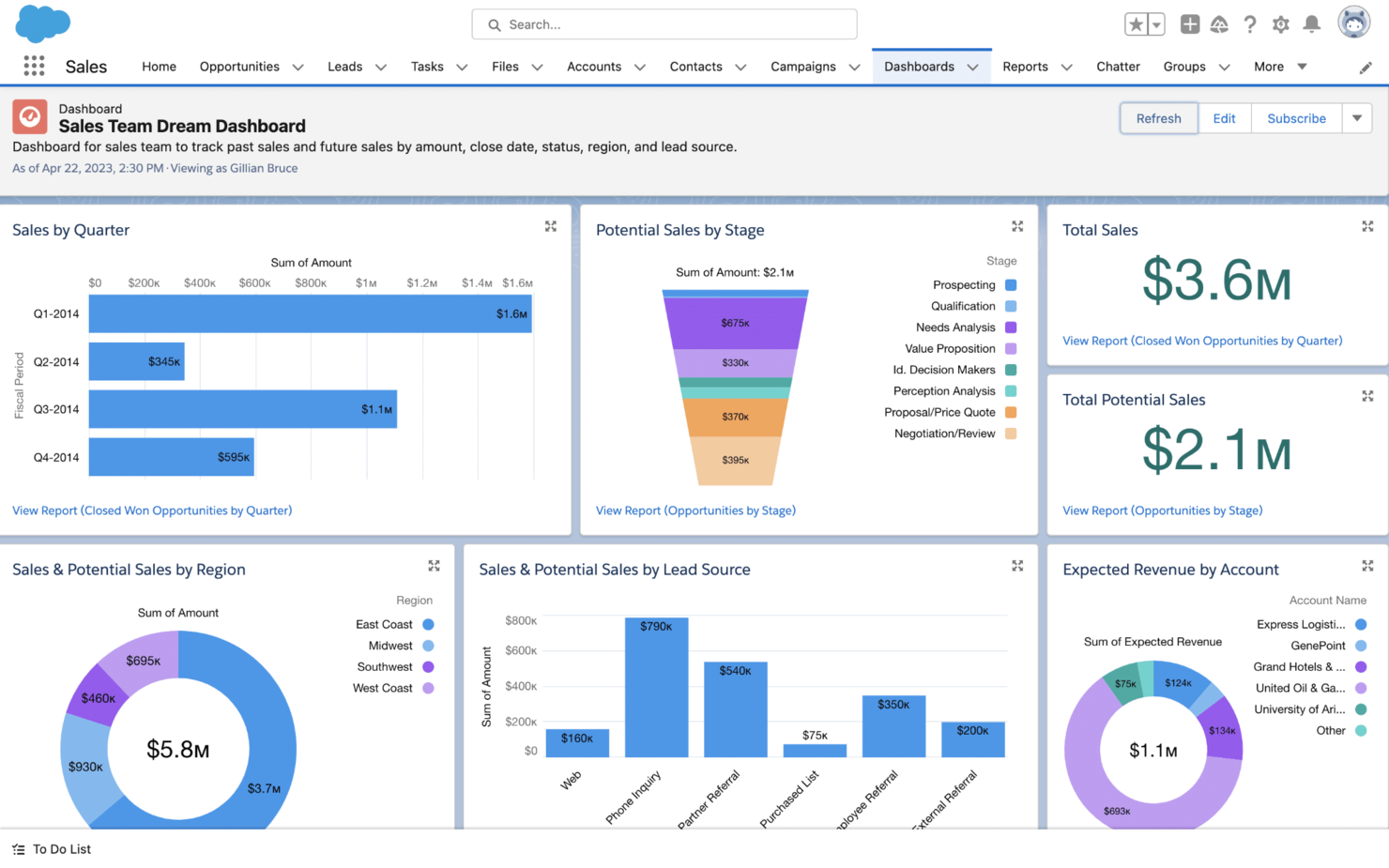
Salesforce CRM è una piattaforma altamente personalizzabile che offre strumenti completi per le vendite, il marketing e il servizio clienti.
Perché ho scelto Salesforce CRM: Salesforce offre possibilità di personalizzazione senza paragoni, consentendo alle aziende di adattare la piattaforma alle proprie necessità. Dispone di strumenti di automazione e numerose opzioni di integrazione che supportano flussi di lavoro complessi e requisiti avanzati. Inoltre, le funzionalità dell'intelligenza artificiale Einstein di Salesforce forniscono approfondimenti avanzati e analisi predittive che consentono decisioni guidate dai dati, e la Lightning Platform permette la creazione di app personalizzate e workflow.
Caratteristiche principali & integrazioni:
Caratteristiche includono automazione avanzata, analisi dettagliate, numerose opzioni di personalizzazione, strumenti di gestione per vendite, servizio e marketing, oltre a Customer 360 per visualizzare ogni interazione con il cliente.
Integrazioni includono Slack, Google Workspace, Microsoft 365, Mailchimp, QuickBooks, Dropbox, Zoom, HubSpot, LinkedIn e Docusign.
Pros and Cons
Pros:
- Vasto marketplace AppExchange
- Modalità offline per app mobile
- Molte opzioni di personalizzazione
Cons:
- Struttura dei prezzi articolata
- Configurazione e setup complessi

Ideale per le funzionalità di gestione dei progetti
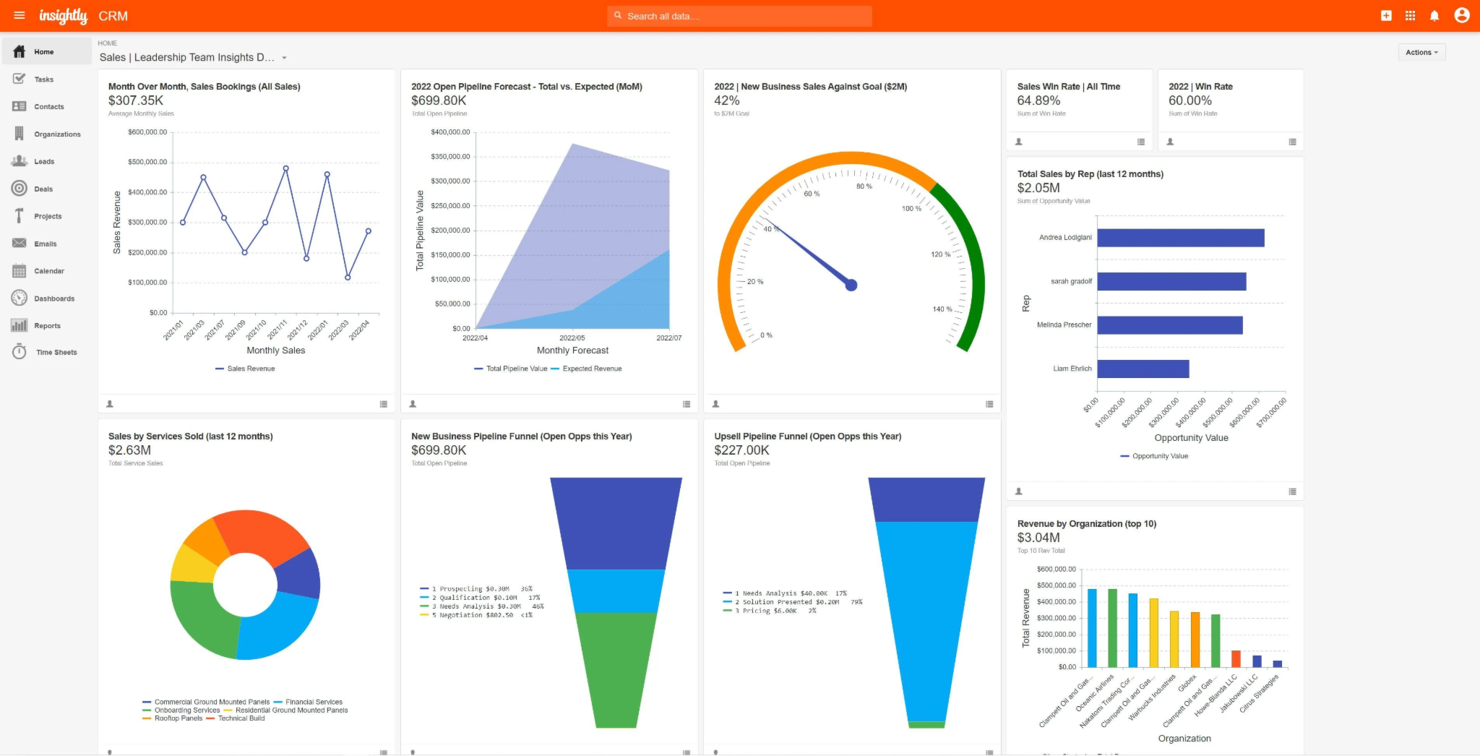
Insightly è un CRM che integra funzionalità di gestione dei progetti, aiutando le aziende a ottimizzare i processi di vendita, marketing e gestione dei progetti all'interno di un'unica piattaforma.
Perché ho scelto Insightly: Insightly offre agli utenti solide funzionalità CRM, monitoraggio dei progetti e automazione dei flussi di lavoro. Fornisce una soluzione completa per le aziende che desiderano ottimizzare i propri processi di vendita, marketing e operativi grazie a strumenti di marketing integrati, dashboard personalizzabili e funzionalità avanzate di reportistica. L'attenzione del software all'integrazione dei dati dei progetti e dei clienti aiuta le aziende a mantenere una visione a 360 gradi delle proprie attività, favorendo decisioni più consapevoli e una maggiore soddisfazione dei clienti.
Caratteristiche e integrazioni principali:
Le funzionalità includono gestione avanzata dei progetti, automazione dei flussi di lavoro e reportistica dettagliata.
Le integrazioni includono Google Workspace, Microsoft 365, Slack, Mailchimp, QuickBooks, Xero, Dropbox, Evernote, Zapier e Mailgun.
Pros and Cons
Pros:
- Solidi strumenti di monitoraggio dei progetti
- Automazione dei flussi di lavoro
- Marketing integrato
Cons:
- Problemi di prestazioni con grandi volumi di dati
- Opzioni di personalizzazione limitate

Ideale per la gestione dei contatti
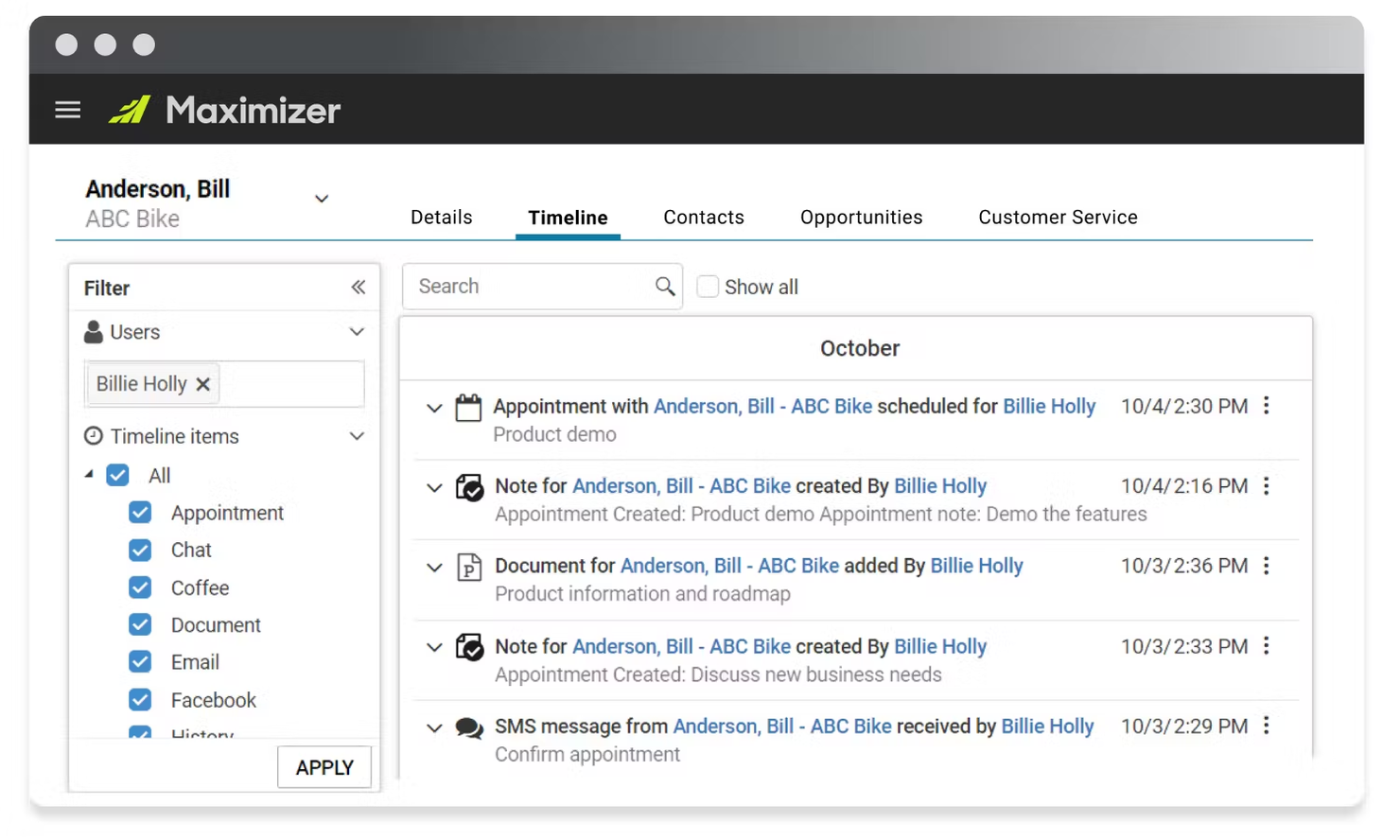
Maximizer è un potente CRM progettato per una gestione approfondita dei contatti, il monitoraggio delle pipeline di vendita e l'automazione del marketing.
Perché ho scelto Maximizer: Maximizer offre agli utenti una gestione dettagliata dei contatti e un'integrazione fluida con strumenti di vendita e marketing. Questo CRM combina il tracciamento dei contatti, l'automazione delle vendite e le funzionalità di assistenza clienti, rendendolo una scelta eccellente per le aziende che desiderano ottimizzare le interazioni con i clienti e migliorare i processi di vendita. Maximizer dispone anche di dashboard personalizzabili e della gestione integrata delle campagne di marketing, offrendo così una soluzione completa per la gestione dei clienti.
Funzionalità principali & integrazioni:
Le funzionalità includono una gestione estesa dei contatti, il monitoraggio della pipeline di vendita, moduli dettagliati per il servizio clienti, automazione del marketing, reportistica e analisi approfondite, rigorose misure di sicurezza e accesso mobile.
Le integrazioni includono Microsoft Outlook, QuickBooks, Gmail, Mailchimp, Constant Contact, Microsoft Excel, WordPress, Microsoft Teams, Zapier e Slack.
Pros and Cons
Pros:
- Solide capacità di gestione dei contatti
- Grande attenzione alla sicurezza dei dati
- Modulo di assistenza clienti completo
Cons:
- Interfaccia datata
- Flessibilità di personalizzazione limitata

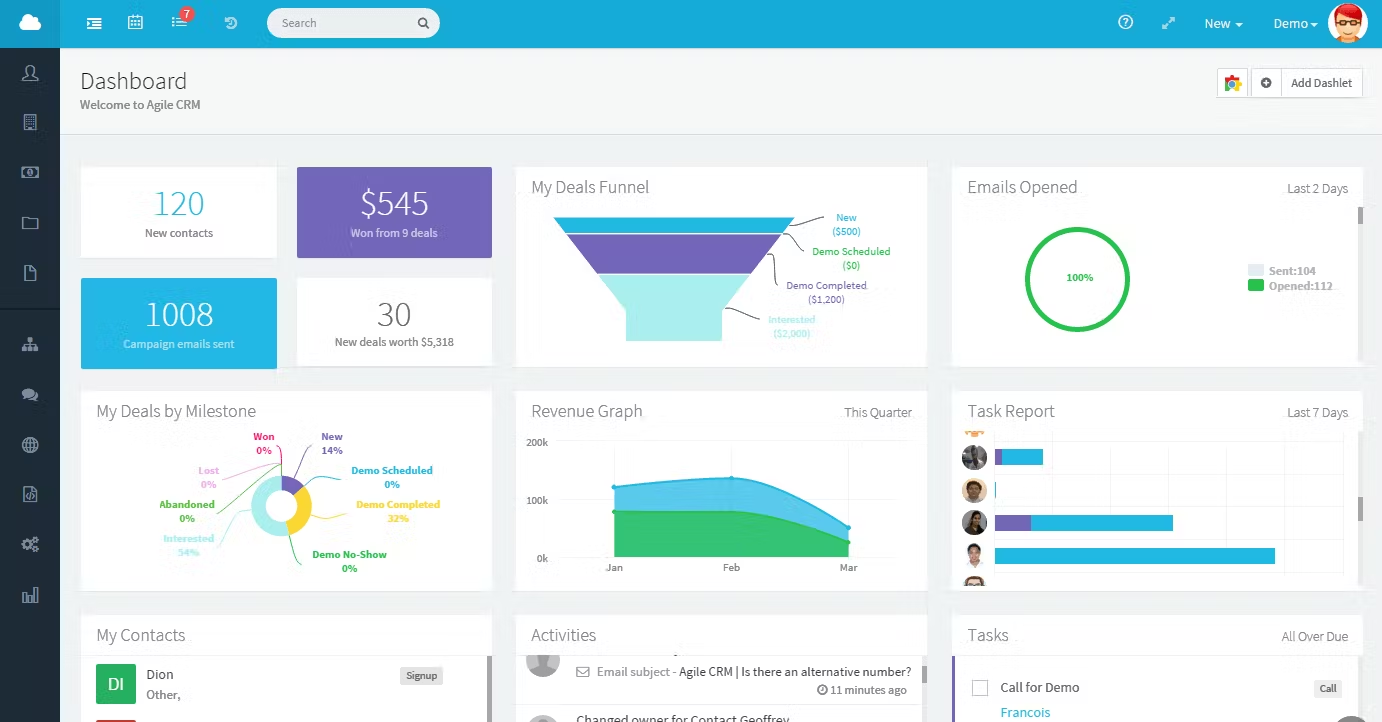
Agile CRM è un CRM che integra automazione delle vendite, automazione del marketing e strumenti per il servizio clienti in un'unica piattaforma unificata.
Perché ho scelto Agile CRM: Le avanzate funzionalità di automazione del marketing e delle vendite di Agile CRM, insieme agli strumenti di customer service, permettono alle aziende di ottimizzare le proprie operazioni e migliorare il coinvolgimento dei clienti in modo efficiente. Questo CRM offre gestione avanzata delle campagne, email marketing, analisi dettagliate e reportistica, oltre a un’interfaccia drag-and-drop per la creazione di campagne e workflow, semplificando l’esperienza utente e facilitando il lavoro ai team con differenti livelli di competenza tecnica.
Funzionalità principali e integrazioni:
Le funzionalità includono automazione avanzata del marketing, monitoraggio delle vendite, gestione del servizio clienti, campagne di marketing automatizzate, gestione della pipeline di vendita e un supporto clienti eccezionale.
Le integrazioni includono Google Workspace, Microsoft 365, Mailchimp, QuickBooks, Slack, Twilio, RingCentral, LinkedIn, Facebook e Twitter.
Pros and Cons
Pros:
- Automazione integrata del marketing
- Gestione avanzata delle campagne
- Fasce di prezzo convenienti
Cons:
- Capacità di personalizzazione limitate
- Alcune integrazioni sono complesse
Altri CRM per Mac
Di seguito è riportato un elenco di altri CRM per Mac che ho selezionato. Sebbene non siano rientrati nella top 10, sono comunque validi e meritano ulteriori approfondimenti.
- Less Annoying CRM
Ideale per piccoli team
- Spotler CRM
Ideale per campagne di email marketing
- Freshsales
Ideale per analisi guidate dall’IA
- HoneyBook
Ideale per professionisti creativi
- Clarify
Ideale per i team che lavorano principalmente su Mac e cercano un'app nativa


Recensioni correlate sui CRM
Se non avete ancora trovato ciò che cercate, date un'occhiata a questi strumenti strettamente correlati ai CRM tutto-in-uno che abbiamo testato e valutato.
- Software CRM
- Software per le vendite
- Software per la gestione dei lead
- Software di business intelligence
- Software per la gestione dei contratti
- Sistema di gestione dei ricavi
Come Valuto i CRM per Mac
La mia valutazione si suddivide in due livelli: gli irrinunciabili—monitoraggio del pipeline, supporto nativo per Mac, sincronizzazione con Apple Mail—e i fattori differenzianti come insight AI e reportistica RevOps che fanno spiccare uno strumento.
Funzionalità Principali (Requisiti Minimi per Questa Lista)
Quando seleziono gli strumenti per la mia lista, valuto ognuno su una scala da 0 (non offre la funzionalità) a 5 (eccelle in quest'ambito) per ciascuna funzionalità principale elencata qui sotto. Poi, calcolo il punteggio totale in percentuale. Ogni strumento deve raggiungere un punteggio minimo totale del 65% per essere considerato.
- Compatibilità Nativa con Mac: Verifico che il CRM funzioni in modo affidabile su macOS tramite un'app dedicata o un'esperienza browser ottimizzata—senza soluzioni alternative come virtualizzazione o Boot Camp.
- Integrazione con l'Ecosistema Apple: Gli strumenti che si sincronizzano con Apple Mail, Calendario e Contatti ottengono punteggi maggiori, specialmente per i team che utilizzano iCloud per la pianificazione e la corrispondenza.
- Gestione Pipeline & Offerte: Cerco fasi personalizzabili, supporto per multi-pipeline e visualizzazioni di forecasting che offrano ai team RevOps una visibilità chiara sull'avanzamento delle trattative e sulle proiezioni di reddito.
- Gestione Contatti & Account: Ogni strumento dovrebbe centralizzare le schede cliente con storici attività collegati, in modo che venditori e team CS possano visualizzare la cronologia completa di un account prima di ogni chiamata.
- Automazione dei Workflow: Valuto quanto efficacemente un CRM gestisca instradamento dei lead automatizzato, attivatori di attività e passaggi tra team—ossia la logica che fa avanzare le trattative senza interventi manuali.
- Parità Mobile iOS: Le app per iPhone e iPad dovrebbero coprire le funzioni principali del CRM, come l’aggiornamento delle offerte e la registrazione di note, così che gli agenti sul campo e i manager in viaggio non siano costretti ad aspettare un portatile.
Una volta che ho una lista di strumenti che soddisfano i criteri, considero cosa distingue ogni piattaforma.
Fattori Differenzianti (Cosa Distingue i Fornitori)
Ecco come confronto e metto a paragone i vari fornitori:
Funzionalità Distintive
Qui conta il punteggio delle offerte basato su AI—cerco strumenti che segnalano quali opportunità hanno maggiore probabilità di chiudersi e raccomandano i prossimi passi, risparmiando ai team RevOps il lavoro manuale di analisi del pipeline. Anche le dashboard di reportistica sulle entrate rappresentano un elemento distintivo. Le più avanzate permettono di tracciare in tempo reale l'accuratezza delle previsioni e la velocità del pipeline senza esportare dati su un foglio di calcolo. Valuto anche il supporto a Siri e Shortcuts, che permette agli utenti Mac-centristi di avviare azioni del CRM come registrare una chiamata o creare un’attività senza aprire l’app.
Oltre le Funzionalità
La profondità dell'ecosistema di integrazioni è fondamentale—verifico se un CRM si collega nativamente a strumenti come Slack, Zapier e piattaforme di fatturazione su cui i team RevOps fanno affidamento ogni giorno. Conta anche la scalabilità. Il CRM di un fondatore singolo dovrebbe poter evolvere in oggetti personalizzati, gestione di territori e visibilità multi-team senza imporre una migrazione completa. Valuto inoltre la trasparenza dei prezzi, in particolare se l’accesso alle app iOS e macOS è incluso oppure richiede un upgrade. Costi nascosti per funzionalità native Apple possono far lievitare silenziosamente il budget software di un team.
Come scegliere i CRM per Mac
Mentre seguite il vostro particolare processo di selezione del software, tenete presenti i seguenti aspetti:
- Compatibilità con macOS: assicuratevi che il software CRM sia pienamente compatibile con macOS. Ciò include la verifica della presenza di applicazioni macOS native e di funzionalità del sistema operativo, come l'integrazione con Apple Mail, Calendario e Contatti.
- Interfaccia ed esperienza utente: cercate un CRM con un'interfaccia intuitiva e facile da usare. Un CRM con un'interfaccia disordinata o poco intuitiva può ostacolare la produttività e rallentare i processi aziendali.
- Capacità di integrazione: assicuratevi di valutare la capacità del CRM di integrarsi con gli altri strumenti e software che già utilizzate. Ciò include piattaforme di email marketing, strumenti di gestione dei progetti e software di contabilità.
- Personalizzazione e scalabilità: valutate se il CRM può essere personalizzato per adattarsi ai vostri specifici processi aziendali e se può crescere insieme alla vostra attività. Ad esempio, una startup potrebbe aver bisogno di un CRM che consenta di creare campi e flussi di lavoro personalizzati in linea con il proprio processo di vendita, riuscendo al contempo a gestire una quantità maggiore di dati e utenti con l'espansione dell'azienda.
- Assistenza clienti e formazione: assicuratevi di valutare l'assistenza clienti e la formazione forniti dal fornitore del CRM. Questo è importante per garantire un'implementazione senza intoppi e un utilizzo continuativo. Ad esempio, un'organizzazione non profit potrebbe richiedere una formazione e un'assistenza approfondite per assicurarsi che il proprio team utilizzi appieno le funzionalità del CRM per la gestione dei donatori e delle attività di raccolta fondi.
Tendenze dei CRM per Mac
Ecco alcune tendenze che ho notato per i CRM per Mac, oltre a ciò che potrebbero significare per il futuro del settore delle operazioni sui ricavi. Ho analizzato innumerevoli aggiornamenti dei prodotti, comunicati stampa e registri delle versioni per individuare gli approfondimenti più importanti.
- Approfondimenti basati sull'intelligenza artificiale: L'intelligenza artificiale viene integrata nei sistemi CRM per fornire analisi predittive, aiutando le aziende ad anticipare le esigenze dei clienti. È importante per mantenere la competitività.
- Integrazione dei comandi vocali: Le funzionalità di comando vocale stanno diventando sempre più comuni nei software CRM, poiché consentono di operare a mani libere. Ciò contribuisce a migliorare l'efficienza dei professionisti molto impegnati.
- Maggiore sicurezza dei dati: Le misure di sicurezza dei dati vengono rafforzate nei sistemi CRM. Questo è essenziale per proteggere le informazioni sensibili dei clienti e creare fiducia con loro.
- Ottimizzazione per dispositivi mobili: Le piattaforme CRM sono sempre più ottimizzate per l'uso da dispositivi mobili. Ciò garantisce ai team di vendita l'accesso ai dati anche in movimento e supporta il lavoro da remoto e la flessibilità.
- Dashboard personalizzabili: Le dashboard personalizzabili stanno diventando sempre più popolari. Consentono agli utenti di adattare l'interfaccia alle proprie esigenze, migliorando l'esperienza utente e la produttività.
Guardando al futuro, è chiaro che i CRM per Mac si stanno evolvendo per offrire interfacce più intuitive, approfondimenti avanzati basati sull'intelligenza artificiale e maggiori capacità di integrazione. Restare al passo con queste tendenze consentirà alle aziende di sfruttare i propri sistemi Mac in modo più efficace, garantendo un vantaggio competitivo nella gestione delle relazioni con i clienti.
Cosa sono i CRM per Mac?
Un sistema di gestione delle relazioni con i clienti (CRM) è uno strumento software progettato per aiutare le aziende a gestire e analizzare le interazioni e i dati dei clienti durante tutto il loro ciclo di vita. I CRM per Mac sono ottimizzati o compatibili specificamente con macOS, garantendo un'integrazione perfetta con l'ecosistema Apple. Questi software sono progettati per offrire agli utenti Mac un'esperienza fluida e intuitiva, sfruttando le caratteristiche e le funzionalità specifiche di macOS.
Funzionalità dei CRM per Mac
Quando si sceglie un nuovo CRM, ci sono alcune funzionalità chiave da valutare prima dell'acquisto. Di seguito illustrerò le funzionalità più importanti da cercare in un CRM per Mac, assicurando che la tua azienda possa sfruttare appieno il potenziale dei suoi dispositivi Apple.
- Strumenti di marketing: Gli strumenti di marketing in un CRM aiutano a gestire le campagne, inclusi social media, e-mail ed eventi. Questa funzionalità è importante per generare nuovi contatti e coltivare quelli esistenti attraverso attività di marketing mirate.
- Gestione delle e-mail: Le funzionalità di gestione delle e-mail consentono alle aziende di creare modelli, automatizzare i flussi di lavoro e monitorare le prestazioni delle e-mail. Questa funzionalità è essenziale per mantenere una comunicazione efficace con clienti e potenziali clienti.
- Gestione della pipeline: La gestione della pipeline è una rappresentazione visiva della posizione dei contatti e delle trattative nel processo di vendita. Aiuta a monitorare i contatti di alto valore e ad assicurarsi che vengano coltivati efficacemente fino a diventare clienti.
- Monitoraggio delle attività: Il monitoraggio delle attività conserva un registro di tutte le interazioni e le attività relative alle vendite. Questa funzionalità è importante per comprendere il coinvolgimento dei clienti e migliorare le strategie di vendita.
- App mobili: Le app mobili per iOS garantiscono l'accesso al CRM anche in movimento. Questa funzionalità è utile per gli agenti di vendita che devono gestire contatti e trattative lontano dalla propria scrivania.
- Gestione dei territori: La gestione dei territori consente di segmentare gli account e i contatti in territori specifici. Questa funzionalità aiuta a pianificare e ottimizzare i percorsi di vendita, soprattutto per le aziende con team di vendita sul campo.
- Attribuzione del punteggio ai contatti: L'attribuzione del punteggio ai contatti li classifica in base al coinvolgimento e al valore potenziale. Questa funzionalità aiuta a concentrare gli sforzi sui contatti più promettenti, migliorando l'efficienza delle vendite.
- Previsioni di vendita: Le previsioni di vendita utilizzano l'analisi dei dati per prevedere le prestazioni future delle vendite. Questa funzionalità è essenziale per la pianificazione strategica e l'allocazione delle risorse.
- Supporto multivaluta e multilingua: Per le aziende che operano a livello globale, il supporto multivaluta e multilingua garantisce che il CRM possa gestire transazioni e comunicazioni in valute e lingue diverse.
- Marketplace delle integrazioni: Un marketplace delle integrazioni consente al CRM di connettersi con altri strumenti e applicazioni, come Slack, Google Workspace e LinkedIn. Questa funzionalità amplia le capacità del CRM e garantisce che si integri perfettamente con l'insieme di strumenti tecnologici già in uso.
La scelta del CRM giusto per Mac implica la valutazione di queste funzionalità fondamentali e della loro compatibilità con le esigenze della tua azienda. Un CRM che si integri bene con i prodotti Apple e offra funzionalità complete può migliorare significativamente le attività di gestione delle relazioni con i clienti.
Vantaggi dei CRM per Mac
Ogni CRM offre una serie di vantaggi esclusivi. Ecco alcuni dei principali benefici che potresti sperimentare utilizzando un CRM per Mac:
- Integrazione perfetta con l'ecosistema Apple: Il software CRM progettato per Mac si integra senza problemi con altri prodotti Apple, come Apple Mail, Contatti e Calendario. Ciò garantisce agli utenti Apple un'interfaccia coerente e familiare, migliorando l'efficienza della gestione dei dati e delle comunicazioni.
- Maggiore mobilità e accessibilità: I sistemi CRM compatibili con Mac spesso dispongono di app mobili che consentono agli utenti di accedere ai dati del CRM ovunque si trovino tramite iPhone e iPad. Questa mobilità garantisce che le squadre di vendita e i rappresentanti del servizio clienti possano rimanere connessi e produttivi, indipendentemente dalla loro posizione, offrendo un servizio clienti più reattivo ed efficiente.
- Migliore gestione e reportistica dei dati: Il CRM per Mac offre potenti funzionalità di reportistica e analisi che forniscono informazioni preziose sulle prestazioni delle vendite, sulle interazioni con i clienti e sulle tendenze aziendali complessive. Questo approccio basato sui dati consente alle aziende di prendere decisioni informate, ottimizzare le proprie strategie di vendita e individuare le aree di miglioramento.
- Automazione delle attività ripetitive: Il software CRM per Mac automatizza diverse attività ripetitive, come l'inserimento dei dati, i promemoria per i ricontatti e le campagne di marketing tramite posta elettronica. Questa automazione libera tempo per consentire ai dipendenti di concentrarsi su attività ad alto valore, come la costruzione di relazioni con i clienti e la conclusione degli affari, aumentando in definitiva produttività ed efficienza.
- Soluzioni personalizzabili e scalabili: Molti sistemi CRM per Mac offrono campi e flussi di lavoro personalizzabili, consentendo alle aziende di adattare il software alle proprie esigenze specifiche. Queste soluzioni CRM sono scalabili, il che significa che possono crescere insieme alle aziende e supportare utenti e funzionalità aggiuntivi man mano che l'organizzazione si espande.
Automatizzando le attività ripetitive e offrendo soluzioni personalizzabili, un CRM progettato specificamente per Mac aiuta le aziende a semplificare le proprie operazioni, prendere decisioni informate e, in definitiva, migliorare la soddisfazione e la fidelizzazione dei clienti.
Costi e prezzi dei CRM per Mac
Quando si prende in considerazione un CRM per Mac, è importante comprendere i diversi piani tariffari e ciò che ciascuno offre. Il prezzo e le funzionalità del software CRM possono variare notevolmente, quindi è necessario trovare un piano in linea con le esigenze e il budget della propria azienda. Di seguito è riportata una panoramica delle opzioni di piano e dei relativi prezzi tipici, incluse le funzionalità più comuni.
Tabella di confronto dei piani CRM per Mac
| Tipo di piano | Prezzo medio | Funzionalità comuni |
| Gratuito | $0 | Gestione di base dei contatti, spazio di archiviazione limitato e assistenza di base |
| Base | $12/user/month | Gestione dei contatti, monitoraggio delle attività e integrazione email |
| Standard | $25/user/month | Reportistica avanzata, campi personalizzati e collaborazione tra squadre |
| Professionale | $50/user/month | Flussi di lavoro automatizzati, analisi avanzate e assistenza telefonica |
| Aziendale | $100/user/month | Soluzioni personalizzate, responsabile account dedicato e assistenza di alta qualità |
La scelta del piano giusto dipende dalle esigenze specifiche e dalle dimensioni della propria azienda. Confrontando attentamente i diversi piani tariffari e le rispettive offerte, è possibile assicurarsi di selezionare un CRM che offra il massimo valore e supporti gli obiettivi di crescita.
Domande frequenti sui CRM per Mac
Posso usare un CRM basato sul web sul mio Mac?
Certamente. I CRM basati sul web come Salesforce, HubSpot CRM e Zoho CRM sono accessibili tramite qualsiasi browser web su un Mac e offrono tutte le funzionalità senza software aggiuntivo.
Quali sono i requisiti di sistema per eseguire un CRM su un Mac?
In genere i CRM hanno requisiti di sistema minimi: spesso richiedono soltanto una versione recente di macOS e una connessione Internet stabile. I requisiti specifici variano a seconda del fornitore del CRM, quindi consulta la relativa documentazione.
Esistono opzioni CRM gratuite per Mac?
Sì, HubSpot CRM offre una versione gratuita completamente compatibile con Mac. Include funzionalità essenziali come la gestione dei contatti, il monitoraggio delle trattative e l’integrazione con le email.
I CRM per Mac supportano l'accesso da dispositivi mobili?
La maggior parte dei CRM per Mac, come Salesforce e Zoho CRM, offre app mobili per dispositivi iOS. In questo modo gli utenti possono accedere ai dati del CRM anche mentre sono in movimento, rimanendo sempre connessi e produttivi.
Come posso garantire la sicurezza dei dati del mio CRM su un Mac?
Per garantire la sicurezza dei dati del CRM su un Mac, scegli un fornitore di CRM che offra solide funzionalità di sicurezza, come la crittografia dei dati, l’autenticazione a due fattori e aggiornamenti di sicurezza regolari. Inoltre, assicurati che sul Mac sia installata la versione più recente di macOS e che il software antivirus sia aggiornato.
Posso integrare il mio CRM con altre applicazioni per Mac?
Sì, molti CRM offrono integrazioni con applicazioni popolari per Mac. Ad esempio, Daylite si integra con Apple Mail, Calendario e Contatti, mentre Salesforce e Zoho CRM si integrano con diverse app di terze parti tramite API e marketplace di app.
È disponibile l'assistenza clienti per problemi del CRM specifici dei Mac?
La maggior parte dei principali fornitori di CRM offre un’assistenza clienti in grado di aiutare con i problemi specifici dei Mac. È possibile accedere all’assistenza tramite diversi canali, come telefono, email e chat dal vivo.
Posso migrare i dati da un CRM basato su Windows a un CRM per Mac?
Sì, la migrazione dei dati è possibile ed è spesso supportata dai fornitori di CRM. Potrebbero offrire strumenti o servizi per assisterti nella migrazione. Assicurati di avere un backup dei dati prima di avviare il processo di migrazione.
Qual è il prossimo passo?
Hai bisogno di integrazioni CRM per Mac? Dai un'occhiata alla nostra selezione dei software CRM che si integrano con Outlook, Mailchimp, Xero, QuickBooks, Office 365 e persino i social media.
Se stai cercando un CRM per Mac, contatta gratuitamente un consulente SoftwareSelect per ricevere consigli personalizzati.
Compili un modulo e partecipi a una breve conversazione durante la quale il consulente approfondisce le tue esigenze specifiche. Dopodiché riceverai una selezione di software da valutare. Ti assisterà anche durante l'intero processo di acquisto, comprese le trattative sul prezzo.