SugarAI Review: Pros, Cons, Features and Pricing


SugarAI is an AI-powered CRM software built for sales and revenue teams that need predictive lead scoring, automated data capture, and forecast intelligence embedded directly into their CRM workflow. If your team is outgrowing HubSpot's native AI capabilities but wants to avoid the implementation overhead and licensing costs that come with Salesforce Einstein, SugarAI is worth a serious look.
SugarAI Evaluation Summary
- From $59/user/month (billed annually)
- Free demo available
Why Trust Our Software Recommendations
Our reviews reflect our independent judgment—not a sales pitch. Learn how we stay transparent.
For this guide, we evaluated tools using hands-on testing and independent research, scoring tools using our selection criteria.
Our reviews reflect our human editorial judgment, not a sales pitch.
SugarAI Overview
When I compare SugarAI to other options, I think its flexible automations and AI tools outshine most competitors, especially for teams needing granular control and robust opportunity management. The interface takes a little getting used to, and onboarding could be smoother, but the deep reporting and open integration options make it a strong pick for operations-heavy sales environments. Pricing is competitive for businesses ready to invest in serious customization and automation. If you’re judging by power and configuration instead of out-of-the-box simplicity, SugarAI is worth considering.
pros
-
AI-driven lead scoring highlights high-potential deals automatically
-
Detailed workflow automation covers even complex business processes
-
Reporting tools offer extensive real-time sales and customer data
cons
-
Some users report slow page load times under heavy usage
-
Advanced features require significant setup and ongoing admin attention
-
Mobile app support isn’t as robust as desktop features
-

Prisync
Visit WebsiteThis rating combines scores from multiple user review sites to reflect overall customer sentiment about the product.4.7 -
Expedite Commerce
Visit Website -
QuickBooks Online
Visit WebsiteThis rating combines scores from multiple user review sites to reflect overall customer sentiment about the product.4




How We Test & Score Tools
We’ve spent years building, refining, and improving our software testing and scoring system. The rubric is designed to capture the nuances of software selection and what makes a tool effective, focusing on critical aspects of the decision-making process.
Below, you can see exactly how our testing and scoring works across seven criteria. It allows us to provide an unbiased evaluation of the software based on core functionality, standout features, ease of use, onboarding, customer support, integrations, customer reviews, and value for money.
Core Functionality (25% of final scoring)
The starting point of our evaluation is always the core functionality of the tool. Does it have the basic features and functions that a user would expect to see? Are any of those core features locked to higher-tiered pricing plans? At its core, we expect a tool to stand up against the baseline capabilities of its competitors.
Standout Features (25% of final scoring)
Next, we evaluate uncommon standout features that go above and beyond the core functionality typically found in tools of its kind. A high score reflects specialized or unique features that make the product faster, more efficient, or offer additional value to the user.
We also evaluate how easy it is to integrate with other tools typically found in the tech stack to expand the functionality and utility of the software. Tools offering plentiful native integrations, 3rd party connections, and API access to build custom integrations score best.
Ease of Use (10% of final scoring)
We consider how quick and easy it is to execute the tasks defined in the core functionality using the tool. High scoring software is well designed, intuitive to use, offers mobile apps, provides templates, and makes relatively complex tasks seem simple.
Onboarding (10% of final scoring)
We know how important rapid team adoption is for a new platform, so we evaluate how easy it is to learn and use a tool with minimal training. We evaluate how quickly a team member can get set up and start using the tool with no experience. High scoring solutions indicate little or no support is required.
Customer Support (10% of final scoring)
We review how quick and easy it is to get unstuck and find help by phone, live chat, or knowledge base. Tools and companies that provide real-time support score best, while chatbots score worst.
Customer Reviews (10% of final scoring)
Beyond our own testing and evaluation, we consider the net promoter score from current and past customers. We review their likelihood, given the option, to choose the tool again for the core functionality. A high scoring software reflects a high net promoter score from current or past customers.
Value for Money (10% of final scoring)
Lastly, in consideration of all the other criteria, we review the average price of entry level plans against the core features and consider the value of the other evaluation criteria. Software that delivers more, for less, will score higher.
Core Features
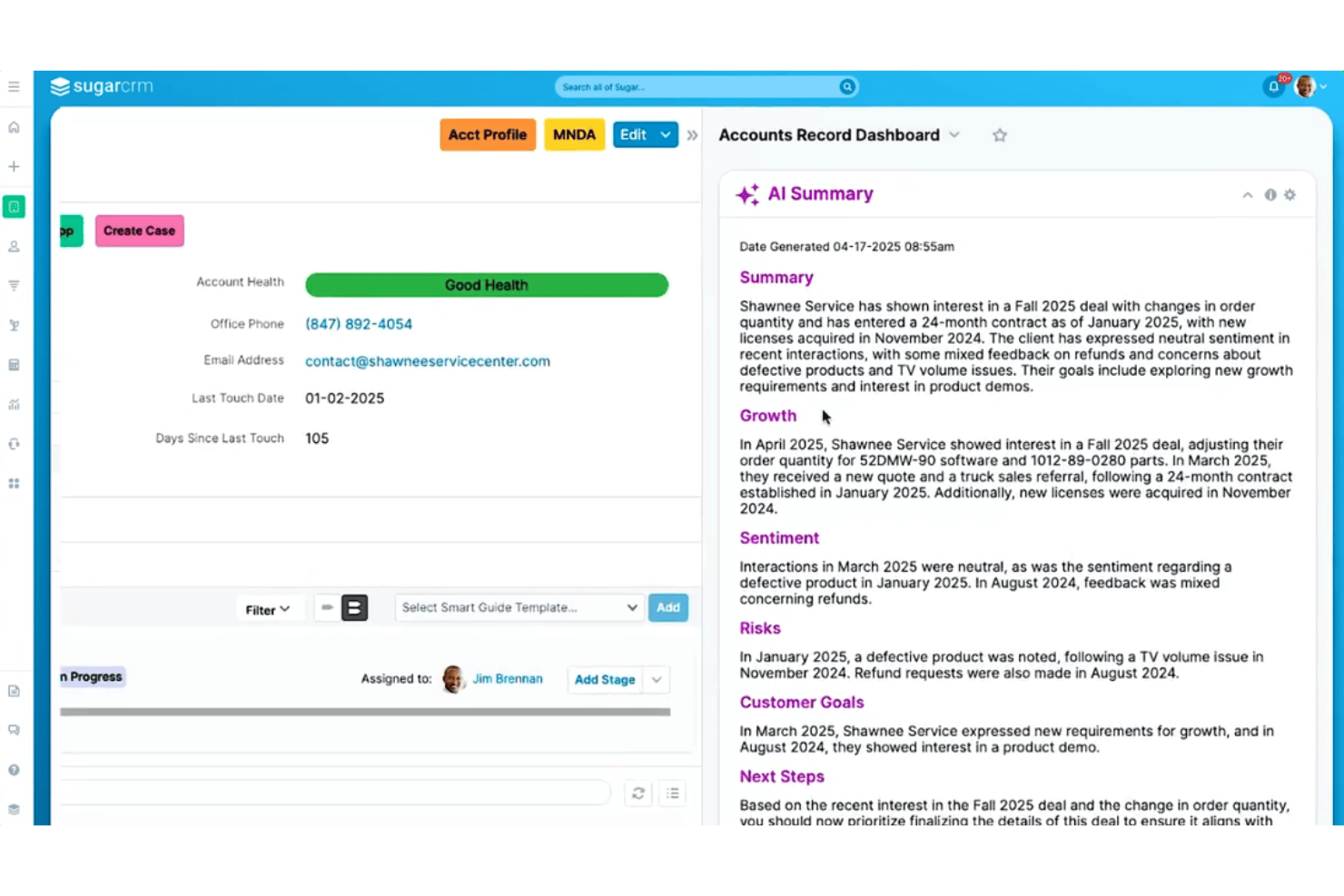
AI-Powered Lead Scoring
Automatically ranks leads based on behavior, predictive analytics, and engagement data. Sales teams get clear guidance on who’s ready to buy.
Workflow Automation
Lets you automate sales, service, or marketing processes with custom rules. You can trigger follow-ups, assign tasks, or update records instantly.
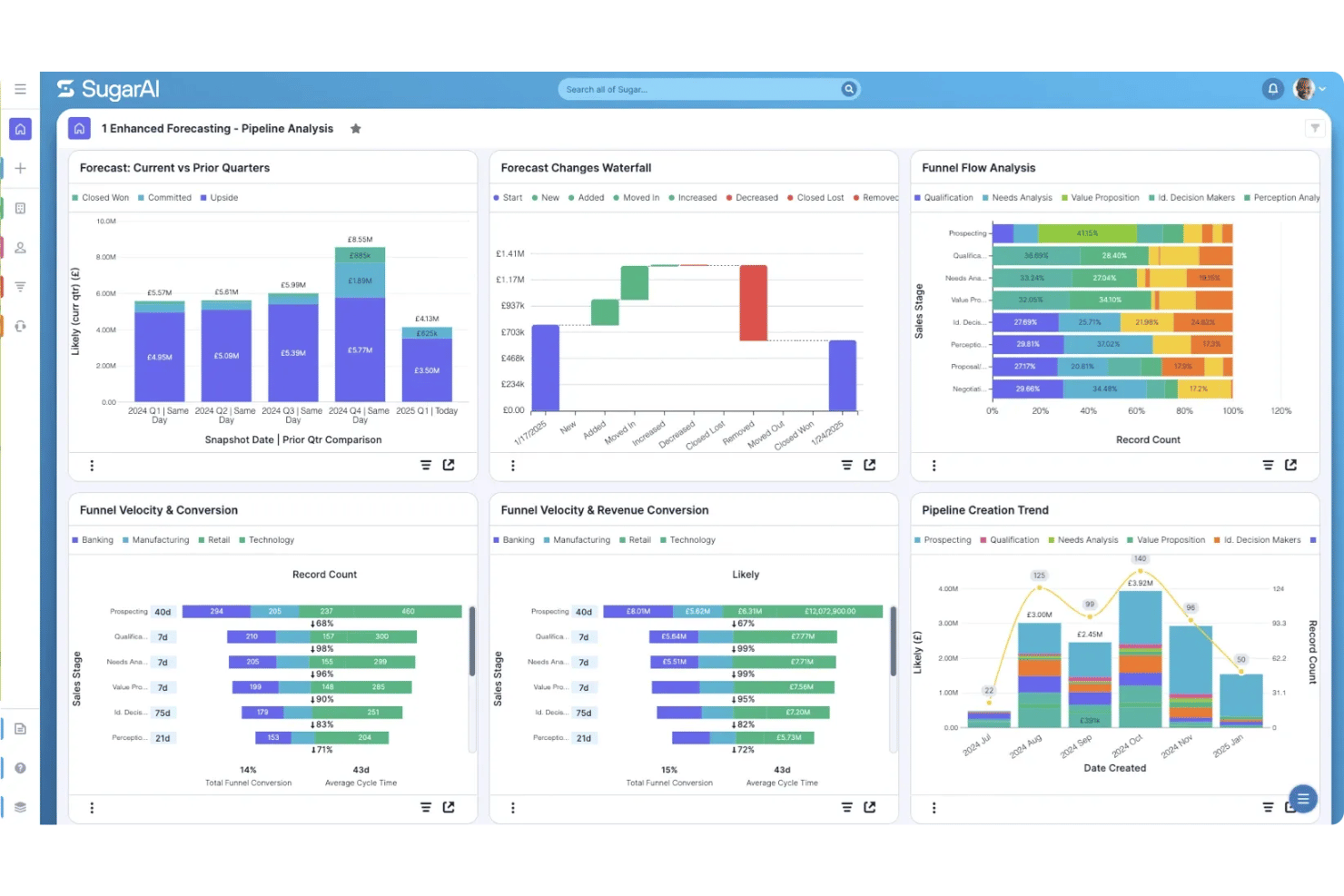
Advanced Reporting and Dashboards
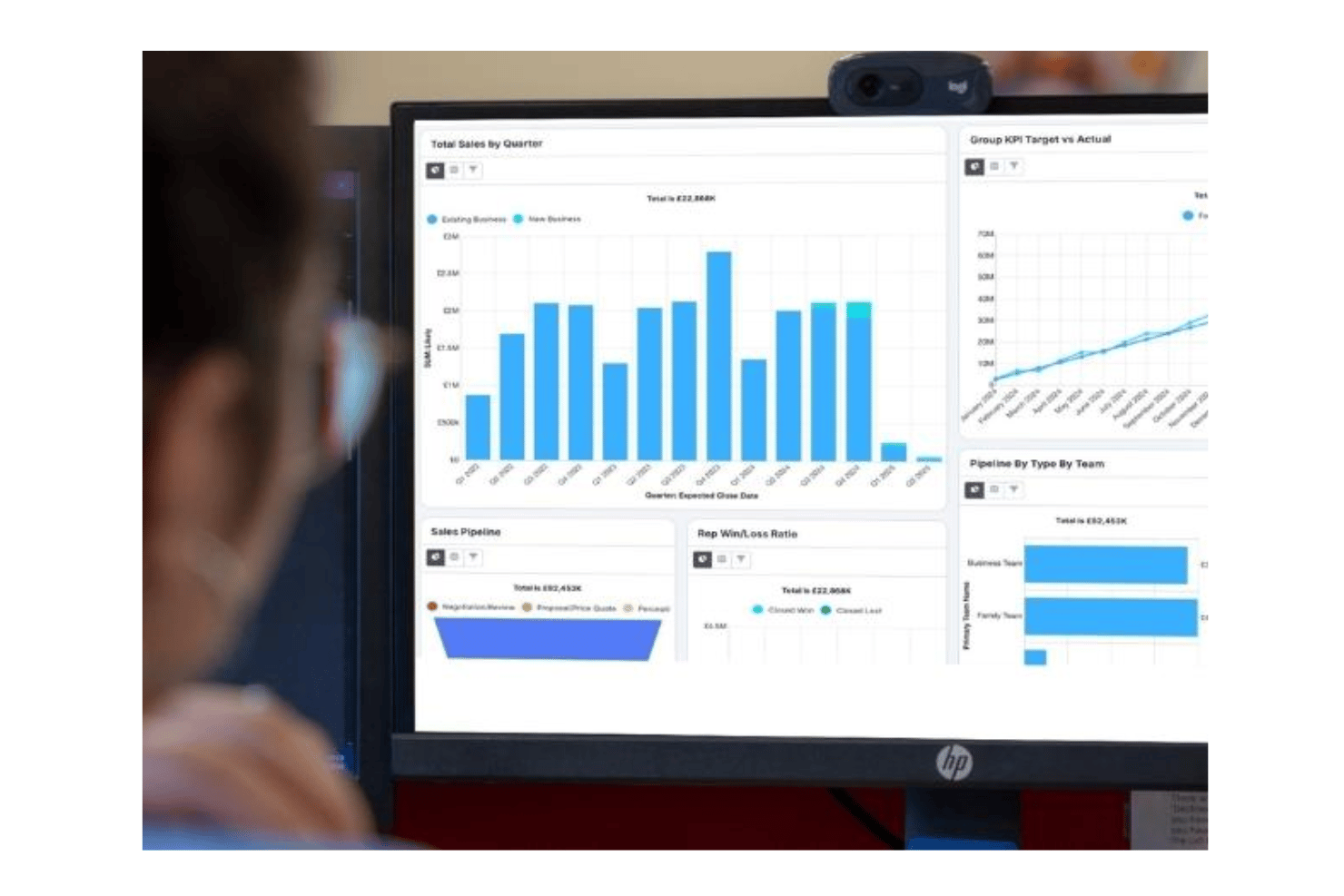
Visualize sales pipelines, win rates, and team performance in real time. Drag-and-drop tools create custom dashboards for different team roles.
Case Management
Tracks all support cases from creation to resolution in one place. Managers can auto-assign issues and monitor customer satisfaction.
Email Tracking and Sync
Captures inbound and outbound emails, linking them to relevant contacts and opportunities. Teams see full conversation histories right from the CRM.
Forecasting and Pipeline Management
Predicts revenue and highlights bottlenecks in the sales cycle. Leaders get up-to-date forecasts and pipeline views they can trust.
Ease of Use
SugarAI packs deep customization, but I find that new users face a steeper climb than with most CRMs. Its interface sometimes feels busy, and advanced functions can be hidden beneath layered menus. However, experienced teams benefit from granular control, powerful dashboard options, and highly tailored workflows once setup is complete.
Integrations
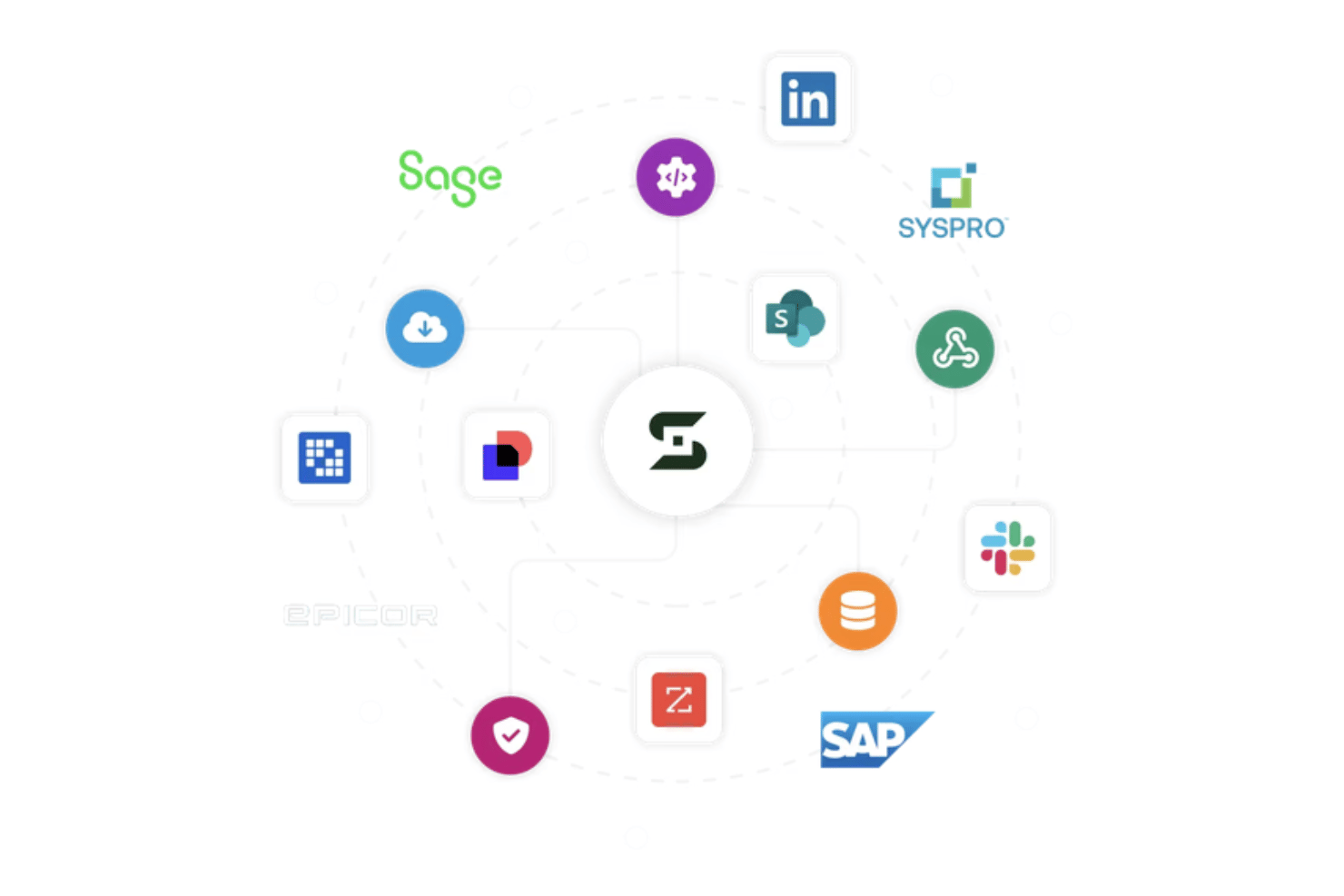
SugarAI integrates with Microsoft Outlook, Gmail, Marketo, HubSpot, DocuSign, QuickBooks, Slack, LinkedIn, PandaDoc, and Zapier, among others. SugarAI also offers a REST API and supports connections with third-party integration tools.
SugarAI Specs
- 2-Factor Authentication
- API
- Calendar Management
- Call Tracking
- Campaign Management
- Click-to-Dial
- Contact Management
- Contact Sharing
- Custom Data Forms
- Customer Management
- Dashboard
- Data Export
- Data Import
- Data Visualization
- Email Integration
- External Integrations
- File Sharing
- File Transfer
- Google Apps Integration
- Lead Management
- Lead Scoring
- Marketing Automation
- Mobile App
- Multi-User
- Notifications
- Pipeline Management
- Sales Automation
- Scheduling
- Social-Media Integration
- Task Scheduling/Tracking
- Third-Party Plugins/Add-Ons