Microsoft Dynamics 365 Business Central Review: Features, Pros, Cons, and Pricing


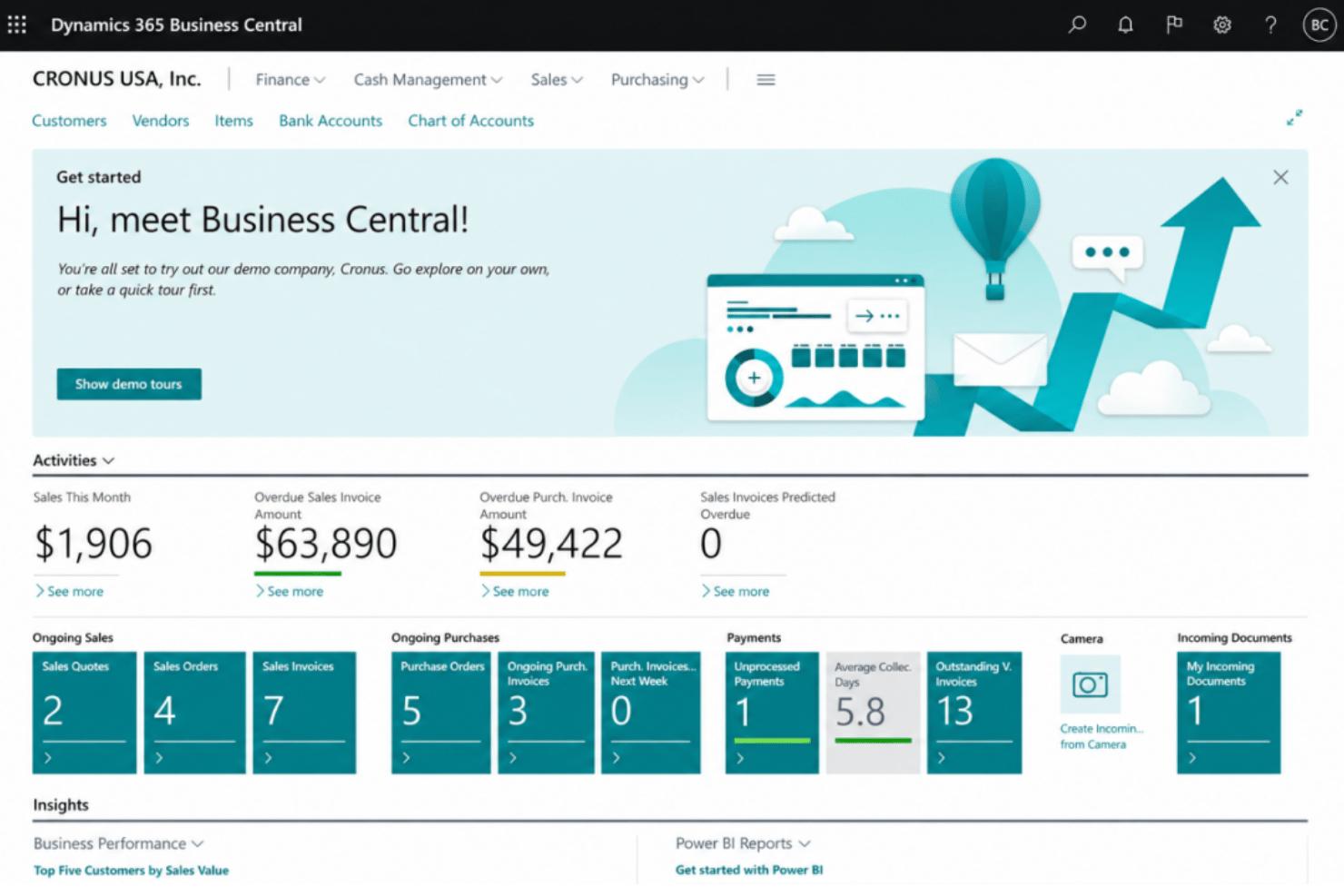
Microsoft Dynamics 365 Business Central is a revenue management system designed to unify your finance, sales, and operations into a single cloud platform. If you’re like most revenue operations experts evaluating an ERP system, you need one source of truth for every revenue stream, reliable reporting, and adaptable tools for both routine and complex workflows. I think Business Central stands out for its deep integration with Microsoft’s ecosystem, flexible configuration options, and real-time data visibility.
In this review, I’ll break down Business Central’s features, common use cases, pros and cons, and pricing so you can decide if it’s the right fit for your revenue team.
Microsoft Dynamics 365 Business Central Evaluation Summary
- From $80/user/month (billed annually)
- Free plan available
Why Trust Our Software Reviews
We’ve been testing and reviewing RevOps software since 2022. As RevOps leaders ourselves, we know how critical and difficult it is to make the right decision when selecting software.
We invest in deep research to help our audience make better software purchasing decisions. We’ve tested more than 2,000 tools for different RevOps use cases and written over 1,000 comprehensive software reviews. Learn how we stay transparent & our software review methodology.
Microsoft Dynamics 365 Business Central Overview
In my opinion, choosing Microsoft Dynamics 365 Business Central gives you a familiar interface, solid integration with Microsoft tools, and flexible revenue tracking that larger teams will appreciate. Pricing can feel steep and onboarding isn’t plug-and-play, but you get deep financial features and responsive support. I’d judge it best for companies already using Microsoft 365 or with multi-entity revenue models, rather than small, price-sensitive teams or those prioritizing fast setup. Compared to others, its custom automation, customer relationship management tools, and unified reporting stand out, while its learning curve and third-party integrations sometimes lag. If tight Microsoft alignment matters and you’re moving from an on-premise solution, it’s a strong pick.
pros
-
Handles multi-entity and multi-currency revenue consolidation well
-
Provides detailed, drill-down financial reporting and audit trails
-
Strong workflow automation for recurring revenue processes
cons
-
Steep per-user pricing for growing revenue teams
-
Advanced revenue recognition features require custom configurations
-
Native customer support response times can be inconsistent
-

Prisync
Visit WebsiteThis is an aggregated rating for this tool including ratings from Crozdesk users and ratings from other sites.4.7 -
Expedite Commerce
Visit Website -
QuickBooks Online
Visit WebsiteThis is an aggregated rating for this tool including ratings from Crozdesk users and ratings from other sites.4




How We Test & Score Tools
We’ve spent years building, refining, and improving our software testing and scoring system. The rubric is designed to capture the nuances of software selection and what makes a tool effective, focusing on critical aspects of the decision-making process.
Below, you can see exactly how our testing and scoring works across seven criteria. It allows us to provide an unbiased evaluation of the software based on core functionality, standout features, ease of use, onboarding, customer support, integrations, customer reviews, and value for money.
Core Functionality (25% of final scoring)
The starting point of our evaluation is always the core functionality of the tool. Does it have the basic features and functions that a user would expect to see? Are any of those core features locked to higher-tiered pricing plans? At its core, we expect a tool to stand up against the baseline capabilities of its competitors.
Standout Features (25% of final scoring)
Next, we evaluate uncommon standout features that go above and beyond the core functionality typically found in tools of its kind. A high score reflects specialized or unique features that make the product faster, more efficient, or offer additional value to the user.
We also evaluate how easy it is to integrate with other tools typically found in the tech stack to expand the functionality and utility of the software. Tools offering plentiful native integrations, 3rd party connections, and API access to build custom integrations score best.
Ease of Use (10% of final scoring)
We consider how quick and easy it is to execute the tasks defined in the core functionality using the tool. High scoring software is well designed, intuitive to use, offers mobile apps, provides templates, and makes relatively complex tasks seem simple.
Onboarding (10% of final scoring)
We know how important rapid team adoption is for a new platform, so we evaluate how easy it is to learn and use a tool with minimal training. We evaluate how quickly a team member can get set up and start using the tool with no experience. High scoring solutions indicate little or no support is required.
Customer Support (10% of final scoring)
We review how quick and easy it is to get unstuck and find help by phone, live chat, or knowledge base. Tools and companies that provide real-time support score best, while chatbots score worst.
Customer Reviews (10% of final scoring)
Beyond our own testing and evaluation, we consider the net promoter score from current and past customers. We review their likelihood, given the option, to choose the tool again for the core functionality. A high scoring software reflects a high net promoter score from current or past customers.
Value for Money (10% of final scoring)
Lastly, in consideration of all the other criteria, we review the average price of entry level plans against the core features and consider the value of the other evaluation criteria. Software that delivers more, for less, will score higher.
Core Features
Revenue Recognition Automation
Automatically recognizes revenue based on performance obligations and contract terms. This feature supports compliance with ASC 606 and IFRS 15 standards.
Recurring Billing Management
Schedules, tracks, and renews recurring invoices with sales order management for subscription revenue. You can set custom billing cycles and automate reminders.
Multi-Currency Handling
Supports financial transactions in multiple currencies with real-time conversion rates. Teams dealing with international revenue streams, accounts payable, and accounts receivable stay accurate and compliant.
Consolidated Financial Reporting
Generates consolidated statements across multiple entities, regions, or business units. Drill-down filters let you analyze revenue by product, customer, or location.
Budgeting and Forecasting Tools
Lets you create revenue forecasts and compare them against actuals for informed financial management. Visual dashboards help you spot gaps and trends fast.
Audit Trails and Compliance Tracking
Tracks every general ledger transaction and bank reconciliation for audit readiness and regulatory compliance. Change logs are accessible for both internal and external review.
Ease of Use
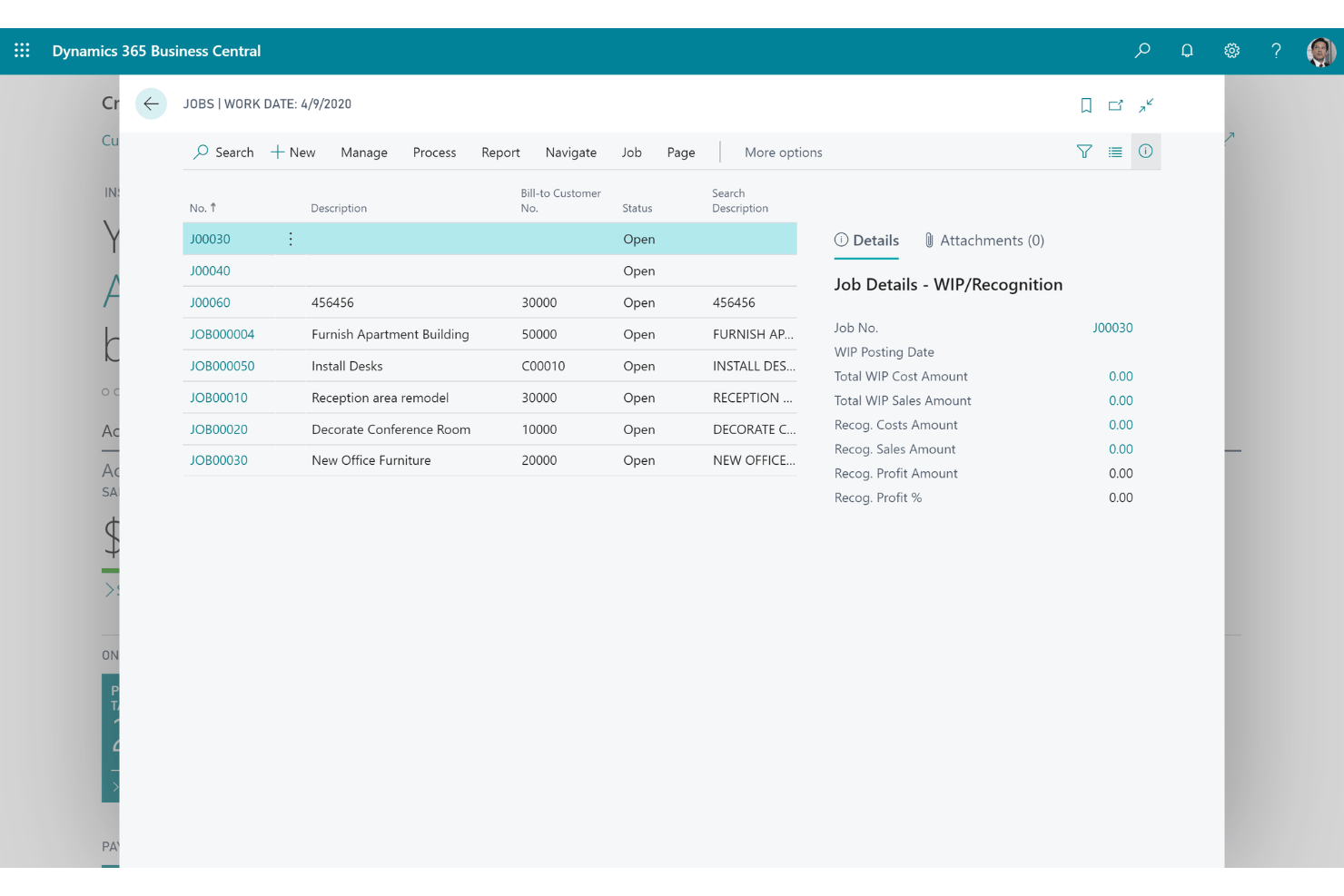
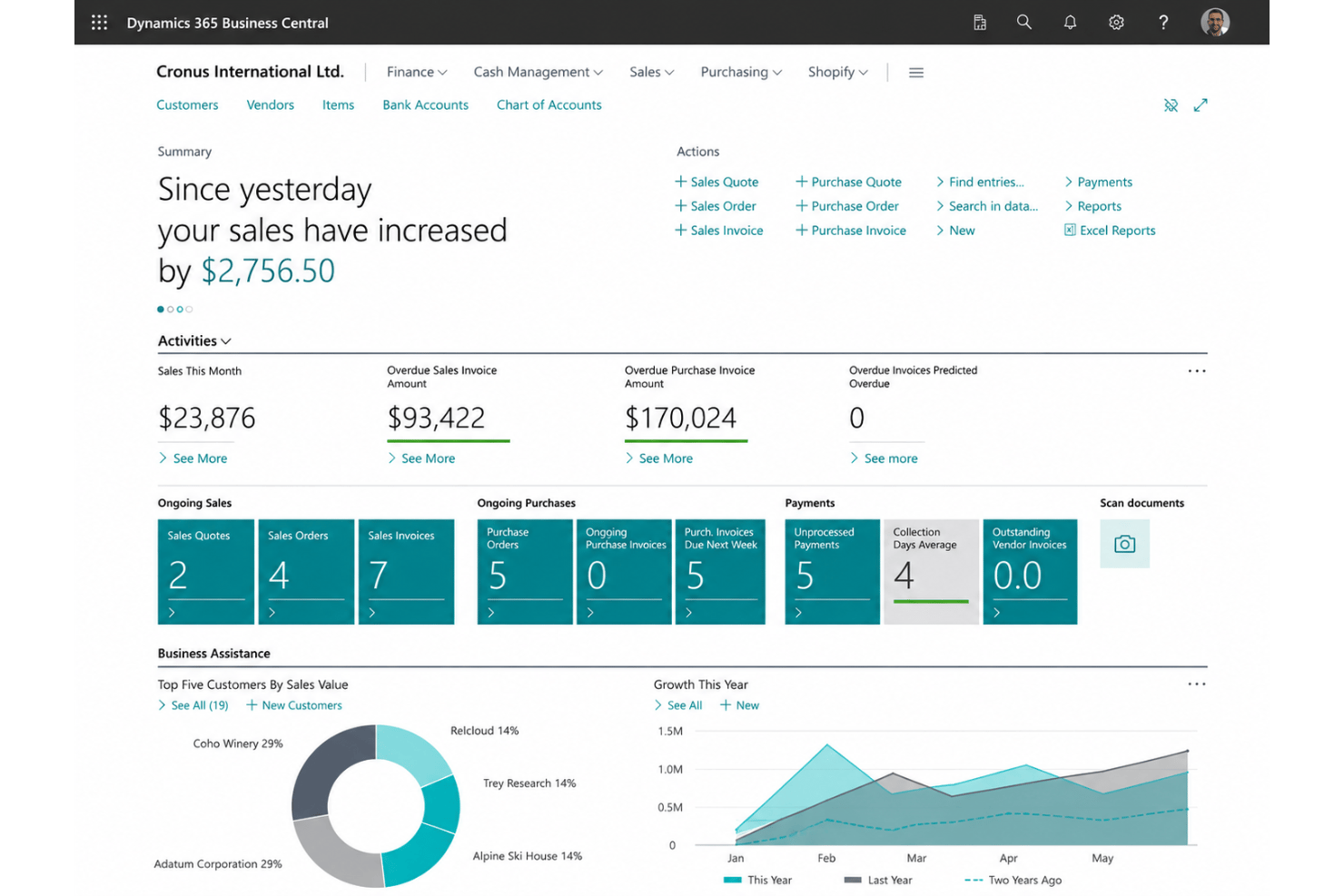
Microsoft Dynamics 365 Business Central feels intuitive if you’re used to Microsoft 365 tools, but reviewing user feedback, initial navigation and settings can overwhelm new users. I think its clean user interface, customizable dashboards, and guided workflows make day-to-day revenue tasks straightforward once you’re set up. Built-in help, a mobile app, and frequent UI updates improve usability, yet mastering advanced revenue features takes time and dedicated onboarding.
Integrations
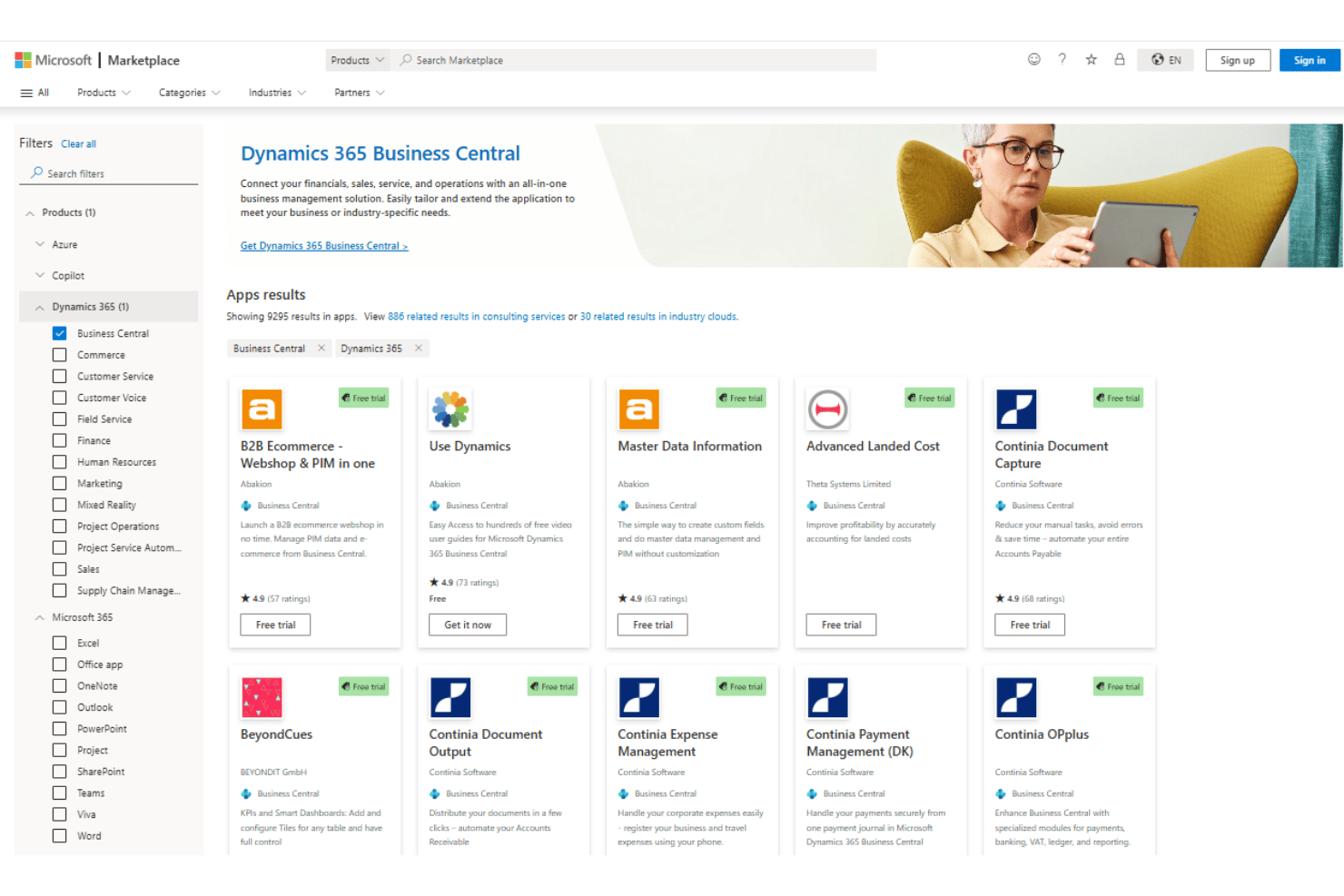
Microsoft Dynamics 365 Business Central integrates with Microsoft 365, Power BI, Outlook, Excel, Teams, Dynamics 365 Sales, and Azure Active Directory, among others.
It also offers an open API and connects with third-party integration tools like Zapier and Power Automate.
Microsoft Dynamics 365 Business Central Specs
- Accounts Payable
- Accounts Receivable
- API
- Budgeting
- Calendar Management
- Compliance Tracking
- Customer Management
- Dashboard
- Data Export
- Data Import
- Data Visualization
- Expense Tracking
- External Integrations
- Financial Analysis
- Forecasting
- Inventory Tracking
- Multi-Currency
- Multi-User
- Notifications
- Order Management
- Payroll
- Project Management
- Purchase Orders
- Resource Management
- Scheduling
- Supplier Management
- Task Scheduling/Tracking
- Third-Party Plugins/Add-Ons
- Warehouse Management
- Workflow Management