

Lusha Review: Pros, Cons, Features, and Pricing Explained


Lusha is a sales intelligence software that gives sales, marketing, and RevOps teams verified contact data, direct dials, and firmographic details for B2B prospecting. I'd reach for it when your outbound motion depends on reaching decision-makers directly and your CRM keeps filling up with stale or generic contact records. Compared to ZoomInfo, Lusha is a lighter, faster option to roll out, with transparent per-credit pricing and a browser extension your reps will actually use, without the enterprise contract commitment or ramp-up time.
Lusha Evaluation Summary
- From $37.45/month (billed annually)
- Free plan available
Why Trust Our Software Reviews
We’ve been testing and reviewing RevOps software since 2022. As RevOps leaders ourselves, we know how critical and difficult it is to make the right decision when selecting software.
We invest in deep research to help our audience make better software purchasing decisions. We’ve tested more than 2,000 tools for different RevOps use cases and written over 1,000 comprehensive software reviews. Learn how we stay transparent & our software review methodology.
Lusha Overview
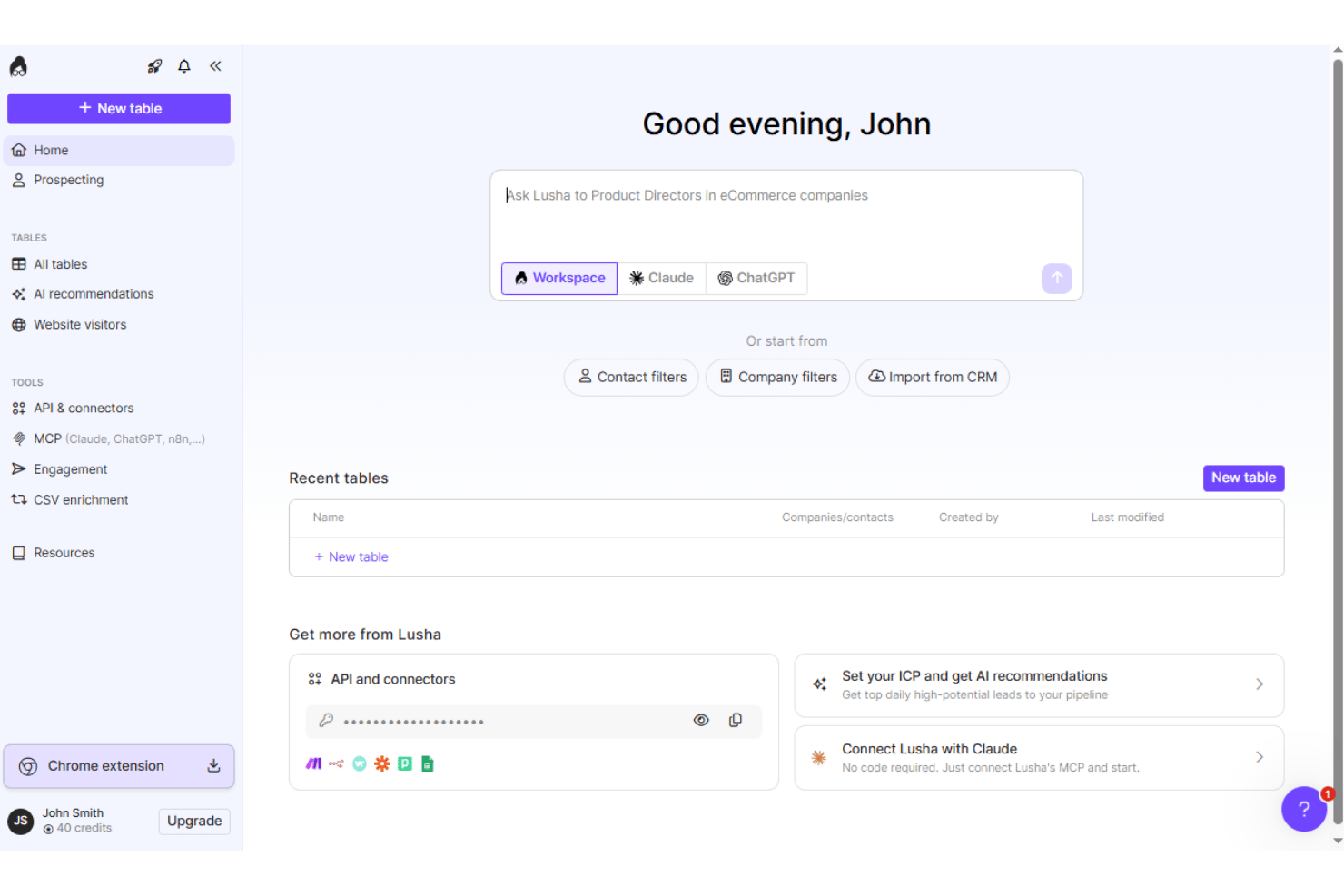
I think choosing Lusha makes sense if you want instant access to direct dials and verified emails without jumping through sales calls or lengthy onboarding. The browser extension is easy for reps, pricing is clear, and setup doesn’t require technical help. Lusha’s database feels less bloated, so you get cleaner, more actionable contact data even if coverage isn’t always as deep. It falls short for large-scale enrichment or complex reporting, but for fast-moving teams who need high-quality leads and simple workflows, I’d judge Lusha a practical option.
pros
-
Provides direct dial phone numbers for key decision-makers
-
Transparent per-credit pricing without annual contracts
-
Browser extension enables quick data discovery on LinkedIn
cons
-
Data coverage is limited outside North America and Europe
-
No bulk enrichment or advanced reporting capabilities
-
Credits can run out quickly with high-volume prospecting
-

Pipedrive CRM
Visit WebsiteThis rating combines scores from multiple user review sites to reflect overall customer sentiment about the product.4.5 -
Creatio CRM
Visit WebsiteThis rating combines scores from multiple user review sites to reflect overall customer sentiment about the product.4.7 -
monday CRM
Visit WebsiteThis rating combines scores from multiple user review sites to reflect overall customer sentiment about the product.4.6




How We Test & Score Tools
We’ve spent years building, refining, and improving our software testing and scoring system. The rubric is designed to capture the nuances of software selection and what makes a tool effective, focusing on critical aspects of the decision-making process.
Below, you can see exactly how our testing and scoring works across seven criteria. It allows us to provide an unbiased evaluation of the software based on core functionality, standout features, ease of use, onboarding, customer support, integrations, customer reviews, and value for money.
Core Functionality (25% of final scoring)
The starting point of our evaluation is always the core functionality of the tool. Does it have the basic features and functions that a user would expect to see? Are any of those core features locked to higher-tiered pricing plans? At its core, we expect a tool to stand up against the baseline capabilities of its competitors.
Standout Features (25% of final scoring)
Next, we evaluate uncommon standout features that go above and beyond the core functionality typically found in tools of its kind. A high score reflects specialized or unique features that make the product faster, more efficient, or offer additional value to the user.
We also evaluate how easy it is to integrate with other tools typically found in the tech stack to expand the functionality and utility of the software. Tools offering plentiful native integrations, 3rd party connections, and API access to build custom integrations score best.
Ease of Use (10% of final scoring)
We consider how quick and easy it is to execute the tasks defined in the core functionality using the tool. High scoring software is well designed, intuitive to use, offers mobile apps, provides templates, and makes relatively complex tasks seem simple.
Onboarding (10% of final scoring)
We know how important rapid team adoption is for a new platform, so we evaluate how easy it is to learn and use a tool with minimal training. We evaluate how quickly a team member can get set up and start using the tool with no experience. High scoring solutions indicate little or no support is required.
Customer Support (10% of final scoring)
We review how quick and easy it is to get unstuck and find help by phone, live chat, or knowledge base. Tools and companies that provide real-time support score best, while chatbots score worst.
Customer Reviews (10% of final scoring)
Beyond our own testing and evaluation, we consider the net promoter score from current and past customers. We review their likelihood, given the option, to choose the tool again for the core functionality. A high scoring software reflects a high net promoter score from current or past customers.
Value for Money (10% of final scoring)
Lastly, in consideration of all the other criteria, we review the average price of entry level plans against the core features and consider the value of the other evaluation criteria. Software that delivers more, for less, will score higher.
Core Features
Direct Dial Phone Numbers
Get direct phone numbers for decision-makers so your team can connect quickly. This feature makes outbound prospecting faster and more targeted.
Verified Email Addresses
Access verified email addresses that reduce bounce rates and wasted outreach. Lusha checks accuracy so you can trust the contact data in your CRM.
Browser Extension for LinkedIn
Use the browser extension to find verified contact details directly on LinkedIn profiles. Your reps can reveal emails and phone numbers in one click without leaving their workflow.
Company Firmographics
See company size, industry, location, and revenue in one view. Firmographic data helps you prioritize accounts and personalize your pitch.
Contact Enrichment
Enrich existing leads with up-to-date info like role, seniority, and contact details. Upload a list to instantly fill in missing fields for better segmentation.
Optimized Search Filters
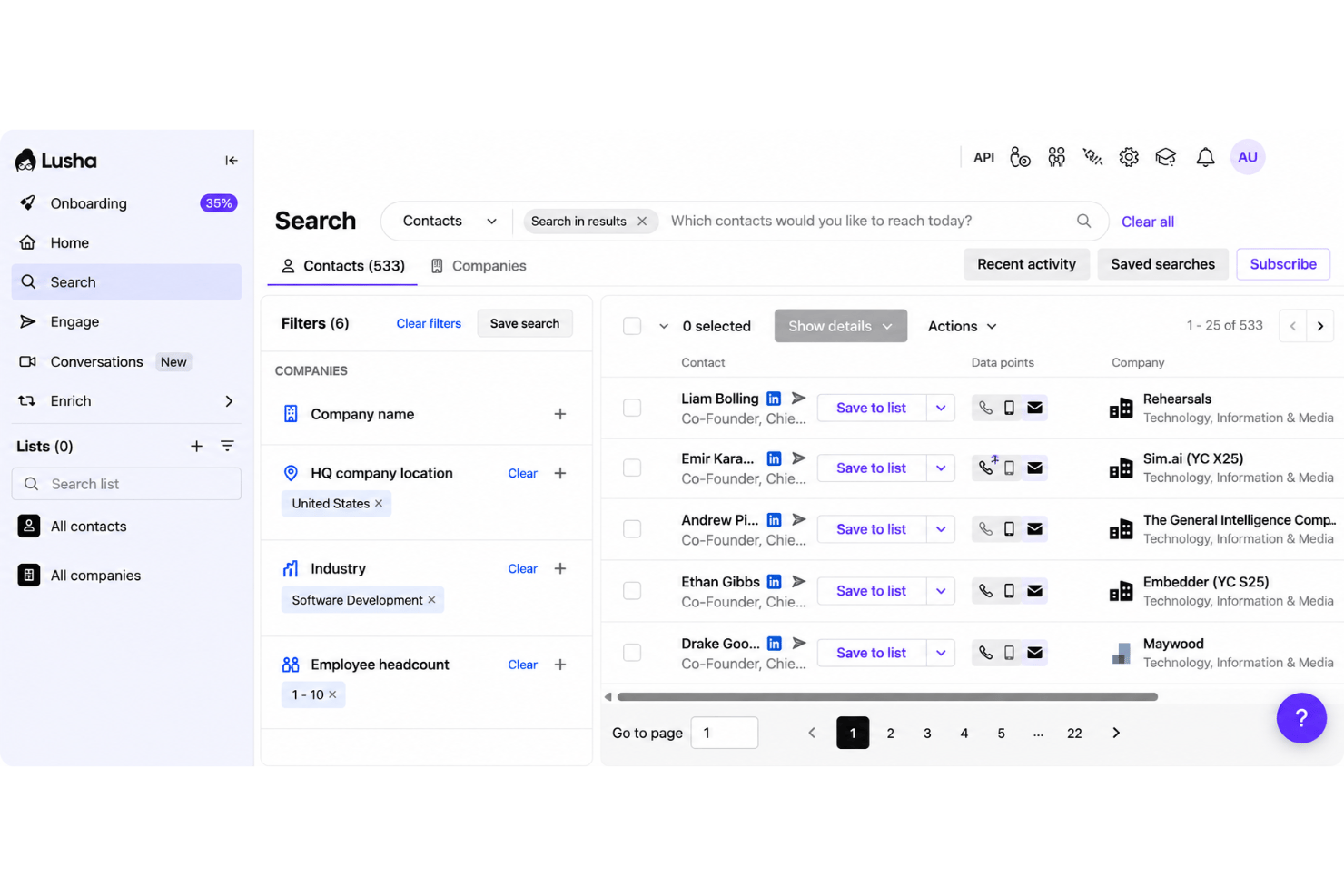
Narrow searches by title, company, location, or industry using advanced filters. Find the right prospects in seconds, not hours.
Ease of Use
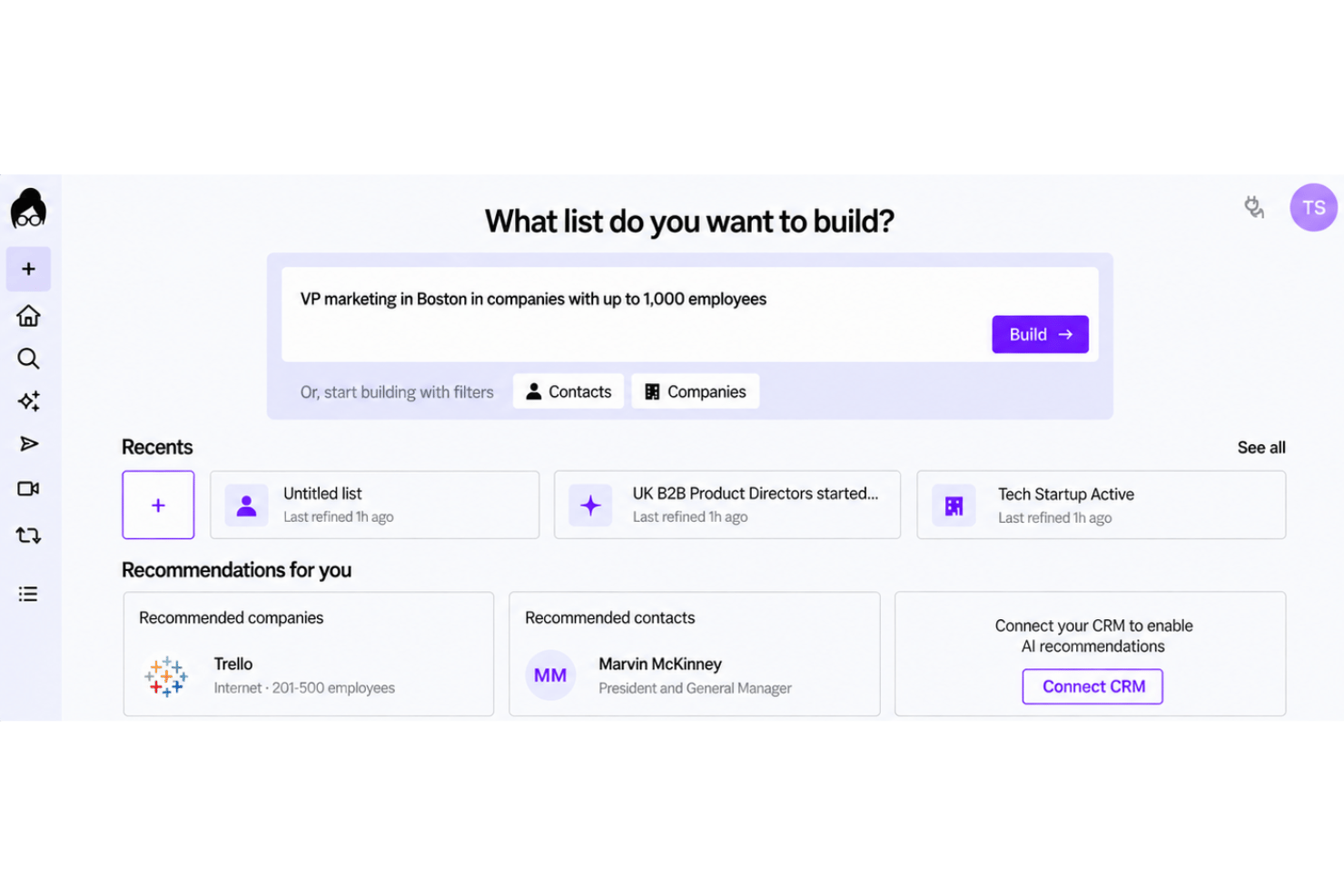
Lusha is easy to use out of the box, thanks to its simple browser extension and intuitive interface. You can pull verified contact info from LinkedIn in one click, so reps spend less time learning the tool and more time prospecting. Most users feel the workflows require almost no onboarding or training, with clear navigation and transparent credit usage that keeps things straightforward for busy sales teams.
Integrations
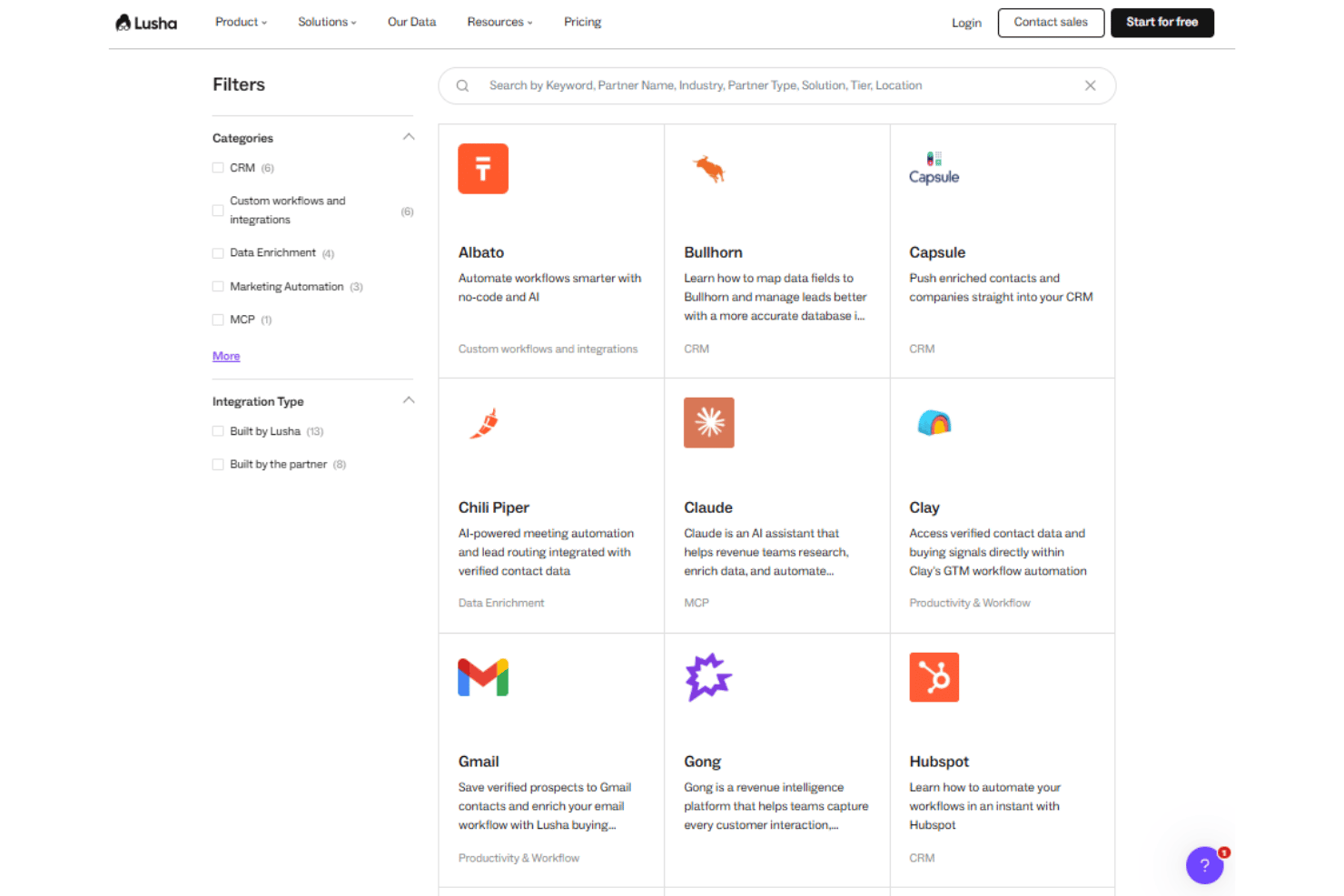
Lusha integrates with Salesforce, HubSpot, Outreach, Pipedrive, Zoho CRM, Microsoft Dynamics 365, Salesloft, Slack, Bullhorn, and LinkedIn, among others.
Lusha also offers an API and connects with third-party integration tools such as Zapier.
Lusha Specs
- A/B Testing
- API
- Audience Targeting
- Campaign Management
- Click-to-Dial
- Contact Management
- Contact Sharing
- Conversion Tracking
- Customer Advocacy
- Dashboard
- Data Export
- Data Import
- Email Integration
- External Integrations
- Feedback Management
- Google Apps Integration
- Landing Pages
- Lead Management
- Lead Scoring
- Marketing Automation
- Multi-App
- Multi-Site
- Multi-User
- Notifications
- Omnichannel Referrals
- Workflow Management