

10 Best Social CRM Software Reviewed In 2026

Best Social CRM Software Shortlist


Choosing a social CRM software for a company can be just as challenging as handling the daily operations of your business. Many businesses face issues managing customer interactions across social media platforms, which can lead to lost opportunities and hindered growth.
As a CRM technology consultant, I've seen a rising need for solutions that effectively tackle these challenges. Drawing from my expertise in CRM solutions, I've evaluated and reviewed several leading social CRM software options to help companies identify the best fit for their needs.
Whether you want to enhance your customer engagement or optimize your existing CRM strategy, my guide will help you make strategic choices that improve customer relations and drive growth.
Why Trust Our Software Recommendations
Our reviews reflect our independent judgment—not a sales pitch. Learn how we stay transparent.
For this guide, we evaluated tools using hands-on testing and independent research, scoring tools using our selection criteria.
Our reviews reflect our human editorial judgment, not a sales pitch.
Best Social CRM Software Summary
| Tool | Best For | Trial Info | Price | ||
|---|---|---|---|---|---|
| 1 | Best for unified social inbox and analytics | Free 14-day trial | From $149/month | Website | |
| 2 | Best for measuring social media ROI | Free trial + free plan available | From $79/user/month (billed annually) | Website | |
| 3 | Best for agency-focused social media management | 14-day free trial available | From $29/month | Website | |
| 4 | Best for social profile enrichment in CRM | 14-day free trial | From $24.90/user/month (billed annually) | Website | |
| 5 | Best for B2B social media revenue tracking | Free demo available | Pricing upon request | Website | |
| 6 | Best for free all-in-one business management | 15-day free trial + free demo available | From $49/month (billed annually) | Website | |
| 7 | Best for all-in-one CRM and marketing automation | 14-day free trial | From $99/month | Website | |
| 8 | Best for user-generated content campaigns | 14-day free trial | From $15/month (billed annually) | Website | |
| 9 | Best for AI-powered sales productivity | 21-day free trial | From $9/user/month (billed annually) | Website | |
| 10 | Best for integrated CRM and social media tools | Free plan available; 15-day free trial | From $14/user/month (billed annually) | Website |
Best Social CRM Software Reviews
This section provides an in-depth analysis and overview of each social CRM software, covering each tool’s pros and cons, features, and ideal use cases.
Best for unified social inbox and analytics
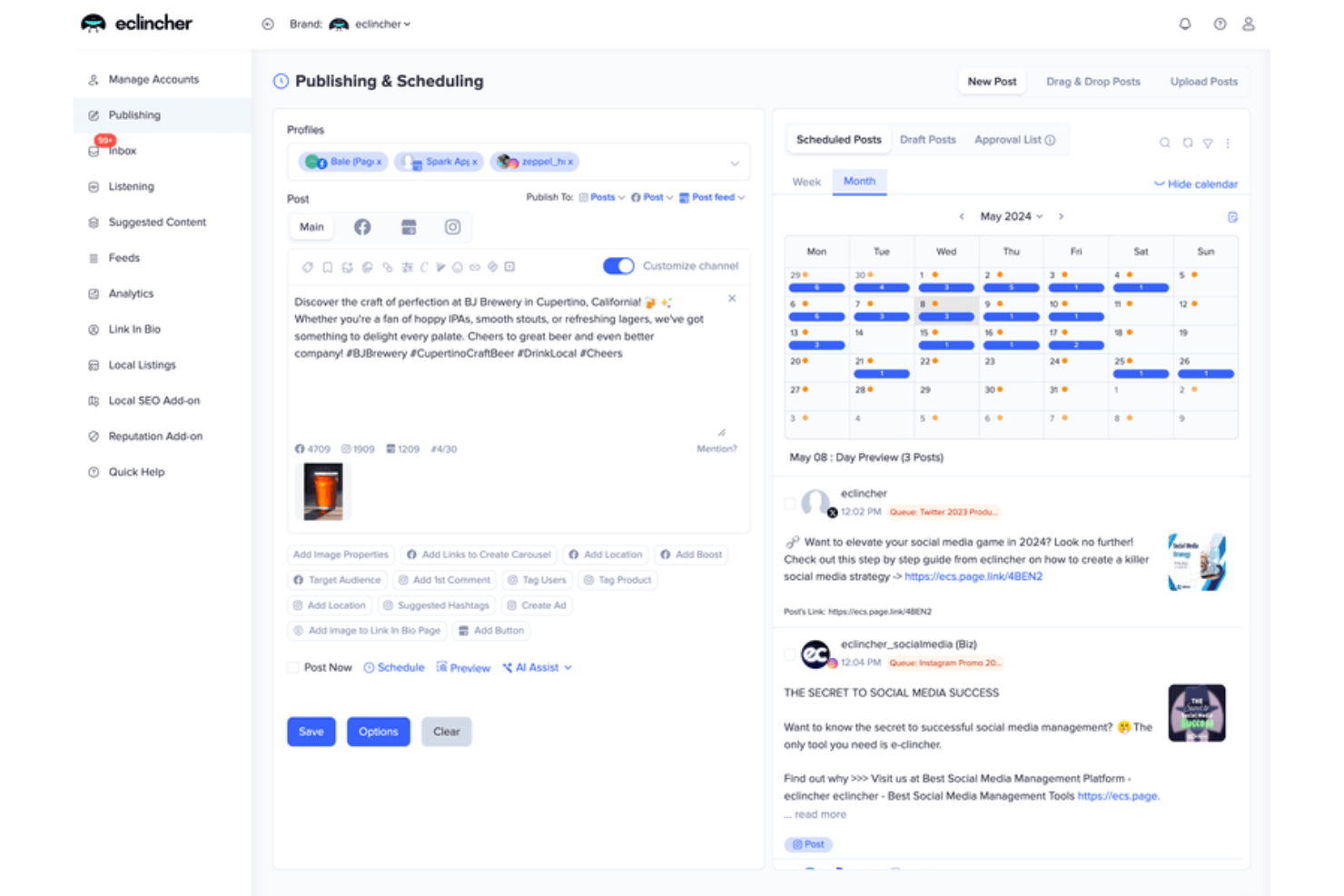
eclincher is a social media management platform that centralizes publishing, a unified social CRM inbox across 20+ channels, brand monitoring, and performance analytics in one dashboard.
Who Is eclincher Best For?
eclincher is a good fit for social media managers and digital marketing teams at mid-sized businesses who need multi-channel publishing and engagement in one place.
Why I Picked eclincher
eclincher earns its spot on my shortlist because the unified inbox is one of the most complete I've seen in a social CRM context. It pulls in messages, comments, mentions, reviews, and emails from 30+ channels into a single workspace, so my team isn't context-switching between platforms to track every conversation. I also rely on the inbox's built-in sentiment analysis, which surfaces how audiences are responding in real time and makes it easier to prioritize which threads need attention. Layer in the customizable analytics dashboards that track response times and team performance, and you have a clear picture of how your engagement operation is running.
eclincher Key Features
- Auto-post queues: Schedule and recycle evergreen content across multiple social profiles using rule-based posting queues.
- Brand monitoring: Track keywords, hashtags, and competitor mentions across social channels in real time.
- Contact profile view: See a contact's full social interaction history directly from the inbox before you respond.
- Team task assignment: Assign inbox conversations to specific team members and add labels to organize and triage incoming messages.
Pros and Cons
Pros:
- AI content creation
- Advanced analytics
- Unified social inbox
Cons:
- Occasional bugs reported by some users
- Learning curve for new users
Best for measuring social media ROI
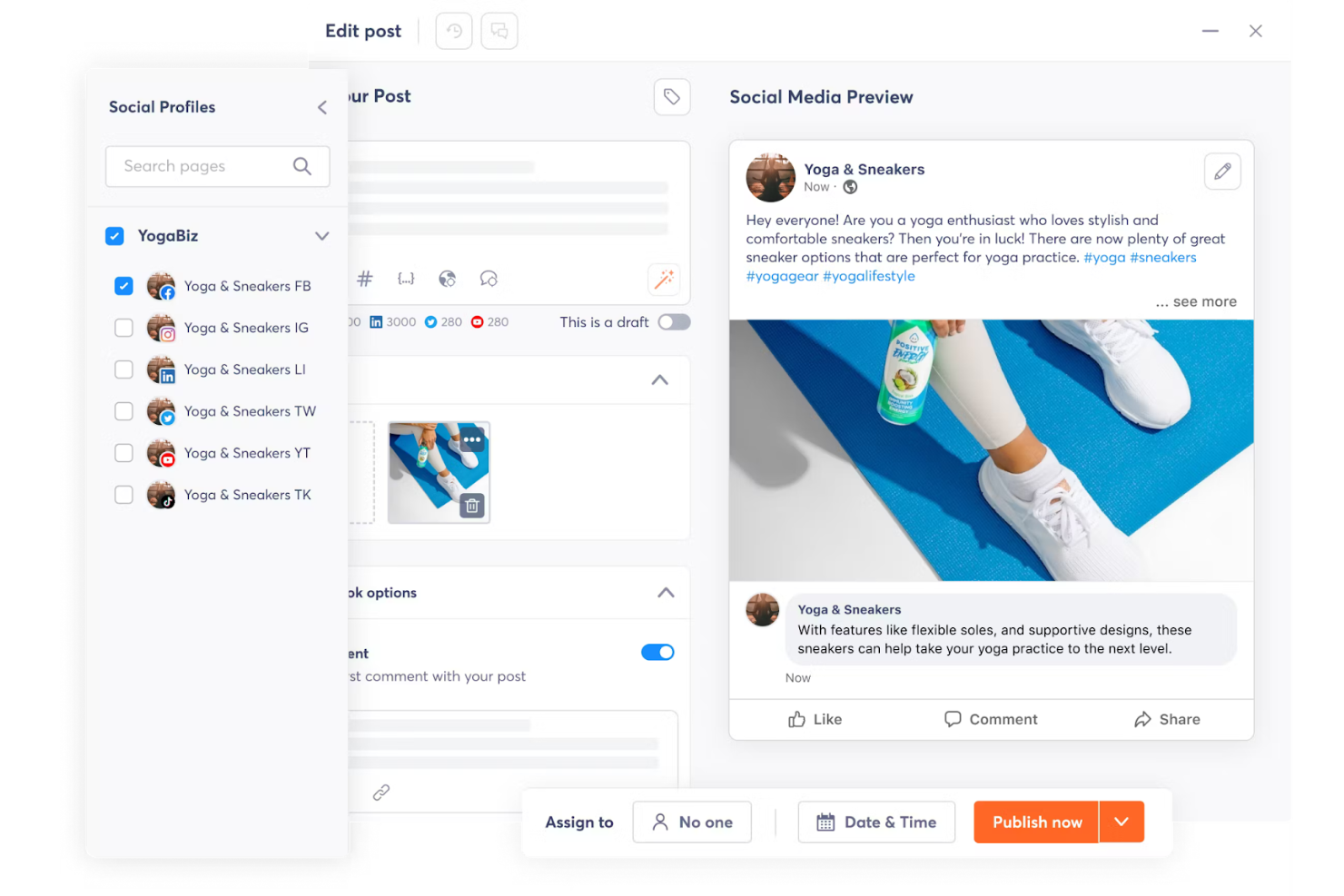
Agorapulse is a social media management platform with built-in social CRM features, including a unified inbox, audience profiling, contact labeling, and social listening across major networks.
Who Is Agorapulse Best For?
Agorapulse is a good fit for social media managers and marketing teams at small to mid-sized businesses who need to manage conversations and track audience relationships across multiple channels.
Why I Picked Agorapulse
Agorapulse earns its spot as one of the best on my shortlist because it's the only social media management platform I've found that ties organic social activity directly to revenue metrics. The Social Media ROI feature connects your Google Analytics data with Agorapulse's own activity data, so I can see which specific posts and inbox conversations are generating traffic, leads, and sales. I also like the funnel reports, which break down revenue contribution by profile, content type, and individual team member. That level of attribution detail is genuinely rare in a social CRM context.
Agorapulse Key Features
- Unified social inbox: Manage all incoming messages, comments, and mentions across every connected social network from one queue.
- Contact labels: Tag social contacts as leads, customers, or brand ambassadors directly from the inbox to segment your audience.
- Social listening: Monitor brand mentions, keywords, and competitor activity across social channels in real time.
- CRM integrations: Push contact and conversation data from the inbox directly into Salesforce or HubSpot records.
Pros and Cons
Pros:
- Excellent customer support
- User-friendly interface
- Detailed analytics
Cons:
- Limited customization for reporting
- Limited advanced features

Sendible
Best for agency-focused social media management
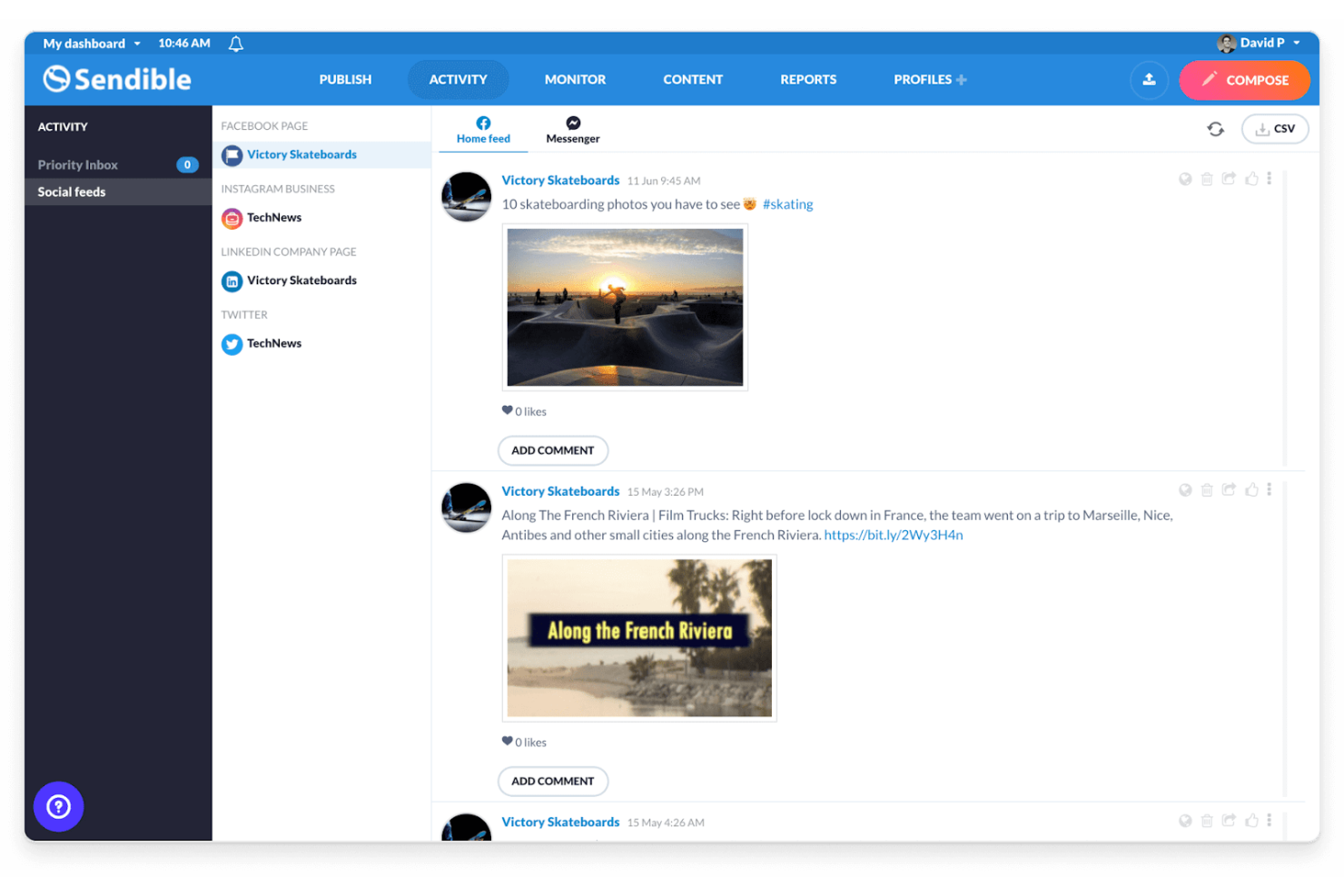
Sendible is a social media management platform built for agencies and marketing teams, with scheduling, a centralized engagement inbox, white-label dashboards, client collaboration, and automated reporting across major social networks.
Who Is Sendible Best For?
Sendible is a strong fit for social media agencies that manage multiple client accounts and need white-label reporting and client approval workflows.
Why I Picked Sendible
I've included Sendible in my top picks because it's one of the few social media management tools built specifically for agencies, not just as an afterthought. Client Connect lets you onboard clients without asking for their passwords—clients add their own profiles directly to your dashboard, and Sendible handles reconnection reminders automatically. The white-label dashboard lets you apply your own branding, custom domain, and color scheme, so clients see it as your product.
Sendible Key Features
- Priority inbox: Manage all incoming comments, messages, and replies from every connected social profile in a single, unified feed.
- Automated reports: Schedule client-ready reports to deliver automatically at set intervals, pulling data from connected social profiles.
- Smart queues: Set up recurring content queues that automatically refill and post at defined times to keep accounts consistently active.
- UTM tracking: Attach UTM parameters to scheduled posts to monitor and attribute social traffic in your analytics platform.
Pros and Cons
Pros:
- Team collaboration
- Detailed analytics
- Efficient scheduling
Cons:
- Complex interface
- Limited social listening capabilities

Nimble
Best for social profile enrichment in CRM
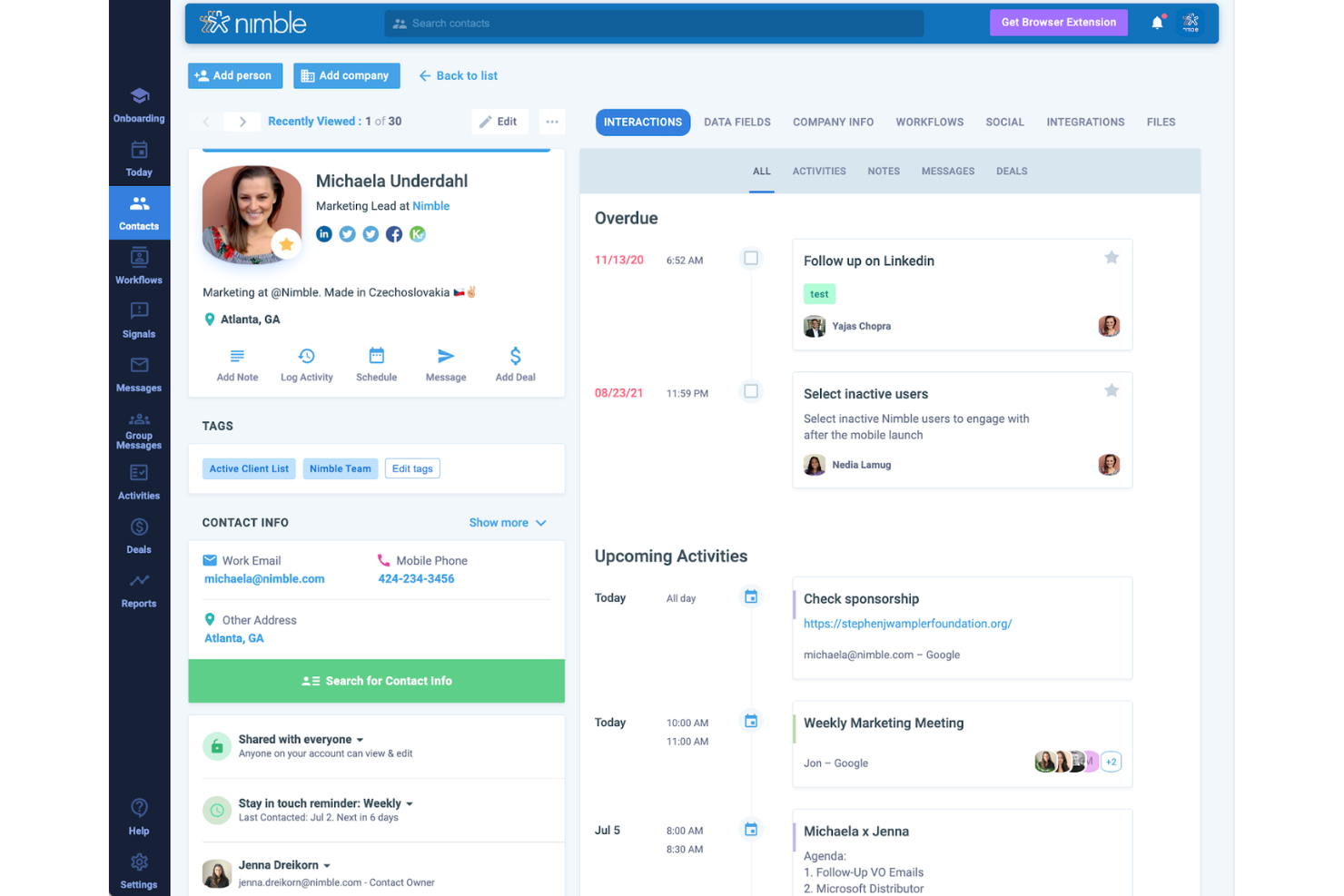
Nimble is a social CRM built around automatic contact enrichment, pulling social profiles, job titles, and company data from across the web directly into your contact records.
Who Is Nimble Best For?
Nimble suits small to mid-sized sales teams that rely on social selling and require contact data tied to social and web presence.
Why I Picked Nimble
Nimble stands out on my shortlist because social profile enrichment isn't an add-on here—it's built into how the CRM works. When you add a contact with just an email address, Nimble automatically scans LinkedIn, Twitter, and public web sources to fill in job title, company, location, and social profiles. The Nimble Prospector browser extension goes further: hover over any LinkedIn profile and it builds a full contact card in seconds, with a one-click option to push that record straight into your CRM. The enrichment works across the open web, not just LinkedIn—visit any company's About page, hover over a name, and Prospector pulls data from across 16 sources directly into the contact record.
Nimble Key Features
- Contact segmentation: Tag and filter contacts by social source, industry, job title, or custom fields to build targeted lists for outreach.
- Group messaging: Send personalized bulk emails to segmented contact lists directly from the CRM, with open and click tracking built in.
- Sales pipeline management: Create and manage multiple visual deal pipelines with drag-and-drop stages and deal value tracking.
- Today page: A unified daily dashboard that surfaces your scheduled tasks, calendar events, deal activity, and email follow-ups in one view.
Pros and Cons
Pros:
- Automated workflows
- Smooth platform integration
- Social profile enrichment
Cons:
- Higher learning curve
- Limited customer support
Oktopost
Best for B2B social media revenue tracking
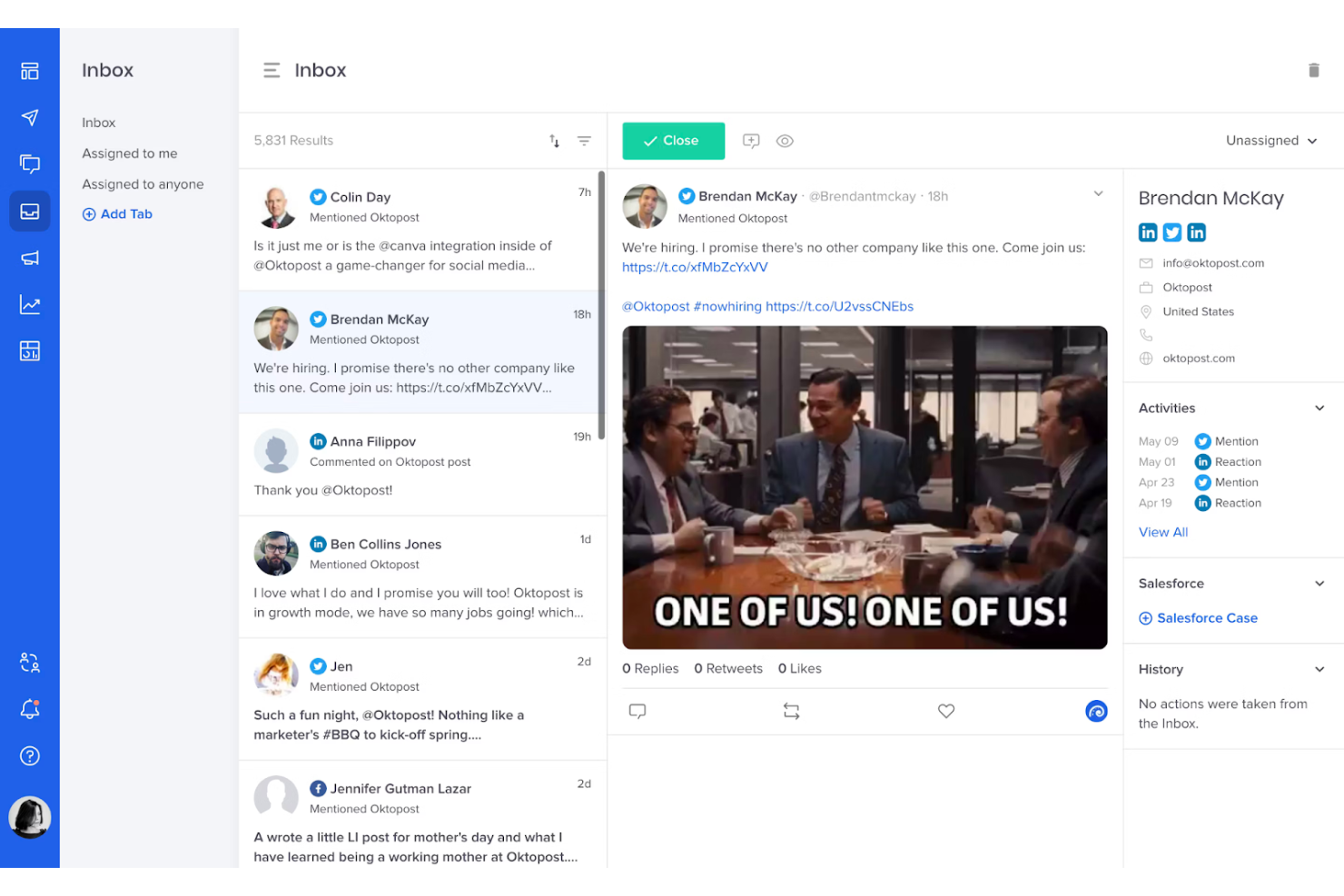
Oktopost is a B2B social media management platform that combines social publishing, social listening, employee advocacy, and funnel-focused analytics with CRM and marketing automation integrations to connect social activity to pipeline and revenue.
Who Is Oktopost Best For?
Oktopost is a strong fit for B2B marketing and demand generation teams that need to connect social media activity directly to CRM data and revenue attribution.
Why I Picked Oktopost
Oktopost earns its spot on my shortlist because no other social CRM tool ties social engagement to revenue attribution as directly as it does. I love how it pushes social interaction data into Salesforce, HubSpot, and Microsoft Dynamics 365 contact records, so a prospect's LinkedIn comment or share shows up in the CRM timeline. Its campaign tagging system also lets my team track which social posts influenced pipeline, including the specific post that touched a deal before it closed.
Oktopost Key Features
- Social inbox: Consolidates mentions, comments, and direct messages from all connected social channels into a single queue for your team to manage.
- Social listening: Monitors brand mentions, competitor activity, and industry keywords across social networks in real time.
- Employee advocacy: Lets team members share pre-approved content to their personal networks, supporting social selling at scale.
- AI Assist: Suggests reply drafts to incoming social messages directly within the platform.
Pros and Cons
Pros:
- Employee advocacy tools
- Strong B2B focus
- Solid analytics and reporting
Cons:
- Steep learning curve
- Limited customization
Bitrix24
Best for free all-in-one business management
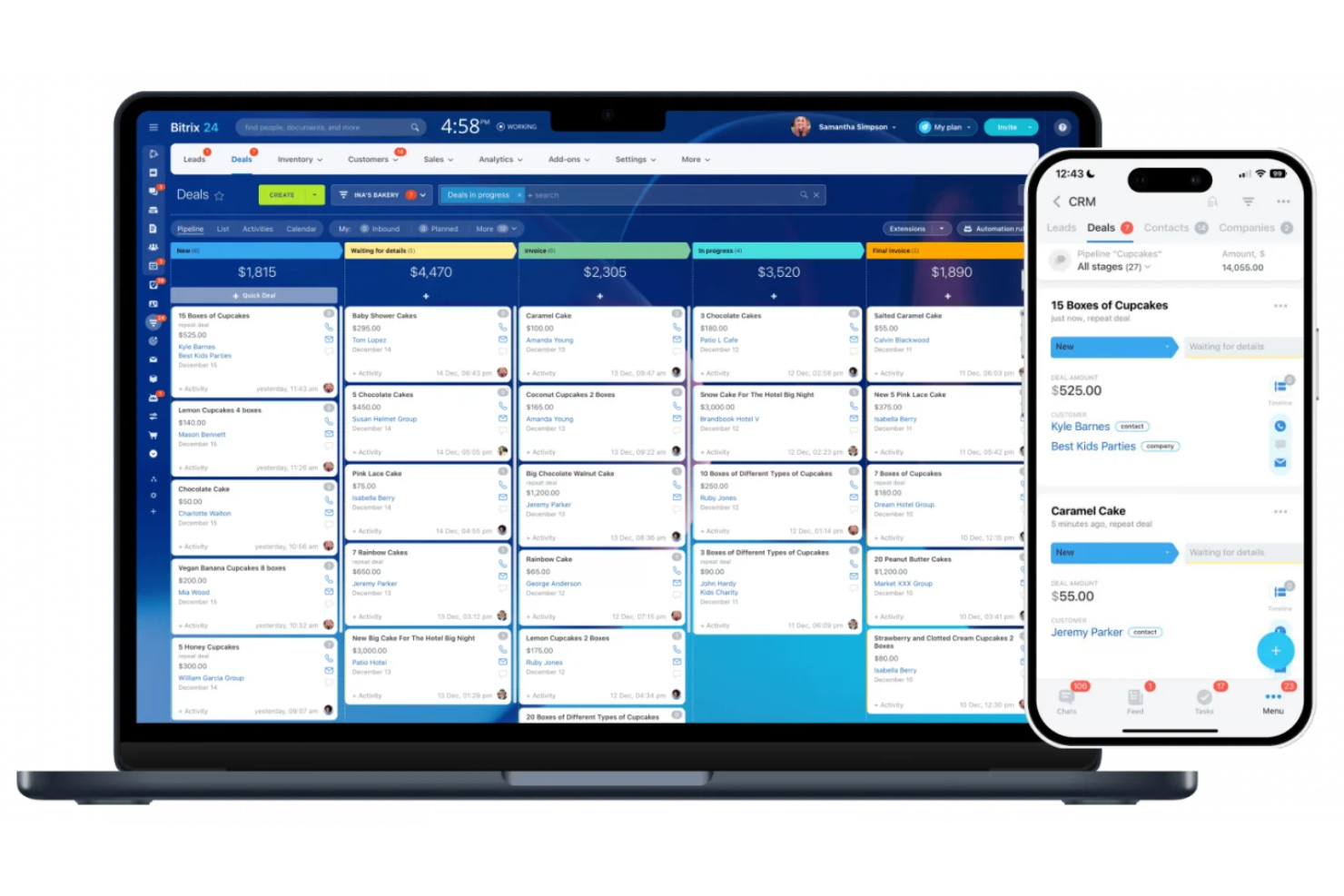
Bitrix24 is an all-in-one CRM and business management platform with a built-in omnichannel contact center that connects social messaging channels—like WhatsApp, Instagram Direct, and Facebook Messenger—directly to CRM records.
Who Is Bitrix24 Best For?
Bitrix24 is a good fit for small to mid-sized businesses that need CRM, social messaging, and team collaboration tools in one place without paying for multiple platforms.
Why I Picked Bitrix24
I've included Bitrix24 in my top picks because its free plan includes a fully functional CRM with social messaging built in, not locked behind a paywall. On the free tier, you get omnichannel inbox support for WhatsApp, Instagram Direct, and Facebook Messenger. I also like that incoming messages from those channels auto-create CRM leads, so there's no manual data entry involved.
Bitrix24 Key Features
- Open channels: Connect social media platforms and messaging apps to a single inbox, with each conversation linked to a CRM contact.
- CRM web forms: Build embeddable lead capture forms that feed submissions directly into your CRM pipeline.
- Sales automation: Set up trigger-based rules that move deals through pipeline stages based on contact activity.
- Contact center analytics: Track response times, conversation volume, and agent activity across all connected social channels.
Pros and Cons
Pros:
- Solid document management capabilities
- Extensive customization options
- Advanced CRM capabilities
Cons:
- Mobile app limitations
- Steep learning curve
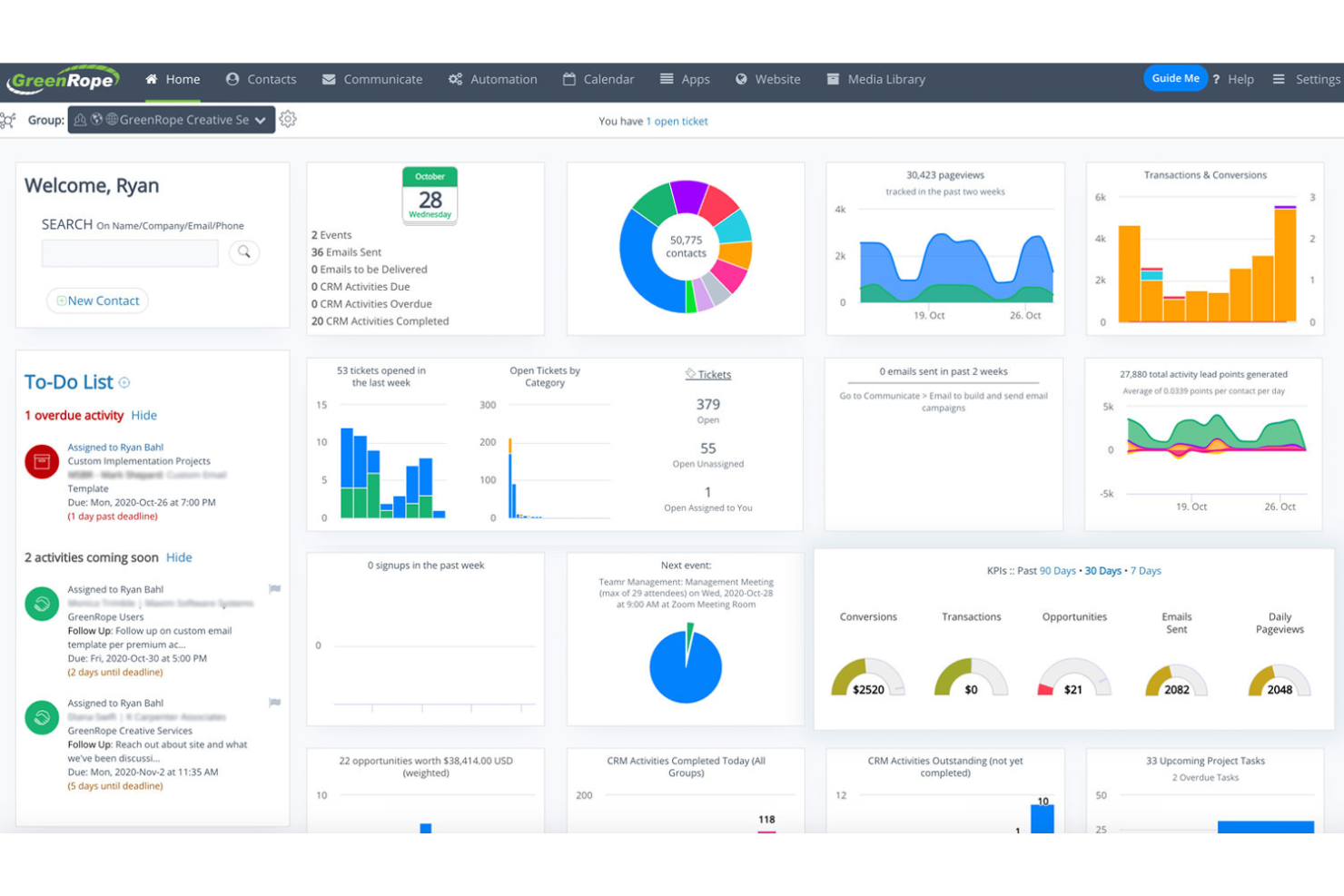
GreenRope is an all-in-one CRM platform that unifies sales, marketing automation, social media management, customer service, and operations into a single contact-centric system.
Who Is GreenRope Best For?
GreenRope is a strong fit for small to mid-sized businesses that want to manage CRM, marketing, and customer engagement without juggling multiple tools.
Why I Picked GreenRope
GreenRope earns its spot as one of the best on my shortlist because its social CRM is built directly into the same system as its marketing automation—not bolted on as an afterthought. I love that social interactions from Facebook, Twitter, and LinkedIn flow straight into contact records, which means lead scoring and automation workflows can trigger the moment a contact engages on social. The drag-and-drop customer journey builder then lets me design multi-step campaigns that respond to both social and email behaviors in one unified sequence, without switching tools or syncing data across platforms.
GreenRope Key Features
- Social network marketing: Schedule and publish social posts across Facebook, Twitter, and LinkedIn directly from GreenRope's marketing dashboard.
- Pipeline management: Use a drag-and-drop pipeline view to track opportunities, update deal stages, and manage follow-up activities in the same system as your social contacts.
- SMS marketing: Send and automate text message campaigns alongside email and social outreach from within a single contact record.
- Predictive analytics: Surface insights on contact behavior and engagement patterns to prioritize outreach based on likelihood to convert.
Pros and Cons
Pros:
- 24/7 customer support
- Complete feature set
- Supports unlimited users
Cons:
- Limited customization options
- Complex setup process
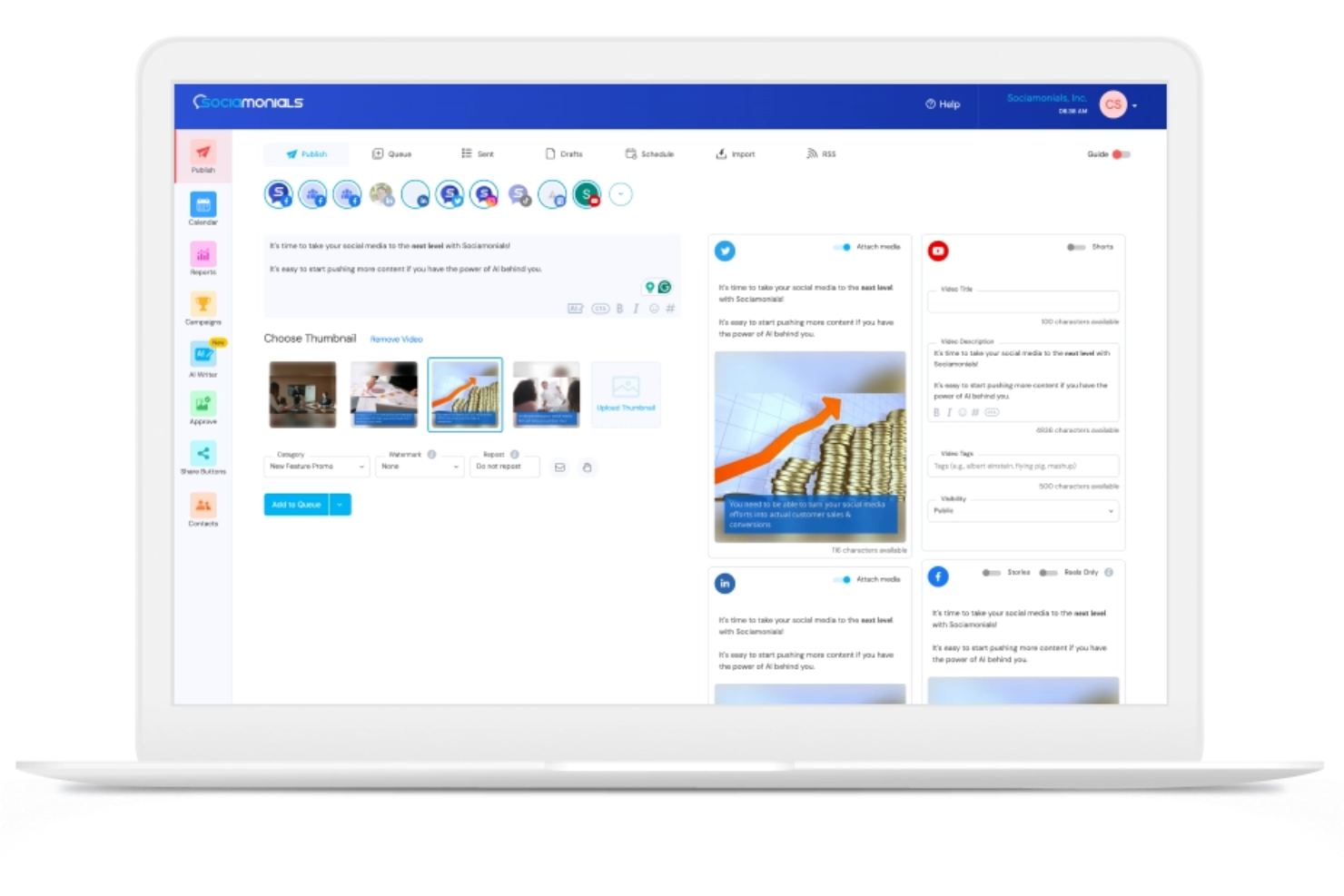
Sociamonials is a social media management platform with a built-in social CRM that combines content scheduling, AI content creation, viral campaign management, and user-generated content collection in one place.
Who Is Sociamonials Best For?
Sociamonials is a good fit for small to mid-sized marketing teams that run frequent social campaigns, contests, or brand advocacy programs.
Why I Picked Sociamonials
I picked Sociamonials as one of the best because its UGC tools go beyond simple collection. You can launch a photo or video contest, have submissions automatically syndicated to your social pages and website, and track which pieces of content are generating the most leads or referrals. The built-in approval workflow also means I can moderate submissions before anything goes live, which keeps brand integrity intact without slowing down a campaign.
Sociamonials Key Features
- Social CRM: Capture contest and sweepstakes entrants as contacts, then track revenue, leads, and site visits each person has generated through their social activity.
- Influencer identification: Pinpoint which community members are driving the most referrals and revenue across all their devices, with direct links to their social profiles for outreach.
- Automated split testing: Run up to five campaign variants simultaneously and let Sociamonials identify which version performed best.
- Social revenue tracking: Attribute leads and revenue to individual social posts, share buttons, and campaigns across each connected network without needing a separate link-shortening tool.
Pros and Cons
Pros:
- Multilingual support
- Easy campaign setup
- Solid analytics tools
Cons:
- Limited customization
- Learning curve
Best for AI-powered sales productivity
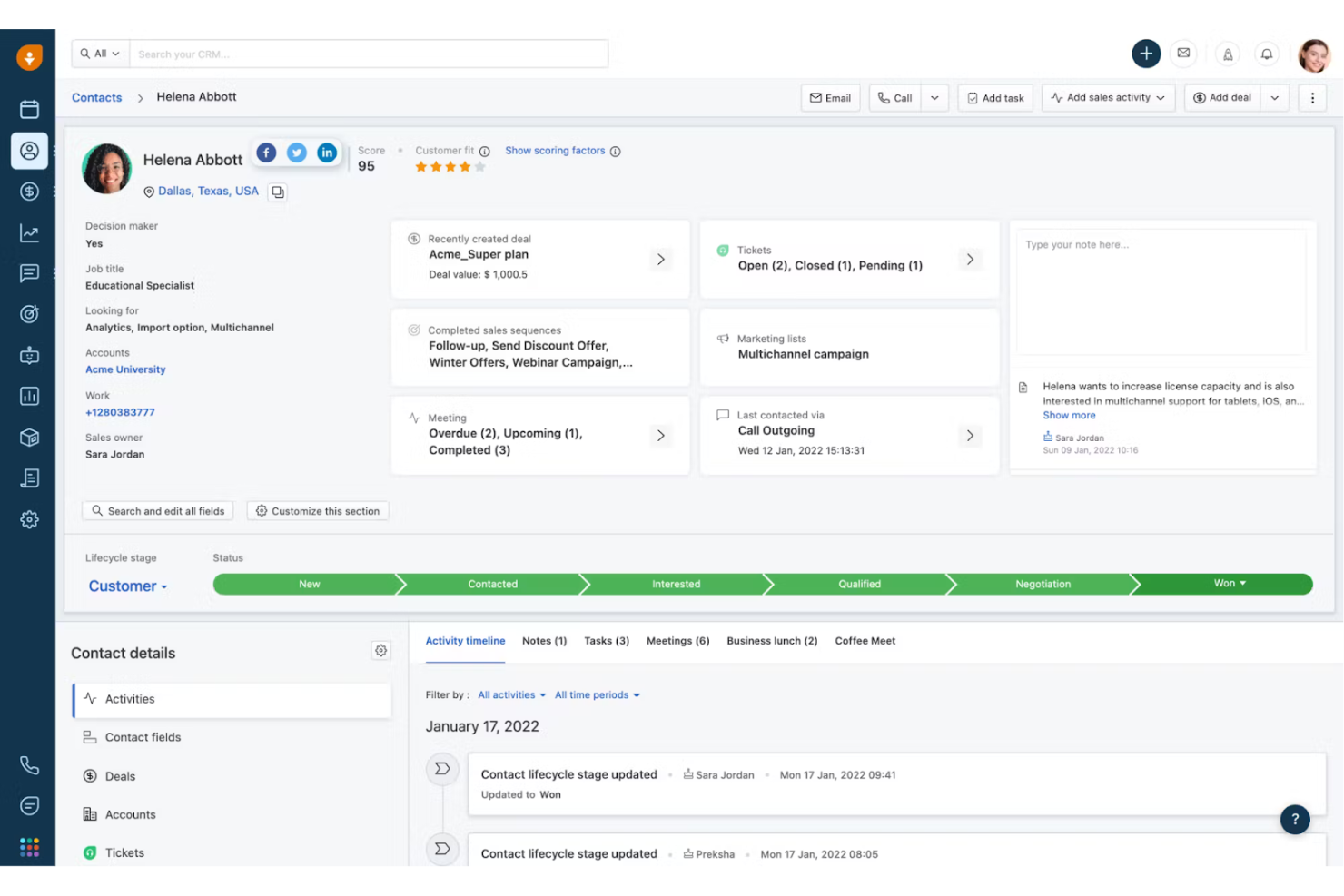
Freshsales is an AI-powered sales CRM that covers lead capture and qualification, contact management, multichannel communication, pipeline tracking, and workflow automation, with Freddy AI built in for lead scoring, deal insights, and email assistance.
Who Is Freshsales Best For?
Freshsales is a strong fit for small to mid-sized sales teams that want an AI-assisted CRM without the complexity of enterprise platforms.
Why I Picked Freshsales
I picked Freshsales as one of the best because of how deeply Freddy AI is woven into everyday sales work. Rather than AI being a bolt-on feature, Freddy scores contacts using behavioral patterns, assigns deal tags to flag at-risk or high-priority opportunities, and drafts personalized prospecting emails—all inside the same CRM your team uses to manage the pipeline. I also like that Freddy parses emails and analyzes historical data to surface the "next best action" on live deals, which cuts down the time reps spend deciding what to do next and keeps deals from stalling.
Freshsales Key Features
- Auto-profile enrichment: Freshsales automatically pulls in publicly available social and web data to fill out contact profiles.
- Contact timeline: View a chronological log of every interaction with a contact, including emails, calls, and chat conversations.
- Sales sequences: Build automated, multi-step outreach cadences that trigger follow-up emails and tasks based on prospect behavior.
- WhatsApp Business messaging: Send and receive WhatsApp messages directly within the CRM contact record.
Pros and Cons
Pros:
- Solid sales pipeline management
- Complete email tracking
- AI-based lead scoring
Cons:
- Complexity for beginners
- Limited customization options
Zoho CRM
Best for integrated CRM and social media tools
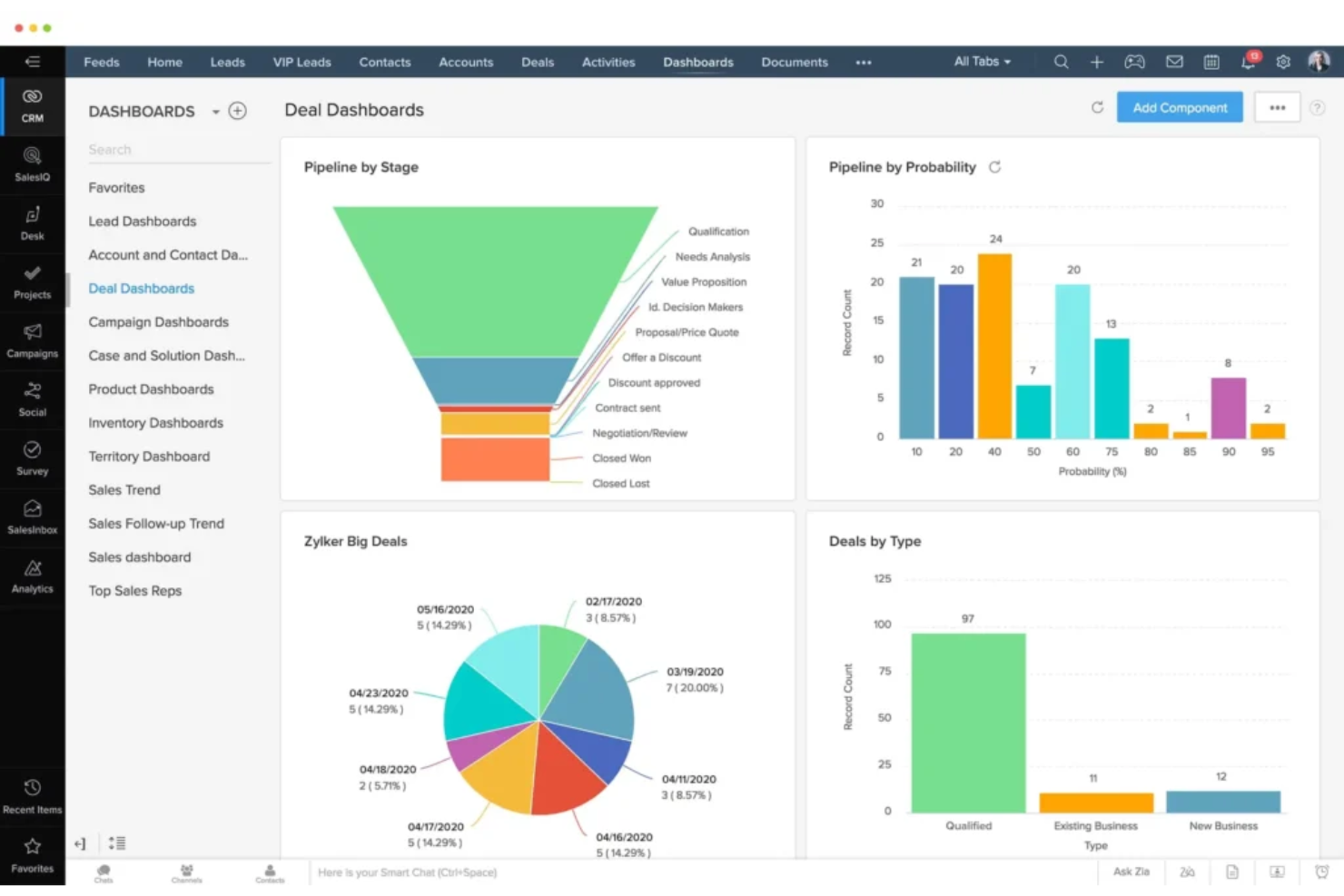
Zoho CRM is a sales-focused CRM platform that combines pipeline management, omnichannel customer engagement, AI-powered automation, and native social media integration to give revenue teams a unified view of every customer interaction.
Who Is Zoho CRM Best For?
Zoho CRM is a strong fit for small to mid-sized businesses that want a full-featured CRM with built-in social media tools without managing multiple disconnected platforms.
Why I Picked Zoho CRM
Zoho CRM stands out because social media isn't bolted on as an afterthought. The native integration with Zoho Social lets my team monitor brand mentions, track social interactions, and push prospects directly into the CRM as leads or contacts—all from one place. It also automates tasks like lead creation based on social triggers, reducing manual data entry. The unified inbox that combines social, email, and phone interactions in a single contact timeline is useful when managing active prospects across channels.
Zoho CRM Key Features
- SalesSignals: Get real-time notifications when contacts interact with your brand across email, social, chat, or web, all surfaced within the contact record.
- Zia AI assistant: Score leads, predict deal outcomes, and flag sales anomalies using Zoho's built-in AI layer.
- Blueprint: Build and enforce step-by-step sales processes with automated stage transitions and required field validations.
- Advanced analytics: Create custom dashboards and reports to track pipeline health, conversion rates, and team performance.
Pros and Cons
Pros:
- Large user base
- Solid integration capabilities
- Complete feature set
Cons:
- Complexity for beginners
- Mobile app can be slow
New Product Updates from Zoho CRM

Zoho CRM Adds Reusable Canvas Templates for Forms
Zoho CRM now supports Canvas templates in the Forms view, so you can design a form layout once and reuse it across records for a consistent, faster experience. For more information, visit Zoho CRM's official site.
 .
.Other Social CRM Software
Below is a list of additional social CRM software that we evaluated, but did not make it to the top list. It’s still worth checking them out!
- Zoho Social
For social media scheduling and monitoring
- Sprout Social
For social media analytics
- Sprinklr
For large-scale social media campaigns
- Pipedrive
For visual sales pipeline management
- HubSpot Marketing Hub
For integrated marketing automation
- Salesforce Sales Cloud
For growing relationships
- Brandwatch
For influencer marketing
- LiveAgent
For multi-channel customer support


Related Revenue Operations Software Reviews
If you still haven't found what you're looking for, check out these related tools we've tested and evaluated.
- CRM Software
- Sales Software
- Lead Management Software
- Business Intelligence Software
- Contract Management Software
- Revenue Management System
How I Evaluate Social CRM Software
I split my evaluation into two layers: core capabilities like LinkedIn sync and social lead capture that a tool must have to qualify, and the differentiators that separate the best.
Core Functionality (Table Stakes For This List)
When I'm selecting tools for my list, I rank each one on a scale from 0 (does not offer the functionality) to 5 (excels in this area) for each core functionality listed below. Then, I calculate the tool's total score into a percentage. Each tool needs to achieve a minimum total score of 65% to be considered for inclusion.
- Social Channel Integration: I check which platforms connect natively—LinkedIn, X, Facebook, Instagram—and whether the connection is bi-directional or just pulls data in one direction.
- Unified Contact Records: Each tool should merge social handles, conversation history, and profile data into one record so reps aren't toggling between tabs to piece together context.
- Social Listening & Monitoring: I look for keyword and mention tracking that surfaces buying signals, like a prospect publicly asking for vendor recommendations in your category.
- Social Engagement Tools: Reps should be able to reply, comment, and DM from the CRM itself. I evaluate whether engagement stays in the platform or just redirects to the native app.
- Lead & Pipeline Attribution: I evaluate how the tool tags social-sourced leads and ties those touches to pipeline stages, since RevOps teams need to report on what social is actually generating.
- Workflow Automation & Routing: Tools like Salesforce and HubSpot handle general automation well, so I look at whether the social CRM adds triggers specific to social events, like auto-assigning a rep when a target account engages with a post.
Once I have a list of tools that meet this criteria, I consider what sets each platform apart.
Differentiating Factors (What Sets Vendors Apart)
Here's how I compare and contrast different vendors:
Standout Features
I look for AI-powered intent signals that flag when a prospect's social activity suggests they're in-market, like engaging with competitor posts or asking for vendor recommendations. Social selling analytics matter too. Rep-level scorecards help RevOps leaders measure adoption and coach underperformers based on engagement quality, not just volume. Sentiment and intent scoring adds another layer by auto-prioritizing accounts showing purchase readiness or churn risk so reps focus where it counts.
Beyond Features
Tech stack integration is one of the first things I evaluate. A social CRM needs to sync bi-directionally with your core CRM and sales engagement tools, or your pipeline data stays fragmented. Revenue attribution also matters heavily here. RevOps teams need to prove social's influence on closed-won deals, so I check whether reporting supports multi-touch models. Compliance is another key factor, especially around GDPR, CCPA, and adherence to platform API terms. One policy violation from LinkedIn or Meta can shut down your entire social selling motion overnight.
How To Choose Social CRM Software
Remember the following points as you work through your unique CRM platform software selection process.
- Identify Business Needs: Start by assessing your company's specific challenges and requirements. For instance, if your business struggles with managing customer interactions across multiple social media platforms, a social CRM that integrates these channels can streamline communication and improve customer service.
- Evaluate Features: Look for features that enhance customer support, such as phone call support, marketing, and sales processes. For example, if your marketing team needs better tools for social media engagement, prioritize CRMs with solid social listening and sentiment analysis capabilities.
- Consider User Experience: Ensure the software is user-friendly for all team members. A social media CRM with an intuitive interface can reduce training time and increase employee adoption rates, leading to more efficient system use.
- Budget Constraints: Determine your budget and find a solution that fits within it while meeting your needs. For small businesses, cost-effective social customer relationship management options can provide essential features without breaking the bank.
- Scalability: Choose a social CRM platform that can grow with your business and adapt to future needs. For example, some social media marketing CRMS are known for their scalability and advanced analytics, making them suitable for enterprises anticipating significant growth.
Trends for Social CRM Software
Social CRM software is changing remarkedly as businesses increasingly rely on digital customer engagement. As technology advances, staying informed about the latest developments is essential. Here are some key trends to watch closely that could impact your organization.
- AI-Powered Customer Insights: AI is being used to analyze customer interactions on social media. This helps businesses understand customer sentiment and behavior, leading to more personalized marketing strategies.
- Integration with Messaging Apps: Many social CRM tools now integrate with popular messaging apps like WhatsApp and Facebook Messenger. This allows for real-time customer support and enhances customer engagement.
- Social Listening and Monitoring: Advanced social listening tools are becoming standard. They track brand mentions and customer feedback across social platforms, helping businesses respond quickly to customer needs.
- Predictive Analytics: Predictive analytics is being used to forecast customer behavior. It helps identify potential leads and sales opportunities and makes marketing more effective.
- Enhanced Data Privacy: With growing concerns over data privacy, Social CRM software focuses on compliance with regulations like GDPR. This ensures customer data is handled responsibly and builds trust with customers.
What is Social CRM Software?
Social CRM software integrates social media interactions into traditional CRM systems, enabling businesses to manage customer relationships by leveraging insights from platforms like Facebook and Twitter. It breaks down data silos, allowing marketing, sales, and customer service teams to collaborate and access valuable customer insights across the organization.
This approach supports lead generation, enhances customer satisfaction, and fosters brand loyalty through real-time support, improved engagement, and personalized experiences. Key features include social media monitoring, lead generation, and AI-driven insights, helping businesses track issues, record interactions, and create leads. Specific tools offer social analytics, engagement, publishing, listening, and automation to improve customer service and experience.
Features of Social CRM Software
When choosing social CRM software, it's essential to recognize the key features that will let you manage your HR tasks more efficiently. Here are the most important features to look for.
- Enhanced Customer Profiles: This feature provides a complete view of customer information, including social media interactions, which helps create personalized marketing strategies.
- Social Listening: This tool monitors social media channels for mentions of your brand, products, or competitors, allowing you to respond promptly to customer feedback and trends.
- Sentiment Analysis: By analyzing customer sentiments on social media, businesses can gauge public perception and adjust their strategies accordingly.
- Social Selling: This feature helps sales teams identify and engage with potential customers on social media platforms, increasing the chances of conversion.
- Social Marketing: Integrates social media campaigns with CRM data to create targeted marketing efforts and improve the effectiveness of promotional activities.
- Real-Time Engagement: This technology enables businesses to interact with customers in real time on social media, enhancing customer satisfaction and loyalty.
- Customer Support Integration: Allows customer service teams to manage and respond to inquiries across multiple social media channels from a single interface.
- Analytics and Reporting: Provides insights into social media performance, customer behavior, and campaign effectiveness, helping businesses make data-driven decisions.
- Automation Tools: Automates repetitive tasks such as posting updates, responding to common queries, and scheduling campaigns, freeing up time for more strategic activities.
- Integration with Other Tools: Smoothly integrates with other business tools, such as email marketing software, ecommerce platforms, and analytics tools, providing a unified view of customer interactions.
Benefits of Social CRM Software
Social CRM software offers numerous advantages that can significantly enhance customer relationships and business operations.
- Enhanced Customer Engagement: Social CRM software allows businesses to interact with customers on their preferred social media platforms, fostering stronger relationships and improving customer satisfaction.
- Improved Customer Insights: The software aggregates data from various social media channels to provide valuable insights into customer behavior and preferences, enabling businesses to tailor their marketing strategies more effectively.
- Streamlined Communication: The software centralizes communication across multiple social media platforms, making it easier for businesses to manage and respond to customer inquiries promptly and efficiently.
- Increased Brand Loyalty: Businesses can build trust and loyalty by actively engaging with customers and addressing their concerns in real-time, leading to higher customer retention rates.
- Enhanced Marketing Campaigns: Social CRM software enables businesses to track the performance of their social media campaigns, allowing for data-driven adjustments that can improve campaign effectiveness and ROI.
Leveraging social CRM software enables businesses to integrate social media with traditional CRM systems, gaining deeper insights into customer behavior, improving communication, and driving growth and success.
Costs & Pricing of Social CRM Software
When selecting social CRM software, it's essential to understand the different pricing plans and the features each offers. Pricing can vary significantly depending on the features and level of support you need.
Below is a table outlining common plan types, average prices, and the typical features included.
Plan Comparison Table for Social CRM Software
| Plan Type | Average Price | Common Features |
| Free Plan | $0 | Basic contact management, limited users, basic reporting |
| Personal Plan | $10-$30/user/month | Email integration, task management, basic automation |
| Business Plan | $60-$100/user/month | Advanced reporting, sales automation, integrations with other tools |
| Enterprise Plan | $150-$300+/user/month | Customizable dashboards, extensive support, advanced analytics, unlimited users |
By carefully evaluating the features and costs of each plan, businesses can select the social CRM software that best aligns with their operational goals and budget.
Social CRM Software FAQs
Here are some commonly asked questions about social crm software.
How can social CRM software improve customer engagement?
Social CRM software enhances customer engagement by integrating social media channels with traditional CRM systems. This allows businesses to interact with customers on platforms they frequently use, providing timely responses and personalized interactions. By monitoring social media activity, companies can gain insights into customer preferences and behaviors, enabling more targeted and effective communication strategies.
What are the key metrics to track in social CRM software?
Key metrics to track in social CRM software include customer sentiment, engagement rates, response times, and conversion rates. Monitoring these metrics helps businesses understand the effectiveness of their social media interactions and identify areas for improvement. Additionally, tracking customer feedback and reviews can provide valuable insights into product or service performance.
How does social CRM software integrate with other business tools?
Social CRM software often integrates with various business tools such as email marketing platforms, customer support systems, and analytics tools. This integration allows for a unified view of customer interactions across different channels, facilitating better data management and more informed decision-making. APIs and third-party connectors are commonly used to achieve these integrations.
What are the best practices for implementing social CRM software?
Best practices for implementing social CRM software include setting clear objectives, training staff, and continuously monitoring performance. It’s essential to define what you aim to achieve with the software, whether it’s improving customer service, increasing sales, or enhancing brand loyalty. Training ensures that all team members are proficient in using the software, while regular performance reviews help identify areas for optimization.
How can social CRM software help in managing customer feedback?
Social CRM software helps manage customer feedback by aggregating comments, reviews, and messages from various social media platforms into a single interface. This makes it easier for businesses to track and respond to feedback promptly. Additionally, sentiment analysis tools can categorize feedback as positive, negative, or neutral, helping companies prioritize their responses and address issues more effectively.
What are the security concerns associated with social CRM software?
Security concerns with social CRM software include data breaches, unauthorized access, and compliance with data protection regulations. To mitigate these risks, businesses should implement solid security measures such as encryption, multi-factor authentication, and regular security audits. It’s also essential to choose a software provider that complies with relevant data protection laws, such as GDPR or CCPA.
How can social CRM software support marketing campaigns?
Social CRM software supports marketing campaigns by providing insights into customer behavior and preferences, enabling more targeted and personalized marketing efforts. By analyzing social media interactions, businesses can identify trends and tailor their campaigns to resonate with their audience. Additionally, the software can track the performance of marketing campaigns in real time, allowing for quick adjustments and improvements.
What are the challenges of using social CRM software?
Challenges of using social CRM software include data integration, user adoption, and maintaining data quality. Integrating social CRM with existing systems can be complex and may require technical expertise. Ensuring that all team members are comfortable using the software is another hurdle, often addressed through complete training programs. Maintaining data quality is essential for accurate insights, requiring regular data cleaning and validation processes.
What’s Next:
If you're in the process of researching social crm software, connect with a SoftwareSelect advisor for free recommendations.
You fill out a form and have a quick chat where they get into the specifics of your needs. Then you'll get a shortlist of software to review. They'll even support you through the entire buying process, including price negotiations.