
13 Best Sales Commission Software for Small Businesses Reviewed in 2026

Best Sales Commission Software for Small Businesses Shortlist
Here's my pick of the 10 best software from the 13 tools reviewed.


Managing sales commissions can be challenging for any small business. Tracking who earns what across spreadsheets can quickly become confusing and time-consuming. Sales commission software simplifies these tasks, improving accuracy and saving time.
I've spent time digging into the options out there, and I know the challenges you face. In my experience, the right software can save time and reduce errors, letting your team focus on what they do best: selling.
In this article, I'll share my top picks of sales commission software for small businesses. You'll find solutions that fit your needs and help improve your processes. Let's dive into the options that could make a real difference for your business.
Why Trust Our Software Reviews
Best Sales Commission Software for Small Businesses Summary
This comparison chart summarizes pricing details for my top sales commission software for small businesses, helping you find the best option for your budget and business needs.
| Tool | Best For | Trial Info | Price | ||
|---|---|---|---|---|---|
| 1 | Best for AI-driven commissions and analytics | Free demo available | Pricing upon request | Website | |
| 2 | Best for easy, cloud-based plan management | Free plan available | From $35/user/month | Website | |
| 3 | Best for accurate payouts and scalable comp plans | Free demo available | Pricing upon request | Website | |
| 4 | Best for flexible sales comp calculations | Free demo available | From $17/user/month | Website | |
| 5 | Best for flexible commission management | Free demo available | Pricing upon request | Website | |
| 6 | Best for automated, real-time commission tracking | Free demo available | From $75/user/month (billed annually) | Website | |
| 7 | Best for insurance agency commission management | Free demo available | From $85/user/month (billed annually) | Website | |
| 8 | Best for commission automation and compliance | Free demo available | Pricing upon request | Website | |
| 9 | Best for custom commissions and payout automation | Free trial + free demo available | From $31/user/year | Website | |
| 10 | Best for upgrading to incentive comp platforms | Free demo available | Pricing upon request | Website |
-

Pipedrive CRM
Visit WebsiteThis is an aggregated rating for this tool including ratings from Crozdesk users and ratings from other sites.4.3 -
Creatio CRM
Visit WebsiteThis is an aggregated rating for this tool including ratings from Crozdesk users and ratings from other sites.4.7 -
monday CRM
Visit WebsiteThis is an aggregated rating for this tool including ratings from Crozdesk users and ratings from other sites.4.6





Best Sales Commission Software for Small Businesses Reviews
Below are my detailed summaries of the best sales commission software for small businesses that made it onto my shortlist. My reviews offer a detailed look at the key features, pros and cons, integrations, and ideal use cases of each tool to help you find the best one for you.
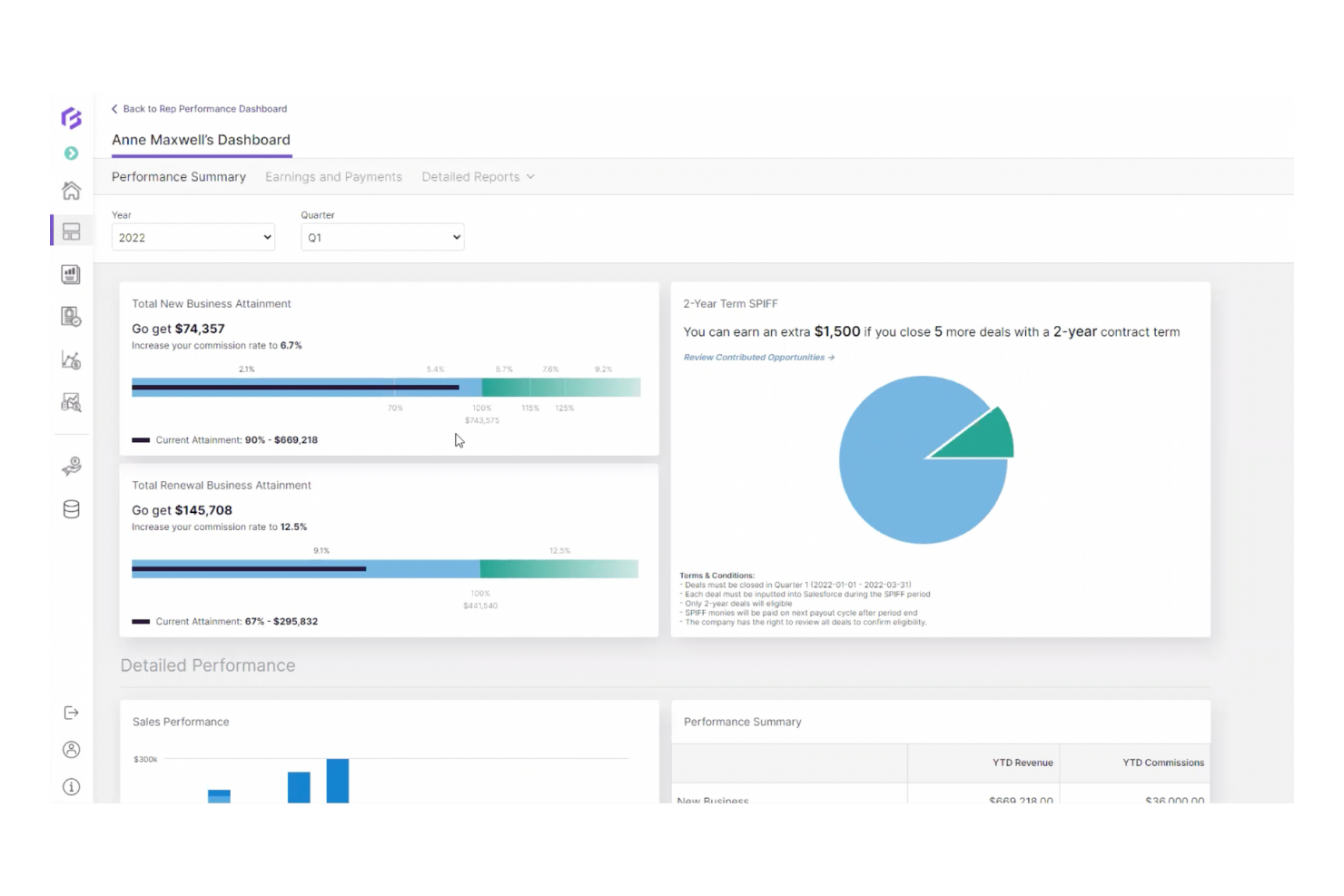
Forma.ai is a sales commission platform that helps sales teams by automating commission calculations and providing insights through advanced analytics.
Why I picked Forma.ai: This tool excels in using AI to automate commission processes and deliver analytics. It allows your team to manage complex compensation plans efficiently. Forma.ai provides real-time insights into sales performance, helping your team make data-driven decisions. Its AI capabilities maintain accuracy and flexibility in managing compensation structures.
Standout features and integrations:
Features include dynamic reporting that offers real-time analytics on sales performance. The platform supports advanced forecasting, allowing you to predict and plan compensation strategies. It also features adaptive compensation models catering to evolving business needs.
Integrations are not publicly listed.
Pros and Cons
Pros:
- Adaptive to business needs
- Advanced analytics capabilities
- AI-driven automation
Cons:
- Limited admin autonomy
- Rigid reporting views

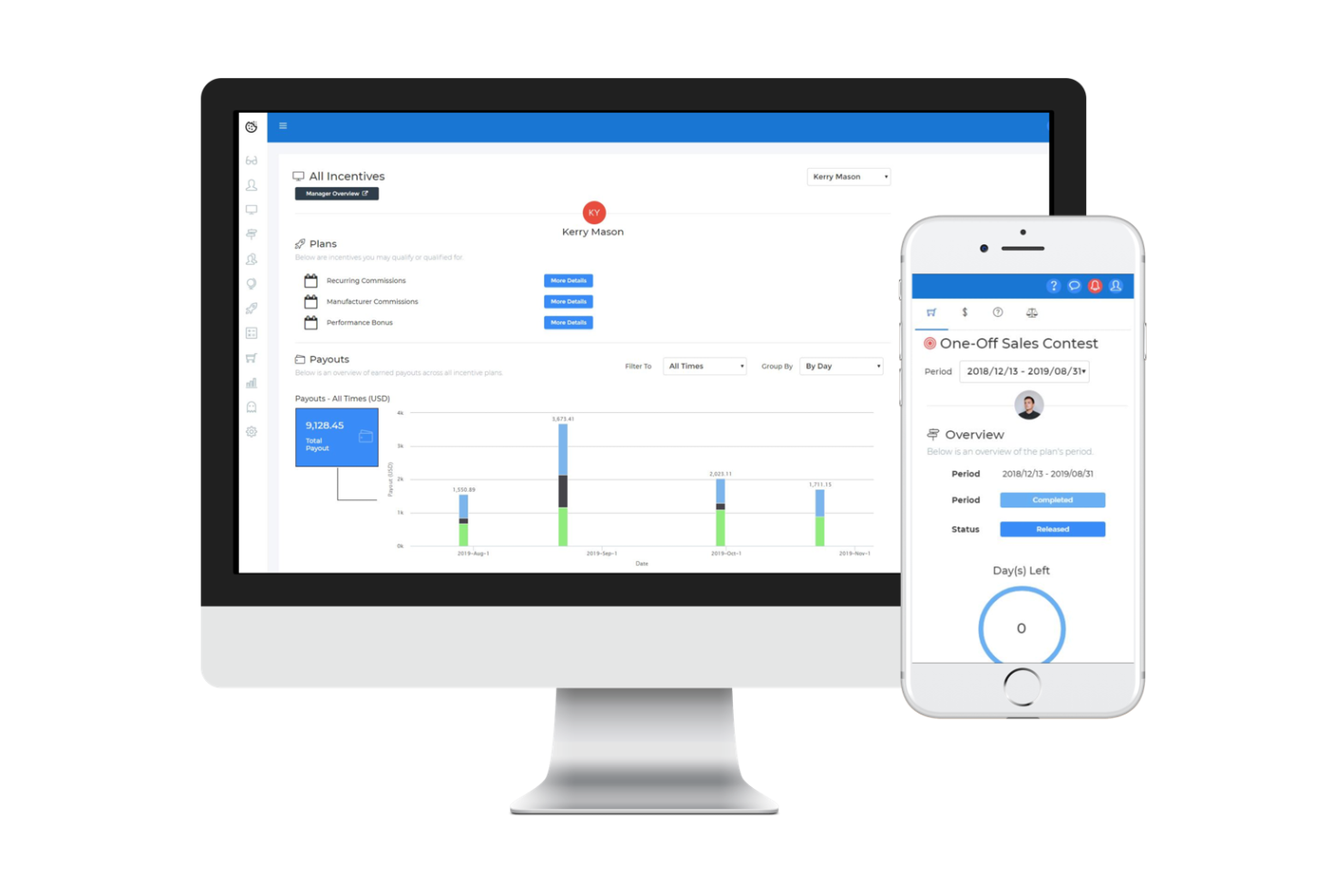
Sales Cookie is a cloud-based sales commission management software tailored for small to medium-sized businesses. It automates the management of sales commissions and provides personalized dashboards for sales representatives to track goals and payouts.
Why I picked Sales Cookie: This tool excels in offering easy cloud-based plan management for small businesses. It allows your team to create complex sales incentive plans without the hassle of manual spreadsheets. The software provides accurate, timely commission calculations that improve efficiency. Its integration capabilities with various business systems make it versatile and user-friendly for your salespeople.
Standout features and integrations:
Features include easy setup, extensive reporting capabilities, and personalized dashboards for each sales representative. The software supports the creation of complex incentive compensation management (ICM) plans, providing accurate and timely commission payouts. This helps your team stay motivated and focused on achieving their sales goals.
Integrations include Salesforce, QuickBooks, Microsoft Dynamics, HubSpot, Tableau, Zapier, and more.
Pros and Cons
Pros:
- Complex sales incentive plan support
- Accurate commission calculations
- Easy cloud-based setup and personalized dashboards
Cons:
- Advanced customization of dashboards and reports may require additional support
- Occasional reporting glitches can affect real-time visibility into commissions

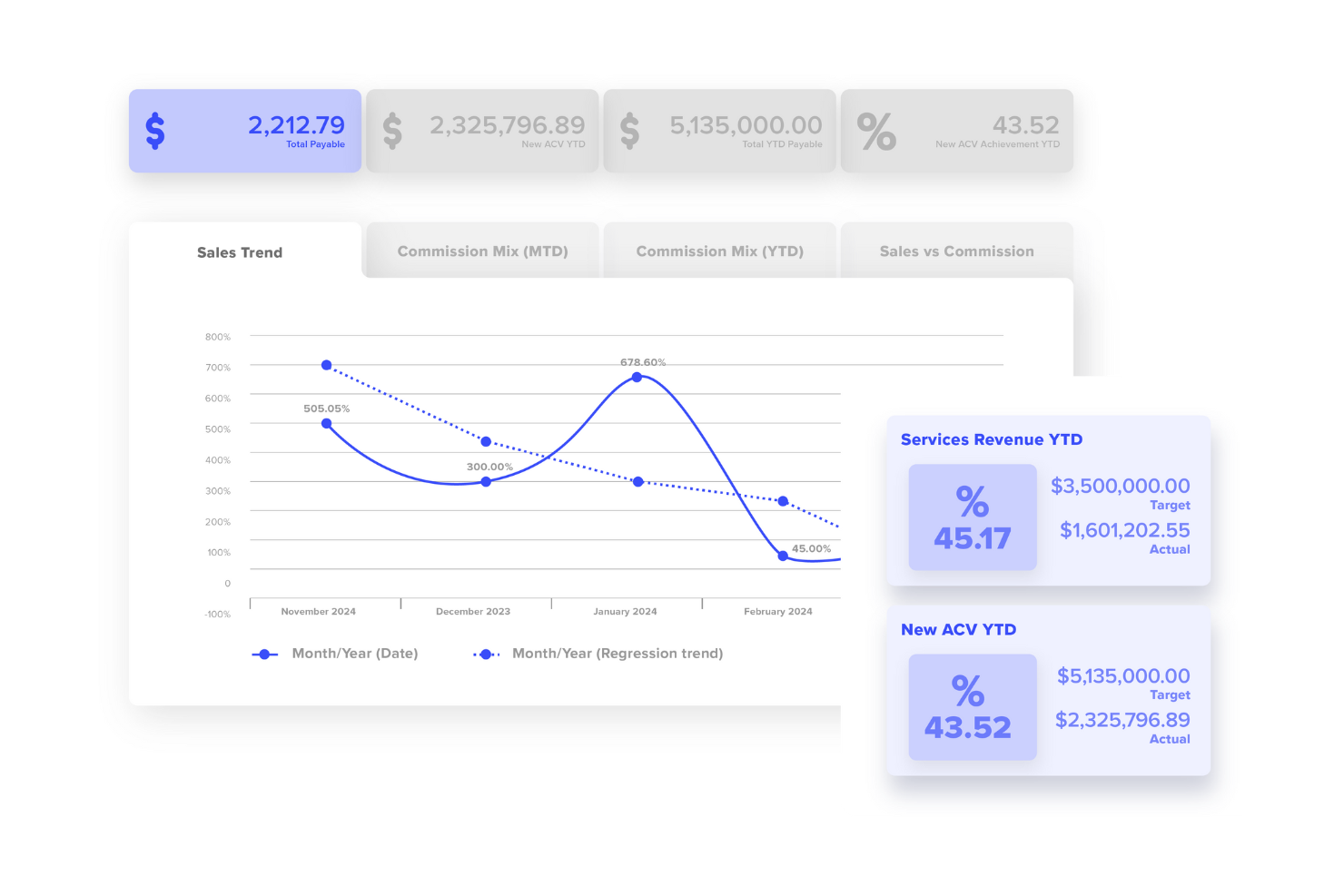
Performio is a compensation management software designed for businesses needing precise payout calculations and scalable compensation plan automation. It serves sales teams by automating commission calculations and providing transparent metrics and reporting.
Why I picked Performio: This tool is ideal for businesses that require accurate commission payouts and scalable compensation plan automation. It offers detailed reporting features for transparency in commission calculations. Performio's automation capabilities allow you to manage complex compensation plans efficiently. Its focus on accuracy and scalability makes it a reliable choice for growing businesses.
Standout features and integrations:
Features include reporting tools that offer insights into commission calculations. The software supports automated workflows, reducing manual calculation errors and saving time. It also provides scalability, allowing you to expand your compensation plans as your business grows.
Integrations include Salesforce, NetSuite, SAP, Microsoft Dynamics, Workday, QuickBooks, BambooHR, and more.
Pros and Cons
Pros:
- Support for complex workflows
- Scalable compensation plans
- Accurate commission calculations
Cons:
- Integrations may require configuration
- Technical expertise required
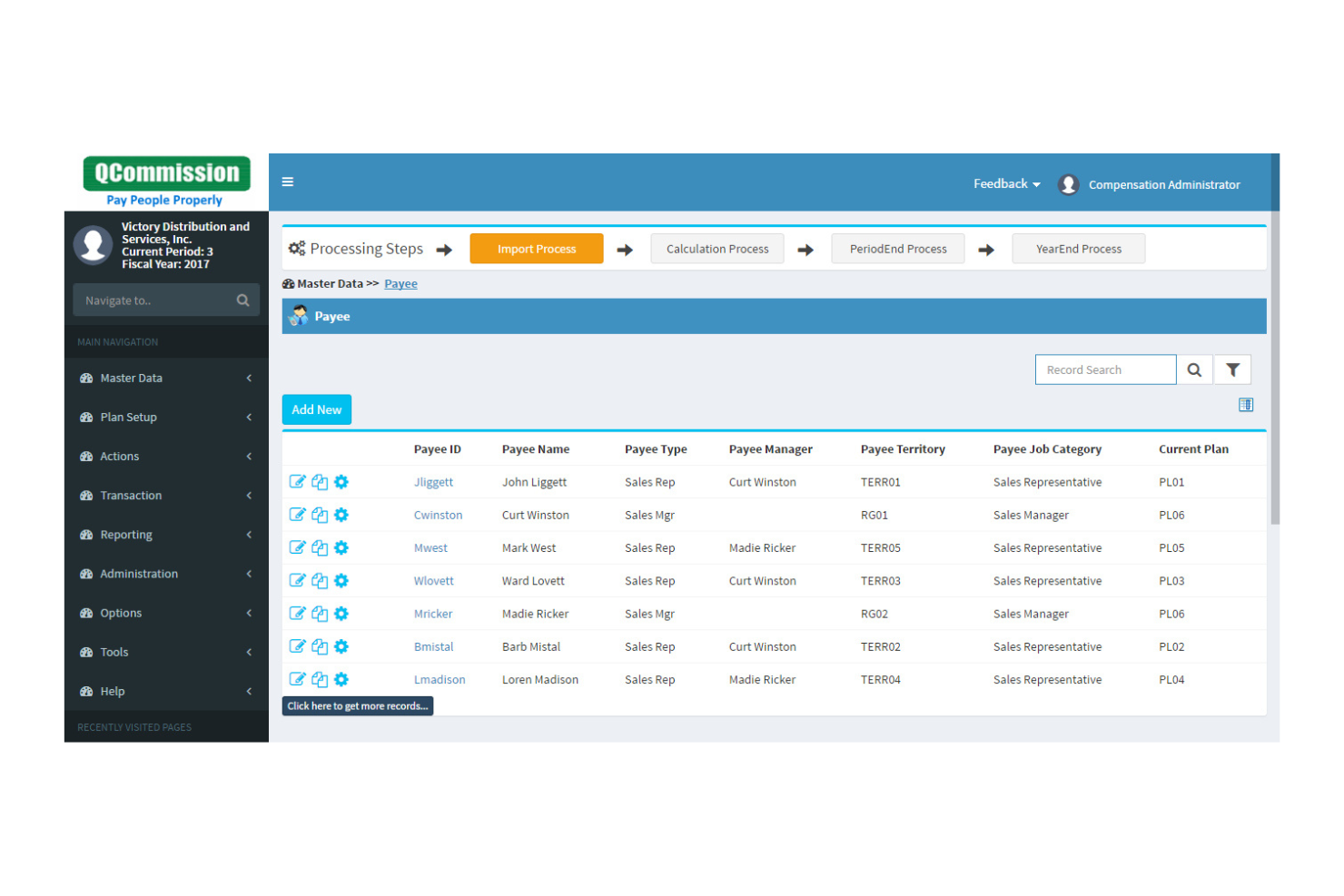
QCommission is a sales compensation software designed for businesses that require flexibility and precision in calculating commissions. It serves sales teams by automating the commission calculation process and providing detailed metrics and reporting.
Why I picked QCommission: This tool is perfect for companies needing flexible and professional sales compensation calculations. It allows you to customize commission plans to fit specific business needs. QCommission's detailed reporting features provide transparency and commission payment accuracy. Its ability to handle complex commission structures makes it a versatile choice for various business environments.
Standout features and integrations:
Features include the ability to handle multiple commission structures, catering to diverse business requirements. The software provides detailed reports, offering insights into commission calculations and payouts. It also supports integration with various business systems, increasing its versatility.
Integrations include Salesforce, QuickBooks, Microsoft Business Central 365, Oracle Fusion, Sage Intacct, NetSuite, HubSpot, and more.
Pros and Cons
Pros:
- Support for complex structures
- Detailed reporting capabilities
- Customizable commission plans
Cons:
- Occasional software updates may require downtime
- Making changes to commission structures may be complex

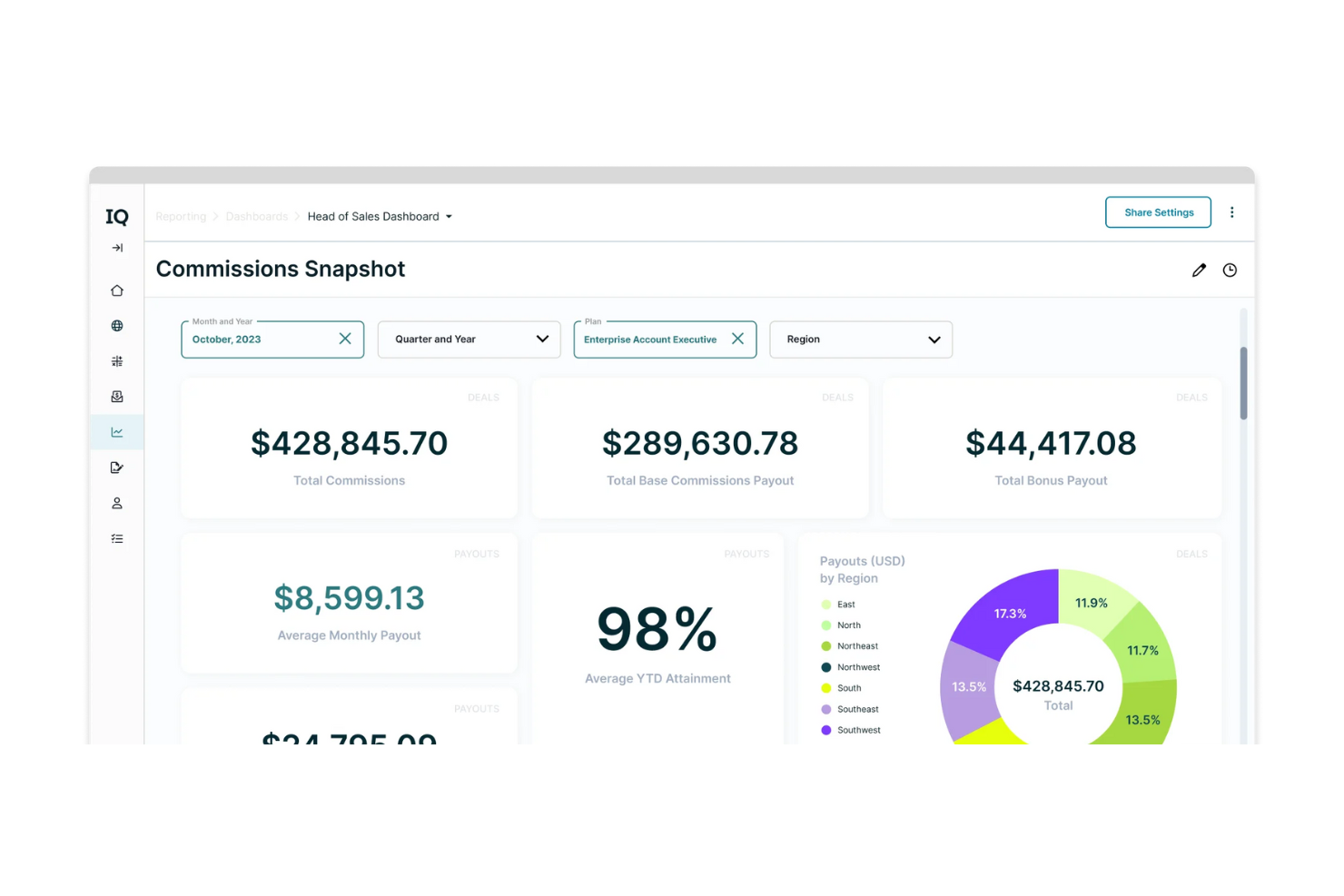
CaptivateIQ is a commission management platform designed for businesses seeking flexibility and detailed business insights. It helps sales teams manage commission plans, track earnings, and gain actionable insights into performance.
Why I picked CaptivateIQ: This tool offers unmatched flexibility in commission management, allowing your team to adapt plans as needed. It provides detailed insights into sales performance, helping you make informed decisions. CaptivateIQ's intuitive interface makes it easy to create and adjust complex sales compensation plans. Its ability to deliver real-time data lets your team stay informed and motivated.
Standout features and integrations:
Features include customizable commission plans that adapt to your business needs. The platform provides real-time analytics, offering insights into sales performance and trends. It also supports multiple currencies, catering to businesses with global operations.
Integrations include Salesforce, NetSuite, QuickBooks, Workday, BambooHR, Microsoft Dynamics, and more.
Pros and Cons
Pros:
- Detailed analytics
- Supports multiple currencies
- Real-time performance insights
Cons:
- Occasional data sync issues
- Initial setup requires technical knowledge

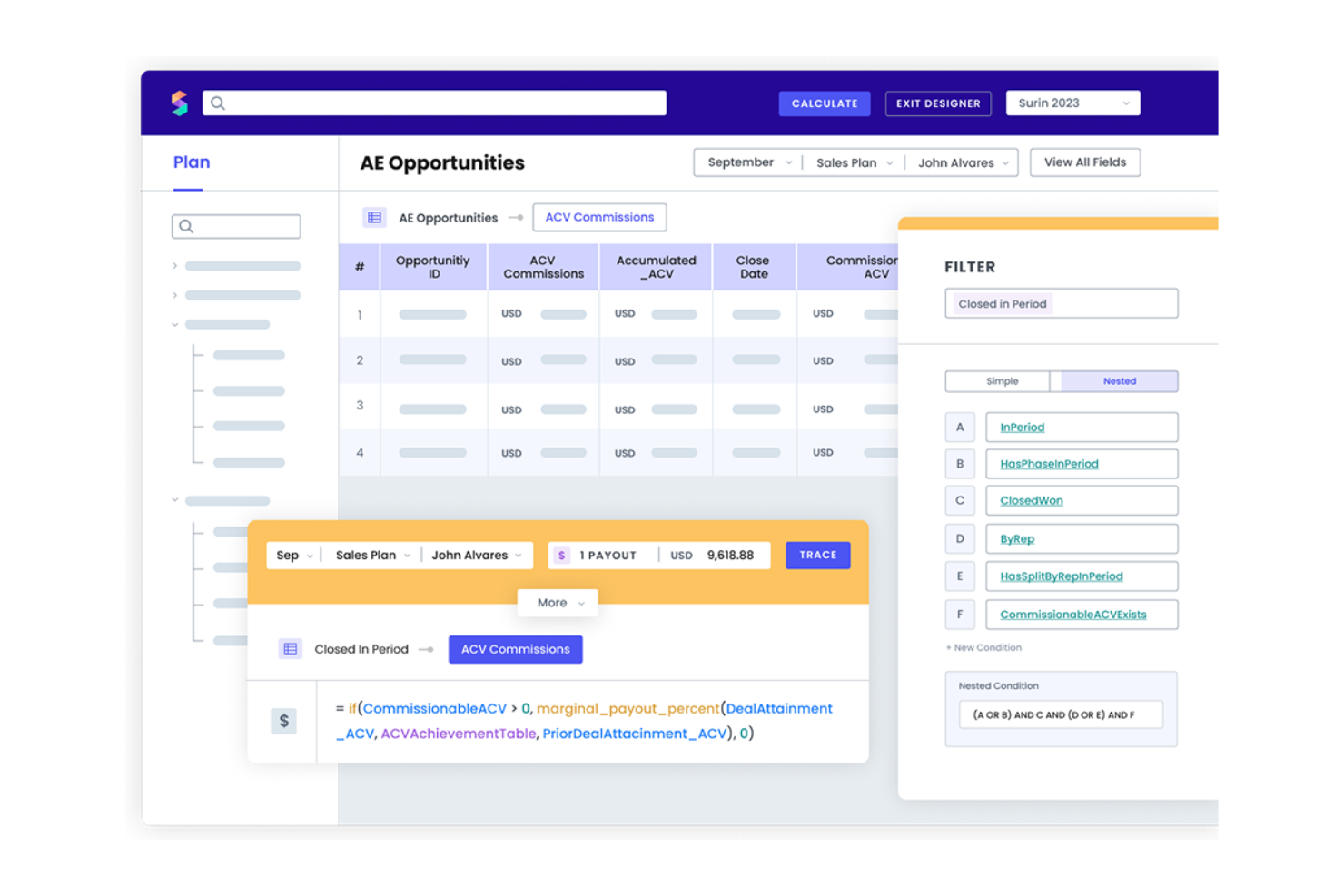
Spiff is a cloud-based sales commission software designed for small to medium-sized businesses. It automates commission management and provides real-time insights, making it ideal for sales and finance teams seeking efficiency and accuracy.
Why I picked Spiff: This tool is perfect for SMBs needing automated commission calculations and real-time data insights, which help reduce errors and improve transparency. Spiff's user-friendly interface helps your team access their commission statements and potential earnings. The software's ability to integrate with Salesforce further improves its functionality, making it a standout choice for businesses seeking efficient commission management.
Standout features and integrations:
Features include automated commission calculations, real-time visibility of commission statements, and advanced reporting capabilities. The software also provides a detailed audit trail and allows for bulk management of users and teams. These features make it easy for your team to track performance and manage complex commission structures.
Integrations include Salesforce, Workday, Microsoft 365, Sage, and more.
Pros and Cons
Pros:
- Supports complex commission structures
- User-friendly interface
- Real-time sales commission data
Cons:
- May experience performance issues with large datasets
- Limited customization options
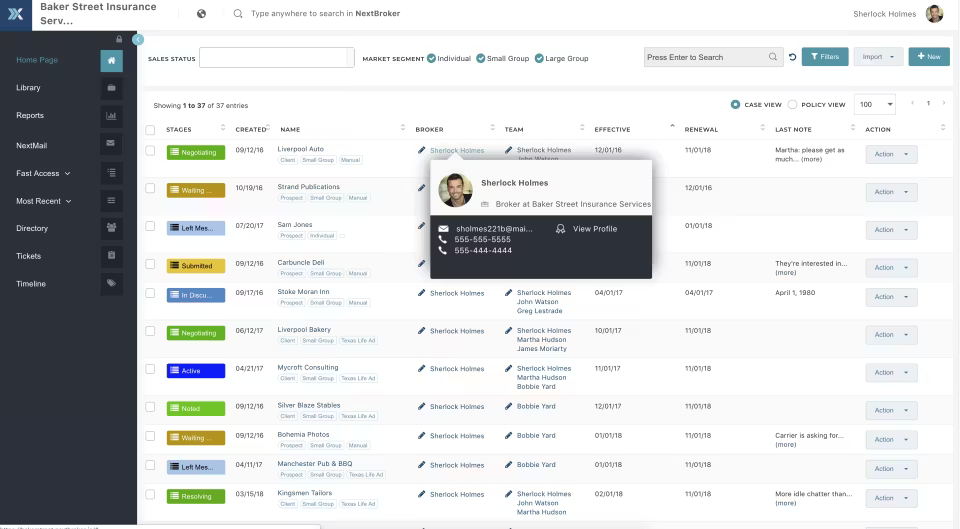
NextAgency is a commission management software specifically designed for insurance agencies. It helps these agencies manage their commission processes effectively, offering tools to improve and automate compensation tracking.
Why I picked NextAgency: This tool is designed for insurance agencies needing efficient commission management. It offers customizable tracking features and tools to simplify managing and monitoring commissions. NextAgency’s focus on the insurance sector makes it a specialized solution for agencies.
Standout features and integrations:
Features include customizable commission tracking that adapts to your agency's specific needs. The platform offers automation tools to support commission calculations and reporting. It also provides detailed analytics to help you understand and optimize your compensation processes.
Integrations include PerfectQuote, Zapier, NextAgency, and more.
Pros and Cons
Pros:
- Automation tools
- Specialized for insurance agencies
- Customizable tracking options
Cons:
- Limited customization and reporting options
- Occasional glitches in related modules
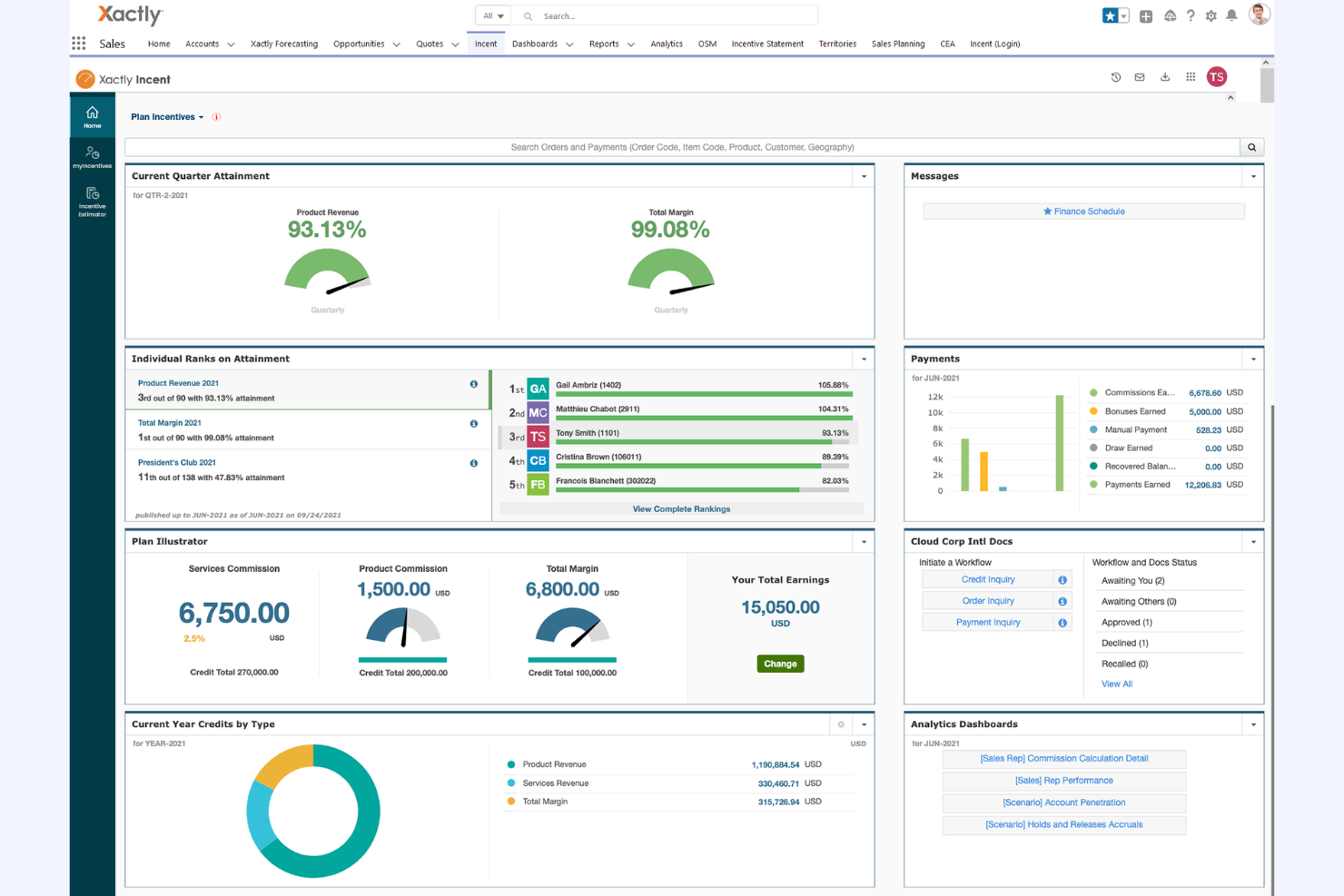
Xactly Incent is a commission management software designed for businesses that require automation and compliance in their compensation processes. It helps sales teams manage complex commission structures and maintain compliance with industry standards.
Why I picked Xactly Incent: This tool provides enterprise-level commission automation and compliance. It manages complex compensation plans with advanced features and offers real-time data and analytics for informed decision-making.
Standout features and integrations:
Features include reporting tools for commission calculations and payouts, automated workflows to reduce manual errors, and compliance management to meet industry standards.
Integrations include Salesforce, Oracle, SAP, Microsoft Dynamics, NetSuite, Workday, and more.
Pros and Cons
Pros:
- Supports operations of all sizes
- Strong compliance management
- Handles complex compensation structures
Cons:
- Reporting limitations
- non‑intuitive interface

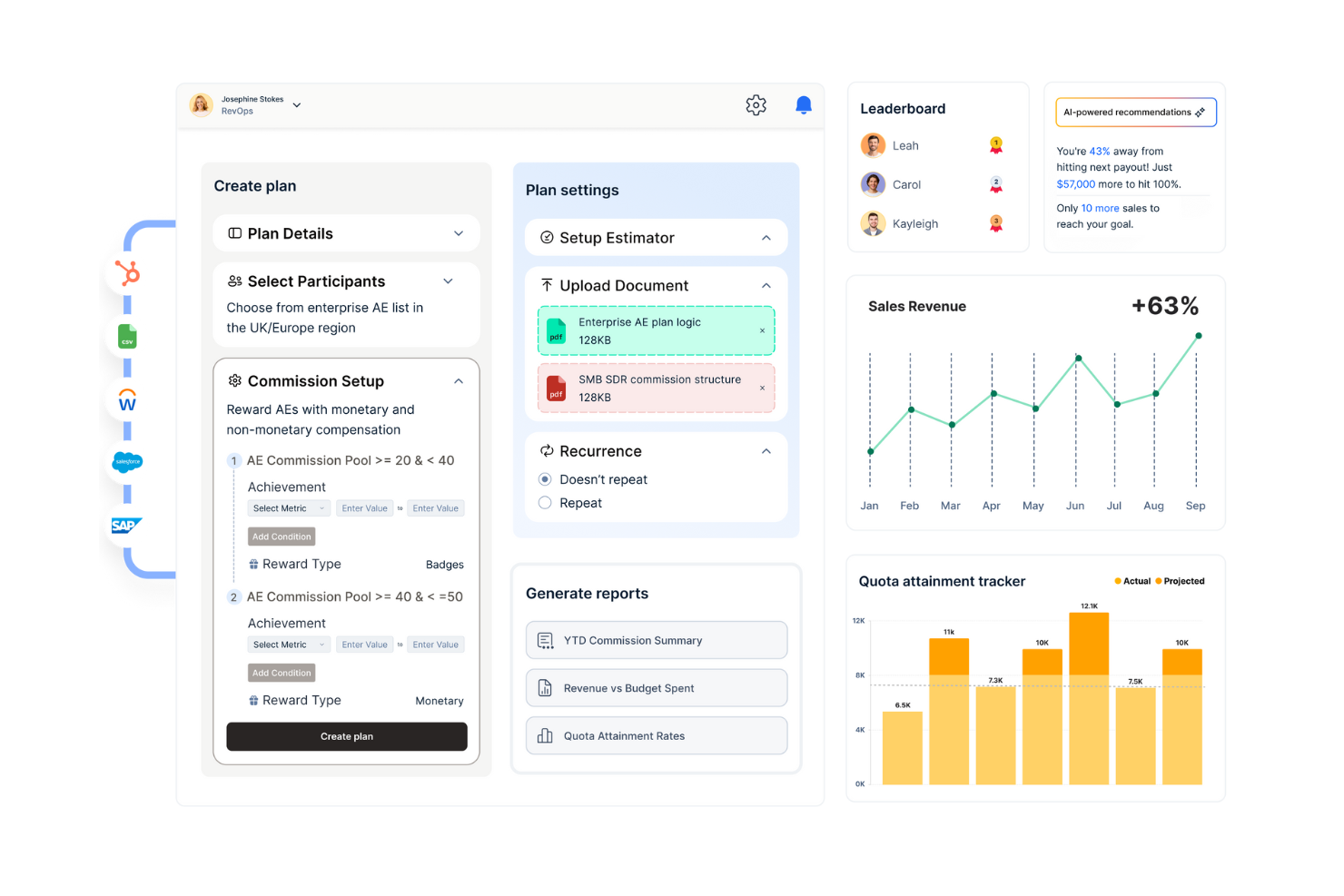
Qobra is a commission management platform designed for businesses looking for customizable commission plans and automated payout processes. It serves sales teams by simplifying the management of complex compensation structures and supporting timely payouts.
Why I picked Qobra: This tool offers customizable commission plans for different business needs. It automates payouts to reduce errors and save time. Qobra provides real-time visibility into sales performance and a user-friendly interface for adjusting commission structures.
Standout features and integrations:
Features include a flexible commission plan designer that allows you to tailor plans to your business needs. The platform offers real-time analytics to track sales performance and payout processes. It also supports automated workflows, helping your team manage compensation efficiently.
Integrations include Salesforce, HubSpot, Microsoft Dynamics, Xero, Sage, and more.
Pros and Cons
Pros:
- Easy to adjust plans
- Automated payout processes
- Customizable plan options
Cons:
- No mobile app
- Limited customization for complex commission plans

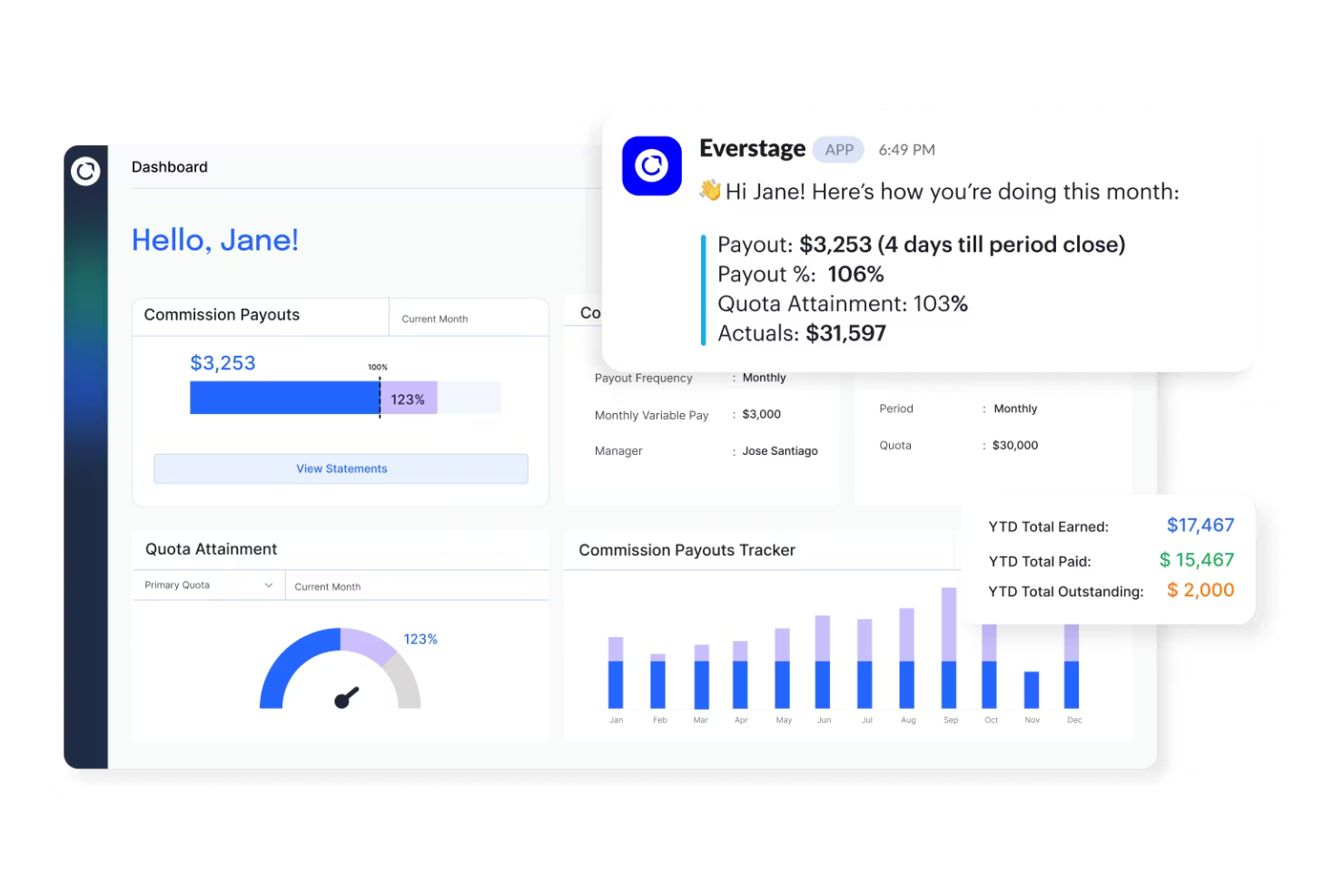
Everstage is a sales incentive compensation platform designed for small to medium-sized businesses looking to improve their commission tracking and management processes. It supports sales teams by automating compensation calculations and providing detailed performance insights.
Why I picked Everstage: This tool is ideal for SMBs transitioning to an end-to-end incentive compensation platform. It offers features that simplify the process of managing complex compensation plans. Everstage provides real-time tracking and analytics to help your team stay informed and motivated. Its user-friendly design provides a smooth transition for businesses upgrading from manual or basic systems.
Standout features and integrations:
Features include real-time analytics that offer detailed insights into sales performance. The platform supports customizable compensation plans, allowing you to tailor them to your business needs. It also provides automated workflows, reducing errors associated with manual calculations and data entry to save time.
Integrations include Salesforce, HubSpot, Slack, QuickBooks, Xero, Microsoft Dynamics, NetSuite, and more.
Pros and Cons
Pros:
- Automated workflows
- Customizable compensation plans
- Easy setup for SMBs
Cons:
- Delayed data syncing
- Mobile functionality gaps
Other Sales Commission Software for Small Businesses
Here are some additional sales commission software for small businesses that didn’t make it onto my shortlist but are still worth checking out:


Sales Commission Software for Small Businesses Selection Criteria
When selecting the best sales commission software for small businesses to include in this list, I considered common buyer needs and pain points, such as managing complex commission structures and maintaining timely payouts.
I also used the following framework to keep my evaluation structured and fair:
Core Functionality (25% of total score)
To be considered for inclusion in this list, each solution had to fulfill these common use cases:
- Calculate commissions accurately
- Automate payout processes
- Track sales performance
- Generate detailed reports
- Handle multiple commission structures
Additional Standout Features (25% of total score)
To help further narrow down the competition, I also looked for unique features, such as:
- Real-time analytics
- Customizable dashboards
- AI-driven insights
- Multi-currency support
- Scenario modeling
Usability (10% of total score)
To get a sense of the usability of each system, I considered the following:
- Intuitive interface design
- Easy navigation
- Minimal learning curve
- Availability of mobile access
- Customization options
Onboarding (10% of total score)
To evaluate the onboarding experience for each platform, I considered the following:
- Availability of training videos
- Interactive product tours
- Templates for quick setup
- Access to webinars
- Chatbot assistance
Customer Support (10% of total score)
To assess each software provider’s customer support services, I considered the following:
- Availability of live chat
- 24/7 support options
- Complete help center
- Response time to inquiries
- Quality of support articles
Value for Money (10% of total score)
To evaluate the value for money of each platform, I considered the following:
- Competitive pricing
- Features offered at each price tier
- Flexibility of pricing plans
- Discounts for annual billing
- Free trial availability
Customer Reviews (10% of total score)
To get a sense of overall customer satisfaction, I considered the following when reading customer reviews:
- Overall satisfaction ratings
- Feedback on ease of use
- Comments on feature effectiveness
- Reports on customer support experiences
- Value for money perceptions
How to Choose Sales Commission Software for Small Businesses
It’s easy to get bogged down in long feature lists and complex pricing structures. To help you stay focused as you work through your unique software selection process, here’s a checklist of factors to keep in mind:
| Factor | What to Consider |
|---|---|
| Scalability | Can the software grow with your business? Consider if it can handle more users, larger datasets, or additional features as your needs evolve. |
| Integrations | Does it integrate with your current systems like CRM, accounting, or HR software? Check for native integrations to avoid costly and complex custom solutions. |
| Customizability | Can you tailor the software to fit your specific commission structures and workflows? Confirm it allows flexibility without requiring extensive technical knowledge. |
| Ease of Use | Is the interface intuitive and easy for your team to navigate? Evaluate the learning curve and whether it requires extensive training or support to get started. |
| Implementation and Onboarding | What resources are needed to get started? Consider the time, training, and support required to implement the software and get your team up and running smoothly. |
| Cost | Does the pricing fit your budget? Look beyond the base price to consider additional costs like setup fees, support, or required add-ons. |
| Security Safeguards | How does the software protect your data? Check for compliance with standards like GDPR or SOC 2, and confirm it has security measures to keep your data safe. |
What Is Sales Commission Software for Small Businesses?
Sales commission software for small businesses is a tool that automates and manages the process of calculating and distributing sales commissions. Sales managers, finance teams, and HR professionals typically use these tools to provide accurate and timely payouts, boosting team morale and productivity.
Automated calculations, real-time tracking, and customizable reporting features help with managing complex commission structures and provide transparency. Overall, these tools simplify commission management, saving time and reducing errors.
Features
When selecting sales commission software for small businesses, keep an eye out for the following key features:
- Automated calculations: Automatically calculate commissions based on predefined rules, reducing manual errors and saving time.
- Real-time tracking: Provides up-to-date insights into sales performance and commission earnings, helping teams stay informed and motivated.
- Customizable reporting: Allows users to generate reports tailored to specific business needs, offering insights into sales and compensation trends.
- Integration capabilities: Connect with other business systems, such as CRM and accounting software, to maintain data consistency and simplify operations.
- Scalability: Supports growth by accommodating more users and larger datasets as a business expands.
- Security safeguards: Protect sensitive data with efficient security measures and compliance with industry standards, such as GDPR and SOC 2.
- User-friendly interface: Offers an intuitive design that simplifies navigation and reduces the learning curve for new users.
- Workflow automation: Speeds up processes by automating repetitive tasks, freeing up time for more strategic activities.
- Multi-currency support: Handles transactions in different currencies, useful for businesses operating in multiple regions.
- Scenario modeling: Allows users to forecast potential outcomes and plan compensation strategies effectively.
Benefits
Implementing sales commission software provides several benefits for your team and your small business. Here are a few you can look forward to:
- Accuracy: Automated calculations provide precise commission payouts, reducing manual errors.
- Efficiency: Workflow automation saves time by handling repetitive tasks, allowing your team to focus on strategic work.
- Motivation: Real-time tracking keeps your team informed about their performance, boosting morale and productivity.
- Transparency: Customizable reporting provides clear insights into commission structures and earnings, fostering trust and understanding.
- Scalability: The ability to grow with your business, accommodating more users and larger datasets as needed.
- Security: Industry-standard security measures and compliance protect sensitive financial and personal data.
- Flexibility: Customizable features and integration capabilities allow the software to adapt to your specific business needs.
Costs and Pricing
Selecting sales commission software for small businesses requires an understanding of the various pricing models and plans available. Costs vary based on features, team size, add-ons, and more. The table below summarizes common plans, their average prices, and typical features included in sales commission software for small business solutions:
Plan Comparison Table for Sales Commission Software for Small Businesses
| Plan Type | Average Price | Common Features |
|---|---|---|
| Free Plan | $0 | Basic commission tracking, limited reports, and essential integrations. |
| Personal Plan | $5-$25/user/month | Real-time tracking, customizable dashboards, and email support. |
| Business Plan | $30-$60/user/month | Advanced reporting, workflow automation, and priority customer support. |
| Enterprise Plan | $70-$100/user/month | Full customization, dedicated account manager, and multi-currency support. |
Sales Commission Software for Small Businesses FAQs
Here are some answers to common questions about sales commission software for small businesses:
Can sales commission software for small businesses adapt to unique commission plans that change throughout the year?
Small teams often have evolving goals, seasonal targets and quotas, or incentive plans. Most tools allow adjustments without rebuilding your entire structure. You can typically update rates, tiers, or rules as needed. The key is choosing a system that won’t lock you into one rigid setup.
Can sales commission software integrate with my existing systems?
Yes, most sales commission software offers integrations with popular systems, such as CRM or accounting tools. Check the software’s integration capabilities on the vendor’s website. Compatibility with your existing tools improves sales data consistency and simplifies your workflow, making the software more valuable for your business.
How secure is sales commission software?
Software vendors typically implement strong security measures to protect your data. Look for compliance with standards, for example, GDPR or SOC 2, and inquire about encryption methods. Always choose a vendor with a clear security policy and consider conducting a security audit if you’re concerned about data protection.
Is it difficult to switch from my current system to a new software?
Switching can be challenging, but many vendors offer support to ease the transition. Look for software with end-to-end onboarding resources, such as training videos, product tours, and support teams. Planning your migration carefully and utilizing available resources can minimize disruption and help your team adapt quickly.