
22 Best Quote-to-Cash Software Reviewed For 2026

10 Best Quote-to-Cash Software Shortlist
Here's my pick of the 10 best software from the 21 tools reviewed.


With so many different quote-to-cash software available, figuring out which is right for you is tough. You know you want to optimize and automate the end-to-end sales cycle but need to figure out which tool is best.
I've got you! In this post I'll help make your choice easy, sharing my personal experiences using dozens of different quote-to-cash tools with various teams and accounts, with my picks of the best quote-to-cash software.
Why Trust Our Software Reviews
Best Quote-to-Cash Software Summary
This comparison chart summarizes pricing details for my top quote-to-cash software selections to help you find the best one for your budget and business needs.
| Tool | Best For | Trial Info | Price | ||
|---|---|---|---|---|---|
| 1 | Best for accurate deal configuration | Free demo available | Pricing upon request | Website | |
| 2 | Best for cutting proposal time by 50-75% | Free demo available | From $39/user/month | Website | |
| 3 | Best for customizing sophisticated pricing models to meet customer needs | Free demo available | Pricing upon request | Website | |
| 4 | Best for commercial order management solutions | Not available | From $85/user/month | Website | |
| 5 | Best for building a better supply chain experience | Free consultation available | Pricing upon request | Website | |
| 6 | Best cloud-based quote-to-cash software for enterprises | Free demo available | Pricing upon request | Website | |
| 7 | Best for low code and no-code administration | Free demo available | Pricing upon request | Website | |
| 8 | Best for shortening the sales cycle through increased pricing productivity | Free demo available | Pricing upon request | Website | |
| 9 | Best for supporting SaaS deals | Free demo available | Pricing upon request | Website | |
| 10 | Best for reinventing your revenue lifecycle | Free demo available | Pricing upon request | Website |
-

Prisync
Visit WebsiteThis is an aggregated rating for this tool including ratings from Crozdesk users and ratings from other sites.4.7 -
Expedite Commerce
Visit Website -
QuickBooks Online
Visit WebsiteThis is an aggregated rating for this tool including ratings from Crozdesk users and ratings from other sites.4





Best Quote-to-Cash Software Review
Below are my detailed summaries of the best quote-to-cash software that made it onto my shortlist. My reviews offer a detailed look at the key features, pros & cons, integrations, and ideal use cases of each tool to help you find the best one for you.

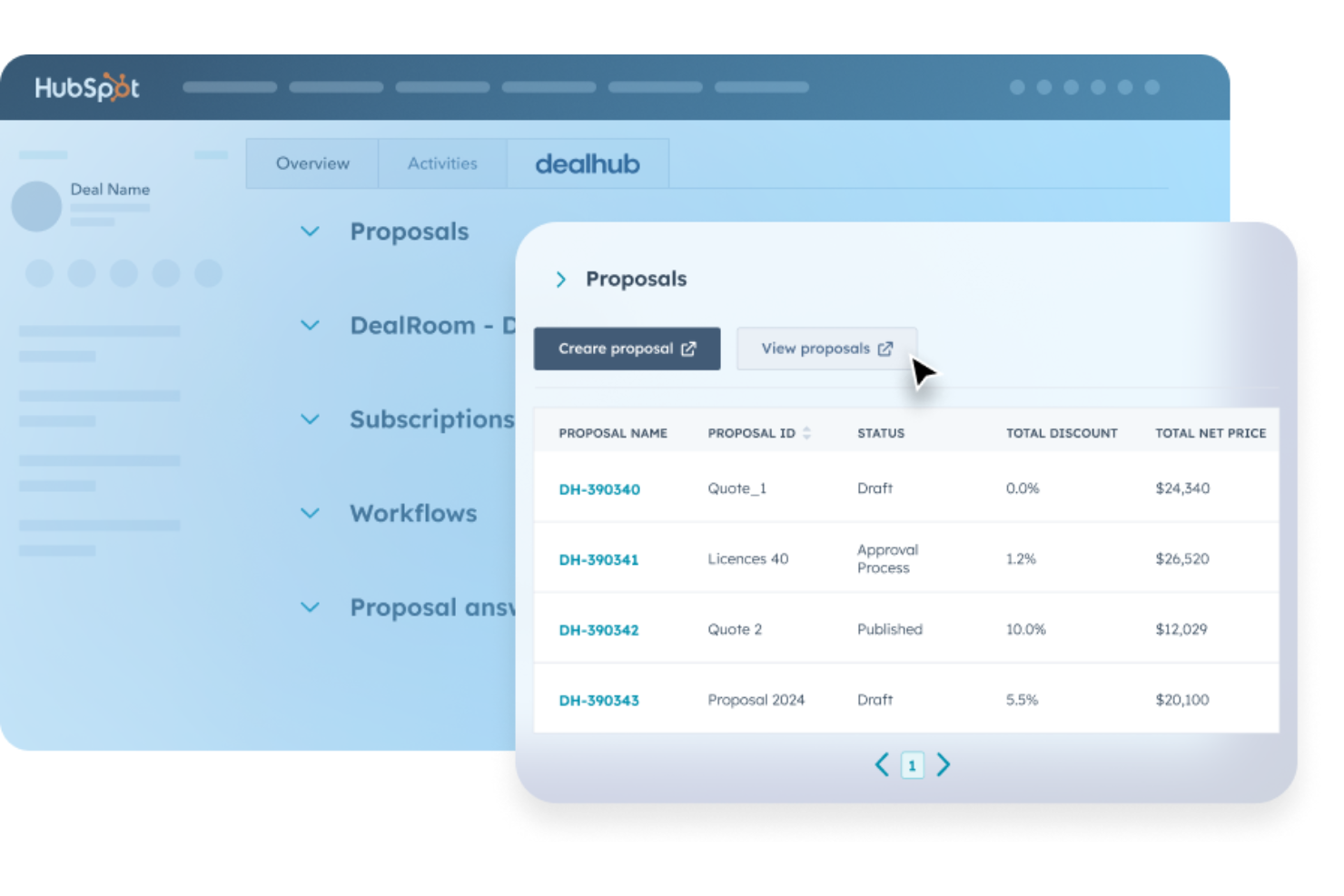
DealHub is a quote-to-cash (Q2C) platform designed to help businesses manage the entire revenue lifecycle, from pricing and quoting to contract management and subscription billing. DealHub combines Configure, Price, Quote (CPQ) tools with contract lifecycle management and billing automation, helping teams improve accuracy and efficiency when creating and managing deals.
Why I Picked DealHub: I picked DealHub because of its advanced CPQ capabilities, which make it easier to configure accurate deals without manual work. The platform automates pricing rules, quote generation, and approval workflows, helping sales teams avoid costly errors and speed up the sales cycle. I also found its contract lifecycle management tools useful for streamlining approvals and renewals, reducing delays and keeping deals on track. Additionally, for subscription-based businesses, DealHub’s automated billing and renewal management can simplify recurring revenue processes significantly.
DealHub Standout Features and Integrations
Standout features include document generation for faster proposal creation, e-signature support for quick contract completion, and buyer engagement tools that provide real-time insights into customer interactions. DealHub also includes a centralized dealRoom where teams can collaborate, manage documents, and track progress.
Integrations include Salesforce CRM, Microsoft Dynamics CRM, HubSpot CRM, Freshworks CRM, DocuSign, Gong, Slack, Google, LinkedIn, Optimizely, and Amazon.
Pros and cons
Pros:
- Supports recurring subscription billing
- Simplifies contract lifecycle management
- Automates pricing rules for accuracy
Cons:
- Occasional delays in contract tracking
- Limited flexibility after quote submission
New Product Updates from DealHub

DealHub Automates Contract Attachments In Deal Won Emails
DealHub now automatically attaches fully signed contracts to Deal Won emails. This update streamlines post-signature communication and ensures stakeholders receive signed documents instantly. For more information, visit DealHub's official site.
 .
.
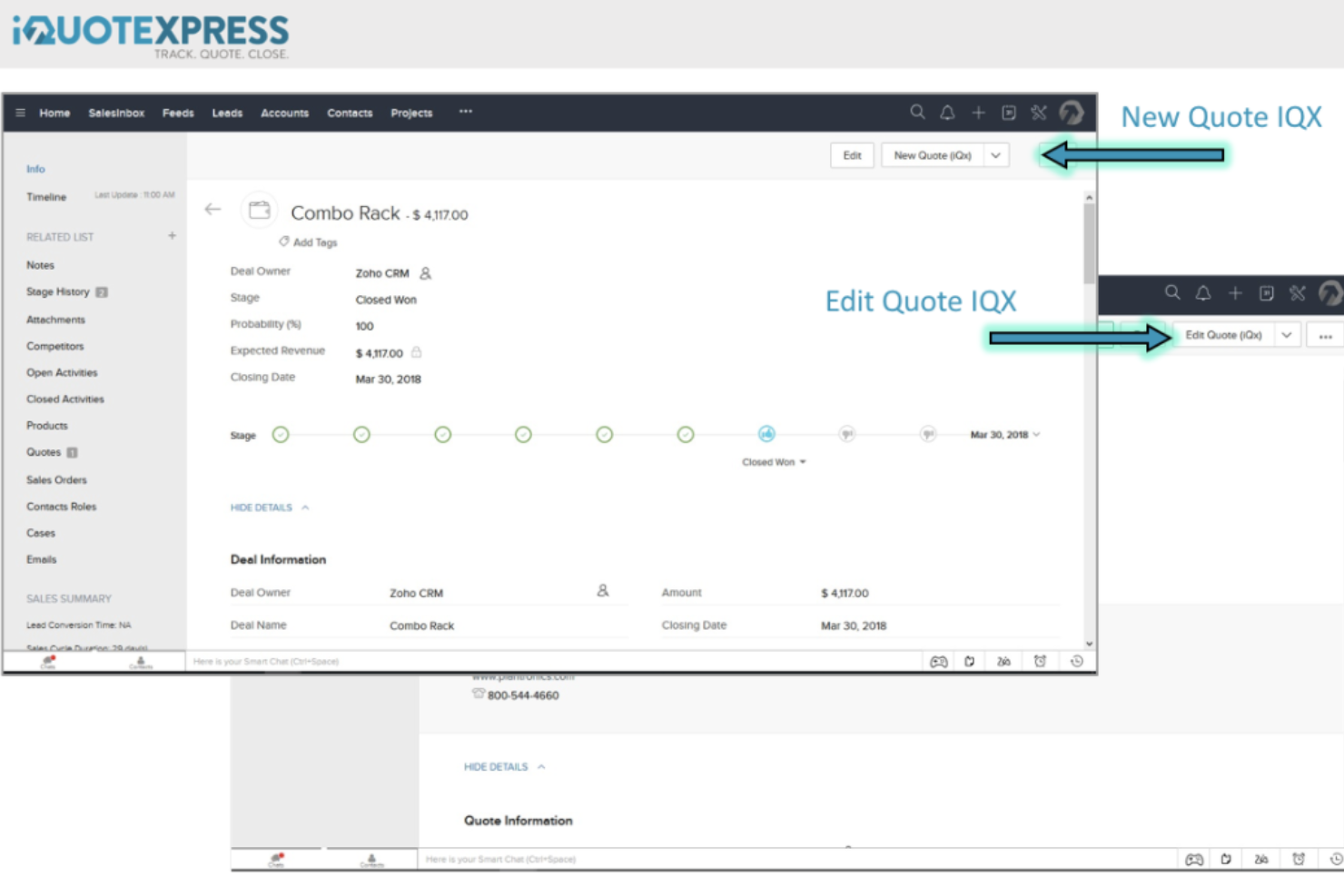
iQuoteXpress is a CPQ solution designed to automate and improve the quote management process, integrating with CRM systems and e-commerce platforms. Its ability to cut proposal time by 50-75% is attributed to its user-friendly system that requires minimal training and no need for IT consultant assistance, providing a customized, integrated, and fully supported sales proposal and quoting solution.
Why I chose iQuoteXpress: I chose iQuoteXpress for the 'quote to cash software after evaluating its comprehensive set of features, which include proposal templates, product and pricing configuration, and CPQ and CRM integration. These capabilities are designed to address business needs upfront and provide analytics for sales enablement, which makes it distinct from other solutions in the market. What makes iQuoteXpress different is its emphasis on reducing proposal time significantly—by 50-75%—without causing disruption to existing business processes. This is achieved through a combination of tailored proposal templates, custom branded dashboards, and a focus on implementing the software according to the specific needs of the business.
iQuoteXpress Standout Features and Integrations
Standout features include CPQ & CRM integration, CPQ pricing, and eCommerce features to streamline the quoting process and improve efficiency for businesses. It reduces proposal time by 50-75% and provides tailored proposal templates for a consistent look and feel. The software also offers industry-specific solutions, a blog for additional resources, and has been praised by over 500 customers for its quality proposal output and time savings.
Integrations include Zoho, Oracle, and Microsoft Dynamics. These integrations are designed to automate and improve the quote management process, allowing for the customization of sales proposals and the tracking of proposal analytics. The software also supports eCommerce and CPQ pricing integrations.
Pros and cons
Pros:
- Responsive and helpful tech support team
- Easily track quotations submitted on a daily, weekly, and/or monthly basis
- Fully customise the appearance of your proposal document
Cons:
- Some item model numbers may be too long for system entry
- Slight learning curve for new users

OneBill
Best for customizing sophisticated pricing models to meet customer needs
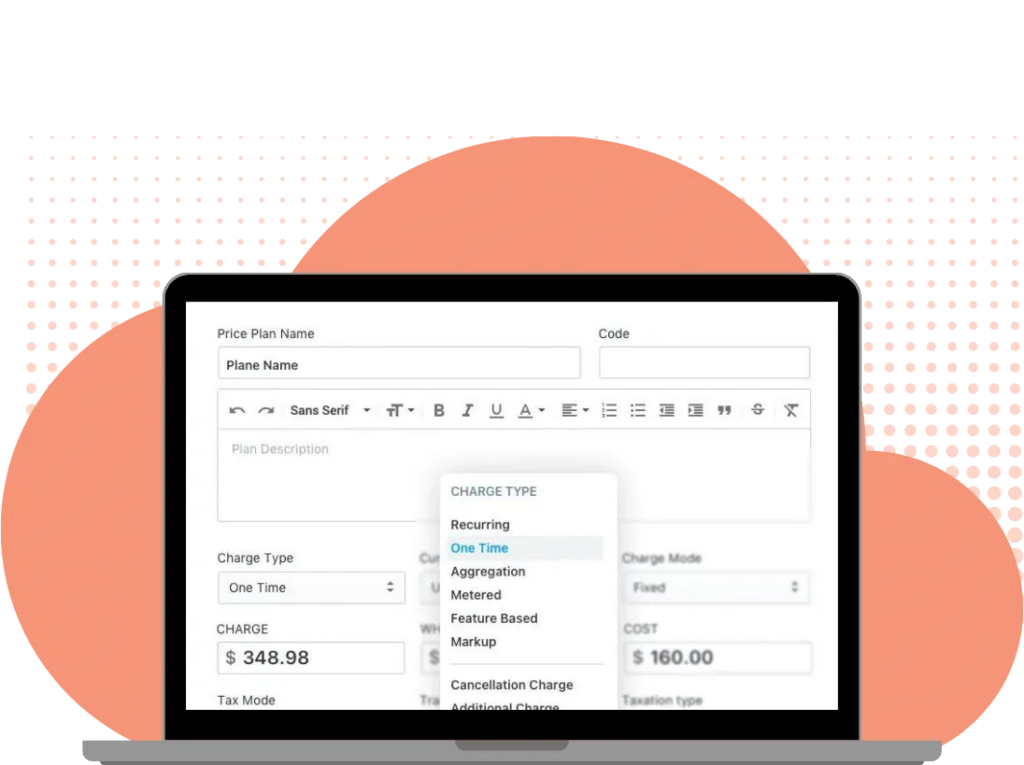
This revenue management software is built to provide businesses of all sizes with the tools they need to brand and customize their billing processes. With prebuilt configurations for every type of billing, as well as automated order provisioning and activation, CPQ tools, and commission management, OneBill offers an all-in-one solution for revenue management.
Why I picked OneBill: One of the reasons I chose this platform is because it provides sophisticated pricing models that you can change to meet customer demands. Some popular pricing models provided in-app include usage-based, recurring, hybrid, one-time, and personalized. The OneBill system also makes allowances for sales quotes with discounts, coupons, bundles, and packages.
OneBill Standout Features and Integrations
Standout features include order processing and payment collection, multi-currency and multi-language support for global enterprises, and real-time commissioning and SPIFFs.
Integrations include Authorize.net, Bambora, Ceretax, DocuSend, HubSpot CRM, Oracle, Pipedrive, Salesforce, ShipBob, and Xero. OneBill also offers integration with Communication Service Providers, like Verizon and AT&T
Pros and cons
Pros:
- Expertise and commitment from customer service team
- Guided configuration and implementation
- Completely customizable plans
Cons:
- Reselling system could be a little more user-friendly
- Nationwide taxation compliance requires intensive setup

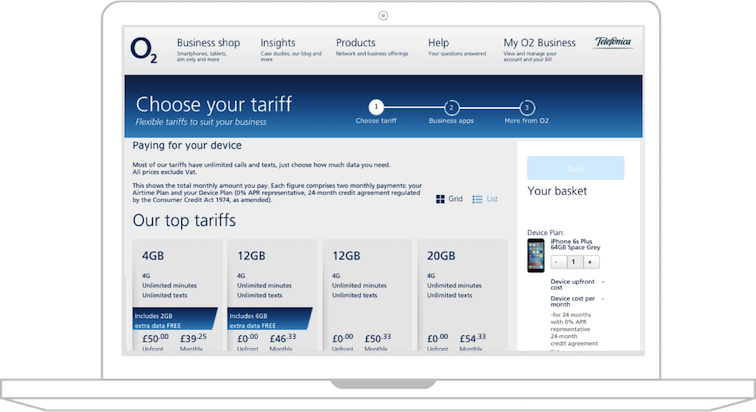
CloudSense is an industry-specific commerce solution that helps massive organizations with global reach reduce costs by providing seamless connectivity and digital-oriented customer experiences through Salesforce. CloudSense capabilities include tools for sales execution, contract management, product catalog management, and order and subscriber management.
Why I picked CloudSense: This platform caught my eye because it focuses on order and subscriber management. With this tool, you can automate and track order fulfillment, provide customers with real-time order updates, and enhance customer loyalty with personalized offers and simple self-service experiences.
CloudSense Standout Features and Integrations
Standout features include CPQ engine to automate order completion, change, or renewal and dynamic contract templates and clauses with auto-populate from CPQ and CRM data.
Integrations include Accenture, Adobe, Connectbase, Deloitte, DV Publisher Suite, Google Ad Manager, Gotransverse, Infosys, Salesforce Sales Cloud, and Tata Consultancy Services.
Pros and cons
Pros:
- Responsive and helpful customer support
- Workflow edits and updates are easy to make
- Can customize everything during implementation
Cons:
- Requires training to learn navigation
- User interface could use improvement


Designed with B2B solutions in mind, IBM Sterling focuses on ensuring you can build a dynamic, interconnected, and responsive ecosystem for order fulfillment. With order management tools, managed file transfers, sophisticated inventory management, IBM Sterling strives to provide solutions that ensure end-to-end visibility and real-time insights to improve your bottom line.
Why I picked IBM Sterling: The main reason I put this platform on my list was because of its smart order fulfillment solution. With this tool, you can merge all sales channels onto one platform to ensure better tracking, easier coordination with logistics, lots of shipping options, and simplified returns management through cloud-based tools.
IBM Sterling Standout Features and Integrations:
Standout features include real-time views of current inventory stock, personalized delivery options, and omni-channel delivery capabilities.
Integrations include IBM Sterling has a B2B integrator that allows you to connect whichever additional apps you need.
Pros and cons
Pros:
- Intuitive navigation and ease of use
- Robust customer support team
- Offers B2C and B2B solutions
Cons:
- CPQ software is an add-on
- No direct integrations with other systems

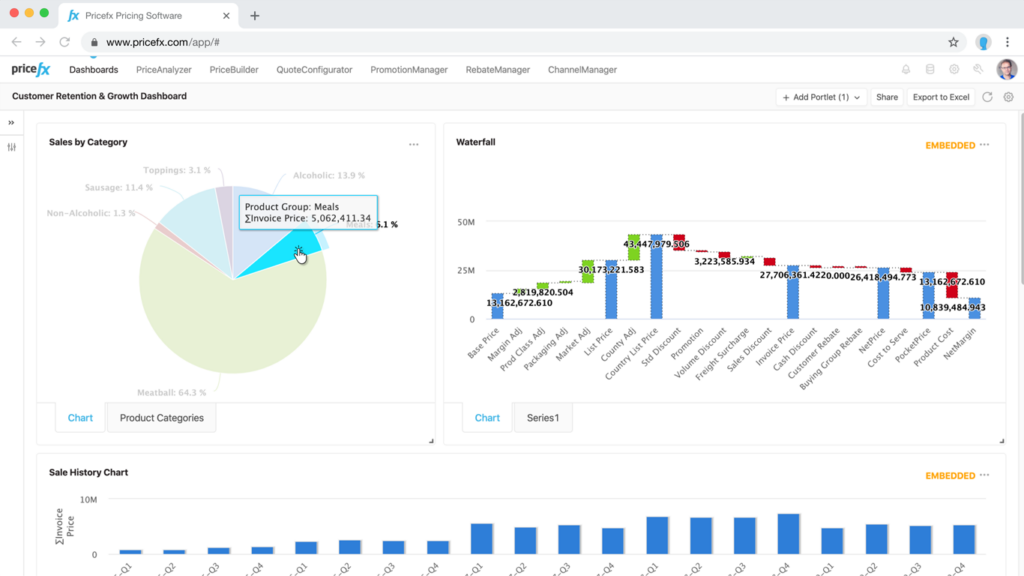
This sales optimization software is designed for enterprise organizations that are facing pricing challenges. Pricefx offers cloud-based pricing optimization and management with a CPQ add-on to ensure more accuracy and transparency throughout your QTC process. With this platform, you have a choice of three package options, including an analytics plan, a pricing strategy plan, and an all-in-one plan.
Why I picked Pricefx: The thing that caught my eye about this tool is the AI-powered price optimization feature. Empowered with AI, you can optimize multiple price elements in real time to model customer purchasing behavior in order to manage price lists, from automated recalculation based on defined triggers to dynamic price lists.
Pricefx Standout Features and Integrations
Standout features include market monitoring to optimize pricing in real time and smart discounting and promotion management for impact forecasting.
Integrations include AWS, JD Edwards, Oracle, and SAP S/4HANA. Pricefx encourages integrations through Celigo, an iPaaS that can connect you to hundreds of pre-built integrations.
Pros and cons
Pros:
- Outstanding customer service
- Very intuitive user navigation
- UI is UNITY-based for better visuals
Cons:
- Managing data accuracy across multiple platforms can be complex
- Initial configuration is work intensive

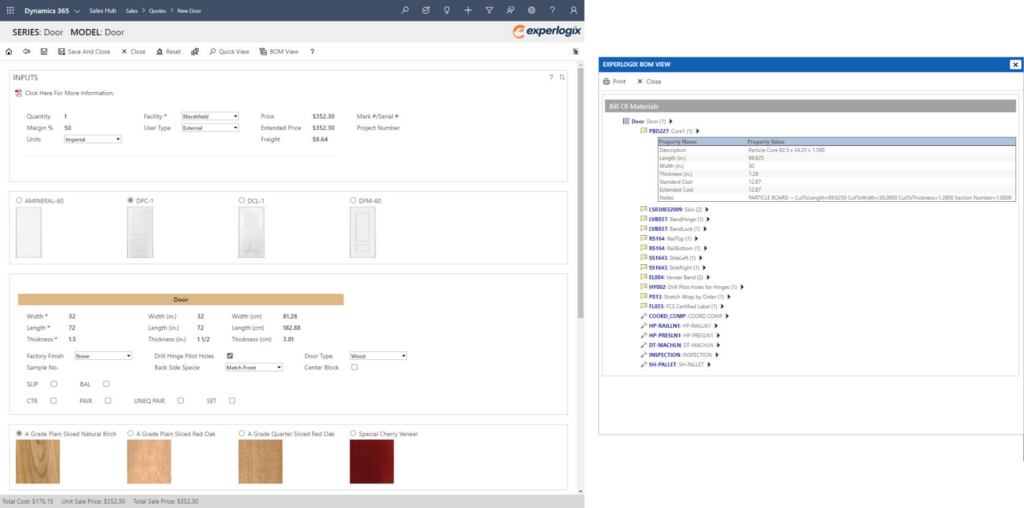
Developed to be used with some of the most popular CRM applications, Experlogix CPQ offers simplified product configurator technology to empower customers, sales reps, and channel partners to create accurate quotes and orders. This platform offers on-premise and cloud deployment that can help B2B and B2C sellers with advanced production orders, like routings and BOMs.
Why I picked Experlogix: This platform made my list because it offers an intuitive modeling environment that requires minimal coding. And since your salespeople and customers don’t need any technical experience or advanced training to use it, Experlogix CPQ becomes their preferred app.
Experlogix CPQ Standout Features and Integrations
Standout features include low-code automation and administration for enhanced accessibility, guided selling for more personalized messages and cross-selling opportunities, and rules-based order creation that automatically detects errors.
Integrations include Microsoft Dynamics 365 Business Central, Microsoft Dynamics 365 Finance, Microsoft Dynamics 365 Sales, Microsoft Excel, NetSuite, and Salesforce Sales Cloud.
Pros and cons
Pros:
- Robust Microsoft integration
- Easy to understand the system
- UI design can be customized
Cons:
- Integration requires technical knowledge
- To customize UI, must use javascript and CSS

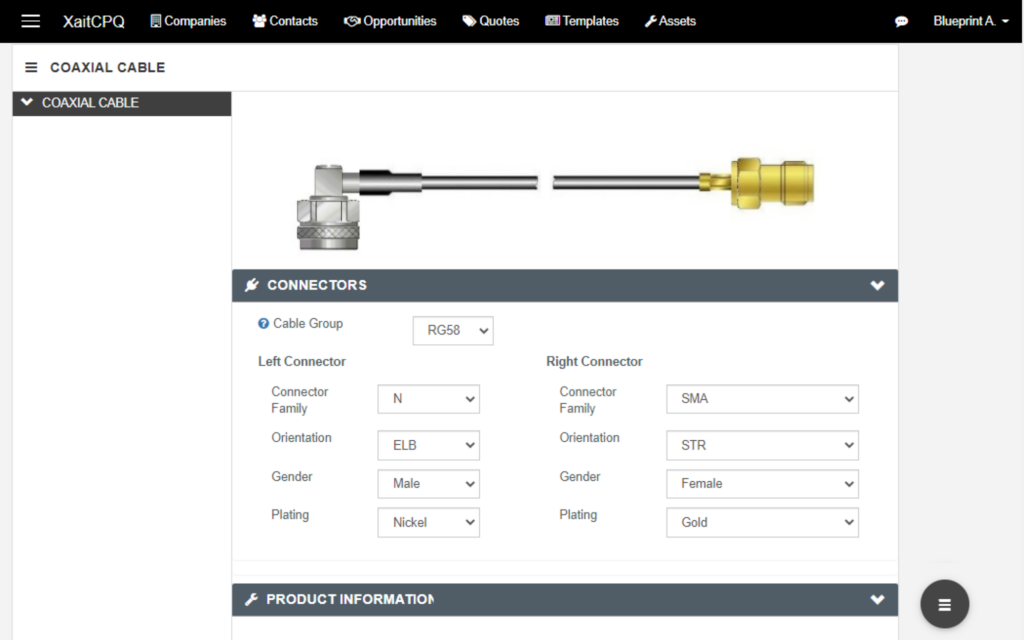
Formerly known as BlueprintCPQ, Xait CPQ is a cloud-based product configuration and quoting system that’s designed to be used as a standalone solution or integrated with your ERP and CRM systems. Use this platform to price products, produce documents, and perform complex calculations with an ecommerce-friendly system that’s simple enough for your customers to use.
Why I picked Xait CPQ: This platform caught my eye because of its guided selling feature. Instead of Excel or spreadsheets, Xait CPQ guides salespeople based on historical data to ensure more accurate and faster quotes. With precise, automated quotes, sales teams are free from manual calculations and are able to move more efficiently.
Xait CPQ Standout Features and Integrations
Standout features include custom, branded layouts for approved quote creation and servitization that evaluates risk and cost for multi-year service agreements.
Integrations include HubSpot CRM, Magento, Microsoft Dynamics 365, Microsoft Excel, Pipedrive, Oracle CRM On Demand, Salesforce, SAP CRM, and Workbook.
Pros and cons
Pros:
- Robust customer support team
- High functionality with lots of features
- Easy to use and learn after configuration
Cons:
- Small and medium businesses may be priced out
- Complex system that requires customer support to configure

As a cloud-based platform that’s designed to replace your CRM, CPQ, and billing platforms, Cacheflow strives to streamline every aspect of the QTC process through dynamic proposal creation, interactive self-service checkout with financing options, and no-code automation for contract generation and CPQ.
Why I picked Cacheflow: This tool made my list because of their quick to close automation. Cacheflow highlights its unique click-and-buy experience that ensures customers can close in just eight clicks with self-serve options that allow them to select the contract terms, payment method, and payment plan — no guidance from your sales reps needed.
Cacheflow Standout Features and Integrations
Standout features include custom rules creation to control contract terms and approvals, branded visuals for contracts, and renewable revenue tracking in a functional dashboard.
Integrations include native DocuSign, HubSpot CRM, ProfitWell, QuickBooks, Salesforce Sales Cloud, and Slack integrations. Webhooks integrations include Oracle Netsuite and Stripe.
Pros and cons
Pros:
- One of the fastest checkout processes
- Easy to learn and navigate
- Encourages product adoption internally
Cons:
- Trying to fix a glitchy e-signature feature
- Missing a few functionalities because it’s a new company

Built to be as easy to learn and manage as possible, Nue is a quote-to-revenue platform on Salesforce that focuses on meeting the revenue lifecycle needs of modern businesses. This solution allows you to configure dynamic pricing, expand customer revenue, and sell on any channel, including self-service and direct sales.
Why I picked Nue: I like this platform because it offers dynamic customer lifecycle management directly on Salesforce. Whether you need to manage changes, renewals, or co-terms, you can do it all in the most popular CRM and provide your customers the tools to do the same with the ability to adjust usage, term, and seats.
Nue Standout Features and Integrations
Standout features include hybrid price model builder, billing tools for any pricing model, and integrated self-service for customers.
Integrations include Salesforce Sales Cloud.
Pros and cons
Pros:
- Works directly in Salesforce Sales Cloud
- Lots of flexibility for customization
- Clean and straightforward tools
Cons:
- Built to service SaaS businesses
- Legacy data can be problematic without clear processes from the beginning
Other Quote-to-Cash Software
Here are some additional quote-to-cash software options that didn’t make it onto my shortlist, but are still worth checking out:
- ViiBE by Virtue
For scaling your business with automation
- salesbricks
Comprehensive commerce platform for B2B SaaS
- Expedite Commerce
For managing the buying journey to enhance customer satisfaction
- Quoter
For sales automation, as about 30% of your processes can be automated here
- Zoho CRM
Quote-to-cash platform with integrated CRM features
- QuoteWerks
For creating professional, branded quotes and proposals
- Conga CPQ
For the most accurate pricing, even with complex proposals
- Salesforce Revenue Cloud
QTC solution for the configure, price, quote process
- HubSpot Sales Hub
For a free quote-to-cash process management system
- BlueSnap Accounts Receivable Automation
BlueSnap Accounts Receivable Automation - Best QTC tool with AR automation
- Infor CPQ
For improving the visual buying experience for all your customers


Quote-to-Cash Software Selection Criteria
When selecting the best quote-to-cash software to include in this list, I considered common buyer needs and pain points like integration with existing systems and ease of use. I also used the following framework to keep my evaluation structured and fair:
Core Functionality (25% of total score)
To be considered for inclusion in this list, each solution had to fulfill these common use cases:
- Generate accurate quotes
- Manage contracts
- Track payment status
- Automate billing processes
- Integrate with CRM systems
Additional Standout Features (25% of total score)
To help further narrow down the competition, I also looked for unique features, such as:
- Customizable dashboards
- AI-driven analytics
- Multi-currency support
- Mobile app functionality
- Advanced reporting tools
Usability (10% of total score)
To get a sense of the usability of each system, I considered the following:
- Intuitive interface
- Ease of navigation
- Minimal learning curve
- Clear labeling
- Responsive design
Onboarding (10% of total score)
To evaluate the onboarding experience for each platform, I considered the following:
- Availability of training videos
- Interactive product tours
- Access to webinars
- Presence of chatbots
- Use of onboarding templates
Customer Support (10% of total score)
To assess each software provider’s customer support services, I considered the following:
- 24/7 availability
- Response time
- Help center resources
- Live chat support
- Availability of account managers
Value For Money (10% of total score)
To evaluate the value for money of each platform, I considered the following:
- Competitive pricing
- Transparent pricing plans
- Availability of free trials
- Feature set relative to cost
- Tiered pricing options
Customer Reviews (10% of total score)
To get a sense of overall customer satisfaction, I considered the following when reading customer reviews:
- User satisfaction ratings
- Commonly mentioned pros and cons
- Feedback on customer support
- Ease of use feedback
- Overall value perception
How to Choose Quote-to-Cash Software
It’s easy to get bogged down in long feature lists and complex pricing structures. To help you stay focused as you work through your unique software selection process, here’s a checklist of factors to keep in mind:
| Factor | What to Consider |
|---|---|
| Scalability | Will the software grow with your business? Consider future needs and whether the tool can handle increased volume without sacrificing performance. |
| Integrations | Does it integrate with your existing systems like CRM or ERP? Check for seamless data flow to avoid double entry and errors. |
| Customizability | Can you tailor the software to your processes? Look for flexible options to adapt workflows to your unique needs. |
| Ease of use | Is the interface intuitive for your team? Evaluate the learning curve and whether you need extensive training to get started. |
| Implementation and onboarding | How quickly can you get up and running? Consider time to deploy and support for training and migration. |
| Cost | Do the pricing plans fit your budget? Compare total cost of ownership, including hidden fees and long-term contracts. |
| Security safeguards | How does the software protect your data? Look for encryption, access controls, and compliance with data protection standards. |
| Support availability | What support options are available? Check for 24/7 support, dedicated account managers, and reliable help resources. |
What Is Quote-to-Cash Software?
Quote-to-cash software is an integrated solution that manages the entire sales cycle from creating quotes to receiving payments. It automates and streamlines various stages including quoting, order management, invoicing, and payment processing.
This software encompasses tools for pricing configuration, contract management, revenue recognition, and analytics, aiming to optimize the sales process and financial transactions.
Features
When selecting quote-to-cash software, keep an eye out for the following key features:
- Automated quoting: Streamlines the creation of accurate quotes, saving time and reducing manual errors.
- Contract management: Simplifies the handling of contracts from creation to execution, ensuring compliance and efficiency.
- Billing automation: Automates invoicing and payment collection, improving cash flow and reducing administrative tasks.
- CRM integration: Ensures seamless data flow between sales and finance systems, enhancing collaboration and data accuracy.
- Customizable workflows: Allows tailoring of processes to fit unique business needs, providing flexibility and adaptability.
- Analytics and reporting: Offers insights into sales performance and revenue trends, aiding strategic decision-making.
- Mobile access: Provides on-the-go access to key functionalities, supporting remote work and quick decision-making.
- Security safeguards: Protects sensitive data with encryption and access controls, ensuring compliance with data protection standards.
Benefits
Implementing quote-to-cash software provides several benefits for your team and your business. Here are a few you can look forward to:
- Increased efficiency: Automating quoting and billing processes saves time and reduces manual errors, allowing your team to focus on more strategic tasks.
- Improved accuracy: With integrated systems and automated workflows, data consistency is maintained, minimizing discrepancies in sales and finance reports.
- Enhanced collaboration: CRM integration ensures that sales and finance teams work with the same data, fostering better communication and teamwork.
- Faster revenue recognition: Automated billing helps accelerate the payment cycle, improving cash flow and financial predictability.
- Scalability: Customizable workflows and scalable features support business growth, allowing your system to evolve as your needs change.
- Better decision-making: Analytics and reporting features provide insights into sales performance and revenue trends, aiding in strategic planning.
- Data security: Security safeguards protect sensitive information, ensuring compliance with data protection standards and building trust with clients.
Costs & Pricing
Selecting quote-to-cash software requires an understanding of the various pricing models and plans available. Costs vary based on features, team size, add-ons, and more. The table below summarizes common plans, their average prices, and typical features included in quote-to-cash software solutions:
Plan Comparison Table for Quote-to-Cash Software
| Plan Type | Average Price | Common Features |
|---|---|---|
| Free Plan | $0 | Basic quoting, limited contract management, and minimal support. |
| Personal Plan | $10-$30/user/month | Advanced quoting, contract management, billing automation, and CRM integration. |
| Business Plan | $40-$70/user/month | Customizable workflows, analytics, enhanced support, and mobile access. |
| Enterprise Plan | $100+/user/month | Full feature set, dedicated account manager, advanced security, and scalability. |
Quote-to-Cash Software FAQs
Here are some answers to common questions about quote-to-cash software:
What industries benefit most from quote-to-cash software?
Yes, industries with complex sales processes benefit greatly from quote-to-cash software. Sectors like manufacturing, telecommunications, and IT services often have intricate pricing models and lengthy sales cycles. These tools help streamline quoting, contract management, and billing, reducing errors and improving efficiency. Companies in these industries can better manage their revenue operations by automating routine tasks and integrating with existing systems.
Is quote-to-cash software suitable for small businesses?
Yes, quote-to-cash software can be suitable for small businesses, especially those looking to automate and simplify their sales processes. Many solutions offer scalable plans that fit smaller budgets and can grow with your business. Small teams benefit from time-saving features like automated quoting and billing, which free up resources for other tasks. Look for solutions offering flexible pricing and essential features that match your business needs.
How long does it take to implement quote-to-cash software?
Implementation time varies based on the complexity of your needs and the software chosen. For basic setups, it might take a few weeks, while more complex integrations can take several months. To speed up the process, ensure your team is prepared and allocate resources for training and data migration. Working closely with the vendor’s support team can also help streamline the transition.
Can quote-to-cash software integrate with existing tools?
Yes, most quote-to-cash software can integrate with existing tools like CRM and ERP systems. Integration is crucial for maintaining data consistency across platforms and improving workflow efficiency. Before purchasing, check compatibility with your current systems and evaluate the ease of integration. Many solutions offer APIs or pre-built connectors to facilitate this process, but it’s essential to confirm these features meet your specific requirements.
What’s Next:
If you're in the process of researching quote-to-cash software, connect with a SoftwareSelect advisor for free recommendations.
You fill out a form and have a quick chat where they get into the specifics of your needs. Then you'll get a shortlist of software to review. They'll even support you through the entire buying process, including price negotiations.