

10 Best Board Meeting Software Reviewed For 2026

10 Best Board Meeting Software Shortlist


With so many different board meeting software available, figuring out which is right for you is tough. You know you want to conduct your board meetings more efficiently and effectively but need to figure out which tool is best. I've got you! In this post I'll help make your choice easy, sharing my personal experiences using dozens of different board meeting tools with various boards and companies, with my picks of the best board meeting software.
Why Trust Our Software Recommendations
Our reviews reflect our independent judgment—not a sales pitch. Learn how we stay transparent.
For this guide, we evaluated tools using hands-on testing and independent research, scoring tools using our selection criteria.
Our reviews reflect our human editorial judgment, not a sales pitch.
Best Board Meeting Software Summary
This comparison chart summarizes pricing details for my top board meeting software selections to help you find the best one for your budget and business needs.
| Tool | Best For | Trial Info | Price | ||
|---|---|---|---|---|---|
| 1 | Best for AI-powered minute writing | Free demo available | Pricing upon request | Website | |
| 2 | Microsoft 365 and Teams integration | Free trial available | Pricing upon request | Website | |
| 3 | Best for accessibility from any device | Free trial + free demo available | Pricing upon request | Website | |
| 4 | Best software designed specifically for non-profits | 14-day free trial available | From $20.99/user/month (billed annually) | Website | |
| 5 | Best cloud-based board meeting software for small and medium businesses | 30-day free trial | From $150/month/board | Website | |
| 6 | Best for bridging the gap between the boardroom and your strategic goals | Free demo available | Pricing upon request | Website | |
| 7 | Best for branded dashboards and reporting | Not available | Website | ||
| 8 | Best for driving decision-making with curated data and intelligence | Free demo available | Pricing upon request | Website | |
| 9 | Best for simple and secure board governance solutions | Free demo available | Pricing upon request | Website | |
| 10 | Best for organizations based in the Middle East, Asia, and India | Free demo available | Pricing upon request | Website |
Best Board Meeting Software Reviews
Below are my detailed summaries of the best board meeting software that made it onto my shortlist. My reviews offer a detailed look at the key features, pros & cons, integrations, and ideal use cases of each tool to help you find the best one for you.


Board Intelligence is a governance-focused board meeting software that helps organizations run more effective meetings through secure document management, AI automation, and continuous performance improvement. It’s designed for boards that want to elevate collaboration, clarity, and decision-making with actionable insights drawn from their meeting data.
Why I picked Board Intelligence: I picked Board Intelligence because of its smart AI-powered minute writing feature, which can automatically transform your meeting notes into clear, accurate minutes. It also helps you plan focused agendas and uncover insights hidden in board reports, saving valuable time while improving the quality of board discussions. If you want to make your board meetings more efficient and insight-driven, this tool gives you structure and intelligence in one place.
Board Intelligence Standout Features and Integrations:
Features include AI-driven minute writing, board reporting dashboards, and performance evaluation frameworks to assess governance effectiveness. The platform also includes agenda planning tools, secure document distribution, and analytics for continuous improvement.
Integration details aren’t publicly listed by Board Intelligence.
Pros and Cons
Pros:
- Frameworks assess board performance effectively
- Tools enable focused agenda planning
- AI automates accurate minute writing
Cons:
- Pricing details require direct inquiry
- Specific integrations not publicly listed
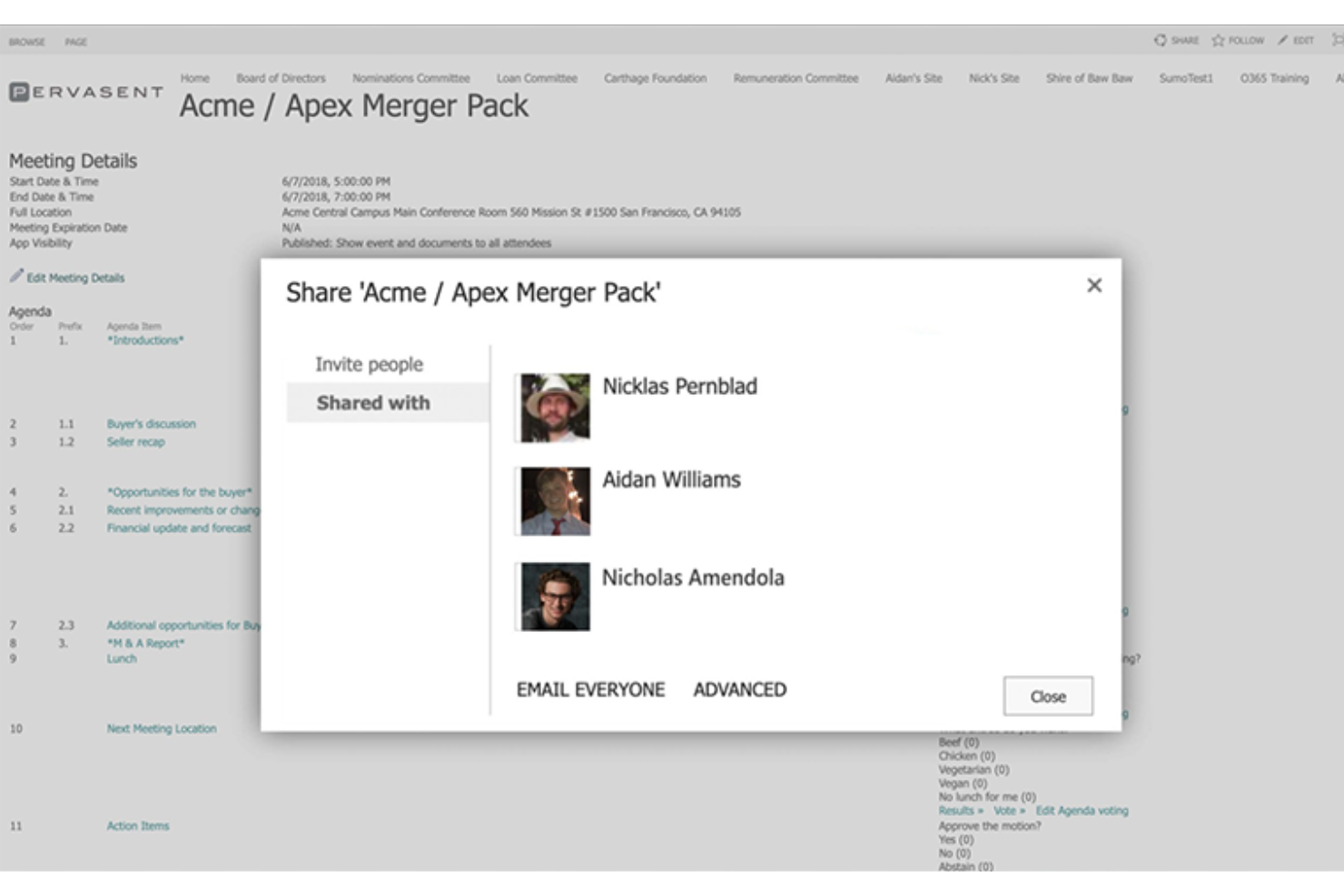
Pervasent’s Board Papers software is a practical option for organizations looking to improve board meeting preparation, with support for native SharePoint-based board management. Designed for both large enterprises and smaller organizations, it helps teams assemble and manage meeting materials directly within Microsoft SharePoint. With secure document handling, offline access, and a setup that requires minimal training, Pervasent keeps board meetings organized so you can focus on the discussions that matter most.
Why I Picked Pervasent
I chose Pervasent Board Papers for its native SharePoint-based board management, which lets you assemble and manage board papers directly within Microsoft SharePoint. This setup gives your team clear access controls and keeps sensitive documents organized in one familiar system. Pervasent also supports features like document annotation and electronic voting, making it easier for board members to review materials, share input, and take part in decisions during meetings.
Pervasent Key Features
In addition to its integration with Microsoft SharePoint, Pervasent offers:
- Offline Access: Allows board members to access documents without an internet connection, ensuring constant availability of critical information.
- Multi-Device Support: Compatible with iPads, Windows, and Android devices, offering flexibility in how board members engage with meeting materials.
- Electronic Signature Tools: Facilitates quick approvals and decision-making by enabling electronic signatures directly within the software.
- Resource Portfolios: Acts as a centralized hub for easy access to reference materials and meeting minutes, streamlining information retrieval.
Pervasent Integrations
Integrations include Microsoft SharePoint and Microsoft Teams.
Pros and Cons
Pros:
- Multi-device compatibility supports diverse user preferences
- Centralized document management within the Microsoft environment
- Easy to use for preparing and accessing board materials
Cons:
- Editing documents on tablets or mobile devices can be difficult
- Portfolio functionality feels limited for some use cases
OnBoard
Best for accessibility from any device

OnBoard strives to provide a secure, simple, and effective way to run board meetings, make decisions, approve new tasks, and centralize resources and collaboration tools all in one place. OnBoard is accessible through Apple and Android devices, as well as the Microsoft Surface, desktops, and laptops through secure two-factor authentication. It also features bio identification and remote device wipes to maintain data security.
Why I picked OnBoard: This is one of the best board management software options because it offers advanced artificial intelligence and machine learning for a Build-Measure-Learn feedback loop that brings new insights to board work based on what board members spend most of their time doing. This can help engage directors and clarify your organization’s strategic priorities.
OnBoard Standout Features and Integrations
Standout features include director and officer questionnaires with templates and automated tools that make them a simple, replicable annual procedure, remote voting and approvals with mobile voting and permission controls, and meeting analytics that provide anonymized insight into board member activities.
Integrations include Google Drive; Microsoft 365 with Excel, PowerPoint, and Word; Microsoft Outlook; and Zoom Meetings. Microsoft-native files are automatically synced with OnBoard once integrated.
Pros and Cons
Pros:
- Quick setup and easy transition process
- User-friendly learning process for everyone
- Personalized dashboard and permission controls
Cons:
- Electronic signature tool can be clunky
- Meeting updates and edits don’t include details

Best software designed specifically for non-profits

Boardable is a non-profit-focused SaaS platform that’s designed to enable boards to do more in the digital sphere, like ensure security for sensitive conversations, go paperless with online document management, and increase engagement of all board members with solutions by role for administrators, board members, CEOs, executives, and other stakeholders.
Why I picked Boardable: This tool caught my eye because it was purpose-built to serve communities. With features like team-focused workspaces, task managers with to-do lists, and spotlight tools for optimizing virtual collaboration on a single screen, community management and organization can be more productive in solving problems and brainstorming solutions.
Boardable Standout Features and Integrations
Standout features include agenda builders with easily editable templates, a document center to house essential organization knowledge, discussion threads that allow file sharing, and voting tools to make decisions in real time.
Integrations include Calendar, DropBox Business, Gmail, Google Calendar, Google Drive, G Suite, LinkedIn, Microsoft Outlook, OneDrive, and Zoom.
Pros and Cons
Pros:
- Affordable plan tiers for more advanced features
- Free forever plan with comprehensive features
- Excellent customer service and communication
Cons:
- Non-boardable users cannot view documents in meetings
- Customer service bots could use better scripts

Best cloud-based board meeting software for small and medium businesses

This cloud-based board meeting software can streamline the board cycle for anyone who needs to manage board workflows, documents, and other responsibilities for one board or many. With BoardPro, you gain access to features like the meeting scheduler, agenda builder, board pack compiler, and document repository for paperless management in real-time.
Why I picked BoardPro: The tool that really caught my eye on this platform is the agenda builder, which helps you create an agenda from scratch or provides a comprehensive outline with templates. The smart tools attached to the agenda builder also come with automation for quick confirmation of minutes, as well as a review of the action list and interest register.
BoardPro Standout Features and Integrations
Standout features include My BoardPro dashboard that provides directors the ability to drill down any board or committee to the organizational level, meeting tracking that shows the progress of live meetings, and a central register to record current and past interests.
Integrations are not available at this time.
Pros and Cons
Pros:
- Simple to upload and manage documents
- Easily accessible information on meetings
- Clean dashboard that’s easy to navigate
Cons:
- Can’t download meeting documents into Word
- Limited integration offerings at this time
Govenda
Best for bridging the gap between the boardroom and your strategic goals

Govenda is a board meeting management platform that prioritizes your strategic goals, member engagement, and board governance through essential features like document management and access permissions, board book creation with annotation, print, and sharing, multiple board management from a single sign-on, and legally binding electronic signature tools in-app.
Why I picked Govenda: One thing I like about this tool is their focus on scheduling with custom polls that help you find the best meeting time for everyone. You get notifications of member responses, and members can RSVP to meetings before automatically syncing them to their personal or business calendars.
Govenda Standout Features and Integrations
Standout features include admin reports and dashboards with helpful widgets to gain new insights and promote engagement, digital board book creation for easy meeting prep that can be shared on any device, and questionnaires for CEO evaluations, Conflict of Interest, board assessments, and D&O questionnaires.
Integrations include Gmail, Google Calendar, Microsoft 365, Microsoft Outlook, Microsoft Teams, Okta, and Zoom Meetings.
Pros and Cons
Pros:
- Offer 24/7 customer support services
- Reusable custom template building tool
- Easy and intuitive user interface
Cons:
- Clunky text formatting for meeting minutes
- No internal meeting platform for virtual meetings

Best for branded dashboards and reporting

This cloud-based board meeting solution is designed for nonprofit organizations and includes tools to simplify meeting management, including meeting agendas, scheduling, committees, notes, document sharing, and attendance taking. You can include unlimited members, groups, and meetings when using this platform.
Why I picked BoardSpot: I chose BoardSpot for this list because of its organizational tools. In addition to providing a board member directory and central document repository, BoardSpot also allows you to update committees and groups by removing or adding members quickly and easily. Once a person is in your directory, you can place them in any group at any time.
BoardSpot Standout Features and Integrations
Standout features include unlimited users so that everyone in your organization can take part, public and private committee creation for transparency when you need it and security when you don’t, and secure document storage for easy access to anyone with the right permissions.
Integrations include Apple iCal, Google, Google Calendar, Microsoft 365, Microsoft Outlook, Yahoo, and Zoom. Custom API integrations are also available.
Pros and Cons
Pros:
- Efficient layout and intuitive navigation
- Free trial with access to all features
- Easy to set up and learn
Cons:
- Complicated private committee permissions
- Clunky agenda building tools without templates


As a powerful board meeting and management software, Diligent Boards strives to deliver a secure space to build, collaborate, and share board meeting books and materials through offline access to essential knowledge, shared calendar scheduling and notifications, built-in questionnaires to drive actionable insights, and secure sharing of data with people in and out of your organization.
Why I picked Diligent Boards: I liked Diligent Boards for this list because they offer intelligence-driven insights that can help you make better decisions. No matter which solution you need, including management for education, nonprofits, or entities, you can run audits on your operations and get clear reports that monitor your essential metrics and status requests.
Diligent Boards Standout Features and Integrations
Standout features include reporting tools to showcase insights for board meeting presentations, internal auditing tools to check on an organization’s ability to handle changes and crises, and security encryptions for safer communication and material sharing.
Integrations include ActiveDirectory, BitSight, Compliance.AI, Jira, Microsoft SQL Server, Okta, SAP, SecurityScorecard, UPS, and Zendesk. Find over 60 available integrations.
Pros and Cons
Pros:
- Extensive resources, guides, and community
- Easy communication and file sharing
- User-friendly dashboards and navigation
Cons:
- No privacy controls for commenting on documents
- Confusing permissions controls for admins


This board meeting and management software is designed to ensure a more efficient governance through a set of intuitive features for compiling and distributing agendas, annotating documents, generating meeting minutes, and carrying forward action items. Use Convene on multiple platforms for more flexibility and accessibility that caters to every board’s needs.
Why I picked Azeus Convene: This tool made my top ten list because in addition to meeting scheduling and hosting, it also offers remote voting and resolution options. You can expedite approval for future plans with review rooms and legally binding e-signatures without forcing board members to leave the app to vote or communicate about action items.
Convene Standout Features and Integrations
Standout features include integrated video conferencing for remote meetings, full system ownership to manage controls and permissions, and encryption services for a safe, SOC2-compliant security system.
Integrations include Blissfully, Box, DocuSign, DropBox Business, Exchange, Microsoft 365, SharePoint, OneDrive, Outlook, and Zoom Meetings.
Pros and Cons
Pros:
- Easy to use electronic signature feature
- Excellent video and audio quality for virtual meetings
- Attractive and intuitive user navigation
Cons:
- Mostly integrates with Microsoft, more integrations coming soon
- Limited survey options for feedback

eMeetings
Best for organizations based in the Middle East, Asia, and India
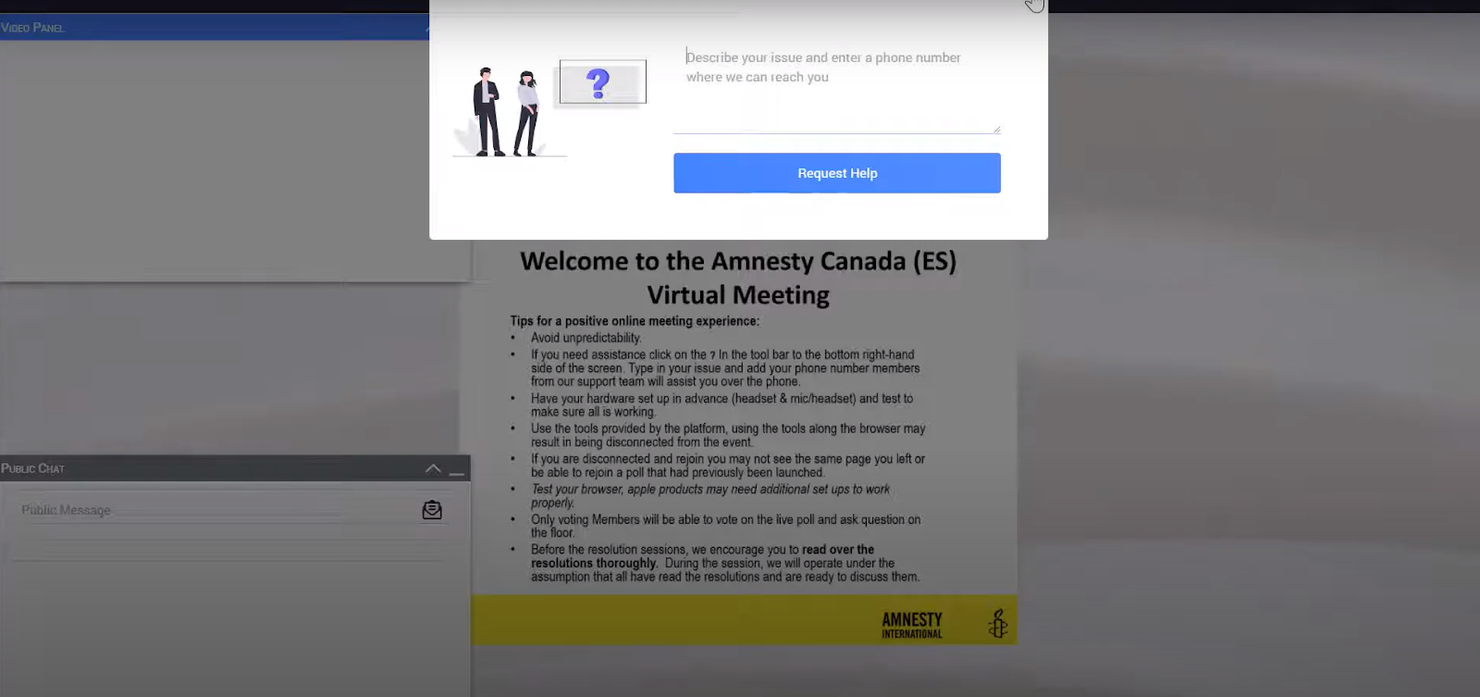
This board management solution focuses on organizing and conducting board meetings in a simple and convenient way. With agenda creation and the ability to upload reports, you can share board documents and inform board members of the meeting process with a consolidated agenda, complete with annotations. This fully paperless operation ensures safe and secure communications.
Why I picked eMeetings: eMeetings was on my radar because of their comprehensive digital Board Pack experience. They help you deliver the meeting materials more securely without having to rely on paper dossiers or email communications. Scheduling, document sharing, and the meeting itself are all available in one place through this platform.
eMeetings Standout Features and Integrations
Standout features include a board meeting calendar for shared scheduling and syncing to personal calendars, a board agenda builder to deliver the relevant tasks and focus of each meeting in advance, and MoM creation to help conclude all official board activities.
Integrations are not available at this time.
Pros and Cons
Pros:
- Remote collaboration and communication tools
- Completely secure and private communications
- Meeting documents can be sent to any device
Cons:
- Not currently integrated with any other software
- Price point is a little high for the current features list
Other Board Meeting Software
Here are some additional board meeting software options that didn’t make it onto my shortlist, but are still worth checking out:
- BoardPAC
End-to-end corporate governance solution
- GOVRN
Trial length with free access to all features for one year
- ContractZen
For non-profit focused board management and governance tools
- eScribe
For meeting scheduling and board management in the public sector
- BoardEffect
For agile board management across any industry
- Nasdaq Boardvantage
For all-in-one board management and governance
- Decisions
For making board meetings the most productive part of your day
- Sherpany
For increasing meeting management agility and alignment
- Boardlogic
For managing boards of small and medium-sized organizations
- BoardWorks
Platform for multi-board management with advanced tools
- Directors Desk
Web-based board management and governance softwar
- Indeqa
For leveraging the power of Microsoft 365 for board management needs


How I Evaluate Board Meeting Software
I evaluate board meeting software in two layers: must-have core capabilities and differentiators—like revenue data embeds or compliance certifications—that determine the right fit.
Core Functionality (Table Stakes For This List)
When I'm selecting tools for my list, I rank each one on a scale from 0 (does not offer the functionality) to 5 (excels in this area) for each core functionality listed below. Then, I calculate the tool's total score into a percentage. Each tool needs to achieve a minimum total score of 65% to be considered for inclusion.
- Board Book Creation: I look for tools that let you compile agendas, financial reports, and supporting documents into a structured board book you can distribute in a few clicks.
- Secure Document Repository: Each tool's encrypted storage gets evaluated for permission controls and audit trails that protect sensitive revenue data and governance records.
- Agenda & Meeting Management: I check whether you can build agendas, send calendar invites, and track RSVPs for recurring quarterly board reviews from within the platform.
- Minutes & Action Tracking: Tools should capture decisions and assign follow-up items during board sessions so nothing falls through the cracks before the next meeting cycle.
- Role-Based Access Controls: I evaluate how granular permissions are—for example, whether you can restrict an observer to view-only access on a specific committee's documents.
- E-Signature & Voting: I look at whether the platform supports in-app voting on resolutions and e-signatures for written consents without forcing directors to an external tool.
Once I have a list of tools that meet this criteria, I consider what sets each platform apart.
Differentiating Factors (What Sets Vendors Apart)
Here's how I compare and contrast different vendors:
Standout Features
I check whether platforms can embed live revenue dashboards from tools like Salesforce or Tableau directly into board books. This saves RevOps teams from manually exporting pipeline data before every quarterly review. AI-generated meeting summaries are another differentiator—they automatically extract action items and decisions, which cuts hours of post-meeting documentation. Offline access also matters, since board members often review materials while traveling without reliable connectivity.
Beyond Features
Security certifications like SOC 2 Type II and ISO 27001 are a priority since board materials often contain sensitive ARR forecasts and M&A discussions. I also evaluate how well each platform integrates with CRMs and BI tools your RevOps team already relies on—without native connectors, you'll end up manually pulling pipeline data before every board cycle. Governance and audit readiness rounds out my evaluation, particularly immutable access logs and data retention controls that hold up under investor or regulatory scrutiny.
How to Choose Board Meeting Software
It’s easy to get bogged down in long feature lists and complex pricing structures. To help you stay focused as you work through your unique software selection process, here’s a checklist of factors to keep in mind:
| Factor | What to Consider |
|---|---|
| Scalability | Can the software grow with your organization? Consider user limits and whether it supports future expansion without significant cost increases. |
| Integrations | Does it connect with your existing tools, like calendar apps or document storage? Check for compatibility to avoid workflow disruptions. |
| Customizability | Can you tailor the software to fit your team’s specific needs? Look for customizable templates and user roles. |
| Ease of use | Is the interface intuitive enough for all team members? Avoid tools with steep learning curves that may slow down adoption. |
| Implementation and onboarding | How long will it take to get up and running? Evaluate the availability of training resources and support during the setup phase. |
| Cost | Does the pricing fit your budget? Compare subscription plans and watch for hidden fees or charges for additional features. |
| Security safeguards | Are data protection measures in place? Ensure compliance with data regulations and check for encryption and access controls. |
| Support availability | How accessible is customer support? Consider the hours of availability and the support channels offered, like phone, email, or chat. |
Trends In Board Meeting Software For 2026
Board meeting software continues to evolve rapidly, driven by the need to enhance decision-making processes, streamline revenue operations, and accommodate the dynamics of an increasingly digital business environment. These tools are pivotal for organizations aiming to optimize their governance structures and ensure strategic alignment across all levels. Below is an analysis of the prevailing trends, highlighting how these technologies are adapting to meet the complex demands of today's businesses.
Evolving Features and Technologies
- Integration with Revenue Management Tools: The most significant trend is the deep integration with revenue management and analytics platforms. This convergence enables boards to access real-time financial data, fostering informed decision-making and strategic planning. Evidence of this trend can be seen in the enhanced dashboard features that aggregate financial metrics directly within board meeting platforms.
- AI-Powered Insights and Analytics: AI functionalities are rapidly evolving, offering predictive analytics to forecast business trends and board decision impacts. This feature assists boards in scenario planning and risk management, addressing the need for proactive strategic adjustments.
- Immersive and Interactive Meeting Experiences: Virtual and augmented reality features are becoming more common, transforming the remote board meeting experience to be more engaging and interactive. This innovation caters to the necessity of maintaining effective communication and collaboration in a virtual setting.
In-Demand Features
- Robust Document Management: The need for secure, accessible, and organized document repositories is paramount, reflecting the demand for efficient pre and post-meeting workflows. This feature simplifies access to critical information, enhancing board members' preparation and follow-up actions.
- Actionable Meeting Insights: Software now routinely offers analytics on meeting engagement and effectiveness, helping organizations refine their processes and content. These insights ensure continuous improvement in meeting outcomes and organizational alignment.
Declining Features
- Basic Video Conferencing: As integrated and advanced communication tools become standard, basic video conferencing features are less sought after within board meeting software. Users expect a more sophisticated suite of collaboration tools that are embedded within their board management platforms.
- Static Reporting: Static, one-dimensional reports are losing favor, replaced by dynamic, interactive reporting tools that offer deeper insights and facilitate real-time analysis and discussion.
Software vendors are focusing on features that provide strategic insights, enhance collaboration, and ensure governance and compliance, directly aligning with the core challenges and needs faced by revenue operation leaders. As board meeting platforms continue to evolve, the emphasis is clearly on delivering more value, deeper insights, and a more engaging user experience, ensuring that organizations can effectively navigate the complexities of the modern business landscape.
What Is Board Meeting Software?
Board meeting software is a digital tool used to manage and facilitate board meetings. It includes features for scheduling meetings, sharing documents, recording minutes, and supporting secure communication among board members. The software caters to the specific needs of organizing and conducting board meetings, whether in-person or virtual, ensuring efficient handling of meeting-related tasks.
Features
When selecting board meeting software, keep an eye out for the following key features:
- Scheduling tools: Simplify the process of setting up meetings by coordinating calendars and sending automated invitations.
- Document sharing: Enable secure distribution of meeting materials and easy access for participants.
- Voting and surveys: Facilitate decision-making by allowing members to vote on proposals or provide feedback instantly.
- Agenda management: Organize meeting topics and allocate time efficiently to ensure all points are covered.
- Real-time collaboration: Allow participants to work together on documents and notes during the meeting.
- User roles and permissions: Control access to sensitive information by defining roles and permissions for different users.
- Analytics and reporting: Track meeting outcomes and participant engagement to improve future meetings.
- Integration capabilities: Connect with existing tools like email and calendar apps to enhance workflow.
- Security measures: Protect sensitive data with encryption and compliance with data protection regulations.
- Multi-language support: Cater to diverse teams by offering interfaces in multiple languages.
Benefits
Implementing board meeting software provides several benefits for your team and your business. Here are a few you can look forward to:
- Improved organization: Keep meetings on track with agenda management and scheduling tools, ensuring all topics are covered efficiently.
- Enhanced collaboration: Real-time collaboration features allow team members to work together on documents and notes during meetings.
- Secure communication: Protect sensitive information with document sharing and security measures that comply with data protection regulations.
- Efficient decision-making: Use voting and surveys to quickly gather input and make informed decisions.
- Time savings: Automate scheduling and document distribution to reduce administrative tasks and focus on meeting content.
- Increased accessibility: Multi-language support ensures all team members can participate, regardless of language barriers.
- Data-driven insights: Analytics and reporting features provide valuable feedback on meeting outcomes and participant engagement.
Costs & Pricing
Selecting board meeting software requires an understanding of the various pricing models and plans available. Costs vary based on features, team size, add-ons, and more. The table below summarizes common plans, their average prices, and typical features included in board meeting software solutions:
Plan Comparison Table for Board Meeting Software
| Plan Type | Average Price | Common Features |
|---|---|---|
| Free Plan | $0 | Basic scheduling, limited document sharing, and essential collaboration tools. |
| Personal Plan | $5-$25/user/month | Advanced scheduling, enhanced document sharing, and basic voting and survey tools. |
| Business Plan | $30-$50/user/month | Comprehensive document management, real-time collaboration, and analytics features. |
| Enterprise Plan | $60-$100/user/month | Custom integrations, enhanced security measures, dedicated support, and full analytics and reporting capabilities. |
Board Meeting Software FAQs
Here are some answers to common questions about board meeting software:
What are the types of board meeting software?
Board meeting software can be categorized based on the features, scalability, and specific use cases they cater to. Here are the primary types:
- Cloud-Based Software: This type offers remote accessibility, ease of use, and real-time updates without the need for extensive IT infrastructure. It is ideal for organizations looking for flexibility and scalability.
- On-Premise Software: Deployed directly on an organization’s servers, this type provides enhanced control over data and security. It suits entities with strict data control policies or those that prefer one-time investments over recurring costs.
- Integrated Suite Solutions: These platforms offer a comprehensive set of tools that extend beyond board meeting management, including project management, collaboration features, and more, suitable for organizations seeking an all-in-one solution.
- Mobile Applications: Mobile-specific applications allow board members to access materials, participate in meetings, and collaborate from their smartphones or tablets, providing convenience for users on the go.
- Video Conferencing Integrated Software: Some board meeting platforms come with built-in video conferencing features, enabling virtual meetings with audio-visual support, crucial for remote or hybrid teams.
- Voting and Polling Software: This specialized type focuses on facilitating decision-making processes with features for secure voting and polling during board meetings, ideal for governance-heavy organizations.
- Compliance-Focused Software: Designed for regulated industries, these tools ensure that all board meeting processes and documentation comply with legal and industry standards, providing peace of mind for organizations in sectors like finance and healthcare.
- Nonprofit Board Management Software: Tailored for the unique needs of nonprofit organizations, these platforms often include features for donor management, volunteer coordination, and other relevant functionalities.
By understanding these types, organizations can better assess which board meeting software aligns with their operational needs and strategic goals, ensuring effective governance and efficient meeting management.
Is board meeting software suitable for small businesses?
Yes, board meeting software can be suitable for small businesses. Many solutions offer scalable plans that cater to different team sizes, including small enterprises. Look for software with flexible pricing and features that match your specific needs, such as basic scheduling and document sharing, to ensure it fits your budget and requirements.
How secure is board meeting software?
Board meeting software is generally designed with security in mind. Most solutions offer features like encryption, access controls, and compliance with data protection regulations. When choosing a software, ensure it meets your organization’s security standards and check for certifications or compliance with regulations like GDPR or HIPAA, if applicable.
How do you evaluate vendor reliability?
Review how often they release updates, their support response times, and customer reviews. A dependable vendor keeps the software secure and easy to use long-term.
What’s Next:
If you're in the process of researching board meeting software, connect with a SoftwareSelect advisor for free recommendations.
You fill out a form and have a quick chat where they get into the specifics of your needs. Then you'll get a shortlist of software to review. They'll even support you through the entire buying process, including price negotiations.