

Le 10 migliori piattaforme di integrazione a basso codice recensite nel 2026

10 Elenco dei migliori strumenti di integrazione a basso codice


Scegliere la piattaforma di integrazione a basso codice giusta può sembrare complicato. Se devi gestire più strumenti e applicazioni, hai difficoltà con dati disconnessi o hai semplicemente bisogno di un flusso di lavoro più efficiente, una soluzione a basso codice potrebbe essere esattamente ciò che ti serve. Queste piattaforme consentono ai team di automatizzare i processi, collegare sistemi diversi e migliorare la produttività senza richiedere competenze avanzate di programmazione.
Ma con così tante opzioni disponibili sul mercato, come puoi sapere quale sia più adatta alle esigenze specifiche della tua azienda? Basandomi sulla mia esperienza con i software per le operazioni sui ricavi, ho testato e confrontato alcune delle principali piattaforme di integrazione a basso codice. Di seguito troverai recensioni dettagliate che ti aiuteranno a scegliere la soluzione migliore per il tuo team.
Perché fidarsi dei nostri consigli sui software
Le nostre recensioni riflettono il nostro giudizio indipendente, non un discorso di vendita. Scopri come manteniamo la trasparenza.
Per questa guida, abbiamo valutato gli strumenti attraverso test pratici e ricerche indipendenti, assegnando un punteggio agli strumenti in base ai nostri criteri di selezione.
Le nostre recensioni riflettono il nostro giudizio editoriale umano, non un discorso di vendita.
Riepilogo delle migliori piattaforme di integrazione a basso codice
Questa tabella comparativa riassume i dettagli dei prezzi delle mie migliori scelte di piattaforme di integrazione a basso codice, per aiutarti a trovare quella più adatta al tuo budget e alle esigenze della tua azienda.
| Tool | Best For | Trial Info | Price | ||
|---|---|---|---|---|---|
| 1 | Ideale per l'orchestrazione della supply chain | Demo gratuita disponibile | Prezzo su richiesta | Website | |
| 2 | Am besten für Einzelkreative | 14-tägige kostenlose Testversion | Ab $29/Monat | Website | |
| 3 | Ideale per collegare app e automatizzare flussi di lavoro semplici | Piano gratuito disponibile | A partire da $19.99/mese (fatturato annualmente) | Website | |
| 4 | Ideale per i team IT | Demo gratuita disponibile | Prezzo su richiesta | Website | |
| 5 | Ideale per l'automazione dei processi low-code | Demo gratuita + prova gratuita disponibile | Da $40/utente/mese (fatturazione annuale) | Website | |
| 6 | Ideale per la creazione di app scalabili basate su database | Prova gratuita disponibile | Da $100/mese | Website | |
| 7 | Ideale per automatizzare i processi | Demo gratuita | Prezzi su richiesta | Website | |
| 8 | Ideale per la scalabilità enterprise | Piano gratuito + demo gratuita disponibile | Da $1090/mese | Website | |
| 9 | Ideale per le piccole imprese | Prova gratuita di 15 giorni + demo gratuita disponibile | Da $8/utente/mese (fatturato annualmente) | Website | |
| 10 | Ideale per soluzioni aziendali su misura e personalizzate | Not available | Da $16.50/utente/mese (fatturazione annuale, minimo 5 postazioni) | Website |

Recensioni delle migliori piattaforme di integrazione a basso codice
Di seguito trovi i miei riepiloghi dettagliati delle migliori piattaforme di integrazione a basso codice incluse nel mio elenco. Le mie recensioni offrono una panoramica dettagliata delle funzionalità principali, dei pro e & contro, delle integrazioni e dei casi d’uso ideali di ogni strumento, per aiutarti a trovare quello più adatto alle tue esigenze.
Ideale per l'orchestrazione della supply chain
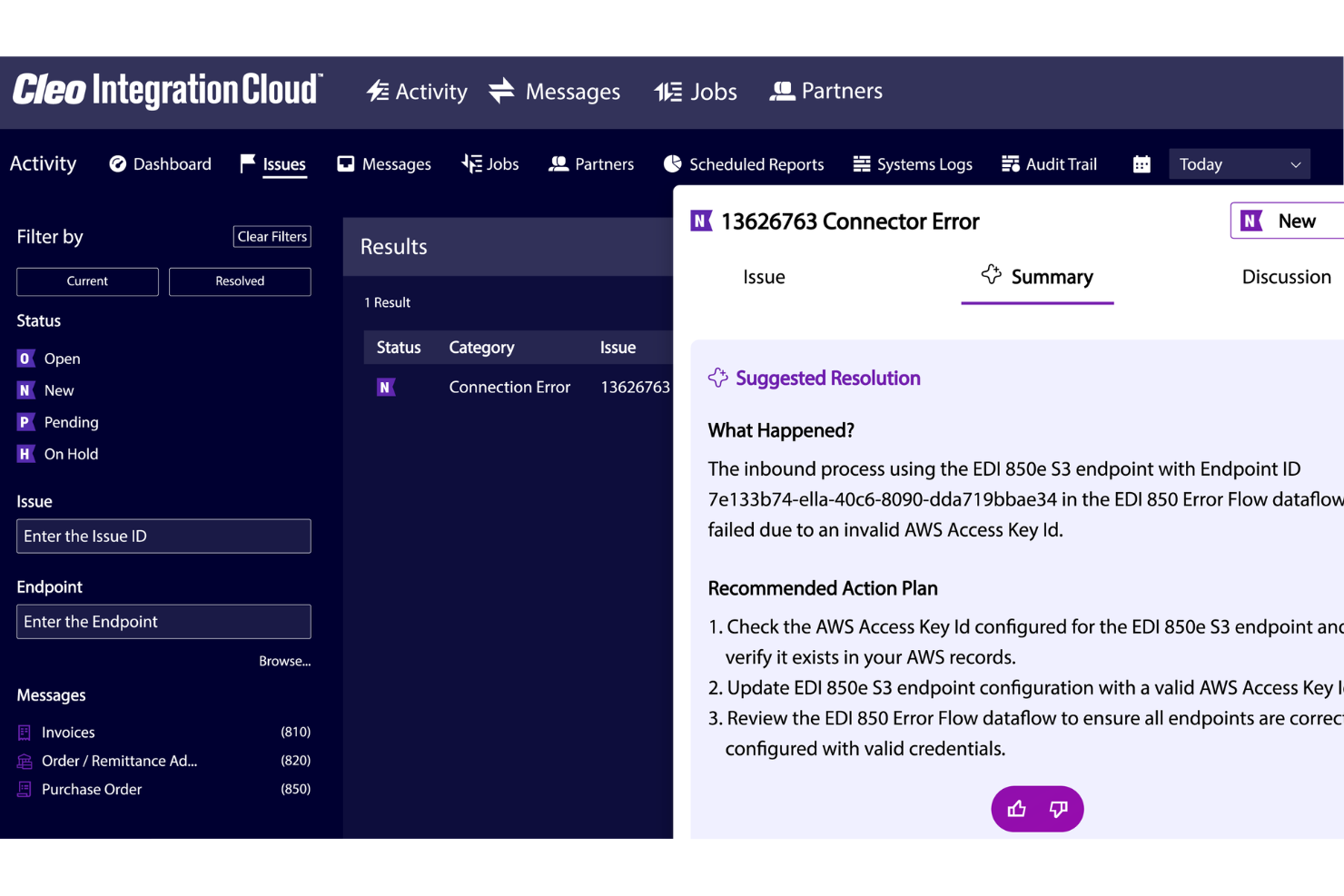
Per le aziende che desiderano ottimizzare le proprie operazioni e migliorare la connettività, Cleo Integration Cloud offre una soluzione dinamica. Risponde alle esigenze di settori come logistica, produzione e sanità fornendo acquisizione automatizzata degli ordini, onboarding di partner commerciali e capacità di integrazione complete. Questa piattaforma soddisfa la richiesta di integrazione efficiente, low-code, aiutando le aziende a ottenere visibilità end-to-end e controllo predittivo su tutti i processi.
Perché ho scelto Cleo Integration Cloud
Ho scelto Cleo Integration Cloud per la forte attenzione all'orchestrazione della supply chain e la capacità di automatizzare le transazioni EDI e API. Le sue funzioni di acquisizione automatizzata degli ordini e onboarding dei partner commerciali la rendono particolarmente interessante per le aziende che vogliono ridurre i processi manuali e migliorare l'efficienza delle integrazioni. Il focus della piattaforma su visibilità end-to-end e controllo predittivo si sposa perfettamente con le esigenze delle aziende che intendono ottimizzare il flusso di dati e le strategie di integrazione in un ambiente low-code.
Funzionalità principali di Cleo Integration Cloud
Oltre alle sue robuste capacità di orchestrazione, ho riscontrato anche:
- Onboarding dei partner commerciali senza codice: Consente una rapida ed efficiente integrazione di nuovi partner commerciali senza richiedere conoscenze estese di programmazione.
- Risoluzione degli errori basata su Intelligenza Artificiale: Utilizza l'intelligenza artificiale per identificare e risolvere errori, aumentando l'affidabilità dei processi di integrazione.
- Automazione delle transazioni EDI e API: Semplifica la gestione delle transazioni, riducendo l'intervento manuale e migliorando la precisione.
- Visibilità end-to-end: Fornisce una visione completa dei flussi di dati tra i sistemi, agevolando un migliore processo decisionale e l'efficienza operativa.
Integrazioni di Cleo Integration Cloud
Le integrazioni di Cleo Integration Cloud includono Dynamics 365, NetSuite, SAP, FedEx, UPS e connettori per piattaforme ecommerce, sistemi CRM/ERP, TMS/WMS, database e soluzioni di archiviazione cloud.
Pros and Cons
Pros:
- Configurazione rapida dei mapping EDI rispetto alle piattaforme di integrazione tradizionali
- Potenti strumenti di mapping EDI supportano integrazioni rapide su più sistemi
- Riduce i tempi di elaborazione grazie alla trasformazione automatica dei dati e ai flussi di integrazione
Cons:
- Le funzionalità di integrazione più complesse necessitano formazione e una comprensione tecnica avanzata
- Alcune integrazioni richiedono troubleshooting a causa della terminologia e della complessità di configurazione
New Product Updates from Cleo Integration Cloud
Cleo Integration Cloud Improves File Transfer Speeds
Cleo Integration Cloud improves file transfer speeds. This significantly reduces processing time for large files, improving overall efficiency. For more information, visit Cleo Integration Cloud’s official site.
 .
.
Enji ist eine Marketingplattform für kleine Unternehmen, die einen KI-Texter für Blogbeiträge, Bildunterschriften und Newsletter mit einem integrierten Strategie-Generator, Inhaltsplaner und Leistungs-Dashboard kombiniert.
Für wen ist Enji am besten geeignet?
Enji eignet sich für Solopreneure und Ein-Personen-Unternehmen, die ihr gesamtes Marketing selbst verwalten, ohne ein eigenes Team oder eine Agentur im Hintergrund.
Warum ich Enji ausgewählt habe
Enji steht auf meiner Auswahlliste, weil es das einzige Tool zum Schreiben von Inhalten ist, das ich gefunden habe und das die Erstellung von KI-Entwürfen mit einer integrierten Strategieebene kombiniert, die auf den Arbeitsablauf einer einzelnen Person zugeschnitten ist. Mir gefällt, wie der Generator für Markenstimme deinen Ton erfasst und ihn konsequent auf Blogbeiträge, Bildunterschriften und Newsletter anwendet. Die Funktion zur Wiederverwendung von Inhalten ist besonders nützlich: Du gibst ihr ein einzelnes Inhaltselement, und sie erstellt daraus einen vollständigen Monatsplan mit abgeleiteten Inhalten – genau das, was Einzelkreative brauchen.
Wichtige Funktionen von Enji
- Generator für Marketingstrategien: Erstellt anhand eines einfachen Onboarding-Fragebogens einen personalisierten Marketingplan und Aufgaben.
- KPI-Dashboard: Verfolgt die Leistung über soziale Kanäle und Google Analytics 4 hinweg an einem Ort.
- Kampagnenvorlagen: Bietet fertige, vorab geplante Kampagnen mit detaillierten Aufgaben und empfohlenem Zeitplan.
- Canva-Integration: Ermöglicht es Nutzern, direkt aus Canva auf Designs zuzugreifen und diese einzufügen, ohne Dateien herunterzuladen oder erneut hochzuladen.
Enji-Integrationen
Enji bietet native Integrationen mit Instagram, Facebook, LinkedIn, Pinterest, Threads, TikTok, YouTube, Canva und Google Analytics 4.
Pros and Cons
Pros:
- Integrierte Strategieebene für Entscheidungen bei der Inhaltserstellung
- Die Markenstimme wird konsequent auf verschiedene Inhaltstypen angewendet
- Die Wiederverwendung von Inhalten wandelt ein Inhaltselement in viele weitere um
Cons:
- Begrenzte Funktionen zur SEO-Optimierung
- Nicht für Team- oder kollaborative Arbeitsabläufe konzipiert
New Product Updates from Celigo
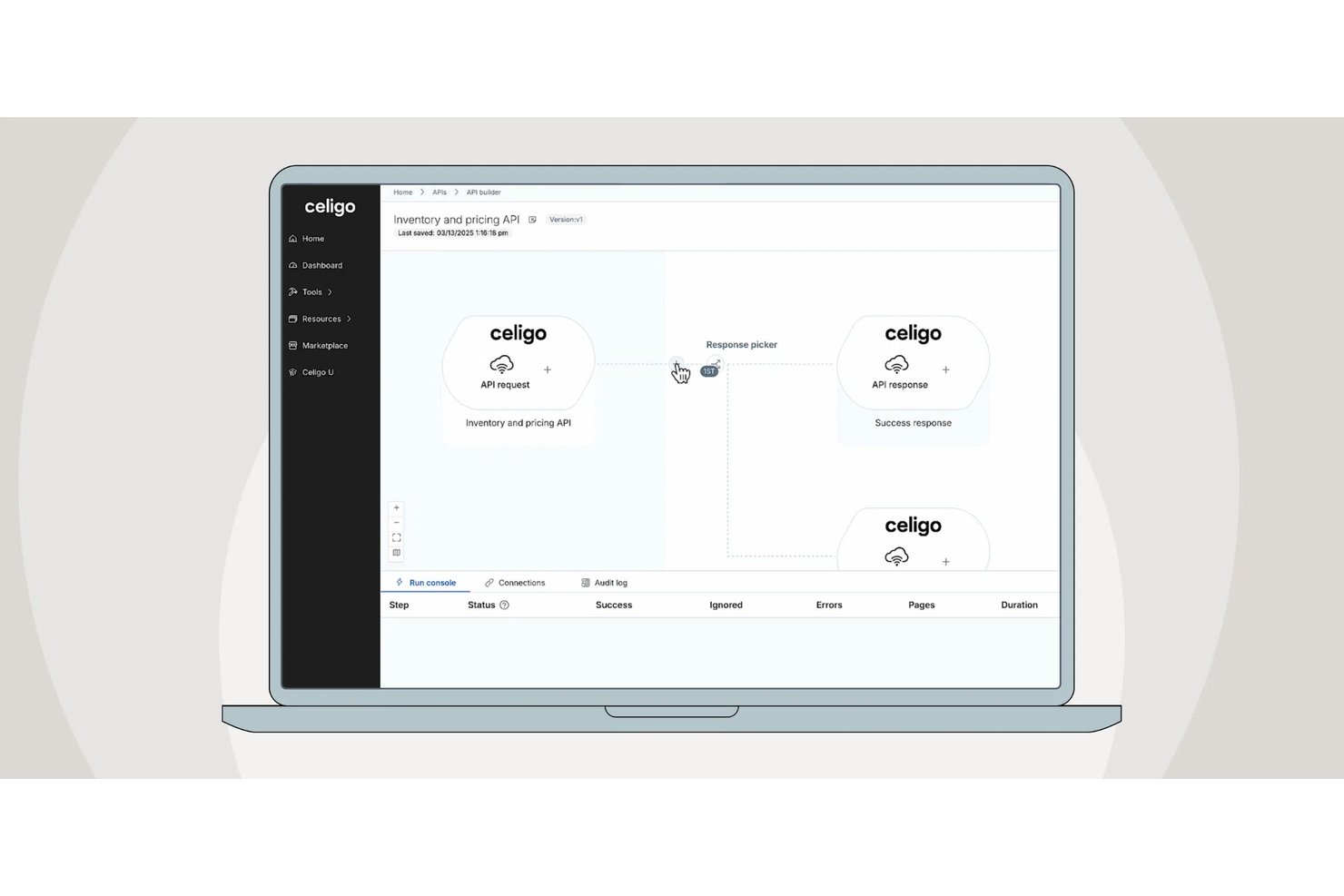
Celigo Adds API Group Assignment During API Setup
Celigo adds API group assignment during create, clone, and move actions. This reduces extra setup steps by letting teams organize APIs before the relative URI is defined. For more information, visit Celigo’s official site.
 .
.
Zapier
Ideale per collegare app e automatizzare flussi di lavoro semplici
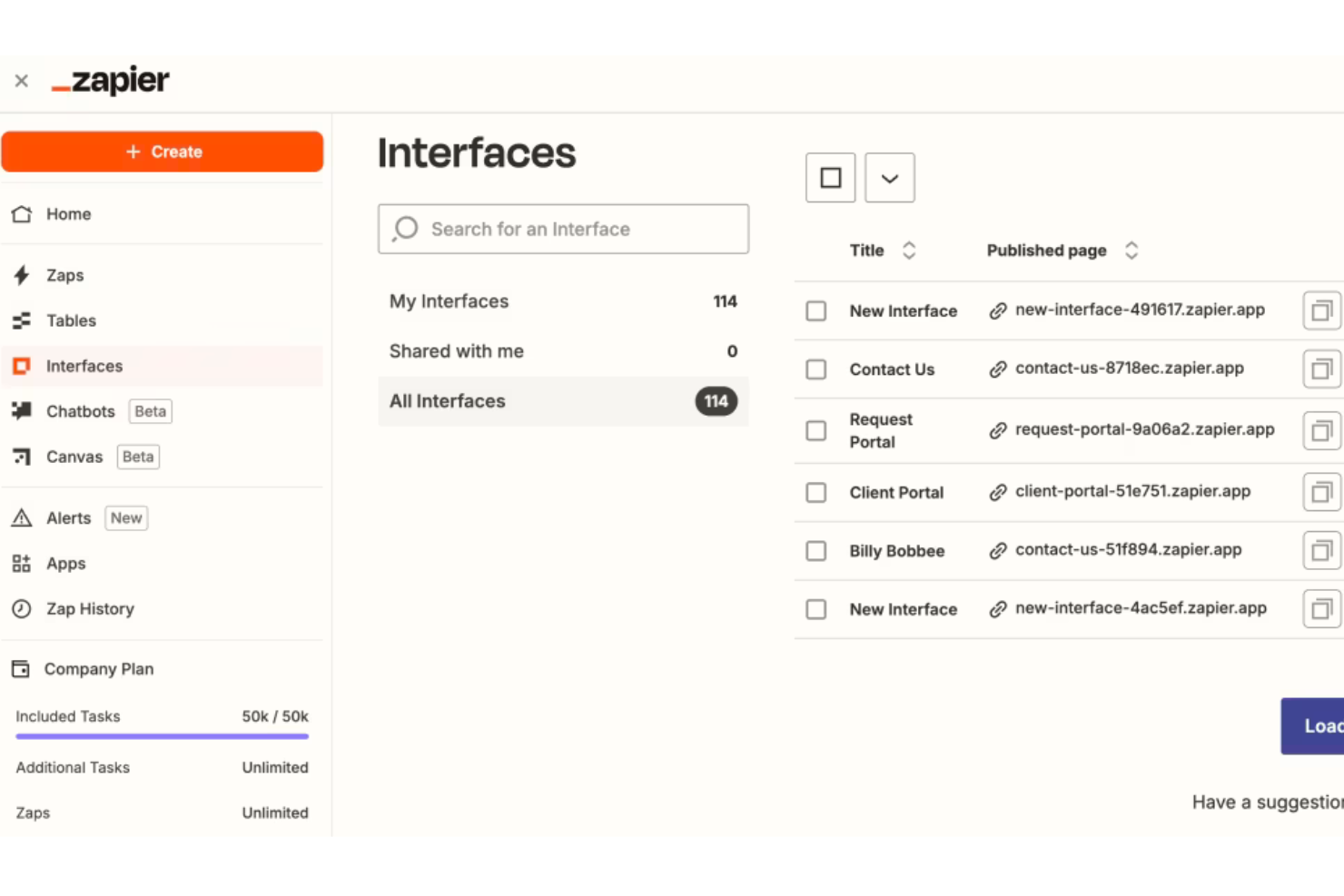
Zapier è una piattaforma di automazione low-code pensata per le aziende che desiderano collegare diverse applicazioni e automatizzare i processi di lavoro. I suoi principali utenti sono piccole e medie imprese che vogliono integrare e automatizzare attività tra più applicazioni. Zapier facilita l'automazione dei compiti, l'integrazione dei processi e il miglioramento dei flussi di lavoro.
Perché ho scelto Zapier: Zapier si distingue per la capacità di collegare una vasta gamma di app, rendendolo una scelta versatile per integrare i vari strumenti che il tuo team utilizza ogni giorno. Permette di automatizzare attività ripetitive senza la necessità di competenze di programmazione. La piattaforma offre modelli predefiniti chiamati 'Zaps' che semplificano la creazione di flussi di lavoro automatizzati. La flessibilità di Zapier nel collegare applicazioni diverse lo rende una soluzione ideale per i team che vogliono aumentare efficienza e produttività.
Caratteristiche principali e integrazioni:
Le funzionalità includono la possibilità di automatizzare compiti tra più applicazioni senza bisogno di conoscenze di coding. Puoi utilizzare Zaps predefiniti per configurare velocemente flussi di lavoro e risparmiare tempo. La piattaforma offre un'ampia flessibilità, permettendo al tuo team di collegare una grande varietà di applicazioni.
Le integrazioni includono Google Workspace, Slack, Microsoft Teams, Salesforce, Trello, Dropbox, Mailchimp, HubSpot, Shopify e QuickBooks.
Pros and Cons
Pros:
- Template di flussi di lavoro predefiniti
- Automatizza attività ripetitive
- Collega più applicazioni
Cons:
- Leggero apprendimento iniziale
- Capacità di automazione complessa limitata

Workato
Ideale per i team IT
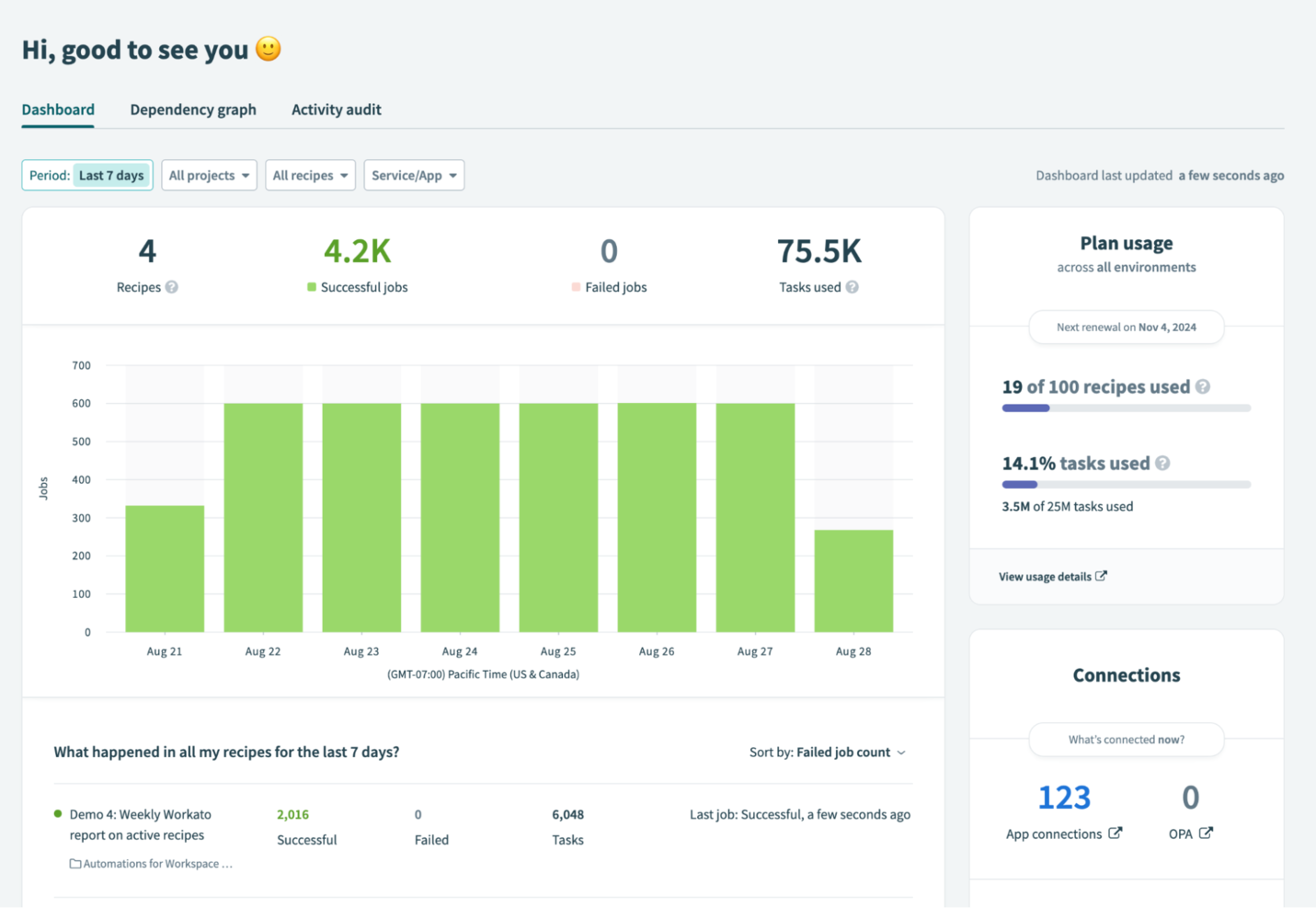
Workato è una piattaforma di automazione aziendale progettata per i team IT che desiderano integrare applicazioni e automatizzare flussi di lavoro. I suoi principali utenti sono organizzazioni che vogliono migliorare l'efficienza operativa attraverso l'automazione dei processi e l'integrazione delle applicazioni. Workato supporta l'automazione dei processi, la sincronizzazione dei dati e l'ottimizzazione dei flussi di lavoro.
Perché ho scelto Workato: Workato offre potenti strumenti di automazione che permettono ai team IT di integrare le applicazioni con facilità. Include connettori preconfigurati che semplificano la configurazione dei flussi di lavoro automatizzati. L'attenzione della piattaforma alla scalabilità la rende adatta ad aziende di tutte le dimensioni. Workato fornisce anche funzionalità di sicurezza di livello aziendale, garantendo che il tuo team possa automatizzare i processi in sicurezza.
Funzionalità e integrazioni principali:
Le funzionalità includono potenti strumenti di automazione che aiutano il tuo team a integrare le applicazioni in modo efficiente. Puoi utilizzare i connettori preconfigurati per impostare rapidamente e in modo efficace i flussi di lavoro. La piattaforma supporta la scalabilità, rendendola ideale per aziende di diverse dimensioni.
Le integrazioni includono Salesforce, Slack, ServiceNow, Jira, Google Workspace, Microsoft Dynamics 365, SAP, Oracle, NetSuite e QuickBooks.
Pros and Cons
Pros:
- Configurazione rapida dei flussi di lavoro
- Supporta automazione su larga scala
- Funzionalità di sicurezza di livello aziendale
Cons:
- Prestazioni dipendenti dall'infrastruttura
- Opzioni di personalizzazione limitate

Creatio
Ideale per l'automazione dei processi low-code
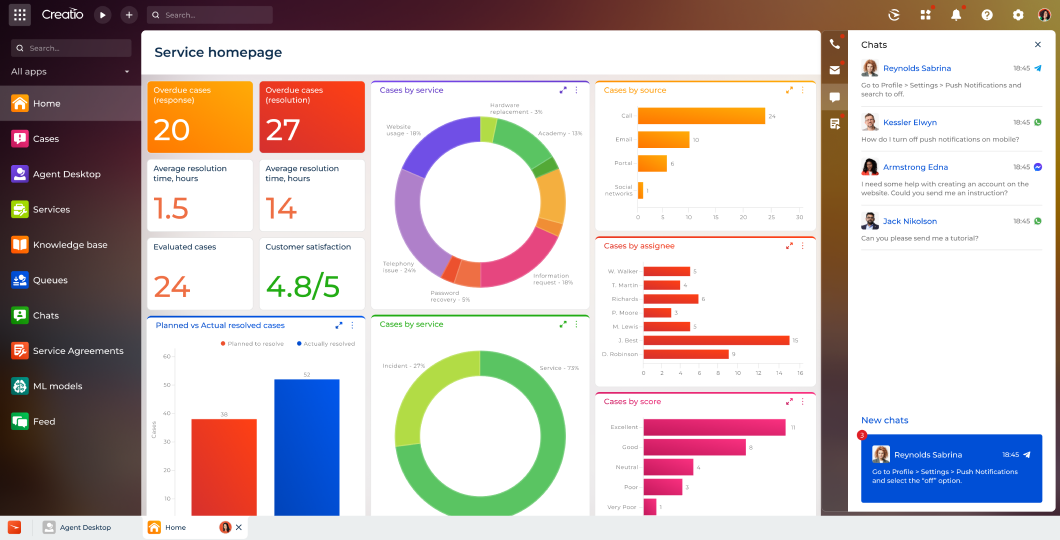
Creatio è una piattaforma low-code progettata per unificare CRM e automazione dei processi per le imprese. Si rivolge a una vasta gamma di settori, tra cui servizi finanziari, sanità e telecomunicazioni. Creatio si distingue nell'aiutare le aziende a gestire le relazioni con i clienti e ad automatizzare i flussi di lavoro tramite un'unica piattaforma flessibile.
Perché ho scelto Creatio: Creatio si distingue per la capacità di integrare la gestione delle relazioni con i clienti (CRM) e l'automazione dei processi, consentendo ai team di semplificare i processi di vendita, marketing e servizio. La piattaforma è intuitiva e offre un approccio no-code/low-code che permette agli utenti business di progettare e gestire i flussi di lavoro senza un pesante coinvolgimento IT. L'automazione intelligente dei processi di Creatio, basata su intelligenza artificiale e machine learning, aiuta le organizzazioni ad adattarsi rapidamente alle esigenze aziendali in evoluzione, aumentando l'efficienza.
Funzionalità e integrazioni principali:
Funzionalità comprendono strumenti low-code per la modellizzazione dei processi, gestione dei casi e automazione dei flussi di lavoro, consentendo una rapida personalizzazione dei processi aziendali. Il suo CRM copre l'intero percorso del cliente, dalla generazione del lead fino al supporto, garantendo un'esperienza senza soluzione di continuità tra vendite, marketing e servizio. Approfondimenti basati su AI e strumenti di analisi dei processi migliorano ulteriormente il processo decisionale e le performance.
Integrazioni includono Microsoft Dynamics 365, Google Workspace, AWS, SAP, Oracle, Slack e altri.
Pros and Cons
Pros:
- Capacità di intelligenza artificiale e machine learning
- Ambiente low-code/no-code facile da usare
- Piattaforma unificata per CRM e automazione dei processi
Cons:
- Potrebbe essere necessaria una configurazione aggiuntiva per flussi di lavoro complessi
- La personalizzazione può richiedere alcune competenze tecniche

Caspio
Ideale per la creazione di app scalabili basate su database
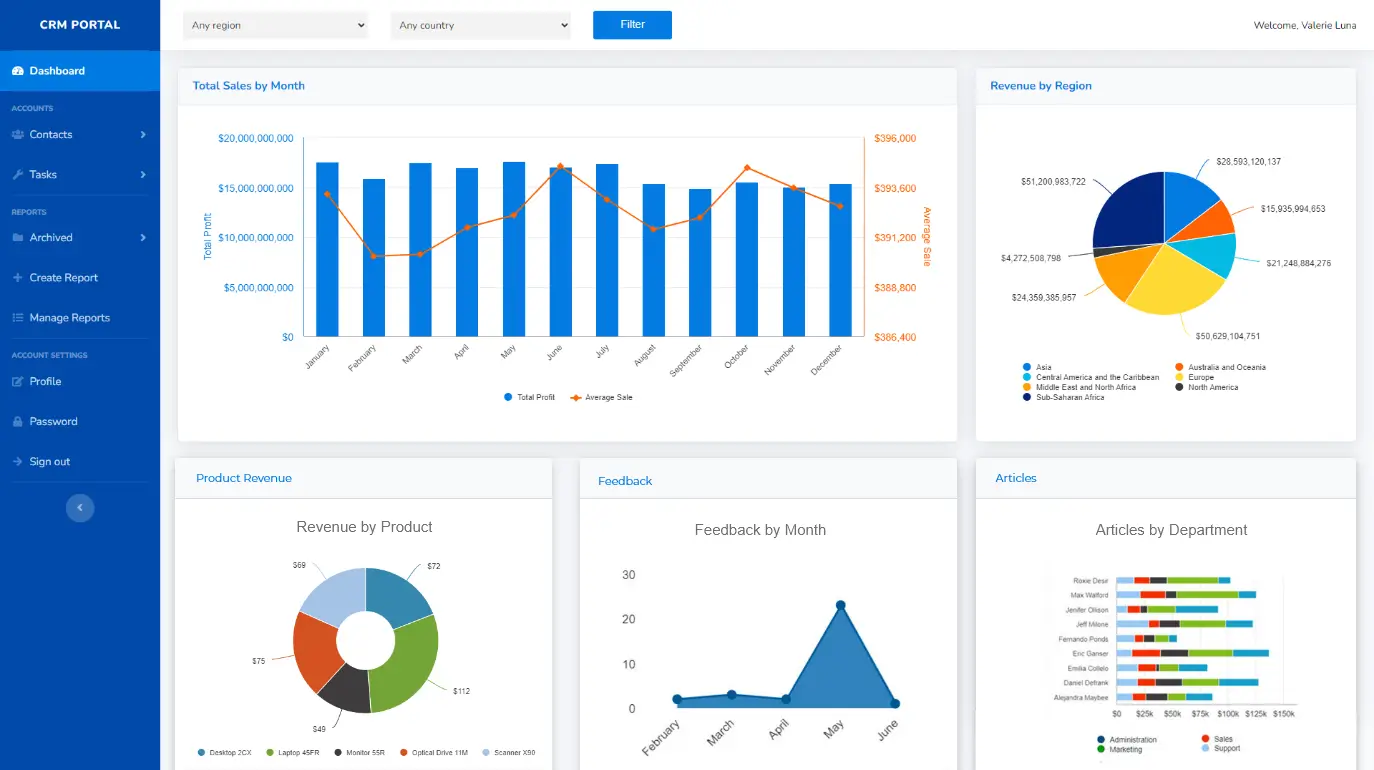
Caspio è una piattaforma low-code utilizzata principalmente per creare applicazioni personalizzate basate su database senza la necessità di programmazione complessa. I suoi principali utenti sono piccole e medie imprese che desiderano gestire i dati in modo efficiente e creare applicazioni web. Caspio offre soluzioni per la gestione dei dati, reporting e sviluppo di applicazioni. Caspio eccelle nella creazione di applicazioni dettagliate e orientate ai dati che richiedono una potente gestione dei database, ideale per le aziende con esigenze complesse di gestione dati.
Perché ho scelto Caspio: Caspio offre una piattaforma intuitiva per creare applicazioni basate su database, rendendola accessibile anche a chi ha poca esperienza di programmazione. Dispone di un'interfaccia drag-and-drop che consente al tuo team di creare app rapidamente. La piattaforma include una varietà di modelli e opzioni di personalizzazione per adattare le app alle esigenze specifiche della tua azienda. Caspio offre inoltre una forte protezione della sicurezza e conformità dei dati, garantendo che le informazioni restino protette.
Caratteristiche principali & integrazioni:
Funzionalità comprendono un'interfaccia drag-and-drop di semplice utilizzo che semplifica la creazione di app per il tuo team. Puoi accedere a numerosi modelli per avviare i tuoi progetti e personalizzarli in base alle esigenze aziendali. La piattaforma dà anche grande importanza alla sicurezza dei dati, offrendo funzioni di conformità per proteggere le tue informazioni.
Integrazioni includono Salesforce, Microsoft SharePoint, Google Workspace, Dropbox, Microsoft Office 365, QuickBooks, Mailchimp, PayPal, Stripe e Twilio.
Pros and Cons
Pros:
- Adatto alle piccole imprese
- Interfaccia drag-and-drop
- Personalizzazione e distribuzione delle app semplice e veloce
Cons:
- Curva di apprendimento per i principianti
- Limitazioni di design di base

Appian
Ideale per automatizzare i processi
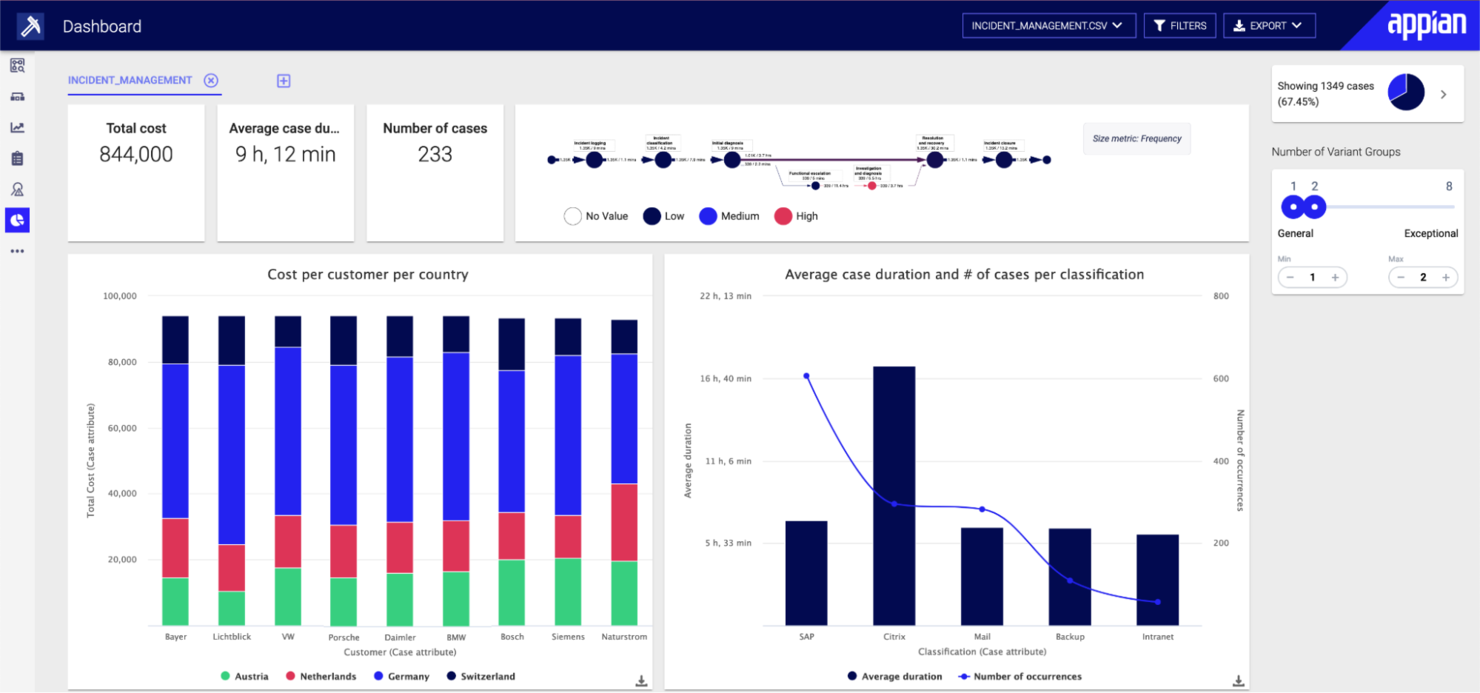
Appian è una piattaforma low-code progettata per le aziende che desiderano automatizzare i processi aziendali. I suoi principali utenti includono organizzazioni di diversi settori, come servizi finanziari e pubblica amministrazione. Appian si distingue nella gestione dei processi aziendali, nello sviluppo di app mobili e nell’intelligenza dei processi.
Perché ho scelto Appian: Appian offre una suite completa di strumenti per l’automazione end-to-end dei processi, integrando AI, RPA e IDP. La piattaforma supporta la gestione dei casi e fornisce applicazioni preconfezionate su misura per le esigenze dei vari settori. Il forte supporto clienti e le risorse formative ne aumentano ulteriormente l’attrattiva per l’automazione dei processi.
Funzionalità e integrazioni principali:
Le funzionalità includono strumenti per la gestione dei processi aziendali che consentono al tuo team di automatizzare i flussi di lavoro in modo efficace. Le capacità di sviluppo di app mobili permettono di creare applicazioni per accedere alle funzioni anche in mobilità. Inoltre, gli strumenti di intelligenza dei processi aiutano ad analizzare e ottimizzare le operazioni aziendali.
Le integrazioni includono Salesforce, Microsoft Dynamics 365, Google Workspace, AWS, SAP, Oracle, IBM, ServiceNow, Box e Slack.
Pros and Cons
Pros:
- Integrazione con AI e RPA
- Applicazioni specifiche per settore
- Assistenza clienti efficace
Cons:
- Richiede formazione degli utenti
- Implementazione complessa
Mendix
Ideale per la scalabilità enterprise
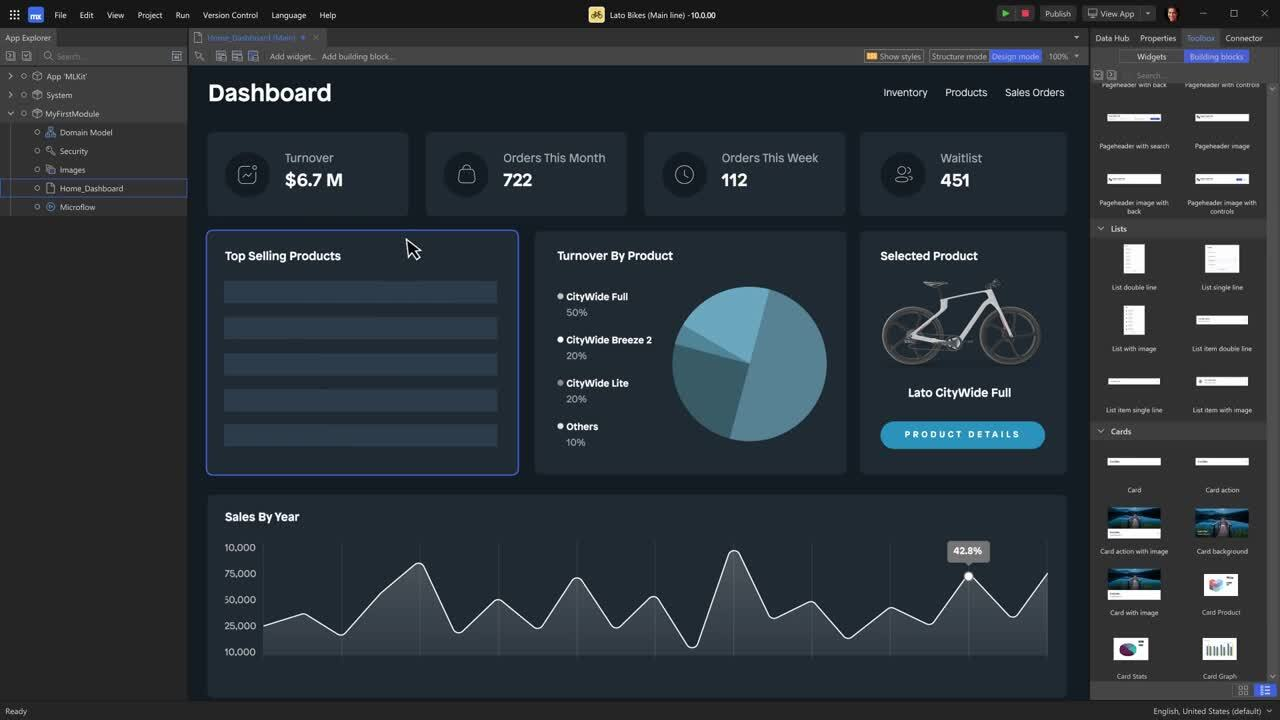
Mendix è una piattaforma di sviluppo applicazioni low-code che si rivolge alle imprese che necessitano di soluzioni di sviluppo app scalabili e flessibili. Il suo principale bacino di utenti comprende grandi organizzazioni che desiderano digitalizzare le operazioni e migliorare i processi aziendali tramite applicazioni personalizzate. Mendix eccelle nel facilitare lo sviluppo rapido di applicazioni e nel favorire la collaborazione tra team interfunzionali.
Perché ho scelto Mendix: Mendix è progettato per soddisfare le complesse esigenze delle imprese, offrendo funzionalità che supportano il deployment e la gestione di app su larga scala. Include strumenti per lo sviluppo collaborativo, permettendo a più membri del team di lavorare contemporaneamente sugli stessi progetti. Gli strumenti di sviluppo visuale della piattaforma semplificano la creazione di applicazioni complesse. Mendix offre inoltre un ampio supporto allo sviluppo cloud-native, garantendo che le tue applicazioni possano scalare efficacemente.
Caratteristiche salienti e integrazioni:
Caratteristiche includono strumenti di sviluppo visuale che consentono al tuo team di creare applicazioni senza una profonda conoscenza della programmazione. Gli strumenti collaborativi favoriscono il lavoro di squadra e permettono contributi simultanei ai progetti. Il supporto cloud-native garantisce che le applicazioni possano scalare in modo efficiente con la crescita dell’azienda.
Integrazioni includono SAP, Salesforce, IBM Cloud, AWS, Microsoft Azure, Google Cloud Platform, Slack, Twilio, Docusign e ServiceNow.
Pros and Cons
Pros:
- Favorisce la collaborazione tra team
- Potenti capacità cloud-native
- Supporta il deployment su larga scala
Cons:
- La configurazione iniziale può essere lunga
- Processi di personalizzazione complessi

Ideale per le piccole imprese
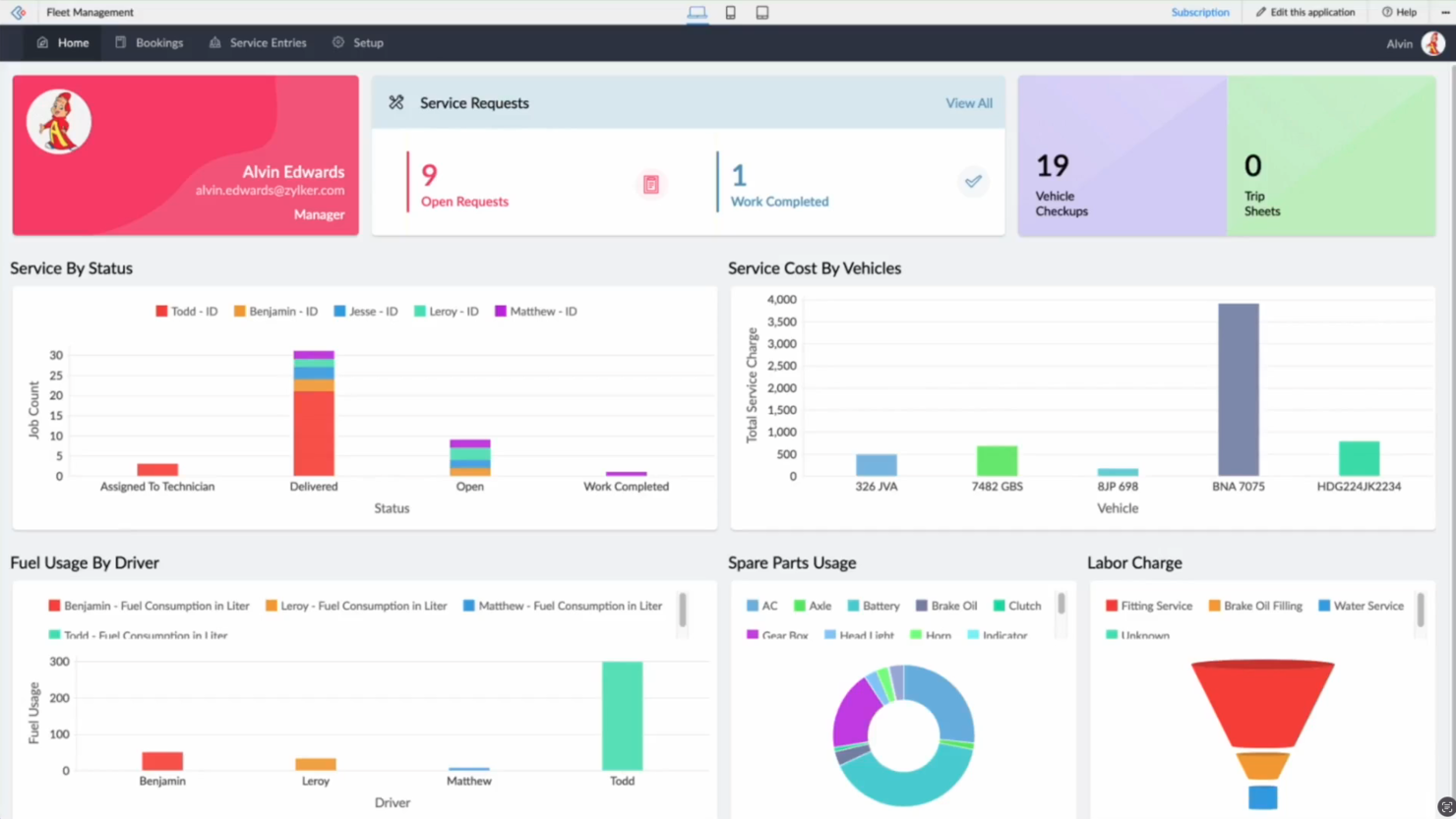
Zoho Creator è una piattaforma di sviluppo applicazioni low-code pensata per le piccole imprese che desiderano creare applicazioni web e mobile personalizzate. Il suo principale pubblico comprende imprenditori e piccoli team che necessitano di uno sviluppo rapido delle app e di una gestione efficiente dei dati. La piattaforma facilita l'automazione dei processi aziendali e decisioni basate sui dati.
Perché ho scelto Zoho Creator: Zoho Creator offre un'interfaccia intuitiva con funzionalità drag-and-drop, ideale per utenti con poca esperienza di programmazione. Fornisce oltre 800 integrazioni preconfigurate, rendendolo versatile per diverse operazioni aziendali. La creazione di app multi-dispositivo garantisce che le applicazioni siano accessibili da qualsiasi dispositivo. Le capacità di intelligenza artificiale migliorano l'analisi e l'automazione, rispondendo bene alle esigenze delle piccole imprese.
Funzionalità e integrazioni principali:
Le funzionalità includono un'interfaccia drag-and-drop che semplifica la creazione delle app per il tuo team. Strumenti basati su intelligenza artificiale forniscono analisi e automazione, facilitando decisioni basate sui dati. La creazione di app multi-dispositivo assicura l'accessibilità ovunque.
Le integrazioni includono Salesforce, QuickBooks, Zapier, PayPal, Google Workspace, Dropbox, Slack, Mailchimp, Twilio e Zoho CRM.
Pros and Cons
Pros:
- Supporta app multi-dispositivo
- Numerose integrazioni preconfigurate
- Interfaccia drag-and-drop facile da usare
Cons:
- Le prestazioni variano in base alla complessità
- Opzioni di codifica avanzate limitate

FileMaker
Ideale per soluzioni aziendali su misura e personalizzate
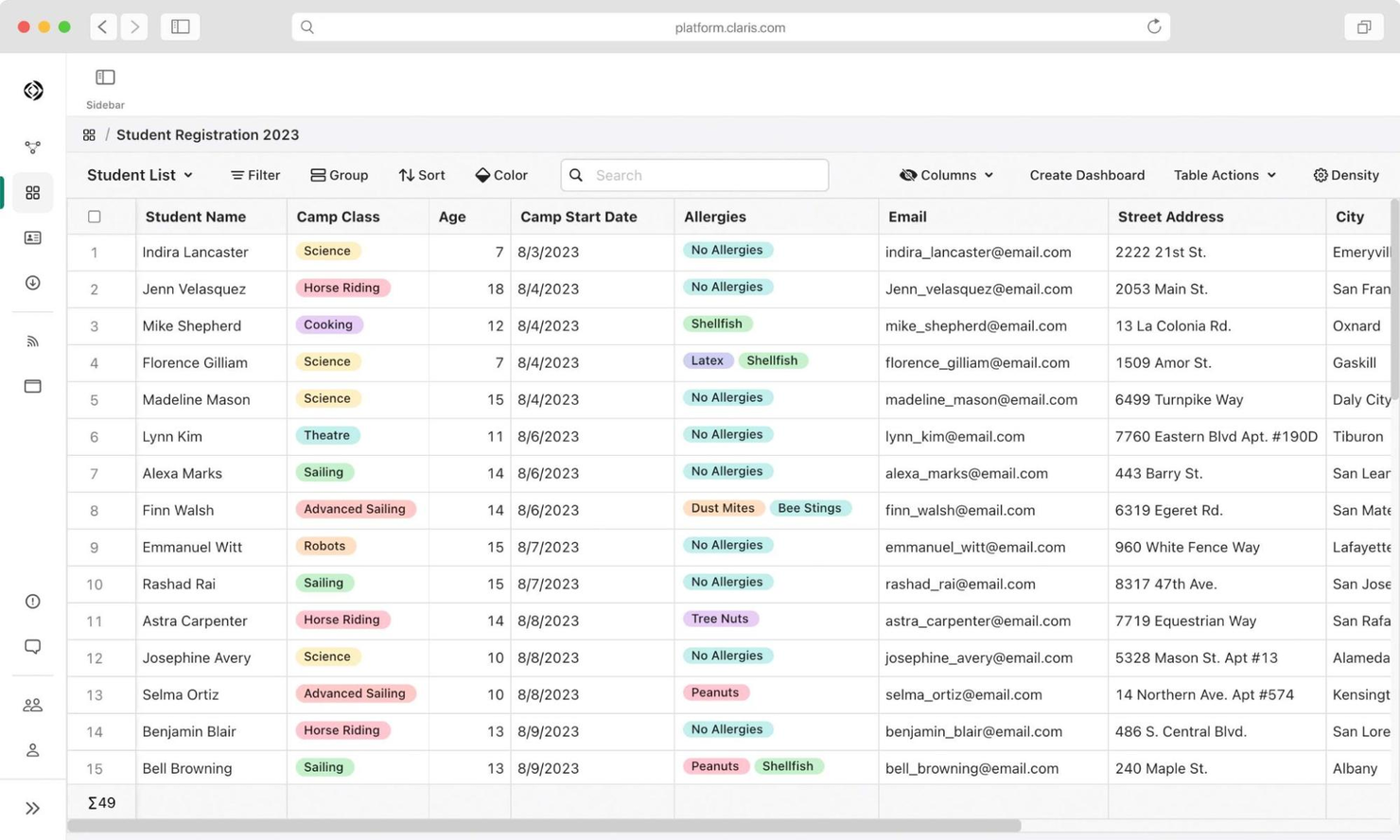
FileMaker è una piattaforma low-code che permette agli utenti di creare app personalizzate su misura per le esigenze specifiche della propria azienda. La sua base utenti principale è costituita da piccole e medie imprese che desiderano semplificare le proprie operazioni attraverso soluzioni applicative personalizzate. FileMaker supporta lo sviluppo di app e la gestione dei dati, aiutando i team a ottimizzare i flussi di lavoro.
Perché ho scelto FileMaker: FileMaker offre un ambiente flessibile per sviluppare applicazioni personalizzate senza la necessità di una profonda conoscenza di codifica. La sua interfaccia drag-and-drop semplifica il processo di creazione, rendendola accessibile a team con diversi livelli di competenza tecnica. La piattaforma mette a disposizione template e strumenti dettagliati che possono essere personalizzati per adattarsi ai processi specifici dell’azienda. FileMaker garantisce inoltre la compatibilità tra diversi dispositivi, consentendo al team di accedere alle applicazioni ovunque si trovi.
Caratteristiche principali & integrazioni:
Caratteristiche includono un’interfaccia drag-and-drop intuitiva che rende la creazione di app accessibile a tutti i livelli di competenza. È possibile utilizzare template predefiniti per avviare rapidamente i propri progetti e personalizzarli secondo le proprie esigenze. La piattaforma supporta la compatibilità multi-dispositivo, assicurando che il tuo team possa accedere alle app da qualsiasi dispositivo.
Le integrazioni includono Microsoft Excel, Salesforce, Slack, Mailchimp, QuickBooks, Dropbox, Google Workspace, Microsoft Azure, Twilio e Zapier.
Pros and Cons
Pros:
- Supporta l'accesso da più dispositivi
- Ampia selezione di modelli
- Facile per i principianti
Cons:
- Tempi iniziali di configurazione lunghi
- Curva di apprendimento per i nuovi utenti
Altre piattaforme di integrazione a basso codice
Ecco alcune opzioni aggiuntive di piattaforme di integrazione a basso codice che non sono state incluse nel mio elenco, ma che vale comunque la pena valutare:
- Microsoft Power Apps
Ideale per utenti centrati su Microsoft
- Coefficient
Ideale per l'automazione dei dati in fogli di calcolo
- Neptune DXP
Ideale per utenti SAP
- Kissflow
Ideale per l'automazione dei flussi di lavoro


Come Valuto le Piattaforme di Integrazione Low Code
Valuto ogni piattaforma su due livelli: se può sincronizzare dati all'interno di uno stack RevOps senza codice e cosa la distingue per operatori non tecnici che costruiscono workflow lead-to-cash.
Funzionalità di Base (Requisiti Minimi per Questa Lista)
Quando scelgo gli strumenti per la mia lista, assegno a ciascuno un punteggio da 0 (non offre la funzionalità) a 5 (eccelle in quest'area) per ciascuna funzionalità di base elencata sotto. Poi, calcolo il punteggio totale dello strumento in percentuale. Ogni strumento deve raggiungere almeno un punteggio totale minimo del 65% per essere preso in considerazione.
- Builder Visuale di Workflow: Cerco un canvas drag-and-drop dove si possono mappare flussi multi-step con logiche ramificate, non solo una schermata di configurazione basata su moduli basilari.
- Connettori RevOps Preconfigurati: La piattaforma dovrebbe includere connettori nativi per strumenti come Salesforce, HubSpot, Marketo e NetSuite, così non si devono creare tutte le connessioni da zero.
- Sincronizzazione Bidirezionale dei Dati: Controllo se la piattaforma supporta una sincronizzazione bidirezionale, in tempo reale, con mappatura a livello di campo—come mantenere l'assegnazione dei contatti coerente tra il CRM e lo strumento di sales engagement.
- Logica di Trasformazione dei Dati: Ogni strumento deve offrire logica condizionale, filtri e formule per poter normalizzare i dati durante il flusso, ad esempio standardizzando i valori della fonte lead tra sistemi diversi.
- Supporto API & Webhook: Valuto se è possibile creare connettori personalizzati tramite REST o SOAP API per strumenti senza integrazione nativa, oltre a poter attivare flussi tramite webhook in ingresso.
- Monitoraggio & Gestione Errori: Log delle esecuzioni, avvisi di errore e meccanismi di retry sono fondamentali—specialmente quando una sincronizzazione rotta tra CRM e piattaforma di fatturazione può bloccare la transizione deal-to-cash.
Dopo aver creato una lista di strumenti che soddisfano i criteri, considero ciò che distingue ogni piattaforma dalle altre.
Fattori di Differenziazione (Cosa Distingue i Fornitori)
Ecco come confronto diversi fornitori:
Caratteristiche Distintive
I template di workflow preconfezionati sono un forte elemento distintivo. Le piattaforme che offrono ricette pronte per l'instradamento dei lead o per il passaggio da opportunità a fattura permettono ai team RevOps di mettere in funzione le integrazioni in poche ore invece che in giorni. Valuto anche le funzionalità di governance come l'accesso basato sui ruoli e l'ambiente sandbox, che diventano fondamentali quando più team operativi costruiscono flussi nello stesso workspace. Anche l'automazione assistita dall'AI è interessante: alcune piattaforme possono suggerire automaticamente la mappatura dei campi o generare workflow a partire da descrizioni in linguaggio naturale, velocizzando molto la creazione.
Oltre le Caratteristiche
L'integrazione nell'ecosistema RevOps è dove dedico più attenzione. Controllo se una piattaforma offre integrazioni profonde e certificate con i principali CRM—non solo connettori di superficie che sincronizzano solo oggetti standard. Anche la velocità di implementazione conta: se la prima integrazione in produzione richiede mesi di servizi professionali, la promessa "low-code" viene meno. Guardo anche alla postura di sicurezza, in particolare la conformità SOC 2 Type II e GDPR, visto che queste piattaforme gestiscono dati sensibili su pipeline e clienti tra sistemi diversi.
Come scegliere una piattaforma di integrazione a basso codice
È facile perdersi in lunghi elenchi di funzionalità e strutture di prezzo complesse. Per aiutarti a rimanere concentrato mentre affronti il processo di selezione del software più adatto alle tue esigenze, ecco un elenco di fattori da tenere a mente:
| Fattore | Cosa considerare |
| Scalabilità | La piattaforma crescerà insieme alle esigenze della tua azienda? |
| Integrazioni | Si collega agli strumenti che già utilizzi? |
| Personalizzazione | Puoi adattarla ai flussi di lavoro del tuo team? |
| Semplicità d'uso | La piattaforma è facile da usare per il tuo team? |
| Budget | Rientra nei tuoi limiti finanziari? |
| Misure di sicurezza | Sono presenti solide misure di sicurezza? |
Tendenze delle piattaforme di integrazione a basso codice
Durante la mia ricerca, ho raccolto innumerevoli aggiornamenti dei prodotti, comunicati stampa e registri delle versioni pubblicati da diversi fornitori di piattaforme di integrazione a basso codice. Ecco alcune delle tendenze emergenti che sto tenendo d'occhio:
- Sviluppo assistito dall'IA: sempre più piattaforme introducono strumenti di IA per aiutare gli sviluppatori a creare e perfezionare rapidamente le applicazioni. Questa tendenza è utile per i team che desiderano sfruttare l'IA per prendere decisioni più intelligenti basate sui dati. Alcuni fornitori integrano l'IA per suggerire miglioramenti e ottimizzare i flussi di lavoro.
- Valorizzazione degli sviluppatori cittadini: i fornitori si concentrano su funzionalità che consentono agli utenti non tecnici di creare e gestire applicazioni. Questa tendenza è significativa per le aziende che puntano a democratizzare lo sviluppo delle app. I fornitori offrono interfacce intuitive e modelli predefiniti per abbassare la barriera d'ingresso.
- Strumenti di collaborazione avanzati: le piattaforme aggiungono funzionalità per supportare una migliore collaborazione e comunicazione all'interno dei progetti di sviluppo. Questa tendenza è fondamentale per i team remoti e per quelli composti da membri con competenze trasversali. Tra gli esempi figurano gli spazi di lavoro condivisi e le funzionalità di modifica in tempo reale.
- Attenzione alla sicurezza e alla conformità: con la protezione dei dati che sta diventando sempre più cruciale, i fornitori stanno potenziando le funzionalità di sicurezza e il supporto alla conformità. Questa tendenza è essenziale per i settori con requisiti normativi rigorosi. Alcune piattaforme forniscono controlli di conformità integrati e una crittografia avanzata.
- Integrazione delle funzionalità IoT: alcuni fornitori stanno iniziando a integrare funzionalità IoT, consentendo alle aziende di gestire i dispositivi e i dati IoT tramite le loro piattaforme. Questa tendenza è degna di nota per i settori che utilizzano dispositivi IoT per le attività operative e il monitoraggio. I fornitori offrono strumenti per collegare e controllare senza difficoltà i componenti IoT.
Che cos'è una piattaforma di integrazione low-code?
Una piattaforma di integrazione low-code è uno strumento che consente agli utenti di collegare diverse applicazioni software e automatizzare i flussi di lavoro con una codifica minima. Questi strumenti sono generalmente utilizzati da professionisti IT, analisti aziendali e talvolta utenti non tecnici che devono integrare sistemi e processi in modo efficiente. L'automazione, le interfacce con funzionalità di trascinamento e rilascio e i modelli predefiniti aiutano a semplificare le integrazioni complesse e ad accelerare lo sviluppo. Nel complesso, questi strumenti offrono alle aziende un modo per migliorare la produttività e l'agilità, adattandosi rapidamente alle mutevoli esigenze tecnologiche.
Funzionalità della piattaforma di integrazione low-code
Quando selezioni una piattaforma di integrazione low-code, presta attenzione alle seguenti funzionalità chiave:
- Interfaccia con funzionalità di trascinamento e rilascio: semplifica il processo di creazione e gestione dei flussi di lavoro senza richiedere una conoscenza approfondita della programmazione.
- Modelli predefiniti: offre modelli di flusso di lavoro pronti all'uso che fanno risparmiare tempo e forniscono un punto di partenza per la personalizzazione.
- Collaborazione in tempo reale: consente ai membri del team di lavorare contemporaneamente sui progetti, migliorando la collaborazione e la produttività.
- Sviluppo assistito dall'IA: utilizza l'IA per suggerire miglioramenti e ottimizzare i flussi di lavoro, rendendo lo sviluppo più efficiente.
- Strumenti di sicurezza e conformità: garantisce la protezione dei dati e aiuta a rispettare le normative di settore grazie a funzionalità di sicurezza integrate.
- Compatibilità con più dispositivi: offre accesso alle applicazioni e ai flussi di lavoro da qualsiasi dispositivo, aumentando flessibilità e mobilità.
- Analisi avanzate: offre informazioni sulle prestazioni dei flussi di lavoro e sulle tendenze dei dati, aiutando gli utenti a prendere decisioni consapevoli.
- Interfacce utente personalizzabili: consente agli utenti di adattare l'interfaccia alle proprie esigenze e preferenze specifiche.
- Integrazione con l'IoT: consente di gestire e controllare i dispositivi e i dati IoT, risultando vantaggiosa per i settori che utilizzano la tecnologia IoT.
- Valorizzazione degli sviluppatori cittadini: fornisce agli utenti non tecnici gli strumenti necessari per creare e gestire applicazioni, democratizzando lo sviluppo.
Vantaggi delle piattaforme di integrazione low-code
L'implementazione di una piattaforma di integrazione low-code offre diversi vantaggi al tuo team e alla tua azienda. Eccone alcuni di cui potrai beneficiare:
- Cicli di sviluppo più rapidi: le interfacce drag-and-drop e i modelli predefiniti possono accelerare il processo di sviluppo delle app, consentendo al tuo team di lanciare più rapidamente le soluzioni.
- Collaborazione migliorata: gli strumenti di collaborazione in tempo reale permettono al tuo team di lavorare insieme in modo più efficace, migliorando la comunicazione e i risultati dei progetti.
- Maggiore agilità: lo sviluppo assistito dall'IA e le interfacce personalizzabili consentono al tuo team di adattare rapidamente i flussi di lavoro alle mutevoli esigenze aziendali.
- Sicurezza avanzata: gli strumenti integrati per la sicurezza e la conformità aiutano a proteggere i tuoi dati e a rispettare le normative del settore, garantendo maggiore tranquillità.
- Autonomia degli utenti non tecnici: le funzionalità per gli sviluppatori cittadini consentono ai non esperti di creare e gestire applicazioni, rendendo lo sviluppo accessibile a un pubblico più ampio.
- Scalabilità: la compatibilità con più dispositivi e l'integrazione dell'IoT garantiscono che le tue soluzioni possano crescere insieme alla tua azienda e soddisfare esigenze tecnologiche diversificate.
- Informazioni basate sui dati: gli strumenti di analisi avanzata forniscono informazioni preziose sulle prestazioni dei flussi di lavoro, supportando decisioni consapevoli.
Costi e prezzi delle piattaforme di integrazione a basso codice
La scelta di una piattaforma di integrazione a basso codice richiede la conoscenza dei vari modelli e piani tariffari disponibili. I costi variano in base alle funzionalità, alle dimensioni del team, ai componenti aggiuntivi e ad altri fattori. La tabella seguente riassume i piani comuni, i relativi prezzi medi e le funzionalità tipicamente incluse nelle soluzioni delle piattaforme di integrazione a basso codice:
Tabella comparativa dei piani per le piattaforme di integrazione a basso codice
| Tipo di piano | Prezzo medio | Funzionalità comuni |
| Piano gratuito | $0 | Integrazioni di base, modelli limitati e assistenza della community. |
| Piano personale | $5-$25/utente /mese | Integrazioni avanzate, modelli personalizzati e assistenza via e-mail. |
| Piano aziendale | $26-$50 /utente/mese | Analisi avanzate, assistenza prioritaria e accesso per più utenti. |
| Piano aziendale avanzato | $51-$100 /utente/mese | Assistenza dedicata, personalizzazione completa e sicurezza di livello aziendale. |
Domande frequenti sulle piattaforme di integrazione a basso codice
Ecco alcune risposte alle domande più comuni sulle piattaforme di integrazione a basso codice:
In che modo le piattaforme di integrazione a basso codice si integrano negli stack tecnologici esistenti?
Le piattaforme di integrazione a basso codice sono progettate per funzionare insieme agli strumenti e ai sistemi che già utilizzi. Collegano applicazioni diverse, consentendo ai dati di fluire senza interruzioni tra di esse. Questa integrazione aiuta il tuo team ad automatizzare i processi senza interrompere i flussi di lavoro esistenti. Spesso puoi personalizzare queste connessioni per adattarle alle esigenze specifiche della tua azienda.
Le piattaforme a basso codice possono gestire requisiti aziendali complessi?
Sì, molte piattaforme a basso codice possono gestire esigenze aziendali complesse. Offrono funzionalità avanzate come la logica condizionale, le integrazioni API e l’automazione dei processi. Queste funzionalità supportano flussi di lavoro sofisticati, rendendole adatte alle organizzazioni più grandi. Il tuo team può ampliare le soluzioni man mano che l’azienda cresce, garantendo un allineamento continuo con i tuoi obiettivi.
Le piattaforme di integrazione a basso codice sono sicure?
La maggior parte delle piattaforme a basso codice dà priorità alla sicurezza per proteggere i tuoi dati. Spesso includono strumenti di conformità integrati e metodi di crittografia. Queste funzionalità contribuiscono a garantire che le tue informazioni rimangano al sicuro e rispettino gli standard del settore. È fondamentale valutare le funzionalità di sicurezza di ogni piattaforma per adeguarle ai requisiti della tua organizzazione.
Quale tipo di supporto è disponibile per gli utenti delle piattaforme a basso codice?
Il supporto varia a seconda della piattaforma, ma in genere include risorse come tutorial, forum e servizio clienti. Alcune piattaforme offrono team di supporto dedicati per assistere nell’implementazione e nella risoluzione dei problemi. Potresti trovare anche webinar e sessioni di formazione per aiutare il tuo team a sfruttare al meglio la piattaforma. Verifica sempre quali opzioni di supporto sono incluse nel tuo piano.
Quanto sono personalizzabili le piattaforme di integrazione a basso codice?
Le piattaforme a basso codice sono altamente personalizzabili per adattarsi alle esigenze specifiche della tua azienda. Offrono interfacce con funzionalità di trascinamento e modelli predefiniti per una configurazione rapida. Puoi personalizzare flussi di lavoro e processi senza scrivere una quantità considerevole di codice. Questa flessibilità consente al tuo team di adattare la piattaforma ai requisiti specifici della tua organizzazione.
Le piattaforme a basso codice richiedono conoscenze di programmazione?
Sebbene una conoscenza minima della programmazione sia utile, non è sempre necessaria. Le piattaforme a basso codice sono progettate per essere facili da usare, con interfacce intuitive che consentono agli utenti non tecnici di creare applicazioni. Tuttavia, possedere alcune competenze di programmazione può migliorare la capacità di personalizzare e ottimizzare la piattaforma. Questo le rende accessibili a un’ampia gamma di utenti all’interno di un’organizzazione.
E adesso
Vuoi portare la tua strategia RevOps a un livello superiore? Iscriviti alla newsletter di The CRO Club per ricevere consigli di esperti, recensioni di software e altre risorse che ti aiuteranno a ottenere una crescita prevedibile su larga scala.