

10 migliori alternative a Zendesk Sell nel 2026

Elenco delle alternative a Zendesk Sell


Le migliori alternative a Zendesk Sell sono piattaforme di gestione delle relazioni con i clienti (CRM) che combinano un monitoraggio intuitivo delle vendite, integrazioni flessibili e possibilità di personalizzazione, senza sacrificare la facilità d'uso. Se stai cercando alternative a Zendesk Sell, probabilmente cerchi un CRM che si adatti al flusso di lavoro del tuo team, gestisca la pipeline e si colleghi senza problemi al tuo insieme di strumenti di vendita.
Questa guida offre un confronto chiaro tra i principali concorrenti di Zendesk Sell, così puoi scegliere con sicurezza le opzioni che aumentano la produttività delle vendite e si adattano alla crescita della tua azienda.
Che cos'è Zendesk Sell?
Zendesk Sell è un CRM basato sul cloud progettato per aiutare i team di vendita a gestire le pipeline, monitorare i lead e automatizzare le attività di vendita di routine. Offre un'interfaccia utente pulita, flussi di lavoro personalizzabili e strumenti di comunicazione integrati per e-mail, chiamate e messaggi.
Zendesk Sell punta ad aumentare la produttività offrendo visibilità in tempo reale sulle attività e sulle prestazioni di vendita. È progettato per le aziende che desiderano un approccio unificato e collaborativo a questa soluzione CRM per le vendite.
Riepilogo delle migliori alternative a Zendesk Sell
Questa tabella comparativa riassume i prezzi convenienti delle mie migliori alternative a Zendesk Sell, per aiutarti a trovare quella più adatta al tuo budget e alle esigenze della tua azienda.
| Tool | Best For | Trial Info | Price | ||
|---|---|---|---|---|---|
| 1 | Ideale per la connettività con Microsoft 365 basata sull'IA | Prova gratuita di 30 giorni disponibile | A partire da $65/utente/mese (fatturato annualmente) | Website | |
| 2 | Ideale per la coltivazione dei lead basata fortemente sull'automazione | Versione di prova gratuita di 14 giorni | Prezzi su richiesta | Website | |
| 3 | Ideale per informazioni unificate su vendite e assistenza | Prova gratuita di 14 giorni | A partire da $7/utente/mese (con fatturazione annuale) | Website | |
| 4 | Ideale per una configurazione CRM rapida per piccoli team | Prova gratuita di 14 giorni + dimostrazione gratuita disponibile | A partire da $13/utente/mese (fatturato annualmente) | Website | |
| 5 | Ideale per monitorare le relazioni nei progetti dopo la vendita | Prova gratuita di 14 giorni + demo gratuita disponibile | A partire da $29/utente/mese (fatturato annualmente) | Website | |
| 6 | Ideale per strumenti di collaborazione di gruppo tutto-in-uno | Prova di 15 giorni + piano gratuito + demo gratuita disponibili | A partire da $49/organizzazione/mese (con fatturazione annuale) | Website | |
| 7 | Ideale per le previsioni delle vendite nelle aziende globali | Demo gratuita disponibile | Prezzi su richiesta | Website | |
| 8 | Ideale per l'integrazione modulare di ERP open source | Piano gratuito disponibile | Prezzi su richiesta | Website | |
| 9 | Ideale per una personalizzazione avanzata a livello aziendale | Prova gratuita di 30 giorni + demo gratuita disponibile | A partire da $25/utente/mese | Website | |
| 10 | Ideale per la telefonia integrata ad alto volume | Prova gratuita di 14 giorni + demo gratuita disponibile | A partire da $35/utente/mese (fatturato annualmente) | Website |

Perché fidarsi dei nostri consigli sui software
Le nostre recensioni riflettono il nostro giudizio indipendente, non un discorso di vendita. Scopri come manteniamo la trasparenza.
Per questa guida, abbiamo valutato gli strumenti attraverso test pratici e ricerche indipendenti, assegnando un punteggio agli strumenti in base ai nostri criteri di selezione.
Le nostre recensioni riflettono il nostro giudizio editoriale umano, non un discorso di vendita.
Recensioni delle alternative a Zendesk Sell
Di seguito trovi i miei riepiloghi dettagliati delle alternative a Zendesk Sell che sono entrate nel mio elenco ristretto. Le mie recensioni offrono uno sguardo approfondito sulle funzionalità, sui casi d’uso migliori e sulle integrazioni di ciascuna piattaforma CRM, per aiutarti a scegliere quella più adatta alle tue esigenze.
Ideale per la connettività con Microsoft 365 basata sull'IA
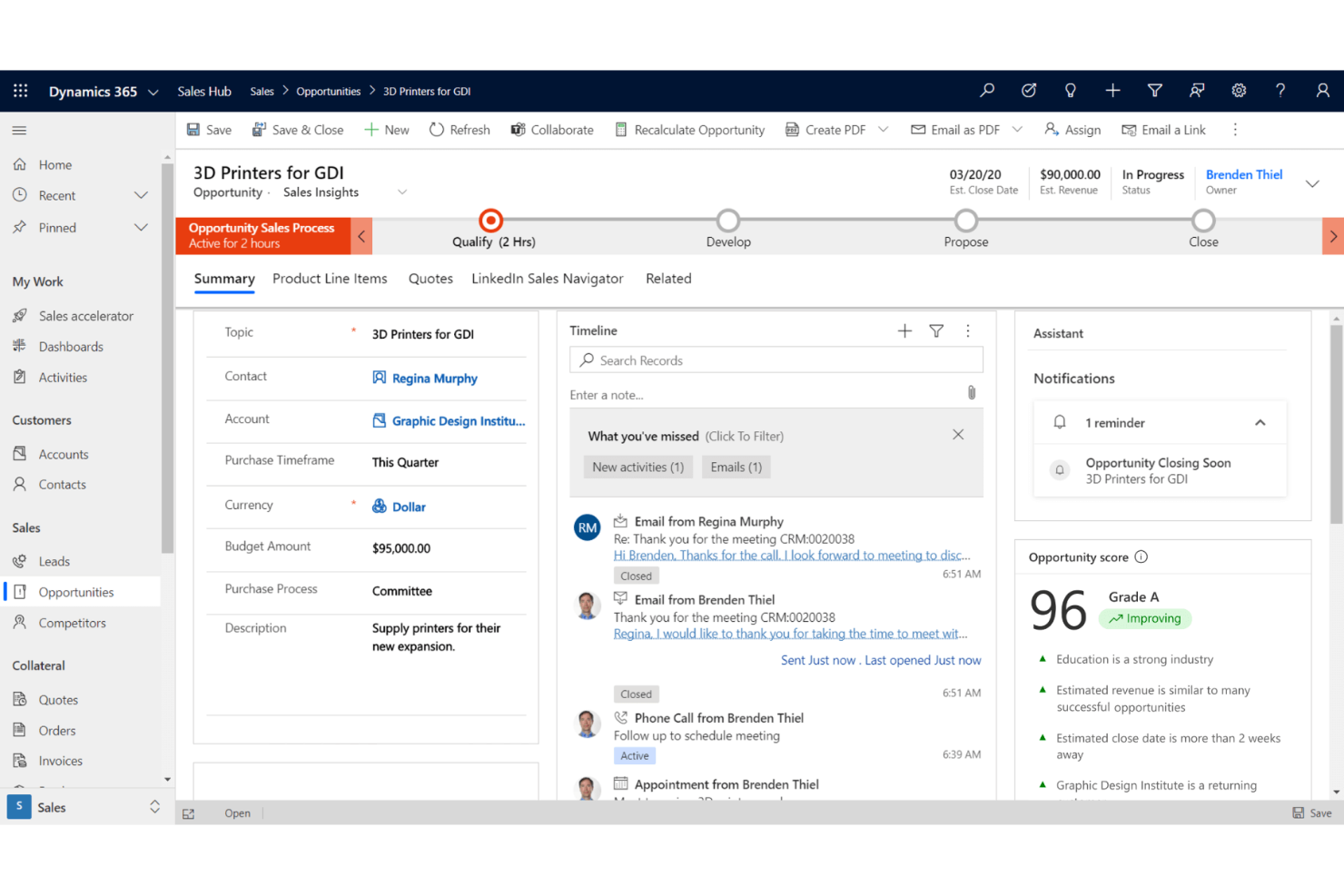
Microsoft Dynamics 365 riunisce funzionalità CRM e di automazione pensate per i team che già utilizzano Microsoft 365 nel loro lavoro quotidiano. Ritengo che le organizzazioni di medie e grandi dimensioni alla ricerca di dati unificati relativi a vendite, marketing e assistenza in un'unica piattaforma lo troveranno particolarmente utile.
Per chi è più adatto Microsoft Dynamics 365?
I team di vendita, marketing e assistenza delle aziende di medie dimensioni e delle grandi imprese si affidano a Microsoft 365 per la collaborazione digitale e i flussi di lavoro.
Perché Microsoft Dynamics 365 è una buona alternativa a Zendesk Sell
Ho scelto Microsoft Dynamics 365 Sales perché Copilot è integrato direttamente nel flusso di lavoro delle vendite. Quando esamino un'opportunità, Copilot riunisce riepiloghi dell'opportunità, notizie recenti sul cliente e note delle riunioni precedenti, così posso affrontare qualsiasi chiamata completamente preparato.
L'Agente di qualificazione delle vendite conduce autonomamente la ricerca sui lead, il che significa che i miei rappresentanti dedicano tempo solo alle opportunità che meritano davvero attenzione. Inoltre, poiché è basato sulla stessa piattaforma di Microsoft 365, le attività di posta elettronica, calendario e Teams del mio team si collegano direttamente ai nostri record CRM senza alcuna registrazione manuale.
Funzionalità principali di Microsoft Dynamics 365
- Previsioni dei ricavi: Prevedi i ricavi e monitora le prestazioni rispetto agli obiettivi utilizzando i grafici di previsione integrati e le analisi della pipeline.
- Automazione delle sequenze di vendita: Distribuisci ai team indicazioni automatizzate per le vendite, inclusi i punti critici identificati dall'IA nelle sequenze di vendita.
- Valutazione delle opportunità: Visualizza modelli di valutazione basati sull'IA ed elenchi di attività prioritari per concentrarti sulle trattative con maggiori probabilità di chiusura.
- Automazione della ricerca sui lead: Conduci ricerche autonome sui lead in arrivo utilizzando agenti di IA per raccogliere il contesto e qualificare i potenziali clienti prima del contatto da parte dei rappresentanti.
Integrazioni di Microsoft Dynamics 365
Microsoft Dynamics 365 offre integrazioni native nell'ecosistema Microsoft, tra cui Microsoft 365 e Azure, oltre a Zoom, PandaDoc, Docusign e MailChimp. È disponibile un'API per le integrazioni personalizzate.
Pros and Cons
Pros:
- Approfondimenti nativi basati sull'IA e potenziati da Copilot
- Sincronizzazione automatica con i dati di Microsoft 365
- Flussi di lavoro personalizzabili per i team di vendita aziendali
Cons:
- Richiede l'adozione di Microsoft 365 per offrire il massimo valore
- Occasionali ritardi nella sincronizzazione delle e-mail di Outlook
Ideale per la coltivazione dei lead basata fortemente sull'automazione
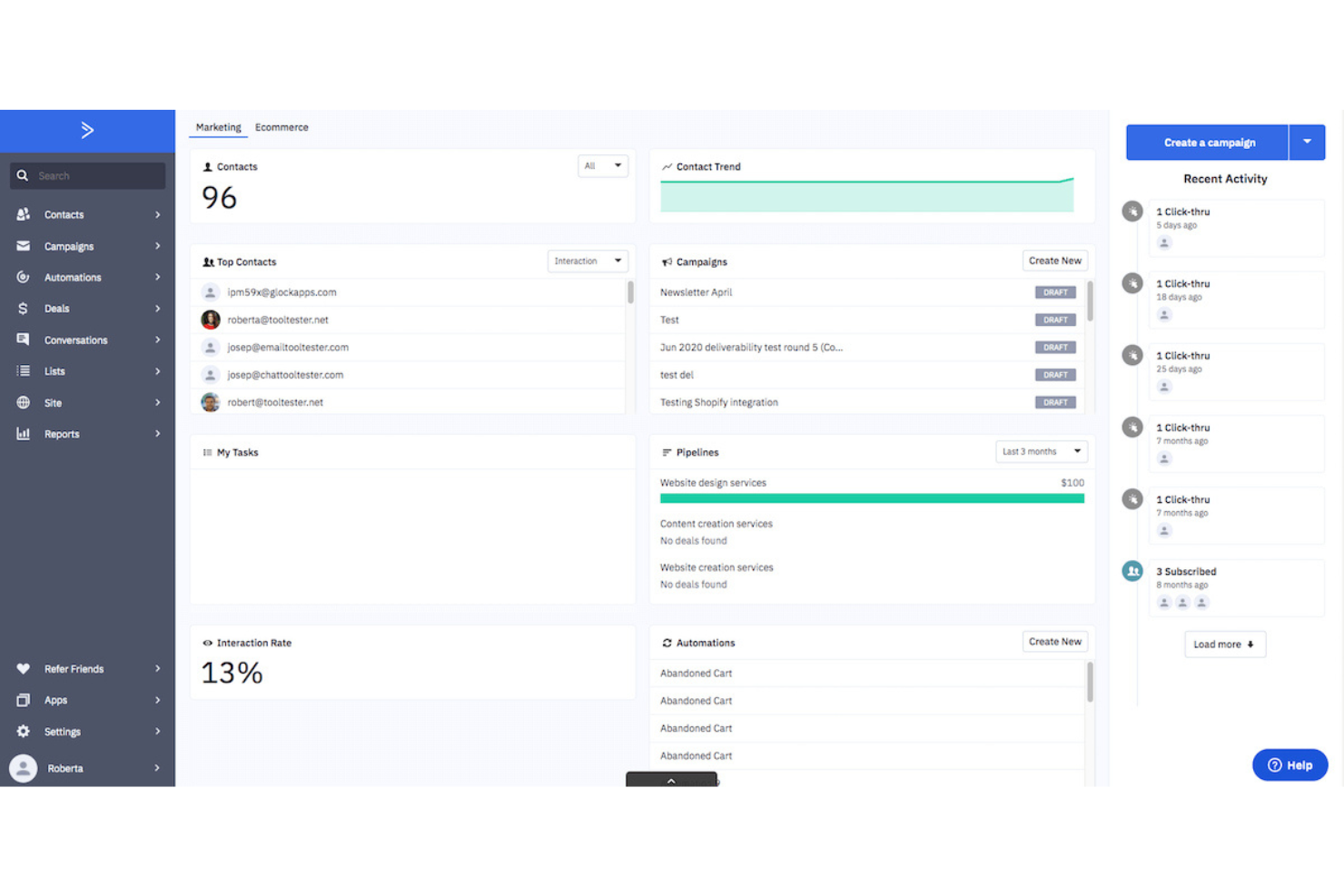
ActiveCampaign combina CRM, automazione delle vendite e funzionalità di marketing progettate per i team che danno priorità a percorsi personalizzati su larga scala. È una soluzione particolarmente adatta alle agenzie digitali, ai brand di e-commerce e alle aziende che desiderano automatizzare la gestione dei lead su più canali.
Per chi è più adatto ActiveCampaign?
Team di marketing e vendite di aziende orientate al digitale che cercano funzionalità avanzate di automazione per la gestione dei lead e dei percorsi dei clienti.
Perché ActiveCampaign è una buona alternativa a Zendesk Sell
Ho scelto ActiveCampaign perché il suo generatore di automazioni consente al mio team di progettare sequenze di coltivazione dei lead con condizioni approfondite senza scrivere una sola riga di codice. Ad esempio, posso attivare un'attività di follow-up per un rappresentante nel momento stesso in cui un lead apre un'e-mail, fa clic su un link o raggiunge una determinata soglia di punteggio.
Apprezzo anche il fatto che le pipeline delle trattative siano collegate direttamente alle automazioni di marketing, così il comportamento di un lead in una campagna e-mail può spostarlo automaticamente a una nuova fase della pipeline. Questo stretto collegamento tra i segnali di marketing e le azioni di vendita è ciò che lo distingue per le attività di coltivazione dei lead basate fortemente sull'automazione.
Funzionalità principali di ActiveCampaign
- Attribuzione di punteggi ai contatti: Assegna e aggiorna i punteggi in base a comportamenti di coinvolgimento come aperture delle e-mail, visite al sito e invii di moduli.
- Probabilità di chiusura: Ottieni un punteggio di probabilità generato dall'IA per ogni trattativa, basato sui dati storici della pipeline.
- Report sulle vendite: Monitora gli esiti delle trattative, il valore della pipeline e l'attività dei rappresentanti tramite dashboard integrate.
- Generatore di automazioni: Crea sequenze di coltivazione dei lead in più fasi, con attivatori basati sull'attività degli utenti, sugli aggiornamenti della fase della trattativa o sulle variazioni del punteggio.
Integrazioni di ActiveCampaign
ActiveCampaign offre oltre 900 integrazioni native, tra cui Salesforce, Shopify, WordPress, Facebook, Google Ads, WooCommerce, Calendly, Typeform e Slack. Sono disponibili anche Zapier e un'API per integrazioni personalizzate.
Pros and Cons
Pros:
- Generatore di automazioni completo per i flussi di lavoro delle vendite
- Strumenti integrati per l'attribuzione di punteggi a lead e contatti
- Fasi della pipeline delle trattative altamente personalizzabili
Cons:
- Nessuna funzionalità nativa per la gestione dei ticket dell'assistenza clienti
- La configurazione iniziale può richiedere molto tempo
Ideale per informazioni unificate su vendite e assistenza
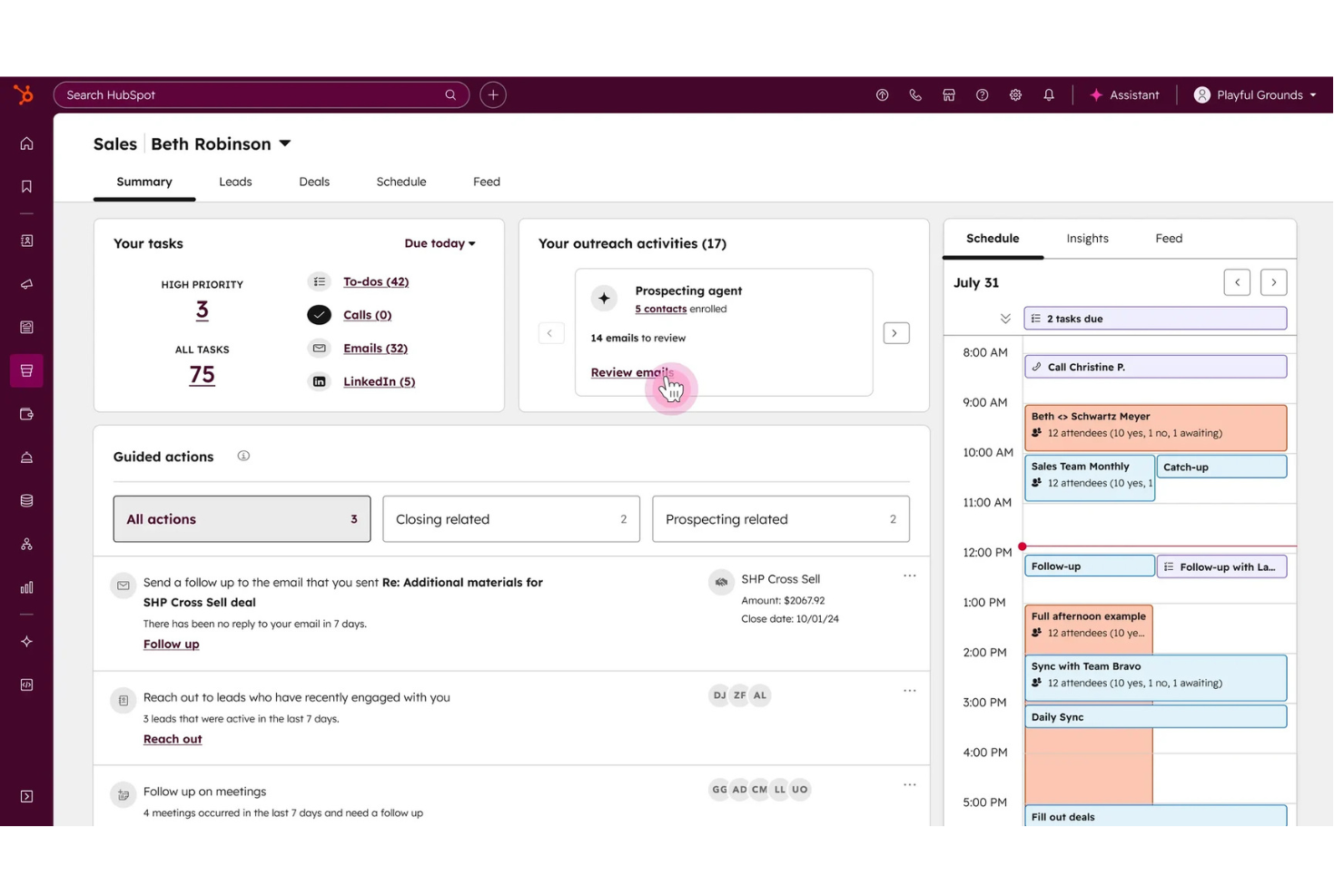
HubSpot Sales Hub unifica i dati di vendita, marketing e supporto per fornire una visione unica del cliente. È ideale per i team che si affidano a informazioni integrate su vendite e assistenza per favorire la crescita.
Per chi è più indicato HubSpot Sales Hub?
Team di vendita e a contatto con i clienti che hanno bisogno di dati condivisi sui clienti tra i vari reparti nelle aziende in crescita.
Perché HubSpot Sales Hub è una buona alternativa a Zendesk Sell
Ho scelto HubSpot Sales Hub perché collega l'attività di vendita e la cronologia dell'assistenza clienti in un'unica scheda contatto, così il mio team non affronta mai una conversazione senza conoscere il contesto. Apprezzo le funzionalità di intelligenza artificiale, come l'analisi delle conversazioni, che trascrive e analizza automaticamente le chiamate di vendita per far emergere opportunità di coaching e rischi per le trattative.
Il mio team utilizza anche la vista di controllo delle trattative per verificare lo stato della pipeline insieme ai ticket del servizio clienti, ottenendo così un quadro più completo dello stato dell'account rispetto a quello offerto dalla maggior parte dei CRM. In pratica, questo significa che i miei rappresentanti dedicano meno tempo a passare da uno strumento all'altro e più tempo ad agire sui segnali giusti.
Funzionalità principali di HubSpot Sales Hub
- Monitoraggio delle email: Ricevi una notifica nel momento in cui un potenziale cliente apre un'email o fa clic su un link.
- Automazione delle sequenze di vendita: Iscrivi i contatti a sequenze programmate di email e attività per effettuare automaticamente i follow-up.
- Lead scoring predittivo: Classifica automaticamente i contatti in base alla loro probabilità di concludere una trattativa.
- Analisi delle conversazioni: Trascrive e analizza automaticamente le chiamate di vendita per far emergere rischi per le trattative e opportunità di coaching.
Integrazioni di HubSpot Sales Hub
HubSpot Sales Hub offre integrazioni native con Asana, Gmail, Outlook, Google Workspace, Slack, Zoom, Airtable, Trello, Shopify, Jira e altro ancora. È disponibile un'API per le integrazioni personalizzate.
Pros and Cons
Pros:
- Pipeline e ticket di assistenza visibili in un'unica schermata
- Monitoraggio e programmazione delle email nativi integrati
- Il profilo del contatto mostra tutte le attività di vendita e assistenza
Cons:
- Gli aggiornamenti massivi dei dati non sono disponibili in tutti i piani
- Costi aggiuntivi per alcune integrazioni e funzionalità

Nutshell
Ideale per una configurazione CRM rapida per piccoli team
Nutshell offre ai piccoli team di vendita un modo per organizzare le attività del processo commerciale attraverso un'interfaccia intuitiva e gestire le comunicazioni con i clienti grazie a funzionalità avanzate in un unico posto. Se desideri una configurazione CRM rapida che supporti tutti i membri del team senza rinunciare a rapporti facili da consultare, sincronizzazione delle email o gestione dei potenziali clienti, Nutshell è la soluzione ideale.
Per chi è più adatto Nutshell?
Piccole aziende e team di vendita di startup che hanno bisogno di un CRM con un inserimento rapido e strumenti semplici per monitorare trattative e contatti.
Perché Nutshell è una buona alternativa a Zendesk Sell
Ho scelto Nutshell perché consente ai piccoli team di vendita di diventare operativi rapidamente, senza settimane di configurazione. Mi piace il modo in cui la configurazione guidata del processo commerciale accompagna l'utente attraverso le fasi delle trattative fin da subito, senza bisogno di attività amministrative aggiuntive o consulenze.
Il mio team utilizza la sequenza integrata di email di Nutshell per automatizzare i ricontatti direttamente dal CRM, eliminando la necessità di uno strumento separato. Apprezzo anche il pannello dei rapporti sulle attività, che mi offre una visione chiara delle prestazioni dei rappresentanti senza dover esplorare impostazioni complesse.
Funzionalità principali di Nutshell
- Gestione dei contatti: Archivia e organizza i dati dei contatti e delle aziende con lo storico completo delle comunicazioni in un'unica visualizzazione.
- Personalizzazione del processo commerciale: Crea più processi di vendita con fasi personalizzate in linea con il processo di vendita del tuo team.
- Assegnazione dei potenziali clienti: Assegna automaticamente i nuovi potenziali clienti a rappresentanti specifici in base alle regole definite.
- Automazione delle email: Invia sequenze automatizzate personalizzate e articolate in più fasi direttamente dal CRM per seguire automaticamente i potenziali clienti.
Integrazioni di Nutshell
Nutshell offre più di 50 integrazioni native, tra cui Google Workspace, Microsoft 365, Mailchimp, ActiveCampaign, Slack, QuickBooks Online, Dropbox e GitHub. È disponibile un'API per le integrazioni personalizzate.
Pros and Cons
Pros:
- Configurazione semplice del processo commerciale per piccoli team
- Include regole automatizzate per l'assegnazione dei potenziali clienti
- Le schede dei contatti riuniscono tutte le comunicazioni
Cons:
- Nessun rapporto con tabelle di collegamento
- Nessun compositore VoIP integrato disponibile

Ideale per monitorare le relazioni nei progetti dopo la vendita
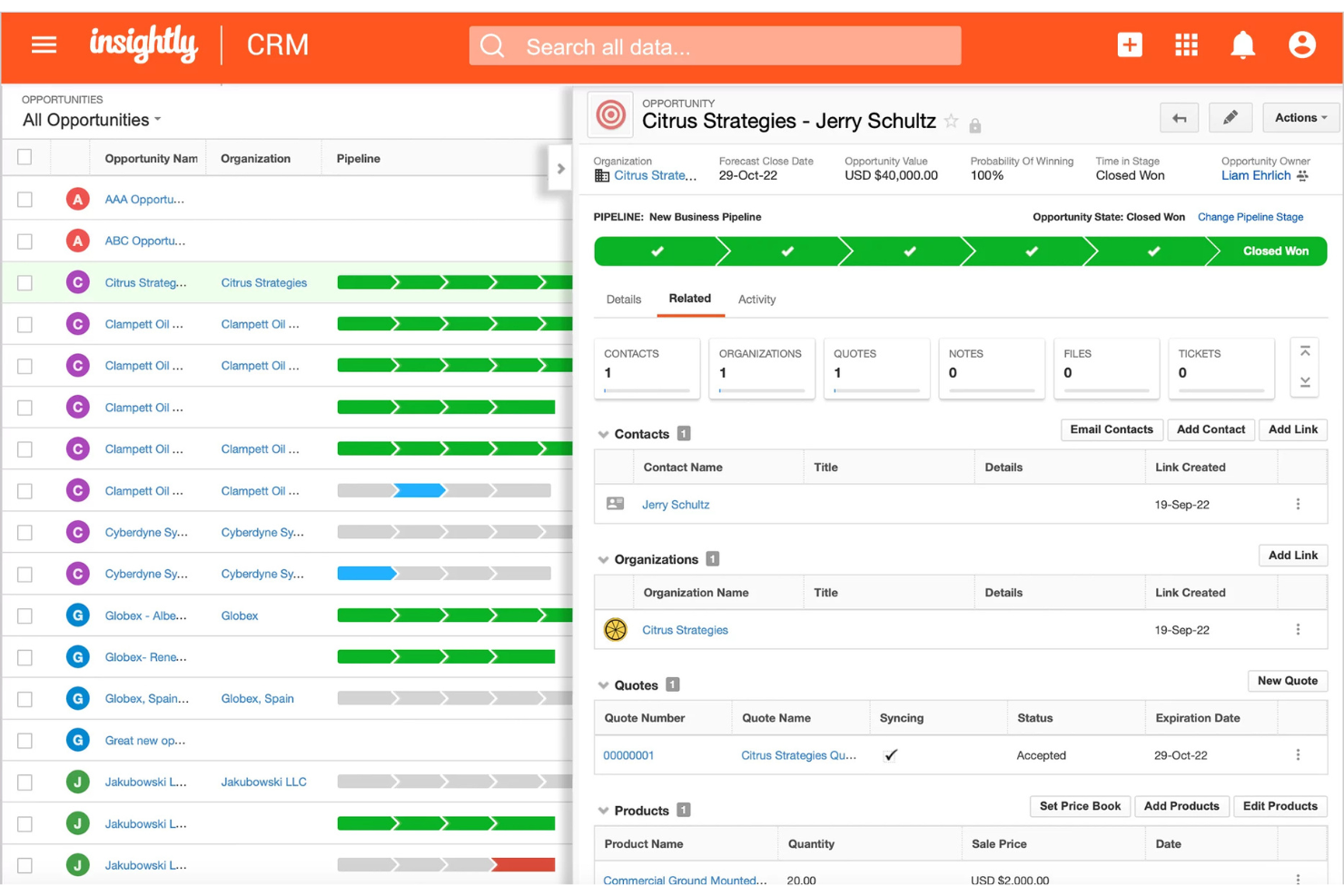
Insightly è un CRM pensato per i team che devono gestire relazioni complesse con i clienti oltre la vendita iniziale. Penso che apprezzerai la combinazione di gestione delle vendite, dei progetti e delle attività di consegna in un unico spazio di lavoro connesso.
A chi è più adatto Insightly?
Team che lavorano per progetti in aziende di servizi professionali o società di consulenza e che desiderano gestire il lavoro continuativo per i clienti e il follow-up dopo la vendita iniziale.
Perché Insightly è una buona alternativa a Zendesk Sell
Ho scelto Insightly perché offre una curva di apprendimento ridotta e consente al mio team di trasformare direttamente una trattativa chiusa in un progetto senza uscire dal CRM. Apprezzo la funzionalità di passaggio dalla pipeline al progetto, che fa sì che il contesto del cliente, i contatti e le note vengano trasferiti automaticamente quando una trattativa passa alla fase di consegna.
In pratica, ciò significa che il mio team può monitorare le tappe fondamentali, assegnare attività e gestire le relazioni con i clienti in un unico sistema, invece di passare continuamente da un CRM a uno strumento di gestione dei progetti separato. Per i team che svolgono attività continuative per i clienti, questa continuità è difficile da trovare altrove.
Funzionalità principali di Insightly
- Automazione dei flussi di lavoro: Attiva l'invio automatico di e-mail, gli aggiornamenti dei record e l'assegnazione delle attività in base a regole predefinite.
- Prodotti, listini e preventivi: Crea cataloghi di prodotti, configura i prezzi e genera PDF di preventivi personalizzati con il marchio direttamente dalla scheda di una trattativa.
- Dashboard delle prestazioni: Crea e condividi dashboard personalizzate per monitorare in tempo reale lo stato della pipeline e l'attività dei rappresentanti.
- Integrazione con la gestione dei progetti: Trasforma direttamente le trattative vinte in progetti per monitorare tappe fondamentali, attività e consegne ai clienti nello stesso spazio di lavoro.
Integrazioni di Insightly
Insightly offre integrazioni native con Google Workspace, Microsoft 365, Mailchimp, QuickBooks Online, Xero, Slack, Dropbox, PandaDoc, DocuSign e Zoom. Si connette a Zapier e fornisce un'API per integrazioni personalizzate.
Pros and Cons
Pros:
- Creazione automatica di progetti dalle trattative chiuse
- Viste visive della pipeline e delle bacheche Kanban
- Collegamento delle relazioni per mappare account complessi
Cons:
- La personalizzazione è limitata senza programmazione
- Gli strumenti di e-mail marketing sembrano basilari
Bitrix24
Ideale per strumenti di collaborazione di gruppo tutto-in-uno
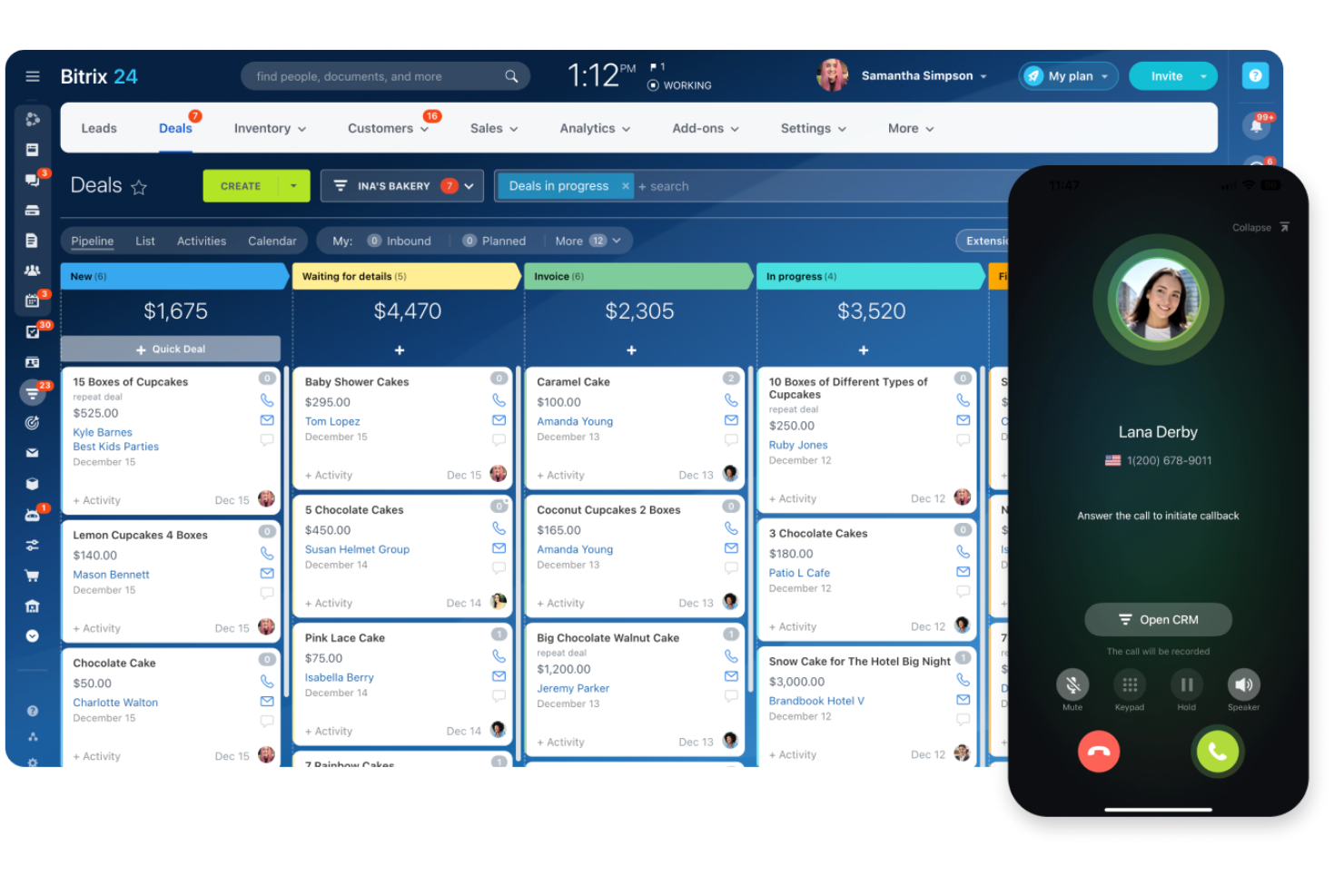
Bitrix24 è un CRM che combina vendite, collaborazione e gestione dei progetti in un'unica piattaforma. È una soluzione particolarmente adatta alle piccole imprese o ai team che desiderano centralizzare la comunicazione con i clienti e il lavoro di squadra insieme al monitoraggio delle trattative.
Per chi è più adatto Bitrix24?
Team distribuiti o piccole imprese che necessitano di funzionalità integrate di CRM, gestione dei progetti e comunicazione in un'unica piattaforma.
Perché Bitrix24 è una buona alternativa a Zendesk Sell
Ho scelto Bitrix24 perché sostituisce più strumenti contemporaneamente. Invece di combinare un CRM, uno strumento per la gestione dei progetti e una piattaforma di chat, il mio team può gestire tutte e tre le attività all'interno di Bitrix24. Mi affido soprattutto agli spazi di lavoro integrati, dove colleghiamo direttamente le trattative alle schede delle attività e alle chat interne senza dover cambiare applicazione.
Per i team che ritengono Zendesk Sell troppo focalizzato sulla pipeline di vendita, Bitrix24 offre una visione completa delle attività operative in un unico luogo.
Funzionalità principali di Bitrix24
- Gestione della pipeline: Crea e gestisci più pipeline di vendita con fasi e campi delle trattative personalizzabili.
- Centro contatti omnicanale: Acquisisci lead da moduli web, chat dal vivo, WhatsApp, Instagram ed e-mail in un'unica casella di posta.
- Funnel automatizzati: Configura flussi di lavoro basati su trigger che fanno avanzare i lead tra le varie fasi e inviano notifiche senza interventi manuali.
- Monitoraggio di attività e progetti: Collega direttamente le trattative a schede delle attività visive, diagrammi di Gantt e strumenti per il monitoraggio del tempo, così da coordinare l'esecuzione del team.
Integrazioni di Bitrix24
Bitrix24 offre integrazioni native con Zoho, Jira, Pipedrive, Trello, QuickBooks, Shopify, Mailchimp, Google Analytics, PayPal, Xero, RingCentral e altri ancora. È disponibile un'API per le integrazioni personalizzate.
Pros and Cons
Pros:
- Ampia scelta di opzioni per l'automazione dei flussi di lavoro e delle vendite
- Acquisizione dei lead omnicanale e centro contatti
- Pipeline delle trattative personalizzabili per più team
Cons:
- L'interfaccia può sembrare affollata e difficile da gestire
- Le opzioni di reportistica del CRM sono meno flessibili

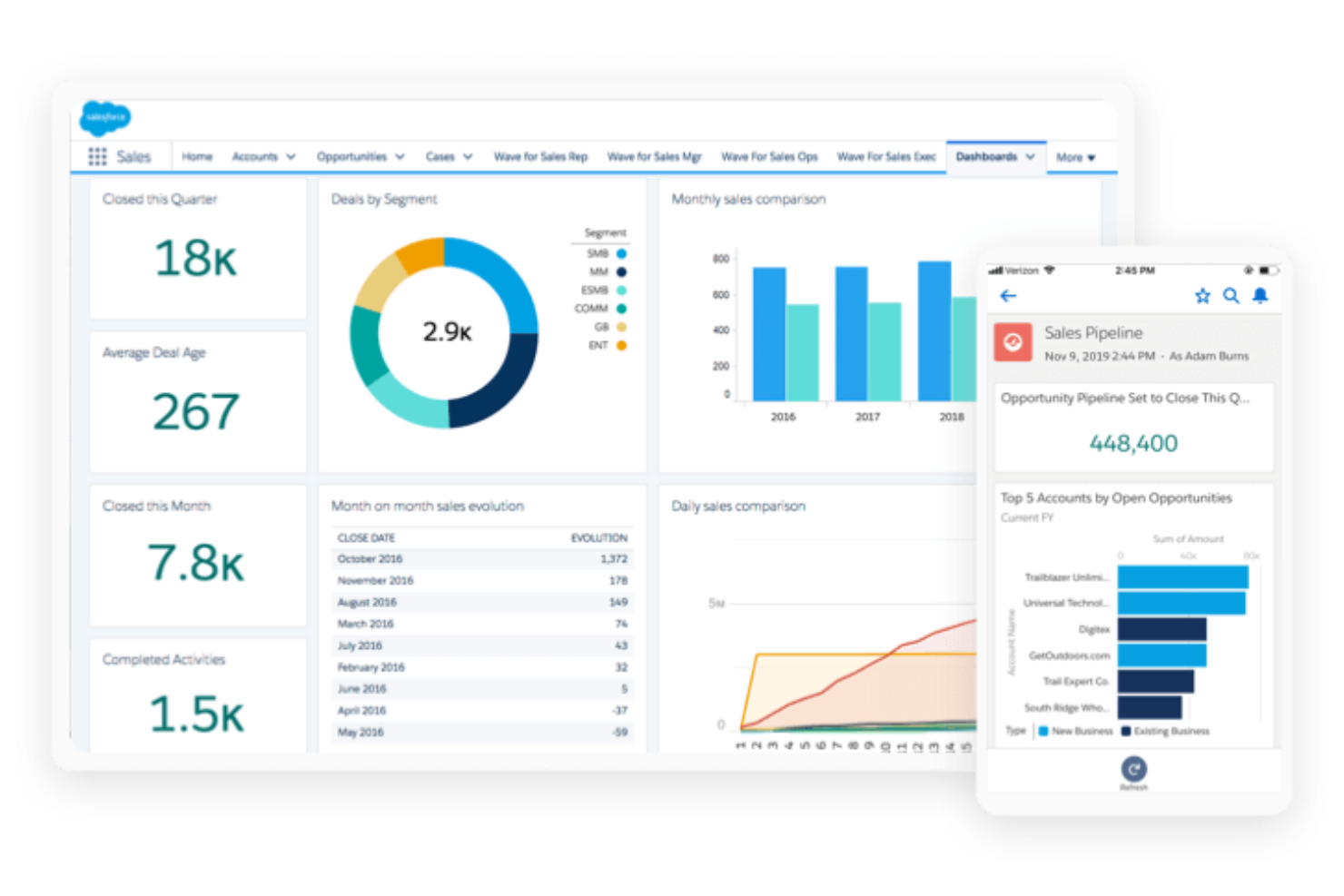
SAP Sales Cloud offre alle organizzazioni di vendita globali una piattaforma CRM progettata per la gestione di trattative complesse e ad alto volume. Ritengo che le grandi aziende che necessitano di un'ampia collaborazione tra le parti interessate e di analisi avanzate delle vendite apprezzeranno il suo approccio basato sui dati.
Per chi è più adatto SAP Sales Cloud?
Aziende con squadre di vendita globali e presenti in più divisioni, alla ricerca di previsioni unificate e di una gestione complessa delle opportunità su larga scala.
Perché SAP Sales Cloud è una buona alternativa a Zendesk Sell
Ritengo che sia nelle previsioni per le aziende globali che SAP Sales Cloud dimostri davvero il proprio valore. Mi affido ai suoi strumenti di previsione predittiva per segnalare le trattative a rischio prima che subiscano ritardi, utilizzando dati in tempo reale e analisi basate sull'AI all'interno di flussi di opportunità estesi e distribuiti su più regioni.
Apprezzo anche il modo in cui la mappatura dei territori e l'allocazione delle quote ottimizzate dall'AI lavorano insieme, bilanciando automaticamente i carichi di lavoro tra le divisioni sulla base dei dati effettivi sulle prestazioni. Per le squadre che gestiscono cicli di vendita B2B altamente complessi, è difficile trovare questo livello di profondità nella pianificazione nella maggior parte delle alternative CRM.
Funzionalità principali di SAP Sales Cloud
- Vendita guidata: Accedi ai passaggi successivi e alle guide operative consigliate durante le trattative attive, in base alla fase della trattativa e ai dati del cliente.
- Pianificazione delle visite: Pianifica e registra le visite di vendita sul campo con geolocalizzazione e ottimizzazione dei percorsi integrati.
- Assegnazione automatica dei contatti potenziali: Assegna i contatti potenziali in entrata ai rappresentanti più adatti sulla base di regole predefinite relative al territorio, alla linea di prodotti o alle dimensioni della trattativa.
- Previsioni predittive: Segnala le trattative a rischio prima che subiscano ritardi, utilizzando i dati in tempo reale del flusso di opportunità e l'analisi basata sull'AI tra squadre distribuite su più regioni.
Integrazioni di SAP Sales Cloud
Le integrazioni native includono Microsoft Teams e strumenti dell'ecosistema SAP, come SAP ERP, SAP CPQ e SAP S/4HANA. È disponibile un'API per le integrazioni personalizzate.
Pros and Cons
Pros:
- Strumenti avanzati di previsione delle vendite di livello aziendale
- Punteggio e consigli sulle opportunità basati sull'AI
- Ampie funzionalità per la gestione di territori e quote
Cons:
- Implementazione complessa per la maggior parte delle organizzazioni
- Le funzionalità di automazione dei flussi di lavoro richiedono competenze di configurazione
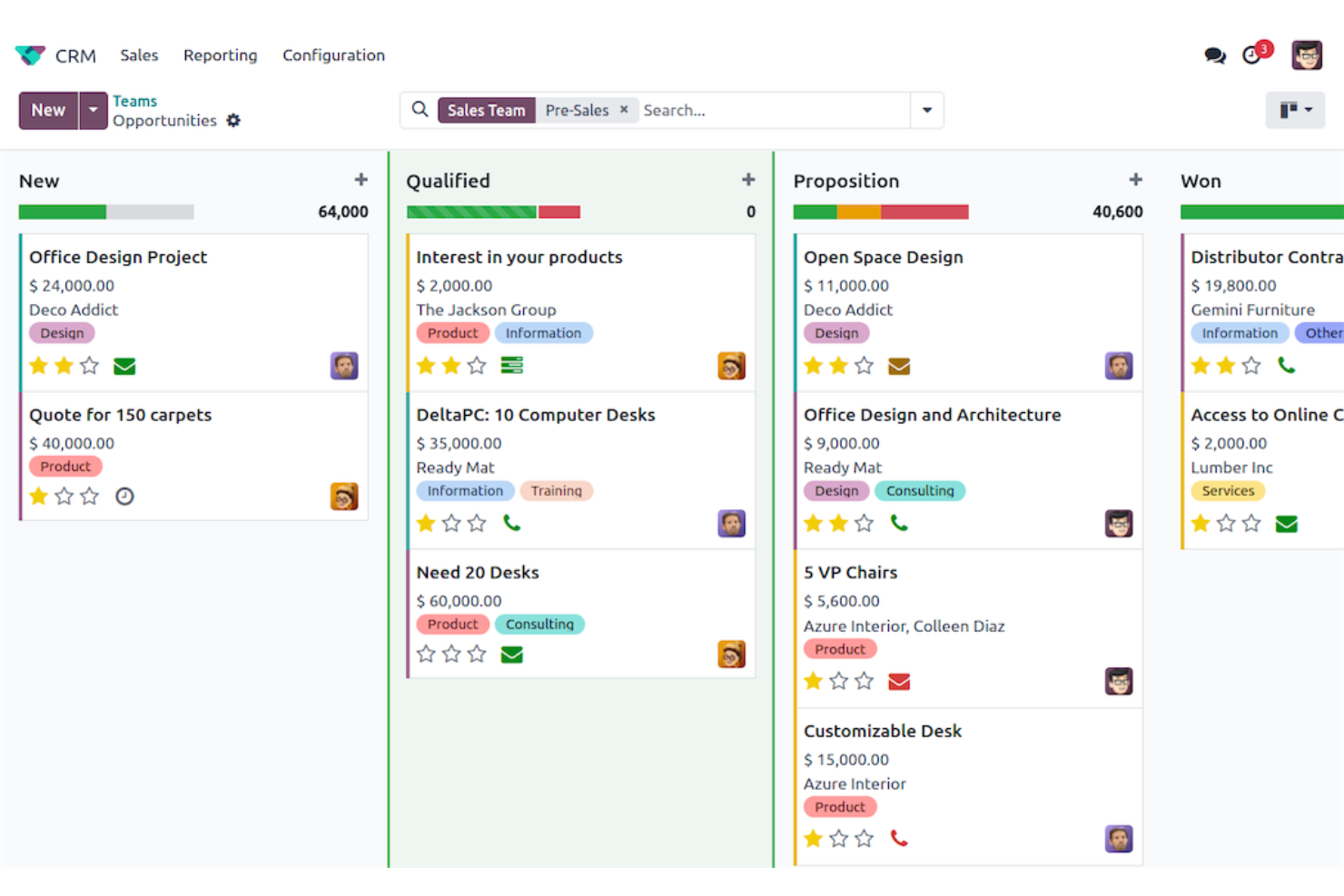
Odoo è una piattaforma CRM modulare che si rivolge alle aziende alla ricerca di una stretta integrazione con le operazioni aziendali più ampie. Se desideri un sistema che colleghi vendite, inventario e finanza in un unico ambiente personalizzabile, Odoo si distingue.
A chi è più adatto Odoo?
Medie imprese e aziende che desiderano un CRM personalizzabile collegato a inventario, contabilità e gestione dei progetti in una suite open source unificata.
Perché Odoo è una buona alternativa a Zendesk Sell
Ho scelto Odoo perché il suo modulo CRM è progettato per funzionare insieme al resto della suite Odoo. Quando una trattativa si conclude, il mio team non deve attivare manualmente alcuna procedura in un sistema separato, inclusi gli ordini di vendita, gli aggiornamenti dell'inventario e la fatturazione.
Mi affido alla valutazione dei lead tramite IA per mantenere i rappresentanti concentrati sulle opportunità giuste e alla pianificazione automatizzata delle attività per i follow-up. Per i team che utilizzano Zendesk Sell ma necessitano di una visibilità più approfondita a livello ERP, Odoo colma questa lacuna senza richiedere una piattaforma separata.
Funzionalità principali di Odoo
- Visualizzazione Kanban della pipeline: Trascina e rilascia le schede delle trattative tra le varie fasi per far avanzare visivamente le opportunità nella pipeline.
- Creazione di preventivi: Genera preventivi basati sui prodotti direttamente da un'opportunità grazie a un catalogo prodotti integrato.
- Pianificazione automatizzata delle attività: Odoo pianifica automaticamente la prossima attività di vendita sulla base dello script di vendita definito.
- Valutazione dei lead tramite IA: Analizza i dati storici delle trattative per classificare automaticamente le opportunità di vendita in base alla probabilità di conversione.
Integrazioni di Odoo
Le integrazioni native non sono elencate pubblicamente. È disponibile un'API per le integrazioni personalizzate.
Pros and Cons
Pros:
- App modulari per ampliare le funzionalità ERP
- Pipeline visiva con pianificazione automatizzata delle attività
- Profonda integrazione con gli strumenti di contabilità e inventario
Cons:
- Configurazione complessa per i flussi di lavoro avanzati
- Gli aggiornamenti e la manutenzione possono richiedere competenze IT
Ideale per una personalizzazione avanzata a livello aziendale
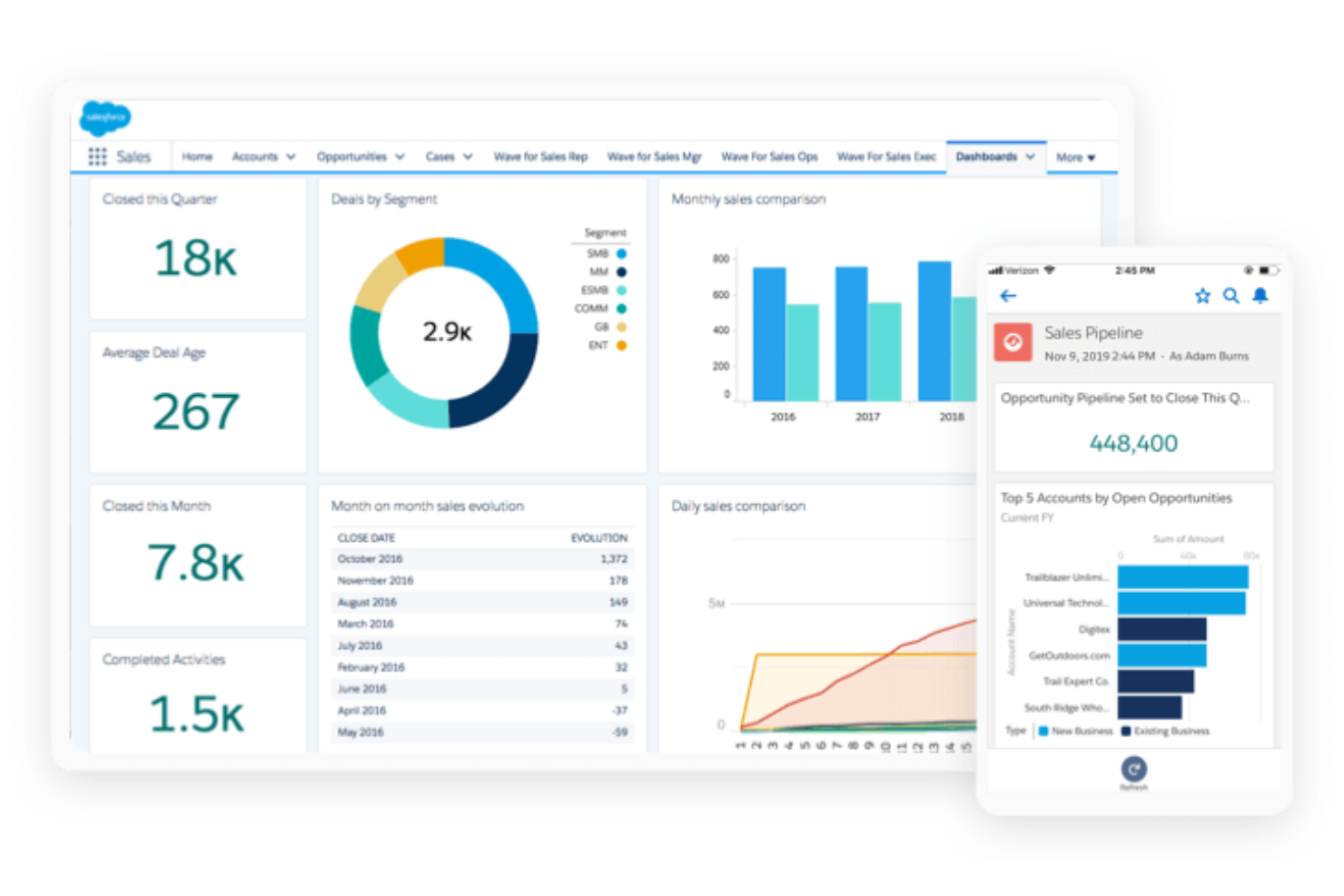
Salesforce Sales Cloud è un CRM flessibile progettato per le organizzazioni che richiedono ampie possibilità di personalizzazione e controllo dei processi. Se la tua azienda deve gestire cicli di vendita complessi, unificare i dati o automatizzare flussi di lavoro dettagliati, questa piattaforma è stata progettata pensando proprio a queste esigenze.
Per chi è più adatto Salesforce Sales Cloud?
Grandi aziende o team multinazionali che necessitano di flussi di lavoro altamente personalizzabili e di un'automazione avanzata delle vendite in più regioni o unità aziendali.
Perché Salesforce Sales Cloud è una buona alternativa a Zendesk Sell
Ho scelto Salesforce Sales Cloud perché offre livelli di personalizzazione più elevati rispetto ad altri strumenti CRM. Gli oggetti personalizzati consentono al mio team di modellare esattamente il nostro processo di vendita, invece di adattare il flusso di lavoro a una struttura predefinita.
Mi affido inoltre molto a Flow Builder, lo strumento di automazione senza codice di Salesforce, per attivare azioni in più fasi tra i record senza intervenire sul codice. Per i team aziendali che gestiscono cicli di vendita complessi e non lineari su più linee di prodotto o regioni, questo livello di configurabilità è davvero difficile da replicare altrove.
Funzionalità principali di Salesforce Sales Cloud
- Gestione delle opportunità: Monitora le trattative in ogni fase di una pipeline personalizzabile, con campi, visualizzazioni e criteri di fase definiti da te.
- Gestione dei lead: Acquisisci, assegna un punteggio e instrada i lead in arrivo, quindi monitorali fino alla conversione senza uscire dalla piattaforma.
- Gestione del ciclo di vita dei ricavi: Gestisci i cataloghi dei prodotti, configura CPQ, gestisci i contratti e collega la fatturazione tutto all'interno dello stesso sistema.
- Automazione dei flussi di lavoro: Crea processi aziendali automatizzati e articolati in più fasi tra i record senza scrivere codice, utilizzando Flow Builder.
Integrazioni di Salesforce Sales Cloud
Salesforce Sales Cloud offre migliaia di integrazioni native, tra cui ActiveCampaign, Conga, PandaDoc, Jotform, QuickBooks Online, DocuSign e altre. È disponibile un'API per le integrazioni personalizzate.
Pros and Cons
Pros:
- Automazione avanzata per processi di vendita articolati in più fasi
- Strumento per la creazione di report e dashboard personalizzati
- Si adatta bene alle implementazioni in più regioni
Cons:
- La configurazione da parte dell'amministratore richiede competenze significative
- Le personalizzazioni a livello di campo possono complicare la mappatura dei dati

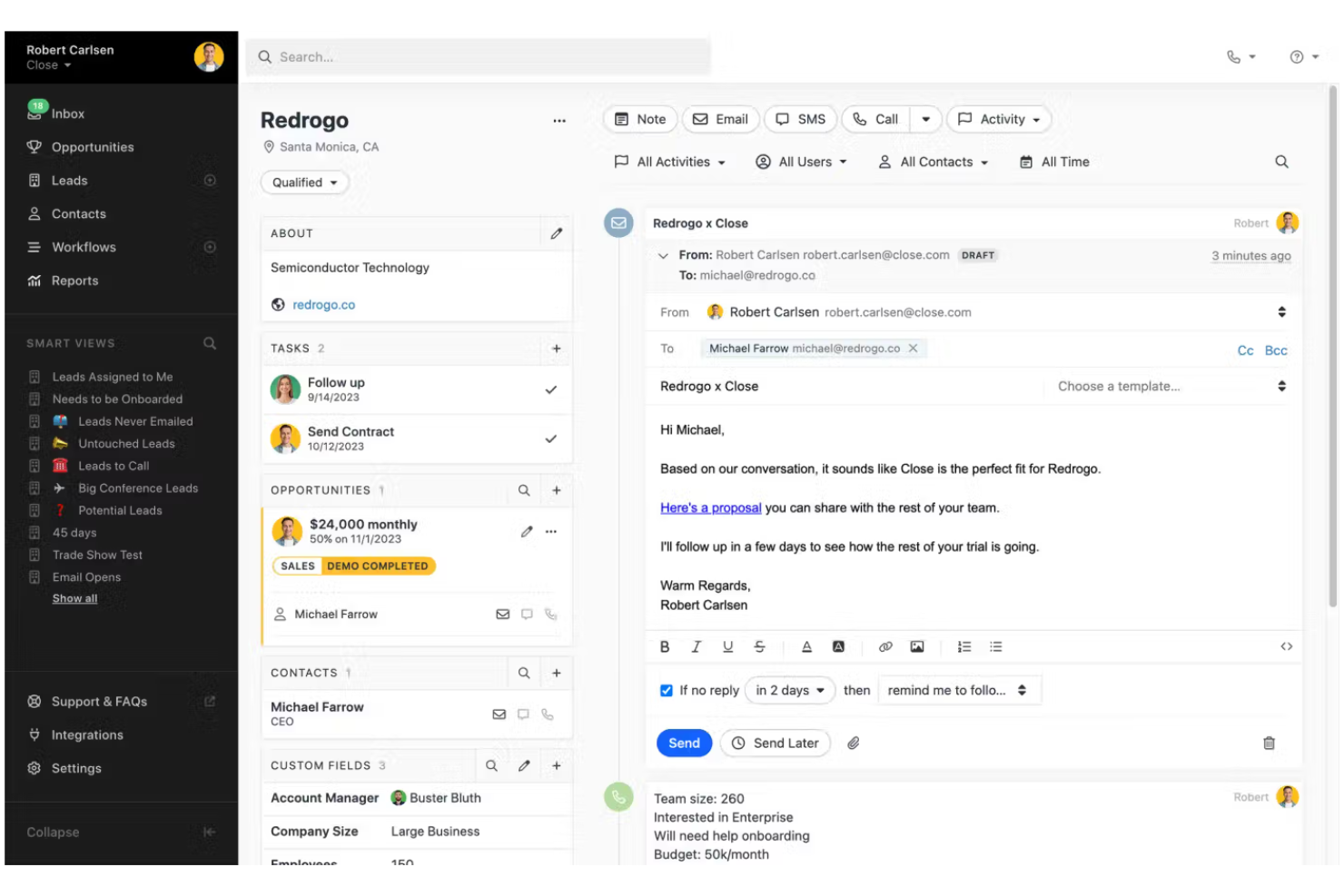
Close è un CRM progettato con un'esperienza utente mirata per i team di vendita che gestiscono un elevato volume di chiamate e attività di contatto. È adatto alle aziende in rapida crescita che necessitano di chiamate, SMS e automazione integrati per portare avanti le trattative in modo efficiente.
Per chi è più adatto Close?
Team di vendita outbound nelle aziende SaaS e tecnologiche che si affidano al contatto telefonico per sviluppare il portafoglio di opportunità e aumentare i ricavi.
Perché Close è una buona alternativa a Zendesk Sell
Ho scelto Close perché il compositore automatico integrato consente al mio team di chiamare automaticamente un elenco, registrando le chiamate e lasciando messaggi vocali senza interventi manuali. Apprezzo anche il compositore predittivo, che mette in contatto i rappresentanti solo quando risponde una persona reale, evitando così di perdere tempo in attese senza risposta.
Nella pratica, il mio team può gestire sequenze multicanale che combinano chiamate, email e SMS da un'unica scheda contatto, senza dover passare da uno strumento all'altro. Per i team di vendita fortemente orientati alle attività outbound, un livello simile di funzionalità telefoniche è difficile da trovare in un CRM.
Funzionalità principali di Close
- Visualizzazione della pipeline: Visualizza e gestisci le trattative attraverso fasi personalizzabili in una bacheca con trascinamento.
- Visualizzazioni intelligenti: Salva elenchi filtrati di contatti e lead basati su criteri dinamici per accedervi rapidamente.
- Sequenze email: Automatizza le email di follow-up con attività di contatto personalizzate e programmate, collegate all'attività dei contatti.
- Chiamate e SMS integrati: Effettua chiamate, invia messaggi di testo e registra automaticamente le attività di contatto direttamente dal CRM.
Integrazioni di Close
Close offre oltre 100 integrazioni native, tra cui Zoom, Microsoft 365, Calendly, Make, Google Workspace e SavvyCal. Si collega anche a Zapier e dispone di un'API per integrazioni personalizzate.
Pros and Cons
Pros:
- Compositore automatico nativo per elevati volumi di chiamate
- SMS ed email integrati in un'unica piattaforma
- Funzionalità di coaching sulle chiamate e ascolto in tempo reale
Cons:
- Automazione dei flussi di lavoro limitata ai piani di livello superiore
- Nessun sistema integrato di ticketing per l'assistenza clienti
Altre alternative a Zendesk Sell
Ecco alcune alternative aggiuntive a Zendesk Sell che non sono entrate nel mio elenco ristretto, ma che vale comunque la pena considerare:
- Zoho CRM
Ideale per il miglior valore nell'automazione delle vendite guidata dall'IA
- Pipedrive
Ideale per la vendita basata sulle attività potenziata dall'intelligenza artificiale
- Freshsales
Ideale per la valutazione dei contatti tramite IA


Come valuto le alternative a Zendesk Sell
Per prima cosa verifico se un CRM copre gli aspetti di base che Zendesk Sell già gestisce, come le visualizzazioni della pipeline, le chiamate integrate e il monitoraggio delle trattative che i rappresentanti utilizzano davvero ogni giorno. Successivamente, valuto ciò che distingue ogni strumento per i team RevOps che stanno crescendo oltre un CRM di base.
Funzionalità fondamentali (requisiti essenziali per questo elenco)
Quando seleziono gli strumenti per il mio elenco, assegno a ciascuno un punteggio su una scala da 0 (non offre la funzionalità) a 5 (eccelle in quest'area) per ogni funzionalità fondamentale elencata di seguito. Poi converto il punteggio totale dello strumento in una percentuale. Ogni strumento deve raggiungere un punteggio totale minimo del 65% per essere preso in considerazione.
- Gestione della pipeline di vendita: cerco pipeline visive con funzionalità di trascinamento, in cui i rappresentanti possano spostare le trattative tra fasi personalizzate, in modo simile alla struttura delle visualizzazioni a schede di Pipedrive e HubSpot.
- Gestione dei contatti e dei lead: ogni strumento dovrebbe consentire di segmentare i contatti, monitorare la cronologia delle interazioni e distinguere i lead dagli account attivi durante l'intero ciclo di vita.
- Strumenti di comunicazione nativi: la sincronizzazione integrata delle email e la chiamata con un clic sono importanti, perché i rappresentanti non dovrebbero dover passare da un CRM a un compositore di numeri separato per registrare un follow-up.
- Reportistica e previsioni di vendita: valuto se i pannelli di controllo vanno oltre i report predefiniti: un responsabile RevOps può creare una visualizzazione personalizzata delle previsioni e monitorare in tempo reale il raggiungimento degli obiettivi dei rappresentanti?
- Automazione dei flussi di lavoro: lo strumento dovrebbe gestire sequenze basate su eventi di attivazione, come l'assegnazione automatica dei lead in entrata per area geografica o la creazione di attività di follow-up quando una trattativa rimane inattiva troppo a lungo.
- Accesso mobile al CRM: i rappresentanti sul campo devono poter aggiornare le trattative e registrare le chiamate dal proprio telefono, quindi verifico se l'app mobile supporta la modifica completa e non soltanto l'accesso in sola lettura.
Una volta ottenuto un elenco di strumenti che soddisfano i criteri, valuto ciò che distingue ogni piattaforma.
Fattori distintivi (ciò che differenzia i fornitori)
Ecco come confronto i diversi fornitori:
Funzionalità di spicco
Le informazioni sulle trattative basate sull'IA rappresentano un importante elemento distintivo. Cerco strumenti in cui un assistente IA possa redigere email di follow-up o segnalare le trattative bloccate senza che i rappresentanti debbano esaminare i pannelli di controllo: Freshsales e HubSpot offrono entrambi versioni di questa funzionalità. L'intelligence sui ricavi porta questo concetto oltre, assegnando un punteggio allo stato di salute delle trattative e facendo emergere opportunità di coaching, un aspetto molto importante per i responsabili RevOps che conducono revisioni settimanali della pipeline. Anche la valutazione e l'instradamento dei lead sono aree che analizzo attentamente, poiché l'assegnazione automatica a rotazione o l'instradamento basato sul territorio possono ridurre drasticamente i tempi di risposta per i team che gestiscono molti lead in entrata.
Oltre le funzionalità
La trasparenza dei prezzi è molto importante quando si esegue la migrazione di un intero team commerciale. Verifico se le funzionalità essenziali, come l'automazione e l'accesso alle API, sono incluse in ogni livello tariffario o riservate ai piani aziendali. La profondità delle integrazioni è un altro fattore chiave: il CRM deve connettersi senza problemi agli strumenti di marketing, assistenza e business intelligence già utilizzati dal tuo stack RevOps. Valuto inoltre quanto rapidamente un team possa diventare operativo, compreso il fatto che il fornitore offra procedure guidate di migrazione o strumenti di importazione che semplifichino il passaggio da Zendesk Sell senza richiedere un partner dedicato all'implementazione.
Perché cercare un'alternativa a Zendesk Sell?
Sebbene Zendesk Sell sia una buona scelta come software CRM, esistono diversi motivi per cui alcuni utenti cercano soluzioni alternative. Gli utenti di Zendesk Sell potrebbero cercare un'alternativa perché…
- Desideri strumenti di previsione avanzati
- La tua azienda e i membri del tuo team necessitano di un'automazione più approfondita dei flussi di lavoro
- Hai bisogno di opzioni di integrazione più ampie
- Il tuo team sta crescendo oltre le esigenze di base di un CRM
- Operi in mercati in cui Zendesk Sell non è disponibile
- Hai bisogno di funzionalità di vendita specifiche per il settore
Se ti riconosci in una di queste situazioni, sei nel posto giusto. Il mio elenco contiene diverse opzioni di software CRM più adatte ai team che affrontano queste difficoltà con Zendesk Sell e cercano soluzioni alternative.
Funzionalità principali di Zendesk Sell
Ecco alcune delle funzionalità principali di Zendesk Sell, per aiutarti a confrontare ciò che offrono le soluzioni alternative:
- Gestione della pipeline di vendita: Visualizza, personalizza e monitora ogni fase del processo di vendita per una maggiore chiarezza e un controllo più efficace sull'avanzamento delle trattative.
- Gestione dei lead e dei contatti: Archivia, organizza e aggiorna informazioni dettagliate su lead e contatti, inclusi la cronologia delle attività e gli appunti.
- Monitoraggio delle attività: Registra chiamate, email, riunioni e attività direttamente nelle trattative per mantenere una cronologia completa delle interazioni.
- Report e analisi: Genera report di vendita e dashboard dettagliati per monitorare le prestazioni, i ricavi e le tendenze dei tassi di conversione.
- Attribuzione automatica dei punteggi ai lead: Utilizza regole e criteri per dare priorità ai lead con maggiori probabilità di conversione, consentendo ai team di vendita di concentrare efficacemente i propri sforzi.
- Accesso da dispositivi mobili: Accedi e aggiorna i dati di vendita, i contatti e le attività ovunque ti trovi con l'app mobile Zendesk Sell.
- Comunicazioni integrate: Effettua chiamate, invia email e pianifica appuntamenti direttamente tramite la piattaforma, con registrazione automatica.
- Gestione delle attività e degli appuntamenti: Imposta promemoria, assegna attività di follow-up e pianifica azioni future per mantenere le trattative in corso.
- Campi e tag personalizzati: Personalizza il modello dei dati del CRM per acquisire informazioni specifiche dell'azienda e segmentare i record.
- Integrazioni con il marketplace: Estendi Zendesk Sell collegandolo a strumenti di terze parti per il marketing, l'assistenza e la produttività.