



Nutshell vs. Pipedrive CRM: Comparación y Opiniones de Expertos para 2026


Sales teams can only move so fast when their CRM is buried under confusing workflows, scattered customer data, and endless manual updates. What should be a tool for closing deals often turns into another obstacle slowing reps down at every stage of the pipeline.
Choosing between Nutshell and Pipedrive CRM can feel tough when you want CRM software that actually fits how your team works. Maybe you need smoother sales processes, better reporting, or just something that’s simple to roll out. You’re probably weighing flexibility, integrations, cost, and whether these platforms solve your everyday pain points.
In this article, you’ll find a clear, honest comparison of the two—including pros and cons, use cases, pricing details, security features, and how easy each platform is to use. I’ll break down what you need to know so you can pick the best fit for your team’s goals.
Nutshell vs. Pipedrive CRM: An Overview
Nutshell
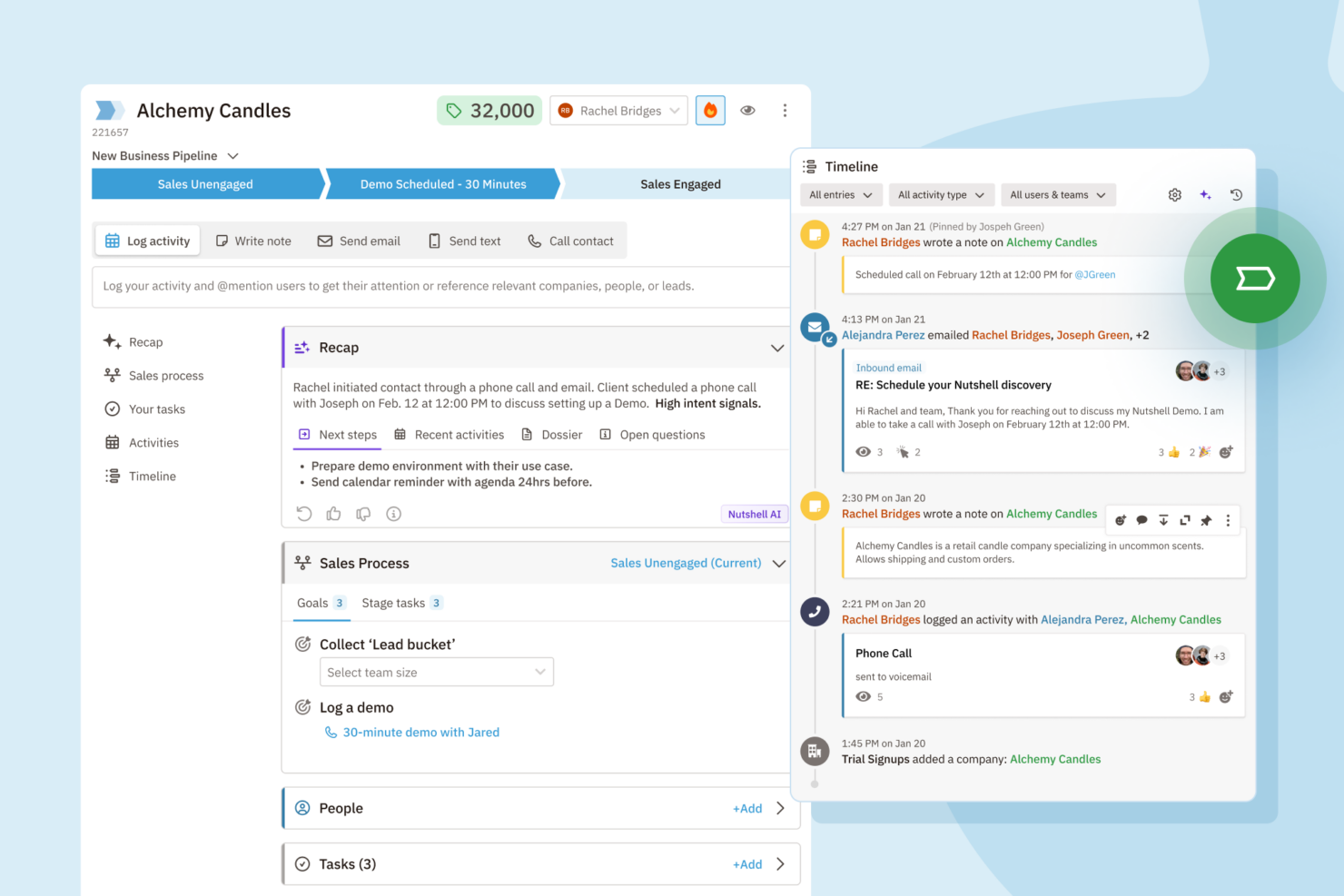
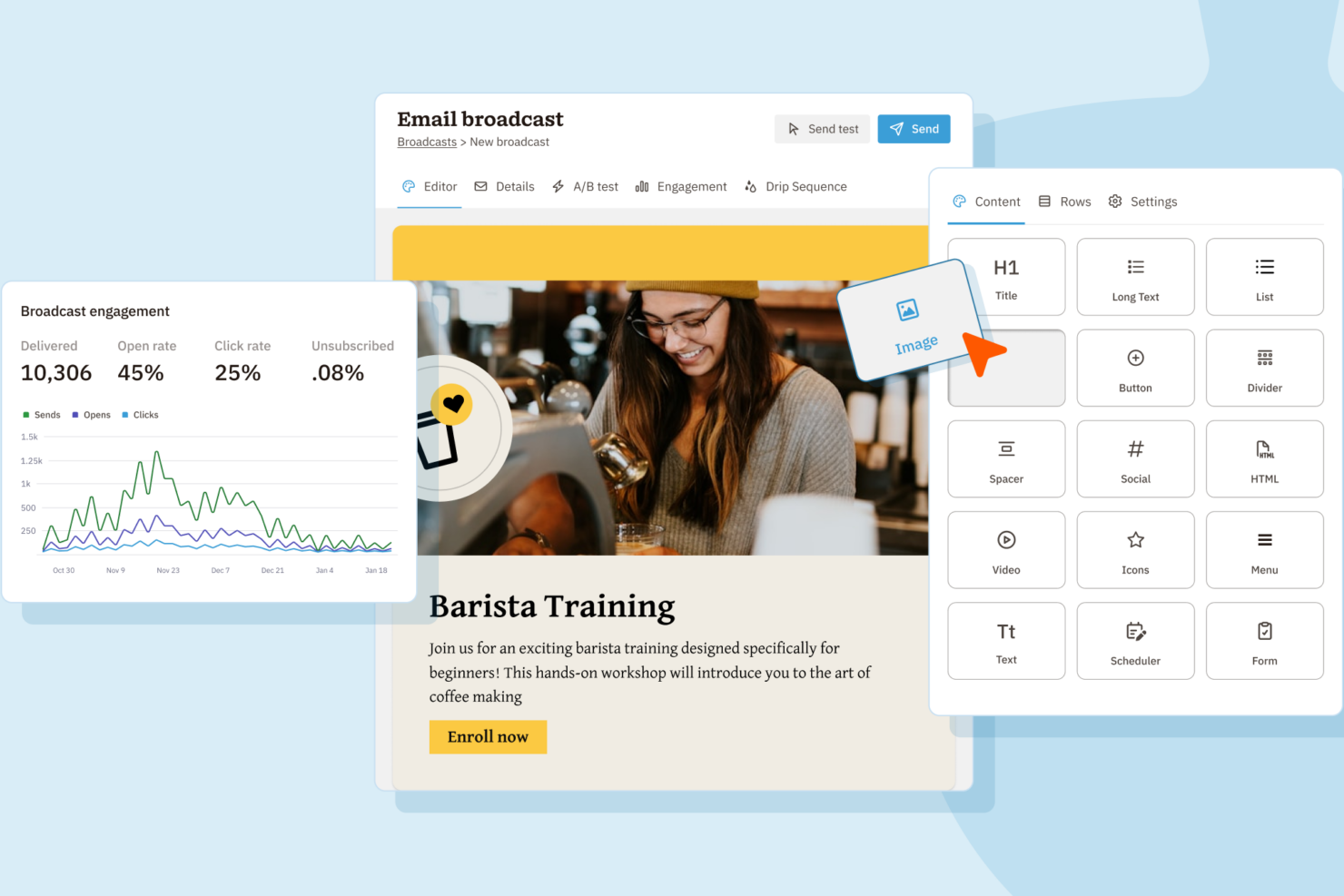
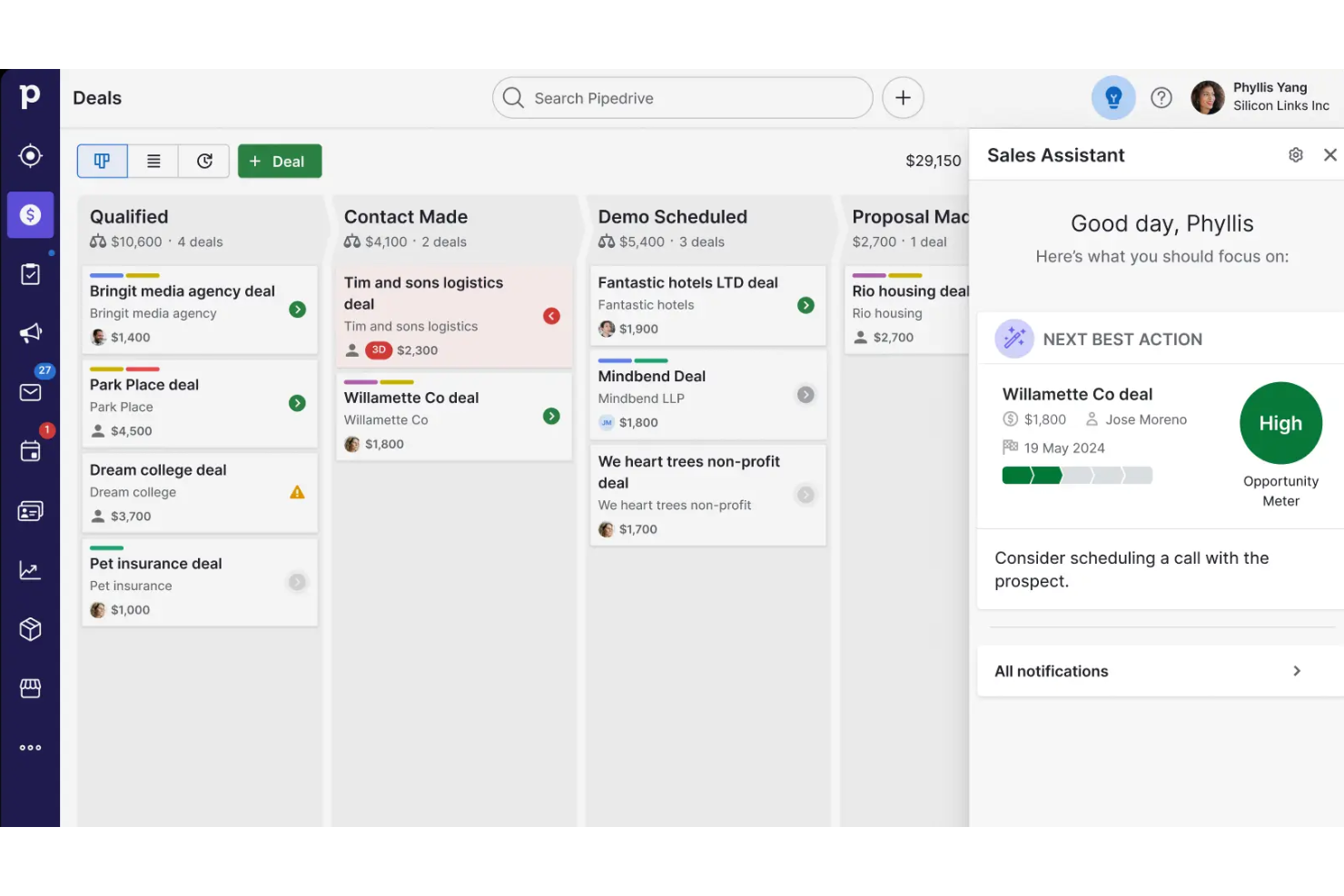
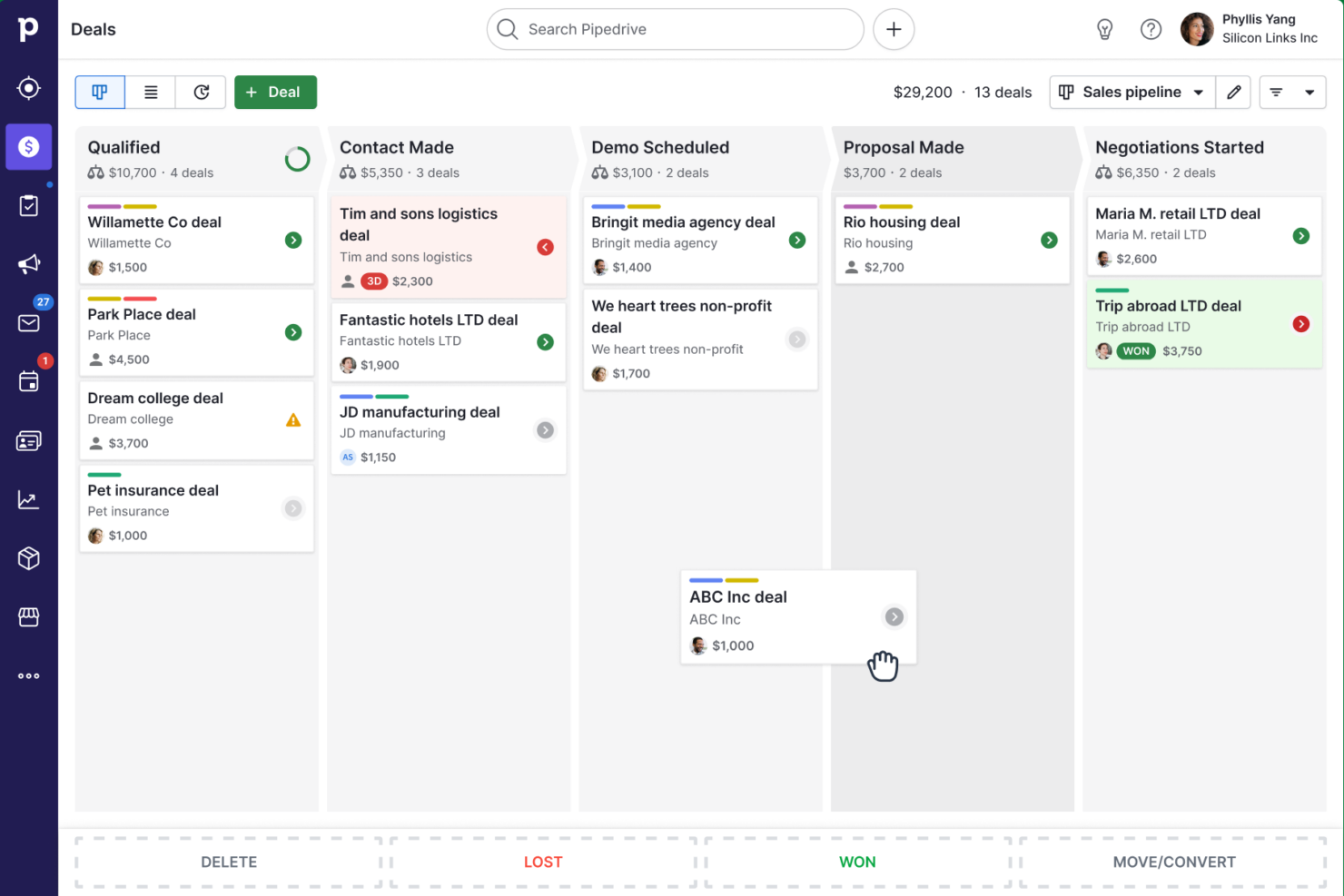
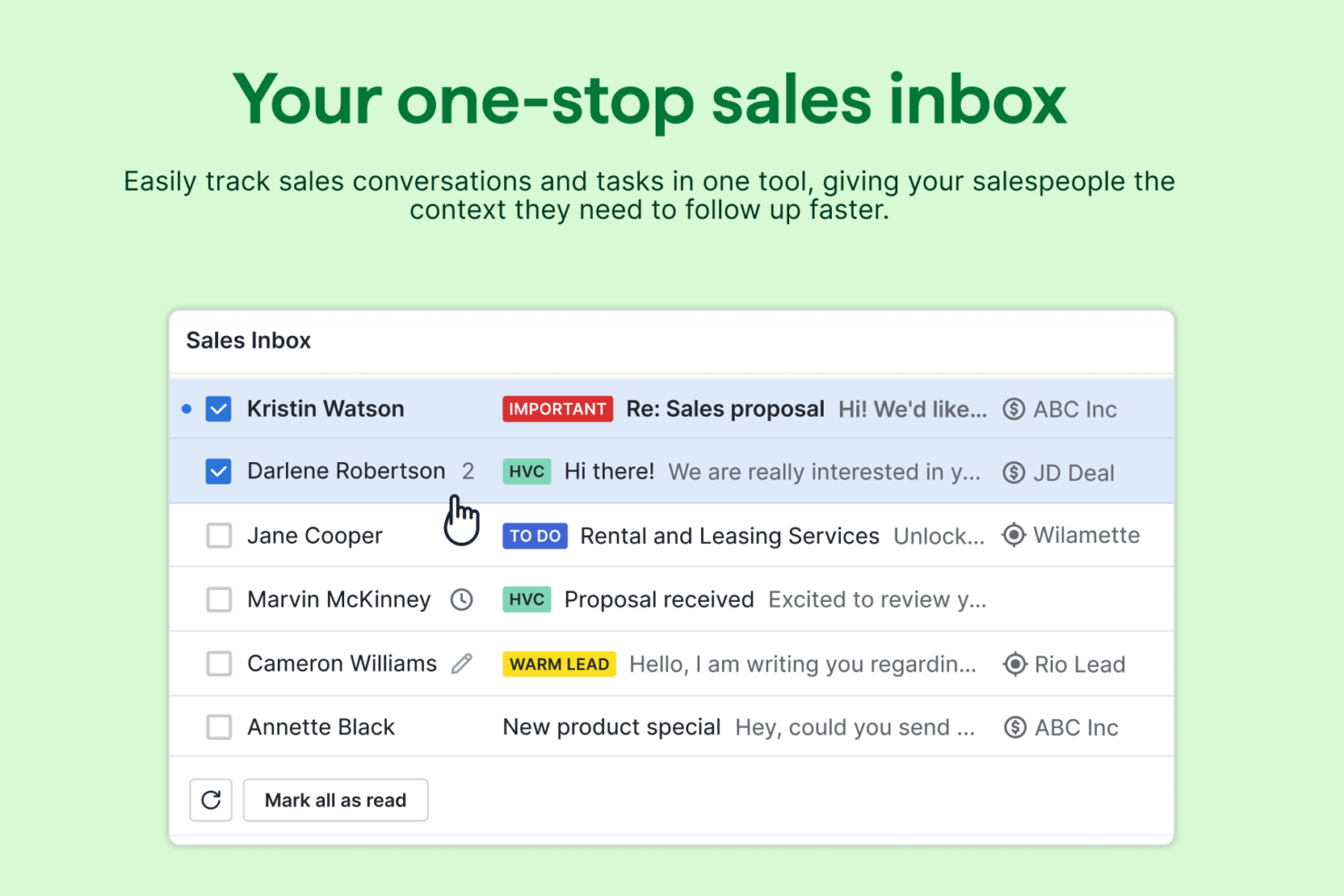
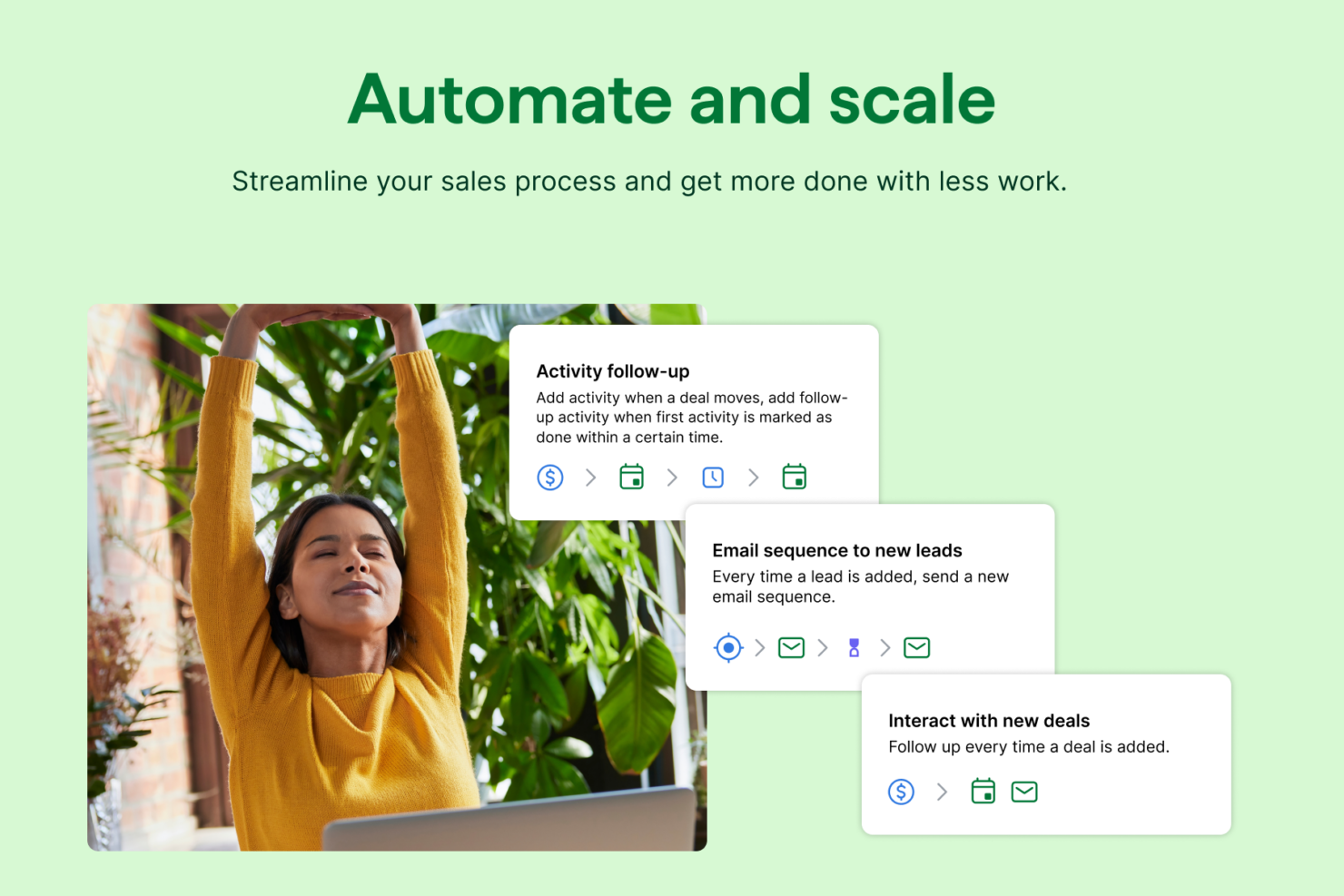
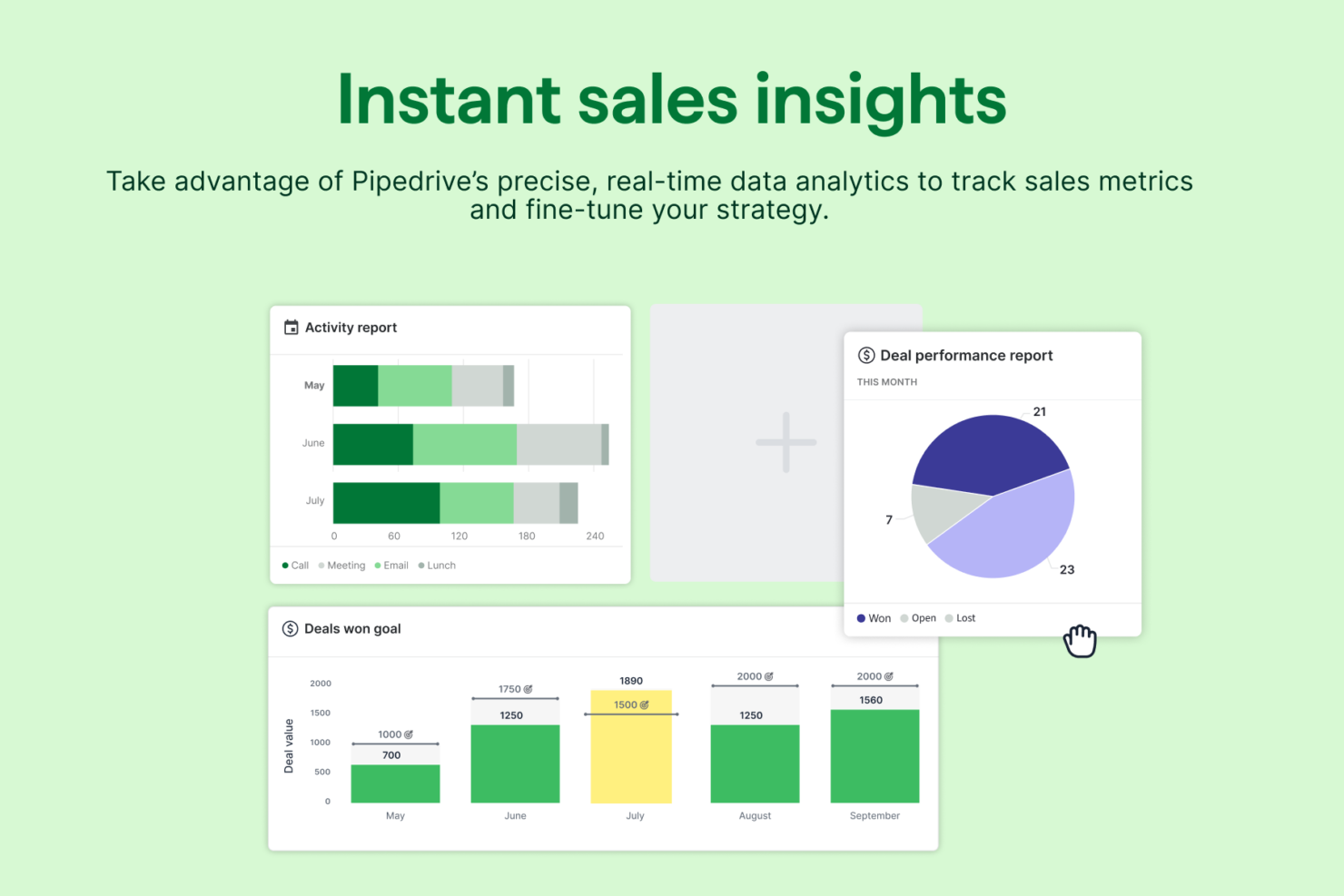
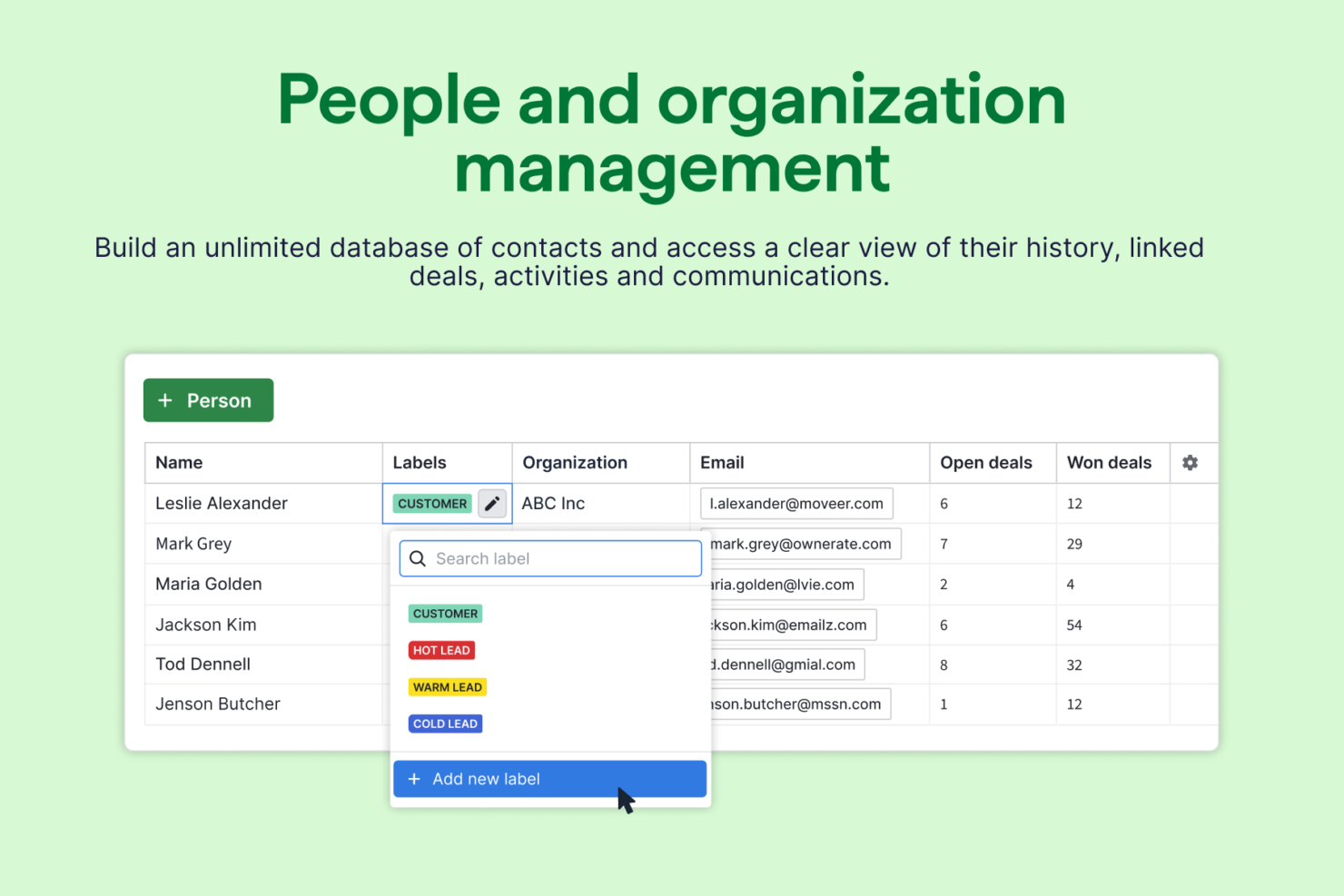
Pipedrive CRM
Por Qué Confiar en Nuestras Reseñas de Software
Hemos estado probando y revisando software RevOps desde 2022. Como líderes en RevOps, sabemos lo crítico y difícil que es tomar la decisión correcta al seleccionar software. Invertimos en una investigación profunda para ayudar a nuestra audiencia a tomar mejores decisiones de compra de software. Hemos probado más de 2.000 herramientas para diferentes casos de uso de RevOps y escrito más de 1.000 reseñas de software exhaustivas. Conozca cómo mantenemos la transparencia y nuestra metodología de evaluación de software.
Nutshell vs. Pipedrive CRM Pricing Comparison
| Nutshell | Pipedrive CRM | |
|---|---|---|
| Free Trial | Free demo + 14-day free trial available | Free demo + 14-day free trial available |
| Pricing | From $13/user/month (billed annually) | From $14/user/month (billed annually) |
Precios y costos ocultos de Nutshell vs. Pipedrive CRM
Nutshell y Pipedrive CRM ofrecen precios basados en suscripciones, con varios niveles según el acceso a funciones y el tamaño del equipo. Aunque cada plataforma mantiene simples los planes base, encontrarás cargos adicionales por complementos, funciones avanzadas o mayor cantidad de usuarios. Presta atención a los posibles costes asociados a integraciones o soporte premium, que pueden incrementar tus gastos mensuales con el tiempo.
Para elegir el proveedor adecuado, revisa en detalle qué incluye cada nivel de precios y qué elementos cuentan como extra. Relaciona las necesidades específicas de tu equipo —como automatizaciones de flujo de trabajo o reportes— con lo que se ofrece en cada nivel. Es recomendable considerar no sólo los costos de licencia, sino también los cargos por incorporación, migración de datos y escalabilidad a largo plazo. Así, evitarás sorpresas y podrás elegir un CRM que se ajuste tanto a tus necesidades actuales como a tus planes de crecimiento.
Nutshell vs. Pipedrive CRM Feature Comparison
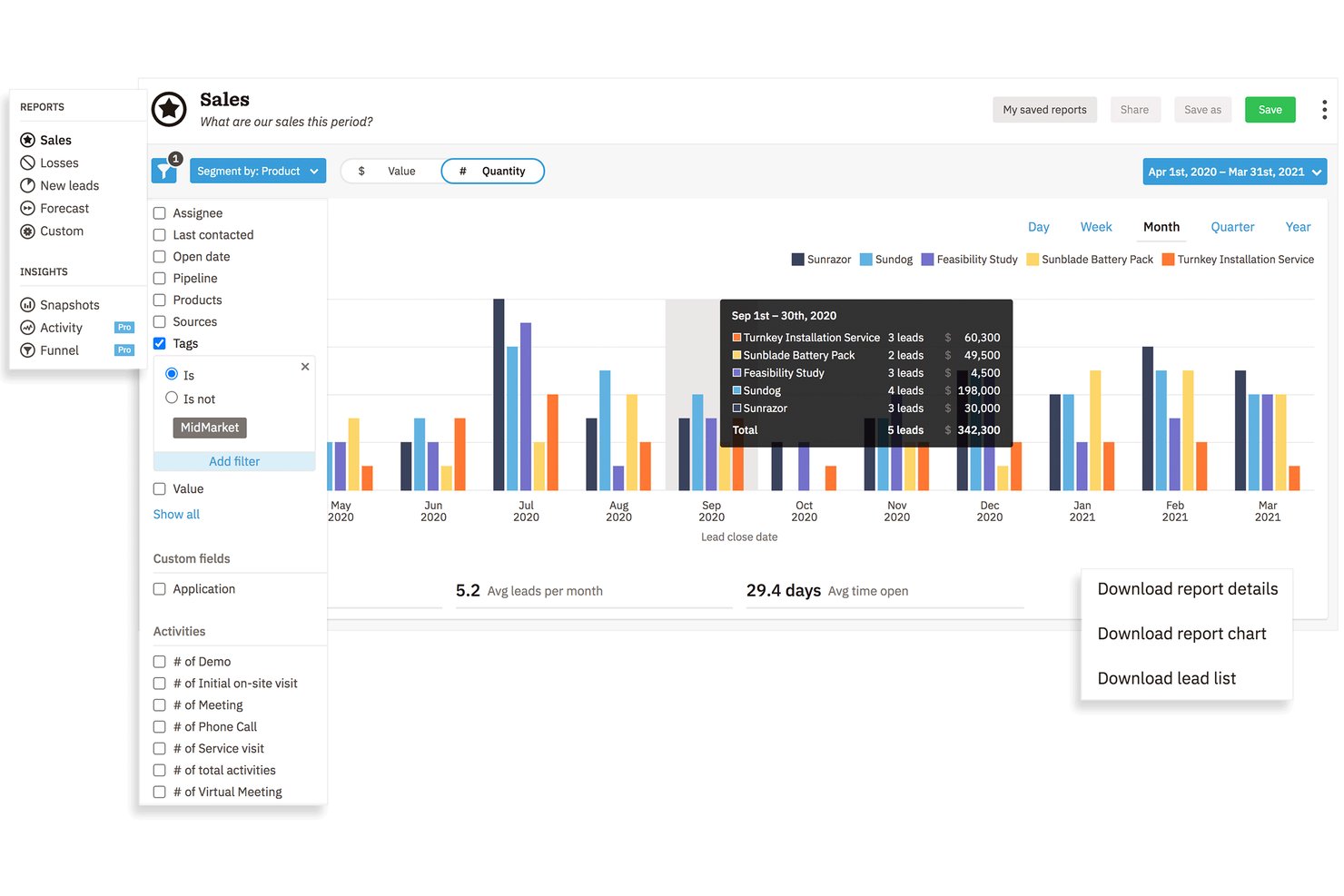
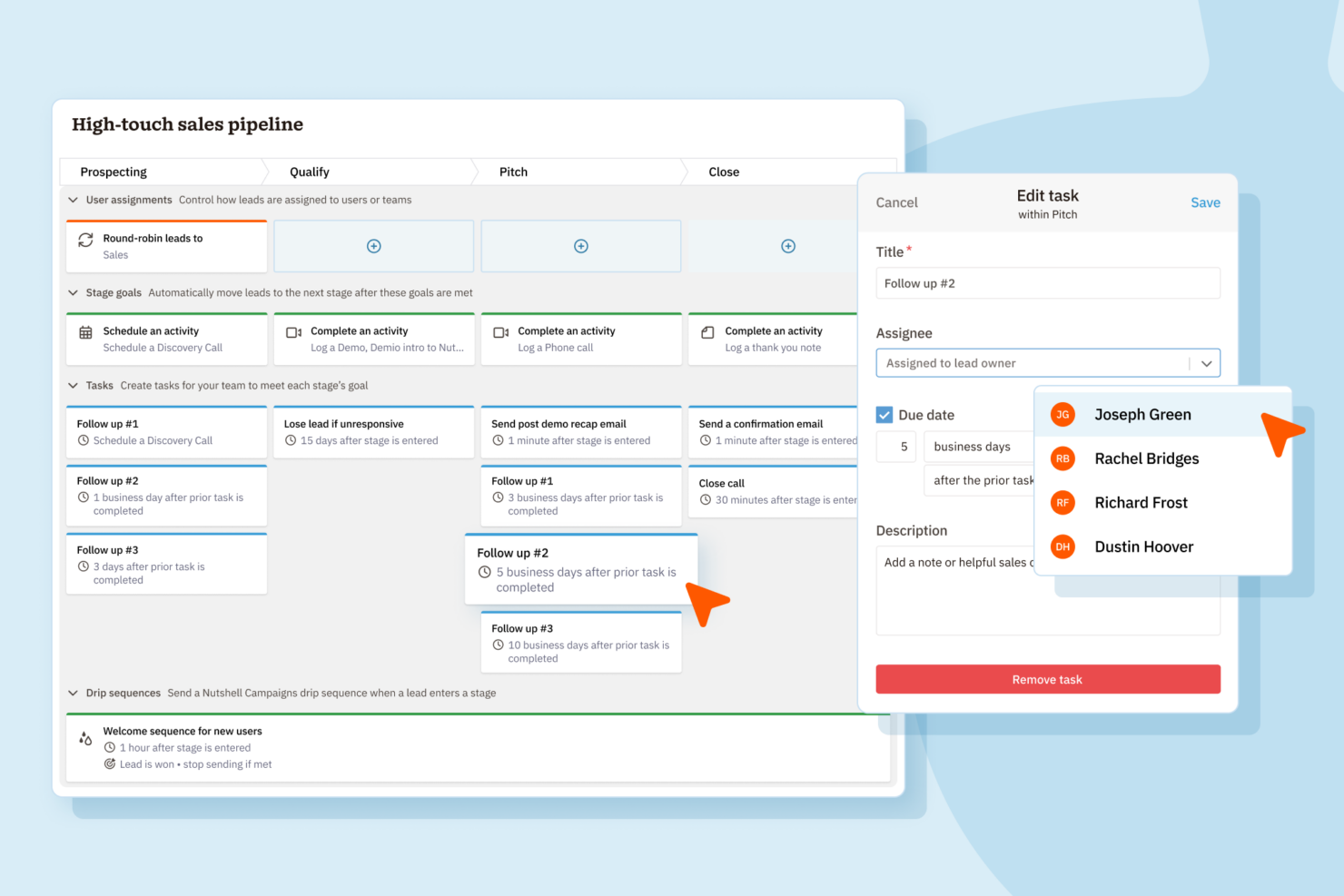
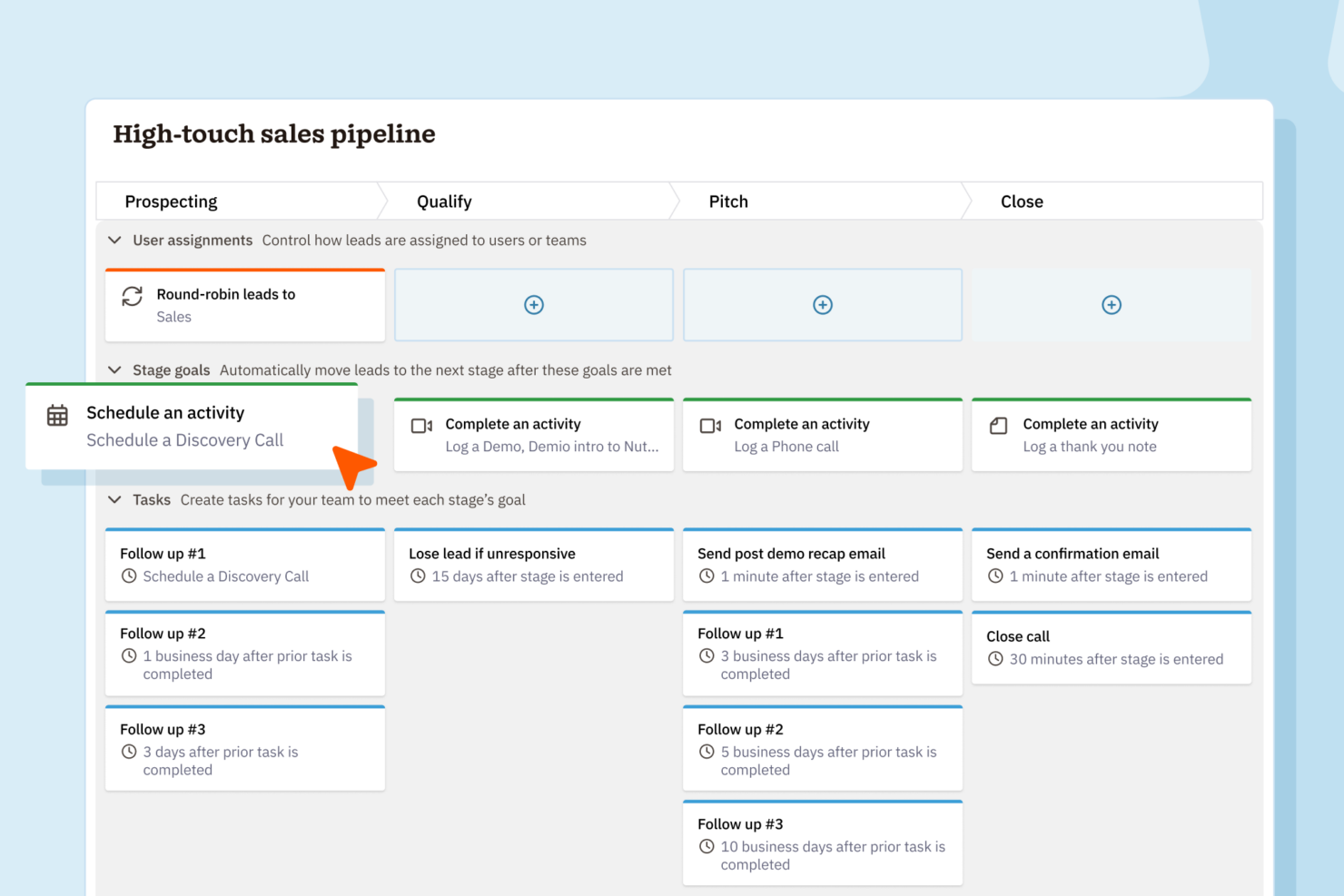
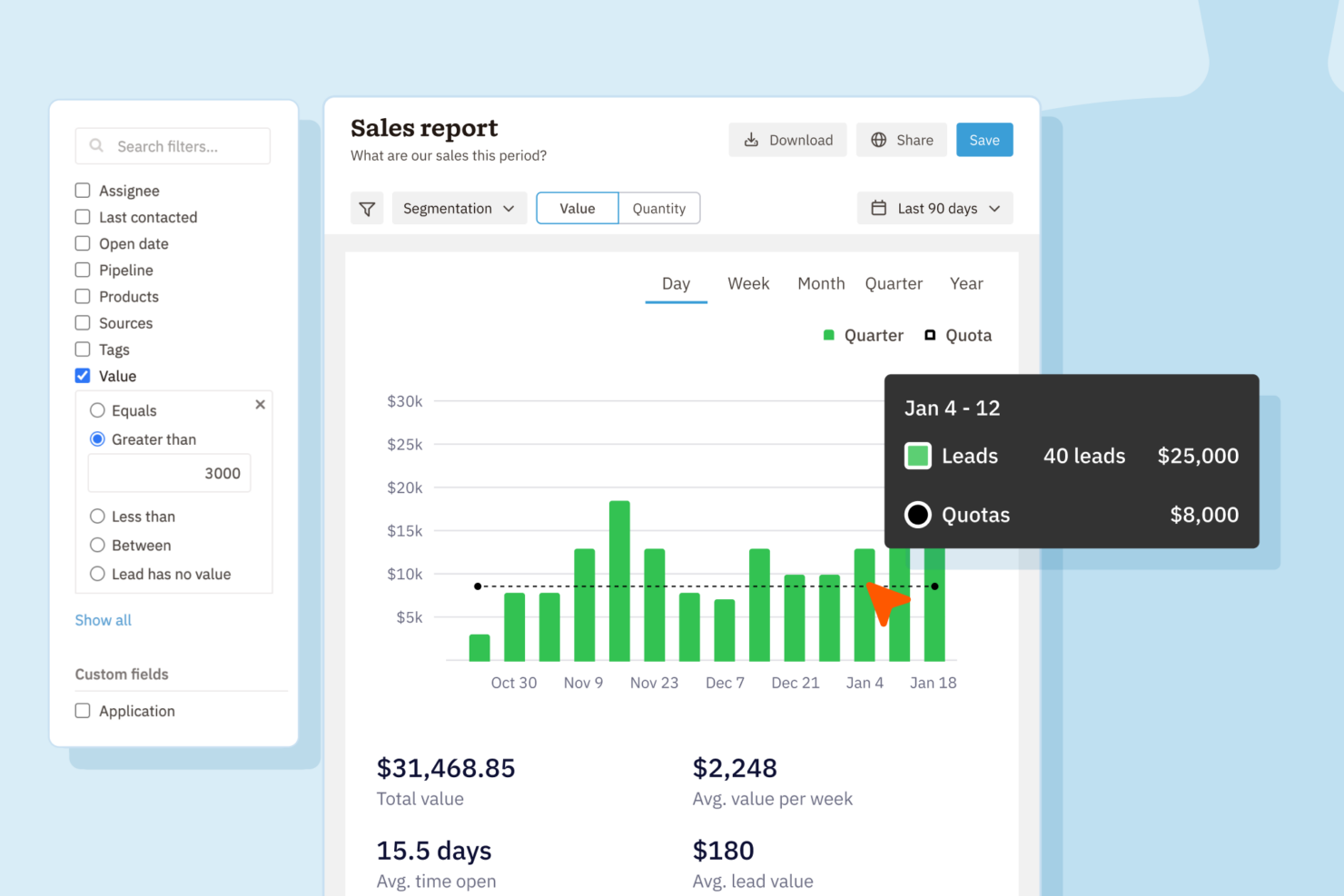
<div class="slate-p" data-slate-node="element" data-block-id="9K1qFHulmL" data-slate-fragment="JTVCJTdCJTIyY2hpbGRyZW4lMjIlM0ElNUIlN0IlMjJ0ZXh0JTIyJTNBJTIyQm90aCUyME51dHNoZWxsJTIwYW5kJTIwUGlwZWRyaXZlJTIwQ1JNJTIwZ2l2ZSUyMHlvdSUyMGNvbnRhY3QlMjBtYW5hZ2VtZW50JTJDJTIwcGlwZWxpbmUlMjB0cmFja2luZyUyQyUyMGRlYWwlMjBtYW5hZ2VtZW50JTJDJTIwYmFzaWMlMjByZXBvcnRpbmclMkMlMjBhbmQlMjBuYXRpdmUlMjBpbnRlZ3JhdGlvbnMlMjB3aXRoJTIwcG9wdWxhciUyMGFwcHMuJTIwWW91JUUyJTgwJTk5bGwlMjBmaW5kJTIwdG9vbHMlMjBmb3IlMjBtYW5hZ2luZyUyMGxlYWRzJTJDJTIwZW1haWwlMjB0cmFja2luZyUyQyUyMGFuZCUyMHRhc2slMjBhdXRvbWF0aW9uJTJDJTIwc28lMjB5b3UlMjBjYW4lMjBrZWVwJTIweW91ciUyMHRlYW0lMjBvcmdhbml6ZWQlMjBhbmQlMjBzYWxlcyUyMG9uJTIwdHJhY2suJTIyJTdEJTVEJTJDJTIydHlwZSUyMiUzQSUyMnAlMjIlMkMlMjJpZCUyMiUzQSUyMlY2d21sZVJYNDElMjIlN0QlMkMlN0IlMjJjaGlsZHJlbiUyMiUzQSU1QiU3QiUyMnRleHQlMjIlM0ElMjJOdXRzaGVsbCUyMHN0YW5kcyUyMG91dCUyMHdpdGglMjBidWlsdC1pbiUyMGVtYWlsJTIwbWFya2V0aW5nJTIwY2FwYWJpbGl0aWVzJTIwYW5kJTIwYWR2YW5jZWQlMjBzYWxlcyUyMGF1dG9tYXRpb24lMjBmZWF0dXJlcyUyMHRoYXQlMjBsZXQlMjB5b3UlMjBtYW5hZ2UlMjBjYW1wYWlnbnMlMjB3aXRob3V0JTIwbGVhdmluZyUyMHRoZSUyMHBsYXRmb3JtLiUyMFBpcGVkcml2ZSUyMENSTSUyMHNldHMlMjBpdHNlbGYlMjBhcGFydCUyMHdpdGglMjBoaWdobHklMjBjdXN0b21pemFibGUlMjBwaXBlbGluZXMlMkMlMjBhJTIwbWFya2V0cGxhY2UlMjBwYWNrZWQlMjB3aXRoJTIwaW50ZWdyYXRpb25zJTJDJTIwYW5kJTIwYW4lMjBpbnR1aXRpdmUlMjBzYWxlcy1mb2N1c2VkJTIwaW50ZXJmYWNlJTIwdGhhdCUyMG1hbnklMjB0ZWFtcyUyMGZpbmQlMjBlYXN5JTIwdG8lMjBhZG9wdC4lMjIlN0QlNUQlMkMlMjJ0eXBlJTIyJTNBJTIycCUyMiUyQyUyMmlkJTIyJTNBJTIyOUsxcUZIdWxtTCUyMiU3RCU1RA==
| Nutshell | Pipedrive CRM | |
|---|---|---|
| 2-Factor Authentication | ||
| API | ||
| Calendar Management | ||
| Call Tracking | ||
| Campaign Management | ||
| Click-to-Dial | ||
| Contact Management | ||
| Contact Sharing | ||
| Custom Data Forms | ||
| Customer Management | ||
| Dashboard | ||
| Data Export | ||
| Data Import | ||
| Data Visualization | ||
| Email Integration | ||
| External Integrations | ||
| File Sharing | ||
| File Transfer | ||
| Google Apps Integration | ||
| Lead Management | ||
| Lead Scoring | ||
| Marketing Automation | ||
| Mobile App | ||
| Multi-User | ||
| Notifications | ||
| Pipeline Management | ||
| Sales Automation | ||
| Scheduling | ||
| Social-Media Integration | ||
| Task Scheduling/Tracking | ||
| Third-Party Plugins/Add-Ons |
Nutshell Vs. Pipedrive CRM Integraciones
| Integración | Nutshell | Pipedrive CRM |
| Google Workspace | ✅ | ✅ |
| Microsoft 365 | ✅ | ✅ |
| Slack | ✅ | ✅ |
| Mailchimp | ✅ | ✅ |
| QuickBooks Online | ✅ | ❌ |
| Trello | ❌ | ✅ |
| PandaDoc | ✅ | ✅ |
| Xero | ❌ | ✅ |
| API | ✅ | ✅ |
| Zapier | ✅ | ✅ |
Tanto Nutshell como Pipedrive CRM incluyen las principales integraciones en las que confían la mayoría de los equipos, como Google Workspace, Slack, Mailchimp y Zapier. Pipedrive CRM va un paso más allá con una gama más amplia y opciones más especializadas, pero gracias a las APIs y a Zapier, cualquiera de las dos cubre prácticamente cualquier flujo de trabajo que necesites.
Nutshell vs. Pipedrive CRM: Seguridad, Cumplimiento y Fiabilidad
| Factor | Nutshell | Pipedrive CRM |
| Cifrado de datos | Utiliza TLS 1.2 para el cifrado en tránsito y cifrado AES-256 en reposo. | Utiliza TLS/SSL para los datos en tránsito y AES para los datos en reposo. |
| Cumplimiento normativo | Cumple con GDPR, PCI DSS, SOC 2 Tipo 1 y leyes de privacidad de EE. UU., con controles claros para el usuario. | Totalmente compatible con GDPR y controles de privacidad adicionales. |
| Garantía de disponibilidad | Garantiza alta disponibilidad pero no publica el SLA. | Ofrece un SLA de 99.9% de disponibilidad con transparencia de estado. |
| Controles de acceso | Permisos basados en roles y autenticación de dos factores. | Roles personalizables, autenticación de dos factores y registro de auditoría. |
| Respaldo y recuperación | Copias de seguridad diarias con recuperación frente a desastres incorporada. | Copias de seguridad diarias automáticas y recuperación de datos sólida. |
Nutshell ofrece controles de seguridad y administración integrados más amplios, mientras que Pipedrive CRM cubre las protecciones básicas que la mayoría de equipos esperan. Ambas plataformas son fiables, pero Nutshell brinda más flexibilidad para equipos que priorizan una gestión de acceso y medidas de seguridad de cuentas más robustas.
Nutshell vs. Pipedrive CRM: Facilidad de uso
| Factor | Nutshell | Pipedrive CRM |
|---|---|---|
| Interfaz de usuario | Panel limpio y sencillo con acceso rápido a las herramientas de ventas. | Diseño visual de embudo intuitivo con ofertas de arrastrar y soltar. |
| Incorporación | Tour guiado de bienvenida y útiles tutoriales dentro de la aplicación. | Configuración rápida con recursos personalizados de incorporación. |
| Personalización | Campos personalizados y edición de embudo sencillos. | Personalización muy flexible de embudos y flujos de trabajo. |
| Acceso a soporte | Soporte por correo electrónico y chat en horario laboral. | Chat en vivo 24/7 y abundantes recursos de autoayuda. |
| Experiencia móvil | Aplicación móvil completa para Android e iOS. | Aplicaciones móviles muy bien valoradas con sincronización en tiempo real. |
Pipedrive CRM destaca por su interfaz visual y su curva de adopción más rápida, aunque ambas plataformas son fáciles de utilizar incluso para usuarios que debutan en el mundo del CRM. Diría que Nutshell mantiene la simplicidad para equipos más pequeños, mientras que Pipedrive CRM es ideal para quienes buscan más personalización y flexibilidad en sus flujos de trabajo.
Nutshell vs Pipedrive CRM: Pros & Cons
Nutshell
- Sales automation workflows handle multi-step processes effectively
- Implementation and onboarding are streamlined for rapid deployment and adoption.
- Responsive support team resolves most issues promptly
- Nutshell isn’t as customizable as other enterprise solutions
- Marketing capabilities isn’t as robust as a dedicated marketing platform
- Limited native enterprise integrations
Pipedrive CRM
- You’ll find the visual sales pipeline easy to navigate and understand.
- The customization options let your team tailor the CRM to fit your workflow.
- Automated follow-up reminders help you stay on top of your sales tasks.
- You might need more advanced reporting features for detailed analytics.
- Limited email tracking could be a hurdle for teams heavily reliant on email campaigns.
- Few native options for generating new leads directly within the software.
Best Use Cases for Nutshell and Pipedrive CRM
Nutshell
- Small Sales Teams Setup is fast, automation reduces manual work, and unlimited contacts keep costs predictable as you scale.
- B2B Services Customizable pipelines and integrations with email and scheduling tools help manage leads from discovery through close.
- SaaS Startups Easy-to-tweak workflows and email campaign features fit short sales cycles and lean teams.
- Agencies Pipeline views, contact segmentation, and shared activity histories help handle multiple client accounts.
- Distributed Teams Cloud access, mobile app, and straightforward collaboration features suit remote and hybrid work cultures.
- Nonprofits Simple donor management, bulk emailing, and custom fields support relationship-building without CRM complexity.
Pipedrive CRM
- Real Estate Pipedrive’s visual pipeline helps you track leads and manage client interactions effectively.
- Tech Startups You’ll benefit from its customization options that adapt to fast-changing sales processes.
- Consulting Firms The CRM’s automated reminders keep your team on schedule with client follow-ups.
- Small Businesses Its ease of use makes it accessible for teams without a dedicated IT department.
- Sales Departments You’ll find the focus on sales pipeline management boosts your team’s productivity.
- Freelancers The straightforward interface allows you to manage client relationships without complexity.
¿Quién debería usar Nutshell y quién debería usar Pipedrive CRM?
Nutshell es adecuado para pymes y equipos de ventas en crecimiento que buscan una herramienta directa con incorporación rápida y una funcionalidad robusta todo en uno. Si tu equipo valora la simplicidad, una configuración fácil y precios predecibles, probablemente aprecies el enfoque pragmático de Nutshell. Pipedrive CRM es mejor para equipos que necesitan embudos flexibles, una amplia gama de integraciones y mayor personalización, especialmente en sectores con procesos de ventas complejos o cambiantes. Recomiendo Pipedrive CRM para equipos comerciales en expansión que esperan que su CRM se adapte a medida que evolucionan los flujos de trabajo y las necesidades del negocio.
Differences Between Nutshell and Pipedrive CRM
| Nutshell | Pipedrive CRM | |
|---|---|---|
| Communication Tools | Built-in Engagement Suite allows you to connect with customers and leads at every touch point. | Limited built-in and engagement tools. |
| Email Marketing | Built-in email marketing and campaign tools included. | No built-in email marketing; relies on integrations. |
| Integration Depth | Covers core integrations, fewer advanced options. | Wider selection of integrations. |
| Pipeline Flexibility | Fewer customization options for pipeline stages. | Highly customizable pipelines for multiple sales flows. |
| Visit NutshellOpens new window | Read Pipedrive CRM ReviewOpens new window |
Similarities Between Nutshell and Pipedrive CRM
| Contact Management | Both provide a unified space to organize, segment, and track contacts and communication history. |
|---|---|
| Deal Tracking | Each lets teams build and follow sales pipelines, moving deals through custom stages to close sales. |
| Mobile Access | Each offers a well-rated mobile app for managing sales, contacts, and deals on the go. |
| Reporting & Analytics | Both dashboards surface sales activity, deal progress, and pipeline insights to help teams improve. |
| Task Automation | Both automate repetitive follow-up and workflow tasks, reducing manual work and saving time. |
| Visit NutshellOpens new window Read Pipedrive CRM ReviewOpens new window | |