

10 Best Order-to-Cash Software in 2026

10 Best Order-to-Cash Software Shortlist


Order-to-cash software helps your business manage every step from capturing a sale to payment collection by connecting invoicing, collections, and accounts receivable in one system. When your processes are slow or fragmented, revenue reporting gets shaky, and cash flow takes a hit.
This guide will help you cut through the noise and compare leading tools built to automate, track, and optimize the full order-to-cash cycle. You’ll see which platforms align with your tech stack, support your growth, and solve the workflow headaches that weigh down your team.
Why Trust Our Software Recommendations
Our reviews reflect our independent judgment—not a sales pitch. Learn how we stay transparent.
For this guide, we evaluated tools using hands-on testing and independent research, scoring tools using our selection criteria.
Our reviews reflect our human editorial judgment, not a sales pitch.
Best Order-to-Cash Software Summary
This comparison chart summarizes pricing details for my top order-to-cash software selections to help you find the best one for your budget and business needs.
| Tool | Best For | Trial Info | Price | ||
|---|---|---|---|---|---|
| 1 | Best for flexible recurring billing management | Free plan available | Pricing upon request | Website | |
| 2 | Best for integrated financial and order workflows | Free demo available | Pricing upon request | Website | |
| 3 | Best for subscription and usage-based billing | Free demo available | Pricing upon request | Website | |
| 4 | Best for unified communications in AR processes | Free demo available | Pricing upon request | Website | |
| 5 | Best for AR and collections for small teams | Free trial available | From £545/user/month | Website | |
| 6 | Best for enterprise-grade cash application | Free demo available | Pricing upon request | Website | |
| 7 | Best for modular automation across finance teams | Free demo available | Pricing upon request | Website | |
| 8 | Best for integrated payment and invoicing | Free demo available | Pricing upon request | Website | |
| 9 | Best for AI-powered receivables automation | Free demo available | Pricing upon request | Website | |
| 10 | Best for contract-to-cash process automation | Free demo available | Pricing upon request | Website |
Best Order-to-Cash Software Reviews
Below are my detailed summaries of the best order-to-cash software that made it onto my shortlist. My reviews offer a detailed look at the features, integrations, and best use cases of each platform to help you find the best one for you.

Best for flexible recurring billing management
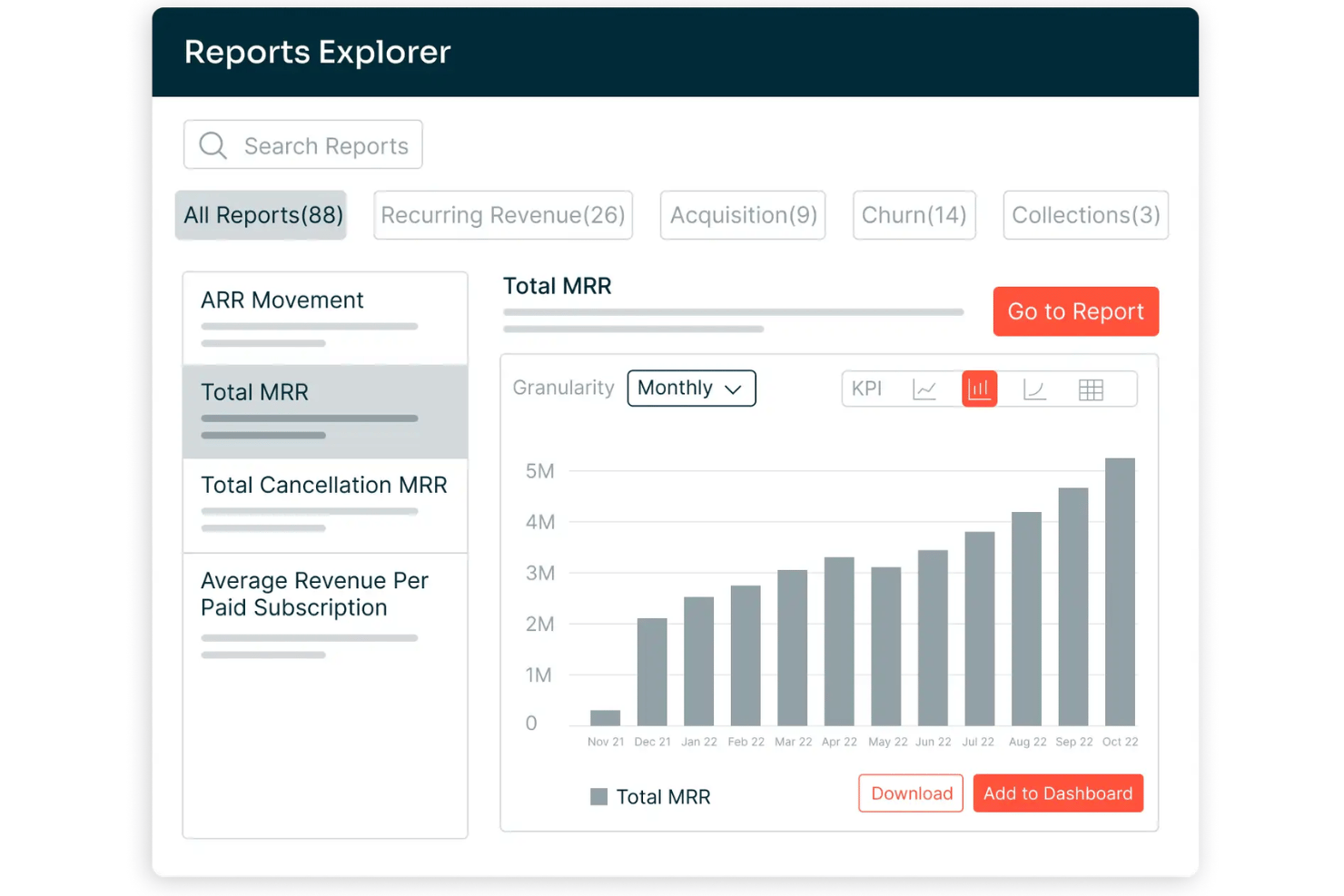
Chargebee is a billing and monetization platform covering subscription management, usage-based billing, invoicing, payment processing, revenue recognition, and accounts receivable automation across the quote-to-cash cycle.
Who Is Chargebee Best For?
Chargebee is a strong fit for SaaS and digital subscription businesses that run complex, hybrid pricing models combining recurring fees with usage-based charges.
Why I Picked Chargebee
I picked Chargebee as one of the best because its billing engine handles subscription, usage-based, and hybrid pricing models within a single product catalog, which most O2C platforms force you to manage separately. I particularly like how Smart Dunning uses ML to time payment retries based on customer behavior, not a fixed schedule. The Receivables module layers AI-powered collections on top, covering the full billing-to-cash leg.
Chargebee Key Features
- Multi-entity support: Manage billing, invoicing, and reporting for multiple brands, regions, or business units under one account.
- Product catalog management: Configure plans, add-ons, pricing rules, and billing frequencies centrally for all products.
- Compliance with global tax laws: Automate calculations for US Sales Tax, EU-VAT, and other international tax regimes.
- Native ERP and CRM integrations: Connect directly to Salesforce, NetSuite, Xero, and QuickBooks Online for real-time data sync.
Chargebee Integrations
Chargebee offers native integrations with Salesforce, HubSpot, NetSuite, Sage Intacct, Xero, QuickBooks Online, Stripe, Braintree, PayPal, Amazon Payments, Shopify, and Squarespace. An API is available for custom integrations.
Pros and Cons
Pros:
- Smart dunning reduces failed payment churn
- Revenue recognition is ASC 606 compliant
- Handles complex hybrid billing models natively
Cons:
- Cash application limited to gateway-captured payments
- No native credit risk management tools
Best for integrated financial and order workflows
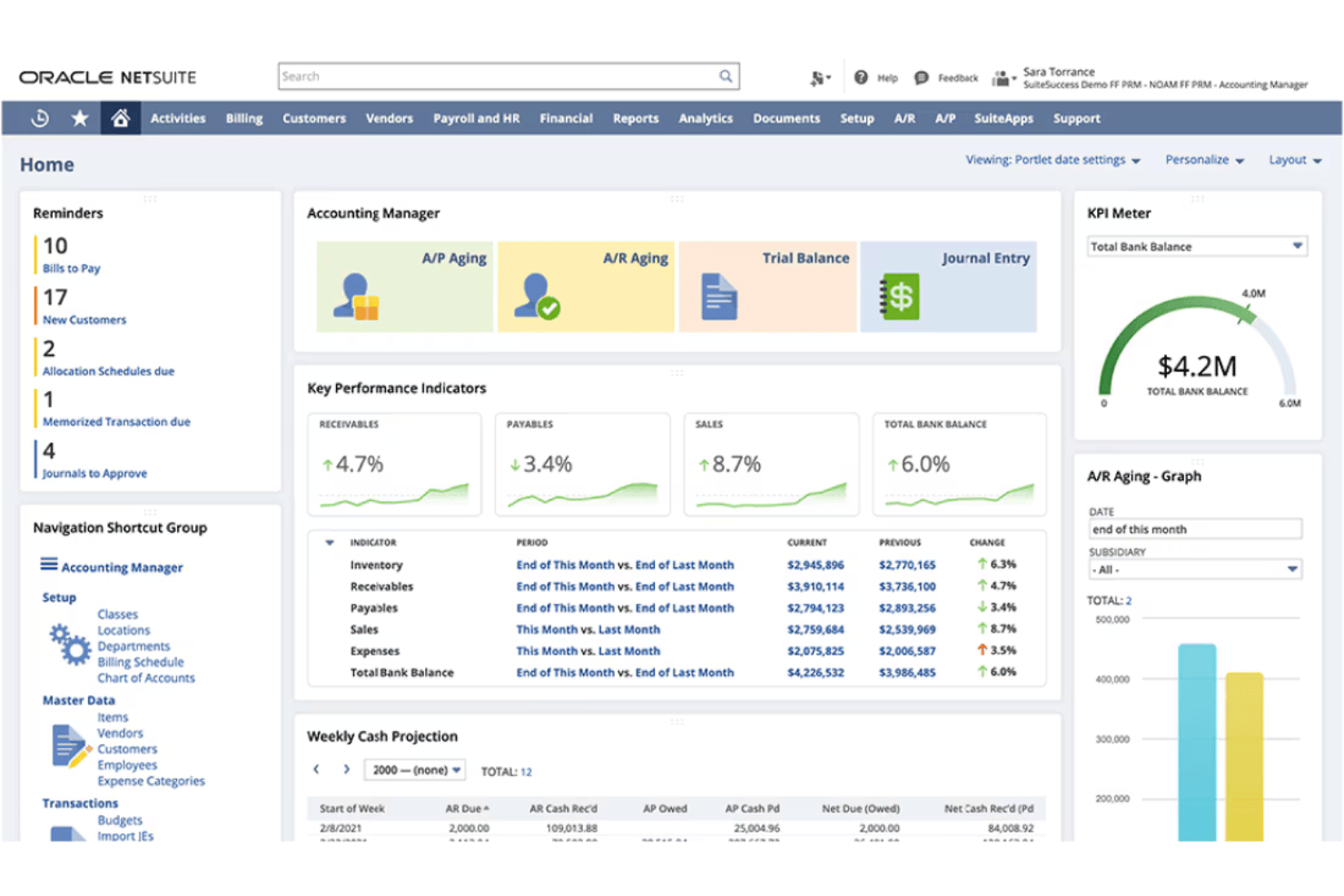
NetSuite ERP is a cloud-based enterprise resource planning platform that combines order management, invoicing, accounts receivable, revenue recognition, and financial management in a single unified system.
Who Is NetSuite ERP Best For?
Mid-market companies with multi-entity structures, inventory complexity, or high order volumes that need finance and operations on one platform.
Why I Picked NetSuite ERP
I've included NetSuite ERP in my top picks because the order-to-cash workflow lives entirely within one database. When an order ships, the GL updates, the invoice generates, and AR aging reflects it instantly. I like that Advanced Order Management handles order promising, allocation, and orchestration natively, so my team isn't manually resolving fulfillment exceptions. SuiteBilling layered on top supports transaction, subscription, usage-based, and hybrid billing without a separate tool.
NetSuite ERP Key Features
- SuiteApps marketplace: Access hundreds of certified third-party apps to extend order to cash workflows.
- Native CRM module: Manage customer records, sales pipeline, and order history within the same system as financials.
- Multi-entity and currency management: Handle transactions, reporting, and compliance across subsidiaries and international operations.
- Pre-built ecommerce and POS integrations: Connect online stores and retail locations for unified order processing and fulfillment.
NetSuite ERP Integrations
NetSuite ERP offers native integrations with Salesforce, Shopify, Amazon, HubSpot, Outlook, and a range of POS and 3PL platforms through NetSuite Connector. The SuiteApps marketplace includes hundreds of certified third-party apps, and an API is available for custom integrations.
Pros and Cons
Pros:
- Real-time revenue recognition
- Handles subscription, usage, and hybrid billing
- Single database for orders, billing, and financials
Cons:
- Premium support requires paid add-on package
- Core features split across expensive modules
Zuora
Best for subscription and usage-based billing
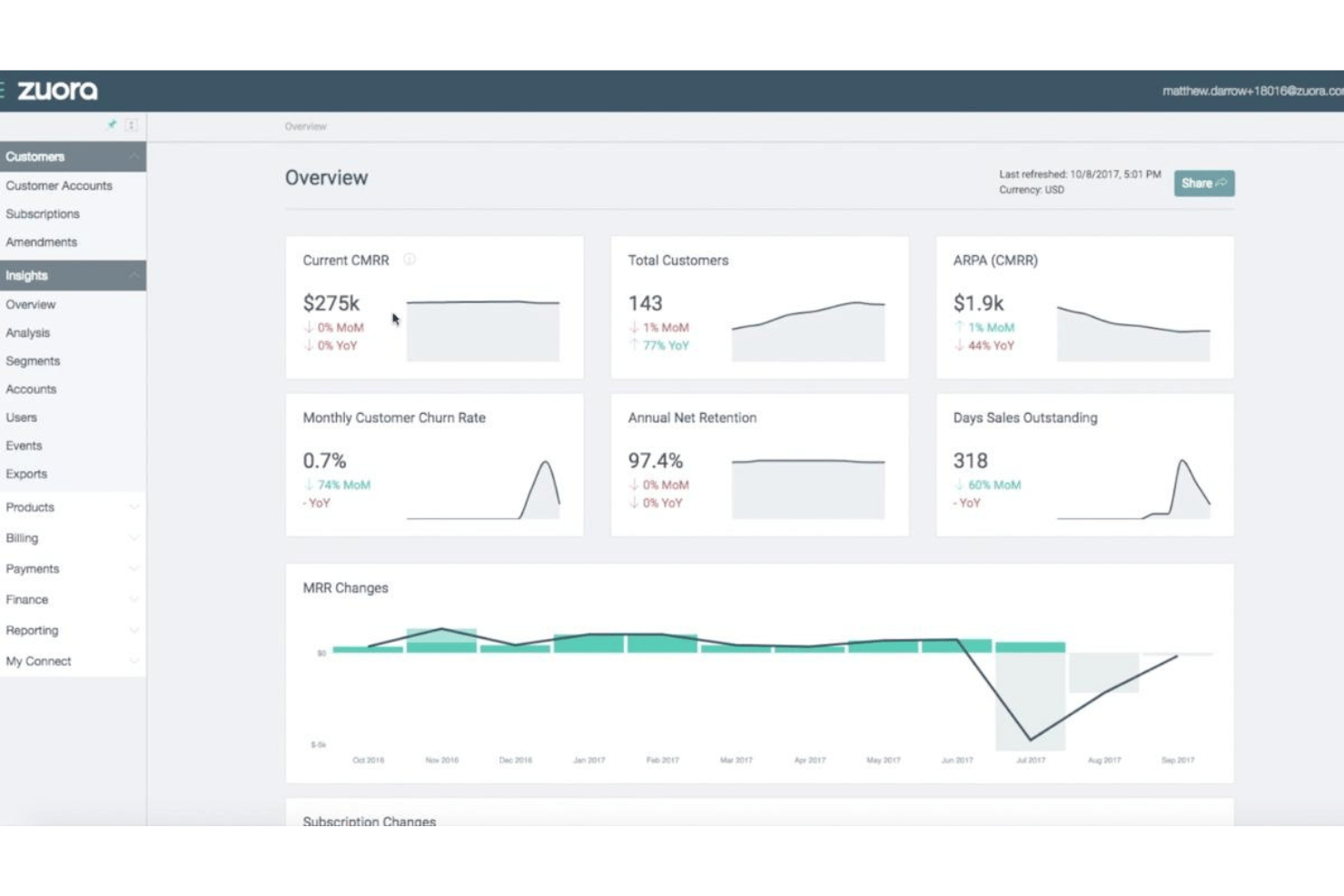
Zuora is a quote-to-cash platform built around subscription and usage-based monetization, covering CPQ, billing, collections, cash application, and automated revenue recognition in a single system.
Who Is Zuora Best For?
Zuora is a strong fit for mid-market and enterprise companies running recurring revenue models, particularly in SaaS, media, and IoT.
Why I Picked Zuora
Zuora earns its spot as one of the best on my shortlist because no other platform handles the full complexity of usage-based billing at scale quite like this. The Usage Engine tracks real-time consumption and supports tiered, prepaid, overage, and high-water mark models in a single billing run. I also like that hybrid pricing, combining a flat subscription fee with metered usage charges, works natively without custom workarounds.
Zuora Key Features
- Multi-channel order capture: Accepts orders from sales reps, customer self-service portals, APIs, and partner channels with unified validation.
- Automated invoicing engine: Generates invoices for any combination of one-time, recurring, and milestone charges with flexible schedule settings.
- AI-driven collections workflows: Automates payment reminders, dunning schedules, and prioritization for outstanding receivables.
- Native ERP/CRM integrations: Offers real-time, bidirectional sync with platforms like Salesforce, NetSuite, SAP, and Workday.
Zuora Integrations
Zuora offers native integrations with Salesforce, NetSuite, SAP, Workday, HubSpot, and Snowflake, along with over 60 pre-built connectors. An API is available for custom integrations.
Pros and Cons
Pros:
- AI-driven collections with smart dunning routing
- Automated revenue recognition built in (ASC 606/IFRS 15)
- Handles complex usage-based billing models natively
Cons:
- Credit management relies on third-party data sources
- Rigid catalog structure for physical inventory
Quadient
Best for unified communications in AR processes
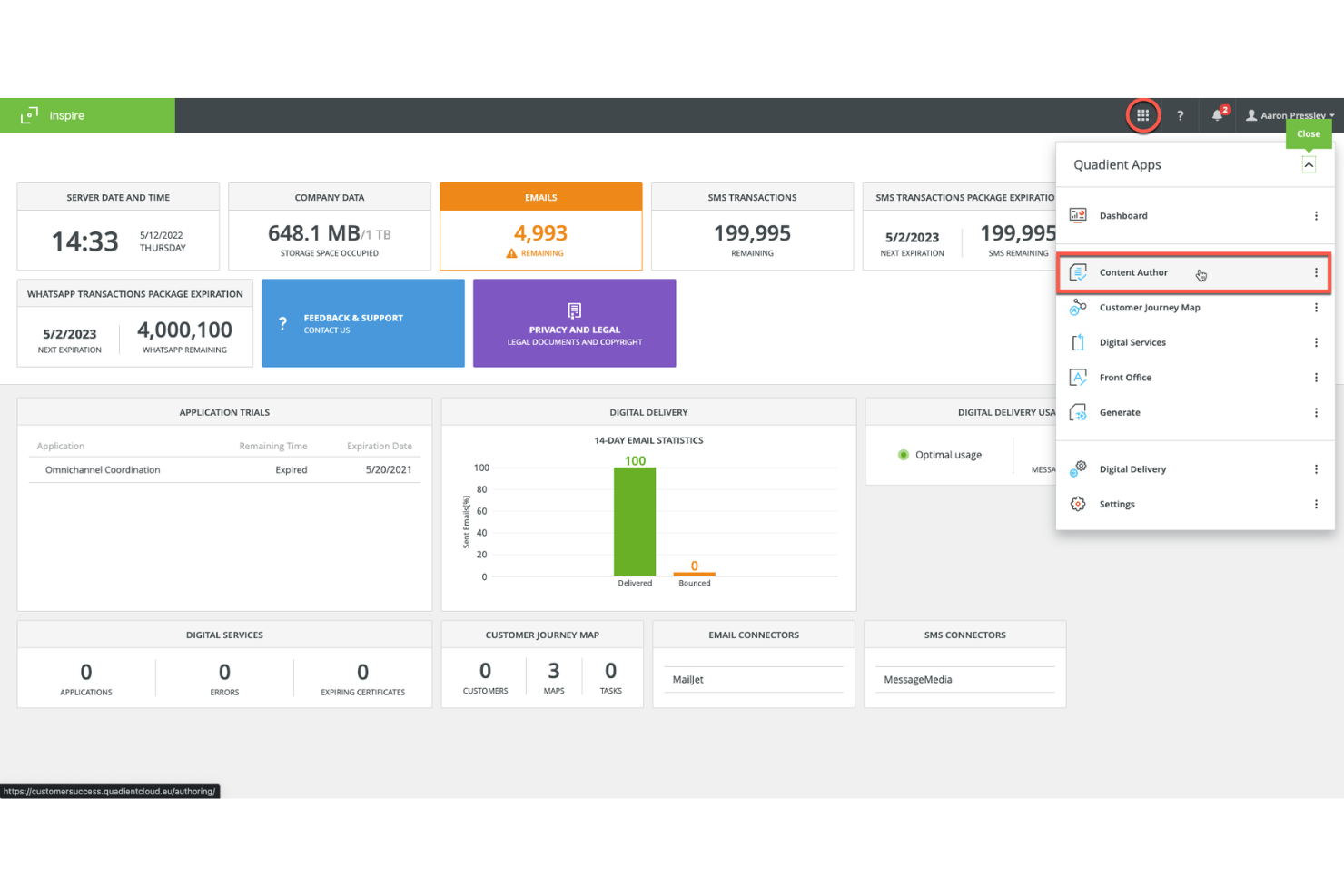
Quadient is an accounts receivable automation platform covering credit management, invoice delivery, collections workflows, dispute management, cash application, and self-service customer payments.
Who Is Quadient Best For?
Quadient is a good fit for mid-market and enterprise B2B finance teams managing high-volume invoicing, collections, and cash application across complex customer account portfolios.
Why I Picked Quadient
I've included Quadient in my top picks because it centralizes every AR communication touchpoint, from automated collection sequences and dispute tracking to self-service payment portals, in one connected workflow. I particularly like the AI-driven collections prioritization, which tells my team which customers to contact, through which channel, and exactly when. The self-service portal is a practical touch too, letting customers view invoices and submit payments without routing every query through my team.
Quadient Key Features
- Integrated deductions management: Automates categorization, routing, and resolution of disputes and short payments.
- Embedded payment portal: Lets customers view invoices and pay via ACH, card, or virtual card.
- ERP and CRM integration: Connects natively to NetSuite, SAP, Microsoft Dynamics, Salesforce, QuickBooks, and more.
- Cash flow forecasting dashboards: Provides real-time, AI-driven visibility into collections and DSO trends.
Quadient Integrations
Quadient AR offers native integrations with NetSuite, Acumatica, Sage (300, X3, Intacct), Microsoft Dynamics, SAP, SAP Business One, QuickBooks, Xero, Salesforce, and Zuora. An API is available for custom integrations.
Pros and Cons
Pros:
- Dedicated deductions management
- High auto-match rates in cash application
- AI-driven collections prioritization
Cons:
- Implementation timelines can run several months
- Limited order management capabilities

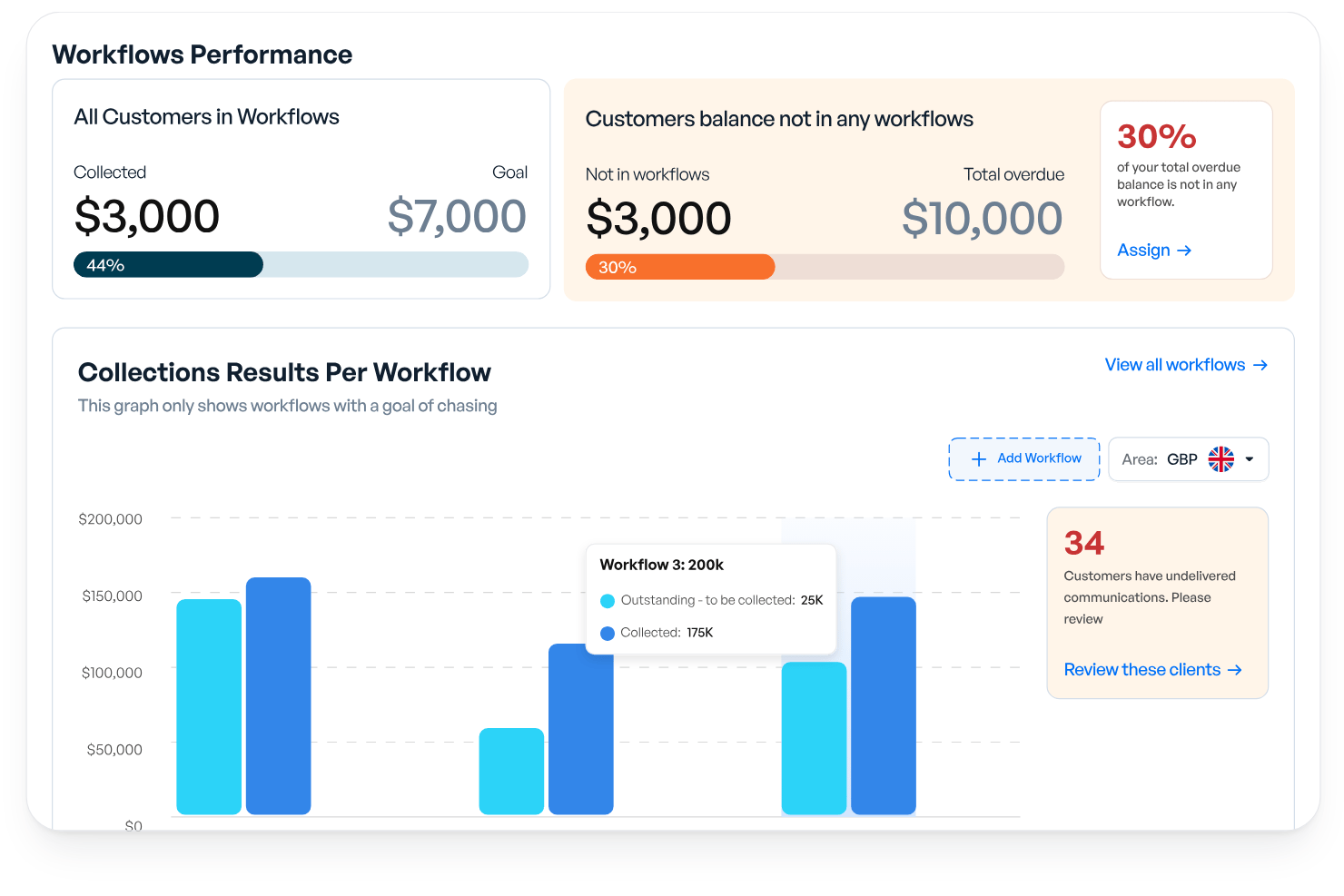
Kolleno is an AI-powered AR and order-to-cash platform covering collections automation, cash application, payments, disputes management, credit risk monitoring, and cash flow forecasting.
Who Is Kolleno Best For?
Kolleno is a strong fit for credit controllers and AR managers at SMBs who need to automate collections without growing their finance team headcount.
Why I Picked Kolleno
I've included Kolleno in my top picks because its AI Agents genuinely change what a small AR team can cover. I can configure each agent's autonomy level, from drafting follow-up emails for my review to firing off multi-channel dunning sequences entirely on its own. I also like that the cash application module uses pattern learning to handle complex matching scenarios, keeping my team out of exception queues.
Kolleno Key Features
- Embedded payment portal: Customers can pay, view invoice status, and resolve disputes directly in a branded online portal.
- Real-time dashboards: Access up-to-date AR analytics and cash flow forecasting from a central workspace.
- Disputes management: Track, categorize, and resolve invoice disputes within an integrated workflow.
- Native ERP and CRM integrations: Connect with systems like NetSuite, Xero, QuickBooks, and Salesforce for synchronized data across platforms.
Kolleno Integrations
Kolleno offers native integrations with NetSuite, Xero, QuickBooks, SAP S/4HANA, Sage Intacct, Microsoft Dynamics 365 Business Central, Salesforce, Clio, Stripe, Adyen, and GoCardless. An API is available for custom integrations.
Pros and Cons
Pros:
- Rapid setup for SMB teams without complex onboarding
- Dispute management is built into the AR workflow
- Prioritizes at-risk accounts before they go overdue
Cons:
- Reporting customization is limited
- Per-seat pricing limits cross-team AR visibility

Best for enterprise-grade cash application
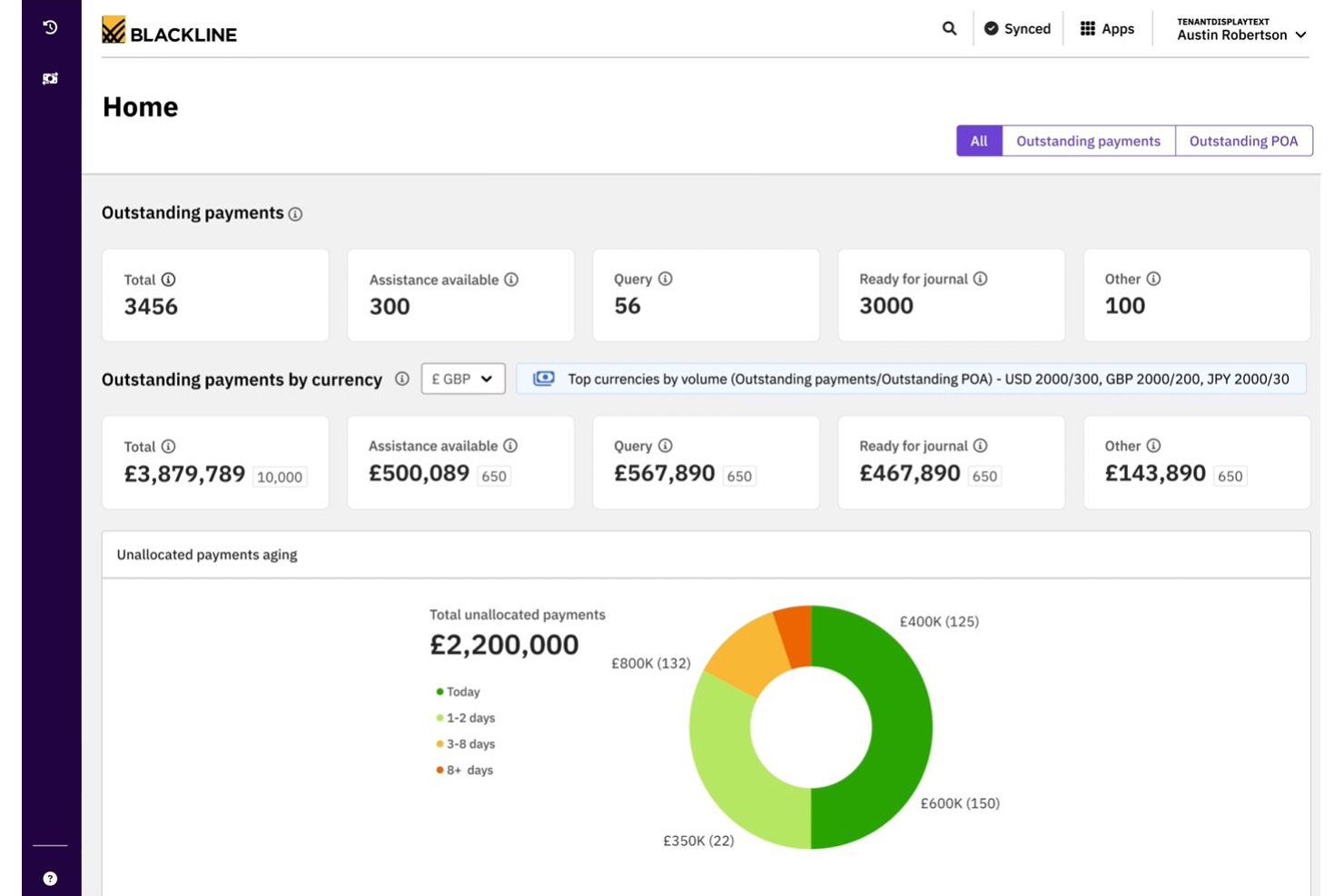
BlackLine Invoice-to-Cash is an AR automation platform covering cash application, collections management, eInvoicing, credit and risk management, dispute handling, and AI-driven payment matching.
Who Is BlackLine Best For?
BlackLine is a strong fit for enterprise finance teams managing high transaction volumes across multiple ERPs, banks, and regions.
Why I Picked BlackLine
BlackLine earns its spot on my shortlist because its Verity AI cash application consistently delivers match rates that bring unapplied cash close to zero. I particularly like the multi-format remittance ingestion, which handles everything from EDI to scanned documents without manual intervention. The automated deduction coding with reason codes and straight-through journal entries to the GL mean my team spends far less time reconciling exceptions at month-end.
BlackLine Key Features
- Integrated deductions management: Automatically logs, categorizes, and routes short payments and invoice disputes for resolution.
- Embedded payment portal: Provides customers with a self-service portal to view invoices, make payments, and submit inquiries.
- Cash flow forecasting: Includes AI-driven dashboards that forecast collections and predict DSO across segments.
- ERP-certified connectors: Offers native, bidirectional integrations with major ERP systems like SAP, Oracle, and NetSuite.
BlackLine Integrations
BlackLine offers native integrations with SAP, NetSuite, Oracle, Microsoft Dynamics, Acumatica, and Sage, plus native CRM integration for dispute management. An API is also available for custom integrations.
Pros and Cons
Pros:
- Real-time credit risk scoring across customer portfolio
- Automated deduction coding with root-cause analytics
- AI cash application achieves near-zero unapplied cash
Cons:
- Batch processing prevents real-time transaction updates
- High subscription cost for lower transaction volumes
Esker
Best for modular automation across finance teams
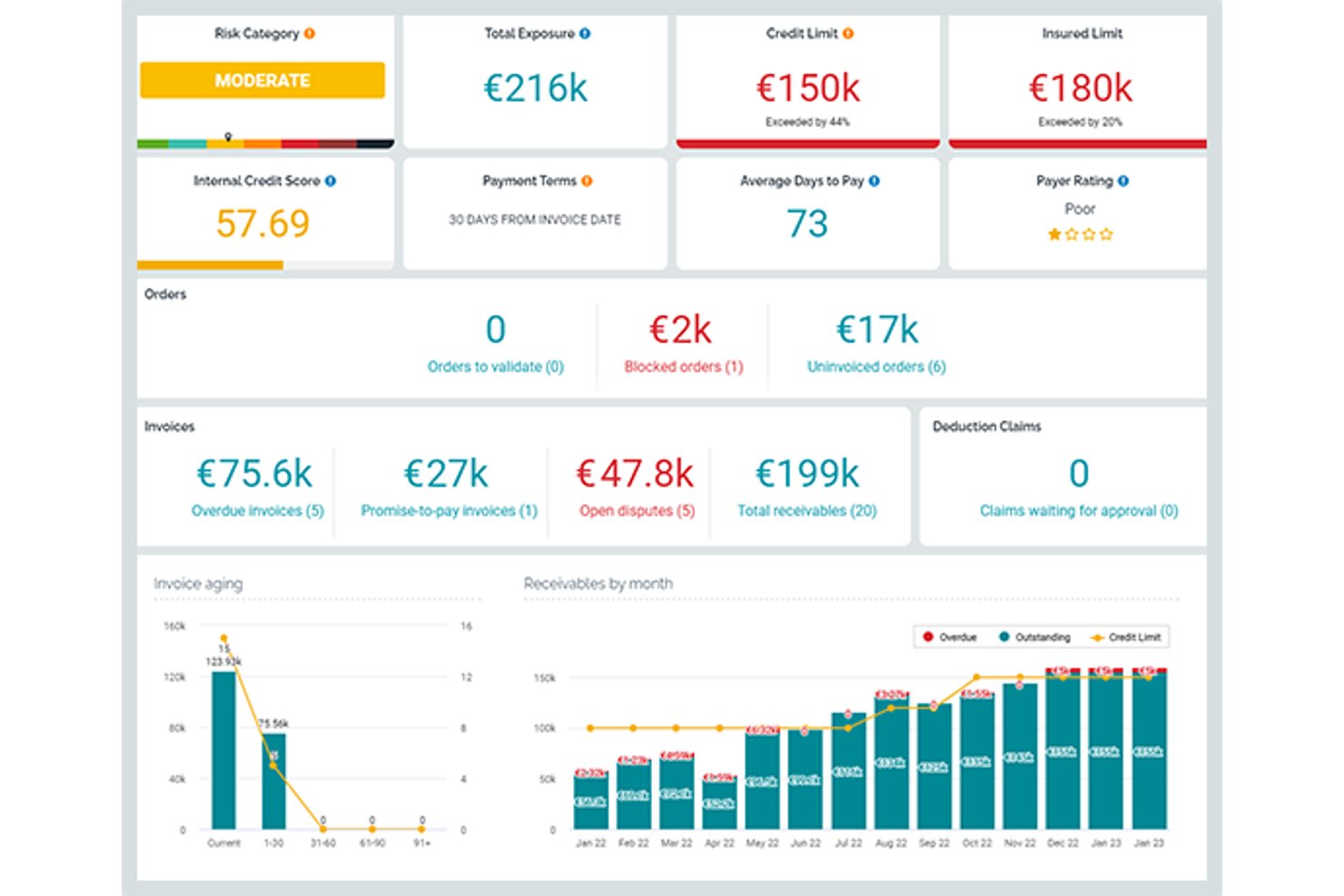
Esker is a cloud-based order-to-cash platform with modular, AI-powered solutions spanning order management, credit management, invoice delivery, cash application, collections, and deductions management.
Who Is Esker Best For?
Esker is a strong fit for mid-to-large enterprises running SAP or other major ERPs that need modular O2C automation across AR and finance teams.
Why I Picked Esker
Esker earns its spot on my shortlist because its modular architecture lets finance teams activate only the O2C components they need. I like that Credit Management, Cash Application, and Collections can each be deployed standalone or as a full suite, which matters when phasing a rollout across a large finance org. Esker Synergy AI is what really sets the cash application module apart: it uses ML to extract remittance data and auto-match payments, cutting unapplied cash by up to 95%.
Esker Key Features
- Omnichannel order capture: Collects and digitizes B2B orders from email, EDI, customer portals, and fax with real-time tracking.
- Integrated deductions management: Categorizes and routes short-pay and chargeback disputes for fast resolution.
- Embedded payment portal: Allows customers to view, dispute, and pay invoices by ACH, card, or virtual card.
- Cash flow forecasting dashboard: Provides real-time DSO and collections forecasts with segmentation by customer or geography.
Esker Integrations
Esker offers native integrations with SAP, Oracle, Microsoft Dynamics, and NetSuite for bidirectional data sync. An API is available for custom integrations.
Pros and Cons
Pros:
- Strong deductions management with root-cause analytics
- AI cash application cuts unapplied cash significantly
- Modular deployment across individual O2C functions
Cons:
- Data gaps can appear between individual modules
- Implementation timelines can run several months

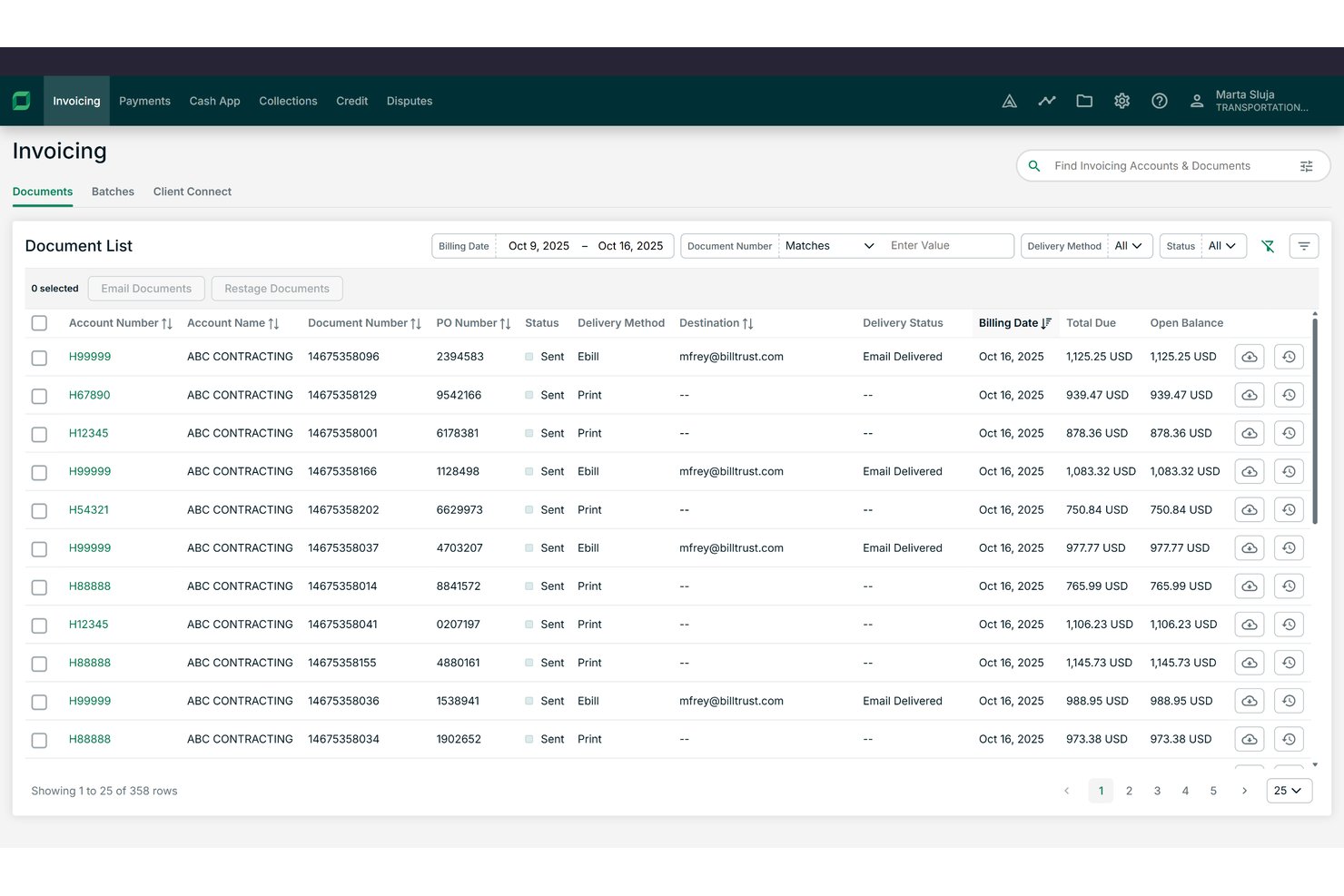
Billtrust is a B2B order-to-cash platform built around invoicing, payments, collections, cash application, and credit management for mid-to-enterprise suppliers.
Who Is Billtrust Best For?
It's a strong fit for AR managers and finance leaders at B2B companies in manufacturing, distribution, or business services with high invoice volumes.
Why I Picked Billtrust
I picked Billtrust as one of the best because its invoicing and payments run as a single platform rather than separate modules. I like that the Digital Lockbox automatically processes emailed virtual cards without manual handling, and the 260+ AP portal connections push invoices directly into buyers' systems like Ariba and Coupa. The ML-based cash application consistently hits 95%+ straight-through processing rates.
Billtrust Key Features
- Agentic credit management: Automatically underwrites and monitors customer credit using real-time bureau data and behavioral signals.
- Collections workflow automation: Prioritizes delinquent accounts and generates agentic outreach through email and VoIP auto-transcription.
- Global e-invoicing compliance: Supports multi-country e-invoicing mandates, covering B2B and government requirements.
- ERP and AP portal integrations: Connects natively with 200+ ERPs, banks, and over 260 AP portals for invoicing and payment workflows.
Billtrust Integrations
Billtrust offers over 200 native integrations, including SAP, NetSuite, Microsoft Dynamics, Oracle, Ariba, Coupa, Basware, OB10, and more than 260 AP portals. An API is available for custom integrations.
Pros and Cons
Pros:
- Covers invoicing, credit, and collections in one platform
- Agentic AI handles collections outreach automatically
- Cash application achieves 95%+ auto-match rates
Cons:
- Implementation typically requires several months
- No order capture or management functionality

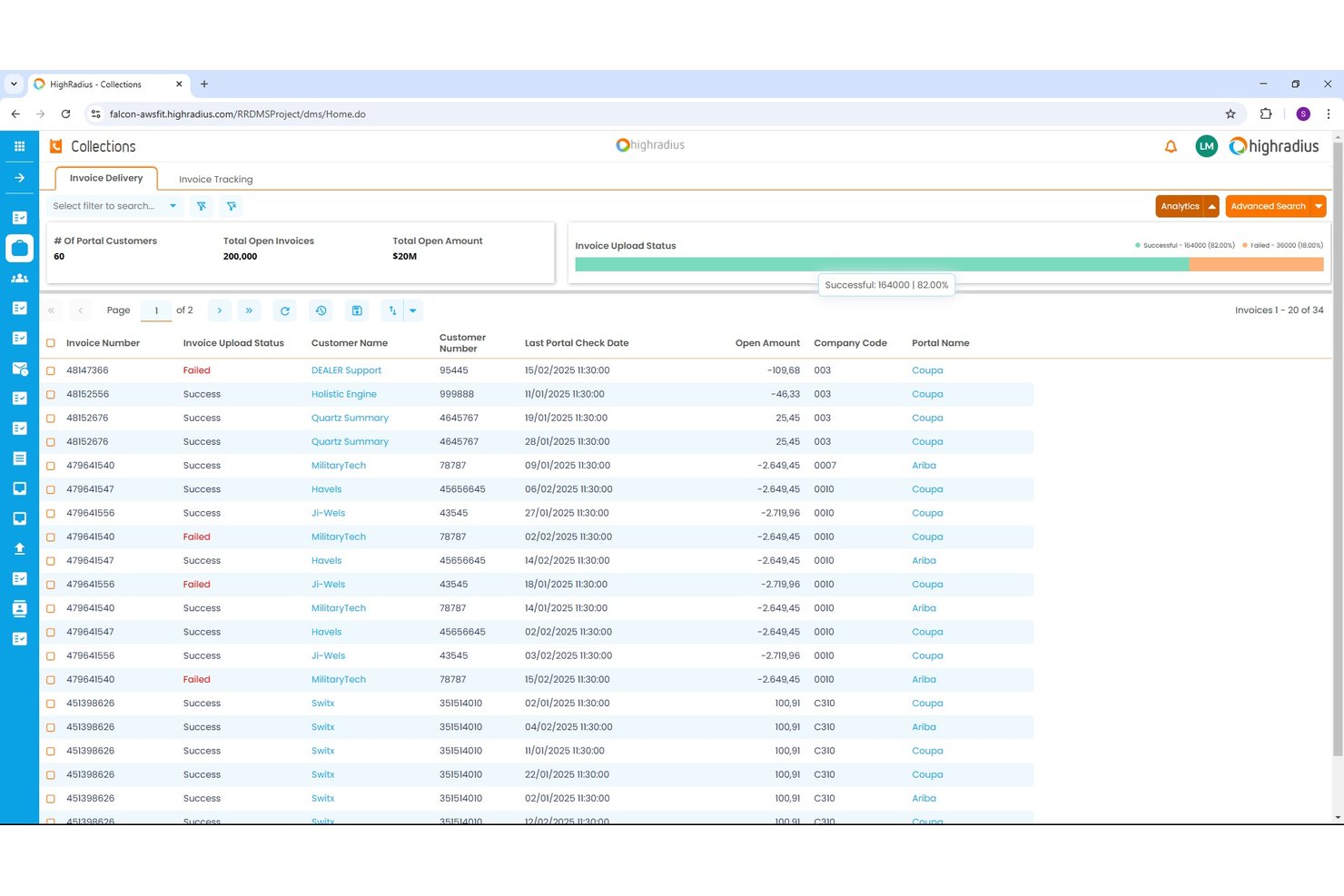
HighRadius is an AI-powered order-to-cash platform covering collections, cash application, credit management, deductions, and e-invoicing for enterprise finance teams.
Who Is HighRadius Best For?
HighRadius is a strong fit for large enterprises running high-volume receivables across multiple ERPs, business units, or geographies.
Why I Picked HighRadius
HighRadius earns its spot on my shortlist because the Cash Application Cloud achieves 95% no-touch posting rates for checks, ACH, and wires by extracting remittance data from emails and AP portals automatically. I also like the AI Worklist in Collections Cloud, which prioritizes accounts dynamically so my team targets the highest-risk balances first. The Deductions Cloud aggregates portal and email claims into a single queue, so my team isn't chasing backup documents across systems.
HighRadius Key Features
- Predictive credit scoring: Uses real-time bureau data and payment patterns to automate credit risk decisions.
- Integrated deductions management: Centralizes short-pay claim capture and automates backup aggregation from portals and emails.
- Embedded payment portal: Lets customers view invoices and pay online using ACH or credit card.
- ERP-native connectors: Provides prebuilt integrations for SAP, Oracle, NetSuite, and Microsoft Dynamics for bidirectional invoice and payment data sync.
HighRadius Integrations
HighRadius offers native integrations with SAP, Oracle, NetSuite, and Microsoft Dynamics, plus connections to over 100 banks and 40 credit agencies. An API is available for custom integrations.
Pros and Cons
Pros:
- Credit scoring pulls live bureau data
- Centralizes short-pay claims automatically
- Cash posting hits 95% no-touch rates
Cons:
- Go-live takes three to six months
- Batch-based ERP sync delays data updates

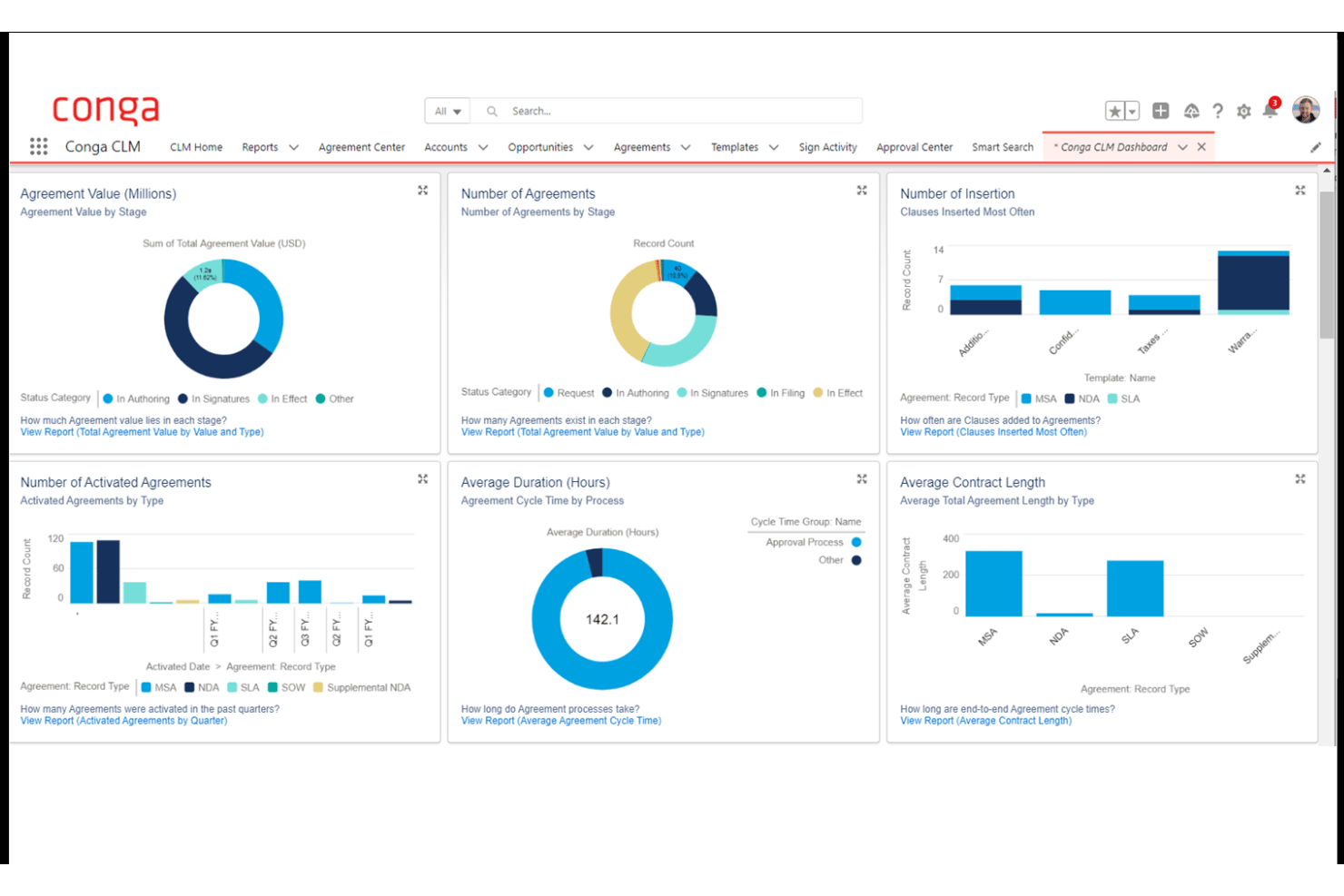
Conga is a revenue lifecycle platform that unifies CPQ, contract lifecycle management, billing, and subscription management across the contract-to-cash process.
Who Is Conga Best For?
Conga is a strong fit for enterprise B2B teams running complex, high-volume sales cycles on Salesforce who need CPQ, contracts, and billing managed in one connected system.
Why I Picked Conga
I picked Conga as one of the best because of how tightly it connects CPQ, contract management, and billing in a single data model. Where most O2C tools start at the order stage, Conga starts at the quote, meaning contract terms and pricing rules flow directly into invoices without manual re-entry. I particularly like its Billing module's mixed-order invoicing, where one customer invoice can consolidate subscription, usage, and one-time charges simultaneously.
Conga Key Features
- Salesforce-native integration: Leverages deep, bidirectional sync for product, quote, and contract data between Salesforce and Conga.
- Automated dunning workflows: Supports scheduled reminders and escalations for outstanding invoices and overdue accounts.
- Unified data model: Connects CPQ, contracts, billing, and revenue recognition under one data architecture for central audit trails.
- API and SDK extensibility: Offers APIs and SDKs to embed CPQ and billing processes in customer portals, internal tools, or partner platforms.
Conga Integrations
Conga offers native integrations with Salesforce, Workday, Oracle, HubSpot, Pipedrive, and Microsoft Dynamics 365. An API and SDK are available for building custom integrations and embedding processes in portals or internal systems.
Pros and Cons
Pros:
- Strong Salesforce-native architecture for revenue teams
- Handles complex subscription billing model changes
- Unifies CPQ, contracts, and billing natively
Cons:
- Weak credit management and risk scoring tools
- No native cash application or matching tools
Other Order-to-Cash Software
Here are some additional order-to-cash software options that didn’t make it onto my shortlist, but are still worth checking out:
- Agentforce Revenue Management
For CRM-driven revenue lifecycle management
- Versapay
For collaborative AR with customer portal
- Maxio
For SaaS billing complexity management
- DealHub AI
For CPQ-integrated revenue processes
- Tesorio
For predictive cash flow insights
- Upflow
For real-time collections analytics
- Invoiced
For automated AR process control
- Serrala
For global multi-ERP cash automation
- Paystand
For blockchain-enabled B2B payments
- Gaviti
For collector workflow optimization


How I Evaluate Order-to-Cash Software
I split my evaluation into baseline criteria every tool must hit—like automated cash application and ERP connectivity—and differentiators that separate the best platforms from the rest.
Core Functionality (Table Stakes for This List)
When I'm selecting tools for my list, I rank each one on a scale from 0 (does not offer the functionality) to 5 (excels in this area) for each core functionality listed below. Then, I calculate the tool's total score into a percentage. Each tool needs to achieve a minimum total score of 75% to be considered for inclusion.
- Order Management: I evaluate how each platform captures and orchestrates orders across channels like web portals, EDI, and email, including whether it handles validation rules and exception routing before hitting fulfillment.
- Invoicing & Billing: The billing engine needs to support more than just one-time invoices. I look for platforms that handle recurring, usage-based, and milestone billing models within the same workflow.
- AR Automation: I check whether the tool offers configurable dunning sequences with multi-channel outreach, since teams juggling hundreds of open invoices need prioritized, automated follow-ups rather than manual email chasing.
- Cash Application: Matching payments to invoices manually is where AR teams lose the most time. I look for AI-assisted matching that can parse remittance data from lockbox files, emails, and EDI formats.
- Credit Management: I evaluate whether the platform can pull credit data from third-party bureaus, enforce dynamic credit limits, and flag high-risk accounts before orders ship rather than after invoices age out.
- ERP/CRM Integration: Bidirectional connectors to systems like SAP, NetSuite, and Salesforce matter here. I look for native integrations that sync invoice status, GL postings, and customer master data in real time.
Once I have a list of tools that meet the criteria, I consider what sets each platform apart.
Differentiating Factors (What Sets Vendors Apart)
Here's how I compare and contrast different vendors:
Standout Features
Integrated deductions management is a big differentiator I look for. When customers short-pay invoices, you need automated dispute workflows that categorize and route chargebacks rather than letting them pile up in spreadsheets. Cash flow forecasting also matters—AI-driven DSO predictions by customer or segment give finance leaders rolling visibility for accurate revenue planning. An embedded payment portal where customers can view invoices, raise disputes, and pay via multiple methods is another separator worth evaluating.
Beyond Features
Modularity is a key factor I evaluate—some teams only need a collections module, while others want the full order-to-cash suite. Buying more than you need slows adoption. I also check for global readiness, including multi-currency, multi-entity support, and compliance with regional e-invoicing mandates. Pricing structure matters too. Transaction-based models can balloon costs at high invoice volumes, so I compare those against flat subscription pricing to understand total cost of ownership.
How to Choose Order-to-Cash Software
It’s easy to get bogged down in long feature lists and complex pricing structures. To help you stay focused as you work through your unique software selection process, here’s a checklist of factors to keep in mind:
| Factor | What to Consider |
| Scalability | Will the software keep pace as transaction volumes and team size grow? Ask about multi-entity handling and expansion into new markets. |
| Integrations | Does it connect natively with your ERP, CRM, and payment platforms? Consider direct vs. middleware integration for both current and future system needs. |
| Customizability | Can you configure workflows, rules, and reporting without heavy IT involvement? Flexible platforms speed up changes as your business evolves. |
| Ease of use | How steep is the learning curve for finance and operations teams? Hands-on trials help spot tools with confusing navigation or buried settings. |
| Implementation and onboarding | What’s the typical go-live timeline? Ask about migration support, API documentation, and if you’ll need a partner to bridge gaps in your legacy processes. |
| Cost | Understand total cost of ownership, including payment processing, integrations, additional modules, or user seats—not just the license or subscription price. |
| Security safeguards | Are SOC 2, ISO 27001, and GDPR compliance provided? Check for best practices covering data encryption, user permissions, and audit trails. |
| Compliance requirements | Will the platform keep you compliant with e-invoicing mandates and industry standards? Consider needs for VAT reporting, government uploads, or future rule changes. |
What Is Order-to-Cash Software?
Order-to-cash software is a platform that enables businesses to automate and manage the entire revenue process from sales order capture through invoicing, payment collection, and cash application. These systems centralize order management, billing, accounts receivable, and credit functions to help teams boost accuracy, speed up cash flow, and maintain visibility across every step of the revenue cycle.
Features of Order-to-Cash Software
When selecting order-to-cash software, keep an eye out for the following key features:
- Order management: Centralizes order capture across all sales channels, validates data, and tracks order status from entry through fulfillment.
- Invoicing and billing: Automates invoice generation and supports multiple billing models—including one-time, recurring, and milestone billing—streamlining the entire billing process.
- Accounts receivable automation: Sends payment reminders, manages collections workflows, and tracks outstanding receivables to reduce manual follow-up.
- Cash application: Matches incoming payments to open invoices using remittance data, accelerating reconciliation and improving accuracy.
- Credit management: Assesses customer creditworthiness, tracks limits, and enforces holds or approvals before orders are shipped to manage risk.
- ERP and CRM integration: Connects directly with systems like ERP, CRM, and payment platforms to synchronize data and keep records up to date.
- Deductions management: Identifies and processes short-payments or chargebacks, automating dispute resolution and rooting out issues that lead to deductions.
- Customer payment portal: Provides customers with a secure online space to view invoices, make payments, download statements, and manage disputes.
- Multi-currency support: Handles transactions in various currencies, allowing teams to operate globally while maintaining accurate records and reporting.
- Audit and reporting tools: Delivers comprehensive logs and financial reports to support audits, compliance requirements, and management oversight.
Common Order-to-Cash Software AI Features
Beyond the standard order-to-cash software features listed above, many of these solutions are incorporating AI with features like:
- Predictive cash flow forecasting: Uses historical payment data and customer trends to project future cash receipts, helping finance teams anticipate shortfalls or surpluses.
- Automated payment matching: Leverages machine learning to auto-match payments to invoices across multiple formats, reducing manual reconciliation and exceptions.
- Dynamic credit scoring: Continuously analyzes customer behavior, payment history, and external data to update credit risk profiles and recommend credit limit adjustments.
- Collections prioritization: Applies AI to segment accounts and prioritize outreach based on likelihood to pay, invoice age, and customer risk, boosting collector productivity.
- Dispute resolution routing: Uses natural language processing to categorize and route disputes or deductions to the right team, speeding up resolution and reducing backlog.
Benefits of Order-to-Cash Software
Implementing order-to-cash software provides several benefits for your team and your business. Here are a few you can look forward to:
- Faster cash flow: Automated invoicing, collections, and payment matching help reduce days sales outstanding and speed up cash collection.
- Improved accuracy: Seamless integrations and automated reconciliation reduce human error across order, billing, and receivables processes.
- Better visibility: Centralized dashboards and real-time reporting deliver clear insight into order statuses, outstanding invoices, and forecasted cash receipts.
- Reduced manual workload: Automated workflows for order capture, credit reviews, and dispute resolution free up your team for higher-value work.
- Lower risk: AI-driven credit management and compliance features help you manage exposure and meet regulatory requirements across global operations.
- Enhanced customer experience: Self-service payment portals and faster dispute response make it easier for customers to pay and resolve issues.
Costs and Pricing of Order-to-Cash Software
Selecting order-to-cash software requires an understanding of the various pricing models and plans available. Costs vary based on features, team size, add-ons, and more. The table below summarizes common plans, their average prices, and typical features included in order-to-cash software solutions:
Plan Comparison Table for Order-to-Cash Software
| Plan Type | Average Price | Common Features |
| Free Plan | $0 | Basic order entry, standard invoicing, limited reporting, and manual payment tracking. |
| Personal Plan | $20-$50/user/month | Invoicing, AR automation, simple credit management, basic dashboarding, and customer payment portal. |
| Business Plan | $75-$150/user/month | Automated cash application, customizable workflows, multi-currency support, and native ERP integration. |
| Enterprise Plan | $200-$350/user/month | Advanced AI features, global compliance, advanced analytics, full modularity, and priority support. |
Order-to-Cash Software FAQs
Here are some answers to common questions about order-to-cash software:
How does order-to-cash software integrate with ERP systems?
Order-to-cash automation software, often referred to as OTC software, usually connects to ERP systems through native connectors or APIs. This syncs orders, invoice processing, payments, inventory management, general ledger updates, and customer data so nothing falls through the cracks between platforms or teams.
What types of businesses benefit most from order-to-cash software?
Businesses with high transaction volumes, complex billing, or global footprints gain the most value. If your financial operations team spends too much time conducting credit checks, managing customer onboarding, chasing payments, driving order fulfillment, or dealing with exception handling during account reconciliation, these platforms powered by artificial intelligence can transform daily workflows.
Can order-to-cash software support multi-currency transactions?
Yes, most platforms offer multi-currency support. This means you can invoice, collect payments, protect your working capital, monitor key performance indicators (KPIs), and report revenue across various regions, which is especially valuable for companies operating internationally.
How long does implementation typically take?
Implementation can take anywhere from a few weeks to several months, depending on the scope and integrations. It’s important to clarify timelines with the vendor and ensure your team is ready for any required process changes.
What should I know about security and compliance?
Look for SOC 2, ISO 27001, and GDPR compliance—especially if you handle sensitive financial data or operate internationally. Ask vendors how they protect your data, including encryption, permissions, and audit logs.