

13 Best B2B Contact Database Tools for 2026

B2B Contact Database Shortlist


A B2B contact database is a software platform that provides access to verified business contacts and company information for sales, marketing, and revenue operations teams. If you’re searching for the best B2B contact database, you’re likely looking to improve lead quality, enrich your CRM, and support your go-to-market strategy with accurate, up-to-date data. This list will help you compare top tools for 2026, understand what sets each apart, and choose the right solution to support your team’s prospecting, outreach, and revenue goals.
Why Trust Our Software Reviews
We’ve been testing and reviewing RevOps software since 2022. As RevOps leaders ourselves, we know how critical and difficult it is to make the right decision when selecting software.
We invest in deep research to help our audience make better software purchasing decisions. We’ve tested more than 2,000 tools for different RevOps use cases and written over 1,000 comprehensive software reviews. Learn how we stay transparent & our software review methodology.
Best B2B Contact Database Summary
This comparison chart summarizes pricing details for my top B2B contact database selections to help you find the best one for your budget and business needs.
| Tool | Best For | Trial Info | Price | ||
|---|---|---|---|---|---|
| 1 | Best for real-time email verification | 7-day free trial + free demo available | From $99/month (billed annually) | Website | |
| 2 | Best for GDPR-compliant data sourcing | Free demo available | Pricing upon request | Website | |
| 3 | Best for advanced company insights | Free trial available | Pricing upon request | Website | |
| 4 | Best for multi-channel contact discovery | Free plan + free demo available | From $33/month (billed annually) | Website | |
| 5 | Best for human-verified contact accuracy | Free demo available | Pricing upon request | Website | |
| 6 | Best for quick contact enrichment | Free plan available | From $37.45/month (billed annually) | Website | |
| 7 | Best for AI-powered lead recommendations | Free plan + free demo available | Pricing upon request | Website | |
| 8 | Best with integrated sales engagement | Free plan available | From $49/user/month (billed annually) | Website | |
| 9 | Best with LinkedIn prospecting tools | Free plan available | From $15/month (billed annually) | Website | |
| 10 | Best for browser-based lead capture | Free plan available | From $49/user/month (billed annually) | Website |
-

Prisync
Visit WebsiteThis is an aggregated rating for this tool including ratings from Crozdesk users and ratings from other sites.4.7 -
Expedite Commerce
Visit Website -
QuickBooks Online
Visit WebsiteThis is an aggregated rating for this tool including ratings from Crozdesk users and ratings from other sites.4





B2B Contact Database Reviews
Below are my detailed summaries of the best B2B contact database tools that made it onto my shortlist. My reviews offer a detailed look at the features, best use cases, and integrations of each platform to help you find the best one for your team.

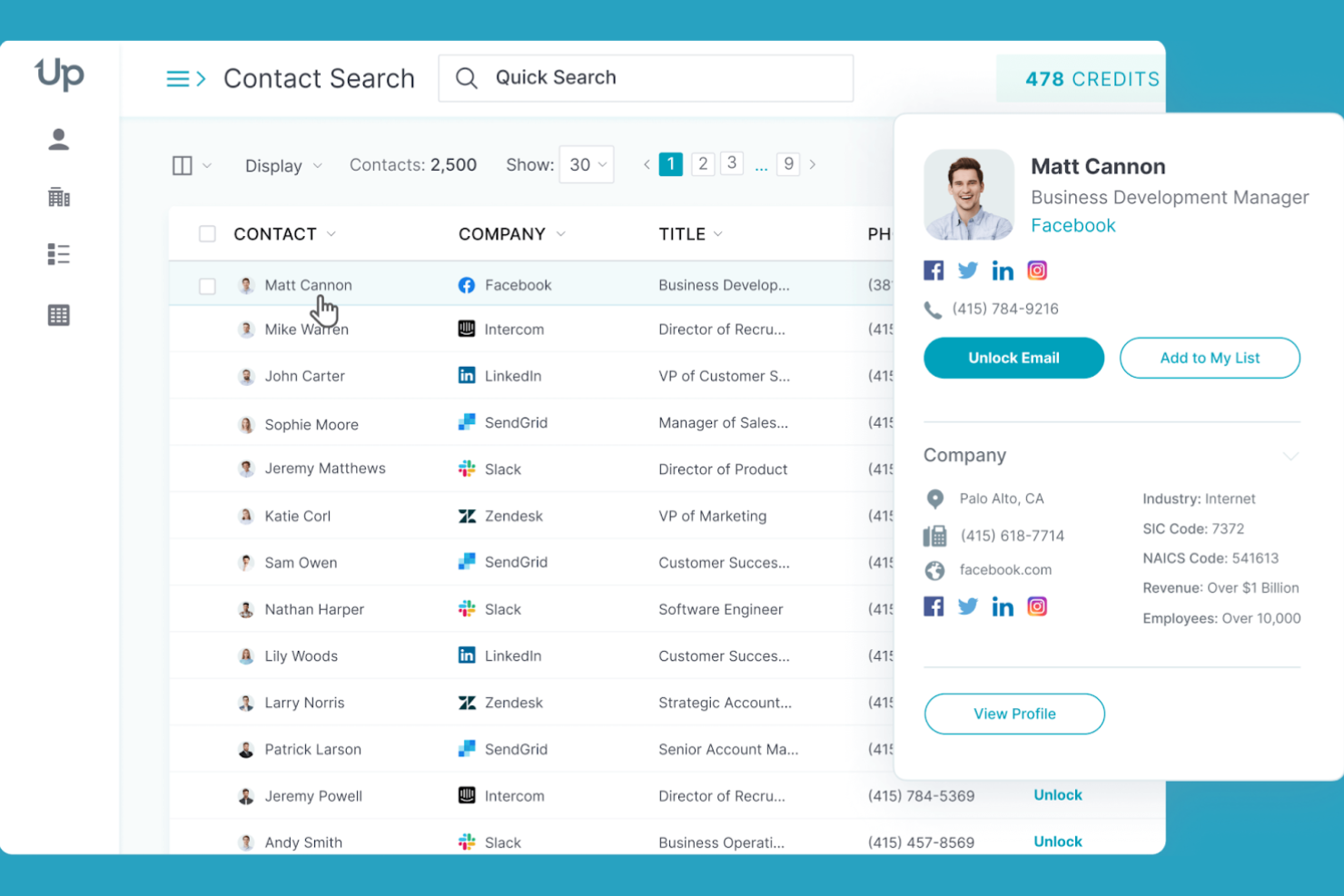
UpLead stands out for sales and marketing teams that need verified B2B contact data with minimal bounce risk. Its real-time email verification helps you avoid outdated or invalid addresses while prospecting. This makes it a strong choice for businesses that rely on high email deliverability and accurate outreach.
Why I Picked UpLead
What drew me to UpLead is its focus on real-time email verification, which is essential for anyone relying on accurate B2B outreach. The platform checks email validity instantly as you build your lists, so you can avoid sending to outdated or invalid addresses. I appreciate that UpLead also flags risky or catch-all domains, helping you maintain high deliverability rates. For teams that need to trust their contact data before launching campaigns, UpLead’s verification process is a clear advantage.
UpLead Key Features
Some other features in UpLead that are useful for B2B contact database users include:
- Technographics Filtering: Lets you search contacts based on the technologies their companies use.
- Direct Dial Phone Numbers: Provides access to direct work and mobile numbers for many contacts.
- Chrome Extension: Allows you to find and export contact data directly from LinkedIn and company websites.
- Data Enrichment: Updates and fills in missing fields for your existing contact lists.
UpLead Integrations
Integrations include Salesforce, HubSpot, Zoho CRM, Pipedrive, Microsoft Dynamics 365, and an API for custom integrations.
Pros and Cons
Pros:
- Direct dial numbers included for many contacts
- Technographics filters for targeted prospecting
- Real-time email verification on every export
Cons:
- No built-in workflow automation features
- Credits expire monthly and do not roll over

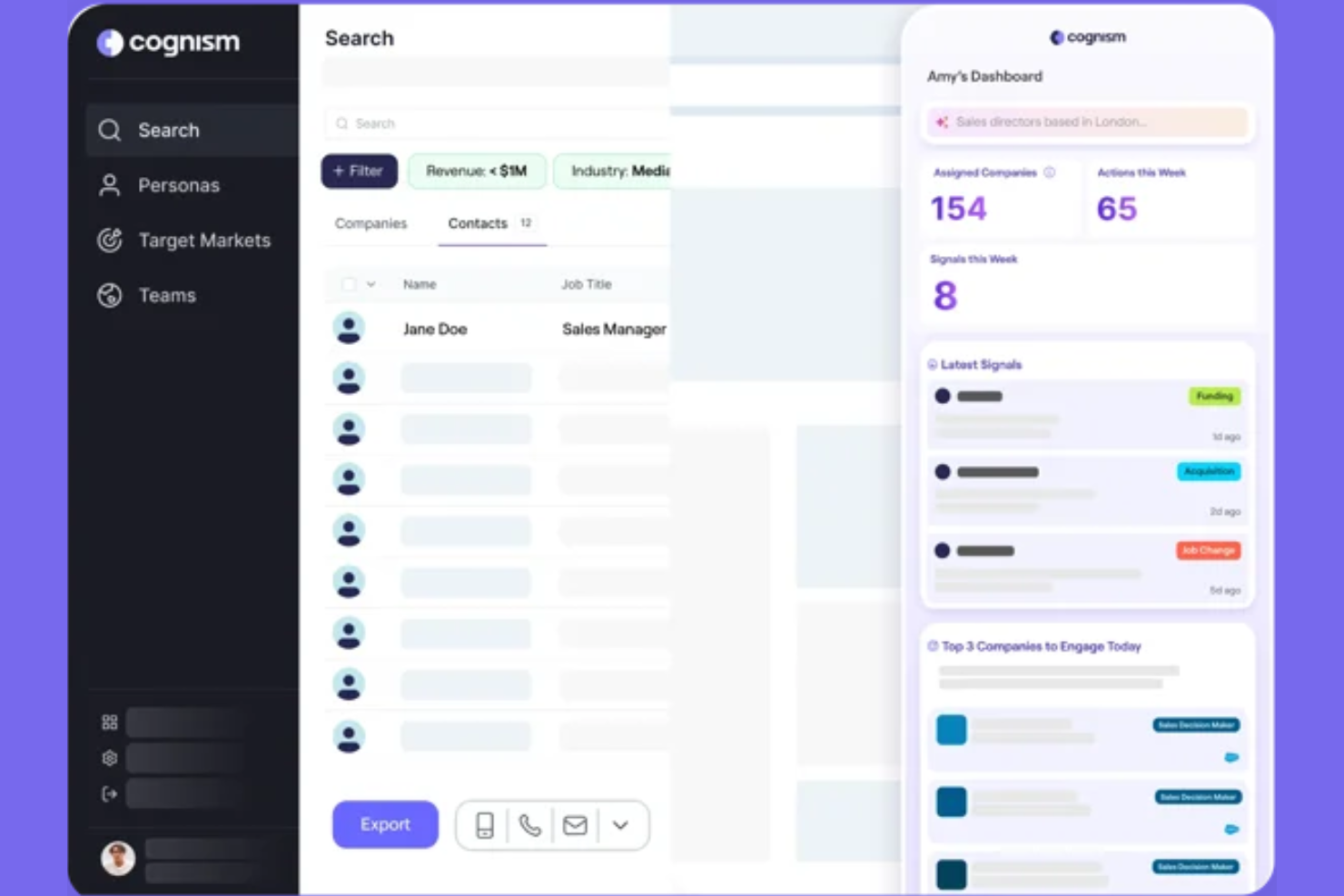
Cognism is built for revenue teams that need compliant, up-to-date B2B contact data, especially in regulated markets. If your business operates in Europe or prioritizes GDPR compliance, Cognism’s data sourcing and verification processes help reduce risk while prospecting. The platform is a strong fit for organizations that want to balance data accuracy with strict privacy standards.
Why I Picked Cognism
What sets Cognism apart is its focus on GDPR-compliant data sourcing, which is essential for teams working in or targeting the European market. I picked Cognism because it verifies contact data against global privacy regulations and provides clear audit trails for every record. The platform’s patented Diamond Data® process helps ensure that phone numbers and emails are both accurate and permission-based. For businesses that can’t risk non-compliance, Cognism’s approach to data privacy and transparency is a key differentiator in the B2B contact database space.
Cognism Key Features
Some other features in Cognism that are valuable for B2B contact database users include:
- Intent Data Signals: Surfaces companies showing buying intent based on online activity and engagement.
- Do-Not-Call List Screening: Automatically checks phone numbers against global do-not-call lists before export.
- Chrome Extension: Lets you access and export contact data directly from LinkedIn and company websites.
- Workflow Automation: Enables automated lead enrichment and data sync with connected CRMs.
Cognism Integrations
Integrations include Salesforce, HubSpot, Pipedrive, Bullhorn, Microsoft Dynamics, Salesloft, Outreach, and more.
Pros and Cons
Pros:
- Do-not-call list screening is built in
- Patented Diamond Data process for accuracy
- GDPR-compliant data sourcing for EMEA markets
Cons:
- Minimum contract size may be cost-prohibitive
- Occasional duplicate contacts in exports

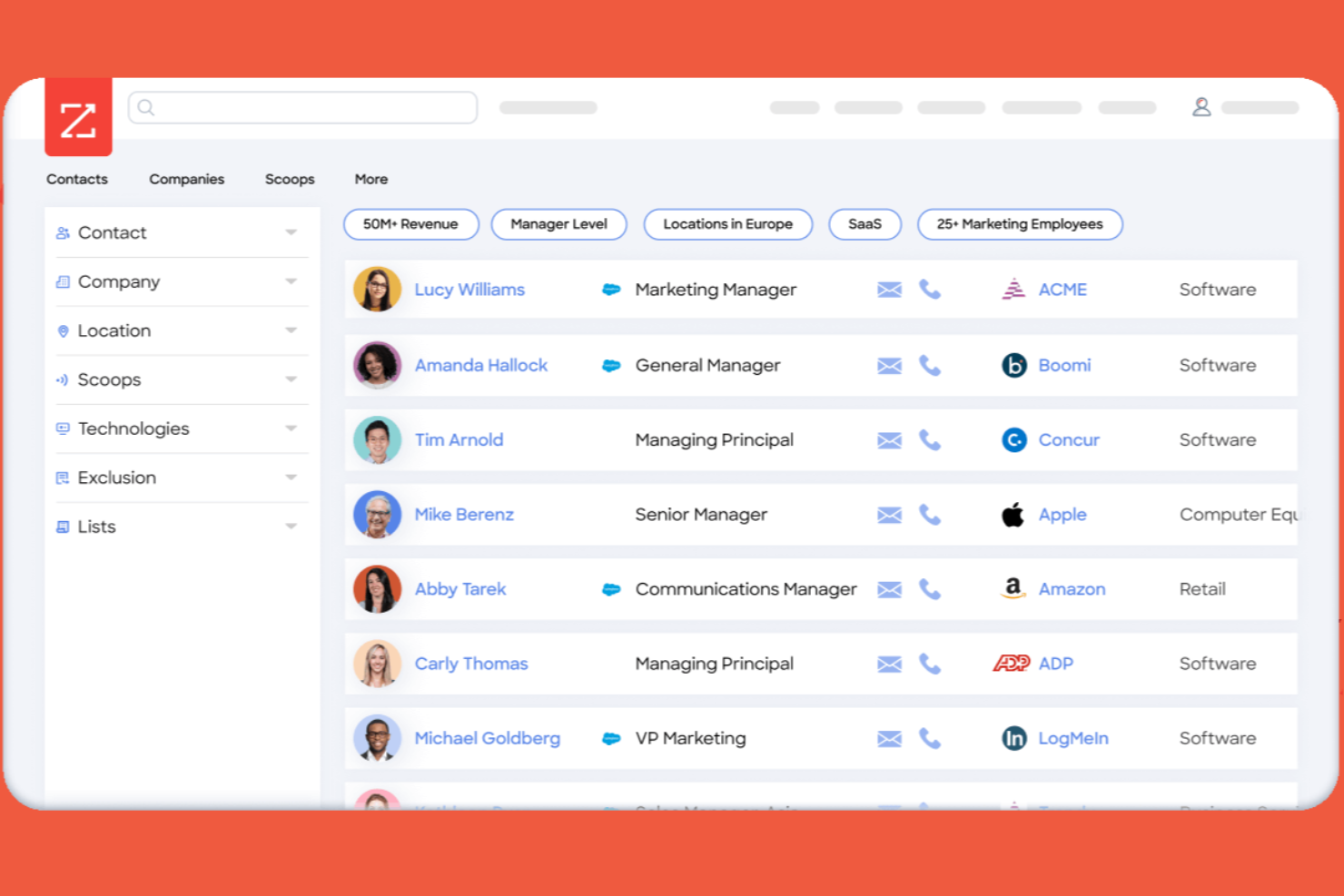
If your team needs deep company intelligence for prospecting and account research, ZoomInfo is worth a look. This platform stands out for its advanced company insights, helping revenue operations, sales, and marketing teams identify and prioritize high-value accounts. ZoomInfo is especially useful for organizations that rely on detailed firmographic and technographic data to drive targeted outreach.
Why I Picked ZoomInfo
I chose ZoomInfo for its ability to deliver advanced company insights that go beyond basic contact details. The platform offers deep firmographic and technographic data, which helps you segment and prioritize accounts based on real business attributes. I also like that ZoomInfo provides organizational charts and intent data, giving your team a clearer picture of decision-makers and buying signals. These features make it a strong choice for revenue operations teams that need more than just names and emails to drive targeted outreach.
ZoomInfo Key Features
Some other features in ZoomInfo that are useful for B2B contact database buyers include:
- Contact Data Enrichment: Automatically updates and fills in missing fields in your CRM with verified business contact information.
- Advanced Search Filters: Lets you build highly specific prospect lists using dozens of criteria, such as job title, location, and company size.
- Direct Dial Numbers: Provides access to direct phone numbers for contacts, making it easier to reach decision-makers.
- Chrome Extension: Allows you to access contact and company data directly from LinkedIn and company websites while browsing.
ZoomInfo Integrations
Integrations include Salesforce, HubSpot, Microsoft Dynamics 365, Snowflake, Gmail, Zoom, Amazon Web Services, Aircall, Bullhorn, and more.
Pros and Cons
Pros:
- Real-time CRM data enrichment capabilities
- Advanced intent data for account prioritization
- Accurate direct dial and email information
Cons:
- Limited international contact database coverage
- Occasional outdated or inaccurate contact records

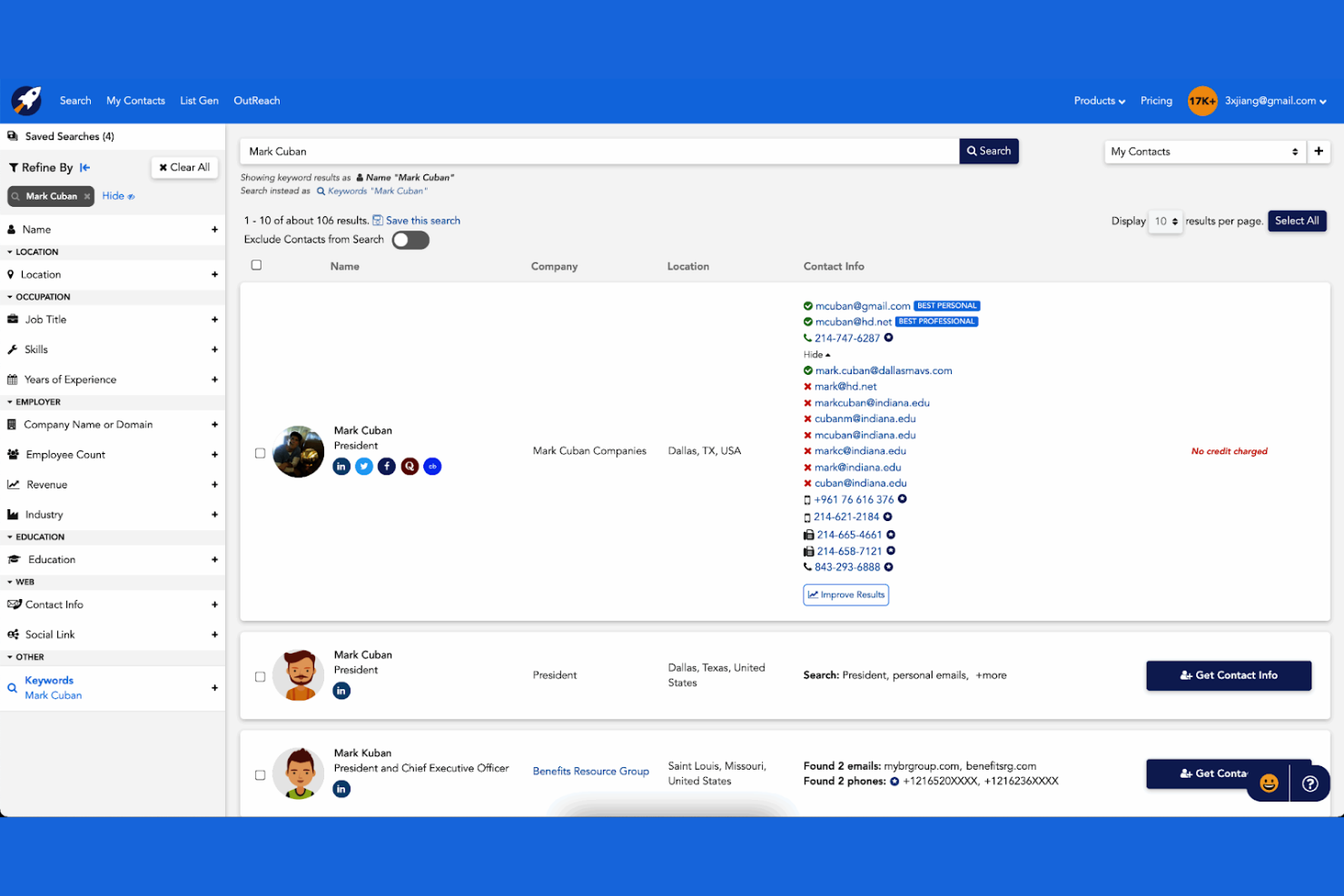
RocketReach is built for teams that need to find verified contact information across multiple channels, not just email. It’s a strong fit for sales, recruiting, and marketing professionals who want to reach prospects by email, phone, or social media. With its multi-channel discovery, RocketReach helps you connect with hard-to-reach decision makers beyond just one platform.
Why I Picked RocketReach
What sets RocketReach apart is its ability to surface contact information across email, phone, and social media channels. For anyone building a B2B contact database, this multi-channel approach means you’re not limited to just one method of outreach. I appreciate that RocketReach verifies contact data and provides direct links to social profiles, which helps you reach prospects where they’re most active. This makes it a practical choice for teams that want to expand their reach beyond traditional email lists.
RocketReach Key Features
Some other features in RocketReach that are useful for B2B contact database users include:
- Bulk Lookup: Lets you upload lists of names or domains to find contact details at scale.
- Advanced Search Filters: Allows you to filter contacts by company, title, location, and more.
- Chrome Extension: Enables you to find contact information directly from LinkedIn and company websites.
- API Access: Supports custom integrations and automated workflows for contact data retrieval.
RocketReach Integrations
Integrations include Salesforce, HubSpot, Outreach, Salesloft, Bullhorn, Zapier, and more.
Pros and Cons
Pros:
- Advanced filters refine contact and company searches
- Bulk lookup supports large-scale prospecting
- Multi-channel data includes email, phone, and social
Cons:
- No built-in workflow or sequence automation
- Data accuracy varies by industry and region

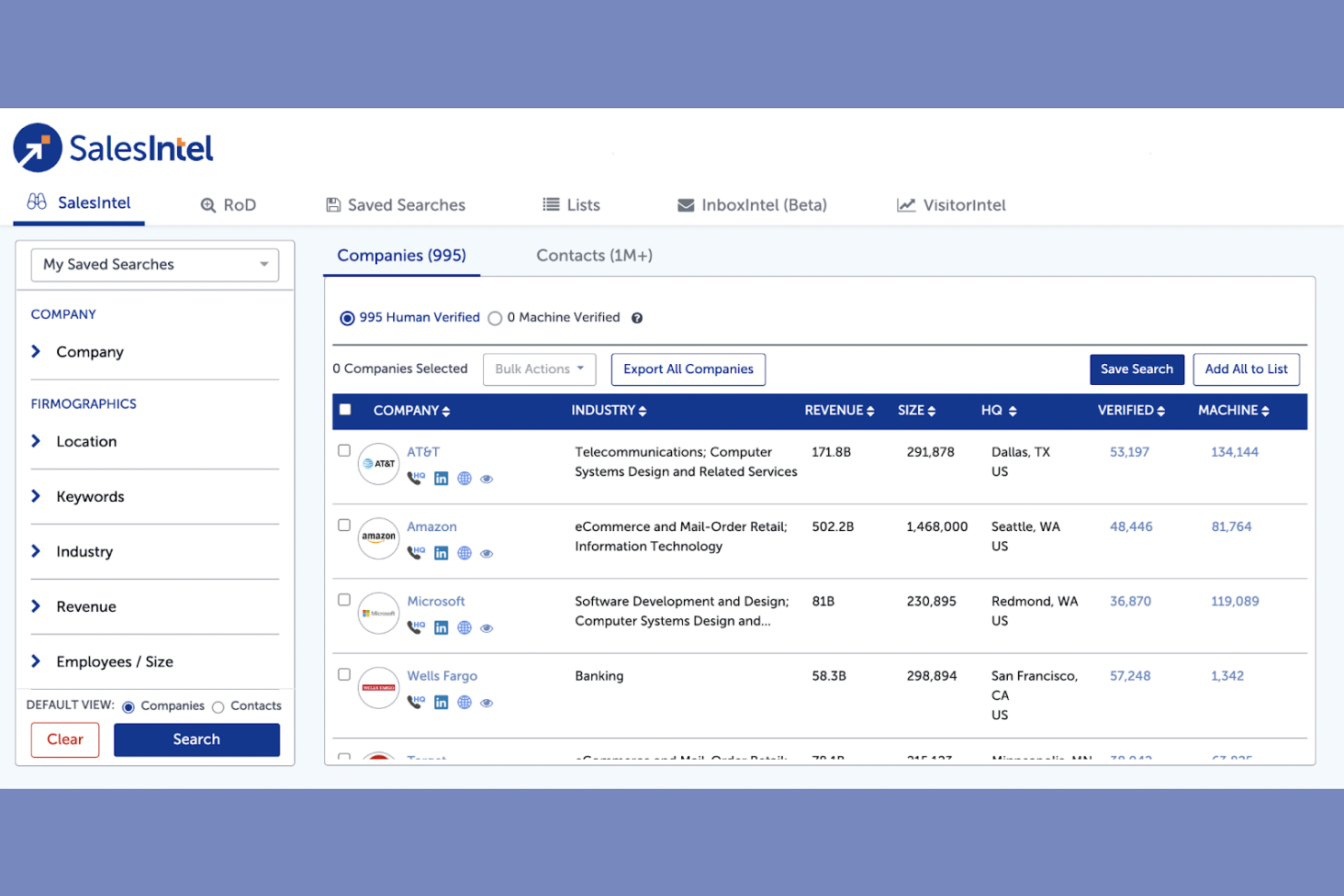
SalesIntel stands out for teams that need the highest possible contact data accuracy, thanks to its human-verified approach. It’s especially useful for B2B sales and marketing professionals who rely on up-to-date, reliable contact information to drive outreach. By focusing on manual verification, SalesIntel helps reduce bounce rates and wasted effort from outdated or incorrect data.
Why I Picked SalesIntel
Unlike most contact databases that rely heavily on automated data collection, SalesIntel uses a team of researchers to manually verify contact information. This human-verified process means you get access to data that’s consistently accurate and up to date, which is essential for B2B teams that can’t afford wasted outreach. I picked SalesIntel because it offers a “Research on Demand” feature, letting you request verification or new contacts for specific accounts. This focus on accuracy and responsiveness makes it a strong choice for anyone who needs reliable, high-quality B2B contact data.
SalesIntel Key Features
Some other features in SalesIntel that are valuable for B2B contact database users include:
- Buyer Intent Data: Surfaces companies showing active interest in specific products or services.
- Technographic Data: Provides insights into the technology stack used by target accounts.
- Chrome Extension: Lets you access contact data directly from LinkedIn and company websites.
- Enrichment Services: Updates and fills in missing fields in your existing CRM records.
SalesIntel Integrations
Integrations include Salesforce, HubSpot, Marketo, Microsoft Dynamics 365, Outreach, Salesloft, Zoho CRM, and more.
Pros and Cons
Pros:
- Frequent data refreshes keep records current
- Research on Demand fills custom data requests
- Human-verified contacts reduce email bounce rates
Cons:
- Occasional lag in fulfilling research requests
- No built-in workflow automation tools
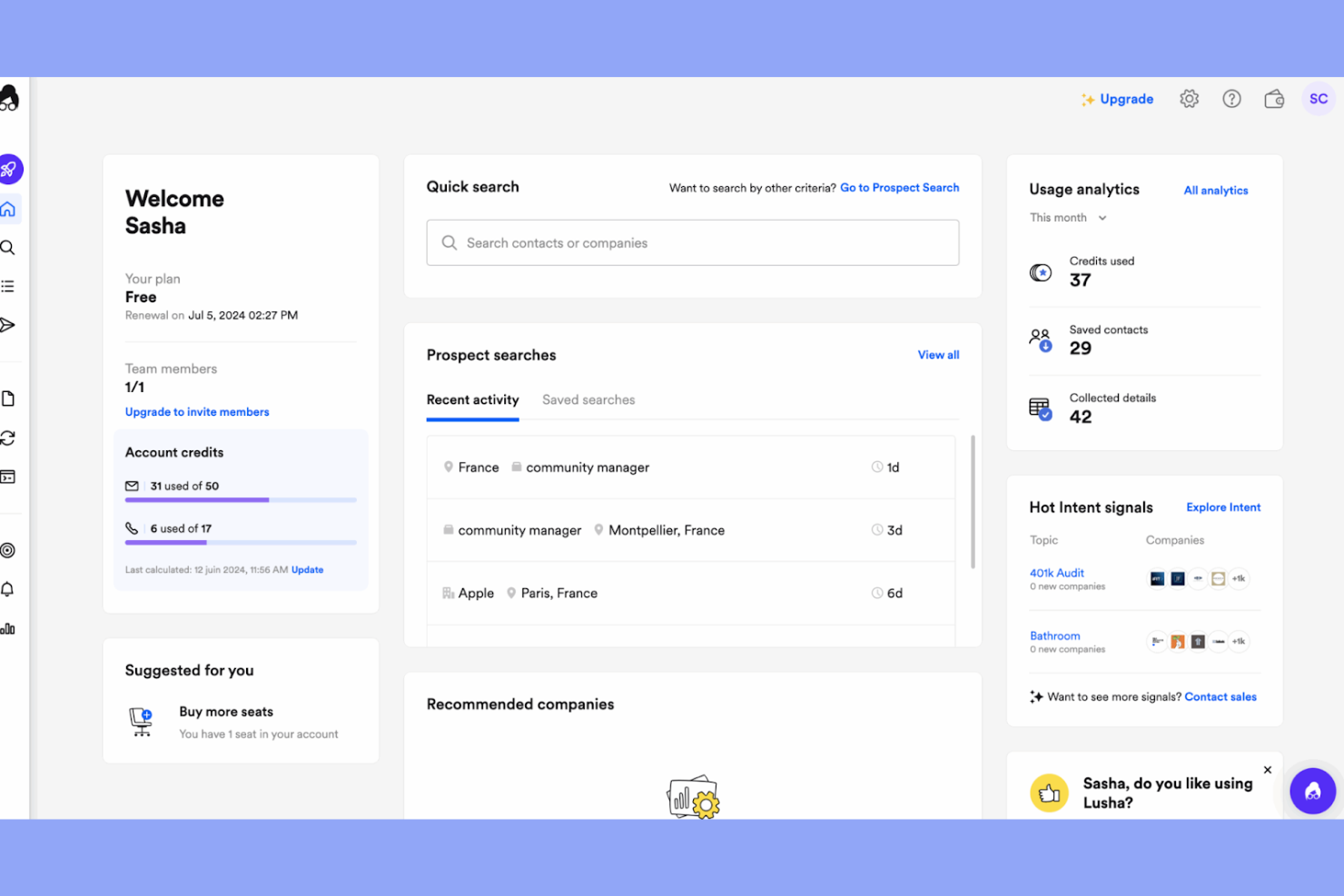
Lusha is designed for sales and marketing teams that need fast, accurate contact enrichment for B2B leads. It’s especially useful if you want to quickly fill in missing phone numbers or emails while prospecting on LinkedIn or company websites. For teams focused on speeding up lead qualification and outreach, Lusha’s browser extension and enrichment tools offer a direct way to access up-to-date contact details.
Why I Picked Lusha
Lusha stands out for its ability to instantly enrich contact records with direct phone numbers and verified email addresses. If you’re looking for a B2B contact database that prioritizes speed and accuracy in lead enrichment, Lusha’s browser extension makes it easy to pull up missing details while you browse LinkedIn or company websites. I picked Lusha because it lets your team quickly validate and supplement prospect data without leaving your workflow. This focus on rapid enrichment is especially helpful for sales teams that need to qualify leads and reach out without delay.
Lusha Key Features
Some other features in Lusha that are useful for B2B contact database users include:
- Bulk Enrichment: Lets you upload lists of leads or companies and enrich them with contact details in one step.
- Lusha API: Enables you to integrate contact enrichment directly into your CRM or workflow tools.
- Company Search: Allows you to find and filter companies based on industry, size, and location.
- Compliance Tools: Provides GDPR and CCPA compliance features to help you manage data privacy requirements.
Lusha Integrations
Integrations include Salesforce, HubSpot, Bullhorn, Outreach, Salesloft, Pipedrive, Zoho CRM, SourceWhale, monday CRM, and more.
Pros and Cons
Pros:
- GDPR and CCPA compliance features included
- Bulk upload and enrichment for lead lists
- Fast enrichment of LinkedIn contact profiles
Cons:
- No advanced company technographics filters
- No intent data or buying signals available
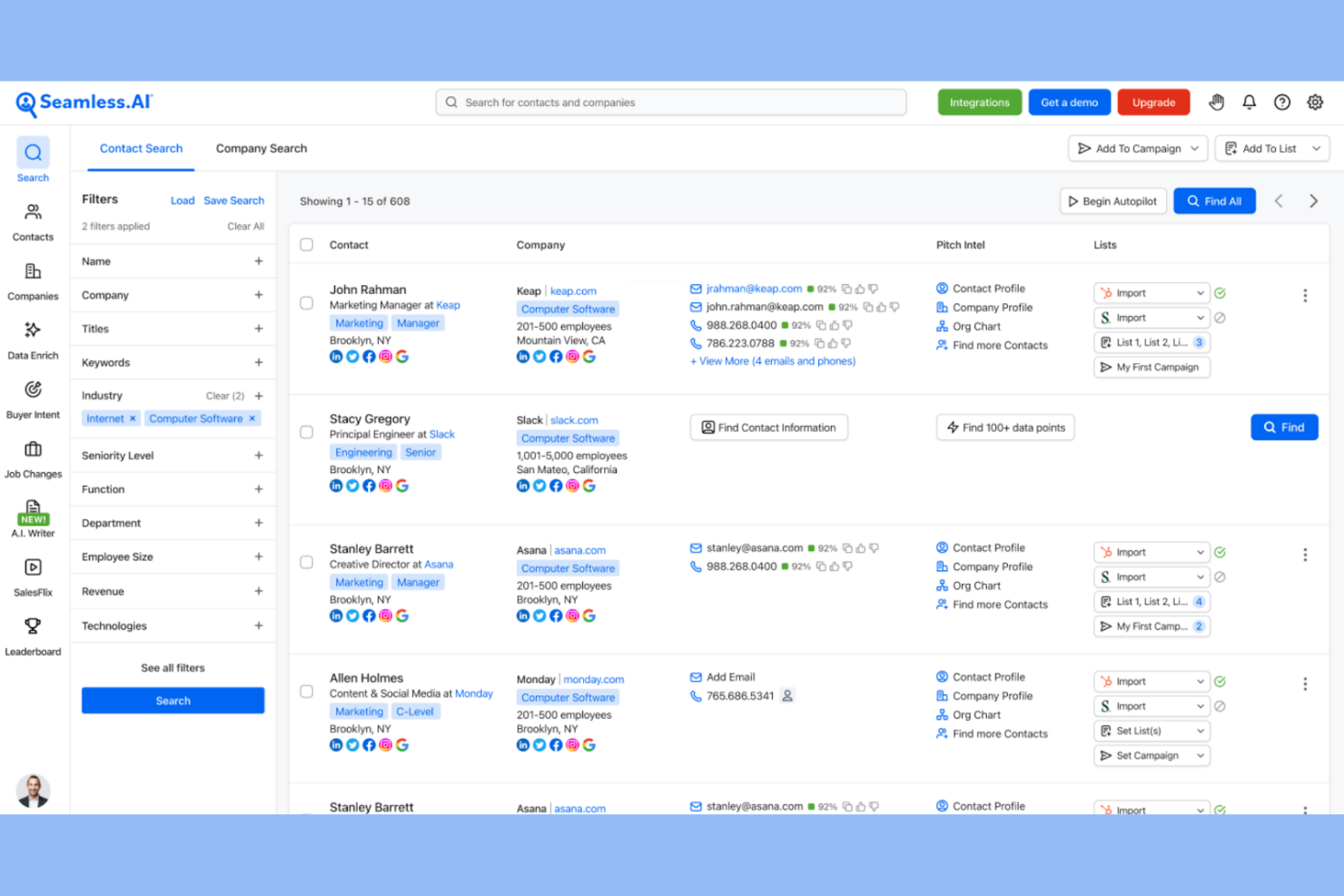
Seamless uses AI to recommend leads that match your ideal customer profile, making it a strong fit for sales teams focused on targeted prospecting. The platform appeals to B2B professionals who want to automate lead discovery and prioritize outreach based on real-time data. Its AI-driven approach helps users surface new contacts and companies that might otherwise be missed in traditional databases.
Why I Picked Seamless
What sets Seamless apart is its use of AI to surface lead recommendations tailored to your target criteria. I picked Seamless because its algorithms analyze millions of data points to suggest contacts and companies that align with your ideal customer profile. The platform continuously updates its recommendations as you refine your search, helping you discover new prospects that might not appear in static databases. This AI-powered approach is especially valuable for sales teams that want to keep their pipeline fresh and relevant.
Seamless Key Features
In addition to its AI-driven lead recommendations, I also found these features worth noting:
- Chrome Extension: Capture contact data directly from LinkedIn and company websites while browsing.
- Bulk List Building: Create and export large lists of contacts for outreach or CRM import.
- Real-Time Data Verification: Automatically checks and updates contact information for accuracy.
- Workflow Automation: Set up automated sequences for prospecting and follow-up tasks.
Seamless Integrations
Integrations include Salesforce, HubSpot, Microsoft Dynamics, Outreach, Salesloft, Zoho, Keap, Pipedrive, Insightly, Greenhouse, and more.
Pros and Cons
Pros:
- Workflow automation for prospecting sequences
- Real-time contact data verification and updates
- AI suggests leads based on search criteria
Cons:
- Occasional duplicate contacts in exports
- Limited company technographic information

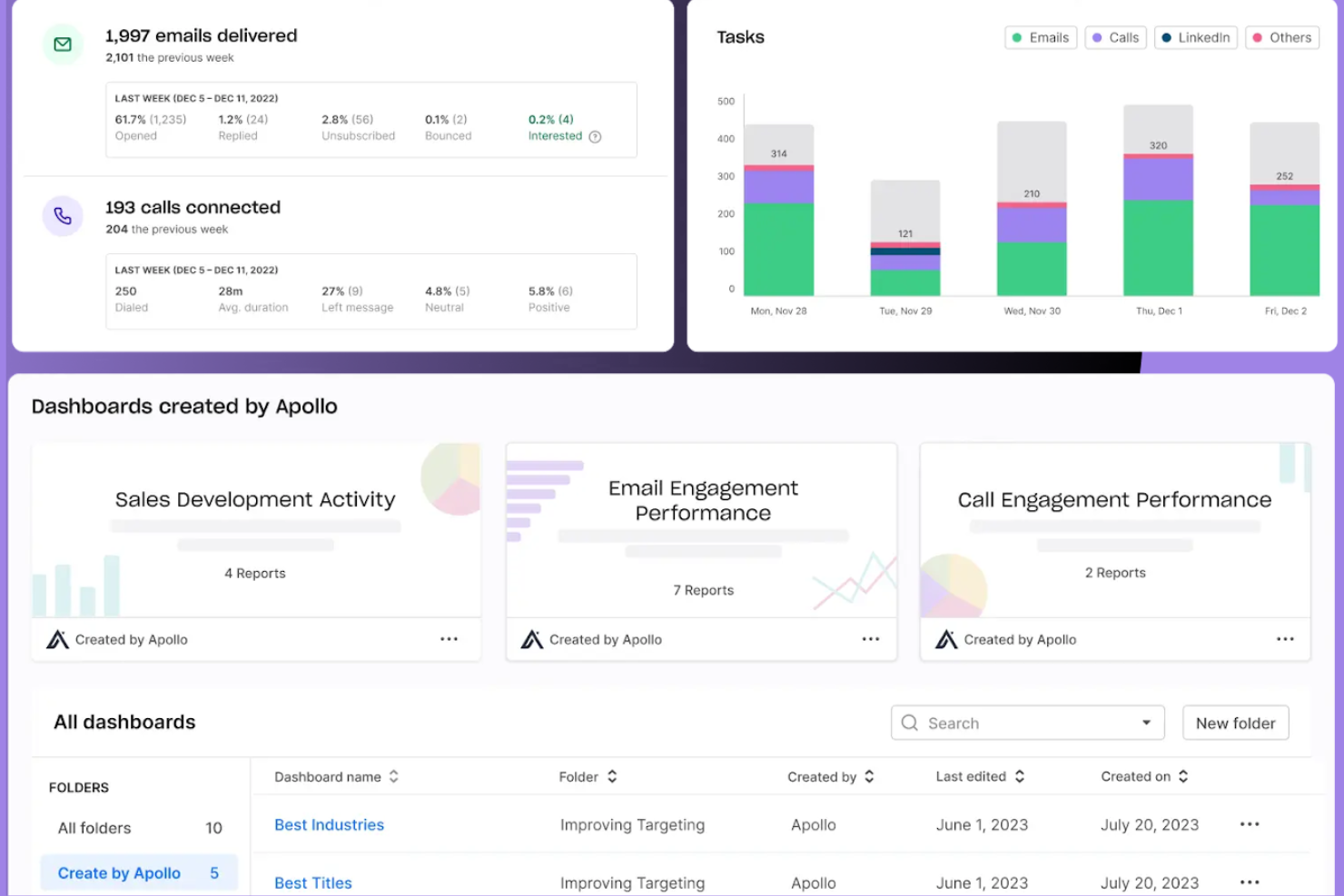
Apollo.io brings together a B2B contact database and sales engagement tools in one platform. It’s a strong fit for sales and revenue operations teams that want to find leads and run outreach sequences without switching between multiple tools. If you’re looking to connect prospect discovery with automated email, calling, and task workflows, Apollo.io offers a unified approach.
Why I Picked Apollo.io
What sets Apollo.io apart is its combination of a B2B contact database with built-in sales engagement tools. You can source verified contact data and immediately launch multi-channel outreach sequences from the same platform. I appreciate that Apollo.io includes automated email, calling, and task management features, so your team can move from prospecting to engagement without exporting data. This integrated approach is especially useful for revenue operations teams that want to simplify lead generation and follow-up.
Apollo.io Key Features
Some other features in Apollo.io that are valuable for B2B contact database users include:
- Advanced Search Filters: Lets you build targeted prospect lists using criteria like job title, location, and company size.
- Chrome Extension: Allows you to access contact data directly from LinkedIn and company websites while browsing.
- Data Enrichment: Updates and fills in missing CRM fields with verified business information.
- Lead Scoring: Ranks prospects based on engagement and fit, helping you prioritize outreach.
Apollo.io Integrations
Integrations include Salesforce, HubSpot, Pipedrive, Claude, JustCall, Chili Piper, Clay, Census, Albato, Bytemine, Findymail, Gumloop, and more.
Pros and Cons
Pros:
- Lead scoring based on engagement and fit
- Unlimited email credits on paid plans
- Integrated dialer and email sequencing tools
Cons:
- Occasional delays in syncing with CRMs
- Limited support for international phone numbers

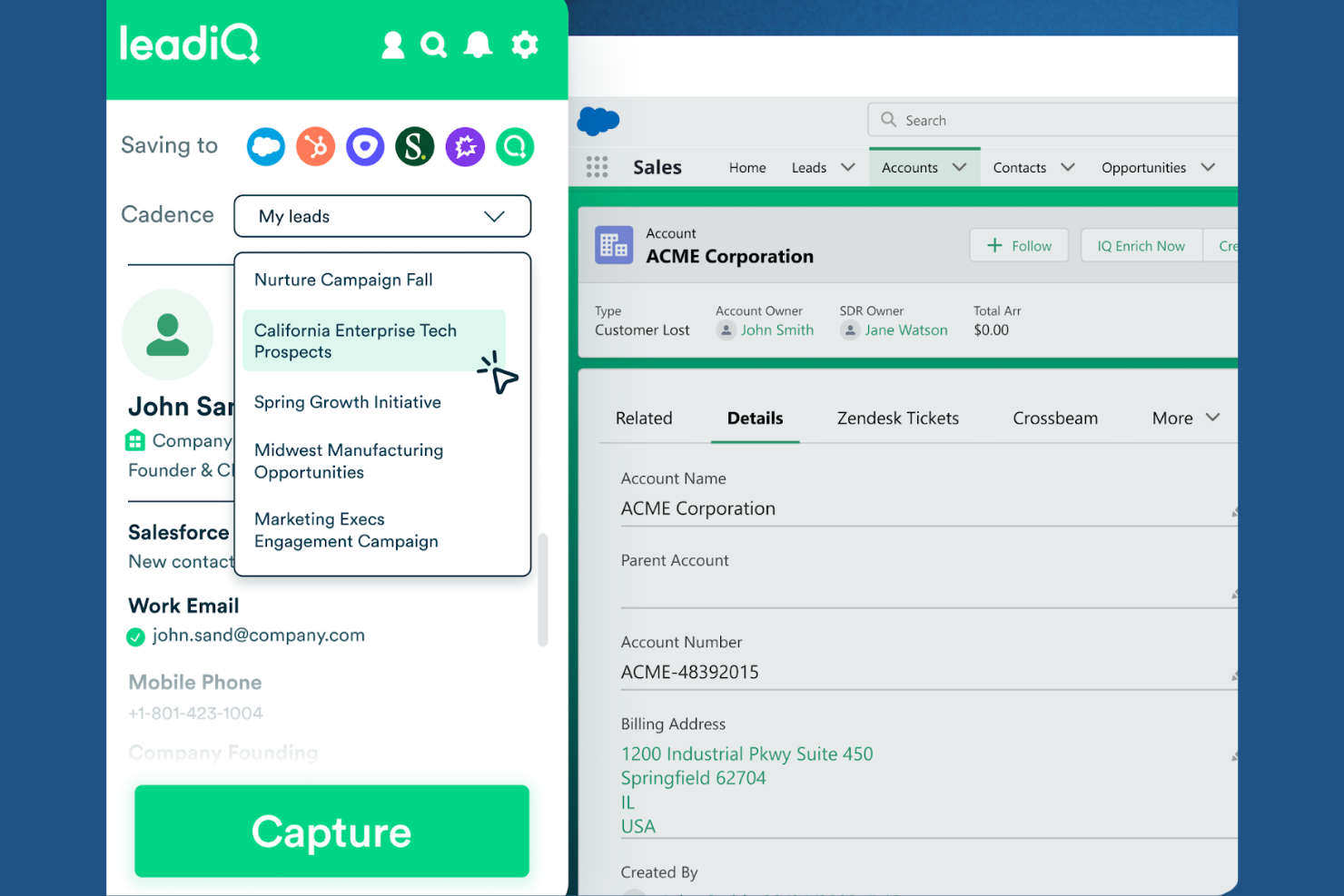
If your team relies on LinkedIn for prospecting, LeadIQ is designed to make capturing and managing B2B contact data from LinkedIn profiles much faster. It’s especially useful for sales development reps and outbound teams who want to enrich, organize, and sync prospect data directly from LinkedIn into their CRM. LeadIQ helps you avoid manual data entry and keeps your pipeline filled with up-to-date, actionable contacts.
Why I Picked LeadIQ
LeadIQ stands out for teams that prioritize LinkedIn as their main source for B2B prospecting. Its Chrome extension lets you capture contact details directly from LinkedIn profiles, which is a huge time-saver for outbound sales. I like that LeadIQ can enrich LinkedIn data with verified emails and phone numbers, so you get more than just what’s visible on a profile. For anyone building a B2B contact database from LinkedIn, these features make LeadIQ a practical and focused choice.
LeadIQ Key Features
Some other features in LeadIQ that are helpful for B2B contact database users include:
- Campaign Management: Lets you organize prospects into campaigns for structured outreach.
- CRM Sync: Automatically pushes captured contact data into Salesforce and HubSpot.
- Do Not Contact List: Helps you manage compliance by flagging and excluding opted-out contacts.
- Team Collaboration Tools: Allows multiple users to share lists and coordinate prospecting efforts.
LeadIQ Integrations
Integrations include Salesforce, HubSpot, Outreach, Salesloft, Clay, Zapier, Chili Pepper, Nooks, Gong, and an API for custom integrations.
Pros and Cons
Pros:
- Team collaboration features for shared prospecting
- Do Not Contact list supports compliance management
- Bulk prospecting from LinkedIn Sales Navigator
Cons:
- No built-in email sequencing or outreach tools
- Limited enrichment beyond standard contact fields

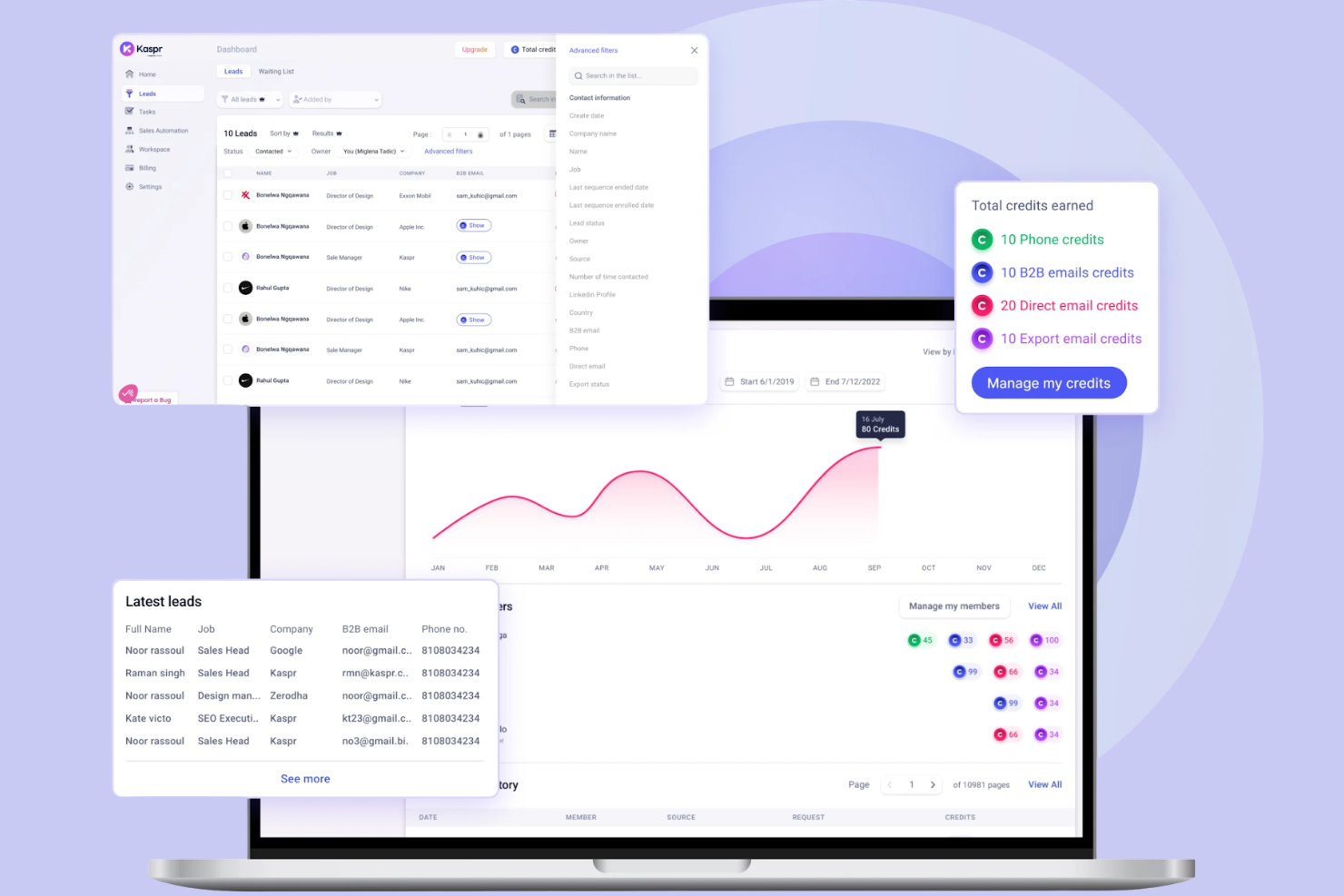
Kaspr is designed for sales teams and recruiters who want to capture leads directly from LinkedIn and other web pages without leaving their browser. Its Chrome extension makes it easy to find and export verified contact details in real time as you browse. This approach helps users quickly build targeted B2B contact lists without manual data entry or switching between tools.
Why I Picked Kaspr
For teams that want to capture leads as they browse, Kaspr offers a browser-based approach that stands out from traditional contact databases. Its Chrome extension lets you extract emails and phone numbers directly from LinkedIn profiles and company pages, making prospecting much more immediate. I picked Kaspr because it automatically enriches contact data as you browse, so you can build lists without switching tabs or copying information manually. This real-time capture and enrichment is especially useful for sales and recruiting professionals who need to move quickly from research to outreach.
Kaspr Key Features
Some other features in Kaspr that are useful for B2B contact database users include:
- Bulk Export: Download multiple contacts at once into CSV files for easy import into your CRM.
- Automated Workflows: Set up sequences to automate outreach and follow-up actions.
- Team Management Dashboard: Assign credits, monitor usage, and manage permissions for multiple users.
- Contact Activity Tracking: View a history of which contacts have been viewed, exported, or enriched by your team.
Kaspr Integrations
Integrations include Salesforce, HubSpot, Pipedrive, Zoho CRM, Brevo, Lemlist, Ringover, Aircall, and more.
Pros and Cons
Pros:
- Team dashboard tracks usage and credits
- Automated workflows for multi-step outreach
- Bulk export supports a large list building
Cons:
- Credits system restricts high-volume prospecting
- Limited contact data outside LinkedIn


How I Evaluate B2B Contact Databases
Revenue teams use B2B contact databases to build outreach lists, enrich inbound leads with firmographic data, and identify decision-makers at target accounts. My evaluation starts with a baseline every tool has to clear, then shifts to the differentiators that set one platform apart from another.
Core Functionality (Table Stakes for This List)
For B2B contact databases, the core functionality I evaluate is:
- Data accuracy: I check reported email deliverability rates and whether the vendor verifies contacts through real-time checks, batch refreshes, or human review.
- Search filters: Firmographic, demographic, and geographic filters need to be granular enough to build lists that match a specific ICP without heavy manual cleanup.
- Contact coverage: The database should include direct emails and phone numbers, not just generic company inboxes or switchboard lines.
- CRM integration: I look for native sync with Salesforce, HubSpot, or similar CRMs, plus deduplication logic that prevents polluting existing records on import.
- Bulk list building: Exporting or enriching hundreds of contacts at once is essential. One-by-one lookups don't scale for outbound teams building weekly prospect lists.
- Compliance posture: GDPR and CCPA handling matters. I evaluate whether the vendor offers opt-out mechanisms, DNC list screening, and transparent data sourcing.
- Enrichment capabilities: Uploading a CSV of event leads or inbound contacts and filling in missing fields like title, company size, or direct dial should be straightforward.
A tool has to deliver most of these capabilities to earn a spot on the list. From there, I consider what sets each tool apart.
Standout Features (What Separates the Picks)
Some platforms stand out by layering intent data, giving revenue teams signals about which accounts are actually in-market for their solution. I also look for technographic insights, letting you see what tools a prospect’s company already uses before reaching out. Real-time job change tracking or org chart visualizations can make a huge difference for teams doing account-based prospecting or following warm leads as they move roles.
What I Weigh Beyond Features
Pricing model matters a lot here. Per-seat plans can balloon fast for growing teams, while credit-based models scale with actual data usage. I evaluate geographic coverage too, especially for teams prospecting outside North America where match rates drop. Integration depth with sales engagement tools like Outreach or SalesLoft is another factor, since reps need contact data flowing directly into their sequencing workflows without manual steps.
How to Choose a B2B Contact Database
It’s easy to get bogged down in long feature lists and complex pricing structures. To help you stay focused as you work through your unique software selection process, here’s a checklist of factors to keep in mind:
| Factor | What to Consider |
|---|---|
| Scalability | Will the database support your team’s growth and changing prospecting needs over time? Check for user limits, data caps, and upgrade paths. |
| Integrations | Does the tool connect natively with your CRM, sales engagement, or marketing automation platforms? Confirm compatibility with your existing stack. |
| Customizability | Can you tailor fields, filters, and exports to match your team’s workflows and reporting needs? Avoid rigid systems that force workarounds. |
| Ease of use | How quickly can new users start finding and exporting contacts? Look for clear navigation and minimal training requirements. |
| Implementation and onboarding | What resources are needed to get up and running? Consider data migration, user training, and the availability of onboarding support. |
| Cost | Are pricing tiers aligned with your usage and team size? Watch for hidden fees, credit systems, or required add-ons that could inflate costs. |
| Security safeguards | Does the vendor offer encryption, access controls, and compliance with data privacy laws? Ask about GDPR, CCPA, and audit trails. |
| Support availability | What support channels are offered, and during what hours? Consider if you need 24/7 help or a dedicated account manager for urgent issues. |
What Is a B2B Contact Database?
A B2B contact database is a software platform that stores, organizes, and provides access to business contact information such as names, job titles, email addresses, phone numbers, and company details. These lead databases help sales and marketing teams identify potential customers, define their ICP, and connect with the right people for outreach activities like cold email and B2B email campaigns. Many B2B contact database providers act as data providers, offering enriched company profiles, insights into a prospect’s tech stack, and tools for sales intelligence. With a focus on data quality and segmentation, these platforms support more effective B2B marketing strategies and often offer custom pricing based on usage and data access needs.
Features of B2B Contact Database
When selecting a B2B contact database, keep an eye out for the following key features:
- Advanced search and filtering: Locate contacts using criteria like company size, industry, location, or job title to build targeted lists for outreach.
- Bulk export options: Download large sets of contact data in formats like CSV or directly push them to your CRM for campaign execution.
- Data enrichment: Append missing details such as company revenue, employee count, or social profiles to existing records for a fuller contact view.
- Contact segmentation: Organize contacts into groups based on attributes or behaviors to support personalized marketing and sales efforts.
- Real-time data updates: Ensure contact information stays current by automatically refreshing records as people change roles or companies.
- CRM integration: Sync contact data directly with your sales or marketing platforms to maintain a single source of truth and reduce manual entry.
- Compliance management: Support for GDPR, CCPA, and other data privacy regulations to help your team handle contact data responsibly.
- User access controls: Set permissions and roles to manage who can view, edit, or export contact data within your organization.
- Activity tracking: Monitor when contacts are added, updated, or exported to maintain data integrity and audit trails.
Common B2B Contact Database AI Features
Beyond the standard B2B contact database features listed above, many of these solutions are incorporating AI with features like:
- Predictive lead scoring: AI analyzes historical engagement and firmographic data to automatically rank contacts by their likelihood to convert, helping teams prioritize outreach.
- Automated data cleansing: AI detects and removes outdated, duplicate, or inaccurate contact records, maintaining a cleaner and more reliable database with minimal manual effort.
- Intent signal detection: AI monitors digital behaviors and online activity to identify contacts or companies showing buying intent, surfacing prospects who are actively researching solutions.
- Smart contact recommendations: AI suggests new contacts or accounts that match your ideal customer profile based on patterns in your existing data and successful deals.
- Natural language search: AI enables users to find contacts or companies using conversational queries, making it easier to surface relevant records without complex filters.
Benefits of B2B Contact Database
Implementing a B2B contact database provides several benefits for your team and your business. Here are a few you can look forward to:
- Faster prospecting: Advanced search, filtering, and AI recommendations help your team quickly identify and prioritize high-potential leads.
- Improved data accuracy: Real-time updates, automated cleansing, and enrichment features keep your contact information current and reliable.
- Better segmentation: Contact grouping and detailed filtering enable more targeted outreach and personalized campaigns.
- Simplified workflows: CRM integrations and bulk export options reduce manual data entry and support efficient campaign execution.
- Improved compliance: Built-in privacy controls and compliance management features help your team handle sensitive data responsibly.
- Greater visibility: Activity tracking and reporting features provide insight into prospecting efforts and data usage across your team.
- Scalable growth: Flexible user access controls and scalable data limits ensure the database can grow with your business needs.
Costs and Pricing of B2B Contact Database
Selecting a B2B contact database requires an understanding of the various pricing models and plans available. Costs vary based on features, team size, add-ons, and more. The table below summarizes common plans, their average prices, and typical features included in B2B contact database solutions:
Plan Comparison Table for B2B Contact Database
| Plan Type | Average Price | Common Features |
|---|---|---|
| Free Plan | $0 | Limited contact searches, basic filtering, restricted exports, and access to a small data sample. |
| Personal Plan | $25–$50/user/month | Expanded search filters, moderate export limits, basic CRM integration, and email support. |
| Business Plan | $50–$100/user/month | Bulk exports, advanced segmentation, real-time data updates, team collaboration, and compliance tools. |
| Enterprise Plan | $100–$200+/user/month | Unlimited exports, custom integrations, dedicated account management, advanced security, and SLAs. |
B2B Contact Database FAQs
Here are some answers to common questions about the B2B contact database:
How do B2B contact databases keep their data accurate?
Most B2B contact databases use a mix of automated data validation, manual verification, and regular updates from public and proprietary sources. Ask vendors how often they refresh their data and what processes they use to remove outdated or incorrect information.
Can I integrate a B2B contact database with my CRM?
Yes, most B2B contact databases offer integrations with popular CRM platforms. Check if the database supports direct syncing, custom field mapping, and automated updates to ensure a smooth workflow for your team.
What should I consider for GDPR and data privacy compliance?
You should confirm that the database provider follows GDPR, CCPA, and other relevant regulations. Look for features like consent tracking, data removal requests, and clear documentation on how personal data is sourced and processed.
Are there limits on how many contacts I can export?
Yes, most plans set limits on the number of contacts you can export per month or per user. Higher-tier plans usually offer larger or unlimited export quotas, so review plan details to match your team’s prospecting volume.
What support options are available if I run into issues?
Support options vary by vendor and plan. Common channels include live chat, email, phone, and knowledge bases. Some enterprise plans offer dedicated account managers or priority support for urgent issues.