
Aircall Review: Pros, Cons, Features and Pricing
Aircall shines with user-friendly features and integrations that make it a top choice for teams seeking effective VoIP communication solutions.

We review tools independently, and commissions help fund our testing. See our transparency policy, our methodology, or suggest a tool.
Aircall is a conversation intelligence software built around a cloud-based business phone system. It's a good fit for revenue teams that handle high call volumes in sales or support and need call transcription, AI-powered insights, and CRM-connected coaching. If you don't already have a dedicated phone solution, I'd choose Aircall over Gong. Aircall bundles calling infrastructure and conversation intelligence into one platform. Gong layers CI on top of a phone system you'd source separately.
Aircall Evaluation Summary
4.3/5
- From $30/user/month (billed annually)
- Free trial available
Why Trust Our Software Recommendations
6,700+
Reviews
20
Industry experts
16+
Evaluation factors
14
Years
Our reviews reflect our independent judgment—not a sales pitch. Learn how we stay transparent.
For this guide, we evaluated tools using hands-on testing and independent research, scoring tools using our selection criteria.
Our reviews reflect our human editorial judgment, not a sales pitch.
Aircall Overview
In my opinion, Aircall is a solid choice for teams looking for a conversation intelligence platform with great call management and CRM integration. Its ease of use and standout features make it appealing, especially for sales and support teams. Compared to others, Aircall excels in user experience but may fall short on pricing for smaller teams. It's best suited for businesses in tech and e-commerce that need efficient call handling and strong integrations. If you're choosing software, consider your team's specific needs and budget, as Aircall offers a balanced mix of features and support that can enhance your communication strategy.
Pros
- You can set up and start using Aircall quickly with minimal training.
- Your team will enjoy its intuitive interface that simplifies call management.
- Aircall's call quality is consistently reliable, ensuring clear communication.
Cons
- You might find the reporting features lacking in depth compared to competitors.
- Your team may experience occasional downtime during peak usage times.
- Aircall's mobile app can be less intuitive than the desktop version.
Is Aircall Right For Your Needs?
Who Would be a Good Fit for Aircall?
Aircall is a great fit for sales and customer support teams in tech and e-commerce industries. Your team will benefit from its easy setup and user-friendly interface, which makes managing calls straightforward. The reliable call quality ensures clear communication, vital for your customer interactions. If your team values efficient call handling and needs seamless CRM integration, Aircall's features align well with these needs. It's particularly useful if your focus is on providing excellent customer service and you want a tool that enhances your team's productivity.
- Tech StartupsYour startup will thrive with Aircall's quick setup and easy-to-use interface, helping you manage customer calls effortlessly.
- E-commerce BusinessesYour online store can handle customer queries efficiently with Aircall's reliable call quality and seamless CRM integration.
- Sales TeamsYour sales team will benefit from Aircall's intuitive call management, enhancing communication with prospects and clients.
- Customer SupportYour support team will find Aircall's consistent call quality ideal for resolving customer issues quickly and effectively.
- Remote TeamsIf your team works remotely, Aircall's cloud-based solution ensures everyone stays connected and manages calls from anywhere.
- Small to Medium Enterprises (SMEs)SMEs will find Aircall's ease of use and minimal training requirements perfect for quickly getting started with call management.
Who Would be a Bad Fit for Aircall?
Aircall isn't ideal for large enterprises or industries requiring in-depth analytics and reporting. If your team needs advanced data insights, Aircall's reporting features might not meet your expectations. It's also not the best choice for businesses with high call volumes during peak times, as occasional downtime can disrupt your operations. For teams needing a highly customizable solution, Aircall's standardized features might limit your options. Consider other tools if custom reporting and analytics are crucial for your work.
- Large EnterprisesYour enterprise might find Aircall's reporting features too basic for complex data analysis needs.
- Financial ServicesIn financial services, the need for detailed analytics makes Aircall's limited reporting a poor fit.
- TelemarketingHigh call volumes in telemarketing can lead to downtime issues with Aircall, affecting your work efficiency.
- Custom Reporting NeedsIf your team relies on custom reports, Aircall's standard options won't provide the flexibility you need.
- Healthcare ProvidersHealthcare providers needing detailed call tracking and reporting will find Aircall's analytics insufficient.
- Manufacturing SectorsIn manufacturing, where detailed operational insights are vital, Aircall's reporting shortcomings might hinder your data-driven decisions.
How We Test & Score Tools
We’ve spent years building, refining, and improving our software testing and scoring system. The rubric is designed to capture the nuances of software selection and what makes a tool effective, focusing on critical aspects of the decision-making process.
Below, you can see exactly how our testing and scoring works across seven criteria. It allows us to provide an unbiased evaluation of the software based on core functionality, standout features, ease of use, onboarding, customer support, integrations, customer reviews, and value for money.
Core Functionality (25% of final scoring)
The starting point of our evaluation is always the core functionality of the tool. Does it have the basic features and functions that a user would expect to see? Are any of those core features locked to higher-tiered pricing plans? At its core, we expect a tool to stand up against the baseline capabilities of its competitors.
Standout Features (25% of final scoring)
Next, we evaluate uncommon standout features that go above and beyond the core functionality typically found in tools of its kind. A high score reflects specialized or unique features that make the product faster, more efficient, or offer additional value to the user.
We also evaluate how easy it is to integrate with other tools typically found in the tech stack to expand the functionality and utility of the software. Tools offering plentiful native integrations, 3rd party connections, and API access to build custom integrations score best.
Ease of Use (10% of final scoring)
We consider how quick and easy it is to execute the tasks defined in the core functionality using the tool. High scoring software is well designed, intuitive to use, offers mobile apps, provides templates, and makes relatively complex tasks seem simple.
Onboarding (10% of final scoring)
We know how important rapid team adoption is for a new platform, so we evaluate how easy it is to learn and use a tool with minimal training. We evaluate how quickly a team member can get set up and start using the tool with no experience. High scoring solutions indicate little or no support is required.
Customer Support (10% of final scoring)
We review how quick and easy it is to get unstuck and find help by phone, live chat, or knowledge base. Tools and companies that provide real-time support score best, while chatbots score worst.
Customer Reviews (10% of final scoring)
Beyond our own testing and evaluation, we consider the net promoter score from current and past customers. We review their likelihood, given the option, to choose the tool again for the core functionality. A high scoring software reflects a high net promoter score from current or past customers.
Value for Money (10% of final scoring)
Lastly, in consideration of all the other criteria, we review the average price of entry level plans against the core features and consider the value of the other evaluation criteria. Software that delivers more, for less, will score higher.
Core Features
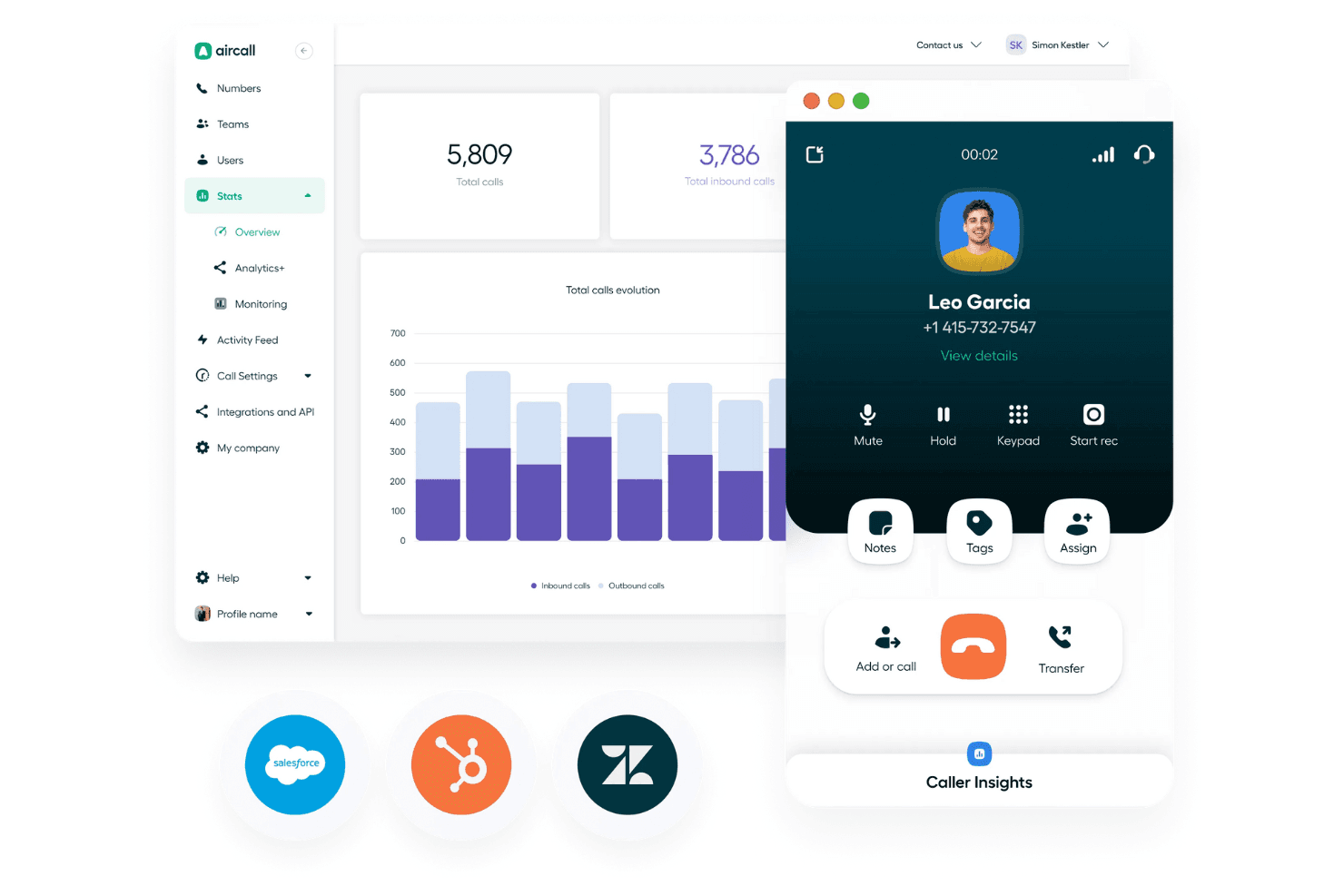
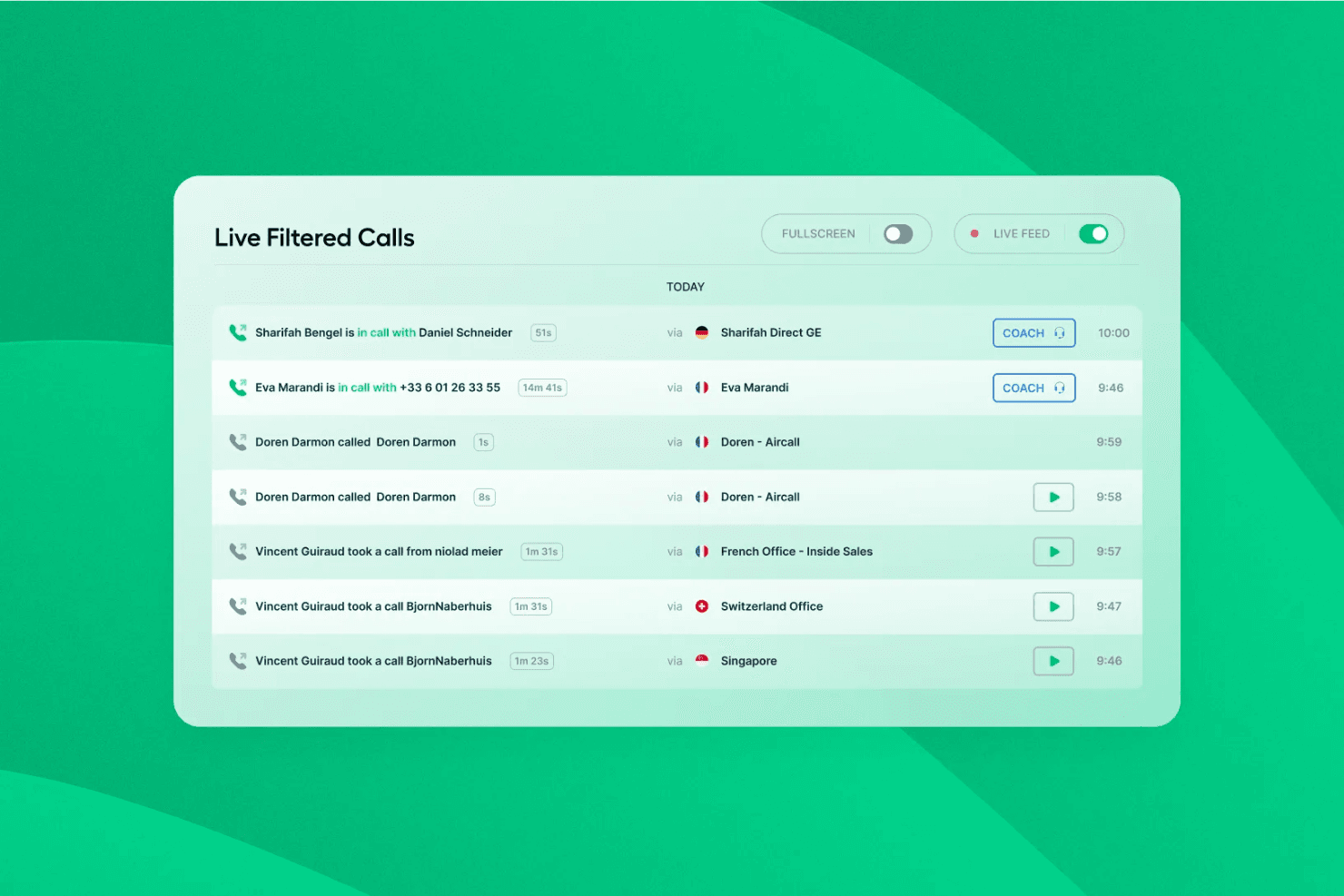
Call Management: You can easily handle incoming and outgoing calls with Aircall's intuitive interface. It lets your sales and help desk teams manage phone call queues and history in real time.
Call Recording: With Aircall, you can record calls for quality assurance and training. Your team can review interactions to improve communication skills.
Real-Time Modifications: Make on-the-fly changes to call settings without disrupting your workflow. This feature lets your team adapt quickly to changing needs.
Activity Feed: Keep track of all call activities in one place. Your team can stay updated on call history and follow-up tasks seamlessly.
Standout Features
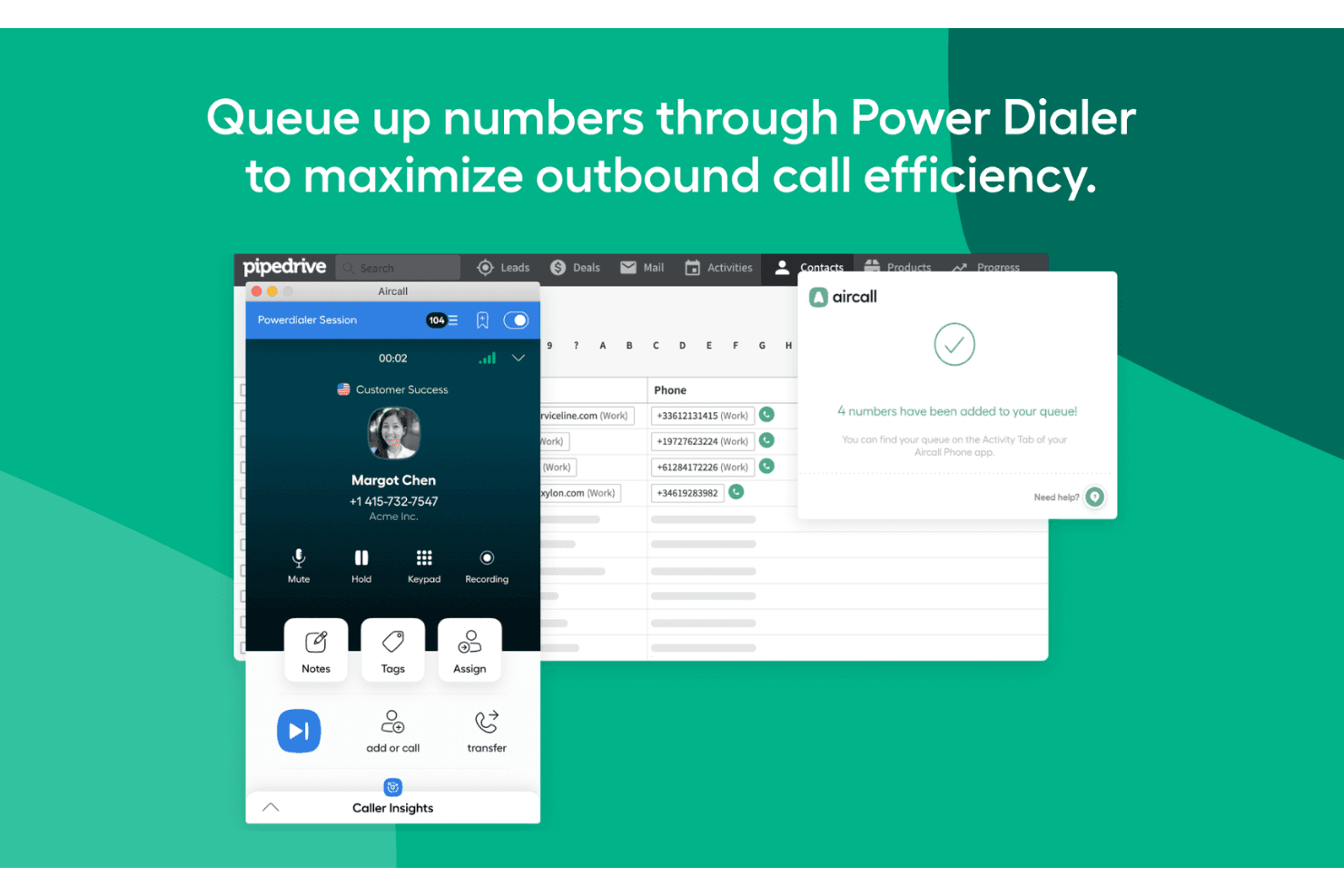
Power Dialer: Aircall's power dialer automates the dialing process, allowing your team to connect with more leads in less time. It boosts productivity by reducing manual dialing.
Warm Transfer: You can smoothly transfer calls between team members with context. This ensures your customers get the right help without repeating themselves.
Ease of Use
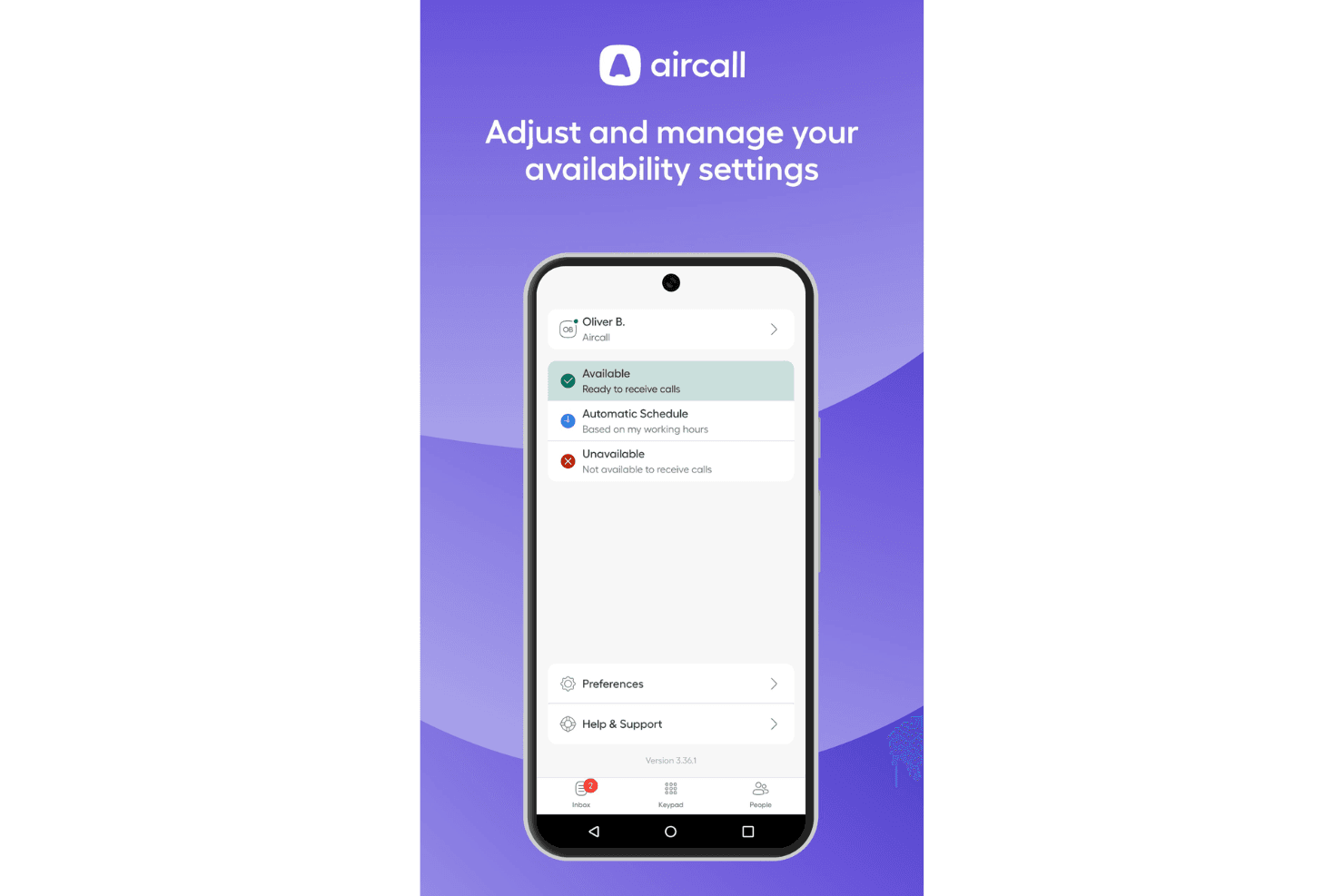
Aircall stands out for its user-friendly design, making it easy for your team to start using without much training. Its intuitive interface allows you to manage calls and access features like call recording and voicemail transcriptions effortlessly. Users appreciate the straightforward setup and real-time modifications, which let your team adapt quickly. Compared to other tools, Aircall's simplicity in handling core functions makes it a preferred choice for teams looking to streamline their communication processes efficiently.
Onboarding
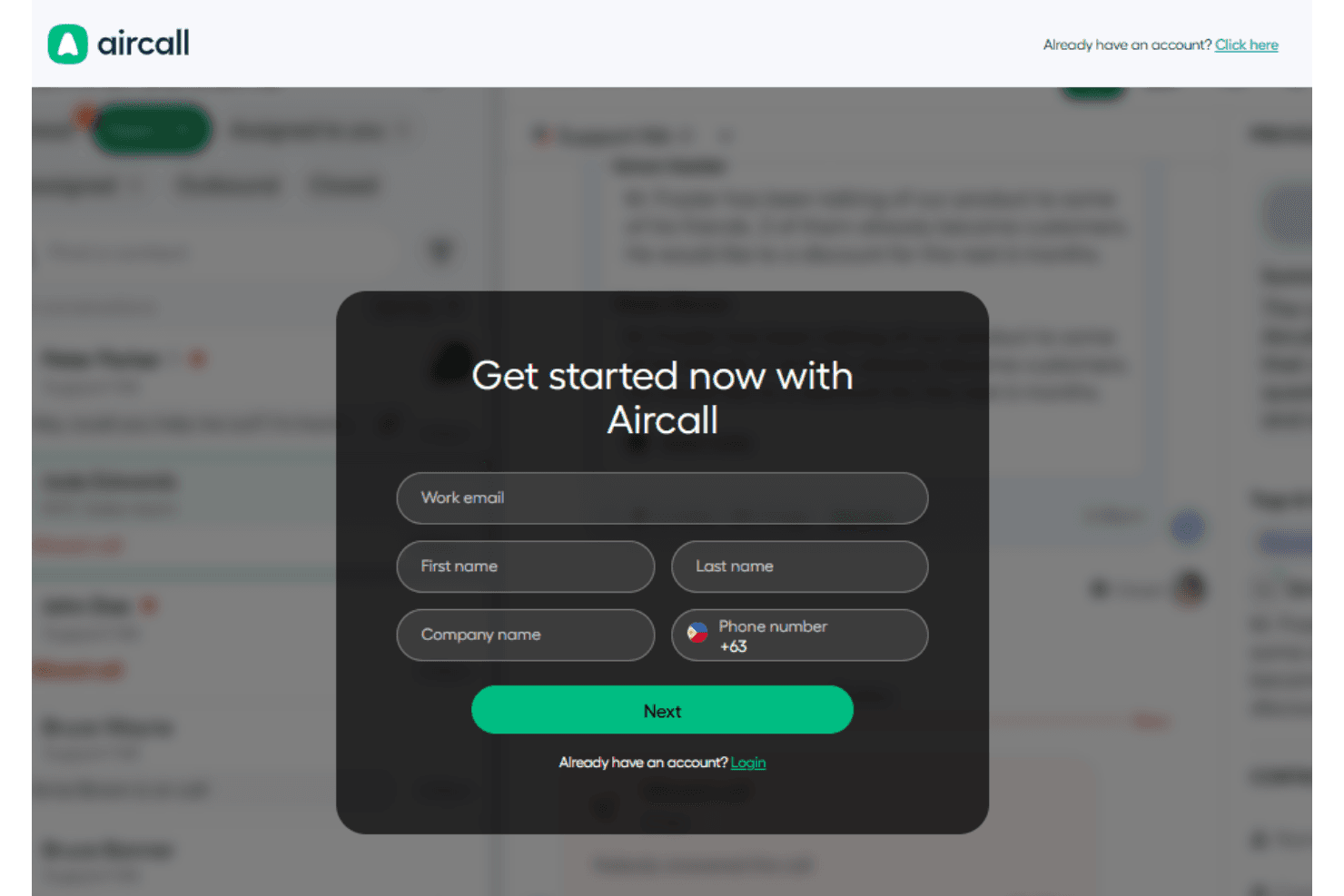
Aircall offers a smooth onboarding experience, helping your team get started quickly with minimal hassle. The setup process is straightforward, and the platform provides clear instructions and resources to guide new users. Your team can access tutorials and support to ensure a quick understanding of the system's capabilities. Compared to others, Aircall's efficient onboarding means your team can achieve value in a short time, making it a solid choice for those needing to implement conversation intelligence swiftly.
Customer Support
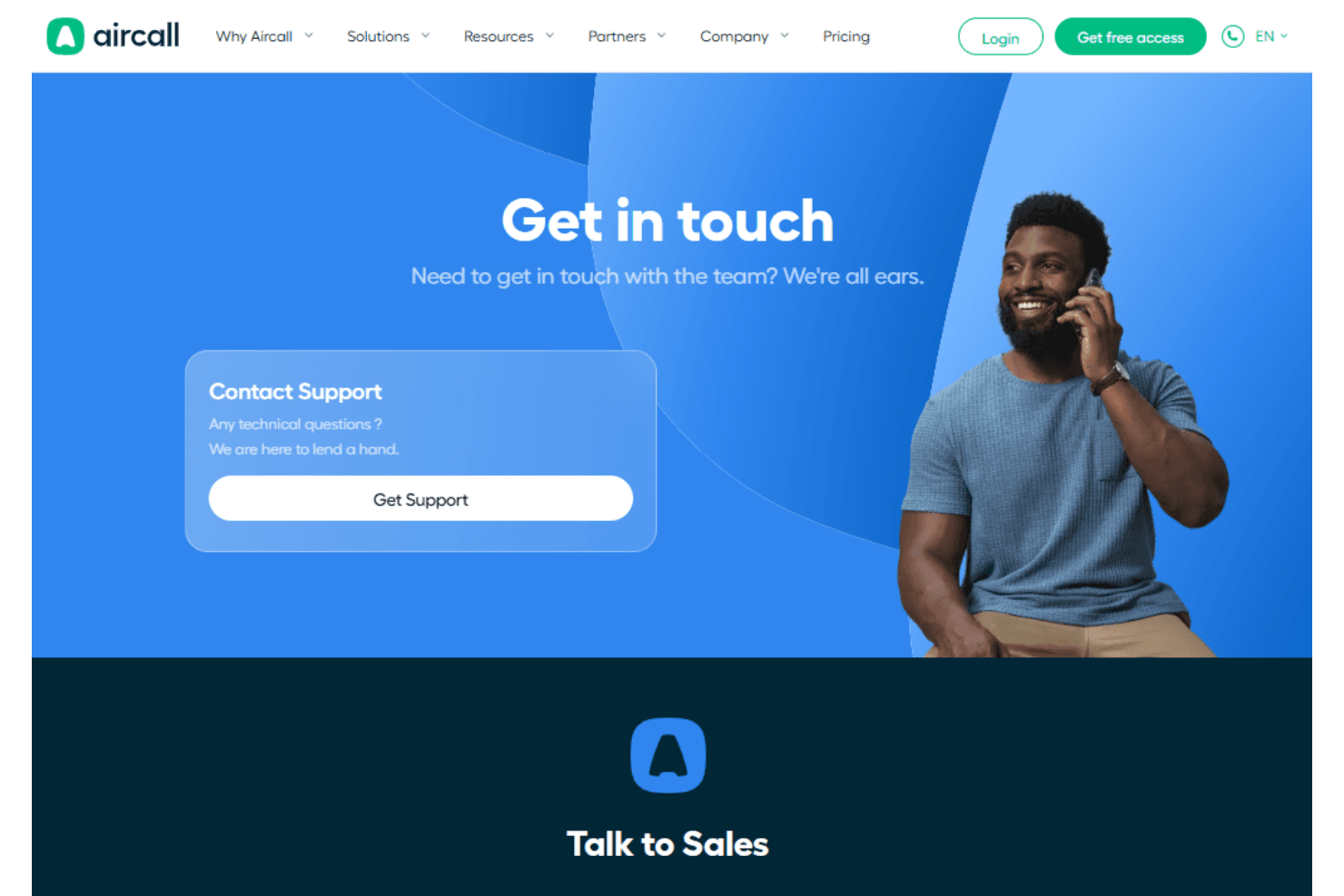
Aircall provides solid customer support, ensuring your team can resolve issues promptly. Users appreciate the responsive service and multiple support channels, including chat and email. The availability of comprehensive resources and tutorials helps your team troubleshoot independently when needed. Compared to others, Aircall's commitment to assisting users makes it a reliable choice for maintaining smooth operations. Your team can rely on their support for quick resolutions and guidance.
Integrations
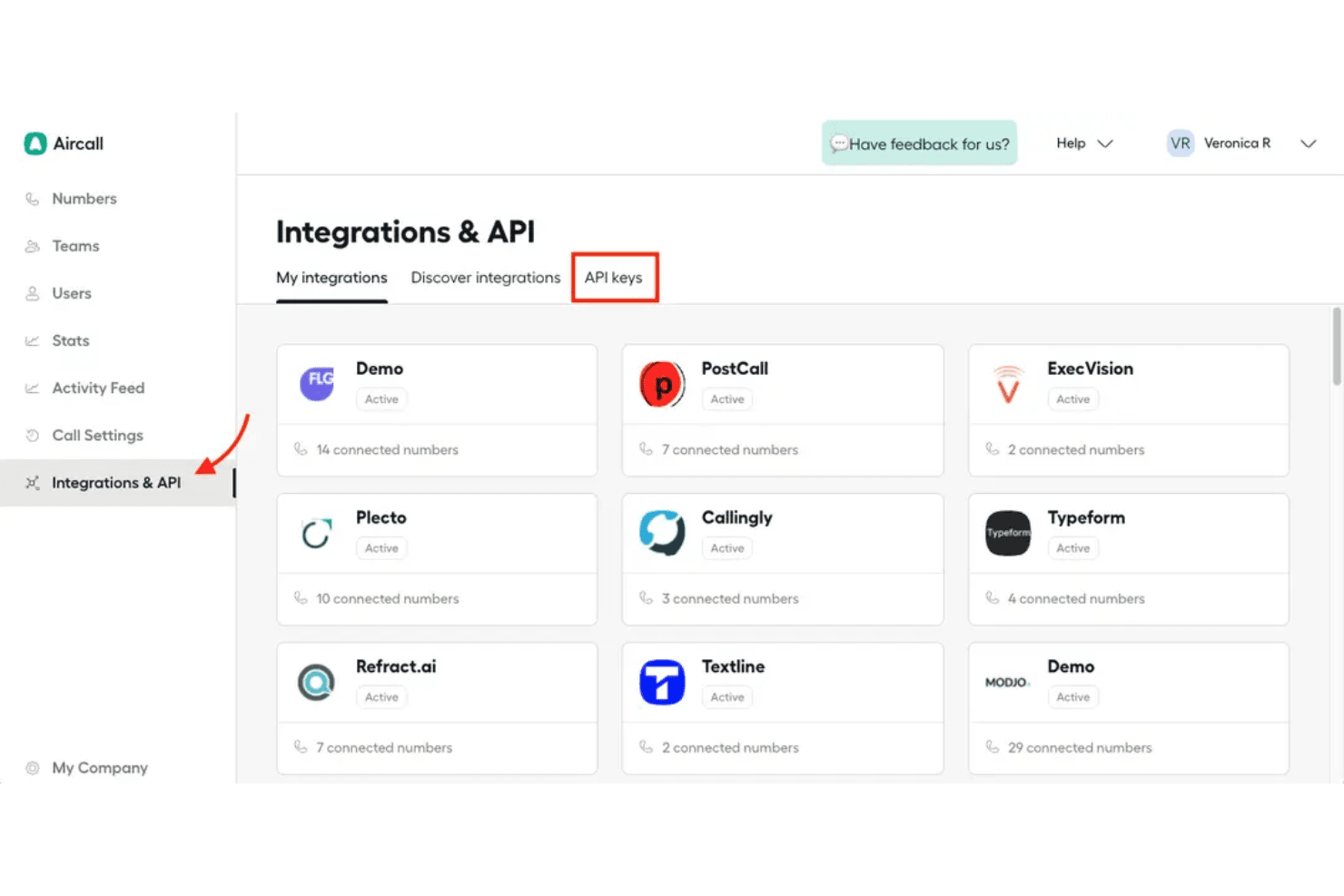
Aircall integrates with Salesforce, HubSpot, Intercom, Zendesk, Pipedrive, Microsoft Dynamics, Gorgias, and Slack to sync calls, contacts, and conversations across your tools.
It also provides API access and an integration marketplace, allowing your team to connect third-party apps and build custom workflows as needed.
Value for Money
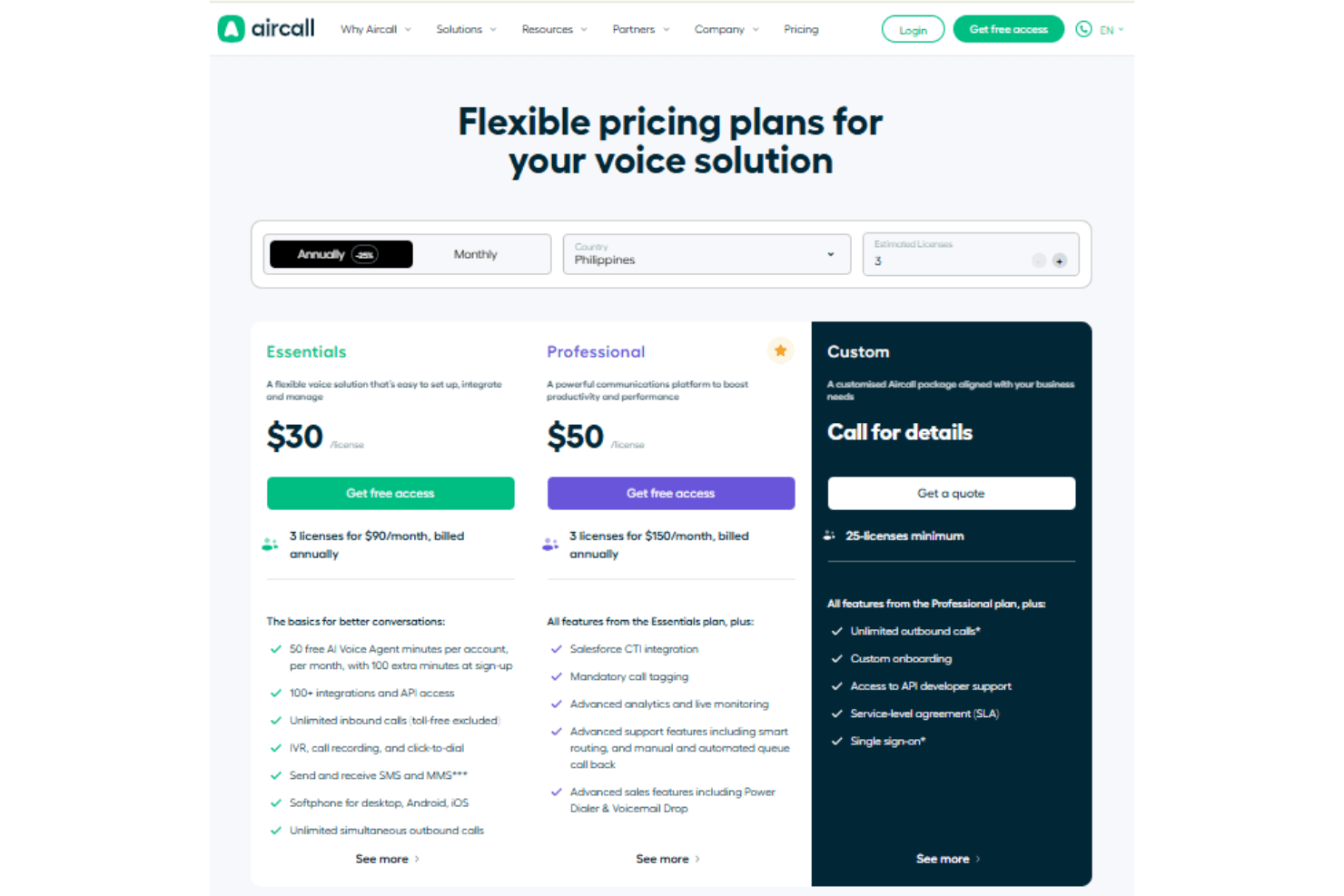
Aircall offers straightforward annual pricing for businesses that rely on cloud-based calling and contact center capabilities. The Essentials plan delivers core voice features and integrations at a reasonable cost, while the Professional plan adds advanced analytics, CRM integration, and monitoring tools for sales and support teams. For larger operations with specific needs, the Custom plan provides tailored features, onboarding, and service-level agreements. Overall, Aircall’s pricing is competitive for teams that need reliable voice communications integrated with their workflows.
Plans:
- Essentials: From $30 per license/month (billed annually) includes inbound and outbound calling, IVR, call recording, SMS, softphone apps, and integrations.
- Professional: From $50 per license/month (billed annually) adds Salesforce CTI, advanced analytics and live monitoring, smart routing, call tagging, and sales-oriented calling tools.
- Custom: Price available upon request (billed annually) offers all Professional features plus unlimited outbound calls, custom onboarding, API developer support, service-level agreement (SLA), and single sign-on.
Aircall Specs
- 2-Factor Authentication: Yes
- API: Yes
- Audio Recording: Yes
- Auto Dialer: Yes
- Automatic Call Distribution: Yes
- Call Disposition: Yes
- Call Logging: Yes
- Call Monitoring: Yes
- Call Recording: Yes
- Call Scripting: Yes
- Call Tracking: Yes
- Chat: Yes
- Click-to-Dial: Yes
- Contact Management: Yes
- Contact Sharing: Yes
- CRM Integration: Yes
- Dashboard: Yes
- Data Export: Yes
- Data Import: Yes
- Data Visualization: Yes
- External Integrations: Yes
- File Transfer: Yes
- Hardware Integration: Yes
- Interactive Voice Response: Yes
- Mobile App: Yes
- Multi-User: Yes
- Notifications: Yes
- Report & Compliance: Yes
- Scheduling: Yes
- SMS: Yes
- Softphone: Yes
- Video: Yes
Aircall FAQs
Aircall Company Overview & History
Aircall, founded in 2014 in Paris, is a unified communications platform that enhances customer interactions for over 22,000 businesses globally by integrating various communication channels. The company has expanded to approximately 600 employees across nine offices, including locations in New York, Sydney, and London. Aircall has raised $226 million in funding and achieved Centaur status in 2022 with over $100 million in annual recurring revenue. It continues to grow and innovate, recently appointing a new CEO and opening a new office in San Francisco in 2024.
Aircall Major Milestones
- 2014: Founded in Paris as a unified communications platform.
- 2021: Raised $120 million in Series D funding.
- 2022: Achieved Centaur status with over $100 million in annual recurring revenue.
- 2024: Appointed a new CEO and opened a new office in San Francisco.