

Se está à procura de alternativas ao MRPeasy, vai querer soluções capazes de lidar com o planeamento da produção, a gestão de inventário e a coordenação da cadeia de abastecimento — sem as limitações de personalização, relatórios ou acesso móvel que alguns utilizadores sentem com o MRPeasy.
De seguida, apresento-lhe as minhas principais escolhas das melhores alternativas ao MRPeasy, para que possa encontrar a opção certa para as necessidades da sua empresa.
Why Trust Our Software Recommendations
6,700+
Reviews
20
Industry experts
16+
Evaluation factors
14
Years
Our reviews reflect our independent judgment—not a sales pitch. Learn how we stay transparent.
For this guide, we evaluated tools using hands-on testing and independent research, scoring tools using our selection criteria.
Our reviews reflect our human editorial judgment, not a sales pitch.
Tabela de comparação: alternativas ao MRPeasy
Esta tabela de comparação resume os detalhes de preços das minhas principais escolhas de alternativas ao MRPeasy.
| Tool | Best For | Trial Info | Price | ||
|---|---|---|---|---|---|
| 1 | Best for scalable ERP with AI-driven insights | 30-day free trial available | From $8/user/month (billed annually) | Website | |
| 2 | Best for full business management features for SMEs | Not available | Pricing upon request | Website | |
| 3 | Best for B2B customer self-service portals | Free demo available | From $2,185/month | Website | |
| 4 | Best for CRM-to-manufacturing order handoffs | Free plan + free demo available | Pricing upon request | Website | |
| 5 | Best for ERP in manufacturing and distribution sectors | Free demo available | Pricing upon request | Website | |
| 6 | Best for multi-site purchasing from planned orders | Free demo available | Pricing upon request | Website | |
| 7 | Best for CRM alongside production execution | Free plan + free trial available | From $31.10/user/month (billed annually) | Website | |
| 8 | Best for customer, partner and vendor CRM | Free demo available | Pricing upon request | Website | |
| 9 | Best for linking sales demand to production | Free plan + 14-day trial available | From $5/month | Website | |
| 10 | Best for capacity-based job scheduling | Not available | Pricing upon request | Website |


O que é o MRPeasy?
O MRPeasy é um software de planeamento de recursos de produção (MRP) baseado na nuvem, concebido para pequenos e médios fabricantes, que disponibiliza ferramentas para o planeamento da produção, a gestão de inventário, as compras e as vendas. No entanto, algumas empresas podem procurar alternativas ao MRPeasy se necessitarem de funcionalidades diferentes, preços mais flexíveis ou uma solução que se adeque melhor às suas necessidades operacionais específicas.
Análise das melhores alternativas ao MRPeasy
Eis a minha análise aprofundada das alternativas ao MRPeasy, incluindo as vantagens e desvantagens de cada ferramenta, as suas funcionalidades e os casos de utilização mais adequados.
 Best for scalable ERP with AI-driven insights
- 30-day free trial available
- From $8/user/month (billed annually)
Visit WebsiteCustomer Rating:4.6/5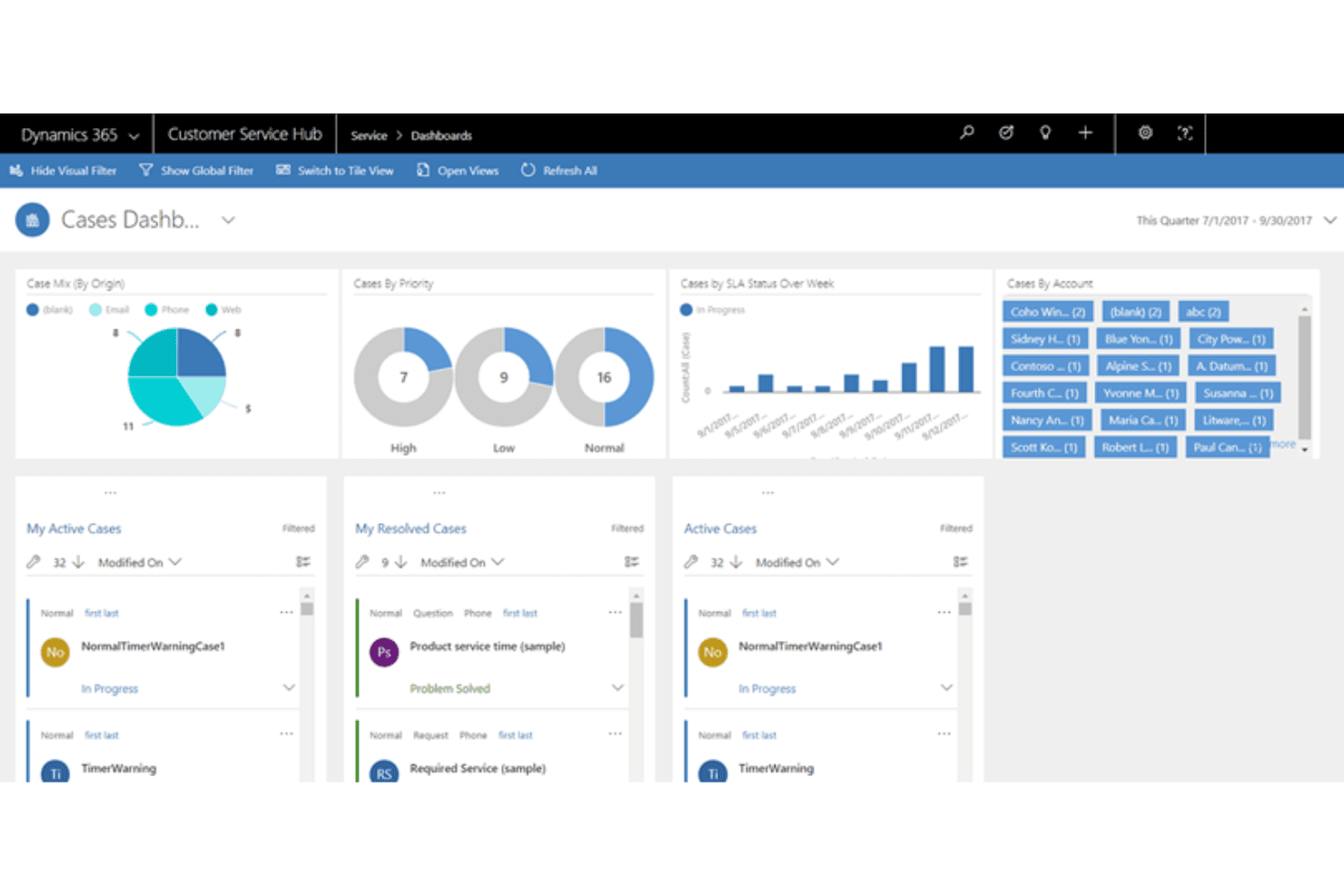
Microsoft Dynamics 365 centralizes customer service cases in one dashboard. Microsoft Dynamics 365 Supply Chain Management is a cloud ERP platform built for mid-to-large manufacturers who need end-to-end visibility across production, inventory, procurement, and warehousing—with AI-driven demand forecasting and finite-capacity scheduling to keep operations running in sync.
Who Is Microsoft Dynamics 365 Best For?
Dynamics 365 Supply Chain Management fits mid-to-large manufacturers that need enterprise-grade ERP with multi-site production, warehouse, and procurement operations under one platform.
Why I Picked Microsoft Dynamics 365
I picked Dynamics 365 Supply Chain Management because it scales in ways MRPeasy simply can't match once your operations outgrow a single site or team. I love how finite-capacity scheduling backward-plans production orders from the requirement date while accounting for already-reserved resource capacity, so scheduling conflicts surface before they become missed deadlines. AI-driven demand planning with external signals and forecast explainability gives me confidence in replenishment decisions across multi-warehouse environments that MRPeasy isn't built to handle.
Microsoft Dynamics 365 Key Features
- Item tracing: Tracks raw materials and finished goods from vendor through production and sales, linking inventory locations and related production orders across the full supply chain.
- Production floor execution interface: Displays real-time job status, quantities planned, started, completed, and scrapped, letting workers start jobs and report output from a single view.
- Cross-company product sharing: Shares released-product data across multiple legal entities using configured policies, with site and warehouse tables includable in the same sharing setup.
- Warehouse Management mobile app: Gives warehouse workers a mobile tool for scanning, picking, receiving, and inventory updates on Windows, Android, and iOS devices.
Microsoft Dynamics 365 Integrations
Dynamics 365 Supply Chain Management has native integrations with Microsoft Teams, Power BI, and Copilot Studio, plus connections to FedEx and external MES systems. REST and OData APIs support custom integrations, while AppSource provides marketplace options such as Tasklet Mobile WMS.
Pros and Cons
Pros:
- Multi-warehouse inventory supports cycle counting and tracing
- Shop-floor jobs track good and scrap quantities
- Finite-capacity schedules expose resource conflicts early
Cons:
- Rollouts demand substantial configuration and training
- Item tracing stops at one BOM level
Learn more about Microsoft Dynamics 365: Best for full business management features for SMEs
- Not available
- Pricing upon request
Visit WebsiteCustomer Rating:4.4/5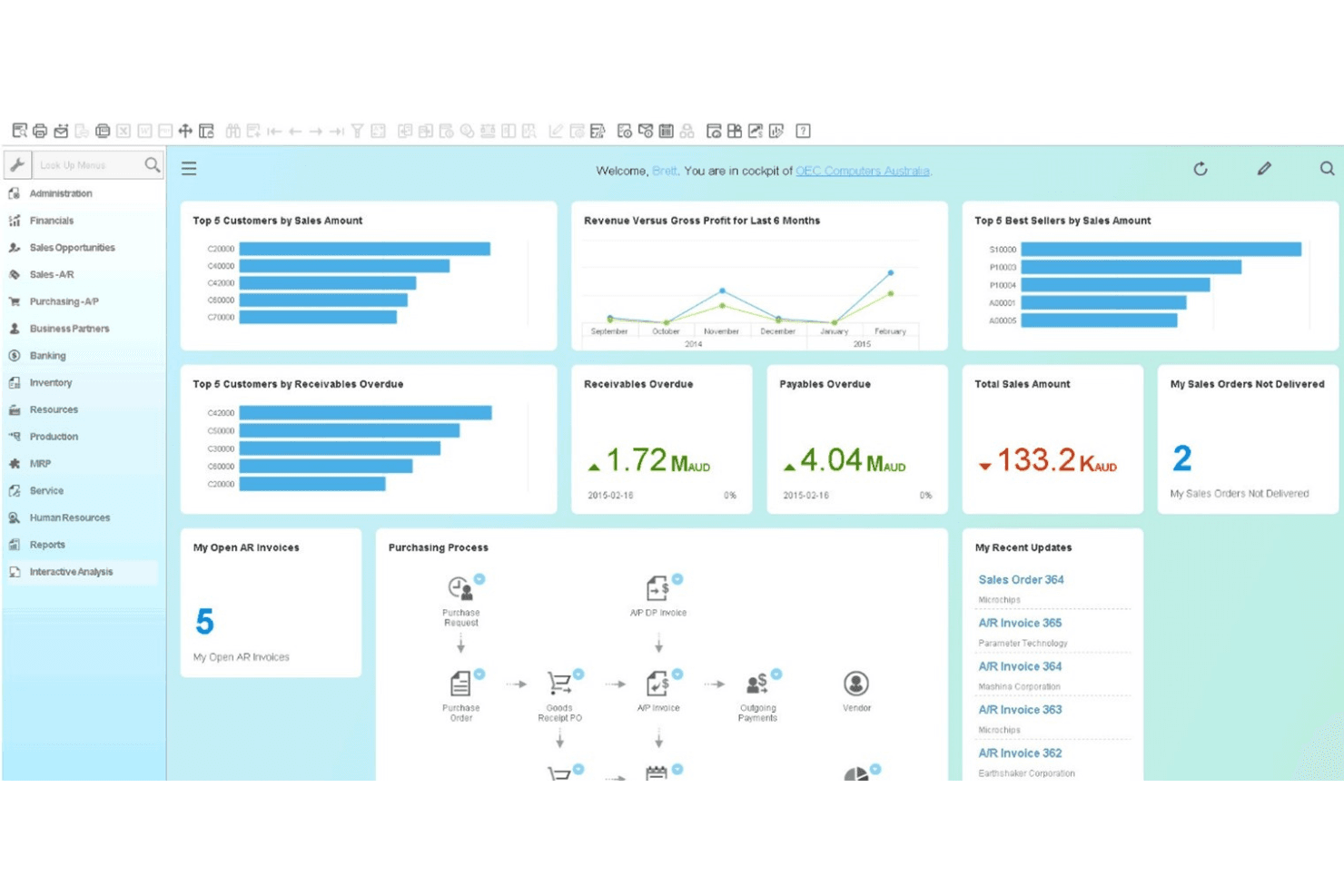
SAP Business One displays a real-time business cockpit dashboard. SAP Business One is an ERP built for small and midsize manufacturers that unifies finance, inventory, purchasing, and production management into a single system—making it a natural fit for business owners who want to consolidate fragmented operations and gain real-time visibility across their business.
Who Is SAP Business One Best For?
SAP Business One is a strong fit for small and midsize manufacturers that want to consolidate finance, inventory, purchasing, and production into a single ERP—rather than stitching together separate tools.
Why I Picked SAP Business One
I've included SAP Business One in my top picks because it covers more of the business than any dedicated MRP tool will, pulling finance, purchasing, inventory, and production into one system. I particularly like how real-time inventory synchronization works across multiple warehouses, with bin-location allocation and serial/lot traceability giving operations teams a precise, up-to-the-minute picture of stock. The standard-cost rollup across multi-level BOMs is also genuinely useful, automatically recalculating production costs as actual material and resource consumption changes.
SAP Business One Key Features
- MRP-driven purchase order generation: The MRP wizard automatically generates purchase order recommendations based on demand, lead times, and inventory levels across your planning horizon.
- Intelligent Forecast calculation methods: Built-in forecasting applies statistical methods including Triple Exponential Smoothing and Linear Regression with Damped Trend and Seasonal Adjust to historical sales data.
- Landed cost allocation: The Landed Costs document calculates customs duties and allocates landed costs directly to goods-receipt line items, with the option to adjust projected versus actual customs values.
- Subsidiary integration: SAP Business One can unify installations across subsidiary locations through a headquarters site using preconfigured integration scenarios and tailored content.
SAP Business One Integrations
SAP Business One has documented native integrations with Microsoft Outlook, Microsoft Excel, and SAP AI Core. It also supports third-party connections through its Integration Framework and Service Layer, DI API, UI API, and Web Client UI API.
Pros and Cons
Pros:
- Connected finance, purchasing, and inventory records
- Lot and serial traceability supports production control
- Real-time inventory visibility across warehouses
Cons:
- Capacity allocation lacks automated scheduling optimization
- Light manufacturing limits deeper shop-floor workflows
Learn more about SAP Business One: Best for B2B customer self-service portals
- Free demo available
- From $2,185/month
Visit WebsiteCustomer Rating:4.4/5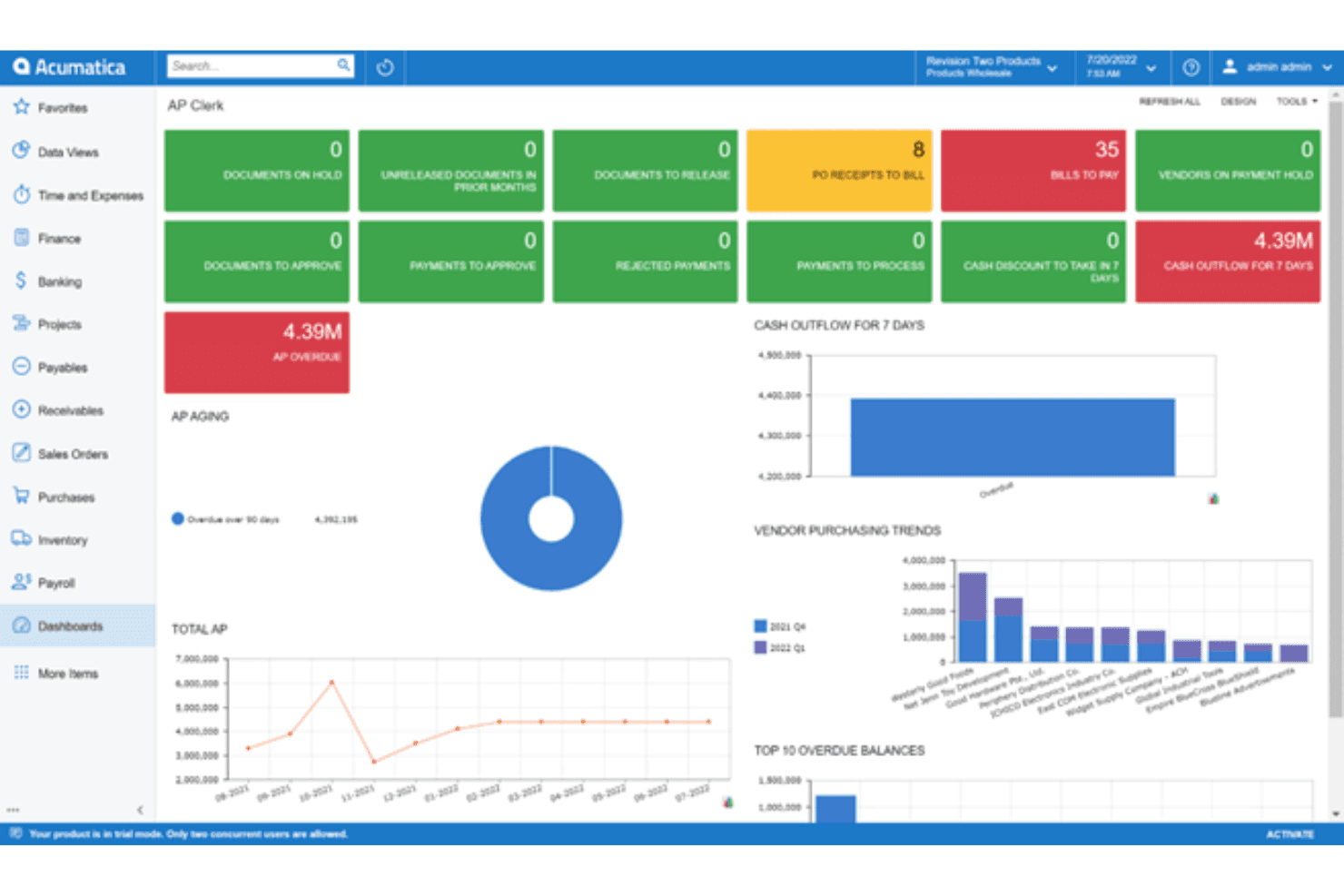
Acumatica gives AP clerks a real-time payables dashboard. Acumatica is a cloud ERP built for small and mid-market manufacturers that need to connect production planning, inventory, purchasing, and financials in one system.
Who Is Acumatica Best For?
Acumatica is a strong fit for small and mid-market manufacturers who need production planning, inventory, and financials connected in a single cloud system.
Why I Picked Acumatica
I picked Acumatica as one of the best MRPeasy alternatives because it connects production planning, inventory, and financials in a single cloud ERP built specifically for small and mid-market manufacturers. I particularly like how its Advanced Planning and Scheduling module uses visual scheduling to set delivery dates and plan capacity, while MRP generates time-phased purchasing and production plans tied directly to customer demand. Its multi-level BOM management with engineering change control and side-by-side revision comparison adds real depth for manufacturers managing complex product structures.
Acumatica Key Features
- Manufacturing data collection: Prints barcodes and uses scanners to capture shop-floor labor, material transactions, and inventory movements tied directly to production orders.
- Multi-entity and intercompany accounting: Manages financials, reporting, and consolidation across multiple business entities within a single system.
- Product configurator: Applies rules-based, multi-level product configuration for quotes, sales orders, and production orders with real-time price and cost rollups.
- Manufacturing estimates: Creates cost estimates for new or existing items and converts them into bills of material, production orders, or additional estimates.
Acumatica Integrations
Acumatica offers native integrations with Amazon, BigCommerce, Shopify, and HubSpot, plus marketplace solutions such as BILL and AvidXchange. REST, SOAP, OData, and MCP APIs support custom integrations.
Pros and Cons
Pros:
- Plans capacity with finite and infinite scheduling
- Tracks multi-level BOM revisions and engineering changes
- Connects production planning with inventory and financials
Cons:
- Reviewers cite replenishment and warehouse-management gaps
- Some reviewers report slow MRP processing
Learn more about Acumatica: Best for CRM-to-manufacturing order handoffs
- Free plan + free demo available
- Pricing upon request
Visit WebsiteCustomer Rating:4.3/5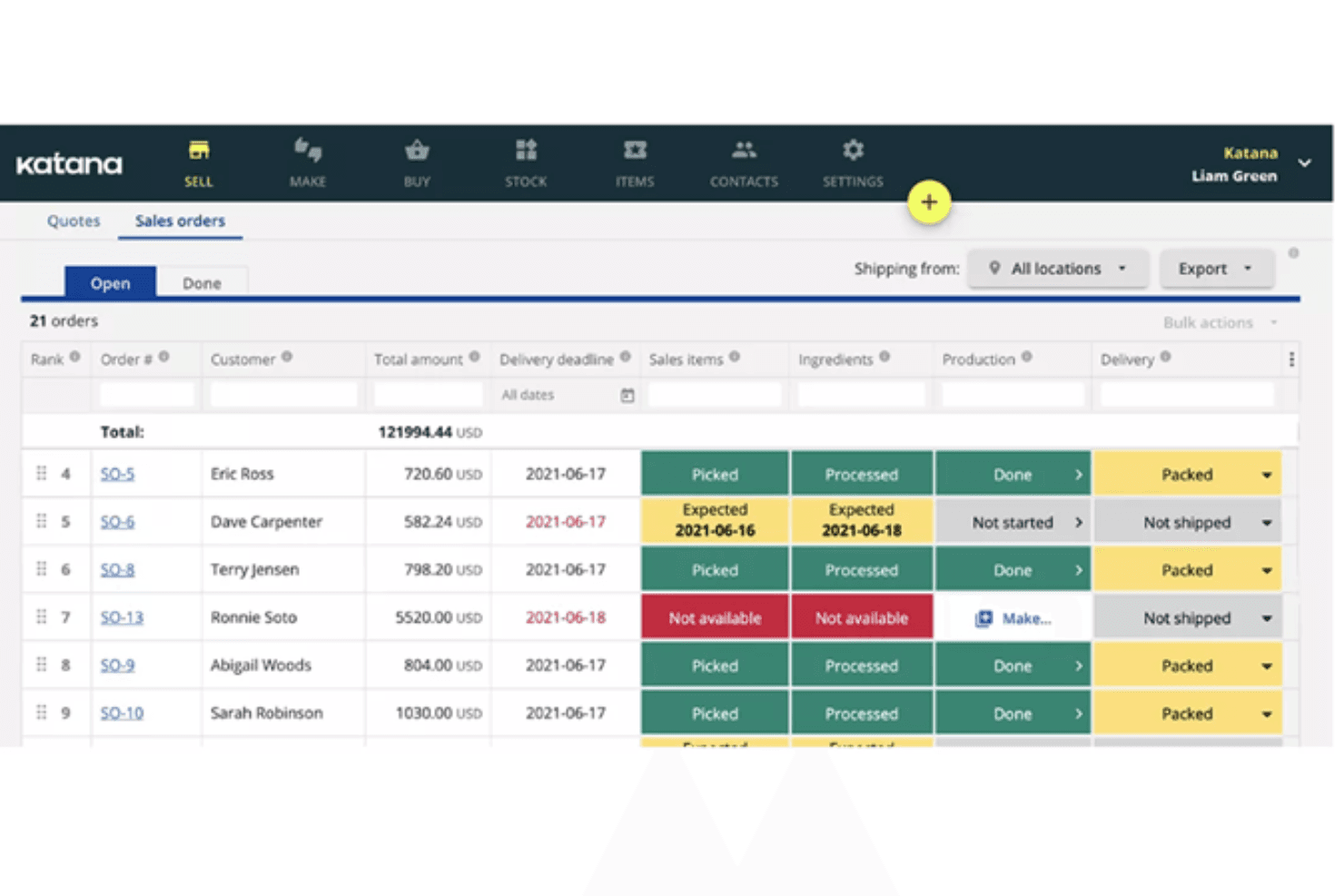
Katana tracks open sales orders with real-time production and delivery statuses. Katana is a cloud inventory and manufacturing ERP built for small and mid-sized product businesses that need to connect stock visibility, production scheduling, and order management in one place.
Who Is Katana Manufacturing ERP Best For?
Katana is a strong fit for small and mid-sized product businesses that need live stock visibility and production tracking across multiple locations and sales channels.
Why I Picked Katana Manufacturing ERP
I picked Katana Manufacturing ERP because real-time inventory visibility is genuinely baked into how the system works, not bolted on as a report you run later. Its live Schedule tab shows material availability, production status, and estimated completion dates across make-to-order and make-to-stock jobs simultaneously, so I can see exactly what's ready to build and what's still waiting on stock. I also appreciate how replenishment suggestions surface projected stockout dates and prefill purchase orders with supplier details and quantities, cutting out the manual calculation that makes MRPeasy feel limiting at scale.
Katana Manufacturing ERP Key Features
- Multi-level bill of materials: Define product assemblies with nested subassemblies, linking each BOM directly to manufacturing and inventory so consumed materials are deducted automatically on order completion.
- Shop Floor Control app: Give operators a mobile-friendly task view where they can start, pause, and finish jobs while logging actual time against each production task.
- Batch, lot, and serial tracking: Trace individual materials and finished products from supplier receipt through production and customer delivery, with expiry-date management included.
- Native QuickBooks Online and Xero integrations: Sync sales orders to invoices, convert purchase orders to bills, and keep contact and inventory balances aligned between Katana and your accounting system.
Katana Manufacturing ERP Integrations
Katana offers native integrations with QuickBooks Online, Xero, Shopify, and Amazon, plus integrations with HubSpot, Salesforce, Pipedrive, ShipStation, and Zapier. Its HTTP API and webhooks support custom connections.
Pros and Cons
Pros:
- Replenishment suggestions flag projected stockout dates
- Production orders connect scheduling with fulfillment
- Live stock visibility clarifies material availability
Cons:
- Custom reporting and purchase history feel limited
- Scheduling lacks calendar and Gantt views
Learn more about Katana Manufacturing ERP: Best for ERP in manufacturing and distribution sectors
- Free demo available
- Pricing upon request
Visit WebsiteCustomer Rating:4.1/5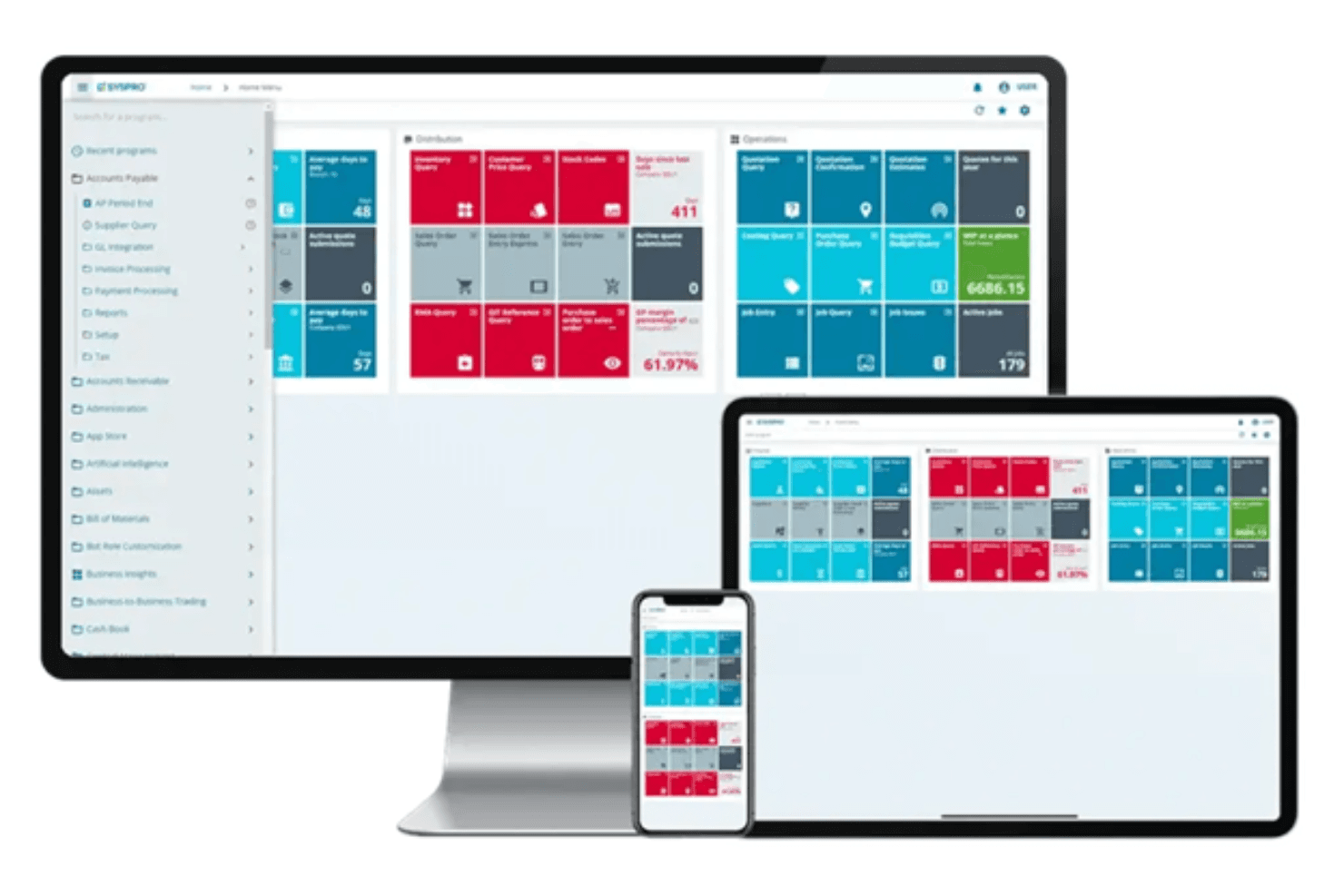
SYSPRO delivers a responsive dashboard across desktop, tablet, and mobile. SYSPRO is an industry-specific ERP built for manufacturers and distributors that need deeper production planning, inventory control, and shop floor visibility than entry-level MRP tools typically provide.
Who Is SYSPRO Best For?
SYSPRO is a strong fit for mid-sized manufacturers and distributors that have outgrown entry-level MRP tools and need deeper shop floor visibility, lot traceability, and multi-site inventory control.
Why I Picked SYSPRO
I picked SYSPRO because it goes well beyond what a lightweight MRP tool can handle, particularly for manufacturers juggling multi-site inventory and shop floor visibility. I especially like how Manufacturing Operations Management captures real-time labor, machine time, and job progress with finite-capacity scheduling, so production teams always know what's moving and what's stalled. Lot traceability from raw material receipt through finished-goods distribution makes SYSPRO a strong fit when compliance or recall response is non-negotiable.
SYSPRO Key Features
- Bill of materials management: Multi-level BOM structures tie directly to production planning and manufacturing costs, with Engineering Change Control tracking design and process updates.
- Supply Chain Portal: Gives suppliers web-based access to RFQs, purchase orders, performance metrics, and shared documents in one place.
- Demand forecasting with inventory optimization: Calculates minimum and maximum stock levels by calendar period using historical sales data to drive replenishment suggestions.
- Multi-company consolidation: The Financial Report Writer produces consolidated financial reports across companies, with real-time data sync between SYSPRO instances.
SYSPRO Integrations
SYSPRO has native Office 365 connectivity and marketplace integrations including TRAILD, Credit Hound, System1A, and Zap Analytics. Its e.net, OData, XML-based interfaces, standard APIs, and SDK support custom integrations.
Pros and Cons
Pros:
- Multi-warehouse controls suit growing manufacturers
- Lot genealogy supports recall-ready traceability
- Reviewers praise job tracking through completion
Cons:
- Dense screens complicate unfamiliar ERP workflows
- Initial setup and customization can take time
Learn more about SYSPRO: Best for multi-site purchasing from planned orders
- Free demo available
- Pricing upon request
Visit WebsiteCustomer Rating:3.9/5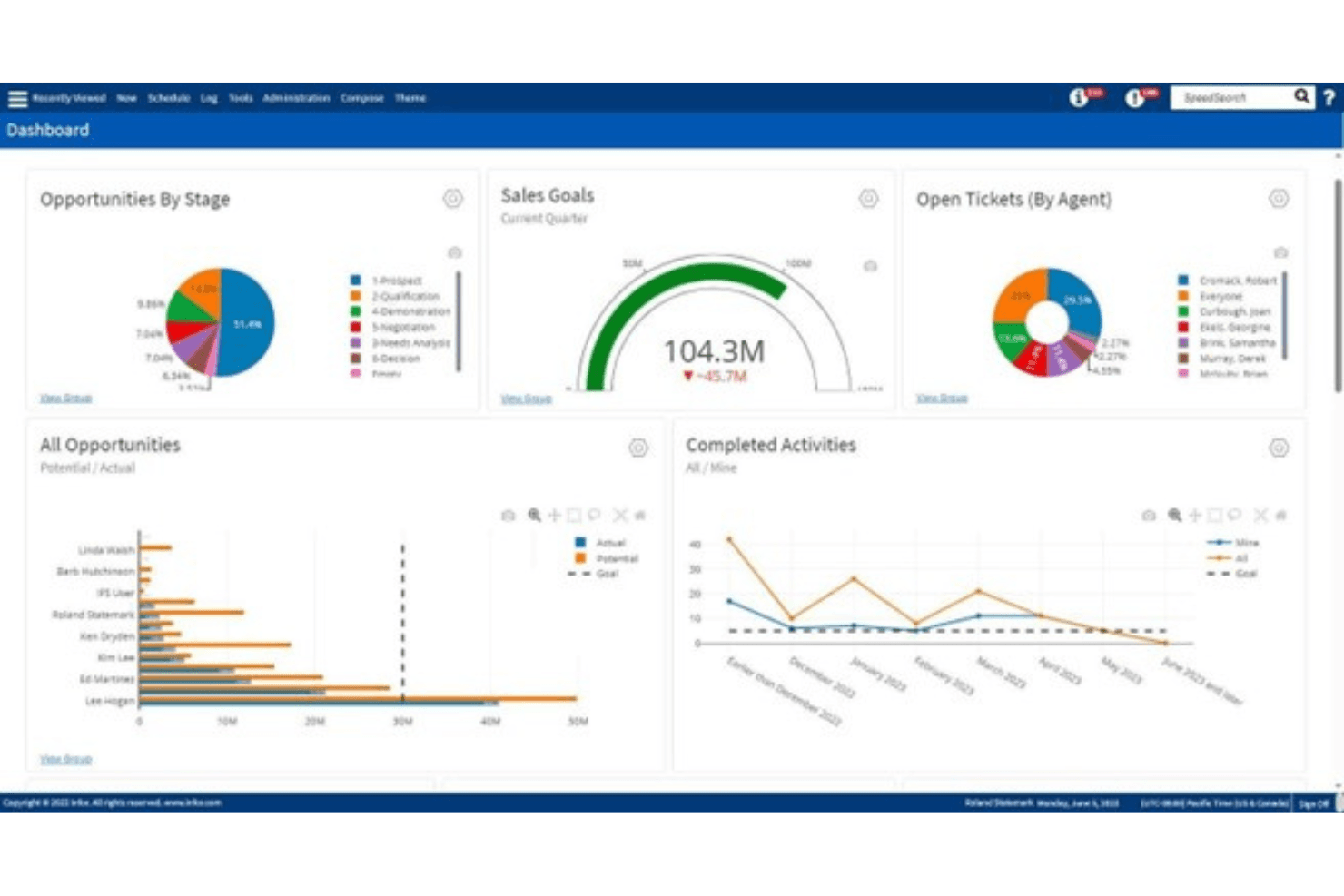
Infor centralizes sales, tickets, and activities in one dashboard. Infor CloudSuite Industrial is a cloud ERP built for small and midsize manufacturers who need industry-specific tools for production planning, multi-site inventory, and shop-floor execution across complex manufacturing environments.
Who Is Infor Best For?
Infor CloudSuite Industrial is a strong fit for small and midsize manufacturers who need industry-specific ERP functionality built around complex production environments, multi-site inventory, and shop-floor execution.
Why I Picked Infor
I picked Infor CloudSuite Industrial because it's built from the ground up for manufacturers who need more than generic ERP, specifically through its finite-capacity APS, which plans production around actual crew and machine availability across multiple sites. I also love how Factory Track feeds real-time labor, material usage, and job progress back into SyteLine as it happens, so shop-floor execution and planning stay in sync. The multi-level BOM support, combined with lot traceability forward to finished goods, makes it a strong step up from MRPeasy for complex production environments.
Infor Key Features
- Demand forecasting with MRP/APS integration: Forecasts drive MRP or APS planning directly, with existing demand consuming forecast quantities within configurable look-ahead and look-behind windows.
- Engineering Change Notices (ECN): ECNs let you control and track revisions to BOMs and routings, keeping production records accurate as designs evolve.
- Multi-currency transfer orders: Site-to-site transfers support lots, serial numbers, landed costs, and multiple currencies, giving supply chain teams full in-transit visibility.
- Role-specific workspaces: Out-of-the-box workspaces for production managers surface KPIs, exceptions, shortages, and capacity constraints in a single, actionable view.
Infor Integrations
Native integrations are not clearly documented. Infor supports custom connections through the ION API Gateway and Infor iPaaS for linking CloudSuite Industrial with third-party systems.
Pros and Cons
Pros:
- Multi-site lot tracing reaches finished goods
- Reviewers praise shop-floor and inventory visibility
- Finite-capacity APS plans around crew availability
Cons:
- Advanced configuration can require specialist effort
- Reviewers report slow forms and searches
Learn more about Infor : 7Best for CRM alongside production execution
Odoo
- Free plan + free trial available
- From $31.10/user/month (billed annually)
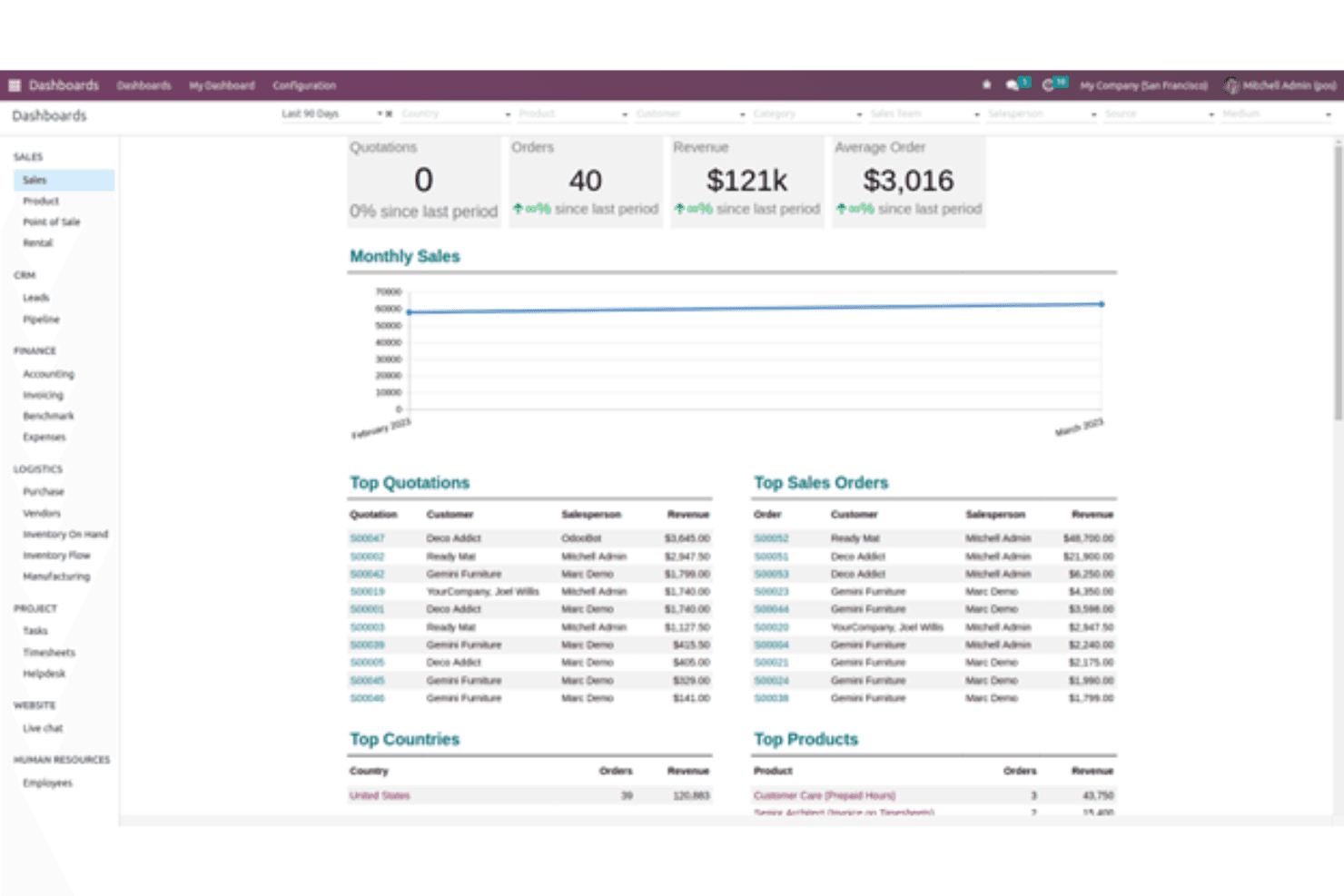
Odoo provides a unified sales dashboard with key revenue metrics. Odoo is an open-source ERP suite that brings manufacturing, inventory, purchasing, and accounting into one connected platform—making it a strong fit for small and mid-sized manufacturers who need production scheduling, multilevel BOMs, and real-time shop floor tracking without managing separate tools.
Who Is Odoo Best For?
Odoo suits small to mid-sized manufacturers who want manufacturing, inventory, purchasing, and accounting in one open-source platform they can expand module by module as their operations grow.
Why I Picked Odoo
I've included Odoo in my top picks because it's the rare open-source ERP that bundles manufacturing, inventory, and purchasing into one platform you can extend module by module. I particularly like how multilevel BOMs feed directly into Shop Floor, where operators track real-time work-order progress, lot numbers, and quality checks from a tablet without switching tools. Engineering change orders let you version and test BOM revisions before they touch live production, which is something MRPeasy simply doesn't offer at this depth.
Odoo Key Features
- Master production schedule: Plan production across daily, weekly, monthly, or yearly periods with editable forecast demand, indirect component demand, and replenishment quantities in a single grid view.
- Multi-warehouse inventory management: Configure multiple warehouses in one database, move stock between them, and trigger automated RFQs when forecasted stock drops below set minimums.
- Work-center capacity planning: Schedule manufacturing orders at specific work centers based on overall equipment effectiveness and finite capacity, with Gantt and Kanban views for drag-and-drop rescheduling.
- Inter-company stock transfers: Configure multi-company databases to automatically generate counterpart purchase orders, sales orders, or vendor bills when transactions are confirmed between entities.
Odoo Integrations
Odoo documents integrations with Google Drive, Stripe, PayPal, Adyen, UPS, FedEx, and DHL. Its JSON-2 API supports custom integrations on the Custom plan.
Pros and Cons
Pros:
- Tested BOM revisions stay separate from production
- Shop Floor tracks live work-order progress
- Connected inventory and production workflows
Cons:
- Large databases can slow inventory searches
- Advanced planning may need extra tools
Learn more about Odoo: Best for customer, partner and vendor CRM
- Free demo available
- Pricing upon request
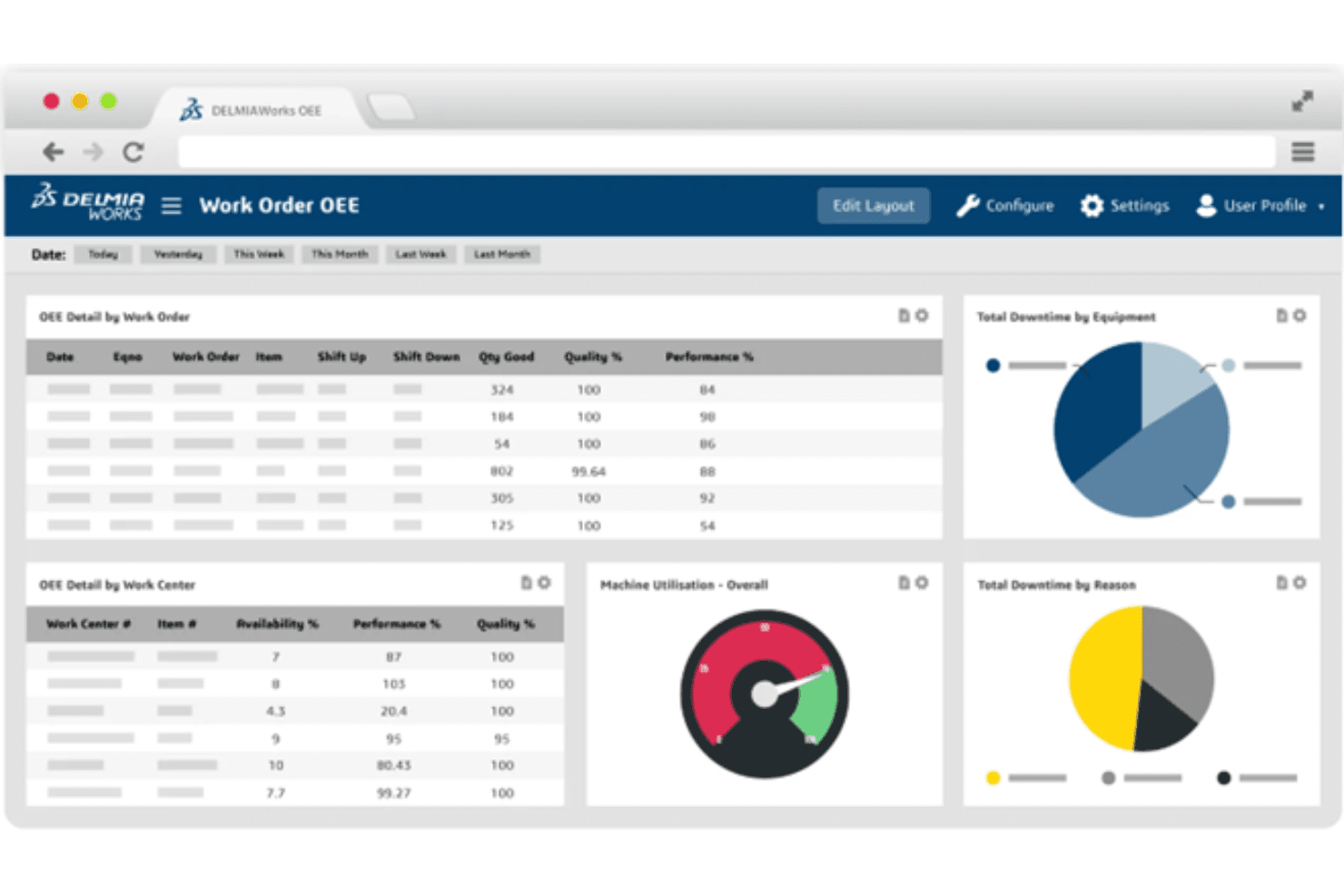
DELMIAWorks tracks OEE metrics, downtime, and machine utilization in real time. DELMIAWorks is a manufacturing ERP and MES platform from Dassault Systèmes that connects shop-floor execution, inventory, production planning, and supply chain operations in a single system built for small and mid-sized manufacturers.
Who Is DELMIAWorks Best For?
DELMIAWorks is a strong fit for small and mid-sized manufacturers who need tight integration between shop-floor execution and broader ERP operations.
Why I Picked DELMIAWorks
I picked DELMIAWorks because it's one of the few MRPeasy alternatives built equally for the shop floor and the back office. What stands out to me is RealTime Production monitoring, which captures production time, downtime, scrap, and rejects as parts are made and surfaces that data across ERP modules instantly. Pair that with multi-location inventory tracking and lot-level traceability, and you get a level of manufacturing visibility that MRPeasy simply doesn't match at mid-market scale.
DELMIAWorks Key Features
- Multi-level BOM builder: Create unlimited multi-level bills of materials with alternate routings, work centers, tooling, setup time, and scrap rates linked directly to production work orders.
- EPlant multi-site management: Centralize data across multiple manufacturing companies or sites with entity-specific ledgers, inventory, production planning, and multi-currency support.
- Demand forecasting with "what if" simulations: Run scenario-based forecasts using historical and current sales and inventory data, then convert forecasts directly to orders or work orders.
- Native Android mobile ERP app: Access inventory, production reporting, warehouse management, and work orders from mobile devices with real-time two-way sync to ERP and MES data.
DELMIAWorks Integrations
Documented integrations include SOLIDWORKS and the 3DEXPERIENCE platform. DELMIAWorks also supports custom connections through a .NET-based Web API SDK using JSON or XML.
Pros and Cons
Pros:
- Drag-and-drop scheduling exposes bottlenecks
- Lot and serial tracking across locations
- Real-time shop-floor and MES visibility
Cons:
- Updates can trigger bugs and slowdowns
- New users need extensive module training
Learn more about DELMIAWorks: Best for linking sales demand to production
- Free plan + 14-day trial available
- From $5/month
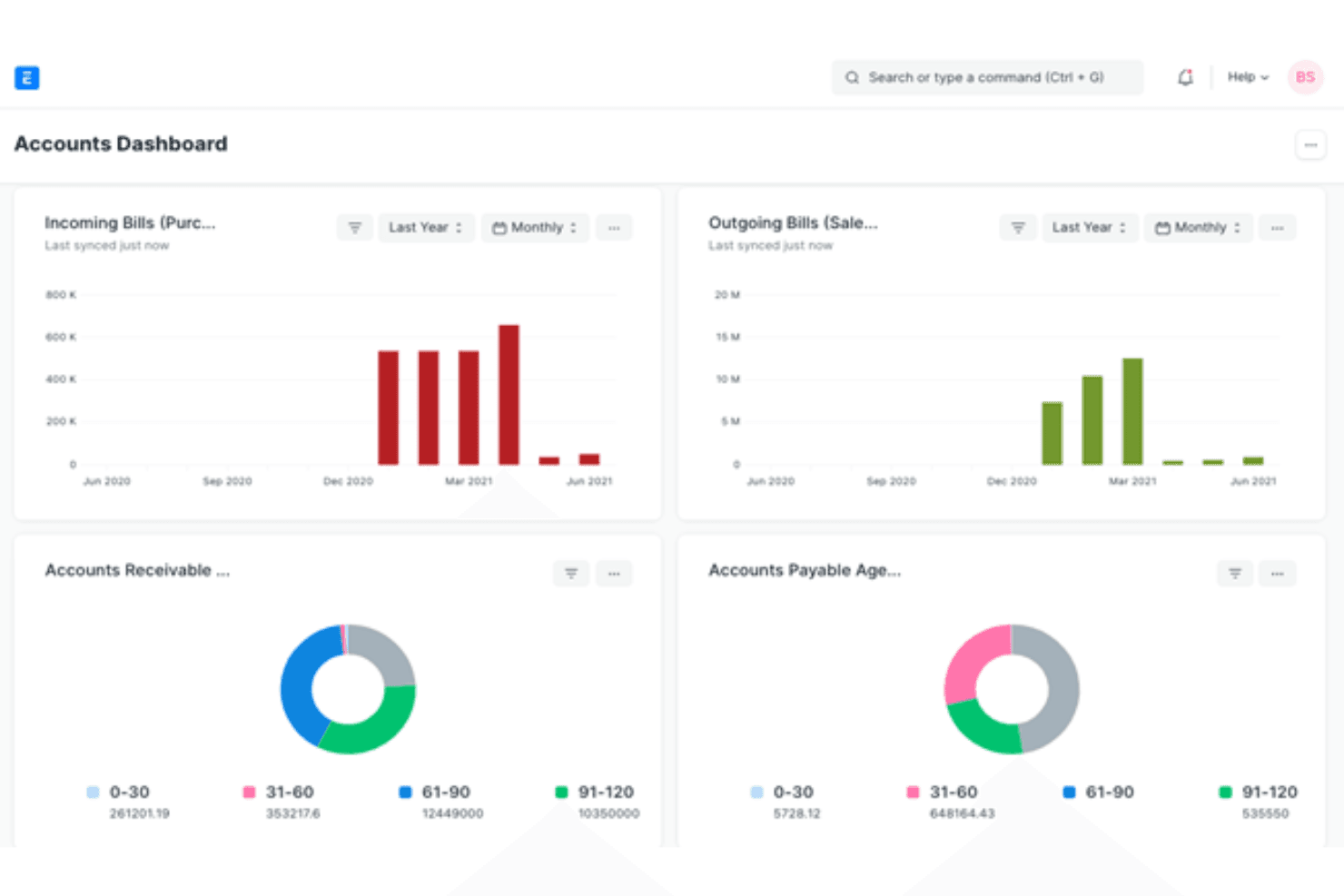
ERPNext provides detailed manufacturing features and extensive customization for efficient production management. ERPNext is a free, open-source ERP built by Frappe that brings accounting, procurement, inventory, and manufacturing into one platform—making it a strong fit for small manufacturers who want full operational visibility without paying per-user licensing fees.
Who Is ERPNext Best For?
ERPNext is a strong fit for small manufacturers who want a single system covering accounting, procurement, inventory, and production—without per-user licensing costs.
Why I Picked ERPNext
I picked ERPNext because it's the only genuinely open-source option on this list that bundles multi-level BOMs, production planning, and full accounting into one platform without per-user fees. I appreciate how the Production Plan Scheduler uses actual workstation capacity, shifts, and existing bookings to calculate planned start and end dates across subassemblies and finished goods. The Serial No and Batch Traceability report lets me trace raw-material lots forward to finished goods, which is exactly what you need when MRPeasy's traceability feels limiting.
ERPNext Key Features
- Multi-level BOM management: Define finished goods and subassemblies with nested BOMs that include materials, quantities, operation times, and workstation assignments.
- Job card tracking: Operators log start and completion times, assigned employees, completed quantities, and time intervals directly on job cards tied to work orders.
- Hierarchical warehouse structure: Organize stock locations into parent and child warehouses, including rooms, rows, shelves, and bins, with item-level stock balances at each location.
- Supplier quotation comparison: Share RFQs with multiple suppliers through the Supplier Portal and compare their offers side by side before creating a purchase order.
ERPNext Integrations
ERPNext offers marketplace integrations with Xero, Shopify, WooCommerce, Google Sheets, Amazon, and Meta. Its REST API supports custom integrations with API-key or secret-token authentication.
Pros and Cons
Pros:
- Reviewers praise adaptable forms and workflows
- Tracks job-card progress across workstation operations
- Combines production, inventory, and accounting workflows
Cons:
- Setup may need in-house technical ownership
- Scheduling can frustrate complex production plans
Learn more about ERP Next:
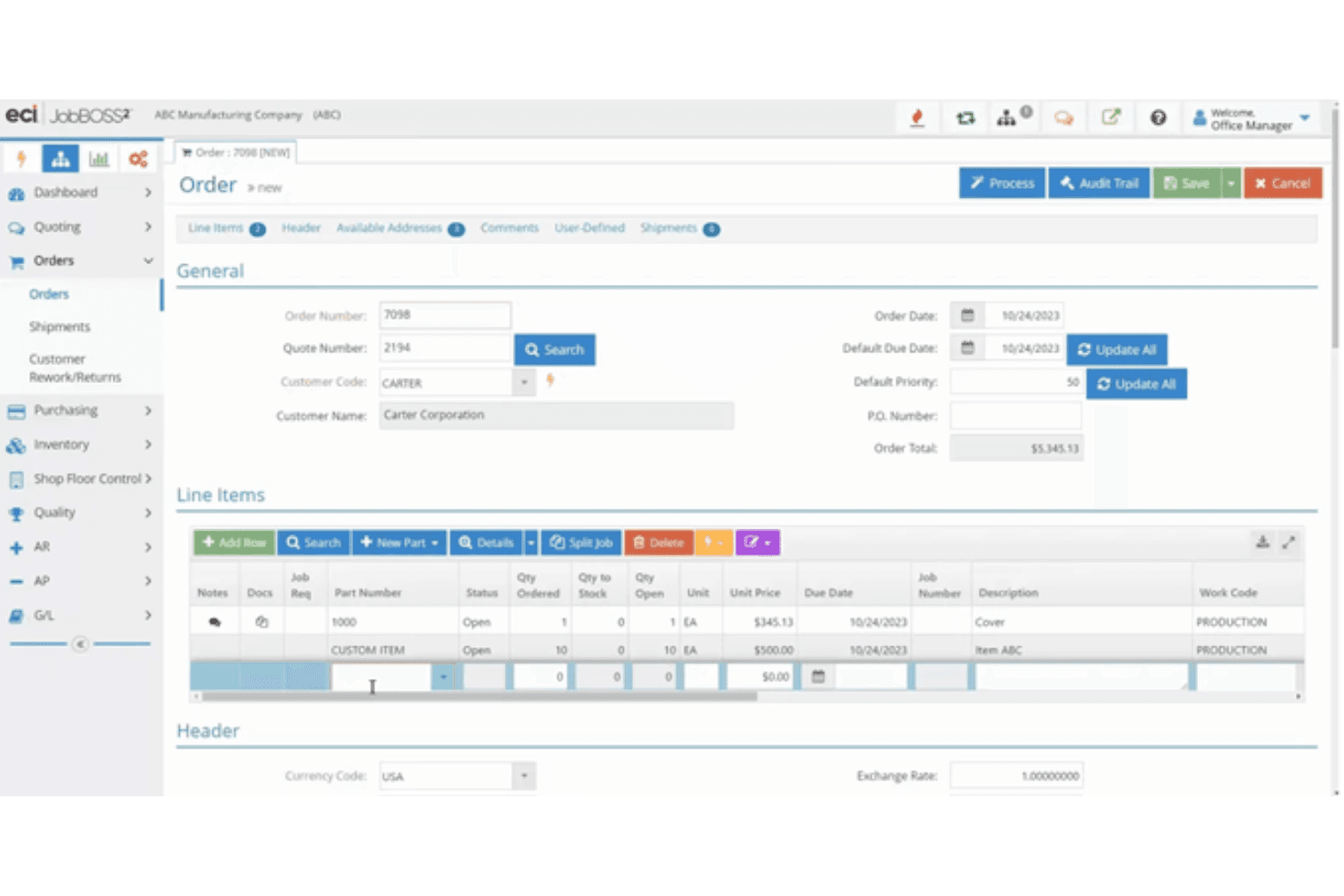
JobBOSS lets users manage sales orders with line items and pricing. JobBOSS² is a job-shop ERP built for make-to-order and custom manufacturers who need to connect quoting, scheduling, shop-floor tracking, and inventory in one system.
Who Is JobBOSS² Best For?
JobBOSS² is a strong fit for small job shops and make-to-order manufacturers that need to connect quoting, scheduling, and shop-floor tracking in a single system.
Why I Picked JobBOSS²
I picked JobBOSS² as one of the best because it's purpose-built for job shops that need to manage the full quote-to-cash workflow without stitching together separate tools. I love how the drag-and-drop Planning Board lets you adjust job schedules and customer due dates in real time, while the Scheduling Advisor flags behind-schedule and high-priority jobs before they become problems. The shop-floor data collection ties directly into job costing, so actual labor and material costs roll up against estimates automatically.
JobBOSS² Key Features
- AI BOM builder: Generates draft bills of materials from PDFs, Excel files, images, and CSVs for your team to review and edit.
- Multi-currency configuration: Lets you set up multiple currencies and currency codes with different bank codes for each.
- QuickBooks synchronization: Syncs invoices, payroll, and AR/AP data between JobBOSS² and QuickBooks in real time or via batch process.
- Employee data collection app: Records production data in real time, posts material to jobs, and logs good and scrapped pieces directly from the shop floor.
JobBOSS² Integrations
JobBOSS² integrations include QuickBooks, Paperless Parts, CADLink, uniPoint, ECI MES, KnowledgeSync, and Commerce Suite. It supports a public API and flat-file connections for custom integrations.
Pros and Cons
Pros:
- Finite and infinite scheduling options
- Shop-floor data supports actual job costing
- Connected quote-to-cash job tracking
Cons:
- Physical part locations can be difficult to identify
- Scheduling updates have disrupted rollouts
Learn more about JobBOSS:
Outras alternativas ao MRPeasy
Segue-se uma lista de soluções de software alternativas ao MRPeasy que selecionámos, mas que não chegaram à lista principal. Vale definitivamente a pena conhecê-las.
- 11RootstockBest for Salesforce-based ERP with integrated CRM and ERP functionalities
- 12Deacom Best for ERP with built-in process control for manufacturers
- 13DualEntryBest for multi-entity inventory control
- 14WorkdayBest for human capital management
- 15Oracle ERPBest for large enterprises
- 16FishbowlBest for inventory management
- 17DeskeraBest for small businesses
- 18Cin7 CoreBest for retail and wholesale
- 19Genius ERPBest for custom manufacturing
- 20Total ETOBest for engineer-to-order manufacturing
- 21WhereFourBest for food and beverage manufacturing
- 22IFS Best for asset management
- 23BatchMasterBest for process manufacturing software
- 24ApteanBest for process industries
- 25Epicor KineticBest for industry-specific solutions
- 26BistaBest for custom ERP solutions
- 27QADBest for global manufacturing
- 28Plex Systems ERPBest for cloud-based manufacturing
- 29DatacorBest for chemical manufacturing
- 30Sage X3 ERPBest for scalability
- 31Priority ERPBest for customizable workflows
Análises de software CRM relacionadas
Se ainda não encontrou aqui o que procura, consulte estas ferramentas estreitamente relacionadas com o software CRM que testámos e avaliámos.
- Software CRM
- Software de vendas
- Software de gestão de potenciais clientes
- Software de inteligência empresarial
- Software de gestão de contratos
- Sistema de gestão de receitas
- Software CPQ
How I Evaluate MRPeasy Alternatives
When you're bridging a shop floor with a CRM and revenue stack, I look at tools on two layers: the MRP core they must have and the differentiators that actually matter.
Core Functionality (Table Stakes For This List)
When I'm selecting tools for my list, I rank each one on a scale from 0 (does not offer the functionality) to 5 (excels in this area) for each core functionality listed below. Then, I calculate the tool's total score into a percentage. Each tool needs to achieve a minimum total score of 65% to be considered for inclusion.
- Production Planning & Scheduling: I evaluate how each tool handles work orders, multi-level BOMs, and production scheduling—for example, whether you can route a single assembly through multiple workstations with capacity constraints.
- Inventory Management: Real-time stock tracking across multiple warehouses matters here, including lot and serial number traceability for teams managing raw materials alongside finished goods.
- Sales & Order Management: I check whether the platform connects sales orders to production demand, covering the full quote-to-invoice workflow so your revenue team sees order status without switching tools.
- CRM & RevOps Integration: Each tool gets evaluated on its connectivity to CRM and revenue platforms like Salesforce, HubSpot, or NetSuite through native connectors or a well-documented API.
- Procurement & Purchasing: I look at how purchase orders flow from MRP-generated demand suggestions through supplier management, including whether reorder points trigger automated PO creation.
- Reporting & Analytics: Dashboards need to surface production KPIs, inventory turnover, and cost data in ways your RevOps team can act on—not just static exports buried in a settings menu.
Once I have a list of tools that meet this criteria, I consider what sets each platform apart.
Differentiating Factors (What Sets Vendors Apart)
Here's how I compare and contrast different vendors:
Standout Features
Demand forecasting is a big differentiator. I look for tools that pull historical sales data and pipeline signals to project production needs, so your RevOps team isn't guessing at quarterly capacity. Quality management also matters when traceability is part of your customer commitments, especially if inspection checkpoints tie directly to production orders. I also evaluate whether a platform includes native financial modules like AP/AR and cost accounting, which can eliminate a separate system between the shop floor and your revenue reporting.
Beyond Features
Integration ecosystem depth is one of the first things I evaluate. A tool might check every MRP box, but if it takes weeks of custom API work to sync orders into Salesforce or HubSpot, your RevOps team loses. I also consider scalability—whether a platform can grow from a single facility to multi-entity operations without forcing a migration. Implementation timelines matter just as much. I look at whether vendors offer guided onboarding, data migration support, and prebuilt templates, because a tool that takes six months to go live delays the revenue visibility your team is counting on.
Por que motivo procurar uma alternativa ao MRPeasy?
Pode estar à procura de uma alternativa ao MRPeasy por vários motivos, incluindo:
- Necessidades de personalização: Necessita de funcionalidades mais adaptadas aos processos específicos da sua empresa.
- Escalabilidade: Precisa de uma solução que possa crescer à medida que a sua empresa se expande.
- Interface e experiência do utilizador: Prefere uma interface mais intuitiva e fácil de utilizar.
- Capacidades de integração: Procura melhores capacidades de integração com outras ferramentas de software.
- Necessidades de suporte: Pretende um apoio ao cliente e recursos de formação mais completos.
As alternativas ao MRPeasy oferecem mais possibilidades de personalização, melhor escalabilidade e opções de integração melhoradas, respondendo a necessidades específicas que o MRPeasy poderá não satisfazer. Podem também disponibilizar uma interface mais fácil de utilizar e opções de apoio ao cliente superiores ou mais versáteis.
Principais funcionalidades a procurar nas alternativas ao MRPeasy
Eis algumas funcionalidades essenciais do MRPeasy que o seu software alternativo de planeamento de recursos empresariais deverá conseguir replicar ou melhorar para se adequar às suas necessidades.
- ERP baseado na nuvem: Acessível através de um navegador Web, sem necessidade de instalação, com suporte para aplicações iOS e Android.
- Planeamento da produção: Inclui listas de materiais (BOM), roteiros e planeamento das necessidades de materiais (MRP I & II).
- Controlo de inventário: Disponibiliza visibilidade sobre o stock, rastreabilidade por lote, gestão de inventário FIFO e alertas de stock reduzido.
- Gestão de vendas e encomendas: Acompanha encomendas, gere encomendas pendentes, coloca encomendas automaticamente e notifica os distribuidores, além de suportar várias datas de entrega por encomenda.
- Aprovisionamento: Inclui ordens de compra, sugestões de compra e criação automática de ordens de compra.
- Gestão financeira: Suporta faturas de vendas, ordens de compra e acompanhamento detalhado dos custos por lote de stock.
- Interface fácil de utilizar: Intuitiva, com manutenção e atualizações gratuitas do software.
- Suporte e segurança: Tem boas avaliações dos utilizadores e disponibiliza um serviço de apoio ao cliente útil através de pedidos de suporte, chat, e-mail ou telefone. Certifique-se de que a sua ferramenta de software inclui funcionalidades importantes, como servidores seguros, encriptação SSL e autenticação de dois fatores.
- Capacidades de integração: Integra-se com plataformas como o QuickBooks Online, o Xero, o Shopify e outras. Os sistemas ERP SaaS devem conseguir integrar-se com outras ferramentas baseadas na nuvem, melhorando a eficiência geral da empresa.
- Personalização e escalabilidade: Colunas personalizáveis, gestão interna de tarefas e capacidade de expansão para lidar com o crescimento e tarefas complexas.