

Le 10 migliori soluzioni software per l’automazione delle email di vendita recensite nel 2026

Elenco dei migliori software di automazione delle email commerciali


Il software di automazione delle email commerciali è una risorsa preziosa per qualsiasi azienda. Con il software giusto, i team possono aumentare significativamente l'efficienza e la produttività, oltre a incrementare le vendite. Tuttavia, trovare il software di automazione delle email commerciali giusto può essere una sfida, soprattutto considerando le numerose opzioni disponibili.
Basandomi sulla mia esperienza con il software per le operazioni relative ai ricavi, ho testato e confrontato diversi tra i migliori software di automazione delle email commerciali disponibili. Successivamente, ho raccolto i risultati in recensioni approfondite per aiutarti a trovare il software più adatto alle tue esigenze specifiche. Sono certo che nell'elenco qui sotto troverai il tuo prossimo software di automazione delle email commerciali.
Perché fidarsi dei nostri consigli sui software
Le nostre recensioni riflettono il nostro giudizio indipendente, non un discorso di vendita. Scopri come manteniamo la trasparenza.
Per questa guida, abbiamo valutato gli strumenti attraverso test pratici e ricerche indipendenti, assegnando un punteggio agli strumenti in base ai nostri criteri di selezione.
Le nostre recensioni riflettono il nostro giudizio editoriale umano, non un discorso di vendita.
Riepilogo dei migliori software di automazione delle email commerciali
| Tool | Best For | Trial Info | Price | ||
|---|---|---|---|---|---|
| 1 | Ideale per l'arricchimento integrato dei dati B2B | Prova gratuita di 14 giorni + piano gratuito + demo gratuita disponibile | A partire da 49/postazione/mese (con fatturazione annuale) | Website | |
| 2 | Ideale per automazioni drag-and-drop | Piano gratuito disponibile | Da $12/mese | Website | |
| 3 | Ideale per l’engagement con webinar integrati | Prova gratuita di 14 giorni + demo gratuita disponibile | Da $15,58/mese (fatturato annualmente) | Website | |
| 4 | Ideale per email marketing e SMS marketing | Prova gratuita di 14 giorni + demo gratuita disponibile | A partire da $20/mese | Website | |
| 5 | Ideale per l’instradamento dei lead completamente automatizzato | Prova gratuita disponibile | Da $47/mese | Website | |
| 6 | Ideale per il prospecting multicanale | Prova gratuita di 14 giorni disponibile | Da $55/utente/mese (fatturazione annuale) | Website | |
| 7 | Ideale per l'automazione email senza codice | Demo gratuita disponibile | Da $40/mese (5 utenti) | Website | |
| 8 | Ideale per il focus sull’ecommerce | Piano gratuito + demo gratuita disponibile | Da $16/mese (fatturato annualmente) | Website | |
| 9 | Ideale per il rilevamento automatico delle risposte | Prova gratuita di 14 giorni + demo gratuita disponibile | Da $89/utente/mese (fatturato annualmente) | Website | |
| 10 | Ideale per l'email marketing integrato | Prova gratuita di 14 giorni + piano gratuito + demo gratuita disponibile | Da $4/mese (fatturati annualmente) | Website |


Recensioni dei migliori software di automazione delle email commerciali
Di seguito trovi i miei riepiloghi dettagliati dei migliori software di automazione delle email commerciali che sono entrati nel mio elenco. Le mie recensioni offrono una panoramica dettagliata delle funzionalità principali, dei pro e dei contro, delle integrazioni e dei casi d’uso ideali di ogni strumento, per aiutarti a trovare quello più adatto a te.

Ideale per l'arricchimento integrato dei dati B2B
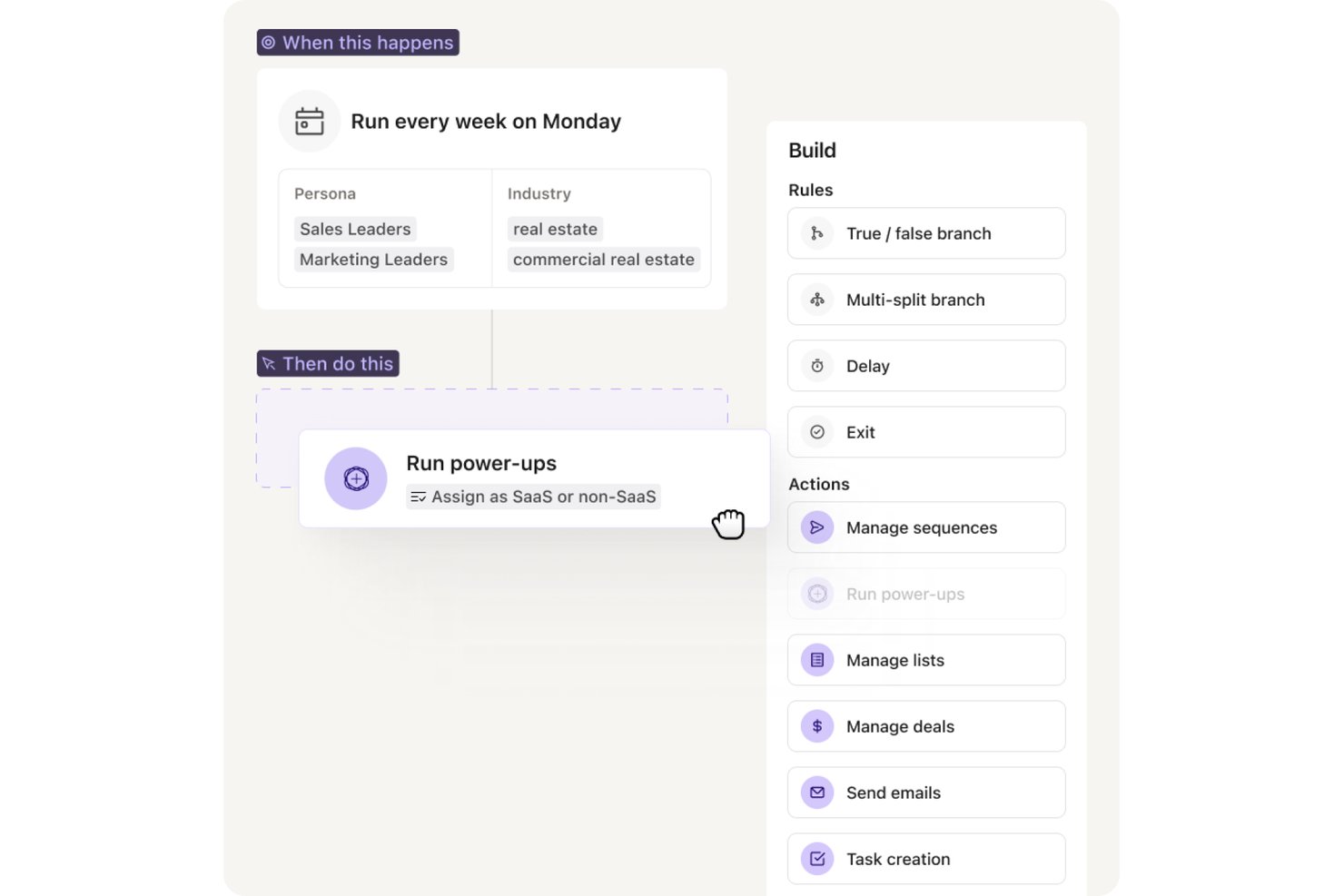
Apollo.io è una piattaforma di vendita in uscita tutto-in-uno che combina sequenze di email, automazione multicanale e un database di contatti B2B integrato per supportare la ricerca di potenziali clienti, l'attività di contatto e la gestione della pipeline in un unico strumento.
Per chi è più adatto Apollo.io?
Apollo.io è adatto ai team di vendita B2B che gestiscono attività di contatto in uscita ad alto volume e desiderano gestire i dati dei potenziali clienti e le sequenze di email su un'unica piattaforma, anziché utilizzare strumenti separati.
Perché ho scelto Apollo.io
Ho scelto Apollo.io come una delle soluzioni migliori perché è l'unico strumento per le sequenze in cui il database di potenziali clienti e l'automazione delle email condividono lo stesso livello di dati. Quando creo una sequenza, Apollo arricchisce automaticamente ogni contatto con email verificate e dati aziendali dal suo database di oltre 210M+ contatti prima del primo invio. Il modello di arricchimento a cascata attinge a più fornitori, quindi le lacune di una fonte vengono colmate da un'altra, mantenendo i dati dei contatti più puliti rispetto a qualsiasi configurazione basata su un'unica fonte.
Funzionalità principali di Apollo.io
- Assistente per la scrittura con AI: Genera e riscrive email di contatto in uscita in base ai dati e al ruolo di ciascun potenziale cliente.
- Posta in arrivo unificata e gestione delle risposte: Centralizza tutte le risposte, categorizza automaticamente il sentimento delle risposte e indirizza i potenziali clienti.
- Fasi delle sequenze multicanale: Consente di combinare azioni su LinkedIn, telefono ed email nello stesso flusso di lavoro di contatto.
- Infrastruttura per la recapitabilità: Offre rotazione delle caselle di posta, gruppi di riscaldamento, configurazione SPF/DKIM/DMARC e valutazione dello spam in tempo reale.
Integrazioni di Apollo.io
Apollo.io offre integrazioni native con Salesforce, HubSpot, Outreach, Salesloft, Pipedrive, Zoho CRM e Slack, oltre a connettersi con Zapier. È disponibile un'API per le integrazioni personalizzate.
Pros and Cons
Pros:
- Il database integrato elimina la necessità di strumenti separati per la ricerca di potenziali clienti
- L'arricchimento a cascata mantiene accurati i dati dei contatti
- Genera bozze del testo delle email dai dati dei potenziali clienti
Cons:
- I report sulle sequenze non offrono analisi approfondite dell'attribuzione
- I gruppi di IP condivisi limitano il controllo sulla recapitabilità

Ideale per automazioni drag-and-drop
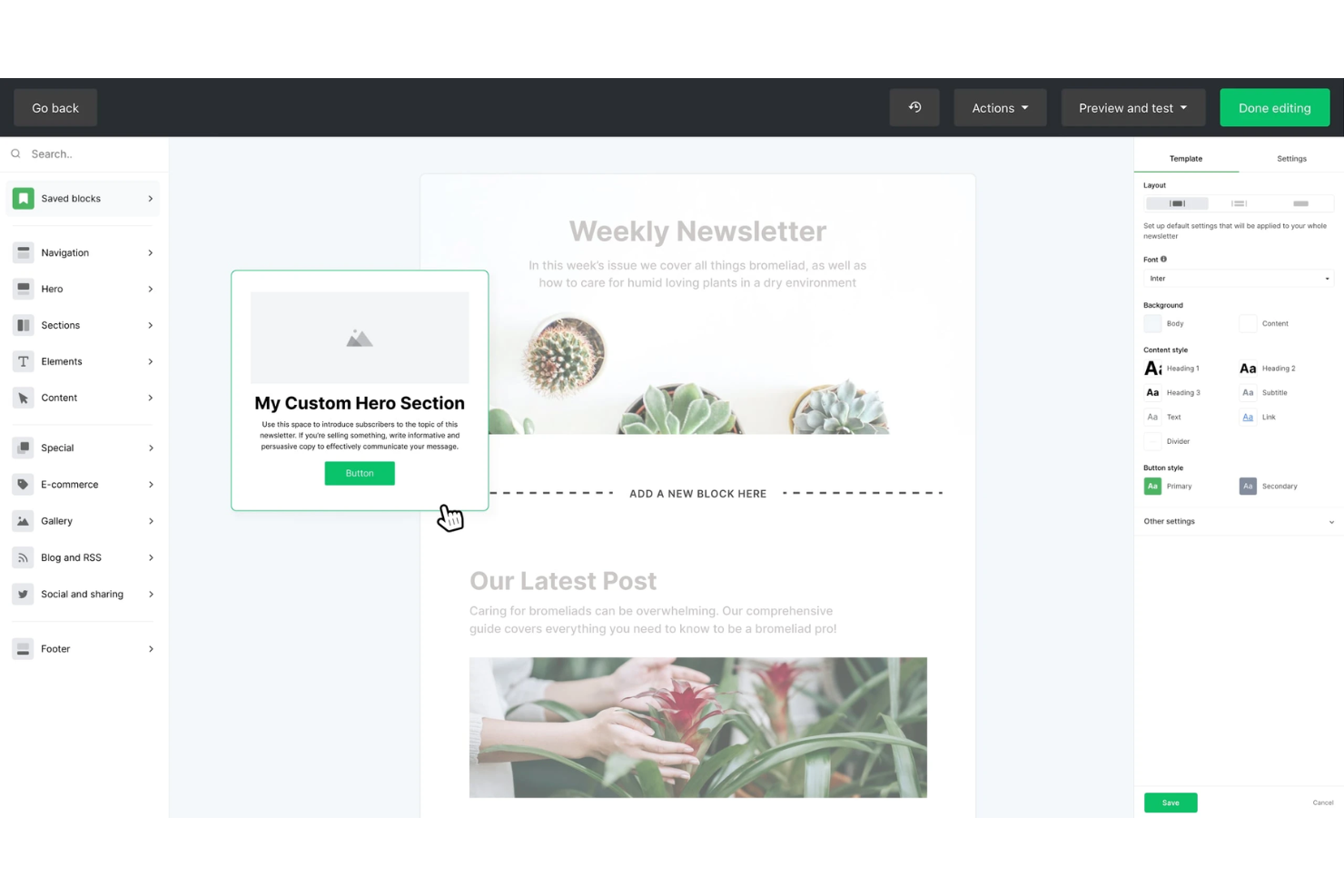
MailerLite è una piattaforma di automazione per l’email marketing con un builder visivo dei flussi di lavoro, sequenze basate su trigger, test A/B, modelli di automazione predefiniti e strumenti per la segmentazione degli iscritti.
Per chi è ideale MailerLite?
MailerLite si adatta perfettamente a piccole imprese e operatori singoli che devono creare e automatizzare flussi di email senza dipendere da uno sviluppatore.
Perché ho scelto MailerLite
MailerLite merita un posto nella mia shortlist perché il suo builder drag-and-drop rende la costruzione di sequenze email multi-step davvero visiva, con rami condizionali, ritardi temporali e trigger basati su azioni tutti posizionati su una tela condivisa. Utilizzo anche i modelli di automazione predefiniti per avviare rapidamente sequenze come le serie di benvenuto o i follow-up dopo una demo, senza doverle costruire da zero. Poter vedere l’intero flusso contemporaneamente rende molto più facile individuare eventuali lacune logiche prima che la sequenza venga pubblicata.
Funzionalità principali di MailerLite
- Segmentazione degli iscritti: Raggruppa i contatti in base al livello di coinvolgimento, ai campi personalizzati o all’attività delle campagne passate per indirizzare segmenti specifici.
- Test A/B split: Prova due versioni di un oggetto o del corpo dell’email per identificare quale genera tassi di apertura o clic più elevati.
- Click map: Visualizza esattamente quali link all’interno di un’email vengono cliccati per perfezionare il posizionamento dei contenuti negli invii futuri.
- Report sulle prestazioni delle campagne: Tieni traccia di tassi di apertura, tassi di clic e cancellazioni su tutte le campagne attive da una singola dashboard.
Integrazioni MailerLite
MailerLite si integra con oltre 100 app, incluse integrazioni native con Shopify, WooCommerce, Stripe, WordPress, Squarespace, Wix, BigCommerce, Canva, Facebook Audiences e PrestaShop.
Pros and Cons
Pros:
- Offre un builder visivo dei flussi di lavoro
- Il piano gratuito include i test A/B
- Invio per fuso orario e tagging UTM automatico
Cons:
- Nessun CRM integrato per pipeline di vendita
- Reportistica poco approfondita
Ideale per l’engagement con webinar integrati
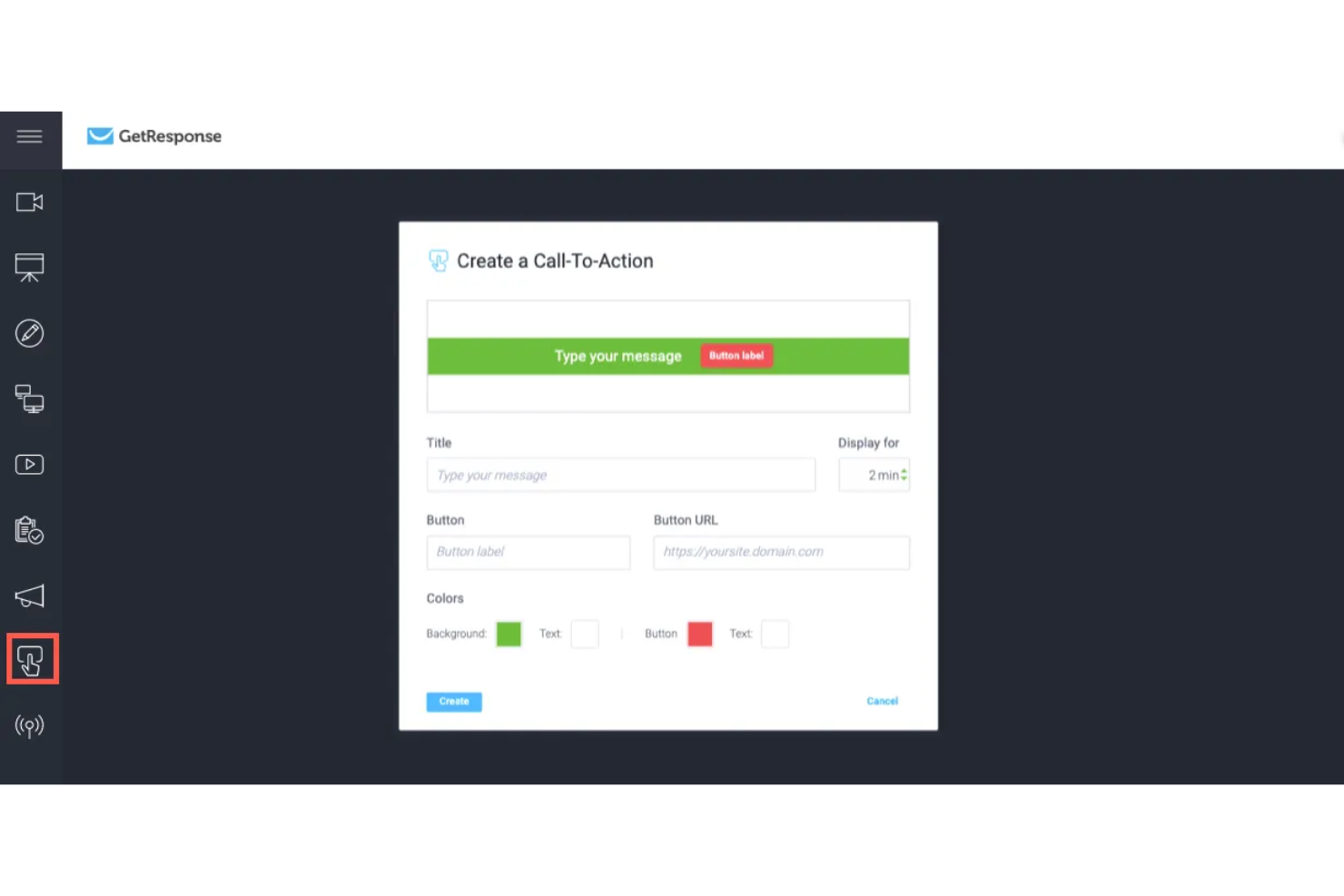
GetResponse è una piattaforma di email marketing e automazione che combina la creazione di campagne email, la segmentazione delle liste, i flussi di lavoro automatizzati di marketing, le landing page e l'hosting di webinar integrato in un unico strumento.
Per chi è ideale GetResponse?
GetResponse è particolarmente adatto a team di marketing di piccole e medie dimensioni che gestiscono campagne email insieme a webinar, generazione di lead o corsi online.
Perché ho scelto GetResponse
GetResponse si è guadagnato un posto nella mia shortlist perché è l'unica grande piattaforma di email marketing che offre l'hosting dei webinar in modo nativo. Questo significa che il mio team può costruire l'intero funnel, la pagina di registrazione, le email di promemoria automatizzate, il webinar dal vivo e le sequenze di follow-up post evento, tutto all'interno della stessa piattaforma e senza dover collegare Zapier. Ciò che trovo più utile è la segmentazione basata sulla partecipazione: GetResponse suddivide automaticamente i partecipanti in segmenti (ha partecipato, registrato ma assente, ha abbandonato presto) e invia sequenze di email diverse a ciascun gruppo in base al comportamento.
Funzionalità principali di GetResponse
- Costruttore di automazioni visuali: Crea flussi di lavoro email multistep attivati da azioni degli utenti come clic, acquisti o invii di moduli.
- Test A/B: Metti alla prova oggetto email, contenuto e orari di invio su varianti di campagna per identificare i top performer.
- Costruttore di funnel di conversione: Crea funnel di lead generation che collegano landing page, moduli di opt-in e sequenze di email in un unico flusso.
- Generatore di email con IA: Redigi copie email e oggetti utilizzando uno strumento di scrittura IA integrato direttamente nell'editor di campagna.
Integrazioni GetResponse
GetResponse offre oltre 170 integrazioni tramite la sua directory di integrazioni, incluse connessioni native con Shopify, WooCommerce, Salesforce, HubSpot, Pipedrive, Google Analytics, WordPress, PayPal e Facebook.
Pros and Cons
Pros:
- Hosting di webinar integrato
- Invia email nei momenti migliori per ogni contatto
- Abbina landing page a sequenze
Cons:
- Il piano iniziale limita a un solo flusso automatizzato
- I contatti duplicati vengono fatturati due volte

Ideale per email marketing e SMS marketing
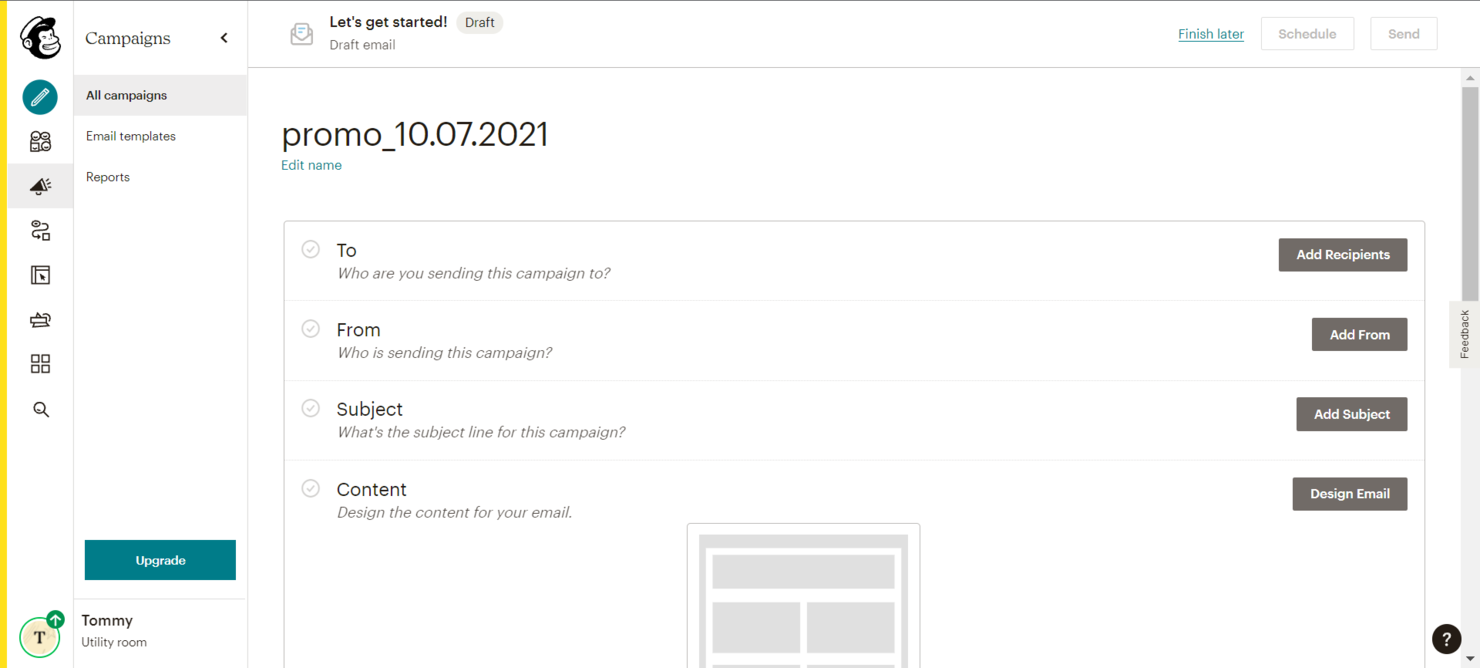
Mailchimp è uno strumento di automazione del marketing per piccole imprese che consente di gestire l’email marketing, il social media marketing e altre attività di marketing digitale. Permette agli utenti di creare campagne di marketing, gestire elenchi di clienti e monitorare le prestazioni tramite analisi dettagliate.
Perché ho scelto Mailchimp: Mailchimp offre una vasta gamma di modelli personalizzabili e un’interfaccia intuitiva che rende facile al tuo team progettare campagne email. Gli strumenti di gestione del pubblico della piattaforma ti aiutano a segmentare e a indirizzare i clienti in modo efficiente. Le sue funzioni di automazione del marketing permettono di impostare dei flussi di lavoro che fanno risparmiare tempo e aumentano il coinvolgimento. Inoltre, Mailchimp fornisce analisi dettagliate che ti aiutano a comprendere l’efficacia delle tue campagne.
Caratteristiche e integrazioni principali:
Caratteristiche includono modelli email personalizzabili, segmentazione del pubblico, notifiche, automazione del marketing, gestione dei social media e analisi dettagliate. Puoi progettare e inviare campagne facilmente, gestire il tuo pubblico in modo efficiente e monitorare le prestazioni della campagna direttamente dalla dashboard.
Integrazioni includono Shopify, WooCommerce, WordPress, Salesforce, HubSpot, Zapier, Slack, Google Analytics, QuickBooks e Stripe.
Pros and Cons
Pros:
- Ottimizzazione dei contenuti tramite IA
- Analisi delle campagne in tempo reale
- Test A/B automatizzati
Cons:
- Funzionalità di automazione limitate
- Occasionali problemi di recapito

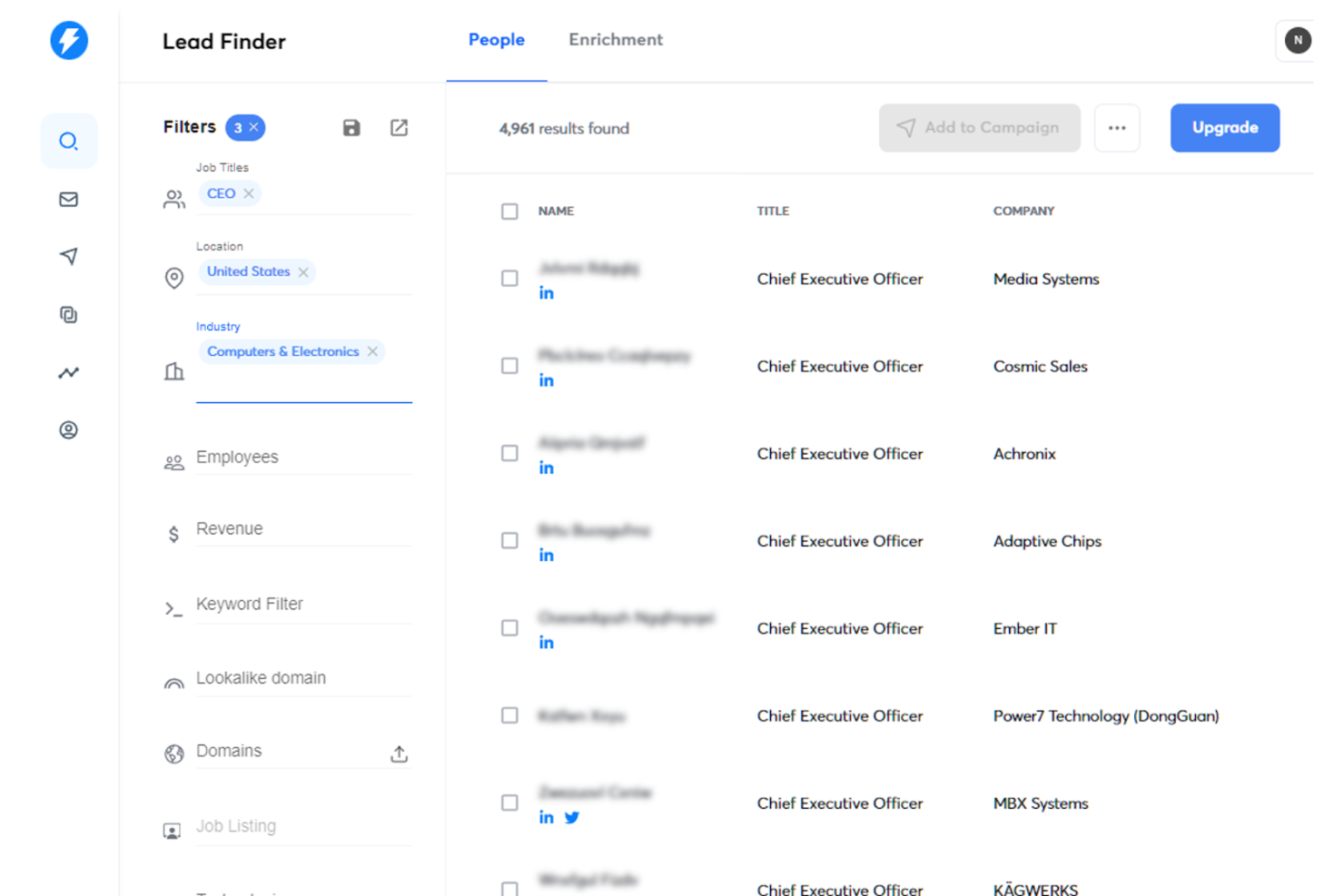
Instantly.ai è una piattaforma di invio email a freddo progettata per spedizioni ad alto volume, con rotazione tra caselle di posta illimitate, creazione di sequenze guidata dall’IA e un CRM integrato per la gestione di lead e risposte.
A chi è rivolto Instantly.ai?
Instantly.ai è ideale per agenzie di generazione lead outbound e team di crescita che gestiscono campagne email a freddo ad alto volume su più account cliente o domini di invio.
Perché ho scelto Instantly.ai
Ho scelto Instantly.ai tra i migliori perché la sua funzione Automations gestisce l’instradamento dei lead senza alcun intervento manuale. Quando un lead risponde, visita la pagina dei prezzi o prenota una riunione, Instantly lo indirizza automaticamente, aggiorna la fase nel CRM e avvia la corretta campagna di follow-up in base a quel segnale. Il mio team usa il costruttore di workflow basato su trigger per far partire sequenze specifiche basate su un reale intento d’acquisto, non solo su ritardi temporali statici, cosa che la maggior parte degli strumenti di cold email non può fare in modo nativo.
Funzionalità principali di Instantly.ai
- Riscaldamento email: Aumenta gradualmente il volume di invio sui nuovi account per costruire la reputazione del dominio prima del lancio delle campagne.
- Unibox: Centralizza tutte le risposte da ogni casella collegata in una vista unica per gestire le risposte su larga scala.
- Scrittore email IA: Genera e personalizza direttamente i messaggi della campagna nel costruttore di sequenze usando l’IA.
- Ricerca lead B2B: Cerca ed esporta dati di contatto verificati di potenziali clienti da un database integrato senza uscire dalla piattaforma.
Integrazioni di Instantly.ai
Instantly.ai offre oltre 50 integrazioni attraverso il suo marketplace, comprese connessioni native con HubSpot, Salesforce e Pipedrive, così come Slack, Clay, Trigify e RB2B.
Pros and Cons
Pros:
- Account di invio illimitati
- L’IA prenota riunioni automaticamente
- Avvia follow-up basati sul comportamento
Cons:
- Il prezzo degli add-on cresce rapidamente su larga scala
- Test A/B limitati a due varianti

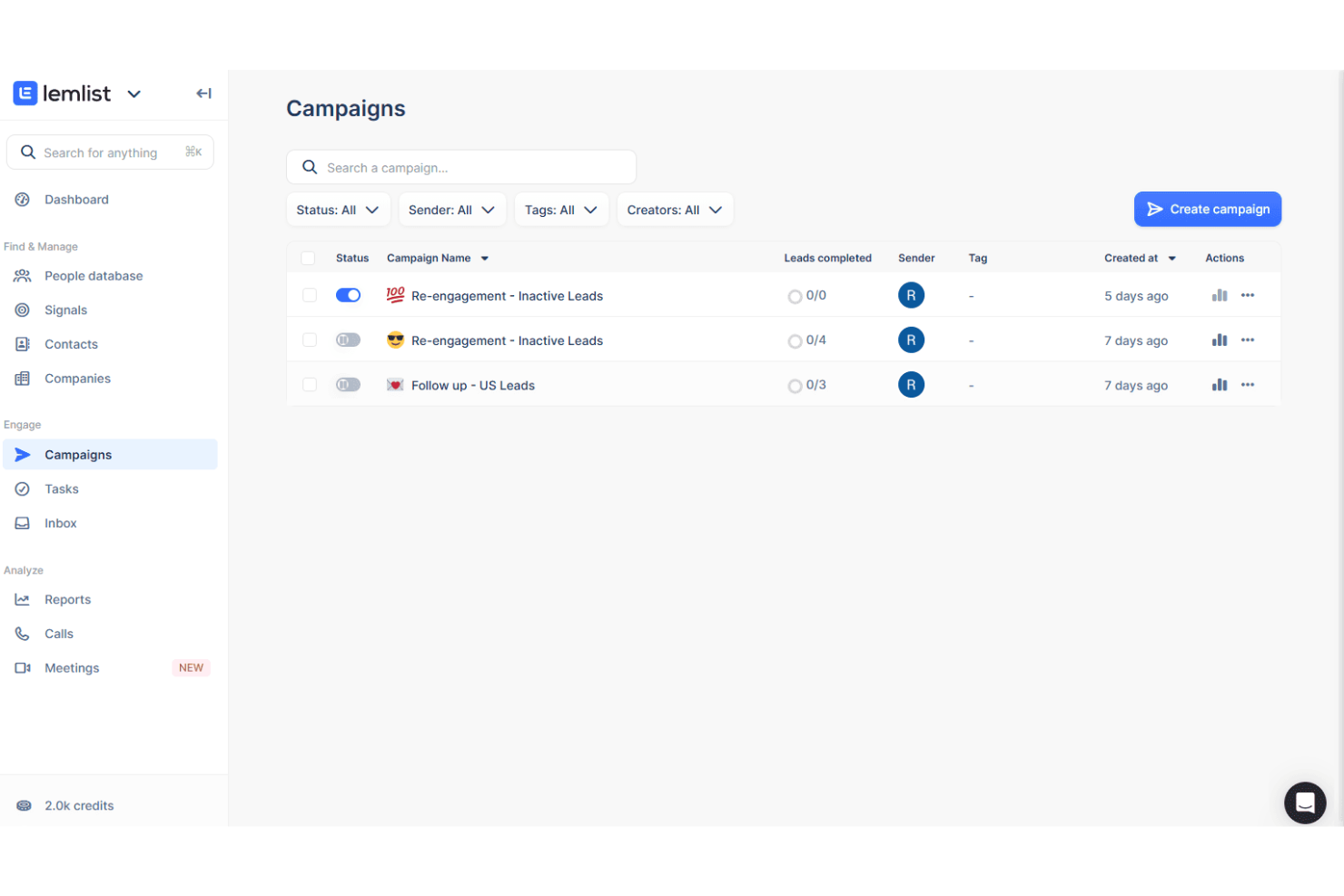
lemlist è una piattaforma di sales engagement che combina l'automazione delle email a freddo, le attività di outreach su LinkedIn e le chiamate telefoniche in sequenze di prospecting multicanale con strumenti integrati per la generazione di lead e la personalizzazione.
Per chi è ideale lemlist?
lemlist è particolarmente adatto a rappresentanti commerciali B2B e team SDR che fanno attività di prospecting outbound tramite email, LinkedIn e telefono da un'unica piattaforma.
Perché ho scelto lemlist
lemlist si guadagna un posto nella mia shortlist perché permette di creare sequenze di prospecting che combinano email a freddo, richieste di connessione LinkedIn e chiamate in un unico flusso di lavoro. Apprezzo in particolare i passaggi automatizzati su LinkedIn che mi consentono di attivare una visita al profilo, una richiesta di connessione e un messaggio diretto come parte della stessa sequenza senza cambiare strumento. La funzionalità di personalizzazione delle immagini mi permette anche di inserire direttamente il nome del prospect o il logo dell’azienda nelle grafiche delle email, cosa che il mio team utilizza per aumentare i tassi di risposta nelle attività di cold outreach.
Funzionalità principali di lemlist
- Email warm-up: Riscalda automaticamente gli account di invio tramite lemwarm per proteggere la deliverability prima di avviare campagne di outreach a freddo.
- Lead database: Cerca e importa contatti B2B verificati direttamente dal lead finder integrato di lemlist senza uscire dalla piattaforma.
- Inbox rotation: Distribuisci le email in uscita su più account mittenti per ridurre il rischio di spam su sequenze ad alto volume.
- A/B testing: Testa più versioni delle email all’interno di una sequenza per individuare quale testo genera più risposte.
Integrazioni di lemlist
lemlist offre integrazioni native con HubSpot, Salesforce, Pipedrive, Attio, Zoho CRM, Aircall, Slack, Google Sheets e Clay, tra gli altri.
Pros and Cons
Pros:
- Warm-up email integrato
- Immagini personalizzate inserite nelle email
- Automazioni LinkedIn all’interno delle sequenze email
Cons:
- I crediti si esauriscono rapidamente su larga scala
- Manca l’analisi dell’attribuzione

Ideale per l'automazione email senza codice

CRM Creatio è una piattaforma no-code progettata per automatizzare i processi di gestione delle relazioni con i clienti, coprendo attività di marketing, vendita e assistenza.
Perché ho scelto CRM Creatio: Puoi creare flussi di lavoro automatici per le email personalizzati senza dover scrivere codice, aiutando il tuo team a rimanere connesso con potenziali clienti e clienti in modo più efficiente. Funzionalità come il progettista di flussi di lavoro visivo ti permettono di realizzare sequenze email complesse con semplici azioni di trascinamento, così il tuo team può rapidamente impostare campagne per coltivare i lead e coinvolgere i clienti in ogni fase. Inoltre, l’analisi integrata di CRM Creatio fornisce approfondimenti in tempo reale sulle prestazioni delle email, aiutandoti ad affinare la tua strategia sulla base di dati concreti.
Funzioni principali & integrazioni:
Funzionalità includono viste cliente a 360 gradi, gestione dei lead, gestione della pipeline, flussi di lavoro personalizzabili, fatturazione, reportistica e analisi, strumenti di collaborazione, gestione clienti, gestione dei casi, gestione dei progetti, automazione e una fonte dati unificata.
Integrazioni includono Accelo, Act!, ActiveCampaign, Acumatica, Adobe Analytics, Asana, Microsoft Exchange, Excel, Mailchimp, HubSpot Marketing Hub, Google Calendar e Tableau.
Pros and Cons
Pros:
- Opzioni di personalizzazione estese
- Piattaforma no-code
- Soluzione scalabile
Cons:
- La personalizzazione può richiedere tempo
- La migrazione dei dati può essere complessa

Omnisend
Ideale per il focus sull’ecommerce
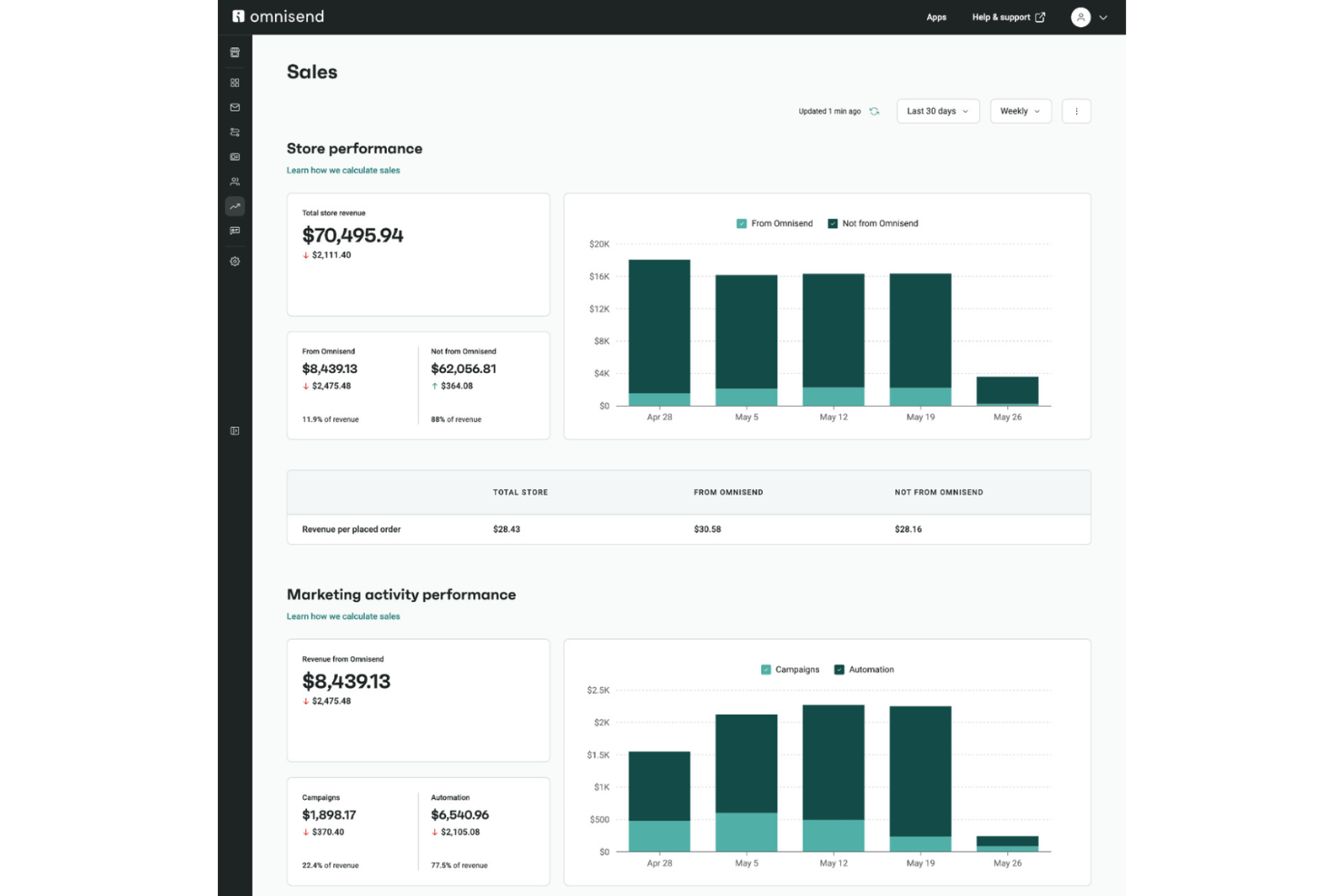
Omnisend è una piattaforma di automazione per l’email e SMS marketing creata attorno ai flussi di lavoro dell’ecommerce, con strumenti per sequenze di recupero carrelli abbandonati, campagne attivate da prodotti, segmentazione del pubblico e comunicazione multicanale.
Per chi è ideale Omnisend?
Omnisend è una scelta naturale per marchi ecommerce su Shopify, WooCommerce o BigCommerce che necessitano di campagne email e SMS connesse direttamente al comportamento d’acquisto.
Perché ho scelto Omnisend
Ho incluso Omnisend tra le mie scelte principali perché i suoi flussi di lavoro automatici sono sviluppati specificamente attorno agli eventi d’acquisto ecommerce, non su trigger generici. Uso le sequenze predefinite di carrello abbandonato e post-acquisto, che integrano dati prodotto in tempo reale direttamente nell’email, così il mio team non deve crearle manualmente. La segmentazione basata sul comportamento, filtrando per cronologia d’acquisto e coinvolgimento, mi permette inoltre di raggiungere pubblici da riconquistare senza esportare dati su altri strumenti.
Funzionalità principali di Omnisend
- Costruttore campagne SMS: Crea e invia messaggi SMS insieme alle campagne email dallo stesso editor di flussi di lavoro.
- Booster campagne: Invia automaticamente di nuovo una campagna con un oggetto diverso ai contatti che non hanno aperto l’email originale.
- Moduli e popup di iscrizione: Crea moduli integrati, popup e landing page per acquisire nuovi iscritti direttamente dal tuo store.
- Dashboard delle vendite: Monitora le entrate attribuite a ogni campagna o automazione, suddivise per canale e intervallo di date.
Integrazioni Omnisend
Omnisend offre oltre 200 integrazioni tramite il suo app market, con connessioni native alle piattaforme ecommerce come Shopify, Shopify Plus, WooCommerce, BigCommerce, Wix, Shoplazza ed Ecwid. Si integra inoltre con Facebook Lead Ads, Google Ads, Gorgias, Typeform, Yotpo, Smile.io, Intercom e Zapier.
Pros and Cons
Pros:
- Selettore prodotto che estrae articoli dal catalogo
- Flussi ecommerce preimpostati
- SMS ed email condividono lo stesso editor di automazione
Cons:
- Molto orientato all’ecommerce
- Gli avvisi di ritorno in stock non contengono link al prodotto
New Product Updates from Omnisend

Omnisend Adds Claude Connector and Updates MCP Features
Omnisend adds a Claude Connector, improved on-brand email templates, and granular MCP permissions. These updates make it easier to work with Omnisend data through AI tools while providing more control over data access. For more information, visit Omnisend’s official site.
 .
.
Reply
Ideale per il rilevamento automatico delle risposte


Ideale per l'email marketing integrato
Altri software di automazione delle email commerciali
Ecco alcune ulteriori opzioni di software di automazione delle email commerciali che non sono entrate nel mio elenco, ma che vale comunque la pena esaminare:
- Pipedrive
Ideale per la gestione visiva del flusso delle vendite
- Adobe Marketo Engage
Ideale per la gestione complessa del nurturing dei lead
- Apollo.io
Ideale per la ricerca di potenziali clienti basata sui dati
- Salesforce Marketing Cloud Account Engagement (Pardot)
Ideale per la segmentazione automatica dei potenziali clienti


Come Valuto i Software di Automazione per Email di Vendita
Divido la mia valutazione in due livelli: la base che ogni strumento deve raggiungere—sequenze automatizzate, sincronizzazione CRM, deliverability—e i fattori di differenziazione che separano le migliori opzioni per i team RevOps outbound.
Funzionalità di Base (Requisiti Minimi per Questa Lista)
Quando seleziono gli strumenti per la mia lista, valuto ognuno su una scala da 0 (non offre la funzionalità) a 5 (eccelle in quest'area) per ciascuna funzionalità di base elencata di seguito. Poi, calcolo il punteggio totale dello strumento come percentuale. Ogni strumento deve raggiungere un punteggio totale minimo del 65% per essere preso in considerazione.
- Sequenze Email Automatizzate: Valuto se lo strumento supporta sequenze drip multi-step con condizioni di stop basate sulle risposte, ramificazioni condizionali e ritardi temporali tra i contatti.
- Personalizzazione su Larga Scala: I tag di fusione dinamici e i campi personalizzati sono irrinunciabili, ma verifico anche la presenza di blocchi di contenuto condizionale e personalizzazione basata su enrichment su grandi liste.
- Integrazione CRM & Inbox: Cerco sincronizzazione bidirezionale nativa con i principali CRM come Salesforce e HubSpot, oltre a connessioni dirette con Gmail e Outlook che registrano l'attività senza inserimenti manuali.
- Controlli di Deliverability: Strumenti di warm-up, rotazione delle caselle, limiti di invio e gestione dei rimbalzi rientrano tutti qui—specialmente per i team che gestiscono outbound ad alto volume su più domini.
- Monitoraggio Coinvolgimento & Analytics: Oltre al monitoraggio delle aperture e dei clic, verifico che la piattaforma riporti risposte, riunioni fissate e metriche di conversione a livello di sequenza.
- A/B Testing: La capacità di testare in split subject line e varianti del corpo email all'interno di sequenze attive è importante, soprattutto per i team che iterano sui messaggi attraverso segmenti diversi.
Una volta che ho una lista di strumenti che soddisfano questi criteri, considero ciò che differenzia ciascuna piattaforma.
Fattori di Differenziazione (Cosa Distingue i Fornitori)
Ecco come confronto le varie soluzioni:
Funzionalità Distintive
L'orchestrazione multi-canale è un elemento di forte differenziazione. Cerco strumenti che permettano d'integrare passaggi LinkedIn, chiamate e SMS direttamente nelle sequenze email invece che gestire workflow separati. Anche i trigger basati su intenti sono importanti—le piattaforme che iscrivono automaticamente i prospect in base a cambi di lavoro o eventi di finanziamento evitano agli SDR di monitorare manualmente i segnali. Una casella unificata che categorizza automaticamente le risposte per sentiment aiuta i commerciali a dare priorità ai lead caldi senza dover visionare tutte le risposte.
Oltre le Funzionalità
La struttura dei prezzi conta molto in questa fase. Controllo se una piattaforma addebita per utente, per casella o per contatto, dato che questo influisce direttamente sui costi quando si cresce da un piccolo gruppo SDR ad un intero team outbound. Anche gli strumenti di compliance sono un fattore che valuto—la gestione delle liste di soppressione e l'automazione dell'opt-out aiutano i team a rimanere allineati agli obblighi GDPR e CAN-SPAM. Esamino anche la profondità del reporting RevOps, in particolare l'attribuzione della pipeline collegata a sequenze e commerciali specifici, oltre ai connettori nativi con strumenti come Snowflake o Looker.
Come scegliere il software di automazione delle email commerciali
È facile perdersi in lunghi elenchi di funzionalità e strutture tariffarie complesse. Per aiutarti a mantenere la concentrazione mentre affronti il tuo processo di selezione del software, ecco una lista di controllo dei fattori da tenere a mente:
| Fattore | Cosa considerare |
| Scalabilità | Il software crescerà insieme alle esigenze della tua azienda? |
| Integrazioni | Si integra con gli strumenti che già utilizzi? |
| Personalizzazione | Il software può essere adattato ai tuoi processi? |
| Semplicità d'uso | Il software è facile da usare per il tuo team? |
| Budget | Il software rientra nel tuo budget? |
| Misure di sicurezza | Sono in vigore rigorose misure di sicurezza? |
Tendenze nel software di automazione delle email commerciali
Durante la mia ricerca, ho raccolto innumerevoli aggiornamenti dei prodotti, comunicati stampa e registri delle versioni da diversi fornitori di software di automazione delle email commerciali. Ecco alcune delle tendenze emergenti che sto tenendo d'occhio:
- Personalizzazione basata sull'IA: l'IA viene utilizzata per creare contenuti e-mail altamente personalizzati in base al comportamento e alle preferenze degli utenti. Gli strumenti utilizzano l'IA per adattare dinamicamente i contenuti delle e-mail, garantendo che ogni destinatario riceva un messaggio unico in linea con i propri interessi.
- E-mail interattive: l'inserimento diretto nelle e-mail di elementi interattivi come sondaggi, questionari e video sta diventando sempre più diffuso. Alcuni fornitori integrano queste funzionalità per aumentare i tassi di coinvolgimento e raccogliere feedback in tempo reale dai destinatari.
- Analisi predittiva: le piattaforme di automazione delle e-mail di vendita stanno integrando l'analisi predittiva per prevedere il comportamento dei clienti e ottimizzare le campagne e-mail. Questa funzionalità suggerisce i momenti migliori per inviare le e-mail e il tipo di contenuto con le migliori probabilità di rendimento.
- E-mail attivate dal comportamento: l'automazione delle sequenze e-mail in base ad azioni specifiche degli utenti, come la cronologia di navigazione o gli acquisti passati, sta prendendo piede. Alcuni strumenti evidenziano l'efficacia delle e-mail per l'abbandono della navigazione e del carrello nel coinvolgere nuovamente i potenziali clienti e recuperare le vendite perse.
- Iper-segmentazione: le tecniche avanzate di segmentazione vengono utilizzate per creare elenchi e-mail più mirati, aiutando i team a concludere le trattative. Le piattaforme stanno migliorando le proprie funzionalità di segmentazione, consentendo agli esperti di marketing di suddividere il pubblico in gruppi più piccoli e precisi sulla base di numerosi criteri, con conseguenti tassi di coinvolgimento e conversione più elevati.
Che cos'è il software di automazione delle e-mail di vendita?
Il software di automazione delle e-mail di vendita automatizza il processo di invio delle e-mail relative alle vendite, aiutando i team commerciali a risparmiare tempo e migliorare la propria efficienza. I professionisti delle vendite, come i rappresentanti commerciali e i responsabili degli account, utilizzano questi strumenti per gestire e coltivare i contatti. Questi strumenti aiutano ad automatizzare le attività ripetitive, consentendo loro di concentrarsi su attività più strategiche.
Funzionalità come i follow-up automatici, i modelli e-mail personalizzati e l'integrazione con i sistemi CRM aiutano a gestire grandi volumi di e-mail, mantenere l'organizzazione e monitorare le prestazioni delle e-mail. Offrono un valore significativo aumentando la produttività e garantendo una comunicazione costante con potenziali clienti e clienti.
Funzionalità del software di automazione delle e-mail di vendita
Quando scegli il software di automazione delle e-mail di vendita, presta attenzione alle seguenti funzionalità chiave:
- Pianificazione delle e-mail: consente agli utenti di programmare l'invio delle e-mail nei momenti ottimali, garantendo che i messaggi raggiungano i destinatari quando è più probabile che interagiscano.
- Personalizzazione: consente di personalizzare le e-mail con dettagli specifici del destinatario, come nome e informazioni sull'azienda, aumentando il coinvolgimento e i tassi di risposta.
- Test A/B: offre la possibilità di testare diverse versioni delle e-mail per determinare quale ottiene i risultati migliori, contribuendo a perfezionare le strategie e-mail per ottenere risultati migliori.
- Analisi e reportistica: offre informazioni dettagliate sulle metriche delle prestazioni delle e-mail, come tassi di apertura, tassi di clic e conversioni, favorendo un processo decisionale basato sui dati.
- Integrazione CRM: si collega agevolmente ai sistemi di gestione delle relazioni con i clienti per garantire che le campagne e-mail siano allineate ai dati sulle vendite e sui clienti.
- Campagne a gocciolamento: automatizza l'invio di una serie di e-mail nel tempo in base alle azioni dell'utente o a programmi prestabiliti, coltivando i contatti lungo il percorso di vendita.
- Qualificazione dei contatti: assegna punteggi ai contatti in base alle loro interazioni con le e-mail, aiutando a stabilire la priorità dei follow-up e a concentrarsi sui potenziali clienti con maggiori probabilità di conversione.
- Libreria di modelli: offre una raccolta di modelli e-mail predefiniti personalizzabili, facendo risparmiare tempo e garantendo e-mail dall'aspetto professionale.
- Risponditori automatici: inviano automaticamente risposte predefinite alle e-mail in arrivo, garantendo risposte tempestive e mantenendo il coinvolgimento dei contatti.
- Attivatori comportamentali: avviano azioni e-mail in base al comportamento del destinatario, come l'apertura di un'e-mail o il clic su un link, garantendo follow-up tempestivi e pertinenti.
Vantaggi del software di automazione delle e-mail di vendita
L'implementazione di un software di automazione delle e-mail di vendita offre diversi vantaggi al tuo team e alla tua azienda. Ecco alcuni dei vantaggi che puoi aspettarti:
- Risparmio di tempo: automatizza attività ripetitive come l'invio di follow-up, consentendo al tuo team di concentrarsi su attività più strategiche.
- Comunicazione coerente: garantisce una comunicazione puntuale e regolare con lead e clienti tramite email programmate.
- Personalizzazione: utilizza i dati dei clienti per inviare messaggi personalizzati, aumentando il coinvolgimento e i tassi di risposta.
- Coltivazione dei lead: invia automaticamente contenuti pertinenti ai lead in base al loro comportamento, aiutandoli ad avanzare nel funnel di vendita.
- Monitoraggio delle prestazioni: fornisce analisi sulle campagne email, aiutandoti a capire cosa funziona e dove apportare miglioramenti.
- Scalabilità: gestisce senza difficoltà grandi volumi di email, sostenendo la crescita aziendale senza risorse aggiuntive.
- Maggiore precisione: riduce gli errori umani nell'invio delle email, garantendo una comunicazione professionale e priva di errori.
Costi e prezzi dei software per l'automazione delle email di vendita
La scelta di un software per l'automazione delle email di vendita richiede la comprensione dei vari modelli e piani tariffari disponibili. I costi variano in base alle funzionalità, alle dimensioni del team, ai componenti aggiuntivi e ad altri fattori. La tabella seguente riassume i piani più comuni, i relativi prezzi medi e le funzionalità tipicamente incluse nelle soluzioni software per l'automazione delle email di vendita:
Tabella di confronto dei piani dei software per l'automazione delle email di vendita
| Tipo di piano | Prezzo medio | Funzionalità comuni |
| Piano gratuito | $0 | Modelli email di base, invii email limitati, reportistica di base e regole di automazione limitate. |
| Piano personale | $9-$20/user/month | Modelli email avanzati, numero maggiore di invii email, segmentazione di base e test A/B di base. |
| Piano aziendale | $25-$50/user/month | Modelli email personalizzati, invii email illimitati, segmentazione avanzata e analisi dettagliate. |
| Piano enterprise | $100+/user/month | Assistenza personalizzata, IP dedicato, integrazioni avanzate, funzionalità di collaborazione tra team e reportistica personalizzata. |
Qual è il prossimo passo?
Vuoi portare le tue attività di RevOps a un livello superiore? Iscriviti alla newsletter di The CRO Club.