

Las mejores alternativas a RingCentral ofrecen un seguimiento fiable de las llamadas de ventas, integraciones y funciones de comunicación flexibles que ayudan a tu equipo a mantenerse conectado y organizado. Si estás buscando alternativas a RingCentral, probablemente quieras herramientas capaces de gestionar un gran volumen de llamadas, proporcionar análisis prácticos e integrarse en tus flujos de trabajo de ventas actuales sin causar interrupciones.
Elegir la plataforma adecuada puede marcar una gran diferencia en la forma en que tu equipo realiza el seguimiento de las conversaciones, mide el rendimiento y favorece el crecimiento de los ingresos.
En esta guía encontrarás una lista seleccionada de las principales alternativas a RingCentral, cada una con sus propios puntos fuertes para ayudarte a encontrar la opción más adecuada para tus operaciones de ventas en 2026.
¿Qué es RingCentral?
RingCentral es una plataforma de comunicación basada en la nube que combina voz, vídeo, mensajería y seguimiento de llamadas de ventas en un único sistema. Está diseñada para ayudar a las empresas a gestionar llamadas entrantes y salientes, supervisar el rendimiento del equipo de ventas e integrarse con herramientas de CRM y productividad.
Los equipos utilizan RingCentral para centralizar la comunicación, mejorar la visibilidad de las llamadas y simplificar los procesos de ventas, por lo que es una opción popular para las organizaciones que necesitan un seguimiento y análisis fiables de las llamadas.
Tabla comparativa de competidores de RingCentral
Esta tabla comparativa destaca los detalles de precios de mis principales competidores de RingCentral.
| Tool | Best For | Trial Info | Price | ||
|---|---|---|---|---|---|
| 1 | La mejor para comunicaciones unificadas entre equipos | Demostración gratuita disponible | Desde $15/usuario/mes (facturado anualmente) | Website | |
| 2 | La mejor opción con llamadas de voz cifradas de extremo a extremo | Prueba gratis de 14 días | Desde $25/usuario/mes (facturado anualmente) | Website | |
| 3 | Ideal para realizar llamadas de ventas salientes a gran escala | Demostración gratuita disponible | Precios disponibles previa solicitud | Website | |
| 4 | Mejor con infraestructura en la nube de AWS | Prueba gratuita de 6 meses | Desde $0.038/minuto | Website | |
| 5 | Ideal para emprendedores individuales y pequeñas empresas | Prueba gratuita de 7 días disponible | Desde $14/mes (facturado anualmente) | Website | |
| 6 | Mejor para la gestión de campañas de llamadas salientes | Demo gratuita disponible | Desde $135/mes (facturado anualmente) | Website | |
| 7 | Lo mejor en análisis de llamadas impulsados por IA | Demostración gratuita | Desde $119/usuario/mes | Website | |
| 8 | Ideal para integraciones con CRM y mesas de ayuda | Prueba gratuita de 14 días + demostración gratuita | Desde $29/usuario/mes (facturado anualmente) | Website | |
| 9 | Ideal para una configuración y onboarding rápido | Prueba gratuita de 7 días + demo gratuita disponible | Desde $20/usuario/mes (facturado anualmente) | Website | |
| 10 | Ideal para equipos híbridos y remotos | Demo gratuita disponible | Precio bajo consulta | Website |


Por qué confiar en nuestras recomendaciones de software
6,700+
Reviews
20
Industry experts
16+
Evaluation factors
14
Years
Nuestras reseñas reflejan nuestro criterio independiente, no un discurso de ventas. Descubra cómo mantenemos la transparencia.
Para esta guía, evaluamos las herramientas mediante pruebas prácticas e investigación independiente, puntuando las herramientas según nuestros criterios de selección.
Nuestras reseñas reflejan nuestro criterio editorial humano, no un discurso de ventas.
Reseñas de alternativas a RingCentral
A continuación encontrarás mis resúmenes detallados de las mejores alternativas a RingCentral que han entrado en mi lista de favoritas. Mis reseñas ofrecen un análisis detallado de las funciones, integraciones y casos de uso más adecuados de cada software para ayudarte a encontrar la mejor opción para ti.
 La mejor para comunicaciones unificadas entre equipos
- Demostración gratuita disponible
- Desde $15/usuario/mes (facturado anualmente)
Visit WebsiteCustomer Rating:4.5/5
Nextiva unifica llamadas, mensajería y video con análisis de ventas. Nextiva es una plataforma de comunicación en la nube diseñada para equipos de ventas y empresas que necesitan seguimiento y análisis de llamadas confiables. Si deseas unificar tu teléfono, mensajería y video en un solo lugar mientras monitoreas de cerca la actividad de ventas, Nextiva merece una mirada.
¿Para quién es mejor Nextiva?
Equipos de ventas y soporte en empresas medianas y grandes que necesitan comunicaciones unificadas a través de múltiples canales.
Por qué Nextiva es una buena alternativa a RingCentral
Elegí Nextiva porque reúne voz, video y mensajería en una sola interfaz, lo que facilita el seguimiento de cada punto de contacto de ventas sin tener que cambiar entre herramientas. Me gusta especialmente el panel de análisis de llamadas, donde puedo monitorear el volumen, la duración y los resultados de las llamadas en tiempo real en todo el equipo.
Las funciones de inteligencia conversacional de Nextiva también me permiten revisar grabaciones de llamadas y destacar momentos clave, lo cual ayuda en la capacitación y evaluaciones de desempeño. Para equipos que necesitan toda la visibilidad de las comunicaciones en un solo lugar, es una excelente opción.
Características clave de Nextiva
- Recepcionista automática: Redirige las llamadas entrantes automáticamente al miembro adecuado del equipo, sin transferencias manuales.
- Colas de llamadas: Mantiene a los llamantes en espera cuando los agentes están ocupados, para que ninguna llamada de ventas quede sin respuesta.
- Correo de voz a email: Envía los mensajes de voz directamente a tu bandeja de entrada para que puedas revisarlos y responder más rápido.
- Presencia en tiempo real: Muestra qué miembros del equipo están disponibles para recibir llamadas o mensajes en cualquier momento.
Integraciones de Nextiva
Las integraciones incluyen Salesforce, HubSpot, Microsoft Teams, Google Workspace, Zendesk, Oracle NetSuite, Zoho, Microsoft Outlook, ServiceNow y Bullhorn.
Pros and Cons
Pros:
- El panel de análisis de llamadas es detallado y visual
- La configuración de la recepcionista automática es flexible para el enrutamiento
- Opciones de incorporación de servicios profesionales incluidas
Cons:
- Asignaciones limitadas de minutos internacionales gratuitos
- Límites restrictivos en la transmisión mensual de SMS
Learn more about Nextiva: La mejor opción con llamadas de voz cifradas de extremo a extremo
- Prueba gratis de 14 días
- Desde $25/usuario/mes (facturado anualmente)
Visit WebsiteCustomer Rating:4.4/5
CloudTalk te permite ver el estado de los agentes en tiempo real. CloudTalk es un sistema telefónico basado en la nube diseñado para equipos de ventas y soporte que necesitan funciones avanzadas de centro de llamadas y conectividad global flexible. Si buscas una alternativa a RingCentral con fuerte automatización, análisis e integración sencilla, CloudTalk merece tu atención.
¿Para quién es mejor CloudTalk?
Equipos de ventas salientes en empresas SaaS y B2B que buscan automatizar y escalar sus operaciones de llamadas.
Por qué CloudTalk es una buena alternativa a RingCentral
Elegí CloudTalk porque ofrece a mi equipo llamadas de voz de extremo a extremo cifradas en cada conversación. Me gusta que podemos proteger datos sensibles de los clientes y cumplir con requisitos estrictos de cumplimiento. La grabación segura de llamadas y el almacenamiento cifrado de la plataforma añaden otra capa de privacidad. Para equipos que manejan información confidencial, las funciones de seguridad de CloudTalk son una clara ventaja sobre otras opciones.
Funciones clave de CloudTalk
- Grabación de llamadas: Graba automáticamente llamadas entrantes y salientes para control de calidad y capacitación.
- Respuesta de voz interactiva (IVR): Permite configurar menús personalizados de enrutamiento de llamadas para los que llaman.
- Transcripción de mensajes de voz: Convierte los mensajes de voz en texto para una rápida revisión y seguimiento.
- Extensión de navegador para clic para llamar: Permite hacer llamadas con un solo clic directamente desde tu CRM o navegador.
Integraciones de CloudTalk
CloudTalk ofrece integraciones nativas con Salesforce, HubSpot, Zendesk, Pipedrive, Zoho CRM, Intercom, Freshdesk y Gong. También se conecta con Zapier y proporciona una API para integraciones personalizadas.
Pros and Cons
Pros:
- Supervisión de llamadas en tiempo real
- Aprovisionamiento instantáneo de números globales
- Ofrece marcadores impulsados por IA
Cons:
- Menos opciones integradas de mensajería para el equipo
- Las funciones avanzadas requieren planes de nivel superior
Learn more about CloudTalk: Ideal para realizar llamadas de ventas salientes a gran escala
- Demostración gratuita disponible
- Precios disponibles previa solicitud
Visit WebsiteCustomer Rating:4.8/5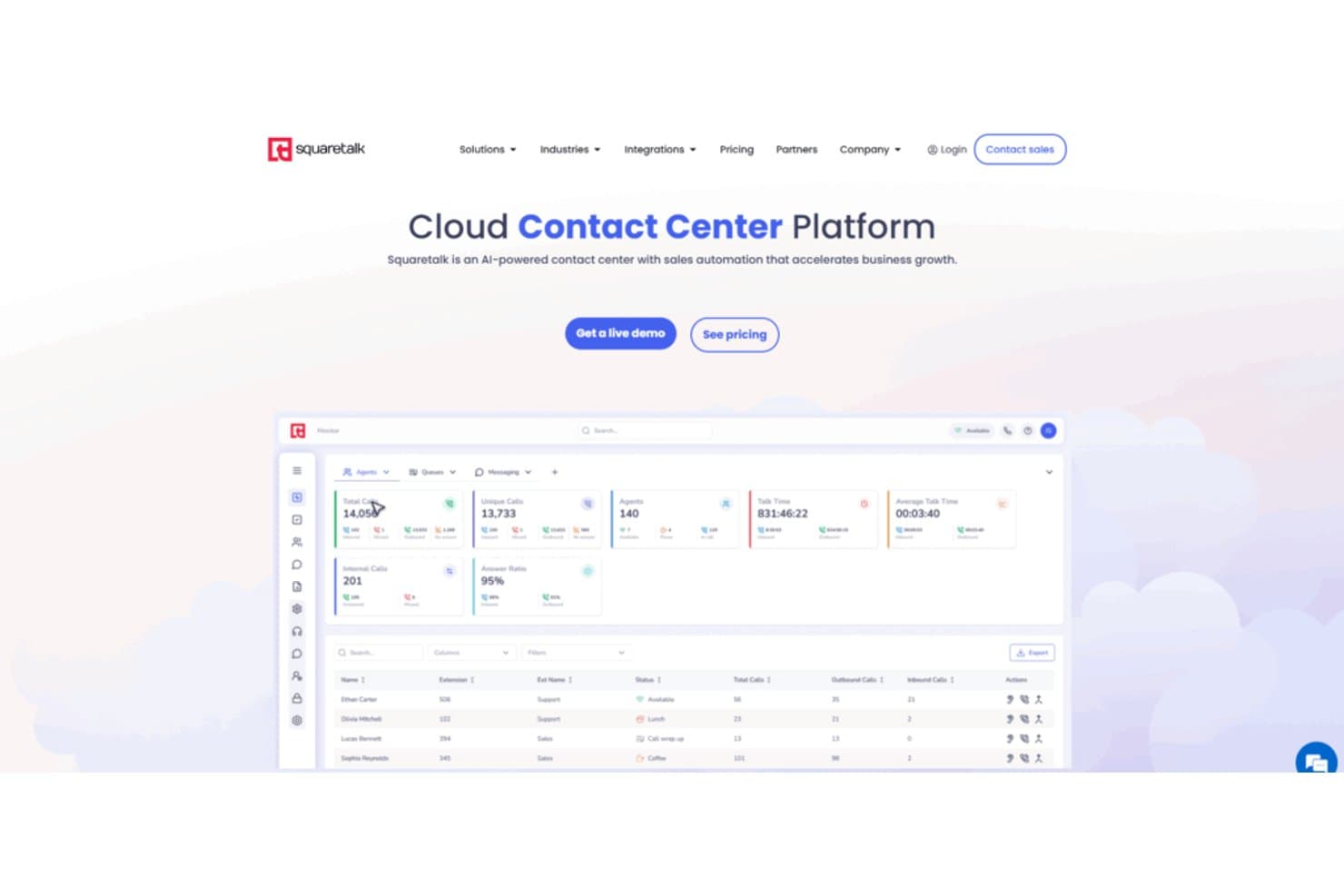
El panel del centro de contacto de Squaretalk realiza un seguimiento de las llamadas, los agentes y las proporciones de respuestas en tiempo real. Squaretalk es un sistema telefónico empresarial para equipos de ingresos que buscan una alternativa a RingCentral para organizar las comunicaciones de ventas, gestionar los flujos de trabajo de llamadas y mejorar la visibilidad de las conversaciones con los clientes.
¿Para quién es más adecuado Squaretalk?
Squaretalk es adecuado para equipos de ingresos que necesitan flujos de trabajo estructurados y visibilidad para llamadas de ventas salientes de gran volumen.
Por qué Squaretalk es una buena alternativa a RingCentral
Elegí Squaretalk porque está diseñado para realizar llamadas de ventas salientes a gran escala. Sus flujos de trabajo de llamadas estructurados ayudan a mi equipo a organizar el contacto saliente de gran volumen, mientras que la visibilidad de las conversaciones facilita la revisión de las interacciones con los clientes. Lo usamos para coordinar las llamadas de ventas y hacer un seguimiento de las comunicaciones en los flujos de trabajo de ingresos.
Funciones principales de Squaretalk
- Respuesta de voz interactiva: Crea un enrutamiento de llamadas basado en menús para las personas que llaman.
- Grabación de llamadas: Graba conversaciones para su revisión, capacitación y controles de calidad.
- Transcripción del buzón de voz: Convierte los mensajes del buzón de voz en texto consultable.
- Mensajería SMS: Envía y recibe mensajes de texto de clientes dentro de Squaretalk.
Integraciones de Squaretalk
Squaretalk documenta siete integraciones nativas: Zoho CRM, Zoho Desk, Zoho SalesIQ, Zoho Recruit, Salesforce, Freshworks CRM y Pipedrive. También proporciona API para integraciones y flujos de trabajo personalizados.
Pros and Cons
Pros:
- La marcación predictiva reduce el tiempo de inactividad de los agentes
- Los controles de campaña organizan los flujos de trabajo salientes de gran volumen
- La grabación de llamadas facilita la capacitación y las revisiones de calidad
Cons:
- Los filtros de informes necesitan una mayor personalización
- Las conexiones en horas punta pueden retrasar ocasionalmente las llamadas
Learn more about Squaretalk: Mejor con infraestructura en la nube de AWS
- Prueba gratuita de 6 meses
- Desde $0.038/minuto
Visit WebsiteCustomer Rating:4.5/5
Amazon Connect gestiona llamadas con enrutamiento escalable e integración con AWS. Amazon Connect es una plataforma de centro de contacto basada en la nube, diseñada para equipos que desean gestionar llamadas de ventas, interacciones con clientes y el seguimiento de llamadas dentro del ecosistema de AWS. Es una opción sólida para empresas que necesitan telefonía escalable, enrutamiento avanzado de llamadas e integración profunda con otros servicios de AWS.
¿Para quién es mejor Amazon Connect?
Equipos de TI empresariales y centros de contacto que ya utilizan la infraestructura en la nube de AWS.
Por qué Amazon es una buena alternativa a RingCentral
Elegí Amazon Connect porque está construido de forma nativa en AWS, lo que significa que la infraestructura de tu centro de contacto escala automáticamente sin tener que gestionar proveedores de telefonía por separado. Me gusta la función de lago de datos de análisis, que te permite canalizar datos de llamadas directamente en herramientas de AWS como Amazon Redshift o QuickSight BI sin pipelines ETL complejos.
En la práctica, esto significa que mi equipo puede crear paneles personalizados de desempeño de llamadas utilizando exactamente las métricas que importan para nuestro modelo de ingresos. El marcador predictivo con detección de contestadores automáticos es otra función en la que confío: filtra automáticamente los buzones de voz y conecta a los agentes solo con clientes potenciales en vivo, manteniendo en movimiento las campañas de llamadas salientes.
Características principales de Amazon Connect
- Diseñador de flujos por arrastrar y soltar: Te permite crear flujos IVR, experiencias de chatbot y automatización de tareas de agentes mediante una interfaz visual y sin código.
- Enrutamiento basado en habilidades: Dirige los contactos entrantes al agente adecuado según la disponibilidad, el conjunto de habilidades, el sentimiento del cliente y el historial de interacción.
- Grabación de pantalla: Graba las pantallas de los agentes junto con el audio de la llamada para que los supervisores puedan revisar tanto lo que dijeron como lo que hicieron los agentes durante un contacto.
- Análisis de conversación en tiempo real: Rastrea sentimientos, palabras clave y desencadenantes de cumplimiento a través de interacciones de voz y chat en vivo, con alertas para supervisores.
Integraciones de Amazon Connect
Las integraciones incluyen Salesforce Service Cloud, Zendesk, ServiceNow, Microsoft Dynamics 365, Oracle, SAP, Slack, WhatsApp Business y Apple Messages for Business.
Pros and Cons
Pros:
- Integración profunda con los servicios en la nube de AWS
- Precios de pago por uso sin contratos
- Análisis de sentimiento y conversación en tiempo real
Cons:
- Estructura de precios compleja
- Requiere experiencia en AWS para una configuración avanzada
Learn more about Amazon Connect: Ideal para emprendedores individuales y pequeñas empresas
- Prueba gratuita de 7 días disponible
- Desde $14/mes (facturado anualmente)
Visit WebsiteCustomer Rating:4.2/5
Grasshopper proporciona un sistema telefónico empresarial sencillo en los dispositivos existentes. Grasshopper ofrece a las pequeñas empresas y a trabajadores independientes un sistema telefónico empresarial dedicado que funciona en sus dispositivos actuales. Si desea mantener separadas las llamadas personales y de negocios sin hardware adicional, Grasshopper es una solución sencilla.
¿Para quién es mejor Grasshopper?
Emprendedores individuales y propietarios de pequeñas empresas que necesitan una línea telefónica empresarial dedicada.
Por qué Grasshopper es una buena alternativa a RingCentral
Elegí Grasshopper porque está diseñado específicamente para autónomos y equipos pequeños que no quieren gestionar un sistema telefónico complejo. La función de respuesta instantánea envía automáticamente un mensaje de texto cuando se pierde una llamada, así que ningún cliente potencial se pierde mientras usted está ocupado.
También me gusta la función de llamada simultánea, que hace sonar varios dispositivos a la vez para que la primera persona disponible pueda contestar. Para una pequeña empresa que opera con pocas personas, ese tipo de cobertura sin tarifas por usuario es difícil de superar.
Características clave de Grasshopper
- Transcripción de buzón de voz: Convierte los mensajes de voz en texto para que pueda leerlos sin tener que escucharlos uno por uno.
- Filtrado y bloqueo de llamadas: Le permite identificar las llamadas antes de responder y bloquear números no deseados.
- Control de horario laboral: Permite definir horarios para que las llamadas se gestionen de manera diferente fuera del horario laboral.
- Recepcionista virtual: Atiende las llamadas entrantes en su nombre, redirigiéndolas sin necesidad de contratar a alguien a tiempo completo.
Integraciones de Grasshopper
No se enumeran actualmente integraciones nativas.
Pros and Cons
Pros:
- Tarifa plana independiente del número de usuarios
- Arquitectura ligera para desvío de llamadas basada en móvil
- Vista de conversaciones en hilos para todas las interacciones
Cons:
- Sin soporte para teléfonos fijos físicos
- Falta de sistemas automatizados de cola de llamadas
Learn more about Grasshopper: Mejor para la gestión de campañas de llamadas salientes
- Demo gratuita disponible
- Desde $135/mes (facturado anualmente)
Visit WebsiteCustomer Rating:4.7/5
Call Logic automatiza la marcación de alto volumen y rastrea los resultados. Call Logic es un marcador automático basado en la nube creado para equipos de ventas y centros de llamadas que necesitan gestionar campañas de llamadas salientes de alto volumen. Creo que lo encontrarás especialmente útil si tu equipo quiere automatizar la marcación, rastrear los resultados de las llamadas y mejorar la productividad de los agentes.
¿Para quién es ideal Call Logic?
Equipos de ventas salientes y centros de llamadas que ejecutan campañas de llamadas de alto volumen.
Por qué Call Logic es una buena alternativa a RingCentral
Elegí Call Logic específicamente por la manera en que gestiona de principio a fin las campañas salientes. Cuando mi equipo lleva a cabo una campaña, el marcador automático avanza por las listas de contactos sin marcar manualmente, y con un solo clic deja mensajes de voz automáticamente, evitando que los representantes pierdan tiempo dejando el mismo mensaje una y otra vez.
También dependo de los guiones de llamadas integrados y las disposiciones personalizadas para que cada representante se mantenga en el mensaje y cada resultado sea categorizado correctamente. En la práctica, eso significa que puedo ejecutar una campaña saliente completa—desde la importación de la lista hasta el correo de seguimiento—sin salir de la plataforma.
Características clave de Call Logic
- Cumplimiento de TCPA y depuración DNC: Depura automáticamente las listas de contactos en tiempo real frente a los registros de No Llamar antes de cada llamada.
- Marcación de vista previa: Muestra los detalles de contacto a los representantes antes de conectar la llamada para que puedan personalizar la conversación.
- Marcación de clientes potenciales calientes: Conecta instantáneamente a los representantes con nuevos prospectos entrantes en cuanto se envía un formulario.
- Reportes y análisis de llamadas: Rastrea el volumen de llamadas, las tasas de conexión y la actividad de los agentes en las campañas con informes de resumen y uso.
Integraciones de Call Logic
Las integraciones incluyen Allstate Lead Manager, Salesforce, Crelate, Bullhorn, PCR, Blitz, Redtail, HireQuest Inc, KBIC, MRI Network y Snelling Staffing.
Pros and Cons
Pros:
- El marcador automático aumenta la eficiencia de llamadas salientes
- Guiones de llamadas integrados para coherencia de agentes
- Depuración en tiempo real de listas DNC para cumplimiento
Cons:
- No cuenta con funciones de gestión de llamadas entrantes
- Sin aplicación móvil para acceso sobre la marcha
Learn more about Call Logic: Lo mejor en análisis de llamadas impulsados por IA
- Demostración gratuita
- Desde $119/usuario/mes
Visit WebsiteCustomer Rating:4.1/5
Five9 optimiza llamadas con automatización, analítica e integraciones. Five9 es una plataforma de centro de contacto en la nube diseñada para equipos de ventas y soporte que necesitan una gestión avanzada de llamadas y automatización. Es una excelente opción para empresas que buscan optimizar las llamadas salientes, monitorear el desempeño de los agentes e integrar la voz con canales digitales.
¿Para quién es mejor Five9?
Equipos empresariales de ventas y soporte que necesitan análisis avanzados de llamadas y automatización.
Por qué Five9 es una buena alternativa a RingCentral
Elegí Five9 porque sus análisis impulsados por IA van mucho más allá del simple registro de llamadas. Me gusta cómo la transcripción en tiempo real y el análisis de sentimiento identifican momentos de entrenamiento durante las llamadas en vivo, no solo después.
Mi equipo también utiliza el agente virtual inteligente (IVA) para gestionar consultas entrantes rutinarias de forma automática, liberando a los representantes para conversaciones de mayor valor. Para equipos que necesitan actuar rápidamente sobre los datos de llamadas, esa combinación es difícil de igualar.
Características clave de Five9
- Marcador predictivo: Marca automáticamente varios números y conecta a los agentes solo cuando una persona contesta en vivo.
- Gestión de calidad (QM): Revisa las interacciones de voz y digitales para evaluar el desempeño de los agentes en todos los canales.
- Gestión de fuerza laboral (WFM): Predice el volumen de llamadas y programa a los agentes para igualar la demanda en tiempo real.
- Enrutamiento omnicanal: Conecta a los clientes con agentes a través de voz, chat, correo electrónico, SMS y mensajería social desde una sola plataforma.
Integraciones de Five9
Las integraciones incluyen Salesforce, ServiceNow, Microsoft, Oracle, Zendesk, Microsoft Teams, Zoom Phone, RingCentral, Nextiva y Epic.
Pros and Cons
Pros:
- Analítica de llamadas basada en IA para obtener información accionable
- Asistencia al agente en tiempo real durante llamadas en vivo
- Herramientas avanzadas para marcación saliente y campañas
Cons:
- Implementación compleja para equipos de ventas pequeños
- Opciones limitadas de autoservicio para usuarios finales
Learn more about Five9: Ideal para integraciones con CRM y mesas de ayuda
- Prueba gratuita de 14 días + demostración gratuita
- Desde $29/usuario/mes (facturado anualmente)
Visit WebsiteCustomer Rating:4.1/5
JustCall conecta llamadas, mensajes de texto y automatización con herramientas de CRM. JustCall es un sistema telefónico basado en la nube diseñado para equipos de ventas y soporte que desean conectar llamadas, mensajes de texto y automatizaciones con su CRM o mesa de ayuda existente. Creo que es una opción sólida para empresas que necesitan rastrear conversaciones y gestionar la prospección directamente desde las herramientas que ya usan.
¿Para quién es mejor JustCall?
Equipos de ventas y soporte en pequeñas y medianas empresas que dependen de plataformas de CRM o de mesa de ayuda.
Por qué JustCall es una buena alternativa a RingCentral
Elegí JustCall porque está construido bajo la idea de que tu sistema telefónico debe estar dentro de tu CRM, no al margen de él. Las notas de llamadas, grabaciones y disposiciones se sincronizan automáticamente en herramientas como HubSpot, Salesforce y Pipedrive en el momento que termina una llamada.
También me gusta el marcador de ventas (Sales Dialer), que permite a los agentes lanzar campañas salientes directamente desde una lista de contactos del CRM sin marcar manualmente. En la práctica, eso significa que mi equipo pasa más tiempo hablando con prospectos y menos tiempo cambiando entre pestañas para registrar actividad.
Características clave de JustCall
- Disposición y notas de llamadas: Permite a los agentes marcar los resultados de las llamadas usando códigos predefinidos y adjuntar notas a cada llamada como referencia futura.
- Envío de buzón de voz: Envía un buzón de voz pregrabado automáticamente para que los agentes puedan pasar a la siguiente llamada sin esperar al tono.
- Supervisión de llamadas en vivo: Permite a los gerentes escuchar llamadas activas en tiempo real, susurrar al agente o unirse directamente a la llamada.
- Flujos de trabajo de SMS: Activa envíos automáticos de mensajes de texto según condiciones específicas, como seguimientos o recordatorios de citas.
Integraciones de JustCall
Las integraciones incluyen Salesforce, HubSpot, Pipedrive, Zendesk, Freshdesk, Intercom, Slack, ActiveCampaign, monday.com y Zoho CRM.
Pros and Cons
Pros:
- Integración nativa con mensajería empresarial de WhatsApp
- Bandeja de entrada unificada para todos los canales de atención al cliente
- Marcadores automáticos de llamadas salientes preconfigurados de alta velocidad
Cons:
- Sincronización inconsistente de actividad en CRM
- Falta de herramientas de colaboración interna para equipos
Learn more about JustCall: Ideal para una configuración y onboarding rápido
- Prueba gratuita de 7 días + demo gratuita disponible
- Desde $20/usuario/mes (facturado anualmente)
Visit WebsiteCustomer Rating:4/5
MightyCall ofrece fácil seguimiento de llamadas, enrutamiento y mensajería empresarial. MightyCall es un sistema telefónico basado en la nube diseñado para pequeñas empresas y equipos que desean gestionar llamadas de ventas sin configuraciones complejas. Es una opción sólida para quienes necesitan seguimiento de llamadas, enrutamiento y mensajería empresarial en una sola plataforma fácil de usar.
¿Para quién es mejor MightyCall?
Pequeñas empresas y startups que necesitan un sistema telefónico simple y unificado para equipos de ventas y soporte.
Por qué MightyCall es una buena alternativa a RingCentral
Elegí MightyCall porque realmente destaca a la hora de poner un equipo en marcha rápidamente. El diseñador de flujo de llamadas sin código me permite configurar menús IVR, reglas de enrutamiento y horarios comerciales sin tocar una sola línea de código—lo que lleva días en otras plataformas aquí me lleva una hora.
También aprovecho la sesión gratuita de onboarding con asistencia personalizada, lo que significa que una persona real guía a mi equipo a través de la configuración en lugar de dejarnos con la documentación. En la práctica, eso hace que los nuevos agentes gestionen llamadas reales el mismo día que nos registramos.
Características clave de MightyCall
- Asistente en llamadas: Permite a los supervisores orientar a los agentes durante la llamada hablándoles directamente sin que el cliente lo oiga.
- Mensaje de voz automático: Deja automáticamente un mensaje pregrabado cuando una llamada saliente llega al buzón de voz de un cliente.
- Resúmenes de llamadas por IA: Genera resúmenes instantáneos escritos por IA de las llamadas completadas, para que los gerentes puedan revisar los puntos clave sin reproducir grabaciones.
- Informe de disposición de llamadas: Registra resultados específicos de cada llamada con clientes, brindando visibilidad del desempeño de campañas y eficacia de agentes.
Integraciones de MightyCall
Las integraciones incluyen HubSpot, Salesforce, Zoho y Balto, y hay una API disponible para integraciones personalizadas.
Pros and Cons
Pros:
- Onboarding rápido con sesiones guiadas de configuración
- Paquetes incluidos de múltiples números por usuario
- Arquitectura de servidor dedicado para calidad de llamadas
Cons:
- Requisito mínimo obligatorio de tres usuarios por cuenta
- No tiene funcionalidad de videoconferencia incorporada
Learn more about MightyCall: Ideal para equipos híbridos y remotos
- Demo gratuita disponible
- Precio bajo consulta

GoTo Connect unifica llamadas, reuniones y mensajería para equipos. GoTo Connect reúne llamadas en la nube, videoreuniones y mensajería en una sola plataforma diseñada para equipos distribuidos e híbridos. Si necesitas gestionar llamadas de ventas, reuniones y comunicaciones del equipo desde cualquier lugar, esta herramienta te proporciona un espacio de trabajo unificado.
¿Para quién es mejor GoTo Connect?
Equipos de ventas y soporte que trabajan en múltiples ubicaciones o entornos remotos.
Por qué GoTo Connect es una buena alternativa a RingCentral
Elegí GoTo Connect porque está diseñado para la realidad de que los equipos de ventas modernos no están todos en el mismo lugar. El editor de planes de marcado de arrastrar y soltar me permite configurar el enrutamiento de llamadas para diferentes zonas horarias, ubicaciones de oficina y agentes remotos sin requerir soporte de TI.
También confío en la videoconferencia con un solo clic integrada directamente en la plataforma: mi equipo puede pasar de una llamada a una reunión por video sin cambiar de aplicación. En la práctica, esto significa que los representantes distribuidos se mantienen conectados y coordinados sin importar desde dónde trabajen.
Características clave de GoTo Connect
- Horarios de enrutamiento de llamadas: Configura enrutamiento de llamadas basado en horarios para horas de oficina, fuera de horario y días festivos, con saludos personalizados para cada horario.
- Análisis de sentimiento: Rastrea el sentimiento del cliente a través de llamadas telefónicas y mensajes de texto para que los gerentes puedan identificar conversaciones en riesgo.
- Hot desking: Permite que empleados remotos e híbridos accedan a cualquier teléfono compartido e ingresen a sus ajustes y extensiones personales.
- Directorio por nombre: Permite a quienes llaman buscar y conectar con miembros específicos del equipo por nombre mediante un directorio automatizado.
Integraciones de GoTo Connect
Las integraciones incluyen Salesforce, HubSpot, Zendesk, Microsoft Dynamics, SugarCRM, Freshdesk, Freshsales, Kommo, Pipedrive, Google, y hay una API disponible para integraciones personalizadas.
Pros and Cons
Pros:
- El editor de planes de marcado de arrastrar y soltar es intuitivo
- Soporte integrado de SMS y fax
- Colas de llamadas ilimitadas para equipos grandes
Cons:
- No incluye transcripción de llamadas
- Opciones limitadas de números telefónicos internacionales
Learn more about GoTo Connect:
Otras alternativas a RingCentral
Estas son algunas alternativas adicionales a RingCentral que no han entrado en mi lista de favoritas, pero que merece la pena consultar:
- 11VonageIdeal para integraciones de API personalizables
- 12Zoom PhoneMejor para integración de video y voz
- 13Microsoft Teams PhoneLa mejor integración con Microsoft 365
- 14Brevo PhoneIdeal para comunicación multicanal
Cómo evalúo las alternativas a RingCentral
Analizo cada alternativa en dos capas: el estándar mínimo de UCaaS que debe cumplir para calificar y los factores diferenciadores—como la profundidad de CRM y los análisis de llamadas—que determinan si encajan para un equipo de RevOps.
Funcionalidad Básica (Requisitos Indispensables Para Esta Lista)
Cuando selecciono herramientas para mi lista, califico cada una en una escala del 0 (no ofrece la funcionalidad) al 5 (sobresale en esta área) para cada funcionalidad básica listada a continuación. Luego, convierto la puntuación total de la herramienta en un porcentaje. Cada herramienta debe alcanzar una puntuación total mínima del 65% para ser considerada para la inclusión.
- Voz y Llamadas en la Nube: Verifico si la plataforma ofrece VoIP completo de entrada y salida con provisión de números de negocio lo suficientemente amplia para equipos de ventas y atención al cliente distribuidos.
- Comunicaciones Unificadas: Voz, video, SMS y mensajería de equipo deberían estar en una sola app, para evitar que los representantes tengan que alternar entre Zoom, un marcador y una herramienta de chat separada.
- Integraciones con CRM y RevOps: Evalúo cuán profundamente cada herramienta se sincroniza con plataformas como Salesforce y HubSpot, específicamente si los registros de llamadas, grabaciones y resultados se asignan automáticamente a contactos y oportunidades.
- Enrutamiento de Llamadas e IVR: La plataforma debe ofrecer flujos de llamadas configurables, grupos de timbrado y menús IVR que permitan enrutar llamadas entrantes al representante o cola correctos según territorio, etapa del trato o propiedad de la cuenta.
- Grabación y Análisis de Llamadas: Busco grabación automática, transcripción y paneles que muestren métricas como tiempo de conversación y resultados de las llamadas, los datos en los que confían los equipos de RevOps para la previsión y la formación.
- Capacidades de Centro de Contacto: Para equipos que gestionan soporte entrante o prospección saliente a gran escala, evalúo la gestión de colas, supervisión de supervisores y controles de disponibilidad de agentes.
Una vez que tengo una lista de herramientas que cumplen estos criterios, considero qué distingue a cada plataforma.
Factores Diferenciadores (Qué Distingue a los Proveedores)
Así es como comparo y contrasto a los diferentes proveedores:
Características Destacadas
La inteligencia conversacional basada en IA es un gran diferenciador. Busco plataformas que generen automáticamente resúmenes de llamadas y señalen riesgos en los tratos, para que los líderes de RevOps puedan formar a los representantes sin escuchar todas las grabaciones. También son importantes los marcadores automáticos integrados o paralelos para equipos con muchas llamadas salientes, ya que adjuntar un marcador de un tercero aumenta el costo y rompe la sincronización con el CRM. Evalúo disparadores de automatización de flujos de trabajo que actualizan el CRM o envían notificaciones a Slack según el resultado de la llamada, eliminando el registro manual que enlentece la higiene del pipeline.
Más Allá de las Características
El costo total de propiedad merece especial atención. Comparo los niveles de precios por usuario, pero también reviso qué está incluido frente a lo adicional, ya que las funciones de IA y los módulos de CCaaS pueden incrementar los costos rápidamente. La profundidad del stack tecnológico de RevOps también es importante. Una integración con Salesforce que solo registra llamadas es diferente de una que escribe en objetos personalizados y activa reglas de flujo de trabajo. También evalúo el tiempo hasta obtener valor, concretamente cuán rápido los administradores pueden portar números, configurar flujos de llamadas y poner en marcha la herramienta sin involucrar mucho al área de TI.
¿Por qué buscar una alternativa a RingCentral?
Aunque RingCentral es una buena opción de software para el seguimiento de llamadas de ventas, hay varias razones por las que algunos usuarios buscan soluciones alternativas. Es posible que estés buscando una alternativa a RingCentral porque…
- Necesitas una gestión más avanzada de las campañas salientes
- Tu equipo necesita herramientas integradas para crear guiones de llamadas
- Quieres depurar en tiempo real las listas DNC para cumplir la normativa
- Necesitas integraciones con CRM especializados o gestores de clientes potenciales
- Tu empresa opera en regiones con una cobertura limitada de RingCentral
- Quieres un seguimiento más detallado del resultado de las llamadas
Elegir el proveedor de VoIP adecuado garantiza que estas herramientas, desde las llamadas básicas hasta la integración con las redes sociales, funcionen conjuntamente para ofrecer una presencia profesional. Si alguna de estas situaciones te resulta familiar, has llegado al lugar adecuado. Mi lista incluye varias opciones de software de seguimiento de llamadas de ventas más adecuadas para los equipos que se enfrentan a estos retos con RingCentral y buscan soluciones alternativas.
Funciones principales de RingCentral
Al evaluar una solución de comunicaciones moderna, es importante comprender cómo estas herramientas simplifican tanto las operaciones internas como la experiencia del cliente. Una plataforma UCaaS ofrece un amplio conjunto de funciones diseñadas para mantener conectados a los equipos a través de una única interfaz fácil de usar. Estas son algunas de las funciones clave de RingCentral, que le ayudarán a contrastar y comparar lo que ofrecen las soluciones alternativas:
- Grabación de llamadas: Graba automáticamente las llamadas entrantes y salientes para que pueda revisar las conversaciones con fines de control de calidad, formación o cumplimiento normativo. Esta es una de las muchas funciones avanzadas que ayudan a mantener los estándares de servicio.
- Operadora automática: Dirige las llamadas entrantes al departamento o agente adecuado mediante menús y mensajes personalizables, lo que reduce las transferencias manuales y garantiza una gestión eficiente de los números gratuitos.
- Análisis de llamadas: Proporciona informes detallados sobre el volumen y la duración de las llamadas, los tiempos de espera y el rendimiento de los agentes para ayudarle a supervisar la productividad del equipo e identificar tendencias dentro de su sistema VoIP.
- Del buzón de voz al correo electrónico: Envía los mensajes del buzón de voz directamente a su bandeja de entrada de correo electrónico como archivos de audio o transcripciones, lo que facilita estar al tanto de las llamadas perdidas.
- Desvío de llamadas: Redirige las llamadas a teléfonos móviles u otros números, garantizando que su equipo siga estando localizable incluso cuando no se encuentre en su puesto.
- Mensajería de equipo: Ofrece un chat integrado para la comunicación y colaboración en tiempo real entre los miembros del equipo dentro de la plataforma RingCentral.
- Videoconferencias: Permite realizar videollamadas en HD con uso compartido de pantalla y grabación, lo que facilita la colaboración a distancia y las presentaciones a clientes.
- Aplicación móvil: Permite a los usuarios realizar y recibir llamadas, unirse a reuniones y acceder a los mensajes desde cualquier lugar mediante sus teléfonos inteligentes, tabletas o la aplicación de escritorio.
- Integraciones con CRM: Se conecta con plataformas de CRM populares como Salesforce y HubSpot para sincronizar los datos de las llamadas y simplificar los flujos de trabajo, funciones esenciales para los equipos de ventas y asistencia.
- IVR (respuesta de voz interactiva): Permite a los interlocutores interactuar con un sistema automatizado mediante comandos de voz o entradas del teclado, mejorando el enrutamiento de llamadas y las opciones de autoservicio.